8 Best Gizmo AI Alternatives for Every Study Style

I evaluated the top Gizmo AI alternatives to determine which platforms genuinely replace its popular flashcard and quiz workflow. While Gizmo offers a clear path from source material to gamified review, its wait-based Hearts system can interrupt a free study session. Many learners eventually seek a replacement that offers more predictable free access, broader source support, or stronger long-term spaced repetition.
In this comparison, I break down how the leading study applications handle the transition from raw notes to active recall. I compared their approaches to content capture, automated generation, and review scheduling to see which tools respect your time and budget. By aligning these alternatives with specific academic workflows, you can find a platform that matches your exact learning style.
Quick Answer: Which Gizmo AI Alternative Is Best?
If you want to skip the detailed evaluations, here is a quick breakdown of the strongest tools based on how you prefer to process your study material. I shortlisted these options by matching them to specific learning workflows rather than simply counting their available features.
- Lynote: Best for the broadest mixed-source workflow, allowing you to generate structured notes, grounded Q&A, and flashcards from files, media, and text.
- Knowt: Best for the closest free Gizmo-style flashcard and practice experience, offering familiar study modes without strict wait timers.
- RemNote: Best for connected notes and serious spaced repetition, integrating your daily writing into a durable knowledge base.
- Quizlet: Ideal for finding pre-made decks and utilizing familiar classroom study modes when you do not want to generate content from scratch.
- NotebookLM: Best for source-grounded understanding, providing clear traceability back to your original documents to support complex research.
- Anki: Best for long-term review control, offering extensive control over scheduling and card formatting.
- StudyFetch: Best for an AI tutor experience that guides you through uploaded course materials with interactive, step-by-step explanations.
- Turbo AI: Strongest for capturing live lectures and turning them into editable AI notes before you begin the memorization phase.
Gizmo AI Alternatives at a Glance
This table compares the core strengths and realistic free-access limits of the top competitors in the study space. I categorized their free plans precisely to help you avoid unexpected paywalls during crucial exam preparation. Use this overview to find a tool that fits both your financial budget and your preferred daily review system.
| Tool | Best for | Free access type | AI generation | Review system | Main trade-off |
|---|---|---|---|---|---|
| Lynote | Mixed-source study workflow | Free to start | Documents, video, audio, URLs | Active recall flashcards | Not game- or marketplace-centered |
| Knowt | Familiar flashcard practice | Permanent free core | Limited monthly AI | Spaced repetition, games | Includes ads on free plan |
| RemNote | Connected notes & review | Permanent free core | Usage credits for AI | Exam scheduler, offline | Steeper learning curve |
| Quizlet | Pre-made decks | Permanent free core | Some free AI access | Basic study modes | Deeper usage requires Plus |
| NotebookLM | Source-grounded study | Permanent free core | Source-based cards | Got it/Missed it tracking | No advanced spaced review |
| Anki | Long-term retention | Free desktop/Android | None built-in | Highly customizable | Requires manual setup |
| StudyFetch | AI course tutoring | Limited free access | Notes, flashcards, tests | Adaptive tutor | Strict free-plan limits |
| Turbo AI | Lecture capture | Free to start | Notes, cards, quizzes | Basic active recall | Focuses on notes over review |
The 8 Best Gizmo AI Alternatives
I compared these eight study platforms against Gizmo's baseline workflow of importing content, generating cards, and practicing with active recall. Each evaluation highlights how the tool differs from Gizmo, what you actually get for free, and where its limitations lie.
1. Lynote: Best Overall for a Complete Mixed-Source Study Workflow
Lynote operates as a connected capture-to-study workspace rather than just a standalone flashcard application. Instead of only importing text or simple PDFs, you can feed documents, webpages, images, audio, video, and YouTube links into one unified dashboard. This flexibility makes it an excellent choice for lecture-heavy, international, and mixed-format study routines where material comes from multiple directions.
Once your material is loaded, the Lynote AI Flashcard Generator extracts definitions, dates, and core concepts to create active-recall cards automatically. You can also use the Lynote AI Note Generator to build structured notes and Lynote AI Chat to ask source-grounded follow-up questions in the same workspace. This broader workflow lets you examine the context of the material before trying to memorize isolated facts.
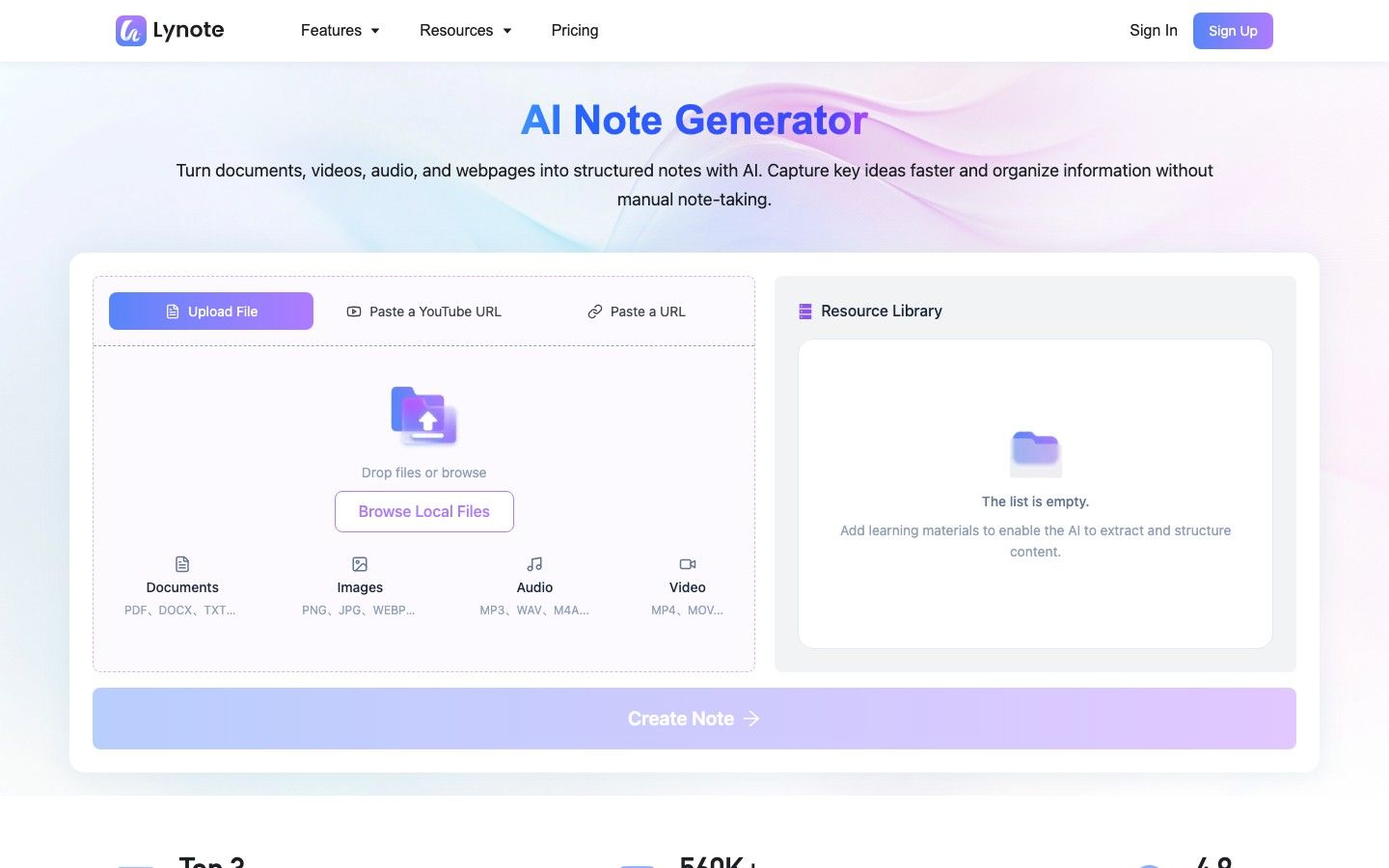
- Features: Accepts multiple input formats including audio and video, generates structured notes, supports source-grounded chat, and creates active-recall flashcards.
- Pros: Keeps notes, chat, and flashcards in one workspace; accepts lecture video and audio alongside documents; improves traceability back to original sources.
- Cons: It is not centered on a public deck marketplace or game-style learning leagues.
- Best for: Students who need to turn heavy lecture recordings, mixed media, and complex documents into structured, traceable study tools.
- Free-access reality: Lynote is free to start, allowing you to test the input and generation workflow before committing to a broader plan.
2. Knowt: Best Free Alternative for Familiar Flashcard Practice
Knowt serves as the closest budget-oriented replacement when you primarily want generated flashcards, multiple study modes, and a gamified review environment. It addresses the friction caused by wait timers by offering unlimited user-created notes and flashcards on its permanent free core plan. You also gain unlimited access to its Learn, Test, Match, Flashcard, and spaced-repetition study modes without losing access when you make a mistake.
While the core practice experience is highly accessible, Knowt does place limits on how often you can use AI to generate new cards from PDFs or videos each month. It remains a highly capable alternative for active recall, provided you do not mind seeing advertisements alongside your study materials. If you are currently exploring free Knowt alternatives as well, you will find that Knowt itself strikes a very aggressive balance between free manual practice and paid AI automation.
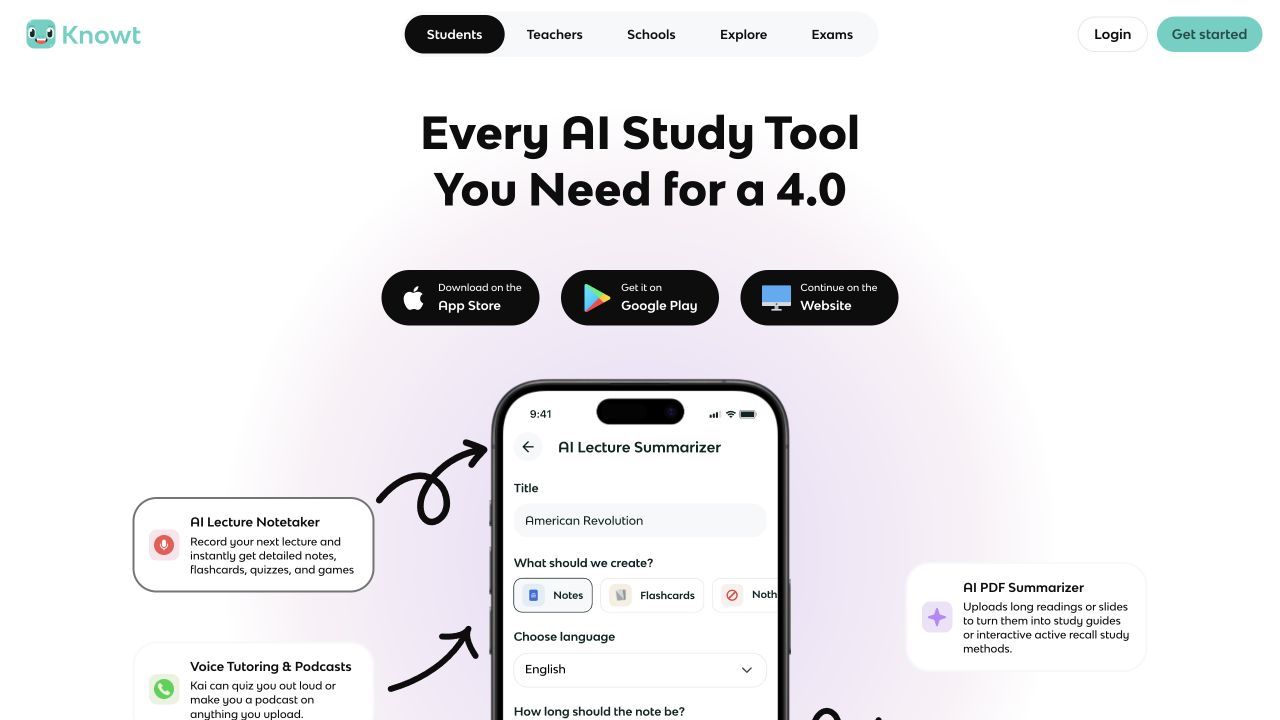
- Features: Unlimited core study modes, spaced repetition algorithms, video and PDF imports, and a large public deck library.
- Pros: No wait timers for wrong answers, excellent free-tier study modes, and relatively easy migration from other flashcard applications.
- Cons: The free plan includes ads, and monthly AI generation limits apply.
- Best for: Learners who want a fast, familiar, and gamified flashcard experience without paying just to practice their decks.
- Free-access reality: Knowt offers a permanent free core for studying and creating cards manually, paired with limited monthly AI generation.
3. RemNote: Best for Connected Notes and Spaced Repetition
RemNote takes a fundamentally different approach than Gizmo's fast, game-like loop by combining your daily notes and flashcards into a single, cohesive knowledge base. When you type a note in RemNote, you can instantly format it as a flashcard without leaving the document or breaking your train of thought. This connected system ensures you never lose the broader context behind a difficult or isolated flashcard.
The platform also includes an advanced exam scheduler, PDF annotation tools, and robust offline access for serious, long-term retention goals. However, this deeper system requires a steeper learning curve and more initial setup than a simple quiz generator. While the core note-taking and spaced repetition features are free, advanced AI study tools require usage credits or a paid subscription tier.
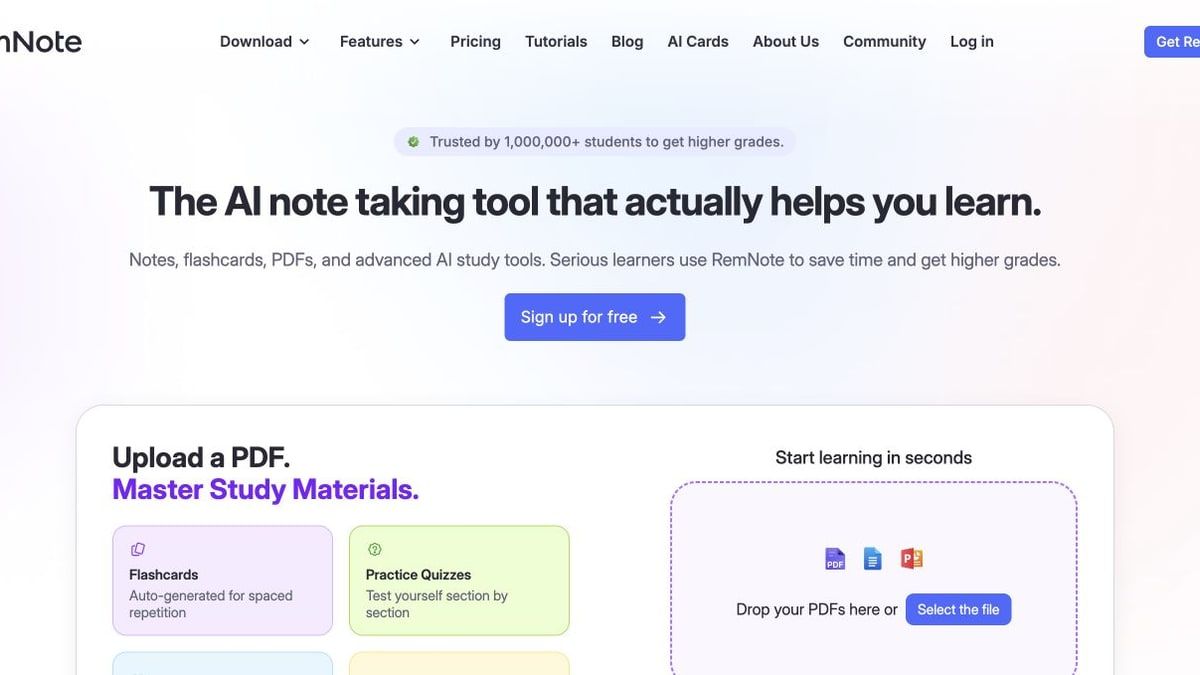
- Features: Connected outliner notes, built-in spaced repetition, integrated PDF annotation, and an exam-date scheduling system.
- Pros: Strong support for long-term review; notes and cards stay connected; useful for subjects with a large, cumulative knowledge base.
- Cons: The interface can feel overwhelming at first, and advanced AI generation is locked behind a credit system or paid tiers.
- Best for: Medical students, law students, and anyone building a multi-year knowledge base for comprehensive board exams.
- Free-access reality: Offers a permanent free core for notes and scheduling, while AI generation relies on limited usage credits.
4. Quizlet: Best for Pre-Made Decks and Classroom Familiarity
Quizlet remains a dominant force in the educational space due to its massive shared content ecosystem and highly flexible study modes. Instead of acting purely as an AI generation tool, Quizlet allows you to instantly find pre-made decks for almost any standardized test, popular textbook, or language course. This shared library is its strongest advantage over newer AI tools, saving you the trouble of generating material from scratch.
Quizlet also offers AI flashcard, study-guide, PDF-summary, and practice-test creation features. Some AI tools can be started for free, while broader Learn and practice-test usage sits behind Quizlet Plus limits. Check the current plan screen if those modes are central to your daily routine, because access can differ by product and billing option.
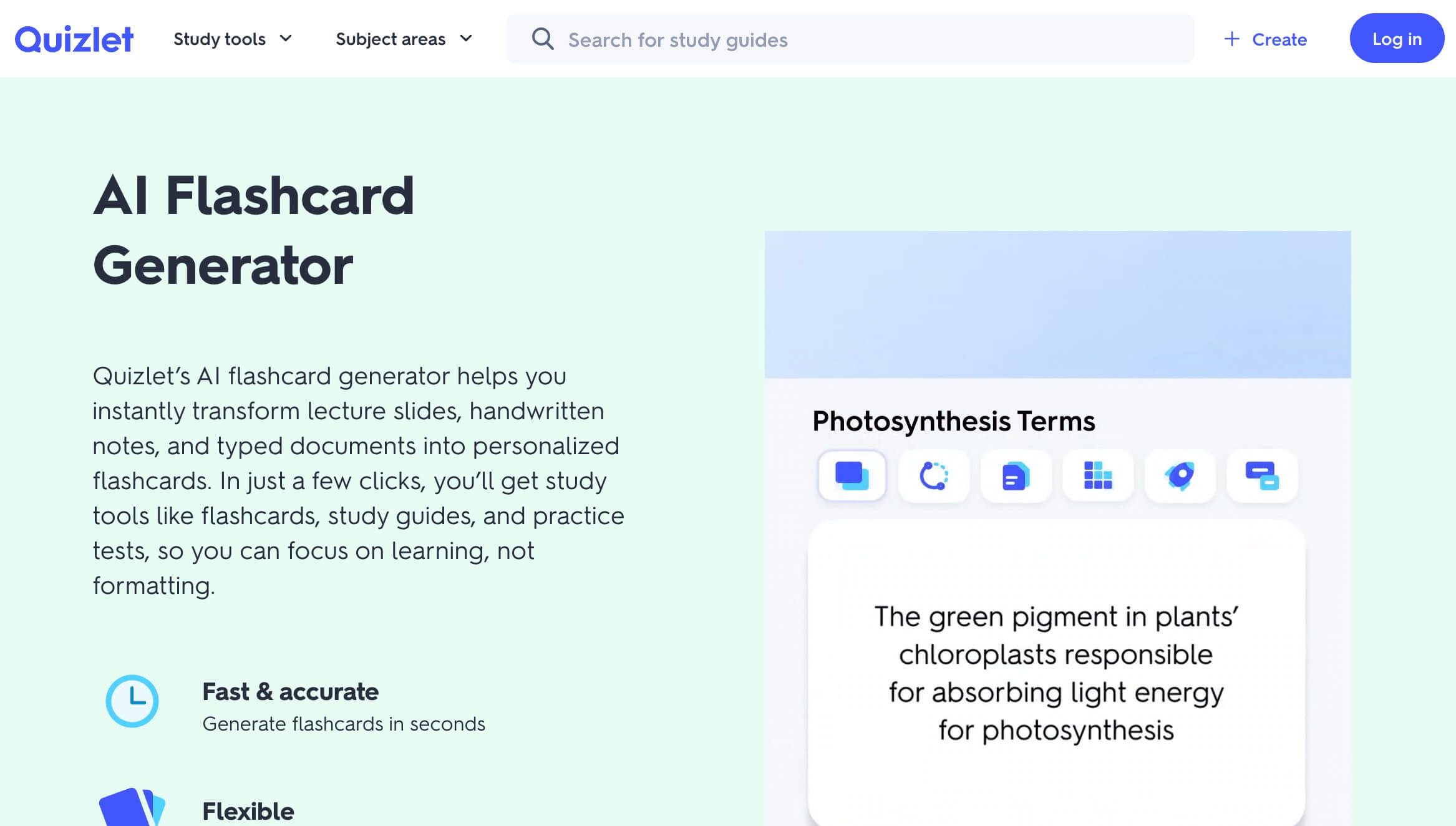
- Features: Massive public deck library, AI study-guide generation, practice tests, and classic matching games.
- Pros: You rarely have to create your own decks, and the interface is universally familiar to most students and educators.
- Cons: Free access is useful for basic studying, but deeper Learn and practice-test usage is limited.
- Best for: High school and college students who want to borrow existing decks for standard curriculum topics rather than building their own.
- Free-access reality: The free tier supports basic studying and some AI access; higher or repeated usage of advanced modes requires Plus.
5. NotebookLM: Best for Source-Grounded Understanding
NotebookLM is the better choice when understanding and tracing your source material matters more than gamification, leaderboards, or leagues. It allows you to upload specific documents and generates customizable flashcards and quizzes based strictly on those selected sources. This improves traceability and ensures your study material closely matches your syllabus, though all AI outputs still require your review.
While studying, NotebookLM lets you track your progress with simple "Got it" or "Missed it" buttons, and it can explain the reasoning behind difficult answers. You can easily download your flashcards as a CSV file to use in other applications, which is helpful since it lacks a built-in spaced-repetition scheduler. It is fundamentally designed for deep comprehension and source analysis rather than rapid, long-term memorization.
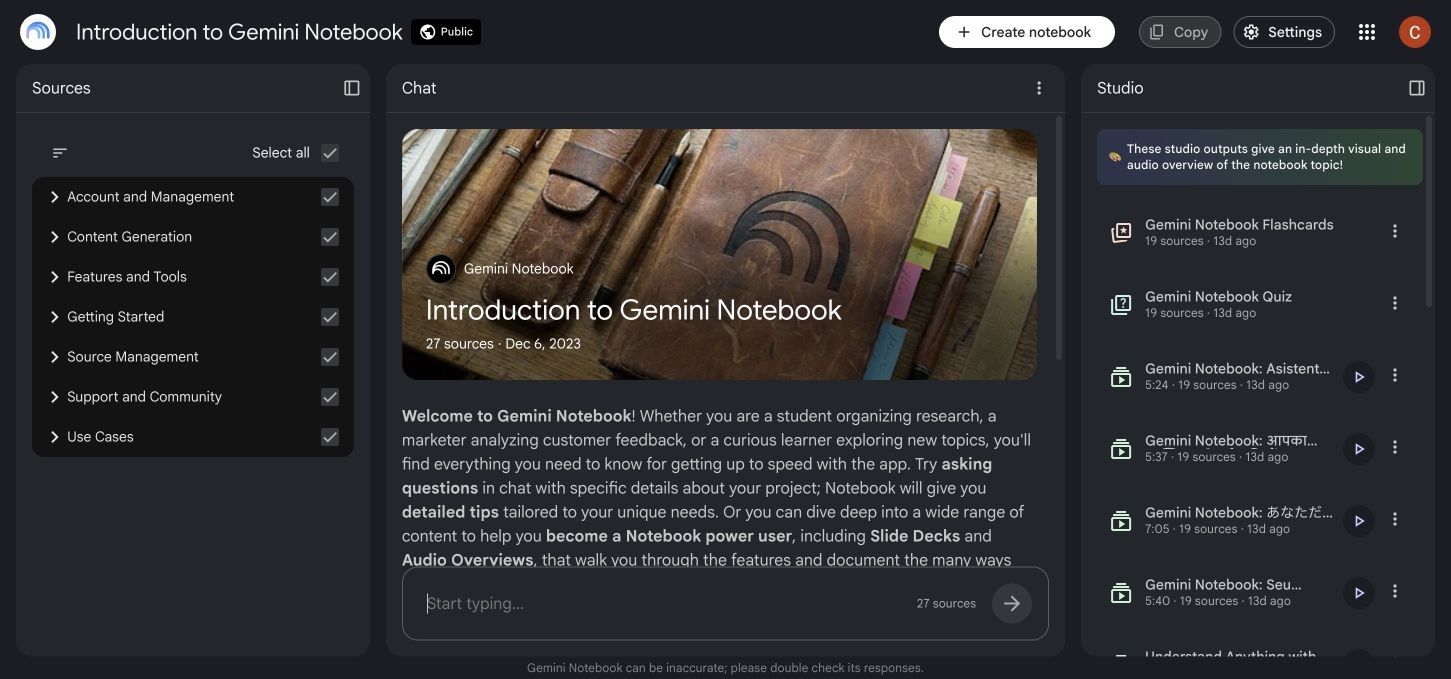
- Features: Source-grounded AI generation, audio overviews, quiz creation, and CSV flashcard export capabilities.
- Pros: Improves traceability by citing uploaded sources; its standard access is free with a Google account; useful for synthesizing complex research.
- Cons: No advanced spaced-repetition scheduler or public deck marketplace; the mobile app has fewer source and workspace features than desktop.
- Best for: Researchers and students who need to thoroughly understand dense, specific source documents before memorizing them.
- Free-access reality: NotebookLM Standard has a free core with daily limits; Google AI and qualifying Workspace plans provide higher limits and additional features.
6. Anki: Best for Long-Term Retention and Full Review Control
Anki is the established standard for learners who want absolute control over their review scheduling and long-term memory retention. Unlike Gizmo, Anki does not prioritize fast AI generation or colorful onboarding; instead, it offers a mature, highly customizable spaced-repetition algorithm. You can adjust custom review timing, tweak recall ratings, and install hundreds of community-built add-ons to modify the experience.
The trade-off for this immense power is a distinct lack of native, all-in-one AI tutoring or source-to-deck workflows in the core application. You will either need to create cards manually, use third-party AI add-ons, or import CSV files generated by other tools. It remains the best destination for your flashcards, even if it is not the easiest place to generate them initially.
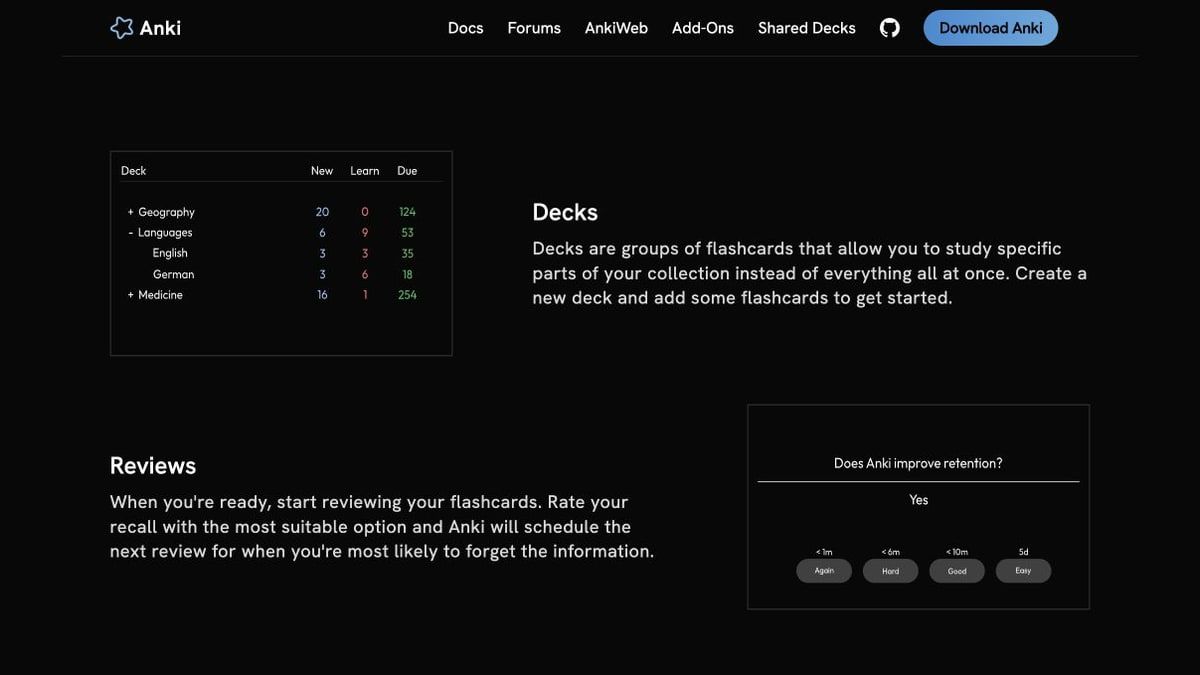
- Features: Unmatched spaced-repetition algorithm, media-rich cards, offline desktop use, and free cloud sync via AnkiWeb.
- Pros: Designed for multi-year review workflows; free on desktop and Android; highly customizable formatting and scheduling.
- Cons: The interface is dated, and it requires significant manual setup to integrate modern AI generation workflows.
- Best for: Language learners, medical students, and power users willing to configure a durable, long-term review system.
- Free-access reality: The desktop software and Android app are permanently free, while the official iOS app requires a paid purchase.
7. StudyFetch: Best for AI Tutoring Around Course Materials
StudyFetch emphasizes guided explanations, practice, and progress tracking around your uploaded courses rather than simple card generation. By feeding it PDFs, slides, notes, audio, video, and YouTube inputs, you can generate comprehensive AI notes, flashcards, and practice tests. Its standout feature is Spark.E, an interactive AI tutor that walks you through difficult concepts step by step.
This tutor workflow can go much deeper than Gizmo when you are struggling to understand complex material, acting more like a study companion than a simple quiz master. However, the platform heavily monetizes these advanced features, meaning the free experience is quite constrained. The free plan offers limited access rather than unrestricted use, so you will likely need to upgrade to utilize the tutor extensively.
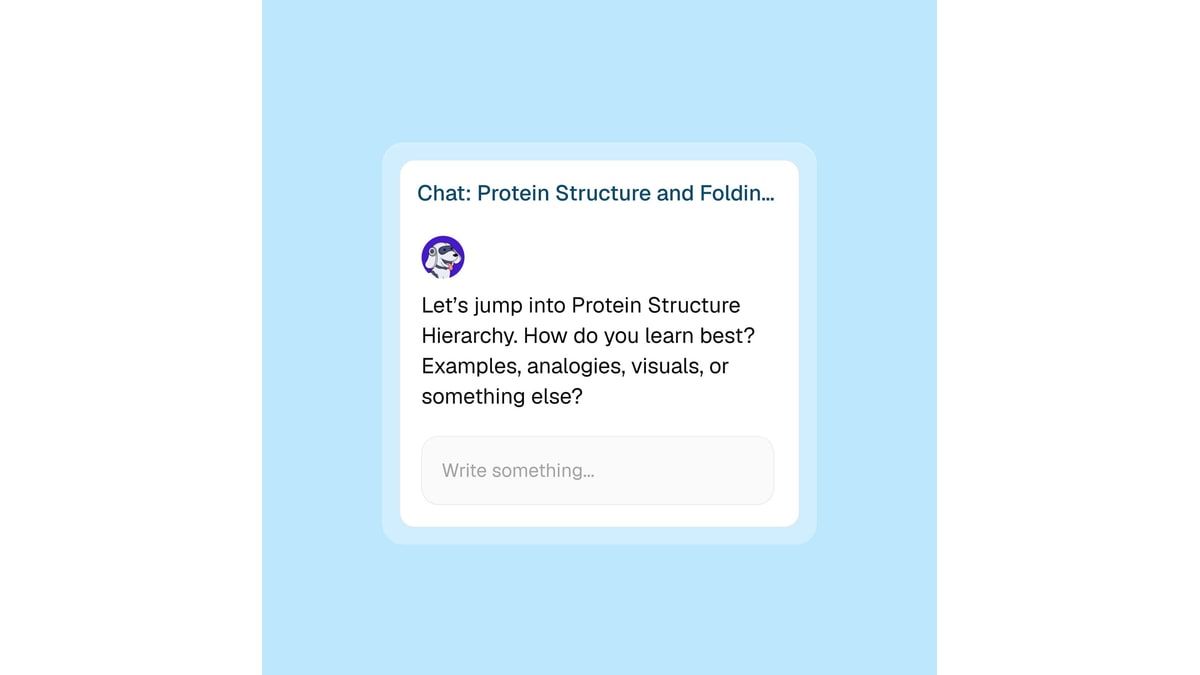
- Features: AI notes, flashcards, practice tests, interactive tutoring (Spark.E), and detailed study planning tools.
- Pros: Excellent for interactive learning and breaking down complex lectures into manageable, conversational study sessions.
- Cons: Strict free-plan limits make it difficult to use as a daily driver without paying for a premium subscription.
- Best for: Students who want conversational AI tutoring and guided explanations alongside traditional flashcard generation.
- Free-access reality: Offers limited free access that functions more like a trial for its premium AI tutoring and generation features.
8. Turbo AI: Best for Turning Lectures Into Editable Study Notes
Turbo AI focuses on a capture-first workflow, converting live recordings, PDFs, YouTube links, audio, and video into highly editable notes. While Gizmo focuses on the flashcard-first habit loop, Turbo AI assumes you need a solid set of comprehensive notes before you can begin memorizing effectively. Once your notes are captured and organized, it can generate flashcards, quizzes, and even audio podcasts for review.
This makes it highly effective for students who struggle to keep up during fast-paced live lectures and need reliable documentation first. However, its center of gravity remains note transformation rather than advanced flashcard scheduling. If you are comparing free Coconote alternatives for lecture capture, Turbo AI offers a strong suite of generation tools, though it places less emphasis on long-term review mechanics.
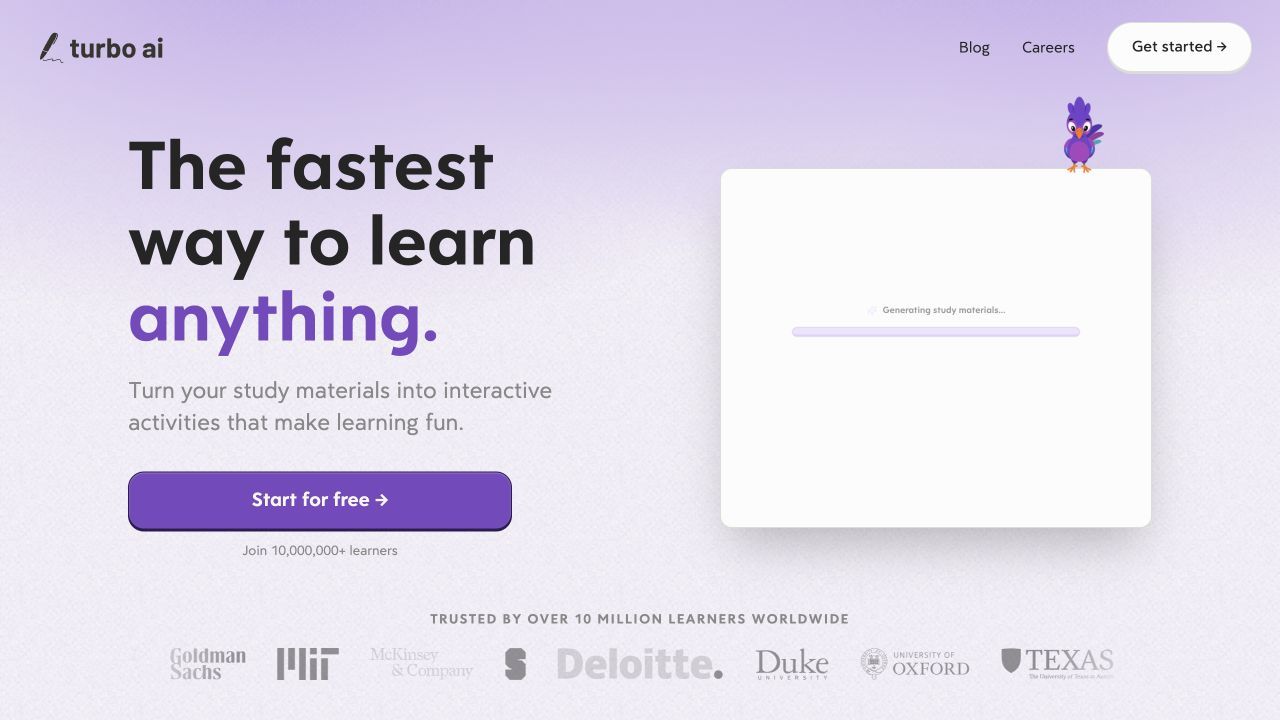
- Features: Live recording transcription, editable AI notes, flashcard generation, quizzes, and AI podcast summaries.
- Pros: Exceptional at capturing and organizing messy live lectures into clean, structured study materials for later review.
- Cons: Places less emphasis on advanced spaced-repetition scheduling compared to dedicated flashcard applications.
- Best for: Students who need to record and transcribe live classes before turning that text into usable study aids.
- Free-access reality: Free to start with basic limits, but heavy audio processing and extensive generation require a paid plan.
What Does a Real Gizmo Replacement Need to Do?
To truly replace Gizmo, an alternative must handle the entire study loop without introducing unnecessary friction or restrictive paywalls mid-session. Gizmo's baseline workflow relies heavily on its Magic Import feature to capture content, its Memorise mode for spaced repetition, and an AI Tutor for guided explanations. Magic Import currently accepts PDFs, recordings, pasted notes, photos, PowerPoint files, Quizlet sets, Anki decks, spreadsheets, and website URLs.
Gizmo also uses XP, Levels, Leagues, and Streaks to keep learners engaged over time. These mechanics matter because a replacement can match Gizmo's content generation while still feeling very different during daily review.
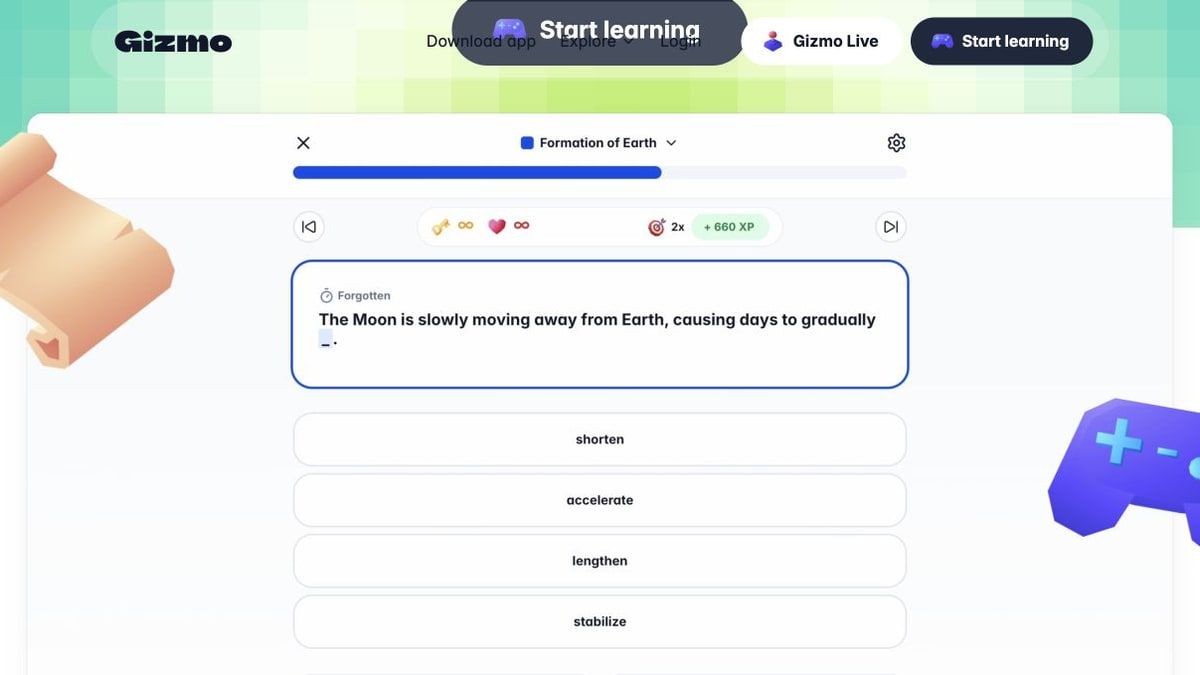
However, its current free-access model relies on a Hearts system, where users begin with 15 Hearts. A wrong answer in Memorise mode consumes one Heart, and running out triggers a 10-minute wait, though the basic flashcards-only mode does not consume Hearts. Free users also wait 20 minutes between Magic Imports, so a complete replacement should be assessed across both content creation and review access.
Capture: Accept the Student's Real Source Material
The first step in any study workflow is gathering the raw information you need to learn. Gizmo allows for PDF, pasted notes, YouTube, and lesson recording inputs, which sets a high bar for alternatives. A true replacement must accept the exact file types and media formats your professors actually distribute.
If a tool only accepts plain text, you will waste hours formatting your documents before the AI can even read them. The best alternatives seamlessly ingest lengthy slide decks, dense academic PDFs, and hour-long video links. They parse this information accurately, preserving the core context so the resulting study materials are actually relevant to your syllabus.
Generate: Create Editable Flashcards and Questions
Once the material is captured, the platform must generate study assets quickly and accurately. This is where AI drastically outperforms manual data entry, turning pages of text into concise active-recall prompts. The generation process should identify key terms, dates, and concepts without requiring you to highlight every single sentence manually.
Crucially, these generated flashcards and questions must be highly editable. AI often creates cards that are too verbose or lacking in specific nuance, so you need an interface that allows rapid modifications. A strong alternative lets you tweak the front and back of a card instantly, ensuring the prompt matches how you naturally recall information.
Practice: Support Active Recall Without Unnecessary Interruption
Active recall is the process of actively stimulating your memory to retrieve a piece of information, rather than passively re-reading a textbook. Gizmo facilitates this through its Memorise mode, but the Hearts system penalizes mistakes by forcing a timeout. A viable alternative must allow you to practice retrieving information repeatedly without locking you out when you struggle.
The practice interface should be clean, responsive, and focused entirely on the question at hand. Whether it uses multiple-choice quizzes, typing prompts, or simple card flips, the friction between answering and seeing the result must be minimal. Unrestricted practice is essential because making mistakes is a fundamental part of the active recall process.
Retain: Schedule Weak Material for Later Review
Practicing once is not enough; you must review the material at strategic intervals to overcome the forgetting curve. Gizmo incorporates spaced repetition into its workflow, ensuring that cards you find difficult appear more frequently than cards you already know. Any serious alternative must utilize an algorithm that tracks your individual performance on every single card.
Without adaptive scheduling, you will waste time reviewing easy concepts while neglecting the facts that actually lower your test scores. The best alternatives provide transparent scheduling, letting you know exactly how many cards are due today and why. This long-term retention strategy is what separates a simple quiz generator from a comprehensive study system.
Understand and Reuse: Explain Difficult Concepts and Preserve Useful Notes
Memorization fails when you do not fundamentally understand the concept you are trying to recall. Gizmo uses an AI Tutor to provide explanations, and a replacement must offer similar source-grounded guidance. When you miss a flashcard, the tool should be able to explain the underlying principle using the context of your original uploaded documents.
Furthermore, a great study tool preserves your original notes and allows you to reuse your generated decks across different platforms. Lock-in is a major risk with proprietary study apps, so the ability to export your flashcards as a CSV or text file is vital. This ensures that the hours you spend generating and refining your study materials retain their value long after the semester ends.
Gizmo AI vs Alternatives: Which Parts of the Study Loop Do They Replace?
Not every alternative replaces Gizmo end to end; some excel at rapid content generation, while others focus purely on rigorous review scheduling. This table separates fast AI generation from actual review capabilities so you can see exactly which parts of the study loop each tool covers. I used specific qualifications rather than broad checkmarks to highlight where a feature exists but lacks depth.
| Tool | PDF and notes | Video and lecture input | AI flashcards | Quizzes | Spaced or adaptive review | Grounded tutor | Public decks | Export or offline |
|---|---|---|---|---|---|---|---|---|
| Lynote | Yes | Yes | Yes | No | No | Yes | No | Export available |
| Knowt | Yes | Yes | Yes | Yes | Yes | Limited | Yes | Yes |
| RemNote | Yes | Limited | Yes | Limited | Yes | Limited | Limited | Yes |
| Quizlet | Yes | Limited | Yes | Yes | Plus tier | Plus tier | Yes | Limited |
| NotebookLM | Yes | Yes, including YouTube and audio | Yes | Yes | No | Yes | No | CSV export; mobile app |
| Anki | No | No | No | No | Yes | No | Yes | Yes |
| StudyFetch | Yes | Yes | Yes | Yes | Limited | Yes | Limited | Limited |
| Turbo AI | Yes | Yes | Yes | Yes | Limited | Limited | No | Yes |
Note: "Yes" indicates clearly supported native capabilities. "Limited" indicates the feature exists but requires workarounds, strict free-tier caps, or lacks the depth of a dedicated tool. "No" indicates the feature is absent or highly impractical.
When analyzing this matrix, it becomes clear that content generation and review scheduling are often handled by entirely different types of software. Tools like NotebookLM and Turbo AI are exceptional at parsing complex inputs and generating study assets, but they lack the adaptive review algorithms necessary for long-term retention. Conversely, Anki provides the most robust spaced repetition available but offers virtually no native AI generation from raw files.
To fully replace Gizmo's comprehensive loop, decide which phase of studying is most critical to your routine. If you struggle with note-taking and organization, prioritize tools with strong video and lecture inputs. If your primary goal is preparing for a cumulative final months in the future, prioritize platforms with dedicated spaced or adaptive review systems, even if you generate the cards elsewhere.
What Does 'Free' Mean for a Gizmo Alternative?
Search results frequently mislabel premium study tools as entirely free, leading to intense frustration when you hit an unexpected paywall mid-session. It is crucial to distinguish between a permanent free core and limited monthly AI credits. Understanding these pricing realities before you upload your syllabus will save you from scrambling for a new tool the night before an exam.
Permanent Free Core Versus Limited Monthly AI
Tools like Knowt and RemNote offer permanent free access to core review features, so existing cards remain usable without a subscription. AI generation is more likely to be metered because processing PDFs, recordings, and videos has ongoing costs. Depending on the tool, you may encounter monthly credits, daily limits, or plan-based caps and then need to wait or upgrade.
Wait-Based Quizzing Limits Versus Usage Credits
Gizmo's Hearts system is a wait-based limit, penalizing mistakes by forcing a timeout unless you pay for an Unlimited tier. Other platforms avoid this by using a usage credit system, where you spend credits to generate content but can practice that content infinitely. Usage credits are generally less frustrating for active recall, as they do not interrupt your actual study flow when you are struggling to remember a fact.
Free Desktop Software Versus Paid Mobile Apps
Some established study platforms offer free access on one device while charging on another. For example, Anki's desktop software and Android application are free, and AnkiWeb provides free synchronization. Its official iOS application requires a one-time purchase, which matters when comparing the total cost of a cross-device workflow.
Free-to-Start and Free Trials
Many modern AI study tools operate on a free-to-start or trial model, offering a generous initial allocation of generation credits to demonstrate their value. Once these initial credits are exhausted, the platform essentially becomes read-only until you purchase a subscription. It is vital to recognize when an app is merely offering a trial rather than a sustainable free tier for a full semester of work.
When Paying Saves Enough Setup Time to Be Worthwhile
A paid subscription can still make sense when automated capture and card creation consistently remove more work than the plan costs. Evaluate paid tiers by running a typical lecture or reading through the workflow and noting how much editing remains. The useful question is whether the paid limit supports your real weekly volume, not whether the pricing page contains the longest feature list.
| Tool | Free without card entry limits? | Free AI generation? | Free review mode? | Main restriction |
|---|---|---|---|---|
| Gizmo | Yes | Wait between free imports | Yes, with Hearts in Memorise | Import and Hearts wait limits |
| Lynote | Plan-dependent | Free to start | Free to start | Verify current workspace allowance |
| Knowt | Yes | Limited monthly | Yes | Ad-supported interface |
| RemNote | Yes | Credit-based | Yes | Advanced AI is paid |
| Quizlet | Yes | Some free access | Basic modes | Deeper usage requires Plus |
| NotebookLM | Yes | Yes, within standard limits | Yes | No spaced-repetition scheduler |
| Anki | Yes | No native generation | Yes | Official iOS app is paid |
| StudyFetch | Plan-dependent | Limited | Limited | Advanced tutoring and generation are capped |
| Turbo AI | Plan-dependent | Free to start | Limited | Heavy processing requires a paid plan |
Choose a Gizmo Alternative by the Friction You Want to Remove
The most effective way to choose a replacement is to identify the specific part of Gizmo's workflow that frustrates you most. By focusing on the exact friction point you want to eliminate, you can skip generic feature comparisons and select a tool tailored to your habits.
If you want Gizmo-like practice without the Hearts interruption, Knowt provides the most seamless transition for gamified flashcards. It retains the colorful, engaging interface and multiple study modes you are used to, but removes the penalty for answering incorrectly. This allows you to drill difficult concepts repeatedly without fear of being locked out of your own study materials.
If you study from mixed files, recordings, and lengthy videos, Lynote offers the best capture-to-flashcard workflow. Instead of juggling multiple transcription and summarization apps, you can feed your raw media directly into its workspace. The ability to generate structured notes and chat with your sources makes it ideal for complex, multi-format college courses.
If you need long-term scheduling for board exams, Anki or RemNote provide more review control than a generation-first app. Both are designed to resurface cards over extended periods instead of stopping after a single quiz session. They require more setup and daily discipline, but they make due dates, weak cards, and cumulative review a central part of the workflow.
If you simply need existing decks to save time, Quizlet has one of the broadest public study-set ecosystems. For standard subjects like high school biology or introductory Spanish, a relevant user-created deck may already exist. Review the author, terms, and definitions before relying on it because community decks are not automatically expert-reviewed.
If you need citations and source-grounded explanations, NotebookLM is a strong fit. Its answers and generated study aids are organized around selected sources, improving traceability and allowing you to verify important claims against your syllabus. The citations make review easier, but they do not remove the need to check AI-generated cards and explanations.
If you need a tutor that walks through course material interactively, StudyFetch provides a guided learning option. Rather than just flipping cards, its Spark.E tutor can explain answers and continue the conversation around uploaded course material. This approach can suit subjects such as math or physics, where learners often need an explanation before returning to recall practice.
If your primary struggle is keeping up in class, Turbo AI will capture your lectures and build editable notes first. It focuses on the top of the study funnel, ensuring you have an accurate record of what the professor actually said. Once those notes are secured, you can then move on to generating flashcards and quizzes for test preparation.
A 20-Minute Test Before You Move Your Study Workflow
Before migrating your entire semester of notes and flashcards to a new platform, run a quick evaluation to ensure the tool fits your actual daily habits. Use this reader test protocol as a practical heuristic to judge the friction, accuracy, and usability of a new application.
- Use the same two-page source document or ten-minute lecture video in two shortlisted tools. Do not use simplified sample text; use the actual dense material you need to study. This immediately reveals which tool handles complex formatting and academic jargon better.
- Check whether the generated cards preserve important qualifiers and avoid creating redundant duplicates. Poor AI generators will strip away vital context or create five slightly different cards for the exact same concept. Review the output to ensure the questions are actually challenging and accurate.
- Edit three weak cards manually and note how much friction the tool's interface creates. You will inevitably need to fix AI-generated content, so the editing process must be fast. If it takes multiple clicks and menu navigation just to fix a typo, the tool will become frustrating over a long semester.
- Complete one full review round and inspect how the system handles wrong answers. Intentionally miss a few questions to see if the tool explains the correct answer clearly or penalizes you with wait timers. A good system should smoothly schedule that missed card for a near-term review without interrupting your flow.
- Leave the app and return later to see whether your progress, scheduling, and source context persist accurately. Close the browser or app entirely and reopen it to check its state management. You need to know that your spaced repetition intervals are saved and that your place in a deck is maintained.
- Confirm the platform's export options, privacy policies, and free-plan limits before migrating a large library. Ensure you can export your data as a CSV or text file so you are never locked into a single ecosystem. Verify exactly what features will disappear when your initial free trial or credit allocation runs out.
FAQs About Gizmo AI Alternatives
What is the best Gizmo AI alternative?
The best alternative depends entirely on your specific academic workflow. Lynote is excellent for generating structured study materials from mixed media and heavy lectures, while Knowt serves as the best direct replacement for Gizmo's gamified flashcard practice. For strict, multi-year memorization, Anki remains the top choice among medical and language students.
Is there a completely free alternative to Gizmo?
No single option is completely free on every platform with unlimited AI generation. NotebookLM Standard provides free access within usage limits, while Anki is free on desktop and Android but its official iOS app is paid. Knowt offers a permanent free core for studying and manual creation, with monthly limits on AI usage.
Is Knowt better than Gizmo?
Knowt is generally better for uninterrupted practice because it does not use a wait-based penalty system like Gizmo's Hearts. It allows unlimited core study modes on the free plan, making it a highly popular alternative for budget-conscious students who want to drill flashcards without fear of being locked out.
Is Anki better than Gizmo for spaced repetition?
Anki offers much deeper control over spaced-repetition scheduling, so it is usually the stronger choice when long-term review is the main requirement. However, it lacks Gizmo's built-in AI generation tools and colorful onboarding interface, requiring significantly more manual setup and discipline.
Can I use Gizmo for free without Hearts?
Currently, running out of Hearts in Gizmo's Memorise mode triggers a 10-minute wait unless you upgrade to the Unlimited tier. The separate flashcards-only mode does not consume Hearts, although it does not provide the same Memorise interaction.
Which Gizmo alternative creates flashcards from PDFs and videos?
Lynote, Turbo AI, and StudyFetch all excel at processing multiple complex file formats. If you specifically need to create flashcards from a video, Lynote allows you to paste YouTube links or upload video files directly into its generation workspace to extract key concepts.
Can I transfer Gizmo flashcards to another app?
Gizmo's current help center says deck export is not available yet. You can share a deck by link or QR code, but moving it into Knowt, Quizlet, or Anki may require rebuilding cards or manually copying content. Test the destination app with a small deck before committing to a larger move, and do not assume Gizmo's existing review history will transfer.
Final Verdict: Replace the Weakest Part of Your Gizmo Workflow First
Choosing a study application starts with identifying whether you need broader AI generation, more predictable access, or stronger long-term review scheduling. No single tool replicates every part of Gizmo while also removing every limitation, so prioritize the feature that creates the most friction in your current routine. Lynote is the broadest choice for mixed-source capture, allowing you to turn lectures, videos, and documents into structured notes, grounded Q&A, and active-recall flashcards.
Knowt is the closest free choice for users who primarily want familiar flashcard practice and gamified modes without wait timers. If long-term retention for a cumulative exam is your primary goal, RemNote and Anki provide more scheduling control than generation-first study tools. Test the same source document and one review loop in your top two choices before moving an entire study library, then replace the weakest part of your current workflow first.

Written by Janet L. Harris
AI Writing Specialist
Janet reviews AI detectors and humanization tools, with a focus on accuracy, limitations, and responsible use. View all articles →