8 Free Coconote Alternatives for Every Type of Student

If you are searching for a free or lower-cost Coconote replacement, the right choice depends entirely on which part of the study workflow you need most. Students looking for a single, unified platform should choose Lynote. It serves as the best overall mixed-source alternative when users want one workflow for documents, webpages, images, audio, video, and YouTube, alongside downstream outputs like transcripts, summaries, notes, chat, flashcards, and translation.
Quick Answer: The Best Free Coconote Alternatives
For more specific academic needs, other tools stand out in narrower areas. Turbo AI offers the closest lecture-to-study-pack workflow, while StudyFetch emphasizes guided, interactive AI tutoring. NotebookLM is particularly useful for source-grounded research, and Knowt provides an accessible environment for flashcard practice.
NoteGPT handles YouTube and mixed-media summaries, RemNote focuses on spaced repetition for long-term memory, and Mindgrasp provides a guided premium-style study system to try before paying.
It is important to state clearly that no single alternative copies every Coconote feature exactly. Specifically, you will likely not find Coconote's exact combination of live capture, gamified study sessions, and AI-hosted podcasts replicated in one free application. You will need to prioritize the features that actually impact your grades.
Coconote Alternatives at a Glance
| Tool | Best for | Closest Coconote workflow | Free access type | Main limitation |
|---|---|---|---|---|
| Lynote | Mixed-source learning | Mixed-media capture and flashcards | Task-specific free entry points | No AI podcast generation |
| Turbo AI | Lecture-to-study-pack | Notes, flashcards, and quizzes | Free starter tier | Advanced usage is metered |
| StudyFetch | Live lectures and tutoring | Live capture and study outputs | Free signup available | Feature breadth can feel busy |
| NotebookLM | Source-grounded research | Source chat and study guides | Strong permanent free limits | Lacks live lecture recording |
| Knowt | Flashcards and practice | Flashcards and study modes | Permanent free Basic plan | Weaker live audio transcription |
| NoteGPT | YouTube and mixed-media | Video summaries and notes | Recurring monthly quota | Quotas can disappear quickly |
| RemNote | Long-term retention | Flashcards and notes | Permanent free core plan | Richer AI features are paid |
| Mindgrasp | Guided study system | Mixed-source notes and quizzes | Free starter/trial experience | Not a permanent unlimited free plan |
This table highlights the primary strengths and access models of the top competitors currently on the market. While Coconote offers a broad suite of generation tools, these alternatives often specialize in one specific learning method.
Understanding the free access type is especially critical before you migrate your coursework. A permanent free plan offers reliable long-term utility, whereas a free starter tier or recurring quota may require you to upgrade during a busy finals week.
What Does a Coconote Alternative Need to Replace?
To evaluate a Coconote alternative effectively, you must first define the actual jobs the software performs during a typical semester. Coconote is known for its broad capture-to-study pipeline. Replacing it means finding a tool—or a combination of tools—that can handle the same distinct phases of learning.
It is helpful to remember that the most capable transcript tool, the strongest research tool, and the most effective memory tool may be entirely different products. You have to identify where your current study habits experience the most friction.
Capture: Live Lectures, Uploaded Recordings, Videos, Documents, and Links
The first job of any study platform is getting the raw material into the system without technical headaches. A capable replacement must support the specific file types your professors actually distribute. This includes live lecture recording from your phone or laptop, as well as the ability to upload existing audio and video files.
Beyond spoken audio, the tool needs to handle text and visual inputs smoothly. You should look for robust support for heavy PDF slide decks, Word documents, and direct web links. The ability to process YouTube URLs is also increasingly vital, as many modern courses rely on supplemental online video essays and tutorials.
If an alternative only accepts text uploads, it will fail you the moment a professor posts an hour-long MP4 recording. Conversely, an app built purely for dictation will struggle to parse a complex, image-heavy textbook chapter. The best alternatives offer a flexible capture net.
Understand: Transcripts, Structured Notes, Source-Based Chat, and Explanations
Capturing the syllabus is only the beginning of the workflow. The software must then help you understand the material by organizing it into a digestible format. This requires highly accurate transcription for audio and video sources, followed by the generation of structured, readable notes.
Furthermore, passive reading is rarely enough for difficult subjects. A strong alternative needs to offer source-based chat, allowing you to ask follow-up questions about the text. This chat function must be grounded entirely in your uploaded documents to prevent the AI from inventing outside information.
When you encounter a confusing concept, the tool should provide clear, contextual explanations based on the professor's exact wording. This transforms a static document into an interactive study session, mirroring the way Coconote allows users to interrogate their course materials.
Practice: Flashcards, Quizzes, Practice Tests, Games, and Spaced Repetition
Active recall is arguably the most important phase of studying, and it is an area where Coconote traditionally excels. A credible replacement must automatically generate study aids that force you to retrieve information from memory. This typically includes digital flashcards, multiple-choice quizzes, and comprehensive practice tests.
While some apps offer study games to make this process more engaging, the underlying science of memory is what truly matters. Generating a hundred flashcards is useless if you do not review them at the right intervals. Therefore, finding an alternative with built-in spaced repetition scheduling is a massive advantage.
Spaced repetition algorithms track which concepts you struggle with and show them to you more frequently. This ensures that the information you learn in week one remains accessible in your memory by the time final exams arrive in week sixteen.
Reuse: Editing, Export, Translation, Mobile Review, and Long-Term Organization
Finally, your generated study materials must be flexible and portable. Notes locked permanently inside a proprietary web interface offer very little long-term value. A true replacement needs to provide a rich-text editing environment so you can correct AI mistakes and add your own insights.
Export options are equally critical for students who prefer to print their notes or archive them in a secondary system like Notion or Obsidian. Additionally, mobile review capabilities are essential for studying on the bus, between classes, or during a commute.
For international students or those studying foreign languages, translation features are a major priority. The ability to seamlessly translate a dense academic paper or a fast-paced lecture transcript can significantly reduce the cognitive load of studying in a second language.
How I Evaluated These Free Coconote Replacements
To create a transparent and useful ranking, I evaluated these tools based on current official capabilities and practical workflow criteria. I did not fabricate hands-on testing metrics or invent arbitrary quality scores. Instead, I compared how each platform's published features align with the daily needs of a student.
When evaluating these platforms, I focused heavily on how closely their workflow matches the Coconote experience. I also prioritized honesty regarding free access, distinguishing between permanent free plans, recurring quotas, and temporary trials.
- How closely the workflow matches Coconote: I looked for tools that attempt to connect the initial capture phase directly to the final study phase, rather than just offering isolated features.
- Range of useful source formats: I evaluated whether the platform can handle a realistic mix of PDFs, live audio, video files, and web links.
- Quality and breadth of study outputs: I checked the official feature lists for the ability to generate structured notes, flashcards, quizzes, and multimedia study aids.
- Free plan usefulness beyond a demo: I analyzed the pricing structures to determine if the free access provides enough utility to survive a standard mid-term week.
- Source traceability and review controls: I prioritized tools that offer inline citations or source-grounded chat to help users verify AI-generated answers.
- Editing, export, mobile, and long-term study value: I verified the presence of manual editing tools, export formats, and spaced-repetition frameworks that support long-term retention.
The 8 Best Free Coconote Alternatives
1. Lynote: Best Overall Coconote Alternative for Mixed-Source Learning
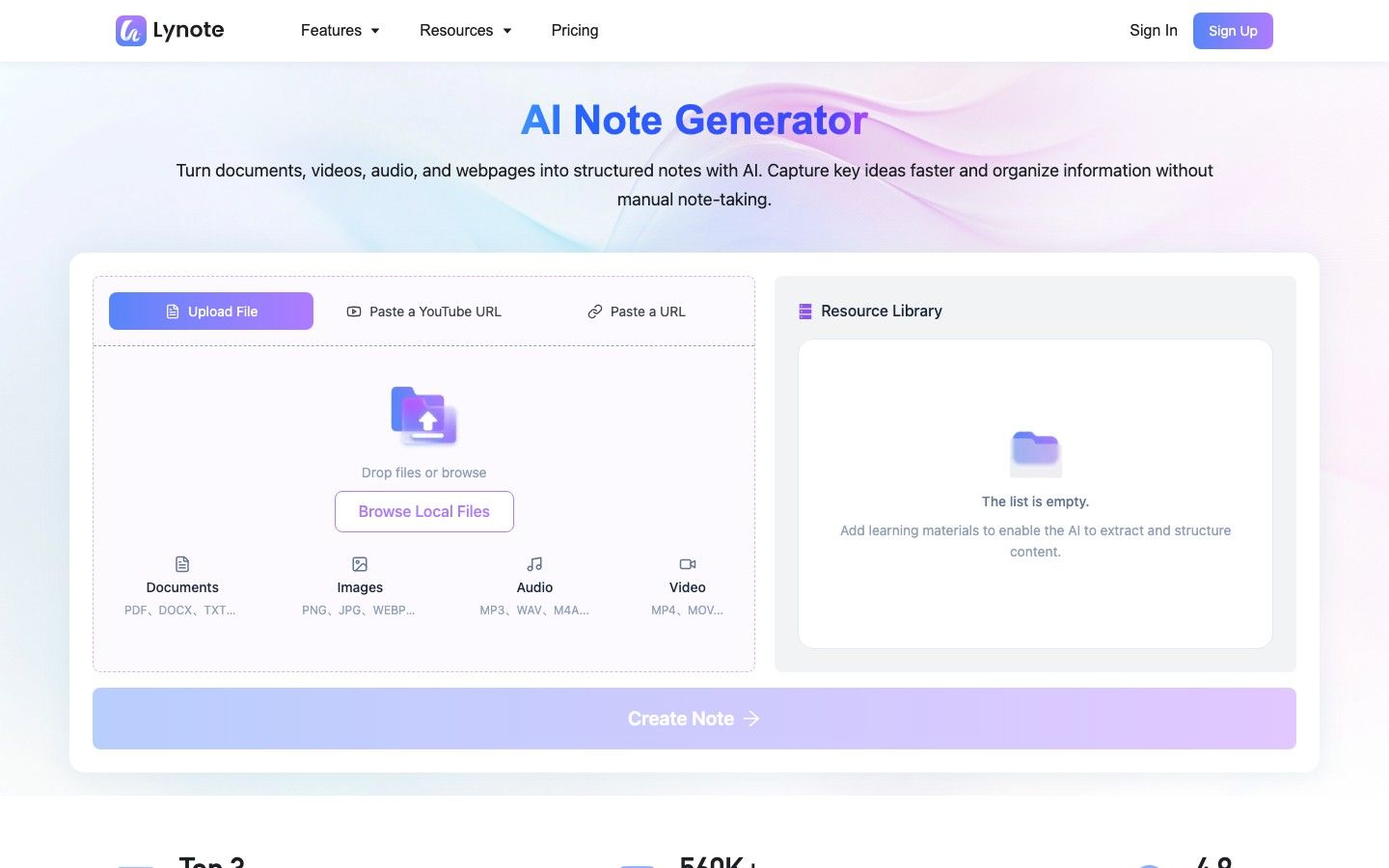
Lynote is designed as an integrated platform rather than a fragmented collection of single-use tools. It allows users to bring diverse study materials into one workspace, processing them through a connected understanding, study, and language workflow. Because it handles everything from document translation to video transcription, it is highly effective for students managing complex, multimedia syllabi.
This platform fits seamlessly into a workflow that requires moving from raw capture to active study without switching browser tabs. Unlike Coconote, which leans heavily into gamified study sessions and AI-hosted podcasts, Lynote focuses on practical utility, text extraction, and language processing. Students who specifically want an AI to generate an entertaining audio podcast of their notes should skip this option, but those who need robust file utilities and accurate transcription will find it highly capable.
- Features:
- Input and capture support for documents, webpages, images, audio, video, and YouTube links.
- Understanding tools including audio/video transcription, structured summaries, editable notes, and source-grounded chat.
- Study capabilities that feature automated flashcard generation and follow-up Q&A sessions.
- Language utilities offering comprehensive document translation and text translation.
- Capture and file utilities designed to extract text from images, compress PDFs, and compress images.
- AI writing and verification tools featuring an AI Detector, AI Humanizer, AI Image Detector, and Deepfake Detector.
- Pros:
- Offers the broadest connected workflow in this list for handling multimedia and text sources together.
- Provides strong multimedia handling, easily managing heavy video files alongside standard PDFs.
- Features practical, task-specific free entry points that allow users to test individual utilities quickly.
- Cons:
- Does not currently include Coconote-style study games or AI-hosted note podcasts.
- Best for: Students and researchers who need a single, flexible workspace that leads from mixed-source capture directly to transcripts, summaries, flashcards, and translation.
- Free access note: Multiple task-specific tools on the platform provide free or no-sign-up entry points, though exact recurring limits vary by tool and should be checked in-app.
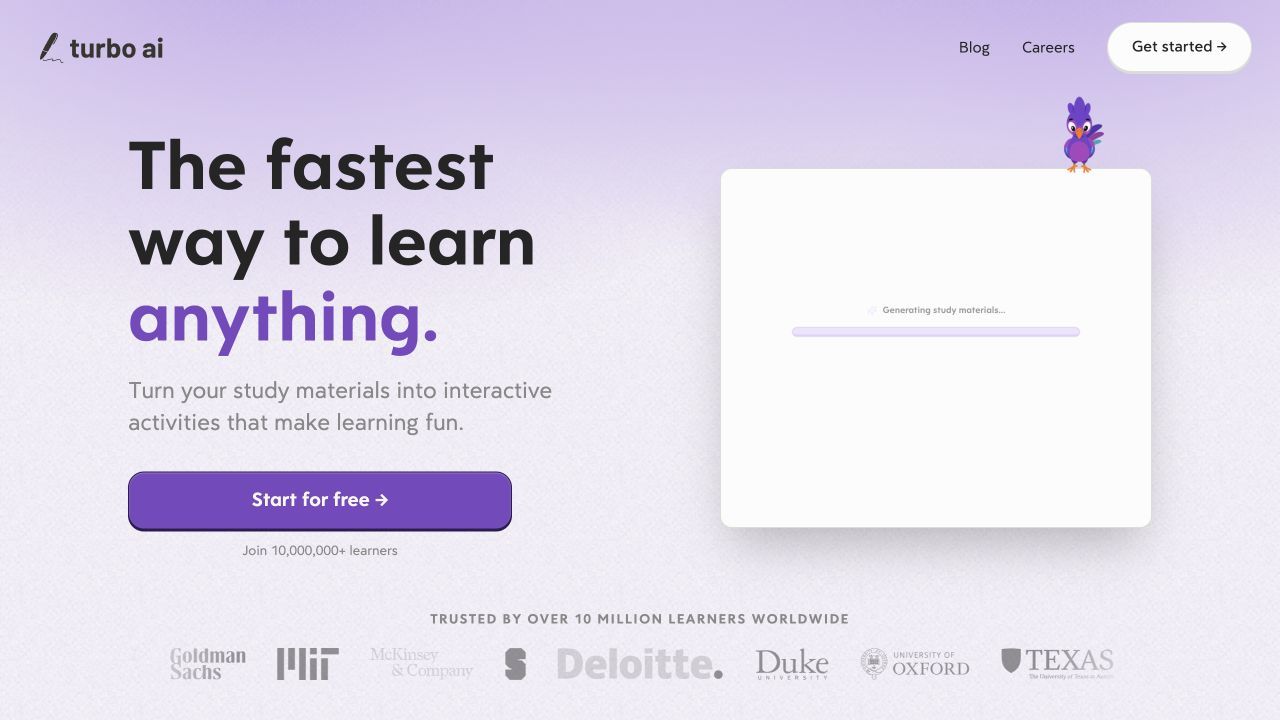
2. Turbo AI: Best Free Lecture-to-Study-Pack Replacement
Turbo AI offers a highly streamlined approach to lecture capture, making it one of the closest direct replacements for Coconote's core functionality. It is built to take a raw recording or document and instantly generate a comprehensive dashboard of study materials. This immediate conversion minimizes the friction between attending a class and preparing for the exam.
The workflow is highly intuitive: you upload a lecture, and the app outputs editable notes, flashcards, and quizzes in one continuous motion. Where it differs from Coconote is in its slightly more streamlined interface, focusing less on gamification and more on rapid material generation. Students who want deep, manual control over spaced-repetition algorithms might find it too automated and should consider skipping it for a more structural tool.
- Features:
- Accepts live audio recordings, uploaded PDFs, and standard video files.
- Generates structured, fully editable notes automatically from the source material.
- Creates digital flashcards, multiple-choice quizzes, and interactive learning activities.
- Produces AI-generated audio podcasts that summarize the core concepts of the lesson.
- Offers a centralized dashboard to manage all generated study packs for different classes.
- Includes a built-in rich text editor to refine and correct AI-generated notes.
- Pros:
- Provides a very close workflow match to Coconote's automated study-material generation.
- Features highly editable notes that sit neatly alongside the generated practice materials.
- Offers a free tier that provides immediate entry into note, flashcard, and quiz creation.
- Cons:
- Advanced usage, high-volume processing, and premium features are heavily metered.
- Users must verify the exact current limits before attempting to upload a massive backlog of lectures.
- The transition from the free starter tier to paid usage can happen quickly during heavy study weeks.
- Best for: Students who want the fastest, most automated path from a live lecture recording directly to a quiz and flashcard deck.
- Free access note: The official site states that its free starter tier includes basic note generation, flashcards, and quizzes, though exact caps should be verified in-app.
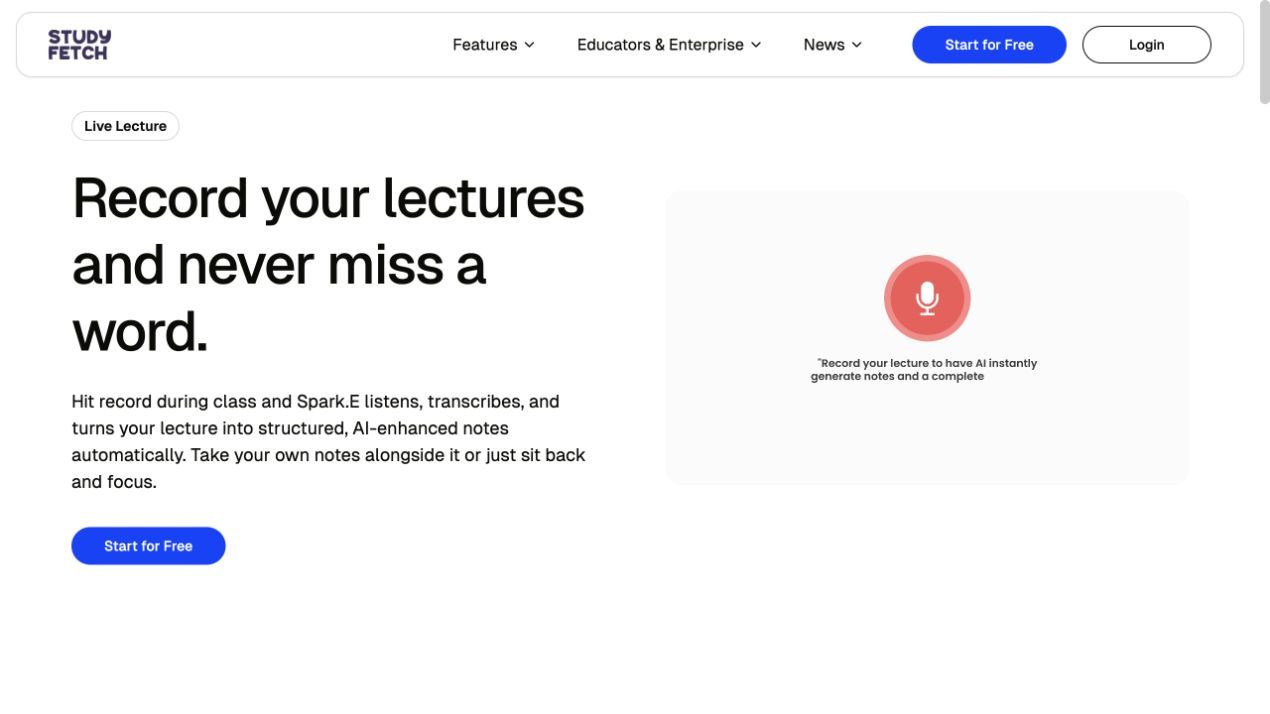
3. StudyFetch: Best for Live Lectures and an AI Tutor
StudyFetch positions itself as a comprehensive guided-learning loop, taking students from live lecture capture all the way to interactive tutoring. Its standout feature is Spark.E, an AI tutor that interacts directly with your course materials to explain difficult concepts. This makes the platform feel like an interactive teaching assistant rather than a passive note-taking repository.
The workflow fits particularly well for students who struggle to keep up with fast-talking professors, as it captures the audio and then enhances the notes. It differs from Coconote by leaning more heavily into a personalized tutoring experience and cited explanations. Students who just want a minimalist flashcard app may find StudyFetch broader than they need.
- Features:
- Live lecture transcription combined with enhanced, structured note generation.
- Spark.E AI tutor that provides cited, interactive study sessions based on your uploads.
- Generates targeted flashcards, quizzes, and full-length practice tests.
- Provides audio recaps and visual explainer videos for complex topics.
- Maintains citations that link AI answers back to specific moments in the course materials.
- Offers robust web and mobile access for studying on the go.
- Pros:
- Features a deep, interactive tutoring workflow that actively tests your comprehension.
- Links study responses back to the original course materials so students can verify important claims.
- Provides excellent cross-platform web and mobile access for flexible studying.
- Cons:
- The sheer breadth of features and the gamified tutor interface can feel busy or overwhelming to some users.
- Exact ongoing free limits are not as transparently published as they are on platforms like Knowt or RemNote.
- Heavy reliance on the AI tutor persona might not appeal to graduate students or professional researchers.
- Best for: Students who want an interactive AI tutor to guide them through complex, lecture-heavy courses with practice tests and audio recaps.
- Free access note: Official pages offer free signup with no credit card required, but continuing free limits for advanced tutoring features should be verified before drafting a whole semester.
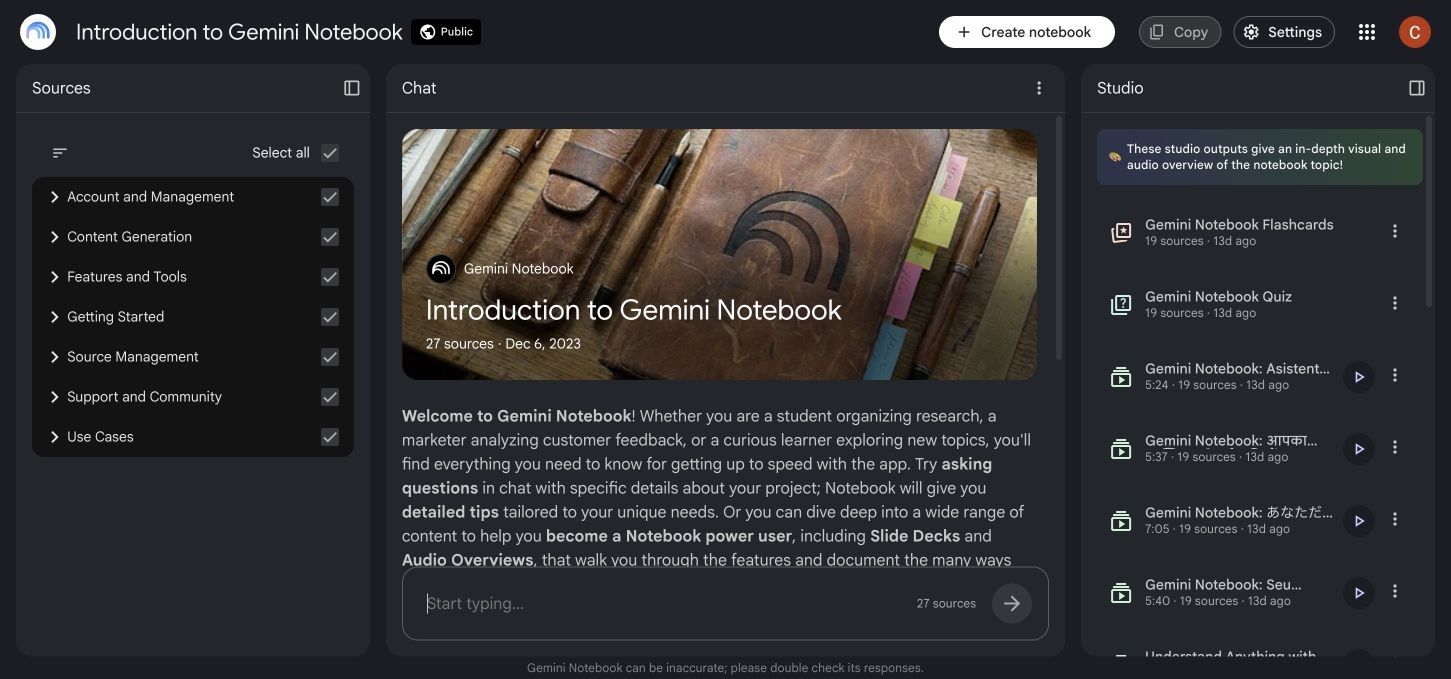
4. NotebookLM: Best Free Alternative for Source-Grounded Research
NotebookLM is Google's source-grounded research assistant, designed to organize and analyze collections of course material. Its chat responses can include inline citations that point back to uploaded sources, which makes it easier to verify details while researching a paper or reviewing a syllabus.
The workflow fits students who already have their reading materials and need a way to synthesize them without risking AI hallucinations. It differs significantly from Coconote because it is not focused on real-time lecture capture or gamified flashcard drills. Students who need a frictionless live-recording button for their daily classes should skip NotebookLM and choose a lecture-first tool instead.
- Features:
- Accepts PDFs, Google Docs, text files, web pages, YouTube videos, audio files, and supported image sources.
- Provides source-grounded chat with inline citations.
- Generates Audio and Video Overviews from selected sources.
- Creates comprehensive study guides, timeline summaries, and briefing documents.
- Generates basic multiple-choice quizzes and flashcards from the source text.
- Allows users to save insightful chat responses as pinned notes on a digital corkboard.
- Pros:
- Offers a useful free allowance for semester-long research projects.
- Makes important answers easier to trace and verify against the original material.
- Includes varied Studio outputs, particularly conversational Audio Overviews.
- Cons:
- Lacks a dedicated, frictionless live lecture recording feature for in-person classes.
- Is far less focused on long-term spaced-repetition scheduling for flashcard memorization.
- Its study flow is organized around notebooks and sources rather than a unified set of file, translation, and writing utilities.
- Best for: Researchers, graduate students, and anyone who prioritizes strict source citations and deep document synthesis over real-time transcription.
- Free access note: Standard access includes generous permanent free limits, such as 100 notebooks and 50 sources per notebook, according to current official Google help documentation.
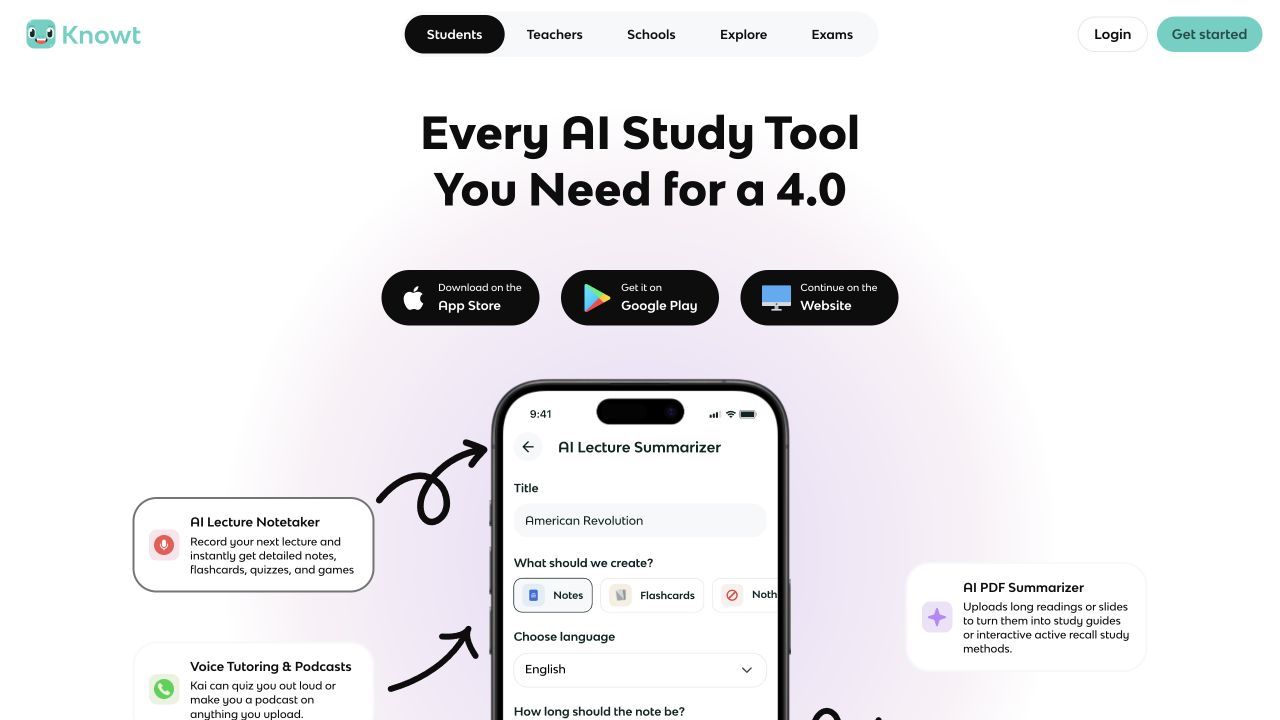
5. Knowt: Best Free Option for Flashcards and Practice
Knowt is a practical free alternative for students who rely heavily on active recall and flashcard drills. It allows users to import existing notes, generate new ones from uploads, and move into several testing modes. Its main strength lies in study activities that resemble common classroom review and exam formats.
This workflow is an excellent fit for students whose primary academic hurdle is memorizing vast amounts of vocabulary, dates, or formulas. It differs from Coconote by focusing almost entirely on the practice phase of studying, rather than the initial multimedia capture phase. Students whose main requirement is transcribing live, two-hour audio lectures should skip Knowt, as it is not built to be a primary dictation tool.
- Features:
- Generates structured notes and digital flashcards directly from uploaded text materials.
- Offers multiple free study modes, including matching games and multiple-choice practice.
- Provides intelligent hints and adaptive learning paths during study sessions.
- Grants access to a public library of shared study sets created by other users.
- Allows seamless importing of existing flashcard decks from other popular platforms.
- Features a clean, distraction-free interface optimized for rapid active recall.
- Pros:
- Features a very clear, permanent free plan that covers all core studying and flashcard features.
- Delivers an exceptionally strong active-review experience tailored for test preparation.
- Makes it easier to find and adapt existing materials created by peers.
- Cons:
- Serves as a weaker Coconote replacement when live audio transcription is the primary requirement.
- Is less focused on synthesizing complex multimedia sources like long-form video or audio files.
- Relies heavily on text-based inputs rather than broad, mixed-source capture.
- Best for: High school and college students whose primary study method involves drilling flashcards, taking practice tests, and utilizing spaced review.
- Free access note: The official Basic plan is permanently free and includes unlimited access to creating notes, generating flashcards, and using the core study modes.
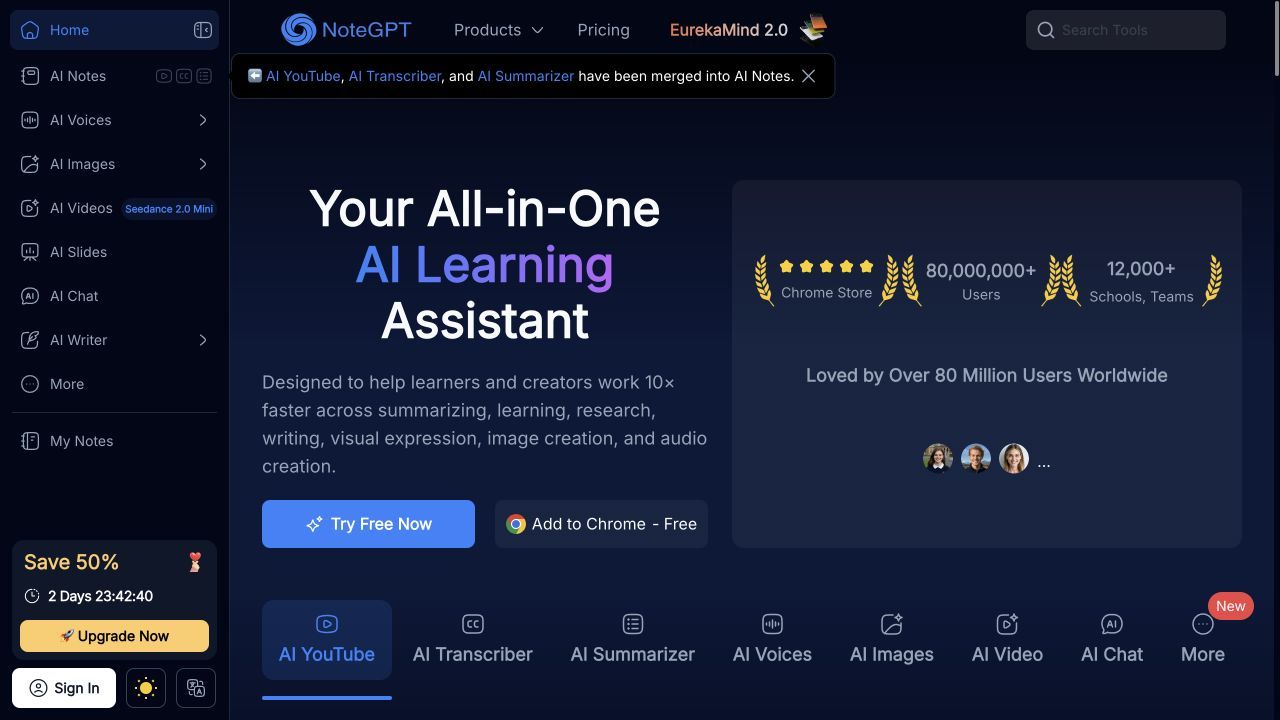
6. NoteGPT: Best for YouTube and Mixed-Media Summaries
NoteGPT is specifically engineered for students and self-learners who consume a large portion of their educational content through online video. It excels at rapidly processing YouTube links, audio files, and PDFs to extract key points and generate structured summaries. This makes it a highly efficient tool for bypassing hours of video to find the exact concepts needed for an assignment.
The workflow fits visual learners who supplement university lectures with online tutorials and documentary content. It differs from Coconote by prioritizing video processing and visual mind maps over gamified study sessions. Students who require high-volume daily processing should check the quota model carefully before choosing NoteGPT.
- Features:
- Provides rapid YouTube, audio, and video transcription and summarization.
- Generates comprehensive PDF summaries, visual mind maps, and structured notes.
- Includes built-in translation, source-based chat, quizzes, and flashcard generation.
- Offers a dedicated Chrome extension for seamless, side-by-side video processing in the browser.
- Allows users to timestamp notes directly to specific moments in a video.
- Supports a wide variety of mixed-media inputs beyond standard text documents.
- Pros:
- Offers a wide source and output range, particularly excelling at web and video content.
- Generates helpful visual mind maps alongside standard text notes for better conceptual understanding.
- Provides recurring monthly free quotas that reset automatically.
- Cons:
- The fifteen free monthly quotas can disappear very quickly during a heavy week of studying.
- Feature costs vary within the app, creating some friction when trying to track quota usage.
- The interface can feel slightly utilitarian compared to more polished, student-focused apps.
- Best for: Visual learners and students who rely heavily on YouTube tutorials, video essays, and mixed-media to supplement their coursework.
- Free access note: Official help documentation states that users receive 15 free recurring quotas per month, which are shared across its various features.
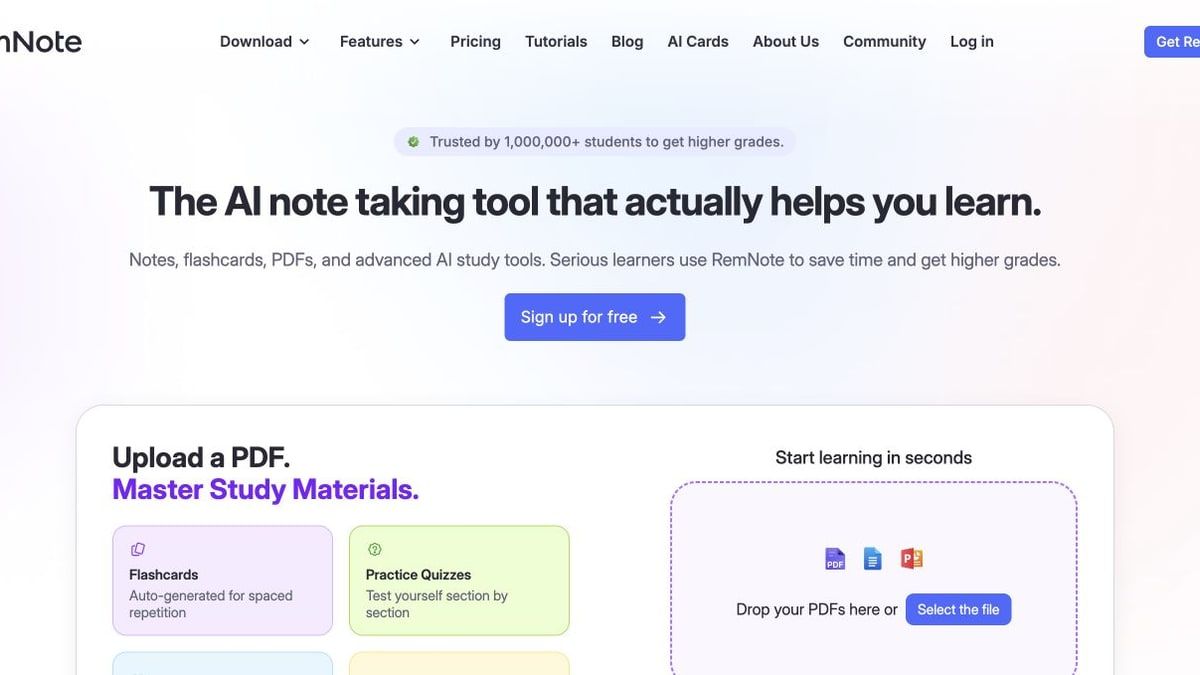
7. RemNote: Best Free Alternative for Long-Term Retention
RemNote approaches the study process from a structural, long-term perspective rather than focusing on instant, disposable generation. It combines an interconnected, outliner-style note-taking interface with a highly mature spaced-repetition flashcard scheduler. This platform is built to ensure that the information you capture in September is still easily retrievable from your memory in December.
This workflow is an ideal fit for students in rigorous, knowledge-heavy programs like medicine or law, where cumulative memorization is mandatory. It differs sharply from Coconote's automatic, one-click generation by requiring users to actively structure their notes and build their own knowledge base. Students looking for a fast, automated AI tool to instantly summarize a lecture while they sleep should skip RemNote.
- Features:
- Interconnected, outliner-style note-taking that links concepts across different classes.
- Integrated, algorithm-driven spaced-repetition flashcard system for long-term memory.
- Dedicated PDF annotation and learning workspace for side-by-side reading.
- Cross-device syncing that allows for seamless mobile review of flashcards.
- Ability to generate flashcards directly inline while typing standard notes.
- Robust organizational tools for managing multi-year academic knowledge bases.
- Pros:
- Offers unlimited free notes and flashcards, making it a highly durable permanent tool.
- Features a mature active-recall system that schedules your reviews automatically based on performance.
- Provides cross-device syncing for mobile and desktop review.
- Cons:
- Requires significantly more manual setup and organization than automated generation tools.
- Richer AI features, such as automatic lecture processing, require credits or a paid subscription.
- The learning curve for the outliner interface can be steep for new users.
- Best for: Medical students, law students, and anyone who needs to retain massive amounts of complex information over semesters or years.
- Free access note: The official free plan includes unlimited text notes, flashcards, and synced devices, but places restrictions on PDF uploads and advanced AI capabilities.
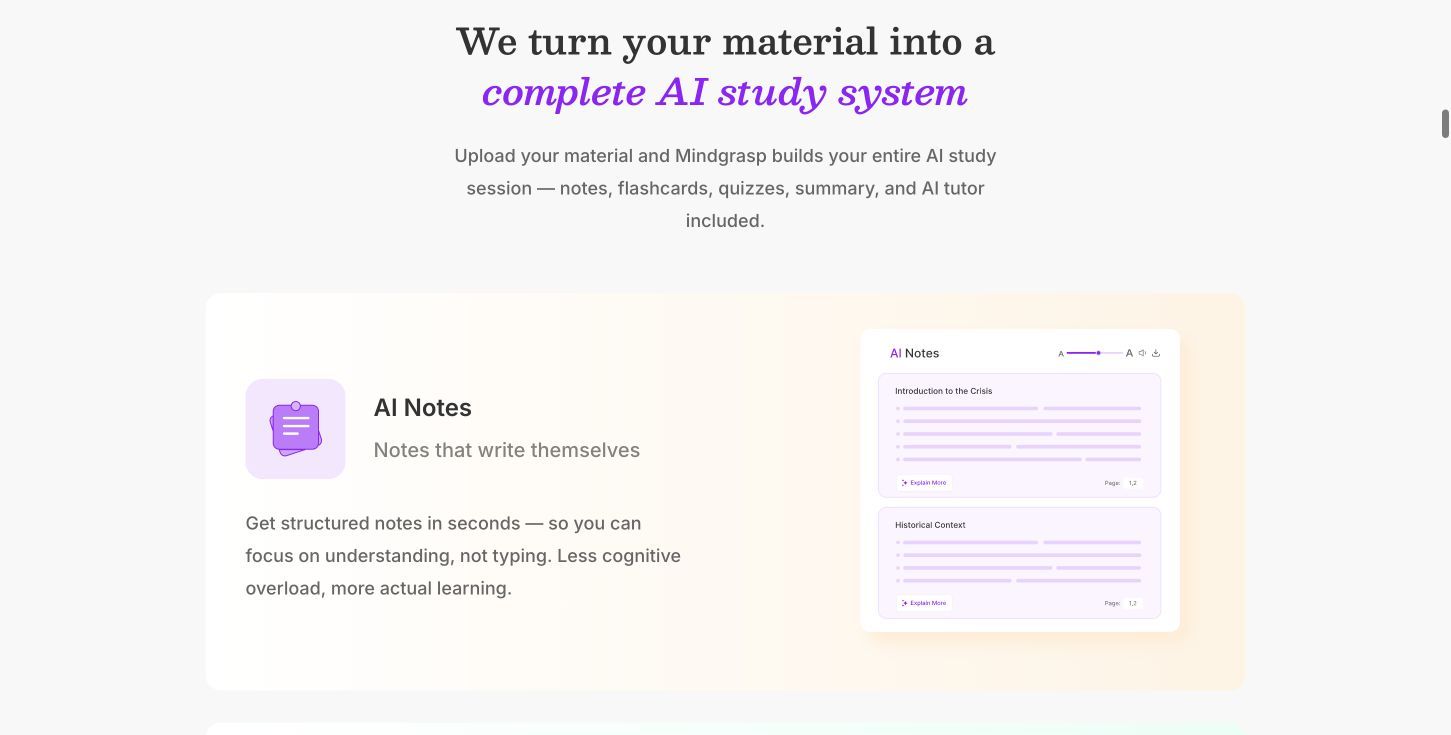
8. Mindgrasp: Best Guided Study System to Try Before Paying
Mindgrasp is designed as a premium, end-to-end study suite that connects your source materials directly to an AI tutor and practice exams. It aims to hold the student's hand through the entire exam preparation process, offering a highly organized and polished interface. While it is heavily geared toward its paid subscription tiers, its free entry point allows users to test a highly capable workflow.
This workflow fits students who are willing to invest in a comprehensive system that manages their notes, summaries, and quizzes in one place. It differs from Coconote by leaning heavily into its structured, premium AI tutor environment rather than casual study games. Students who strictly require a permanent, unlimited free plan for their entire four-year degree should skip Mindgrasp and look at Knowt or NotebookLM.
- Features:
- Supports a broad variety of inputs, including video, audio, PDFs, and web links.
- Generates connected, structured notes, comprehensive summaries, and study guides.
- Creates digital flashcards, multiple-choice quizzes, and full practice tests.
- Features an interactive AI tutor designed to answer follow-up questions and clarify doubts.
- Provides accurate transcription services for uploaded lecture recordings.
- Organizes all generated materials into a clean, class-specific dashboard.
- Pros:
- Delivers a strong, end-to-end exam preparation workflow that covers all phases of studying.
- Features broad input support that handles most common course materials without formatting issues.
- Offers a highly polished and organized interface that reduces study friction.
- Cons:
- Free access functions primarily as a starter experience or a short trial to test the features.
- It is not suitable for students who need a clear, permanent free plan with unlimited daily usage.
- Upgrading to the paid tiers is generally required for heavy, semester-long reliance on the tool.
- Best for: Students who are willing to test a premium, guided study suite to see if it improves their grades before committing to a paid subscription.
- Free access note: Official pages describe free account access or a short free trial, which should be viewed as a testing period rather than the clearest permanent free plan.
Coconote vs. NotebookLM vs. These Alternatives: Detailed Comparison
To make an informed decision, you must compare how NotebookLM, Coconote, and these eight alternatives handle inputs, outputs, and pricing. I evaluated these tools across practical dimensions so you can match their capabilities directly to your syllabus requirements.
Capture and Source Support
| Tool | Live lecture recording | Uploaded audio/video | PDF/documents | YouTube | Web links | Images | Mobile access |
|---|---|---|---|---|---|---|---|
| Coconote | Yes | Yes | Yes | Yes | Yes | Limited | Yes |
| NotebookLM | No | Yes | Yes | Yes | Yes | No | Limited |
| Lynote | Limited | Yes | Yes | Yes | Yes | Yes | Yes |
| Turbo AI | Yes | Yes | Yes | Yes | Yes | Limited | Yes |
| StudyFetch | Yes | Yes | Yes | Yes | Yes | Limited | Yes |
| Knowt | No | Limited | Yes | Yes | Yes | Limited | Yes |
| NoteGPT | No | Yes | Yes | Yes | Yes | Limited | Yes |
| RemNote | No | Plan-dependent | Yes | Plan-dependent | Limited | Limited | Yes |
| Mindgrasp | Yes | Yes | Yes | Yes | Yes | Limited | Yes |
This table illustrates the stark divide between lecture-first capture tools and document-first research tools. If your primary goal is sitting in a lecture hall and recording your professor, tools like Turbo AI, StudyFetch, and Mindgrasp are your best options. They are built to handle live audio with minimal friction.
Conversely, if your coursework consists mostly of dense PDFs and supplemental videos, live recording may be irrelevant. In that scenario, Lynote's broad support for documents, YouTube, and images, or NotebookLM's notebook-based source analysis, may be more useful. Match the tool to the formats your professors use most frequently.
Study Outputs and Learning Workflow
| Tool | Transcript | Structured notes | Grounded chat/citations | Flashcards | Quizzes/tests | Spaced repetition | Audio/podcast output | Visual/video output | Translation | Editing/export |
|---|---|---|---|---|---|---|---|---|---|---|
| Coconote | Yes | Yes | Yes | Yes | Yes | Limited | Yes | Yes | Yes | Yes |
| NotebookLM | No | Yes | Yes | Yes | Yes | No | Yes | Limited | Limited | Yes |
| Lynote | Yes | Yes | Yes | Yes | Limited | No | No | No | Yes | Yes |
| Turbo AI | Yes | Yes | Yes | Yes | Yes | Limited | Yes | No | Limited | Yes |
| StudyFetch | Yes | Yes | Yes | Yes | Yes | Limited | Yes | Yes | Limited | Yes |
| Knowt | No | Yes | Yes | Yes | Yes | Yes | No | No | Limited | Yes |
| NoteGPT | Yes | Yes | Yes | Yes | Yes | No | No | Yes | Yes | Yes |
| RemNote | Plan-dependent | Yes | Plan-dependent | Yes | Limited | Yes | No | No | No | Yes |
| Mindgrasp | Yes | Yes | Yes | Yes | Yes | Limited | No | No | Limited | Yes |
The study outputs table shows where these tools specialize after the initial capture phase. While most can generate basic notes and flashcards, they diverge on advanced learning methods. Knowt and RemNote devote more attention to repeated review and retention than general-purpose summarizers.
Meanwhile, if you are an auditory or visual learner, you should look toward tools that generate multimedia outputs. NotebookLM's Audio Overviews and StudyFetch's explainer videos provide alternative ways to absorb complex information. Finally, if you are studying in a second language, Lynote and NoteGPT offer the most robust translation workflows to help bridge comprehension gaps.
Free Access and Best Fit
| Tool | Free access type | Known free limit | Best for | Main trade-off |
|---|---|---|---|---|
| Coconote | Free signup/starter | Check in-app | All-in-one generation | Unlimited features require paid pass |
| NotebookLM | Permanent free plan | 100 notebooks / 50 sources | Source-grounded research | Lacks live lecture recording |
| Lynote | Task-specific entry | Varies by tool | Mixed-source workflows | No AI podcast generation |
| Turbo AI | Free starter tier | Generates notes/cards/quizzes | Lecture-to-study-pack | High volume is metered |
| StudyFetch | Free signup | Verify in-app | Live lectures & tutoring | Interface can feel busy |
| Knowt | Permanent free Basic | Unlimited core flashcards | Flashcards & practice | Weaker audio transcription |
| NoteGPT | Recurring quota | 15 quotas per month | YouTube & mixed-media | Quotas deplete quickly |
| RemNote | Permanent free core | Unlimited text notes/cards | Long-term retention | Rich AI requires paid upgrade |
| Mindgrasp | Starter/trial access | Short trial period | Guided study system | Not a permanent free plan |
Understanding the nuances of free access matters for students on a tight budget. A permanent free plan, like those currently offered by Knowt and NotebookLM, is more predictable than a short trial, although providers can still revise limits over time.
In contrast, recurring quotas (like NoteGPT) or free starter tiers (like Turbo AI and Mindgrasp) are excellent for occasional use or testing a workflow. However, if you plan to process hours of lecture audio every single week, you must verify the exact limits in-app to ensure you do not run out of credits right before a major exam.
Where NotebookLM Beats Coconote Alternatives—and Where It Does Not
Because NotebookLM offers a substantial free tier, many students consider it as a possible Coconote replacement. The comparison depends on whether the job starts with a curated source library or a live class that still needs to be captured.
NotebookLM is stronger for cited source chat, research traceability, and Studio artifacts. If you are writing a term paper, its ability to analyze many sources inside one notebook is useful. Inline citations provide a verification path, while Audio Overviews give auditory learners another way to review the same material.
Lecture-first tools are more convenient for live recording and immediate class notes. NotebookLM is organized around imported sources rather than a real-time classroom recorder. Turbo AI and StudyFetch are better aligned with the workflow of pressing record in class and turning that session into study material.
Dedicated flashcard systems offer a clearer path to scheduled review. NotebookLM can generate flashcards, but its core experience is not built around a long-term spaced-repetition queue. If your goal is memorizing anatomy terms over several months, Knowt or RemNote may fit the job better.
Lynote is broader when one mixed-source workflow should lead to transcripts, notes, summaries, chat, flashcards, translation, and reusable files. NotebookLM supports a broad source library, but it does not combine that research workflow with the same set of dedicated translation, OCR, compression, AI writing, and content-verification utilities. Lynote therefore fits students whose work moves between PDFs, YouTube links, foreign-language texts, scanned images, and reusable study output.
Which Free Coconote Alternative Should You Choose?
Your ideal replacement depends entirely on the specific friction points you encounter while studying. Use this decision map to match your academic needs to the right platform:
- Choose Lynote for the broadest connected mixed-source workflow. It is the best choice if your daily routine requires moving from document capture and YouTube summarization directly into translation, flashcards, and file compression.
- Choose Turbo AI for the closest free lecture-to-notes-and-quizzes flow. It is ideal for students who want zero friction between recording a professor and receiving a ready-to-use study pack.
- Choose StudyFetch for tutoring, lecture capture, and guided practice. It works best for students who benefit from an interactive AI persona explaining complex concepts step-by-step.
- Choose NotebookLM for cited research and source-grounded explanations. It suits graduate students and researchers managing many dense sources for one project.
- Choose Knowt for straightforward free flashcard study. It is the safest permanent free option for high school and college students who rely entirely on active recall and practice tests.
- Choose NoteGPT for YouTube and occasional mixed-media processing. It is highly effective for visual learners who use video essays and online tutorials to supplement their reading.
- Choose RemNote for durable notes and spaced repetition. It suits medical and law students who need to build a multi-year knowledge base that actively tests memory.
- Choose Mindgrasp when a guided premium study suite is worth testing. It is a strong option if you want a highly polished, all-in-one exam preparation dashboard and are willing to try it before upgrading.
Test a Coconote Replacement Before Moving Your Course
Treat migration as a small evaluation rather than a one-click switch. Before committing a semester's workload to an alternative, run a practical test to see how it handles your specific coursework.
-
Use one representative lecture recording, one slide deck or PDF, and one YouTube lesson. Gather files that reflect the formats used in your current syllabus.
-
Write five facts and two difficult concepts that a good output must preserve. Identify the core information before uploading so you have a fixed review checklist.
-
Compare transcript errors, missing details, note structure, and source traceability. Review whether the generated material changes the meaning of the source or makes unsupported additions.
-
Review flashcard distractors and quiz explanations instead of counting generated cards. A smaller set of accurate, challenging questions is more useful than a large set of superficial prompts.
-
Check editing, export, mobile review, and free limits before importing a full semester. Verify that you can correct mistakes, export to a usable format, and study on your phone within the available allowance.
Preserve your original files and important notes independently. Avoid relying on a single third-party app as the sole repository for years of academic work, because free tiers and product direction can change.
FAQs About Coconote Alternatives
What is the best free Coconote alternative?
The best free alternative depends entirely on your specific study workflow. Lynote is the most capable option for mixed-source processing, translation, and file utilities. If you need a direct lecture-to-quiz pipeline, Turbo AI is a strong match. For students who rely purely on flashcards and active recall, Knowt offers the most generous permanent free plan.
Is NotebookLM a free alternative to Coconote?
Yes, NotebookLM is an effective free alternative for specific use cases. It is useful for chatting with uploaded sources, generating study guides, and creating conversational Audio Overviews with citations. However, it is not a direct replacement if you need real-time lecture recording or a dedicated spaced-repetition system.
Which Coconote alternative can record live lectures?
Turbo AI, StudyFetch, and Mindgrasp are strong alternatives that focus heavily on live lecture capture. They allow you to sit in a classroom, record the audio in real time, and immediately convert that recording into formatted notes, flashcards, and practice quizzes.
Which free tool creates notes, flashcards, and quizzes?
Turbo AI, StudyFetch, and Knowt all excel at generating notes, flashcards, and quizzes from your uploads. Knowt is particularly notable in this category because it offers a clear, permanently free Basic plan specifically designed for unlimited flashcard creation and rigorous practice modes.
What is the best Coconote replacement for YouTube videos?
NoteGPT and Lynote are excellent replacements for processing YouTube content. NoteGPT offers a dedicated Chrome extension for side-by-side video summaries and mind maps. Lynote allows you to pull YouTube transcripts, summarize the content, and generate flashcards within a broader, mixed-media workspace.
Can I transfer Coconote notes to another app?
Most AI note-taking platforms allow you to export your standard text notes via copy-paste or basic file downloads. However, interactive elements like AI-generated quizzes, spaced-repetition histories, or study games usually cannot be transferred directly between competing apps. You will likely need to generate new quizzes in your new platform.
How accurate are free AI note-taking tools?
Free AI study tools can save time, but accuracy depends on audio quality, source quality, and subject complexity. They can omit facts, mishear terminology, or add unsupported details. Treat generated notes as a draft and review important claims against the original material before an exam.
Final Verdict
Coconote remains a broad, capture-to-study product, which means no single replacement should be selected based on one feature alone. You must evaluate your entire academic routine to identify whether you struggle most with capturing lectures, understanding dense texts, or memorizing facts for finals.
Lynote is the recommended overall alternative for readers whose materials span documents, webpages, images, audio, video, and YouTube. It is the best choice if your daily outputs need to include transcripts, summaries, notes, chat, flashcards, translation, and reusable files in one connected workspace.
For more targeted needs, NotebookLM is the stronger free choice for deep, cited research. Meanwhile, Turbo AI, StudyFetch, Knowt, NoteGPT, RemNote, and Mindgrasp each solve narrower study problems exceptionally well. Choose the tool that removes the most friction from your specific learning style.

Written by Janet L. Harris
AI Writing Specialist
Janet reviews AI detectors and humanization tools, with a focus on accuracy, limitations, and responsible use. View all articles →