

Best AI Image Detector Handbook 2026
A user-oriented field guide for choosing AI image detectors, checking official provenance signals, interpreting risk, and building responsible visual review workflows.
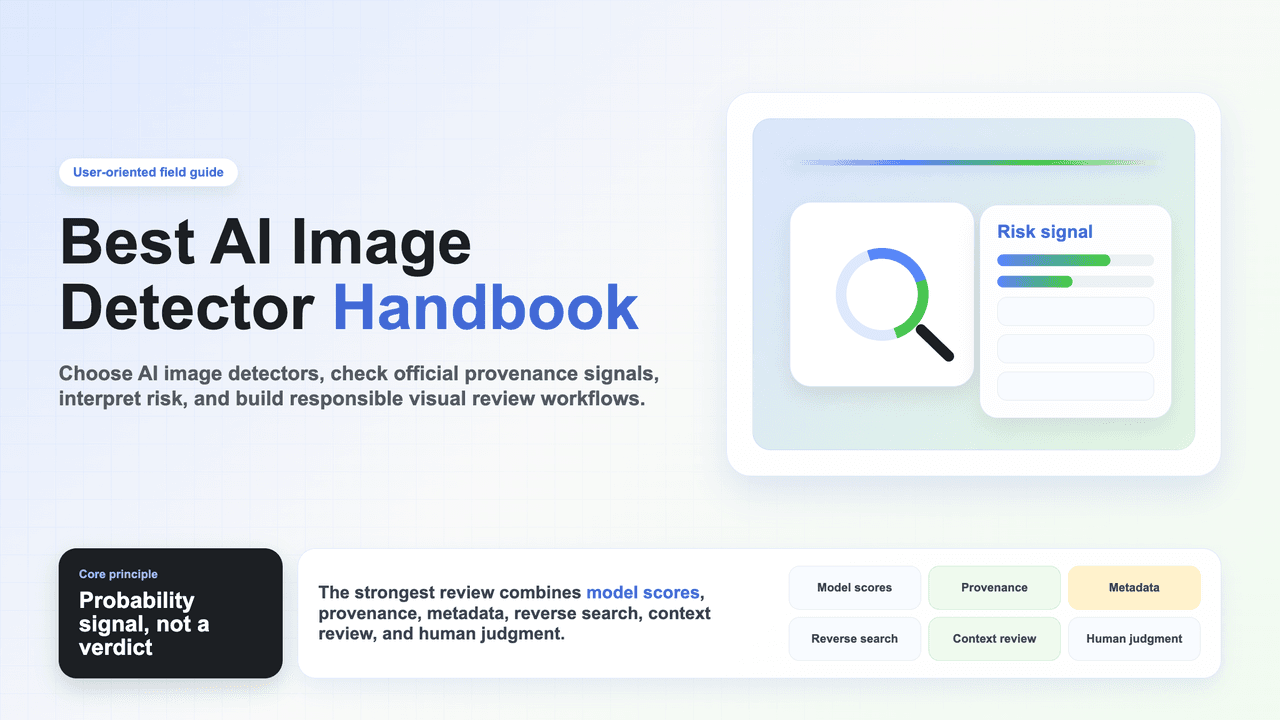
Core principle: treat every AI image detector result as a probability signal, not a verdict. The strongest review combines model scores, provenance, metadata, reverse search, context review, and human judgment.
Introduction
Why should we detect AI-generated images?
AI-generated images are now widely used in education, publishing, social media etc. The question is no longer only whether an image was made by AI. The real question is whether the image is safe to trust, publish, submit, buy, or use as evidence.
Good AI image detectors can help us flag suspicious visual patterns, identify possible deepfakes, inspect provenance signals, and decide where human review should focus. However, they cannot read intent, verify the scene, confirm rights ownership, or replace source investigation.
What does this handbook do?
✅ Quickly choose AI image detector tools by user scenario.
✅ Compare free tools, API platforms, provenance checks, watermark checks, and research/benchmark options.
✅ Show how each mainstream product or official verification tool feels from a real user perspective.
✅ Reduce blind trust in single-score results and prevent privacy mistakes when checking sensitive images.
What this handbook does NOT do.
❌ It cannot promise any detector is 100% accurate.
❌ It does not treat AI image detection as the same thing as copyright, fraud, or misinformation analysis.
❌ It does not rank products by marketing claims alone.
❌ It does not recommend uploading private faces, IDs, minors, client work, or unreleased assets into unapproved tools.
Part I: Understanding AI Image Detector
Chapter 1 | What Is an AI Image Detector?
An AI image detector estimates whether an image may have been generated, edited, or synthetically altered by AI. For users, the practical question is not only “is this AI?” but “what decision am I allowed to make from this evidence?”
1.1 From yes/no judgment to probability evidence
An AI image detector analyzes an image and estimates whether it resembles content produced or edited by AI. Most products return a probability score, deepfake signal, or report. More advanced workflows also inspect provenance records, watermarks, EXIF/IPTC metadata, and source context.
1.2 Why AI image detectors disagree
• Different detectors train on different generators, datasets, compression patterns.
• Screenshots, social-media compression, cropping, resizing, and watermarks can damage detection signals.
• Real photos can look synthetic after heavy retouching, upscaling, studio lighting, or repeated compression.
• Partially edited images are harder than fully generated images.
• Provenance signals such as C2PA or SynthID are valuable when present, but absence of a signal is not proof that an image is real.
1.3 What AI image detectors can help with
• Screening suspicious images before publication, upload, moderation, or purchase.
• Finding images that need source verification, reverse search, or forensic review.
• Checking whether official provenance or watermark signals are present.
• Creating consistent image review workflows for classrooms, marketplaces, and platforms.
Chapter 2 | Common Problems and Solutions of AI Image Detector
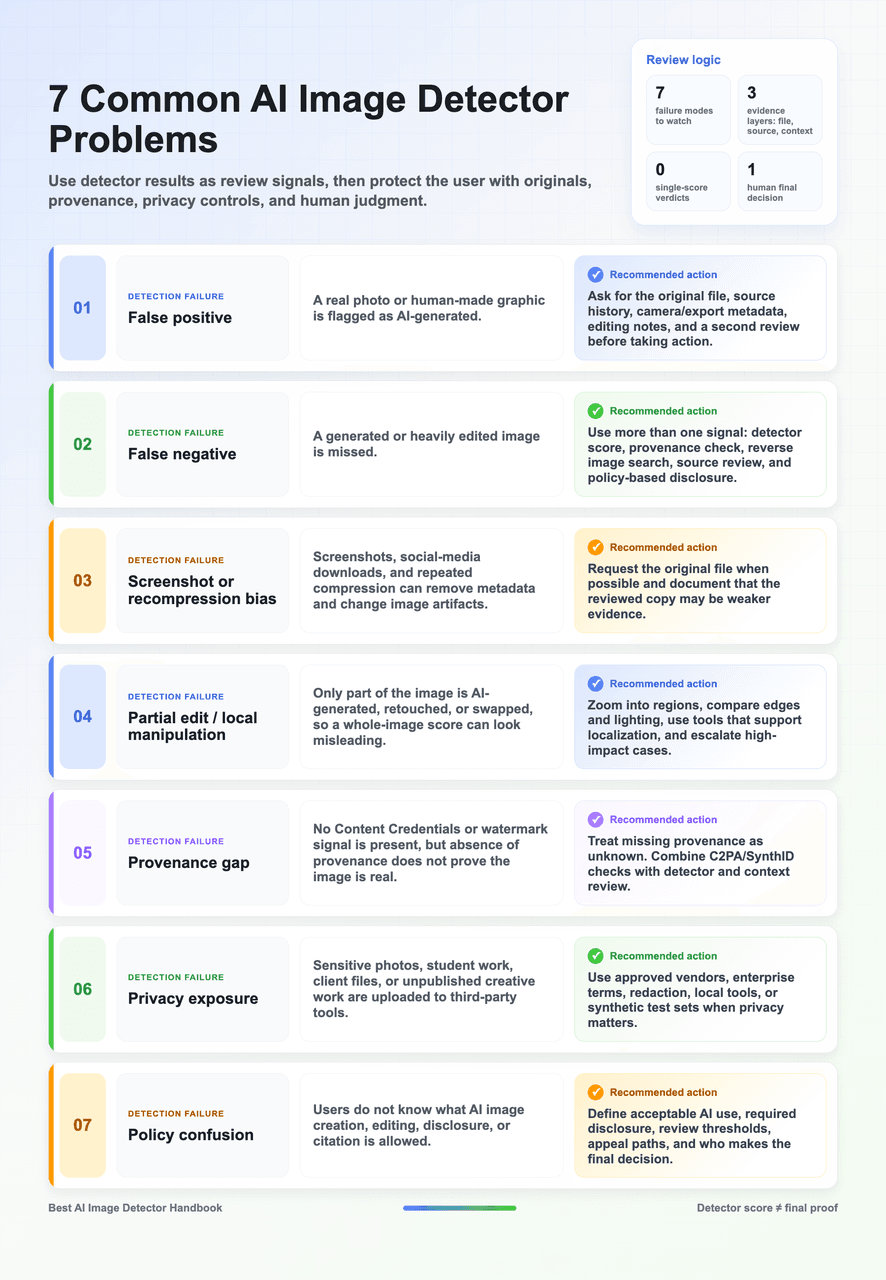
Most detector mistakes are predictable: compressed files, screenshots, partial edits, model drift, and missing provenance all weaken confidence. This chapter reframes each problem as a user-facing response so reviewers can act fairly and consistently.
2.1 Seven Common Problems of AI Image Detector
2.2 User Rule of Thumb for 2026
• For low-risk self-checks, start with a simple upload checker such as WasItAI, Is It AI, AI or Not, or Illuminarty.
• For publishing and news, check Content Credentials, OpenAI/SynthID signals, reverse search, and source context before relying on a detector.
• For platforms, choose API-first tools such as Sightengine, AI or Not, Winston, or Is It AI, then test them on your own images.
• For high-stakes identity, legal, insurance, or public safety decisions, use professional forensic review and a documented human decision path.
• For procurement, build an internal test set with real photos, AI images, screenshots, compressed images, edited images, and local domain samples.
Part II: Best AI Image Detector Practices Guide
The right AI image detector depends on what you are trying to protect. A teacher needs due process. A journalist needs source verification. A marketplace needs policy enforcement at scale. A developer needs an API with predictable limits. The best tool is the one whose failure modes you understand.
Chapter 3 | What AI Image Detector Products Are Available And Useful?
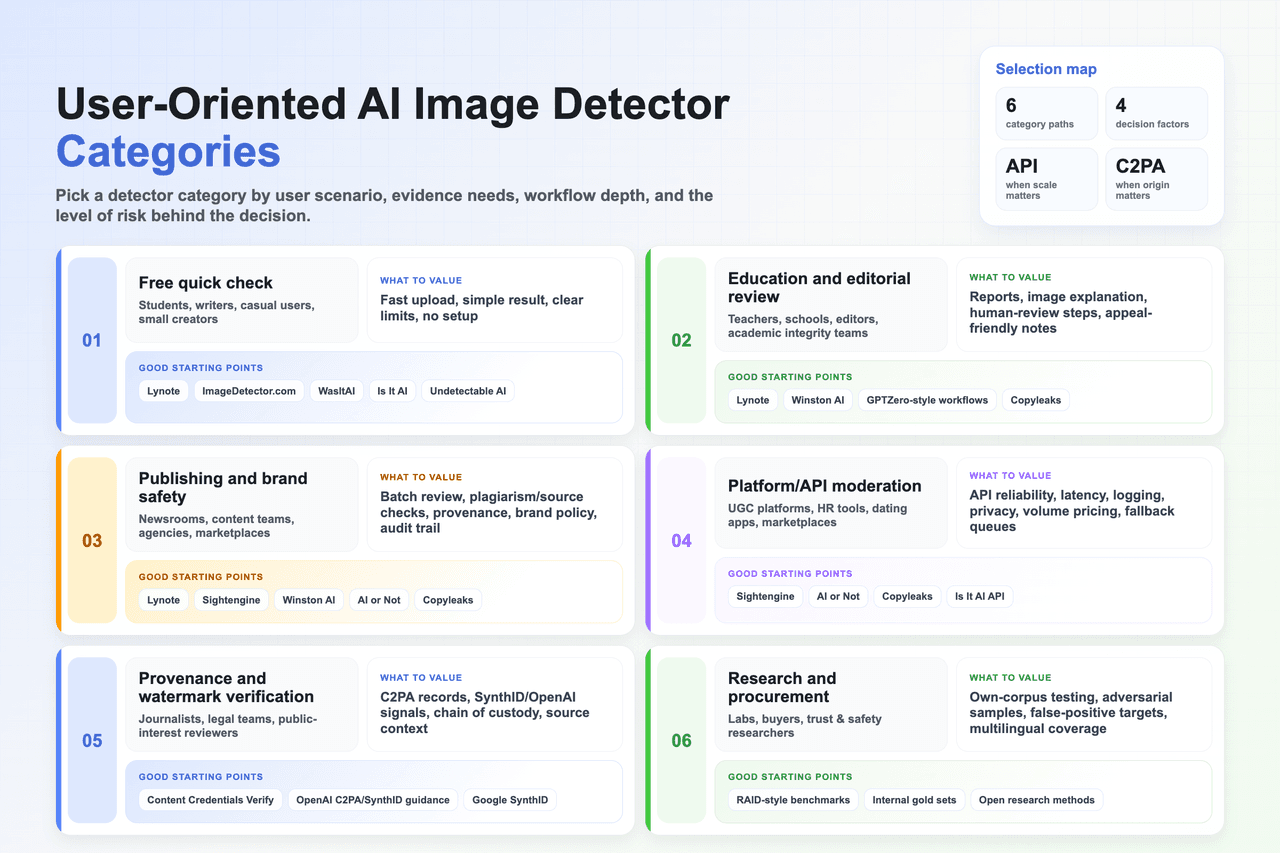
3.1 User-oriented detector categories
3.2 Top 10 Best AI Image Detector Products
The following tools are in no particular order. They are grouped by practical user fit, verified public website information, workflow quality, and risk of misuse.
1. Lynote AI Image Detector![]
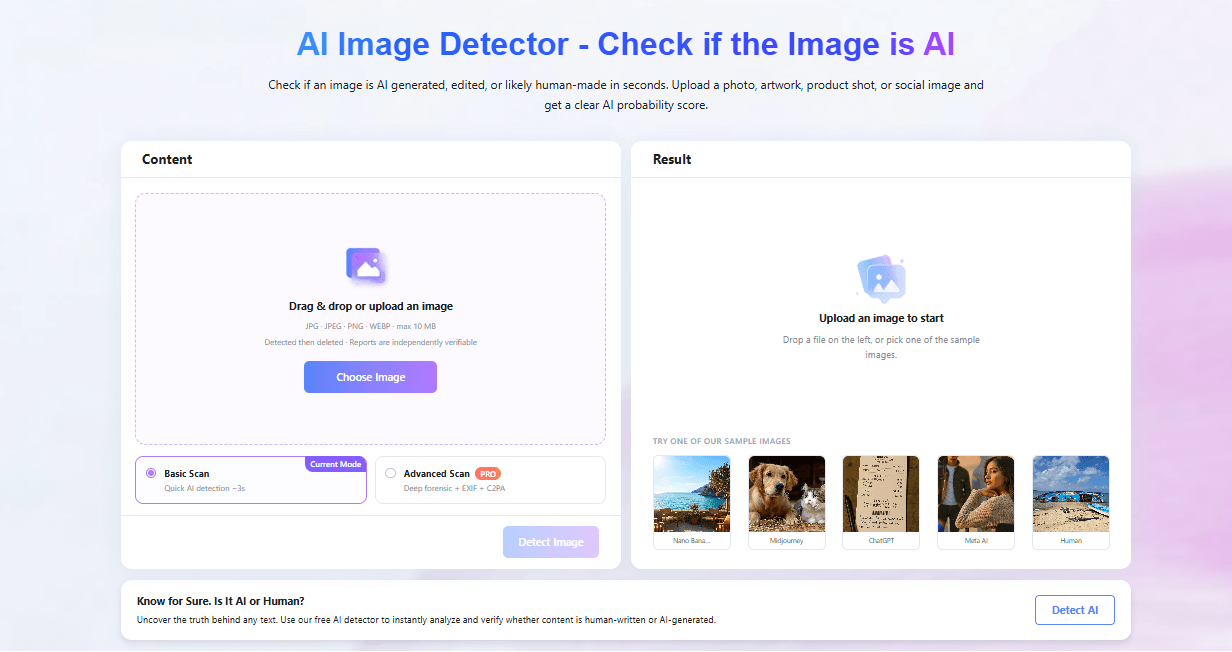
Lynote is known for being a super user‑friendly AI detector and review tool, great for students, teachers, writers, SEO editors, and anyone working with multiple languages. For users, it quickly pulls together all the key details from image detection and gives you a clear AI probability score.
How to use
- Drag & drop or upload an image(JPG · JPEG · PNG · WEBP · max 10 MB)
- Run the AI image scan in seconds.
- Get a clear AI probability score and the key details from image.
Pricing and limits![]
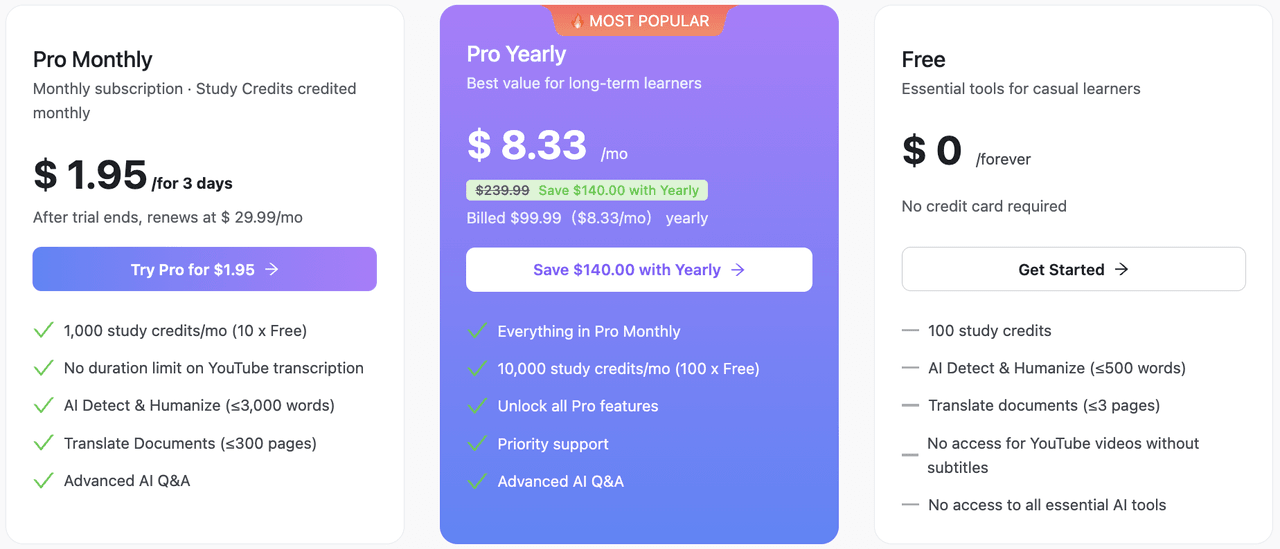
Key selling points
- Strong user-first detection philosophy: detection as a review signal, not a verdict.
- Useful for students, teachers, writers, SEO editors, freelancers, and multilingual reviewers.
- Supports practical workflows where users need to understand risk, revise responsibly, and keep process evidence.
- Good conceptual fit for multimodal review, because image authenticity often depends on surrounding text, claims, captions, and source context.
- Can be paired with AI image detectors, C2PA / Content Credentials, SynthID, reverse image search, and manual review to form a broader authenticity workflow.
User verdict: Best for users who want a simple, privacy-aware review flow across text and image integrity tasks. Use it for first-pass checks, multilingual content review, and user-friendly reports; escalate high-stakes cases to provenance and human review.
2. Sightengine AI Image Detection![]
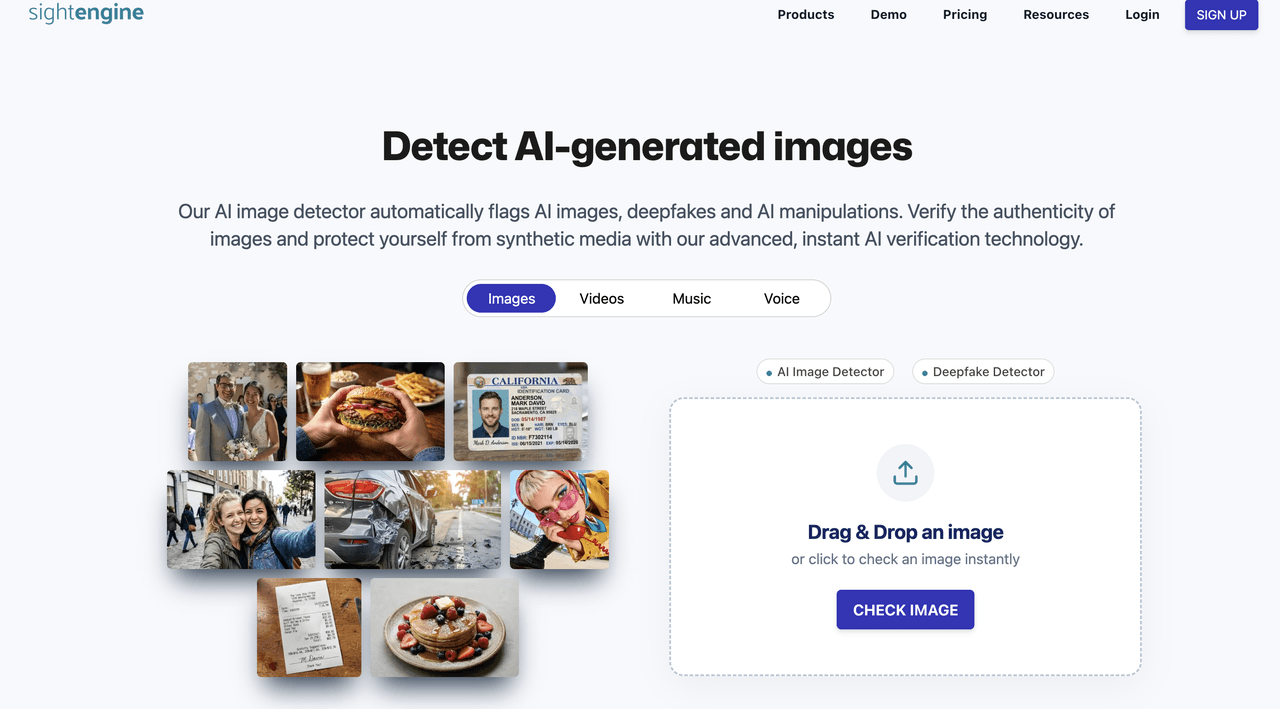
Sightengine is best understood as a platform-grade AI image detection and moderation API rather than a casual one-off checker. From a user perspective, its strength is breadth: AI image detection, deepfake detection, AI video, AI voice, visual search, OCR, QR moderation, and broader content moderation can sit in the same pipeline.
How to use
• Create an account and get API keys.
• Send an image URL or uploaded file to the AI image / deepfake model.
• Store the returned labels, scores, request ID, and timestamp in your review log.
• For high-risk content, combine the score with provenance and human moderation.
Pricing and limits
- Tiered pricing![]
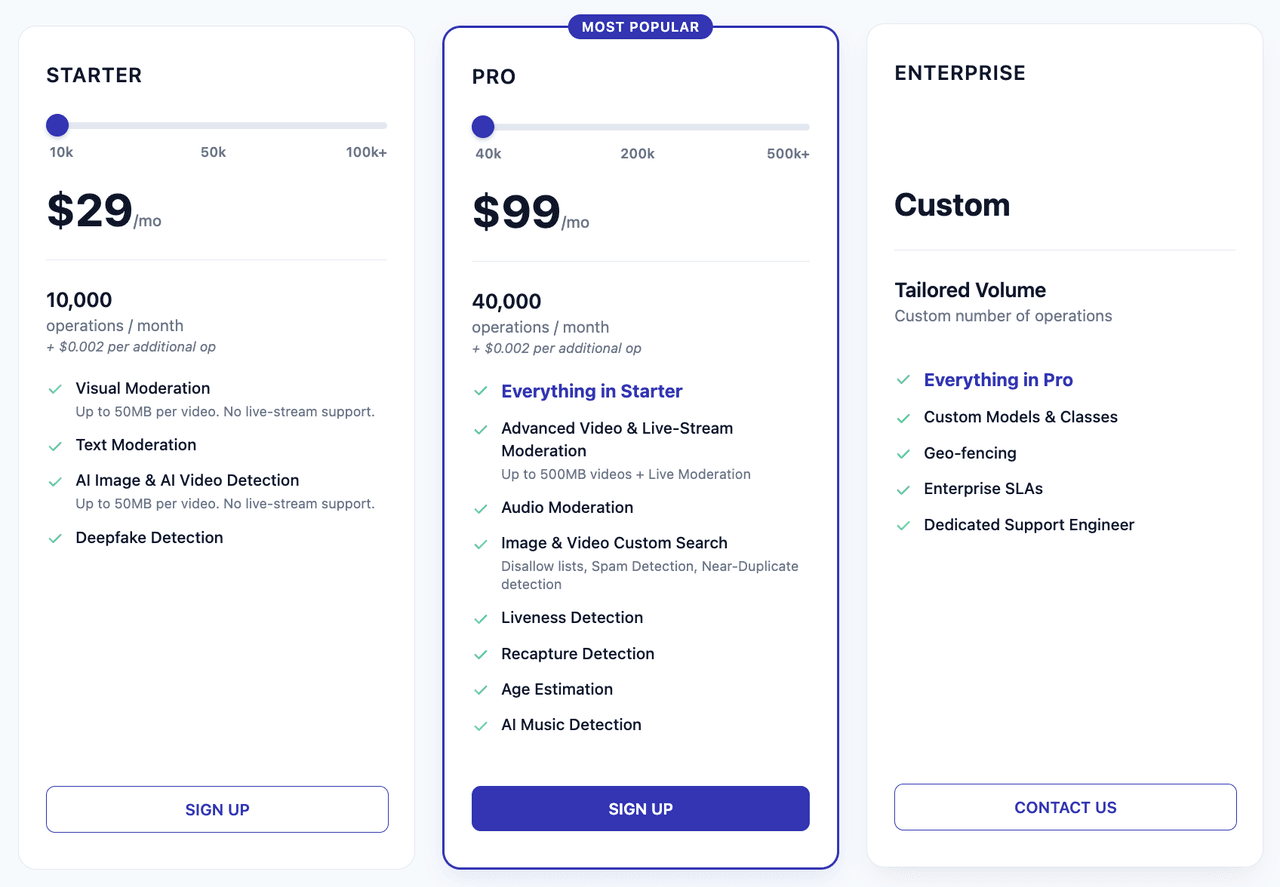
Key selling points
• Broad AI-content detection coverage beyond still images.
• Useful for marketplaces, social platforms, dating apps, and UGC moderation.
• Pairs AI detection with safety classes, visual search, OCR, and identity-related checks.
• API-first workflow makes it easier to build repeatable reports.
User verdict: Best for platforms and teams that need AI image detection as one part of a larger moderation system. Too heavy for a student who only wants a quick upload check.
3. Winston AI Image Detector![]
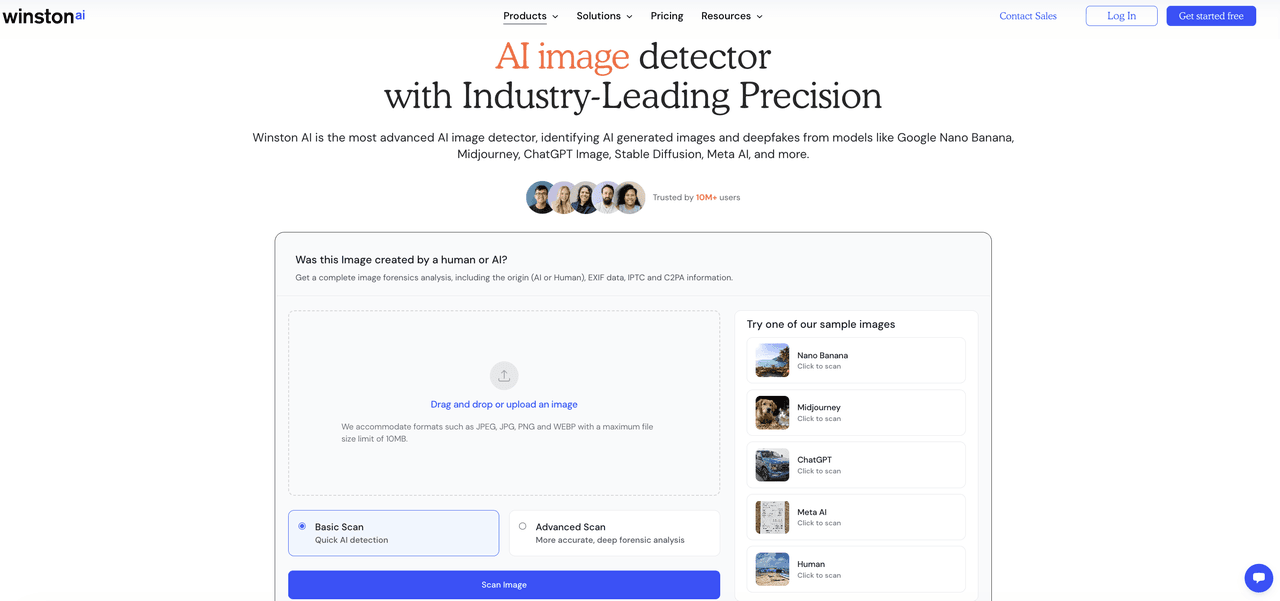
Winston AI extends its integrity suite from text detection into AI image and deepfake detection. It is strongest for education, SEO, publishers, and teams that already need text detection, plagiarism checks, OCR, reports, and image review in one account.
How to use
• Open the AI image detector page or product dashboard.
• Upload a suspicious image or deepfake candidate.
• Review the AI-image result and any report options.
• Pair with plagiarism, text detection, OCR, or fact-checking when the image is part of a larger content package.
Pricing and limits![]
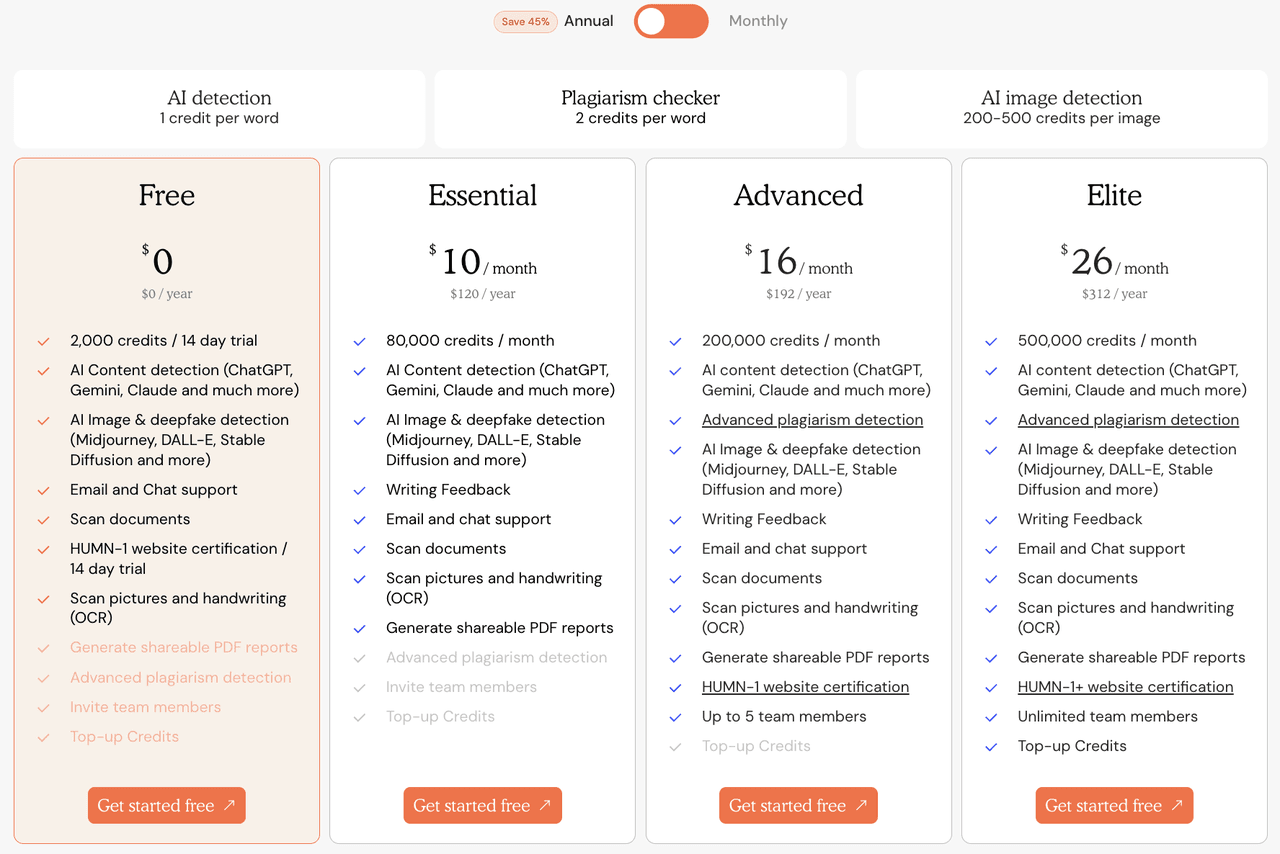
Key selling points
• AI image and deepfake detection suits alongside text AI detection.
• Useful for education and publishing teams that need shareable reports.
• Supports a broader integrity workflow rather than only one score.
• Good candidate for content teams comparing images, text, OCR, and source checks.
User verdict: Best for teams that want image detection inside an existing AI-content integrity suite. Use it as part of a report, not as a standalone accusation.
4. AI or Not![]
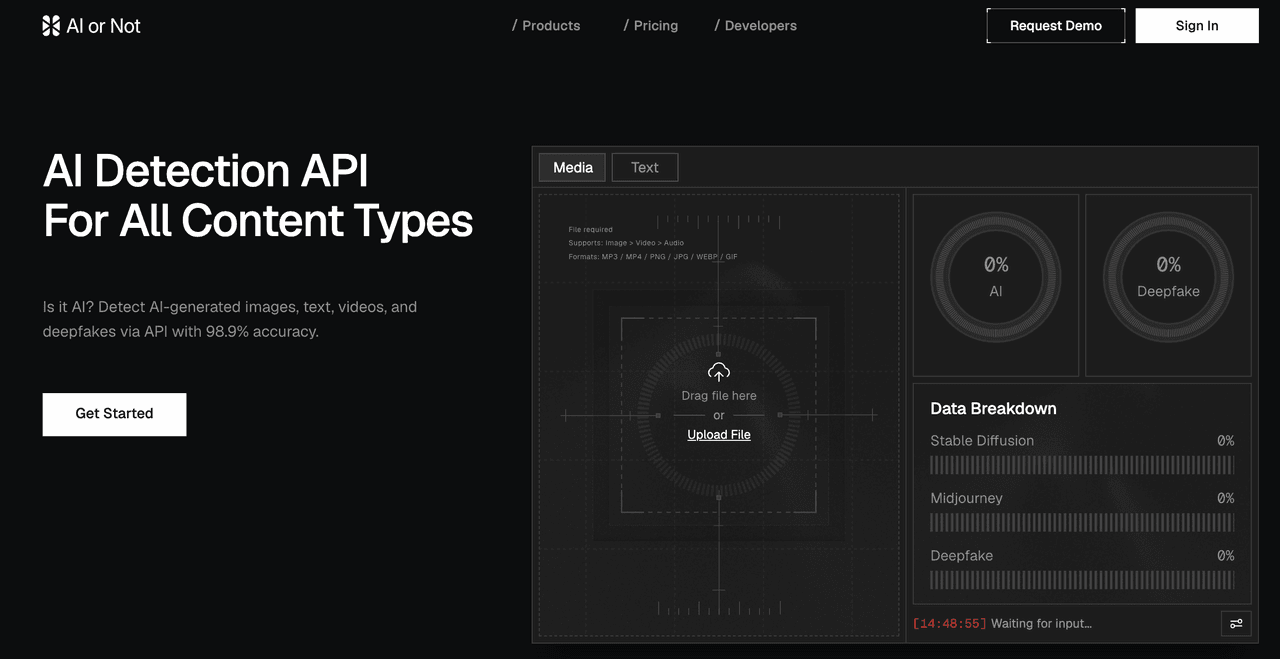
AI or Not positions itself as an API and web checker for images, text, videos, audio, and deepfakes. From a user perspective, it is useful when the review question is broader than a single still image and developers want one detection surface for multiple media types.
How to use
• Upload an image in the web interface for a quick check.
• For product workflows, use the API endpoint for image detection.
• Review AI-generated and deepfake signals separately.
• Log the result and re-check transformed or compressed images when needed.
Pricing and limits![]

Key selling points
• Multi-content detection: image, text, video, audio, and deepfake.
• Developer-oriented API examples.
• Useful for platforms that need one vendor surface for several media types.
• Public page emphasizes instant deletion of data.
User verdict: Best for developers and platforms that want a single AI-content API across media types. Still validate on your own corpus before trusting vendor accuracy claims.
5. WasItAI![]
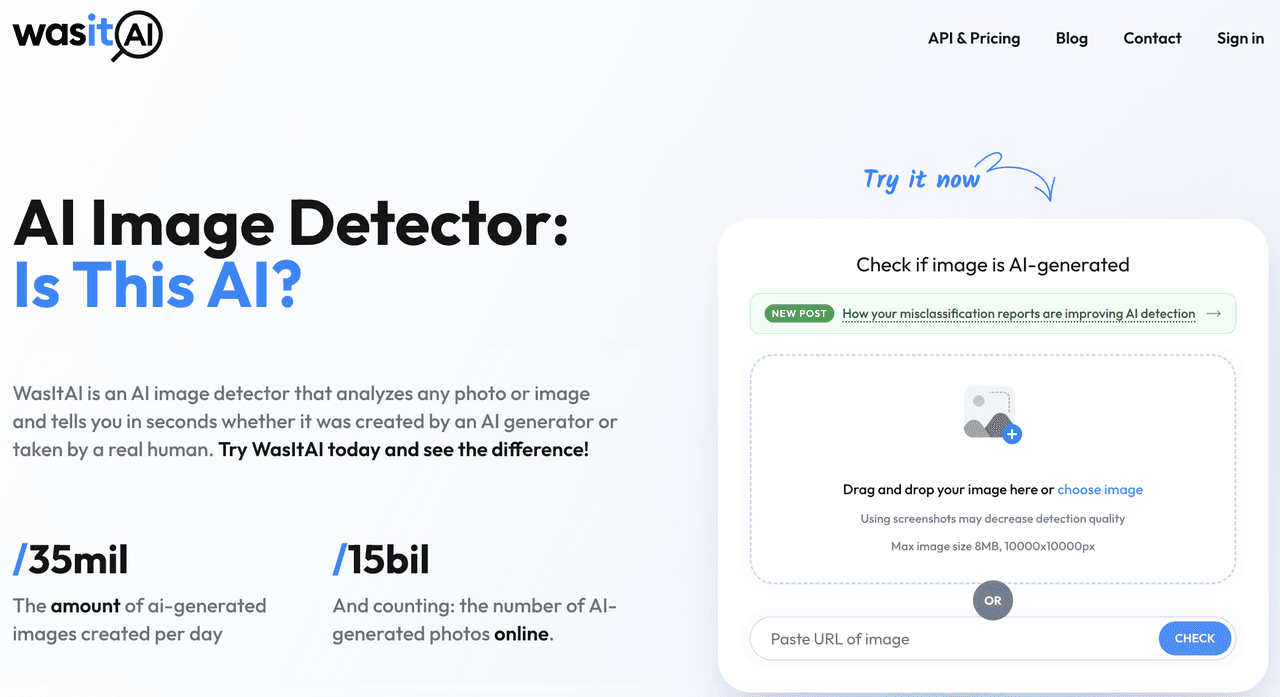
WasItAI is a simple AI image detector built around upload or URL checking. Its user value is low-friction triage: upload an image, get a quick answer, and remember that screenshots may reduce detection quality.
How to use
• Drag and drop an image or choose a local file.
• Alternatively, check an image URL where supported.
• Read the AI-generated likelihood result.
• If the result matters, ask for the original file rather than a screenshot.
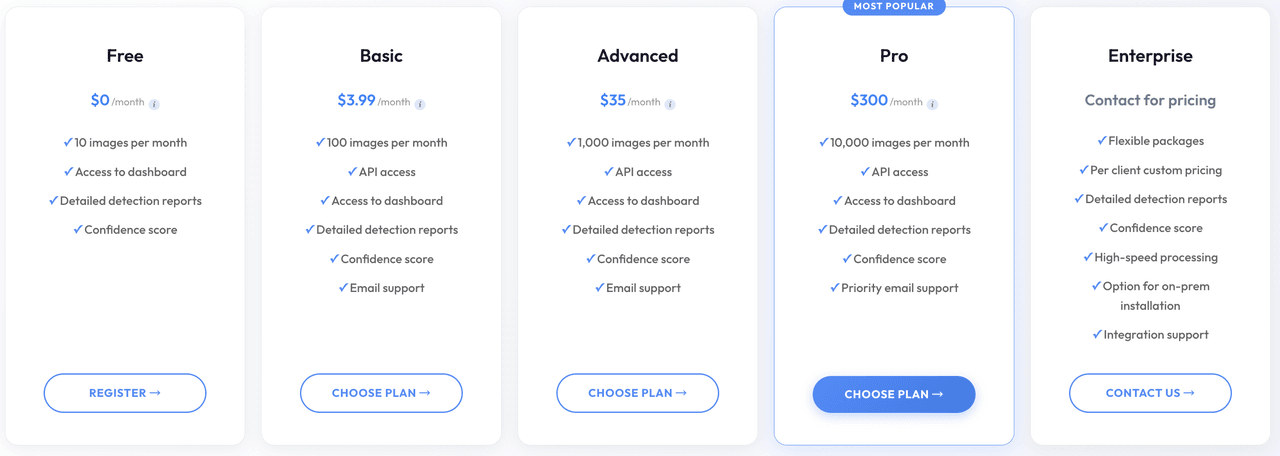
Pricing and limits![]
Key selling points
• Very clear user flow.
• Explicitly warns that screenshots may decrease detection quality.
• Supports image upload and URL-style checking.
• Good for social-media and classroom first-pass checks.
User verdict: Best quick-check option for everyday users who need a simple AI-image signal. Do not use a single WasItAI result as high-stakes proof.
6. [Is It AI?]
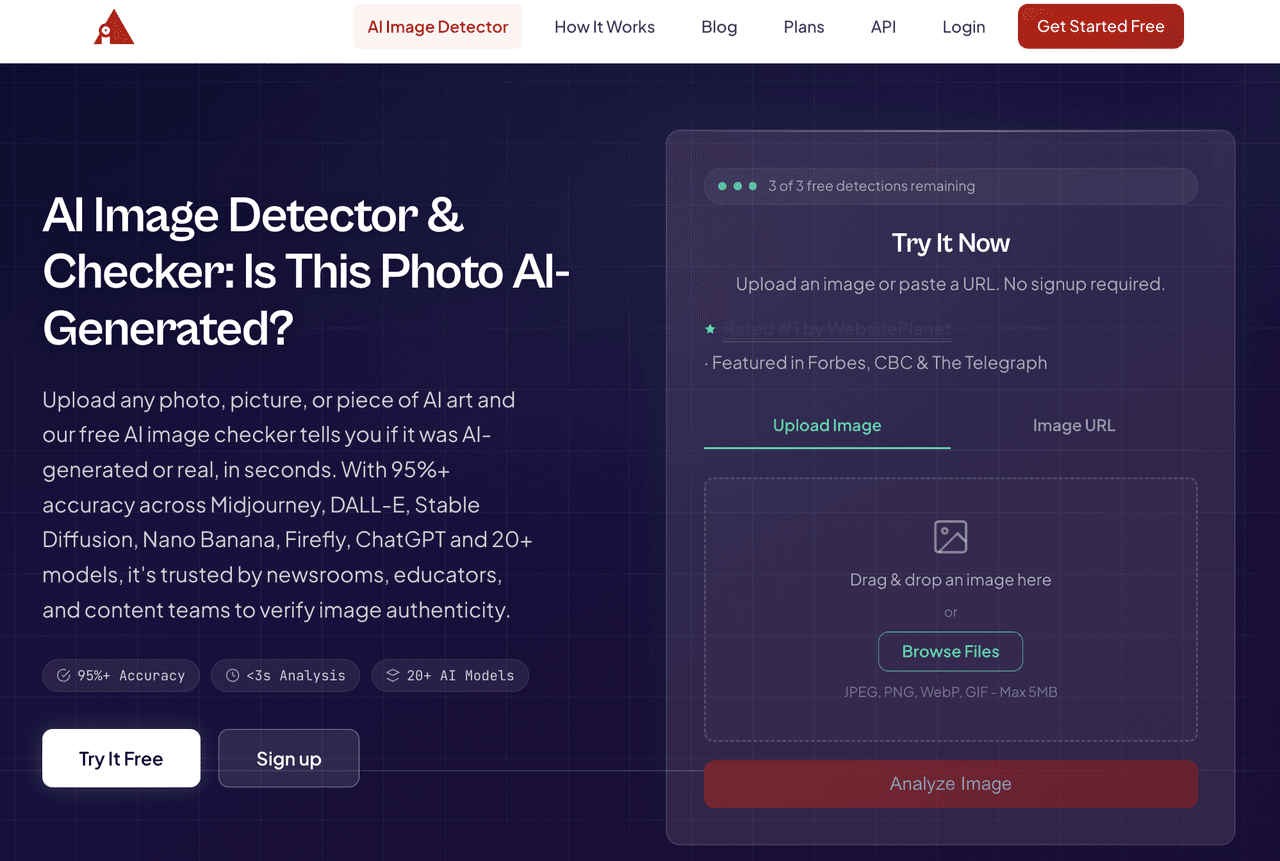
Is It AI? is a free AI image detector and checker with web upload, URL input, Chrome extension positioning, and API paths. It is a strong fit for users who want fast first-pass checks plus a lightweight browser workflow.
How to use
• Upload an image or paste an image URL.
• Run the analysis and review the AI/real result.
• Use the Chrome extension when checking images encountered while browsing.
• For repeated checks, consider account history or API usage.
Pricing and limits![]

Key selling points
• Fast web checker with upload and URL flow.
• Chrome extension is useful for editorial browsing.
• Claims coverage across many image models.
• API option for teams.
User verdict: Best for users who want a clean web checker plus a browser extension. Treat model-coverage claims as something to test, not something to assume.
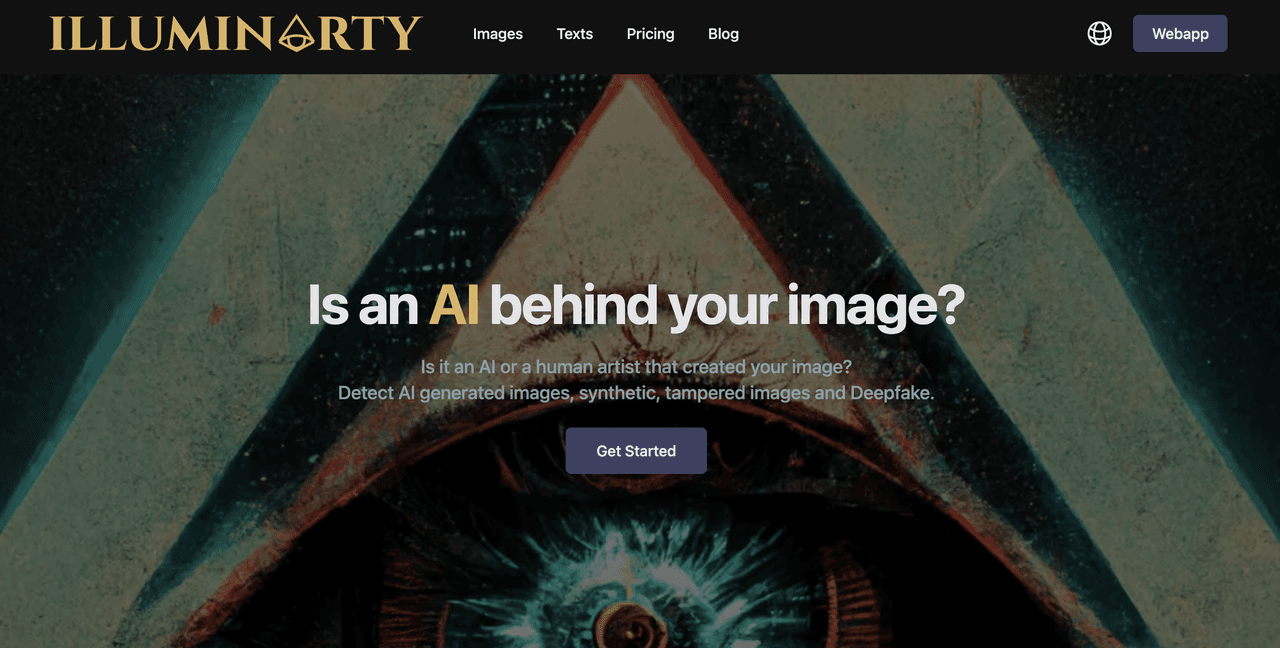
7. Illuminarty
![]
Illuminarty focuses on detecting AI-generated images, synthetic or tampered images, and deepfakes. It is useful when the user wants not only a probability but also a model/region-oriented explanation of why the image may be synthetic.
How to use
• Open the web app or image detection page.
• Upload an image for probability analysis.
• Review any model or region-based explanation available in the result.
• Use the result to decide whether to request the original file or source proof.
Pricing and limits![]
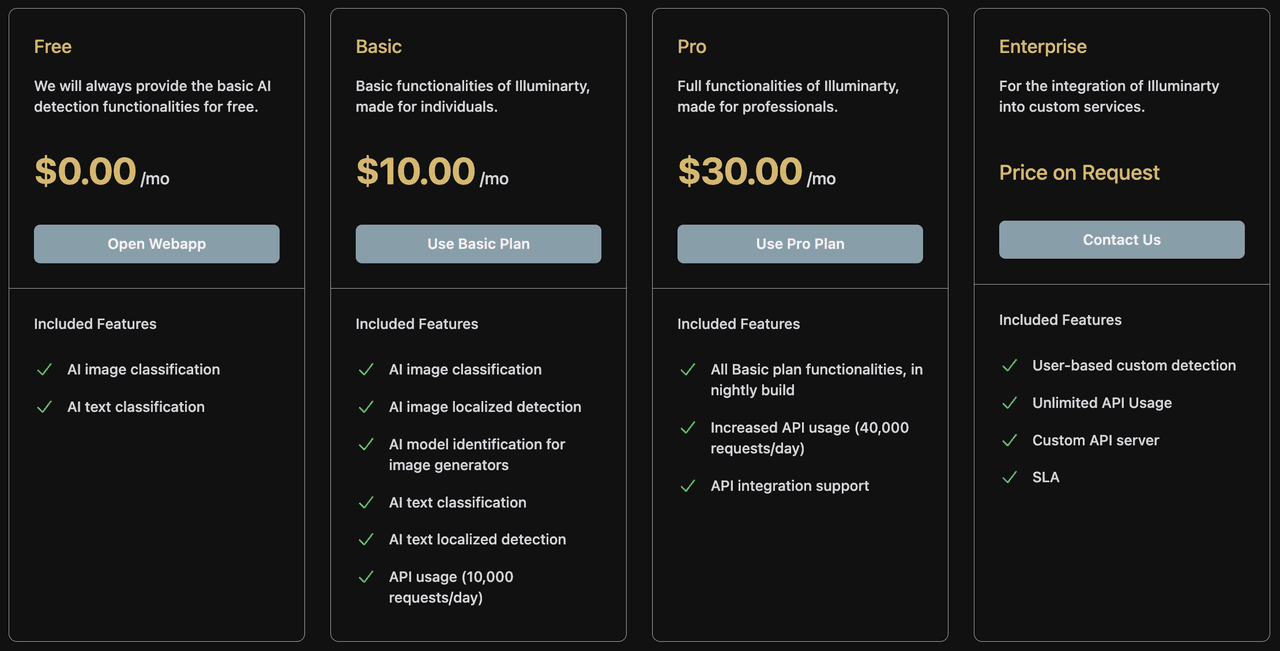
Key selling points
• AI-generated image probability.
• Tampered image and deepfake positioning.
• Model and region explanation language on the site.
• API and browser-extension direction for automated use.
User verdict: Best for users who want an explainable AI-image check rather than just a binary label. Still use original-file and source review for important decisions.
8. [ImageDetector]
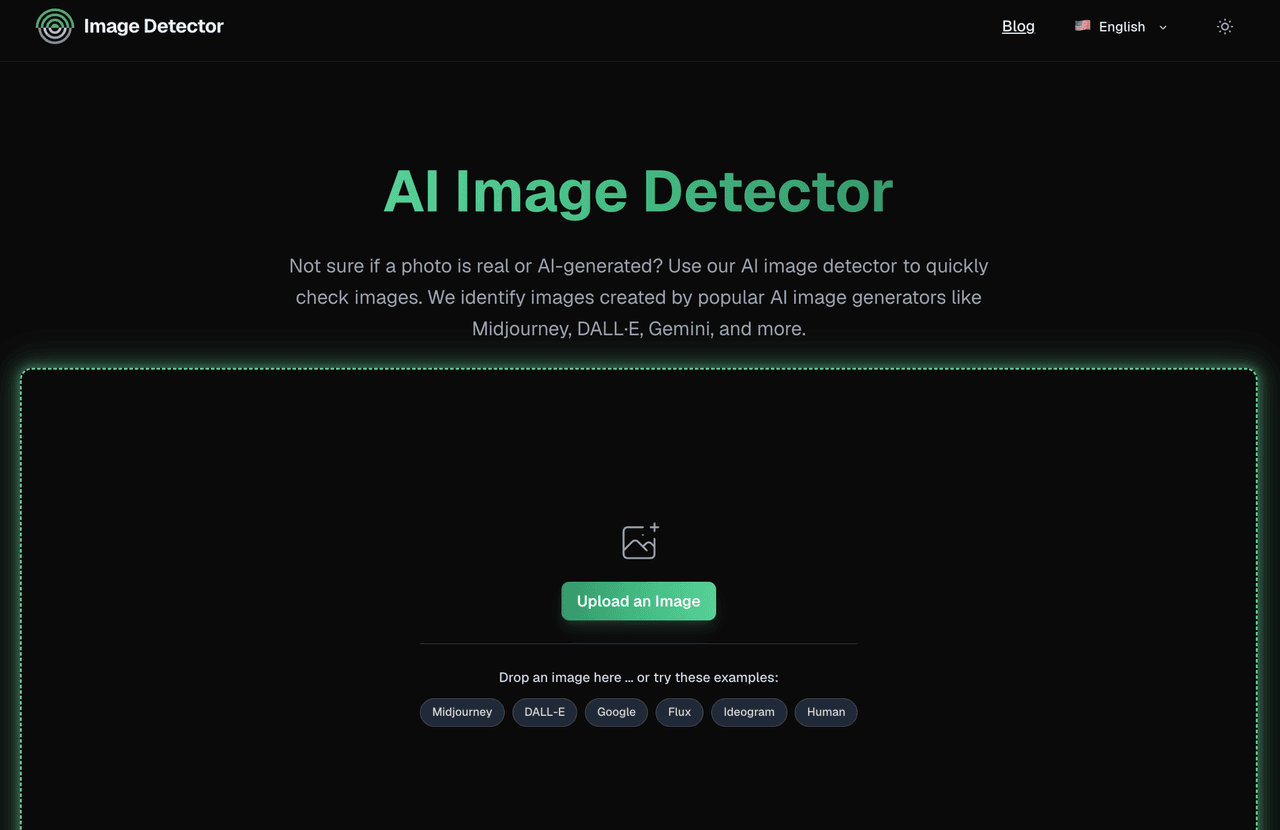
ImageDetector is a free web-based AI image detector designed for quick checks of whether a photo, artwork, product image, profile picture, receipt, document scan, or social media image may be AI-generated. From a user perspective, ImageDetector is strongest as a simple first-pass image checker.
How to use
- Upload a photo or paste an image link.
- The site states that it supports JPG, PNG, and WEBP files.
- The detector analyzes visual signals commonly found in AI-generated images, including texture patterns, noise behavior, and structural details.
- Review the result showing whether the image is likely AI-generated or human-made.
Pricing and limits
- The tool is free to use online.
Key selling points
- Free online AI image checker with no sign-up required for basic use.
- Supports common image formats such as JPG, PNG, and WEBP.
- Can check images from popular AI generators including Midjourney, DALL·E, Gemini, Stable Diffusion, Ideogram, Flux, Bing Image Creator, and GANs.
- Does not rely on metadata or watermarks; the system analyzes visual image patterns directly.
- The page highlights fast analysis, privacy-first positioning, and an easy upload interface.
User verdict: Best for users who need a free, fast, no-sign-up AI image check across common online image types. It is especially useful for casual users, social media reviewers, ecommerce teams, fraud reviewers, journalists, and compliance teams doing first-pass triage.
9. Copyleaks Image Detection![]
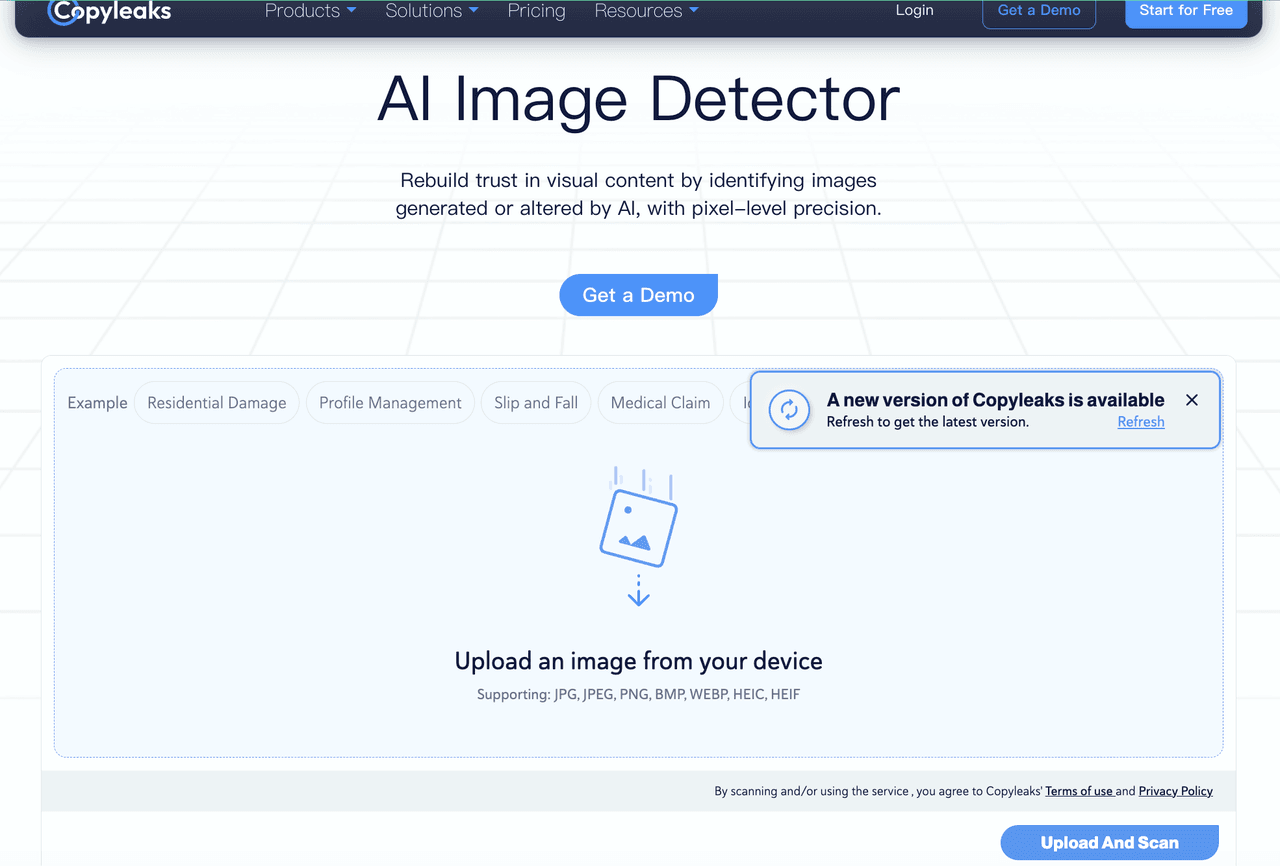
Copyleaks is widely known in education, enterprise compliance, publishing, and originality workflows. From a user perspective, Copyleaks is strongest when image detection needs to sit inside a larger integrity workflow. According to Axios’ coverage of the launch, the image detector assigns an AI-use probability score and can show areas where AI may have been applied. That makes it more useful than a simple “AI or real” label, especially for reviewers who need to explain why an image was escalated.
How to use
- Use Copyleaks through the product dashboard or enterprise/API workflow once image detection is enabled for the account.
- Upload or submit an image that needs authenticity review.
- Review the AI-use probability score and any highlighted areas where AI may have been applied.
- Combine the result with source review, metadata checks, provenance signals, and human judgment.
- For fraud, academic integrity, publishing, or legal review, save the image, score, date, tool version if available, reviewer notes, and final decision.
Pricing and limits![]
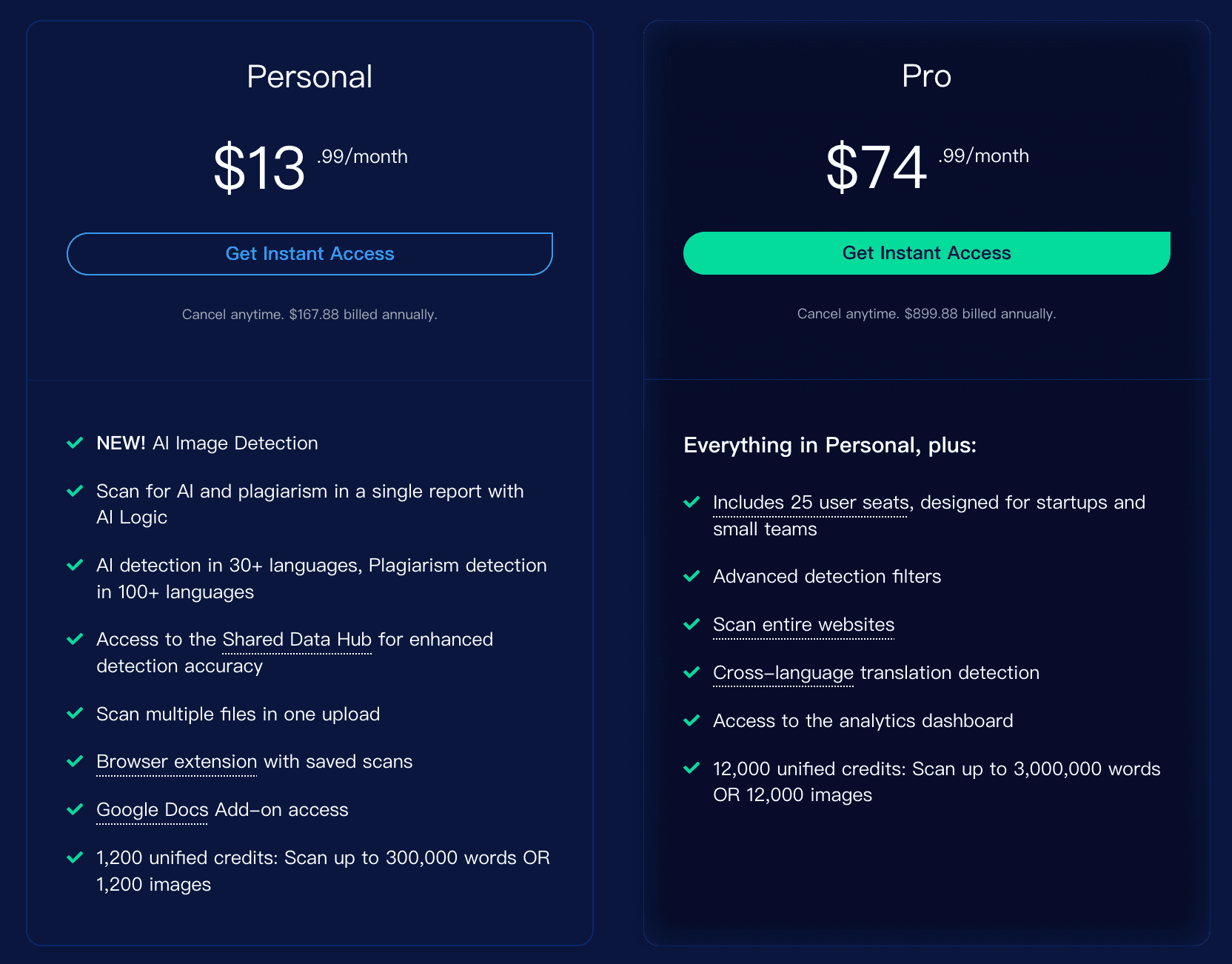
Key selling points
- Useful for education, financial services, publishing, compliance, and enterprise integrity workflows.
- Can support fraud-related review scenarios such as fake receipts, manipulated claims, and synthetic visual evidence.
- Probability scoring plus likely-AI regions can help reviewers understand where to inspect more closely.
- Strong fit for organizations that already use Copyleaks for text AI detection, plagiarism detection, LMS, or compliance review.
User verdict: Best for institutions and enterprises that already need Copyleaks-style integrity workflows and want to add image review to text, plagiarism, and compliance checks. Not the best first choice for casual users who only need a quick free image upload check. Use Copyleaks Image Detection as an enterprise review signal, not as a final verdict.
10. Undetectable AI Image Detector![]
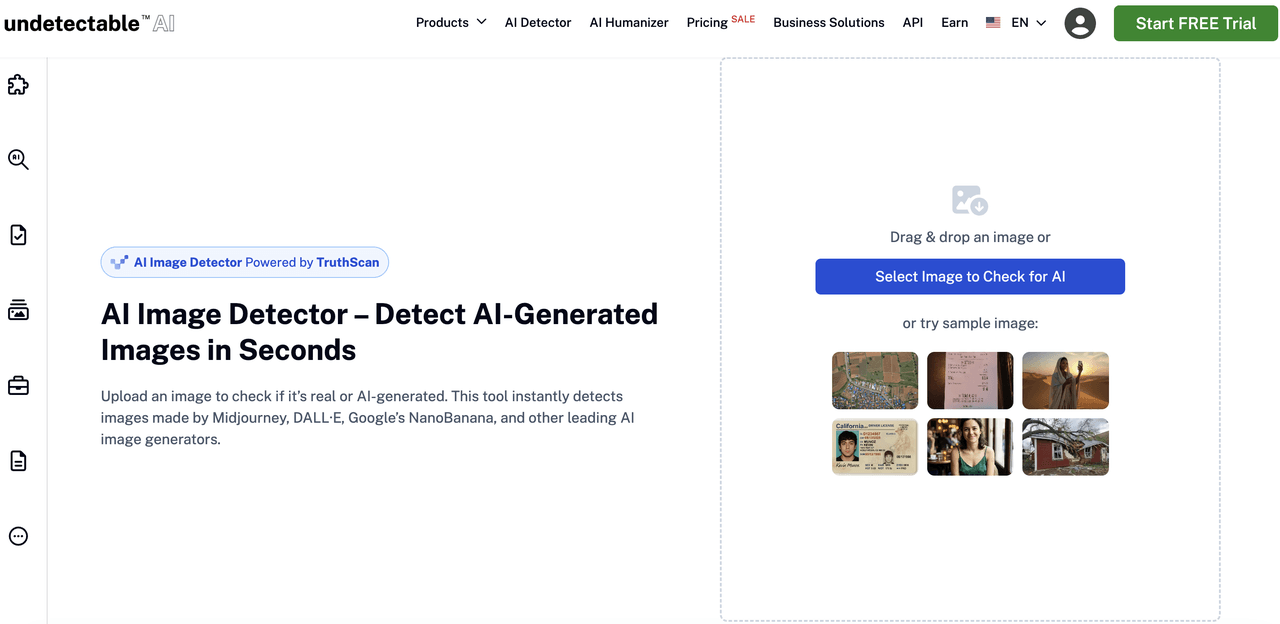
Undetectable AI Image Detector is a free web-based AI image checker powered by TruthScan. It is useful for casual users, content creators, journalists, businesses, dating-app users, insurance reviewers, legal teams, and anyone who needs an initial authenticity signal before deciding whether deeper verification is needed. The page emphasizes clear results, confidence scoring, privacy, and broad generator coverage.
How to use
- Drag and drop an image or select an image file to upload.
- The tool analyzes visual features such as color patterns, textures, shapes, and other image characteristics.
- Review the result showing whether the image is likely AI-generated or human-made.
Pricing and limits
- The tool is a free AI image detector by now.
- The FAQ states that supported formats include JPG, PNG, and PDF.
- The maximum file size listed on the page is 10MB.
Key selling points
- Fast and easy upload flow for non-technical users.
- Powered by TruthScan.
- Supports popular AI generators such as Midjourney, DALL·E, Stable Diffusion, Ideogram, Flux, Bing Image Creator, GANs, NanoBanana, Seedream, and Adobe Firefly.
User verdict: Best for users who need a fast, simple, free AI image check with a clear confidence score. It is especially useful for first-pass review in social media, content creation, dating apps, insurance, legal, and misinformation-monitoring scenarios.
Part III: Clever AI Image Detector Practical Examples
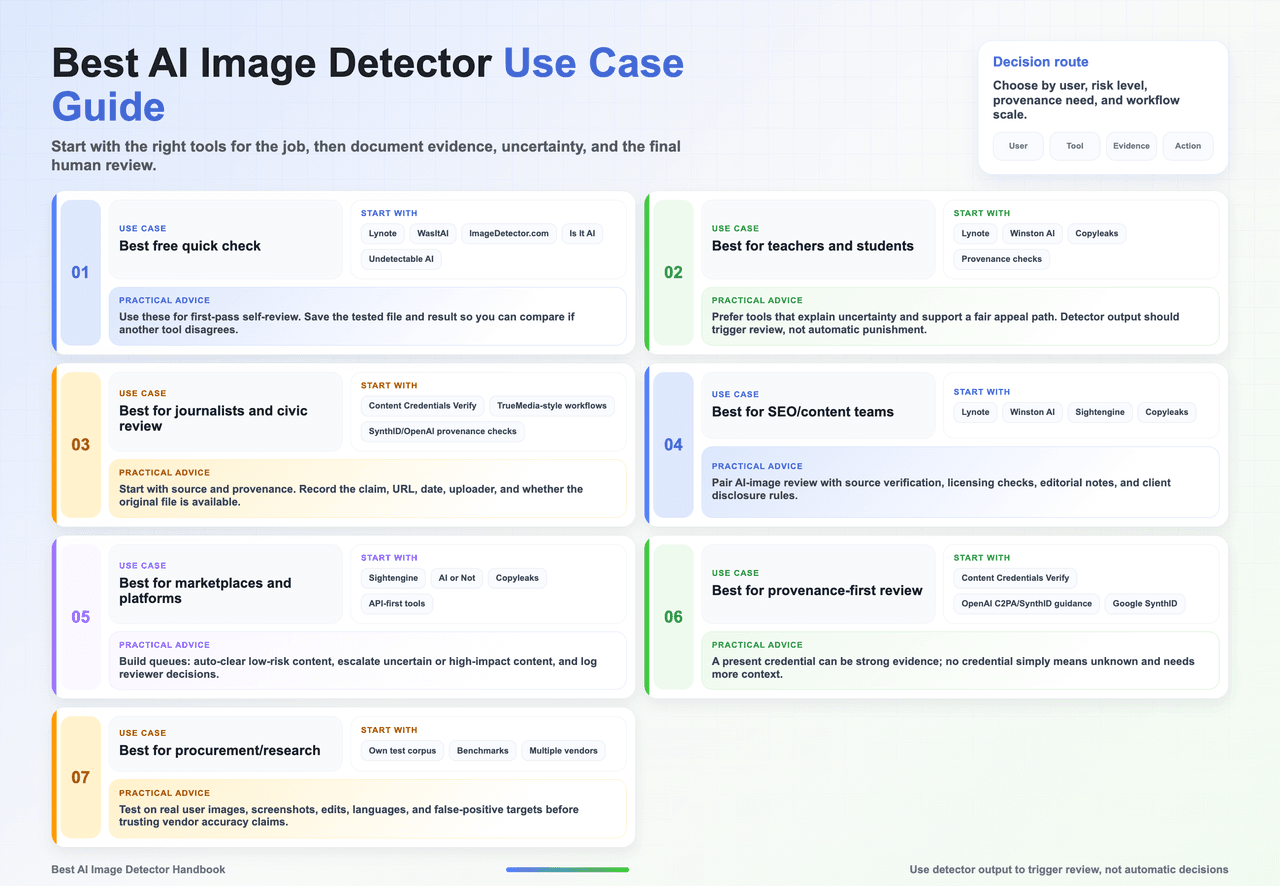
Chapter 4 | Best AI Image Detector Tools by Use Case Segment
This chapter is not to crown a universal winner, but to help users choose a safer starting point for each scenario.
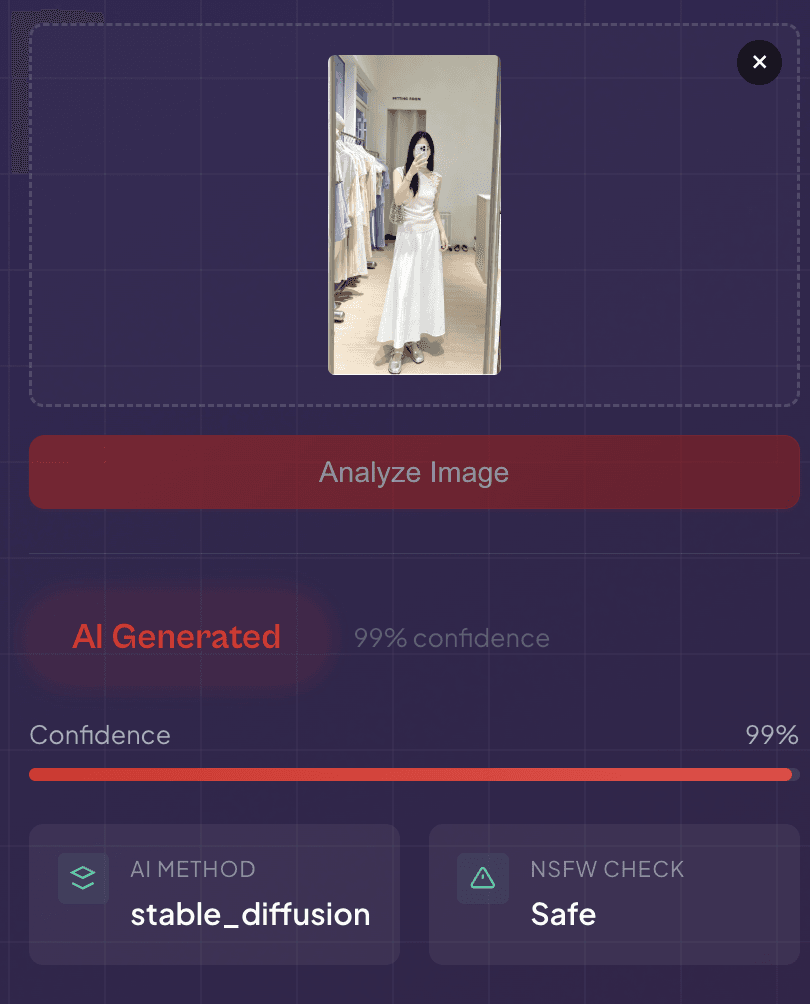
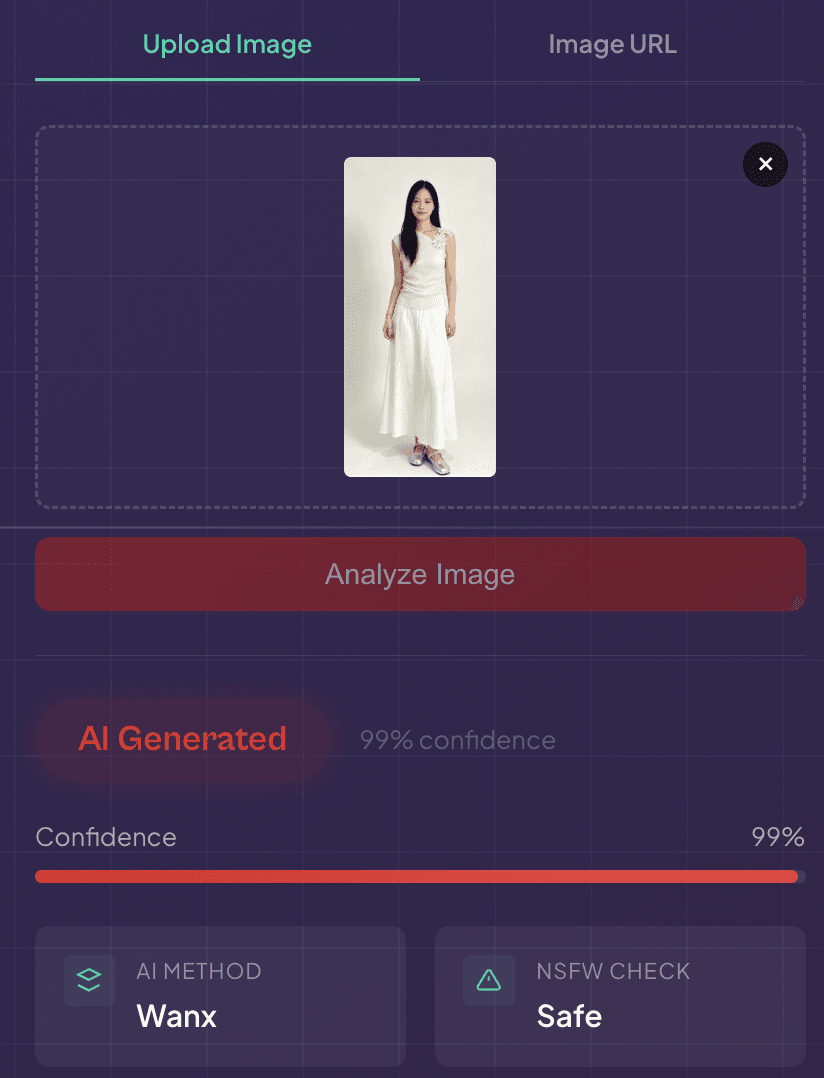
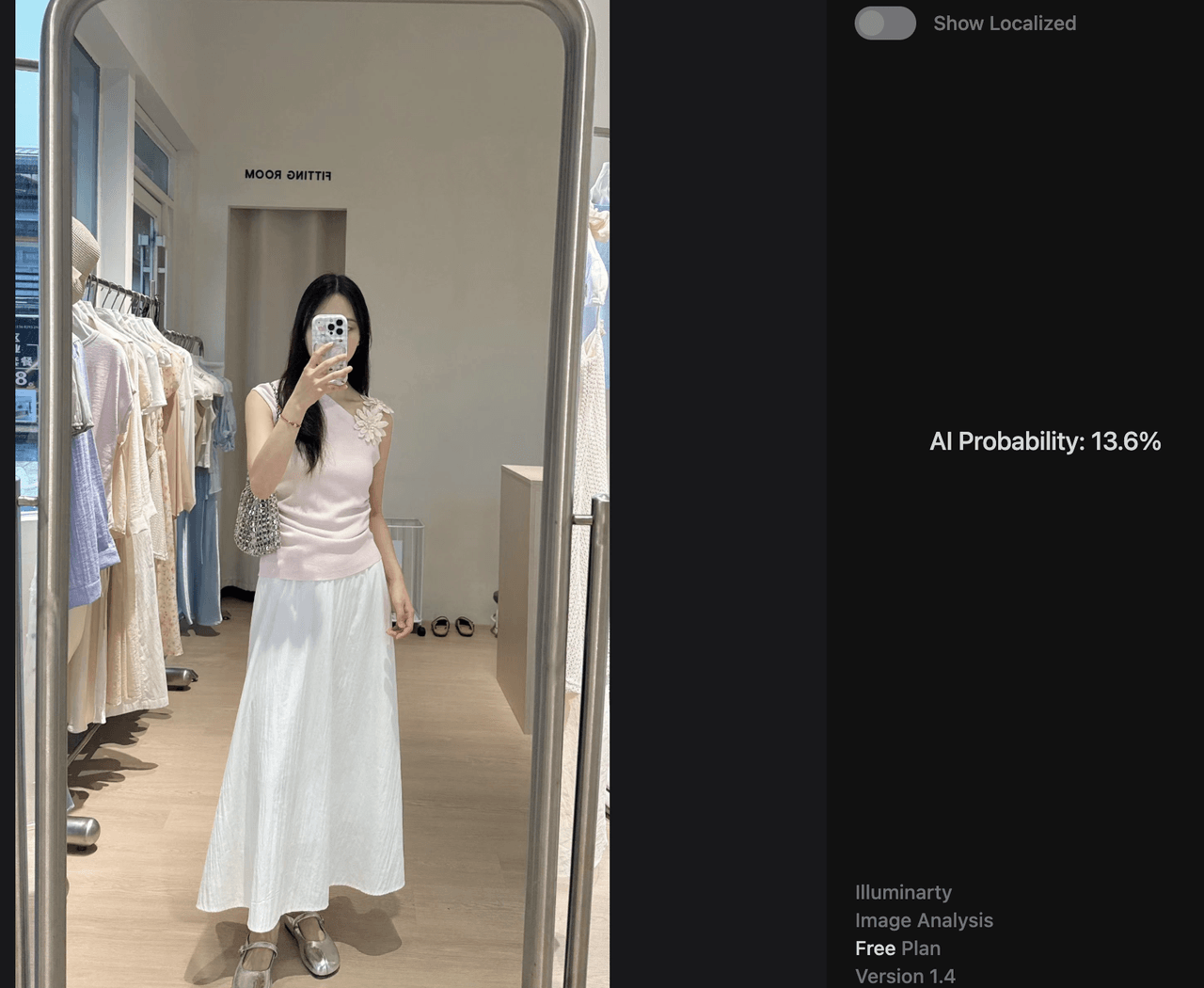
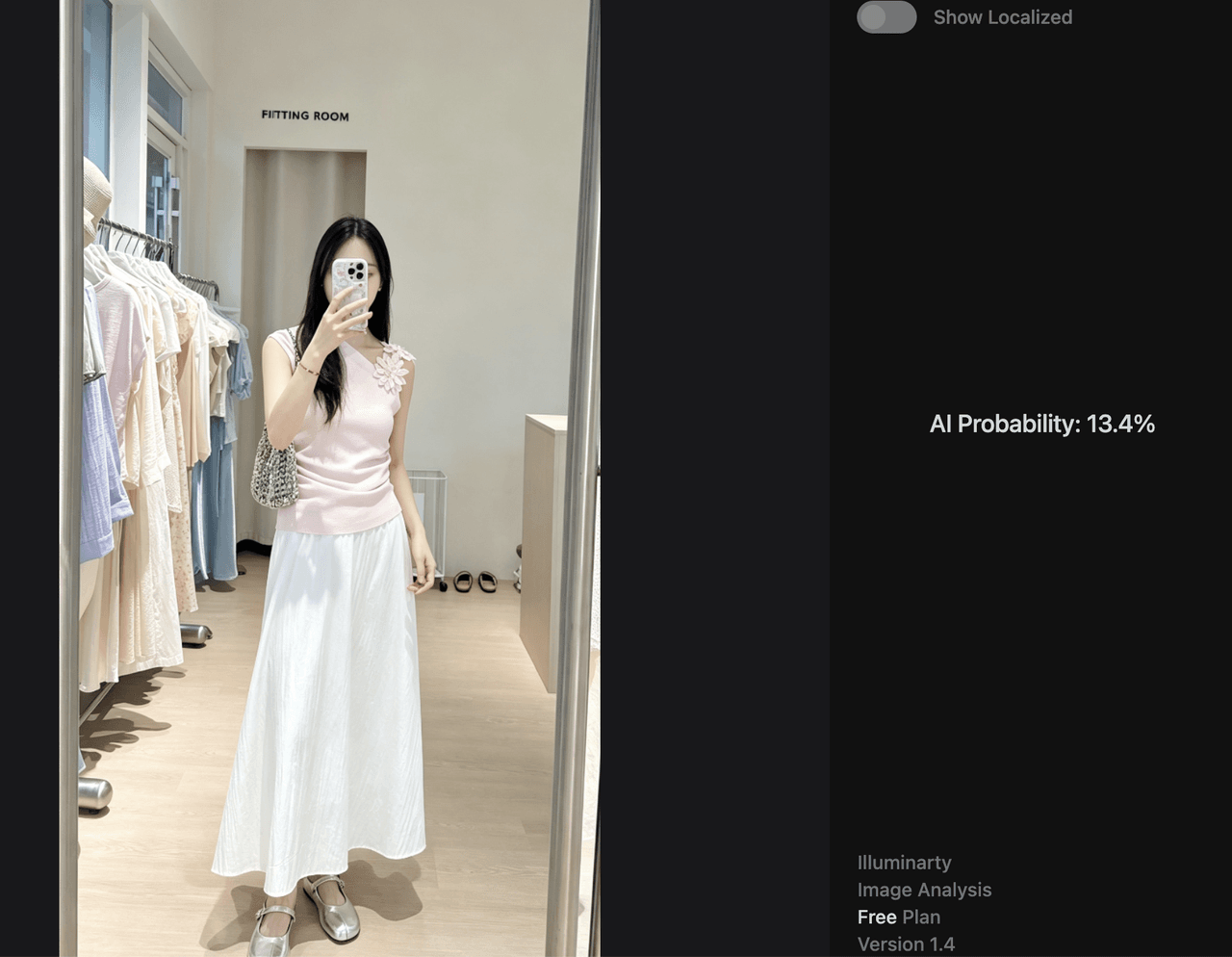
Hands-on case
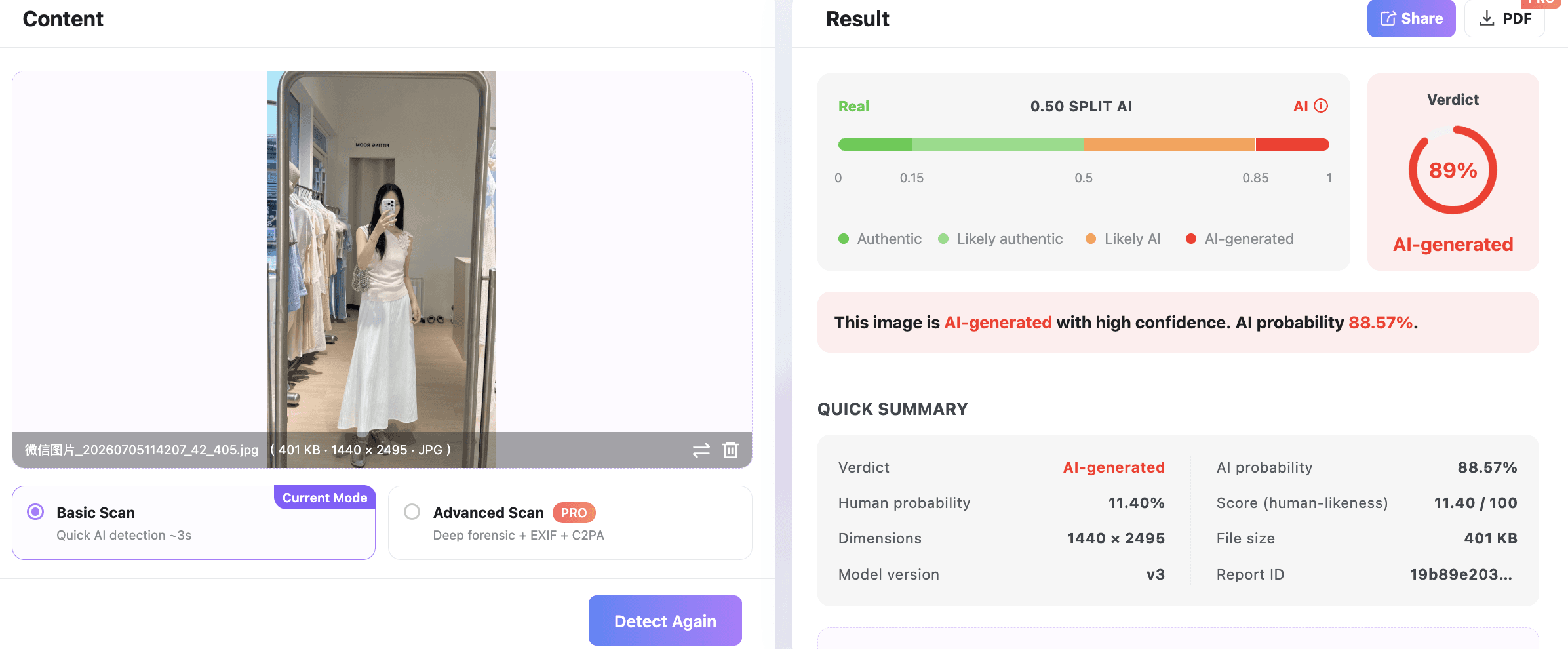
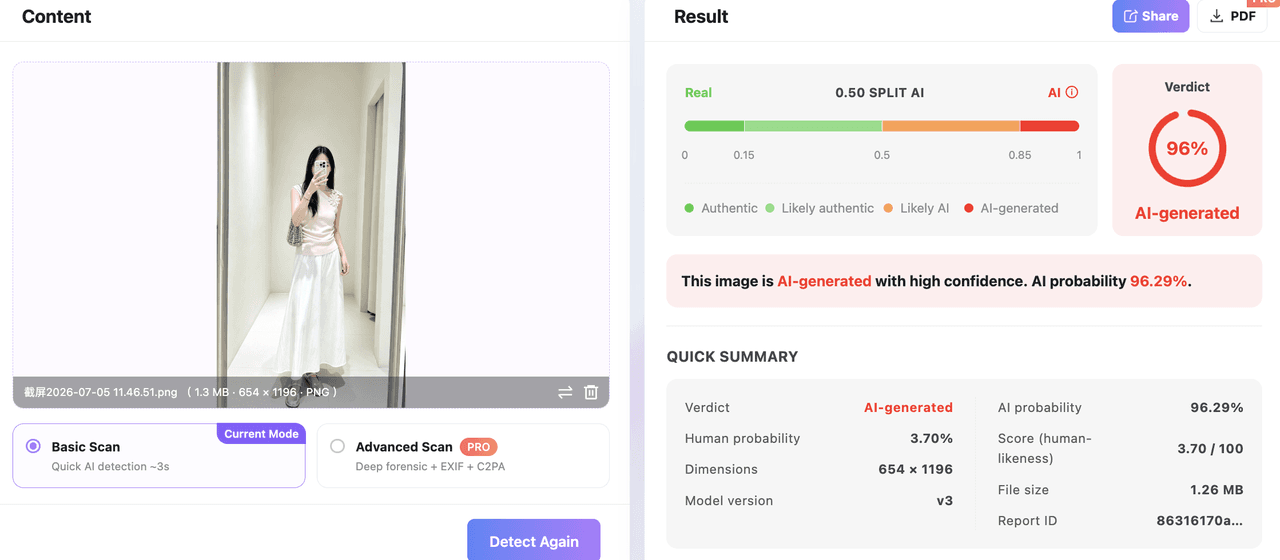
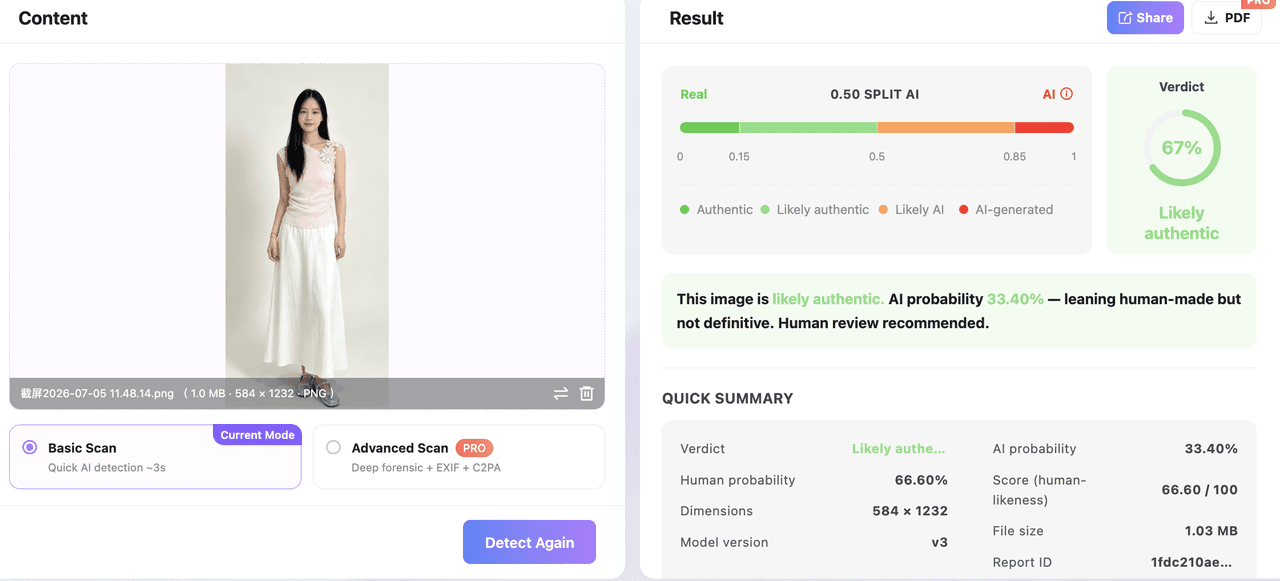
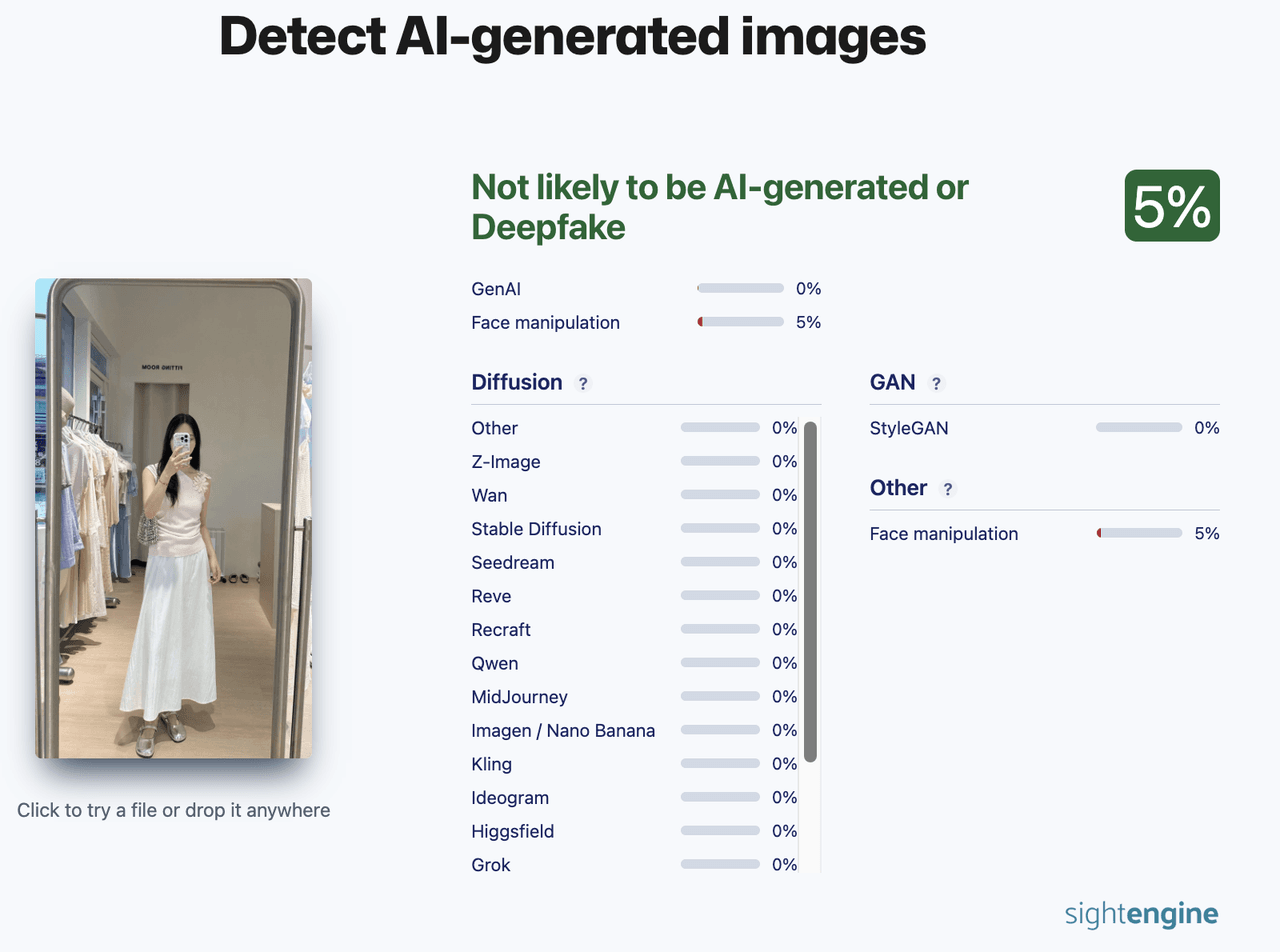
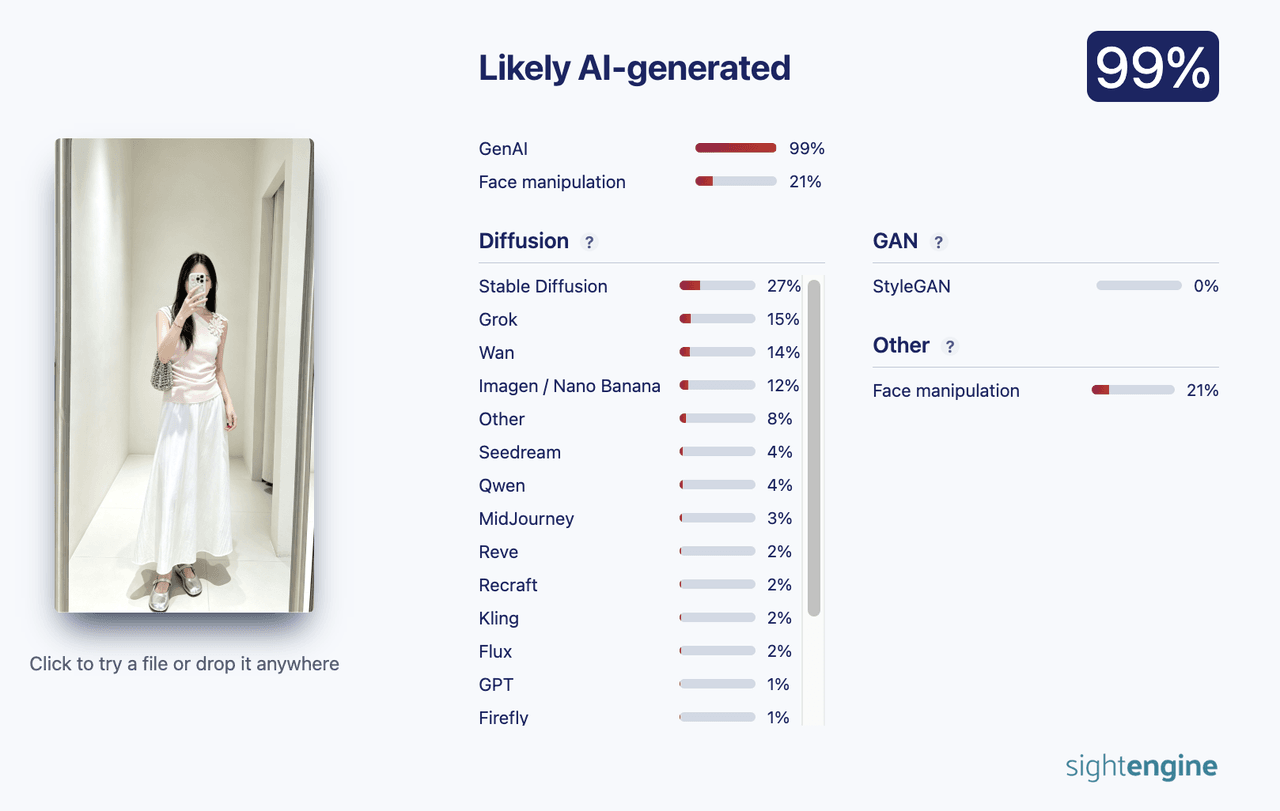
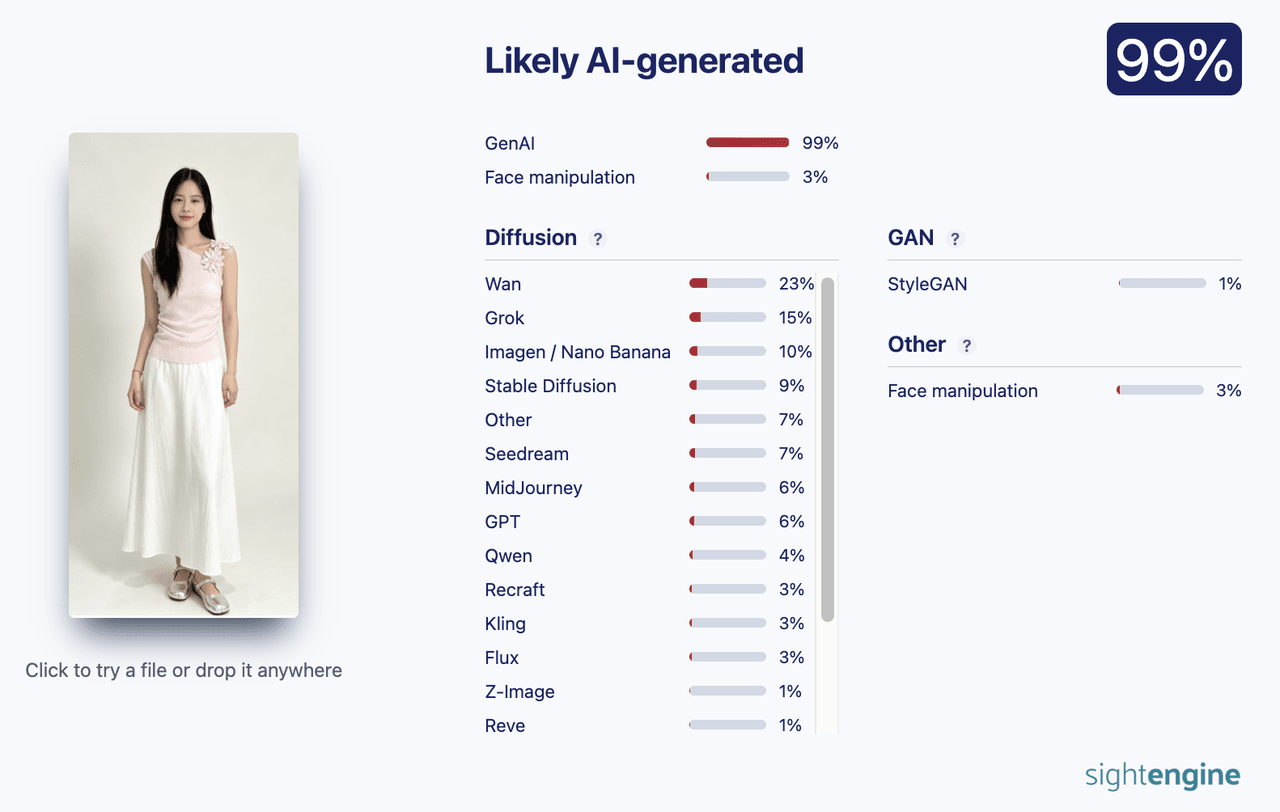
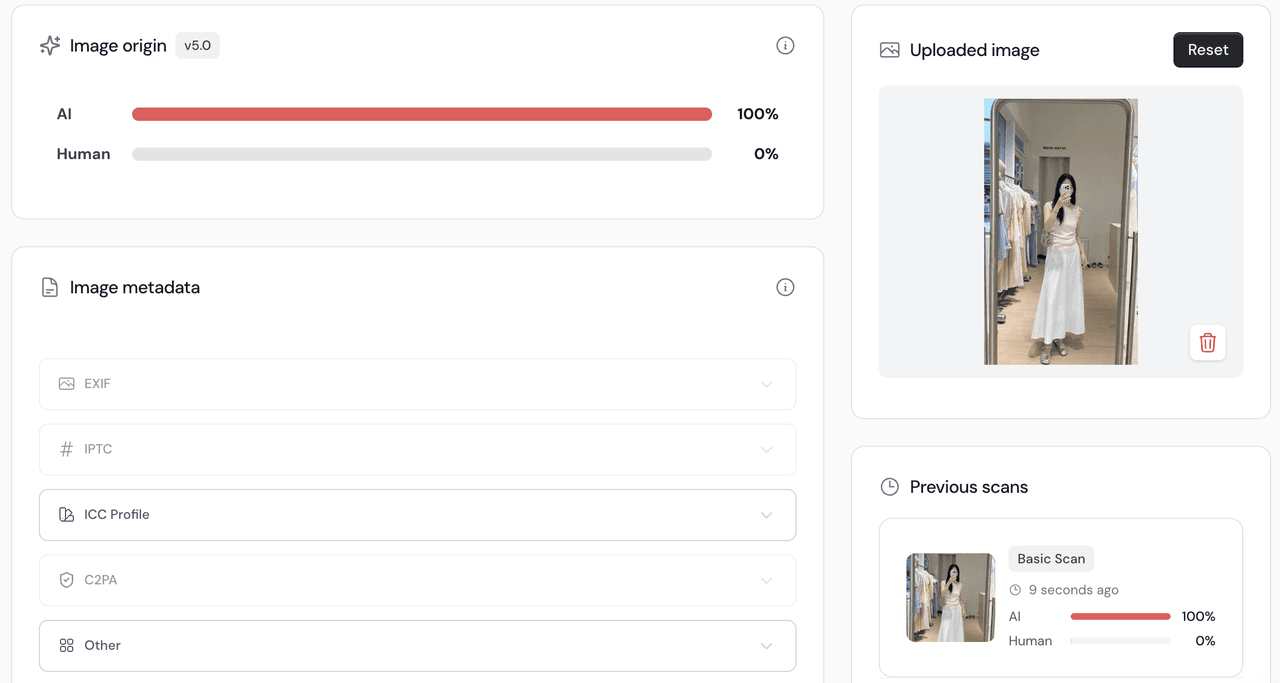
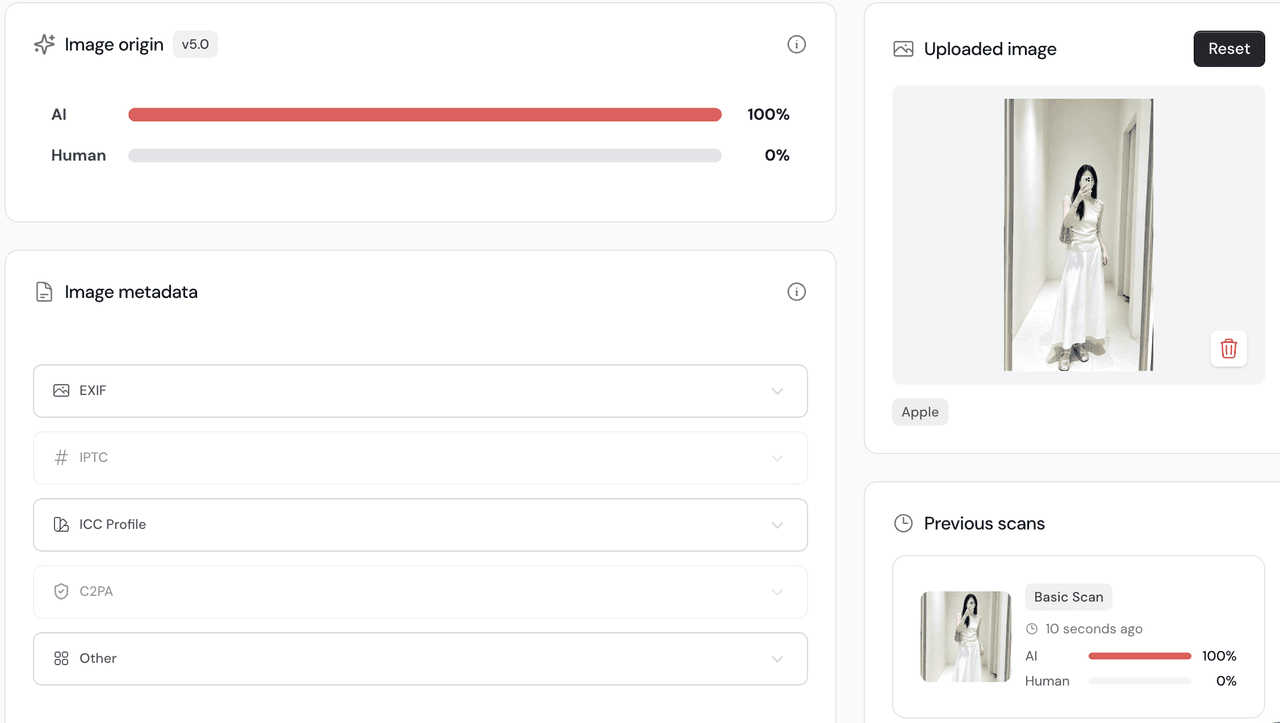
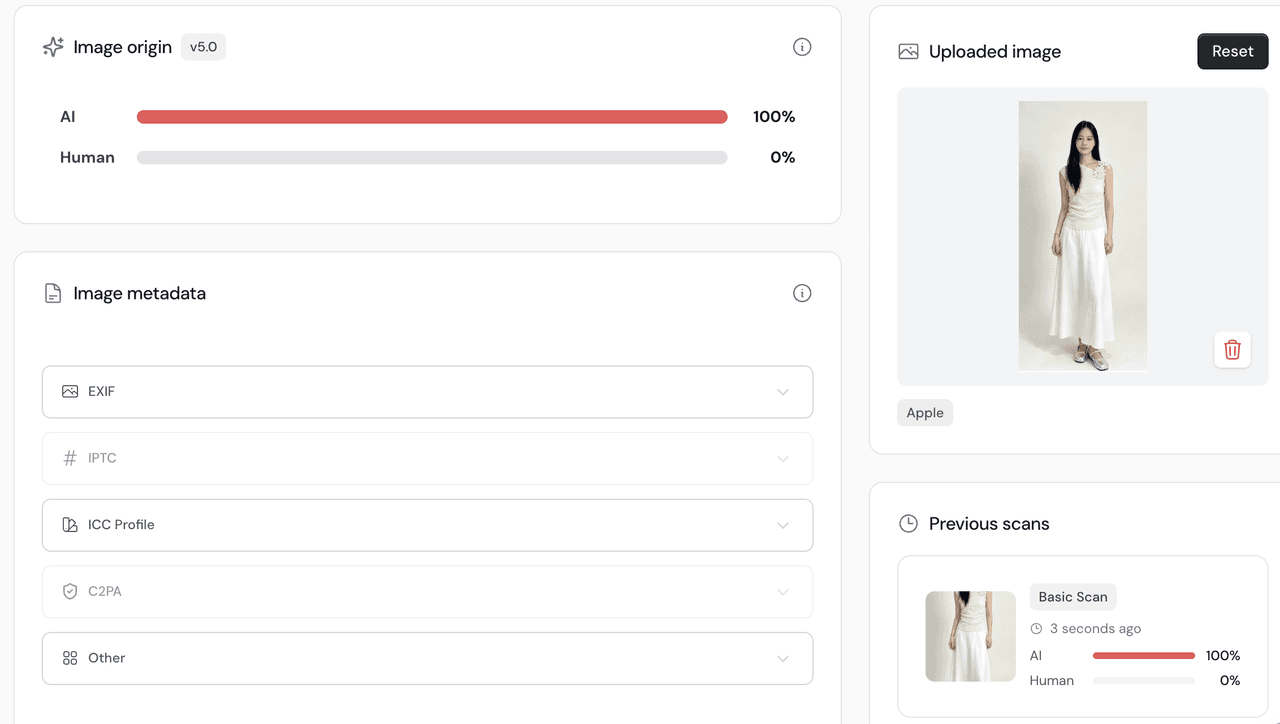
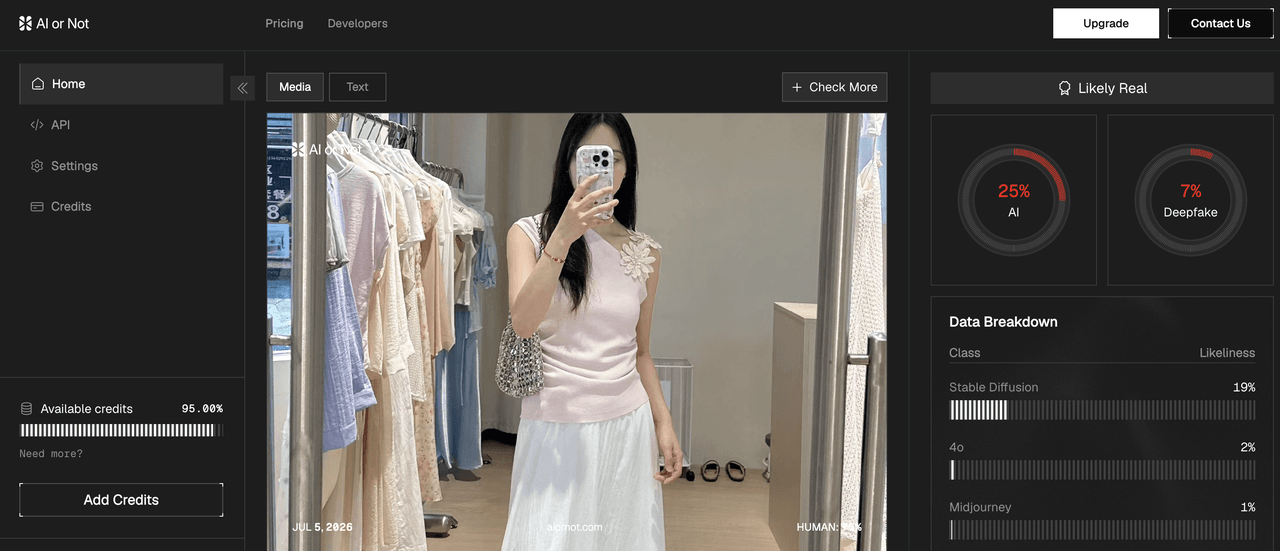
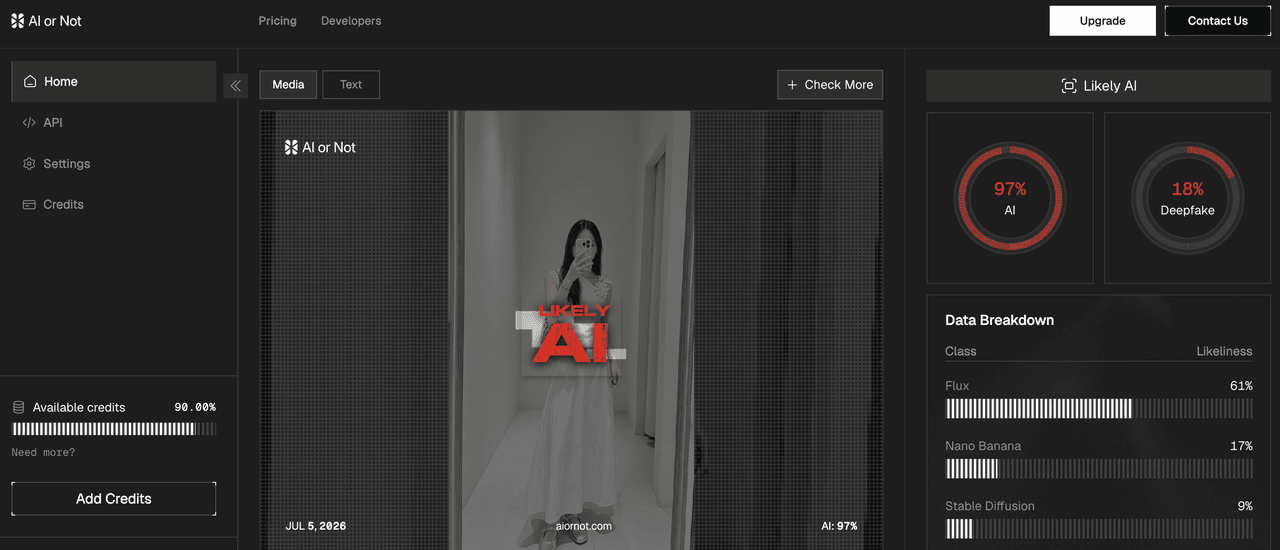
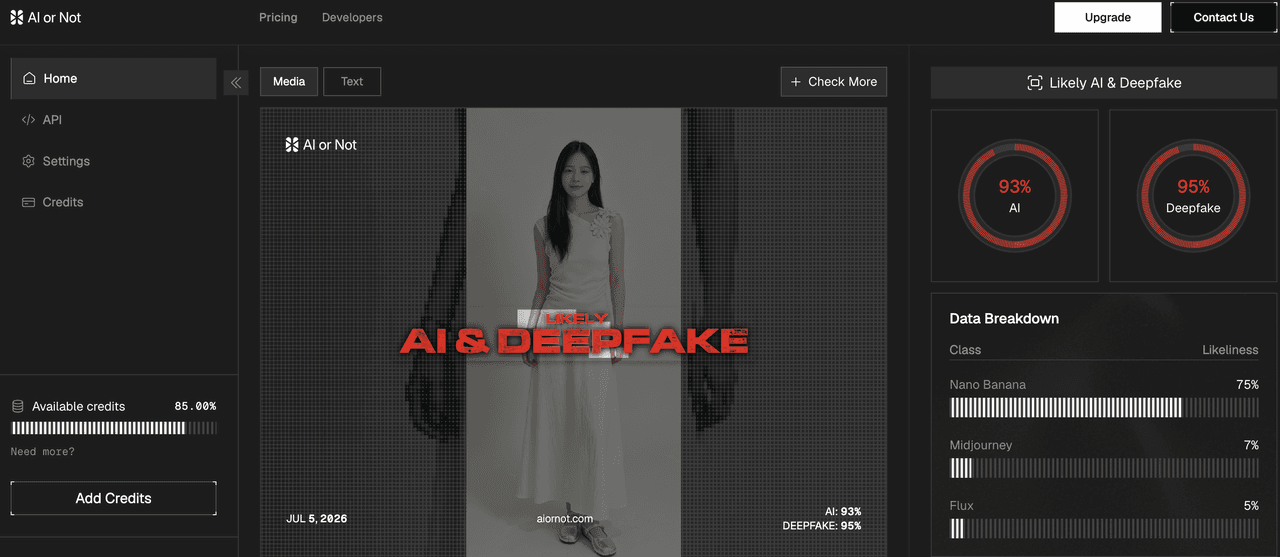
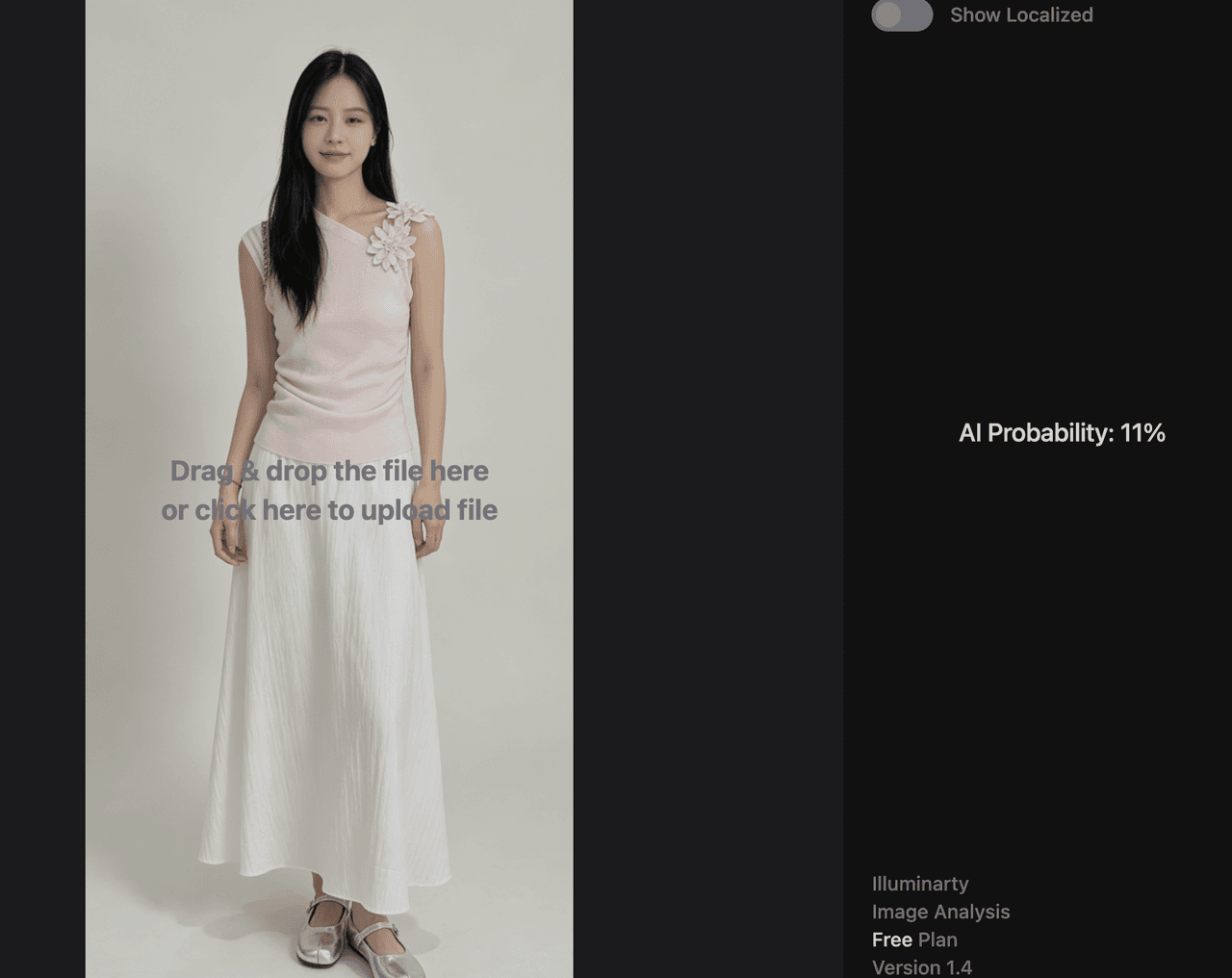
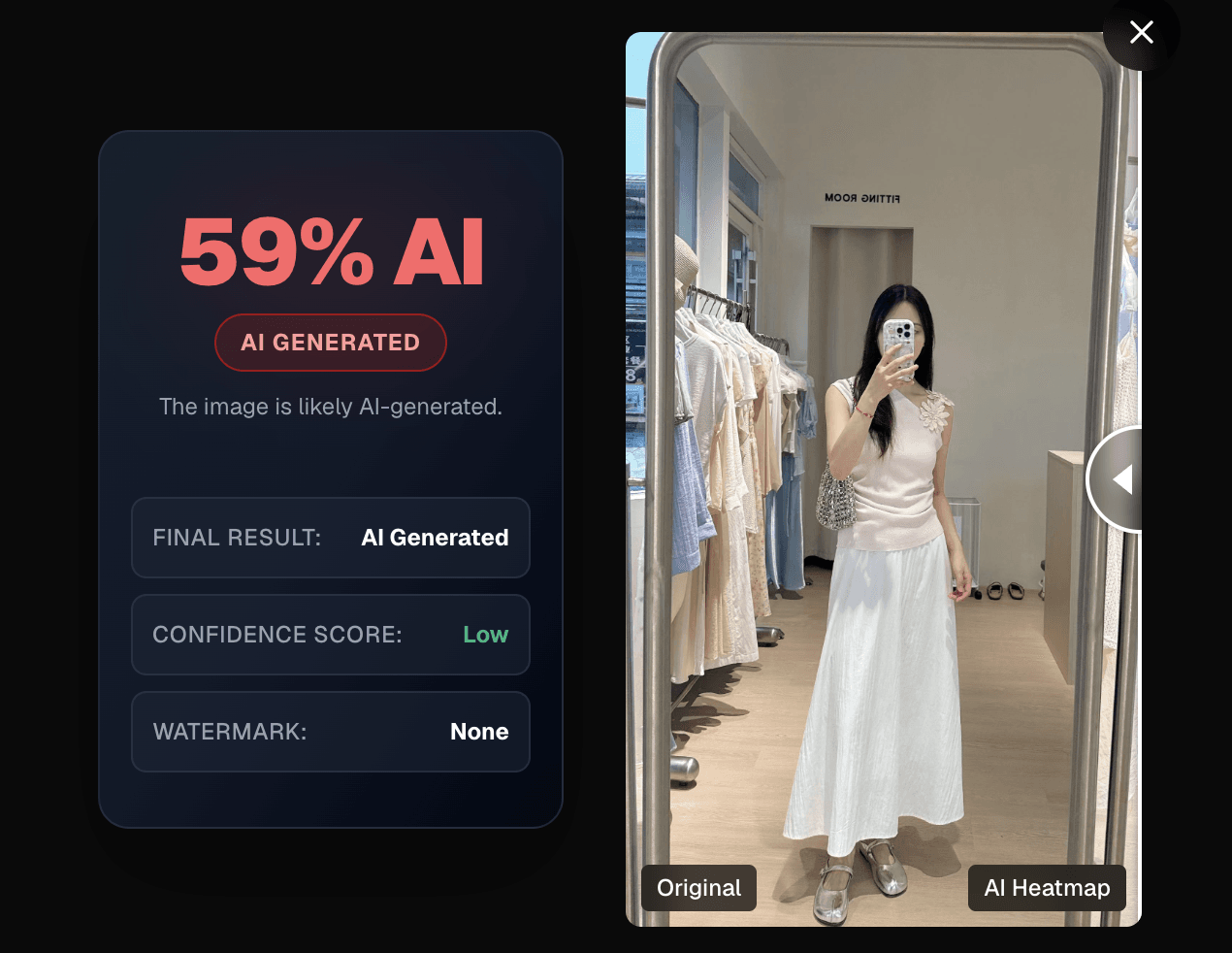
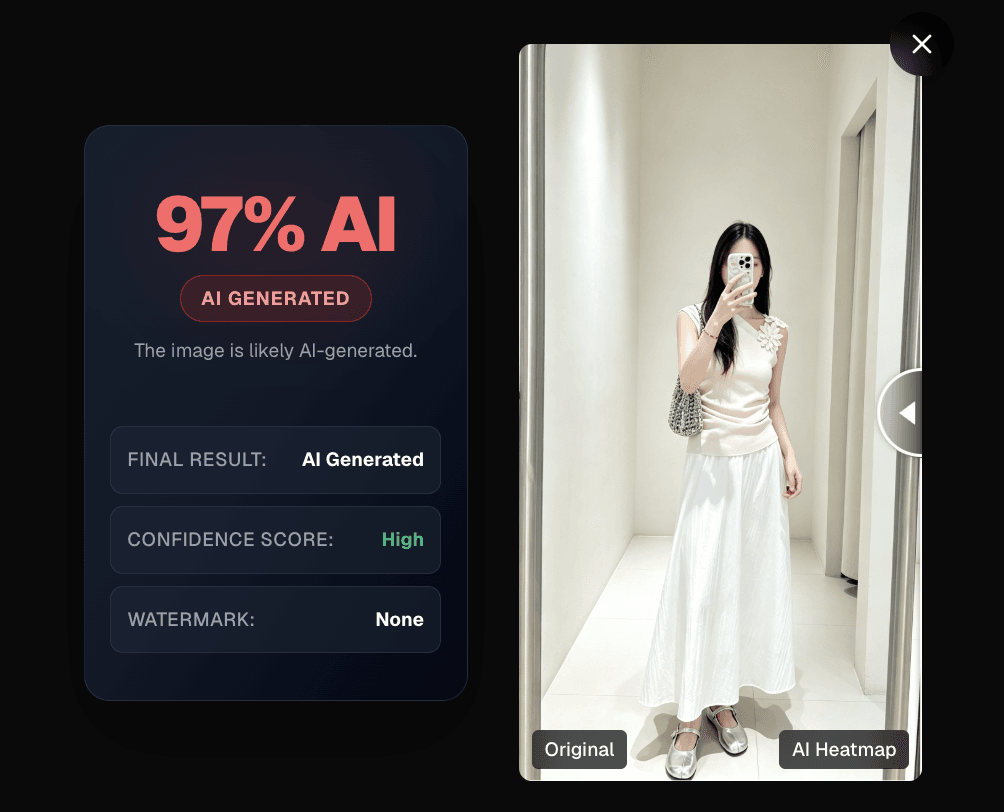
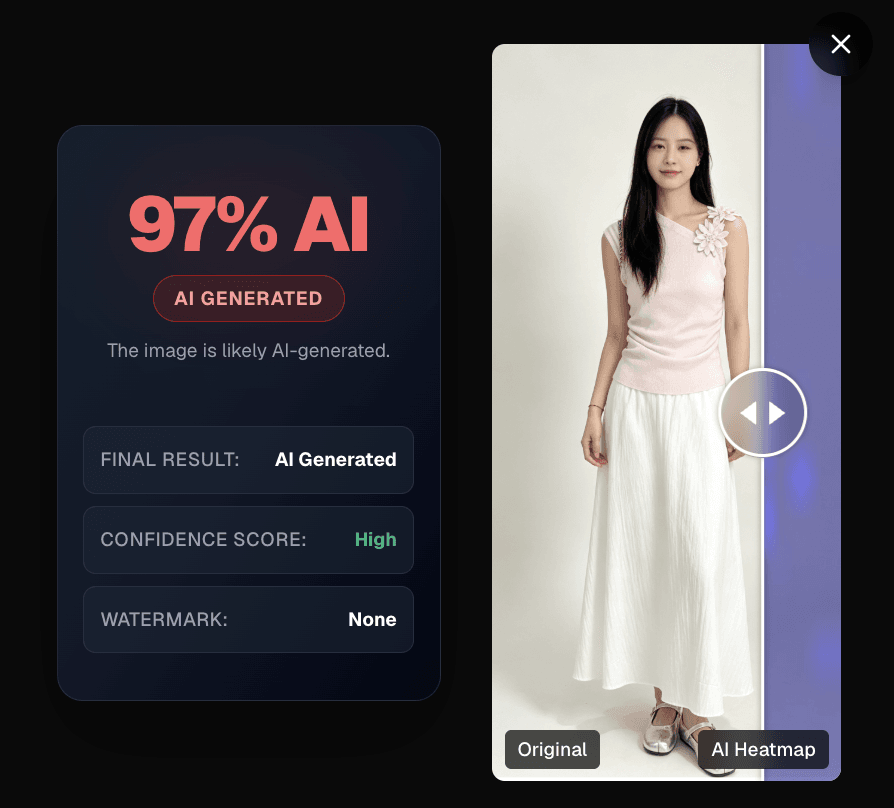
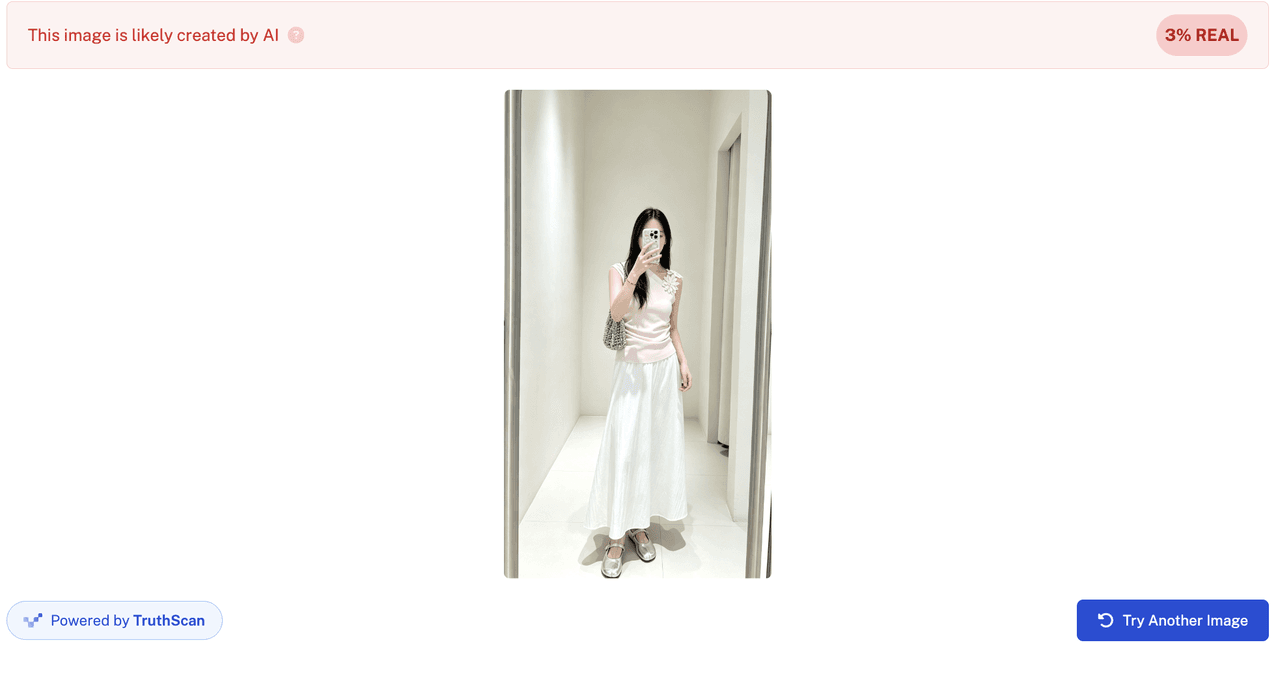
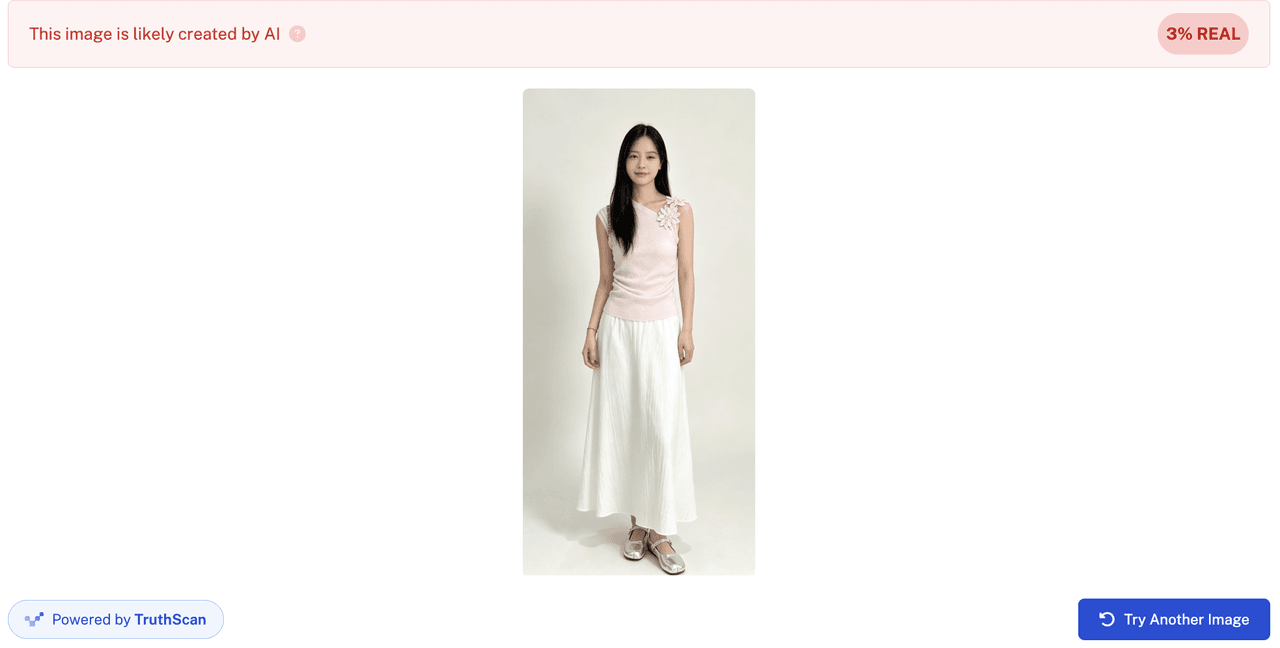
For a practical review, prepare three image types: a real camera photo, a fully AI-generated image, and a partially edited image. We used the free version for basic testing and scored based on detection accuracy, detection speed, and ease of use.We tested the three image categories one by one, and here are the real results:![]![]![]
- Human‑captured

-
AI‑retouche

-
AI‑generate

1) Lynote AI Image Detector
Recommendation Score: ⭐⭐⭐⭐
| Human-captured | AI-retouched / partial edit | AI-generated |
|
|
|
 |  |  |
2) Sightengine AI Image Detection
Recommendation Score: ⭐⭐⭐⭐
| Human-captured | AI-retouched / partial edit | AI-generated |
|
|
|
 |  |  |
3) Winston AI Image Detector
Access requires login.
Recommendation Score: ⭐⭐
| Human-captured | AI-retouched / partial edit | AI-generated |
|
|
|
 |  |  |
4) AI or Not
Access requires login.
Recommendation Score: ⭐⭐⭐⭐
| Human-captured | AI-retouched / partial edit | AI-generated |
|
|
|
 |  |  |
5) WasItAI
Recommendation Score: ⭐⭐⭐
| Human-captured | AI-retouched / partial edit | AI-generated |
|
|
|
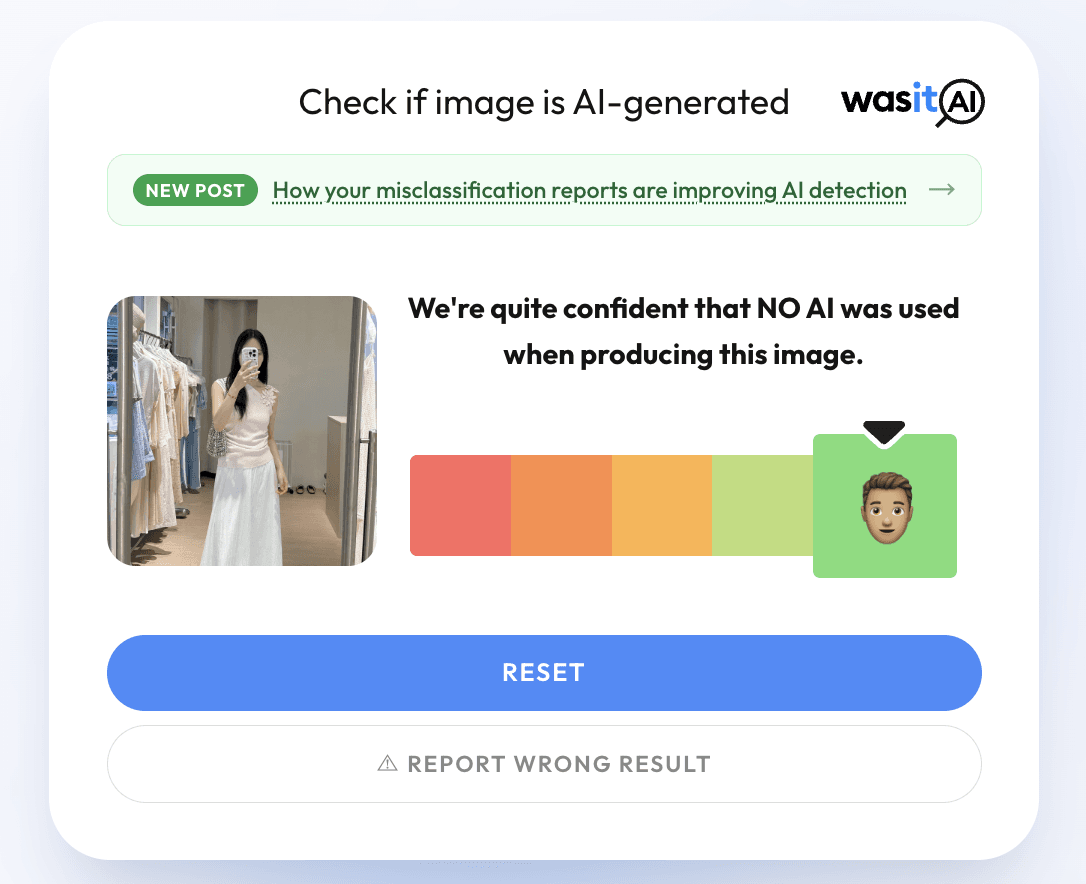 | 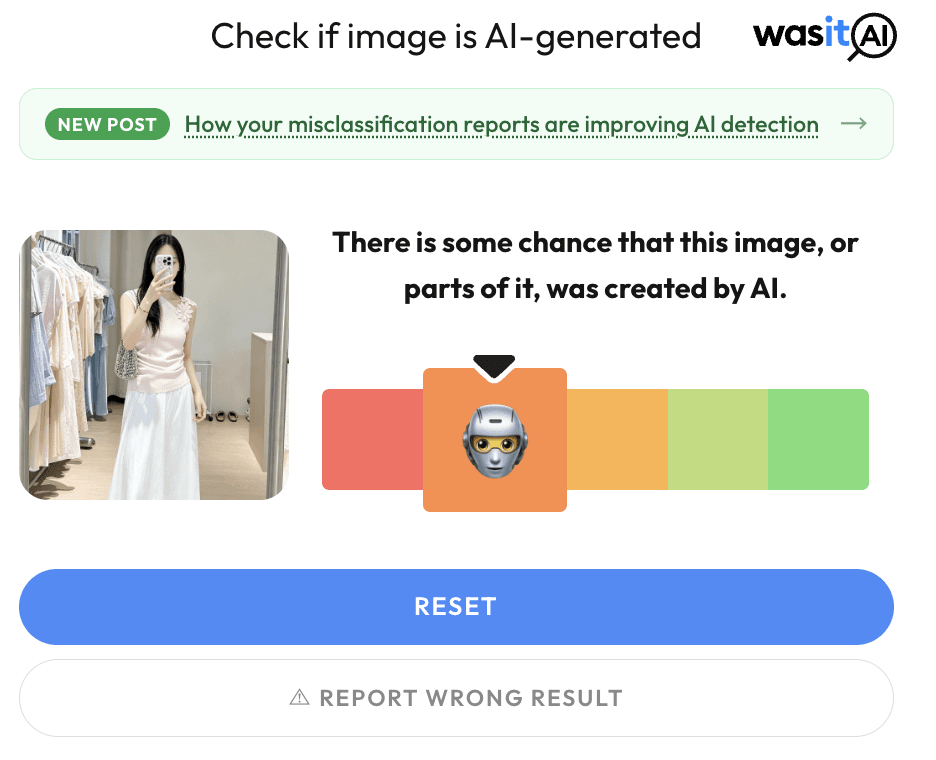 | 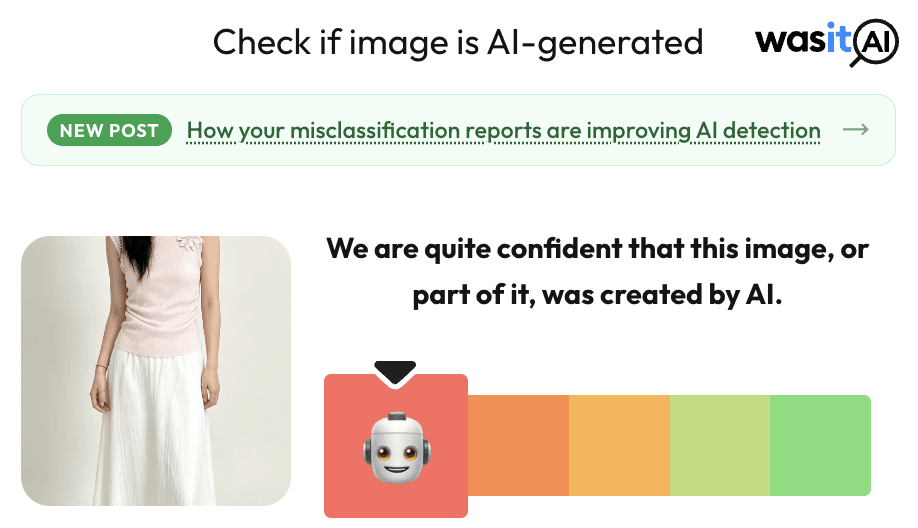 |
6) Is It AI?
Only two free tests allowed.
Recommendation Score: ⭐⭐
| Human-captured | AI-retouched / partial edit | AI-generated |
|
|
|
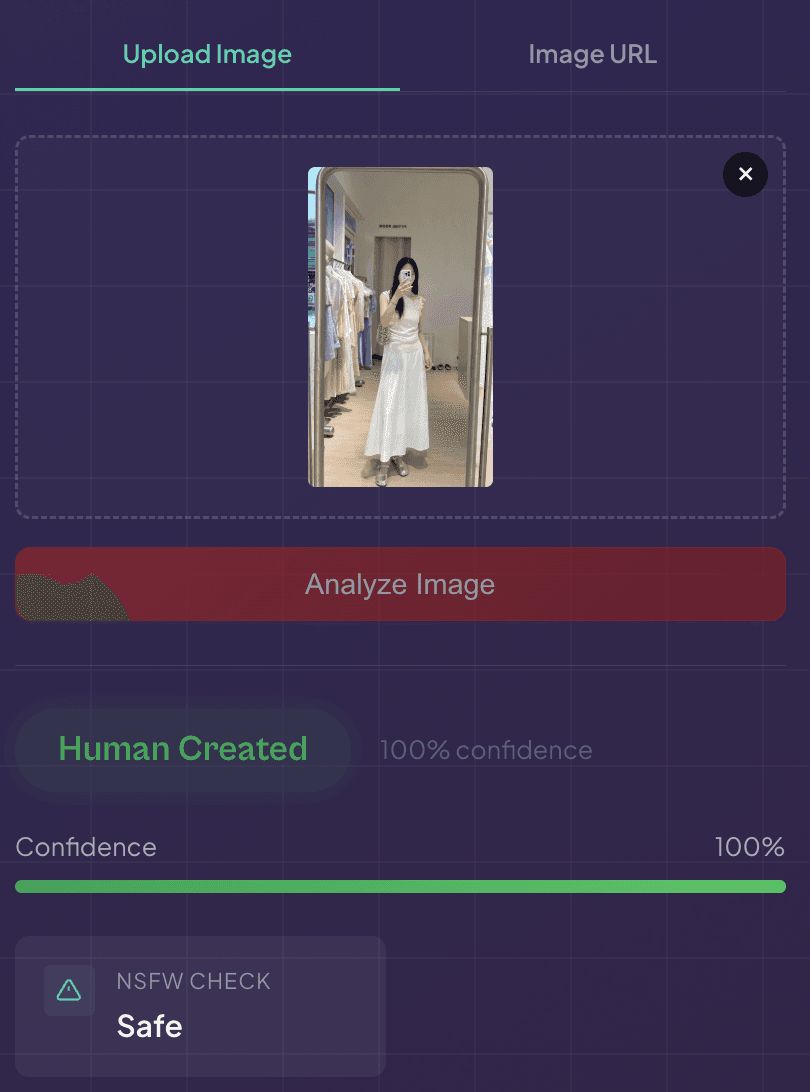 |  |  |
7) Illuminarty
Recommendation Score: ⭐
| Human-captured | AI-retouched / partial edit | AI-generated |
|
|
|
 |  |  |
8) ImageDetector
Recommendation Score: ⭐⭐⭐⭐
| Human-captured | AI-retouched / partial edit | AI-generated |
|
|
|
 |  |  |
9) Copyleaks Image Detection
Recommendation Score: ⭐⭐
| Human-captured | AI-retouched / partial edit | AI-generated |
|
|
|
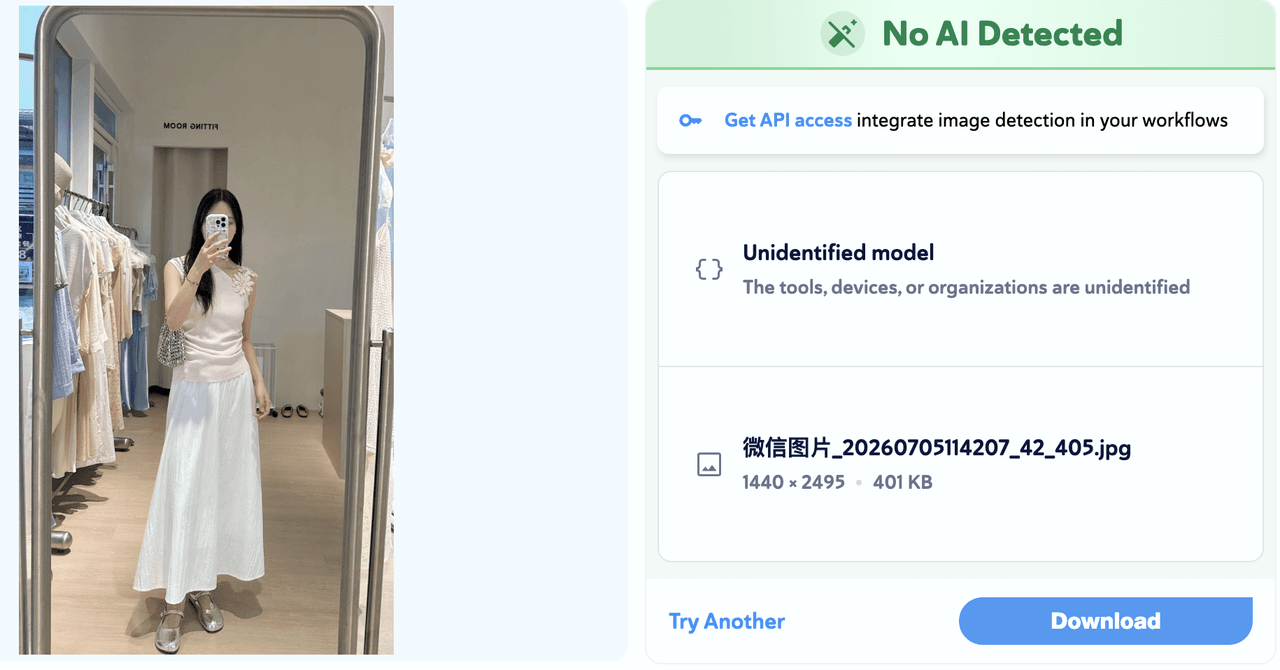 | 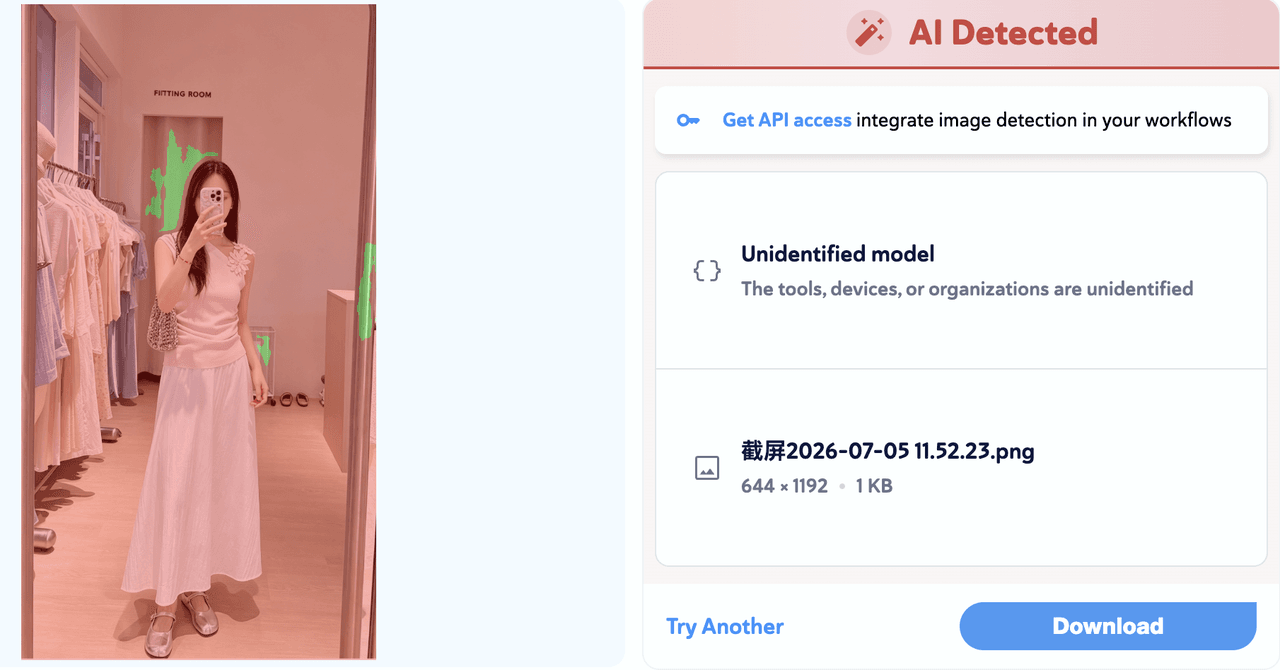 | 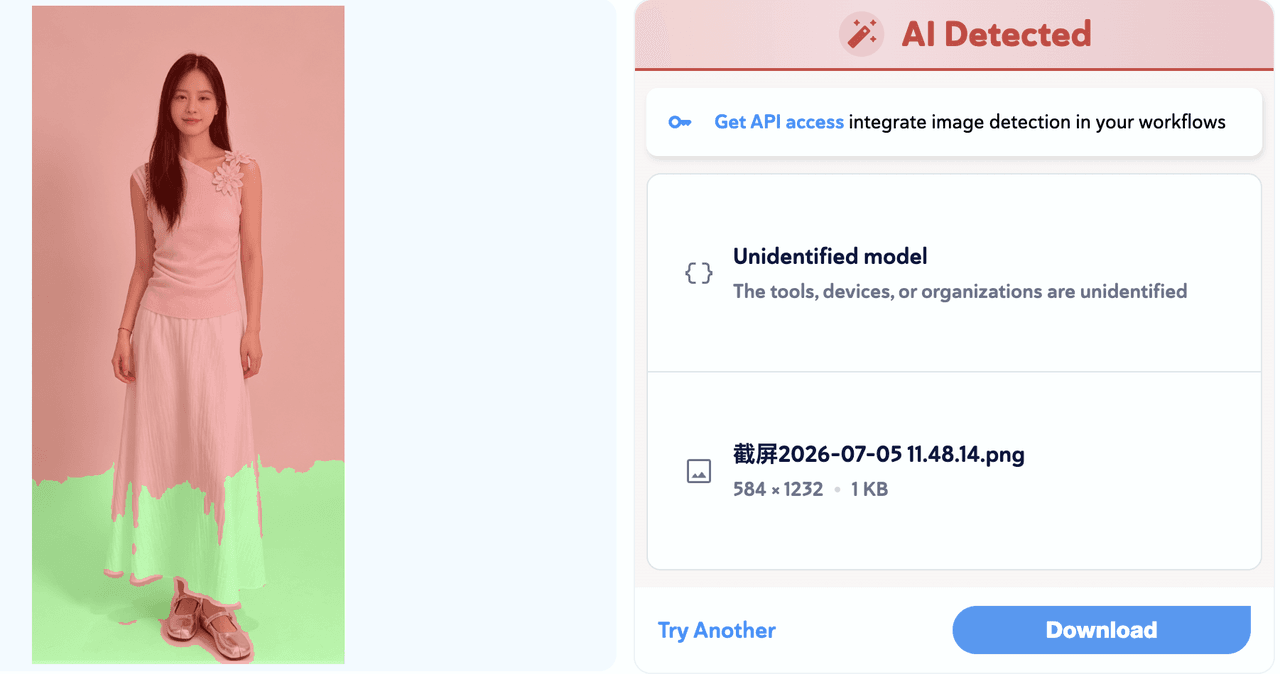 |
10) Undetectable AI Image Detector
Recommendation Score: ⭐⭐⭐
| Human-captured | AI-retouched / partial edit | AI-generated |
|
|
|
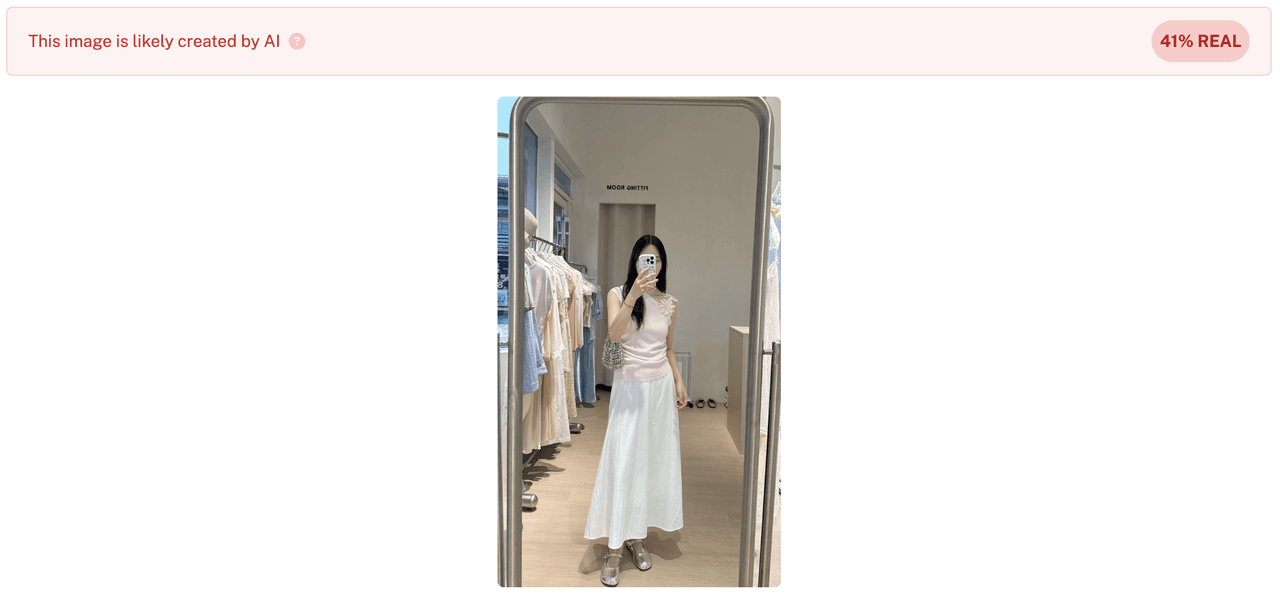 |  |  |
Part IV: AI Image Detector Skill Best Practice Guide
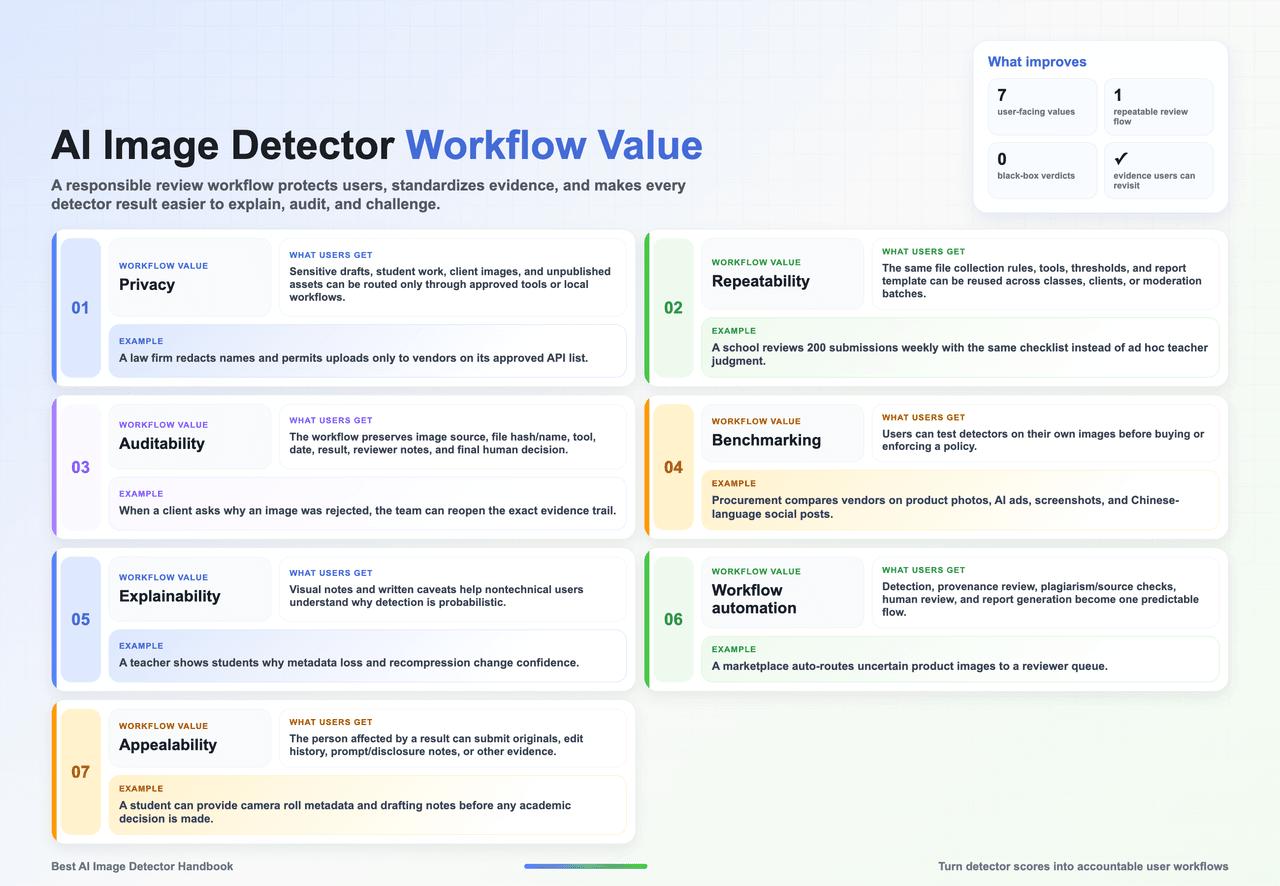
A skill is the repeatable operating layer around detectors: how a user collects files, chooses tools, protects privacy, records results, reviews appeals, and explains uncertainty. In practice, skill design matters as much as product choice.
A product answers: 'What score does this image get today?' A skill answers: 'How does my team use the same method, evidence, thresholds, privacy rules, and appeal path every time?'
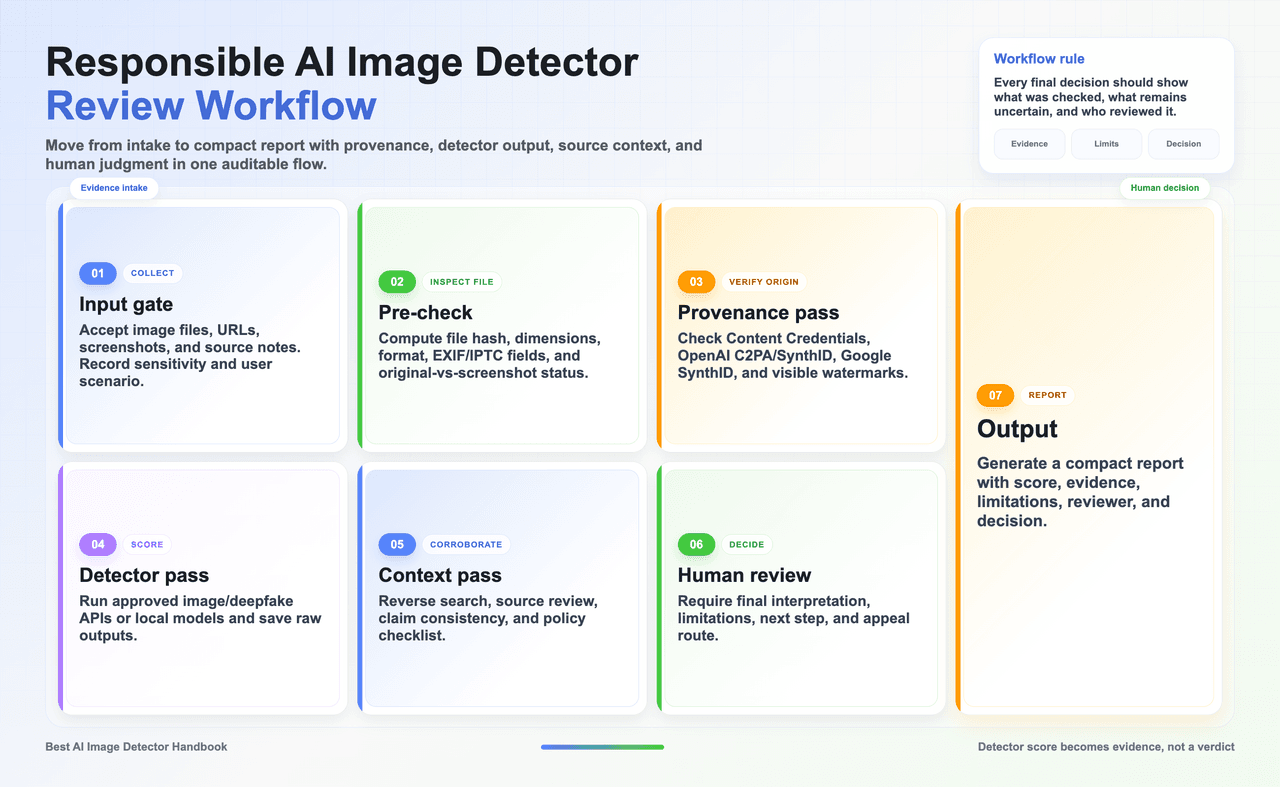
Important caution: A detector score is not a final verdict. The fair conclusion should state the file reviewed, tool version/date, score or label, provenance status, known limitations, and the human decision made under the relevant policy.
Chapter 5 | Best AI image detector skills
From the user perspective, the best skill does three jobs: reduce uncertainty, protect people from unfair conclusions, and leave an audit trail that another reviewer can understand.
A user-oriented skill should answer six questions before any image is judged:
- What file is being reviewed?
- What is the source?
- What decision will the result influence?
- Which tools are approved?
- What evidence can override the score?
- Who makes the final call?
The most important principle of design is proportion. Low-stakes curiosity can live alongside fast tools and simple notes. High-stakes claims about cheating, fraud, misinformation, hiring, copyright or public safety require original files, multiple signals, documented human review, and clear path to correction.
Lynote AI Image Detector is useful as an open-source skill example because it turns AI image detection into a reproducible local workflow: install the tool, run a CLI command, choose a backend such as UniversalFakeDetect, Sentry ConvNeXt, or Ultra, and save probability-style outputs for review. Its strongest value is not claiming proof; it makes detector use auditable, scriptable, and easier to compare across files, folders, JSON/CSV reports, Web UI, or API workflows.
5.1 Why do we use AI image detector skills?
5.2 GitHub and open-source detector projects
| Skill / Project | Type | Best user | Why it fits |
| Lynote-style detect-review-rewrite skill | User workflow pattern | Students, writers, teachers, SEO editors | Combines detection, sentence/image-level review, revision guidance, citation preservation, and process evidence in one user-friendly flow. |
| UniversalFakeDetect | Research implementation / universal fake-image detection | ML researchers, evaluation teams, second-opinion detector builders | A strong general-purpose baseline for testing whether detectors transfer across generators, datasets, and image domains. Useful when a team wants research-grade comparison rather than a quick upload checker. |
| DIRE | Diffusion image detection method | Researchers studying diffusion-generated images | Focuses on diffusion reconstruction error, making it useful for teams that need to understand and reproduce a detection signal designed around diffusion-model artifacts. |
| AIDE | AI-generated image detection framework | ML engineers comparing modern detector methods | Good fit when the goal is to benchmark or extend an AI-image detector pipeline rather than rely on one commercial score. Helpful for internal experiments and threshold tuning. |
| CNNDetection | Classic CNN-generated image detector baseline | Teachers, researchers, historical baseline comparisons | Still valuable as a clear, reproducible baseline for explaining why older generated-image artifacts were easier to detect and why newer generators require stronger evaluation. |
| AIGCDetectBenchmark | Benchmark / evaluation collection | Procurement teams, academic labs, trust & safety evaluation | Useful for comparing detectors under a shared evaluation setup before choosing a product or enforcing a policy. Helps move the discussion from vendor claims to measured performance. |
| GenImage | Large AI-generated image dataset / benchmark resource | Researchers, dataset builders, procurement test designers | A practical source for building detector test sets across generators and image categories. Best used with internal real-world samples to avoid overfitting to public benchmarks. |
| Origin Lens | Browser-side provenance inspection tool | Journalists, fact-checkers, editors reviewing web images | Helps users inspect provenance signals in everyday browsing contexts. Useful when the workflow starts from a webpage or social post rather than a clean original file. |
| Awesome-AIGC-Image-Video-Detection | Curated GitHub resource list | Researchers, editors, procurement teams, students entering the field | A practical map of image and video AIGC detection papers, code, datasets, and method families. Best for discovering candidate detectors before deeper evaluation. |
| DetectZoo | Multimodal detector evaluation toolkit | Labs, trust & safety teams, multimodal platform teams | Useful when image detection must sit beside text, audio, or broader synthetic-media checks. Helps teams think in pipelines and metrics instead of one isolated detector. |
5.3 User Cases - How Do Best AI Image Detector Skills Land in Practice?
Case A - Student checking an image before submission
A student uses a generated illustration in a class presentation. The skill asks whether AI images are allowed, stores the source, checks whether disclosure is required, and avoids treating the score as cheating evidence.
Skill takeaway — user workflow The most useful skill starts before upload: collect the original file, identify the decision risk, select approved tools, and define what evidence can change the conclusion.
Case B - Teacher reviewing a suspicious image
A teacher checks the original file, asks for process evidence, and uses a detector only to decide whether a conversation is needed.
Skill takeaway — privacy Users should know where images go, how long they are retained, and whether sensitive people, students, clients, or unpublished work are protected by contract or local processing.
Case C - Newsroom verifying a viral image
The editor checks Content Credentials, reverse search, social context, location, and official sources before using any detector result.
Skill takeaway — evidence A good skill records enough detail for another reviewer to reproduce the conclusion: file, source, detector, date, score, provenance result, reviewer notes, and policy basis.
Case D - Marketplace reviewing product images
A platform runs API detection, duplicate search, seller policy checks, and manual appeal before downranking or removing a listing.
Skill takeaway — fairness High-stakes workflows need an appeal path. The user affected by a detector result should be able to provide originals, editing history, disclosure notes, or licensing evidence.
Case E - Procurement team choosing an image detector
The team builds an internal test set with real images, AI images, screenshots, edited images, and compressed social-media images.
Skill takeaway — automation Automation should reduce repetitive work, not remove judgment. Let systems route and summarize; let trained humans decide in uncertain or consequential cases.
5.4 A practical local detector skill design![]
5.5 When GitHub tools are the wrong choice
• You need a fast self-check and do not have ML setup time.
• Your team cannot maintain dependencies, datasets, GPUs, or model versions.
• You need vendor terms, SSO, API support, audit logs, and data processing agreements.
• You are tempted to treat a research script as more authoritative than a reviewed human process.
Q&A About AI Image Detector
The questions below are written from a user-first perspective. The goal is to help readers act fairly after seeing an AI image detector result: protect privacy, preserve evidence, compare signals, and keep a human decision in the loop.
A. Are AI image detectors accurate enough to trust?
They are useful, but not definitive. Accuracy changes with the generator, image size, compression, screenshot history, editing style, language/context around the image, and whether the detector has seen similar samples. Treat the result as a probability signal that helps decide what to review next.
B. Can a detector prove that an image is fake or AI-generated?
No. A detector can raise or lower suspicion, but proof requires more evidence: the original file, source history, metadata, provenance credentials, reverse image search, surrounding claim, and a human reviewer who understands the policy or risk context.
C. What should I do when two detectors disagree?
Do not average the scores blindly. Save both results, note the file version tested, check whether one tool explains regions or provenance better, and look for external evidence. If the consequence is serious, ask for the original file and escalate to human review.
D. Is C2PA or Content Credentials the same thing as AI detection?
No. C2PA-style Content Credentials are provenance records: they can show creation, editing, publisher, or tool history when present. They are often stronger than a probability score, but many legitimate files have no credentials because metadata can be stripped or was never attached.
E. Does absence of SynthID, C2PA, or a watermark prove that an image is real?
No. The image may come from an unsupported generator, an older export path, a transformed screenshot, a platform that stripped metadata, or a non-watermarked source. Absence of a signal means unknown, not authentic.
F. Should I upload private or sensitive images to a free checker?
Usually no. For minors, client files, unpublished creative work, medical/legal images, HR materials, or private faces, use approved vendors, enterprise terms, local workflows, redacted copies, or synthetic test samples. Privacy risk is part of the review decision.
G. What is the safest workflow for schools or universities?
Use detectors only as a trigger for review. Define allowed AI use before assignments, preserve the submitted file, ask for process evidence when needed, document the tool/date/result, and provide an appeal path. Do not punish a student from a detector score alone.
H. What should journalists, civic reviewers, or fact-checkers check first?
Start with the claim and source, not the detector. Record the URL, uploader, timestamp, caption, platform context, and whether the original file is available. Then check Content Credentials, watermark/provenance signals, reverse search, and detector results as supporting evidence.
I. What should platforms or marketplaces automate?
Automate routing, not final judgment. Low-risk content can be cleared faster, clear violations can be queued for action, and uncertain or high-impact cases should go to human review. Log the file, model/tool version, score, reviewer notes, and final decision.
J. How should teams choose among GitHub projects and commercial tools?
Use GitHub projects for research, benchmarking, reproducible baselines, provenance inspection, and internal experiments. Use commercial tools when you need hosted workflows, reports, API reliability, support, or compliance terms. Test both on your own real corpus before trusting claims.
K. Why do screenshots and social-media downloads cause problems?
Screenshots and recompressed downloads can remove metadata and change pixel artifacts. A detector may become less reliable even if the image content looks unchanged to a person. When the decision matters, request the original file and document that the reviewed copy was transformed.
L. How should I write a fair final conclusion?
Use cautious language. For example: “This file was reviewed with [tool] on [date]. The result suggests elevated AI-generation risk, but it is not conclusive. We also checked provenance/source/context and made the following human decision under the policy.”