 Add to Chrome - It's Free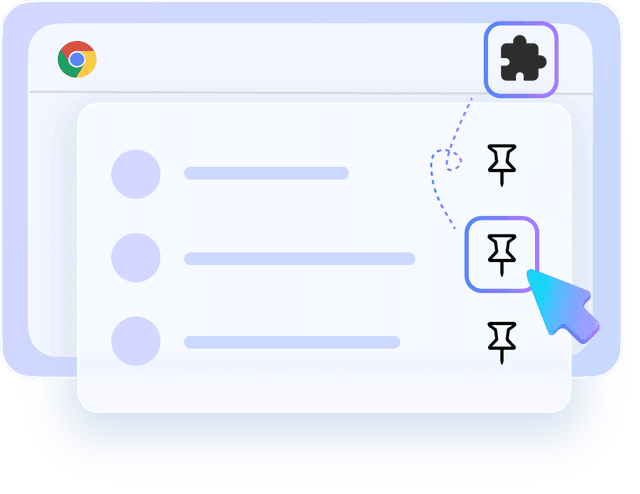
Step 1
Install & Pin
Add the extension to Chrome and pin it to your browser toolbar for easy access.


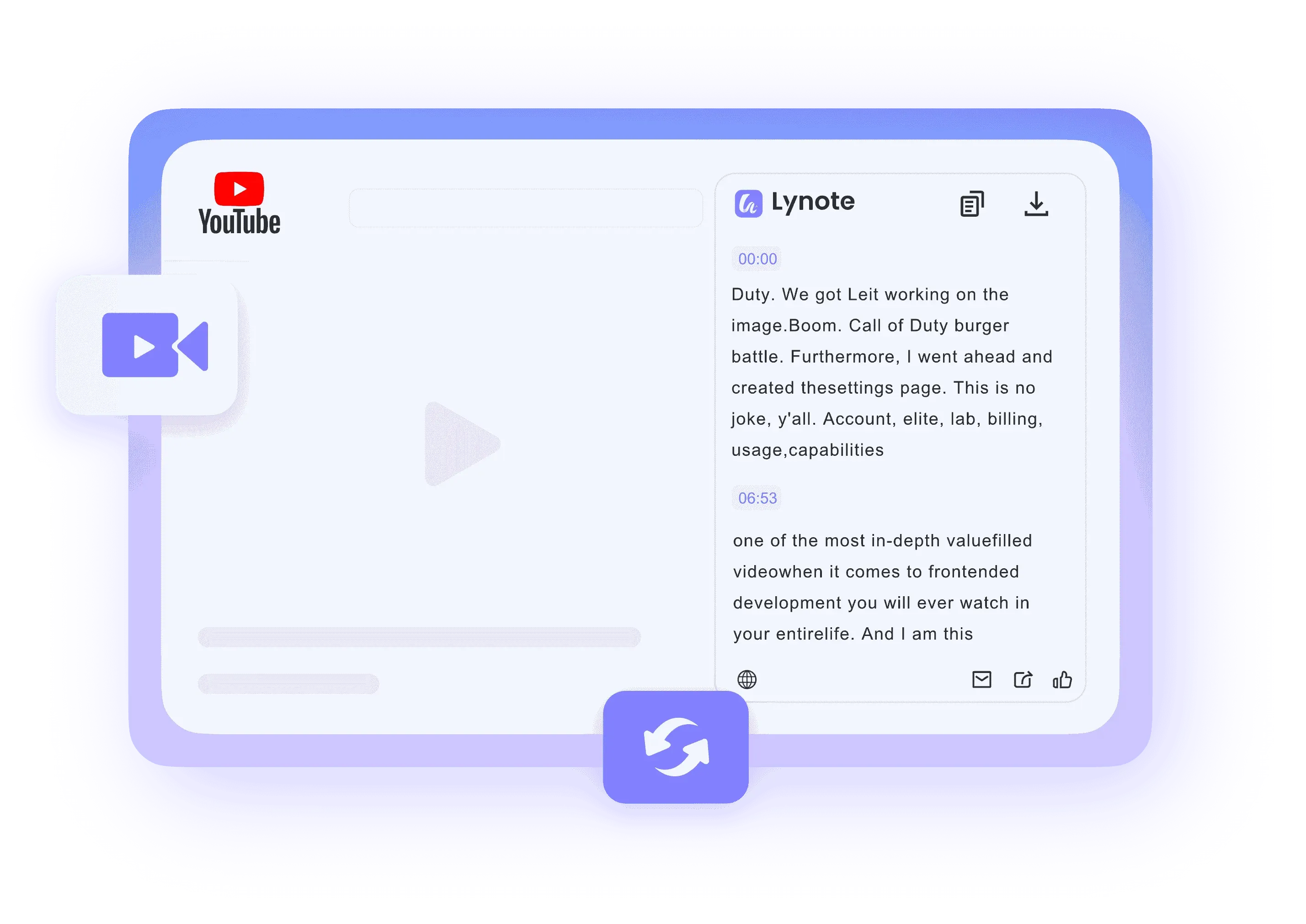
Stop copy-pasting links. Install the Lynote extension to generate summaries and transcripts directly on the YouTube page while you watch.




Generate transcripts instantly without leaving the YouTube page. Our lightweight extension processes video audio in seconds, displaying the text in a convenient sidebar so you never have to wait.

Enjoy unlimited access directly in your browser. No account creation, no credit card, and no hidden fees—just install the extension and start getting transcripts immediately.

Streamline your workflow effortlessly. One-click copy the entire transcript to your clipboard, or export it as TXT directly from the extension panel to your favorite note-taking app.

Pinpoint moments effortlessly. Each text segment features exact timestamps, enabling you to skip to specific scenes or synchronize subtitles seamlessly with the video playback.

Break language barriers while you watch. The extension supports extracting subtitles in various languages and can real-time translate content into your native language for better understanding.

Enjoy a smooth experience that won't slow down your browser. We prioritize your privacy—the extension only runs when you click it and collects no personal data.
Add the extension to Chrome and pin it to your browser toolbar for easy access.

Go to YouTube and watch any video. You'll see our floating "Transcript" button or sidebar.
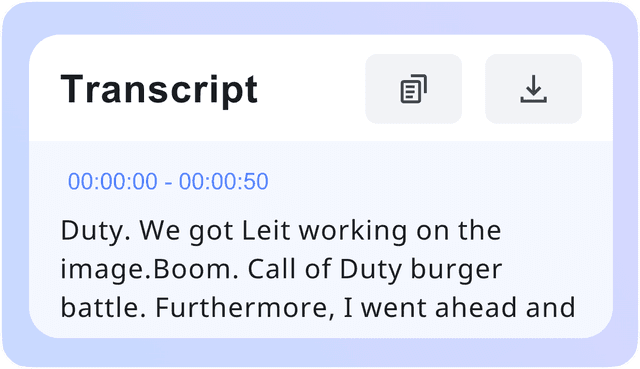
Click the button to reveal the AI summary and full transcript instantly.

Capture ideas on the fly. See a great quote while watching? Copy it instantly from the sidebar to your script without pausing or switching tabs.

Take notes in real-time. Use the sidebar transcript to follow along with lectures. Copy key concepts directly into your notes app while the video plays.

Find clips faster. Use the interactive transcript to search for specific phrases and jump to that exact frame in the video instantly.

Skim content efficiently. Read the AI summary and transcript in the sidebar to know if a long documentary is worth watching, saving hours of research time.

Dual-study experience. Watch the video and read the translated transcript simultaneously in the sidebar to improve comprehension and vocabulary.

Analyze competitors quickly. View the transcript and keywords of trending videos directly on the YouTube page to optimize your own content strategy.

Content Creator

I used to copy-paste links into other tools, but this extension is a game changer. Having the transcript right there in the sidebar saves me so much time. It feels native to YouTube.

Med Student
The 'Click-to-Jump' feature is amazing! I just click a sentence in the transcript, and the video moves to that spot. It makes reviewing lecture recordings 10x faster.

Tech Reviewer
Super lightweight and unobtrusive. It doesn't slow down my browser at all, but it's always there when I need a quick summary or subtitle export. Highly recommended.

Digital Marketing Manager
No more switching tabs! I can analyze video scripts while watching my competitors. The UI is clean, and the copy button is perfectly placed for my workflow.

ESL Student
I love the side-by-side view. Watching TED talks with the transcript scrolling automatically in the sidebar has helped my English listening skills immensely.

Freelance Writer
The AI summary feature inside the extension is brilliant. It gives me the bullet points before I even start watching, so I know exactly what to expect.
Have questions? We've got answers. If you can't find what you're looking for, feel free to contact us.
Yes, the extension is 100% free. You can generate unlimited transcripts and summaries directly on YouTube without any subscription or hidden fees.
It works on any YouTube video that has closed captions (CC) available. If the video supports captions, our extension can extract and summarize them for you.
Not at all. We designed Lynote to be lightweight. It only activates when you are on a YouTube video page and click to use it, ensuring your browsing speed remains fast.
Security is our top priority. The extension only interacts with the YouTube page you are currently watching. We do not track your browsing history or collect personal data.
After installing, click the puzzle piece icon in your Chrome toolbar. Find the Lynote extension in the list and click the pin icon next to it. The extension icon will then appear in your toolbar for easy access.
Absolutely. Even within the extension, you have full export options. You can copy text to your clipboard or download it as TXT files with a single click.
Yes! Since Edge and Brave are built on Chromium, you can install and use our Chrome Extension on those browsers seamlessly.
Yes, specifically for the first time. After installing, please refresh your YouTube page to allow the extension to load the sidebar interface correctly.