
How to Learn to Type Faster: 10 Habits That Build Real Speed

Want to learn how to type faster without spending every evening taking another speed test? Start by finding the keys that slow you down, practice them accurately, and work toward typing without constantly looking at your hands. Short, focused sessions give you something specific to improve; chasing a higher score alone does not.
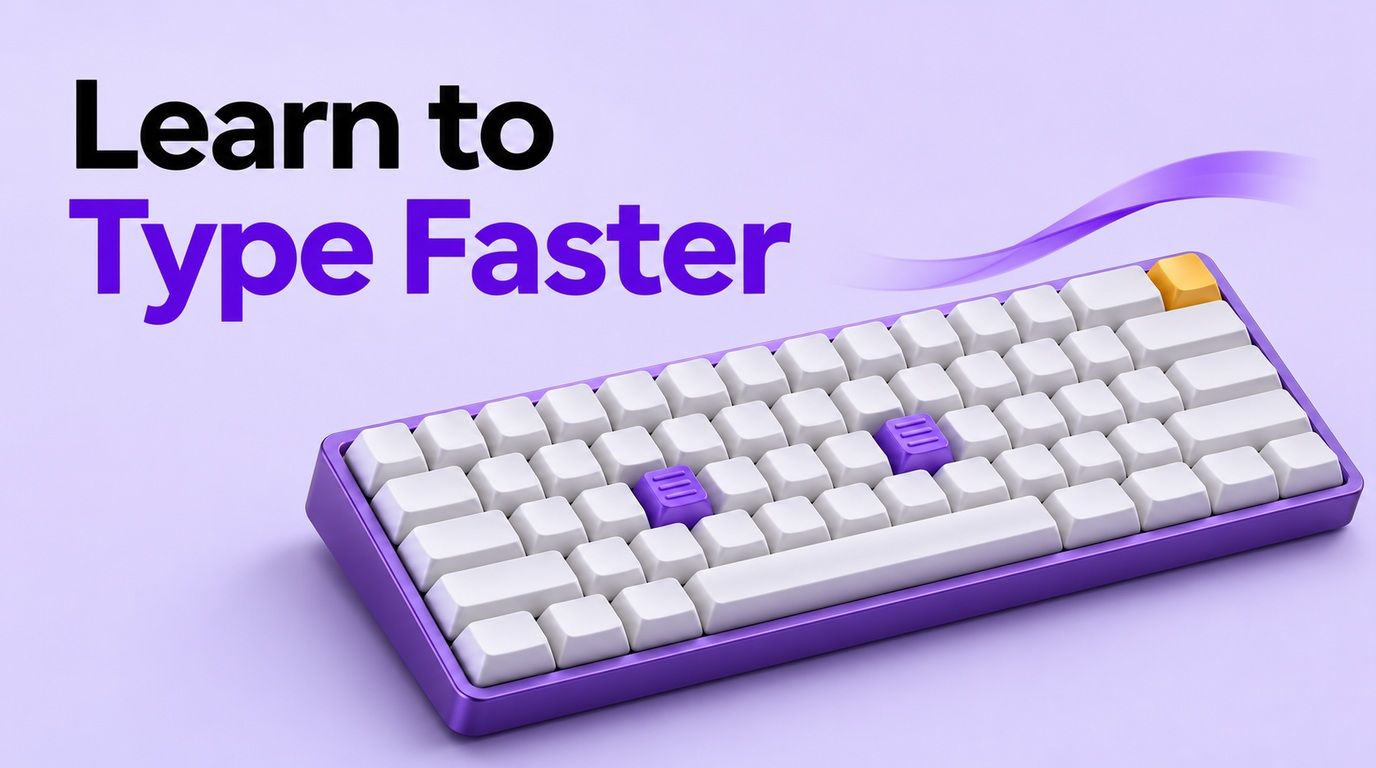
This guide turns that approach into ten practical habits and an adaptable 14-day plan. You will also get a way to record progress, drills for recurring mistakes, and a checklist for those frustrating weeks when your speed seems stuck.
What Actually Helps You Learn to Type Faster?
Faster typing depends on knowing where keys are, making reliable movements, and keeping a rhythm you can sustain. Touch typing means entering text without needing to look at the keyboard; home-row lessons provide one structured way to learn it.
Your next exercise should address what interrupts that process. If you hesitate over a particular letter, practice its location; if you rush through familiar words and spend time correcting them, slow the passage down.
Also separate typing from writing. Copying a paragraph tests transcription, while drafting an essay involves deciding what to say, checking facts, and editing. A higher typing-test score does not translate directly into finishing an assignment in half the time.
The examples below use an English QWERTY keyboard. Follow the corresponding lessons for another layout, and adapt finger assignments to your mobility and comfort rather than treating ten-finger technique as a requirement for everyone.
10 Practical Ways to Learn to Type Faster
1. Measure Your Starting Point Before Chasing Speed
Take a timed test you can repeat under the same conditions. A three-minute passage is a workable starting point: long enough to include several sentences, but short enough to fit into a practice session.
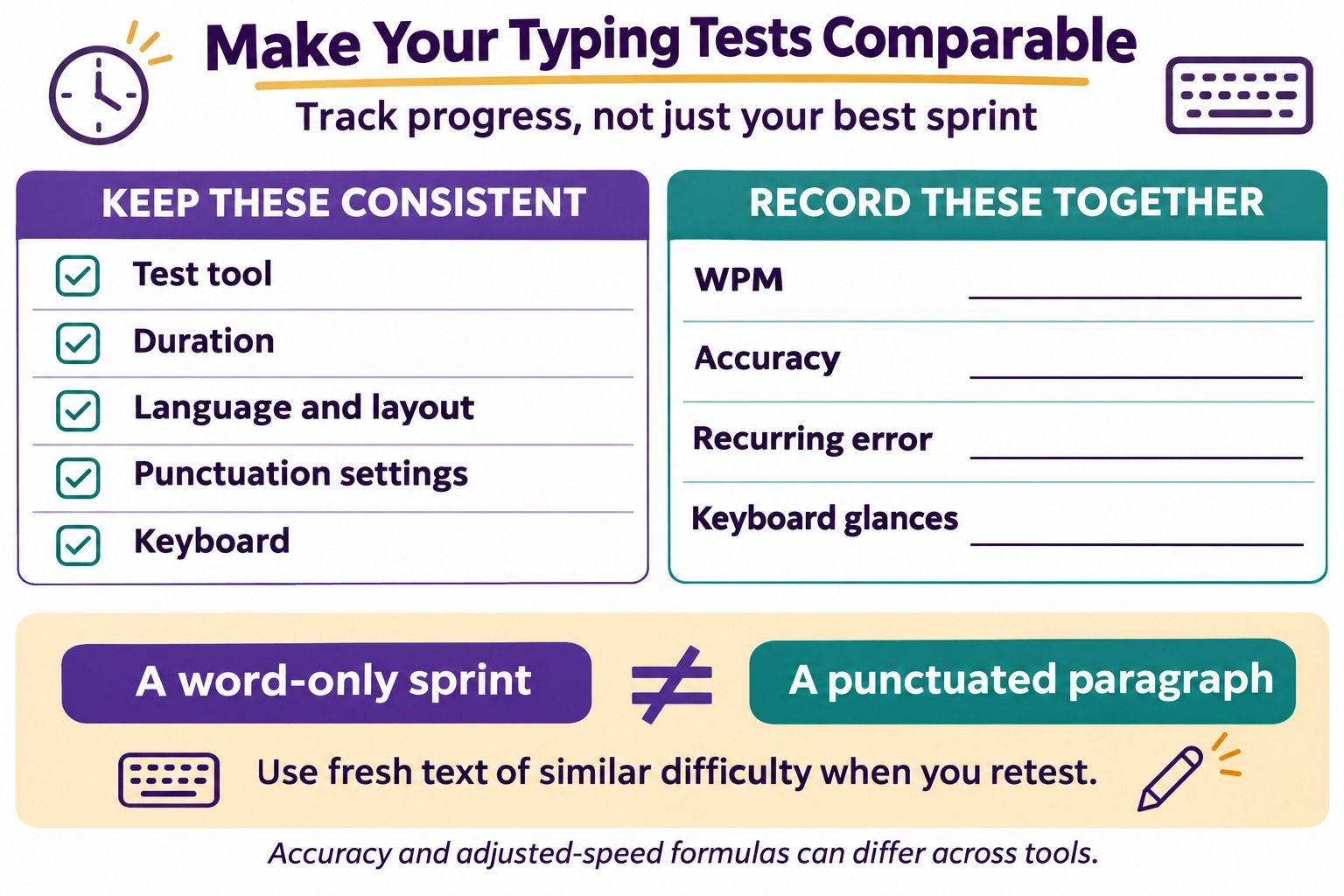
Record the tool, duration, language, punctuation settings, reported words per minute (WPM), and accuracy. Take two or three attempts with a break between them, then keep the middle WPM result as a starting reference instead of selecting your best sprint.
| What to Record | Your Starting Entry | Why It Matters |
|---|---|---|
| Test and settings | Same tool, passage mode, three minutes | Keeps later comparisons meaningful |
| Keyboard and layout | Your usual English QWERTY keyboard | A keyboard change can affect familiarity |
| WPM and accuracy | Copy both values from the result | Speed alone hides mistakes |
| Recurring errors | Note two or three problem keys or pairs | Identifies the next drill |
| Review date | Choose a day next week | Separates practice from constant testing |
Do not compare a punctuation-free word list with a passage containing capitals and numbers. Tools may calculate accuracy or adjusted speed differently, so use one tool's definitions consistently rather than combining scores from several sites.
2. Learn the Home Row and Consistent Finger Routes
On a standard QWERTY keyboard, the left-hand home positions are A, S, D, and F; the right-hand positions are J, K, L, and semicolon. The raised marks on F and J help you find your starting position by touch.
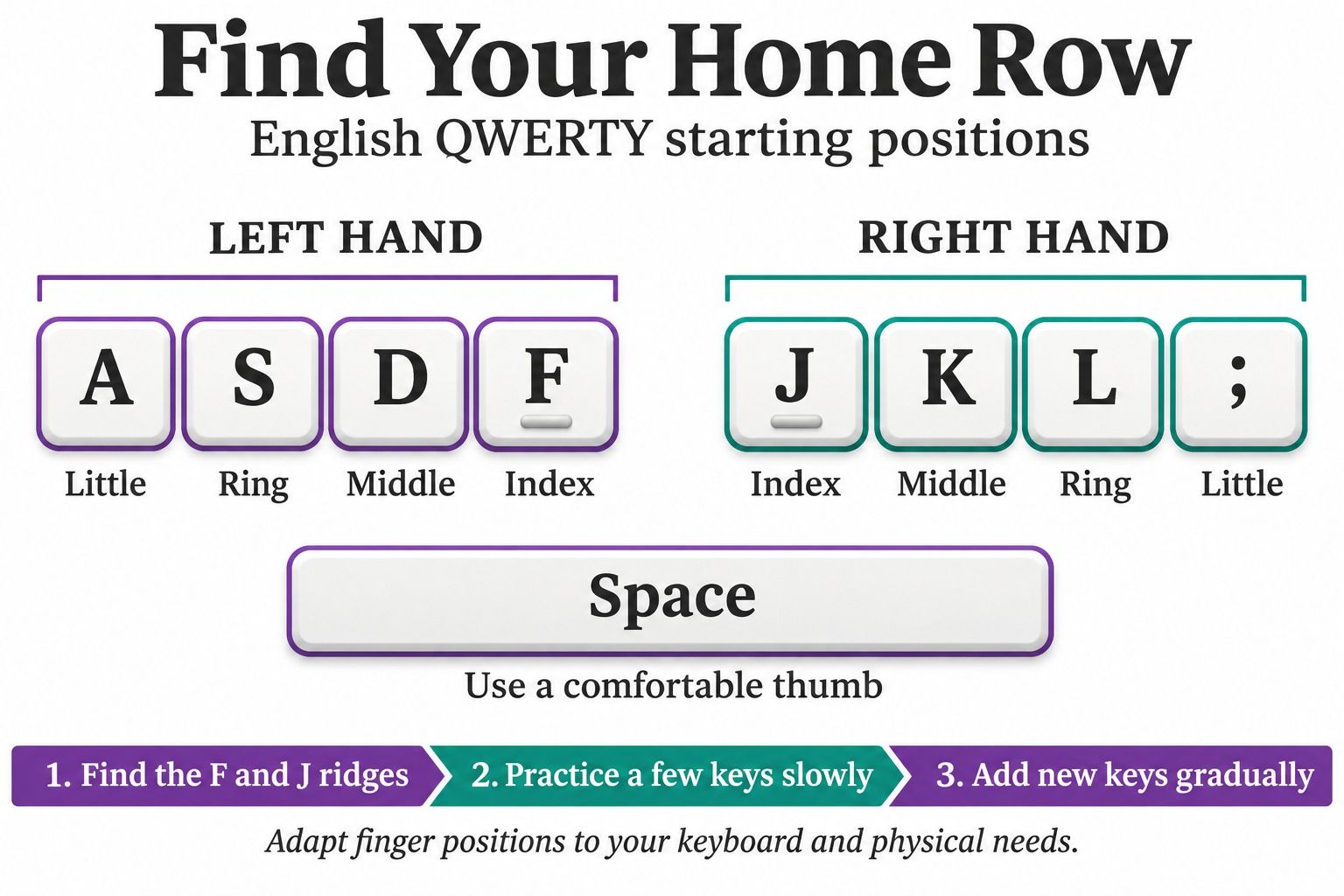
Rest your index fingers on F and J, with the other fingers on the neighboring home keys and a thumb available for Space. Begin with a small sequence such as f j f j, then d k d k, before combining the keys into a longer drill.
The point is to make the movement repeatable, not to hold your hands rigidly. A structured course can show the reaches to other rows and introduce opposite-hand Shift for capitals, one movement at a time.
Keep the keyboard within easy reach and avoid striking keys harder just because you want to go faster. Adjust your setup or take a break if you feel uncomfortable; pushing through a strained session is not a useful training goal.
3. Replace Keyboard Glances With Small, Familiar Drills
Trying to type an unfamiliar paragraph without looking down can feel impossible at first. Narrow the task: use only the keys you have learned, look at the screen, and allow yourself enough time to locate each one by touch.
If you keep searching for the same key, return to that lesson instead of speeding up and guessing. Add unfamiliar letters gradually, then bring them into words you can type accurately.
A short video demonstration can help you understand a finger movement. If its spoken instructions are useful, Lynote YouTube Transcript can make a captioned tutorial easier to revisit without repeatedly searching through the video.
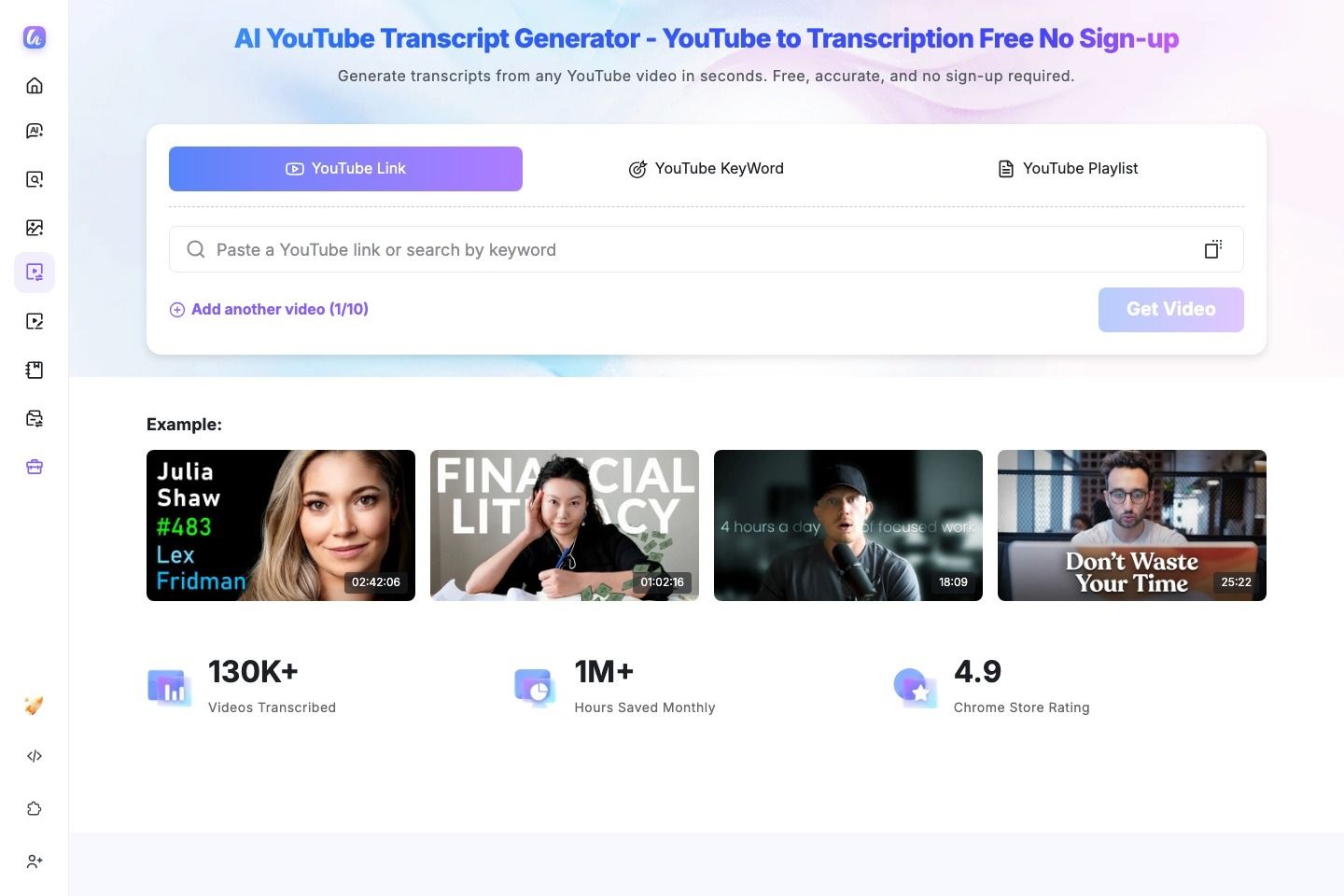
Keep watching the demonstration for hand placement: a transcript preserves words, not the visual movement. Caption availability also matters, so do not rely on a transcript being available for every tutorial.
4. Keep Accuracy Steady Before Increasing Pace
A useful session ends with more control, not just a larger WPM number. If you finish faster but repeatedly hit the wrong keys, you have found a pace you cannot yet maintain reliably.
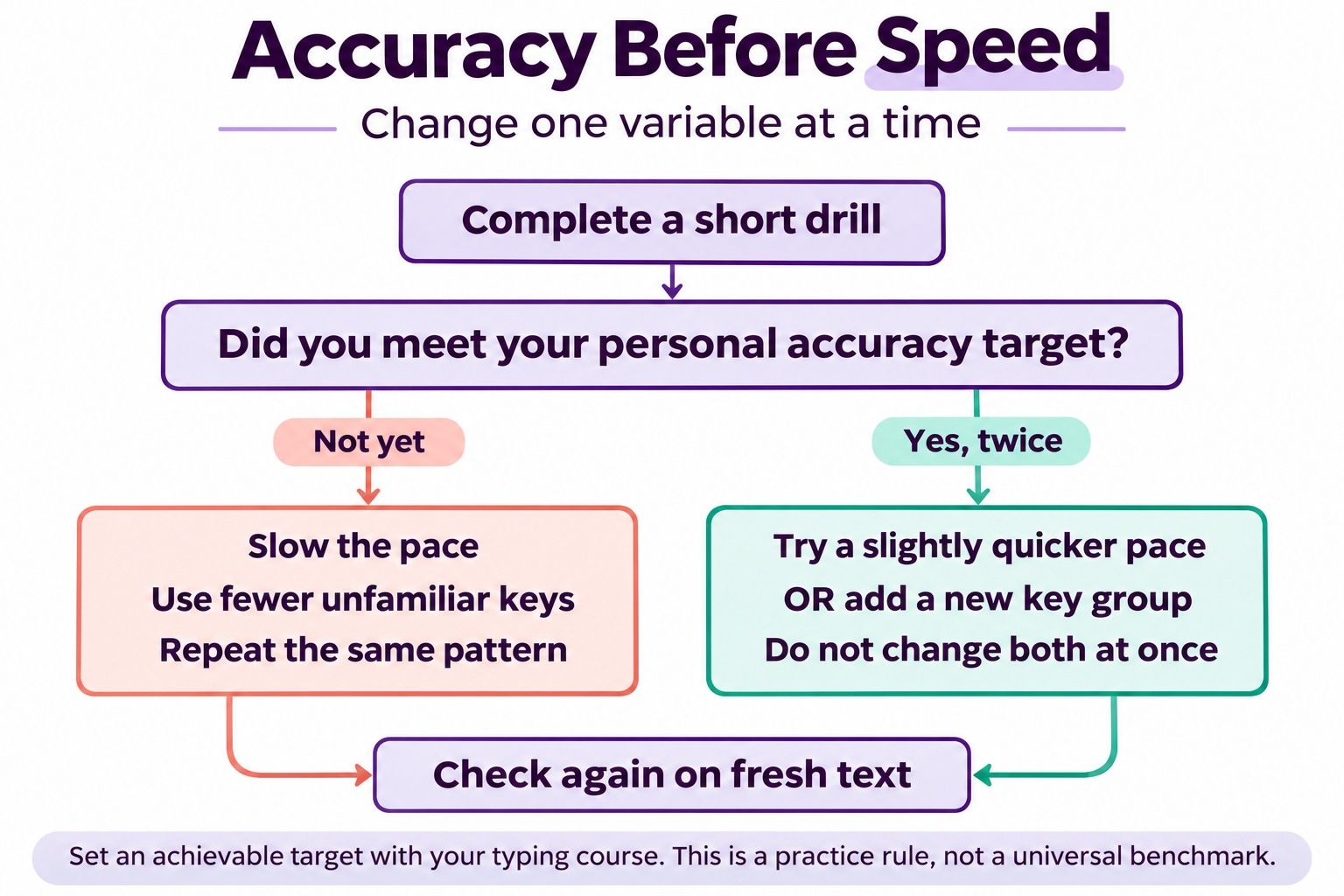
Choose a personal accuracy target in your typing course and keep it consistent while judging progress. As an optional practice rule, repeat a short drill until you meet that target twice without frequent keyboard glances, then make the next attempt slightly quicker or more complex.
If accuracy falls, reduce the pace or simplify the passage. Do not raise speed and introduce several new keys in the same attempt; otherwise, it becomes difficult to tell which change caused the errors.
A corrected typo still tells you something about the movement that needs work. Follow the test's correction rules, but use the error feedback afterward rather than treating an improved final score as proof that the original mistake disappeared.
5. Practice the Keys and Letter Pairs You Actually Miss
An error list becomes useful when it changes your next exercise. Pick one recurring pattern instead of trying to improve every key at once.
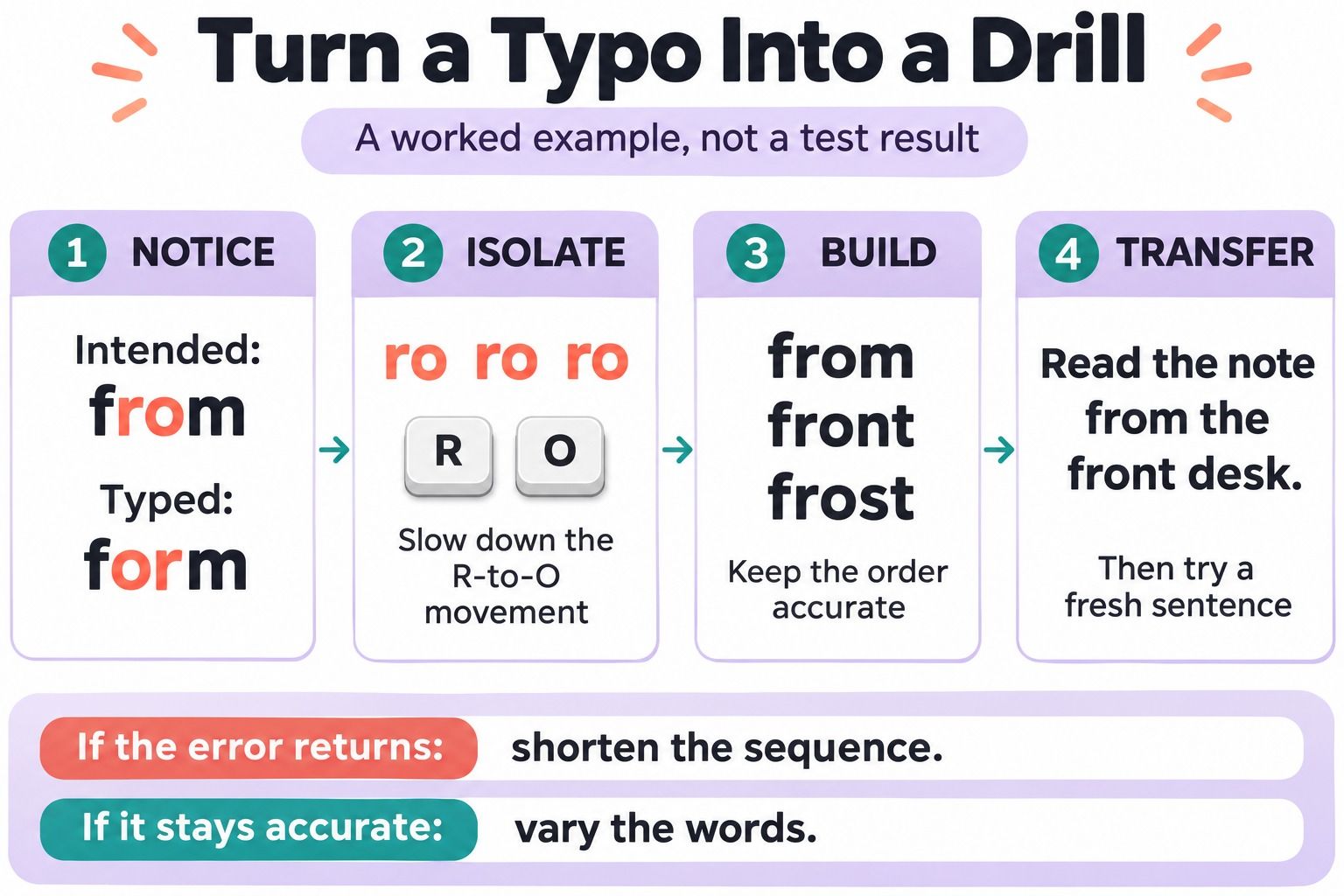
Suppose you often type form when the intended word is from. This is an illustrative example, not a measured result: slow down the transition between R and O, then rebuild it through words and sentences.
- Type the pair slowly:
ro ro ro. - Practice words with that sequence:
from front frost. - Type a meaningful sentence:
Read the note from the front desk. - Try a fresh sentence containing the same pattern.
The final step matters because memorizing one drill is not the same as using the movement in unfamiliar text. If the error returns, shorten the sequence again and pay attention to where the hesitation begins.
You can use the same method for a missed capital, a number, or an awkward punctuation mark. Keep only a few targets in your practice log so the next session has a clear focus.
6. Build a Short Routine You Can Repeat
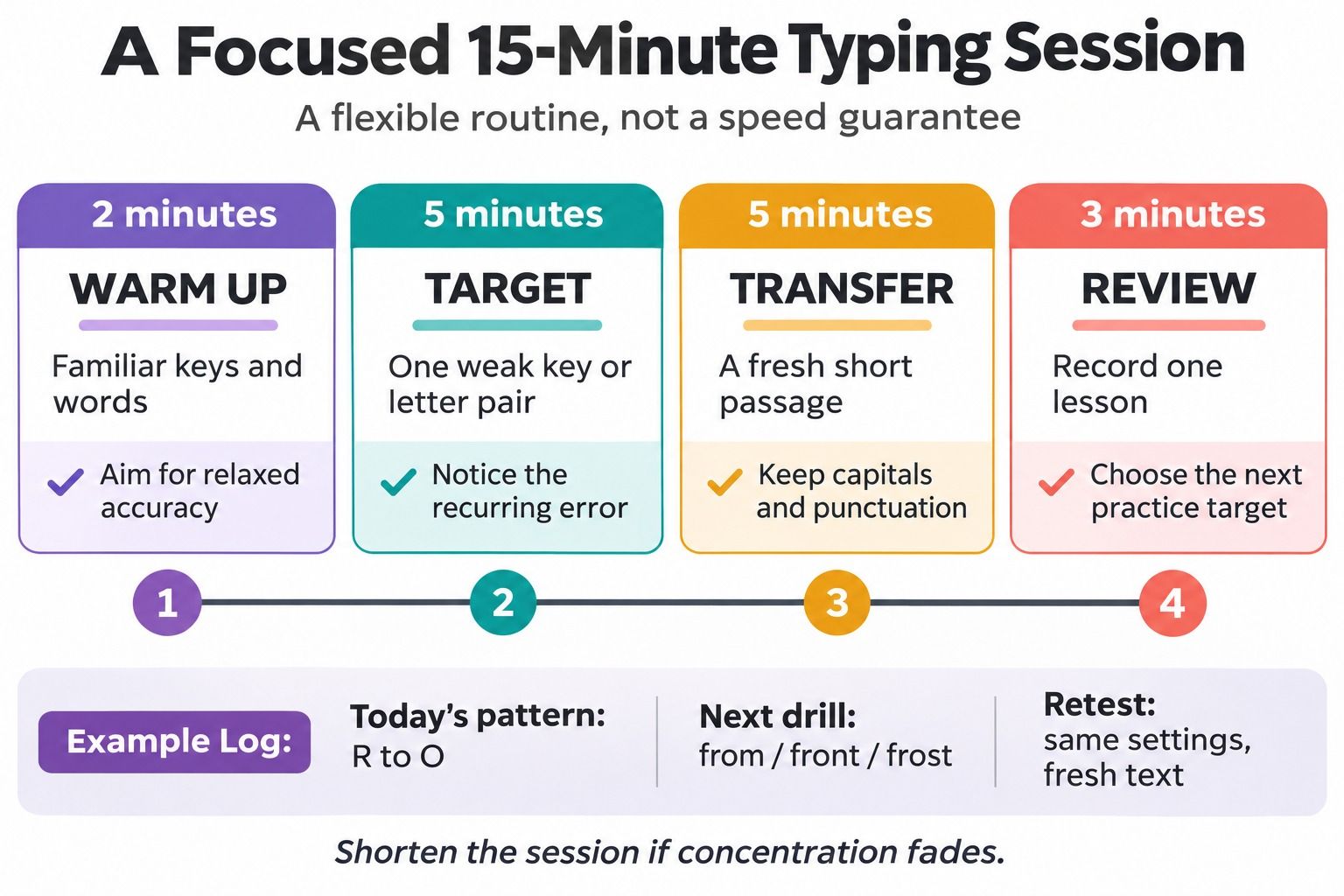
Give each part of the session a job. The following 15-minute routine is a suggested starting point, not a required training dose or a promise about how quickly you will improve.
| Time | Task | What to Pay Attention To |
|---|---|---|
| 2 minutes | Warm up with familiar keys and words | Relaxed, accurate movements |
| 5 minutes | Practice one weak key or letter pair | The specific error from your log |
| 5 minutes | Type a short passage | Carrying the improved movement into sentences |
| 3 minutes | Review feedback and write one note | What to repeat next time |
Shorten the session if concentration fades; you do not need to complete the clock at the expense of control. If the weak-key drill is going well, make its text more varied rather than immediately extending the whole session.
Keep a convenient trigger, such as practicing before opening your schoolwork. It is easier to start when you already know which exercise comes next.
7. Practice a Steady Rhythm With Real Sentences
Individual letters are useful at the beginning, but everyday typing includes spaces, capitals, and punctuation. Once a small group of keys feels familiar, put it into sentences instead of spending every session on isolated repetitions.
Try a short original passage like this:
Read the short note before class. Bring three questions, a pencil, and your notes. Review the difficult section again on Friday.
Type it at a pace that lets you read ahead a little without losing your place. If you race through familiar words and stop at every comma, practice the punctuation separately, then return to the passage.
Change the text occasionally so your score does not depend on remembering one paragraph. Include the vocabulary you actually use, whether that means course terms, everyday emails, or common work phrases.
8. Use a Typing Tutor for Feedback, Not Just a Score
A typing tutor is most useful when it helps you decide what to practice next. Typing.com, for example, offers a lesson sequence with beginner key groups and later exercises; its lessons also provide feedback on typing performance.
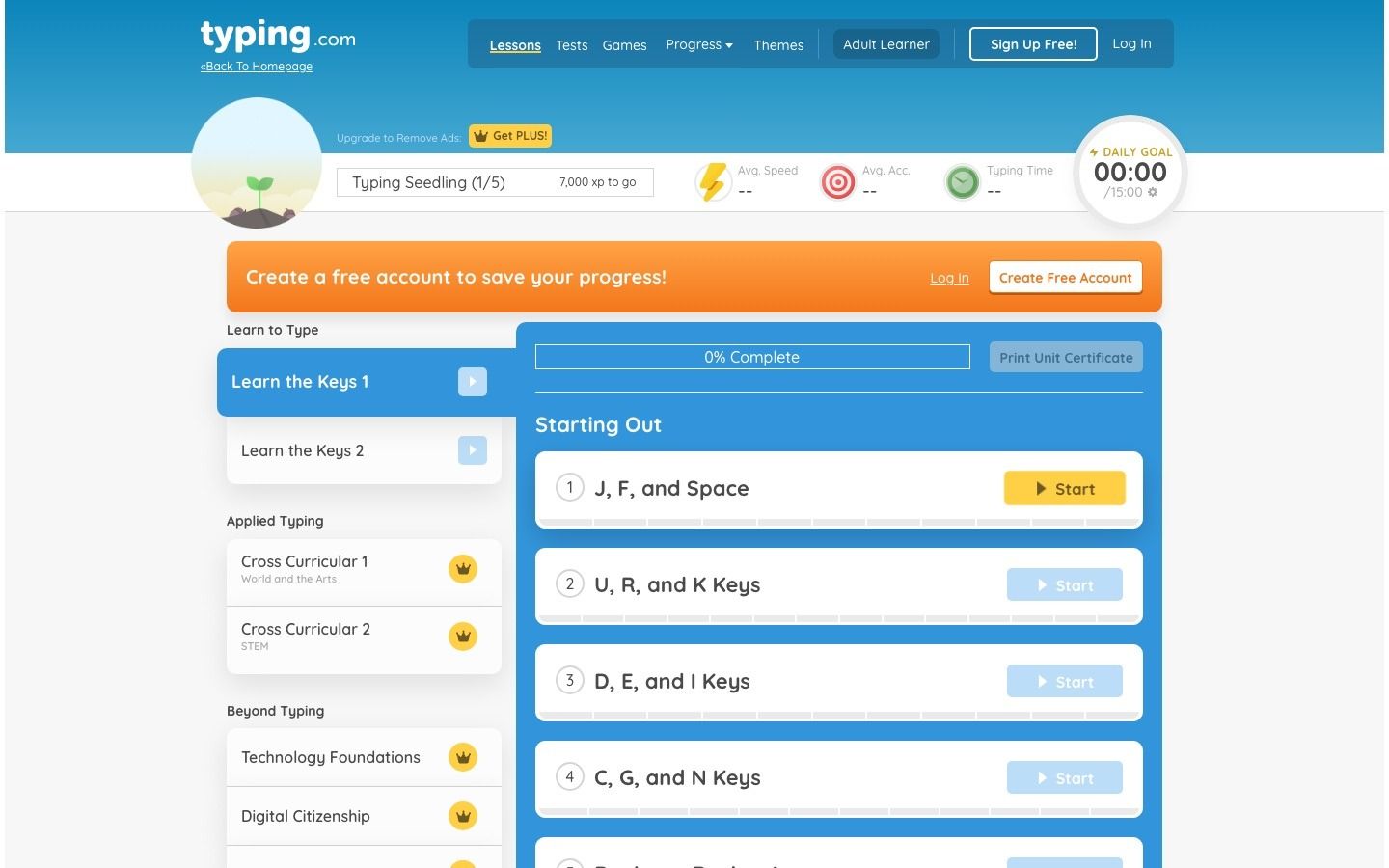
Choose lesson mode when you are learning an unfamiliar key or movement, and use a test to check how those skills transfer to a new passage. Moving repeatedly between tests without reviewing the errors can turn practice into score-chasing.
Before starting a lesson, set one small goal: fewer glances, a cleaner letter transition, or more reliable capitals. Afterward, look for evidence related to that goal rather than judging the session only by its fastest attempt.
You do not need to switch tools whenever progress slows. First check whether you are practicing the difficult material or repeatedly choosing exercises you already find easy.
9. Turn Lessons Into a Short Review Checklist
A long tutorial is easy to forget once you close the tab. Keep a short reference with the starting position, the movement you are practicing, and one mistake to watch for tomorrow.
If you have a written guide or tutorial material to organize, Lynote AI Note Generator can turn supported source material into editable, structured notes. Review those notes against the source and trim them to a few practical reminders before returning to the keyboard.
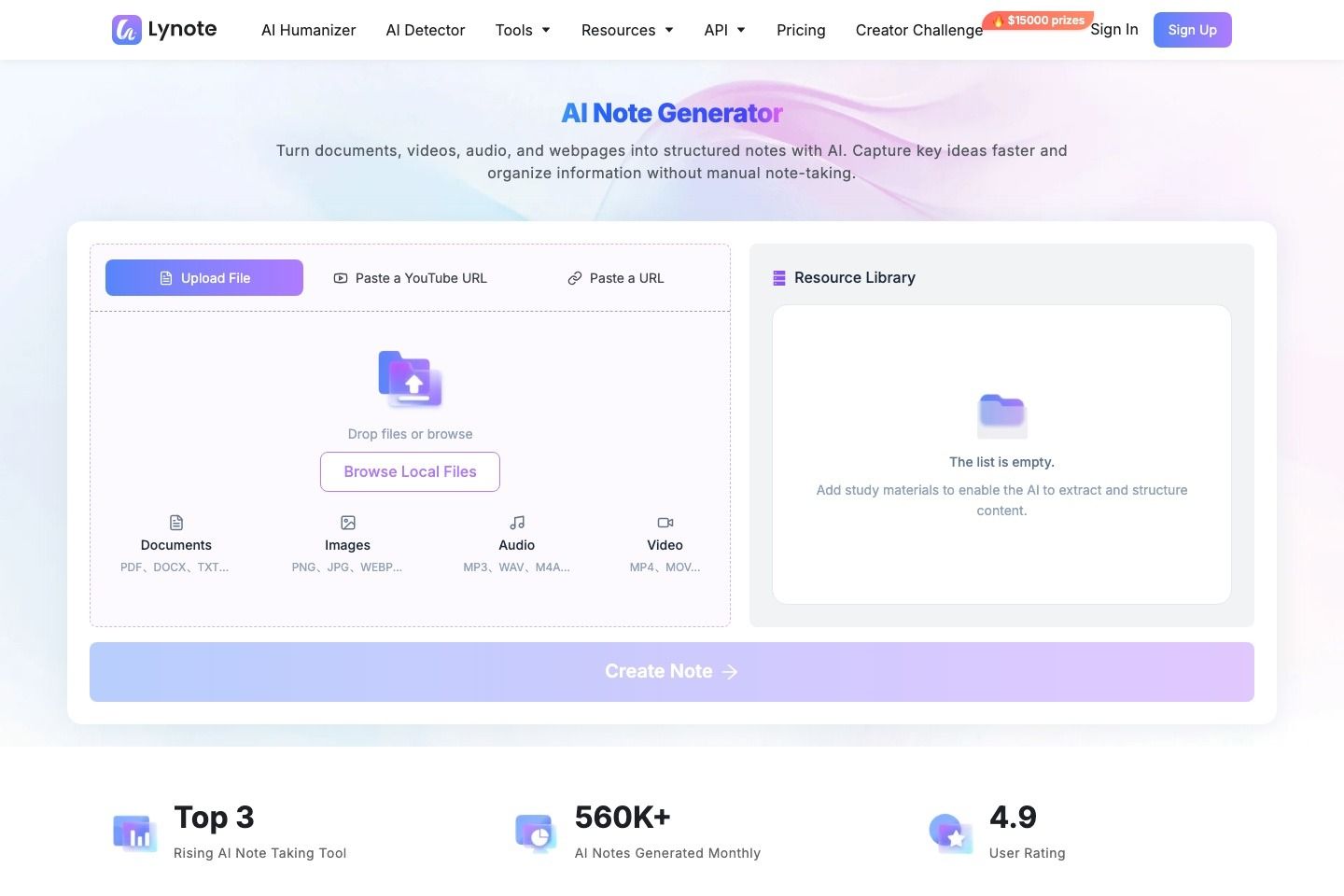
A useful checklist might read: "Find F and J by touch; practice R-to-O slowly; keep capitals in the passage; record the recurring error." That is more actionable than saving several pages of general advice.
Use a separate manual log for your typing-test scores. The note generator helps organize learning material; it does not measure WPM, monitor keystrokes, or replace a typing tutor's feedback.
10. Apply the Skill to Everyday Writing and Reassess
Bring the technique into a low-pressure task, such as writing a short email or typing your own study notes. Begin when you can take your time, not in the middle of an urgent deadline.
Notice which characters interrupt you outside the practice tool. An email address, a capitalized name, or a course-specific term can reveal a gap that an easy word list never exposed.
Once a week, repeat your baseline test with the same settings and fresh text of similar difficulty. Compare several attempts rather than treating one unusually fast or slow result as the whole story.
Progress can also mean fewer keyboard glances or fewer interruptions at a similar speed. Keep those observations alongside WPM so you can see whether the technique is becoming easier to use.
A 14-Day Typing Practice Plan You Can Adapt
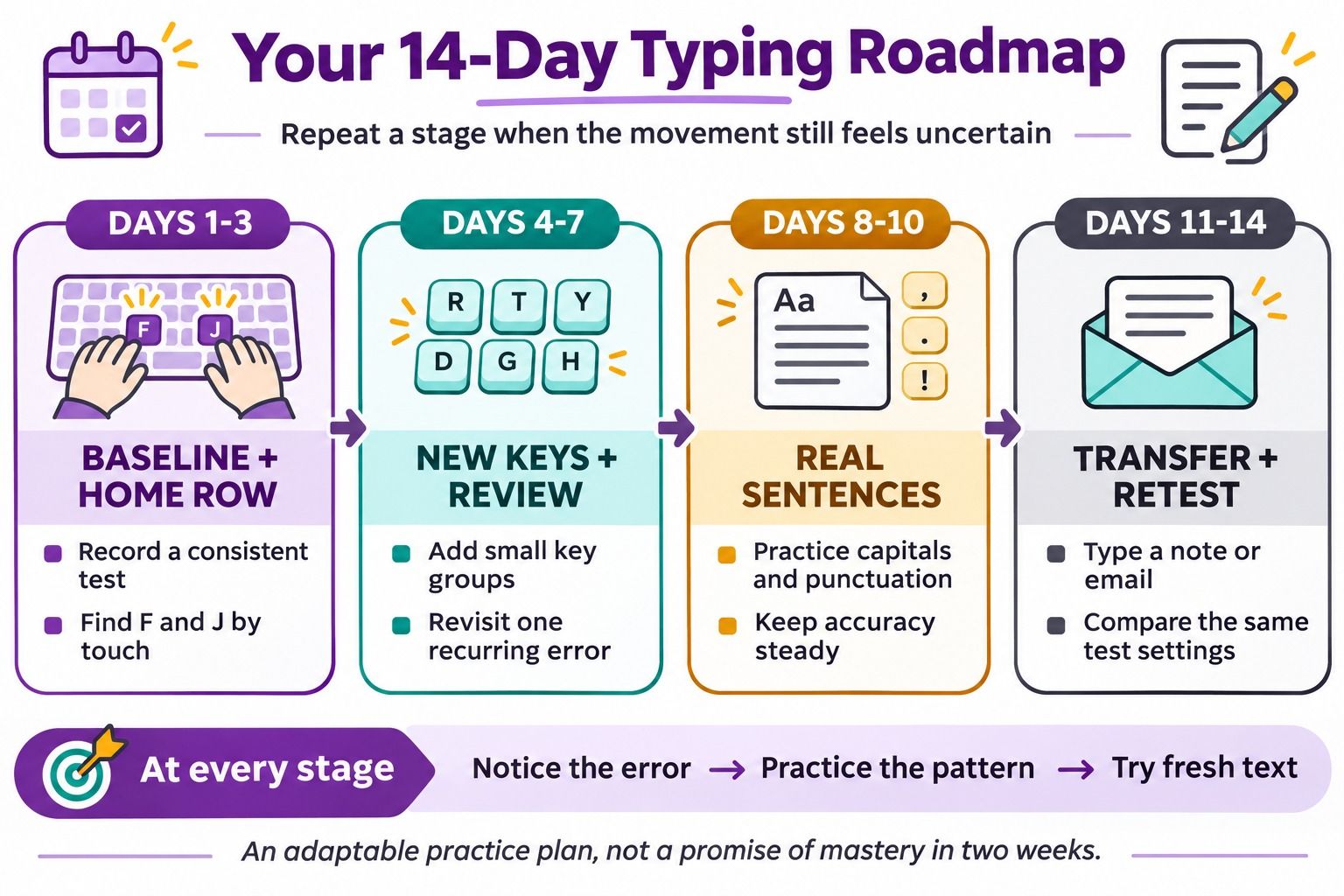
Use this as a sequence of practice topics, not a deadline for mastering touch typing. If a stage remains difficult, repeat it; the calendar should help you show up, not push you past an unresolved problem.
| Days | Focus | Practice Task | What to Record Before Moving On |
|---|---|---|---|
| 1 | Establish a baseline | Complete comparable timed attempts | Settings, middle WPM, accuracy, recurring errors |
| 2-3 | Home-row familiarity | Short sequences with familiar keys | Which keys still require a glance |
| 4-6 | Add new movements | Follow the next key groups in your course | One difficult reach or transition |
| 7 | Review, not a speed race | Repeat a weak-key drill and a short passage | Whether the same error still appears |
| 8-10 | Sentences and punctuation | Include capitals, commas, and periods | Accuracy when text becomes more varied |
| 11-13 | Everyday transfer | Type a short note or email carefully | Real-world characters that interrupt you |
| 14 | Reassess consistently | Repeat the baseline format with fresh text | WPM, accuracy, glances, and the next practice target |
If you already type without looking, spend less time on familiar keys and more on the errors your baseline reveals. If you are replacing a long-established hunt-and-peck habit, expect the unfamiliar technique to feel slower at first rather than treating that as a failed plan.
Why Your Typing Speed May Be Stuck
When the score stops moving, diagnose the interruption before adding more practice time. The same WPM result can come from very different problems.
| What You Notice | What to Check | Next Exercise | Useful Sign of Progress |
|---|---|---|---|
| Fast bursts followed by many corrections | Are you rushing familiar words? | A slower passage with a consistent accuracy target | Fewer repeated errors at a sustainable pace |
| Accurate typing with long pauses | Which key or transition causes the pause? | Short drills for that pattern, then fresh sentences | Less hesitation on the target movement |
| Strong word-list scores but difficult paragraphs | Are capitals and punctuation missing from practice? | Sentences with the characters you actually need | Similar control on more varied text |
| Frequent keyboard glances | Are you introducing too many keys together? | A smaller familiar key group | More of the drill completed by touch |
| Good tests but slow essay writing | Is the delay deciding what to say? | Outline the ideas, then draft a short passage | Easier composition, assessed separately from WPM |
| One drill improves, but new text does not | Have you memorized the passage? | Fresh text with the same target pattern | The improvement carries into unfamiliar sentences |
For example, someone who types a familiar list smoothly but pauses at every capital does not necessarily need faster letter drills. They need practice coordinating Shift with the letters and names that appear in their actual work.
FAQs About Learning to Type Faster
How Long Does It Take to Learn to Type Faster?
There is no reliable deadline for everyone. Your starting habits, practice consistency, keyboard familiarity, and goals all affect the process; use weekly checks to judge whether your own speed and accuracy are improving together.
Can I Improve My Typing in Two Weeks?
Two weeks is a useful period for establishing a routine and identifying recurring errors. It is not a guarantee of mastering touch typing or reaching a particular WPM, so repeat stages when the movements still feel uncertain.
Should I Focus on Accuracy or Words per Minute?
When learning a key or movement, prioritize accurate repetition. Once you can sustain your chosen accuracy target, increase pace gradually and check that the improvement carries into unfamiliar text.
Do I Need to Use All Ten Fingers?
No single finger count defines a capable typist. A conventional touch-typing course gives beginners a consistent starting method, but an effective approach should also fit your physical needs and help you type accurately without constant searching.
Why Am I Slower After Switching to Touch Typing?
Your old method is familiar, while the new movement pattern still needs conscious attention. Keep early practice manageable and judge progress across several sessions rather than comparing your first new-technique attempt with your best old-method score.
Can I Practice on a Laptop Keyboard?
Yes, you can practice on the keyboard you use regularly. Choose exercises for its layout, make the setup comfortable, and record a keyboard change if you switch devices between progress tests.
Is Learning Typewriting on a Mechanical Typewriter the Same?
Some skills transfer, including familiarity with a QWERTY layout and consistent letter movements. A mechanical typewriter has different key action and correction constraints, so use equipment-specific instruction if that is what you mean by learning typewriting fast.
Conclusion: Make the Next Practice Session More Useful
You do not need a dramatic speed target to start improving. Take a consistent baseline test, choose one recurring mistake, and give that pattern a few minutes of careful practice before using it in a fresh sentence.
Keep the routine small enough to repeat and the feedback specific enough to act on. The goal is typing that becomes easier to rely on, not a high score you can only reproduce on one familiar passage.

Written by Janet L. Harris
AI Writing Specialist
Janet reviews AI detectors and humanization tools, with a focus on accuracy, limitations, and responsible use. View all articles →