8 Otter AI Alternatives for Meetings, Classes, and Interviews

The best Otter AI alternative depends on what happens before and after transcription. Some people need an assistant that automatically joins Zoom, Google Meet, or Microsoft Teams; others need discreet bot-free capture, stronger multilingual support, better CRM automation, or a reliable way to turn an existing lecture or interview into usable notes.
Direct answer: Choose Lynote when you already have audio, video, documents, webpages, or YouTube material and want structured notes rather than another meeting attendee. Fathom is the strongest free pick for individual online meetings, Fireflies.ai is better for team automation and CRM workflows, Granola is the most natural fit for bot-free personal notes, tl;dv is excellent for clips and asynchronous review, Notta is built for multilingual transcription, Krisp combines bot-free capture with noise cancellation, and MeetGeek offers the deepest workflow and analytics package in this group.
This guide covers Otter.ai, the meeting transcription and note-taking product. It does not cover Otterly.AI, which is a separate platform for monitoring brand visibility in AI search results.
Quick Picks Before the Full Reviews
| Alternative | Best for | Capture model | Free-plan fit | Main trade-off |
|---|---|---|---|---|
| Lynote | Turning recordings and mixed sources into structured notes | File upload or URL | Useful task-based free access | Does not automatically join meetings |
| Fathom | Frequent online meetings for one person | Meeting assistant | Excellent for core recording and transcription | Advanced AI features are limited on Free |
| Fireflies.ai | CRM automation and shared team workflows | Bot, extension, desktop, mobile, or upload | Strong, with storage and export limits | Feature and credit system takes time to learn |
| Granola | Bot-free personal and collaborative notes | Device-based, no visible bot | Good for evaluation and light use | Free history is limited |
| tl;dv | Clips, video review, and distributed teams | Meeting recorder | Strong core recording offer | Advanced automation belongs to paid tiers |
| Notta | Multilingual transcription and file imports | Live capture, bot, extension, or upload | Permanent but restrictive | Free transcripts expose only a short session window |
| Krisp | Noisy calls, bot-free capture, and in-person meetings | Desktop capture or meeting bot | Trial-led | Best value comes from using both audio cleanup and notes |
| MeetGeek | Meeting analytics, templates, and automations | Bot, no-bot apps, or upload | Useful for occasional meetings | Free retention and monthly hours are capped |
The 8 Best Otter AI Alternatives
1. Lynote AI Note Generator: Best for Turning Recordings and Mixed Sources Into Notes
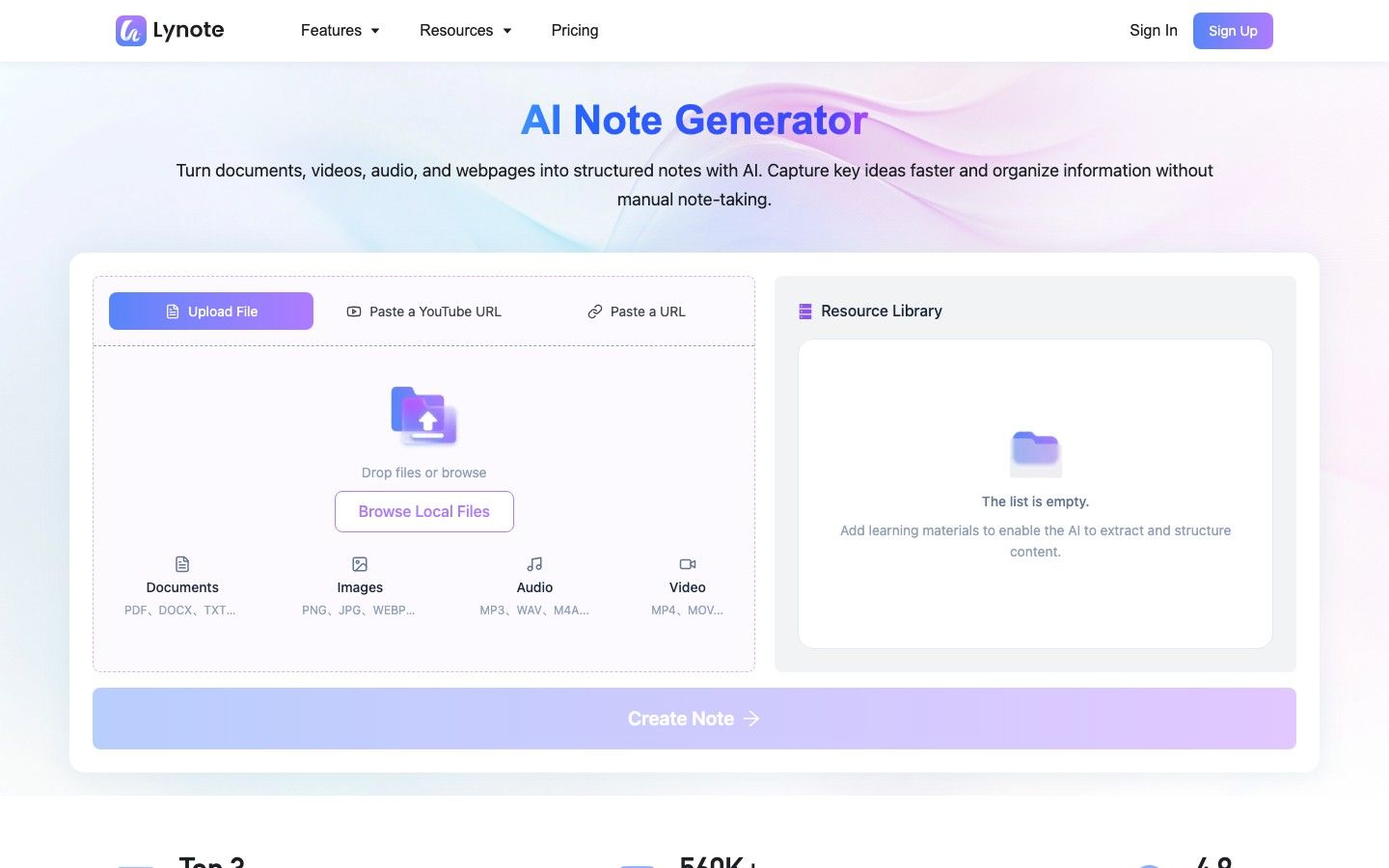
Lynote AI Note Generator is the most useful alternative here when the meeting has already happened, or when the source is not a live meeting at all. It accepts documents, audio, video, images, webpages, and YouTube links, then turns that material into structured notes with headings, bullets, and source-linked sections.
That distinction matters for students, researchers, interviewers, and creators. Otter is designed around capturing conversations, while Lynote is designed around transforming source material: a recorded lecture can become editable notes, a video interview can become a reviewable outline, and a packet of documents can continue into follow-up Q&A or flashcards.
Lynote is not an automatic meeting bot, so it will not appear in a calendar event and join a call on your behalf. That can be a limitation for unattended meeting capture, but it can also be an advantage when a visible bot would distract participants or when you prefer to record through a platform you already trust.
Features
- Documents, audio, video, images, webpages, and YouTube input
- More than 20 supported source formats
- Structured notes with headings, bullets, and source-linked sections
- Rich-text editing inside the note workspace
- Follow-up questions grounded in the uploaded material
- One-click conversion from notes into flashcards
Pros
- Handles far more than meeting audio, including course materials and web sources
- Produces reusable notes rather than stopping at a raw transcript
- Fits upload-first workflows without placing a bot in a live meeting
- Connects note generation with Q&A and active-recall study
Cons
- Free and paid allowances vary by workflow and source type
Best for: Students, educators, researchers, journalists, creators, and professionals who process existing recordings or mixed source material.
Free/paid note: Basic access is available across selected Lynote workflows, while larger files and advanced usage may require paid access. Check the live allowance before processing a large recording collection.
2. Fathom: Best Free Otter Alternative for Individual Meetings
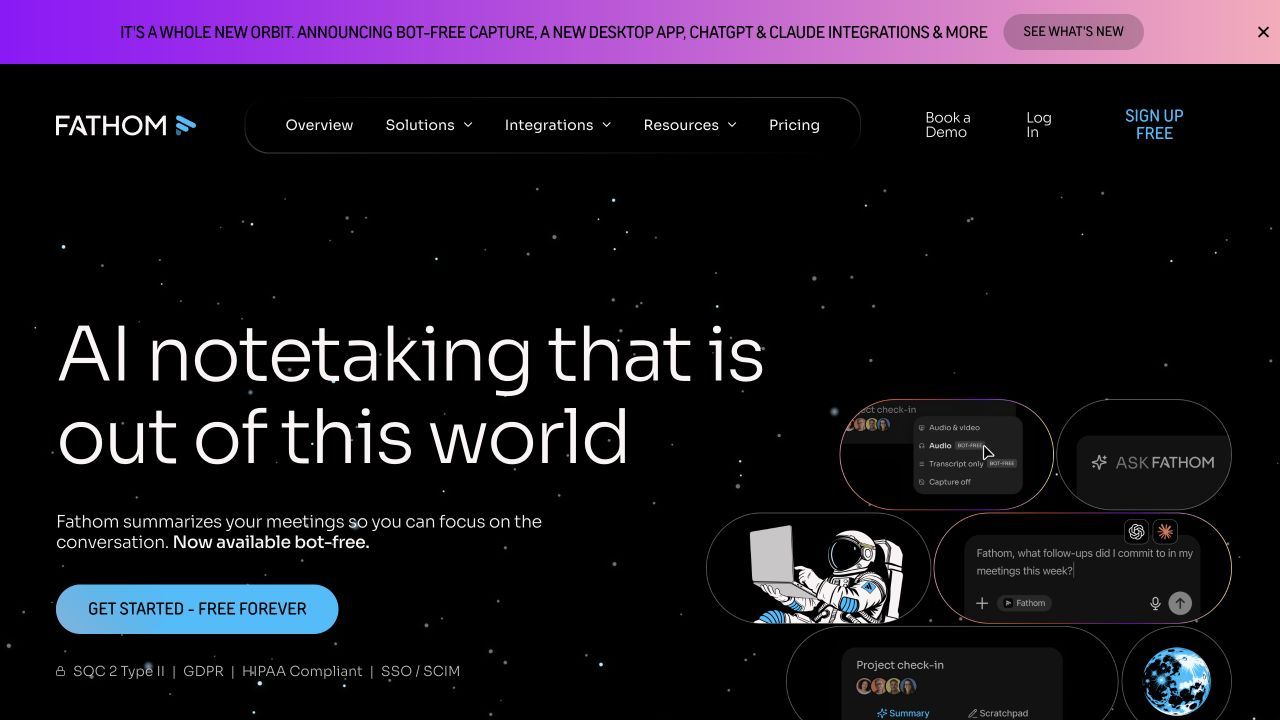
Fathom has one of the clearest free propositions for individuals who spend much of the week in video calls. Its free individual plan includes unlimited recordings, storage, and transcription across Zoom, Google Meet, and Microsoft Teams, which avoids the monthly transcription ceiling that defines Otter Basic.
The important qualification is in the AI layer. Free users receive a limited number of advanced summaries each month and then continue with a more general summary option, while Premium adds features such as AI-generated action items, follow-up emails, custom summary templates, and Ask Fathom.
Fathom is especially convenient when a meeting needs to become a shareable recording, searchable transcript, summary, and CRM update with little manual handling. It is less compelling for people whose sources include documents, prerecorded lectures, webpages, or videos outside the supported meeting workflow.
Features
- Recording and transcription for Zoom, Google Meet, and Microsoft Teams
- Searchable recordings and transcripts
- General and advanced AI meeting summaries
- Highlighting and shareable meeting moments
- CRM sync and personal Zapier integration
- Premium action items, follow-up emails, and custom summaries
Pros
- Unlimited core recording, transcription, and storage for individual free users
- Fast post-meeting workflow with little configuration
- Useful CRM connections even before moving to a team package
- Good fit for client calls and recurring one-to-one meetings
Cons
- The most flexible AI summaries and follow-up tools require Premium
- Focused on supported meeting platforms rather than mixed source processing
Best for: Individual professionals who want frequent meeting capture without managing a monthly transcription balance.
Free/paid note: Fathom Free remains available after the initial Premium preview. As of August 6, 2026, core recordings, storage, and transcripts are unlimited for individuals, while advanced summaries are limited to the first five calls each month.
3. Fireflies.ai: Best for CRM Automation and Team Workflows
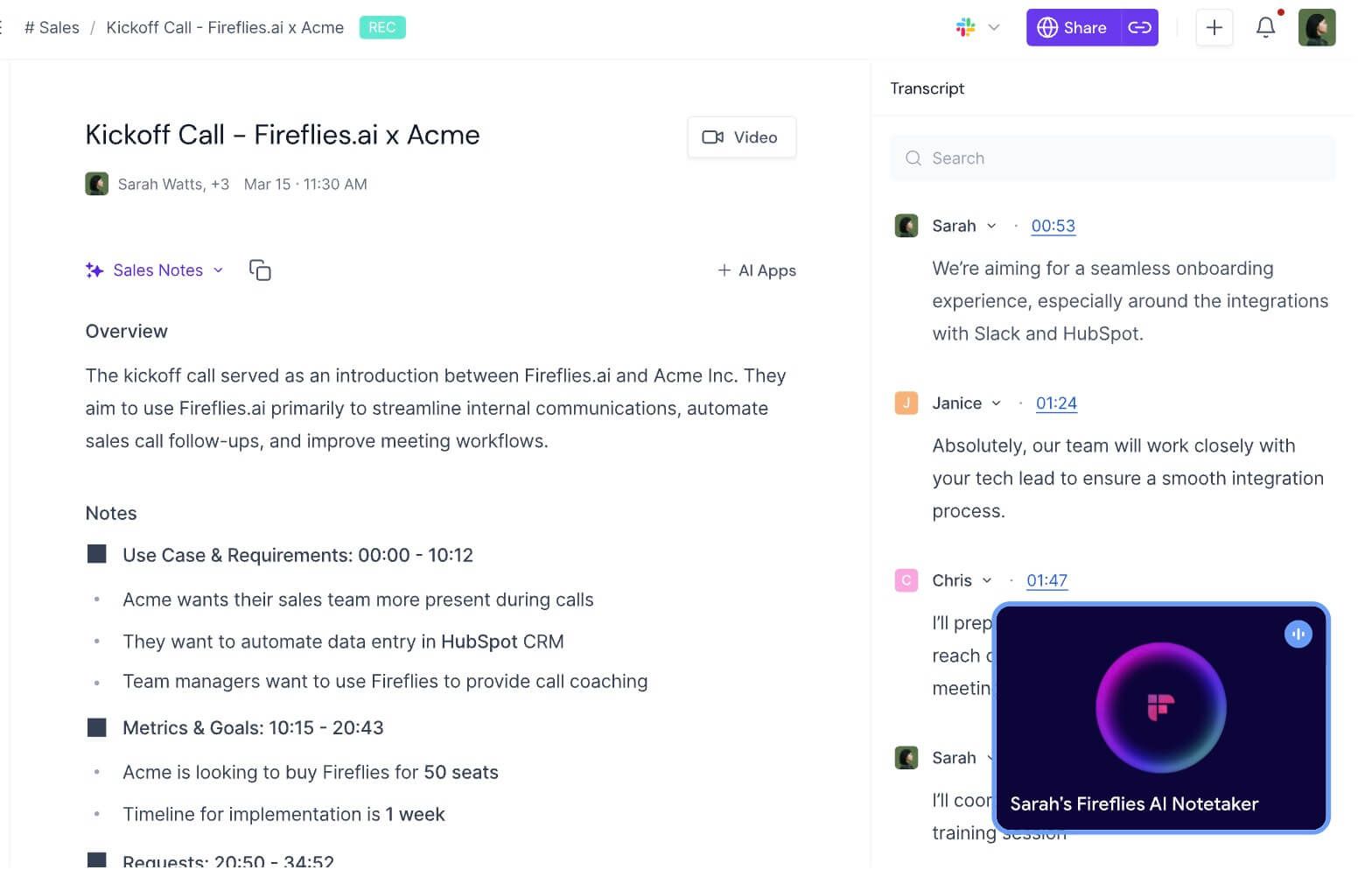
Fireflies.ai is a stronger Otter alternative when the transcript is only the first step in a business process. It can capture meetings through a calendar-connected bot, a Chrome extension, desktop and mobile apps, or uploaded audio and video, then route notes and action items into CRM, project-management, and collaboration systems.
That breadth is useful for sales, recruiting, customer success, and operations teams. AskFred provides conversational search across captured meetings, while customizable summaries, task feeds, channels, soundbites, contact records, and conversation intelligence help teams reuse meeting information rather than leaving it in a transcript archive.
The free plan sounds simple when described as unlimited transcription, but the practical experience is governed by storage, AI credits, downloads, and advanced automation. The current Free tier includes 400 minutes of team storage and 20 monthly AI credits; downloading transcripts, video recording, larger storage allowances, and deeper workflow features sit on paid plans.
Features
- Bot, Chrome extension, desktop, mobile, and upload capture methods
- Transcription in more than 100 languages
- Structured summaries and action items
- AskFred meeting assistant and searchable meeting history
- CRM, Slack, Notion, project-management, and automation integrations
- Soundbites, channels, comments, bookmarks, and team analytics
Pros
- More capture options than tools that depend on one meeting bot
- Strong language support for international teams
- Excellent automation and CRM potential
- Can scale from individual evaluation to managed team workflows
Cons
- Storage, AI credits, downloads, and advanced features create several separate limits
- The breadth of settings is heavier than a simple personal transcription app
Best for: Sales, recruiting, customer-success, and operations teams that need meeting data to trigger follow-up work.
Free/paid note: As of August 6, 2026, Fireflies lists unlimited transcription and AI summaries on Free, with 400 minutes of storage per team and 20 AI credits. Paid plans add downloads, video, more storage, advanced AI Skills, broader integrations, analytics, and administrative controls.
4. Granola: Best Bot-Free Alternative for Personal Notes
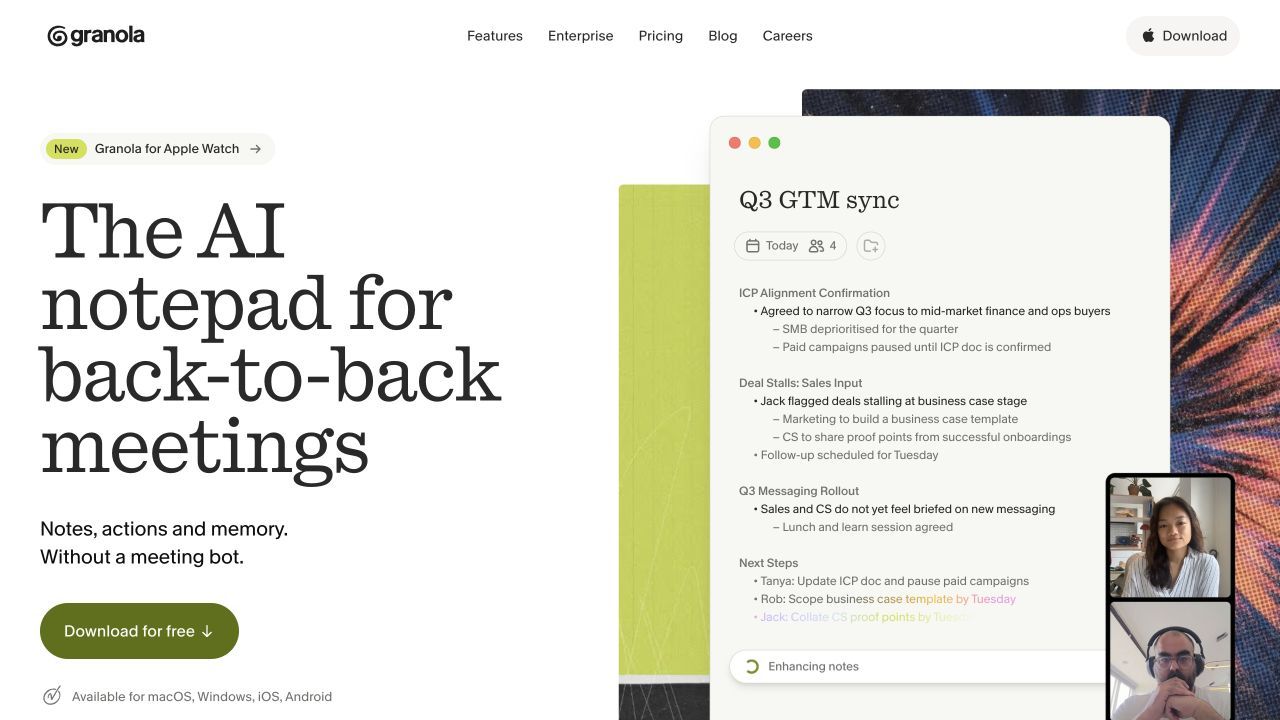
Granola takes a different approach from transcript-first tools. It captures meeting audio on the user's device without adding a visible participant, then combines the transcript with notes the user writes during the conversation to create a cleaner, more intentional meeting record.
This human-plus-AI workflow suits people who do not want to stop taking notes entirely. Founders, managers, researchers, and interviewers can mark what feels important in the moment, then let Granola fill gaps, organize the discussion, apply templates, and support follow-up chat across meeting notes.
The bot-free design reduces the social friction of inviting an unfamiliar attendee into every call, although recording consent still matters. Granola is less suited to unattended meetings because it runs with the person attending, and its free plan limits how much meeting history remains available.
Features
- Bot-free meeting capture from the user's device
- AI-enhanced notes that incorporate the user's own writing
- Custom note templates
- AI chat within and across meetings
- Shared folders for collaborative organization
- Paid integrations with tools such as Notion, Slack, HubSpot, and Zapier
Pros
- No visible meeting bot
- Encourages active note-taking instead of passive transcript collection
- Clean fit for interviews, one-to-ones, and founder or manager workflows
- Simple free entry point with core note and chat features
Cons
- Cannot independently attend a meeting when the user is absent
- Free users receive limited meeting history
Best for: Professionals who want discreet capture and still prefer to shape their own notes during a meeting.
Free/paid note: Granola Basic includes AI-enhanced notes, chat, templates, folders, multilingual support, and limited history. Business currently adds unlimited history, advanced models, integrations, API access, and team administration.
5. tl;dv: Best for Meeting Clips and Asynchronous Review
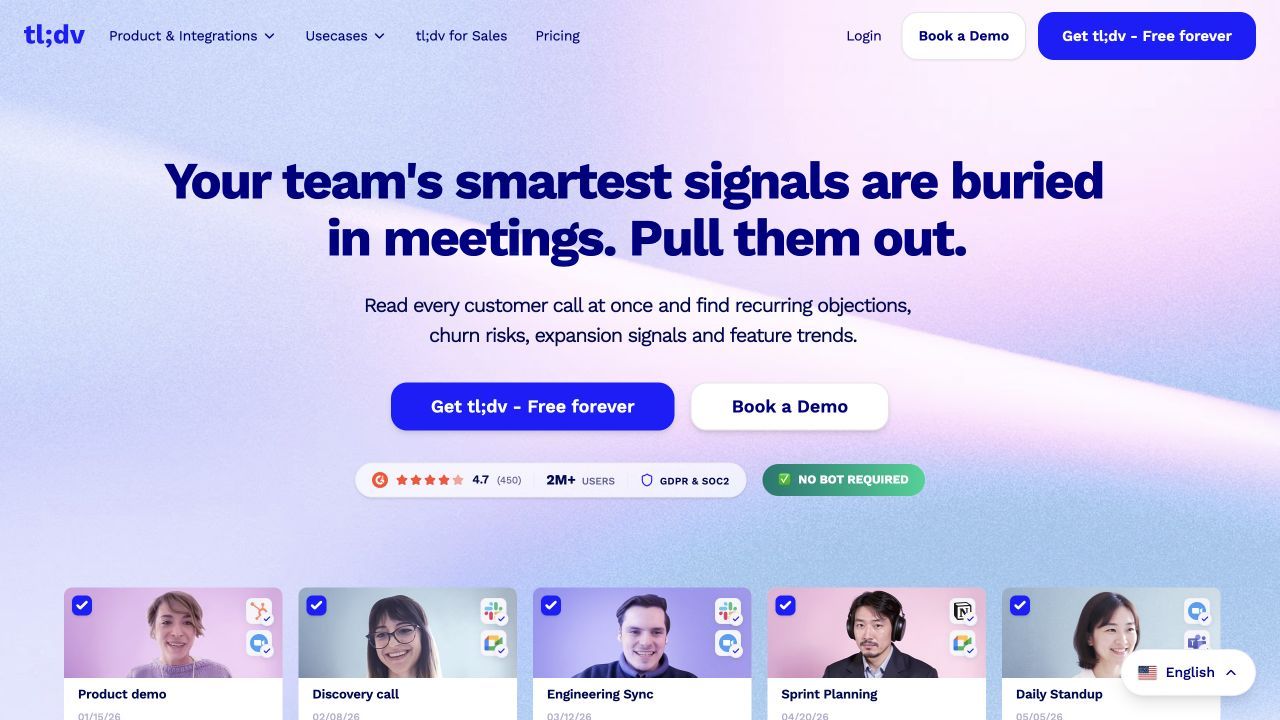
tl;dv is designed for teams that need to revisit and distribute specific meeting moments, not merely store full transcripts. It records online meetings, creates transcripts and summaries, and makes it easy to highlight, clip, timestamp, and share the parts that matter to someone who did not attend.
This makes it particularly useful for product research, customer interviews, sales calls, recruiting, and distributed teams. A researcher can collect clips around one theme, a product manager can share the exact customer statement behind a decision, and a team can search across calls instead of forwarding hour-long recordings.
Its free plan is generous around recording and transcription, but sophisticated multi-meeting analysis, automation, reporting, CRM workflows, and administrative controls are where paid tiers become relevant. Users who only need searchable text may find the video and clip emphasis more than necessary.
Features
- Video and audio recording for major meeting platforms
- Transcripts, summaries, timestamps, and speaker views
- Highlights and shareable clips
- Search across captured meetings
- Multilingual meeting workflows
- Paid automation, CRM, coaching, and team-management features
Pros
- Excellent for sharing evidence from a meeting rather than paraphrasing it
- Strong free core for recording and transcription
- Useful for qualitative research and customer-facing teams
- Makes asynchronous meeting review more practical
Cons
- Advanced automation and cross-meeting intelligence require paid access
- Clip-first workflows are less important for audio-only note takers
Best for: Remote teams, researchers, product managers, recruiters, and sales teams that frequently share meeting moments.
Free/paid note: tl;dv advertises free unlimited recordings and transcriptions for its core meeting workflow. Paid plans are mainly justified by deeper AI analysis, integrations, automation, coaching, and administrative capabilities.
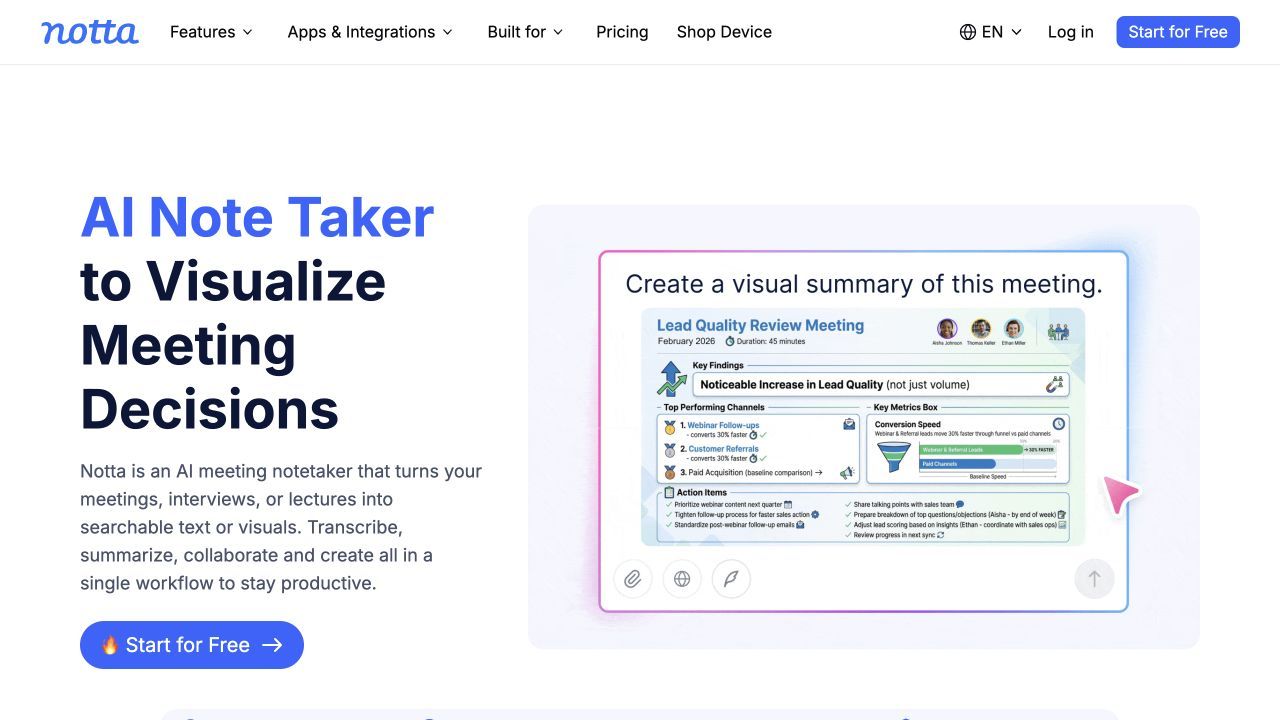
6. Notta: Best for Multilingual Transcription and File Imports
Notta is a practical Otter.ai alternative for users who move among live conversations, uploaded recordings, browser capture, mobile recording, and several meeting platforms. It supports Zoom, Microsoft Teams, Google Meet, and Webex, while also providing speaker identification, editing, bookmarks, summaries, search, sharing, and file imports.
Its stronger multilingual orientation is valuable for international students, global teams, interpreters, and researchers working with interviews in more than one language. Translation and bilingual transcription options depend on plan and allowance, so buyers should compare their exact language pair rather than assuming every multilingual feature is unlimited.
The permanent Free plan is best treated as an evaluation tier, not a working replacement for frequent meetings. It includes 120 transcription minutes per month and up to 50 file imports, but only the first three minutes of each recording are available to a Free user, which makes the headline monthly allowance less useful than it first appears.
Features
- Live and recorded transcription across web, mobile, desktop, and extension workflows
- Zoom, Microsoft Teams, Google Meet, and Webex support
- Audio and video file imports
- Speaker identification, editing, bookmarks, search, and sharing
- AI Notes and Notta Brain features
- Translation and bilingual transcription options
Pros
- Flexible mix of meetings, in-person recording, and uploaded media
- Strong fit for multilingual and cross-device work
- Useful editing and organization features
- Education discounts are available for eligible users
Cons
- Free access is capped at three minutes per recording
- Translation, export, AI, and team capabilities have separate plan limits
Best for: Multilingual teams, international students, researchers, and professionals who import recordings as often as they capture live meetings.
Free/paid note: As of August 6, 2026, Notta Free includes 120 transcription minutes per month, three minutes per recording, 50 file imports, and 10 AI summaries. Pro expands session length and exports, while Business adds unlimited transcription and stronger team, CRM, and security features.
7. Krisp: Best for Noise Cancellation and Bot-Free Capture
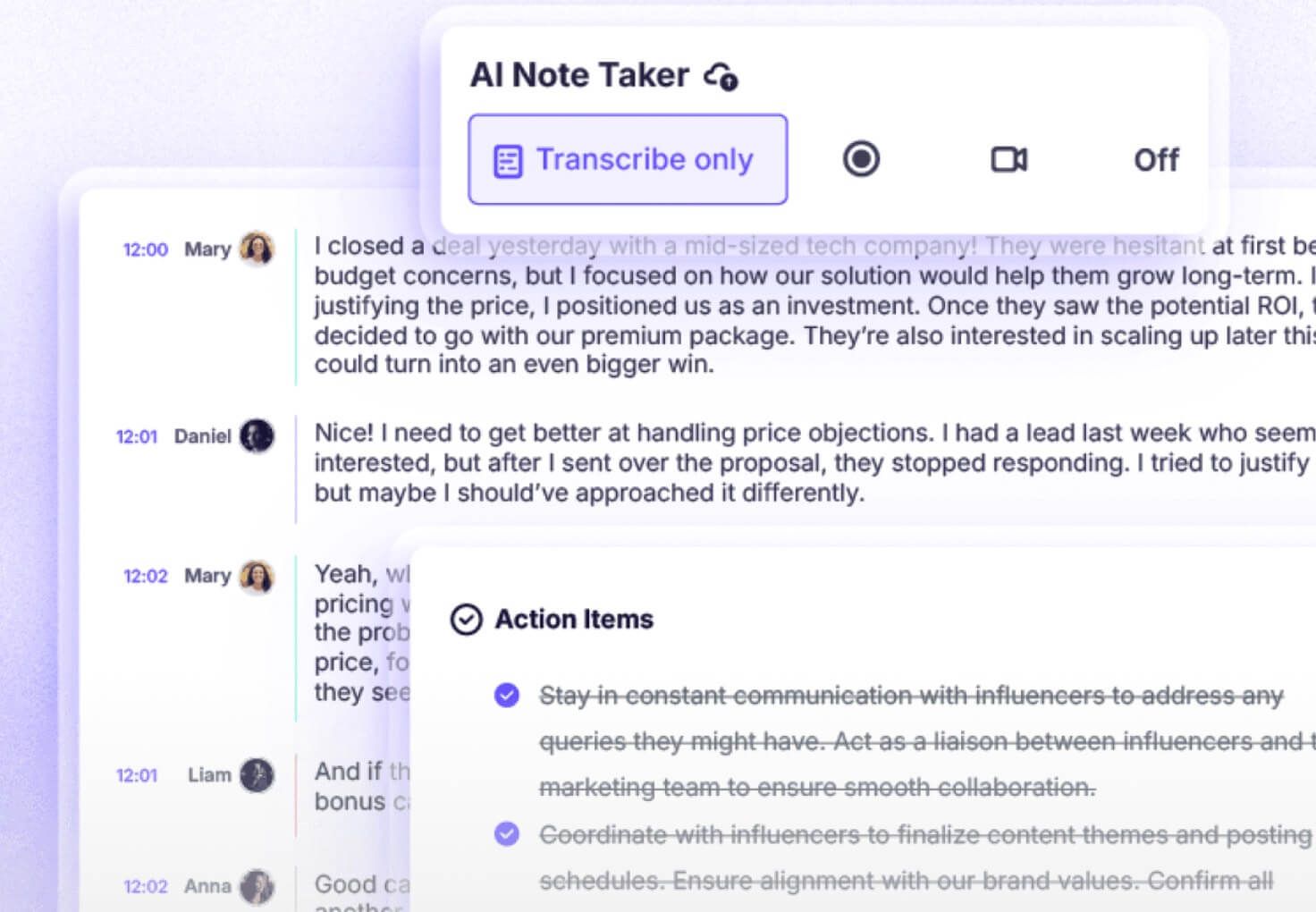
Krisp combines meeting notes with the audio-processing technology that built its original reputation. Its desktop workflow can capture online meetings without adding a visible bot, while noise and background-voice cancellation help participants hear a cleaner conversation before the system creates transcripts, summaries, and action items.
The combined approach makes sense when meetings happen in shared offices, coffee shops, home environments, or through inconsistent microphones. Cleaner audio can give a transcription system better input, but it does not guarantee an error-free transcript when speakers overlap, use specialized vocabulary, switch languages, or speak far from the microphone.
Krisp also supports in-person meeting notes, audio and video recording, uploaded meetings, AI chat, and an optional bot workflow. It is most economical when users need both voice clarity and meeting documentation; someone working from clean studio recordings may not benefit as much from paying for the combined package.
Features
- Bot-free online meeting capture
- Optional meeting-bot workflow
- Noise, echo, and background-voice cancellation
- Online and in-person transcription
- AI summaries, detailed notes, and action items
- Audio/video recording, uploaded meetings, and AI chat
Pros
- Combines audio cleanup and note generation in one application
- Works without a visible bot
- Useful for noisy environments and in-person conversations
- Compatible with meetings beyond one web platform
Cons
- Permanent free access is less generous than the strongest free competitors
- Requires correct audio-device setup to capture every participant
Best for: Remote workers, interviewers, field teams, and professionals who need clearer audio as well as transcripts and notes.
Free/paid note: Krisp currently leads with a seven-day premium trial. Core pricing is most attractive on annual billing and includes unlimited transcription, recording, summaries, noise cancellation, integrations, and storage within the plan's current terms.
8. MeetGeek: Best for Meeting Analytics and Repeatable Workflows
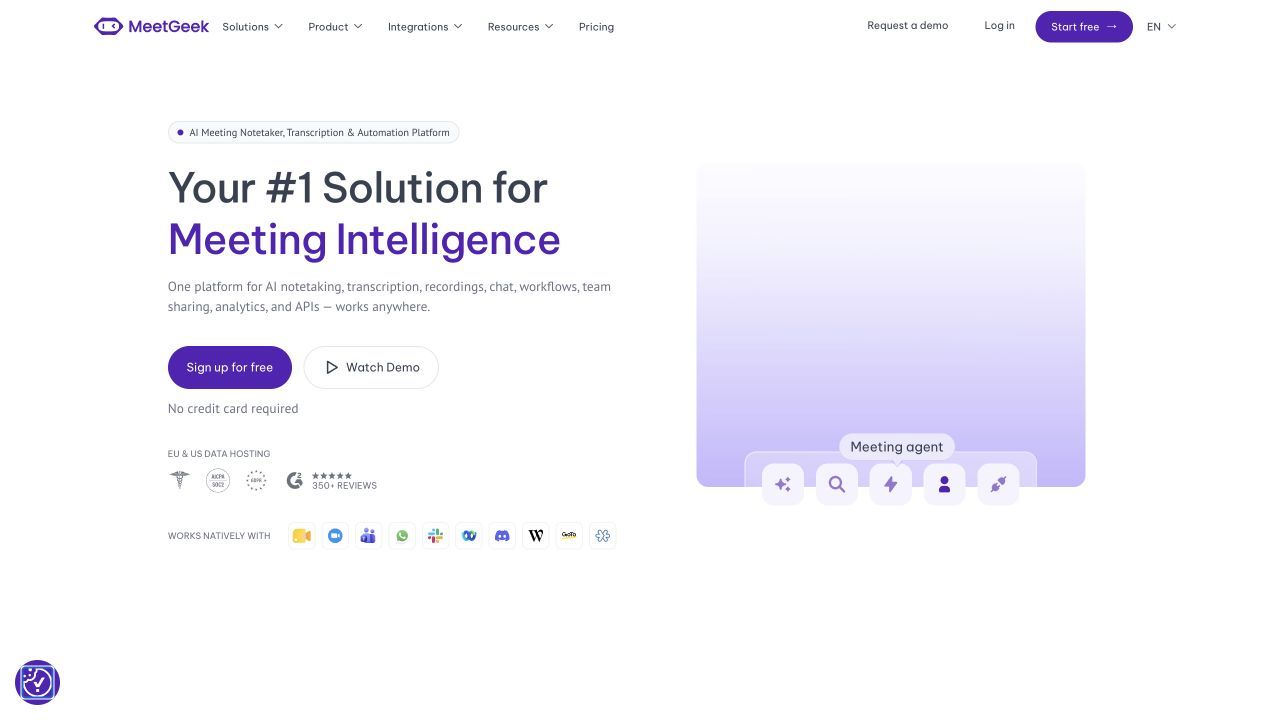
MeetGeek sits between a straightforward meeting recorder and a workflow automation platform. It can record through supported meeting platforms, browser and desktop no-bot options, or uploaded audio and video, then create summaries, searchable transcripts, analytics, folders, tags, and AI chat.
Templates and meeting-type detection make it useful when the desired output changes by context. A sales discovery call, recruiting interview, project retrospective, and weekly stand-up should not all produce the same recap, and MeetGeek's paid workflow tools can route different outputs into downstream systems.
The Free plan is useful for occasional meetings because it includes three transcription hours per month, unlimited AI summaries, uploads, basic analytics, and search. Its transcript and audio retention limits mean it is not a permanent free archive for an active team.
Features
- Bot and no-bot recording options
- Zoom, Google Meet, Microsoft Teams, and other platform support
- Transcription in more than 100 languages
- Unlimited AI summaries on the current Free plan
- Templates, meeting analytics, global search, and AI chat
- Paid agents, workflows, integrations, exports, and team spaces
Pros
- Balanced mix of capture, summaries, analytics, and automation
- Free users can test both meetings and uploaded recordings
- No-bot browser and desktop capture are available
- Paid tiers suit repeatable departmental workflows
Cons
- Free transcription is limited to three hours per month
- Audio and transcript retention are capped on Free
Best for: Teams that want standardized meeting outputs, analytics, and automations rather than a simple transcript inbox.
Free/paid note: MeetGeek Basic currently includes three transcription hours per month, three months of transcript storage, and one month of audio storage. Pro expands hours, retention, templates, integrations, and exports; Business adds unlimited transcription and team-level workflows.
Otter AI Alternatives Compared Side by Side
The table below compares functional fit, not abstract feature count. A check mark means the workflow is supported in a meaningful form, but exact access may still depend on the selected plan.
| Tool | Live meetings | Bot-free option | File uploads | Documents and webpages | Structured notes | Clips/video review | CRM or automation | Best audience |
|---|---|---|---|---|---|---|---|---|
| Otter.ai | Yes | Yes | Limited by plan | Limited | Meeting-focused | Limited | Yes | General meeting transcription |
| Lynote | No automatic join | Yes, upload-first | Yes | Yes | Yes | No meeting clip library | Downstream note workflow | Learners and mixed-source users |
| Fathom | Yes | Platform-dependent | Limited focus | No | Meeting summaries | Yes | CRM and Zapier | Individual professionals |
| Fireflies.ai | Yes | Yes | Yes | No | Custom meeting notes | Yes | Extensive | Business teams |
| Granola | Yes, while attending | Yes | Limited focus | No | Human-plus-AI notes | Limited | Paid integrations | Personal and collaborative notes |
| tl;dv | Yes | Varies by capture setup | Meeting-focused | No | Meeting summaries | Excellent | Paid automation | Distributed teams and researchers |
| Notta | Yes | Yes | Yes | Limited | AI Notes | Screen recording | Paid CRM and Zapier | Multilingual users |
| Krisp | Yes | Yes | Yes | No | Meeting notes | Audio/video recording | Integrations and webhooks | Noisy and in-person settings |
| MeetGeek | Yes | Yes | Yes | No | Template-based notes | Video on paid plans | Extensive on paid plans | Workflow-driven teams |
Free Plans Compared
Free limits change quickly, so the details below were checked on August 6, 2026. Verify the live plan before moving an important archive or committing a team workflow.
| Tool | Free transcription or processing | Session limit | AI summary access | Storage or history | Export caveat |
|---|---|---|---|---|---|
| Otter.ai Basic | 300 minutes/month | 30 minutes | Included within plan limits | 25 recent conversations | Three lifetime file imports |
| Lynote | Task-based free access | Varies by workflow | Structured note generation available within current allowances | Account and tool dependent | Larger or advanced usage may be paid |
| Fathom Free | Unlimited core transcription | Subject to supported meeting workflow | Five advanced summaries/month, then general summary | Unlimited recordings and storage for individuals | Advanced AI features are paid |
| Fireflies Free | Unlimited transcription | Current meeting rules apply | Unlimited standard summaries plus 20 AI credits | 400 minutes/team | Downloads require paid access |
| Granola Basic | Core meeting notes | Current app rules apply | Included | Limited meeting history | Advanced integrations are paid |
| tl;dv Free | Unlimited core recordings and transcripts | Current platform rules apply | Limited AI depth | Account dependent | Advanced automation and reporting are paid |
| Notta Free | 120 minutes/month | Three minutes available per recording | 10 summaries/month | Saved, but Free access is restricted | Transcript downloads require paid access |
| Krisp | Seven-day premium trial | Trial terms | Included during trial | Trial terms | Ongoing use requires a paid plan |
| MeetGeek Basic | Three hours/month | Two hours/meeting | Unlimited standard summaries | Three-month transcripts; one-month audio | Downloads and longer retention are paid |
What Should an Otter.ai Alternative Actually Replace?
Otter is no longer just a live transcript window. Its Notetaker can join Zoom, Google Meet, and Microsoft Teams, produce live and post-meeting summaries, capture slides, identify speakers, organize conversations, and support questions through Otter AI Chat.
It is also outdated to say that Otter always requires a visible bot. Otter now documents desktop and Chrome-based recording paths that can capture virtual calls without the Notetaker participant, although feature availability and administration can differ by account.
The reason to switch should therefore be specific. A replacement should solve at least one problem better than Otter: more useful free access, better support for existing recordings, more transcription languages, stronger CRM automation, a cleaner no-bot experience, better clips, mixed source notes, clearer privacy controls, or a better fit for in-person audio.
The Current Otter Basic Baseline
Otter Basic currently provides 300 transcription minutes per month, with a maximum of 30 minutes available per conversation. File imports are limited to three for the life of the free account, and only the 25 most recent conversations remain immediately accessible.
Otter currently transcribes English, Spanish, French, German, Japanese, and Simplified Chinese. That is enough for many North American teams but materially narrower than alternatives that support dozens or more than 100 transcription languages.
These limits are not automatically bad. Someone with two short meetings each week may prefer Otter's familiar interface over migrating, while a student importing hour-long lectures or an international team can reach the restrictions quickly.
How These Otter AI Alternatives Were Evaluated
This ranking compares current official product information, plan documentation, capture methods, and recurring buyer concerns. It is not presented as a laboratory accuracy test, because a fair accuracy benchmark would require the same audio, speakers, microphones, languages, vocabulary, and scoring rules across every product.
Capture method
A meeting bot can join automatically even when the account owner is absent. A bot-free desktop or browser app is less visible but usually depends on the user and device being present, while an upload-first tool works after someone has recorded the event elsewhere.
Inputs and platforms
Meeting coverage is only one dimension. Students and researchers may need audio files, video, YouTube, PDFs, images, or webpages, while sales teams may care more about Zoom, Teams, Google Meet, phone calls, and CRM records.
Notes, not only transcripts
Raw text records what was said but does not necessarily identify decisions, questions, themes, action items, study concepts, or evidence. The best choice depends on whether the output must become a follow-up email, CRM update, research memo, clip reel, flashcards, or a shared team record.
The full meaning of free
Monthly minutes are only one limit. A free plan may restrict each session, advanced summaries, storage, history, downloads, file imports, integrations, or the number of AI questions even when transcription itself is described as unlimited.
Privacy and administration
Recording consent, bot visibility, retention, model-training controls, encryption, sharing defaults, SSO, audit logs, and data deletion matter differently to individuals and organizations. A public pricing page cannot replace an internal security review for sensitive legal, medical, educational, or customer conversations.
Choose by Capture Method, Not Just by Brand
Choose a meeting bot for automatic attendance
Fireflies, Fathom, tl;dv, Notta, MeetGeek, and Otter can automate at least part of the live meeting workflow. This is useful when calendar coverage matters more than having another named participant in the room.
A bot is also easier to administer across a team because recording rules can follow calendar events. The trade-off is social and operational: some clients dislike bots, some organizations block them, and an incorrectly configured calendar can invite a recorder to the wrong meeting.
Choose bot-free capture for less visible assistance
Granola and Krisp are designed around device capture without a visible attendee. Fireflies and MeetGeek also provide extension or desktop paths, and Otter now offers bot-free desktop and browser recording options.
Bot-free does not mean consent-free. Participants may still need to be informed, and the account owner must understand where audio, transcripts, and summaries are processed and stored.
Choose upload-first processing when the source already exists
Lynote fits recordings, lectures, interviews, videos, documents, images, webpages, and YouTube sources that already exist. It avoids the need to select one meeting platform and focuses on what the source should become afterward.
Notta, Fireflies, Krisp, and MeetGeek also support media uploads, but their workspaces remain centered on meetings. The better choice depends on whether the desired output is meeting intelligence or a reusable note and study workflow.
The Best Free Otter AI Alternatives Are Free in Different Ways
Fathom is the strongest free choice for frequent individual online meetings. Unlimited core recordings, transcripts, and storage remove the most obvious Otter Basic constraints, although advanced summaries and AI follow-up tools remain limited.
Lynote is the better free entry point for existing sources. It is useful when the task begins with a lecture file, interview recording, video, document, or webpage and ends with structured notes rather than a live meeting archive.
Fireflies is the better free evaluation path for a future team deployment. It exposes a wide range of collaboration and integration concepts, but free storage, downloads, and advanced AI credits determine how long the workspace remains comfortable.
Granola is the cleanest free trial of a bot-free note philosophy. Users can evaluate AI-enhanced notes, chat, templates, and folders without bringing another participant into calls, but limited history becomes important with frequent use.
MeetGeek is a balanced occasional-use option. Three monthly hours are enough to test templates, analytics, AI summaries, uploads, and no-bot recording, while retention and export limits preserve a clear reason to upgrade.
The best free alternative is therefore the one whose paid boundary appears after the part of the workflow you need. Unlimited transcription is less useful if exporting is paid, 120 monthly minutes are less useful with a three-minute session view, and unlimited storage does not matter if the tool cannot process the source type you have.
A Two-Tool Workflow May Replace Otter Better Than One App
Searching for one application that records every platform, transcribes every language, summarizes every meeting, imports every source, creates study notes, generates clips, updates every CRM, and offers unlimited free storage leads to poor comparisons. A simpler two-tool workflow can be more reliable.
For example, a student can record a lecture with the institution's approved method and then use Lynote to turn the recording and accompanying slides into structured notes. A researcher can keep Zoom or Teams as the recording system of record, then combine interview audio, background documents, and relevant webpages in a separate note-generation workflow.
Business teams can make the opposite choice. Fireflies or Fathom can handle attendance, transcript capture, summaries, and CRM updates, while a knowledge system stores only the approved decisions and reusable insights rather than every raw conversation.
The extra step is worthwhile when it creates a clear boundary between capture and interpretation. It is unnecessary when one meeting assistant already produces the right output and satisfies the organization's consent, retention, and integration requirements.
Before You Switch From Otter.ai
Export what you need before downgrading
Save important transcripts, audio, summaries, speaker labels, custom vocabulary, and shared materials before changing plans. Free access after a downgrade may expose less history or shorter transcript windows even when the underlying account data is retained.
Test a difficult recording, not a polished demo
Use a representative call with your normal microphones, accents, room noise, terminology, and speaker overlap. One real 30-minute recording reveals more about workflow fit than a vendor accuracy percentage produced under unknown conditions.
Check consent and bot behavior
Confirm whether the tool joins as a participant, records from the device, or processes an uploaded file. Then document how participants are notified and what happens when a meeting host blocks recording bots or third-party apps.
Review retention and AI settings
Look for sharing defaults, deletion controls, retention periods, model-training choices, regional storage, administrative locks, and enterprise agreements. Sensitive conversations deserve a formal review rather than an assumption based on a security logo.
Rebuild integrations before canceling
Calendar rules, CRM fields, Slack channels, Notion databases, Zapier flows, webhooks, and shared links do not automatically transfer. Run the new and old workflows in parallel for a short period so missing action items or failed exports are visible before Otter is removed.
Decide who owns the archive
A personal account, shared workspace, and organization-managed system create different risks when an employee or student leaves. Check who can export, delete, transfer, and continue accessing meetings before building a long-term archive.
FAQs About Otter AI Alternatives
What is the best Otter AI alternative overall?
There is no universal winner. Lynote is the best fit for turning existing recordings and mixed sources into structured notes, Fathom is strongest for free individual meetings, Fireflies leads for team automation, and Granola or Krisp are better when bot-free capture is a priority.
What is the best free alternative to Otter.ai?
Fathom offers the most generous core free meeting workflow for individuals because recording, transcription, and storage are unlimited. Lynote is a better free starting point when you need to process an existing lecture, interview, video, document, webpage, or YouTube source instead of recording a live meeting.
Which Otter alternative does not use a meeting bot?
Granola and Krisp support device-based bot-free capture, while Fireflies, MeetGeek, and Otter also document extension or desktop options that can record without a visible meeting participant. Exact platform support and plan access should be checked before switching.
Which Otter.ai alternative is best for students and lectures?
Lynote is the clearest fit when students already have lecture audio, video, slides, documents, webpages, or YouTube material and want structured notes and flashcards. Fathom is more appropriate when the class or study meeting happens on a supported live meeting platform and recording is permitted.
Which alternative supports more transcription languages than Otter.ai?
Fireflies, Notta, and MeetGeek advertise substantially broader transcription language coverage than Otter's current six languages. Language count alone does not guarantee equal quality, so test the exact language, dialect, and subject vocabulary you use.
Can I import existing Otter recordings or transcripts into another tool?
Several alternatives accept audio or video files, including Lynote, Fireflies, Notta, Krisp, and MeetGeek. Export the original recording and transcript while your Otter plan still provides full access, then test the destination's file size, duration, format, and speaker-handling limits.
Is Otterly.AI the same product as Otter.ai?
No. Otter.ai records and transcribes meetings, while Otterly.AI monitors how brands appear in AI-generated search results. Someone searching for Otterly alternatives needs a comparison of GEO and AI visibility platforms, not meeting note takers.
Final Verdict
Choose Lynote when your work begins with existing recordings or mixed sources and the goal is structured, reusable notes. Choose Fathom for a generous free individual meeting workflow, Fireflies.ai for CRM automation and team operations, Granola for human-shaped bot-free notes, tl;dv for clips, Notta for multilingual flexibility, Krisp for noisy or in-person capture, and MeetGeek for analytics and repeatable meeting workflows.
Do not migrate based on the longest feature list. Test one representative meeting or recording, inspect the actual free boundary, confirm consent and retention requirements, and choose the tool that removes work after the transcript is created.

Written by Danny
Product Marketing Manager
Danny explains how Lynote features fit real workflows, from everyday productivity to product-led writing use cases. View all articles →