8 Best Free TurboLearn AI Alternatives for Students

The best free TurboLearn AI alternative depends on the part of your study workflow you need to replace. Lynote is the closest overall option for turning mixed sources into structured, editable notes, while Gemini Notebook is stronger for source-grounded research, Knowt focuses on free flashcard practice, and RemNote connects notes with long-term spaced repetition.
TurboLearn is now called Turbo AI, but both names refer to the same study platform. This comparison keeps the familiar TurboLearn name because that is what many students still search, while evaluating the products and free access available in 2026.
1. Quick Answer: Which Free TurboLearn Alternative Should You Choose?
Choose by your biggest study bottleneck rather than the number of features on a pricing page:
- Closest overall source-to-notes workflow: Lynote
- Best for grounded answers across many sources: Gemini Notebook, formerly NotebookLM
- Best for free flashcard and test practice: Knowt
- Best for notes linked to spaced repetition: RemNote
- Best for occasional video and document summaries: NoteGPT
- Best for public study sets: Quizlet
- Best subscription-free manual review system: Anki
- Best for guided explanations and tutoring: ChatGPT Study Mode
| Tool | Free access type | Audio/video input | PDF/web input | Structured notes | Flashcards or quizzes | Source Q&A | Best for | Main free limitation |
|---|---|---|---|---|---|---|---|---|
| Lynote | Free-to-start web workflow | Yes | Yes | Yes | Flashcard conversion | Yes | Mixed study sources | Check the current account allowance for frequent use |
| Gemini Notebook | Ongoing standard tier | Audio and YouTube | Yes | Reports and notes | Yes | Yes, with citations | Multi-source research | Daily generation and chat limits |
| Knowt | Ongoing Basic plan | Limited AI use | Yes | Yes | Yes | Limited by AI allowance | Flashcards and tests | Free AI use resets monthly |
| RemNote | Ongoing Free plan | Credit-metered | Yes | Yes | Yes | Credit-metered | Spaced repetition | 100 monthly AI credits |
| NoteGPT | Monthly quota | Yes | Yes | Summaries | Some study outputs | Feature-dependent | Occasional conversion | 15 shared monthly quotas |
| Quizlet | Free core access | Not its main strength | Text and study sets | Basic | Yes | Limited | Public sets and review | Advanced practice is capped or paid |
| Anki | Free on desktop, web, and Android | Media inside cards | Manual import | Manual | Flashcards | No | Long-term recall | No automatic AI note generation |
| ChatGPT Study Mode | Free plan with usage limits | File and image chat | File upload and web chat | Conversational | Practice questions | Yes | Guided tutoring | Not a dedicated note library |
Free access is not the same across this table. Some tools maintain useful non-AI features after their AI quota runs out, while others meter the exact conversion step that brought you there.
2. The 8 Best Free TurboLearn AI Alternatives
The rankings below measure how well each option replaces a specific TurboLearn job. A lower-ranked product may still be the better choice when your real need is spaced repetition, public study sets, or tutoring rather than automatic note generation.
1. Lynote AI Note Generator: Best Overall for Mixed Study Sources
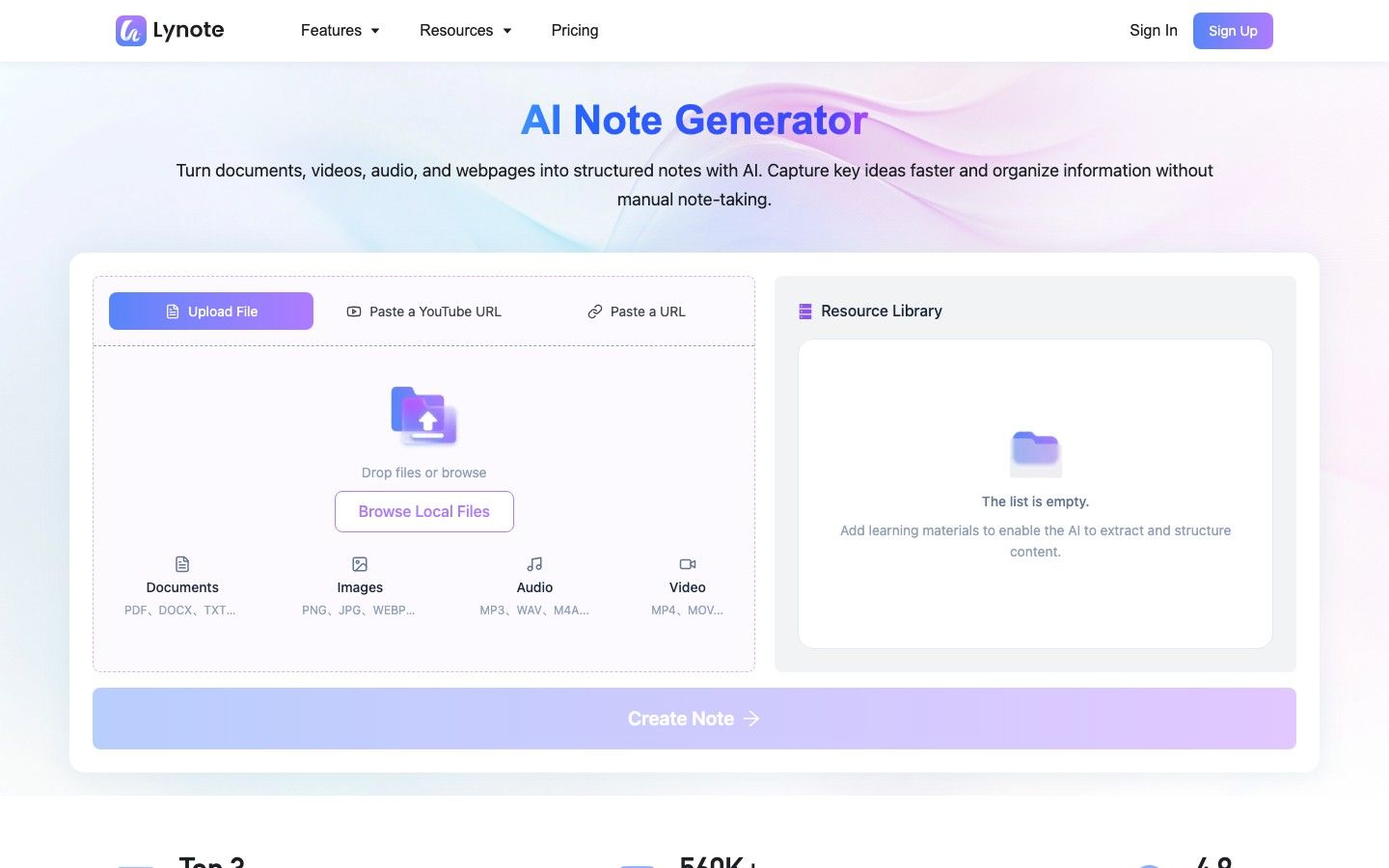
The Lynote AI Note Generator is the closest fit for students who want one browser workflow for many kinds of course material. It accepts documents, images, audio, video, webpages, and YouTube links, then turns the source into structured notes rather than a standalone generic summary.
The generated notes use headings, bullet points, and source-linked sections. You can edit them in the same workspace, ask follow-up questions grounded in the source, and convert the notes into flashcards when it is time to move from reading to active recall.
The practical advantage over a collection of separate free tools is continuity. You do not have to transcribe audio in one app, summarize it in another, and rebuild the important facts as flashcards somewhere else.
How to Use Lynote as a TurboLearn Alternative
- Upload a PDF, document, image, audio file, or video, or paste a YouTube or webpage URL. Click Parse after adding a URL; direct file uploads do not need that extra action.
- Click Create Note to generate organized notes with headings, key points, and links back to the source material.
- Review and edit the result, ask questions about the material, export or share it, or convert the notes into flashcards.
Features: Multi-format source input, structured notes, rich-text editing, source-based Q&A, sharing and export, and flashcard conversion.
Pros:
- Closely matches the source-to-notes part of Turbo AI across mixed media.
- Keeps generation, editing, questions, and flashcard creation connected.
- Works in a browser, which is convenient when course files live on different devices.
Cons:
- Students who mainly want a large public flashcard library may prefer a dedicated community platform.
Best for: Students who regularly switch among lecture recordings, PDFs, videos, webpages, and images and want consistent notes from all of them.
2. Gemini Notebook: Best for Source-Grounded Research
Google renamed NotebookLM to Gemini Notebook in July 2026. It remains the same source-grounded notebook product, so students searching for a NotebookLM alternative to TurboLearn are looking at this entry too.
Gemini Notebook is especially strong when a course requires comparing many readings instead of processing one lecture at a time. The standard tier supports up to 100 notebooks and 50 sources per notebook, with individual sources allowed to be very large; it can work with PDFs, documents, slides, spreadsheets, audio, images, webpages, and public YouTube videos.
Its defining feature is traceability. Chat answers point back to the uploaded sources, and Studio outputs can include reports, flashcards, quizzes, mind maps, and audio or video overviews depending on current availability and usage limits.
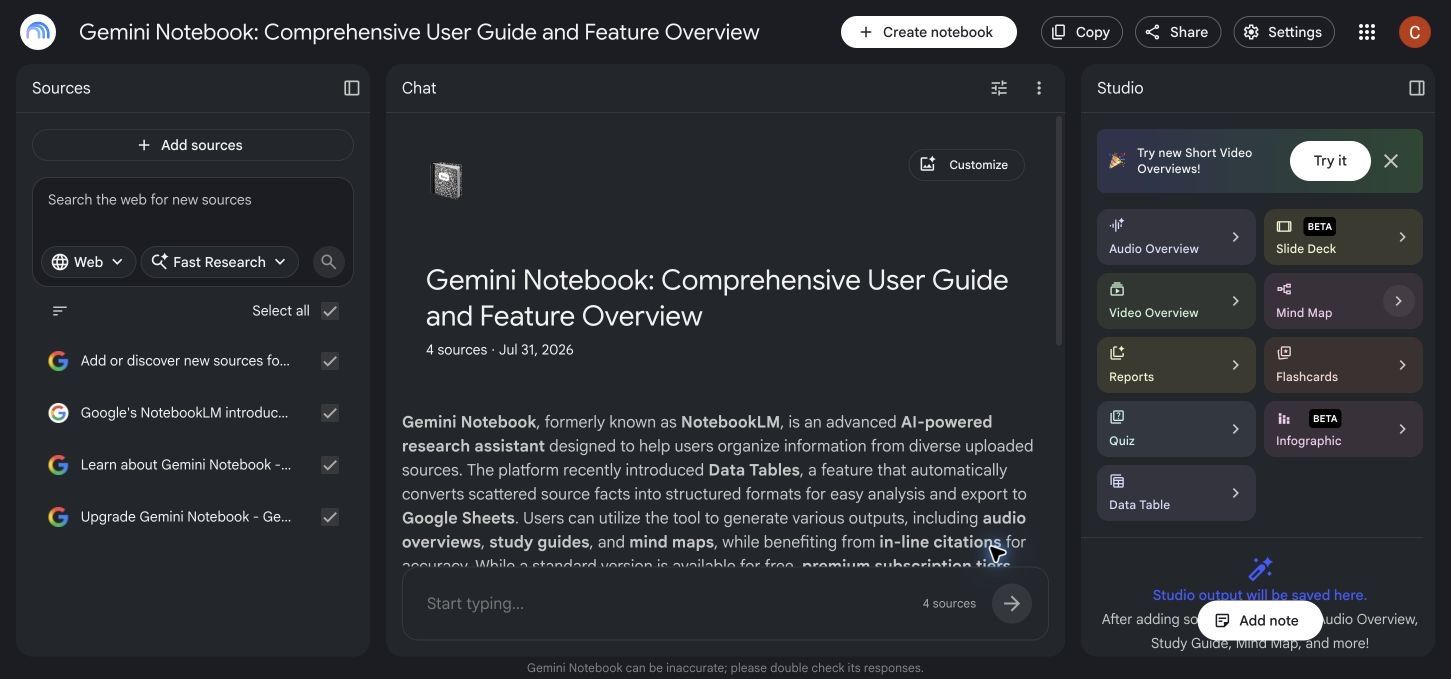
Features: Multi-source notebooks, cited chat, source summaries, reports, flashcards, quizzes, mind maps, and multimedia overviews.
Pros:
- Published standard-tier limits are generous for document-heavy classes.
- Excellent for comparing sources and checking where an answer came from.
- Useful for research papers, literature reviews, and courses with many readings.
Cons:
- Its research-notebook structure is different from Turbo AI's faster lecture-to-activity experience.
- The standard tier applies daily limits to chat and generated outputs.
Best for: Students and researchers who care more about grounded synthesis and citations than live lecture capture.
3. Knowt: Best for Free Flashcards and Practice Tests
Knowt is strongest after you already have content that can become a study set. Its Basic plan lets students create unlimited notes and flashcards and use core study modes such as Learn, Test, matching, standard flashcards, and spaced repetition without paying.
AI generation is available on a limited basis and resets monthly, which creates an important distinction. You may run out of free AI summaries or automatic card creation, but the notes, cards, and study modes remain useful instead of becoming inaccessible.
This makes Knowt a good TurboLearn AI free alternative when your real complaint is not note quality but insufficient practice. It is less direct when you need to process hours of lecture audio automatically every week.
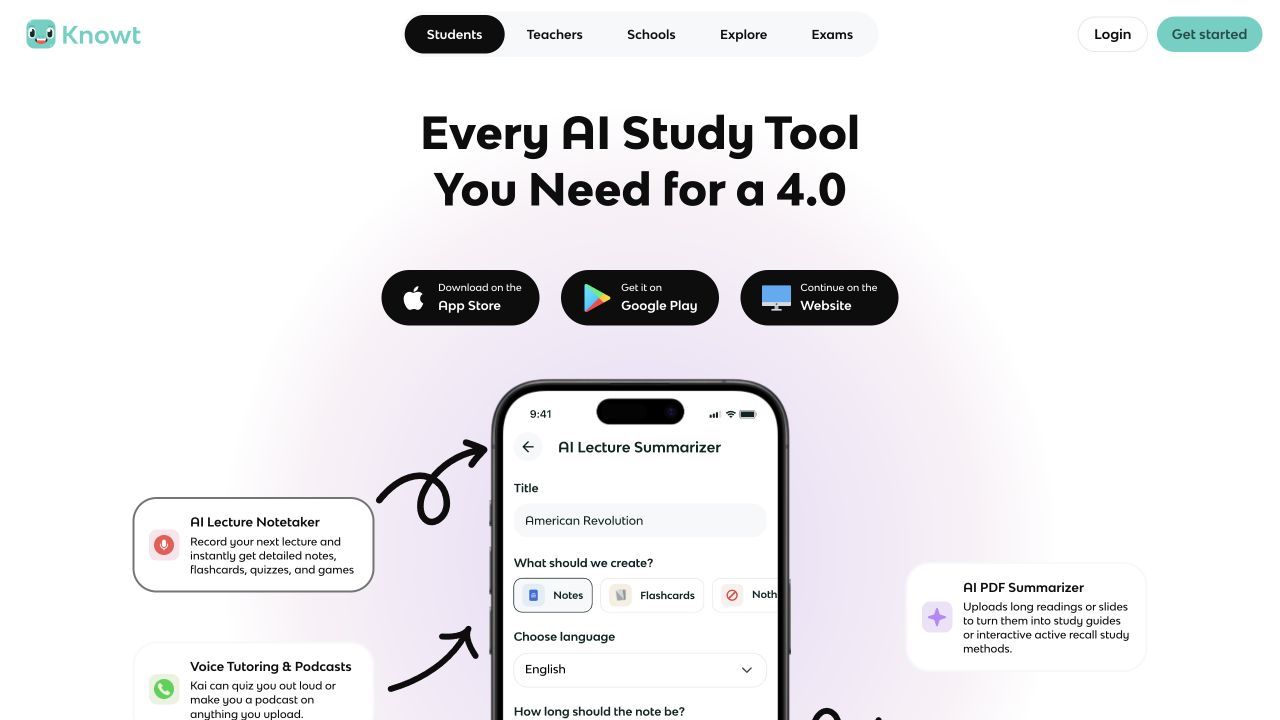
Features: Notes, flashcards, AI-assisted creation, Learn Mode, practice tests, matching, spaced repetition, and public study materials.
Pros:
- Strong ongoing value after the free AI allowance is used.
- Multiple free question formats support active recall.
- Easy choice for students migrating existing flashcards or notes.
Cons:
- Monthly AI limits constrain automatic source processing.
- Not the first choice for a recording-heavy lecture workflow.
Best for: Students who want to turn prepared notes into repeated exam practice without paying for every study session.
4. RemNote: Best for Notes Connected to Spaced Repetition
RemNote treats notes and flashcards as two views of the same knowledge base. Instead of generating a separate deck that quickly becomes detached from its context, it lets you create cards directly within connected notes and schedule reviews over time.
The Free plan includes unlimited notes and flashcards, synchronized devices, and 100 AI credits per month. AI credits can be used for features such as card generation, tutoring, grading, quizzes, image-to-text conversion, and transcription, but long sources consume the allowance faster than short prompts.
Compared with Turbo AI, RemNote asks for more setup but gives serious learners more control over long-term retention. It is particularly useful in medicine, language learning, law, and other subjects where a deck must remain useful for months rather than one exam week.
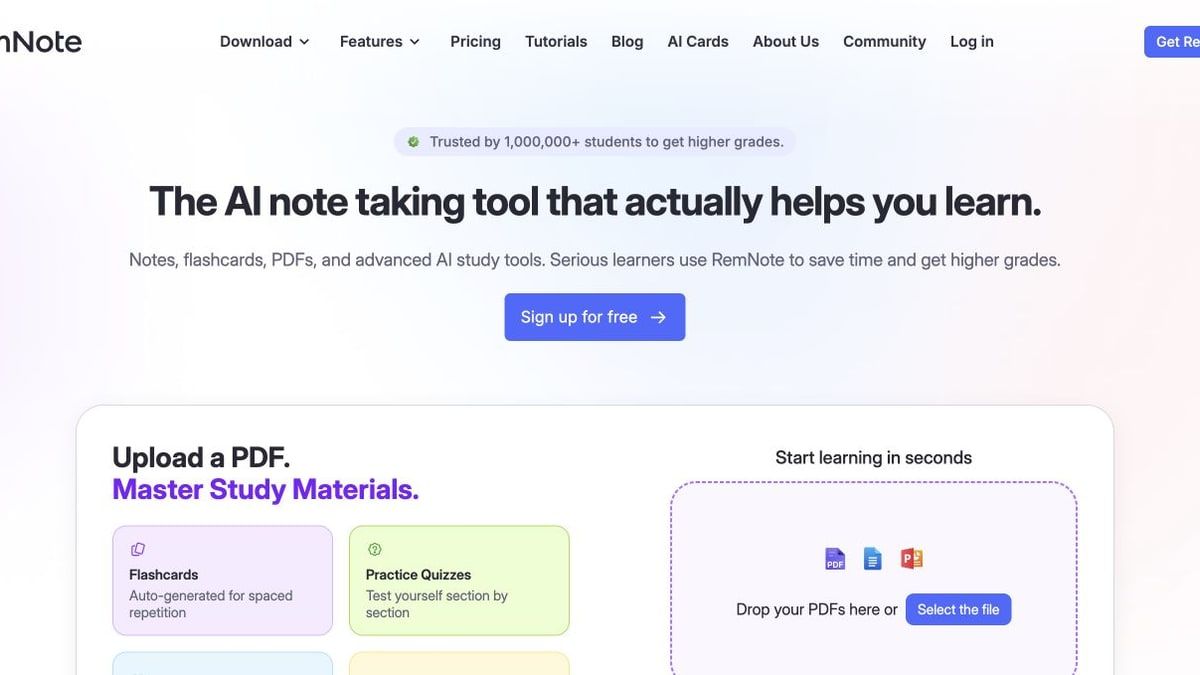
Features: Linked notes and cards, spaced repetition, PDF annotation, AI card generation, quizzes, tutor chat, and synchronized study.
Pros:
- Unlimited core notes and flashcards on the free tier.
- Strong connection between context, cards, and review scheduling.
- Better suited to cumulative courses than disposable quiz generation.
Cons:
- The interface and knowledge-base model take time to learn.
- The free AI credit pool is too small for frequent long recordings or documents.
Best for: Students who want a durable study system and are willing to organize their material instead of only generating quick summaries.
5. NoteGPT: Best for Occasional Video and Document Summaries
NoteGPT bundles several conversion utilities for PDFs, documents, YouTube videos, audio, and written content. Its free plan currently provides 15 monthly quotas shared across features, with the cost of an action depending on the task and the amount of content processed.
That model works well when your workload is occasional and predictable. A few important lectures or readings can fit, but using separate features for transcription, summarization, and follow-up transformations may consume the monthly pool sooner than expected.
As a TurboLearn free alternative, NoteGPT is better understood as a flexible toolbox than a semester-long study home. It can quickly produce useful material, but organization and ongoing review may require another app.
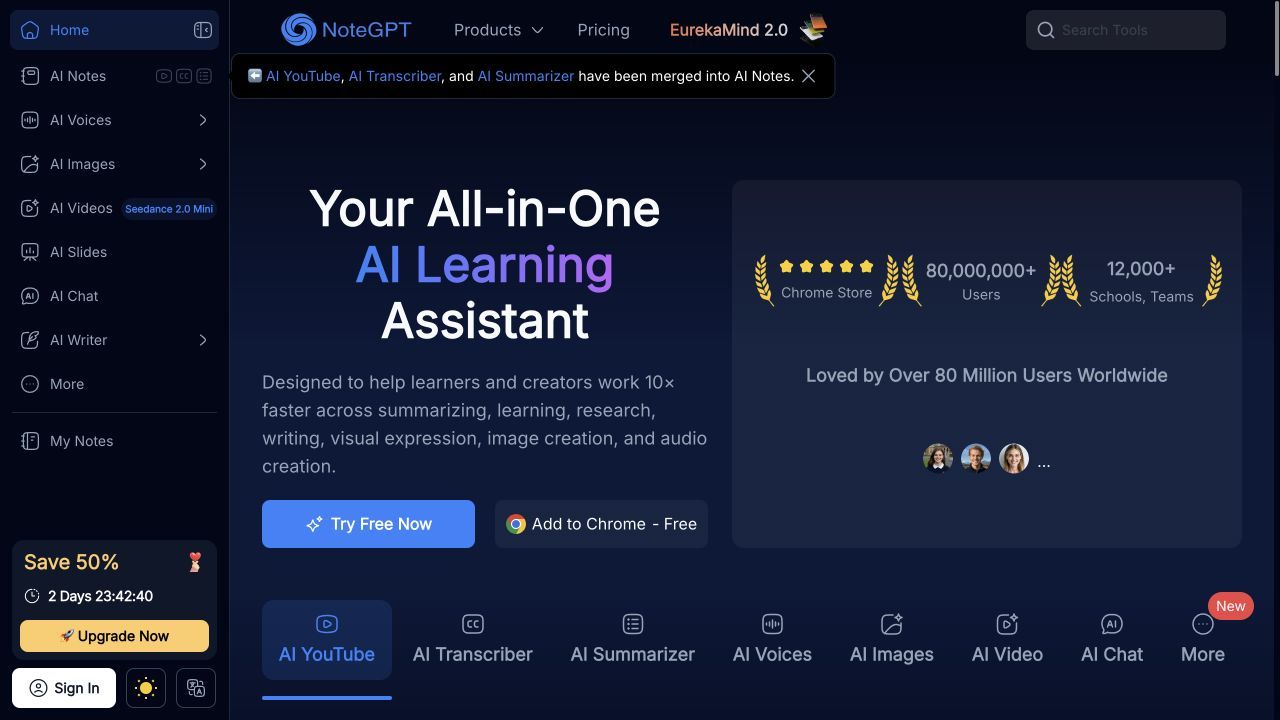
Features: Video and audio transcription, YouTube summaries, document summaries, writing utilities, and cross-format conversions.
Pros:
- Broad utility coverage for mixed one-off tasks.
- Helpful when YouTube and document summaries are the main need.
- Monthly quotas reset instead of ending after a single trial.
Cons:
- Fifteen shared quotas may not cover a full multi-course workload.
- Study organization and spaced repetition are not its central strengths.
Best for: Students who process a handful of high-priority videos or documents each month and already have a separate note system.
6. Quizlet: Best for Public Study Sets and Familiar Review
Quizlet remains useful because its value is not limited to AI generation. Millions of public flashcard sets, familiar card review, games, and practice formats can eliminate the creation step when a reliable set already exists for your textbook, exam, or course.
The free experience is narrower than the paid plans. Current upgrades advertise capped or unlimited access to Learn rounds and practice tests, so students should not assume every review mode is unrestricted simply because public cards are free to open.
Quizlet is therefore a partial alternative to TurboLearn, not a full replacement. It handles the review layer well but does not consistently replace the workflow of taking a long raw lecture and producing a complete set of grounded notes, questions, and editable source context.
Features: Public and private flashcard sets, multiple study modes, practice tests, games, and textbook-related resources.
Pros:
- Large public library can save substantial setup time.
- Simple mobile-friendly review experience.
- Familiar to classmates, which helps with sharing.
Cons:
- Advanced Learn and test access is limited by plan.
- Public sets can contain mistakes and still require checking.
Best for: Students whose course already has good community-created materials or who want a straightforward review layer.
7. Anki: Best Fully Free Option for Manual Spaced Repetition
Anki is the most honest inclusion on this list because it does not pretend to be an AI note generator. It is a powerful spaced-repetition program that schedules difficult cards more often and delays cards you already remember.
The desktop apps and AnkiWeb synchronization service are free, and AnkiDroid is free on Android. The official AnkiMobile app for iPhone and iPad is a paid purchase, so Apple users should include that cost when comparing a supposedly free setup.
Anki can replace Turbo AI's review function extremely well, but it cannot automatically replace its capture and note-generation steps. You must write cards, import them, use shared decks, or pair Anki with a source-processing tool.
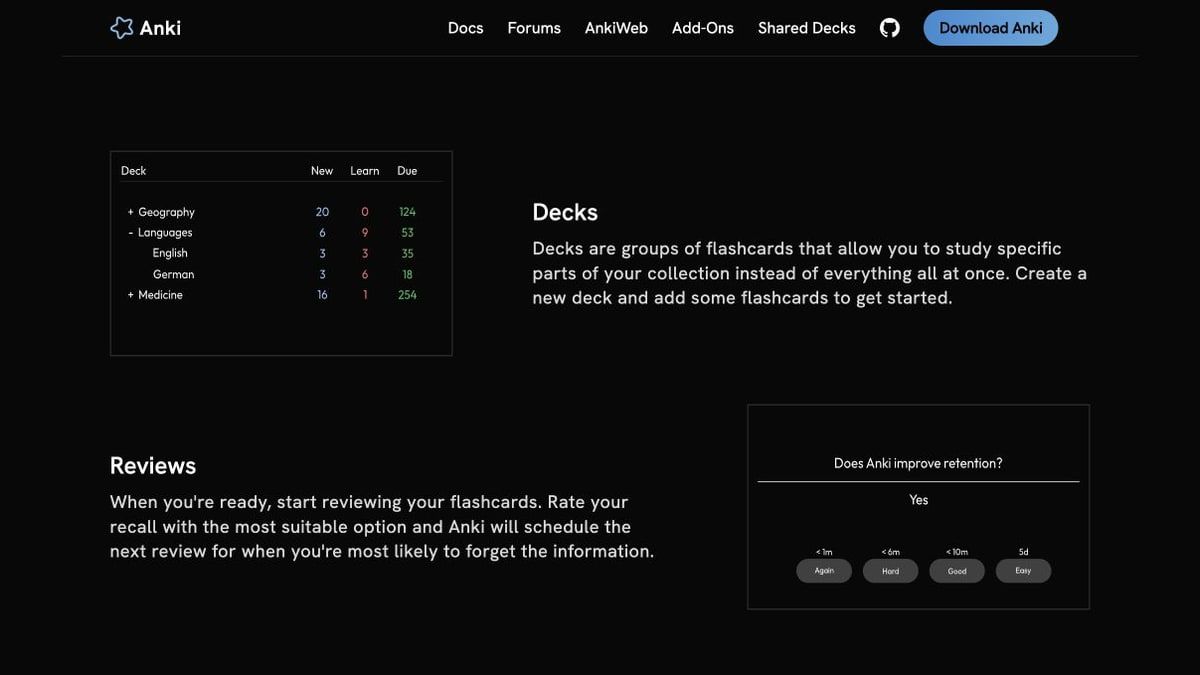
Features: Custom card types, spaced repetition, media support, large decks, add-ons, shared decks, and cross-device synchronization.
Pros:
- No recurring subscription for desktop, web sync, or Android.
- Excellent control over scheduling and card design.
- Handles very large long-term collections.
Cons:
- Manual setup creates more friction than an AI study app.
- Official iOS access is not free.
Best for: Learners who prioritize durable memory and control over automatic note generation.
8. ChatGPT Study Mode: Best for Guided Explanations
ChatGPT Study Mode replaces a different part of the TurboLearn experience: the moment when notes and flashcards still do not make a difficult concept understandable. The free plan supports Study Mode plus limited file and image interaction, allowing students to ask for guided explanations and practice questions based on their material.
Study Mode can work through a topic using questions, hints, checks for understanding, and step-by-step discussion. That conversational flexibility is valuable for mathematics, science, and conceptual subjects where a static summary may hide the exact point of confusion.
It is not a dedicated note-taking workspace. Files, conversations, study artifacts, and long-term review schedules are less structured than in an app designed around notebooks and flashcards.
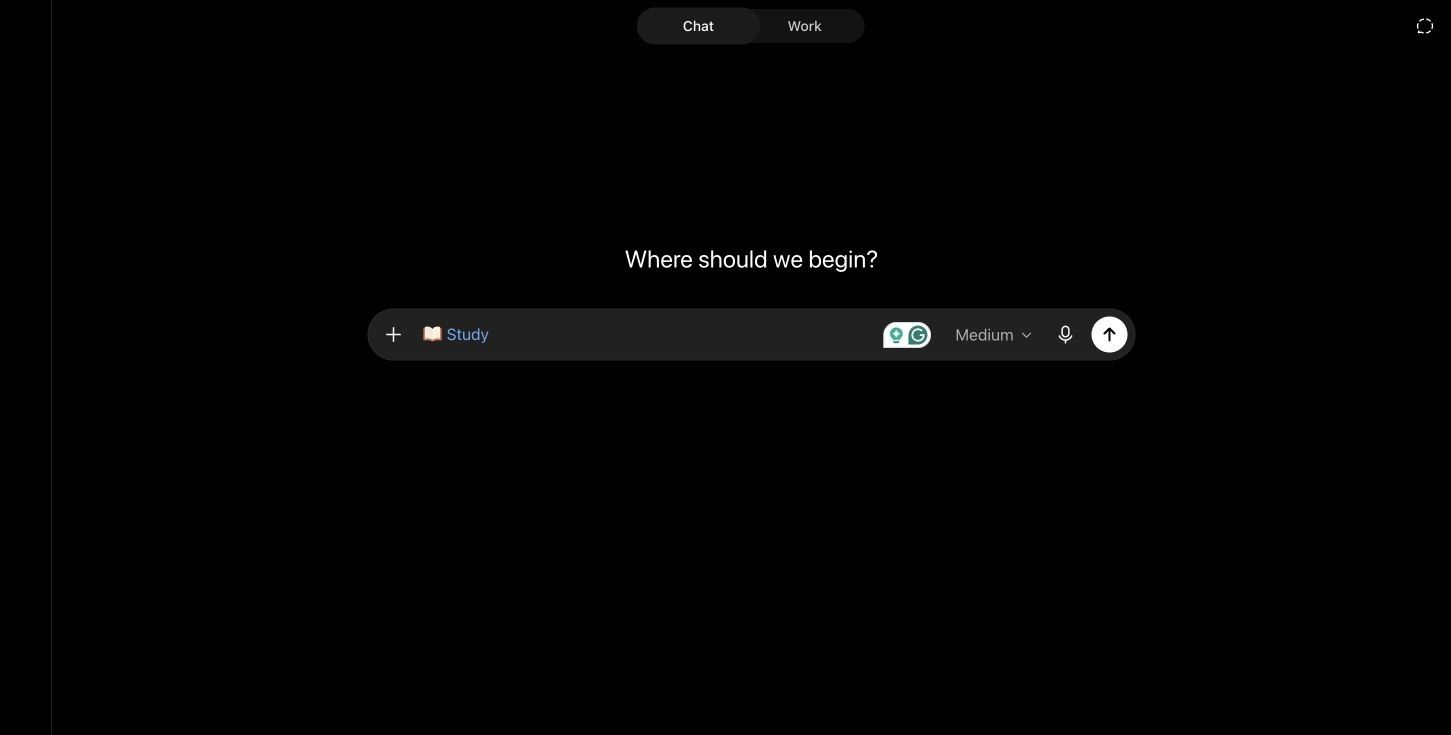
Features: Guided learning, file and image chat, explanations, practice questions, knowledge checks, and adaptive conversation.
Pros:
- Strong for clarifying difficult concepts interactively.
- Flexible across subjects and question types.
- Available on the free ChatGPT plan within usage limits.
Cons:
- Does not provide a purpose-built source-to-notes library.
- Free model and file limits can interrupt longer sessions.
Best for: Students who need an AI tutor alongside their notes rather than another automatic note generator.
3. TurboLearn Is Now Turbo AI: What Are You Actually Replacing?
TurboLearn changed its name to Turbo AI to reflect a broader product, but the core student workflow remains recognizable. You add lectures, PDFs, videos, recordings, or existing notes, then turn the material into organized notes and learning activities.
Before switching, identify which of these jobs matters most:
- Capture: Record a lecture or bring in audio, video, PDFs, notes, and links.
- Convert: Produce a transcript, summary, or structured set of notes.
- Verify: Trace a statement back to its source and correct missing context.
- Practice: Generate flashcards, quizzes, questions, or another active-recall format.
- Organize: Edit, sync, share, and keep study materials useful across a semester.
Most free alternatives excel at two or three of these jobs, not all five. A tool can be excellent at spaced repetition and still be a poor choice for processing a recorded lecture.
4. What Counts as a Free TurboLearn AI Alternative?
The word free can describe four very different offers. Treating them as equivalent leads to disappointing recommendations.
| Free access model | What it means | What to check |
|---|---|---|
| Ongoing free tier | Core features remain available without an end date | Whether AI processing resets and which tools remain after the limit |
| Recurring quota | A set number of credits or actions returns monthly or daily | How long files consume credits and whether features share one pool |
| Free-to-start | You can try the workflow before upgrading | Whether a card is required and what happens after initial use |
| Free trial | Paid features unlock for a fixed period | Renewal date, cancellation method, and post-trial access |
A useful free TurboLearn alternative should cover a normal task, not merely let you open the interface. For a student with four courses, one short upload may demonstrate the product but cannot replace a weekly lecture workflow.
Free capacity is only one criterion. Also compare source support, note structure, citations, editing, export, Q&A, practice tools, privacy terms, and the number of manual handoffs needed to reach usable study material.
5. Choose by the Material You Study, Not the Longest Feature List
For Recorded Lectures and Audio
Start with Lynote when you already have an audio or video file and want structured notes in the same workspace. Gemini Notebook is useful when the recording needs to be analyzed alongside slides and readings, while RemNote is better after the important facts are ready to become long-term cards.
For PDFs and Research Papers
Gemini Notebook is the strongest choice for comparing several papers and asking cited questions across them. Lynote is a practical choice when you want a faster path from a PDF to editable notes and flashcards rather than a multi-source research notebook.
For YouTube Lectures
Lynote, Gemini Notebook, and NoteGPT all fit different versions of this task. Choose Lynote for structured notes and reuse, Gemini Notebook for questions grounded in the video plus other sources, and NoteGPT for occasional quick conversion within a monthly quota.
For Flashcards and Exam Drilling
Knowt provides the most approachable free study modes, while RemNote and Anki are stronger when cards must remain useful for months. Quizlet is worth checking first when a trustworthy public set already exists and creating a new deck would duplicate work.
For Technical or Formula-Heavy Courses
No AI study tool should be trusted without checking equations, symbols, units, diagrams, and worked steps against the original. Prioritize source traceability, then test one representative chapter before moving an entire course.
For Guided Tutoring
ChatGPT Study Mode is the most flexible option here because it can slow down, ask questions, and approach a concept from another angle. It works best beside a reliable note system rather than as the only place where course material is stored.
6. One Free App or a Free Study Stack?
One integrated tool is usually easier. The source, generated note, questions, edits, and study outputs stay connected, which reduces copying and makes it clearer where a claim originated.
A modular free stack can be more capable when one bottleneck justifies the extra work. For example, use a source-to-notes tool for lecture processing, Knowt or Anki for repeated recall, and ChatGPT Study Mode only when a concept needs deeper explanation.
The stack is not free in terms of time. Moving content among apps can duplicate files, strip citations, break formatting, spread private course material across vendors, and leave you unsure which version is current.
Use one app when its recurring allowance covers your normal week. Add a second tool only when it clearly improves a repeated task such as spaced repetition or guided tutoring.
7. How to Test a TurboLearn Alternative Before Moving Your Semester
Do not migrate every class after one polished demo. Run the same small test on your shortlisted tools:
- Choose representative material. Use one normal PDF, one lecture or video, and one set of existing notes from your actual classes.
- Check the important details. Look for omitted definitions, incorrect formulas, broken tables, missing timestamps, and unsupported claims.
- Count the manual steps. Track how many exports, copy-pastes, and cleanup passes are needed before you can study.
- Inspect the free limit. Find out whether usage resets, whether all AI tools share a quota, and what remains usable after the limit.
- Test ownership and privacy. Export a sample, check the resulting format, and review how uploaded course material may be stored or used.
The winner is not necessarily the tool with the most generated content. It is the one that creates accurate, reviewable material with the fewest repeated corrections and handoffs.
8. When Paying for Turbo AI May Still Be the Better Choice
Switching has a cost. If Turbo AI already holds a semester of organized notes, your common inputs work reliably, and its activities match how you prepare for exams, a paid plan may cost less than rebuilding the workflow across several free services.
Consider switching when the free limit repeatedly interrupts a normal week, a required source type is missing, the generated material requires too much correction, or another tool offers a clearly better review method. Do not switch solely because another homepage lists more features.
A useful comparison is the time required per week. Saving a subscription while adding an hour of file transfers, formatting cleanup, and card rebuilding may not be a real saving during a busy semester.
FAQs About Free TurboLearn AI Alternatives
What is the best free alternative to TurboLearn AI?
Lynote is the closest overall option for converting mixed source material into structured notes, questions, and flashcards. Gemini Notebook is better for research across many cited sources, while Knowt or RemNote may be better when active recall is the main goal.
Is TurboLearn AI still free?
Turbo AI currently advertises a free tier that includes note generation, flashcards, and quizzes. Its unlimited and advanced capabilities require an upgrade, and the exact current allowance should be checked inside the account before planning a full course workflow.
Are TurboLearn and Turbo AI the same product?
Yes. TurboLearn rebranded as Turbo AI, and existing accounts, notes, and features continued under the new name.
Which free alternative can turn a lecture into notes?
Lynote can process uploaded audio or video into structured notes, while Gemini Notebook can analyze audio together with other course sources. Some other tools support recording or transcription but apply smaller free AI quotas.
Which TurboLearn alternative is best for PDFs and research papers?
Gemini Notebook is strongest for comparing multiple papers and returning cited answers. Lynote is better when the priority is quickly creating editable structured notes and converting them into flashcards.
Can a free alternative generate both flashcards and quizzes?
Yes, several options provide both, including Gemini Notebook and Knowt within their current limits. Lynote generates structured notes and can convert them into flashcards, while its broader workflow emphasizes source review and note editing.
Is there a completely free TurboLearn alternative with no AI limits?
Anki is free on desktop, web sync, and Android without AI generation limits, but it requires manual card creation or imports. Automatic AI processing has operating costs, so tools that provide it for free usually enforce credits, daily limits, monthly quotas, or trials.
Can I move my existing TurboLearn notes to another app?
That depends on the export formats available in your account and what the destination accepts. Export one note first and check headings, images, citations, formulas, and flashcards before moving the rest of your library.
Final Verdict
For most students seeking a direct TurboLearn AI free alternative, Lynote offers the closest mixed-source route from course material to structured, editable notes and flashcards. Gemini Notebook is the better research companion, Knowt and RemNote are stronger for active recall, and Anki remains the most durable subscription-free choice when manual setup is acceptable.
Judge every free plan against a normal study week, not a single demo upload. The right alternative is the one whose recurring allowance covers your real workload, whose output can be checked against the source, and whose workflow does not create more cleanup than it saves.

Written by Danny
Product Marketing Manager
Danny explains how Lynote features fit real workflows, from everyday productivity to product-led writing use cases. View all articles →