Brightspace does not automatically scan every student submission with a universal built-in AI detector. However, a school can connect Turnitin or another approved service to Brightspace, and that external tool may generate similarity or AI-writing information for an instructor.
The exact answer therefore depends on the institution, course, and assignment. Brightspace can also record quiz events, sessions, timestamps, and sometimes IP addresses, but those activity logs are separate from AI writing detection and do not prove cheating by themselves.
That is the central answer to can Brightspace detect AI: not necessarily on its own, but a Brightspace submission can still be evaluated by an integrated detector and by the instructor reviewing the work.
Can Brightspace Detect AI?
Brightspace is a learning management system, not one identical detector deployed the same way at every school. It delivers assignments and quizzes, receives submissions, stores grades, and supports integrations selected by the institution.
This creates four different situations that students often describe with the same phrase, “Brightspace AI detector.”
| Situation | What is happening | Does it directly establish AI use? |
|---|---|---|
| Standard Brightspace assignment | Brightspace receives and stores the submission | No |
| Turnitin-enabled assignment | Brightspace sends eligible work to a configured Turnitin service | No; it can produce a report for review |
| Other external checking tool | The institution uses another approved processor or workflow | No; capabilities depend on that product |
| Instructor review | The instructor evaluates language, sources, drafts, and course policy | No single signal is decisive |
A Brightspace school may license Turnitin while another does not. Even within one school, one instructor may enable checking for an essay and leave it disabled for another assignment.
That variability explains why students receive conflicting answers online. They are often describing different institutional configurations rather than different versions of the same automatic feature.
Does Brightspace Have a Built-In AI Detector?
Brightspace Core should not be described as a universal native AI detector that analyzes every submitted essay. D2L documents Turnitin as an integration that must be configured and enabled rather than as an automatic Brightspace scan.
D2L also offers AI-assisted capabilities under the Lumi name. These features can support activities within the Brightspace platform, and Brightspace data may indicate when certain Lumi capabilities were used.
That AI-related platform data is not the same as an authorship detector for student prose. A field showing use of an approved D2L AI capability does not mean Brightspace independently classified an uploaded essay as human- or AI-written.
The distinction is simple:
- D2L Lumi concerns supported AI capabilities inside the Brightspace environment.
- An AI writing detector estimates whether submitted prose resembles generated or AI-altered text.
- Turnitin or another external service may provide that detection layer when configured.
- The instructor and institution decide how any result is interpreted under the course policy.
Brightspace may display, store, or connect data produced by an external product. That does not make every external capability a native Brightspace feature.
How Brightspace AI Detection Actually Works
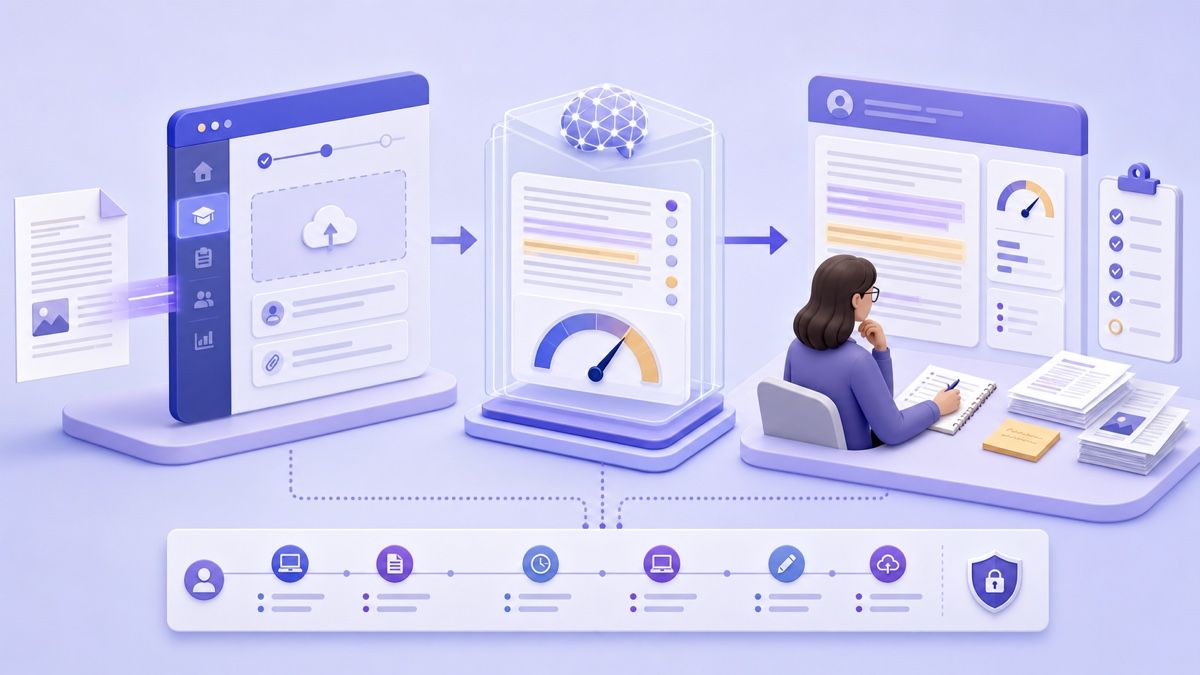
When students say Brightspace checked an essay for AI, the practical workflow usually involves several systems and decisions rather than one hidden Brightspace switch.
1. The Institution Configures an Integration
The school or organization must first license and configure the relevant service. D2L's official documentation describes organization-level Turnitin configuration before instructors can use it in assignments.
Licensing matters because Turnitin features are not necessarily identical for every institution. Similarity checking, online grading, AI-writing indicators, supported languages, and report access can depend on the purchased service and current configuration.
2. The Instructor Enables Turnitin for an Assignment
Within a Brightspace assignment, an instructor can open the evaluation settings and manage the Turnitin integration. The instructor can enable a Similarity Report and choose whether every submission or only selected submissions are checked.
The instructor may also decide whether learners can view similarity scores. A student-visible report is therefore a configuration choice, not a universal entitlement or proof of everything the instructor can access.
3. The Submission Is Transferred for Processing
An eligible file or text submission can be sent from Brightspace to Turnitin. If the file does not meet the external service's requirements or a transfer fails, Brightspace may show a processing issue rather than a completed report.
The external system performs the analysis. Brightspace acts as the assignment and integration environment through which the work and results are managed.
4. A Report Becomes Available for Review
Depending on the setup, an instructor may receive a similarity result, AI-writing information, or both. Students may see some results, all configured results, or no report at all.
The report is not the disciplinary decision. An instructor still needs to identify what the result measures, inspect the relevant text, check the policy, and consider the student's writing process.
5. The Instructor Applies Course Policy
AI assistance may be prohibited, limited, permitted with disclosure, or required for a particular task. The same detector result can therefore raise different questions in different assignments.
This is why the phrase “Brightspace caught AI” is imprecise. A more accurate description is that a configured service produced a signal within a Brightspace assignment, and a person interpreted it under an academic policy.
Does Every Brightspace Assignment Check for AI?
No. Brightspace assignments do not all share one global AI-detection behavior.
At least four conditions can affect whether a submission is checked:
- The institution must have access to the relevant external service.
- The integration must be configured for the Brightspace environment.
- The instructor or course setup must enable the service for that assignment.
- The submitted content must satisfy the external tool's current processing requirements.
An instructor may also configure automatic checking for all submissions or identify individual submissions for checking. That means two students in different courses, or even two assignments in one course, may experience different workflows.
Do not assume that Turnitin is active merely because the school uses Brightspace. The reverse is also true: do not assume that no checking occurs merely because you cannot see a score.
Student report visibility is configurable. An instructor can allow students to view similarity information or keep the report available only within the evaluation workflow.
How to Tell Whether AI Detection Is Enabled in Brightspace
There is no single visual clue that works across every institution, theme, and Brightspace configuration. Use a transparent checklist instead of trying to infer hidden settings.
Read the Assignment Instructions
Look for language about Turnitin, originality checking, similarity reports, external processing, generative AI, or academic integrity. Some assignments explain both what service is used and whether students can view the report.
The syllabus or institutional AI policy may also define permitted AI assistance. A detection tool does not replace those rules.
Look for Turnitin-Enabled Assignment Information
A Turnitin-enabled assignment may show related messaging or report options in Brightspace. If student access is allowed, the similarity score or report link may appear after submission or processing.
Absence of a visible result is not conclusive. The instructor may have disabled learner visibility, selected only certain submissions, or used a separate review process.
Ask a Specific Question
Ask the instructor whether submissions are processed by Turnitin or another external service and whether AI-writing information is used. A focused question is more useful than asking only, “Does Brightspace detect AI?”
You can also ask what forms of AI assistance are allowed and how they should be disclosed. The answer clarifies the policy before a detector result becomes an issue.
| What you notice | What it may mean | What it does not prove |
|---|---|---|
| Turnitin named in instructions | The assignment uses or may use the integration | Every Turnitin feature is enabled |
| Similarity score visible | Similarity processing completed and learner visibility is enabled | The score is an AI percentage |
| No report visible | Report visibility may be disabled or no report is available | No external processing occurred |
| AI policy in the syllabus | The course defines allowed or prohibited assistance | A detector can enforce every part of the policy |
Turnitin Similarity Score vs AI Detection Score
Similarity checking and AI detection are different processes. Treating them as one Brightspace score leads to unnecessary panic and inaccurate accusations.
Similarity Reports Find Matching Text
A similarity report compares submitted language with indexed web pages, publications, and other material available to the service. It highlights matches and calculates a similarity percentage.
Matching text is not automatically plagiarism. Quotations, references, assignment templates, common phrases, and properly cited material can contribute to similarity.
AI-Writing Reports Estimate Language Patterns
An AI-writing indicator estimates whether qualifying prose resembles text produced by a language model or, in some systems, text generated and later altered with a paraphrasing tool. It does not search for copied source matches in the same way.
An original passage generated by AI could have low similarity because its wording does not match an indexed source. A fully human literature review could have a higher similarity score because it contains quotations and standard references.
| Report | Main question | Common misunderstanding | Necessary review |
|---|---|---|---|
| Similarity Report | Does language match indexed material? | “The percentage is the amount plagiarized” | Inspect each match and its citation context |
| AI-writing indicator | Does qualifying prose resemble AI-generated or AI-altered text? | “The percentage proves who wrote it” | Review highlights, limitations, process evidence, and policy |
Neither number should make the final decision alone. Both are tools for locating questions that require human examination.
How Accurate Is AI Detection in Brightspace?
There is no single “Brightspace accuracy rate” because Brightspace is not the only system involved. Accuracy depends on the connected detector, its current model, the submitted language, document length, supported format, and the kind of writing analyzed.
Vendor accuracy percentages are difficult to compare without the underlying test design. A useful benchmark would need to disclose the human and AI samples, source models, languages, sample lengths, editing conditions, thresholds, and false-positive definition.
Even then, controlled testing does not reproduce every classroom submission. Real assignments contain quotations, formulas, technical phrases, group editing, translations, grammar assistance, and discipline-specific conventions.
False Positives
A false positive occurs when human writing is classified as likely AI-generated. Short, formulaic, technical, translated, or heavily edited writing can require especially cautious interpretation.
Multilingual writers may use consistent sentence structures or direct vocabulary for reasons unrelated to AI. A detector score should not turn language background into evidence of misconduct.
False Negatives
A false negative occurs when AI-generated or heavily AI-assisted material is not identified. A low score therefore cannot certify that the work is original, accurate, permitted, or written entirely by the student.
Detector Disagreement
Two services can classify the same passage differently because they use different models and thresholds. Product updates can also change how an unchanged document is evaluated.
The responsible conclusion is not that every detector is useless. It is that a detector result is one signal requiring context rather than a verdict that Brightspace can enforce automatically.
What Can Brightspace Logs Detect Besides AI?
Questions about cheating, tabs, copy-paste, devices, and IP addresses are related to Brightspace monitoring, but they are not the same as AI writing detection. Brightspace Core records server-side events, while external proctoring tools may add broader monitoring.
Quiz Attempt Logs
D2L documents detailed quiz events such as entry and re-entry, response saves, page movement, confirmation and completion, automatic submission, session information, and IP addresses when available. These records can help an instructor reconstruct what Brightspace received during an attempt.
Brightspace cannot record activity while the learner is offline because no server communication occurs. Events may appear when connectivity returns, so timestamps need context.
Tab Switching
Brightspace event and session data should not be described as continuous visibility into every browser tab or application. Multiple sessions may indicate that the same quiz was opened in more than one session, but that is different from seeing everything a student does on the device.
Lockdown browsers or proctoring tools such as Respondus, Proctorio, or another institution-approved integration can add restrictions and monitoring beyond Brightspace Core. The exam instructions should identify the applicable software and requirements.
Copy and Paste
A standard Brightspace assignment submission does not establish where every sentence was drafted or whether it entered the editor through the clipboard. A similarity checker may find matching language, but that is not clipboard telemetry.
If a proctoring or secure testing tool is required, it may have separate controls. Those capabilities belong to the named external product and configuration, not automatically to every Brightspace assignment.
Different Devices, Sessions, and IP Addresses
Session IDs and IP addresses may show that Brightspace received events from different sessions or networks. They do not reliably identify why the change occurred or prove that another person or device completed the work.
Mobile networks, VPNs, shared networks, reconnects, institutional proxies, and legitimate device changes can affect IP and session patterns. D2L explicitly advises caution before treating multiple IP addresses or session IDs as cheating.
| Signal | What Brightspace may record | What it cannot prove alone |
|---|---|---|
| Re-entry | A quiz was entered again | Why the re-entry happened |
| Response save time | When the server received a saved response | How the response was composed |
| Page movement | Movement recorded within the quiz workflow | Every action outside Brightspace |
| Session ID | Multiple sessions associated with an attempt | That another person participated |
| IP address | Network address associated with an event | Exact physical device, location, or cheating |
| Similarity match | Text overlaps with indexed material | Clipboard use or plagiarism without contextual review |
Logs support investigation. They do not replace an explanation, policy analysis, or human judgment.
How Instructors Evaluate Suspected AI Use Beyond Brightspace
An instructor is not limited to a detector percentage. In many cases, the strongest evidence comes from the student's understanding and writing process.
Comparison With Earlier Work
An instructor may compare the submission with previous assignments, in-class writing, discussion posts, and demonstrated subject knowledge. A sudden voice change can prompt a question, but improvement or editing can also change style.
The comparison should begin a review rather than establish guilt by itself.
Source and Claim Verification
AI-generated writing can contain fabricated sources, inaccurate quotations, vague claims, or citations that do not support the sentence. Checking the sources may reveal a problem that a detector score cannot explain.
The student should be able to identify where evidence came from and why it supports the argument.
Draft and Version History
Outlines, notes, saved sources, document history, earlier drafts, feedback, and citation records can show how the submission developed. When permitted AI was used, prompts and required disclosures may also form part of that process record.
Explanation of the Work
An instructor may ask the student to explain the thesis, evidence, calculations, code, examples, or revision choices. A genuine understanding of the material is more informative than whether a passage appears statistically predictable.
Course Policy
Finally, the instructor must apply the actual rule. A course may prohibit generated prose, allow grammar feedback, permit brainstorming with disclosure, or require students to critique AI output.
The question is not merely whether AI was involved. It is whether the student's actions complied with the defined learning task.
What Happens When a Brightspace Submission Is Flagged?
Brightspace does not impose one automatic consequence for an AI concern. Outcomes depend on the institution's academic-integrity policy, course rules, evidence, and review process.
An instructor may first inspect the report and highlighted passages. They may compare the submission with earlier work, verify sources, request drafts, ask the student to explain the writing process, or refer the concern through an institutional procedure.
Possible outcomes can include no further action, a conversation, clarification of permitted AI use, a request for additional process evidence, an opportunity to redo work, a grade-related response, or a formal academic-integrity review. None should be assumed from a detector score alone.
Students should distinguish four possible concerns:
| Concern | What it means | Useful evidence |
|---|---|---|
| Similarity concern | Language matched indexed material | Citations, quotation context, source notes |
| AI-writing concern | A detector classified qualifying prose as AI-like | Drafts, version history, notes, explanation of writing choices |
| Quiz-activity concern | Logs showed unusual events, sessions, or IP patterns | Connectivity records, device explanation, attempt timeline |
| Manual concern | Instructor noticed a voice, knowledge, or source inconsistency | Prior writing, research process, oral explanation |
A fair review identifies the type of concern before deciding what evidence is relevant.
What to Do If Your Brightspace Submission Is Falsely Flagged
If the work is yours, do not panic and do not immediately rewrite it for multiple detectors. Preserve the original submission and build a clear record of the process.
- Save the submitted file, assignment instructions, feedback, and any available report.
- Ask whether the concern is similarity, AI writing, quiz activity, or manual review.
- Collect outlines, notes, drafts, document history, citations, and research records.
- Review the highlighted passages and verify every source and claim.
- Explain how the work developed and which tools, if any, were used.
- Request a human review under the institution's published process.
Be precise rather than defensive. If an IP address changed because a connection dropped or you moved from campus Wi-Fi to mobile data, explain that event and connect it to the timeline.
If permitted grammar or brainstorming assistance was used, identify the tool and task honestly. If disclosure was required, provide it in the expected form.
If the review reveals a genuine policy violation, redo the affected work within the rules and follow the instructor's guidance. Changing surface wording to hide the process does not correct the underlying issue.
Use Lynote to Review Your Writing Before a Brightspace Submission
Lynote AI Detector can provide a preliminary independent view of writing before submission. It does not know which tools your school connected to Brightspace, so its result should not be presented as a prediction of the institution's report.
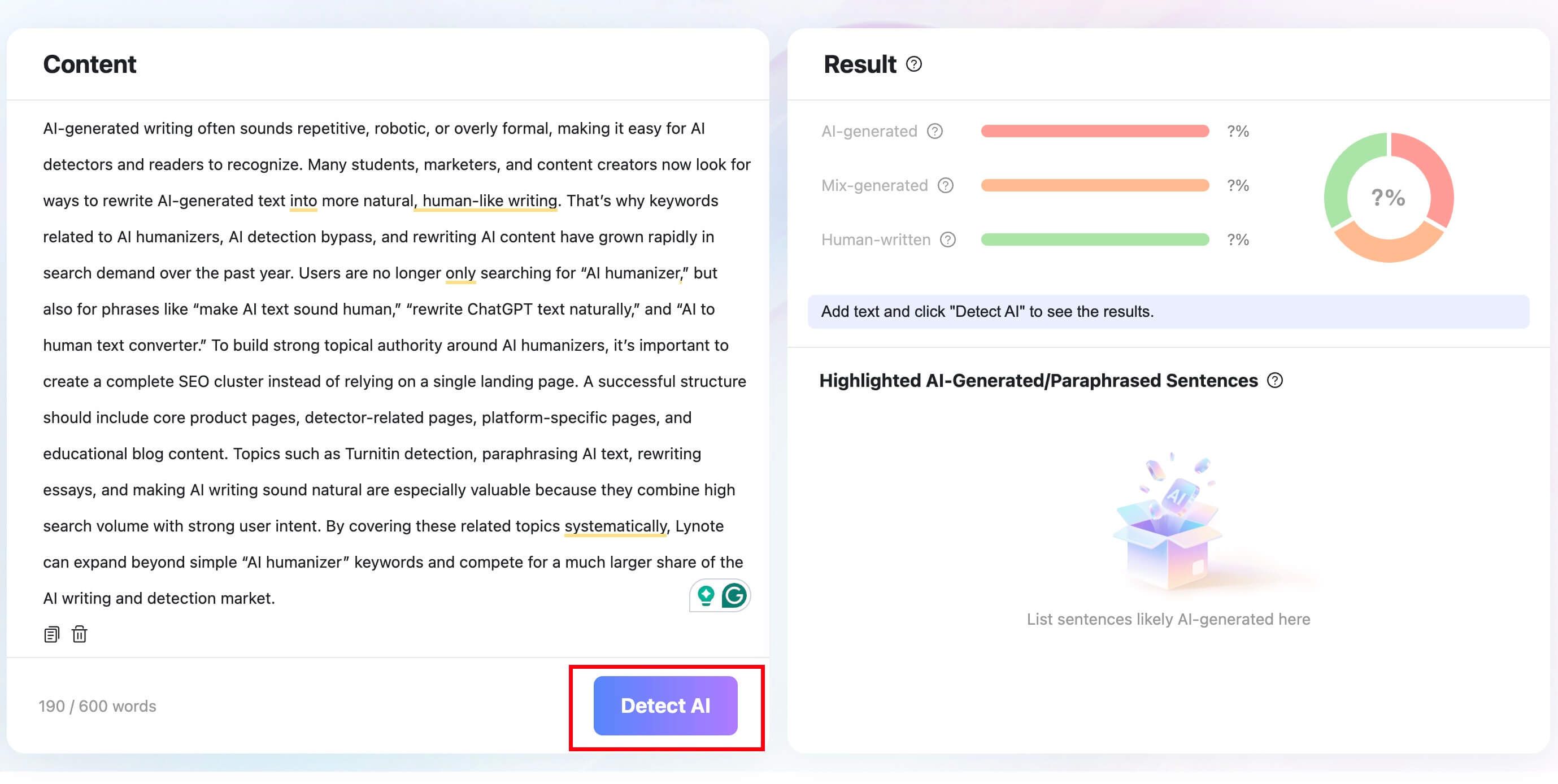
Step 1. Paste Text or Upload a Document
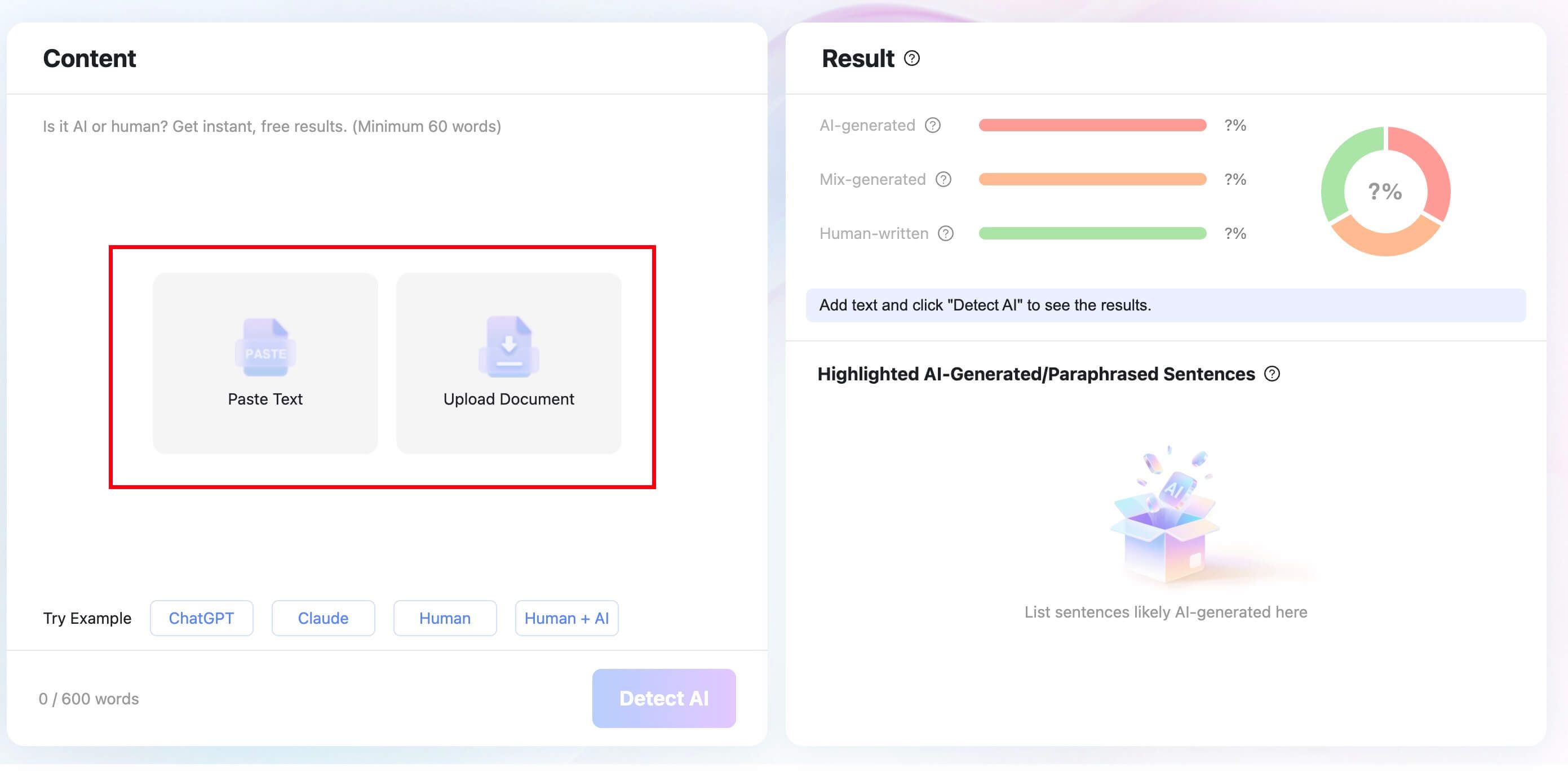
Paste the draft into Lynote AI Detector, or upload a supported DOCX, PDF, or TXT file. Use the same version you intend to review so any highlighted sentences correspond to the current draft.
Step 2. Run the Check
Click Detect AI to analyze the text. The goal is to find passages worth closer reading, not to establish a percentage that the school must accept.
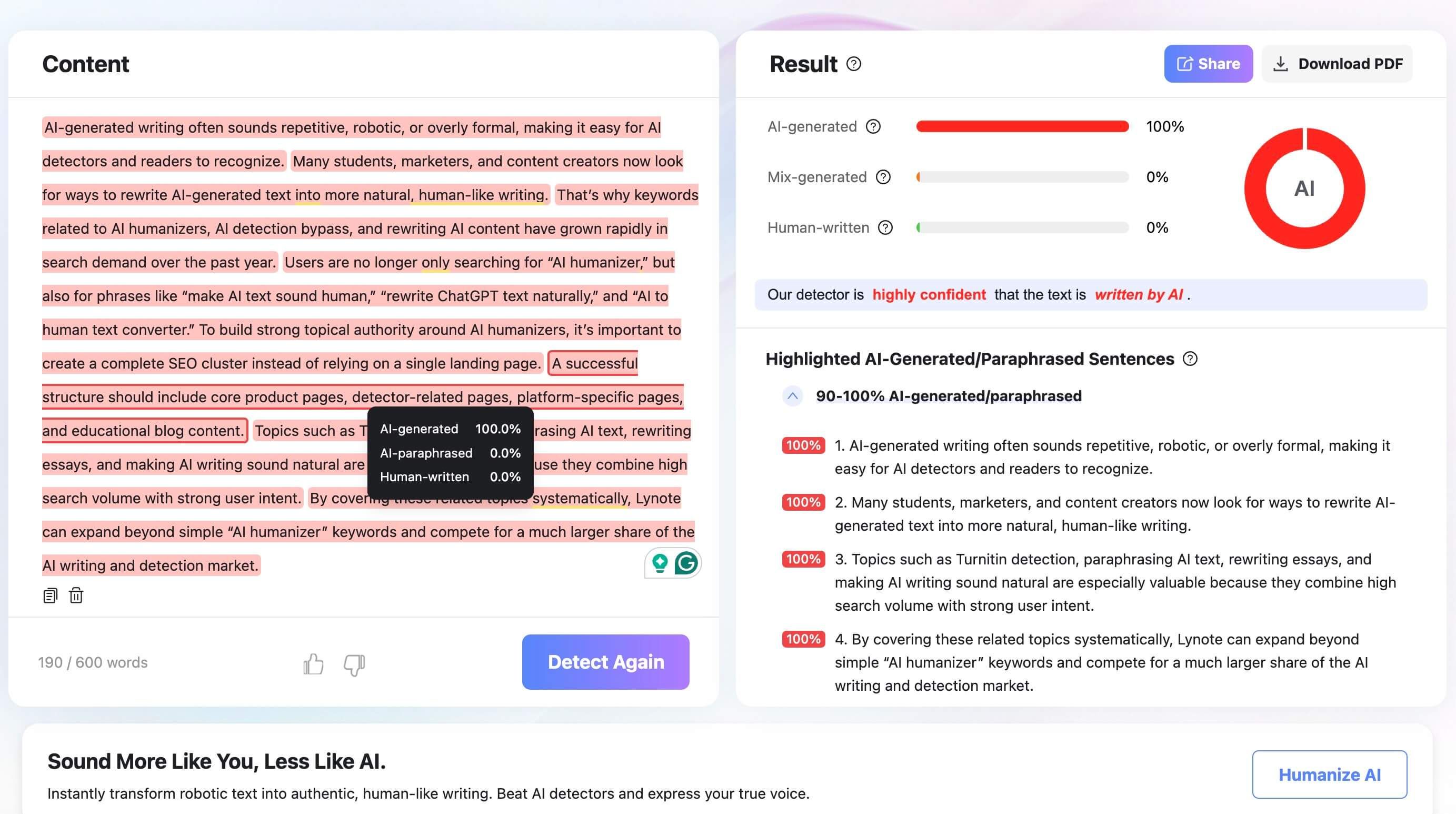
Step 3. Review the Result
Examine the AI-generated, mixed, and human-written distribution, then read the sentence-level highlights. Check whether a highlighted passage is generic, unsupported, inconsistent with the rest of the essay, or simply a false positive on authentic writing.

If policy-compliant writing genuinely sounds stiff or generic, Lynote AI Humanizer can support a clarity-focused revision. It accepts pasted text or PDF, DOC, DOCX, and TXT uploads and offers Balanced, Focus, and Advanced modes.
Compare every rewrite with the original. Preserve facts, citations, technical terms, personal examples, and your intended meaning; do not use rewriting to conceal prohibited assistance.
Lynote cannot determine whether your course permits AI or reproduce every Brightspace-connected detector result. It supports review and revision, while the assignment policy and your own authorship remain decisive.
A Better Standard Than “Can Brightspace Catch Me?”
The strongest academic-integrity standard is not whether software produces a reassuring result. It is whether the work is permitted, accurate, transparent, and genuinely connected to the student's learning.
| Question | If yes | If no |
|---|---|---|
| Was every use of AI permitted? | Check the disclosure rule | Stop and redo prohibited work |
| Can I explain every central claim and source? | Continue the factual review | Research and correct unsupported material |
| Does the writing reflect my reasoning? | Preserve authentic analysis | Replace generic output with your own thinking |
| Did I document assistance as required? | Keep the disclosure with the work | Add the required record or ask for guidance |
| Do drafts and notes show development? | Retain the process evidence | Build a clearer process on future assignments |
This standard remains useful whether Brightspace uses Turnitin, another detector, no detector, or a later tool that does not yet exist. It also protects learning from becoming a contest between generators and checkers.
FAQs About Brightspace AI Detection
Can Brightspace detect AI-generated essays?
Brightspace does not automatically scan every essay with a universal native AI detector. A school can configure Turnitin or another service that may evaluate eligible submissions and return information within the assignment workflow.
Does Brightspace have a built-in AI detector?
Brightspace Core should not be treated as an always-on student-writing detector. D2L provides AI-assisted platform capabilities, while authorship detection generally depends on configured external tools and institutional settings.
Does Brightspace automatically use Turnitin?
No. Turnitin must be licensed and configured by the institution and enabled for the relevant assignment or workflow. Availability and report visibility can vary.
Can Brightspace detect ChatGPT?
Brightspace itself does not identify a specific chatbot merely from an assignment submission. A connected AI detector may classify some prose as likely AI-generated, but that result cannot prove that ChatGPT was the source.
Can Brightspace detect cheating during quizzes?
Brightspace can record quiz attempt events, sessions, timestamps, and sometimes IP addresses. These signals can support an investigation, but they do not prove cheating without context and additional evidence.
Does Brightspace detect tab switching?
Brightspace server logs and session records are not the same as continuous monitoring of every browser tab. Broader tab, screen, webcam, or application monitoring normally requires a configured lockdown browser or proctoring integration.
Can Brightspace see copy and paste?
A normal Brightspace assignment submission does not by itself show where each sentence was drafted or whether it entered through the clipboard. Similarity checking can identify matching language, which is a different function.
Can Brightspace see a different device or IP address?
Quiz logs may include session IDs and IP addresses when available. These can indicate session or network changes but do not reliably prove which physical device was used or why the change occurred.
Can students see the Turnitin report in Brightspace?
Only when the assignment and instructor settings allow learner access to the relevant report. No visible score does not necessarily mean that no report exists.
What should I do if my work was falsely flagged?
Save the submission and report, collect drafts and research notes, identify the exact concern, verify sources, explain your process, and request human review under the institution's policy.
Final Answer: Brightspace Detection Depends on Configuration
Brightspace does not automatically run every assignment through one native AI detector. AI-writing information usually depends on an institution-configured service such as Turnitin, along with the settings for the specific course and assignment.
Brightspace quiz logs can add timestamps, events, sessions, and IP context, while third-party proctoring can add broader monitoring. Neither an AI score nor an activity log should be treated as automatic proof of cheating.
The fairest conclusion combines the applicable policy, the exact configured tool, the limits of its report, the student's drafts and explanation, and careful human review.

Written by Danny
Product Marketing Manager
Danny explains how Lynote features fit real workflows, from everyday productivity to product-led writing use cases. View all articles →