8 Best Free DeepL Alternatives I Compared in 2026

DeepL remains a strong translator, but it is not automatically the best free option for every job. A student translating an entire slide deck, a traveler reading a sign, and a language learner checking an idiom need three different kinds of tool.
I compared eight DeepL alternatives by what a user can actually do without paying, not by repeating each company's accuracy claims. The result is a practical shortlist covering formatted documents, short text, websites, images, speech, regional languages, and contextual learning.
Quick Answer: The Best Free DeepL Alternatives
The best free DeepL alternative depends on what you are translating. For complete formatted documents, Lynote is the most direct option in this list; for the broadest everyday toolkit, Google Translate is the easiest default.
Choose Microsoft Bing Translator for straightforward text and Microsoft-connected mobile workflows, Reverso Context for words and idioms in real sentences, Yandex Translate for websites and images, and Papago when Korean is central to the language pair. QuillBot Translator works well for short writing tasks, while Lingvanex offers quick no-sign-up translation across a large language catalog.
| Best Free Choice | Choose It When You Need | Main Compromise |
|---|---|---|
| Lynote Document Translator | A PDF, Word, PowerPoint, or Excel file returned in translated form | The on-page file limit is 10 MB |
| Google Translate | One free tool for text, images, documents, and websites | Terminology and complex layouts still require review |
| Microsoft Bing Translator | Fast browser text translation plus Microsoft mobile tools | Consumer and Azure features are split across products |
| Reverso Context | Real examples that show how a word or expression is used | Full document translation uses separate credits or plans |
| Yandex Translate | Website, image, and regional-language translation | Quality varies by language pair and content type |
| Naver Papago | Korean-centered text, image, voice, and document workflows | Document language pairs are much narrower than text coverage |
| QuillBot Translator | Short passages inside a writing workflow | Free input is limited to 5,000 characters at a time |
| Lingvanex | No-sign-up short text across 100-plus languages | The free text box accepts 3,000 characters per request |
No machine translator should be treated as a final reviewer for medical, legal, immigration, publication, or high-value business material. Use these products to create a working translation, then verify names, numbers, terminology, and meaning with someone qualified for the language and subject.
Why Look for a DeepL Alternative in 2026?
DeepL has expanded significantly. Its current platform covers text, documents, images, desktop and mobile apps, browser extensions, integrations, glossaries, style controls, and a much broader language catalog than older comparisons suggest.
That makes DeepL a fair baseline rather than a tool to dismiss. The reason to look elsewhere is usually not that DeepL is universally weak; it is that another product better matches one practical constraint.

You may need a free document workflow without starting a Pro trial, a language or regional workflow that performs better elsewhere, or an interface designed for websites, camera images, or live speech. You may also want contextual examples for language study rather than a single translated sentence.
Free plans complicate the comparison because the word free can mean several things. It may describe an unlimited public text box, a monthly document allowance, a one-time credit balance, an app with free core features, or a trial that ends after several days.
This guide treats those models separately. A tool with a free text translator but paid document export can still be useful, but it should not be described as an unlimited free document translator.
Readers who want a fuller baseline before comparing alternatives can use the existing DeepL Translate guide to understand its text, file, and everyday translation workflows.
How I Compared These Free Translator Tools
I started with the current public interface and official product information for each service. I then compared the free entry point using the same neutral translation scenario where a text box was available: a short workplace message containing a date, an instruction, and a product name that should remain unchanged.
This was a workflow comparison, not a scientific translation benchmark. One short passage cannot prove that a system is more accurate across languages, dialects, specialist domains, or long documents.
The evaluation used eight questions:
-
What can a user do before paying? I separated permanent free access from trials and introductory credits.
-
What input does it accept? Text, formatted documents, images, websites, and speech solve different problems.
-
How broad is the language coverage? A large catalog is useful, but the exact feature support can still vary by language.
-
Does it preserve document structure? A translated file is more useful when tables, images, fonts, and page order survive.
-
Can the user inspect context? Examples, dictionaries, glossaries, alternative wording, and source-output views make errors easier to catch.
-
How much friction is involved? Account creation, file conversion, app installation, and product switching all affect real use.
-
What happens after translation? Copying short text is different from downloading a usable document or translated image.
-
What is the main free-tier compromise? Every product needs a candid limit so readers can rule it in or out quickly.
I did not assign decimal accuracy scores. Translation quality changes with the language direction, source quality, text type, terminology, and even sentence length, so a precise universal score would communicate more certainty than the comparison supports.
Free DeepL Alternatives Compared at a Glance
| Tool | Best For | Free Access | Text | Documents | Other Modes | Account Needed | Main Tradeoff |
|---|---|---|---|---|---|---|---|
| Lynote | Formatted school and work files | Free on-page workflow | Not its main focus | PDF, DOCX, PPTX, XLSX | OCR for scanned PDFs | No | 10 MB file limit |
| Google Translate | Broad everyday translation | Free web and app access | Yes | DOCX, PDF, PPTX, XLSX | Images, websites, voice, handwriting | No for core web use | Limited terminology control |
| Microsoft Bing Translator | Simple text and mobile communication | Free consumer tools | Yes | Not the core Bing workflow | Mobile speech and images | No for browser text | Features are split across Microsoft products |
| Reverso Context | Language learning and contextual meaning | Free core Context features | Yes | Credit- or plan-based | Pronunciation, examples, vocabulary practice | No for basic search | Smaller contextual language catalog |
| Yandex Translate | Websites and images | Free web access | Yes | Available | Images, sites, voice | No for core use | Best fit depends heavily on language pair |
| Papago | Korean-centered translation | Free text; limited monthly document use | Yes | Limited free allowance after login | Images, voice, websites, glossary | Yes for documents | Narrower document language pairs |
| QuillBot Translator | Short writing tasks | Free up to 5,000 characters at once | Yes | Not a formatted-file translator | Writing-tool integration | No for core use | Text-length ceiling |
| Lingvanex | No-sign-up short text | Free up to 3,000 characters per request | Yes | Separate limited file tool | Apps, voice, files | No for text | Free modes have separate limits |
The table describes the current consumer entry points, not enterprise APIs. Cloud translation services often have their own quotas, billing rules, security commitments, and setup requirements that do not match the public website.
The 8 Best Free DeepL Alternatives in 2026
1. Lynote Document Translator: Best for Complete Formatted Documents
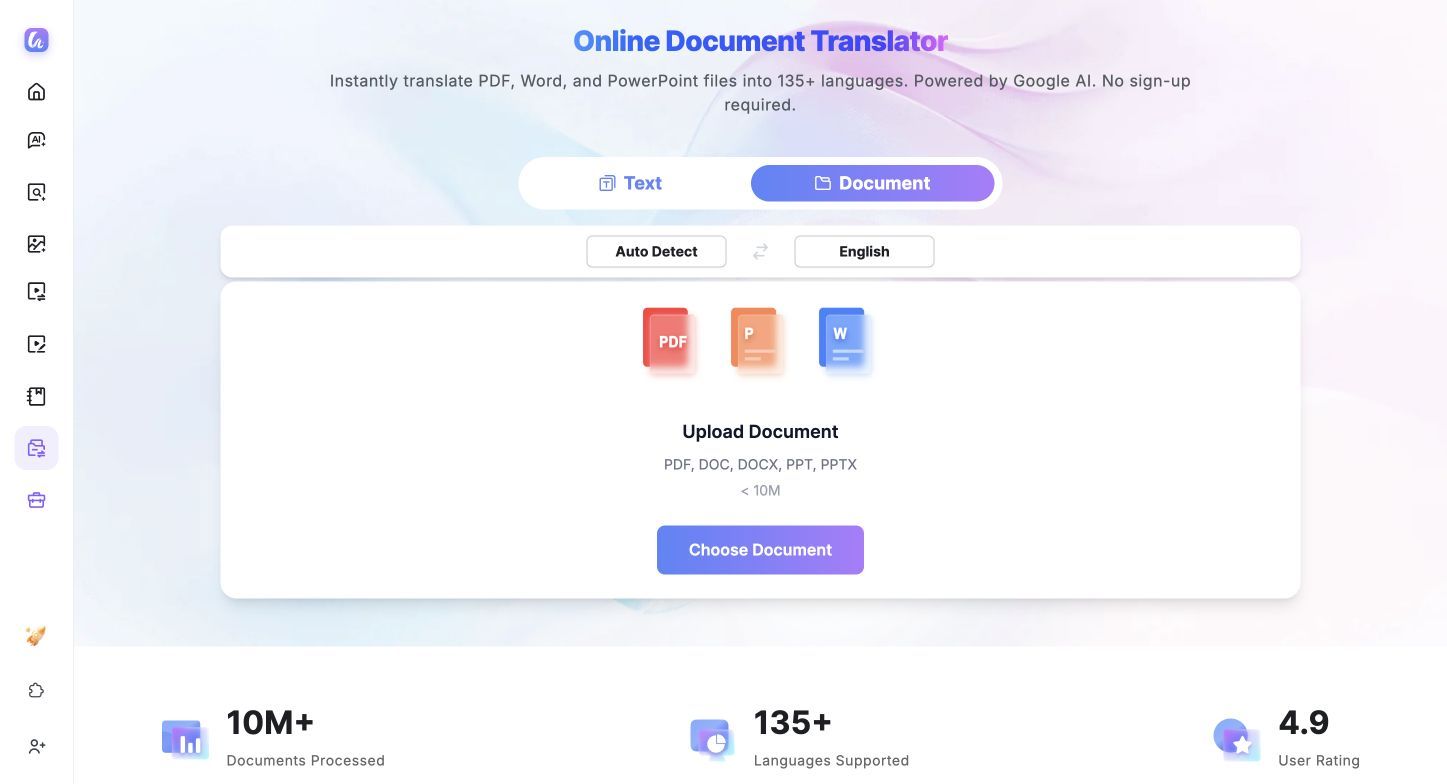
The Lynote Document Translator is the strongest fit here when the source is a file rather than a paragraph. It accepts PDF, DOCX, PPTX, and XLSX uploads and returns a translated file while preserving the original layout, including fonts, images, tables, and alignment.
That distinction matters for syllabi, research material, presentations, reports, and spreadsheets. Copying their text into a normal translator separates the words from the structure, while a file-first workflow keeps the translation attached to the document people need to read or share.
The process is short: upload or drag in a file, let the source language auto-detect, choose one of more than 135 target languages, start the translation, and download the result. Files must be under 10 MB on the page, no account is required, and OCR is available for scanned PDFs.
Features
- PDF, Word, PowerPoint, and Excel translation
- More than 135 target languages with automatic source detection
- Layout preservation for fonts, images, tables, and alignment
- OCR support for scanned PDFs
- Drag-and-drop use without sign-up
Pros
- Solves the complete document workflow rather than requiring repeated copy and paste
- Covers common academic and office file formats in one interface
- Makes it easy to download a translated file in a usable structure
- Has a clear upload, language selection, translation, and download sequence
Cons
- Files must remain under the 10 MB on-page limit.
Best for: Students, researchers, international teams, and professionals who need a complete formatted file translated without rebuilding it afterward.
2. Google Translate: Best Free All-Round Alternative
Google Translate is the most versatile free DeepL alternative for people who move between formats throughout the day. Its web interface separates Text, Images, Documents, and Websites, while the mobile app adds camera, voice, handwriting, offline language packs, and conversation-oriented features where supported.
The Documents tab currently accepts DOCX, PDF, PPTX, and XLSX. That combination makes Google useful when one task is a spreadsheet, the next is a restaurant menu, and the third is a foreign webpage.
Breadth is also the main reason to try Google when DeepL is not the right fit for a particular language. The tradeoff is that convenience does not remove the need to review specialist terminology, complex tables, text boxes, or a document with unusual formatting.

Features
- Text, image, document, and website translation from one web interface
- Camera, voice, handwriting, saved phrases, and offline options in the mobile ecosystem
- Support for DOCX, PDF, PPTX, and XLSX document uploads
- Large selection of common and lower-resource languages
- Easy access through browsers, Android, and iOS
Pros
- Covers more everyday translation modes than most single-purpose tools
- Requires almost no learning curve for a basic text translation
- Particularly useful when the source arrives as a webpage or image
- Works well as a first-pass comprehension tool across many languages
Cons
- Complex formatting and specialized terminology can require substantial cleanup
- The free consumer interface does not provide professional translation-memory or terminology-review controls
Best for: Travelers, students, and general users who want one free translator for many languages and input types.
3. Microsoft Bing Translator: Best for Microsoft and Mobile Workflows
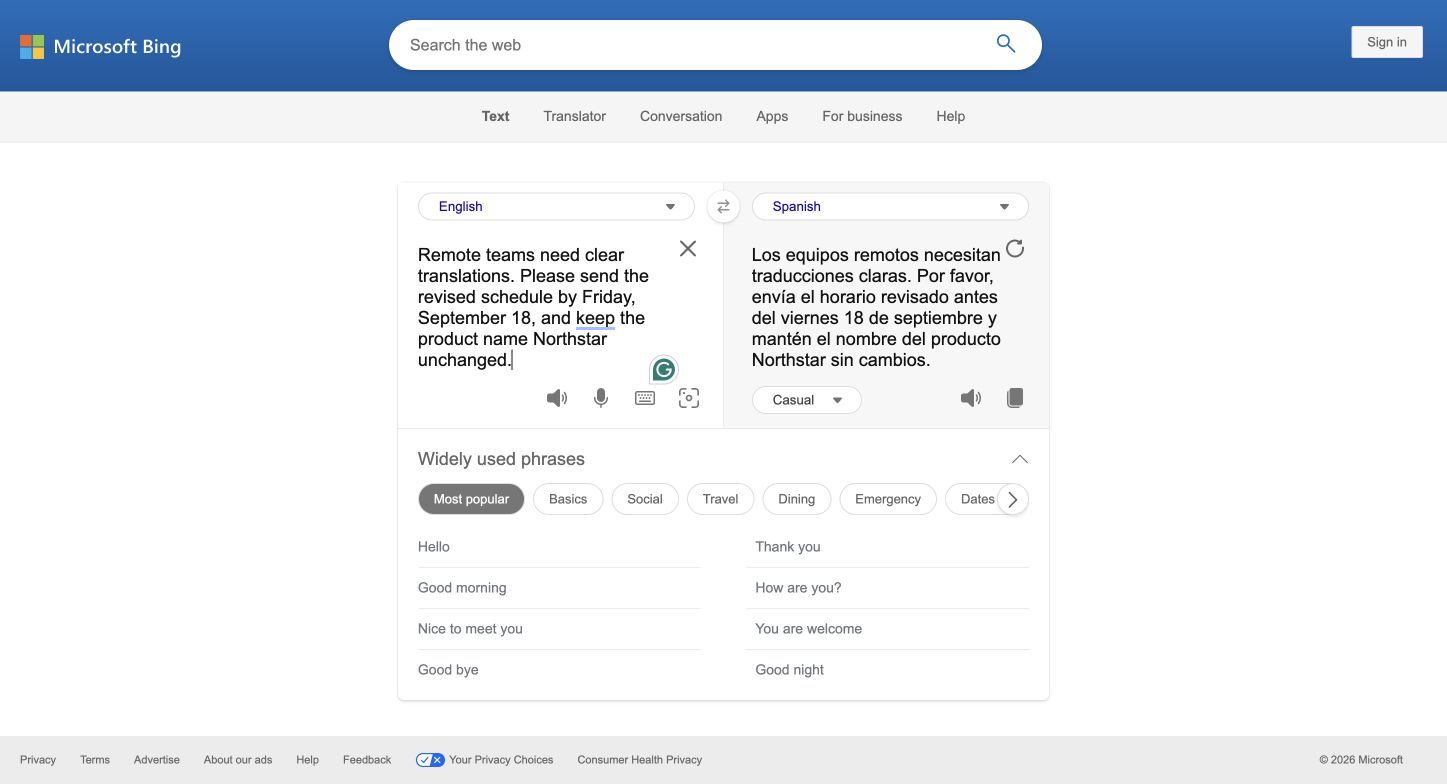
Microsoft's consumer translation experience is split between the Bing browser translator and the Microsoft Translator mobile app. Bing provides a simple side-by-side text workflow, while the app extends the experience to text, speech, and images across more than 100 languages where the relevant mode is supported.
That split can be an advantage for someone already using Windows, Edge, or Microsoft mobile services, but it needs to be understood clearly. Azure AI Translator and its document APIs are separate developer products with different setup and billing, not hidden features inside the basic Bing text page.
Features
- Free side-by-side text translation through Bing
- Mobile text, speech, and image translation
- Automatic language detection for common consumer tasks
- Integration opportunities across Microsoft products
- Separate Azure services for developers and organizations
Pros
- Clean browser interface for quick text translation
- Mobile modes help with spoken language and photographed text
- A natural option for people already working in Microsoft's ecosystem
- Keeps simple consumer use separate from scalable developer services
Cons
- Users may need to move between Bing, the mobile app, and Azure for different jobs
- It is less direct than a dedicated web document translator for uploading and returning a formatted file
Best for: Microsoft users who need fast text translation and a free mobile companion for speech or images.
4. Reverso Context: Best for Learning Words in Context
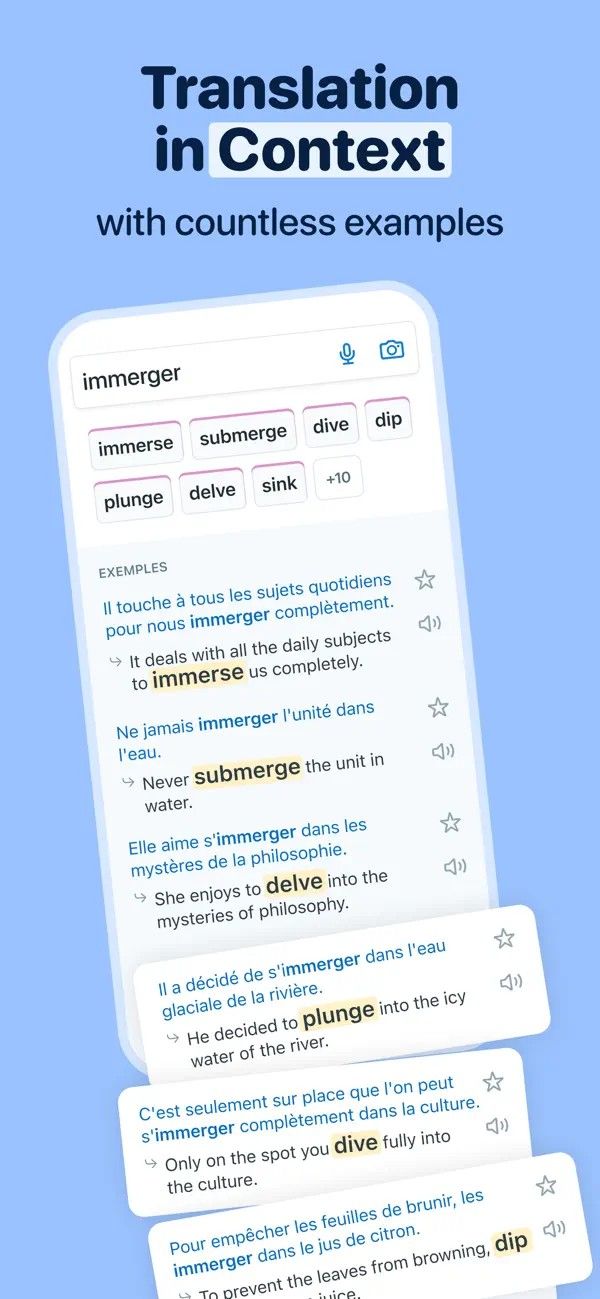
Reverso Context answers a different question from DeepL. Instead of only showing one translated phrase, it ranks possible meanings and places them beside bilingual examples drawn from real-world texts, helping users see how register, grammar, and surrounding words change the choice.
That makes it especially useful for idioms, verbs with several meanings, professional phrases, and language study. The free core experience also includes pronunciation, definitions, conjugation, saved vocabulary, and learning activities, although feature depth varies by language and account status.
Reverso's document translator should be evaluated separately from Reverso Context. Document translation uses credits, trial access, or paid plans, so free contextual search does not equal unlimited free file translation.
Features
- Contextual translations with bilingual usage examples
- Results organized by grammatical category and relevance
- Pronunciation, definitions, synonyms, and verb conjugation
- Saved vocabulary, quizzes, and flashcards
- Browser, mobile, and extension access
Pros
- Helps users choose among several plausible translations
- Turns translation into a language-learning activity
- Particularly good for idioms and expressions that fail in literal translation
- Makes register and sentence context visible instead of hiding them
Cons
- Context coverage is smaller than the language catalog of broad general translators
- Full document translation has separate credits and subscription limits
Best for: Language learners, teachers, and writers who need to understand why one word or expression fits better than another.
5. Yandex Translate: Best for Websites and Images
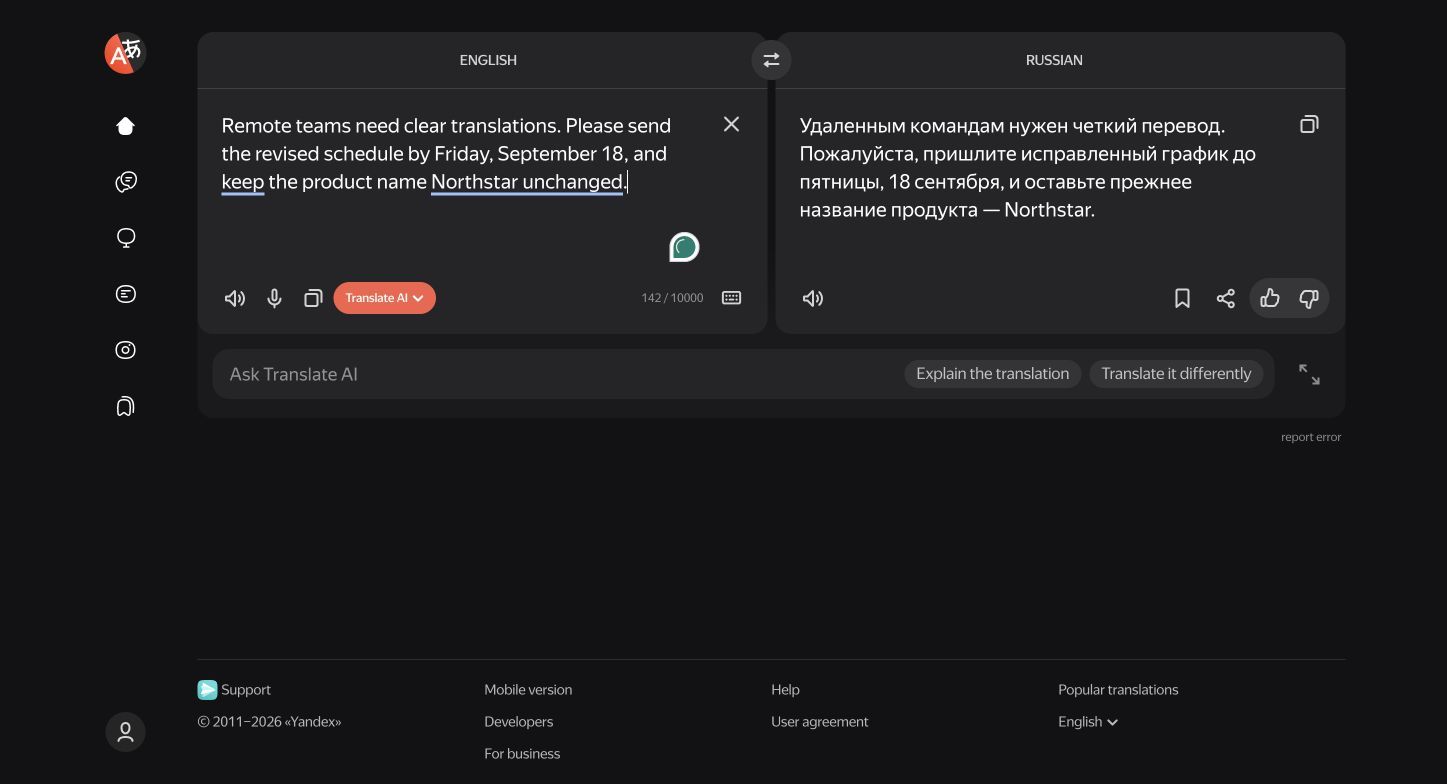
Yandex Translate combines ordinary text translation with dedicated tools for images, websites, and documents. Its current public translator displays support for 118 languages, including common languages and a selection of less typical options.
The image workflow can recognize text, show the translation over the image, open the recognized content as editable text, and download the translated image. That is useful for screenshots, menus, diagrams, and social posts where manually retyping the source would be slow.
Website translation is another reason to consider Yandex rather than a text-only alternative. The Yandex Translate guide covers those modes and their practical limitations in detail.
Features
- Text, image, website, and document translation
- 118 languages in the current public translator
- Automatic language detection
- Image text recognition with translated-image download
- Voice input and text-to-speech for supported languages
Pros
- Strong range of browser-based input modes
- Useful image workflow that can expose both recognized text and translation
- Convenient for translating an entire webpage rather than copying sections
- Often worth comparing for Russian and other regional-language workflows
Cons
- Output quality varies by language pair, document type, and image clarity
- Handwriting, cursive, and blurry image text may not be recognized reliably
Best for: Users translating websites, screenshots, and images, particularly when Russian or a related regional workflow is involved.
6. Naver Papago: Best for Korean-Centered Translation
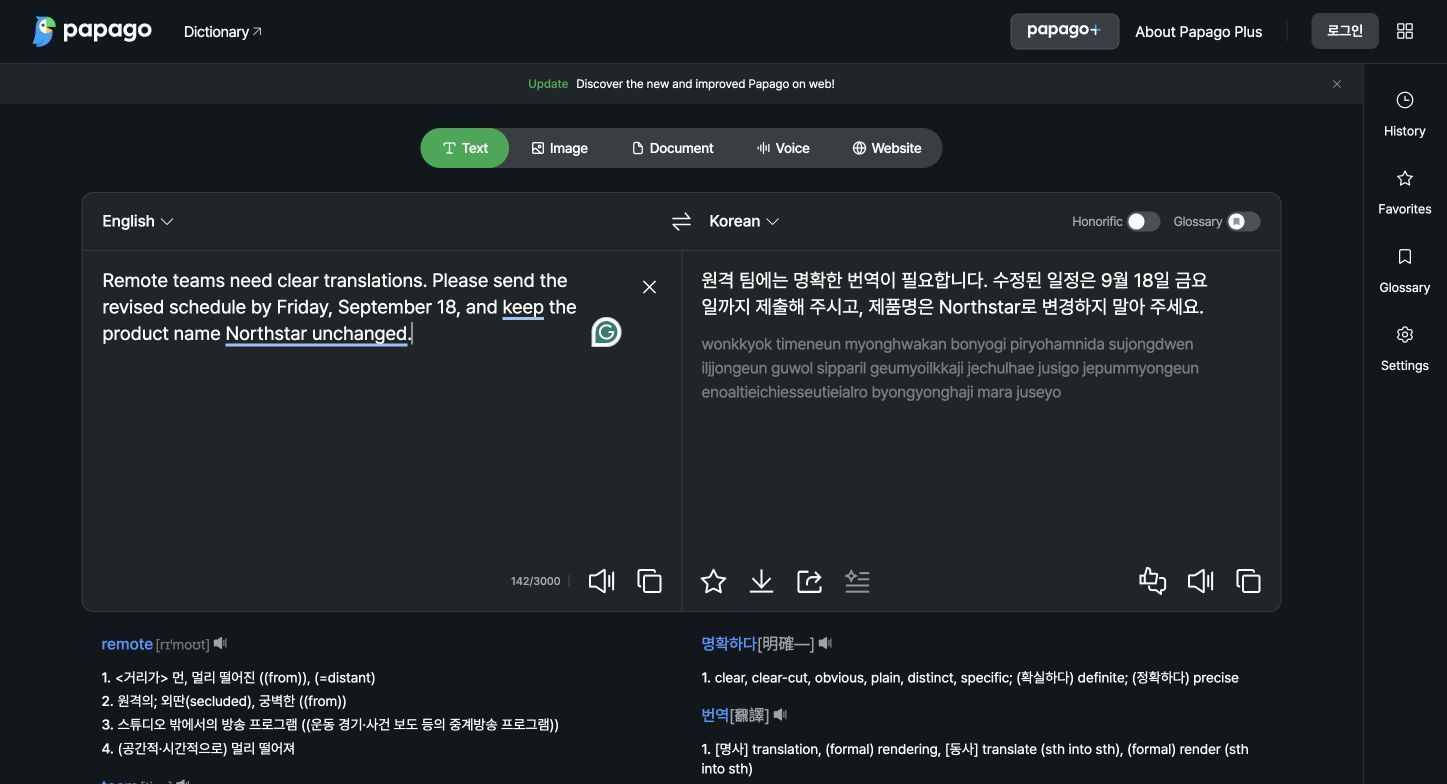
Papago is the most specialized choice in this list. Its public text translator supports a compact set of languages, but the product is particularly relevant when Korean is paired with English, Japanese, Chinese, Vietnamese, Thai, Indonesian, or other supported Asian languages.
The interface brings together text, image, voice, website, glossary, and document modes. It also offers pronunciation, favorites, sharing, and a translation-evaluation control, which makes the output easier to inspect than a bare text box.
Free document translation requires login and has tighter rules than the general text translator. The current help information lists up to 20 documents per month, files up to 20 MB and 20,000 characters, and bidirectional document support centered on Korean, English, Japanese, Simplified Chinese, and Traditional Chinese.
Features
- Text, image, voice, website, and document translation
- Glossary control in supported workflows
- Pronunciation, favorites, download, and sharing tools
- Monthly free document allowance after login
- Support for PDF, HWPX, DOCX, PPTX, and XLSX in document mode
Pros
- Purpose-built option for Korean-centered language pairs
- Combines several practical input modes in one product
- The glossary can help preserve selected terminology
- Free document allowance is useful for occasional academic or office files
Cons
- Document translation supports fewer language pairs than the text interface
- Login and monthly quotas add friction compared with an unrestricted text box
Best for: Students, travelers, creators, and teams translating Korean with English, Japanese, or Chinese.
7. QuillBot Translator: Best for Short Writing Tasks
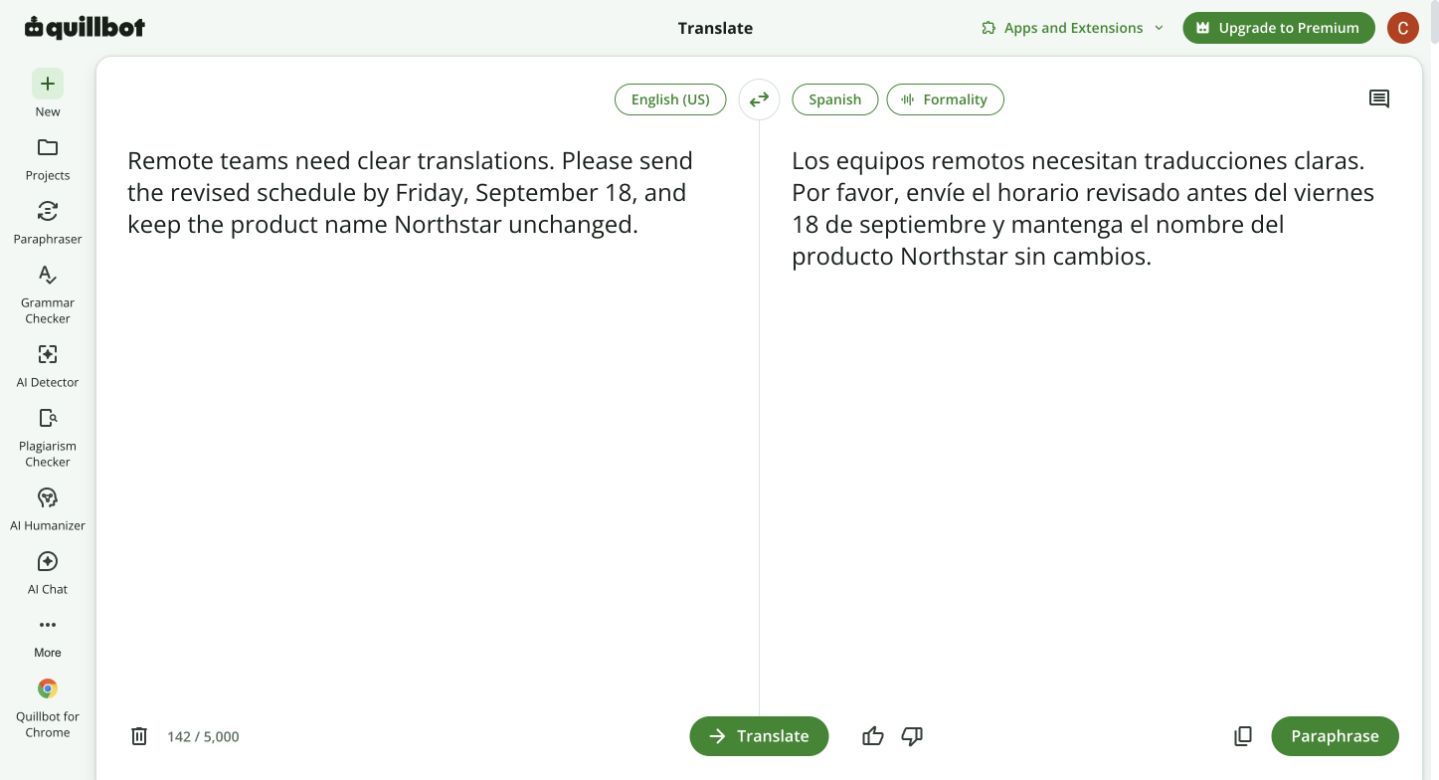
QuillBot Translator fits users who already think of translation as part of writing. The free interface translates between 52 languages and accepts up to 5,000 characters at a time, which is enough for emails, short articles, captions, paragraphs, and assignment notes.
Its side-by-side text workflow is simple, and the wider QuillBot suite provides grammar, paraphrasing, and citation tools. Those adjacent features can be convenient, but they should not be confused with professional document translation that preserves a PDF or presentation layout.
QuillBot says the translator can be used repeatedly even though each free input has a character ceiling. For longer material, splitting a document into fragments can lose cross-paragraph context and creates extra review work.
Features
- Translation across 52 languages
- Up to 5,000 characters at a time for free users
- Side-by-side source and translated text
- Copy and export actions
- Connections to other QuillBot writing tools
Pros
- Easy to use for paragraphs and short-form writing
- Free character allowance is generous for everyday text
- Useful when translation is followed by grammar or style editing
- No need to learn a complex localization interface
Cons
- Not designed to return a complete formatted office document
- Segmenting long material can weaken consistency and context
Best for: Writers, students, and marketers translating short passages before editing or repurposing them.
8. Lingvanex: Best No-Sign-Up Translator for Short Text
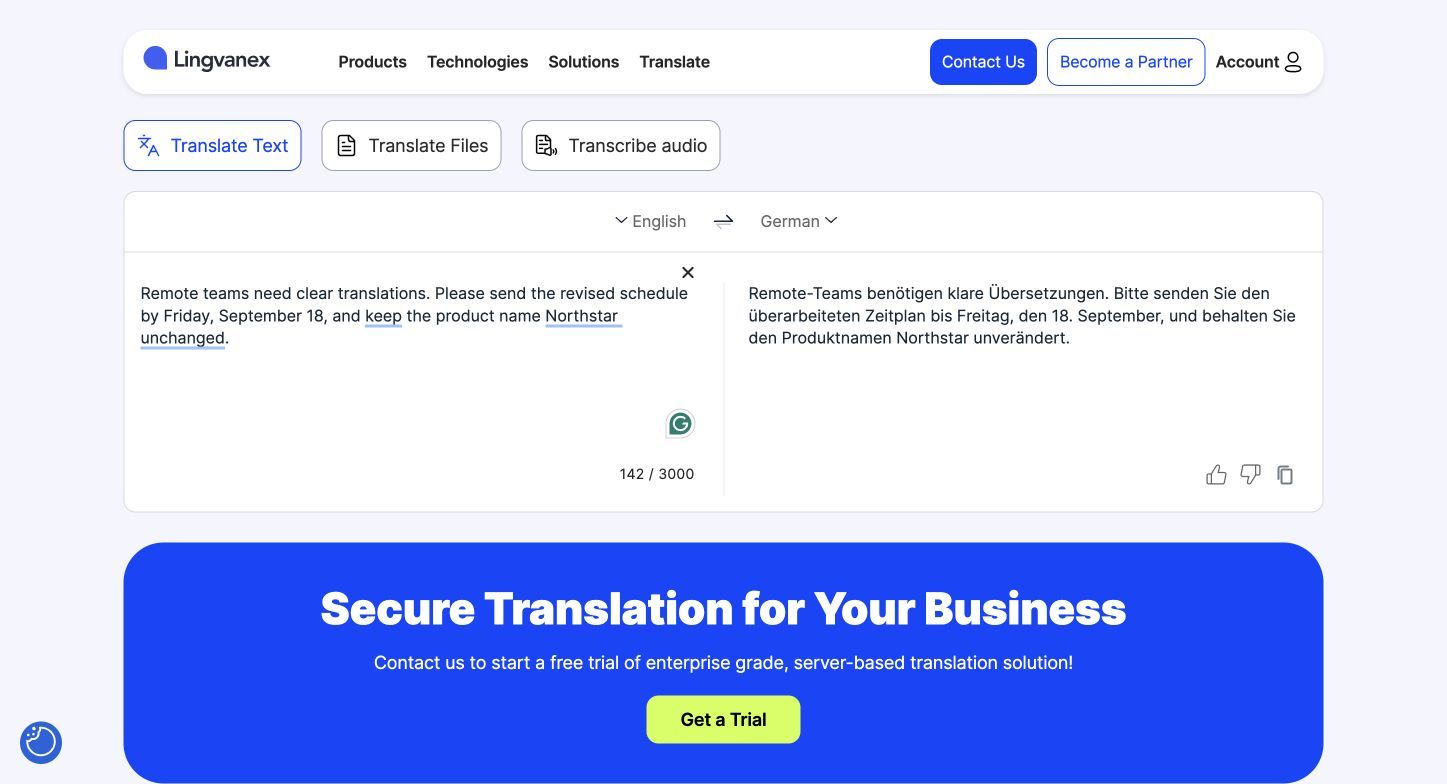
Lingvanex offers a browser-based text translator across more than 109 languages without requiring an account. The free box accepts up to 3,000 characters per request and updates the output quickly, making it practical for messages, short passages, and language pairs that are missing from smaller catalogs.
The company also provides file, voice, desktop, mobile, browser, API, and offline products. Those modes have separate limits and plans, so the free 3,000-character text experience should not be used to imply that every Lingvanex product is unlimited.
Its separate file translator accepts formats such as PDF, DOCX, XLSX, PPTX, CSV, and TXT with a limited free allowance. Image-only or scanned PDFs are a notable exception in that workflow, which is important for users comparing it with an OCR-enabled document tool.
Features
- More than 109 languages in the online translator
- Up to 3,000 characters per free text request
- No sign-up for the basic web translator
- Separate file translator for common office formats
- Desktop, mobile, browser, voice, offline, and business options
Pros
- Large language selection for a no-sign-up text tool
- Clear character counter makes the free boundary visible
- Separate document interface covers several office formats
- Useful for quickly checking a less common language pair
Cons
- Text, document, desktop, and business products use different limits
- The online document workflow does not translate image-only scanned PDFs
Best for: Users who need quick, no-account short-text translation across a broad language catalog.
Which DeepL Alternative Should You Choose?
The ranking is less important than matching the product to the source. A translator that is excellent for one paragraph may be frustrating for a 40-slide presentation, while a document tool may be unnecessary for a photographed menu.
| If You Need | Choose | Why | Check Before Uploading |
|---|---|---|---|
| A formatted school or work document | Lynote | Returns common office files in translated form and supports scanned-PDF OCR | File is under 10 MB and the output language is available |
| The widest mix of free modes | Google Translate | Covers text, documents, websites, images, voice, and mobile use | Complex layout and specialist terminology |
| A quick Microsoft-compatible text workflow | Microsoft Bing Translator | Simple browser text plus Microsoft mobile options | Whether you need Bing, the app, or Azure |
| Context examples for language learning | Reverso Context | Shows usage, grammar category, pronunciation, and related examples | Whether the language pair has deep Context coverage |
| Korean-centered translation | Papago | Specialized regional focus plus glossary, images, voice, and documents | Document pair and monthly account limits |
| Website or downloadable image translation | Yandex Translate | Dedicated Sites and Images workflows | Image clarity and support for the exact language pair |
| A short passage inside a writing process | QuillBot Translator | 5,000-character free input and adjacent writing tools | Whether splitting longer content will hurt consistency |
| No-sign-up translation for a less common language | Lingvanex | More than 109 languages in the free text interface | The 3,000-character request limit |
| Confidential or publication-ready material | A vetted paid or human workflow | Security commitments, terminology control, and accountable review matter | Current privacy terms and reviewer qualifications |
For an important project, test two candidates with a representative sample before committing. Use a passage containing repeated terminology, names, dates, a long sentence, and the kind of formatting the full document will contain.
When DeepL Is Still the Better Choice
An alternatives article should not assume that switching is always an upgrade. DeepL remains a sensible choice when its output reads better for your tested language pair, when you already rely on its glossaries and alternatives, or when the paid plan's document capacity and data commitments match your organization.
It can also be the simpler option when colleagues already use DeepL across desktop apps, browser extensions, Microsoft 365, and localization workflows. Replacing a familiar system creates its own costs in training, terminology migration, and quality review.
Stay with DeepL when the deciding factor is proven performance on your material rather than a longer feature list. Switch when another tool removes a real obstacle, such as a free document limit, missing input mode, regional-language need, or requirement for contextual examples.
The most reliable decision is a controlled comparison. Translate the same representative sample, hide the product names, and ask a qualified bilingual reviewer to mark meaning errors, terminology problems, omissions, tone shifts, and formatting damage.
How to Check a Free Machine Translation Before You Use It
Free translation saves time only if the result is reviewed in proportion to the risk. A quick personal reading needs less scrutiny than a research quotation, immigration form, client contract, or public campaign.
-
Verify names, dates, numbers, currencies, and units first. These details are easy to scan and costly to get wrong.
-
Build a short terminology list. Record product names, technical terms, course vocabulary, and words that must remain untranslated.
-
Check repeated terms for consistency. Search the output and confirm that the same source term was not rendered several incompatible ways.
-
Compare headings, tables, captions, and footnotes. Important text often sits outside ordinary paragraphs and may be omitted or moved.
-
Read across sentence boundaries. Pronouns, tense, politeness, and logical connectors can break when each sentence is handled too independently.
-
Inspect the returned file visually. Look for clipped text, broken line wraps, shifted images, damaged tables, missing fonts, and changed page order.
-
Use back-translation only as a warning signal. Translating the output back to the source can reveal a missing idea, but a matching back-translation does not prove the first translation is correct.
-
Ask a bilingual reviewer to inspect high-risk passages. Give the reviewer the original, translation, purpose, audience, and terminology requirements.
-
Confirm current privacy terms before uploading sensitive material. Free consumer products may have different data handling from paid business plans.
-
Keep the original beside the final version. A traceable source makes later corrections and disputes much easier to resolve.
For academic work, cite and quote the original source according to the required style rather than treating a machine translation as a new authority. If the exact wording matters, disclose the translation method or obtain an approved translation under the relevant institutional rules.
FAQs About Free DeepL Alternatives
What Is the Best Free Alternative to DeepL?
Google Translate is the broadest free general-purpose alternative because it handles text, images, documents, websites, and mobile inputs. Lynote is a stronger fit when the task is specifically to translate and download a complete formatted document.
The best choice still depends on the language pair and source. Reverso may be better for contextual learning, Papago for Korean-centered workflows, and Yandex for websites or translated images.
Is There a Free DeepL Alternative for Complete Documents?
Yes. Lynote translates PDF, DOCX, PPTX, and XLSX files under 10 MB without sign-up, while Google Translate also provides a free Documents tab for several common formats.
Check whether the source is a digitally created document or a scan. Scanned PDFs need OCR support, and complicated layouts should always be inspected after download.
Which DeepL Alternative Supports the Most Languages?
Google Translate offers one of the broadest consumer language catalogs, while Lingvanex advertises support for more than 109 languages and Lynote offers more than 135 target languages in its document workflow. Raw language count does not guarantee that every language supports documents, images, speech, offline use, or the same translation quality.
Check the exact source-target direction inside the mode you plan to use. A language may be present in a text translator but absent from document or speech translation.
Is Google Translate or DeepL Better?
Google Translate is usually the better free choice for mode and language breadth. DeepL may be preferable when its translation performs better on your tested language pair or when its terminology, alternatives, integrations, and paid document workflow fit your needs.
Do not decide from one generic ranking. Compare a representative sample and ask a bilingual reviewer to judge important output without seeing which product created it.
Which Free Translator Is Best for Korean?
Papago deserves the first comparison for Korean-centered text, images, voice, website, and supported document workflows. Google Translate and DeepL can still be useful comparison points because performance changes with direction, topic, and style.
For a high-stakes Korean translation, use the free tools to prepare a draft or identify difficult passages, then have a qualified Korean reviewer correct the final text.
Can I Use a Free Translator for Confidential Documents?
Do not upload confidential material until you have read the current privacy, retention, and training terms for the exact product and plan. A provider's enterprise promise may not apply to its anonymous free website.
Remove unnecessary personal or proprietary data where possible. For contracts, health records, unpublished research, regulated data, or client-confidential files, use an approved organizational service and a qualified human reviewer.
Final Verdict
There is no single free DeepL alternative that wins every category. Lynote is the clearest document-first option in this group, Google Translate offers the broadest all-round toolkit, Reverso Context adds the strongest learning layer, and Papago is the specialist to try for Korean-centered tasks.
Microsoft, Yandex, QuillBot, and Lingvanex each become the better choice under a narrower condition: Microsoft ecosystem use, website or image translation, short-form writing, or no-sign-up access across many languages. Pick the product that matches the input and review requirements, then test it with your real language pair before trusting it with the complete job.

Written by Danny
Product Marketing Manager
Danny explains how Lynote features fit real workflows, from everyday productivity to product-led writing use cases. View all articles →