

Best AI Text Tool for Students
Content
Result

Your humanized result will be ready here. To begin, paste your AI-generated text in the left box.



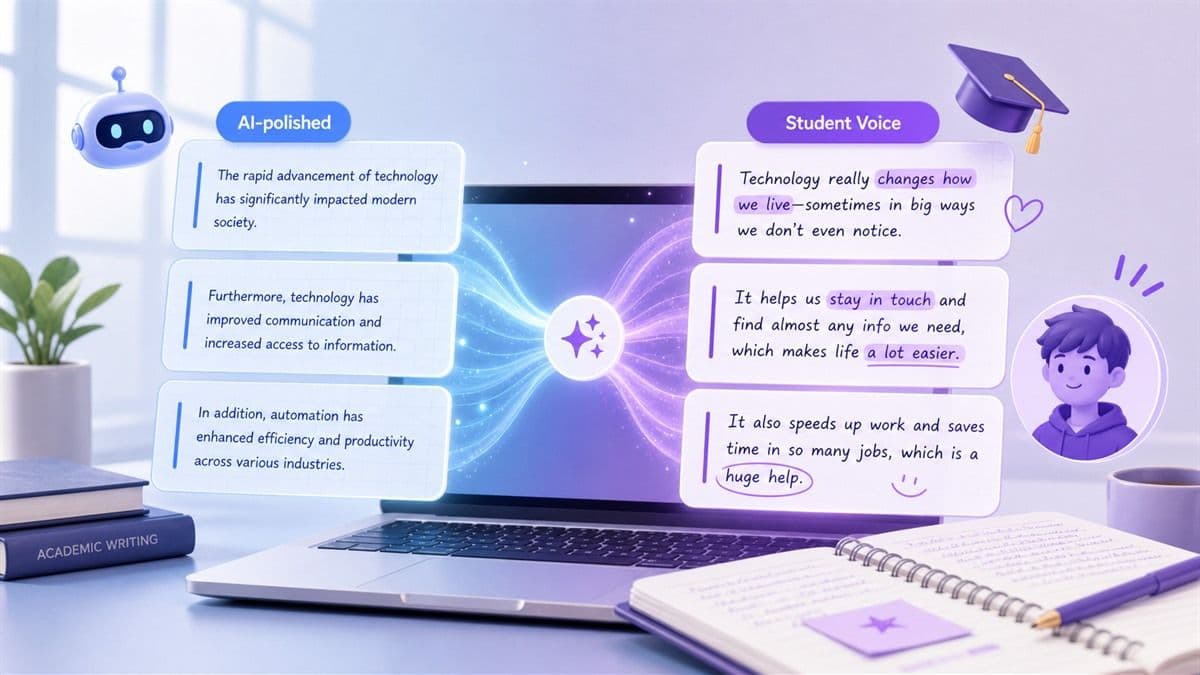
Make AI Text Sound Like a Student
A draft can feel too polished, too repetitive, or too generic after AI assistance. Lynote helps reshape the wording so it sounds closer to a natural student voice while keeping the original idea clear.
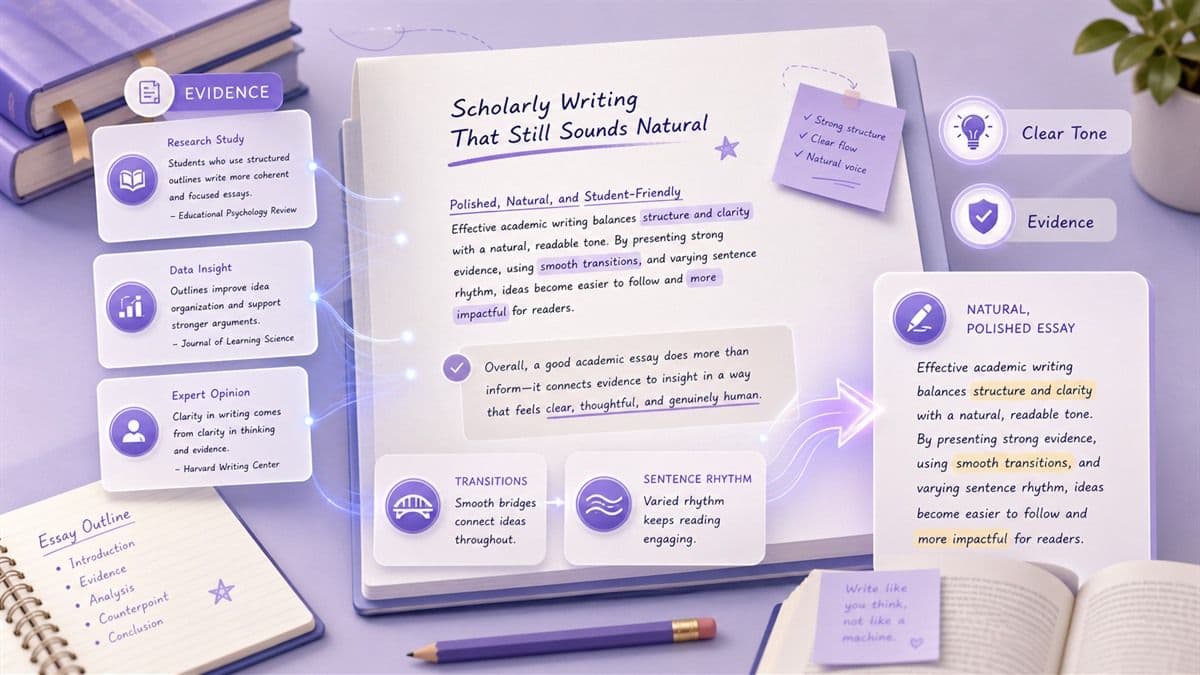
Scholarly Writing That Still Sounds Natural
Good academic writing needs structure, evidence, and a readable tone. Lynote focuses on smoother phrasing, better transitions, and clearer sentence rhythm without making your essay sound casual or off-topic.
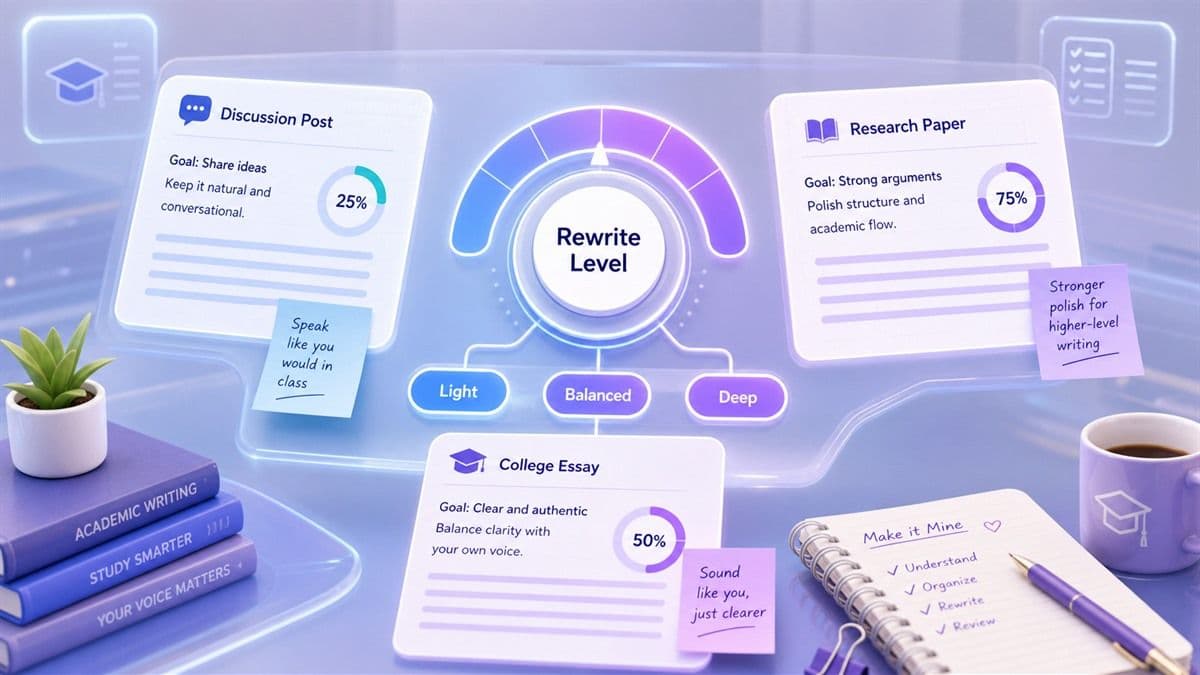
Adjustable Intensity for Every Assignment
A discussion post, college essay, research paper, and dissertation do not need the same rewrite strength. Choose a mode that fits the assignment, then review the result before using it.
Why Students Use Lynote AI Humanizer

Natural Student Voice
Lynote helps turn stiff AI-assisted wording into clearer academic writing that sounds more personal, readable, and student-friendly.

Meaning Preservation
Keep your thesis, main argument, and supporting evidence intact while improving sentence flow and reducing repetitive phrasing.

Citation-Safe Editing
Preserve citation patterns, quoted material, and reference-heavy writing while polishing the surrounding analysis and transitions.

Adjustable Rewriting Strength
Use a lighter rewrite for short assignments or a stronger revision mode when a longer essay needs deeper polish.

Better Academic Flow
Improve transitions between paragraphs, vary sentence rhythm, and make your ideas easier for a reader to follow.

Helpful for ESL Students
Make academic English sound smoother without losing your original ideas, subject vocabulary, or intended meaning.

No Sign-Up for Basic Use
Try the student AI humanizer quickly when you need a faster way to revise paragraphs before a deadline.

Private Writing Workspace
Use Lynote as a focused revision space for AI-assisted drafts, essays, reports, and study-related writing.
3 Steps to Humanize Your Student Draft
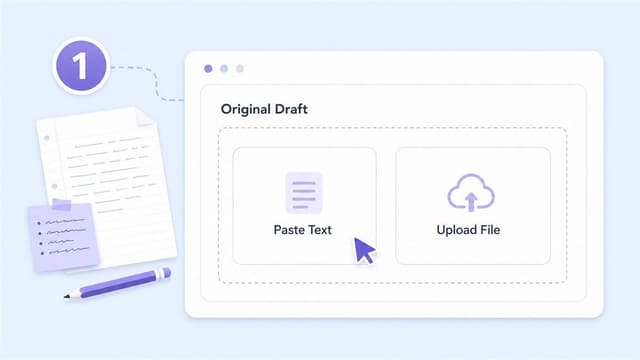
Paste or Upload Your Draft
Paste your AI-assisted essay text into Lynote, or upload a supported PDF, DOC, DOCX, or TXT file when you want to revise a document.

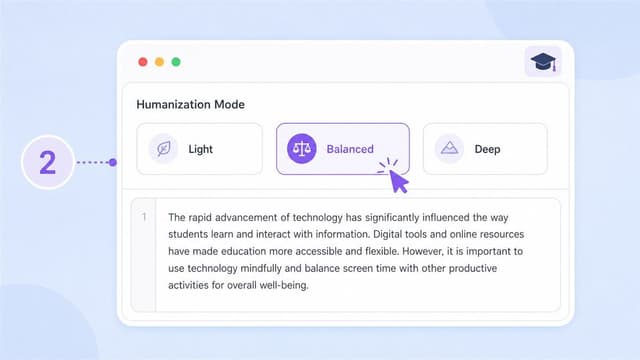
Choose a Humanization Mode
Select a rewriting level based on how much polish your assignment needs. Use lighter edits for quick paragraphs or deeper edits for longer academic drafts.
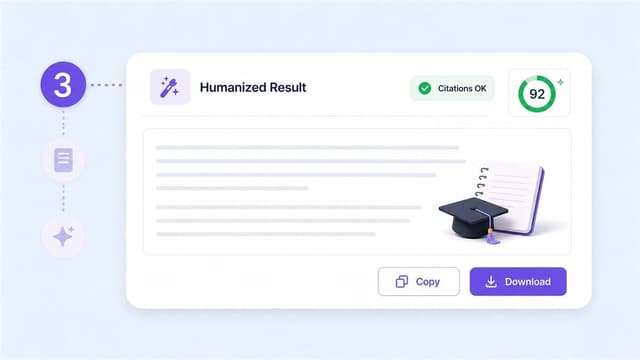
Review, Edit, and Use Your Final Draft
Read the revised version carefully, check citations and meaning, then copy or download the text when it matches your voice and assignment goals.
Useful for Student Writing Tasks

Research Papers
Polish literature reviews, introductions, and analysis sections while keeping key terms and source references clear.
Polish literature reviews, introductions, and analysis sections while keeping key terms and source references clear.

College Essays
Improve personal statements, admissions drafts, and class essays so they sound more authentic and less mechanical.
Improve personal statements, admissions drafts, and class essays so they sound more authentic and less mechanical.

Discussion Posts
Rewrite short weekly responses into clearer paragraphs with a more natural student tone.
Rewrite short weekly responses into clearer paragraphs with a more natural student tone.

Lab Reports
Make technical summaries easier to read while preserving the structure, observations, and subject-specific vocabulary.
Make technical summaries easier to read while preserving the structure, observations, and subject-specific vocabulary.
Who Needs This AI Humanizer for Students?

Undergraduate Students
Revise AI-assisted drafts into clearer coursework, essays, and project write-ups while keeping your argument intact.

Graduate Researchers
Polish abstracts, summaries, and draft sections so complex ideas read more naturally and stay academically precise.

ESL Students
Smooth grammar, phrasing, and sentence rhythm while protecting your own ideas and intended meaning.

High School Students
Learn how to turn rough AI-assisted drafts into clearer writing that better reflects your own voice.

Academic Tutors
Help students compare rough AI-style text with clearer revisions that improve structure, transitions, and readability.

International Applicants
Refine application essays and personal statements so they sound more natural, personal, and easy to read.
What Students Are Saying

University Senior

Lynote helped me turn a stiff draft into something that sounded closer to how I actually write. The meaning stayed the same, but the flow felt much better.

Graduate Student
I use AI to organize early ideas, then Lynote helps me smooth the final wording. It is especially useful for transitions and academic tone.

ESL Student
My drafts often sound too formal or translated. Lynote helps me make the English smoother while keeping my original point.

Pre-Law Student
The stronger rewrite mode is helpful when a paragraph feels repetitive. I still review every citation, but the revised writing is easier to read.

High School Student
I like using it to compare my first draft with a clearer version. It helps me see where sentences can sound more natural.

PhD Candidate
For abstracts and research summaries, Lynote gives me a cleaner draft to edit. It saves time without changing the core argument.
FAQs About AI Humanizer for Students
Learn how to revise AI-assisted drafts responsibly while improving clarity, tone, and natural student writing.
An AI humanizer for students is a writing tool that rewrites AI-assisted drafts into clearer, more natural academic language. It can help improve sentence rhythm, transitions, tone, and readability while preserving the original meaning.
Yes. Lynote can help reduce robotic phrasing, repetitive sentence patterns, and overly generic wording so a draft sounds closer to a natural student voice.
No. AI detector results can vary, and no tool should promise a fixed result. Lynote is best used as a revision tool to improve clarity, originality, and natural wording in your own draft.
Lynote is designed to preserve meaning and academic structure, but students should always review citations, quoted material, and references before submitting a final draft.
It depends on your school policy and how you use the tool. Lynote should be used to revise, clarify, and learn from your own writing, not to misrepresent authorship or avoid assignment rules.
Lynote provides a focused writing workflow for your drafts. As with any writing tool, avoid uploading sensitive material unless you are comfortable using an online service for that content.
Yes. Lynote AI Humanizer supports paste input and document uploads for supported formats such as PDF, DOC, DOCX, and TXT.
Yes. Lynote can help polish writing across many subjects, but you should always review subject-specific terminology, data, and citations for accuracy.
Lynote can help make your writing clearer and easier to read, but grades depend on your ideas, evidence, assignment requirements, and instructor expectations.
Students often use AI for brainstorming or rough drafting, but the output can sound generic. Humanizing the draft helps improve natural voice, readability, and academic flow before final review.
Pricing Plans for Students
Here is our pricing plans for students to choose, completely transparent,no hidden fees or any other additional cost.
Latest Knowledge On AI Detection&Humanization From Lynote Academy
Learn more latest knowledge on AI detection, humanization, text rewriting and essay checking in Lynote academy.


