can Turnitin detect Claude? Turnitin may flag writing that looks AI-generated, including text that came from Claude, but a detector report should not be treated as reliable proof that Claude specifically wrote it. AI detection is about writing signals, not a complete record of who or what produced every sentence.

That distinction matters. A student asking this question usually wants certainty, but the safer answer is to understand the report, follow the assignment rules, and make the final work genuinely supported by the student’s own reasoning.
Quick Answer
Turnitin can potentially flag Claude-like text if the writing has patterns its AI detection system associates with AI writing. That does not mean Turnitin can always identify Claude as the named source.
The report should be interpreted with caution, especially for mixed drafts, heavily edited work, or writing that uses formal academic language.
Source note: Turnitin has publicly acknowledged false positives in AI writing detection and says instructors still need professional judgment and assignment context; in a 2023 post, it described a less than 1% false-positive rate while noting the risk is not zero. That is why this article treats Turnitin as a signal, not proof that Claude wrote a paper.
Source: Turnitin on false positives in AI writing detection.
How Turnitin AI Detection Works in Practice
Turnitin’s AI writing tools are designed to help educators review writing that may contain AI-generated text. The output is a report signal that should be read alongside the assignment, sources, drafts, and teacher judgment.
A responsible review asks what parts of the text look unusual and why. It does not jump from “AI-like” to “this exact model wrote it.”

Why Claude Text Can Be Flagged
Large language models often produce smooth structure, balanced phrasing, and predictable transitions. Those patterns can appear whether the model is Claude, ChatGPT, Gemini, or another system.
Claude does not need to be identified by name for a detector to flag AI-like writing. The same polished, predictable patterns can appear across different large language models.
| Signal | What it may suggest | What it cannot prove |
|---|---|---|
| Polished generic prose | The text may be AI-like | That Claude wrote it |
| Repetitive structure | The draft needs closer review | That the student had no role |
| Weak personal reasoning | The writing may need revision | That every sentence is AI |
| Missing process evidence | Authorship is harder to verify | That a detector score is enough |
What Turnitin Cannot Prove
A detector cannot fully reconstruct a writing process. It cannot know every draft, note, discussion, outline, or source annotation unless those materials are available elsewhere.
It also should not be used as a shortcut for academic judgment. Teachers still need context, and students should be given a fair chance to explain how the work was produced.
Claude-Specific Questions to Ask Before Submission
If Claude helped with the assignment in an allowed way, review the final draft before submitting it. The issue is not only whether Turnitin flags the text; it is whether the work still reflects your own thinking and the course policy.
| Question | Why it matters |
|---|---|
| Did Claude generate full paragraphs or only feedback? | Full-draft generation is usually riskier than editing help |
| Did it add claims, examples, or citations? | Added material may be unsupported or against the assignment rules |
| Can you explain every key point without Claude? | A teacher may ask about your reasoning |
| Does the tone match your normal class writing? | A sudden voice shift can raise questions |
| Did you keep prompts, notes, and drafts? | Process evidence is more useful than a detector score alone |
If the answer to several questions is unclear, pause and revise from your own notes before submitting.
This checklist is also useful if a teacher asks about your process later. It gives you a concrete way to explain what Claude did, what you changed, and what parts came from your own reading.
Responsible Revision Workflow
If AI use is allowed, follow the disclosure rules. If AI use is not allowed, do not submit AI-written text as your own.
For any draft, strengthen the parts that matter most: cite sources, explain your reasoning, add course-specific details, and keep your notes or version history. Those steps improve the writing itself and give better context if questions come up.
What Students Should Avoid Doing
Do not treat this question as a search for a workaround. If an assignment does not allow AI-written text, submitting Claude-written work as your own can create academic problems even if a detector does not name Claude directly.
Do not rely on paraphrasing as a shield either. A paraphrased draft can still be generic, unsupported, or inconsistent with your normal writing, and those issues can lead to questions.
The better approach is to use AI only within the rules, keep your process visible, and make sure the final reasoning is something you can explain.
How to Make Claude-Assisted Work More Responsible
If Claude is allowed for brainstorming, use it to ask questions, organize notes, or test your understanding. Then write the actual argument from your sources, class materials, and your own reasoning.
If you use Claude for editing, compare the edited version with your original. Reject any sentence that changes your claim, adds unsupported confidence, or removes a detail that matters to the assignment.
Keep a note of how you used the tool. That record is useful if your teacher asks about your process and it also helps you stay within the assignment policy.
If You Already Used Claude
If you already used Claude for a school assignment, start by checking the rules. Some classes allow AI for brainstorming or editing, while others limit or prohibit it. The policy matters more than a detector result.
Then separate your own work from the AI-assisted parts. Which ideas came from class notes? Which sources did you read? Which sentences did Claude help edit? That separation helps you revise honestly.
If the final draft contains claims you cannot explain, rewrite those sections from your own understanding. A teacher may ask about your reasoning, and you should be able to discuss the work without relying on the tool.
If disclosure is required, follow it. A clear note about permitted AI assistance is safer than pretending the tool was never involved.
How to Check AI-Like Text With Lynote AI Detector
A detector result should be treated as a review signal, not a final verdict. You can use Lynote AI Detector to check another signal and identify sentences that may need clearer sourcing, more specific examples, or a more natural voice.
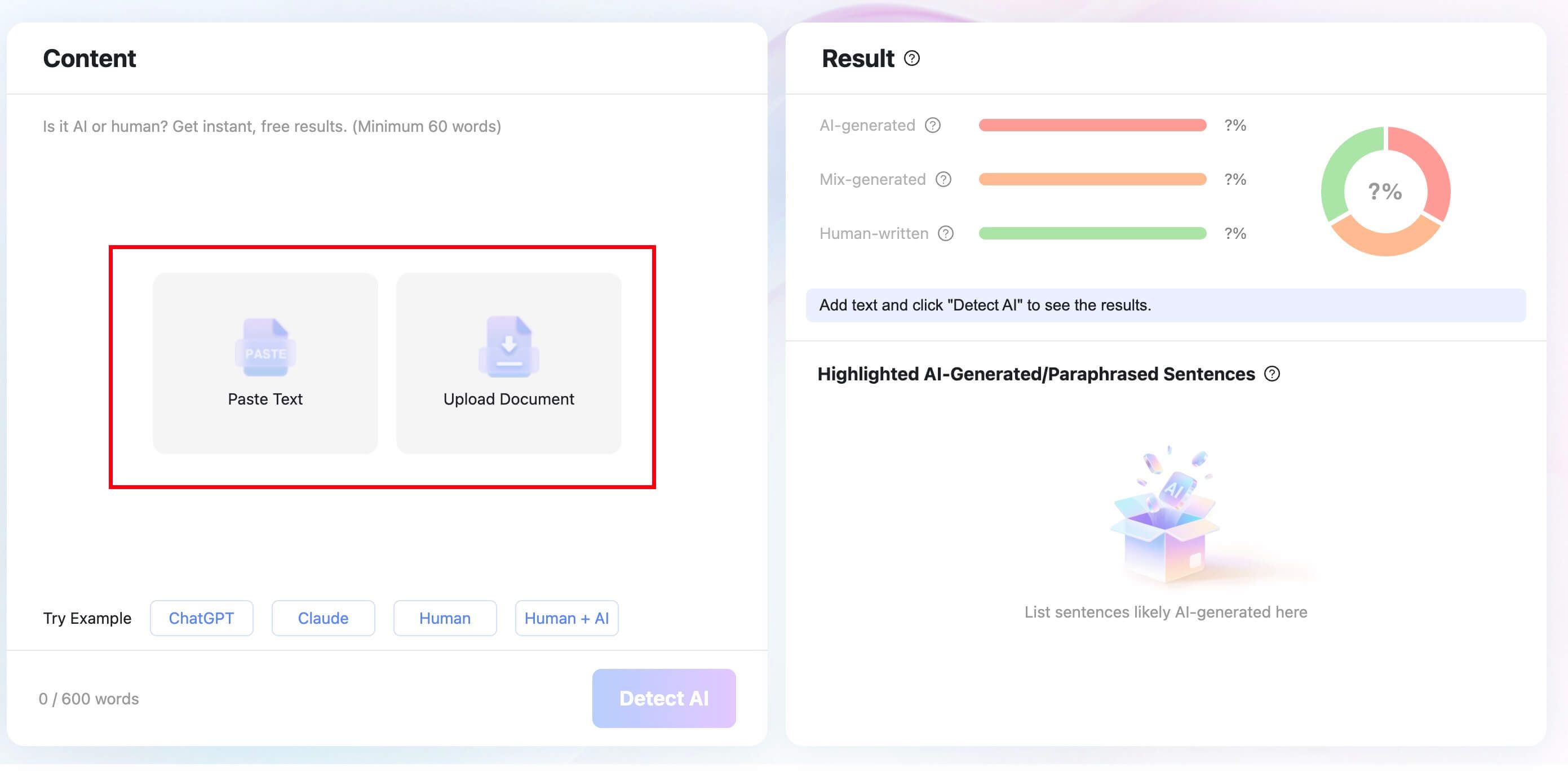
Step 1. Paste Text or Upload a Document
Paste the text you want to review, or upload a supported document. For best results, check the final draft rather than an early outline or a very short fragment.
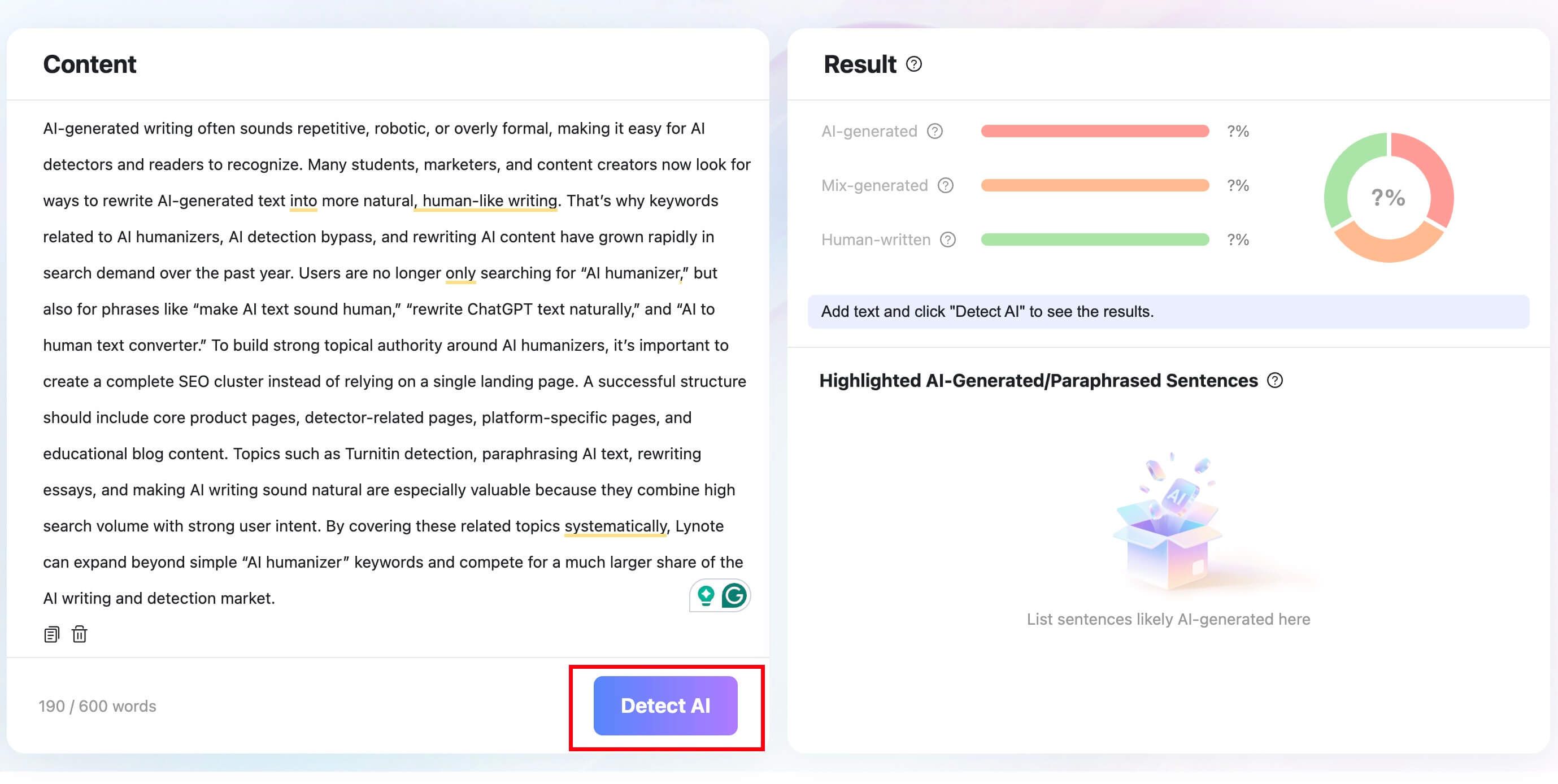
Step 2. Click Detect AI
Run the detector to get a breakdown of AI-generated, mixed, and human-written signals. Use the result to guide review, not to make a final authorship judgment.
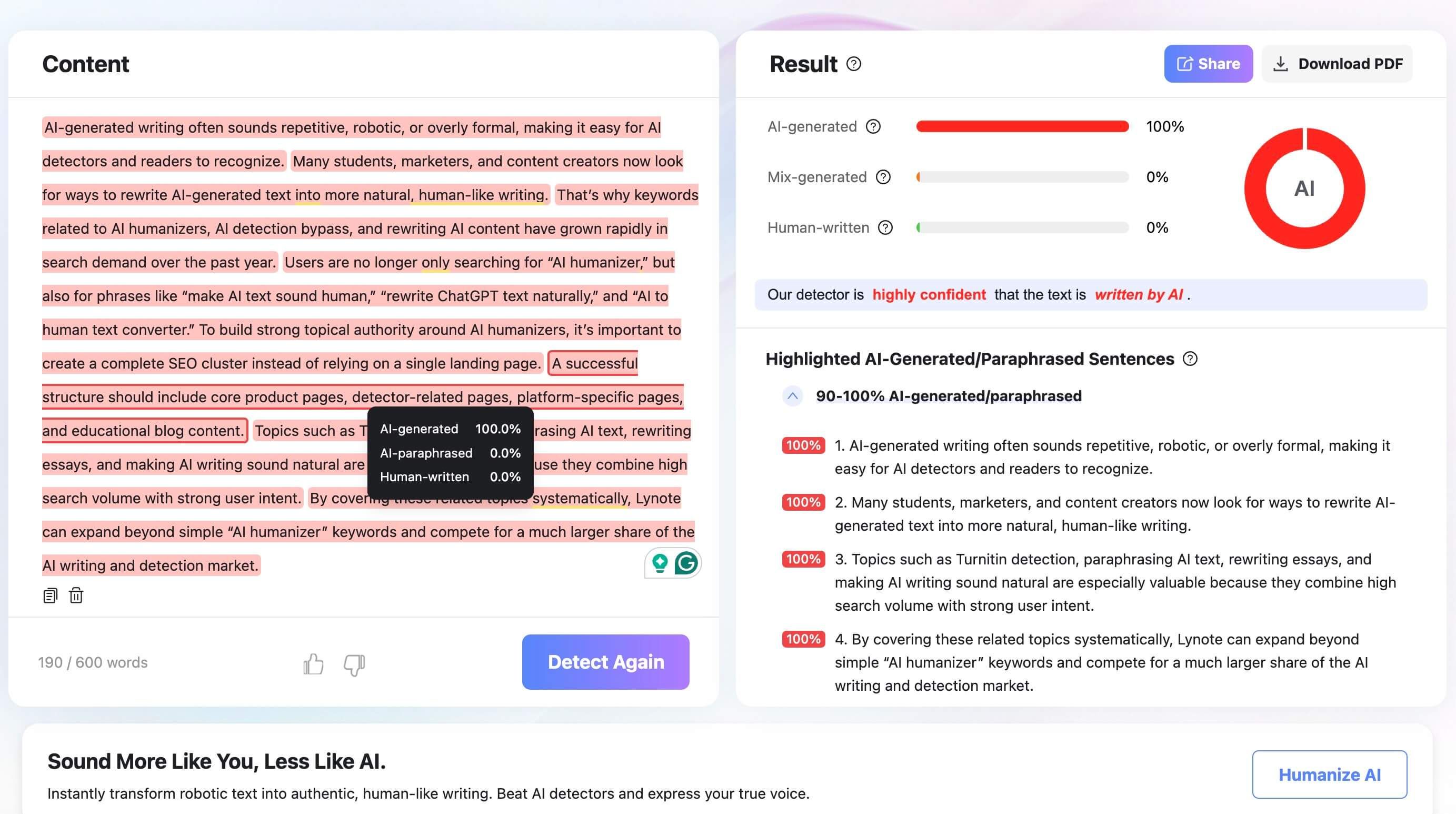
Step 3. Review the Highlighted Sentences
Look at the highlighted sentences and decide whether they need clearer sourcing, more specific evidence, or a more natural rhythm. Revise the writing, then check again only if another signal would help.

FAQs About Can Turnitin Detect Claude?
Can Turnitin identify Claude specifically?
A Turnitin-style AI writing report can point to AI-like writing signals, but it should not be treated as reliable proof that one named model wrote the text. Model identity is different from AI-likeness.
Can Claude-assisted text still be flagged?
Yes. Claude-assisted text may be flagged if it has smooth structure, predictable phrasing, generic claims, or weak process evidence. Editing does not automatically remove those signals.
Can human writing be flagged by Turnitin?
Yes. Turnitin has publicly acknowledged false positives, so human writing can be flagged. That is why educators should review context, drafts, and assignment rules.
What should I do before submitting AI-assisted work?
Check your assignment rules, keep drafts and notes, cite sources carefully, and make sure the reasoning is your own. If AI was allowed, follow the required disclosure policy.
Is it okay to use Claude for schoolwork?
It depends on the class and assignment policy. Claude may be allowed for brainstorming or editing in some courses and prohibited in others. The policy is the deciding factor.
Final Verdict
Turnitin may flag Claude-like writing patterns, but that is not the same as proving the exact model behind a draft. Treat detection as a signal, follow your school policy, and make the final work accurate, sourced, and genuinely yours.

Written by Janet L. Harris
AI Writing Specialist
Janet reviews AI detectors and humanization tools, with a focus on accuracy, limitations, and responsible use. View all articles →