10 Free RemNote Alternatives for Your Next Study System

Looking for a RemNote alternative that feels simpler, costs less, or makes lecture notes easier to study? I compared 10 options for different needs, from AI-generated notes to flashcards and local knowledge libraries.
The useful question is what you want to improve. Anki puts review first, Obsidian keeps notes in local files, and source-based tools help prepare study material. Here is how their free features, limitations, and migration trade-offs compare.
Top 10 Free RemNote Alternatives
I would start with the part of your routine that feels frustrating. If making notes takes too long, a better flashcard scheduler will not solve that; if cards are piling up, another summary generator is probably not the answer.
✅ = included in the core product; ❌ = not built into the core product; ◐ = limited, paid, or requires an additional workflow; ? = not verified for the relevant version. A checkmark means the capability exists, not that every use is free.
| Tool | Standalone notes | Linked knowledge structure | Built-in scheduled review | AI study generation | Local/offline study | Free cross-device sync |
|---|---|---|---|---|---|---|
| Lynote | ✅ Editable notes | ◐ Source-linked sections | ? | ✅ Check allowance | ? | ? |
| Anki | ◐ Card fields | ❌ Not a note graph | ✅ | ❌ Additional tools needed | ✅ Installed apps | ✅ AnkiWeb |
| Obsidian | ✅ | ✅ Links and backlinks | ❌ Plugin needed | ❌ Additional tools needed | ✅ | ◐ Official Sync paid |
| Logseq | ✅ | ✅ Block references | ? Build-dependent | ? Build-dependent | ◐ Check build | ? Check build |
| Mochi | ✅ Markdown cards/notes | ✅ References | ✅ | ◐ Check eligibility | ✅ | ❌ Paid sync |
| NotebookLM | ✅ Notebook notes | ◐ Source-centered | ? | ✅ Usage limits | ? | ✅ Account-based access |
| Knowt | ✅ | ? | ✅ Study modes | ✅ Usage limits | ? | ? |
| SiYuan | ✅ | ✅ Block references | ✅ FSRS | ◐ Provider costs | ✅ | ◐ Setup/service dependent |
| Notion | ✅ | ✅ Page links and relations | ❌ Manual setup needed | ◐ Plan-dependent | ◐ Check supported workflow | ✅ Within free-plan limits |
| Brainscape | ◐ Card content | ❌ Not a note graph | ✅ | ◐ Plan limits | ◐ Check platform | ✅ Account-based study |
1. Lynote: Best for Turning Source Material Into Study Notes
Lynote AI Note Generator fits the part of studying that happens before you have a useful deck: extracting a coherent outline from readings, recordings, videos, or other course materials. It produces editable notes with headings, bullet points, and source-linked sections, so you can review the underlying material instead of studying an isolated summary.
The reason to shortlist it is not that every note should become a flashcard. It is that you can first organize the explanation, then select the definitions, distinctions, and relationships worth practicing with active recall.
What it replaces in RemNote: the source-to-notes and initial study-material preparation stages. Evaluate long-term scheduling separately if a persistent due-card queue is your main requirement.
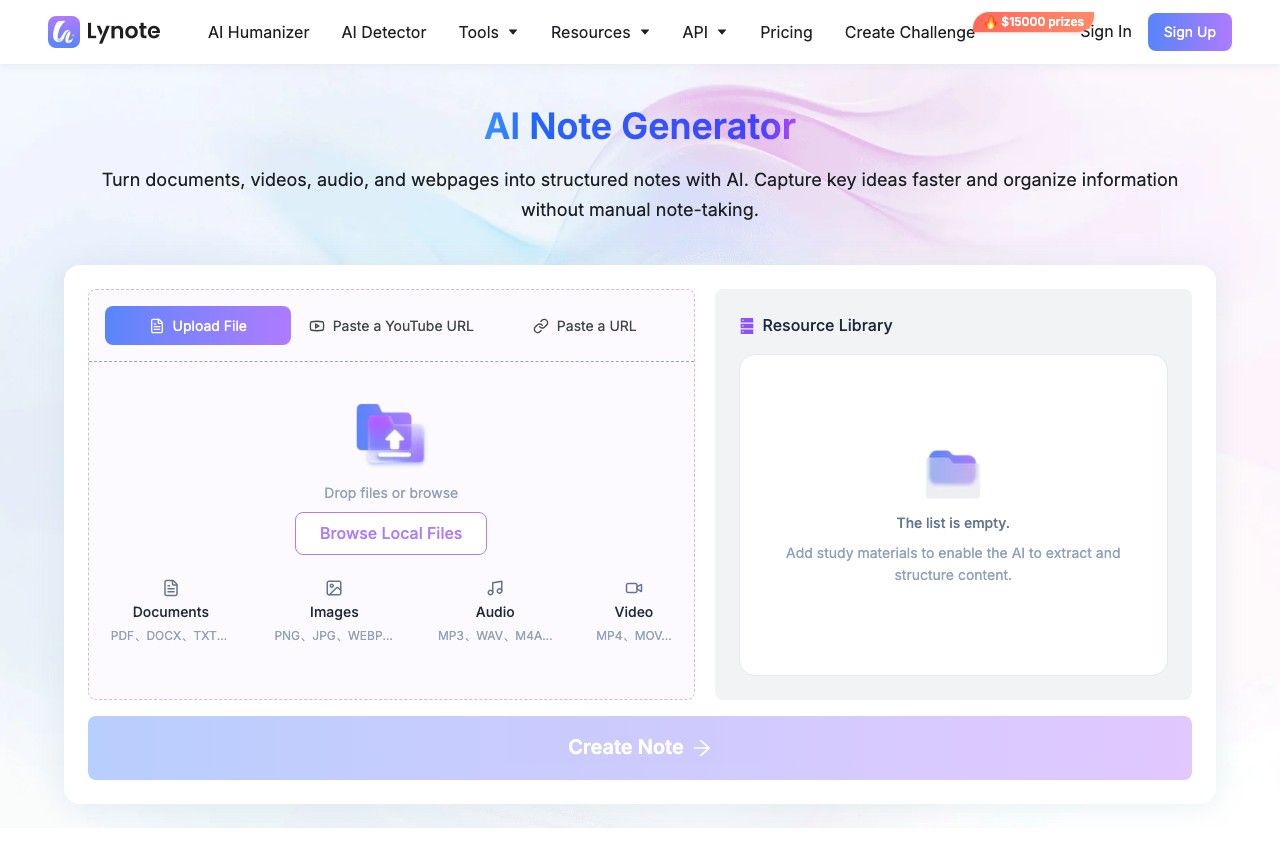
Lynote's source-input screen. Add a file or link before generating notes.
Features
- Upload supported files or add web and YouTube sources.
- Generate structured notes and edit them inline.
- Ask follow-up questions and create flashcards from the material.
Pros
- Useful when your course materials are scattered across files and recordings rather than already organized as text notes.
Cons
- Features vary by plan, with more options available on paid plans.
Best for: Students whose biggest bottleneck is preparing usable notes from raw material.
A short source-to-study workflow:
- Add one source. Upload your chapter or recording through Upload File or Browse Local Files. For a webpage or YouTube URL, paste the link and click Parse; direct uploads do not need that extra action.
- Click Create Note. Inspect the generated headings against the source and restore any important qualifications or examples that were condensed.
- Review before practicing. Edit the notes and ask questions about unclear sections. To create cards, open Flashcard in the workspace, click Generate, and revise questions that are ambiguous or too broad.
A good card asks for one retrievable idea. For example, replace "Explain everything about osmosis" with separate questions about its definition, direction, and the conditions that affect it.
2. Anki: Best for Keeping Flashcards at the Center of Your Routine
If your notes are already useful but you keep forgetting what you learned, I would look at Anki first. Its desktop application and AnkiDroid are free, while the official AnkiMobile app for iOS is a paid purchase; AnkiWeb synchronization is available without a separate subscription.
The key conceptual difference is that an Anki "note" stores fields used to generate cards. It is not a substitute for a chapter outline containing explanations, references, and nested arguments, so keep a separate home for those materials if you need them.
What it replaces in RemNote: the daily flashcard review workflow, with more emphasis on card design than contextual note organization.
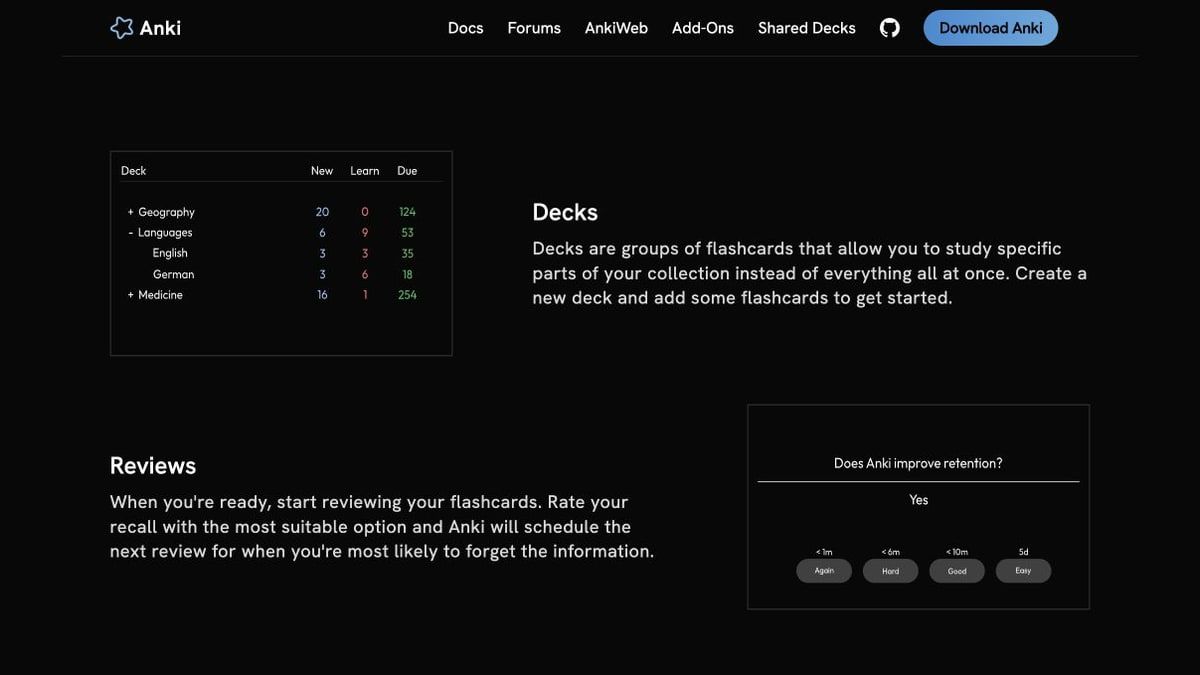
Anki's official product page illustrates the deck and review workflow.
Features
- Scheduled flashcard reviews.
- Editable templates with media support.
- Desktop add-ons and offline study.
Pros
- A focused option for a large, long-lived collection of facts and concepts.
Cons
- Card setup takes work, and the official iOS app is not free.
Best for: Language learning, medical study, and certification preparation built around repeated retrieval.
Do not migrate merely because an existing shared deck is large. Sample its questions first: a deck that tests terminology your course does not use creates extra review work rather than solving your problem.
3. Obsidian: Best for Linked Notes You Keep on Your Own Device
I would put Obsidian near the top of the list if your notes matter beyond the next exam. Its local Markdown files let you organize explanations, link concepts, and retain a readable archive without requiring a proprietary note format for the basic text.
The core application is free, but official Obsidian Sync is a separate paid service. Community tools can add flashcard workflows; that flexibility also means you must check compatibility and maintenance rather than assume RemNote's integrated experience comes built in.
What it replaces in RemNote: the linked-note library, not the complete native note-to-review workflow.
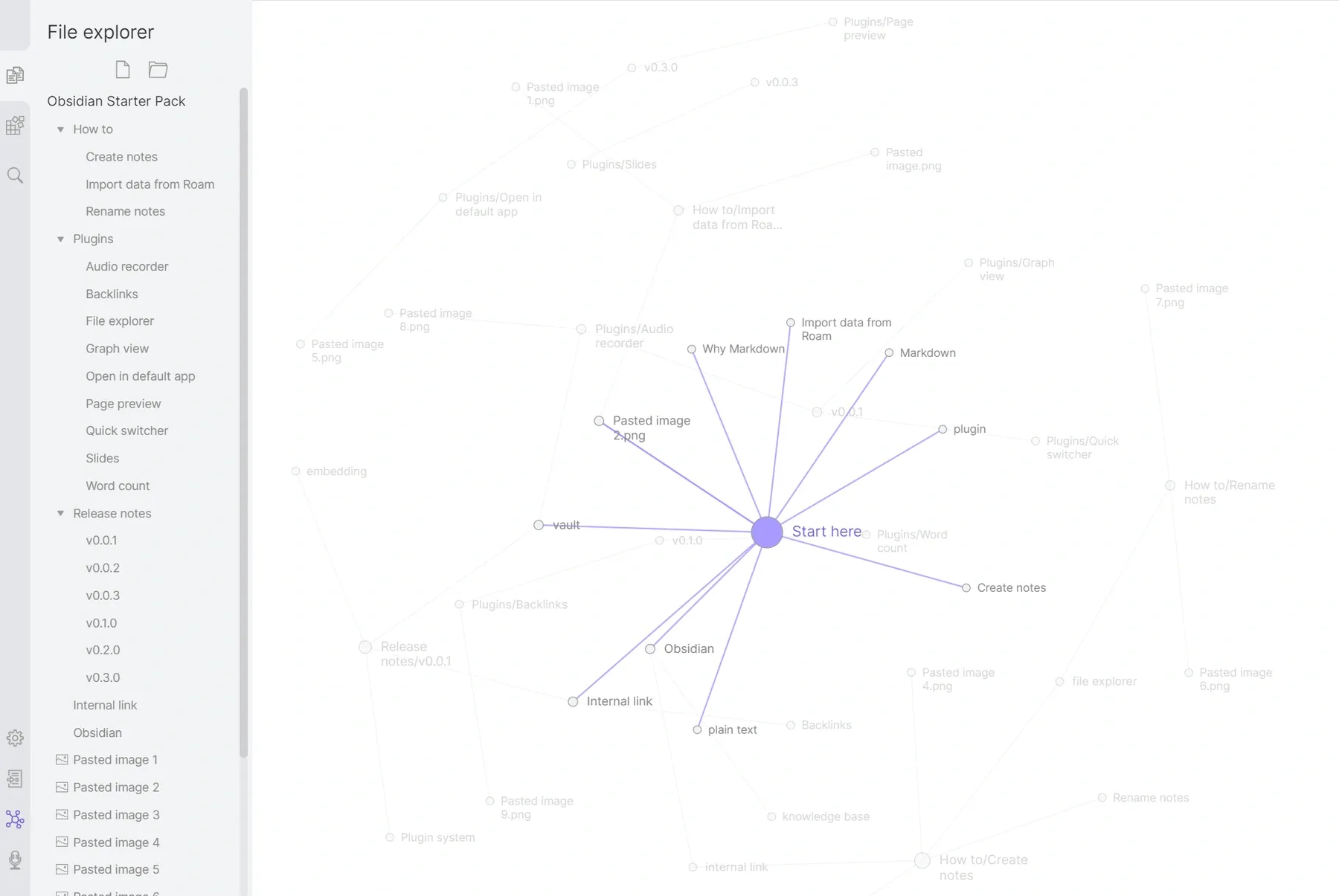
Obsidian's linked-note graph and file explorer.
Features
- Local Markdown files.
- Backlinks and graph views.
- Community extensions for additional workflows.
Pros
- Strong control over the organization and long-term readability of your notes.
Cons
- Scheduled flashcard practice requires additional setup, and official Sync costs extra.
Best for: Students and researchers who want a reusable knowledge library beyond the next exam.
Its advantage becomes clearer when a concept belongs to several classes. Instead of duplicating a definition in every course folder, keep one explanatory note and connect it to the different contexts where it matters.
4. Logseq: Best for Students Who Think in Outlines
Prefer thinking in nested bullets rather than long pages? Logseq is worth a closer look, especially if you want to reuse individual ideas through block references. That organization can feel closer to RemNote than a document-first workspace, particularly when a lecture evolves into a network of related concepts.
However, check which Logseq version you are considering. The project's file-based and database-oriented development paths make it unsafe to treat every old tutorial, export instruction, or flashcard demonstration as a description of the same current application.
What it replaces in RemNote: the outline-and-reference approach to building knowledge.
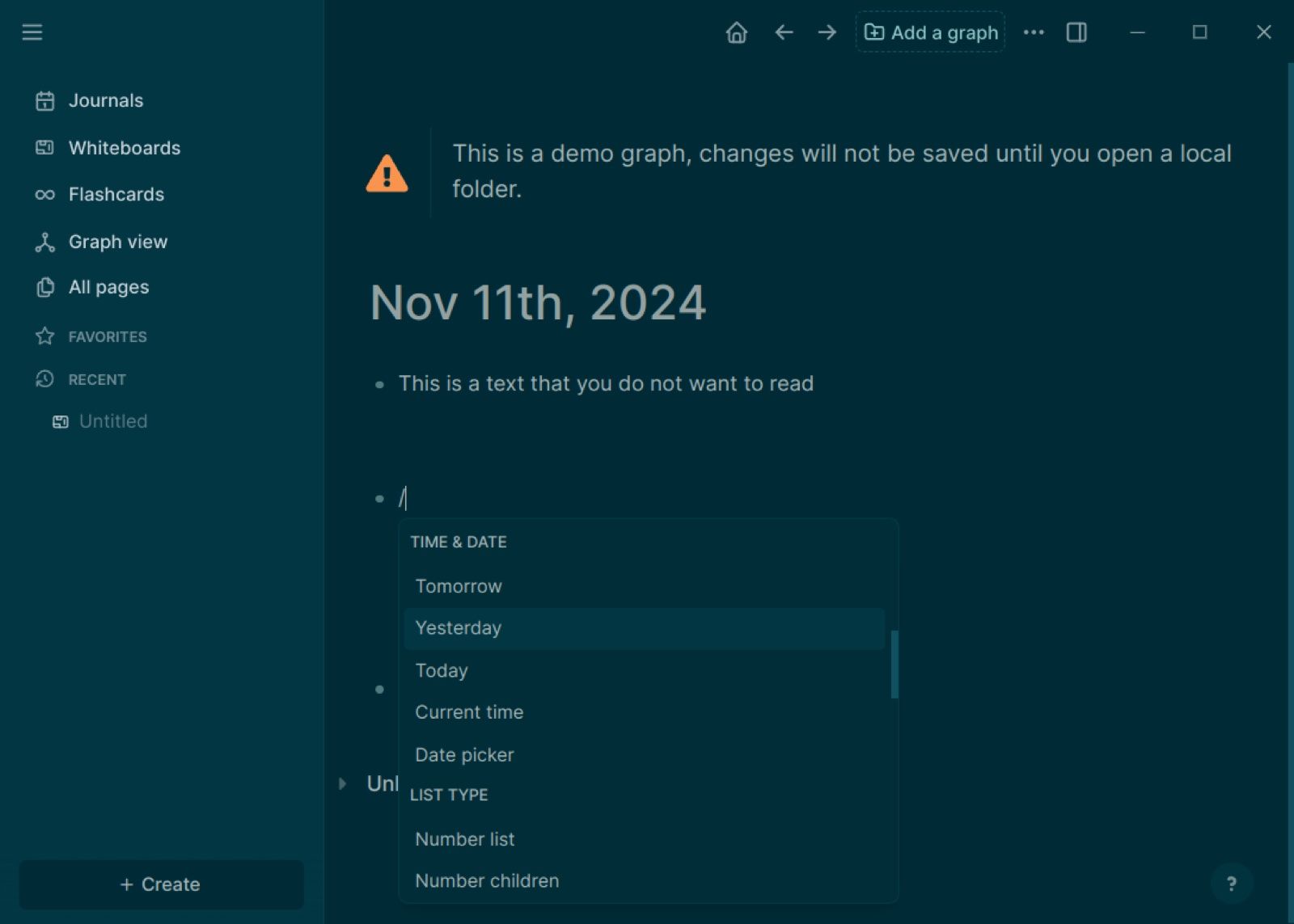
An existing Logseq demo screenshot showing the journal and block menu; this is not a verification of the latest database build.
Features
- Nested outlines and journals.
- References between blocks and ideas.
- Version-specific knowledge organization and export options.
Pros
- Useful for connecting small units of information instead of maintaining only long documents.
Cons
- Version differences can complicate setup and migration planning.
Best for: People who actively use nested bullets and block-level connections.
Before importing anything important, record the exact build and try one reference-heavy page. Check whether references remain functional after export instead of judging portability only by whether the text appears.
5. Mochi: Best for a Simpler Markdown Notes-and-Cards Setup
Mochi caught my attention as a smaller, more focused option: Markdown-based notes and flashcards without a larger knowledge-management system around them. Its free offering includes offline cards and decks, while synchronization belongs to the paid plan.
That distinction matters if you write on a laptop but review on your phone. The free local workflow may cover your needs on one device, yet the cross-device routine you expect can still require payment.
What it replaces in RemNote: a lighter notes-and-cards study setup.
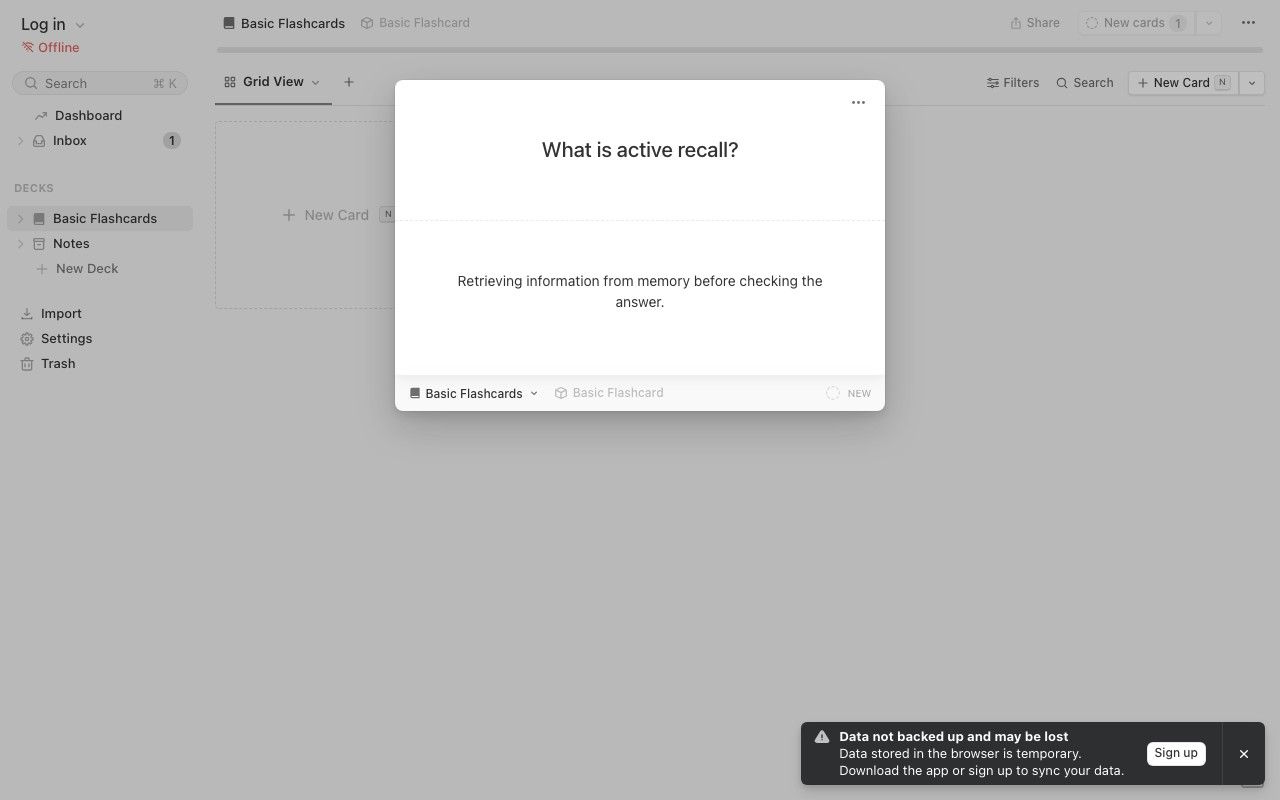
A simple example card created in Mochi's browser demo for this comparison.
Features
- Markdown notes and cards.
- References between related content.
- Spaced repetition and import/export.
Pros
- A relatively focused choice for students who prefer writing their own concise material.
Cons
- Sync is paid; confirm AI eligibility in the app rather than assuming unlimited free generation.
Best for: Independent learners who value a straightforward local card library.
Mochi's published AI information includes small allowances alongside paid-plan messaging. Treat the free offline card system as the clear baseline and verify generation access before choosing it for an AI-heavy workflow.
6. NotebookLM: Best for Studying a Collection of Sources
If your desk is full of readings and you have not started organizing them yet, NotebookLM is a sensible place to begin. Google's current help pages use the name Gemini Notebook, so you may encounter that branding while checking plans or documentation for the product previously known as NotebookLM.
Its source-centered workflow supports questions and generated study materials, including flashcards and quizzes. However, being able to generate a set of questions does not establish that an app provides the same persistent scheduling and review-history workflow as RemNote.
What it replaces in RemNote: the source exploration and study-material generation stages.
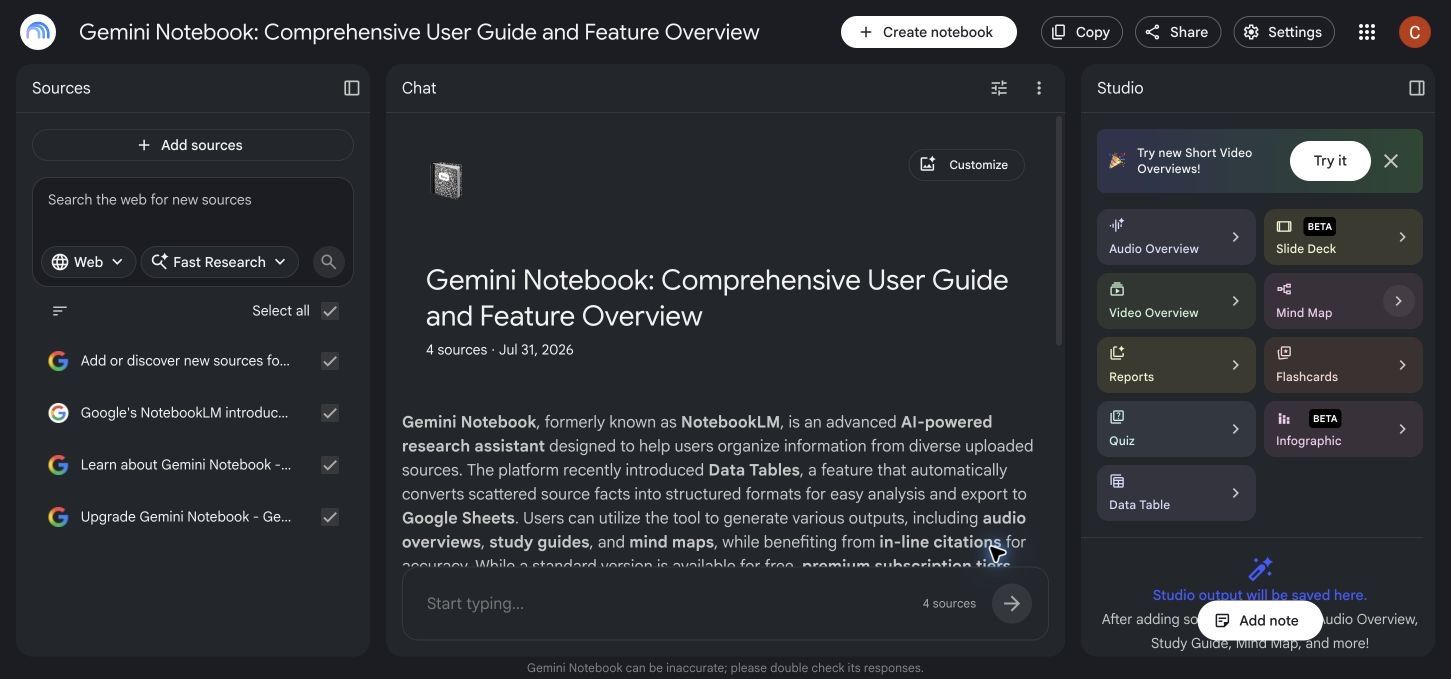
An existing workspace screenshot showing the Sources, Chat, and Studio layout.
Features
- Organize a collection of source materials.
- Ask source-grounded questions.
- Generate summaries, flashcards, and quizzes within usage limits.
Pros
- Useful for comparing explanations across several documents in one project.
Cons
- Free usage is capped, and scheduled review should be evaluated separately.
Best for: Reading-heavy courses and research projects built around multiple sources.
Choose it for questions such as "How do these two authors define the same concept?" A generated card is still something to inspect, not proof that the selected answer preserves every qualification in the reading.
7. Knowt: Best for Moving Quickly From Notes to Practice
Knowt combines note-related tools with flashcards and study activities, making it relevant when you want to move from course material into practice without building a custom system. Its public offering promotes free flashcard creation and unlimited Learn mode, but those benefits should not be confused with unlimited AI processing.
For a RemNote user, the attraction is the practice workflow rather than an identical linked-note structure. Check whether your typical study session fits the free features, especially if you expect AI to process new lectures or PDFs every day.
What it replaces in RemNote: preparing and practicing study sets, rather than preserving a complex knowledge graph.
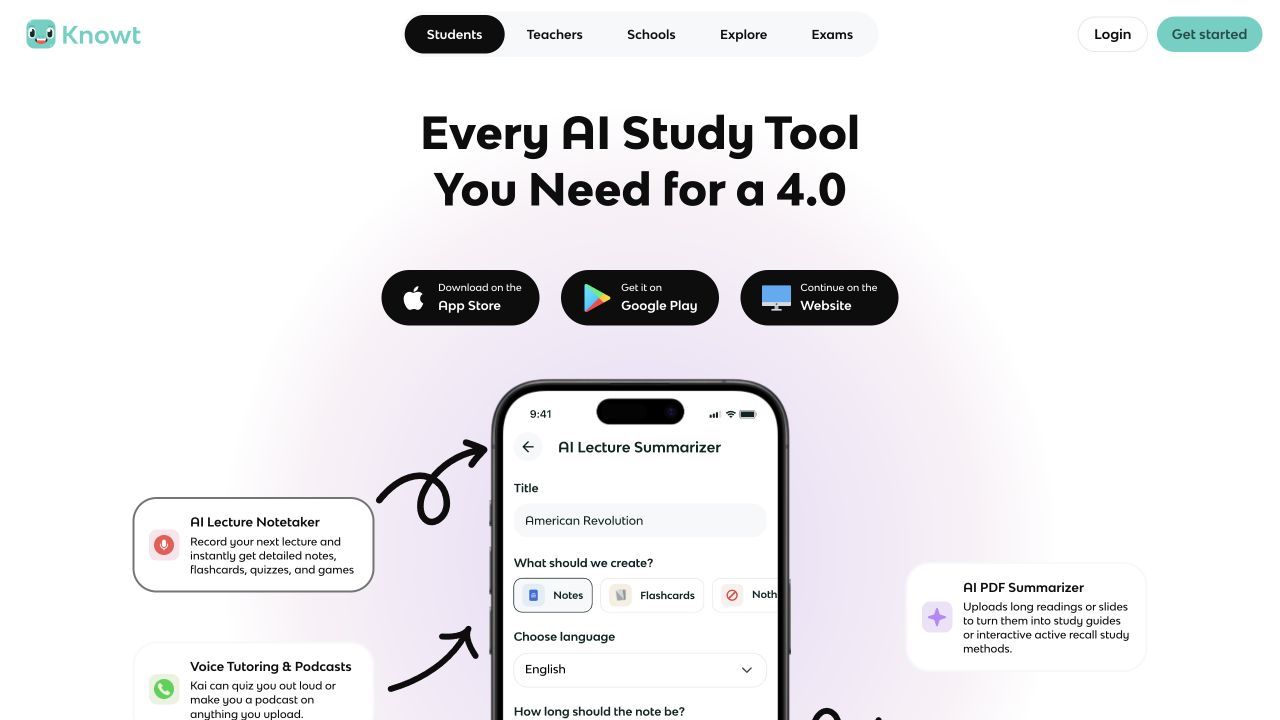
Knowt's official page showing the lecture-note and PDF study workflow.
Features
- Create flashcards and study sets.
- Practice with Learn mode.
- Prepare material with AI, subject to plan limits.
Pros
- A practical option for moving from notes into repeated practice.
Cons
- AI creation allowances and advanced features need a separate plan check.
Best for: Students who prefer ready-to-use study activities over configuring a note system.
If public decks and practice modes are your main priority, our comparison of free Quizlet alternatives covers that decision more directly.
8. SiYuan: Best for Block-Based Notes With Built-In Study
SiYuan combines local-first knowledge management with block references and built-in spaced repetition using FSRS. That makes it an interesting candidate for readers who want more than a standalone flashcard app but do not want to assume that a note-taking plugin will supply the entire review system.
Separate the free core from optional cloud services and AI-provider costs. Local storage answers where your notes live; it does not automatically answer how devices synchronize or who processes an AI request.
What it replaces in RemNote: block-based organization and a built-in study workflow, subject to an import pilot.
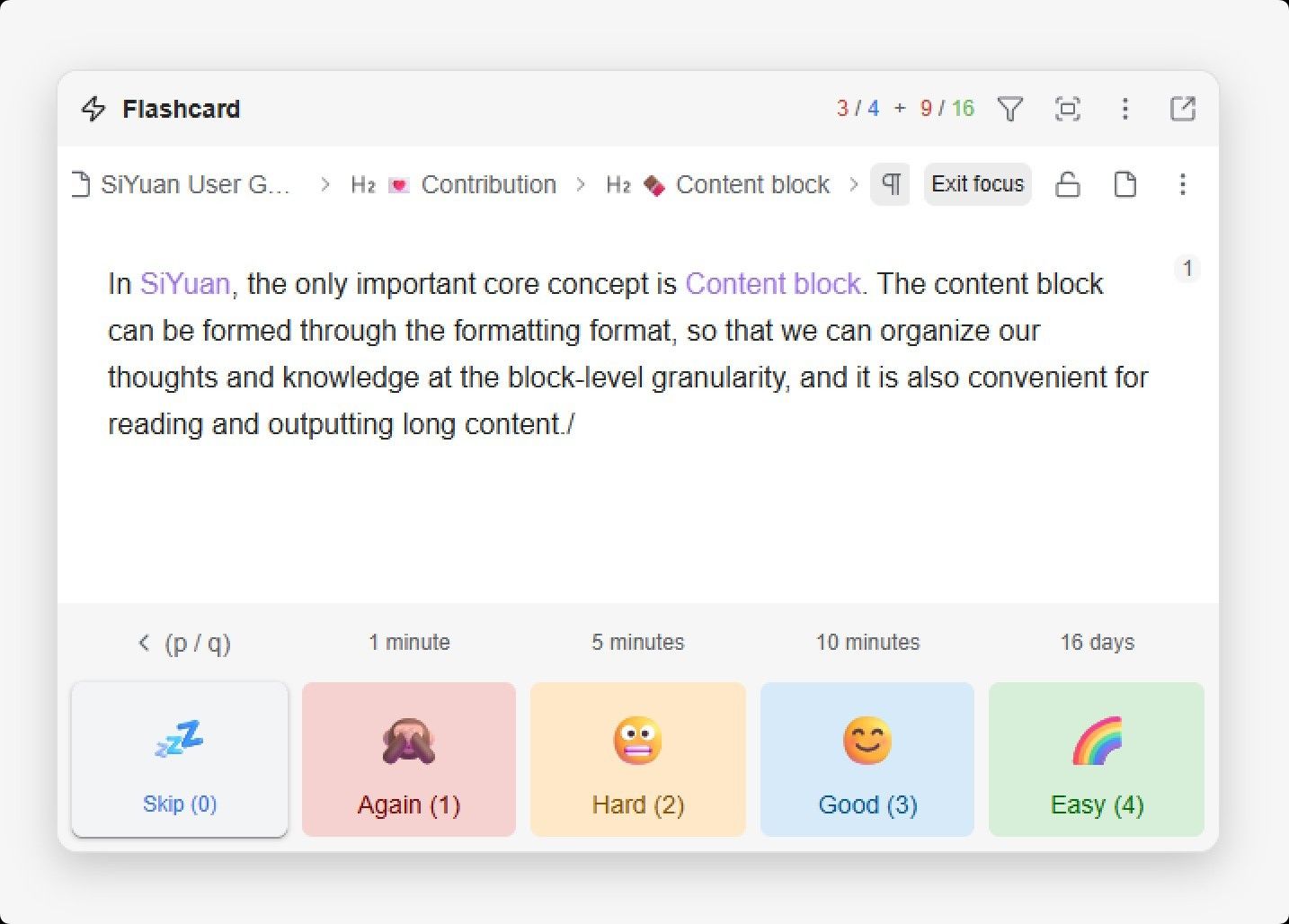
Official SiYuan product screenshot showing its review controls.
Features
- Local notes and block references.
- Databases and linked knowledge organization.
- Built-in FSRS-based flashcard review.
Pros
- Brings knowledge organization and scheduled study into one application.
Cons
- Configuration and data-model differences deserve attention before migration.
Best for: Technically comfortable learners who want local-first notes with integrated review.
Do not equate a shared scheduling algorithm with compatible study history. Two applications can use FSRS while storing card identities, ratings, and past reviews differently.
9. Notion: Best for Organizing Courses and Shared Projects
Notion belongs on this list for a different reason: sometimes the real problem is keeping courses, reading lists, assignments, and shared notes organized. It is less direct if your main reason for using RemNote is automatically returning to individual cards when they are due.
A database labeled "flashcards" does not by itself provide an adaptive review scheduler. You can build a manual study tracker, but that requires designing and maintaining the routine rather than receiving the same behavior automatically.
What it replaces in RemNote: course administration and collaborative note organization.
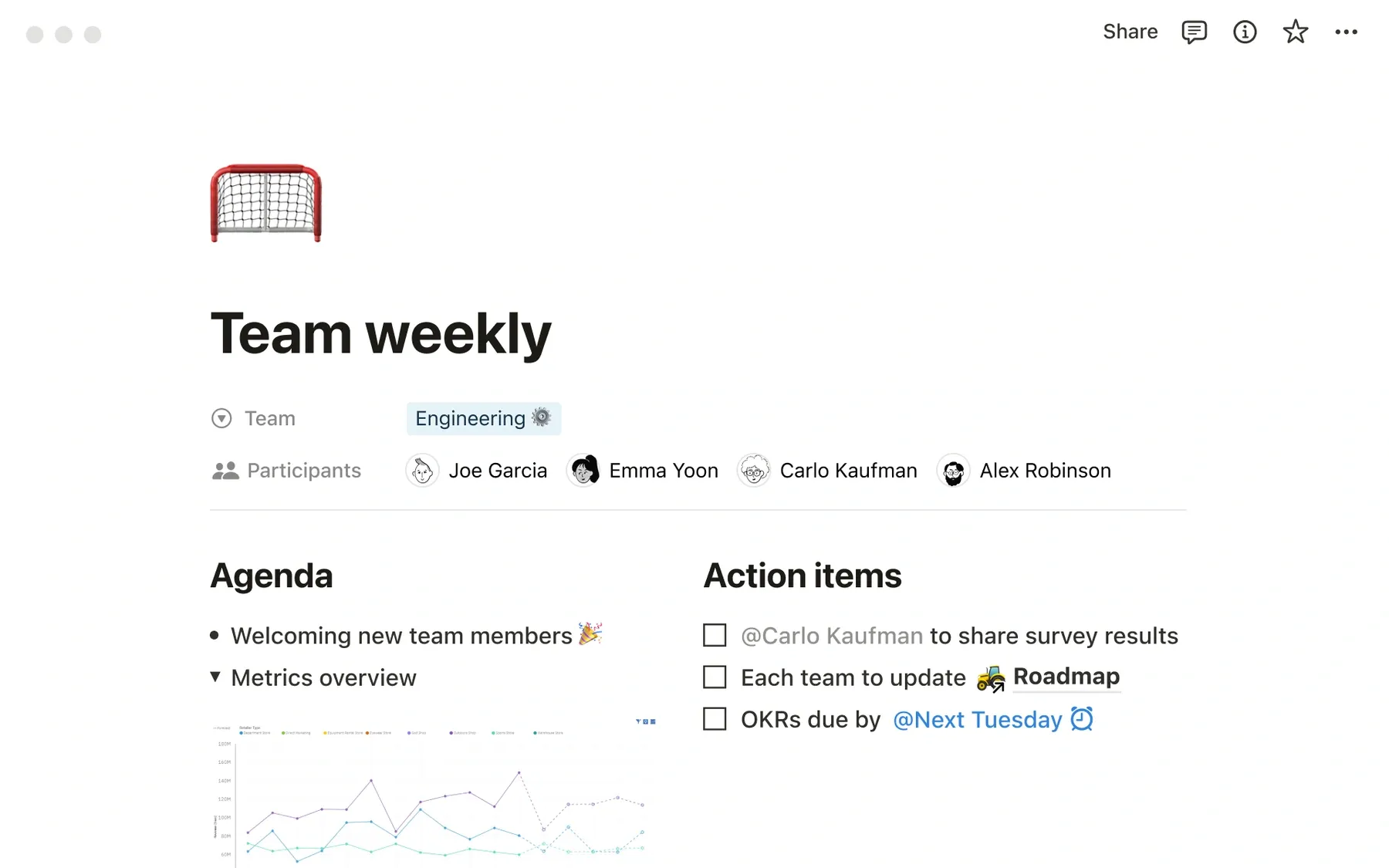
Notion's shared-page layout illustrates organization and collaboration, not flashcard scheduling.
Features
- Pages and reusable templates.
- Course and project databases.
- Shared workspaces for group assignments.
Pros
- Useful when coursework includes deadlines, group responsibilities, and notes in one place.
Cons
- Free-plan boundaries vary by workspace use; unlimited AI and native SRS should not be assumed.
Best for: Students whose immediate problem is organizing work rather than scheduling flashcards.
Use a simple decision test: if you open RemNote mainly to find a document or manage a project, Notion may fit. If you open it mainly to clear a due-card queue, prioritize a review-first alternative instead.
10. Brainscape: Best for Straightforward Confidence-Based Review
Brainscape focuses on flashcards and confidence-based study rather than building a deep note graph. Its Basic plan supports creating and studying your own cards, while Pro expands areas such as premium content and media features.
That narrower focus can suit learners who want to spend less time organizing a workspace. It is not a promise that confidence ratings eliminate the need to write precise questions or correct misleading answers.
What it replaces in RemNote: repeated flashcard practice, not the surrounding explanatory note hierarchy.

Official Brainscape product visual combining desktop and mobile study screens.
Features
- Create and share flashcards.
- Review using confidence ratings.
- Track study progress.
Pros
- A direct route into reviewing self-created material.
Cons
- Media and other advanced capabilities sit behind Pro, with less emphasis on connected notes.
Best for: Learners who want a focused review habit with minimal knowledge-management setup.
RemNote Free vs. These Alternatives: What Are You Actually Gaining?
RemNote's free plan is not simply a demonstration. Its current pricing lists unlimited notes, flashcards, and synced devices, alongside limited document annotation, image occlusion, and monthly AI credits.
That changes the comparison: switching to another free note editor may save nothing if your existing RemNote use is already free. The gain must come from a better workflow, more suitable ownership model, or a specific limitation you can identify.
Compare Four Costs, Not Just the Subscription
| Cost | Question to ask before switching | Common surprise |
|---|---|---|
| Recurring payment | Does the free tier include the part I actually use? | Notes are free, but synchronization or AI is not |
| Setup | Can I build a useful study session without extensions? | Several plugins are needed to reproduce one integrated feature |
| Content preparation | Who creates and checks the cards? | A free review app still requires substantial card editing |
| Migration | What information fails to transfer? | Text moves, but references, media, or review state do not |
The cheapest system is not necessarily the one with the fewest paid features. A small subscription may be preferable to rebuilding a working library, while a local free app may be preferable if you mainly want readable files you control.
What Each Free Option Actually Replaces
| Alternative | Best replacement job | Free access to understand | Main trade-off |
|---|---|---|---|
| Lynote | Source material to editable study notes | Check the current account's generation allowance | Large workloads need an allowance check |
| Anki | Long-term scheduled flashcard review | Desktop, AnkiDroid, and AnkiWeb; official iOS app is paid | Not a full linked-note workspace |
| Obsidian | Locally stored linked notes | Free core; official Sync is optional and paid | Flashcard scheduling needs an additional workflow |
| Logseq | Outlines, journals, and block references | Open-source options; check the specific build | Features differ across product generations |
| Mochi | Markdown notes and cards | Free offline cards and decks | Cross-device sync is paid |
| NotebookLM | Studying a collection of sources | Limited free access; higher usage requires an eligible plan | Generated study artifacts are not equivalent to a review scheduler |
| Knowt | Turning notes into practice | Free core flashcard study; AI allowances vary | Check generation limits separately |
| SiYuan | Local block-based notes and study | Free core; services and AI costs are separate | More configuration than a simple card app |
| Notion | Organizing courses and shared projects | Free plan with workspace restrictions | Not a native replacement for RemNote's review queue |
| Brainscape | Confidence-based flashcard review | Free self-created cards; premium content and features cost extra | Less contextual note organization |
I would use the feature matrix at the start to narrow the list, not to count checkmarks. A source-linked note and a bidirectional knowledge graph do different jobs; likewise, generated flashcards do not necessarily come with a persistent review scheduler.
For any ? entry that matters to you, try the exact task in your account before migrating. Missing verification is not the same as a missing feature.
AI Note Generation and Spaced Repetition Solve Different Problems
Imagine a lecture on cell transport. You need to understand the explanation, connect it to earlier material, identify testable distinctions, and remember those distinctions later; these are related jobs, but they are not the same job.
An AI note generator addresses preparation by turning a source into something you can inspect and edit. A spaced-repetition system addresses timing by deciding when material should return for review, based on its scheduling model and your responses.
| Study stage | Useful output | What can still go wrong |
|---|---|---|
| Capture | A readable source or transcript | Missing pages or unclear audio |
| Understand | An explanation you can restate | A summary leaves out exceptions |
| Organize | Connected notes and examples | Labels replace actual understanding |
| Create cards | Specific questions and verified answers | Cards test several ideas at once |
| Review | Repeated retrieval over time | Familiarity is mistaken for recall |
Lynote AI Flashcard Generator is relevant at the card-creation stage after you have reviewed the source notes. Keep the distinction clear: generating questions helps prepare practice, while a verified scheduling workflow determines when that practice returns.
One app is enough if it handles your real bottleneck without creating a second maintenance task. A two-app setup can also work, but first verify the transfer format; do not assume an integration exists because both apps mention flashcards.
The most useful measure is not the number of generated cards. It is whether you can answer a well-written question without looking, explain why the answer is correct, and return to the supporting context when you cannot.
What Happens to Your Notes and Flashcards When You Leave RemNote?
The part I would be most careful about is migration. Downloading your notes is not the same as moving the study system you built around them. A RemNote page can contain prose, nested context, references, attachments, and card behavior that a destination app represents differently.
RemNote documents exports including its native format, OPML, Anki flashcards, HTML, Markdown, and plain text. Choose the export for the information you need to preserve rather than assuming one format carries everything.
| Material | What to inspect after export | Why it matters |
|---|---|---|
| Plain notes | Paragraphs, lists, and special characters | Readable text is the minimum backup |
| Nested hierarchy | Parent headings and indentation | A fact can lose its meaning without context |
| Backlinks and references | Whether targets still open | Visible reference text is not a working connection |
| PDFs and images | Whether actual files are available | A remote URL is not an independent media backup |
| Highlights | The connection to the source passage | A copied sentence may lose its location |
| Cloze cards | Hidden segments and answer behavior | Text can survive while card behavior changes |
| Image occlusion | Image, masks, and individual questions | A picture alone is not an occlusion deck |
| Review state | Due dates, history, and scheduling settings | Imported content may start a new review schedule |
Anki Export Is Not a Complete Note Archive
RemNote's Anki export is labeled flashcards-only: bullets without flashcards are not included. Parent context can accompany cards, but that does not mean every explanatory page or linked resource becomes an Anki note archive.
Keep a separate notes export when you need both knowledge and cards. Also inspect multiple-choice questions: their exported representation may differ from the interactive behavior you used inside RemNote.
Keep Attachments and Scheduling Separate
RemNote's native export documentation warns that images and PDFs are not themselves included as embedded files in that export. Check that you can independently access important attachments rather than assuming a file called "Complete" is a self-contained offline backup of every asset.
Likewise, documentation about importing Anki history into RemNote does not prove the reverse transfer preserves history. Export five familiar cards, inspect their destination state, and do not delete the old library until the results satisfy your needs.
Test One Chapter Before Moving a Semester of Notes
Choose a chapter containing ordinary prose, a diagram, a reference, and several existing cards. That small sample exposes more migration problems than a clean paragraph copied into an empty workspace.
Use the same material in two shortlisted tools. Record what actually happens instead of comparing a polished demo in one app with your messy real library in another.
| Test | Observation to record | Pass/fail |
|---|---|---|
| Find supporting context | Can I reach the relevant explanation from a card? | Fill after testing |
| Correct a generated answer | Can I edit it without recreating the set? | Fill after testing |
| Preserve hierarchy | Do parent and child ideas remain understandable? | Fill after testing |
| Use media | Are diagrams readable and available where needed? | Fill after testing |
| Review tomorrow | Does the app present the expected practice workflow? | Fill after testing |
| Switch devices | Does the required plan cover this routine? | Fill after testing |
| Export again | Can I recover readable notes and usable cards? | Fill after testing |
The overnight check matters because many apps look similar during card creation. Their differences become visible when you return, find what is due, correct an old question, and recover the context behind it.
My suggestion is to set a decision rule before testing: for example, "I need readable notes offline and a reliable daily review queue." A tool that fails a required condition should not win because it has a more attractive summary screen.
When Staying With RemNote Is the Better Decision
Stay with RemNote if its free notes, cards, and synchronization already cover your routine and the problem is mostly untidy organization. Moving the same poorly structured material to another app will not make the questions more useful.
It can also be sensible to stay when contextual cards are central to your study system. Losing the immediate route from a question to its parent explanation may cost more attention than you save on a subscription.
Consider changing only one stage instead of replacing everything. You might improve source preparation while keeping a familiar review queue, or keep your existing notes while testing a dedicated review tool with new material only.
- AI-heavy lectures: Shortlist Lynote or NotebookLM for preparing source-based study material.
- Long-term memorization: Start with Anki, then compare Mochi or Brainscape for a different review experience.
- Local connected knowledge: Compare Obsidian, Logseq, and SiYuan using your actual reference structure.
- Course and group administration: Consider Notion, without expecting it to replace adaptive flashcard scheduling.
The strongest reason to leave is a specific unmet requirement. "Another app is free" is weaker when your current workflow is already free and working.
FAQs About Free RemNote Alternatives
What Is the Best Free RemNote Alternative?
There is no universal replacement. Anki fits review-first study, Obsidian fits local linked notes, and Lynote fits preparing study notes from source material; check current allowances when AI generation is part of the requirement.
Is RemNote Itself Free?
Yes. Its free plan includes unlimited notes and flashcards, with limits on some document, image-occlusion, and AI features, so compare the restriction you actually encounter before switching.
Which Alternatives Combine Notes and Flashcards?
Mochi offers a Markdown notes-and-cards approach, and SiYuan combines block-based notes with built-in review. Lynote connects source-based note generation with flashcard creation, but that should not be treated as proof of identical RemNote scheduling behavior.
Which App Can Turn Lectures or PDFs Into AI Notes?
Lynote is designed for source-to-notes workflows involving documents and other supported materials. NotebookLM and Knowt also belong on a source-based study shortlist, with input eligibility and generation limits checked for your specific account.
Can I Move RemNote Flashcards to Anki Without Losing My Notes?
Use separate exports for separate purposes. The Anki export carries flashcards rather than every ordinary note bullet, so retain a readable notes backup and check media and contextual links independently.
Will My Review History Transfer?
Do not assume it will. Inspect a small exported set in the destination app and verify its history, due dates, and scheduling state; successfully importing the questions does not establish that the review data transferred.
Is Obsidian a Free Replacement for RemNote?
It can replace the linked-note side with a free local Markdown workspace. It does not automatically reproduce RemNote's integrated flashcard scheduling, and official cross-device Sync is a separate paid service.
Which RemNote Alternatives Work Offline?
Anki's installed apps, Obsidian, Mochi, and SiYuan offer local workflows. Check whether the exact activity you need also works offline: reading a saved note is different from requesting a new AI-generated summary or synchronizing changes.
Final Verdict
Choose a RemNote alternative for the job you need done, not for the longest feature list. Lynote fits source-to-notes preparation, Anki fits scheduled review, Obsidian fits local linked knowledge, and Mochi offers a focused notes-and-cards option.
Before moving everything, test one chapter, one export, and one return visit the next day. The right system is the one that preserves useful context and makes your actual study routine easier to maintain.

Written by Hamza Razzaq
Technical Writer
Hamza creates hands-on explainers and technical guides that make AI writing tools easier to understand and use. View all articles →