Science Notes: A Practical Guide to Smarter Studying

Good science notes do more than record what a teacher said or what a textbook explained. They show how concepts connect, why a process works, and where evidence supports a conclusion. With the right structure, your notes can become a practical tool for understanding difficult material, preparing for exams, and checking what you still need to learn.
Why Science Notes Need a Different Approach
Science combines vocabulary, processes, diagrams, equations, observations, and evidence. Copying full paragraphs often hides these relationships and leaves students with pages that are difficult to review. Effective science notes separate facts from explanations and make the logic behind each topic visible.
The best format also depends on the subject. Biological science notes may need labeled diagrams and process sequences, while science physics notes require formulas, units, worked examples, and assumptions. Computer science notes often combine concepts with code, and environmental science adds systems, causes, effects, and policy responses.
What Makes Science Notes Effective?
Strong science notes help you answer three questions: What is the idea, how does it work, and when should I use it? They reduce unnecessary detail without removing the evidence or conditions that make a scientific claim meaningful. They also leave space for corrections, questions, and connections discovered later.
1. Clear Definitions in Your Own Words
Start each topic with the essential terms, but avoid copying a glossary word for word. Write a short definition, add a concrete example, and note any closely related term that could cause confusion. This makes your science notes easier to understand when the lecture is no longer fresh in your memory.
For example, a biology page about diffusion should distinguish concentration gradient, passive transport, and osmosis. A computer science page about recursion should define the base case and recursive case before showing code. This small structure turns isolated definitions into usable knowledge.
2. Relationships, Causes, and Processes
Science is built around relationships rather than disconnected facts. Use arrows, numbered sequences, cause-and-effect chains, and comparison tables to show how one change influences another. These visual links are especially useful in notes about science topics such as ecosystems, feedback loops, cellular respiration, or electric circuits.
Processes should be written as stages with inputs, actions, and outputs. If a step only works under certain conditions, record those conditions beside it. This prevents a process from becoming a list that you can memorize but not explain.
3. Evidence and Examples
A scientific claim becomes more useful when your notes show the observation, experiment, or example behind it. Add one representative example after each major concept and explain why it demonstrates the idea. Your science notes should preserve enough context to distinguish evidence from a conclusion.
For quantitative subjects, include a worked problem rather than only the final formula. Label every value, write the unit, and explain why the selected equation applies. When you make a mistake, keep a corrected version so the notes capture the reasoning you need to improve.
How to Organize Notes for Science
There is no single perfect layout for every learner or topic. The most useful notes for science use a consistent system while allowing different formats for diagrams, calculations, and longer explanations. Choose a structure that makes review easy instead of choosing one only because it looks neat.
Use a Question, Evidence, and Explanation Layout
Divide each page into three parts: the question, the supporting information, and your explanation. The question creates a purpose for the page, while the evidence section holds definitions, data, examples, or source details. The explanation section connects the evidence and answers the question in your own words.
This format works well for notes of science readings and recorded lectures because it prevents passive transcription. It also creates ready-made prompts for later self-testing. Cover the explanation, answer the question, and then compare your response with the notes.
Combine Linear Notes With Concept Maps
Linear notes are useful for lectures, definitions, and step-by-step procedures. Concept maps are better for showing categories, dependencies, and feedback between ideas. Combining both formats lets science notes preserve detail without losing the larger structure.
Place a compact map at the end of each unit and connect it to the relevant pages. For example, a genetics map might connect DNA, genes, transcription, translation, proteins, traits, and mutations. The map becomes a fast review tool, while the detailed pages provide the explanation behind each connection.
Use Doodles With a Learning Purpose
Doodle notes science methods can help when the drawing represents a real relationship or memory cue. A labeled mitochondrion, a force diagram, or a small network sketch can make abstract information easier to retrieve. Decorative drawings that do not explain anything may make a page attractive without improving its usefulness.
Effective science doodle notes use consistent symbols, limited colors, and short labels. Assign one color to definitions, another to processes, and another to questions or errors. The goal is to make meaning visible, not to turn every science note into an art project.
Science Notes for Different Subjects
Different disciplines ask different kinds of questions, so the same template will not work equally well everywhere. A useful note system keeps a common foundation but changes the supporting elements by subject. The following formats cover several of the most common searches students make when planning notes science coursework.
Biological Science Notes
Biological science notes should emphasize structures, functions, processes, and levels of organization. Use labeled diagrams for cells, organs, pathways, and cycles, then connect each label to a short functional explanation. For multi-stage processes such as mitosis or photosynthesis, create a sequence that shows what changes at every stage.
Comparison tables make science notes clearer when topics are easy to confuse. You might compare mitosis with meiosis, prokaryotic with eukaryotic cells, or innate with adaptive immunity. End each section with one question that asks you to predict what would happen if part of the system changed.
Science Physics Notes
Science physics notes should place concepts before calculations. Begin with the physical situation, identify the known and unknown values, and record the assumptions before choosing an equation. A small diagram should show forces, motion, direction, or circuit connections whenever they matter.
Keep a formula section in your science notes with variable meanings and SI units, but do not treat it as a formula sheet alone. Add one worked example and a short explanation of why the equation fits the problem. Include common errors such as missing negative signs, incorrect unit conversions, or confusing velocity with speed.
AP Environmental Science Notes
AP environmental science notes need to connect natural systems with human activity, data, and policy. Organize each topic around causes, mechanisms, environmental effects, affected groups, and possible responses. Add important examples, but explain the principle each example illustrates instead of memorizing names alone.
Use system diagrams for cycles, energy flow, population change, pollution pathways, and climate feedback. A comparison table can separate renewable and nonrenewable resources or point-source and nonpoint-source pollution. Finish each unit with practice links between vocabulary, graphs, calculations, and real-world cases.
Health Science Notes
Health science notes often combine anatomy, physiology, terminology, procedures, and clinical context. Organize pages by body system or learning objective and use consistent labels for normal function, disorder, signs, causes, and interventions. Mark information that requires professional or course-specific verification rather than treating study material as personal medical advice.
Tables are useful for comparing conditions, but every column should have a clear purpose. A table might compare mechanism, major features, diagnostic approach, and general management principles. Add source dates when guidance can change, especially for public health recommendations or clinical standards.
Computer Science Notes
Computer science notes should connect definitions with execution. For an algorithm, record the goal, inputs, outputs, key steps, time or space complexity, and one example trace. For a programming concept, include a short code example and annotate what each important line does.
Lecture notes in computer science become more useful when they include failed assumptions and debugging observations. Record why one approach does not work, not only the final solution. Use diagrams for memory, data flow, networks, trees, state changes, and relationships between system components.
Political Science Notes Format
A political science notes format needs a different balance because the subject combines concepts, institutions, historical evidence, data, and competing interpretations. Structure each topic around a question, major argument, supporting evidence, counterargument, and conclusion. Keep the author's claim separate from your evaluation so that later review does not blur the source and your response.
Comparison grids work well for political systems, theories, institutions, and policy approaches. Include the context and limitations of each example rather than using it as universal proof. This method also shows how a flexible science note system can support evidence-based social science courses.
How Lynote Helps Create Science Notes
Manual note-taking is valuable when it forces you to select and explain ideas, but it can become inefficient when the source is long or spread across formats. Lynote's AI Note Generator turns documents, videos, audio, images, webpages, and YouTube links into structured science notes based on the uploaded source. The generated result provides a starting structure that you can review, correct, and personalize.
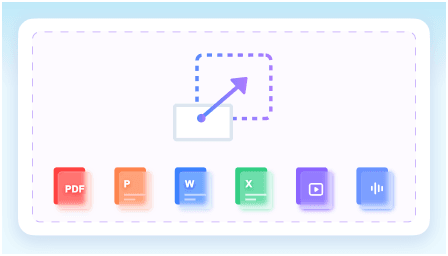
Lynote supports PDFs, DOCX, PPTX, XLSX, MP3, MP4, webpages, and other common study materials. It can organize key points with headings, sections, timestamps, visual context, and relevant images when available. Students can also edit the notes, ask questions about the source, and turn material into flashcards for later review.
Step 1: Add Your Learning Materials
Open the Lynote AI Note Generator and upload the source you want to study. This might be a textbook chapter, lecture recording, research paper, slide deck, webpage, or YouTube lesson. Keeping the original source connected helps you verify details while refining your science notes.
Step 2: Generate a Structured Draft
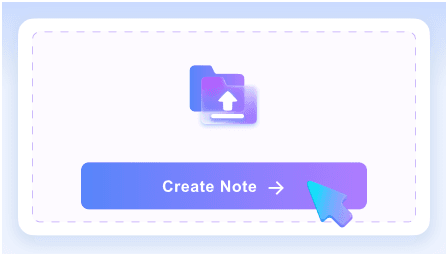
Select Create Note and let Lynote identify key ideas, important concepts, and useful supporting details. The generated draft can give a long source a clearer hierarchy, especially when a lecture moves quickly between definitions, examples, and explanations. Treat the output as an organized first pass rather than a substitute for understanding.
Step 3: Edit the Notes for the Subject
Adapt the result using the subject-specific formats described above. Add diagrams to biological science notes, worked examples to physics pages, system relationships to environmental science, and code traces to computer science notes. Remove details that do not support your learning goals and add your own questions beside difficult sections.

Step 4: Review With Questions and Flashcards
Use AI Chat to ask questions grounded in the uploaded material and clarify sections that remain confusing. Turn important terms or relationships into flashcards, then test yourself before rereading the notes. This changes science notes from a storage document into an active study resource.
How Lynote Compares With Other AI Study Tools
Students may also encounter tools such as Gemini Notebook, formerly NotebookLM, when organizing science notes and source materials. Its public student workflow emphasizes source-based notebooks, cited answers, and generated study materials, while Lynote provides a direct path from mixed files, recordings, webpages, and YouTube links to structured, editable science notes. The better fit depends on whether you want an ongoing source notebook or a fast multi-format note-generation and review workflow.

How to Review and Improve Your Science Notes
Notes become useful through review, not through collection alone. Schedule a short review after the lesson, another within the week, and a later check before an assessment. During each review, retrieve the idea from memory before looking at the page.
Add Retrieval Questions
Turn every major heading into a question that you can answer without looking. Ask for explanations, predictions, comparisons, and applications rather than definitions only. A strong science note might ask, “How would this system change if one variable increased?”
Write your answer from memory and then use the notes to identify missing reasoning. Mark the gap beside the relevant section so the page improves over time. This process makes revision more targeted than repeatedly highlighting the same material.
Maintain an Error Log
Create a small error log for incorrect calculations, confused terms, weak explanations, and misread questions. Record the original mistake, the corrected reasoning, and one cue that will help you notice the issue next time. Review this log before practice tests or problem sets.
An error log is especially helpful for physics, statistics, coding, and multi-step biological processes. It shows patterns that ordinary science notes may hide, such as repeated unit errors or skipped assumptions. Adding the corrections back into your science notes makes the next review more focused than adding another page of copied content.
Common Mistakes to Avoid
The first mistake is writing everything. A complete transcript may preserve the lecture, but it does not show which ideas matter or how they connect. Compress information after class by rewriting key points, grouping examples, and deleting repetition.
The second mistake is trusting a polished page without checking the science. Verify formulas, terminology, diagrams, dates, and claims against the course material or a reliable source. This is particularly important when AI assists with the first draft, because the student remains responsible for the final science notes.
The third mistake is reviewing only by rereading. Familiarity can feel like mastery even when you cannot explain or apply the idea independently. Use retrieval questions, blank diagrams, practice problems, and comparison prompts to test what the notes actually help you recall.
Frequently Asked Questions About Science Notes
What Is the Best Format for Science Notes?
The best format combines short explanations, diagrams, examples, and retrieval questions. Use linear notes for detail, tables for comparison, and concept maps for relationships. Adjust the balance according to the subject and the type of assessment.
Should I Handwrite or Type My Notes?
Either method can work when it requires active selection and explanation. Handwriting can be convenient for formulas and diagrams, while typing is useful for searchable lecture material and later editing. Many students use a hybrid system that combines digital science notes with handwritten problem solving.
Are Doodle Notes Useful for Science?
Doodle notes can be useful when the visual represents a concept, process, or memory cue. Labels, arrows, icons, and color coding can make relationships easier to scan. Avoid adding decoration that consumes time without increasing understanding.
Can AI Create Notes From a Science Lecture?
AI can turn a recording, video, slide deck, or document into a structured first draft. Lynote can organize source-based material and keep it available for editing, questions, and flashcard creation. You should still compare the result with the original source and correct discipline-specific details.
How Often Should I Review a Science Note?
Review the note briefly after the lesson, again within several days, and later through spaced practice. Each review should begin with retrieval instead of passive rereading. Increase the frequency for topics that produce repeated errors or weak explanations.
Build Better Science Notes With Lynote
Effective science notes make relationships, evidence, processes, and questions easier to see. Lynote can turn mixed study materials into a structured first draft, but your review and subject knowledge give that draft real value. Try the Lynote AI Note Generator, then edit, verify, and practice with the result until the ideas are truly yours.

Written by Hamza Razzaq
Technical Writer
Hamza creates hands-on explainers and technical guides that make AI writing tools easier to understand and use. View all articles →