7 Free Tactiq AI Alternatives for Better Meeting Notes

The best Tactiq AI alternatives either preserve Tactiq's lightweight, bot-free meeting experience or add replayable recordings, mobile capture, broader AI usage, and notes from saved sources. Tactiq itself is easy to understand: install a Chrome extension, open a supported online meeting, and read a live transcript without inviting an extra note-taking bot.
The best Tactiq AI alternatives solve different parts of that problem. Some record and replay meetings, some preserve Tactiq's bot-free feel, and others turn saved recordings, documents, videos, or links into structured notes after the source already exists.
Quick Verdict: The Best Free Tactiq AI Alternatives
There is no universal Tactiq replacement because the products capture information in fundamentally different ways. Choose the workflow you need first, then compare the free allowance and paid upgrade path.
| Tool | Best for | Capture method | Free-plan reality | Main tradeoff |
|---|---|---|---|---|
| Lynote | Saved recordings and mixed-source notes | File or link input | Free online source-to-note workflow | Does not join or live-transcribe meetings |
| tl;dv | Video meetings, replay, and clips | Meeting recorder or desktop capture | Unlimited recording and transcription, with AI and retention limits | Advanced intelligence requires a paid plan |
| Fathom | Frequent free online meetings | Meeting assistant and desktop tools | Unlimited recording, storage, and transcription; advanced AI is limited | A meeting recorder may be more visible than Tactiq |
| Granola | Bot-free, user-guided notes | Device audio plus a live notepad | Unlimited meeting notes with a 30-day accessible-history window | No long-term free history in the app |
| Fireflies.ai | Integrations and searchable meeting memory | Bot, extension, apps, or uploads | Core notes are free; storage and advanced AI have limits | The product can feel complex for simple use |
| Otter.ai | Live transcription and mobile notes | Meeting agent, web, mobile, or import | 300 minutes monthly with history and import limits | Free minutes can disappear quickly |
| Notta | Multilingual and cross-device capture | Meeting bot, app, browser, or upload | 120 minutes monthly, but only three minutes per conversation | Free conversation length is highly restrictive |
Keep Tactiq if you mainly attend Google Meet, Zoom, or Microsoft Teams in a Chromium browser and want live text without a participant bot. Choose an alternative when your real requirement is playback, in-person capture, durable history, source-based notes, or a stronger post-meeting workflow.
Tactiq AI Note Taker Review: How It Works and Where It Fits
What Tactiq AI Note Taker Does
Tactiq is a browser-first AI note taker for Google Meet, Zoom, and Microsoft Teams. Its Chrome extension displays a live transcript, identifies speakers, and lets the user work with the meeting text without adding a visible bot participant to the call.
The transcript is only the first layer. Tactiq can generate summaries, action items, key insights, follow-up emails, and answers to custom questions. Users can also save prompts as repeatable workflows and share meeting context with tools such as Slack, Notion, Linear, and HubSpot.
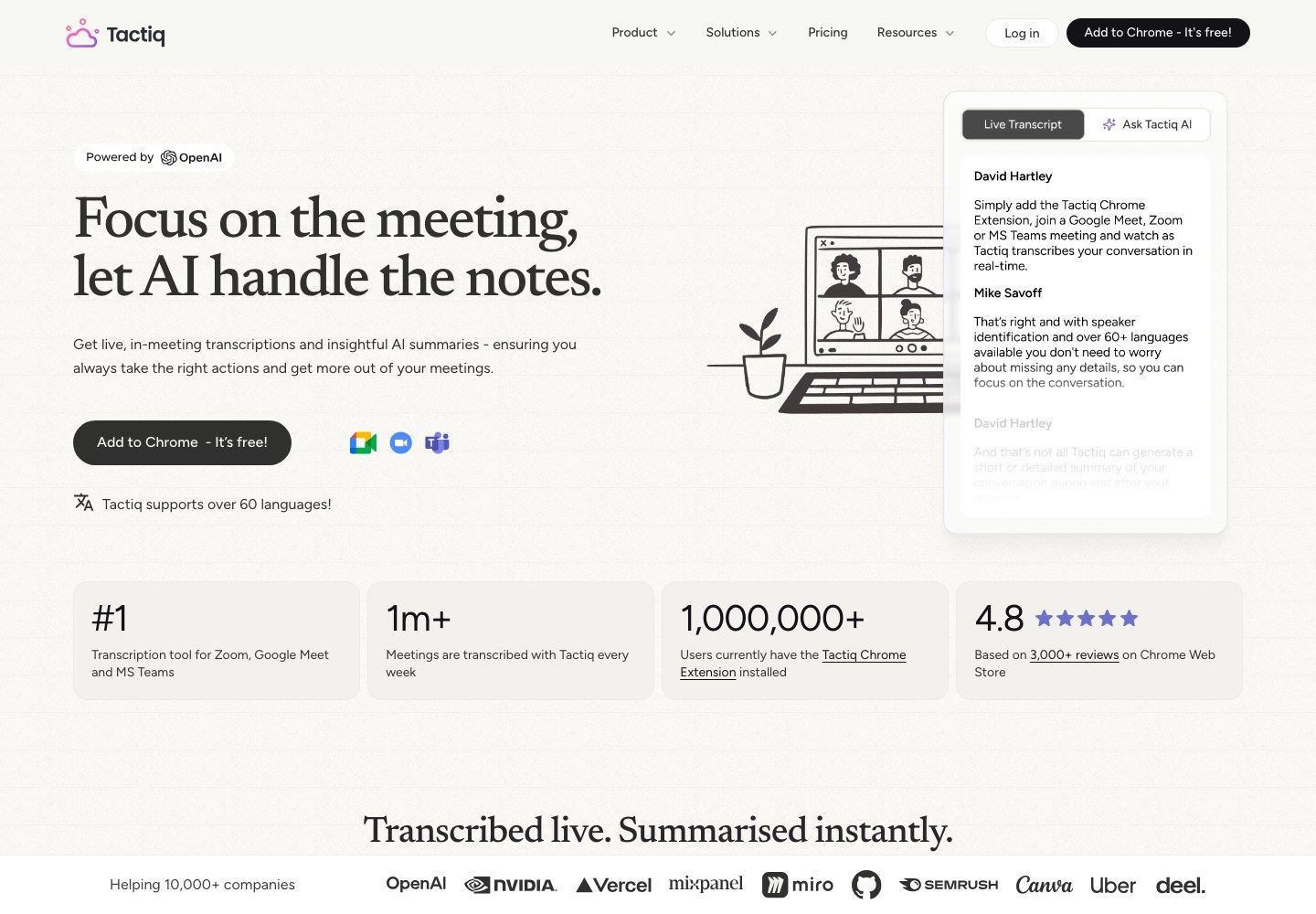
The current product supports more than 60 languages. That makes it useful for multilingual meetings, although any consequential quote, name, number, or technical term should still be checked before it becomes a task, decision, or client-facing statement.
The Tactiq Workflow: During and After a Meeting
Tactiq's appeal is that the workflow starts inside a meeting the user is already attending. After installing the extension and signing in, the user opens a supported meeting in a compatible browser, enables the platform captions when required, and sees the transcript appear as people speak.
During the call, the user can follow the text and use available AI actions. After the meeting, the transcript is saved to the Tactiq workspace, where it can be reviewed, edited, summarized, searched, exported, or passed through a reusable workflow.
One important limitation is easy to miss: Tactiq does not record or store the meeting audio. It saves the real-time text, so there is no synchronized audio track to replay when a sentence looks wrong. That is an advantage for users who do not want an audio archive, but a disadvantage for interviews, legal or technical discussions, multilingual calls, and any workflow where exact wording needs to be verified.
Tactiq Pricing and Free-Plan Limits
Tactiq's free plan is permanent and does not require a credit card. However, it has two separate monthly meters, and treating them as one limit gives readers the wrong impression.
| Plan | Annual starting price | Meeting transcripts | AI credits | Practical fit |
|---|---|---|---|---|
| Free | $0 | 10 per month | 5 per month | Occasional meetings and product evaluation |
| Pro | $8 per user/month | Unlimited | 10 per month | One frequent individual who needs more transcripts |
| Team | $16.67 per user/month | Unlimited | Unlimited | Small teams using summaries and workflows regularly |
| Business | $29.17 per user/month | Unlimited | Unlimited | Larger teams needing retention and administration |
| Enterprise | Custom | Unlimited | Unlimited | Organization-specific controls and support |
A meeting credit controls access to an eligible transcript on Free. An AI credit is used when AI analyzes a meeting for summaries, action items, decisions, follow-up writing, questions, or AI-powered workflow steps. Tactiq currently counts those AI actions by meeting, so the first AI action uses the credit and additional AI actions on the same meeting do not consume another one.
This means the Free plan can support 10 transcripts but only five AI-analyzed meetings in a month. Pro removes the transcript limit but still includes only 10 AI credits, so users who need AI notes on many meetings may have to move beyond the entry paid plan.
Prices and allowances can change. Check the current billing page before purchasing, especially when AI usage rather than raw transcription is the reason for upgrading.
Tactiq Pros, Cons, and Best Fit
Pros
- No separate participant bot joins the meeting.
- Live text appears while the conversation is happening.
- Setup is lightweight for people who already work in Chrome.
- Speaker identification, summaries, action items, questions, and workflows are available in one product.
- The permanent free plan is enough for occasional meetings.
Cons
- Browser dependence makes it less flexible for in-person or mobile-first capture.
- There is no stored audio or video for transcript verification.
- Free transcript and AI limits are separate and relatively small.
- A text-first workflow is less useful when video clips or visual context matter.
Best for: Tactiq is best for individuals who attend a modest number of supported browser meetings and want unobtrusive live transcription more than replayable media. It remains a good choice when the transcript itself is the deliverable and the user does not need a large meeting archive or advanced team intelligence.
Why Look for a Tactiq Alternative?
The strongest reason to switch is not that another product has more features. It is that Tactiq's capture model or free limits do not match the work you actually do.
First, frequent users can outgrow the allowance. Ten monthly transcripts may be enough for a weekly project meeting, but not for daily sales calls, interviews, classes, or customer research. Five AI credits create an even earlier ceiling when every meeting needs a summary and action items.
Second, a saved transcript is not the same as a verifiable recording. When you need to hear tone, review an exact quote, watch a shared screen, or create a clip, choose a tool that stores audio or video alongside the text.
Third, not every source begins as a live browser meeting. A student may have a lecture recording and slide deck, a researcher may have interviews and PDFs, and a project team may need notes from a webinar, report, and webpage. An upload-first workspace is a better fit for those sources than a live caption extension.
Finally, larger teams may need workflows that go beyond summaries: CRM field updates, coaching, shared archives, permissions, retention controls, multi-meeting analysis, or mobile and in-person recording. Those requirements justify a different category of tool.
How I Compared the Tactiq AI Alternatives
I compared current official product pages, pricing information, and help documentation rather than claiming a hands-on test that did not occur. Each product was evaluated against the point where a Tactiq user is most likely to feel friction.
The first criterion was capture method. Browser captions, a visible meeting bot, desktop system-audio capture, mobile recording, and file upload behave differently and create different consent, reliability, and verification tradeoffs.
The second was free-plan durability. A recurring monthly allowance is not equivalent to a short trial, and unlimited transcription can still be restrictive when AI summaries, history, storage, or exports are capped.
The remaining criteria were live text, stored media, source support, structured notes, action items, AI chat, editing, clips, sharing, integrations, searchable history, and team controls. The rankings favor a clear use case rather than pretending one tool wins every category.
The 7 Best Free Tactiq AI Alternatives
1. Lynote AI Note Taker: Best for Recordings and Mixed Sources
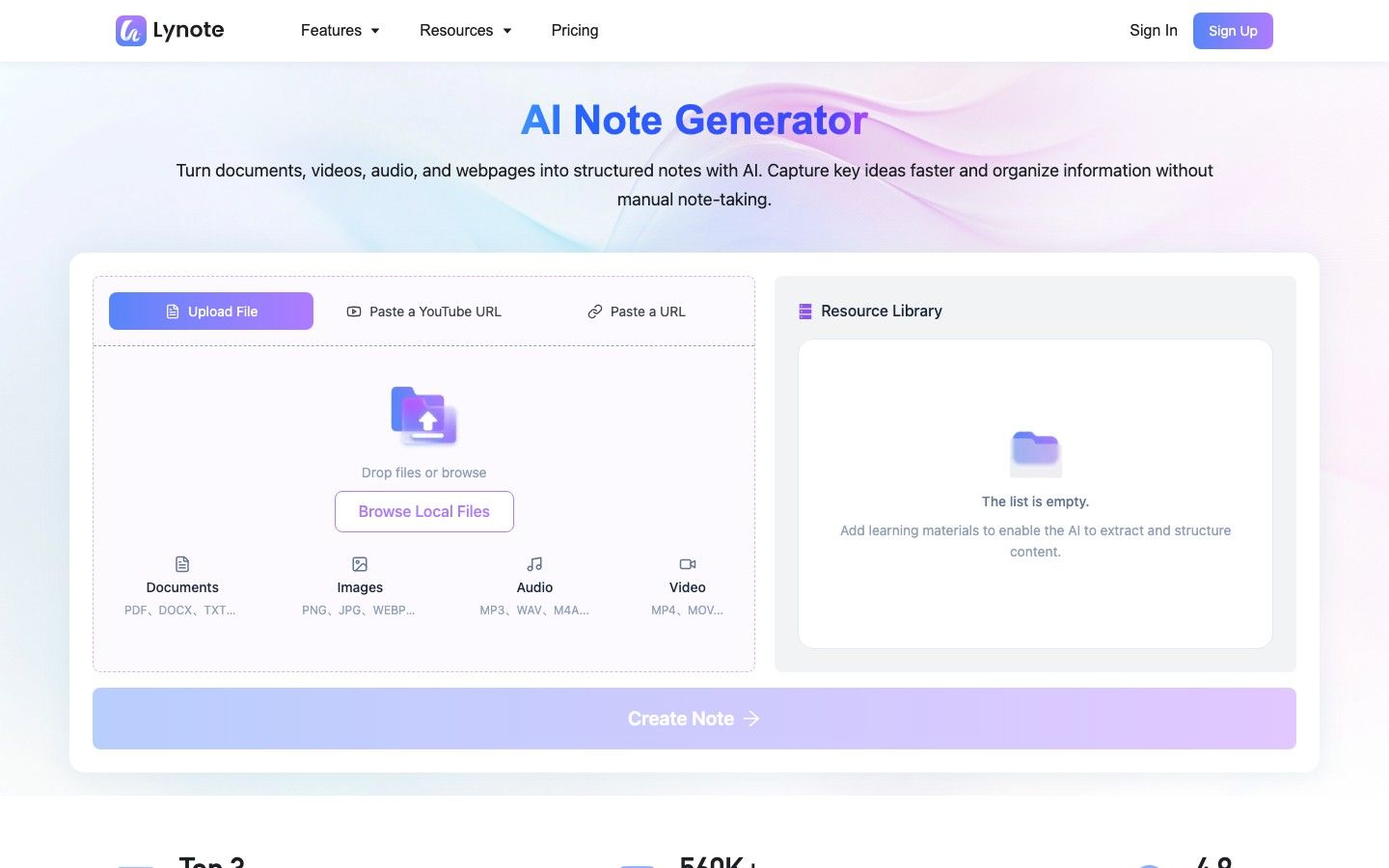
Lynote AI Note Taker is the strongest alternative when the meeting or learning material already exists as a source. Instead of joining a live call, Lynote lets users add documents, images, audio, video, YouTube links, or webpages to a workspace and turn that material into structured notes.
This broader input model matters when a project is not meeting-only. A user can build notes from a recorded interview, supporting PDF, reference webpage, and training video without forcing every source through a live meeting assistant. The resulting notes can be edited in the same workspace, questioned with source-grounded follow-ups, shared or exported, and reused as flashcards.
Features
- Documents, images, audio, video, YouTube links, and webpage inputs
- Structured notes with headings, bullets, and source-linked sections
- Editable rich-text output and follow-up questions
- Sharing, export, and conversion to flashcards
- One workspace for more than 20 supported formats
Free plan: Lynote provides a free online note-creation workflow. Because usage allowances may change, users should check the live workspace before processing a large batch.
Pros
- Handles meeting recordings and non-meeting sources in one workflow.
- Notes remain editable and connected to the supplied material.
- Flashcard conversion makes the output useful for study and review.
Cons
- It does not automatically attend or live-transcribe meetings.
- Users need to upload or link the source themselves.
Best for: Students, researchers, educators, creators, and teams that already have a recording, file, video, image, or link and want reusable notes rather than only a live transcript.
2. tl;dv: Best for Free Video Meetings and Shareable Clips
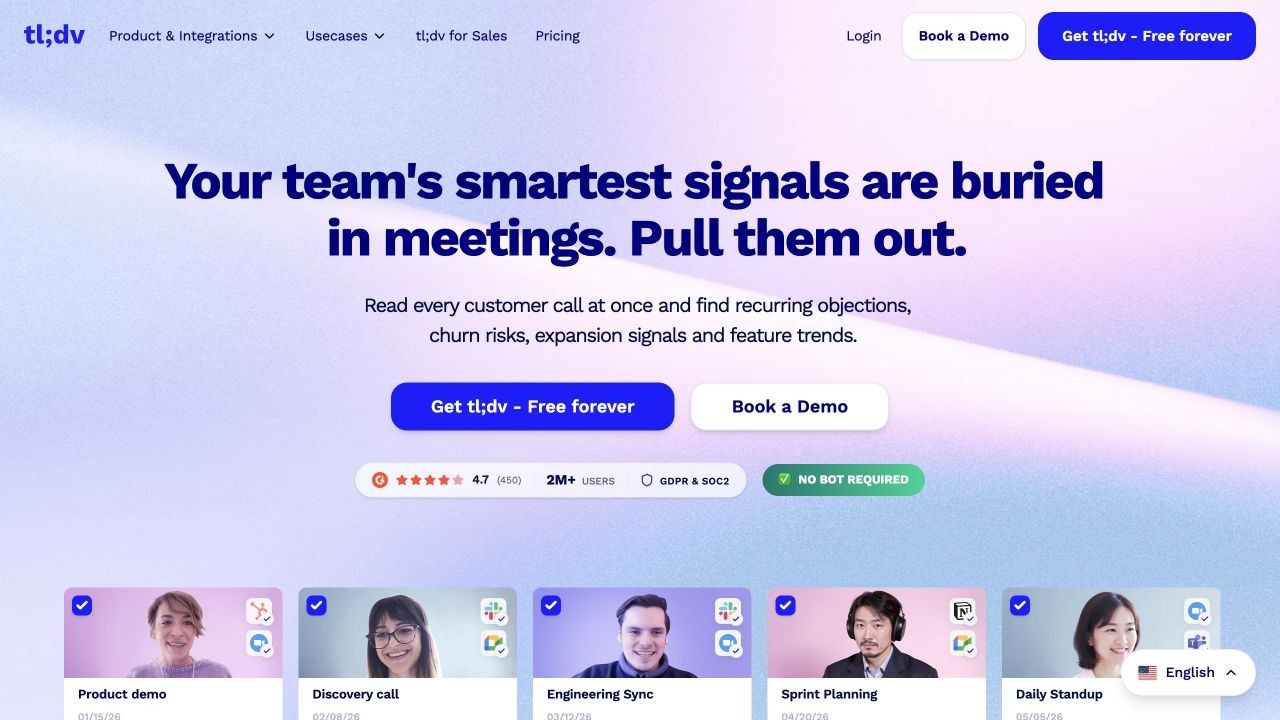
tl;dv is a better Tactiq alternative when the recording itself is valuable. It can capture meetings on Zoom, Google Meet, and Microsoft Teams, generate transcripts and notes, and preserve video so users can replay or share the moment behind a written takeaway.
That media layer changes the workflow. A product team can clip a customer comment, a manager can revisit how a decision was framed, and an absent teammate can watch only the relevant moment instead of trusting a decontextualized transcript.
Features
- Video recording and transcription for major meeting platforms
- AI notes, summaries, highlights, and shareable clips
- Speaker recognition and searchable meeting content
- Bot and desktop-based capture options, depending on setup
- Integrations and advanced multi-meeting insights on paid plans
Free plan: tl;dv offers ongoing recording and transcription on Free, with AI notes limited to a set number of meetings and limits around retention, uploads, or advanced intelligence. Confirm current thresholds before using it as a permanent archive.
Pros
- Video replay makes transcript verification easier.
- Clips are useful for asynchronous review and customer research.
- The free recording allowance is generous for individual evaluation and regular use.
Cons
- The free plan is less generous for advanced AI and long-term history than its recording headline suggests.
- The product may be more than a user needs for simple text capture.
Best for: Teams that want replayable Zoom, Meet, or Teams meetings, especially when video moments and clips are part of the follow-up process.
3. Fathom: Best for Frequent Free Online Meetings
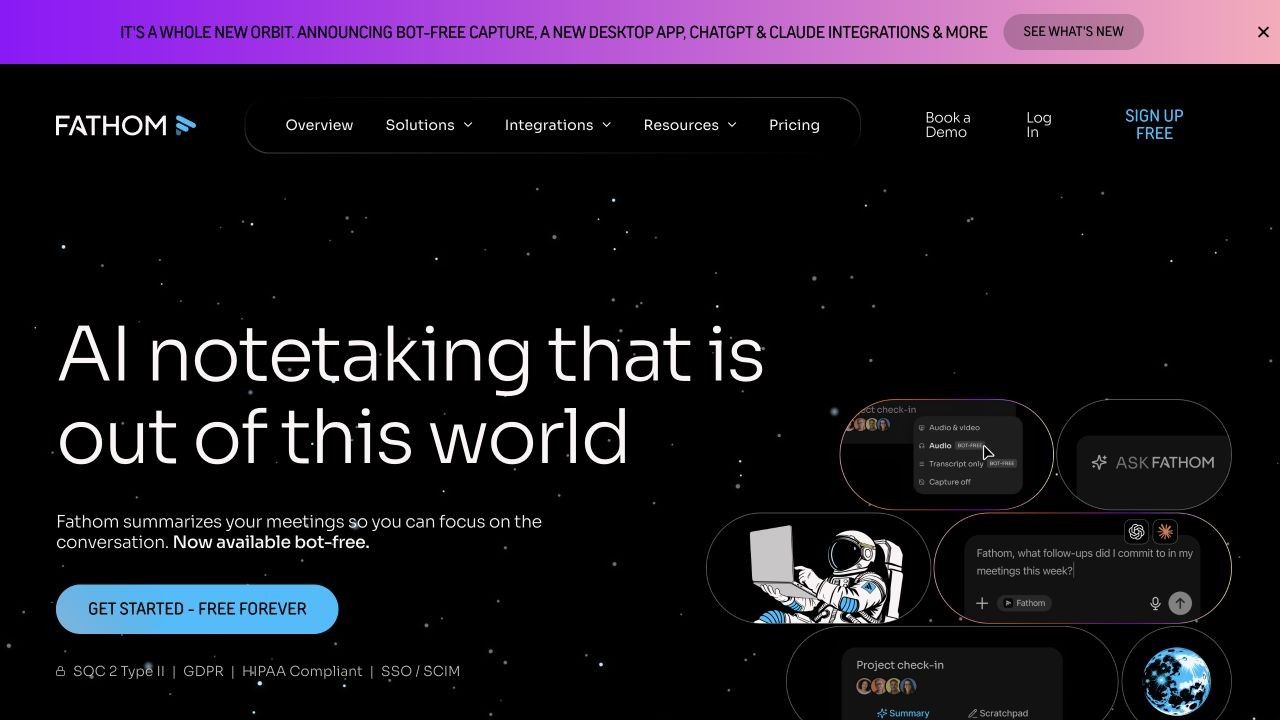
Fathom is one of the most practical free Tactiq alternatives for users with many online meetings. Its individual Free plan includes unlimited recordings, storage, and transcription, which removes the monthly transcript ceiling that makes Tactiq restrictive for daily use.
Fathom stores the meeting recording, connects it to the transcript, and generates post-call summaries. This is useful when a user wants to review the original wording, mark important moments, or share a recording rather than keep text alone.
Features
- Recording and transcription for Zoom, Google Meet, and Microsoft Teams
- Synchronized meeting playback and searchable transcripts
- Standard and advanced AI summary options
- Highlights, clips, follow-up writing, and CRM connections
- Support for multiple transcription languages
Free plan: Recording, storage, and transcription are unlimited for individuals. Advanced summaries and related features such as AI action items, custom summaries, and Ask Fathom apply to the first five calls each month; later calls receive a more basic summary format.
Pros
- Strong recurring free allowance for high meeting volume.
- Stored recordings make the notes easier to verify.
- The interface is focused on meetings rather than a broad content suite.
Cons
- Some advanced AI value is capped after five calls each month.
- The recording presence and workflow may not feel as lightweight as a caption-based extension.
Best for: Individuals who attend frequent online meetings and value unlimited free capture and playback more than invisible browser-only transcription.
4. Granola: Best Bot-Free Notepad Alternative
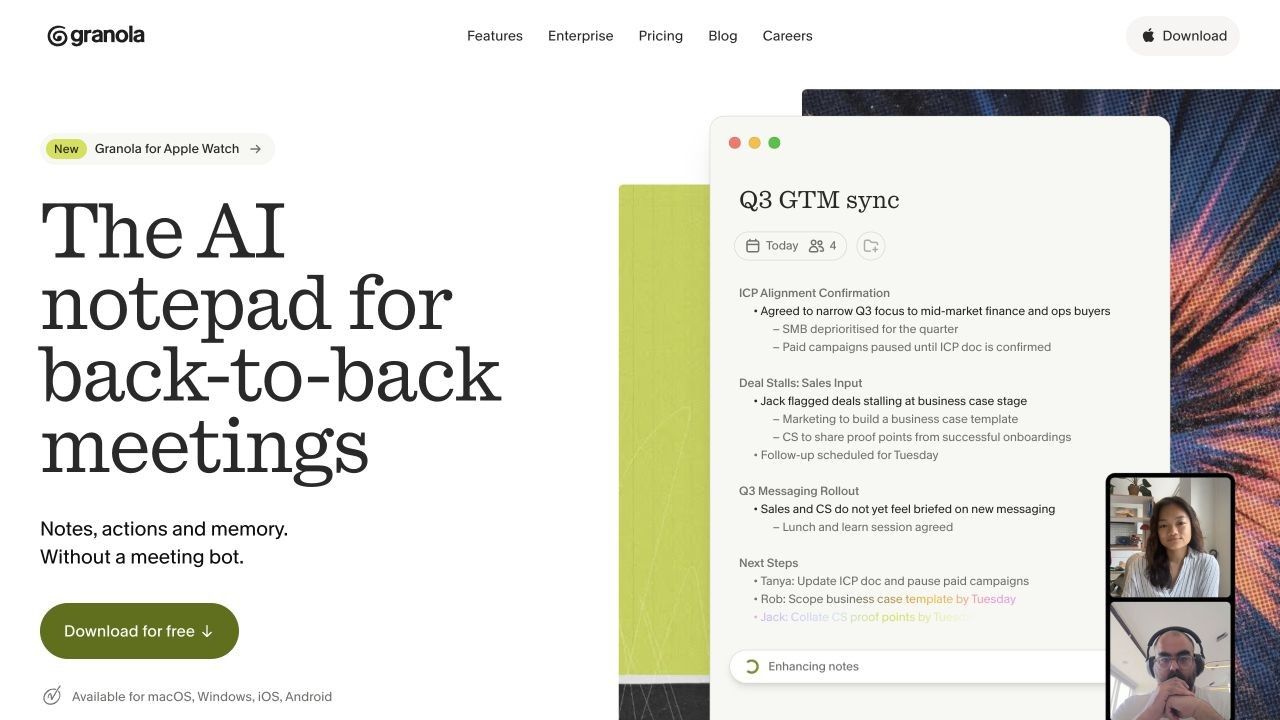
Granola is the closest conceptual alternative for people who like Tactiq because no visible meeting bot joins the call. It captures device audio and combines that context with the user's rough notes, producing a more organized note after the meeting without requiring the user to type every sentence.
Its notepad approach also keeps the user involved. Instead of treating the transcript as the only truth, Granola uses the points a person chose to write down as signals for what the final note should emphasize. AI chat, templates, folders, and multilingual support extend the notes beyond a one-time recap.
Features
- Bot-free device-audio capture
- User notes enhanced with meeting context
- AI chat within and across meetings
- Custom note templates and shared folders
- Desktop and mobile workflows with current platform support
Free plan: Granola Basic includes unlimited meeting notes and core AI features, but users can only view and work with notes from the latest 30 days in the app. Older notes are stored but require an upgrade for normal access.
Pros
- No meeting participant bot.
- Preserves user judgment instead of replacing it with a fully automatic transcript workflow.
- Unlimited note creation makes the free plan usable beyond a short trial.
Cons
- The 30-day accessible-history window weakens it as a free long-term archive.
- Users who need synchronized audio playback should choose a recorder-first tool.
Best for: Professionals who want a bot-free meeting notepad and are comfortable adding brief manual cues during the conversation.
5. Fireflies.ai: Best for Integrations and Meeting Search
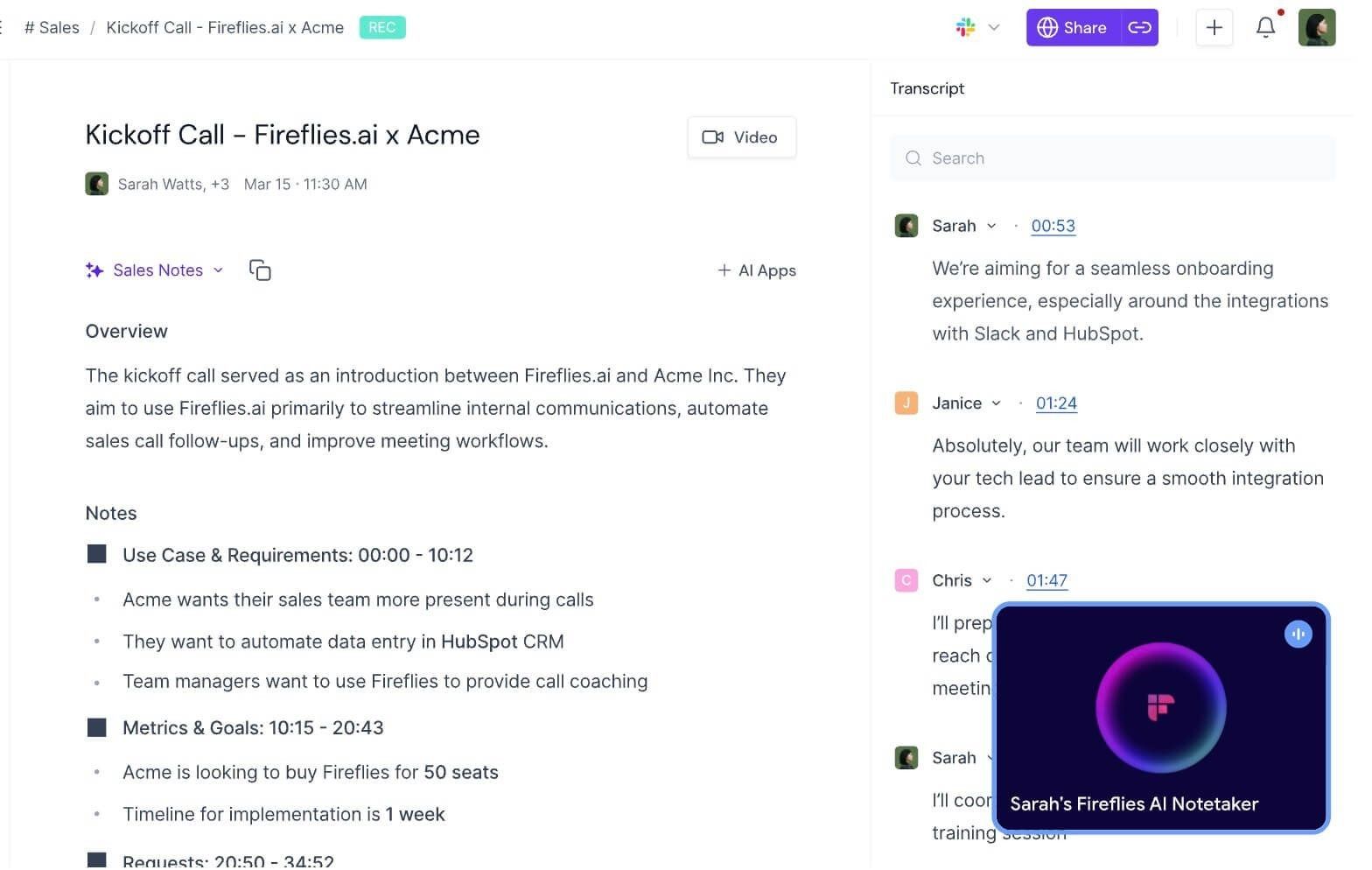
Fireflies.ai is a broader meeting-memory platform than Tactiq. It can capture conversations through its meeting bot, Chrome extension, desktop and mobile apps, or uploaded audio and video files, then organize the output in a searchable workspace.
The strongest reason to choose Fireflies is what happens after capture. Teams can search previous meetings, extract action items, collaborate around notes, and connect meeting information to CRM and project tools. This depth is useful for sales, recruiting, customer success, and other repeatable conversation workflows.
Features
- Bot, Chrome extension, desktop, mobile, and upload capture
- Transcription in more than 100 languages
- Structured notes, action items, AskFred, and meeting search
- Comments, bookmarks, clips, channels, and sharing
- Connections to CRM, project-management, and communication tools
Free plan: Core transcription and standard meeting recaps are available on Free. The plan also has storage limits and separate credits for advanced AI features, so users should not interpret "unlimited transcription" as unlimited access to every AI action or an unlimited recording archive.
Pros
- More capture options than Tactiq.
- Strong search and integration coverage for teams.
- Useful language support and uploaded-file processing.
Cons
- Credits and storage rules take time to understand.
- The interface can feel heavy for someone who only wants a live transcript.
Best for: Teams that want searchable meeting memory and integrations rather than a lightweight browser transcript.
6. Otter.ai: Best for Live Transcription and Mobile Notes
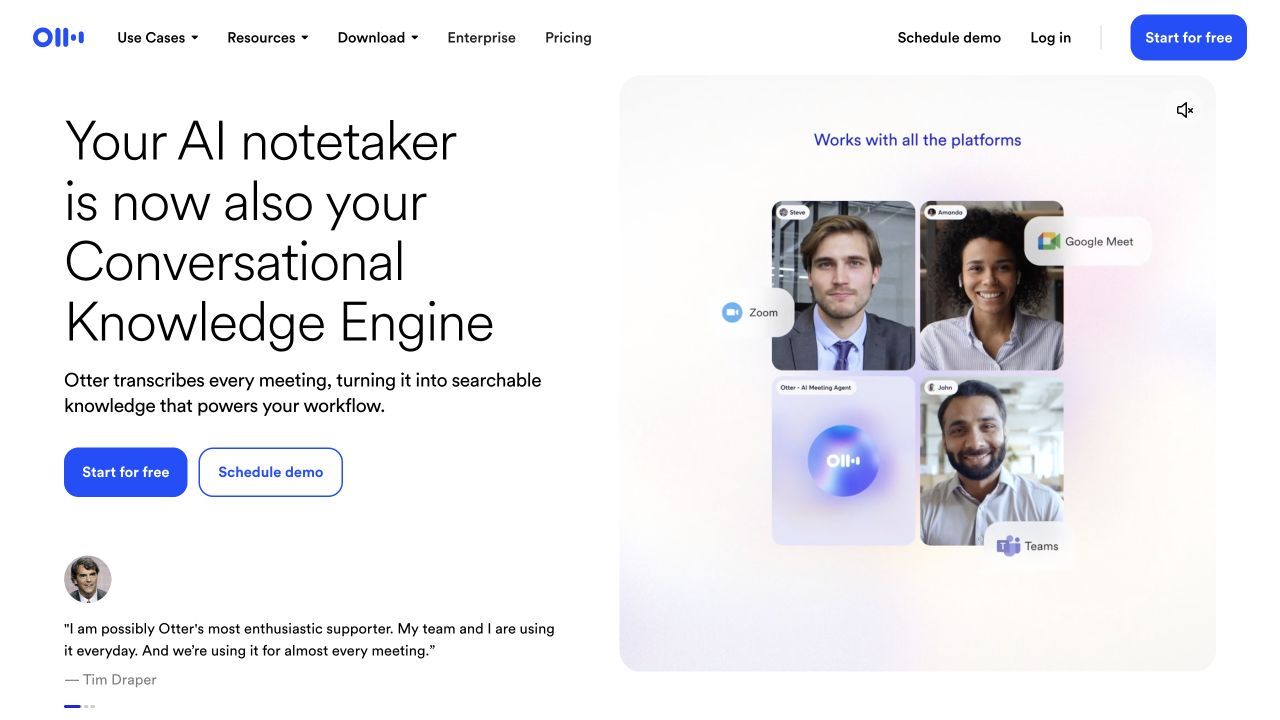
Otter.ai competes directly with Tactiq on live text but offers a broader set of capture options. Users can follow and collaborate on a real-time transcript, connect a meeting agent to Zoom, Google Meet, or Microsoft Teams, record through mobile apps, and capture in-person conversations.
The synchronized audio and text are especially useful for interviews and lectures. A user can search for a phrase, jump to the corresponding moment, and review what was actually said instead of relying on the transcript alone.
Features
- Live transcription and collaborative editing
- Automated summaries and action items
- Meeting agent for major conferencing platforms
- Web, iOS, Android, and in-person recording options
- Searchable recent meetings and limited file imports on Free
Free plan: Otter Basic currently includes 300 transcription minutes per month, access to 25 recent meetings, 20 AI chats per user, and three lifetime file uploads. Conversation-duration limits also apply, so the headline monthly minutes do not tell the whole story.
Pros
- Strong live transcript experience.
- Mobile and in-person capture cover workflows Tactiq misses.
- Audio-linked text makes verification practical.
Cons
- The free monthly allowance can disappear quickly in meeting-heavy weeks.
- A visible meeting agent may be unsuitable for some external calls.
Best for: Users who need live transcription across online and in-person conversations and want to review audio with the notes.
7. Notta: Best for Multilingual and Cross-Device Capture
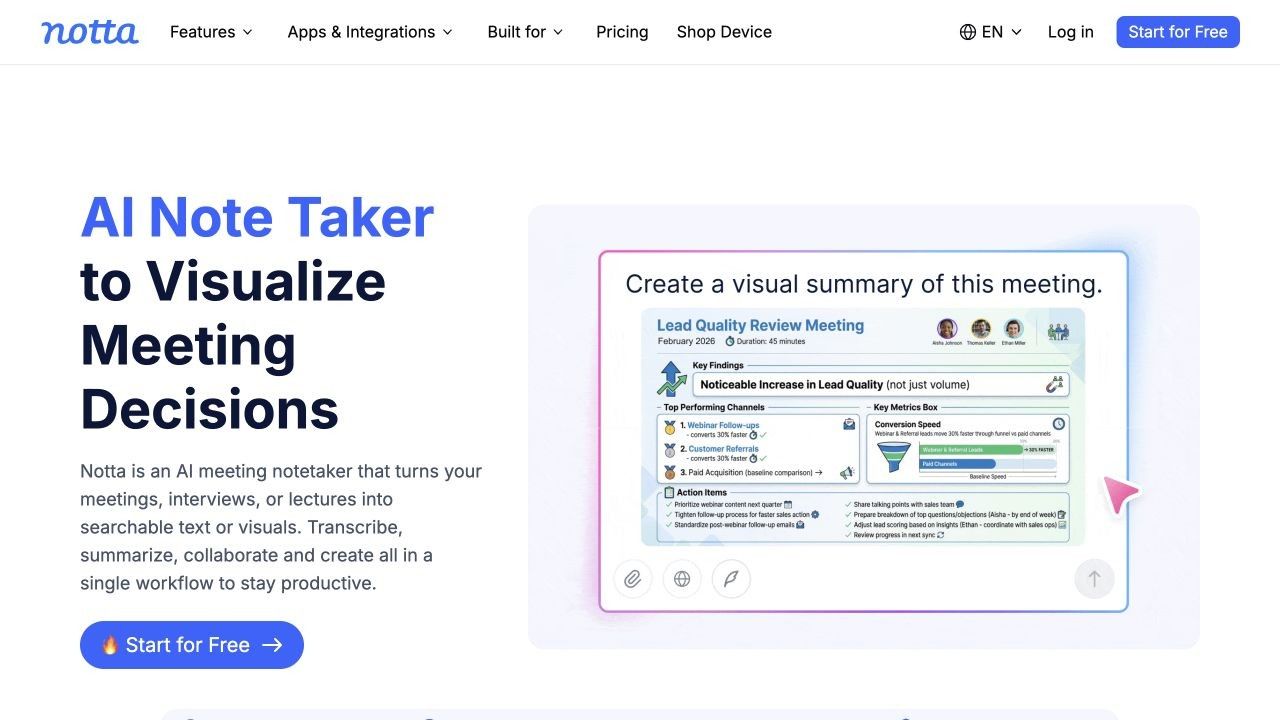
Notta combines online meetings, in-person recording, file import, browser tools, desktop workflows, and mobile apps. It supports Zoom, Microsoft Teams, Google Meet, and Webex, making it a practical alternative when Tactiq's Chromium-centered workflow is too narrow.
It is also designed for multilingual work. Depending on the workflow and plan, users can use speaker identification, bilingual transcription, translation-related features, AI Notes, comments, sharing, and integrations with tools such as Notion and Slack.
Features
- Online meeting, in-person, screen, and file-based capture
- Speaker identification and multilingual transcription
- AI Notes, Notta Brain, editing, comments, and global search
- Web, desktop, Chrome, iOS, and Android access
- Calendar, collaboration, and productivity integrations
Free plan: The current Free plan includes 120 transcription minutes per month and AI Notes access, but the three-minute maximum per conversation makes it unsuitable for most normal meetings. It is better treated as a product sample than a complete free meeting workflow.
Pros
- Broad platform and input coverage.
- Good fit for multilingual and cross-device users.
- Handles existing files as well as live conversations.
Cons
- The Free plan's conversation-length limit is severe.
- The number of related products and allowances can make plan comparison confusing.
Best for: Multilingual users who need flexible capture across meetings, devices, in-person conversations, and uploaded files and are willing to upgrade for realistic meeting lengths.
Tactiq vs. the Alternatives: Detailed Comparison
The first table compares how information enters each product. This is the most important distinction because it determines whether the tool can show live text, preserve media, work in person, or process an existing source.
| Tool | Capture method | Bot-free option | Live transcript | Stored audio/video | In-person use | Mixed-source input |
|---|---|---|---|---|---|---|
| Tactiq | Browser meeting captions | Yes | Yes | No | No | Limited |
| Lynote | File or link input | Not applicable | No | User supplies source | Source can be in-person recording | Yes |
| tl;dv | Meeting recorder or desktop capture | Available by setup | Yes | Yes | Limited by current app support | Some uploads |
| Fathom | Meeting assistant and desktop tools | Depends on current capture option | Yes | Yes | Limited | Meeting-focused |
| Granola | Device audio plus user notes | Yes | Notes, not a full live transcript | No replay-first archive | Supported by current apps | No broad file workspace |
| Fireflies.ai | Bot, extension, app, or upload | Yes through selected capture modes | Yes | Yes | Yes through apps | Audio/video files |
| Otter.ai | Agent, web, mobile, or import | Mobile/in-person capture | Yes | Yes | Yes | Limited imports on Free |
| Notta | Bot, browser, app, or upload | App-based options | Yes | Yes | Yes | Audio/video files and screen capture |
The second table focuses on the restriction users are likely to hit first. Free plans change frequently, so these figures should be treated as a current comparison rather than a permanent promise.
| Tool | Main free allowance | AI limit | History or storage limit | Best free use |
|---|---|---|---|---|
| Tactiq | 10 transcripts/month | 5 meetings/month | Transcript workspace | Occasional live browser meetings |
| Lynote | Free online workflow | Current workspace allowance applies | User account rules apply | Saved recordings and mixed sources |
| tl;dv | Ongoing recording and transcription | Limited AI-noted meetings | Retention limits apply | Replayable video meetings |
| Fathom | Unlimited recording, storage, and transcription | 5 advanced-summary calls/month | Unlimited core storage | Frequent individual meetings |
| Granola | Unlimited meeting notes | Core AI included | 30 days accessible on Free | Bot-free current notes |
| Fireflies.ai | Core transcription and summaries | Advanced AI credits | Storage cap | Integrated meeting workflows |
| Otter.ai | 300 minutes/month | 20 AI chats/user | 25 recent meetings; 3 lifetime imports | Live and mobile transcription |
| Notta | 120 minutes/month | 10 AI Notes uses/month | Plan-based | Short multilingual evaluation |
How to Use Lynote as a Tactiq Alternative for Saved Sources
Lynote is not a replacement for Tactiq's in-meeting sidebar. It is a replacement for the work that begins when the recording, presentation, document, or link already exists and needs to become a useful note.
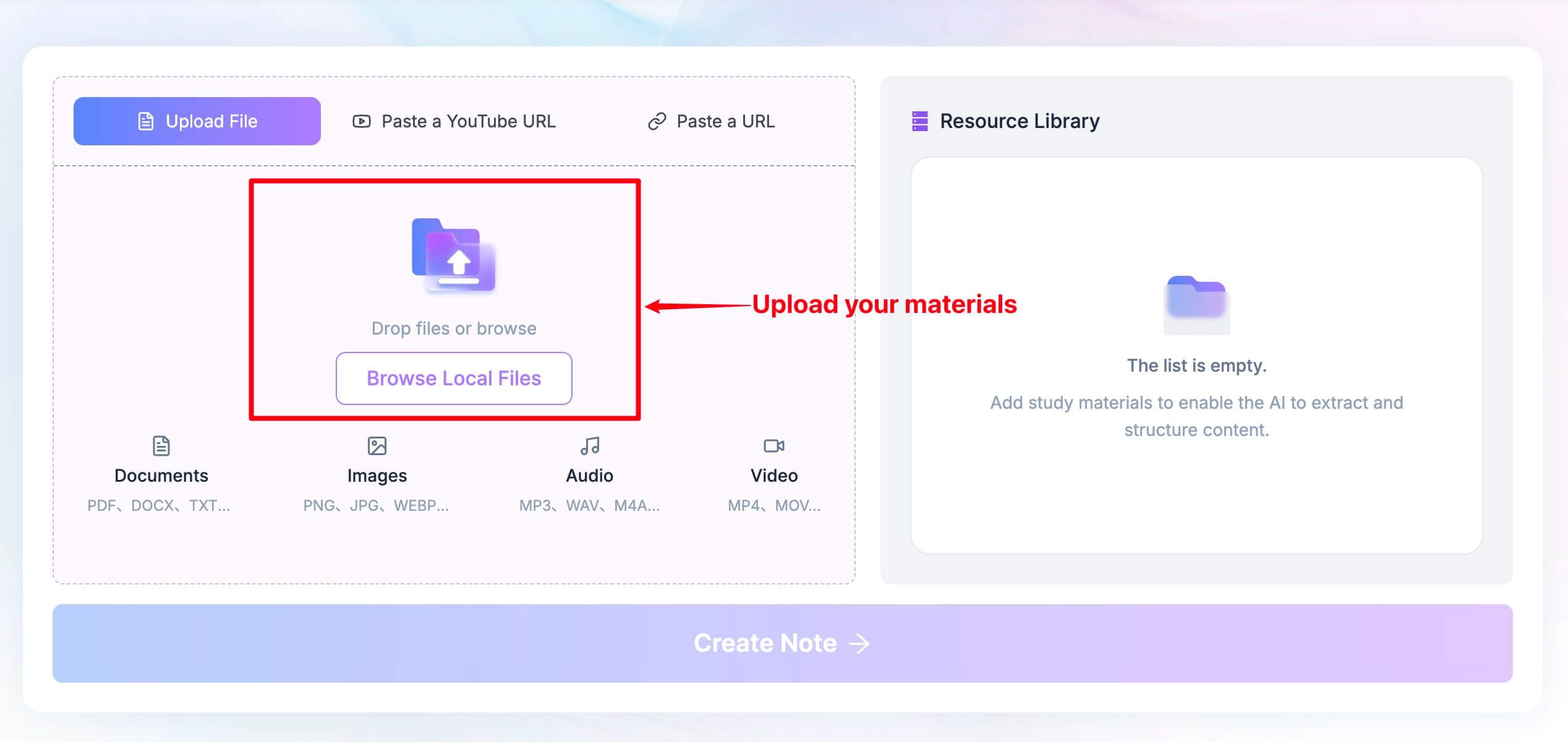
Step 1. Add a Meeting Recording, File, Video, or Link
Open the Lynote workspace and choose the source that matches the task. Upload a document, image, audio file, or video, or paste a YouTube or webpage URL. When using a general webpage URL, select Parse so Lynote can fetch the material; direct uploads do not require that step.
For a meeting workflow, export the recording from the conferencing platform first, then upload it. Add supporting PDFs, slides, images, or webpages when they are part of the same learning or review task.
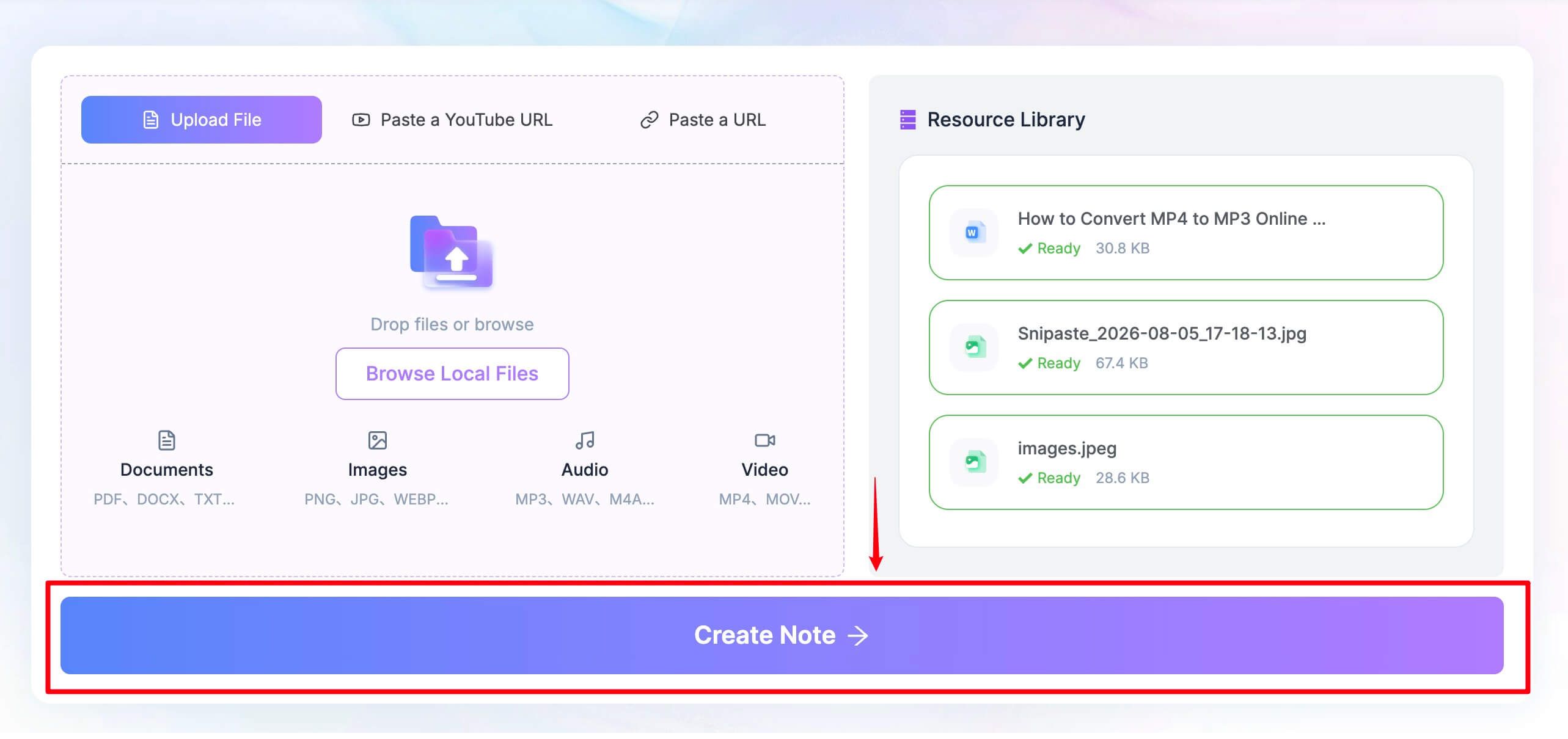
Step 2. Click Create Note
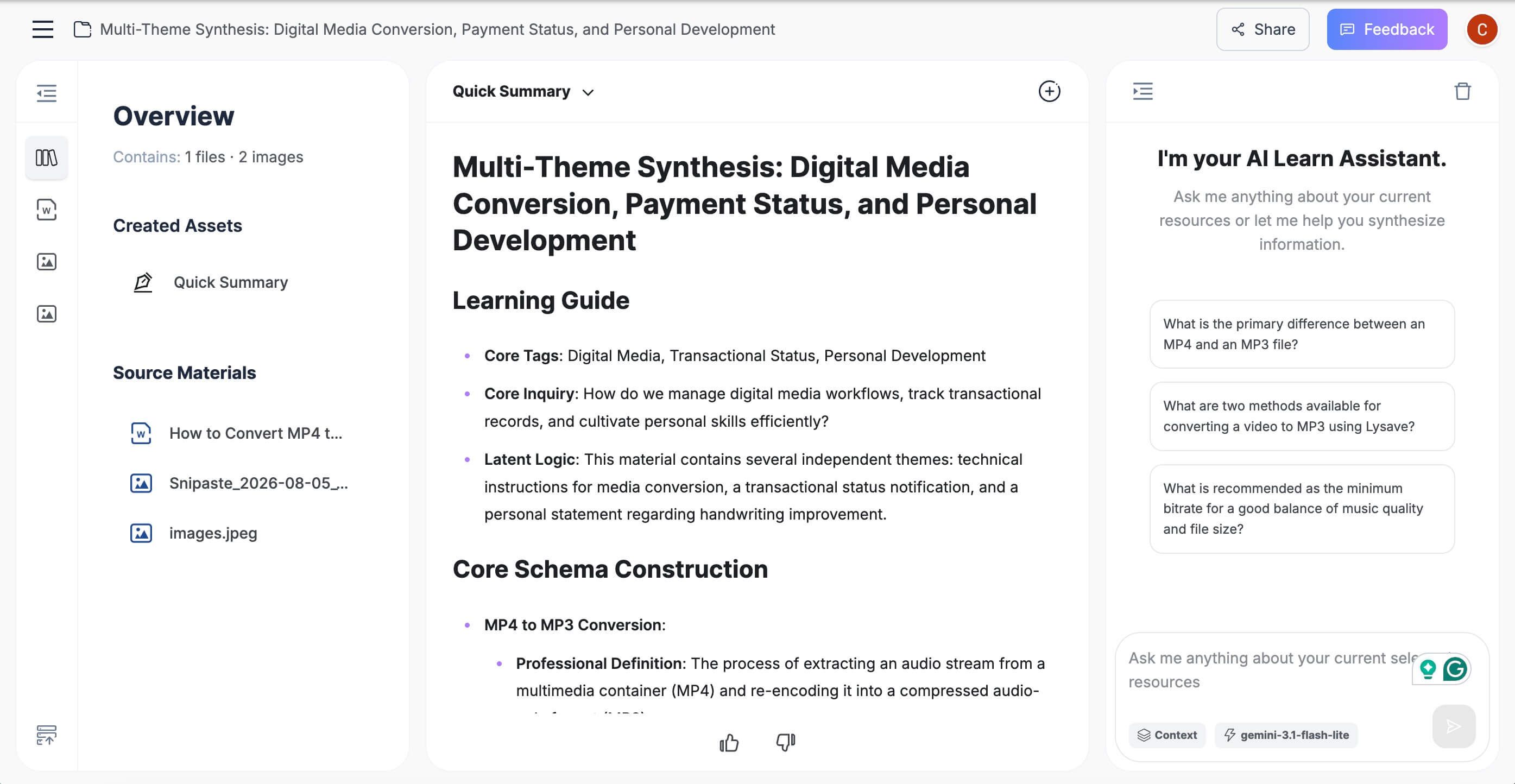
Once the source appears in the Resource Library, select Create Note. Lynote processes the supplied material and organizes it into structured sections with headings, bullet points, and source-linked context.
Treat the result as a strong first draft rather than an unquestionable record. Review names, numbers, commitments, and specialized language before sharing the note or converting it into tasks.
Step 3. Review, Edit, Ask, and Reuse
Edit the note directly in the rich-text workspace, add context that only the team or student knows, and ask follow-up questions tied to the source. The output can then be shared or exported, or converted into flashcards when the material needs active review.
For interviews and consequential meetings, compare exact quotations with the original audio or video. Structured notes reduce review time, but they do not replace source verification.
Choose by Capture Method, Not by the Longest Feature List
Choose Browser Captions for Lightweight Live Text
Keep Tactiq when you need words on screen during a supported browser meeting and do not want another participant to join. This is a focused, efficient workflow when replay and in-person capture are not requirements.
Choose a Recorder When Verification Matters
Choose tl;dv, Fathom, Fireflies.ai, Otter.ai, or Notta when the original audio or video is part of the record. A replayable source is valuable for interviews, customer evidence, technical discussions, training, accessibility review, and any situation where wording matters.
Choose Bot-Free Capture When Meeting Presence Matters
Tactiq and Granola avoid a visible participant bot in different ways. Tactiq follows browser meeting captions, while Granola captures device audio and enhances the user's own notes. Some other products also provide desktop or extension-based capture modes, but availability can depend on platform and plan.
Bot-free does not automatically mean private, invisible, or exempt from consent requirements. It only describes how the software enters the workflow.
Choose Source-to-Note for Existing Material
Choose Lynote when the input is already a meeting recording, lecture, PDF, image, video, webpage, or YouTube link. This approach is especially useful when several types of material need to become one editable set of notes rather than separate meeting transcripts.
Before You Switch: Test the Limit You Will Hit First
Start with one month of realistic usage. Count meetings, total minutes, meetings that need AI summaries, and the number of notes that must remain accessible after 30 or 90 days.
Then identify the first non-negotiable capability: live text, audio replay, video clips, in-person recording, mobile access, file upload, multilingual processing, CRM sync, or mixed-source notes. A long feature list is less useful than one tool that handles that requirement reliably.
Test the replacement with one normal meeting and one difficult source. Use a call with multiple speakers, domain terminology, background noise, or a language mix, then check speaker labels, names, numbers, action items, and the export format.
Before moving a team, export important Tactiq transcripts and review the new product's sharing defaults, retention rules, deletion behavior, and admin controls. A cheaper note taker can create more work if history becomes inaccessible or every transcript needs manual cleanup.
Recording Consent, Privacy, and Transcript Verification
A bot-free AI note taker can feel less intrusive, but the capture method does not remove the obligation to notify participants, follow workplace policy, and comply with applicable recording and privacy laws. Requirements differ by jurisdiction and context, so organizations should establish a clear, repeatable consent practice.
Also separate transcription convenience from evidentiary reliability. AI transcripts and summaries can omit context, confuse speakers, or misread terminology. Verify consequential quotes, deadlines, prices, legal statements, medical details, and commitments against the original source whenever one is available.
Review vendor controls for storage, deletion, model training, account access, and external sharing before using any product for confidential meetings. Security labels are useful, but the right configuration and user behavior still matter.
FAQs About Tactiq AI Alternatives
What is the best free Tactiq AI alternative?
The best choice depends on the workflow. Lynote is strongest for saved recordings and mixed source-to-note work, Fathom is strong for frequent free meeting capture, tl;dv adds video and clips, and Granola provides a bot-free notepad experience.
Is Tactiq AI Note Taker free?
Yes. Tactiq has a permanent Free plan with 10 meeting transcripts and five AI credits per month. The transcript allowance and AI allowance are separate.
What are the limits of Tactiq's free plan?
Free users receive 10 eligible meeting transcripts per month and five AI credits. Once the AI credits are used, AI summaries, action items, and questions pause until the allowance resets or the account is upgraded.
Which Tactiq alternative works without a meeting bot?
Granola is a close bot-free alternative because it captures device audio and enhances the user's notes. Tactiq itself remains a strong no-bot option for browser captions, while some other tools offer desktop or extension capture depending on platform and plan.
Does Tactiq record meeting audio or video?
No. Tactiq creates and saves a live text transcript but does not record or store the meeting audio. Choose a recorder-based alternative when playback or video clips are required.
Can Lynote replace Tactiq AI Note Taker?
Lynote can replace Tactiq for saved-source workflows, including meeting recordings, documents, audio, video, images, webpages, and YouTube links. It does not replace Tactiq's live in-browser transcription because it does not automatically join or listen to a meeting in real time.
Which Tactiq alternative works with Zoom, Google Meet, and Microsoft Teams?
tl;dv, Fathom, Fireflies.ai, Otter.ai, and Notta support these major platforms through different capture methods. Check whether the selected method uses a meeting bot, desktop capture, browser extension, or calendar integration before choosing.
Do I need permission to use an AI note taker in a meeting?
You may need participant notification or consent depending on the location, organization, meeting type, and data involved. Follow applicable law and workplace policy rather than assuming that a bot-free tool can be used silently.
Final Verdict: Replace Tactiq for a Specific Workflow Gain
Tactiq remains a good AI note taker for lightweight live transcription in supported browser meetings. Its no-bot experience is simple, and occasional users may never exceed the free limits.
Switch only when the alternative solves a defined problem. Choose Lynote for saved recordings and mixed source material, tl;dv or Fathom for replayable meetings, Granola for bot-free AI-enhanced notes, Fireflies.ai for integrations and searchable meeting memory, Otter.ai for live and mobile transcription, or Notta for multilingual cross-device capture.
The best replacement is not the product with the longest feature page. It is the one whose capture method, free allowance, verification options, and note workflow match what happens before, during, and after your meetings.

Written by Kristen I.
Content Strategist
Kristen focuses on content structure, editorial planning, readability, and creating useful experiences for readers. View all articles →