8 Best Free MeetGeek AI Alternatives for Better Meeting Notes

The best free MeetGeek AI alternative depends on what you want to replace. Choose Lynote when you already have a recording or several source files and want editable notes, Fathom for frequent online calls, Tactiq for bot-free live transcripts in Chrome, Granola for notes that preserve your own input, and Fireflies.ai for CRM-connected meeting workflows.
MeetGeek remains a capable option because it can record with a bot or without one, transcribe in more than 100 languages, produce action items, and automate follow-up work. The reason to compare alternatives is more specific: its Basic plan includes three transcription hours per month, three months of transcript storage, and one month of audio storage, which may not match the way you meet or how long you need to keep the record.
The 8 Best Free MeetGeek AI Alternatives at a Glance
I compared these tools by the job they perform, not by the length of their feature pages. A browser extension, a calendar bot, a local recorder, and an upload-first note workspace can all create “AI meeting notes,” but they solve different parts of the process.
| Tool | Best for | Capture method | Main free-plan boundary | AI notes | Major meeting integrations |
|---|---|---|---|---|---|
| Lynote | Existing recordings and mixed sources | File or link upload | Usage limits vary by source and account | ✅ | ❌ No calendar auto-join |
| Fathom | Frequent online meetings | Meeting recorder | Advanced AI features focus on the first 5 calls each month | ✅ | Zoom, Google Meet, Teams |
| Tactiq | Bot-free live transcripts | Chrome extension | 10 transcripts and 5 AI credits per month | ✅ | Google Meet, Zoom, Teams |
| Granola | Notes that retain personal context | Local capture | Only the last 30 days of meeting history are accessible | ✅ | Calendar-based workflow |
| Fireflies.ai | CRM and revenue workflows | Bot, extension, app, or upload | Credits plus 800 minutes of storage | ✅ | 50+ integrations |
| tl;dv | Clips and insights across calls | Meeting capture | Advanced automation and team intelligence are tiered | ✅ | Zoom, Google Meet, Teams |
| Otter.ai | Live transcripts and mobile access | Live recorder and meeting agent | 300 minutes monthly and 30 minutes per transcript | ✅ | Zoom, Google Meet, Teams |
| Fellow | Agendas, governance, and team meetings | Meeting assistant plus shared notes | 5 AI recordings per user for the lifetime of the free account | ✅ | Zoom, Google Meet, Teams, Slack |
1. Lynote AI Note Taker: Best for Existing Recordings and Mixed Sources
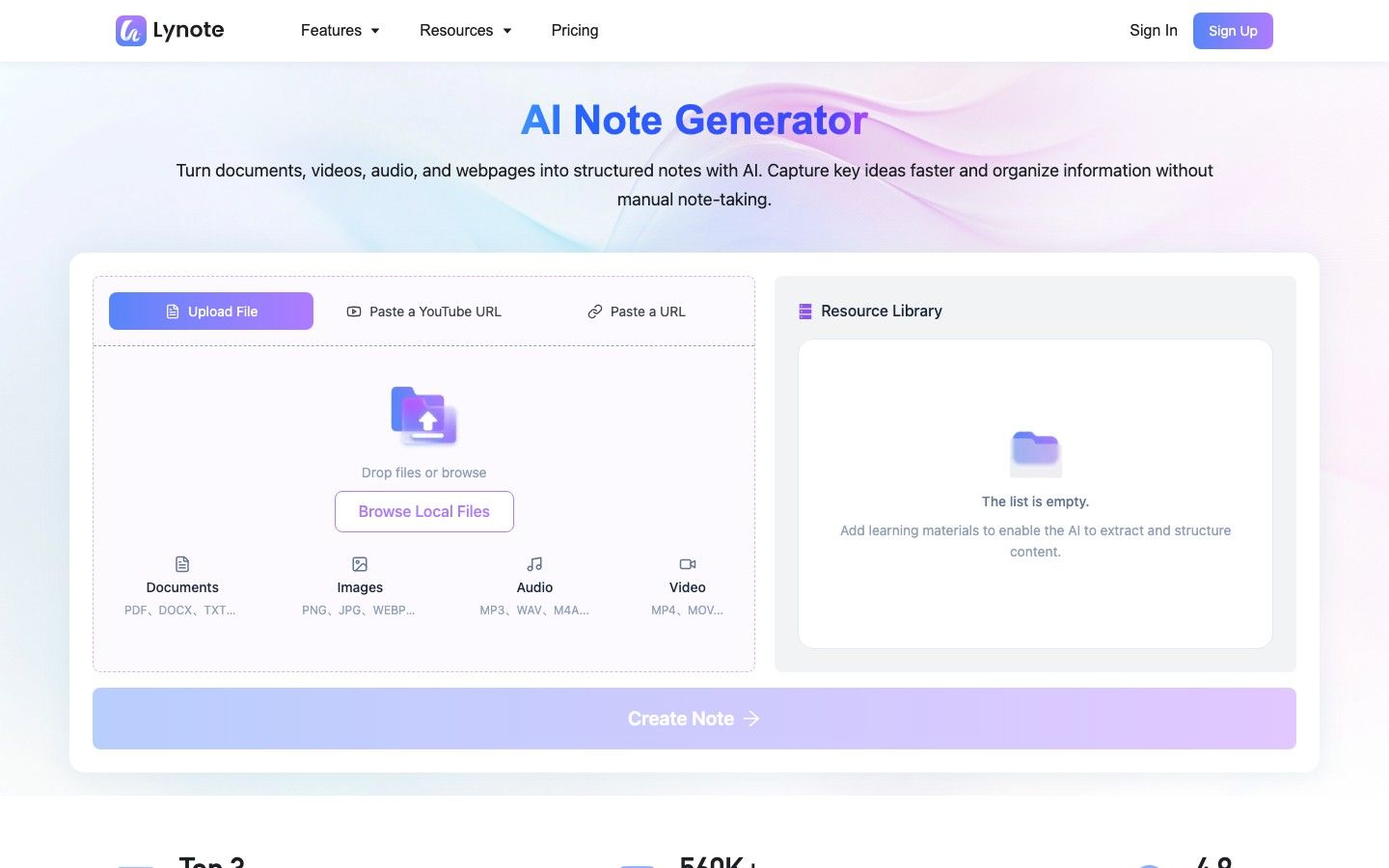
Lynote AI Note Taker is the clearest alternative when the conversation has already been recorded or the final note needs evidence from more than one format. You can add a meeting recording, document, image, video, webpage, or YouTube link and turn that source into structured notes with headings, key points, and source-linked sections.
This is a source-to-note workflow, not a MeetGeek-style calendar bot. That distinction is useful for interviews recorded elsewhere, lectures, research sessions, webinars, and project reviews where the recording must be combined with related documents before the note is complete.
How the workflow works
-
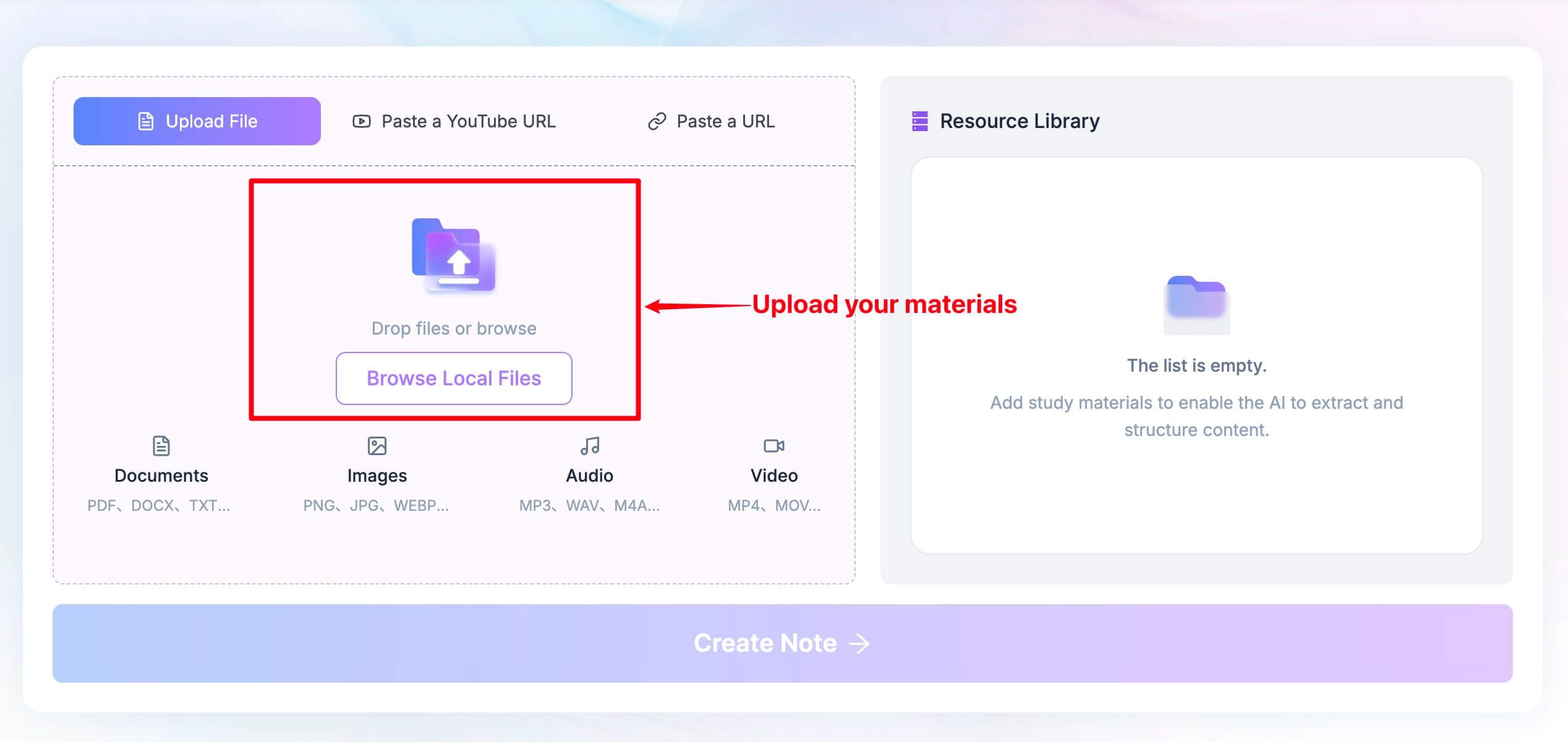
Add a supported file or paste a supported URL. Use the recording or source material that actually contains the information you need.
-
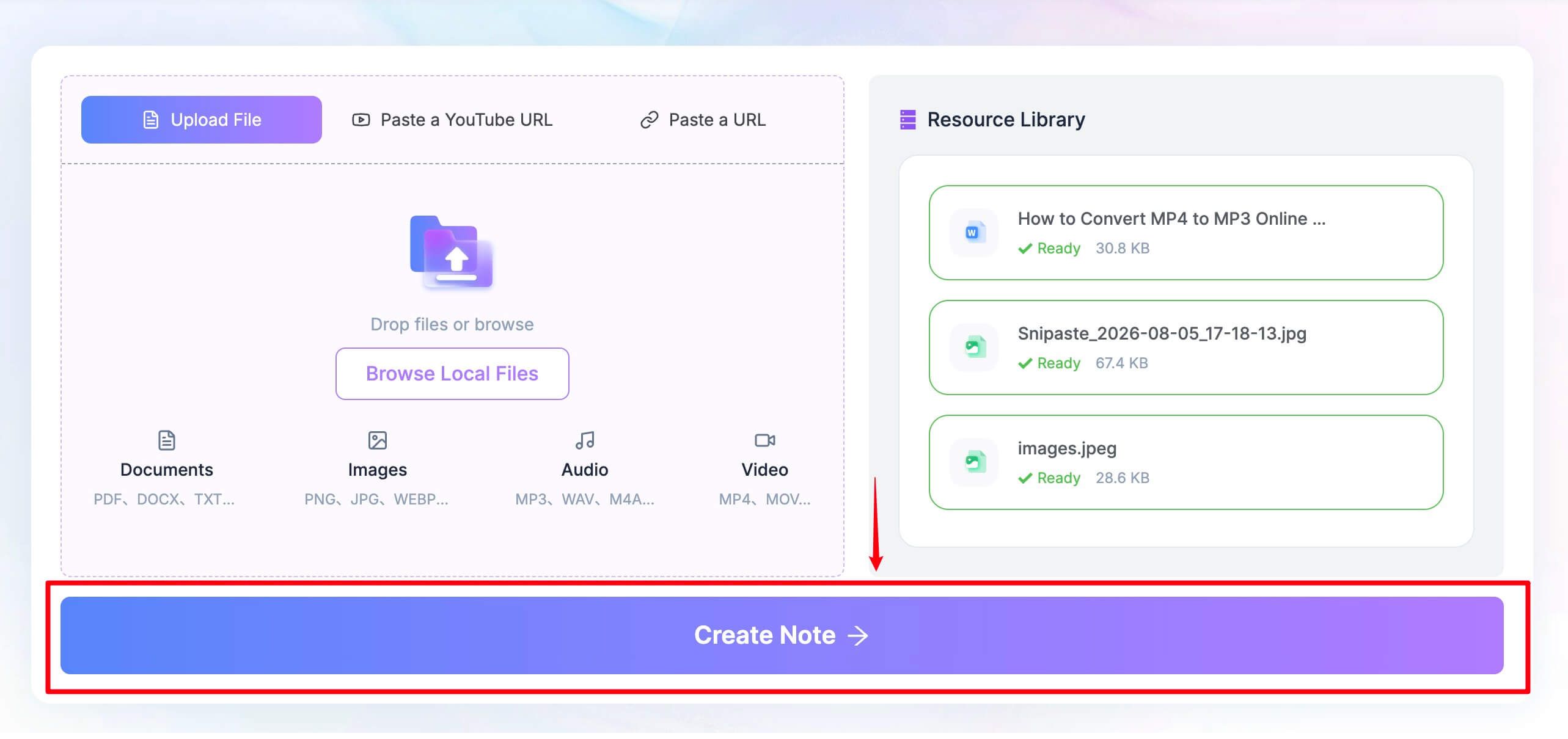
Click Create Note after the source is ready. Lynote organizes the content into structured sections rather than leaving it as one long transcript.
-
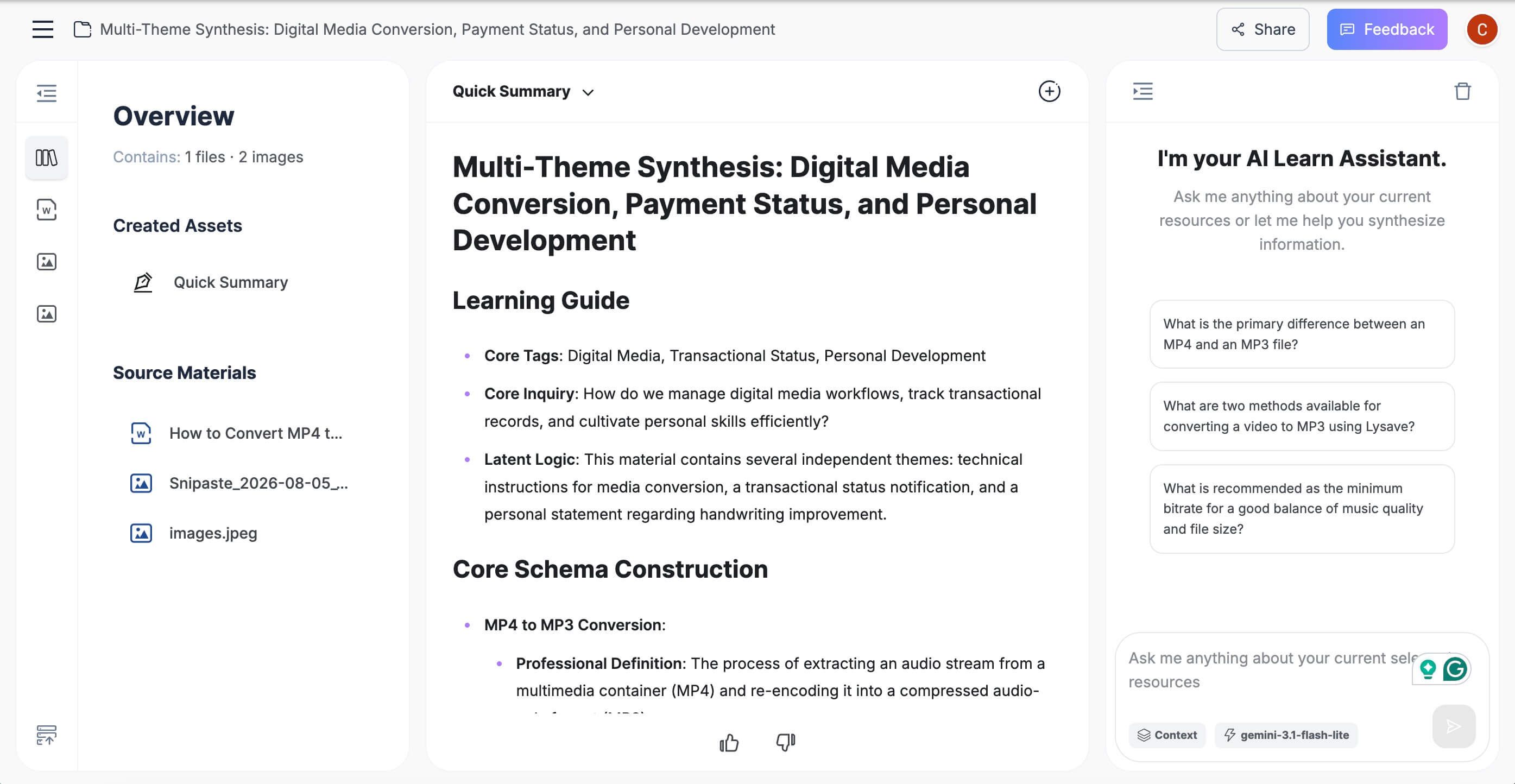
Review the note in the editor, correct names or details, ask follow-up questions, and reuse or convert the material when needed.

Features
- Supports documents, audio, video, images, webpages, and YouTube links
- Produces editable notes with headings and key points
- Keeps generated sections grounded in the uploaded source
- Supports follow-up questions and note-to-flashcard workflows
Pros
- One workspace can handle the recording and the supporting material around it
- Better fit than a meeting bot when capture has already happened
- Notes remain editable instead of becoming a fixed recap email
Cons
- It does not automatically attend scheduled calls for you
Best for: Students, researchers, interviewers, and professionals who already have source material and want a reusable note rather than another meeting participant.
2. Fathom: Best Free Choice for Frequent Online Meetings
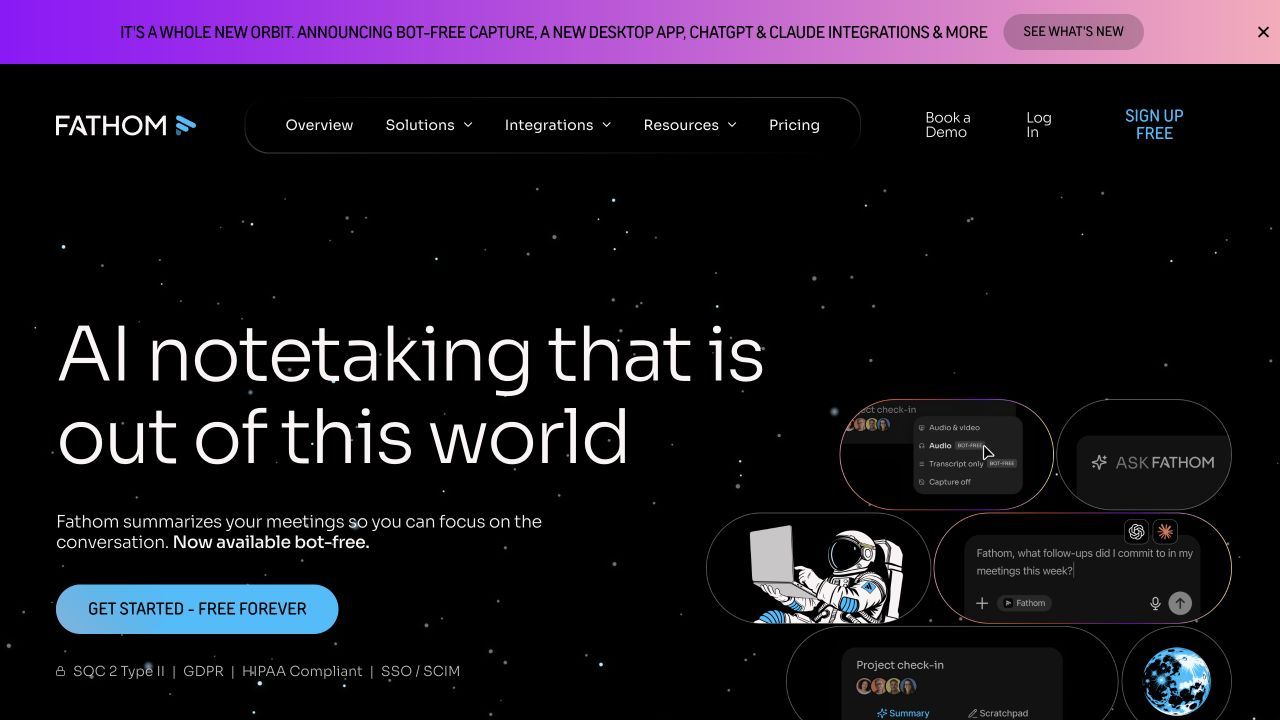
Fathom is the strongest free replacement when your main problem is the three-hour MeetGeek allowance. Its individual free plan includes unlimited recordings, transcription, and storage for supported online meetings, so a week with several long calls does not exhaust a monthly minute pool.
The important qualification is AI depth. Free users receive advanced summaries and related features such as action items and follow-up drafts for the first five calls each month; later calls still receive a more general summary. That is a better trade for heavy recording volume, but not necessarily for someone who needs a specialized output after every call.
Features
- Records and transcribes Zoom, Google Meet, and Microsoft Teams calls
- Creates summaries, highlights, clips, and searchable call history
- Supports CRM sync for a limited number of users on the free plan
- Offers desktop, Chrome, and Zoom app capture options
Pros
- Unlimited free recording and transcription for individual use
- Fast, simple post-meeting workflow
- Useful clips and sharing without manually cutting a full recording
Cons
- Advanced AI summaries and actions are limited after the first five monthly calls
- Team administration and shared intelligence require paid tiers
Best for: Individuals who spend many hours in supported online meeting platforms and can accept simpler summaries after the monthly advanced allowance.
For a deeper breakdown of its limits and competitors, see the comparison of free Fathom AI alternatives.
3. Tactiq: Best for Bot-Free Live Transcription in Chrome
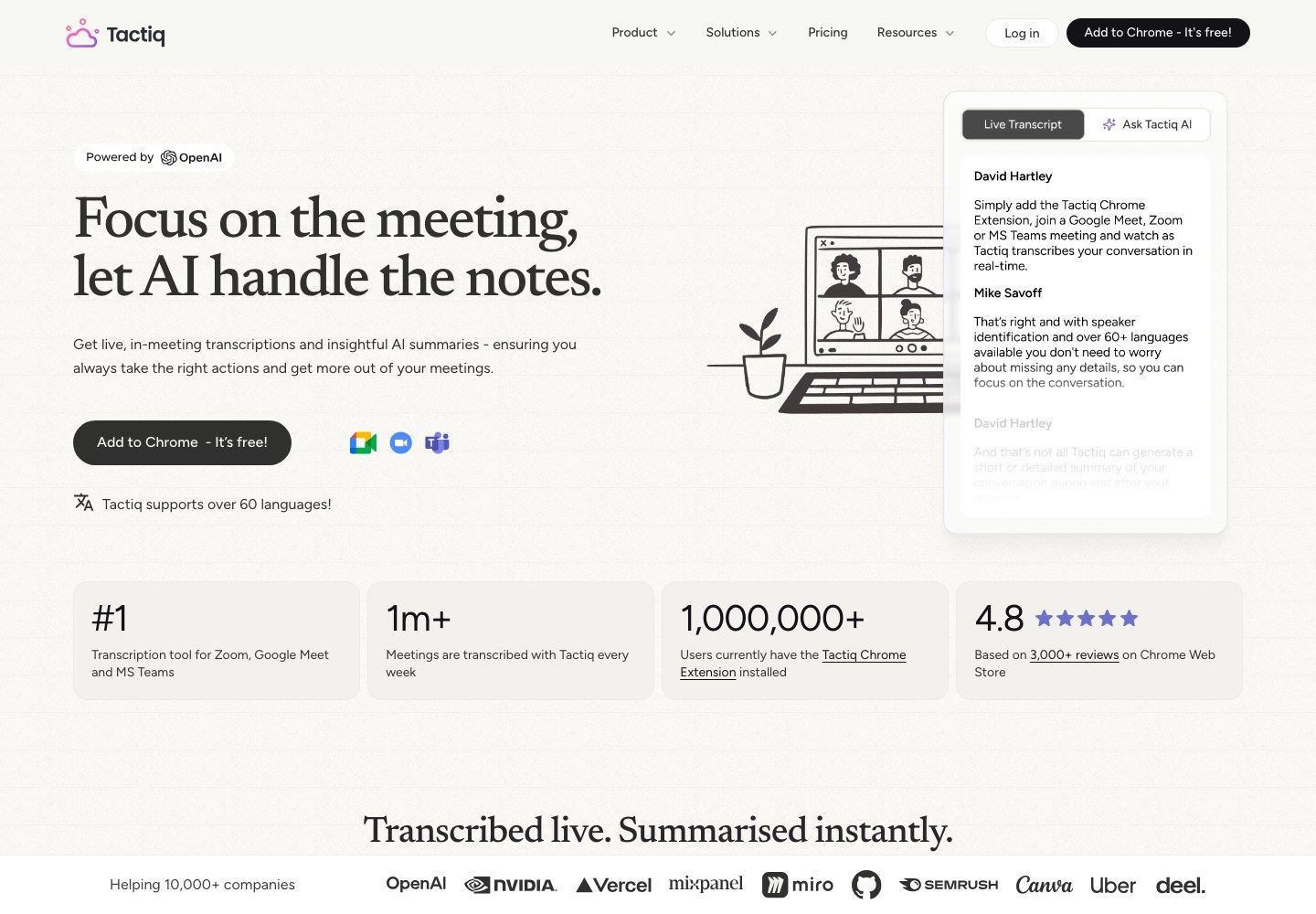
Tactiq takes a different approach from MeetGeek's calendar bot: a Chrome extension captures the platform transcript during the call. You can watch the text appear, highlight moments, and use AI prompts afterward without adding a named recording participant to the meeting.
That makes Tactiq especially attractive when a visible bot feels intrusive. The free plan is measured by meetings rather than minutes: it includes 10 transcript credits and 5 AI credits each month, so it favors users with a modest number of calls even when individual meetings run long.
Features
- Live transcription through a Chrome extension
- AI summaries, action items, reusable prompts, and workflows
- Transcript sharing and export on the free plan
- Works with Google Meet, Zoom, and Microsoft Teams in supported browser flows
Pros
- No meeting bot appears as an attendee
- Live text is useful when you need to check wording during a call
- The free allowance is easy to understand and renews monthly
Cons
- The workflow depends on Chrome and the supported meeting experience
- Five monthly AI credits can run out before the transcript allowance
Best for: Chrome users who want live, private-by-default transcript access and do not need an autonomous calendar participant.
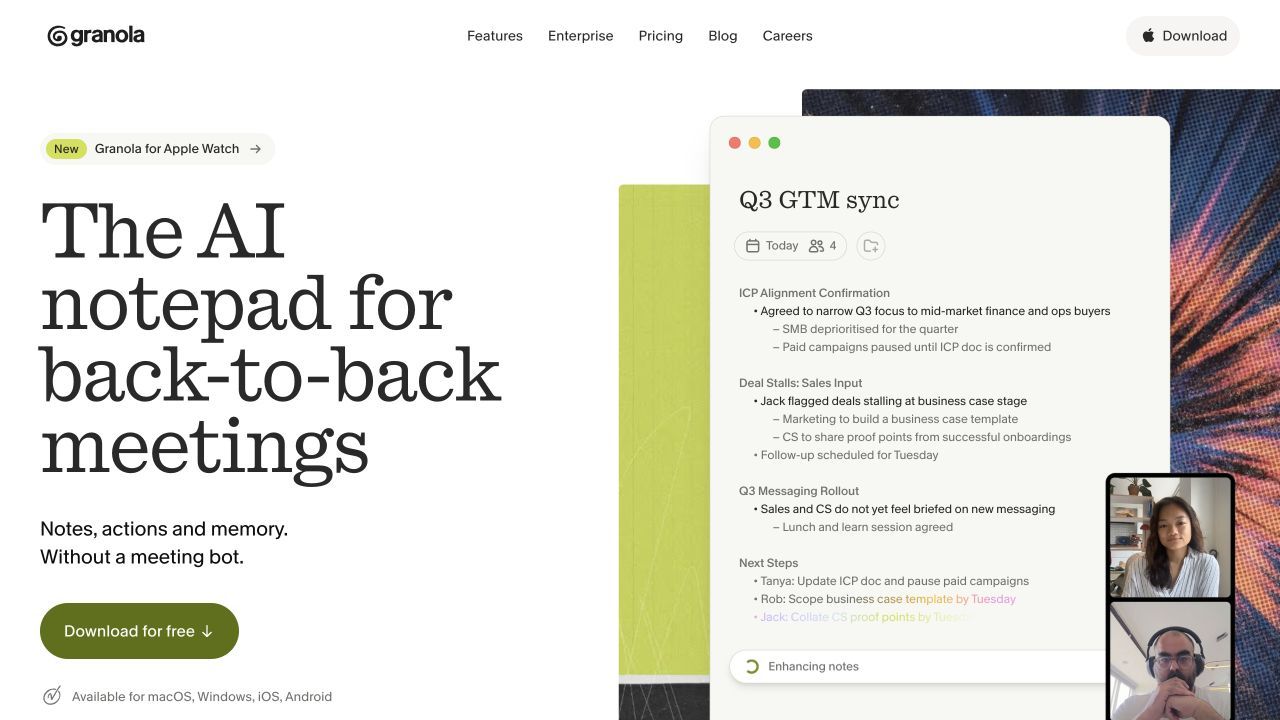
4. Granola: Best for Combining Personal Notes With AI
Granola behaves more like an AI notepad than a conventional meeting bot. It captures meeting audio locally, lets you write the observations that matter to you, and then uses the conversation context to expand those notes into a cleaner record.
The result can feel more personal than an automatic recap because your own emphasis remains part of the final note. Granola's Basic plan is free, but only the last 30 days of meeting history remain accessible in the app, making retention the key constraint rather than a simple monthly minute counter.
Features
- Bot-free capture for online and in-person conversations
- AI-enhanced notes built around the user's own writing
- AI chat within and across accessible meetings
- Custom templates, shared folders, and multilingual support
Pros
- No visible bot changes the participant list
- Preserves the user's interpretation instead of replacing it completely
- Useful for product interviews, recruiting, and one-to-one conversations
Cons
- The free plan limits accessible meeting history to 30 days
- It does not auto-start merely because an event is on the calendar
Best for: People who want AI to improve their notes while retaining their own judgment about what mattered.
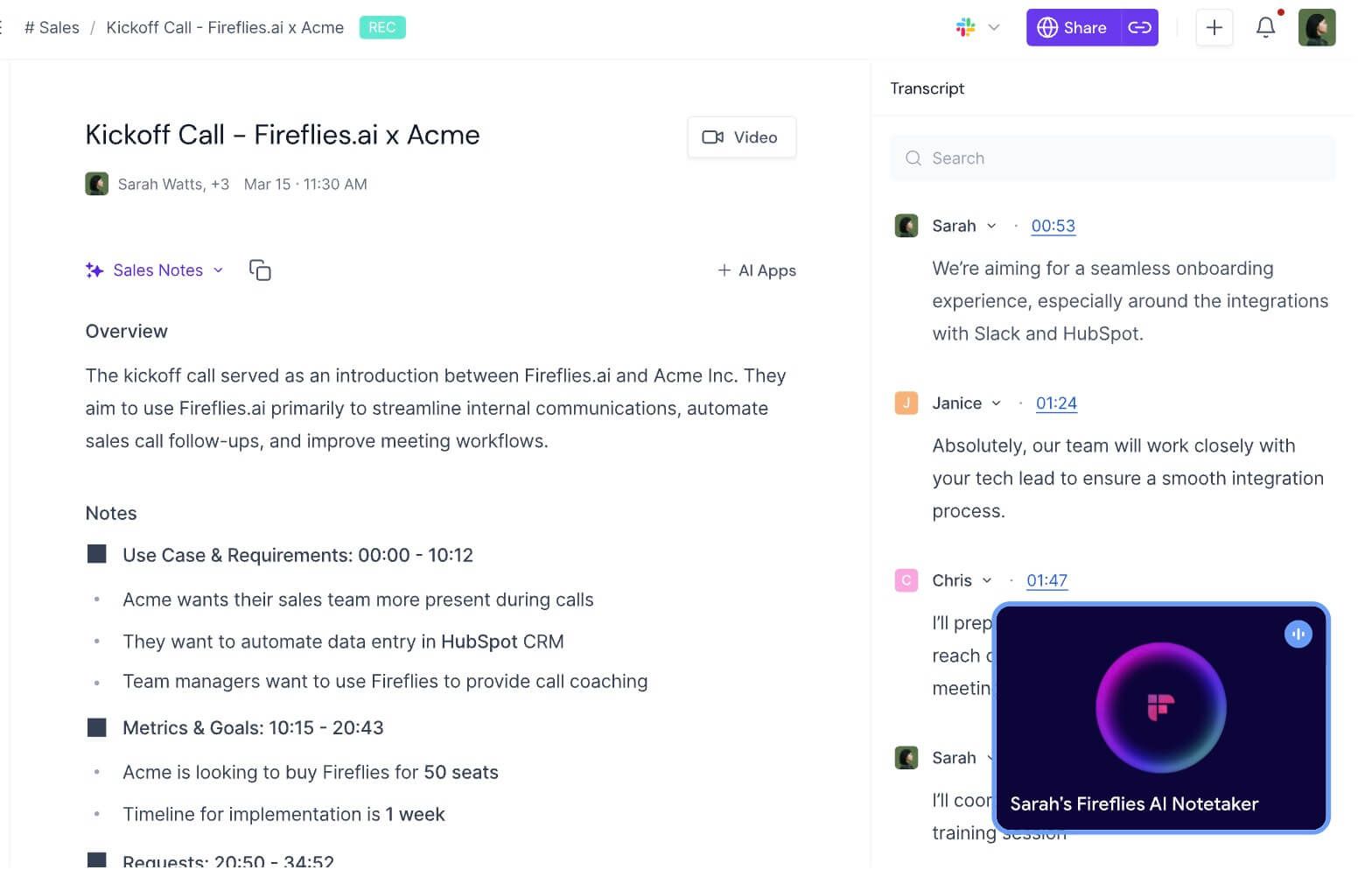
5. Fireflies.ai: Best for CRM and Revenue Workflows
Fireflies.ai is a stronger MeetGeek alternative when the meeting record needs to move into sales, recruiting, support, or project systems. It can capture through a bot, Chrome extension, mobile app, or upload, then organize transcripts, summaries, tasks, and searchable meeting content.
Its free offer requires more careful reading than “unlimited transcription.” Free accounts receive a small number of transcription credits based on where they sign up, 20 AI credits per month, and 800 minutes of storage per seat. Calendar meetings and recordings made through supported capture methods may be transcribed free, while summaries and uploads consume credits.
Features
- Bot, extension, mobile, and upload capture options
- Structured summaries, action items, soundbites, and AskFred
- Searchable notebooks and timestamped collaboration
- Connections to more than 50 business applications
Pros
- Flexible capture methods fit more workflows than a bot alone
- Strong integrations for revenue and operations teams
- More than 100 transcription languages
Cons
- Separate transcription, AI, and storage limits make the free plan harder to predict
- Transcript downloads require a paid plan
Best for: Teams that care more about routing meeting information into other systems than keeping the note-taking interface minimal.
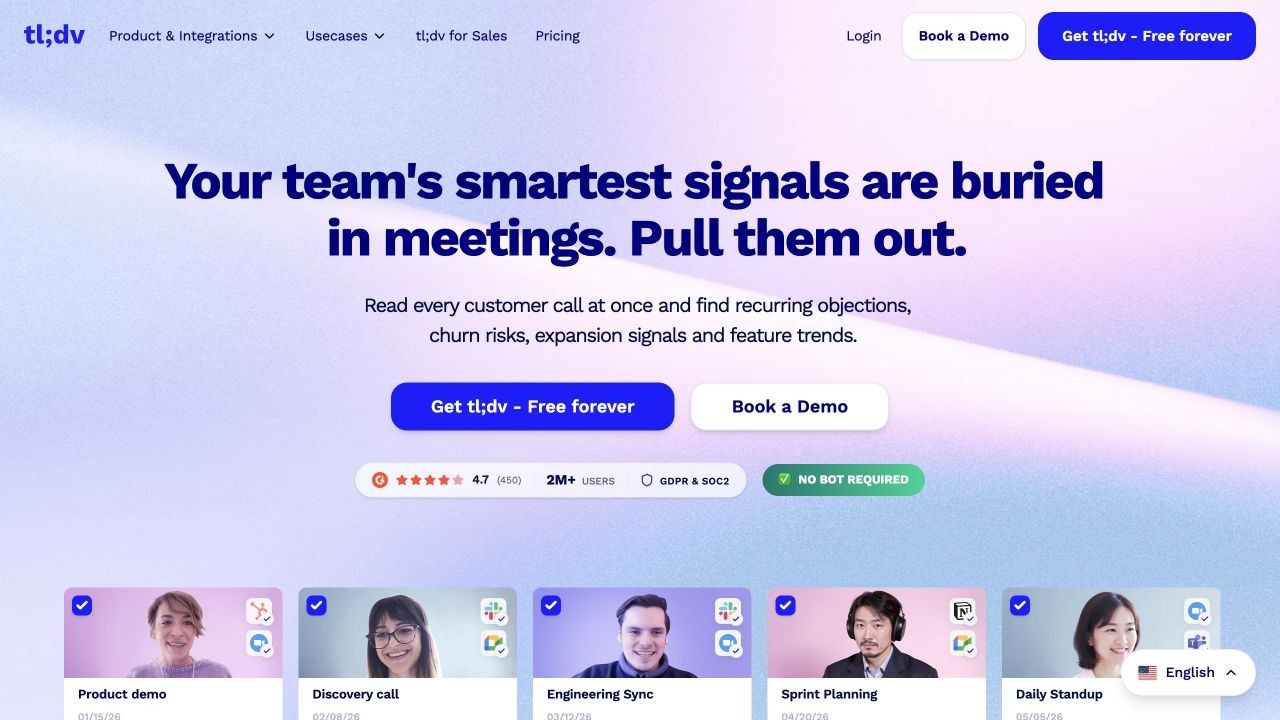
6. tl;dv: Best for Highlights and Multi-Meeting Insights
tl;dv is built for teams that want to reuse moments from recorded calls, not merely archive transcripts. It creates recordings, transcripts, summaries, action items, clips, and AI reports that can compare themes across customer, sales, research, or internal meetings.
Its Free Forever plan supports unlimited recordings and transcriptions in more than 30 languages, which makes it a serious alternative to MeetGeek's monthly transcription cap. The main reasons to pay are deeper automation, CRM workflows, coaching, recurring reports, and control at team scale rather than access to the basic recording itself.
Features
- Recording and transcription for Zoom, Google Meet, and Microsoft Teams
- Timestamped clips, highlights, summaries, and action items
- AI reports and questions across multiple meetings
- CRM and workflow connections for post-meeting tasks
Pros
- Generous basic recording and transcription offer
- Strong visual evidence through clips and timestamps
- Useful for studying patterns across many customer conversations
Cons
- The breadth of sales and analysis features can be excessive for simple notes
- Advanced automation and team controls sit behind paid plans
Best for: Customer-facing teams, researchers, and managers who need to share evidence or identify patterns across several calls.
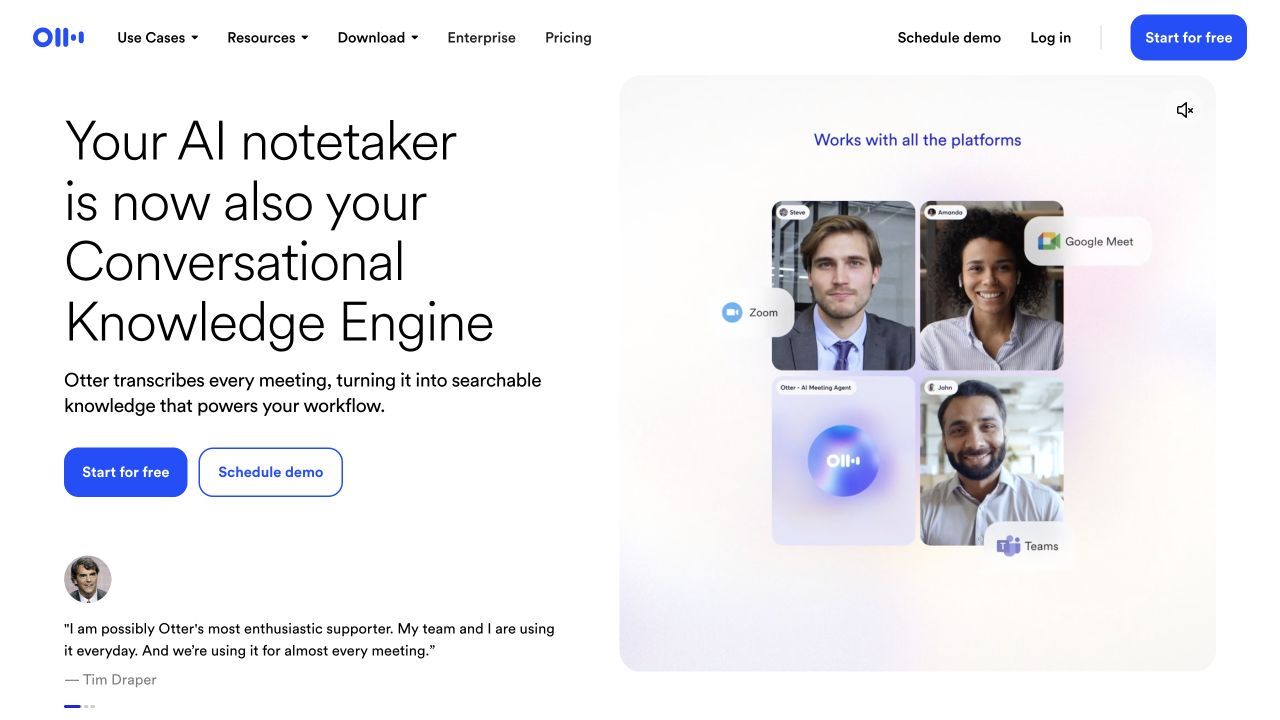
7. Otter.ai: Best for Live Transcription and Mobile Access
Otter.ai is still one of the easiest alternatives for following a transcript while people are speaking. It supports live transcription, speaker identification, comments, highlights, action items, mobile apps, and an Otter meeting agent for supported conferencing platforms.
Its Basic plan includes 300 transcription minutes per month, but each transcript is limited to 30 minutes and only three audio or video imports are included for the lifetime of the account. That makes the headline allowance look generous until your typical meeting runs longer than half an hour.
Features
- Live transcripts with speaker identification
- Calendar-connected meeting agent for Zoom, Google Meet, and Teams
- iOS and Android recording and review
- AI chat and workflows across recent meetings
Pros
- Mature live-transcript experience
- Mobile access supports in-person and on-the-go notes
- Collaboration can happen inside the transcript
Cons
- Free transcripts stop at 30 accessible minutes per conversation
- Only three lifetime file imports are included
Best for: Users who prioritize live English transcription and mobile access over long free meetings or frequent file uploads.
8. Fellow: Best for Agendas, Governance, and Team Meetings
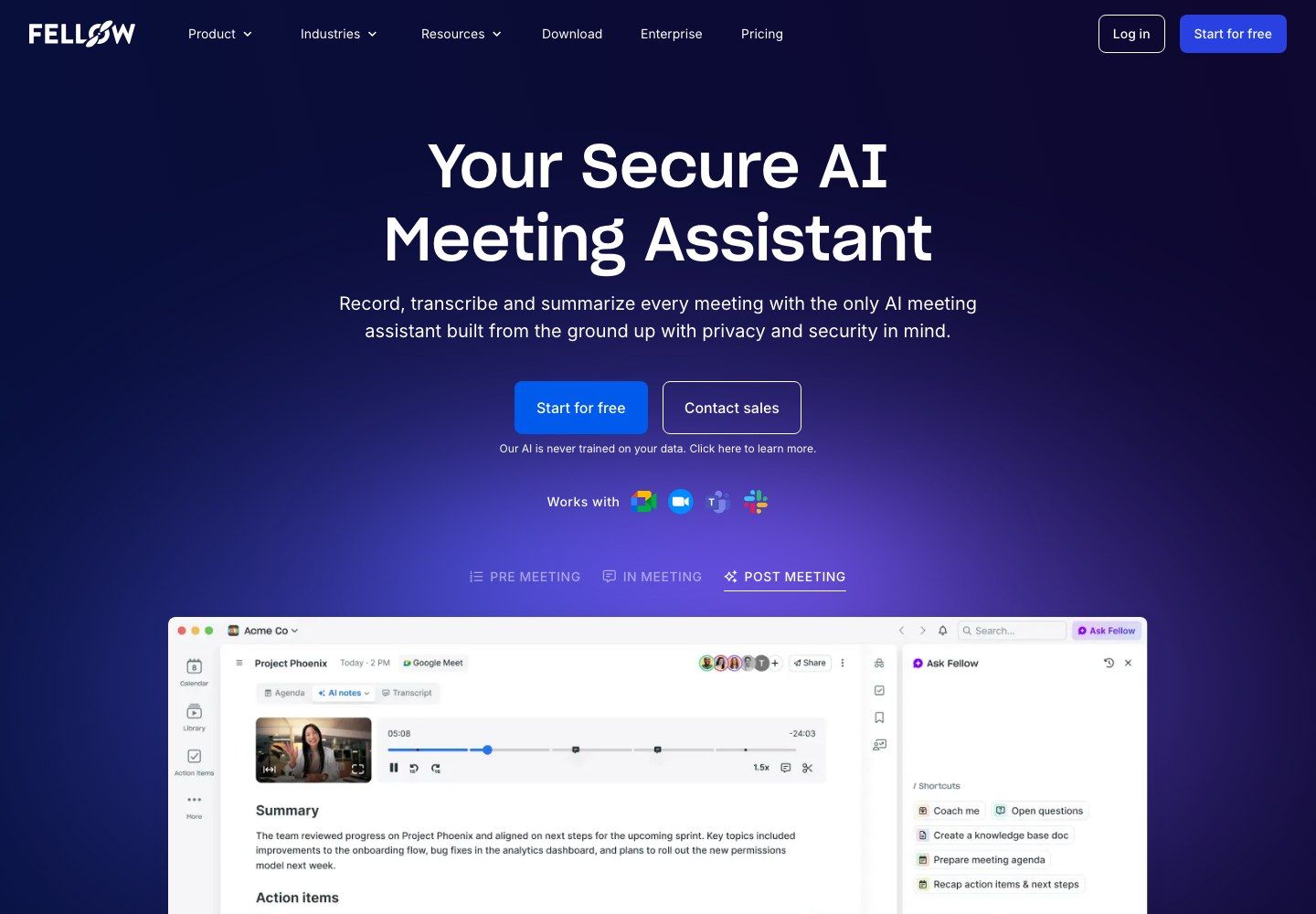
Fellow combines AI recording with the meeting structure that exists before and after the call: agendas, collaborative notes, action items, recurring meeting series, and controlled sharing. It is more appropriate than MeetGeek when the team's problem is meeting discipline and ownership, not only transcription.
The free plan supports core meeting notes and small workspaces, but its AI allowance is a product sample rather than an ongoing monthly pool. Each user receives five AI recordings for the lifetime of the free account, and older notes become inaccessible after the free history window even though they are preserved.
Features
- Shared agendas, notes, action items, and meeting recaps
- AI recording, transcription, summaries, and decisions
- Calendar and conferencing integrations
- Access, redaction, templates, and governance on higher plans
Pros
- Connects meeting preparation with the final recap
- Better structure for recurring team rituals and accountability
- Clearer governance path for growing organizations
Cons
- Five lifetime AI recordings make the free tier unsuitable for sustained capture
- Full history, comments, exports, and deeper integrations require an upgrade
Best for: Teams that need agendas, decisions, and ownership to live in one meeting system and are evaluating paid governance features.
MeetGeek AI Note Taker Review: Is It Still Worth Using?
MeetGeek is worth keeping when you want one system to handle several capture methods and turn meetings into automated work. It is less compelling when you only need one narrow job, such as unlimited free recording, a private browser transcript, or notes from an existing file.
What MeetGeek Does Beyond Transcription
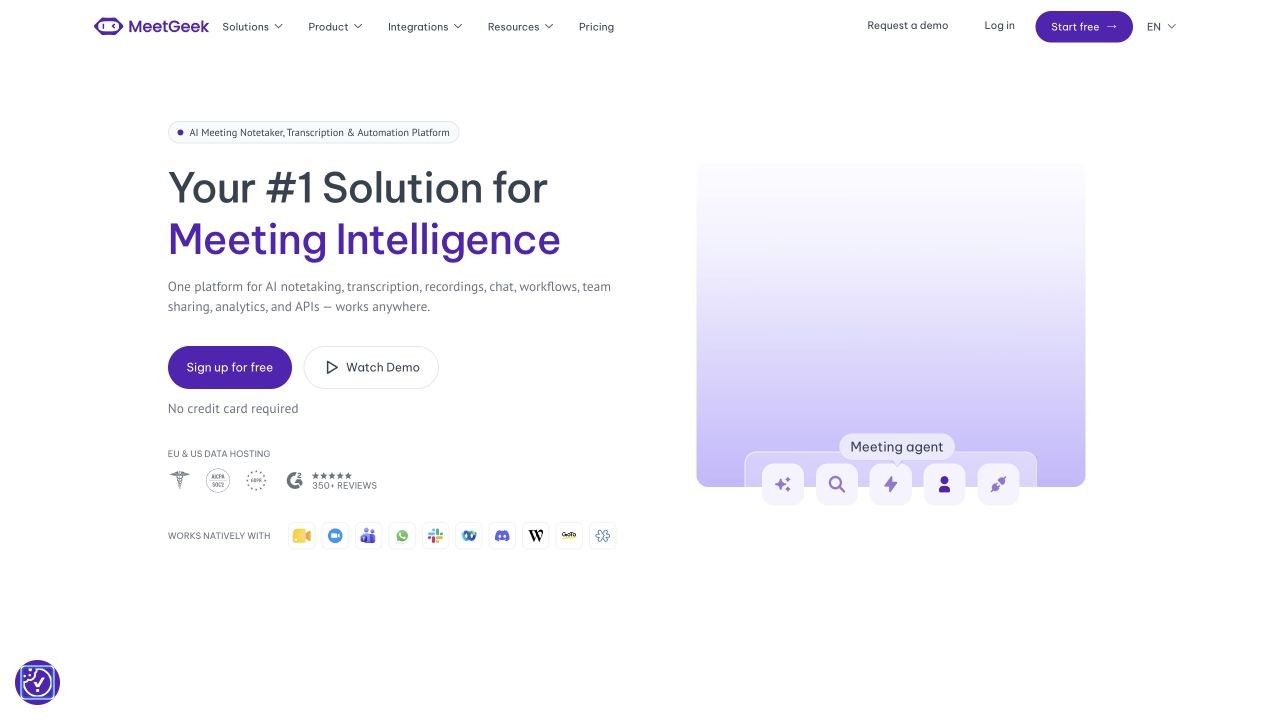
MeetGeek records and transcribes meetings, but the product is better understood as a meeting intelligence layer. After a call, it can generate summaries, next steps, highlights, a topic timeline, searchable history, follow-up emails, analytics, and structured information for connected tools.
It also supports more capture options than many older comparisons acknowledge. The MeetGeek bot can join Zoom, Google Meet, and Microsoft Teams, while the desktop app, mobile app, and browser extension support bot-free or in-person recording. Existing audio and video files can also be uploaded.
The Actual MeetGeek Workflow
-
Connect a calendar or choose manual capture. Calendar rules can invite MeetGeek automatically, while the desktop, browser, or mobile recorder handles meetings where a bot is undesirable.
-
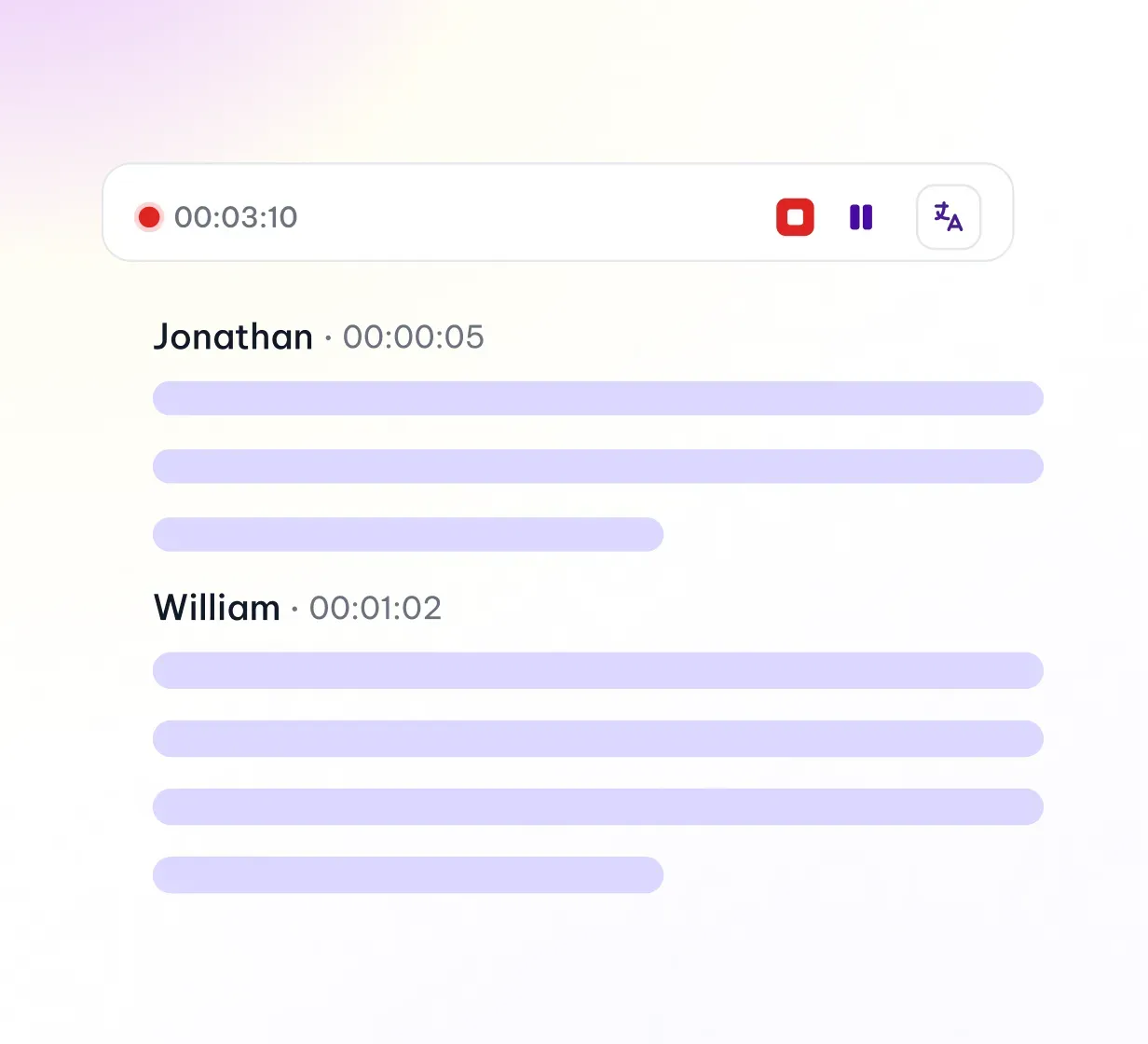
Record and identify speakers. MeetGeek captures the conversation, labels speakers, and builds the transcript in the selected or detected language.
-
Review the meeting page. The result can include a recording, transcript, summary, action items, highlights, and a topic timeline.
-
Correct before sharing. Names, commitments, dates, and action owners still need human review, especially when people overlap or audio quality is poor.
-
Route the outcome. Sharing rules and integrations can send selected outputs to participants, Slack, a CRM, project tools, or cloud storage.
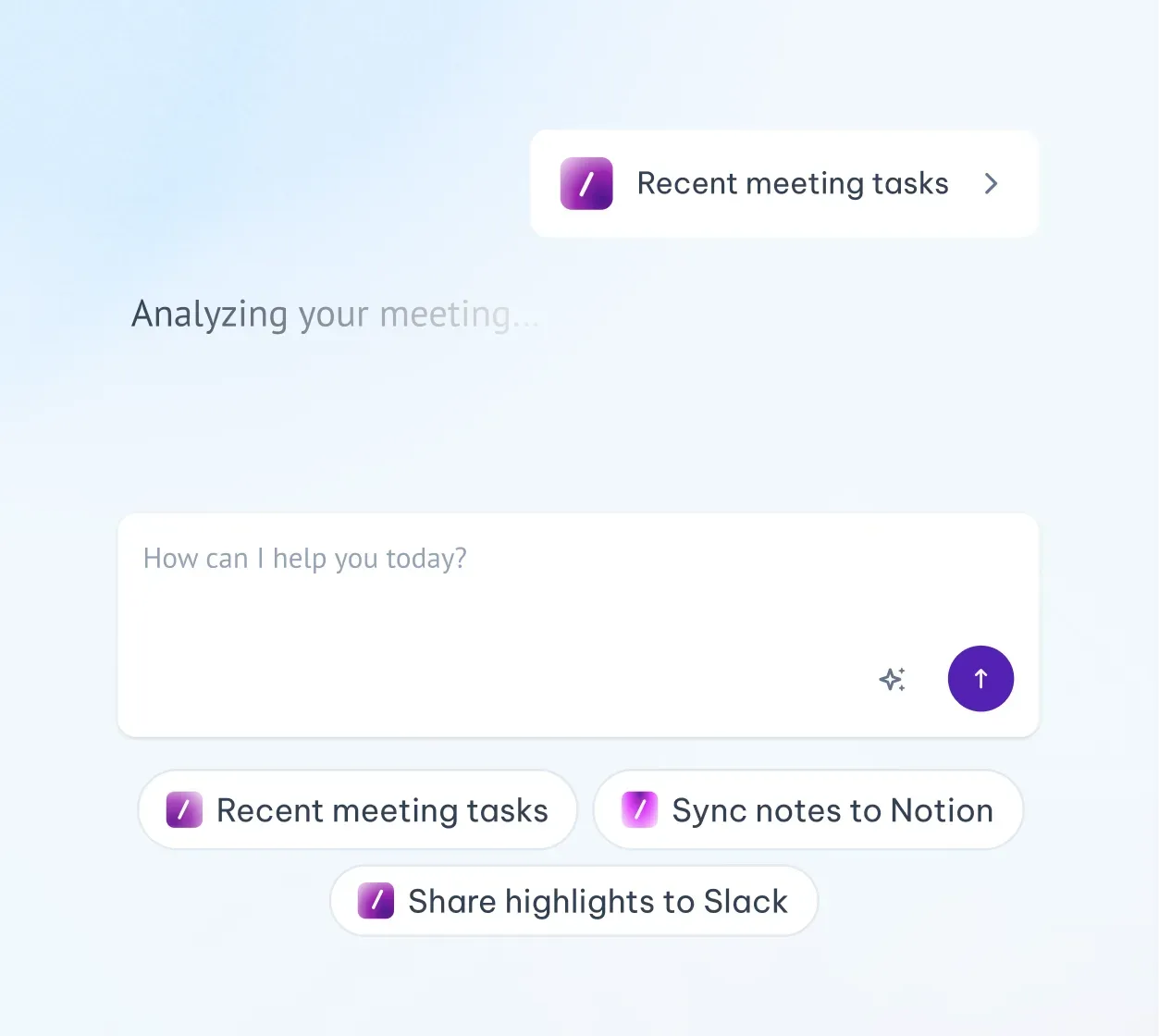
The workflow is strongest when the organization has already decided how meetings should be captured and where each type of recap belongs. Without those rules, automation can create a large library of recordings without creating a reliable operating record.
MeetGeek Basic vs. Pro vs. Business
| Capability | Basic | Pro | Business |
|---|---|---|---|
| Price on annual billing | Free | About $9.99/user/month | $17/user/month |
| Monthly transcription | 3 hours | 20 hours | Unlimited |
| Transcript retention | 3 months | Longer paid retention | Unlimited |
| Audio or video retention | 1 month audio | 6 months audio | 12 months video |
| Meeting templates | ❌ | ✅ | ✅ |
| Downloads and exports | Limited | ✅ | ✅ |
| Integrations and automation | Limited | ✅ | ✅ |
| Team spaces and analytics | ❌ | Limited personal analytics | ✅ |
| Custom summaries and branding | ❌ | Limited | ✅ |
Pricing and entitlements can change, and extra transcription may be billed separately on eligible plans. The useful distinction is not the exact dollar alone: Pro expands an individual's workflow, while Business adds the team layer around shared spaces, analytics, controls, and more extensive automation.
Where MeetGeek Is Genuinely Strong
Flexible capture is its biggest advantage. A user can rely on calendar automation for routine calls, switch to a local recorder for a sensitive conversation, use a phone for an in-person meeting, or upload an existing file. Few alternatives cover all four patterns equally well.
The meeting output is action-oriented. Summaries, next steps, topic timelines, follow-up drafts, and integrations can reduce the distance between “we discussed it” and “the task exists in the right system.” This matters more to operational teams than a polished transcript alone.
It scales beyond personal notes. Templates, sharing rules, analytics, CRM updates, API access, MCP connections, and agent workflows give MeetGeek room to become infrastructure rather than a private notebook.
Where MeetGeek Creates Friction
Three free hours are not many working meetings. A weekly one-hour team call plus a few interviews can consume the allowance before the month ends. The plan is enough to evaluate the workflow, but not always enough to depend on it.
Storage windows can become the hidden limit. Audio disappears sooner than transcripts on Basic. Anyone who needs an audit trail, research archive, or reusable customer evidence should decide where files will live before the retention window closes.
Automation requires deliberate settings. Auto-join and auto-sharing can be convenient, but a bot entering the wrong meeting or a recap reaching the wrong audience creates more work than it saves. Recording consent, excluded meetings, private defaults, and sharing rules need attention during setup.
The interface can be more than a note-taker. Analytics, agents, automations, templates, and integrations are valuable when a team uses them. For someone who only wants a clean summary from an occasional call, the product may feel heavier than necessary.
Who Should Keep MeetGeek?
Keep MeetGeek if you regularly switch between online, in-person, bot, bot-free, and uploaded recordings but want all of them in one searchable meeting library. It is also a good fit when summaries must trigger work in a CRM, project system, Slack channel, or automated workflow.
Switch when one narrower requirement dominates: unlimited free online capture, a visible live transcript, personal bot-free notes, long-term free history, or source-based notes from existing files. A focused tool can be simpler and cheaper than paying for capabilities you rarely use.
Choose a MeetGeek Alternative by Capture Method, Not Feature Count
The capture method shapes the entire experience. It affects whether other participants see a recorder, whether you can read words live, whether the tool works in person, and whether the original audio remains available later.
Use a Calendar Bot for Automatic Attendance
Fathom, Fireflies, Otter, tl;dv, Fellow, and MeetGeek can reduce setup by connecting to a calendar and joining supported calls. This is useful for repeatable internal meetings, but it requires clear recording notice and careful auto-join rules.
A calendar bot is less suitable for confidential calls, meetings where external guests reject bots, or events outside the supported platforms. The convenience should be evaluated alongside participant expectations.
Use Bot-Free Capture for More Natural Conversations
Tactiq, Granola, and MeetGeek's local capture options avoid adding a named bot to the participant grid. Tactiq is best when a live browser transcript matters; Granola is better when your own notes should guide the output.
Bot-free does not mean consent-free. The recording or transcript may still capture personal or confidential information, so disclosure and organizational policy remain relevant.
Use Upload-First Notes When the Recording Already Exists
Lynote fits the stage after capture. It is useful when the source comes from a phone recorder, a permitted platform recording, an interview file, or a webinar, and when the final note should also incorporate documents, images, webpages, or videos.
This separation can be cleaner than allowing an AI assistant into every calendar event. Capture with the method appropriate to the conversation, then create the reusable note only from the material you intentionally select.
Use a Meeting System When Governance Matters
Fellow and MeetGeek make more sense when agendas, recurring meeting structures, permissions, team analytics, and downstream ownership are part of the requirement. Their value appears across the meeting lifecycle, not just in transcription quality.
For a solo user, that structure can be unnecessary. For a growing organization, it may prevent hundreds of disconnected transcripts from becoming an unmanaged archive.
What Free AI Meeting Note Taker Plans Actually Limit
“Free” is not one comparable unit. One tool limits minutes, another limits meetings, another limits advanced summaries, and another lets you record freely but hides older history.
| Limit type | Example | What it means in practice |
|---|---|---|
| Monthly transcription time | MeetGeek: 3 hours; Otter: 300 minutes | Long meetings consume the pool quickly |
| Meeting credits | Tactiq: 10 transcripts/month | Short and long meetings may cost the same credit |
| Advanced AI allowance | Fathom: advanced features on the first 5 calls/month | Recording can continue, but output depth changes |
| AI and transcription credits | Fireflies: separate credit systems | A transcript, summary, upload, and AI question may not share one limit |
| Accessible history | Granola: last 30 days on Basic | Notes exist, but older meetings require an upgrade to access |
| Lifetime sample | Fellow: 5 AI recordings/user | The free plan evaluates the workflow rather than sustaining it |
| Per-conversation cap | Otter: 30 minutes on Basic | A 60-minute meeting yields only part of the accessible transcript |
| Retention window | MeetGeek: 1 month audio on Basic | Export planning matters even before the monthly allowance runs out |
Before choosing, estimate your real month: number of calls, average duration, uploads, required retention, advanced summaries, and teammates who need access. A free plan with fewer headline minutes may still be better if it gives you the specific output you need, while “unlimited” can be less useful if the features after recording are too restricted.
How to Move From MeetGeek Without Losing Your Meeting Memory
-
Audit what must be retained. List the recordings, transcripts, summaries, clips, action items, and analytics you still need.
-
Check the current plan's retention windows. Prioritize audio and video assets that may expire before text records.
-
Export what the plan permits. Keep file names, dates, speakers, meeting types, and project context consistent so the archive remains searchable.
-
Map every downstream connection. Record where MeetGeek currently sends summaries, tasks, CRM fields, Slack messages, or cloud files.
-
Test one representative meeting. Use a call with several speakers, proper nouns, decisions, and action items rather than a five-minute demo.
-
Compare the usable output. Check the transcript, speaker labels, summary omissions, action owners, sharing permissions, and time required to correct the result.
-
Replace automation only after validation. Disable old auto-join and sharing rules once the new capture and follow-up path works reliably.
A migration is successful when the new workflow preserves the decisions and responsibilities people need, not when it merely produces another transcript.
FAQs About MeetGeek AI Alternatives
What is the best free MeetGeek AI alternative?
Fathom is the strongest free choice for frequent supported online meetings, while Tactiq is better for bot-free live transcription. Lynote is the better fit when a recording already exists and must become an editable note alongside other source material.
Is MeetGeek AI Note Taker free?
Yes. MeetGeek Basic is free and includes three hours of transcription per month, three months of transcript storage, and one month of audio storage. Paid plans add more transcription, retention, exports, templates, integrations, analytics, and automation.
Which MeetGeek alternative does not use a meeting bot?
Tactiq captures live transcripts through a browser extension, while Granola records locally and enhances personal notes. MeetGeek itself also offers bot-free capture through its desktop app, mobile app, and browser extension.
Which alternative is best for uploaded meeting recordings?
Lynote is best when the recording is already available and the final output should be an editable structured note. Fireflies and MeetGeek also accept existing recordings when you want the file to join a meeting-specific transcript and analytics workflow.
Can a MeetGeek alternative take notes in person?
Yes. Granola and Otter support local or mobile capture, while MeetGeek offers mobile and desktop options for in-person conversations. Lynote can process a permitted recording after the conversation ends.
Do AI meeting note takers require consent?
Recording and transcription rules vary by jurisdiction, organization, and meeting context. Tell participants what is being captured, follow applicable policies and laws, limit access, and avoid assuming that bot-free recording removes the need for consent.
Final Verdict: The Best MeetGeek Alternative Depends on the Job
Choose Fathom when free recording volume matters most, Tactiq for a bot-free live transcript, Granola for personal notes enhanced by AI, Fireflies for CRM-heavy workflows, tl;dv for clips and cross-call insights, Otter for live and mobile transcription, or Fellow for agendas and governance. Choose Lynote when capture is already complete and you need to turn selected recordings and related sources into editable, reusable notes.
MeetGeek remains the most balanced choice for users who want bot and bot-free capture, uploads, multilingual transcription, meeting intelligence, and automation in one system. The right reason to leave is not that another product has more features; it is that another product matches the exact way your meetings are captured, reviewed, retained, and turned into work.

Written by Hamza Razzaq
Technical Writer
Hamza creates hands-on explainers and technical guides that make AI writing tools easier to understand and use. View all articles →