

Digital Bullet Journal: How to Start, Plan, and Stay Organized

A digital bullet journal is a flexible way to organize tasks, goals, ideas, and personal reflections without relying on a traditional paper notebook. By combining the Bullet Journal method with digital tools, you can create reusable layouts, organize your notes, and keep important information accessible across your devices.
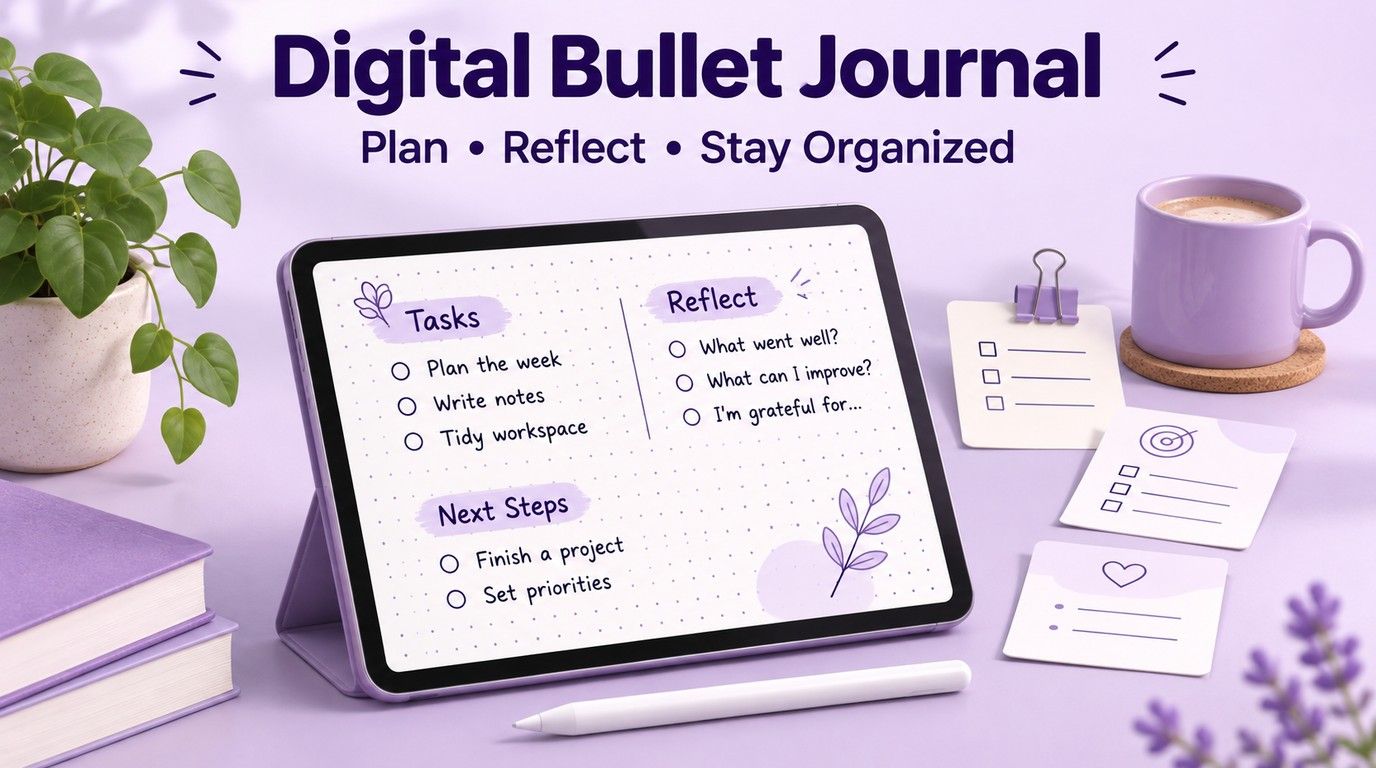
Whether you want a simple daily planner, an aesthetic journal for your iPad, or a digital system for managing study materials, this guide covers everything you need to get started. You will learn how to choose an app, create layouts, find templates, and use Lynote AI Note Generator to support your study note organization.
TL;DR: How to Start a Digital Bullet Journal
If you want to start digital bullet journaling without spending hours designing pages, follow these steps:
- Choose a digital notebook or journaling app that works on your device.
- Create an index to organize important pages and collections.
- Set up a future log for upcoming events and long-term goals.
- Build a monthly log for deadlines and priorities.
- Start a daily log using simple bullets and symbols.
- Add useful collections, such as reading lists, study trackers, or project notes.
- Review your journal regularly and move unfinished tasks when necessary.
You do not need expensive templates or decorative stickers to create a useful journal. Start with a simple system, then add layouts and tools as your needs become clearer.
What Is a Digital Bullet Journal?
A digital bullet journal is an electronic version of the Bullet Journal method, a flexible approach to organizing tasks, events, notes, and goals. Instead of using a physical notebook, you create and maintain your journal in a digital notebook, planning app, or other suitable tool.
The original Bullet Journal method was created by Ryder Carroll. It uses short entries, symbols, collections, and regular reflection to help people decide what deserves their attention.
Digital bullet journaling keeps these fundamental ideas while adding the convenience of electronic pages. Depending on the app, you may be able to duplicate layouts, search your notes, reorganize pages, attach documents, or access information from multiple devices.
How Does Digital Bullet Journaling Work?
The method begins with rapid logging, a system for recording information through short entries and simple symbols. Tasks, events, and notes receive different markers so you can identify them quickly.
For example, you might record a class assignment as a task, a scheduled lecture as an event, and an important idea as a note. During your review, you can mark completed tasks, remove unnecessary ones, or migrate unfinished work to another page.
The goal is not to make every page look perfect. It is to create a manageable system for recording information and choosing what to focus on.
Digital Bullet Journal Symbols and Their Meanings
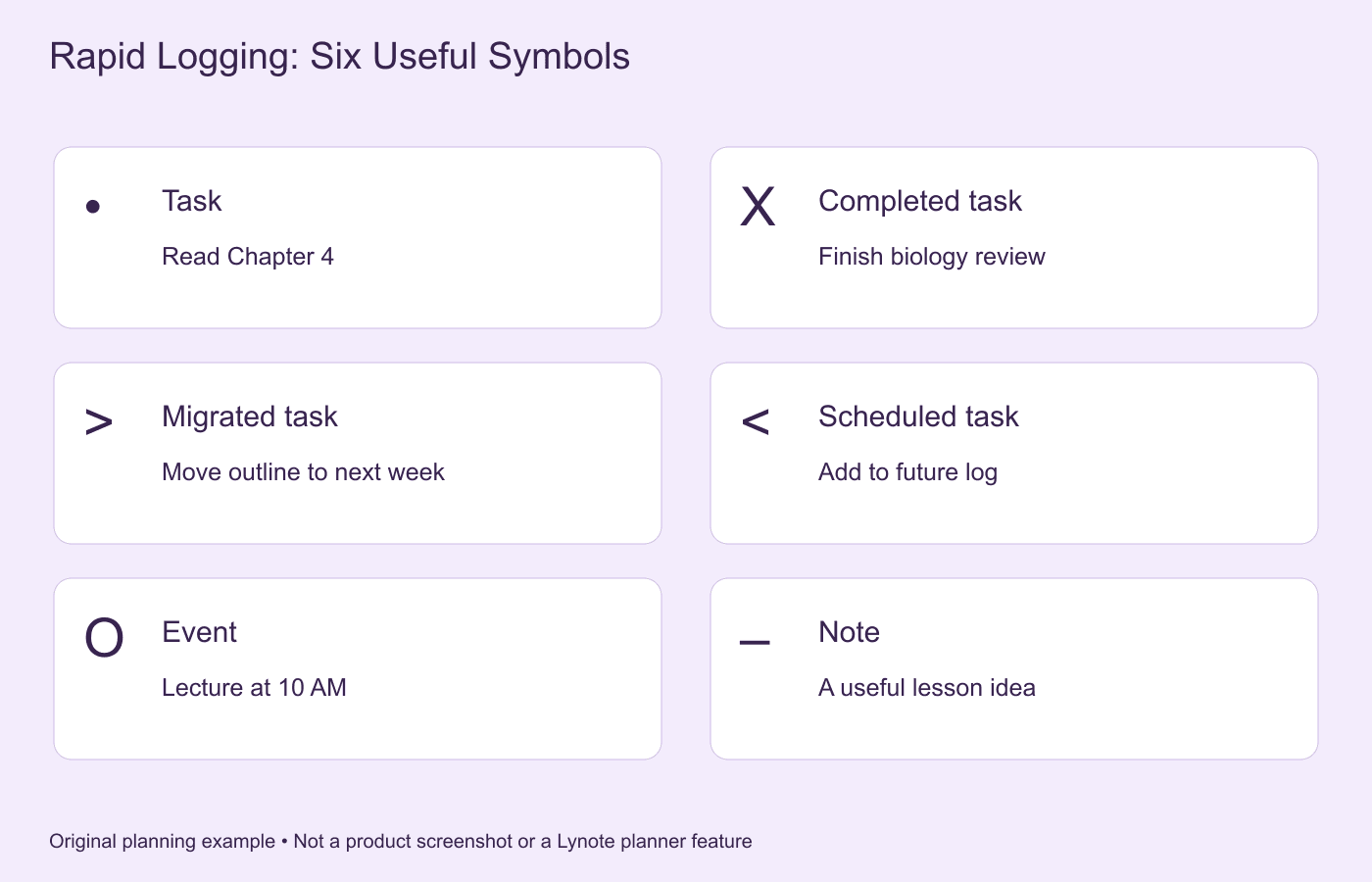
| Symbol | Meaning | Example |
|---|---|---|
| • | Task | Read Chapter 4 |
| X | Completed task | Finish biology review |
| > | Migrated task | Move essay outline to next week |
| < | Scheduled task | Plan a task for a future month |
| O | Event | Chemistry lecture at 10 AM |
| – | Note | Key idea from today's lesson |
These symbols are based on the common Bullet Journal system. You can personalize the markers, but keeping them consistent makes your journal easier to understand.
Digital vs. Paper Bullet Journal: Which Is Better?
The bullet journal analog vs digital debate often comes down to writing preferences, portability, and how much flexibility you need. Both approaches can help organize tasks and ideas, but they offer different experiences.
A paper notebook provides a distraction-free writing environment and requires no software. A digital version of bullet journal pages can make editing, organizing, and reusing layouts more convenient.
Digital vs. Paper Bullet Journal Comparison
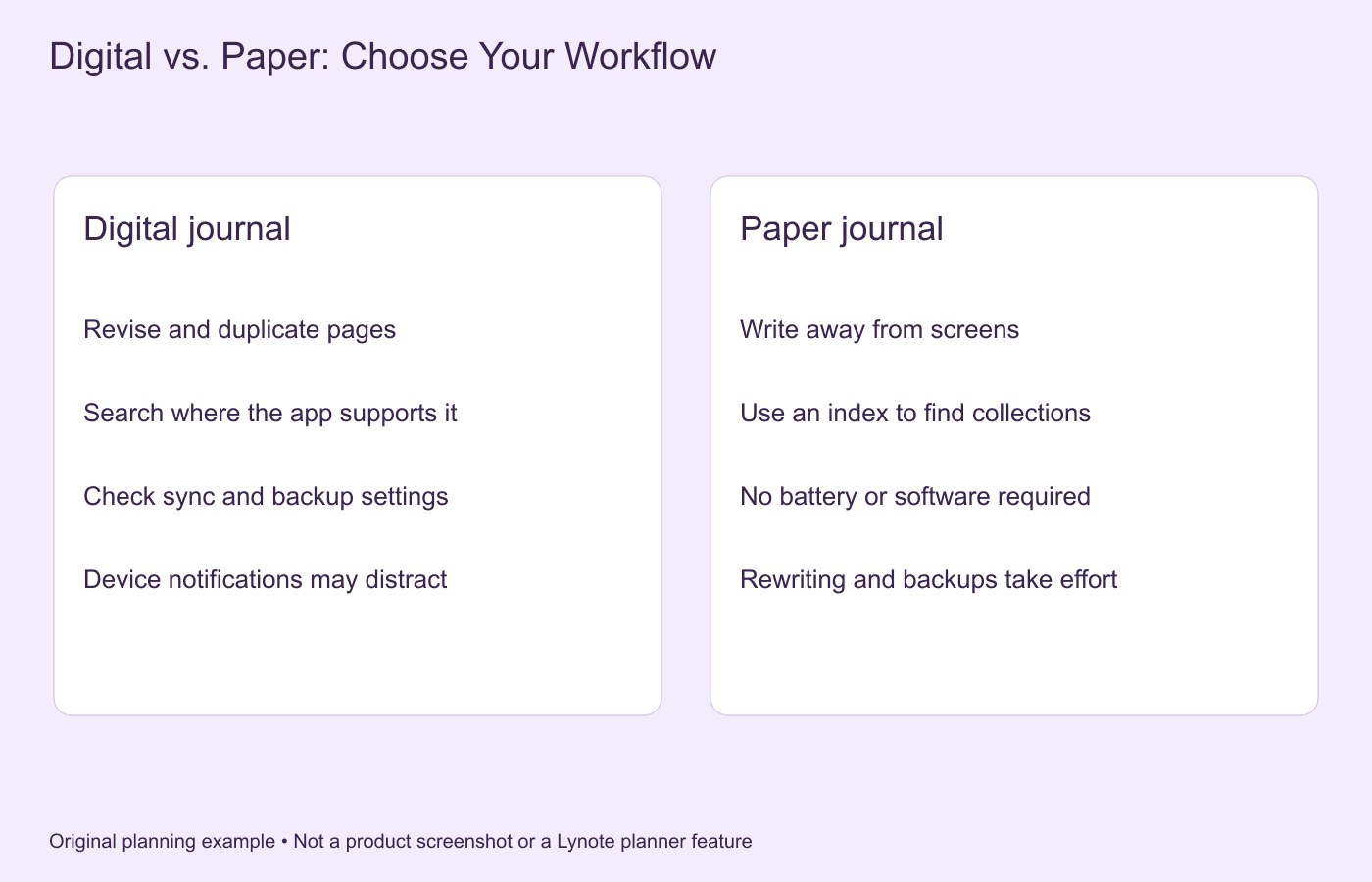
| Feature | Digital Bullet Journal | Paper Bullet Journal |
|---|---|---|
| Editing | Easy to revise or rearrange in many apps | Usually requires crossing out or rewriting |
| Templates | Reusable digital layouts | Often drawn or copied manually |
| Portability | Can be accessible on supported devices | Requires carrying the notebook |
| Search | Available in some digital apps | Usually relies on an index |
| Decoration | Digital stickers, images, and colors | Pens, markers, and physical stickers |
| Distractions | Device notifications may interrupt | Fewer digital distractions |
| Cost | Free and paid software options | Notebook and writing supplies |
| Backup | Depends on the app and storage settings | Physical copies must be stored separately |
Benefits of a Digital Bullet Journal
Digital journaling can make your planning process easier to maintain when your schedule changes frequently. You may be able to reuse weekly spreads, move pages, correct mistakes, and organize multiple collections without starting a new notebook.
It can also be convenient for students who work with digital textbooks, lecture slides, and online resources. A digital notebook may allow them to keep planning information close to their other study materials.
When Is a Paper Bullet Journal Better?
Paper can be a better choice if you enjoy handwriting away from screens or want fewer notifications. It also does not depend on battery life, device compatibility, or software subscriptions.
Some people prefer a hybrid approach. They use a paper notebook for reflection and a digital calendar for appointments, reminders, and shared events.
Essential Parts of a Digital Bullet Journal
Before choosing colors, stickers, and page designs, understand the core components of a bullet journal. These sections create the basic structure of your planning system.
1. Index
The index helps you find important pages and collections. In a paper notebook, it usually contains page numbers, while a digital version may use links, bookmarks, page titles, or folders.
For example, an index might link to your monthly plans, reading tracker, study notes, and project collections. Keep the structure simple enough that you can update it quickly.
2. Future Log
A future log records events, deadlines, and commitments that belong to upcoming months. It gives you a place to capture information before you are ready to plan the individual month.
Students might use a future log for examination dates, project deadlines, and school events. Working professionals may use it for project milestones, meetings, and personal commitments.
3. Monthly Log
A monthly log provides an overview of upcoming events and important tasks. It usually includes a calendar or date list alongside the month's priorities.
Use this page to identify major deadlines and decide what needs attention. Review it regularly so important tasks do not disappear inside daily notes.
4. Daily Log
The daily log is where rapid logging becomes part of your routine. Use short bullet entries to record tasks, events, observations, and ideas throughout the day.
A daily page does not need a fixed amount of space. Some days may require only a few lines, while others may involve detailed planning and reflection.
5. Collections
Collections are dedicated pages for related information. They can contain reading lists, project plans, study schedules, habit trackers, or any topic you revisit regularly.
For students, collections are especially useful for organizing learning goals and topics that span several classes. A project collection might include a deadline, research questions, reference materials, and next actions.
How to Start a Digital Bullet Journal in 7 Steps
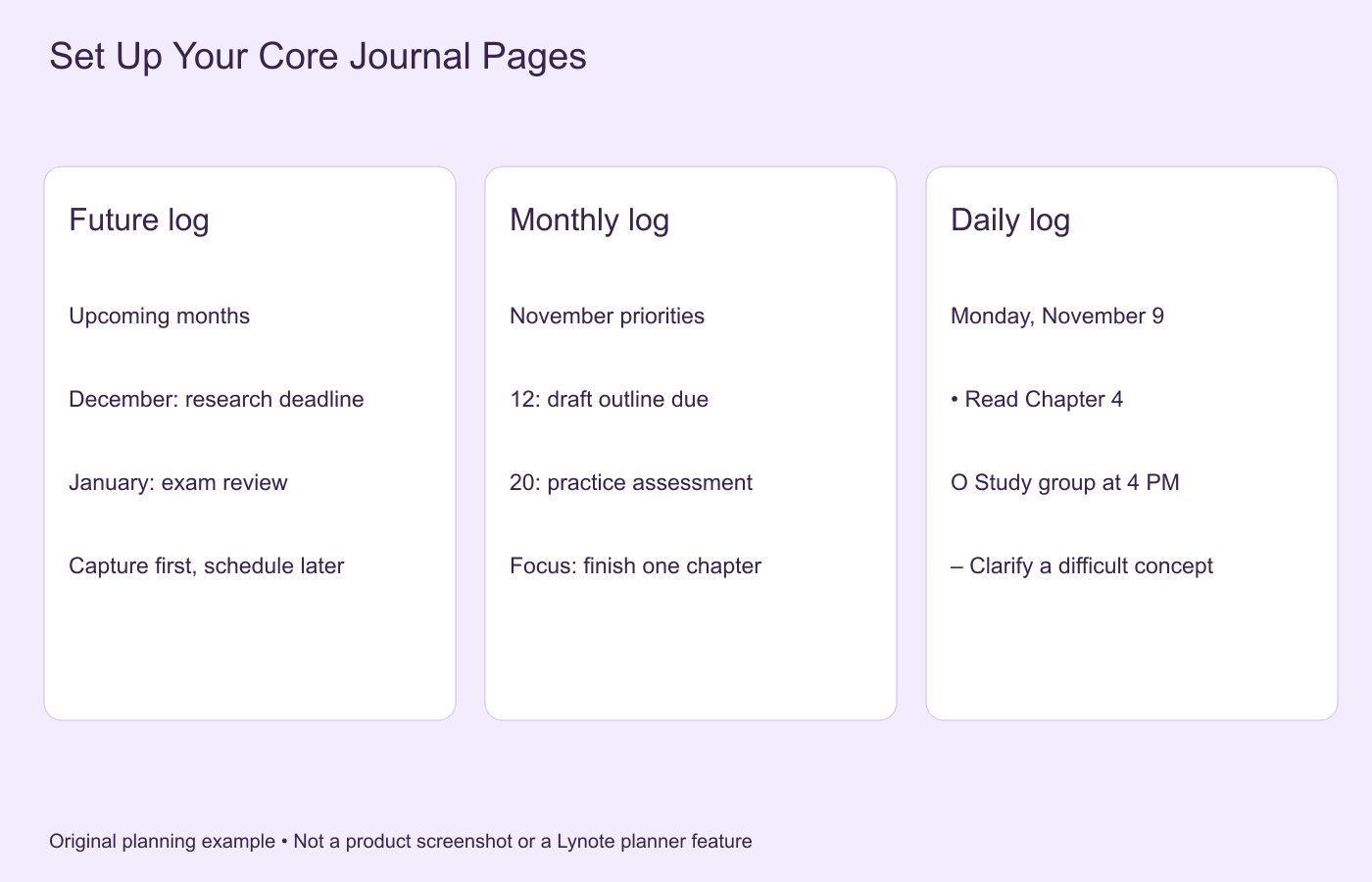
Learning how to start a digital bullet journal is easier when you focus on functionality before appearance. You can create a basic system using a blank digital notebook and add more features as your planning habits develop.
Step 1. Choose Your Digital Journal Format
Decide whether you prefer handwriting, typing, or a combination of both. A handwritten digital planner may feel familiar if you enjoy paper journaling, while a text-based system can be faster for lists and searchable notes.
Consider your primary device before selecting an app. An iPad with a stylus, an Android tablet, a Windows laptop, and an iPhone may support different workflows.
Step 2. Create a Digital Journal Index
Begin with a page titled "Index" or "Dashboard." Add links or references to your future log, monthly log, daily entries, and major collections.
Use descriptive names instead of generic labels. For example, "November 2026 Monthly Log" is easier to recognize than "Page 12."
Step 3. Set Up Your Future Log
Create a future log covering the next three, six, or twelve months. Add confirmed events, deadlines, and commitments without trying to schedule every daily task.
Keep the page readable and leave space for new information. When a new month begins, review relevant entries and move them into your monthly plan.
Step 4. Build a Monthly Log
Create a page containing the dates of the month and a short list of priorities. Include major appointments, academic deadlines, and projects you want to complete.
A monthly log should help you see the bigger picture. Avoid filling it with every minor task before you know what the month requires.
Step 5. Start Daily Rapid Logging
Create a daily entry and begin recording tasks, events, and notes using your chosen symbols. Keep entries short so you can capture information without interrupting what you are doing.
For example, a student might record a reading assignment, an upcoming examination, and a useful point from a lecture. At the end of the day, review unfinished tasks and decide what should happen next.
Step 6. Add Collections and Trackers
Create collections for recurring needs such as reading lists, study plans, project goals, or habit tracking. Start with only one or two trackers that provide useful information.
If you want to monitor study consistency, create a simple table with dates and completed sessions. Avoid adding trackers that require more maintenance than the activity itself.
Step 7. Review and Migrate Your Tasks
Set aside time for a short daily or weekly review. Mark completed tasks, remove irrelevant entries, and migrate important unfinished work.
Migration is not simply moving a task to another date. It is an opportunity to decide whether the task still deserves your time and attention.
Digital Bullet Journal Layouts and Ideas
A digital bullet journal can be minimal, colorful, artistic, or highly structured. The best layout is one that supports your routine without making the journal difficult to maintain.
Monthly Planner Layout
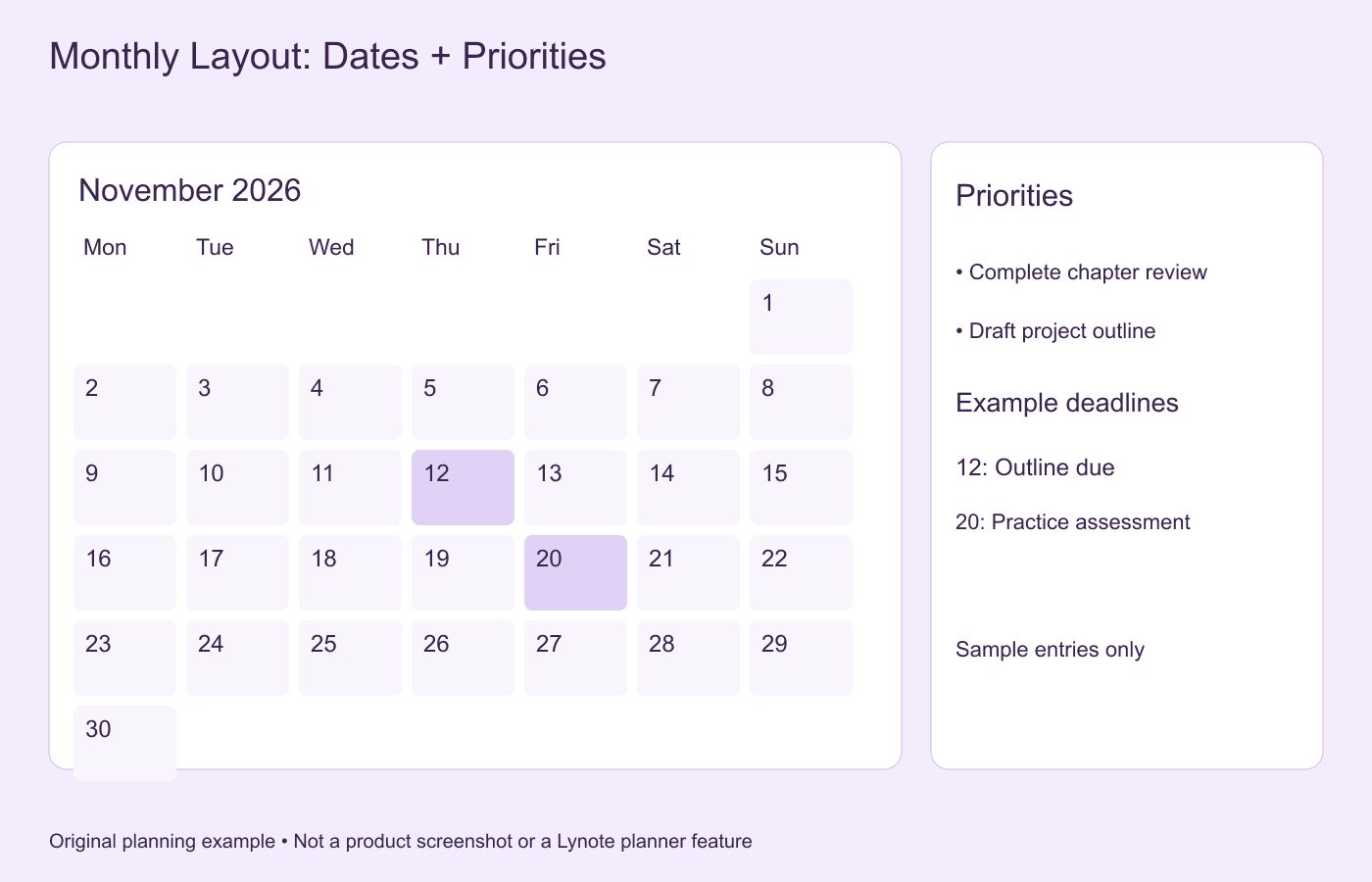
A monthly planner displays important events, deadlines, and goals in one place. It works well for planning academic schedules, work projects, and personal commitments.
Include a short priorities section beside the calendar. This helps connect long-term goals with the activities you plan to complete during the month.
Weekly Planner Layout
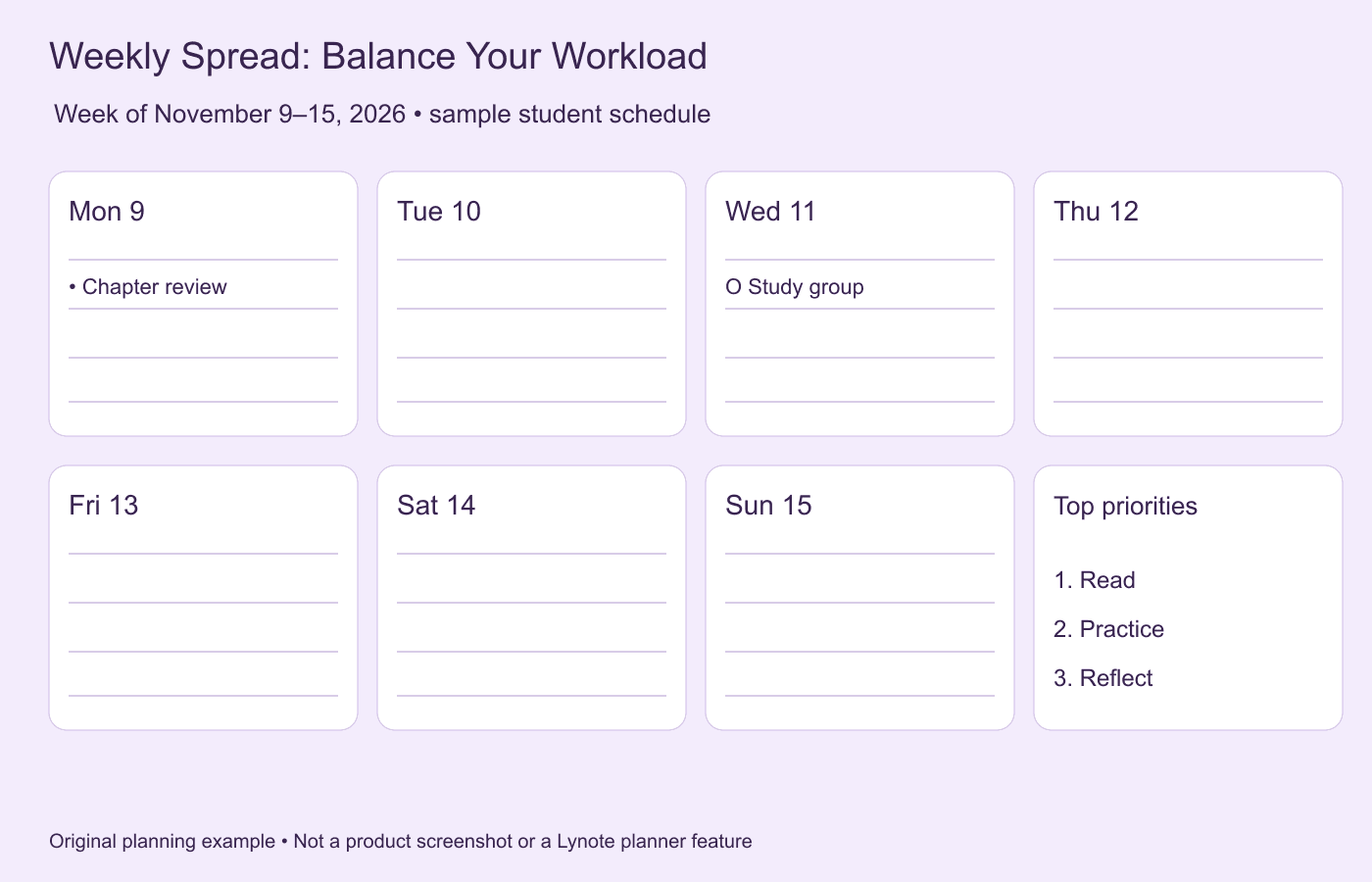
A weekly layout brings together appointments and tasks for the next seven days. You might use columns for each day or a simple weekly checklist.
Add space for your three most important priorities. A weekly view can help you distribute your workload and avoid scheduling too many major tasks on the same day.
Daily Log Layout
A daily log can be as simple as a date heading and a list of bullet entries. This is often more practical than a decorative page with many predefined sections.
Use it to capture tasks, events, and notes as they appear. Review the page at the end of the day and migrate any important unfinished work.
Habit Tracker Layout
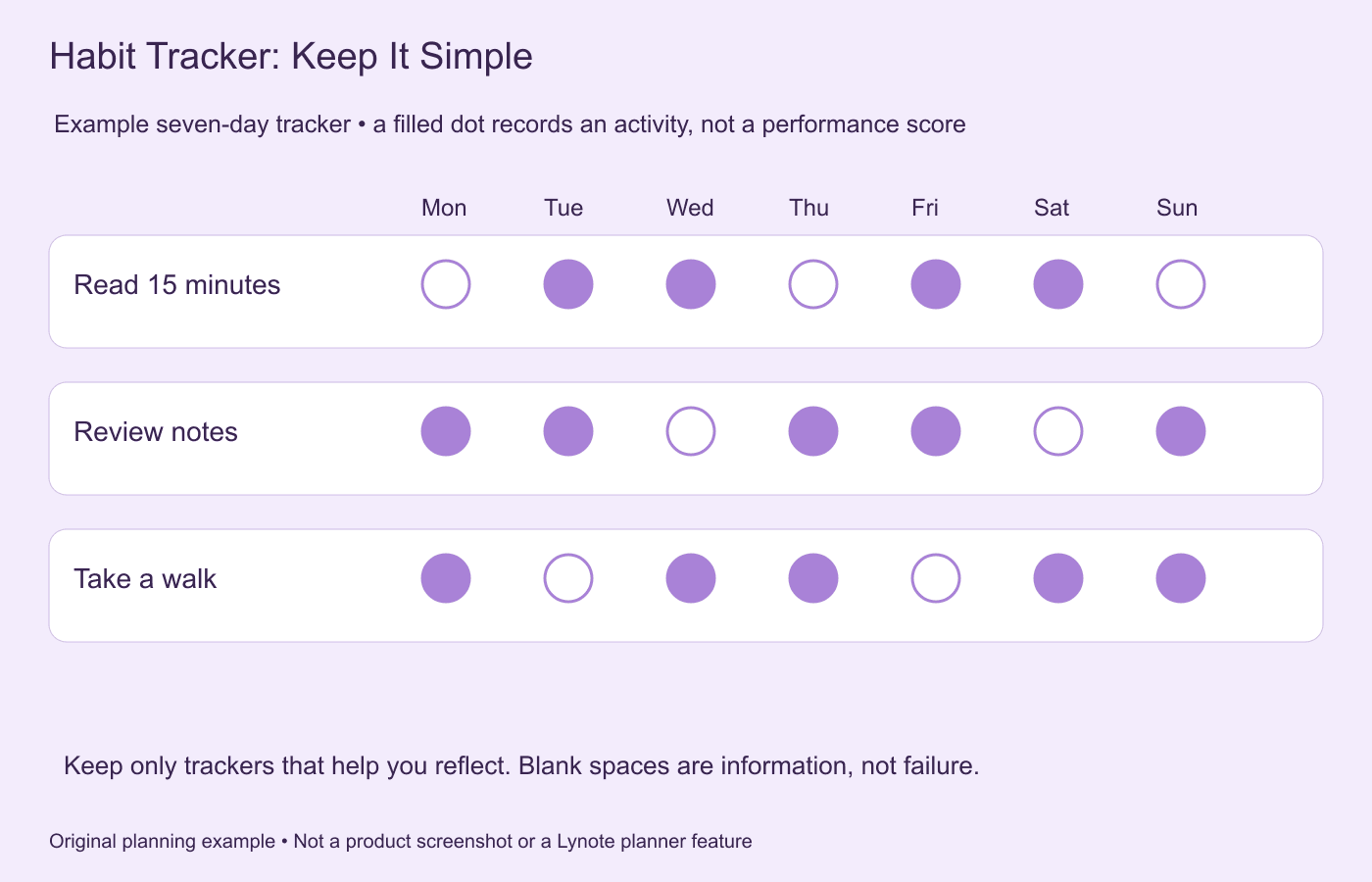
Habit trackers help you record recurring activities such as reading, studying, or exercise. A small grid with dates and checkboxes is usually enough.
Choose habits that you genuinely want to observe. If updating the tracker becomes another stressful task, simplify it or stop using it.
Reading Journal Layout
A reading journal can contain books you want to read, completed titles, key ideas, and personal reflections. Students may also include textbook chapters and assigned readings.
Add a short note about what you learned from each reading. This creates a record of useful information rather than just a list of completed books.
Study Tracker Layout
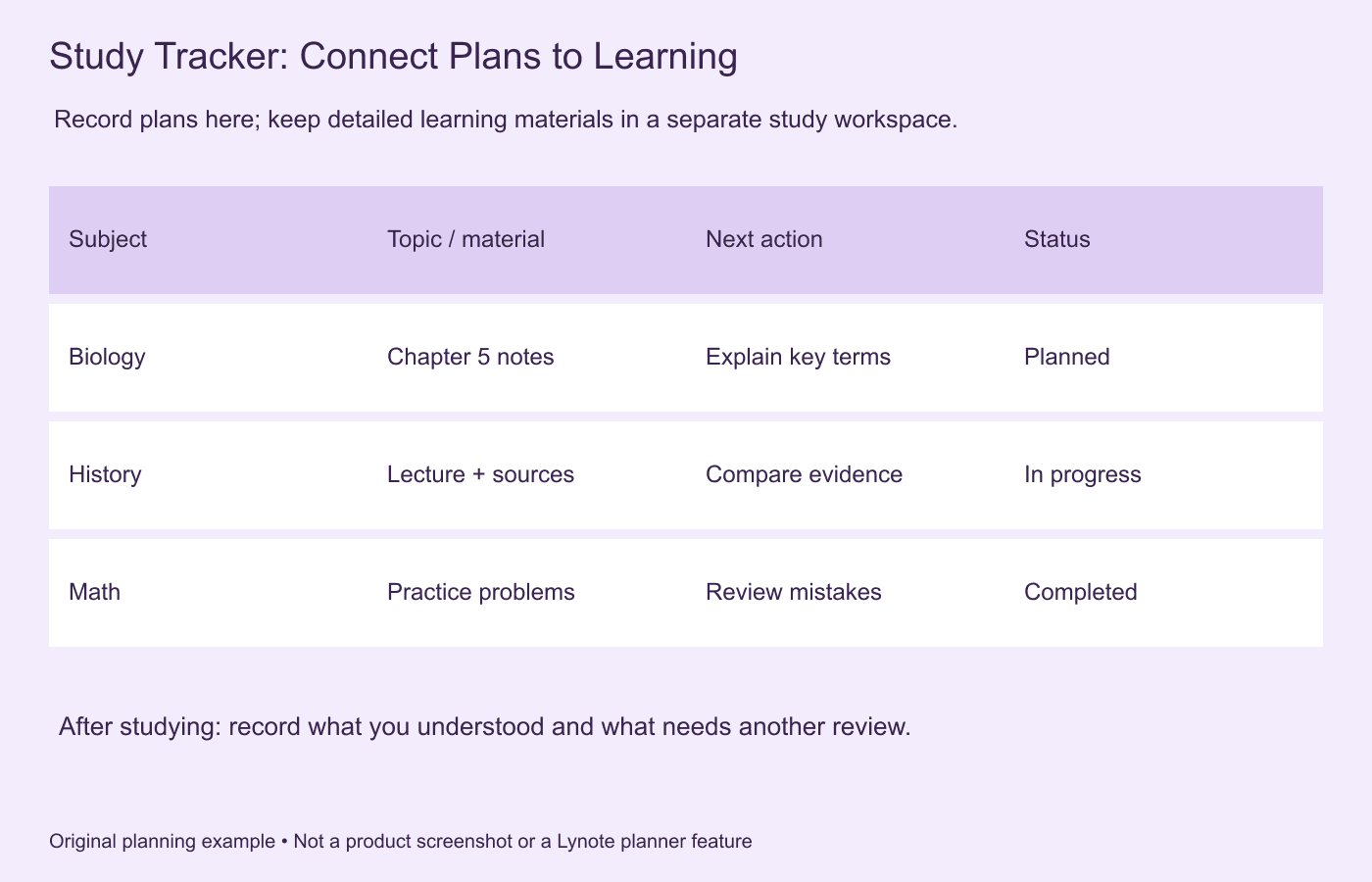
A study tracker helps students monitor coursework, revision sessions, and upcoming assessments. Organize entries by subject, topic, deadline, and completion status.
You can link a study task to a separate collection containing your learning materials and notes. This keeps the planning process connected to the information you need to review.
Project Collection Layout
Create one collection for each major project. Include the objective, deadline, next actions, reference materials, and outstanding questions.
Review the page during your weekly planning session. This helps you identify progress and decide which tasks should move into your daily log.
Aesthetic Digital Bullet Journal Ideas
An aesthetic digital bullet journal might use soft colors, custom covers, illustrated headings, or themed stickers. Popular styles include minimal monochrome layouts, pastel planners, botanical pages, and digital scrapbook designs.
Visual customization can make a journal more enjoyable, but it should support readability. Choose a consistent design that makes important entries easy to find.
Digital Bullet Journal Templates, PDFs, and Stickers
Templates can make digital bullet journaling faster by providing ready-made page structures. Instead of drawing a new monthly calendar every month, you can reuse an existing layout when your software supports duplication.
A digital bullet journal template may include daily pages, monthly spreads, trackers, collections, or a complete planner system. Choose templates based on the pages you actually need.
How to Choose a Digital Bullet Journal Template
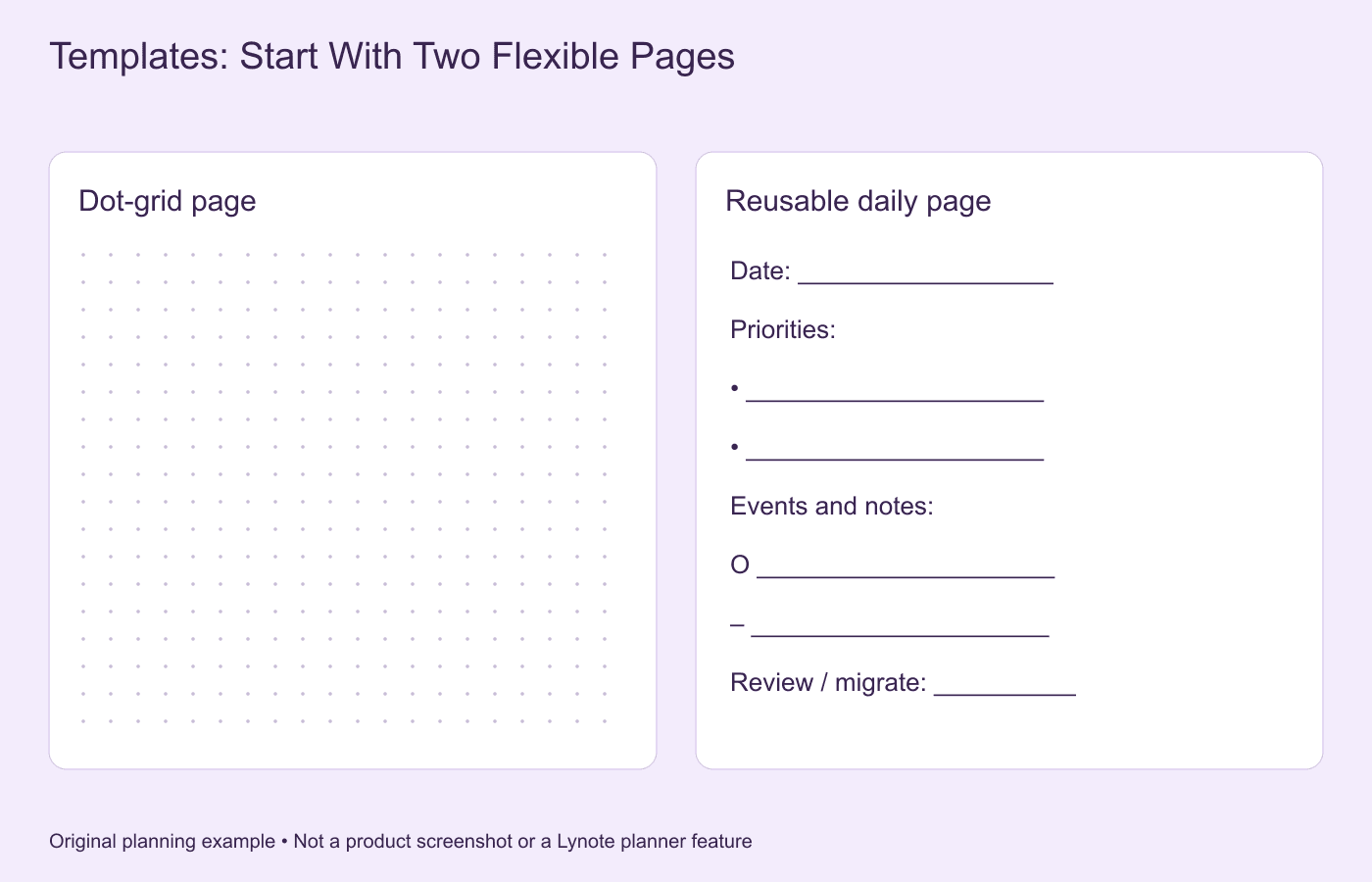
Check the template's file format and compatibility before downloading it. Some templates are designed for PDF annotation apps, while others are created for specific notebook platforms.
Look for editable dates, clear navigation, readable text, and practical page layouts. A highly decorative template may be less useful if you cannot quickly record tasks.
Free Digital Bullet Journal Templates
A free digital bullet journal template is a good option for beginners who want to test different layouts. You can create a simple planner yourself using a document editor, presentation software, or a compatible notebook app.
If you search for free digital bullet journal templates, check whether the files are genuinely free and whether they include usage restrictions. Some downloads require registration or allow only personal use.
Digital Bullet Journal PDF Templates
A digital bullet journal PDF usually contains prepared pages that can be imported into a compatible note-taking application. Some PDFs include internal hyperlinks for navigating between sections.
If you are looking for a digital bullet journal free download or free digital bullet journal PDF, confirm that the file opens correctly on your device. Check whether you can annotate the pages, follow hyperlinks, and save your changes.
Goodnotes Digital Bullet Journal Templates
Goodnotes supports imported PDFs and images, making it an option for people who enjoy handwriting directly on digital pages. A Goodnotes digital bullet journal may use a dotted notebook, a hyperlinked PDF planner, or custom imported page templates.
You may encounter searches such as digital bullet journal template Goodnotes or free digital bullet journal template Goodnotes. Before choosing a template, check your Goodnotes version, device, and the features available under your plan.
Digital Bullet Journal Stickers
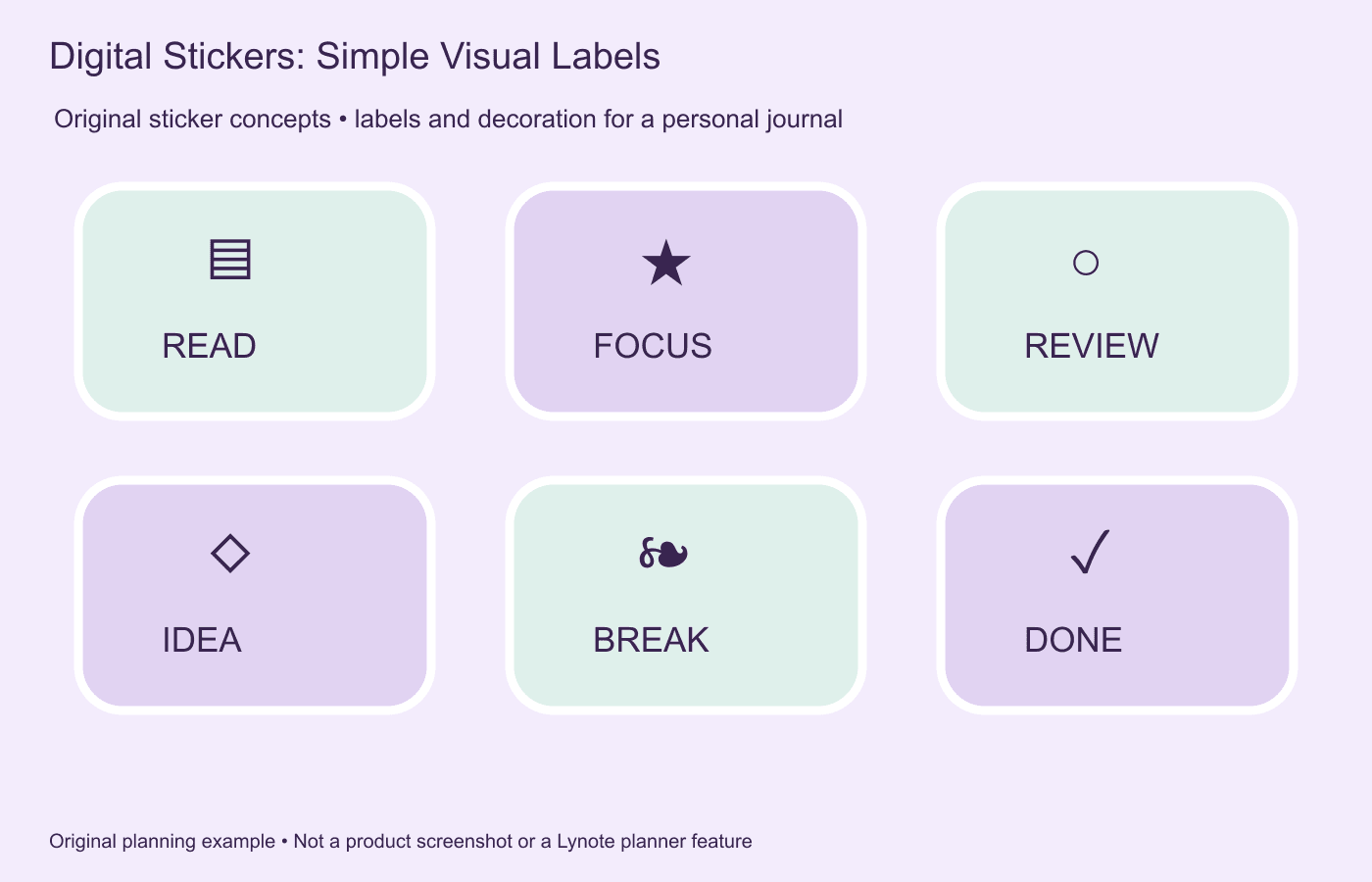
Digital bullet journal stickers are decorative or functional images used to personalize digital pages. They may include icons, labels, calendar elements, task markers, and illustrations.
Some sticker packs contain PNG images with transparent backgrounds, while others are distributed as sticker books or app-specific files. Always check the supported file format before importing them into your journal.
Where to Find Digital Stickers and Downloads
Digital journal templates and stickers are available from creators, note-taking communities, and marketplaces such as Etsy. You can find both free and paid resources, but availability and licensing conditions vary.
Before purchasing an Etsy digital bullet journal, check the product description carefully. Some listings sell only a template or sticker pack rather than a complete journaling app.
Are Older Templates Still Useful?
A digital bullet journal template 2020 may still be useful if it is undated and compatible with your software. However, a calendar with fixed dates from 2020 will need to be updated before use in 2026.
For a digital bullet journal 2026 setup, choose an undated layout or a template with the correct calendar year. Also check whether older templates still work with the current version of your app.
Digital Bullet Journal for Students: Plan Tasks and Organize Learning
Students often need two different systems: one for planning what to study and another for organizing the material they learn. A digital bullet journal can help manage deadlines, revision sessions, and learning goals.
However, a planner entry such as "Review Biology Chapter 5" does not contain the actual chapter explanation. Students still need useful study notes, examples, and review questions to complete the task effectively.
Build a Digital Study Journal
Start by creating collections for your subjects and upcoming examinations. Add task entries for readings, assignments, and revision sessions.
For each study task, identify the relevant learning materials. These might include lecture slides, textbook chapters, PDFs, educational videos, or recorded explanations.
Separate Planning Notes from Learning Notes
Planning notes answer questions such as "What should I study today?" and "When is this assignment due?" Learning notes answer questions such as "What does this concept mean?" and "How can I explain it?"
Keeping these two functions separate helps prevent your daily planner from becoming overloaded with detailed textbook content. Your journal can point to a dedicated note-taking workspace where you study each subject.
Use a Simple Student Workflow
Consider a student preparing for a biology examination. Their monthly log contains the examination date, while their weekly layout includes a scheduled review session.
The student then opens their biology learning materials, creates structured study notes, and reviews important concepts. After completing the session, they return to the journal and mark the task as finished.
This approach connects planning with learning without requiring a single application to perform every function.
How to Organize Study Notes with Lynote AI Note Taker
Digital bullet journaling helps you organize tasks and priorities, but reviewing textbooks, lectures, and research materials requires a different kind of note-taking. Students and self-learners may spend considerable time rewriting information from documents and recorded lessons.
Lynote AI Note Generator helps turn supported learning materials into structured, editable study notes. You can use these notes alongside your digital bullet journal to support learning and exam preparation.
Step 1. Upload Your Learning Materials
Start by uploading supported learning resources to Lynote. These can include PDFs, documents, presentations, audio recordings, videos, images, and supported web content.
For example, upload a textbook chapter, a lecture presentation, or a recorded explanation from your course. Use materials that you are authorized to process.
Step 2. Generate Structured Study Notes
Lynote organizes information from your uploaded content into structured notes with headings, summaries, and key points. This can reduce the manual work involved in turning lengthy materials into a more readable study resource.
Review the generated content before using it for important academic work. Check definitions, names, calculations, and other details against the original source.
Step 3. Edit and Refine Your Notes
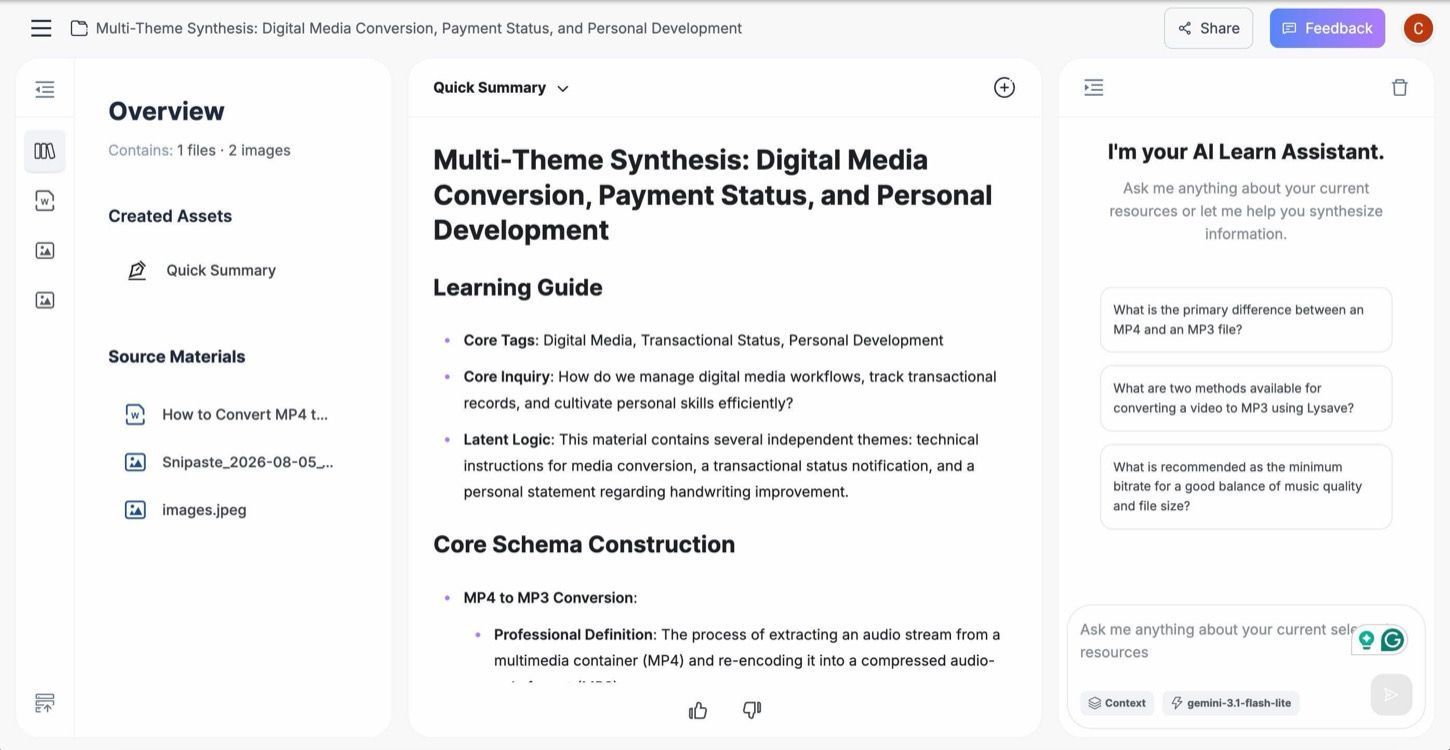
Actual Lynote interface showing generic demonstration content.
Use the built-in editor to improve explanations and add your own understanding. Organize concepts into meaningful sections so they are easier to revisit during later study sessions.
For example, you might group biology notes by chapter, research topic, or examination objective. Your digital bullet journal can then reference these study materials in its reading list or revision schedule.
Step 4. Review with AI Chat and Flashcards

Actual Lynote interface showing generic demonstration content.
Lynote AI Chat allows you to ask questions about information contained in your uploaded materials. This can help you clarify explanations and revisit relevant sections without manually searching through every page.
You can also create Flashcards from your notes for active recall practice. Combine these review activities with independent study and practice questions.
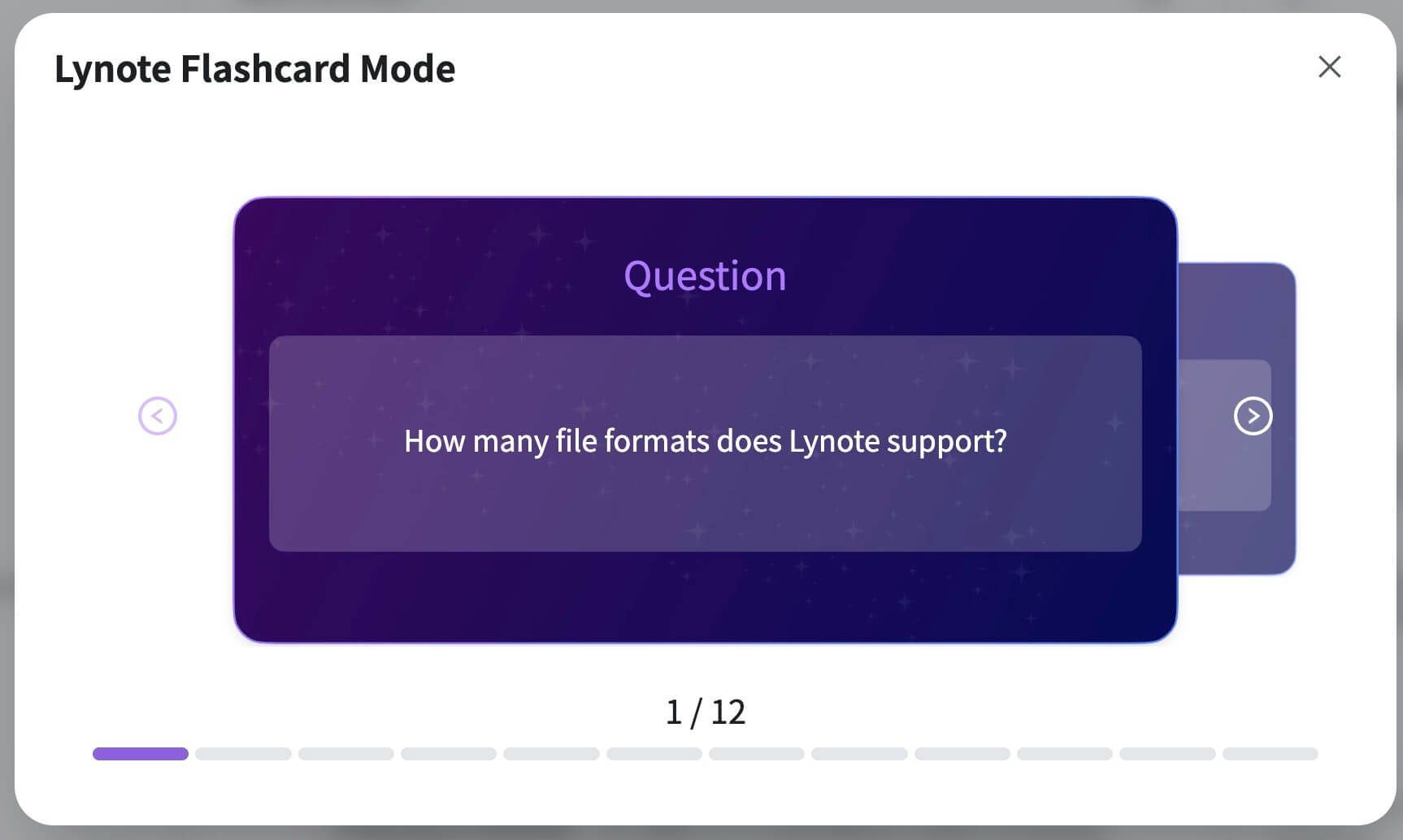
Actual Lynote interface showing generic demonstration content.
How Lynote Fits Into Your Digital Bullet Journal Workflow
The two tools serve different purposes. Your digital bullet journal helps you decide what to do and when to do it, while Lynote helps you organize and review the learning materials associated with those tasks.
| Digital Bullet Journal | Lynote AI Note Taker |
|---|---|
| Plan study sessions | Organize uploaded study materials |
| Track deadlines | Generate structured notes |
| Record daily tasks | Review and edit explanations |
| Manage revision goals | Ask questions through AI Chat |
| Record completed activities | Generate Flashcards for review |
Lynote is not presented here as a replacement for a dedicated calendar, habit tracker, or full bullet journal planner. Instead, it can serve as a complementary learning workspace.
Organize Your Study Notes with Lynote AI
Turn your lectures, documents, and study materials into organized notes while keeping your planning routine simple and focused.
Best Digital Bullet Journal Apps: How to Choose
The best digital bullet journal app depends on your device, preferred input method, and the features you need. Some apps focus on handwriting and PDF annotation, while others are better for text-based organization or project planning.
Rather than looking for one universally best digital bullet journal, compare available tools based on your actual workflow. Consider whether you need handwritten pages, reusable templates, search, syncing, or links between notes.
Goodnotes for Digital Bullet Journaling
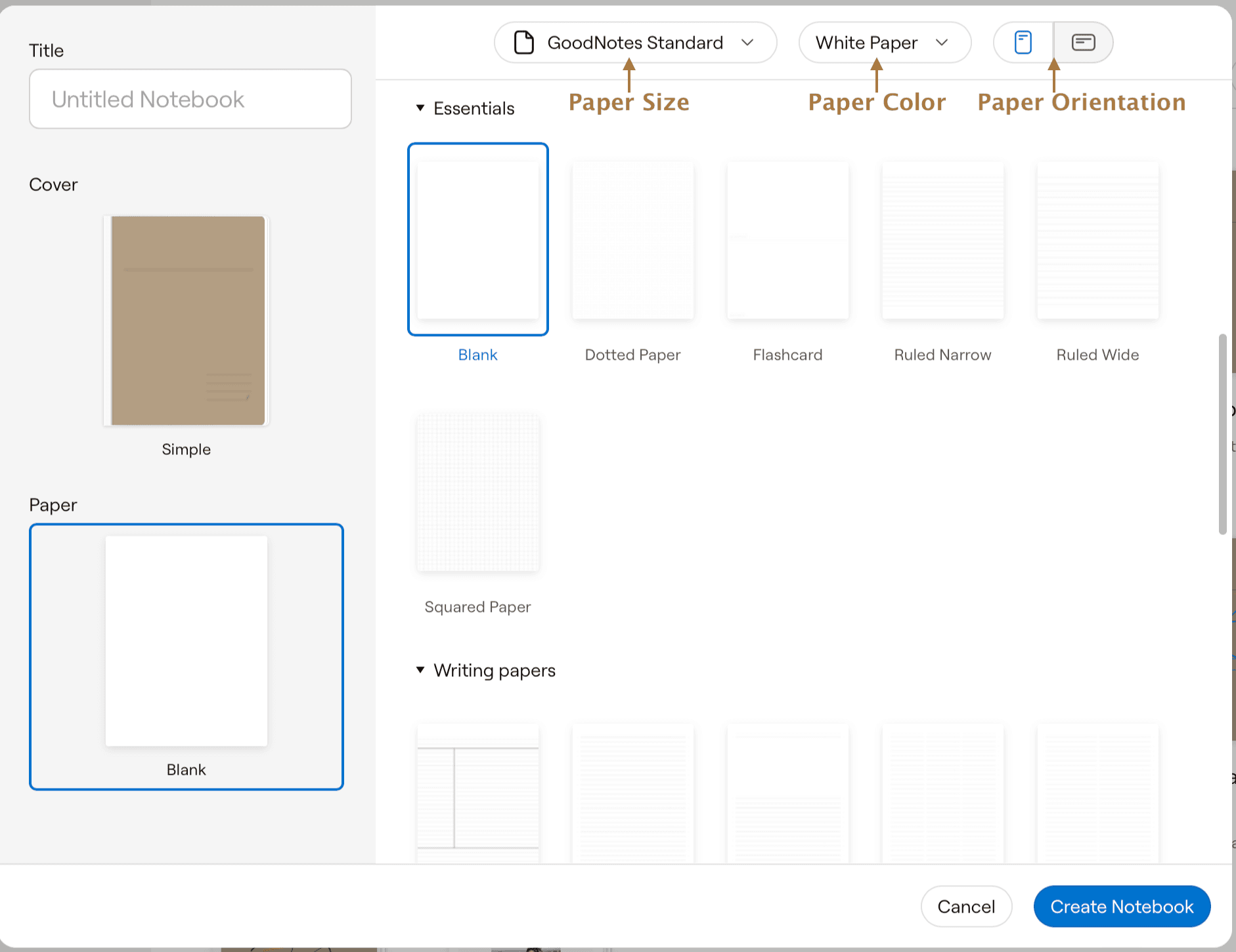
Official product screenshot; generic demonstration, not a prebuilt bullet journal. Official source.
See the official Goodnotes platform guide and file-import documentation for current compatibility.
Goodnotes is a popular option for handwritten digital notebooks and PDF annotation. It is especially relevant for users who want an iPad-style journaling experience with custom pages and imported digital planners.
Goodnotes also offers Android, Windows, and web versions, although features and syncing options can vary by platform and subscription. Check current compatibility before choosing it as your main digital journal.
Notability for Handwritten Journals
As of November 2026, Notability also offers Android support and Windows and Mac desktop apps, alongside its Apple mobile and web experiences. Android requires version 12L or later; features and regional availability differ. Check the official requirements for your device.
Notability is another option for users who prefer handwriting and imported PDF pages. It can be useful when you want to annotate a prepared digital planner or combine handwriting with other note content.
Before creating a Notability digital bullet journal, check the current app features and template compatibility. Some layouts or imported assets may behave differently depending on the file format.
OneNote for Flexible Digital Organization
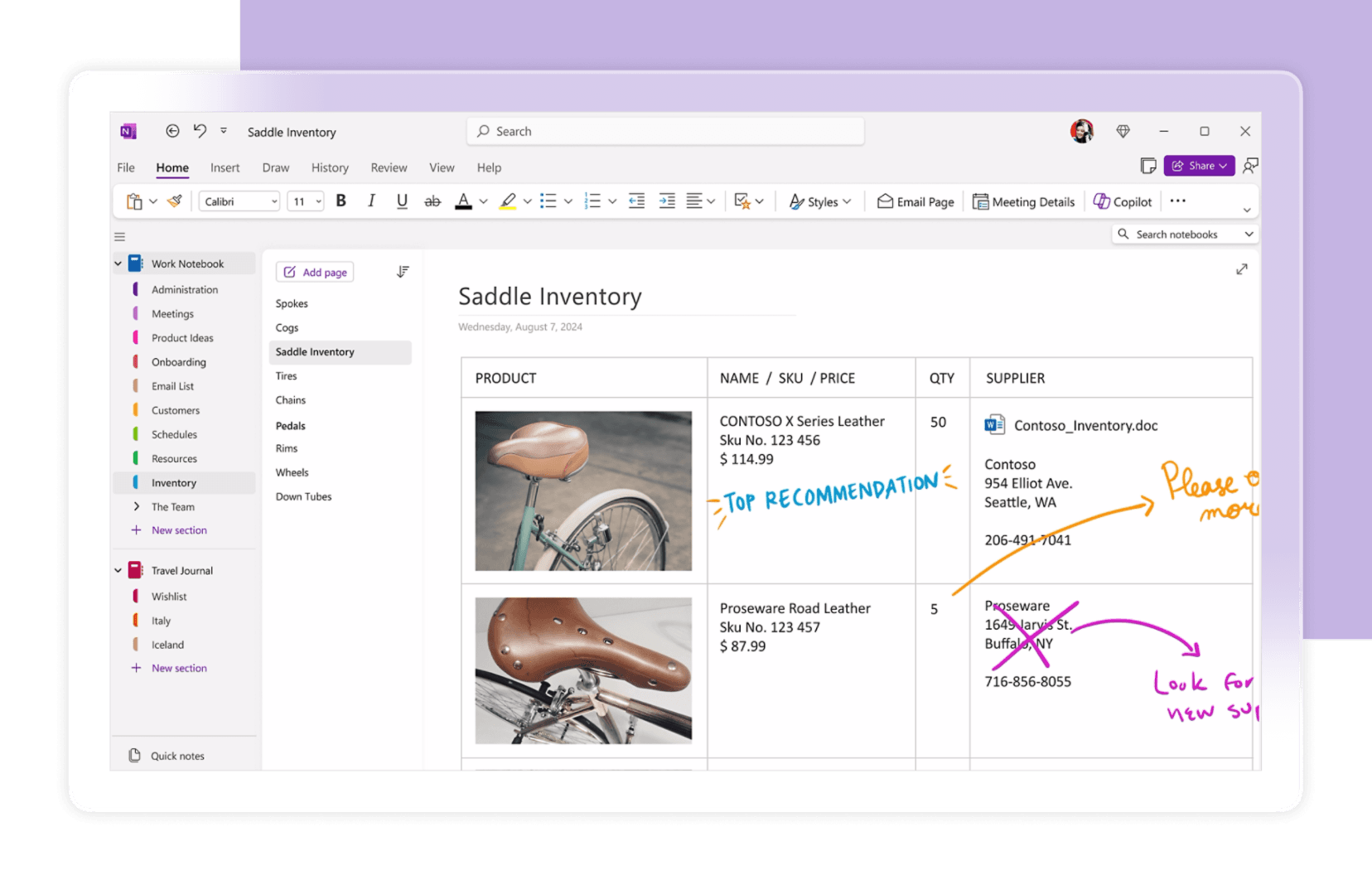
Official product screenshot; generic demonstration, not a prebuilt bullet journal. Official source.
Microsoft lists Windows, Mac, iPhone/iPad, Android, and browser access in its OneNote download guide. Feature availability is not identical across versions.
Microsoft OneNote provides notebooks, sections, and pages that can be adapted to a bullet journal workflow. It is a practical option for users who want to combine typed notes, lists, and flexible page organization.
You can create a OneNote digital bullet journal with sections for monthly planning, daily logs, and collections. For a OneNote digital bullet journal template, look for compatible page designs or build your own repeating layout.
Elisi and Structured Planning Tools
Elisi is associated with digital planning and productivity workflows, including organizing tasks and personal goals. It may appeal to users who prefer a more structured planner rather than a traditional blank notebook.
Before choosing a dedicated planning tool, compare its current features with the Bullet Journal elements you want to maintain. Not every planner application supports the same approach to rapid logging, collections, or task migration.
Digital Bullet Journal App Comparison
| App or Tool Type | Best Suited For | What to Check |
|---|---|---|
| Goodnotes | Handwriting and PDF-based journals | Device support, templates, syncing, plan |
| Notability | Handwritten notes and imported planners | PDF features, organization, platform support |
| OneNote | Flexible typed and mixed-media organization | Page structure, templates, navigation |
| Structured planner apps | Tasks, goals, and recurring planning | Journal flexibility, pricing, export |
| Simple document apps | Minimal bullet logs and lists | Search, organization, portability |
| Lynote AI Notes | Organizing and reviewing study materials | Source support, editing, AI Chat, Flashcards |
There is no single best app for digital bullet journal users across every device and workflow. Choose the option that removes friction from your daily process.
Best Digital Bullet Journal Apps by Device
Device compatibility is one of the first things to verify when comparing digital bullet journaling apps. The best option for handwritten iPad pages may not be the best choice for someone using an Android phone or a Windows laptop.
Best Digital Bullet Journal for iPad
An iPad is well suited to users who want handwritten pages, custom covers, decorative elements, and PDF-based layouts. Goodnotes and Notability are two relevant options to compare.
When choosing the best iPad app for digital bullet journal use, consider stylus support, template imports, navigation, and backup options. A good app should make journaling convenient rather than requiring constant adjustments.
Digital Bullet Journal for Android
Android users can choose from compatible note-taking applications, PDF annotation tools, and structured planning apps. Device size and stylus support may influence whether handwriting or typing feels more comfortable.
If you are searching for the best digital bullet journal app for Android, check the current version's features before committing. Some products offer different capabilities on Android than on iPad.
Digital Bullet Journal for Windows
A digital bullet journal Windows setup can work well for users who prefer typing, keyboard shortcuts, and organized notebooks. OneNote and other compatible document-based tools are useful starting points.
Some users may also prefer Goodnotes on Windows for PDF-based notebook workflows. Test template compatibility and syncing before moving all your planning information into one app.
Digital Bullet Journal for Mac and MacBook
Mac users may prefer a searchable digital notebook or a compatible handwriting-oriented application. A digital bullet journal MacBook workflow can be useful for work planning, studying, and managing longer text entries.
If you plan to use the journal on both Mac and iPad, review the app's syncing and account requirements. Cross-device access can depend on the selected plan.
Digital Bullet Journal for iPhone
A digital bullet journal iPhone setup is convenient for capturing quick ideas, checking tasks, and reviewing daily plans. Smaller screens may be less suitable for detailed handwritten spreads.
Consider using a compact daily log and a simple collection structure. You can keep more complex layouts for a tablet or desktop computer.
Digital Bullet Journal and Digital Calendar: Do You Need Both?
A bullet journal and digital calendar can complement each other. A calendar is especially useful for appointments, fixed deadlines, and reminders, while a journal provides more space for tasks, priorities, reflections, and personal context.
For example, you might keep a lecture date in your calendar and record your preparation tasks in a bullet journal. This separates time-specific commitments from flexible work.
Digital Calendar vs. Bullet Journal
A calendar answers when something happens. A bullet journal helps you capture what needs attention and reflect on how you want to spend your time.
Some people prefer a bullet journal digital calendar combination, using one tool for both functions when possible. Others use separate applications because they need specialized reminders or scheduling features.
Common Digital Bullet Journaling Mistakes to Avoid
Spending Too Much Time on Decoration
An aesthetic journal can be enjoyable, but elaborate layouts may become difficult to maintain. If every weekly spread requires extensive design work, your journal may create more work than it saves.
Better approach: Begin with a simple layout and add decorative elements only when they make the experience more useful or enjoyable.
Downloading Too Many Templates
Having dozens of digital bullet journal templates can make it difficult to choose a consistent system. You may spend more time switching between designs than actually recording tasks.
Better approach: Start with a future log, monthly log, and daily log. Add collections or trackers only when you have a specific need.
Treating a Journal Like a Complete Productivity Solution
A journal can help you organize information, but it does not automatically complete tasks or improve learning. You still need time to act on your plans and review your progress.
Better approach: Connect your journal entries with realistic next actions and useful study resources.
Ignoring Reviews and Migration
Without regular review, unfinished tasks can accumulate across daily pages. This makes it harder to determine which commitments are still important.
Better approach: Review tasks at the end of the day or week, remove irrelevant entries, and migrate only the work you intend to complete.
Choosing an App Before Understanding Your Needs
Some users choose software based on attractive screenshots rather than practical requirements. An advanced planning app may be unnecessary if you mainly need simple lists and weekly reviews.
Better approach: Define your desired workflow before comparing digital bullet journal apps.
Tips for Maintaining Your Digital Bullet Journal
A sustainable journaling routine should be easy to return to after a busy day or an interrupted week. Consistency matters more than creating the perfect page every time.
Start With a Five-Minute Daily Review
Review your journal briefly at the beginning or end of the day. Check completed tasks, identify unfinished work, and record important ideas.
Avoid turning this into a lengthy planning session. The goal is to maintain awareness of your priorities.
Use a Weekly Reset
Set aside time each week to review upcoming deadlines, unfinished tasks, and active projects. Move important tasks into the next week's plan.
You can also remove collections or trackers that are no longer useful. A flexible journal should change as your needs change.
Keep Your Layouts Consistent
Use similar headings, symbols, and page organization across your journal. A consistent structure makes it easier to find information and reduces the effort needed to maintain the system.
If you discover a layout that works particularly well, duplicate it when your app supports that feature. Reusing effective pages saves time.
Review Your Digital Storage and Backups
Check whether your chosen app stores notes locally, in the cloud, or through a separate account. Make sure important pages can be exported or backed up when needed.
If your journal includes private reflections or personal information, review the app's privacy settings before using cloud sharing or collaboration features.
Conclusion: Build a Digital Bullet Journal That Works for You
A successful digital bullet journal is not defined by expensive templates, colorful stickers, or the number of features in an app. It is a practical system that helps you capture tasks, organize priorities, review progress, and keep useful information accessible.
Start with simple logs, experiment with layouts, and choose tools that match your workflow. If you also need to organize lectures, textbooks, and other learning resources, try Lynote AI Note Generator to create structured study notes that complement your digital journaling routine.
Frequently Asked Questions About Digital Bullet Journals
What Is a Digital Bullet Journal?
A digital bullet journal is an electronic version of the Bullet Journal method. It uses tasks, events, notes, logs, and collections to help organize everyday activities and personal information.
You can create one in a compatible notebook app, document editor, or planning tool.
How Do I Make a Digital Bullet Journal?
Choose an app, create an index, add a future log, set up a monthly log, and begin recording daily tasks and notes. Use simple symbols and review unfinished entries regularly.
You can add templates and decorative elements after the basic system is working.
How to Bullet Journal Digitally for Free?
You can begin with a free note-taking or document tool that supports text or page organization. Create simple daily lists, monthly plans, and collections without purchasing a complete template bundle.
Free plans may have storage, syncing, or feature restrictions, so check current terms before committing.
What Is the Best Free Digital Bullet Journal App?
The best free digital bullet journal app depends on your device and whether you prefer typing, handwriting, or structured planning. A simple free notebook may be sufficient for basic rapid logging, while handwritten PDF layouts may require additional features.
Compare available free plans rather than assuming all tools provide the same capabilities.
Is Goodnotes Good for Digital Bullet Journaling?
Goodnotes can work well for handwritten digital journals, imported PDF planners, and custom notebook pages. It is particularly relevant to users who enjoy writing on a tablet.
Check which features are available on your device and under your subscription.
Can I Use OneNote for a Digital Bullet Journal?
Yes. You can organize OneNote sections and pages around monthly logs, daily entries, and collections.
OneNote is especially useful if you prefer flexible pages that combine typed notes and other content.
Can I Use Notability for Digital Bullet Journaling?
Yes. Notability supports imported documents and PDF-based note workflows, making it an option for digital journaling.
Review its current template and device support before setting up your journal.
Is There a Digital Bullet Journal App for Android?
Yes. Android users can explore compatible notebook, PDF annotation, and planning apps, including supported versions of Goodnotes.
Choose based on device compatibility, input method, and how you want to organize pages.
Where Can I Find Free Digital Bullet Journal Templates?
Free digital bullet journal templates may be available from note-taking communities, creators, and template libraries. You can also build basic layouts yourself in a document or compatible notebook application.
Check file compatibility and licensing before downloading.
How Do I Make Digital Bullet Journal Templates?
Create a reusable layout with sections for dates, priorities, tasks, and notes. Save it in a compatible format or duplicate the page inside your chosen app.
If you use PDFs, test whether text, hyperlinks, and annotation tools behave as expected after import.
What Are Digital Bullet Journal Stickers?
Digital stickers are images or graphical elements used to decorate or label journal pages. They may represent tasks, events, moods, dates, or other information.
Some sticker packs are free, while others are paid digital downloads.
Can I Create a Digital Bullet Journal in Procreate?
You can design journal pages, covers, and decorative assets in Procreate on compatible devices. However, you may prefer a dedicated notebook or PDF annotation app for ongoing page navigation and planning.
Choose a workflow that supports both creating layouts and using them regularly.
Can I Combine a Bullet Journal With a Digital Calendar?
Yes. Use the digital calendar for appointments and time-specific reminders, and use the bullet journal for tasks, goals, notes, and reflection.
This hybrid approach can be useful when you need both structured scheduling and flexible journaling.
Where Can I Find Digital Bullet Journal Ideas on Reddit?
Reddit communities focused on journaling, productivity, and digital note-taking often discuss layouts, templates, app experiences, and practical workflows. These discussions can provide inspiration, but recommendations may reflect personal preferences and older app versions.
Confirm current features and pricing through official app websites.
What Does "Como Hacer un Bullet Journal Digital" Mean?
The Spanish phrase "cómo hacer un bullet journal digital" means "how to make a digital bullet journal." The process involves choosing a digital notebook, creating planning pages, using bullet symbols, and reviewing tasks regularly.
A simple notebook is enough to begin.
Can Lynote Create a Complete Digital Bullet Journal?
Lynote AI Note Generator is primarily designed to organize learning and source materials into structured notes. It also provides editable notes, AI Chat, and Flashcards.
It can complement a digital bullet journal, but it should not be treated as a dedicated calendar, habit tracker, or complete bullet journal planner.
Can Lynote Help Students Organize Their Digital Study Notes?
Yes. Students can upload supported lectures, documents, presentations, and other learning resources to generate structured notes.
They can then edit the notes, ask source-based questions through AI Chat, and create Flashcards for review. These activities can fit into a study schedule recorded in a separate digital bullet journal.

Written by Kristen I.
Content Strategist
Kristen focuses on content structure, editorial planning, readability, and creating useful experiences for readers. View all articles →