The best AI humanizer tools help turn stiff AI-generated drafts into clearer, more natural writing without asking you to rewrite every sentence manually. They are most useful when you already have a draft and need better flow, varied sentence rhythm, and wording that sounds closer to your own voice.

This guide compares six practical options: Lynote, GPT Humanizer, ZeroGPT, QuillBot, Copy.ai, and Simplified. I also included real product screenshots, feature notes, strengths, limitations, and a responsible-use section because no humanizer should be treated as a magic shortcut for academic or editorial work.
Quick Verdict: Choose the Best AI Humanizer for Your Draft
AI humanizers are most useful when a draft already contains the right ideas but sounds stiff, repetitive, or overly template-like. The best tool depends on the job: some prioritize fast rewriting, some offer more control, and others combine rewriting with an AI-detection review.
Lynote is a strong fit for document-based and purpose-aware rewriting. QuillBot suits lighter paraphrasing inside a broader writing workflow. Copy.ai and Simplified are more natural choices for marketing and creator teams. Compare the workflow that matches your draft rather than treating one tool as the universal winner.
How We Compared the Tools
We reviewed rewrite control, document support, ease of reviewing changes, meaning-preservation risk, workflow fit, and the type of user each product serves. We did not assign detector-bypass success rates because a fair claim would require the same test texts, settings, dates, and detector versions.
Product features, prices, and free limits can change. Verify time-sensitive details on the provider’s site before choosing a plan.
What AI Humanizer Tools Actually Do
AI humanizer tools rewrite AI-assisted text so it reads less mechanical. Most tools adjust sentence length, word choice, transitions, and paragraph rhythm. Better tools also try to preserve the original meaning instead of only swapping synonyms.
That distinction matters. A weak humanizer can make a paragraph sound different while also making it less precise. A stronger workflow helps you improve clarity, naturalness, and readability while still leaving room for your own review.
Use these tools as editing assistants, not authorship replacements. If the content is for school, work, publishing, or client delivery, you should still verify facts, citations, tone, and originality before using the result.
Top 6 AI Humanizer Tools in 2026
1. Lynote AI Humanizer
Lynote is a strong fit for users who want a purpose-aware humanization workflow integrated with AI detection. The product supports 11 writing purposes and 80+ languages, and applies a two-stage process: purpose-aware rewriting followed by a StealthGPT-powered humanization engine.
Lynote’s advantage is the workflow around that engine: purpose controls, document input, integrated detector feedback, and a focused review experience. The final output still requires human review for meaning, facts, citations, and tone.
Best for: Students, researchers, writers, and teams that want document support and a guided rewrite-and-review workflow.
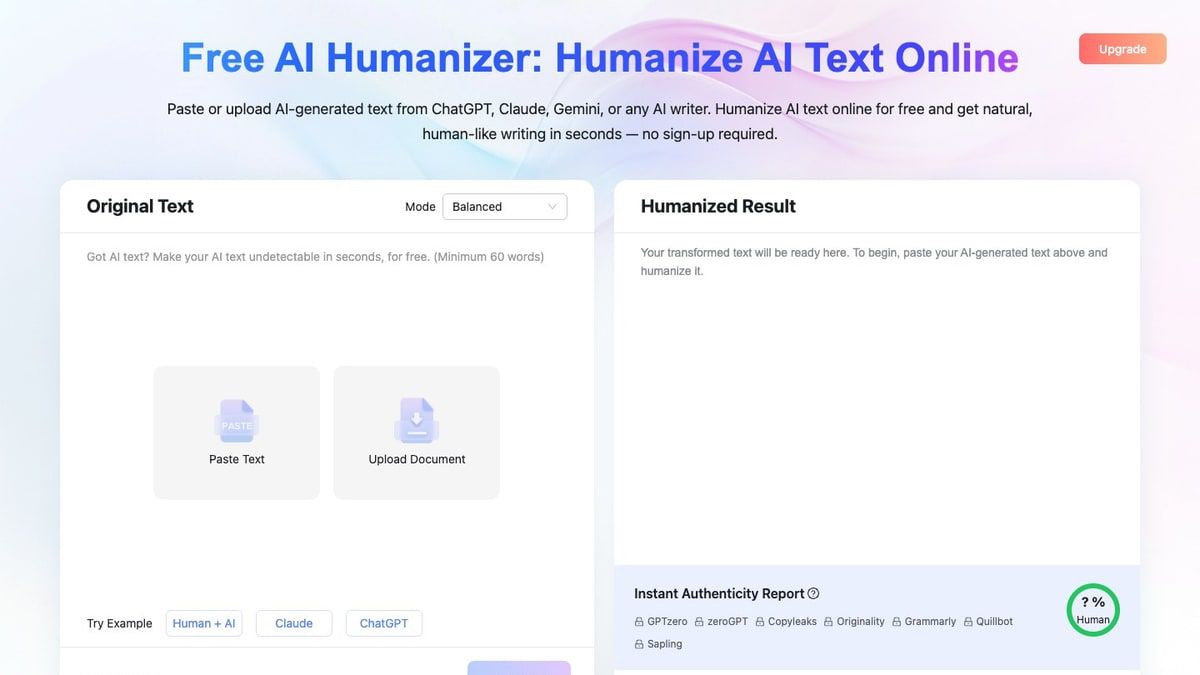
How to Use Lynote AI Humanizer
Step 1. Paste Text or Upload a Document
Open Lynote AI Humanizer and paste your draft into the input box. If your text is already in a file, switch to the upload option and add a supported PDF, DOC, DOCX, or TXT document.

Step 2. Choose a Humanizer Mode
Select the mode that matches your editing goal. Balanced is the standard option for readable rewriting, Focus applies a stronger rewrite, and Advanced is useful when you want a more deliberate balance of quality and rewriting depth.

Step 3. Click Humanize
Click the Humanize button to start the rewrite. The tool will process your draft and return a revised version in the result panel.
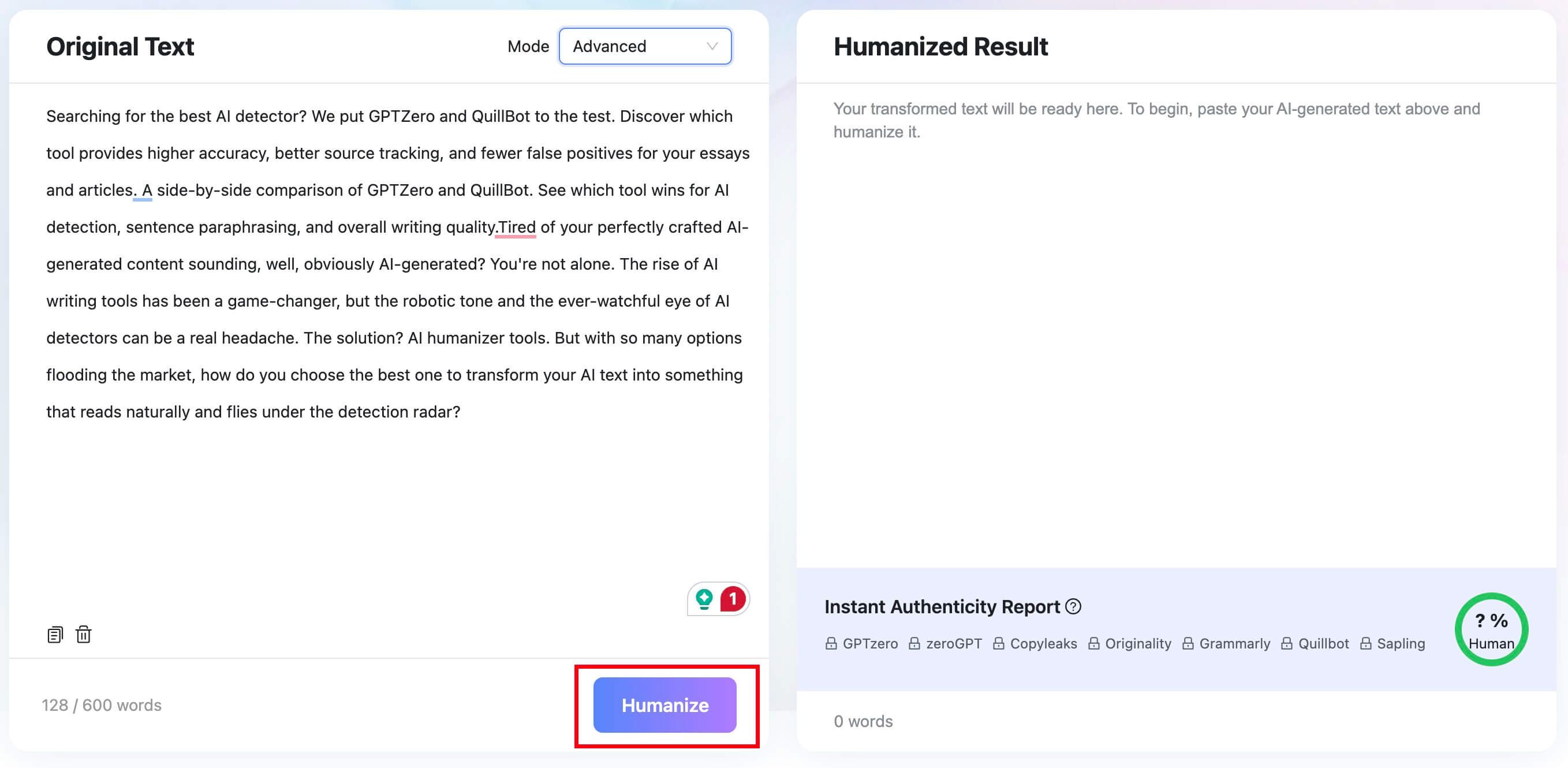
Step 4. Review, Copy, or Download
Read the output carefully before using it. Check whether the meaning, citations, facts, and tone still match your intent, then copy or download the result when it is ready.


2. GPTHumanizer.ai
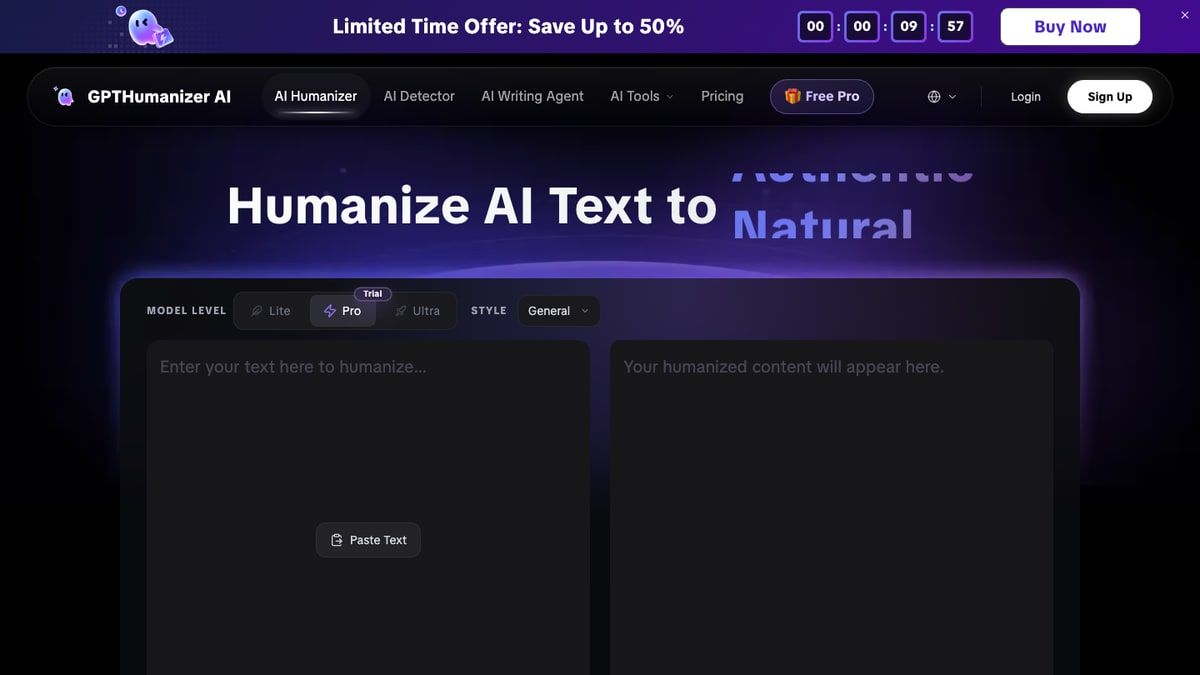
GPTHumanizer.ai is a dedicated AI humanizer for users who want to rewrite AI-generated drafts into more natural, human-like text while keeping the original meaning. It is especially useful for students, bloggers, marketers, and content creators who need a quick free tool to improve flow, reduce robotic phrasing, and make AI-assisted writing sound smoother before final editing.
The interface is direct: paste text, choose a model level or style when available, and generate a revised version. That makes it a good fit when you do not need a large writing workspace and simply want a focused rewrite tool.
Features:
- Paste text into a dedicated humanizer interface.
- Use visible model-level and style controls.
- Compare the original draft with the humanized result.
- Works well for quick rewriting sessions.
Pros:
- Simple, focused workflow.
- Clear fit for AI-to-human rewriting.
- Useful for fast draft cleanup before manual review.
- Good option to compare against other dedicated humanizers.
Cons:
- Output still needs a human pass for nuance and factual accuracy.
- Feature limits and plan details can change over time.
- Less document-focused than Lynote for file-based school or work drafts.
Best for: Users who want a fast, dedicated humanizer for pasted AI-generated text.
3. ZeroGPT AI Humanizer
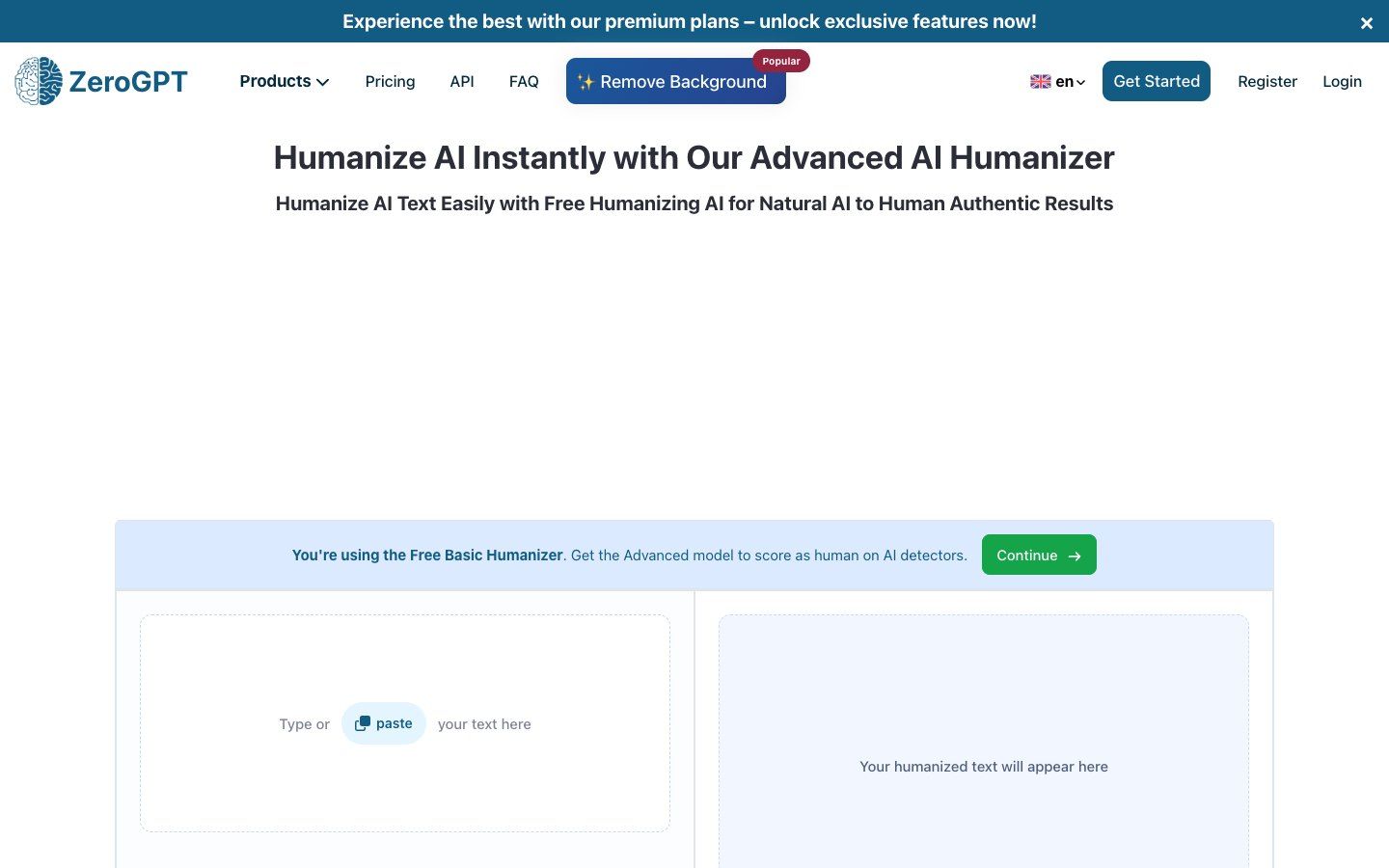
ZeroGPT offers an AI Humanizer page with a simple two-panel layout: paste text on one side and review the humanized result on the other. It is easy to understand, especially for users who want a quick rewrite without learning a larger platform.
The main reason to consider ZeroGPT is simplicity. It is not the deepest editing environment in this list, but it can be useful for short passages and first-pass cleanup.
Features:
- Paste text into a basic humanizer interface.
- Review the rewritten output in a side-by-side layout.
- Upgrade prompts are built into the workflow.
- Part of a broader AI detection and writing tool ecosystem.
Pros:
- Easy to start using.
- Familiar brand for users who already know AI detector tools.
- Works for quick, lightweight rewriting tasks.
Cons:
- The page pushes users toward premium features.
- Less transparent for long-form editing workflows.
- May require extra manual editing for tone and structure.
Best for: Users who want a simple paste-and-humanize workflow for short AI-assisted drafts.
4. QuillBot AI Humanizer
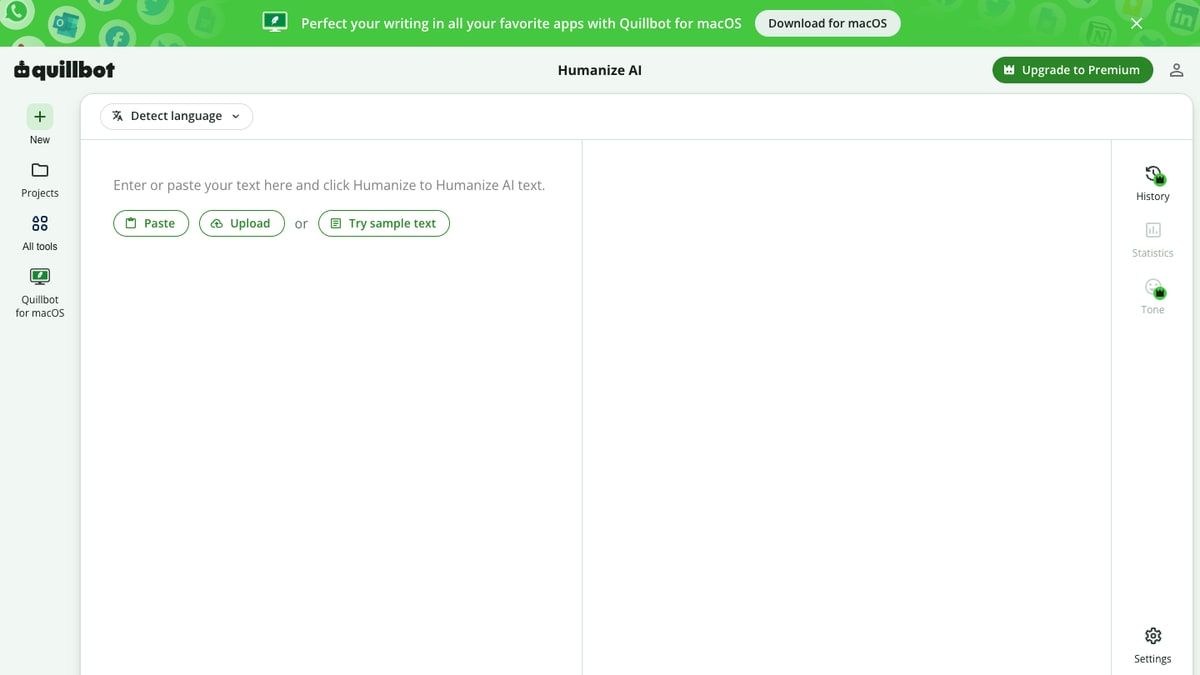
QuillBot is already known for paraphrasing and writing assistance, so its AI Humanizer fits naturally into a broader editing workflow. It works best when you want a lighter rewrite that improves wording, readability, and flow.
Because QuillBot is a general writing assistant, it is especially helpful if you also use grammar checking, paraphrasing, or summarization. The tradeoff is that it may not feel as focused as a dedicated AI humanizer.
Features:
- Paste or upload text into the humanizer interface.
- Use it alongside QuillBot's paraphrasing and grammar tools.
- Helpful for sentence-level clarity and fluency edits.
- Familiar interface for existing QuillBot users.
Pros:
- Good for general writing polish.
- Easy to combine with other editing tools.
- Useful when you want lighter rewriting rather than heavy restructuring.
Cons:
- May change phrasing in ways that need review.
- Less specialized for document upload and authenticity-style feedback.
- Free usage may be limited.
Best for: Writers who already use QuillBot and want a humanizer inside a broader editing suite.
5. Copy.ai Humanizer
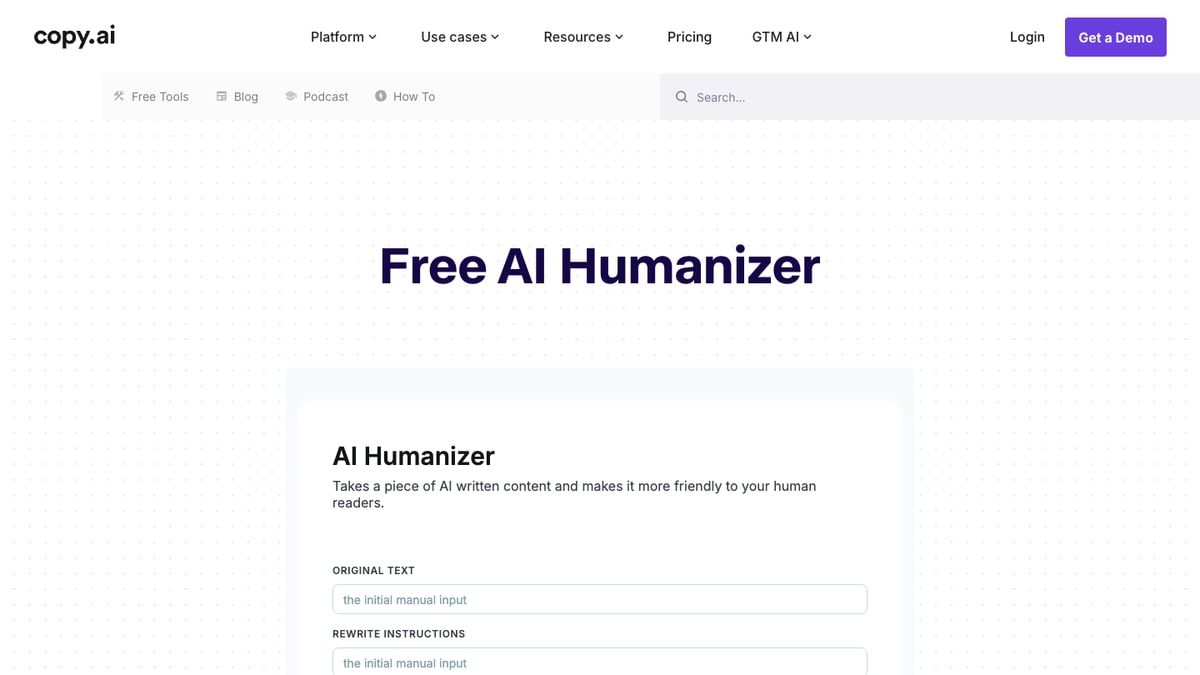
Copy.ai's humanizer is a good fit for marketing and content teams that already use AI for drafting copy. It is less academic in tone than Lynote and less detector-adjacent than ZeroGPT, but it can be useful for polishing blogs, landing page copy, and campaign text.
The interface is straightforward and framed around turning AI-written copy into friendlier text. That makes it a practical option for creators who care most about tone and readability.
Features:
- Humanizer workflow designed for AI-written content.
- Useful for marketing copy, blog drafts, and web content.
- Fits into Copy.ai's larger content platform.
- Simple rewrite instructions for tone adjustment.
Pros:
- Strong fit for marketing and content creation.
- Good for making web copy sound less stiff.
- Easy to understand for non-technical users.
Cons:
- Less focused on student documents.
- Not built around step-by-step academic revision.
- Output may need extra editing for factual or technical writing.
Best for: Marketers, bloggers, and teams improving AI-generated web copy.
6. Simplified AI Text Humanizer
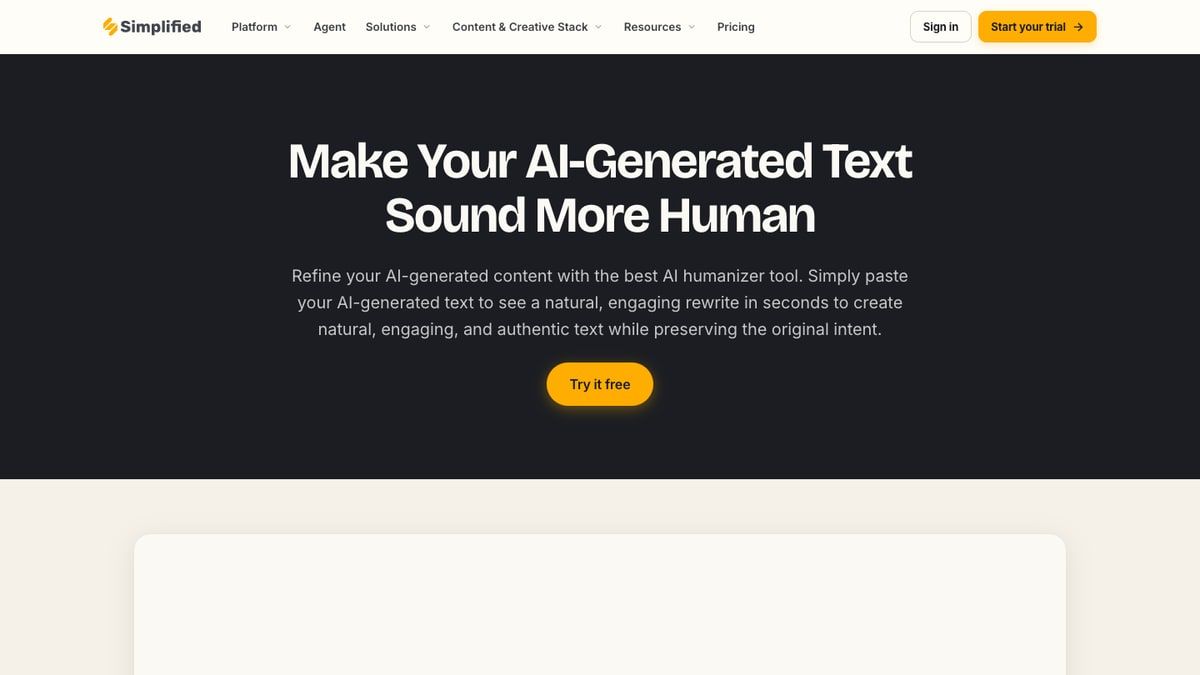
Simplified offers an AI Text Humanizer inside a broader content creation platform. It is useful when you want rewriting to sit near design, social media, and marketing tools rather than in a standalone academic workflow.
Its biggest strength is convenience for creators who already work inside Simplified. If you only need a focused humanizer, the broader platform may feel like more than you need.
Features:
- AI text humanizer page for making generated text sound more natural.
- Fits into a broader content and creative workflow.
- Useful for short marketing, social, and creator-focused copy.
- Simple call-to-action based interface.
Pros:
- Good for social and marketing content.
- Helpful if you already use Simplified for creative work.
- Easy entry point for quick rewrites.
Cons:
- Less specialized for essays, reports, and uploaded documents.
- Broader platform may add friction for one-off rewriting.
- Needs human editing for tone, facts, and brand voice.
Best for: Creators and marketing teams who want humanizing alongside other content tools.
Side-by-Side Comparison by Use Case
| Use case | Strong fit | Why it fits |
|---|---|---|
| Purpose-aware document rewriting | Lynote AI Humanizer | Purpose controls, document input, and integrated review |
| Fast paraphrasing and grammar workflow | QuillBot | Fits users already working in its writing ecosystem |
| Marketing and campaign drafts | Copy.ai | Designed around marketing content workflows |
| Social and creator content | Simplified | Humanizing sits inside a broader creative suite |
| Simple paste-and-rewrite task | GPT Humanizer or ZeroGPT | Focused entry point for short text |
How to Choose an AI Humanizer Tool
Start with your input format. If you mostly paste short paragraphs, almost any tool on this list can work. If you edit essays, reports, or longer files, document upload and a clear review process matter more.
Next, look at rewriting control. A useful humanizer should let you choose between lighter edits and stronger rewriting. Heavy rewriting can help with robotic phrasing, but it can also move the text away from your intended meaning.
Finally, consider your review workflow. The best results usually come from using a humanizer once, reading the output line by line, restoring details that matter, and adding your own examples or analysis.
AI Humanizers and Academic Integrity
AI humanizers can help you revise awkward AI-assisted drafts, but they should not be used to misrepresent authorship. If a school, publication, or client has an AI policy, follow that policy first.
For academic work, the safest use case is editing your own draft for clarity and natural flow. Add your own reasoning, cite sources correctly, and treat detector-style scores as signals rather than proof.
Bottom line: A humanizer can improve wording, but it cannot replace original thinking, accurate citations, or responsible disclosure.
FAQs About AI Humanizer Tools
What is the best AI humanizer?
It depends on whether you prioritize rewrite control, speed, document support, language coverage, or a built-in review workflow.
Can an AI humanizer make text sound more natural?
Yes. A good tool can improve rhythm, transitions, and wording, but the final draft still needs human review.
What should I check after humanizing text?
Verify facts, citations, meaning, tone, and whether the final text actually sounds like your intended voice.
Related Reading
Conclusion: Pick the Tool That Matches Your Draft
The best AI humanizer is not the one with the loudest promise. It is the one that matches your draft type, gives you enough control, and leaves room for careful human review.
Choose Lynote if you want a focused workflow for documents, student writing, and AI-assisted drafts that need a serious revision pass. Choose GPTHumanizer.ai for quick pasted-text rewriting, ZeroGPT for simple cleanup, QuillBot for general writing polish, Copy.ai for marketing content, and Simplified for creator workflows.
Whichever tool you use, review the result before publishing or submitting. Natural writing comes from better structure, clearer thinking, and specific details, not only from changed wording.

Written by Janet L. Harris
AI Writing Specialist
Janet reviews AI detectors and humanization tools, with a focus on accuracy, limitations, and responsible use. View all articles →