Does Humanizing Text Work? What AI Humanizers Can and Cannot Do
If you are wondering does humanizing text work, the short answer depends on your underlying goal. When used to improve the flow, tone, and readability of a stiff draft, AI humanizers are highly effective tools. However, if your goal is to guarantee that a document will bypass academic AI detectors, the results are far less predictable.

Many writers use humanizing tools to make their AI-assisted outlines sound more natural. While these tools can break up repetitive sentence structures, they cannot replace original reasoning or guarantee a specific detection score.
This guide explores what AI humanizers actually do, when they improve your writing, and why humanized text can still trigger AI detection flags.
Quick Answer: Do AI Humanizers Actually Work?
AI humanizers do work when their purpose is to refine readability and adjust robotic tone. They successfully replace repetitive phrasing with more varied, natural-sounding vocabulary. This makes them excellent editing assistants for content creators and professionals polishing rough drafts.
However, they do not work as a reliable shield against AI detection systems. No tool can promise that humanized text will completely avoid detection by platforms like Turnitin or GPTZero. Relying on them to mask unoriginal work often leads to unpredictable results and academic risks.
What “Humanizing Text” Means
Humanizing text refers to the process of rewriting AI-generated prose to sound more like a natural human author. Standard AI outputs often suffer from highly predictable word choices, uniform sentence lengths, and overly formal transitions. Humanizing introduces the structural variety and conversational nuances that human writers naturally use.
This process goes beyond simple synonym spinning. Advanced humanizers use context-aware rewriting to adjust the rhythm and tone of a paragraph while preserving its original meaning. The goal is to create a final draft that engages the reader without sounding artificially generated.
How AI Humanizers Change Writing
To make text sound natural, AI humanizers focus heavily on sentence variation. They break up long, monotonous blocks of text by mixing short, punchy sentences with more complex ones. This mimics the natural "burstiness" found in authentic human communication.
These tools also adjust tone and transition styles. They often remove robotic transition words like "furthermore" or "in conclusion," replacing them with smoother conversational bridges. Additionally, humanizers swap out highly predictable, generic vocabulary for more specific or nuanced word choices.
When Humanizing Text Improves Readability
Humanizing text is most useful when you are editing your own AI-assisted outlines or rough notes. If you use AI to draft an email, a blog post, or a business proposal, the initial output can feel stiff and impersonal. Running that text through a humanizer helps simplify complex phrasing and makes the wording much clearer.
This process is highly beneficial for professionals who need to maintain a warm, approachable brand voice. It allows you to leverage the speed of AI drafting without sacrificing the personal touch that keeps readers engaged. In these scenarios, humanizing works exactly as intended by acting as a stylistic editor.
Humanizers are also useful for non-native English writers who want to smooth awkward phrasing without changing the core idea. In that case, the tool acts like a readability assistant. The key is to start from your own thinking, then use the humanizer to polish how that thinking is expressed.
When Humanizing Text Still Gets Detected
Despite stylistic improvements, humanized text can still be flagged by AI detectors. Detectors analyze the underlying predictability of the text, known as perplexity. If the core logic, structure, and reasoning remain highly generic, the text may still trigger detection algorithms.
Furthermore, humanizers cannot add original research, personal anecdotes, or deep critical thinking. If an essay relies on thin evidence and superficial analysis, it will read like an AI-generated document regardless of the vocabulary used. True human writing is characterized by unique insights, which a rewriting tool cannot invent.
Can Humanized Text Be Flagged by AI Detectors?
Yes, humanized text can be flagged by AI detection tools. Detection systems are constantly evolving to recognize the specific patterns created by popular paraphrasing and humanizing software. Because detectors have limitations, they evaluate probabilities rather than absolute proof.
As a result, a humanizer might lower an AI score in one detector while triggering a high AI probability in another. You should never treat an AI humanizer as an academic shield. Instead, view detection scores as illustrative examples or editorial heuristics that signal how predictable your writing appears.
Humanizer Benefits vs Limits
Understanding the boundaries of AI rewriting tools helps you use them effectively. The table below outlines what these tools can reliably improve versus what they cannot promise.
| Feature Area | What Humanizers Can Do | What Humanizers Cannot Do |
|---|---|---|
| Readability | Break up repetitive sentence structures and improve flow. | Fix fundamentally flawed logic or disorganized arguments. |
| Tone Control | Soften robotic phrasing and introduce conversational variety. | Replicate your exact personal voice without manual editing. |
| Detection | Alter linguistic patterns to lower predictability signals. | Promise a zero AI score or bypass academic detection systems. |
| Content Quality | Clarify stiff wording and simplify complex jargon. | Generate original evidence, citations, or unique critical insights. |

AI Humanizer vs Paraphraser vs Manual Editing
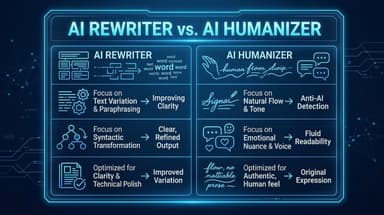
Many people use these terms interchangeably, but they solve different problems. A paraphraser usually changes wording. A humanizer focuses on natural tone and rhythm. Manual editing is still required when the argument itself needs stronger evidence, structure, or originality.
| Method | Best For | Weakness | When to Use It |
|---|---|---|---|
| AI Paraphraser | Rewording a sentence quickly. | May keep the same robotic structure. | When a sentence is understandable but awkward. |
| AI Humanizer | Improving tone, rhythm, and readability. | Cannot create original reasoning. | When a draft sounds stiff but the idea is already yours. |
| AI Rewriter | Reframing a paragraph in a clearer style. | May over-smooth your voice. | When the structure is usable but needs cleaner expression. |
| Manual Editing | Strengthening thesis, evidence, and voice. | Takes more time. | When the draft lacks depth, citations, or personal judgment. |
How to Judge Whether Humanized Text Is Good
Do not judge the result only by whether it sounds more casual. A good humanized draft should preserve meaning, improve clarity, and still sound appropriate for the audience. For academic writing, it should also keep citations, technical terms, and assignment-specific details intact.
Use this quick review checklist:
- The main claim still means the same thing.
- No citation, quote, statistic, or source reference was removed.
- The tone matches the assignment, brand, or audience.
- Sentence lengths vary without becoming choppy.
- The output does not add unsupported facts.
- You can still explain every sentence in your own words.
How to Use Lynote AI Humanizer for Natural Revision
If you want to improve the clarity of your AI-assisted drafts, the Lynote AI Humanizer offers context-aware rewriting. It is designed to help you revise your own work for a more natural tone, rather than misrepresenting authorship. If you only need lighter sentence-level changes, the Lynote AI Rewriter uses a similar paste-and-rewrite workflow, but you should still treat the output as a draft that needs human review.
Here is how to use it to refine your drafts:
Step 1. Paste Text or Upload Document
Open the Lynote AI Humanizer and paste your text into the Original Text box. Alternatively, use the "Upload Document" tab to add a PDF, DOC, DOCX, or TXT file. The free tier supports up to 600 words per request.

Step 2. Choose a Humanizer Mode
Choose your preferred rewriting intensity from the Mode dropdown. Balanced works best for standard readability, Focus applies a stronger rewrite, and Advanced is slower but offers a deeper quality-focused revision.

Step 3. Click the Humanize Button
Click "Humanize" to generate the rewritten text. Lynote will process the draft and show the humanized version in the result area.

Step 4. Copy and Review the Result
Review the output for meaning, citations, and tone before using it. When the wording is ready, copy the rewritten result and make any final manual edits.

Tip: To check your initial draft before rewriting, you can run it through the Lynote AI Detector. Use the sentence-level highlights as a guide for where to manually inject your own original insights.
FAQs About Humanizing Text
What is the short answer for does humanizing text work?
Yes, humanizing text works well for improving readability, tone, and sentence variety. However, it does not work as a reliable method for bypassing AI detection systems.
Can paraphrasing or humanizing text avoid AI detection?
Paraphrasing may change the linguistic signals that detectors look for, which can sometimes alter the final score. However, it cannot promise specific outcomes, and many modern detectors are trained to identify heavily paraphrased AI text.
Can AI detectors be wrong?
Yes, AI detectors frequently produce false positives and false negatives. They analyze predictability rather than proving authorship, so their results should always be treated as signals rather than absolute proof.
What is a safer way to revise AI-like writing?
The safest approach is to manually inject your own original reasoning, specific examples, and personal anecdotes. Use AI tools to help outline or brainstorm, but rely on your own critical thinking and manual review for the final draft.
How can Lynote help with this workflow?
Lynote AI Detector provides a helpful signal by highlighting highly predictable sentences in your draft. You can then use Lynote AI Humanizer to support your revision process, ensuring the final text flows clearly and naturally.
Final Verdict
Ultimately, humanizing text works exceptionally well when treated as an advanced editing step. It helps writers transform stiff, repetitive AI drafts into engaging, readable content. For professionals and creators looking to speed up their workflow while maintaining a natural voice, humanizers are highly valuable.
However, using these tools solely to avoid AI detection is an unreliable strategy. No software can promise a specific detector result or replace the need for original thought. The best writing always combines the efficiency of AI drafting tools with the irreplaceable insights of a human author.