Best MP3 to Text Converters for Clean Transcripts

MP3 to text conversion software helps you turn spoken audio into editable transcripts without replaying the same recording for hours. In 2026, the best tools do more than create plain text: they help you review, edit, export, translate, and reuse your transcript for notes, meetings, interviews, lectures, podcasts, and content workflows.
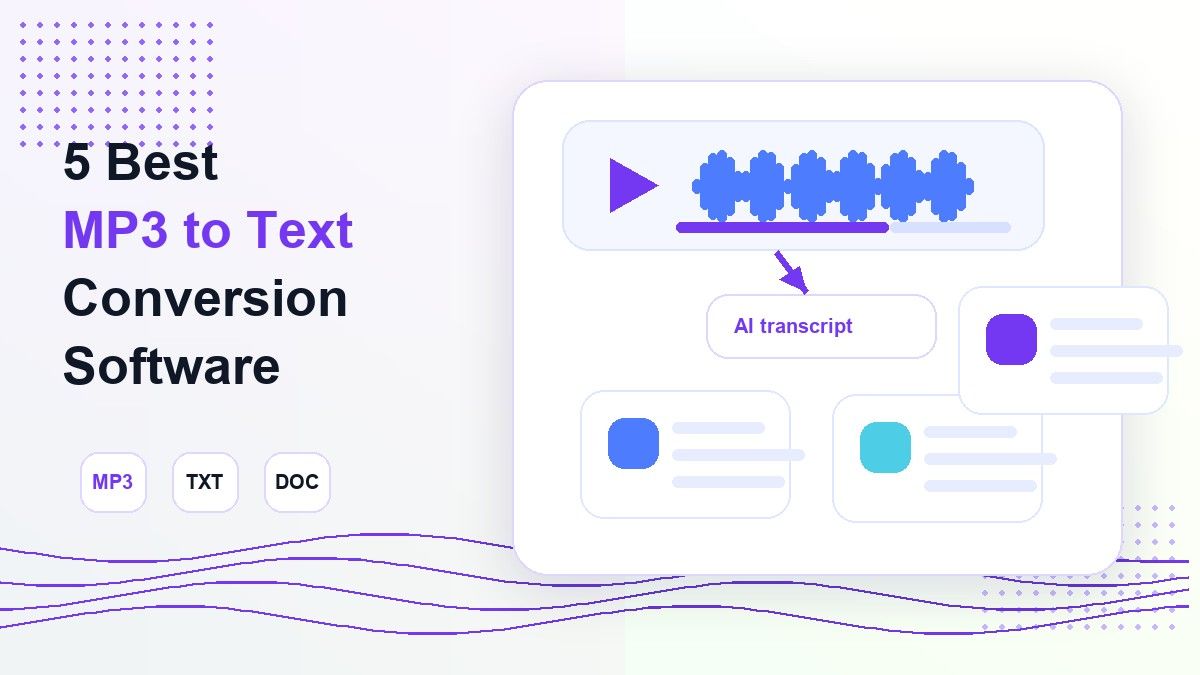
The right mp3 to text converter depends on what you need after transcription. Some people want a free online MP3 to text converter for a quick file. Others need an MP3 to Word converter, speaker labels, subtitles, or a transcript that can become study notes or summaries.
This guide compares five strong options: Lynote, AudioToText.com, ElevenLabs, TurboScribe, and HappyScribe. I evaluated them by workflow clarity, MP3 support, transcript reuse, export options, and fit for students, creators, researchers, and professionals.
Quick Comparison: Best MP3 to Text Conversion Software
| Tool | Best For | Input Support | Output / Reuse | Main Strength |
|---|---|---|---|---|
| Lynote | Notes, study, research, and reusable transcripts | MP3, WAV, M4A, video, YouTube, URLs | Editable transcript, notes, export, translate, chat | Turns audio into text plus useful study/work outputs |
| AudioToText.com | Simple free browser transcription | MP3, WAV, M4A, FLAC, AAC, OGG | TXT, DOCX, SRT | Fast no-signup workflow |
| ElevenLabs | Developers and advanced transcription quality | MP3, WAV, M4A, FLAC, OGG, video | TXT, DOCX, PDF, SRT, VTT, JSON, HTML | Strong speech-to-text model and speaker features |
| TurboScribe | Long files and heavy transcription volume | MP3, MP4, M4A, WAV, OGG, many more | TXT, DOCX, PDF, SRT, VTT, CSV | Large uploads and transcription modes |
| HappyScribe | Team editing, subtitles, and multilingual work | 45+ audio formats and links | TXT, DOCX, PDF, SRT, VTT | Polished editor and subtitle workflow |
1. Lynote: Best for Turning MP3 Audio Into Useful Notes
Lynote Audio to Text is the strongest choice if you do not want your mp3 to text conversion software to stop at a raw transcript. It converts audio files into clear, editable text, then lets you review, copy, export, share, translate, or reuse the transcript in a broader study or work workflow.
Lynote supports common audio formats such as MP3, WAV, and M4A, and it also works with video files and YouTube links. That makes it useful when your MP3 task is part of a larger source library: lectures, interviews, voice memos, meeting recordings, podcasts, or downloaded class audio.
What makes Lynote different is the post-transcription workflow. After you convert MP3 to text, you can use the result for notes, summaries, research drafts, translation, or chat-based review instead of copying the transcript into several separate apps.
Features
- Upload MP3, WAV, M4A, and other supported media files.
- Convert audio to searchable, editable text.
- Review, edit, copy, export, share, or translate the transcript.
- Useful for lectures, interviews, meetings, podcasts, and content repurposing.
Pros
- Strong fit for users who need more than plain transcription.
- Clean workflow for students, researchers, creators, and professionals.
- Useful when audio needs to become notes or study material.
Cons
- Transcript quality still depends on recording clarity, background noise, accents, and overlapping speech.
- Users who only need a one-off tiny transcript may prefer a very minimal MP3 to text converter.
Best For
Lynote is best for people who want mp3 to text conversion software that also helps them reuse the output. It is especially useful for study notes, research interviews, podcast transcripts, meeting recaps, and audio-based documentation.
2. AudioToText.com: Best for Simple Free MP3 Transcription
AudioToText.com is a straightforward option for users who want a free online MP3 to text converter with minimal setup. Its homepage says users can upload MP3, WAV, M4A, FLAC, AAC, OGG, and other audio formats, then review and export the result.
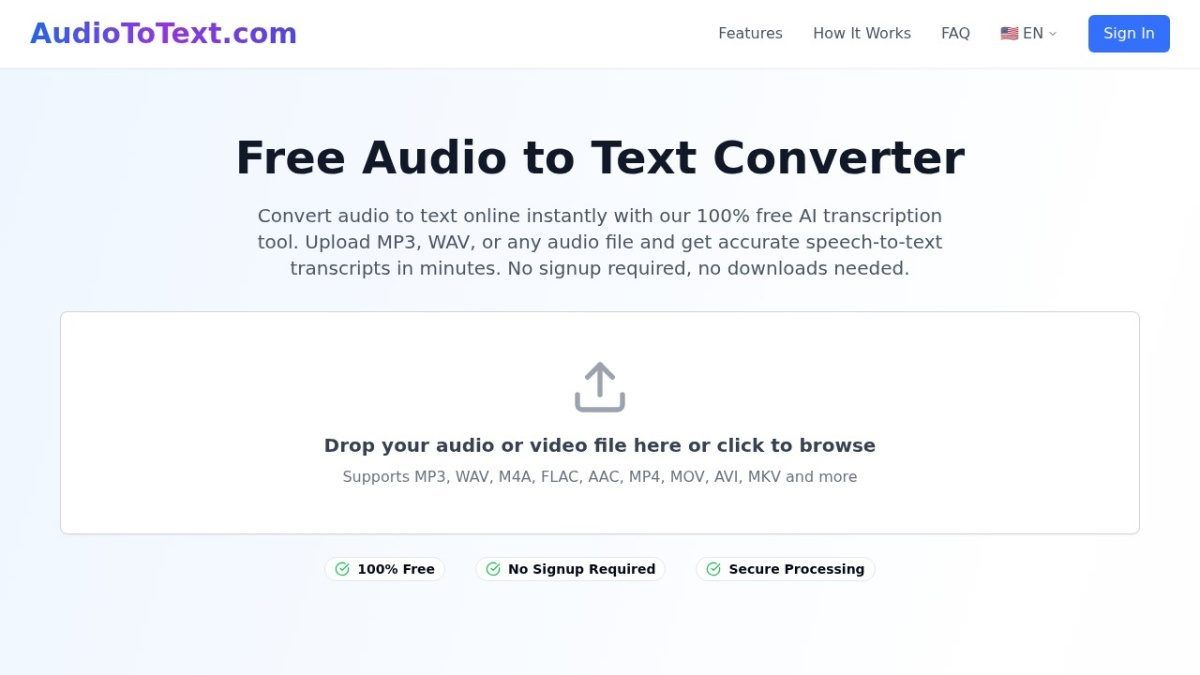
The product is built around a simple browser flow: upload audio, let AI process it, review the transcript, and download the result. That makes it appealing if you want mp3 to text conversion software for a fast, no-install task.
It also emphasizes timestamps, multi-speaker recognition, and export formats such as TXT, DOCX, and SRT. For people searching for best free MP3 to text converter, this kind of low-friction workflow is the main appeal.
Features
- Browser-based audio upload.
- MP3, WAV, M4A, FLAC, AAC, OGG support.
- Editable transcript output.
- Export options including TXT, DOCX, and SRT.
Pros
- Simple and easy to understand.
- No download required.
- Good for basic MP3 transcription tasks.
Cons
- Less focused on turning transcripts into notes, summaries, or reusable study outputs.
- Public pages make broad accuracy claims, so users should still review important transcripts manually.
Best For
AudioToText.com is best for users who want basic mp3 to text conversion software without a complex workspace. It is a good fit for quick uploads, short recordings, and simple transcript exports.
3. ElevenLabs: Best for Advanced Speech-to-Text Workflows
ElevenLabs offers audio to text tools powered by its Scribe speech-to-text model. Its public materials highlight support for audio and video files, word-level timestamps, speaker diarization, and output formats such as TXT, DOCX, PDF, SRT, VTT, JSON, and HTML.
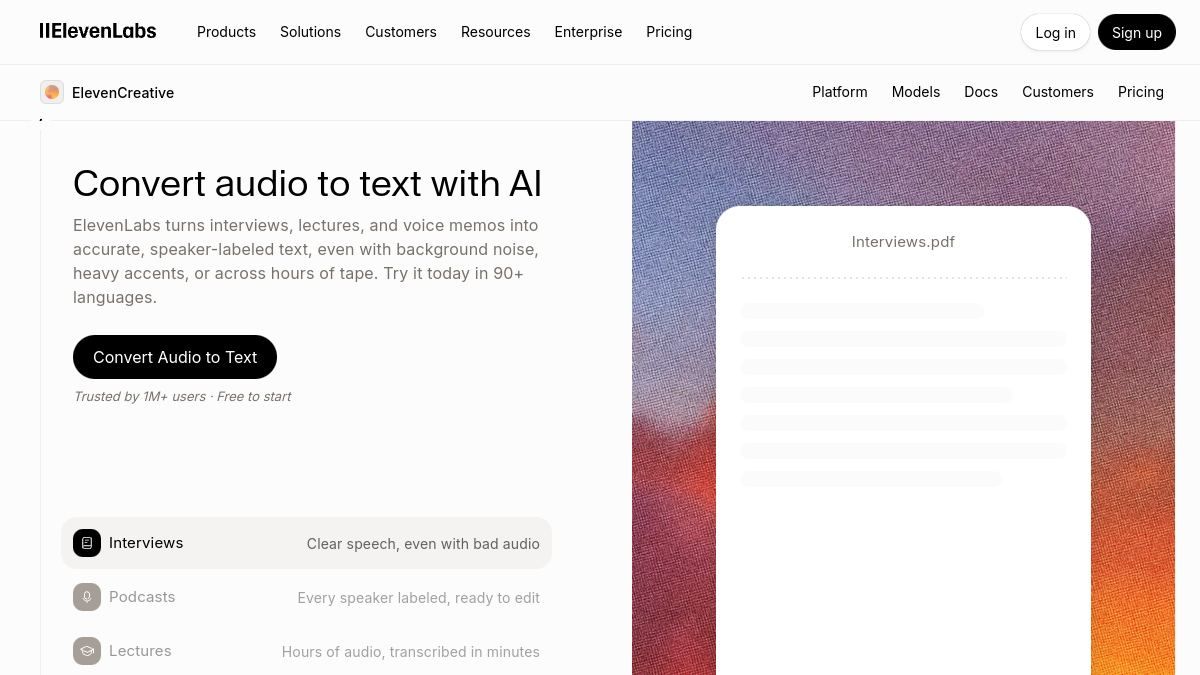
This makes ElevenLabs a strong choice when you need mp3 to text conversion software with technical depth. It may be especially useful for developers, product teams, media teams, and users who care about structured output and API-friendly workflows.
ElevenLabs also describes support for many languages, non-speech audio tagging, and speaker identification. Those features matter when an MP3 file contains interviews, panels, podcasts, or noisy real-world recordings.
Features
- MP3, WAV, M4A, FLAC, OGG, and video support.
- Speaker diarization and timestamps.
- Export to multiple document, subtitle, and structured formats.
- API-oriented speech-to-text options.
Pros
- Strong technical feature set.
- Useful for teams needing structured transcript data.
- Good fit for advanced transcription pipelines.
Cons
- May be more tool than a casual user needs.
- Pricing and setup can matter more for heavy or API-based usage.
Best For
ElevenLabs is best for advanced users who need mp3 to text conversion software with precise timestamps, speaker-aware output, and flexible export formats.
4. TurboScribe: Best for Large Files and Heavy Transcription
TurboScribe is built for high-volume transcription and long recordings. Its public pages highlight support for common audio and video formats, including MP3, MP4, M4A, MOV, AAC, WAV, OGG, OPUS, MPEG, WMA, and WMV.
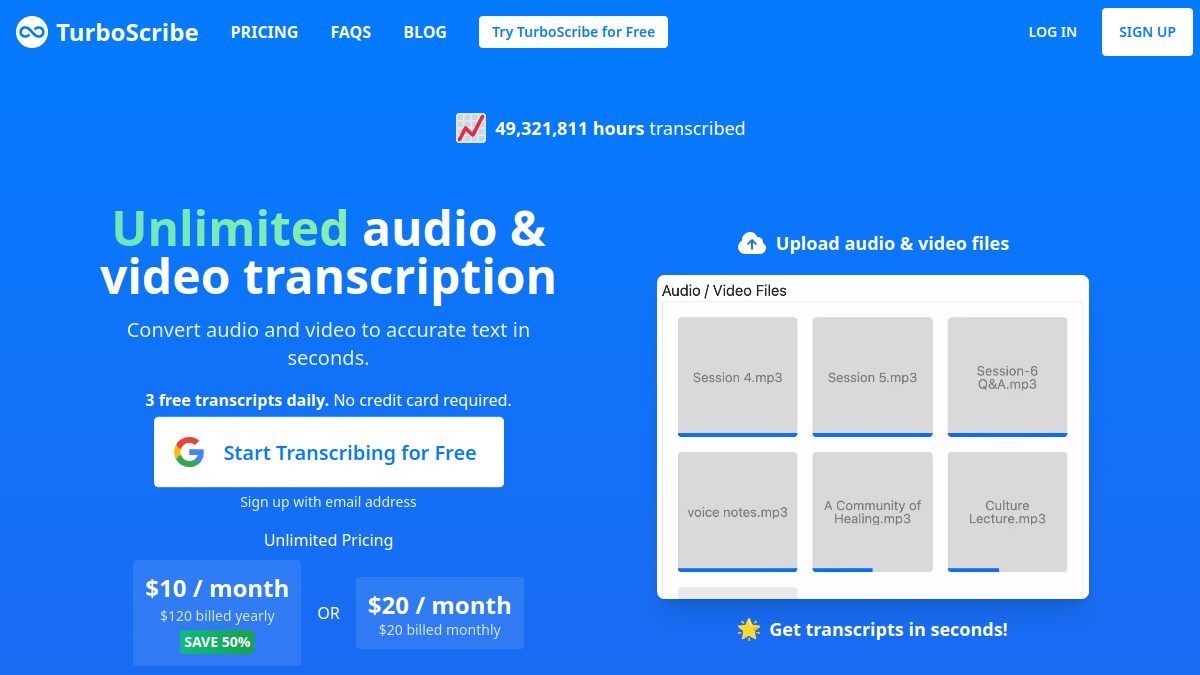
TurboScribe's free tier is often attractive because it allows limited daily transcription, while paid plans are designed for much heavier usage. If your main concern is long uploads, many files, or repeated transcription work, TurboScribe is one of the more practical options.
Its workflow includes upload, optional transcription modes, speaker recognition, and export. That makes it a strong mp3 to text conversion software choice for users with podcasts, interviews, webinars, or archived recordings.
Features
- Supports many audio and video formats.
- Transcription modes for speed and accuracy tradeoffs.
- Speaker recognition and translation options.
- Export to TXT, DOCX, PDF, SRT, VTT, and more.
Pros
- Good for long files and frequent transcription.
- Clear upload and export workflow.
- Useful for batch-style transcription needs.
Cons
- The interface is transcription-first, not note-first.
- Users who want a cleaner study or research workspace may need another tool after export.
Best For
TurboScribe is best for users who need mp3 to text conversion software for large files, frequent uploads, or long-form audio libraries.
5. HappyScribe: Best for Editing, Subtitles, and Teams
HappyScribe is a polished audio-to-text and subtitle platform. Its public audio-to-text page highlights audio uploads, link imports, recording, 150+ languages, transcript editing, and export formats such as Word, PDF, TXT, SRT, and VTT.
HappyScribe is useful when transcription is part of a publishing or team review process. If you need subtitles, transcript editing, sharing, or multilingual content workflows, it offers more structure than a basic MP3 converter.
For users comparing mp3 to text conversion software, HappyScribe stands out because it combines AI transcription with editing and subtitle production. That makes it a good fit for media teams, podcasters, journalists, researchers, and businesses.
Features
- Supports many audio formats and link imports.
- Online transcript editor.
- Subtitle export formats.
- Multilingual transcription workflow.
Pros
- Good editor experience.
- Strong fit for subtitles and content teams.
- Useful export choices.
Cons
- Free use may be limited compared with simple one-off tools.
- Users focused on study notes may prefer a notes-oriented workflow.
Best For
HappyScribe is best for creators, teams, and researchers who need mp3 to text conversion software with editing, subtitle, and collaboration-friendly output.
Bonus. FlexClip: Best for MP3 Transcription and Content Creation
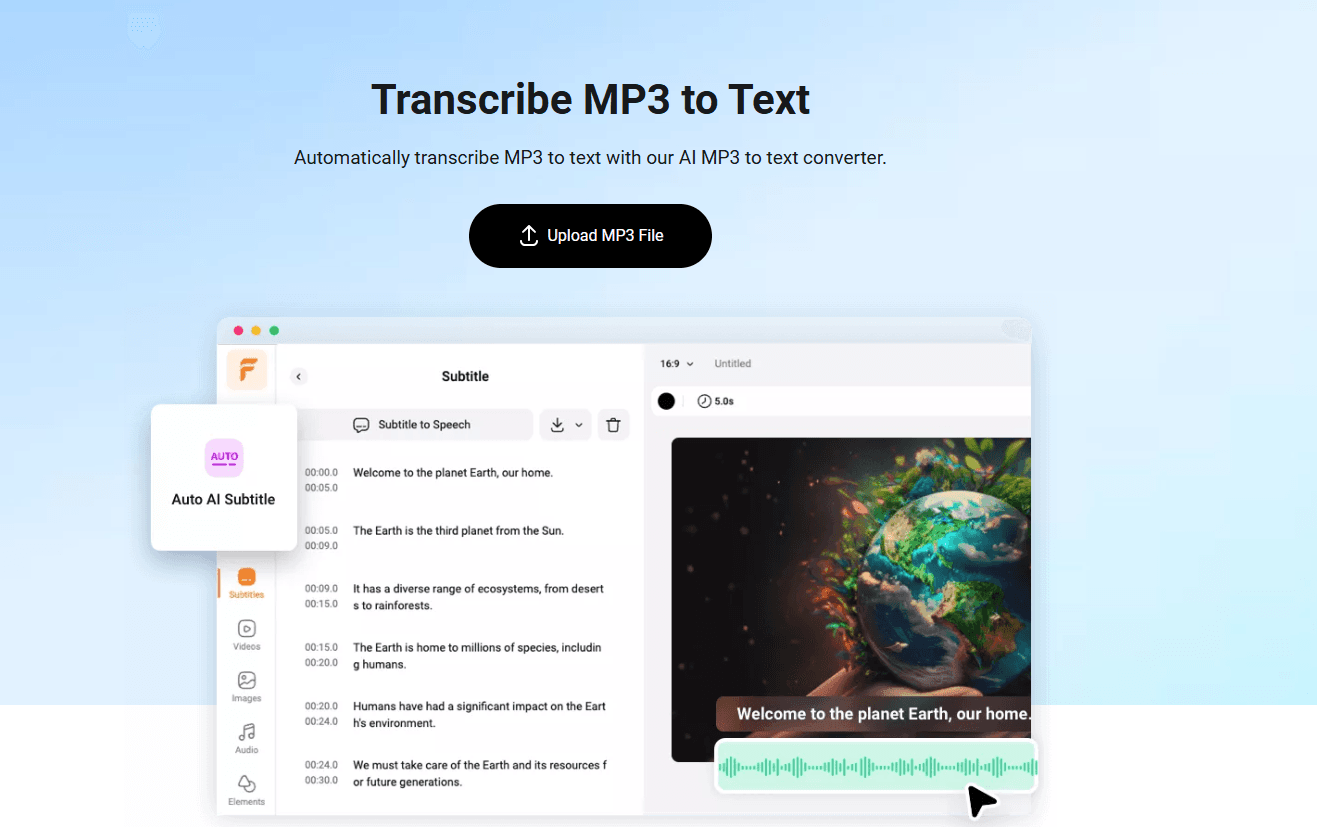
FlexClip MP3 to Text Converter is a convenient choice for users who want to turn MP3 audio into editable text online and continue working with the transcript afterward. Its AI-powered transcription tool supports more than 140 languages and dialects, making it suitable for interviews, podcasts, voice recordings, lectures, and other audio content.
One of FlexClip's main advantages is that transcription is part of a broader content creation workflow. After converting an MP3 file to text, users can edit and correct the transcript in the subtitle panel, adjust subtitle styles, translate the content, and download the result in formats such as TXT or SRT. FlexClip also supports MP3, AAC, OGG, WAV, and other popular audio formats, so users do not need to convert their files before uploading them.
Features
- Convert MP3 and other popular audio formats to text online.
- Support for 140+ languages and dialects.
- AI-powered transcription with more than 95% accuracy for high-quality audio.
- Edit and correct generated transcripts directly in the subtitle panel.
- Translate audio content into multiple languages and add AI voiceovers.
- Download transcripts in TXT, SRT, and other supported formats.
Pros
- Combines transcription with video editing and content creation tools.
- Supports a wide range of languages and audio formats.
- Fully online, so no software installation is required.
- Useful for creators who want to turn audio into subtitles or repurpose spoken content into videos.
Cons
- Transcription accuracy can still be affected by background noise, low audio volume, accents, and overlapping speech.
- Users who only need a basic text transcript may prefer a dedicated transcription-only service.
Best For
FlexClip is best for creators, marketers, educators, and professionals who want more than a basic MP3 transcript. It is particularly useful when the transcript needs to be edited, translated, turned into subtitles, or incorporated into a larger video creation workflow.
How to Choose the Right MP3 to Text Converter
Start with what you need after the transcript is created. If you only need a quick TXT file, a simple online MP3 to text converter may be enough.
If you want to turn the transcript into notes, summaries, study material, or research outputs, choose a tool like Lynote. The best mp3 to text conversion software is not just the one that converts speech; it is the one that helps you use the result.
Also consider file length, audio quality, export format, and privacy. Long recordings, multiple speakers, heavy accents, or background noise can affect any transcription tool, so always review the final transcript before using it in a report, article, class assignment, or client deliverable.
Best MP3 to Text Conversion Software by Use Case
| Use Case | Recommended Tool | Why |
|---|---|---|
| Study notes from lecture audio | Lynote | Converts audio into editable text and supports note workflows |
| Simple free MP3 transcription | AudioToText.com | Fast browser-based upload and export |
| Developer transcription workflow | ElevenLabs | API-friendly output and advanced speech features |
| Long recordings or heavy volume | TurboScribe | Built for large files and repeated transcription |
| Subtitles and team editing | HappyScribe | Strong editor, subtitles, and multilingual workflows |
Can Google Convert MP3 to Text?
Many users search for a Google MP3 to text converter, but Google Drive and Google Docs are not usually a direct MP3 transcription workflow. Google Docs voice typing can help with live audio in some situations, but it is not the same as uploading an MP3 file and receiving a clean transcript.
If you already have an MP3 file, dedicated mp3 to text conversion software is usually easier. A purpose-built tool can accept the file directly, process the recording, and return text you can edit or export.
For most users, the practical choice is to use a browser-based MP3 to text converter online free for quick jobs, or a more complete transcription workspace when the text needs to become notes, summaries, captions, or documentation.
How to Convert MP3 to Text with Lynote
- Open Lynote Audio to Text.
- Upload your MP3 file, or use another supported audio or video source.
- Create the transcript and wait for Lynote to process the spoken audio.
- Review the transcript for names, terms, timestamps, and unclear phrases.
- Copy, export, translate, share, or reuse the transcript in your notes or workflow.
This workflow is useful because it keeps the process simple. You do not need to convert MP3 into another format first, and you do not need to move the transcript across several tools before it becomes useful.
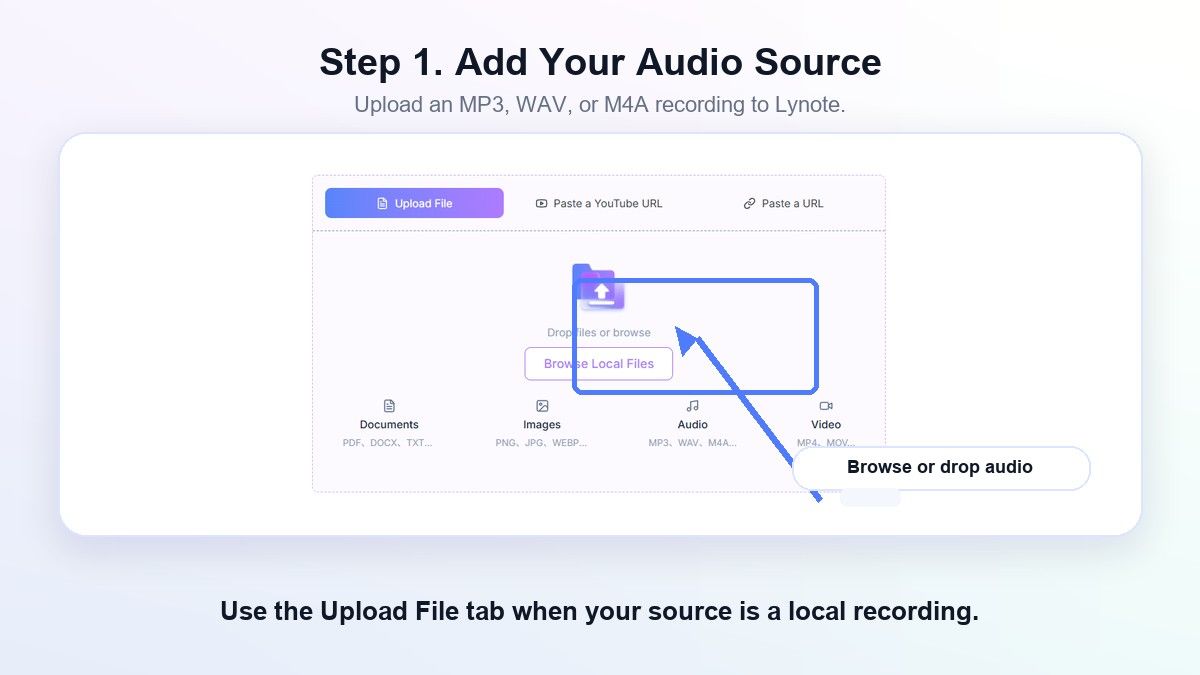
Step 1. Upload Your MP3 File
Open the Lynote workspace and upload your MP3 recording. You can use this for lecture audio, voice memos, interviews, meeting recordings, or podcast files when you need editable text instead of replaying the source.
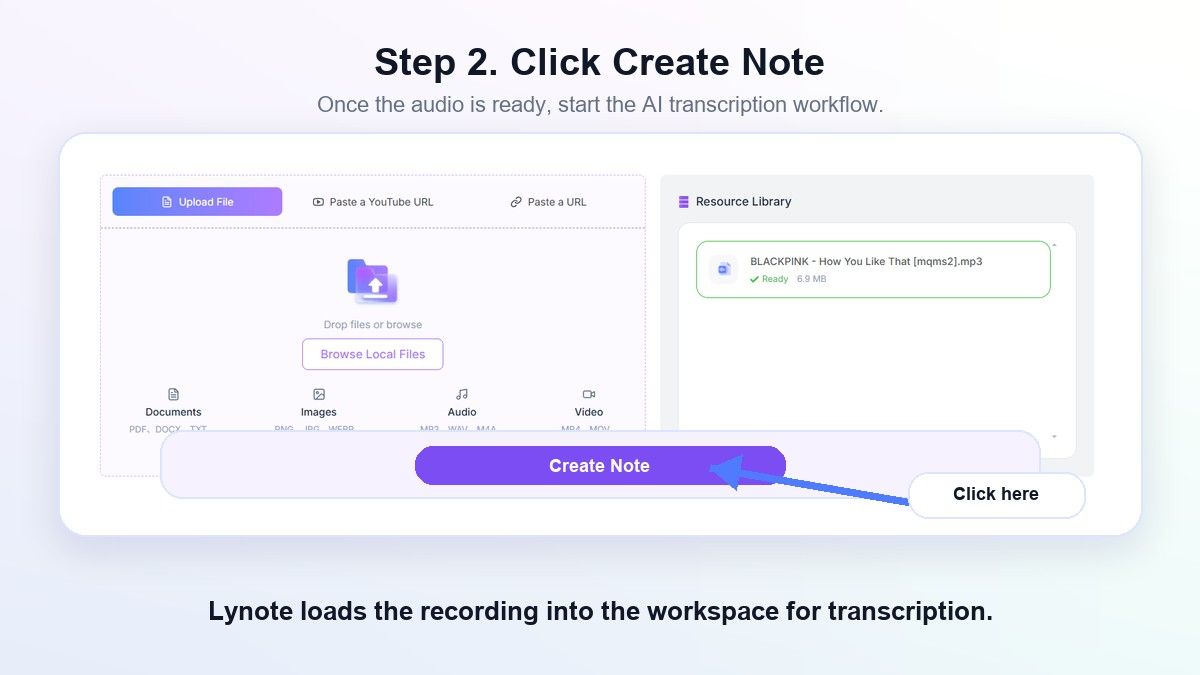
Step 2. Create the Transcript
Click Create Note after the file is ready. Lynote processes the recording and prepares the transcript inside the same workspace, so the audio-to-text workflow stays simple.
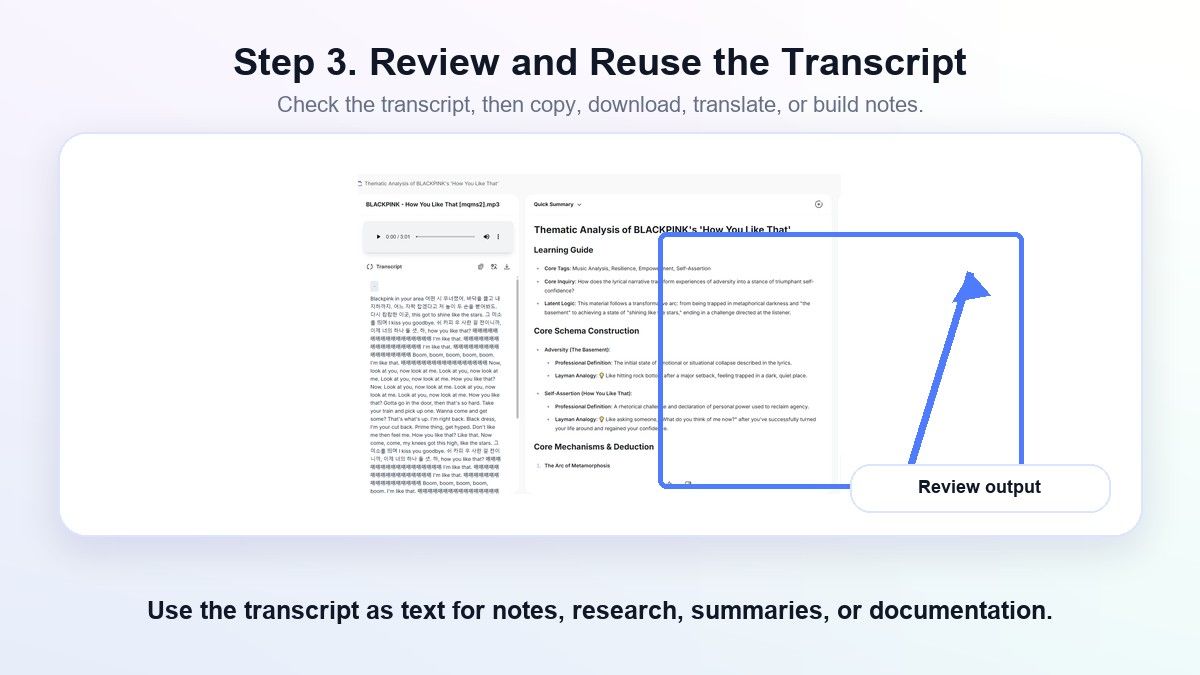
Step 3. Review and Reuse the Text
Read through the transcript and check names, terms, and unclear phrases. Then copy, export, translate, share, or reuse the text for notes, summaries, documentation, or research.
FAQs About MP3 to Text Conversion Software
What is mp3 to text conversion software?
MP3 to text conversion software turns spoken audio inside an MP3 file into written text. It uses speech recognition to detect words, punctuation, speaker changes, and sometimes timestamps.
What is the best free MP3 to text converter?
The best free MP3 to text converter depends on your goal. AudioToText.com is simple for quick transcription, while Lynote is better when you want to reuse the transcript as notes, study material, or searchable work content.
Can I convert MP3 to Word?
Yes, some tools support MP3 to Word converter workflows by exporting transcripts as DOCX. AudioToText.com, TurboScribe, ElevenLabs, and HappyScribe mention document-style exports, while Lynote helps you create editable text you can copy or reuse.
Is online MP3 to text conversion accurate?
It can be accurate for clear audio, but results vary. Background noise, overlapping speakers, music, accents, low recording quality, and technical vocabulary can reduce accuracy, so important transcripts should always be reviewed.
Can I use MP3 to text software for lectures?
Yes. Lecture recordings are one of the most useful cases for mp3 to text conversion software because transcripts make spoken content searchable. Lynote is especially useful when you want the lecture text to become organized study notes.
Final Verdict
The best mp3 to text conversion software in 2026 depends on whether you need a quick transcript or a reusable workflow. AudioToText.com is simple, ElevenLabs is powerful, TurboScribe handles heavy transcription, and HappyScribe is strong for subtitles and editing. For students, researchers, creators, and professionals who want MP3 audio to become clean text, notes, and reusable knowledge, Lynote is the most practical place to start.

Written by Hamza Razzaq
Technical Writer
Hamza creates hands-on explainers and technical guides that make AI writing tools easier to understand and use. View all articles →