ChatGPT Voice Note Alternative for AI Notes in 2026

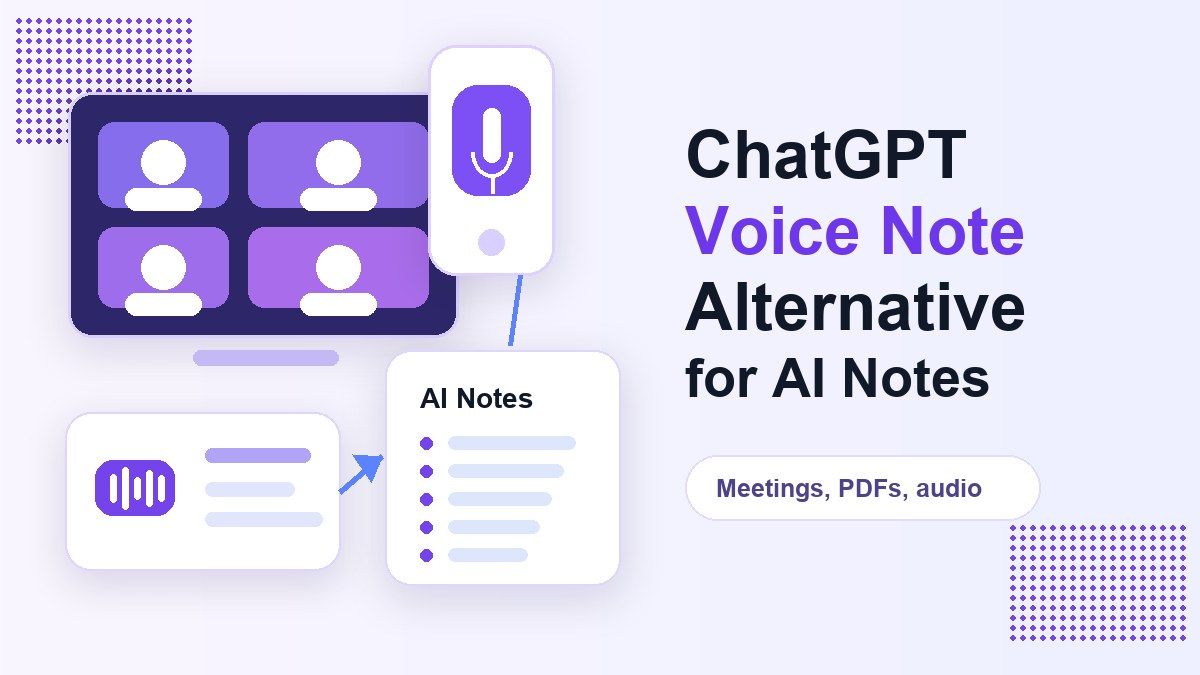
If you are searching for a chatgpt voice note workflow, you probably want a fast way to turn spoken ideas, meetings, lectures, PDFs, or recordings into notes you can actually reuse. ChatGPT can help with voice conversations, summaries, prompts, and note cleanup, but it is not always the most direct workflow for source-based notes. Lynote AI Note Generator is built around turning files, audio, video, images, documents, webpages, and YouTube links into structured notes.
What Is a ChatGPT Voice Note Workflow?
A chatgpt voice note workflow usually means using ChatGPT to record, discuss, dictate, summarize, or rewrite spoken information into a more useful note. Some users want quick personal notes after a voice conversation. Others want chatgpt meeting notes, chatgpt notes from a transcript, or a chatgpt note taker that can organize source material.
The challenge is that the phrase can mean several different jobs. One person may ask whether ChatGPT can listen to audio and take notes. Another may want to know whether ChatGPT can listen to a meeting and take notes. A student may simply want chatgpt note taking from a lecture recording or PDF.
What ChatGPT Does Well for Notes
ChatGPT is useful when you already have the text of a transcript, a set of bullet points, or a rough draft of notes. You can ask it to clean the structure, rewrite a summary, create action items, or convert messy notes into a study guide. It also works well for brainstorming prompts, simplifying explanations, and turning a long note into a shorter version.
If you use voice inside ChatGPT, it can be helpful for hands-free capture and conversational thinking. You can talk through an idea, ask follow-up questions, and then request a structured recap. That makes ChatGPT useful for personal reflection, quick planning, and prompt-based note cleanup.
Where ChatGPT Can Feel Limited for Note Taking
The main limitation is workflow friction. If you have a lecture audio file, a PDF, a YouTube video, or a meeting recording, you may need to convert or prepare the source before ChatGPT can produce reliable notes. Many users end up switching between a transcription tool, a file reader, a prompt, and a separate note app.
That is why searches like "can chatgpt make notes from pdf" and "can chatgpt listen and take notes" keep appearing. The question is not only whether ChatGPT can help with notes. The real question is whether it gives you a simple path from source material to organized, reusable output.
Lynote as a ChatGPT Voice Note Alternative
Lynote AI Note Generator is a more focused alternative when your goal is not just chatting, but turning source material into structured notes. Instead of starting with a blank prompt, you add the original content first. Lynote then creates notes with headings, bullets, source-linked sections, and review-friendly structure.
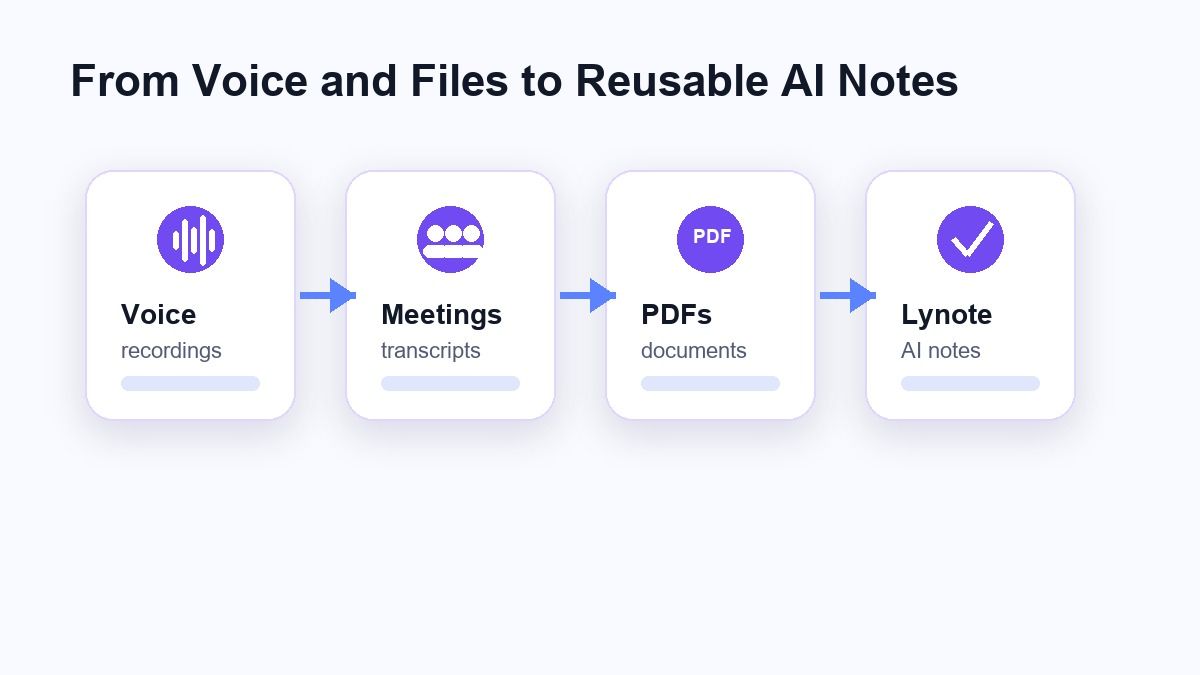
This matters for students, researchers, teachers, and professionals who need notes that can be checked against the original material. A chatgpt voice note approach can be flexible, but Lynote keeps the workflow grounded in your uploaded or linked source. That helps when you need lecture notes, meeting notes, study notes, research notes, or follow-up review material.
ChatGPT vs Lynote for AI Note Taking
| Workflow Need | ChatGPT | Lynote AI Note Generator |
|---|---|---|
| Voice brainstorming | Strong for conversation and idea generation | Better after a source is added |
| Meeting notes from transcript | Good if you already have clean text | Useful for turning files and recordings into structured notes |
| Notes from PDF | Can help when the PDF text is accessible | Built for documents, files, and source-based notes |
| Notes from audio or video | May require extra preparation | Supports audio, video, YouTube links, files, and webpages |
| Study notes and flashcards | Prompt-dependent | Designed for notes and downstream study workflows |
| Source review | Depends on what you provide | Notes stay closer to the uploaded or linked material |
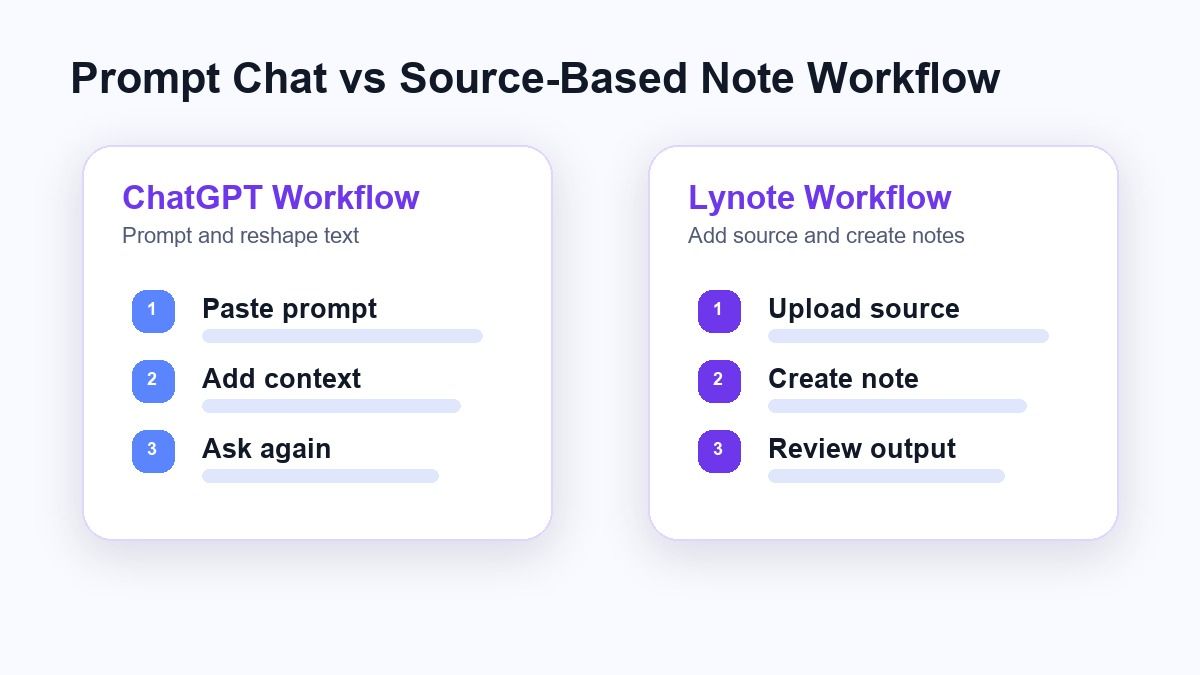
Neither tool is the right answer for every situation. ChatGPT is strong for open-ended conversation and rewriting. Lynote is stronger when you want a repeatable note-generation workflow from actual source material.
How to Use Lynote for AI Notes
Lynote keeps the note workflow simple: add the source, create the note, then review and reuse it. This is especially useful when you do not want to build a long chatgpt prompt for meeting notes from transcript material every time. The same workflow can support class recordings, PDFs, interviews, YouTube videos, and work files.
Step 1. Add Your Source Content
Open Lynote AI Note Generator and add your material. You can upload a local file or paste a URL when the content is online. If you paste a link, use the parse step when needed so Lynote can fetch the source before note generation.
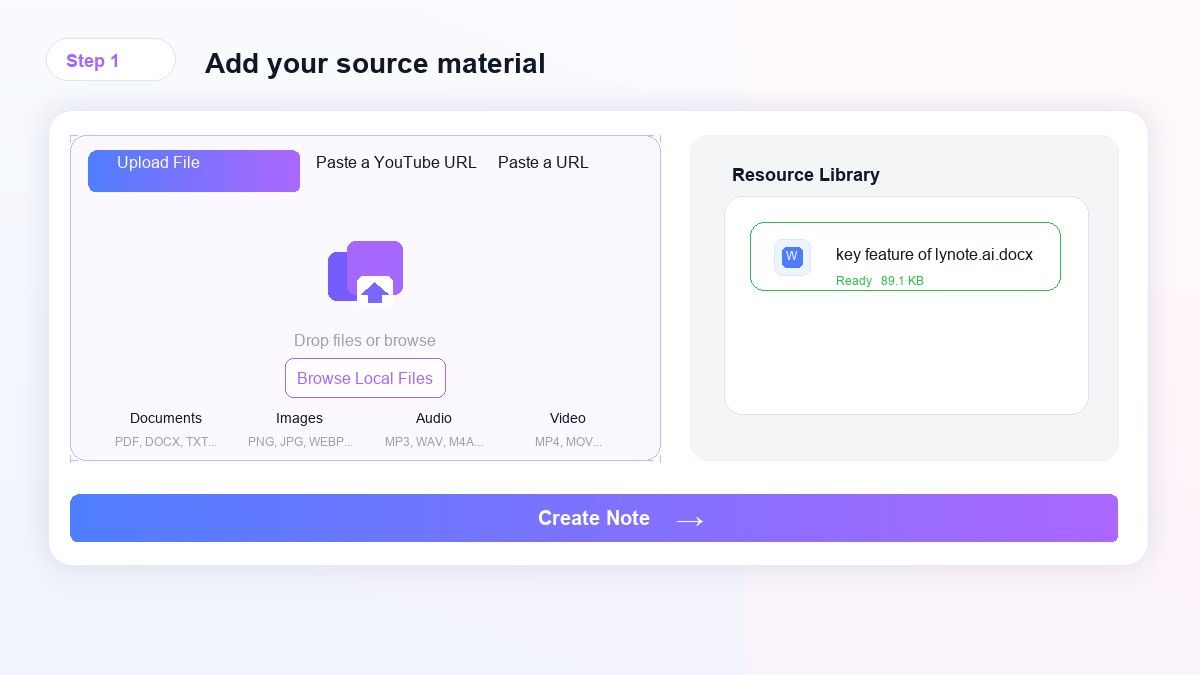
This first step is helpful because the notes begin from the original material instead of a vague prompt. You can use it for lectures, PDFs, webpages, audio, video, or other supported inputs. For a voice note workflow, this reduces the need to manually move content between tools.
Step 2. Generate the AI Notes
Click Create Note to let Lynote process the source and build structured notes. The result is designed to show headings, bullets, and organized sections instead of one long paragraph. This makes the output easier to skim, edit, and reuse.
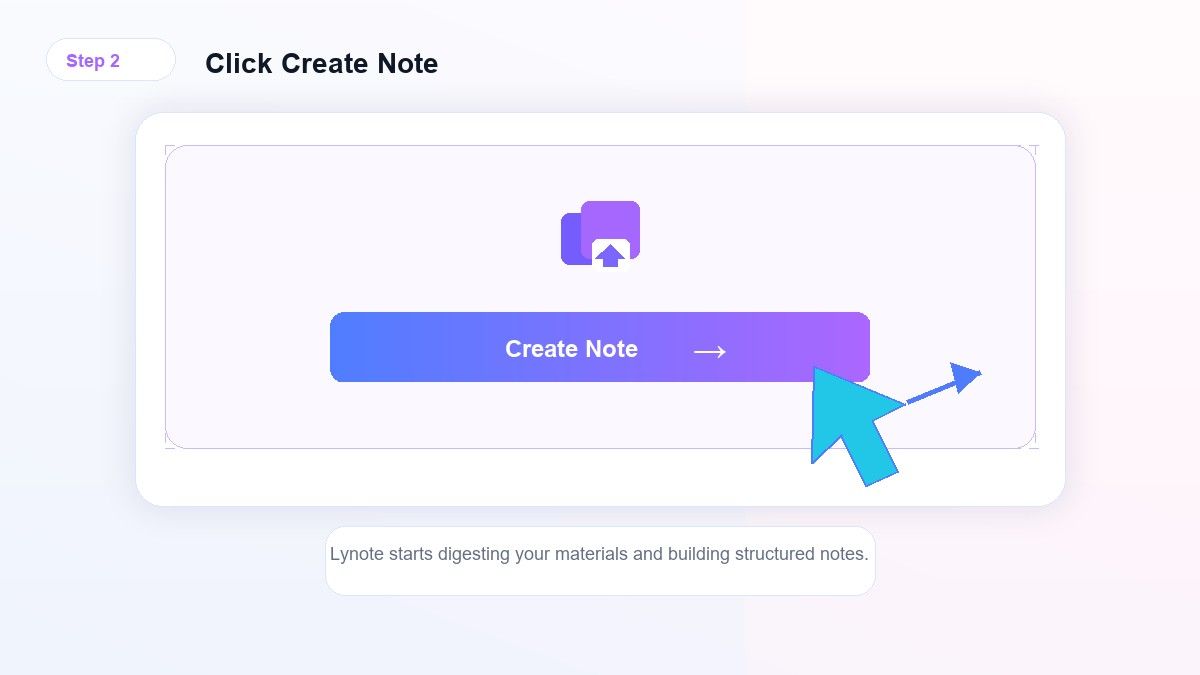
If your source is a meeting recording or lecture, the structure helps you find decisions, definitions, examples, and key ideas faster. If your source is a PDF, it helps turn reading material into study-ready notes. This is where Lynote differs from a prompt-only chatgpt note taking workflow.
Step 3. Review, Edit, and Reuse
After the note is generated, review the sections and adjust anything that needs more detail. You can use the output for study, research, writing, meeting follow-up, or personal knowledge management. When the material is useful for memorization, you can also move toward flashcard-style review.
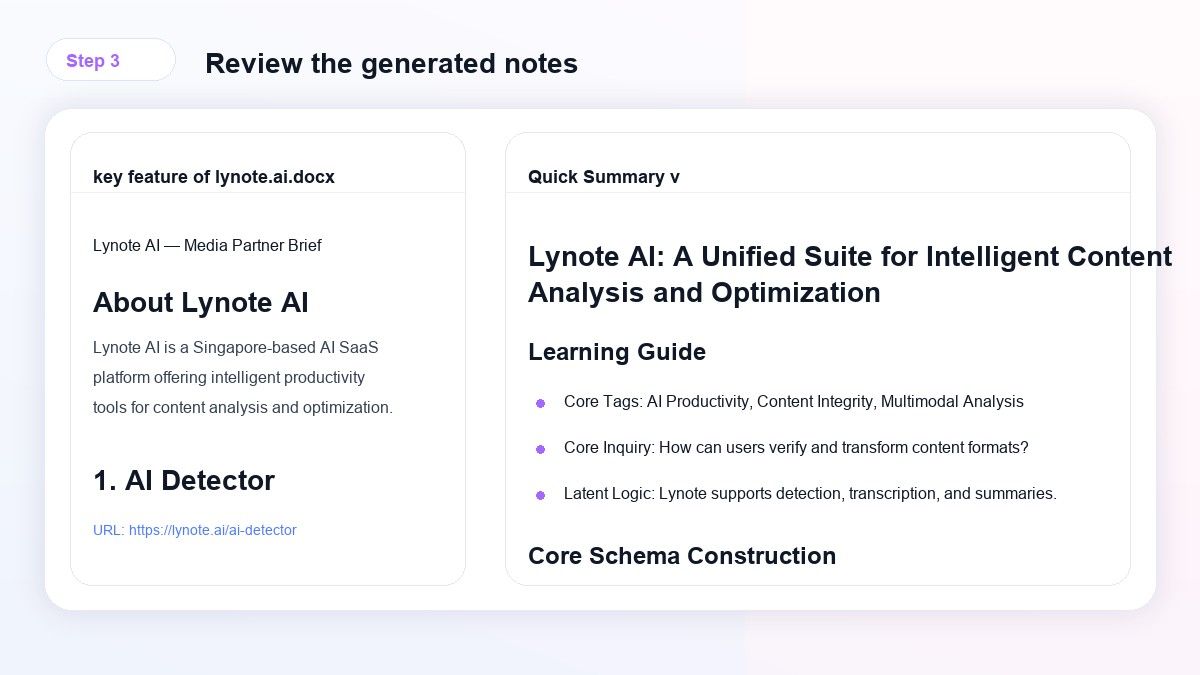
This review step is important because AI notes should not replace your judgment. Names, dates, technical terms, and decisions should be checked before you share them. Lynote gives you a cleaner starting point so the final edit takes less time.
When to Use ChatGPT for Notes
ChatGPT is a good fit when your input is already short and clean. If you have a few rough bullets, a short transcript, or a personal idea you want to expand, ChatGPT can quickly rewrite or summarize it. It is also useful when you want to ask exploratory questions about a topic.
For example, you might ask ChatGPT to turn a rough meeting recap into action items. You could also ask it for chatgpt prompts for notes, a best note taking prompt for ChatGPT, or a best prompt for ChatGPT to make notes from PDF text. In those cases, ChatGPT acts like a flexible assistant for shaping the text you already prepared.
When to Use Lynote Instead
Use Lynote when the source is the hard part. If you need notes from a recording, video, document, image, webpage, or YouTube link, Lynote gives you a more direct starting point. It is made for people who want the note output first, not a long prompt conversation.
This is useful for meeting notes, class notes, interview notes, research notes, and study guides. Instead of asking, "Can ChatGPT take meeting notes?" you can use Lynote to bring the meeting source into a note workspace. Then you can edit, reuse, or summarize the result.
Can ChatGPT Take Meeting Notes?
ChatGPT can help create meeting notes if you provide the meeting transcript or a clear summary of what happened. Depending on your setup, you may also use voice features or integrations to capture spoken context. However, the exact workflow depends on your account, device, meeting platform, and source format.
If your main job is turning meeting recordings into structured notes, a dedicated AI note generator can be easier. Lynote is useful when you want to add a source and generate a readable note without building the structure manually. You can still use ChatGPT later for follow-up writing if you want a different tone.
Can ChatGPT Make Notes from PDFs?
ChatGPT can help summarize PDF content when the document is accessible and the text can be extracted or uploaded in a supported workflow. But users often run into practical questions about formatting, long files, charts, and source verification. That is why the query "can chatgpt make notes from pdf" often leads to tool comparison.
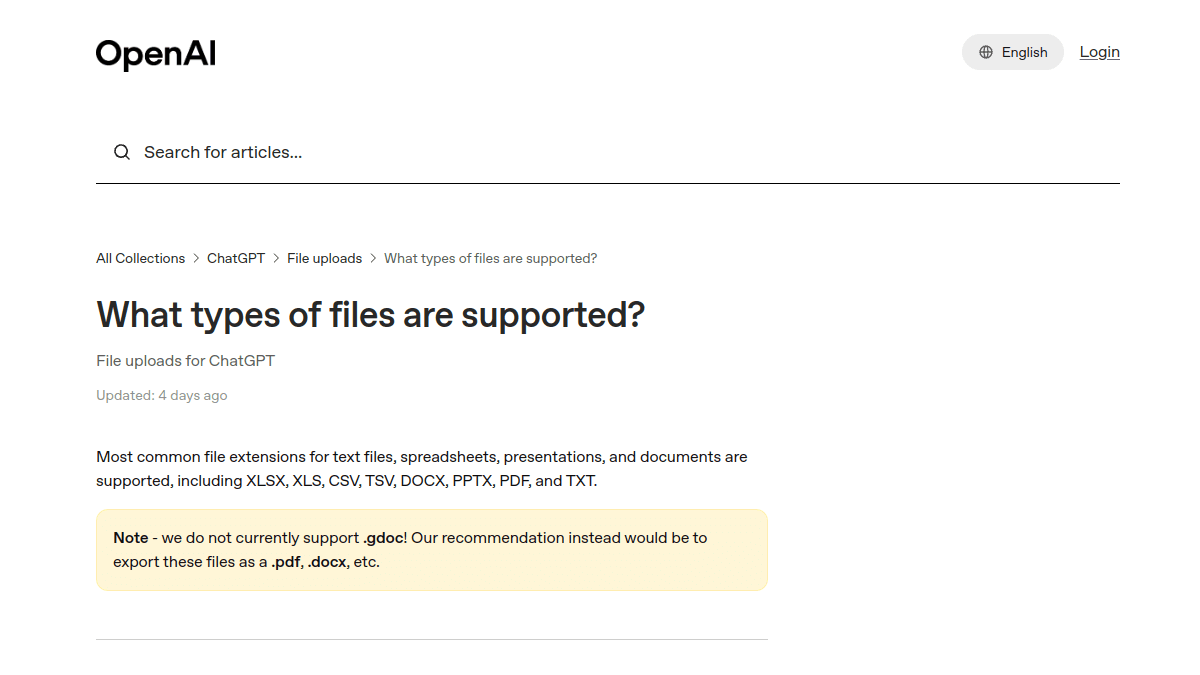
Lynote is designed around source-based AI notes, so PDFs fit naturally into the workflow. You add the document, generate notes, and then review the structure. This is useful for class readings, reports, manuals, and research files.
Can ChatGPT Listen to Audio and Take Notes?
ChatGPT voice features can help with spoken interaction, and related OpenAI tools can support audio workflows depending on the product and account setup. Still, many users asking "can ChatGPT listen to audio and take notes" are really asking for a reliable path from audio file to organized notes. That path can involve transcription, summarization, and editing.
Lynote is useful when you want the file-to-notes workflow in one place. You add the audio or video source, generate notes, and review the output. For lectures, interviews, training sessions, and voice memos, that can be faster than turning every recording into a separate prompt project.
Prompt-Based Notes vs Dedicated Note Generator
A prompt-based workflow is flexible, but it depends heavily on how well you describe the job. If your prompt is vague, the notes may be too generic. If your source is long, you may need to split it, clean it, or restate the instruction several times.
A dedicated note generator gives you a narrower but more repeatable workflow. Lynote focuses on taking source material and producing structured notes for learning and work. That makes it a practical alternative when the job is not general chat, but organized note creation.
Practical Recommendation
Use ChatGPT when you want a conversational assistant, a writing partner, or quick note cleanup from text you already have. Use Lynote when you want notes from the source itself, especially if the source is a file, recording, video, webpage, or YouTube link. Many users will benefit from both: Lynote for source-to-notes, ChatGPT for optional follow-up drafting.
If your current process is copy transcript, paste prompt, fix headings, ask for action items, and then move everything into another app, Lynote can remove several steps. It is not a replacement for careful review. It is a faster workspace for creating notes you can check, edit, and reuse.
FAQs
Is ChatGPT a voice note app?
ChatGPT can support voice conversations and can help summarize spoken ideas, but it is broader than a voice note app. It is a general AI assistant, so the workflow depends on what you provide and how you prompt it. If you want a dedicated source-to-note workflow, Lynote is more focused.
Can ChatGPT make meeting notes from a transcript?
Yes, ChatGPT can summarize a transcript into meeting notes if you paste or provide the transcript in a supported way. A strong prompt should ask for decisions, action items, owners, deadlines, and unresolved questions. Lynote is useful when you want to generate notes directly from source material before polishing them.
What is a good ChatGPT prompt for meeting notes?
A simple prompt is: "Turn this transcript into meeting notes with agenda, decisions, action items, owners, deadlines, open questions, and a short executive summary." Add any required tone or format rules. For repeat use, Lynote may be easier because the note structure is part of the workflow.
Can ChatGPT summarize notes?
Yes, ChatGPT can summarize notes, rewrite them, or create shorter versions for review. The quality depends on the clarity of the input and the prompt. If the original source is a file, video, audio, or webpage, Lynote can help create the first structured note before you summarize further.
Is Lynote better than ChatGPT for voice notes?
It depends on the task. ChatGPT is better for open-ended conversation and creative follow-up. Lynote is better when you need a source-based note generator for files, lectures, audio, video, webpages, and study material.
Final Thoughts
A chatgpt voice note workflow is useful for conversation, summaries, and prompt-based note cleanup. But when you need structured AI notes from real source material, Lynote gives you a more direct path. Try Lynote AI Note Generator when you want notes from meetings, lectures, PDFs, audio, video, or web content without rebuilding the workflow from scratch.

Written by Danny
Product Marketing Manager
Danny explains how Lynote features fit real workflows, from everyday productivity to product-led writing use cases. View all articles →