8 Best Free Krisp AI Alternatives for Notes and Clearer Calls

Krisp is difficult to replace with one free app because it does two jobs unusually well: it cleans up call audio and turns conversations into transcripts, summaries, and action items. The right alternative therefore depends less on which product has the longest feature list and more on which half of Krisp you actually use.
For structured notes from meeting recordings, lectures, documents, videos, and webpages, Lynote is the most flexible alternative in this list. Fathom is the strongest free choice for frequent online meetings, Granola is the closest bot-free note-taking experience, and NVIDIA Broadcast is the practical free option when you only need noise and echo removal.
Quick Answer: The Best Free Krisp AI Alternatives
No free Krisp alternative replaces every part of Krisp equally. A meeting recorder may generate excellent summaries but do nothing about keyboard noise, while a local noise filter can make you sound clearer without producing a single line of notes.
| Rank | Tool | Best For | Capture Type | Free-Plan Reality | Main Tradeoff |
|---|---|---|---|---|---|
| 1 | Lynote | Structured notes from recordings and mixed sources | Upload files or add source links | Free access is available; current account limits should be checked in the live workspace | Does not automatically join live meetings or remove call noise |
| 2 | Fathom | Frequent online meetings | Meeting app, desktop app, and browser extension | Unlimited recordings, storage, and transcription; advanced AI features are limited | Built primarily around scheduled online meetings |
| 3 | Granola | Bot-free, human-guided meeting notes | Local device capture | A free entry plan is available, with limits around history and advanced use | Requires a supported desktop or mobile workflow |
| 4 | Otter.ai | Live transcription and mobile conversations | Meeting assistant, web, desktop, and mobile | 300 minutes per month, 30 minutes per conversation, and three lifetime imports | Short free per-conversation limit |
| 5 | Fireflies.ai | Integrations and searchable meeting memory | Bot, extension, desktop, mobile, and uploads | Free transcription and summaries with storage and AI-credit limits | The free model has several separate limits |
| 6 | tl;dv | Video meetings, clips, and shareable moments | Meeting recorder and desktop capture | Core recording and transcription are free; advanced intelligence is limited | Best value is tied to recorded video meetings |
| 7 | MeetGeek | Structured recaps and meeting automation | Bot, no-bot recorder, mobile, and uploads | Three transcription hours per month and unlimited AI summaries | Free audio and transcript retention is limited |
| 8 | NVIDIA Broadcast | Free noise and room-echo removal | Local virtual microphone and speaker | Free software on a compatible Windows PC | Requires an NVIDIA RTX GPU and creates no notes |
The fastest way to narrow this list is to identify the output you want. If the output is an editable note based on several source types, start with Lynote; if it is an automatically captured online meeting, start with Fathom or Granola; if it is cleaner audio, start with NVIDIA Broadcast.
Krisp AI Note Taker Review: Is It Still Worth Using?
Krisp began as a call-audio utility, and that heritage still shapes its advantage. Instead of treating audio quality and meeting documentation as separate problems, it places noise cancellation, recording, transcription, notes, and action items in one workflow.
That bundle remains valuable, but it also explains why people search for free Krisp AI alternatives. A user who only needs meeting notes, only needs cleaner microphone audio, or only processes saved recordings may be paying for more than the core task requires.
What Krisp AI Note Taker Does
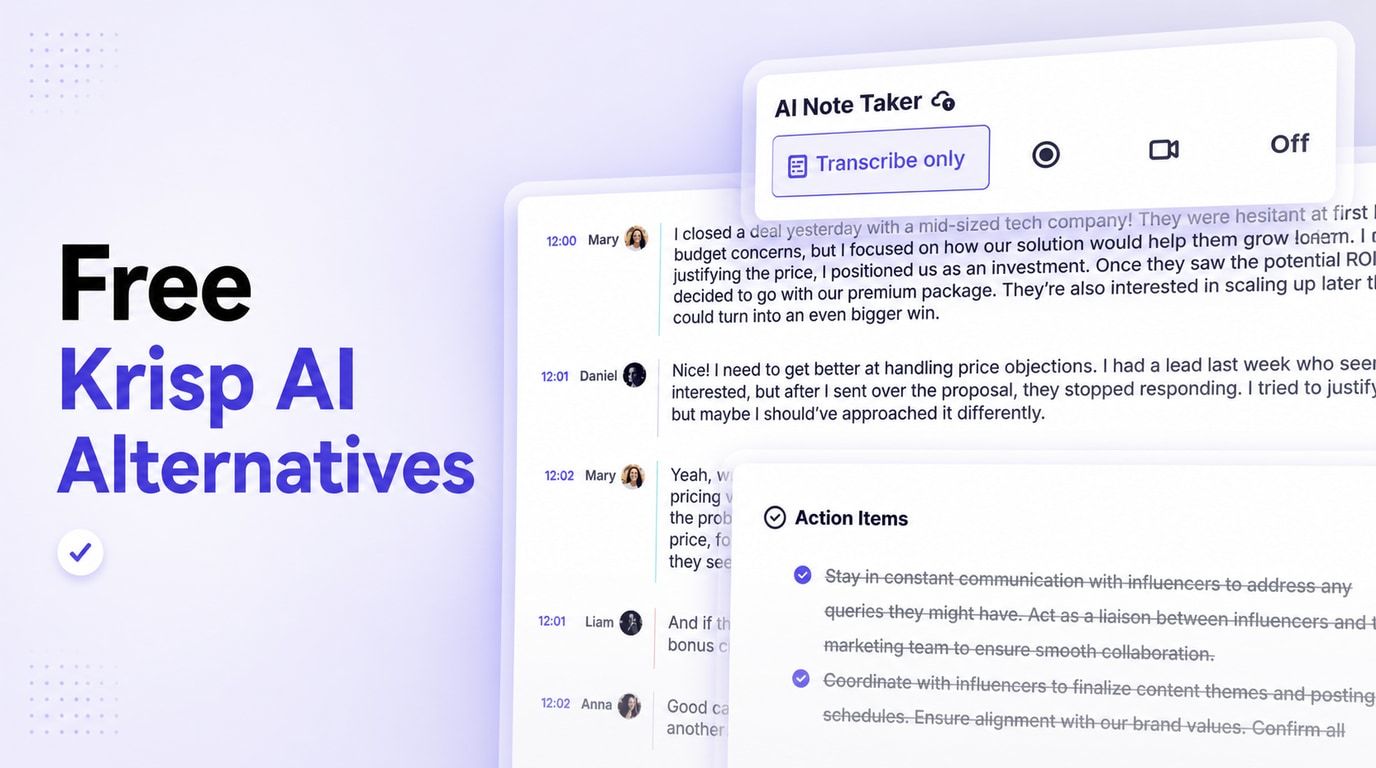
Krisp AI Note Taker records online and in-person meetings, creates a multilingual transcript, and produces AI notes and action items. Its desktop-centered capture can work without adding a visible bot to the participant list, which makes it less disruptive in client calls than products that join as a named attendee.
The product also includes AI Chat for reviewing meeting content and can connect notes to tools such as Slack, Notion, HubSpot, Zapier, and Microsoft Teams. The key distinction is that Krisp can improve the incoming audio at the same time through noise, echo, and background-voice cancellation.
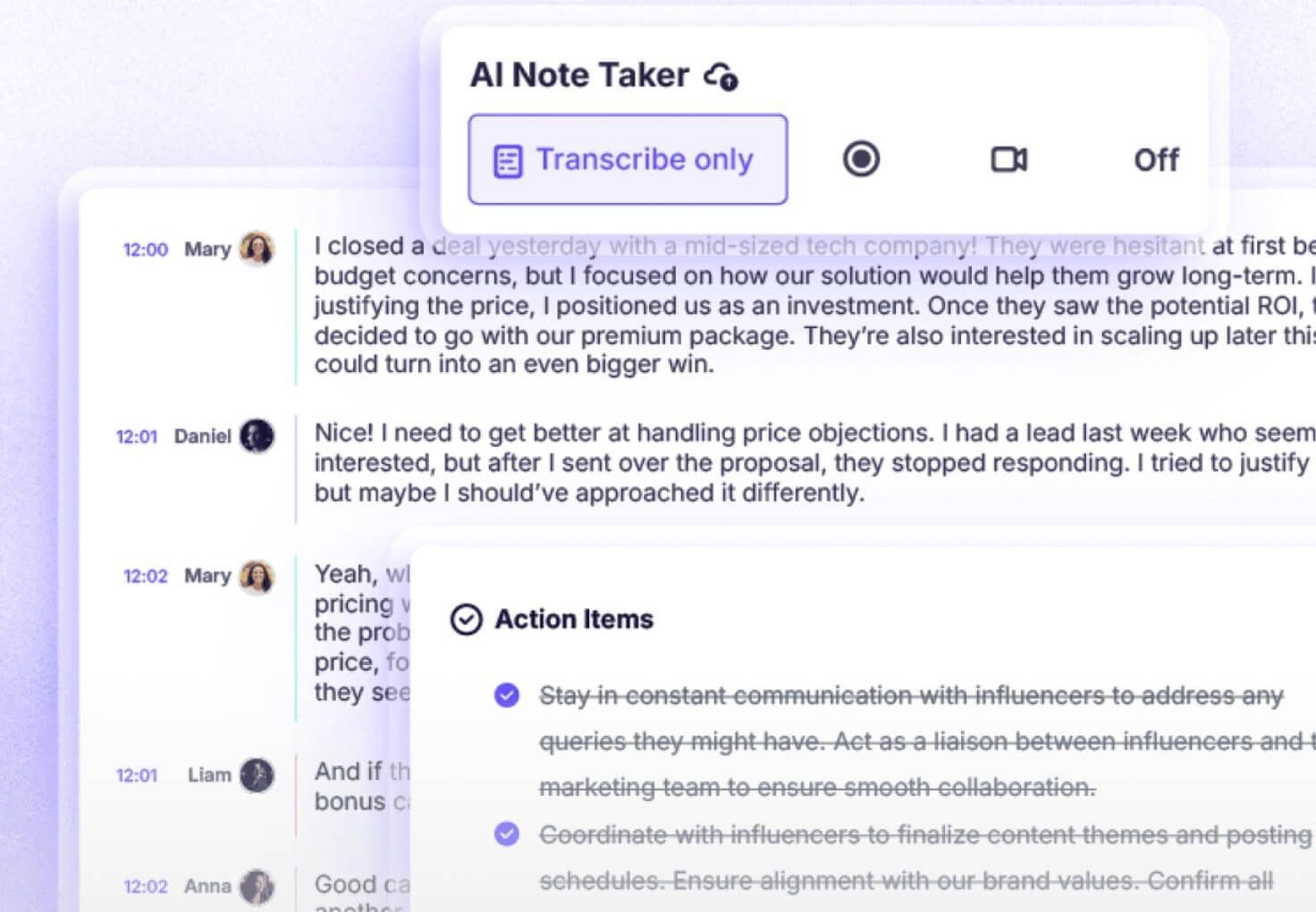
Bot-free capture is a participant-experience benefit, not permission to record silently. You still need to follow applicable recording rules, company policy, and the expectations of everyone in the conversation.
Krisp Pricing and Free-Trial Limits
As of August 20, 2026, Krisp's Meeting AI pricing page presents a seven-day free trial, not a broad permanent free plan. The trial includes premium transcription, recording, AI notes, action items, and noise cancellation without requiring a credit card.
After the trial, Core is displayed at $16 per user when billed monthly or $8 per user per month when billed annually. Advanced is displayed at $30 monthly or $15 per user per month with annual billing, adding broader accent-conversion access, advanced integrations, administrative controls, and more storage.
| Krisp Plan | Current Price Display | Note-Taking Access | Main Difference |
|---|---|---|---|
| Free Trial | $0 for seven days | Unlimited premium trial access | Temporary evaluation, not free forever |
| Core | $16 monthly or $8/month billed annually | Unlimited AI note taker for online and in-person meetings | Core notes, recording, noise cancellation, integrations, and 10 GB storage |
| Advanced | $30 monthly or $15/month billed annually | Everything in Core | More accent conversion, advanced integrations and controls, and 60 GB storage |
| Enterprise | Custom | Organization-wide deployment | Security, private processing options, administration, and custom controls |
Pricing and plan limits change often, so the live pricing page should be the final reference before purchasing. The important comparison point is that a free Krisp trial and a free-forever competitor plan are not equivalent.
What Current Users Like
Current review patterns consistently favor Krisp's noise cancellation and straightforward setup. Users working from homes, shared spaces, and busy offices often value that one app can reduce distractions while producing a transcript they can review after the call.
Meeting summaries are another recurring positive. For people with consecutive calls, moving from a recording to a short recap and action list can be more useful than a raw transcript alone, and bot-free capture avoids the awkward extra attendee that some clients question.
Where Krisp AI Note Taker Falls Short
Transcription is never independent of audio conditions. Current review summaries mention errors with names, speaker attribution, non-English speech, strong accents, and overlapping speakers, so dates, owners, numbers, and commitments still need human verification.
The pricing model is the second obvious limitation for free-intent readers. Once the trial ends, a user who only wants occasional notes must either subscribe or move to a service with a continuing free allowance.
Krisp can also be more product than necessary. It is compelling when clean audio and bot-free meeting notes matter together, but a student processing lecture recordings or a researcher organizing PDFs, interviews, and webpages may benefit more from a source-based note workspace.
Keep Krisp or Switch?
| Your Main Need | Better Decision | Why |
|---|---|---|
| Clean audio and bot-free notes in one app | Keep Krisp | The integrated bundle is Krisp's strongest advantage |
| Notes from recordings, documents, videos, and webpages | Switch to Lynote | It is designed around mixed source material rather than only live calls |
| Frequent online meetings on a permanent free plan | Try Fathom | Its recurring free capture and transcription allowance is unusually generous |
| Bot-free notes guided by your own writing | Try Granola | Its notepad-first workflow preserves human emphasis |
| Live transcript on mobile or in person | Try Otter.ai | Its real-time and mobile experience is the clearer fit |
| Free noise removal only | Try NVIDIA Broadcast | It replaces the audio-cleanup job on compatible hardware without adding note features |
First Decide What You Are Replacing in Krisp
An alternative should be judged against a job, not a brand name. Krisp's feature bundle spans several software categories, and a product can be an excellent replacement for one category while failing completely in another.
| Krisp Job | Best Replacement Type | Strong Options | What It Will Not Replace |
|---|---|---|---|
| Meeting transcripts and summaries | AI meeting note taker | Fathom, Granola, Otter, Fireflies, tl;dv, MeetGeek | Live noise cancellation may be absent |
| Bot-free meeting capture | Local or extension-based recorder | Granola, some MeetGeek and tl;dv workflows | Audio cleanup varies by product |
| Notes from saved recordings and learning sources | Upload-first AI note workspace | Lynote | Automatic live meeting attendance |
| Noise and room-echo removal | Local audio filter | NVIDIA Broadcast | Transcripts, summaries, and action items |
| One bundled audio-and-notes workflow | Full meeting assistant | Krisp | Separate free tools may require more setup |
Capture method affects more than convenience. A visible meeting bot may need admission, a local recorder may be blocked by company device policy, a mobile app may fit an interview but not a webinar, and an upload-first tool only begins after you have a file or link.
Free access also has several meanings. Look separately at monthly minutes, maximum session length, retained history, recording storage, advanced summaries, downloads, integrations, and whether the $0 offer is a recurring plan or a temporary trial.
8 Best Free Krisp AI Alternatives in 2026
I compared these products by published capture workflow, current free-plan boundaries, note output, editing and search, integrations, and the specific Krisp job each one can replace. This is an editorial comparison, not a fabricated controlled accuracy test; transcript quality will change with microphones, accents, language, speaker overlap, and background noise.
1. Lynote AI Note Taker: Best for Turning Mixed Sources Into Structured Notes
Lynote AI Note Taker takes a different route from meeting bots. Instead of waiting for a calendar event, you add the material you already have: a meeting or lecture recording, PDF, Word file, image, video, webpage, or YouTube link.
Lynote then turns the source into structured notes with headings, bullet points, key concepts, and source-linked sections. This makes it especially useful for students, researchers, interviewers, and professionals who need one note workflow for more than scheduled video calls.
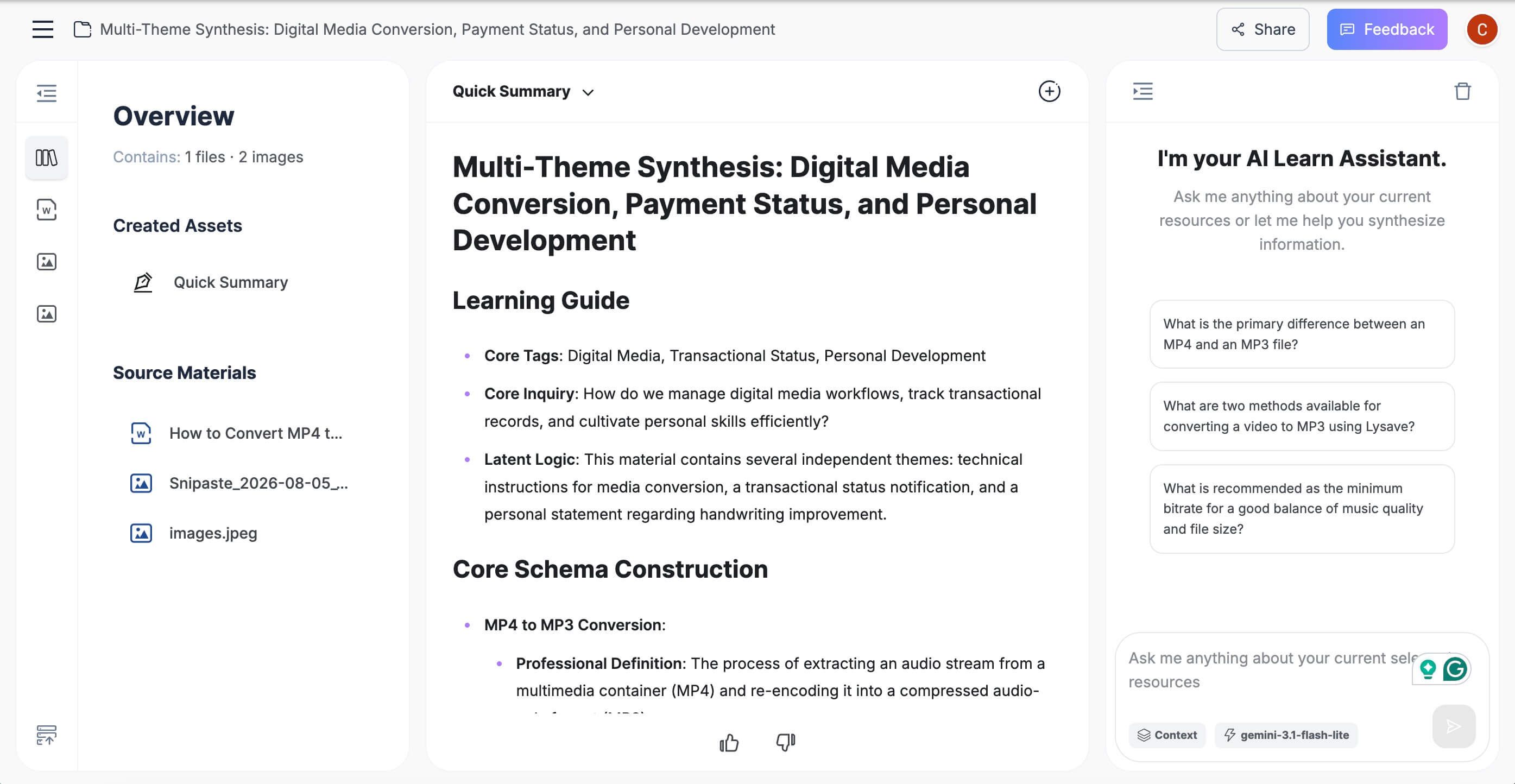
The workspace is designed for review rather than passive acceptance. You can edit the generated note, ask questions grounded in the source, export or share the result, and turn relevant material into flashcards when the same content needs to become a study resource.
How to use Lynote for AI notes
- Step 1 - Add the source: Upload a supported document, audio, video, or image, or paste a webpage or YouTube URL. If you add a URL, parse it so the content becomes available in the resource library.
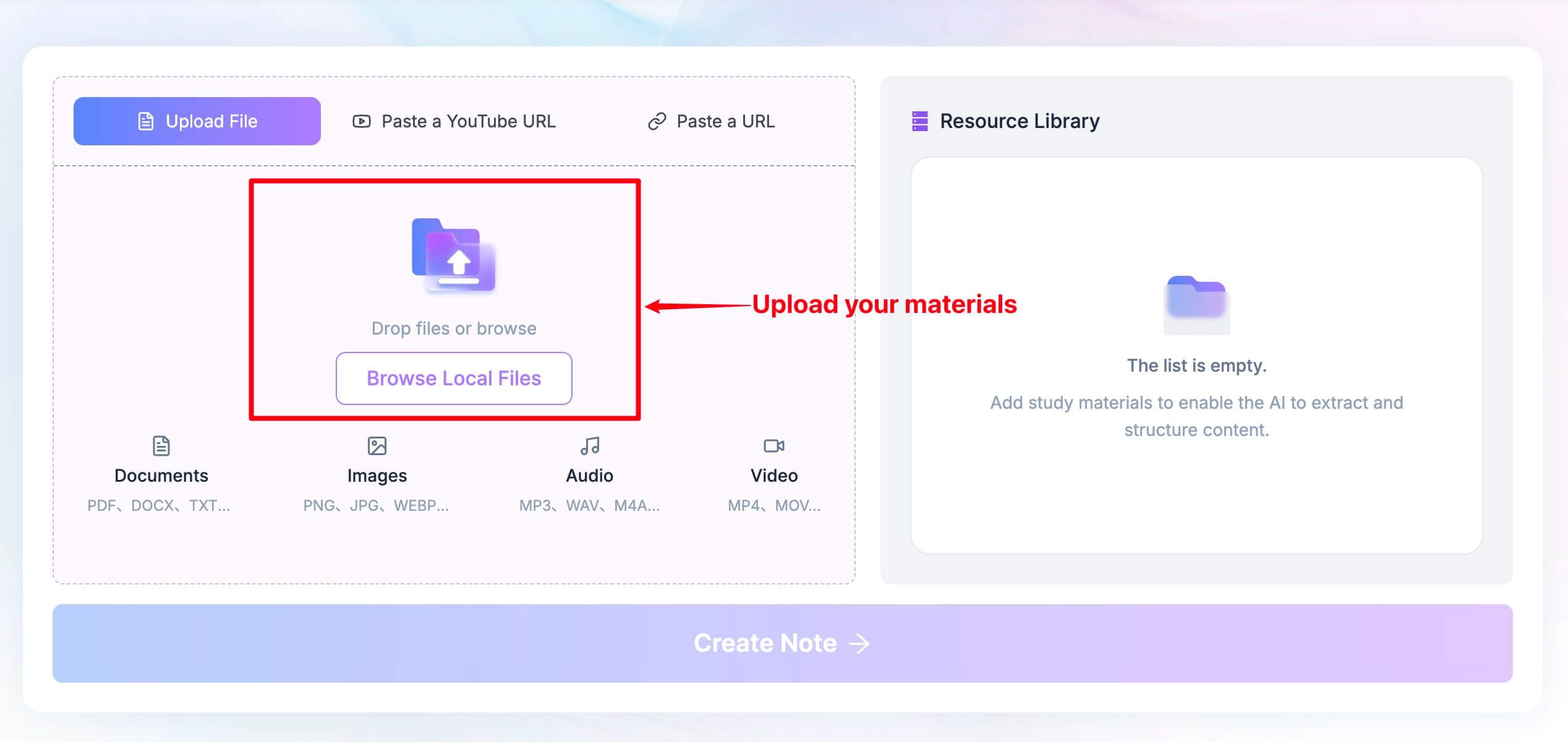
- Step 2 - Create the note: Click Create Note so Lynote can process the selected source and organize it into a structured note.
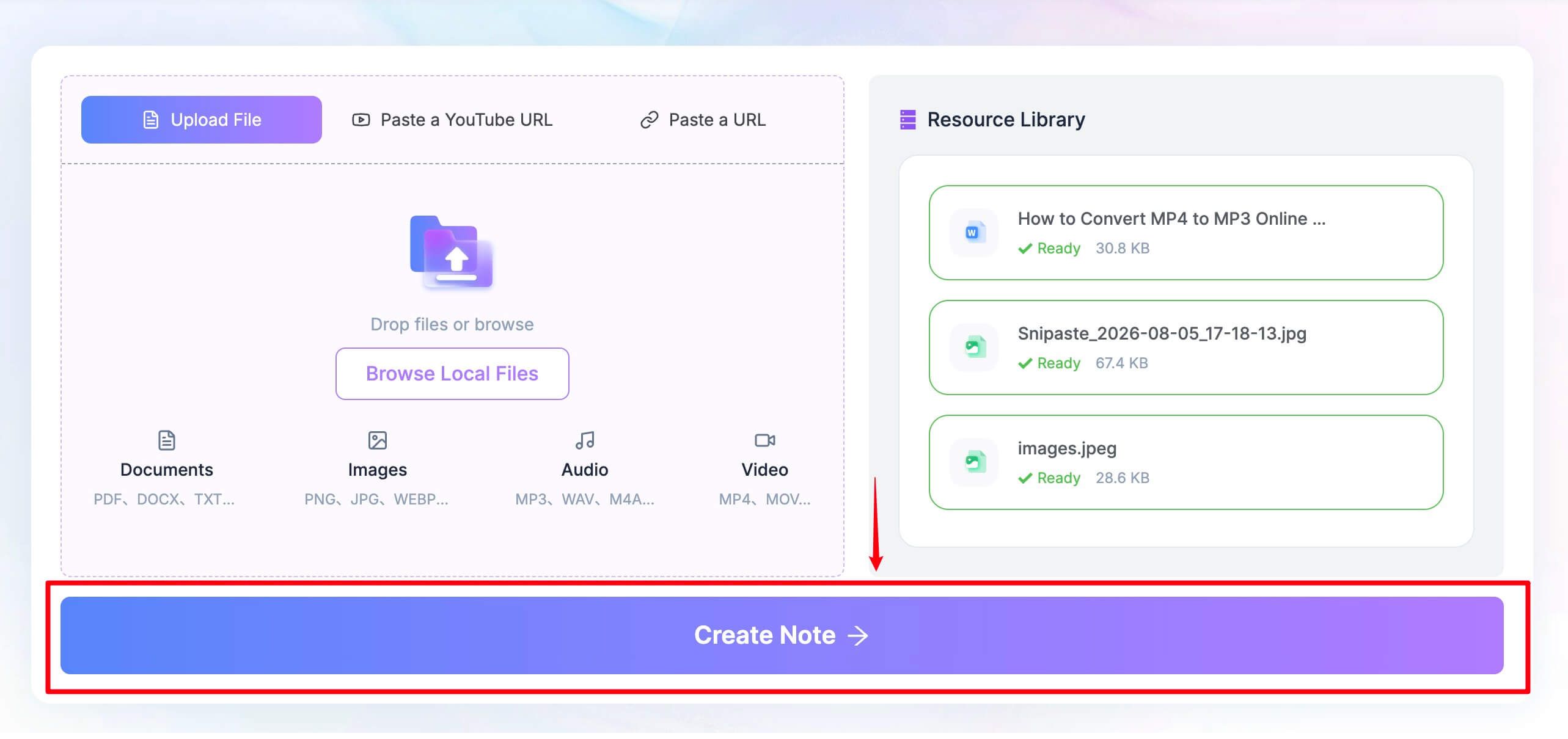
- Step 3 - Review the result: Correct headings and details, add your own context, ask follow-up questions, then export, share, or convert the material into flashcards when useful.
Features
- Documents, audio, video, images, webpages, and YouTube input
- Structured headings, bullets, visual context, and source-based sections
- Rich-text editing inside the note workspace
- Follow-up questions based on the source content
- Export, sharing, and note-to-flashcard workflow
Pros
- One workflow can handle meetings, lectures, research files, and online content
- User-controlled input avoids adding a bot to the original meeting
- Notes remain editable and connected to the original material
- Strong fit for learning and knowledge work, not only sales calls
Cons
- It does not automatically join a live meeting or remove background noise during the call.
Best for: Students, researchers, creators, and professionals who already have a recording, file, or link and want structured, reusable notes instead of only a meeting transcript.
2. Fathom: Best Free Alternative for Frequent Online Meetings
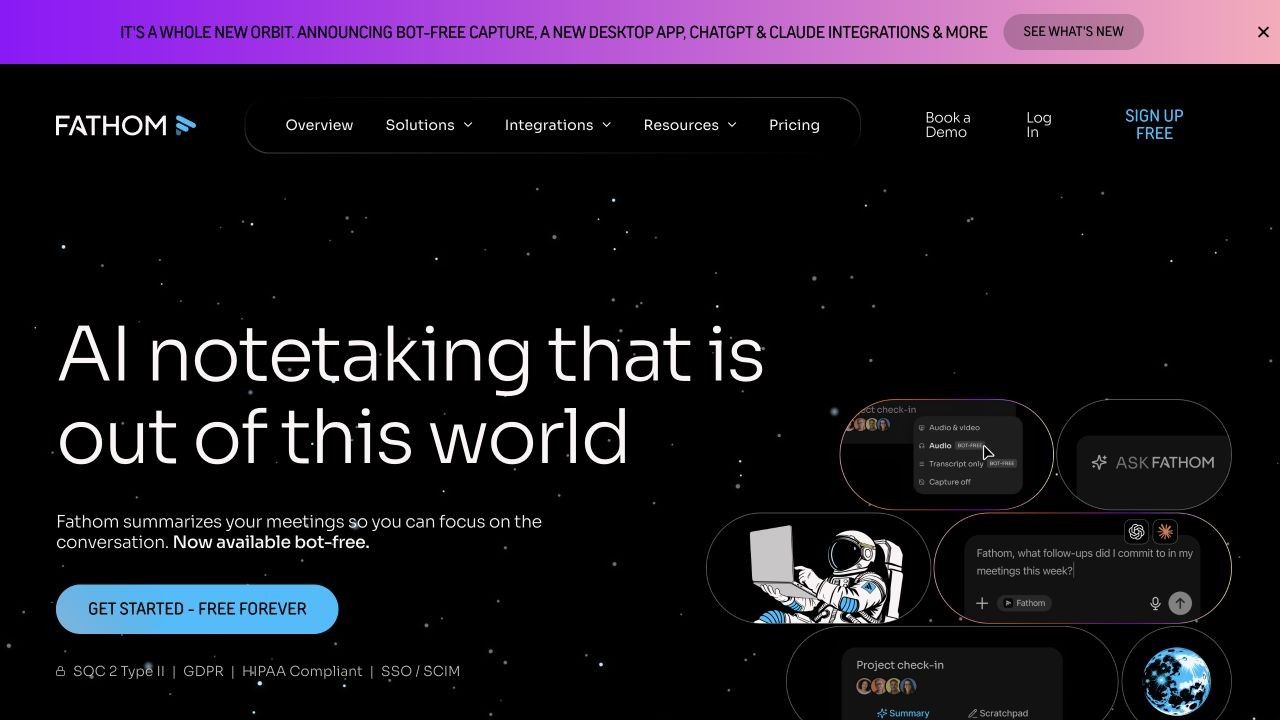
Fathom is the most compelling free-forever choice for people whose calendar is dominated by Zoom, Google Meet, or Microsoft Teams. Its free individual plan currently includes unlimited recordings, transcription, and storage, which removes the monthly-minute anxiety common in competing plans.
The distinction is in the AI layer. Free users receive advanced summaries for the first five calls each month; later calls fall back to a more general summary format, while advanced action items, follow-up emails, custom summaries, and Ask Fathom are part of the limited monthly allowance or paid experience.
Features
- Recording and transcription for major online meeting platforms
- Meeting summaries available shortly after calls
- Search, clips, playlists, and sharing
- CRM connections for supported individual workflows
- Desktop app and browser-based capture options
Pros
- Unusually generous recurring free transcription and storage
- Simple path from a live call to a shareable recap
- Useful clips and meeting search for reviewing exact moments
Cons
- Advanced AI outputs are limited on the free plan
- It is less suited to mixed documents, webpages, and study sources than an upload-first note workspace
Best for: Individuals with frequent online meetings who want automatic capture and reliable basic summaries without a monthly transcription cap.
3. Granola: Best Bot-Free Krisp AI Note Taker Alternative
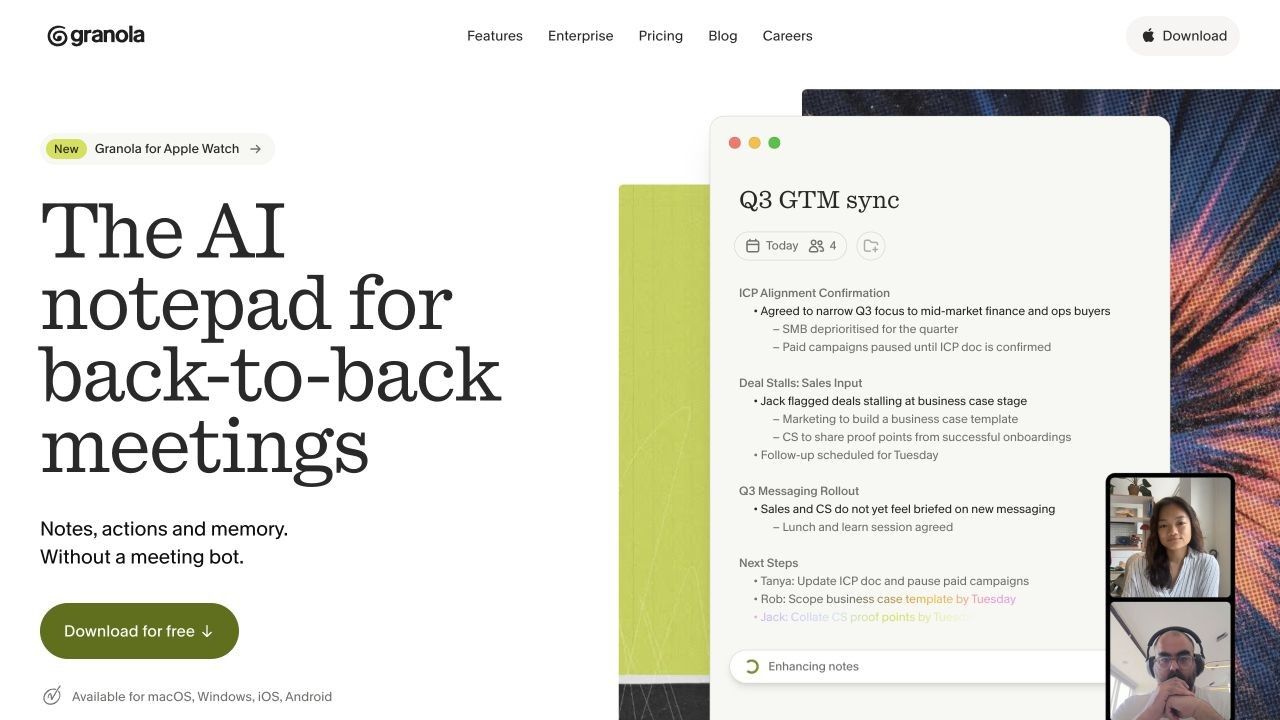
Granola is the closest conceptual alternative for someone who likes Krisp's invisible capture but wants the experience centered on writing. It records the meeting context from the device without placing a bot in the participant list, then uses that context to expand the rough notes you type during the conversation.
That human-guided design matters. Instead of treating every sentence as equally important, Granola lets your own notes signal which decisions, questions, and follow-ups deserve emphasis, and the result stays in an editable notepad rather than feeling like a fixed machine report.
Features
- Bot-free device-audio capture
- AI-enhanced notes based on your own rough notes and meeting context
- Editable templates for recurring meeting types
- Questions across individual meetings or accumulated history
- Shared folders and collaboration options on applicable plans
Pros
- No extra participant appears in the call
- Human notes help preserve context and priorities
- Clean note-first workflow for consultants, founders, and product teams
Cons
- The free plan limits longer-term history and advanced team use
- It depends on a supported installed device workflow
Best for: People who want bot-free capture but still prefer to guide the final notes with their own observations.
4. Otter.ai: Best for Live Transcription and Mobile Meetings
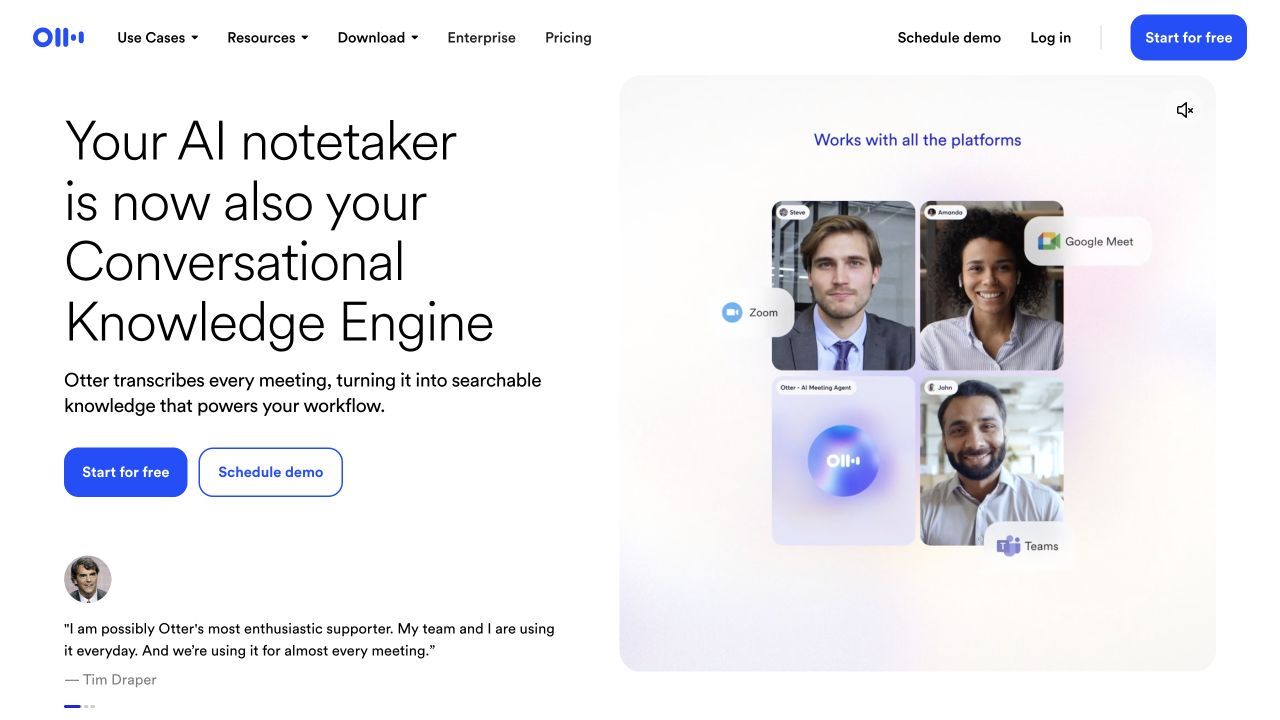
Otter.ai remains one of the clearest choices when the transcript itself needs to be visible while people are speaking. It can capture scheduled online meetings, record from its desktop or mobile apps, identify speakers, generate summaries, and let users ask questions about one or more conversations.
The Basic plan is free, but its limits are concrete: 300 transcription minutes per month, up to 30 minutes per conversation, three lifetime audio or video imports, and access to the 25 most recent conversations. A 60-minute meeting may continue recording, but only the first 30 minutes of the transcript is available on Basic.
Features
- Live transcription with speaker identification
- Zoom, Microsoft Teams, and Google Meet workflows
- Web, desktop, iOS, and Android access
- Automated summaries and action-item support
- AI Chat across meeting content
Pros
- Strong live transcript experience
- Useful for both online and in-person conversations
- Mature review, search, and collaboration interface
Cons
- The 30-minute free conversation cap is restrictive for classes and long meetings
- Only three lifetime imports are included on Basic
Best for: Users who need to follow a transcript live, capture in-person conversations from a phone, or collaborate around spoken content.
5. Fireflies.ai: Best for Integrations and Searchable Meeting Memory
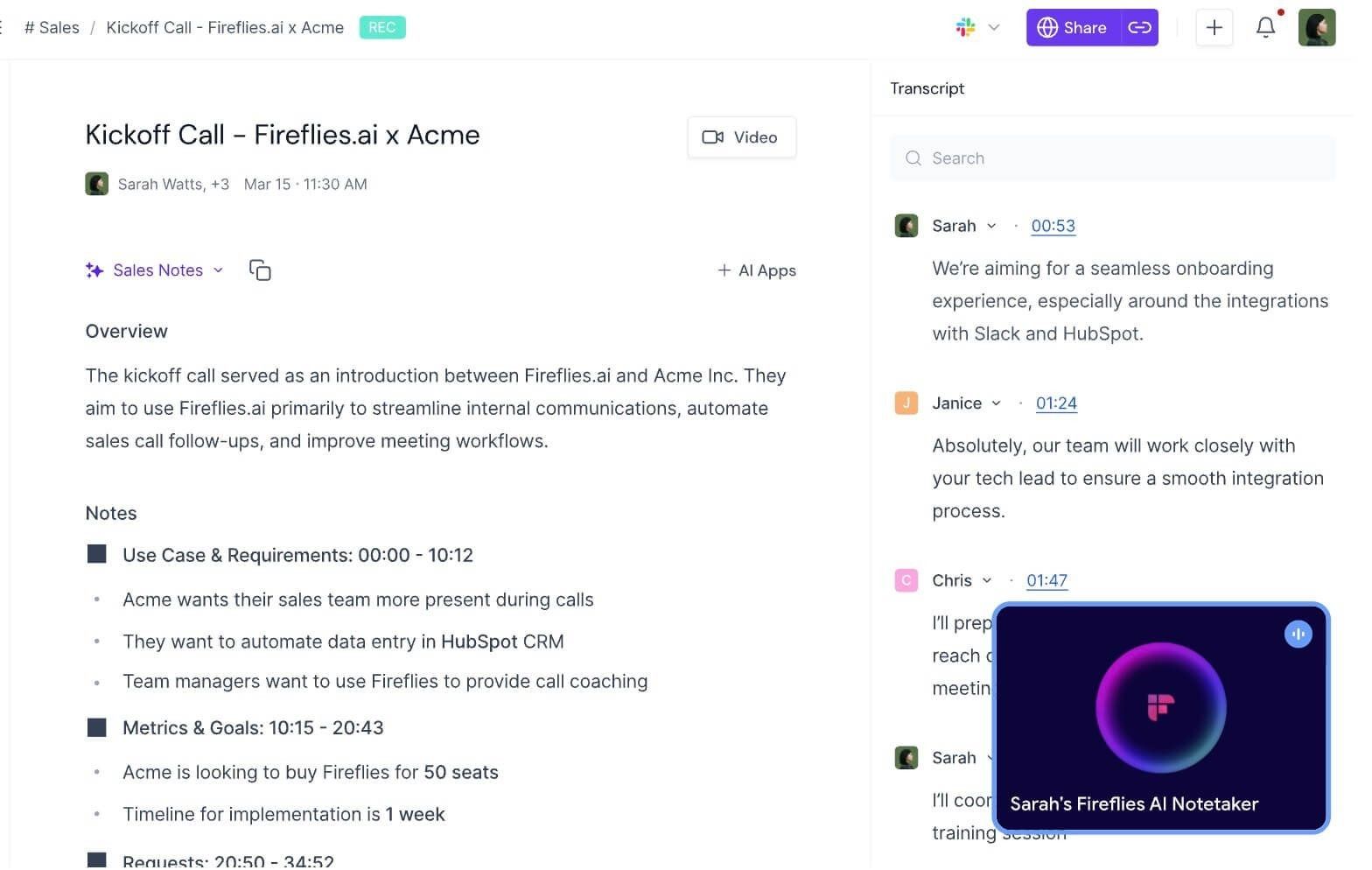
Fireflies is broader than a simple recorder. It combines live or post-meeting transcription, AI summaries, searchable meeting history, AskFred questions, tasks, comments, channels, clips, and integrations that can move meeting outcomes into the rest of a team's work system.
Its free plan is generous in core transcription and summaries, but the allowance is not expressed as one simple number. The current plan includes 400 minutes of team storage and 20 initial AI credits, while advanced skills, downloads, integrations, and larger retained libraries become more important upgrade reasons.
Features
- Zoom, Meet, Teams, and additional meeting-platform capture
- Meeting bot plus browser, desktop, mobile, and upload paths
- Transcription in more than 100 languages
- Real-time notes, summaries, search, and AskFred
- Tasks, soundbites, collaboration, API access, and integrations
Pros
- Strong choice for searchable team meeting memory
- Multiple capture methods reduce dependence on one bot workflow
- Broad integrations and post-meeting automation
Cons
- Storage, AI credits, and plan features make the free tier harder to evaluate at a glance
- Some downloads and advanced workflows require an upgrade
Best for: Teams that want meeting information to become searchable, shareable, and connected to CRMs, task systems, or collaboration tools.
6. tl;dv: Best for Video Meetings, Clips, and Shareable Moments
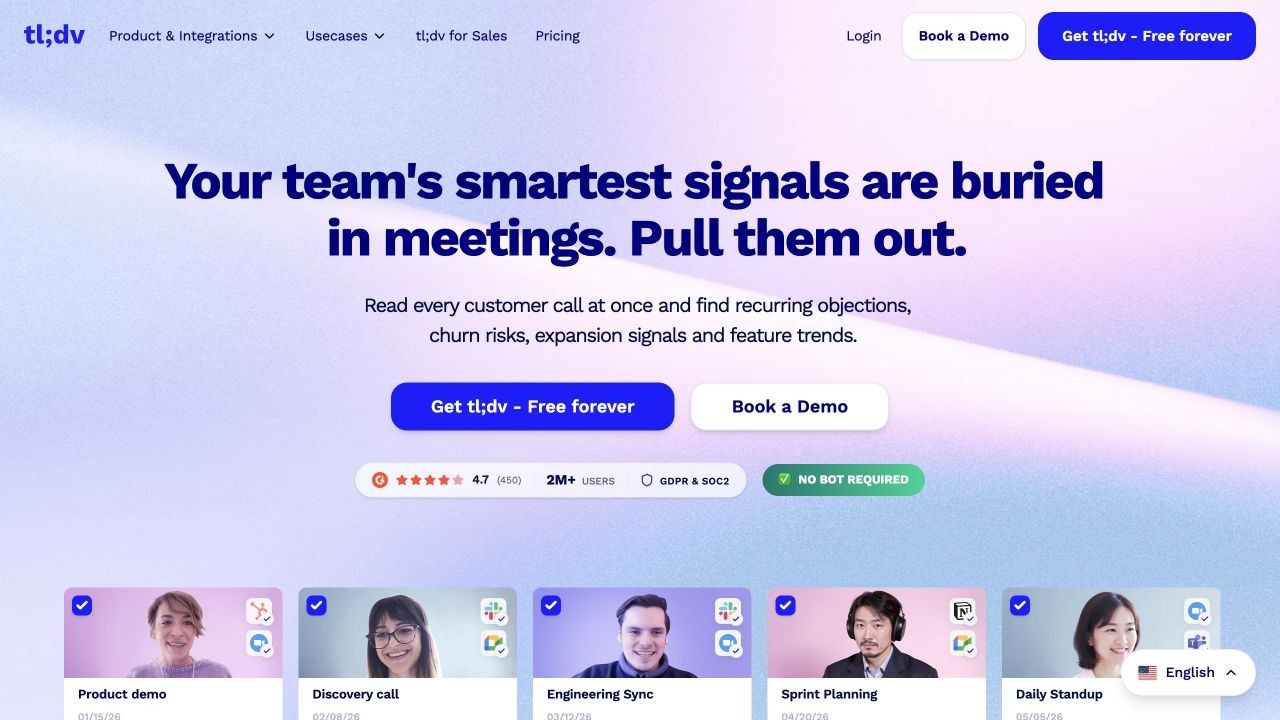
tl;dv is strongest when the video record matters alongside the transcript. It can capture Zoom, Google Meet, and Microsoft Teams meetings, generate transcripts in more than 30 languages, and let users jump from notes to the exact recorded moment.
The free offer centers on unlimited core recordings and transcriptions. Advanced multi-meeting insights, sales coaching, deeper automation, retention, and team intelligence are where paid tiers matter, so a free user should evaluate the basic meeting library separately from the full platform shown in demos.
Features
- Video and audio recording for major meeting platforms
- Transcripts in more than 30 languages
- AI notes, summaries, and action items
- Timestamped clips and shareable highlights
- Topic tracking and integrations with thousands of apps
Pros
- Strong visual evidence for user research and client reviews
- Generous core recording and transcription offer
- Easy to share a precise moment instead of an entire meeting
Cons
- Advanced cross-meeting intelligence is plan-dependent
- It can be more video-centered than users who only need a concise text note require
Best for: Product researchers, sales teams, interviewers, and collaborators who need video context, clips, and timestamped evidence with their notes.
7. MeetGeek: Best for Structured Recaps and Meeting Automation
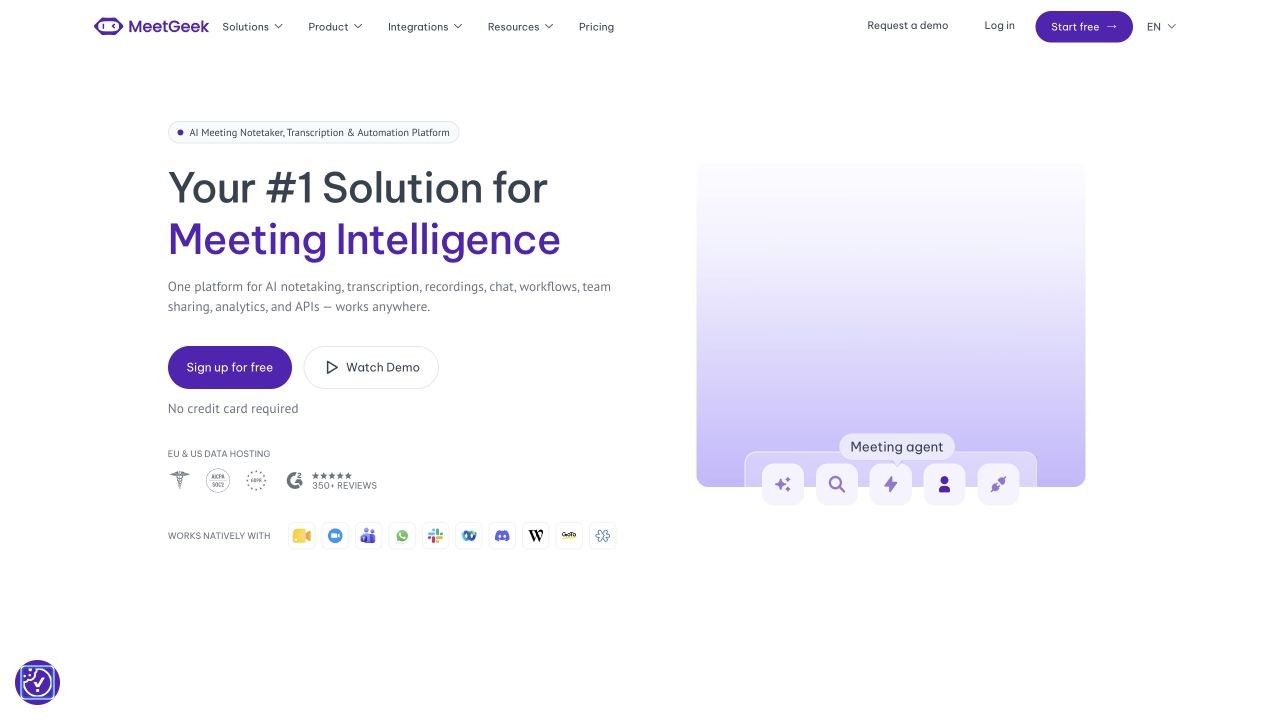
MeetGeek offers both bot-based and no-bot recording paths, making it adaptable to different participant and platform requirements. Its AI meeting minutes organize topics, key points, next steps, highlights, and analytics, while global search and AI Chat help retrieve information later.
The Basic plan includes three hours of transcription per month, unlimited AI summaries, three months of transcript storage, and one month of audio storage. That is enough for occasional meetings, but regular users need to consider both the monthly hour allowance and what remains accessible after the retention window.
Features
- Zoom, Google Meet, Teams, and additional meeting capture
- Bot, browser, desktop, mobile, and upload workflows
- Transcription in more than 100 languages
- AI summaries, next steps, topics, highlights, search, and chat
- Templates, analytics, integrations, API, and automation on applicable plans
Pros
- Flexible capture architecture
- Structured recaps and useful meeting analytics
- Free summaries are not restricted to a tiny number of meetings
Cons
- Three transcription hours can disappear quickly in a meeting-heavy month
- Free audio and transcript retention is limited
Best for: Occasional meeting users who want structured recaps now and a clear upgrade path into automation and team analytics later.
8. NVIDIA Broadcast: Best Free Krisp Alternative for Noise Cancellation
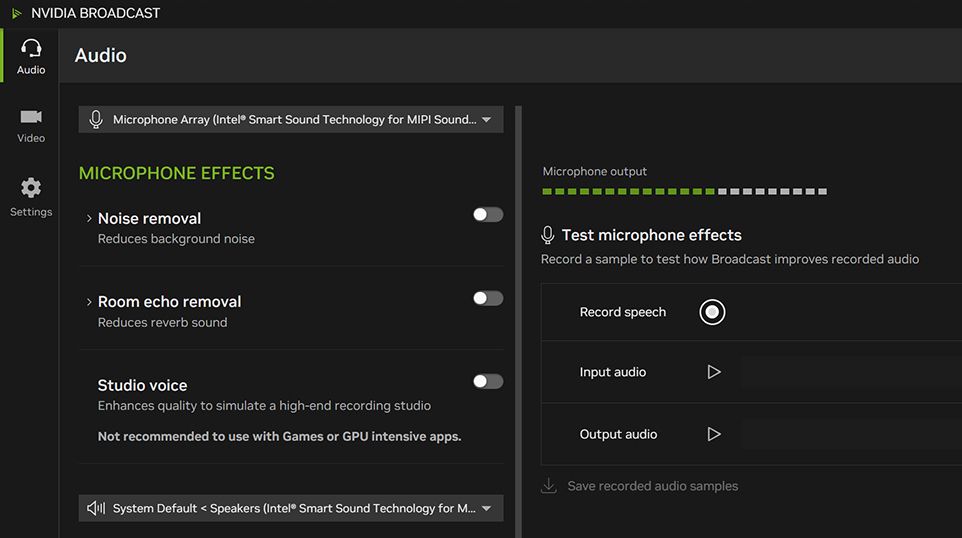
NVIDIA Broadcast belongs in this comparison for one narrow but important reason: some people use Krisp primarily to remove keyboard noise, fans, room echo, and other distractions. NVIDIA Broadcast creates local virtual microphone, speaker, and camera devices that apply AI effects before the audio reaches Zoom, Teams, Discord, or another communication app.
The app is free, but the hardware is not. It requires 64-bit Windows, at least 8 GB of RAM, and a supported NVIDIA RTX GPU, beginning with the GeForce RTX 2060, Quadro RTX 3000, or TITAN RTX class listed in the current requirements.
Features
- Microphone noise removal
- Room-echo removal
- Speaker noise filtering
- Camera background and framing effects
- Local virtual devices compatible with many meeting and streaming apps
Pros
- No recurring software subscription
- Processes audio locally on compatible hardware
- Replaces the most recognizable Krisp audio-cleanup job
Cons
- Requires Windows and a compatible RTX GPU
- Does not record meetings, transcribe speech, or create AI notes
Best for: Windows users who already own an RTX GPU and need cleaner meeting audio, not a Krisp AI Note Taker replacement.
Krisp vs. Its Alternatives: Full Feature and Free-Plan Comparison
The table below uses Yes for a core supported capability, Partial when support depends on workflow or plan, and No when the tool is not designed for that job. "Free forever" refers to a continuing entry plan, not a trial.
| Tool | Free Forever | Bot-Free Option | Live Transcript | In-Person Capture | File or Source Upload | AI Notes | Noise Removal | Key Free Limit | Best For |
|---|---|---|---|---|---|---|---|---|---|
| Krisp | No, seven-day trial | Yes | Yes | Yes | Partial | Yes | Yes | Trial ends after seven days | One integrated audio-and-notes workflow |
| Lynote | Yes | Yes, upload workflow | No | After recording | Yes | Yes | No | Verify current workspace allowance | Mixed-source structured notes |
| Fathom | Yes | Partial, depends on capture path | No | Limited | Limited | Yes | No | Advanced AI for five calls per month | Frequent online meetings |
| Granola | Yes | Yes | Partial | Partial | Limited | Yes | No | History and advanced-use limits | Bot-free human-guided notes |
| Otter.ai | Yes | Partial | Yes | Yes | Yes | Yes | No | 300 minutes/month and 30 minutes/conversation | Live and mobile transcription |
| Fireflies.ai | Yes | Yes, in supported workflows | Yes | Yes | Yes | Yes | No | 400 storage minutes and limited AI credits | Integrations and meeting memory |
| tl;dv | Yes | Partial | No | Limited | Partial | Yes | No | Advanced insights and team features vary | Video meetings and clips |
| MeetGeek | Yes | Yes | Partial | Yes | Yes | Yes | No | Three hours/month and limited retention | Structured summaries and automation |
| NVIDIA Broadcast | Yes | Yes | No | No | No | No | Yes | Compatible Windows RTX hardware required | Noise and echo removal |
This comparison also explains why a raw product count is misleading. Fathom may be the better free meeting recorder, Lynote may create the more useful study note, and NVIDIA Broadcast may solve the actual sound problem; none of those conclusions contradicts the others.
How to Choose the Right Krisp Alternative
1. Start With the Audio Source
Decide whether the content begins as a live online meeting, an in-person conversation, an existing recording, or a set of mixed materials. A calendar assistant is efficient for scheduled calls, while an upload-first workspace is more flexible for lectures, interviews, webinars, PDFs, and webpages.
2. Choose an Acceptable Capture Method
Some teams accept a visible bot because it makes recording obvious; others prefer local or extension-based capture because it keeps the participant list clean. Company devices may block desktop installation, while some meeting hosts may refuse external bots, so architecture can eliminate a tool before pricing does.
3. Find the Real Free Limit
Do not stop at the word "free." Check the recurring transcription allowance, per-session duration, number of meetings, retained history, audio storage, AI-summary credits, downloads, exports, integrations, and whether the plan requires specific hardware.
4. Run One Comparable Evaluation
Use the same 20- to 30-minute recording or a meeting with comparable conditions in your finalists. Score speaker labels, names, numbers, decisions, owners, deadlines, note structure, time required to correct the result, search, export, and what the session consumes from the free allowance.
Avoid declaring one product "more accurate" from two unrelated meetings. Audio clarity, microphone distance, overlap, vocabulary, accent, and language can change the result more than the product name alone.
5. Review the High-Risk Details Manually
An AI summary can sound polished while assigning a task to the wrong person. Verify dates, prices, numbers, commitments, speaker names, and action owners against the transcript or recording before distributing the note or sending tasks into another system.
Recording Consent, Privacy, and Sharing Checks
A bot-free recorder is less visible, not exempt from recording rules. Tell participants when required, follow organizational policy, and avoid assuming that a technical ability to capture device audio creates permission to do so.
Before choosing a tool, check where recordings are processed, how long audio and transcripts are retained, whether the vendor uses customer content for model training, who receives automated recap emails, and whether a public link can be reshared. Enterprise security badges do not replace a review of the exact plan and settings your team will use.
Automatic sharing deserves particular attention. A concise workflow is to generate the recap, review sensitive details and action owners, correct the note, then share it intentionally rather than letting an unreviewed summary become the meeting record.
FAQs About Free Krisp AI Alternatives
What Is the Best Free Alternative to Krisp AI?
Fathom is the strongest free alternative for frequent online meeting recording and transcription, while Granola is a closer bot-free note-taking alternative. Lynote is the better fit when you want structured notes from existing recordings, lectures, documents, videos, and webpages rather than automatic live meeting capture.
Is Krisp AI Note Taker Free?
Krisp currently offers a seven-day free trial for its Meeting AI features. As of August 20, 2026, its public pricing page does not present that trial as a permanent free-forever note-taking plan.
What Is the Best Bot-Free Krisp Alternative?
Granola is the closest bot-free alternative for live meetings because it captures device audio and enhances the notes you write. Lynote is bot-free in a different way: you provide a recording, file, or link after or outside the meeting rather than having an assistant attend the call.
Is Fathom Better Than Krisp for Meeting Notes?
Fathom can be better for users prioritizing a generous recurring free meeting-transcription plan. Krisp is stronger when the same user also needs real-time noise cancellation and wants bot-free capture bundled with meeting notes.
Can Lynote Replace Krisp AI Note Taker?
Lynote can replace the workflow that turns a meeting recording into structured, editable notes. It can also combine that recording with documents, videos, images, webpages, and YouTube links, but it does not replace Krisp's live noise cancellation or automatically attend the meeting.
Which Free Krisp Alternative Removes Background Noise?
NVIDIA Broadcast provides free AI noise and room-echo removal for users with a compatible NVIDIA RTX GPU and Windows PC. It does not create transcripts or notes, so pair it with a note-taking tool when both outputs are required.
Does a Bot-Free AI Note Taker Still Require Recording Consent?
Potentially, yes. Whether a bot appears in the participant list does not determine recording obligations; users should follow applicable rules, company policy, and participant expectations for the meeting and location involved.
Final Verdict
Choose Lynote when your real goal is to turn recordings and mixed source material into structured notes you can edit, question, share, and reuse. Choose Fathom for frequent free online meetings, Granola for bot-free human-guided notes, Otter.ai for live and mobile transcription, Fireflies for integrations, tl;dv for video evidence, and MeetGeek for structured automation.
Choose NVIDIA Broadcast only when "Krisp alternative" means free background-noise removal on hardware you already own. Keep Krisp when audio cleanup, bot-free capture, transcription, and meeting notes all matter together and the simplicity of one paid app is worth more than assembling several specialized tools.

Written by Danny
Product Marketing Manager
Danny explains how Lynote features fit real workflows, from everyday productivity to product-led writing use cases. View all articles →