Best Boostnote Alternative for AI-Generated Notes

Boostnote has a loyal history among developers who wanted a Markdown-first note app for code snippets, technical docs, and project knowledge. Today, the question is more complicated: is Boostnote still the right note app, or should students, creators, and teams choose a more AI-ready workspace?

This Boostnote review looks at the current product, the older Boostnote legacy ecosystem, platform questions like Boostnote Mac and Boostnote Windows, and where a Boostnote alternative such as Lynote may fit better. The short answer: Boostnote can still make sense for Markdown-heavy developer documentation, but it may feel narrow if your workflow starts with PDFs, videos, audio, webpages, or study materials.
Boostnote Review: Is It Still the Right Note App?
Boostnote is still most relevant for developers and technical teams who want Markdown-based documentation, structured project knowledge, and a workspace built around engineering collaboration. The official Boostnote site presents the product as a document-driven project management platform for remote DevOps teams, with Markdown editing, collaboration, project organization, and developer-focused workflows.
If your notes are mostly written manually, Boostnote can be a practical fit. It is especially useful when your team already thinks in Markdown, technical specs, internal docs, and issue-driven workflows.
If your notes usually come from lectures, YouTube videos, PDFs, recordings, research papers, screenshots, or webpages, Boostnote may not be the most direct option. In that case, an AI note workflow such as Lynote AI Note Generator can help you turn source material into structured notes first, then edit or reuse the output.
What Is Boostnote?
Boostnote is a Markdown note and documentation app with a strong developer identity. Older users may remember Boostnote as a local note-taking app for programmers, while the current product language focuses more on DevOps collaboration, technical documentation, and document-driven project management.
This history is one reason searchers look for terms like boostnote local, boostnote legacy, boostnote GitHub, and boostnote download. They are often trying to understand whether Boostnote is still the same local Markdown app they used before, or whether the product has moved toward a more collaborative online workspace.
That shift is not necessarily bad. It just means a Boostnote review should separate the older local-note expectation from the current team-documentation positioning.
Boostnote Key Features
Boostnote is strongest when the user wants to write and organize technical material directly. Its core value is not automatic note generation, but structured documentation for people who already know what they want to capture.

| Feature | What It Means | Best Fit |
|---|---|---|
| Markdown editing | Write notes and docs with Markdown syntax | Developers and technical writers |
| Team documentation | Organize shared knowledge in one workspace | Remote engineering teams |
| Project knowledge | Connect notes with project workflows | DevOps and product teams |
| Cross-platform use | Searchers often look for Boostnote Mac, Windows, Android, and online options | Users working across devices |
| Open-source history | Older Boostnote GitHub and legacy projects still shape user expectations | Developers who value transparency |
The main appeal is clarity. Boostnote gives technical teams a place to write, organize, and collaborate around documentation without turning every note into a visual database or generic productivity board.
How Boostnote Works for Markdown Notes
A typical Boostnote workflow starts with writing. You create a document, format it in Markdown, organize it inside a workspace, and share it with teammates if collaboration is part of your setup.
This is useful for API notes, setup guides, engineering decisions, meeting notes, sprint planning, and internal documentation. If you already know the content, Boostnote helps you store and structure it.
The limitation is that Boostnote is not mainly designed to extract notes from source materials. If you want an app that listens to audio, reads a PDF, summarizes a video, or turns a webpage into study notes, you may need a different workflow before your content ever reaches Boostnote.
Boostnote Local, Legacy, and GitHub: Why Users Get Confused
Many people still search for boostnote local because the older Boostnote experience was closely associated with local Markdown notes. Searches for boostnote legacy and boostnote GitHub also show that users are trying to understand the old app history.
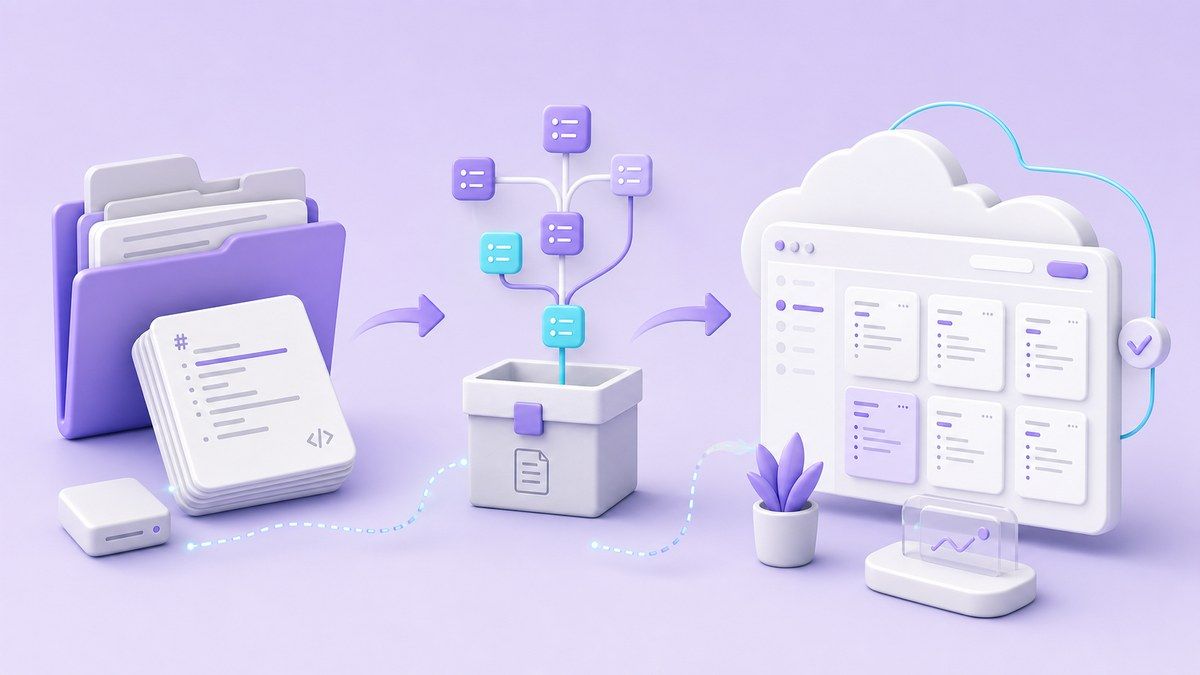
The BoostIO GitHub repository for the newer BoostNote app is marked as archived, while older BoostNote-Legacy references still appear across the web. That makes the product story less straightforward than a simple "download and start taking notes" app.
For users, the practical question is not just "does Boostnote exist?" It is "which Boostnote am I looking at, and does it match the workflow I need now?"
Is Boostnote Free?
Many users search "is Boostnote free" because the product has had open-source and free-plan associations. The current Boostnote site mentions a free forever plan, open-source positioning, and no credit card messaging.
That said, users should still check the latest Boostnote pricing and product pages before committing, especially if they need team collaboration, cloud workspace features, or advanced controls. Free access can be enough for light use, but a team documentation workflow often depends on permissions, sync, and workspace management.
For a review article, the safest recommendation is simple: treat the free plan as a way to evaluate fit, not as proof that every workflow will stay free forever.
Boostnote Pros and Cons
Boostnote is not a bad app. It is just a specific app with a specific audience, and that matters when comparing it with broader AI note tools.
| Pros | Cons |
|---|---|
| Strong Markdown workflow | Less suited for automatic notes from source content |
| Developer-friendly structure | Product history can confuse legacy users |
| Useful for technical documentation | Not focused on lecture, video, audio, or PDF-to-notes workflows |
| Works well for team knowledge bases | May feel too engineering-specific for students or creators |
| Has open-source and GitHub history | Some users may need to verify current app status and platform support |
Boostnote works best when notes are written by humans from the start. If the bottleneck is turning raw content into usable notes, a Boostnote alternative may save more time.
Boostnote vs Lynote: Different Note-Taking Jobs
Boostnote and Lynote are not trying to solve the exact same problem. Boostnote is more about writing and managing Markdown documentation, while Lynote is more about generating structured notes from content sources.
| Need | Boostnote | Lynote AI Note Generator |
|---|---|---|
| Write Markdown docs manually | Strong fit | Possible after generation, but not the main angle |
| Generate notes from PDFs | Not the main workflow | Supported through uploaded documents |
| Generate notes from audio or video | Not the main workflow | Supports audio and video sources |
| Use YouTube links | Not the main workflow | Supports YouTube link input |
| Edit AI-generated notes | Not the core purpose | Built around review and editing |
| Turn notes into flashcards | Not the main workflow | Available from generated notes |
| Developer documentation | Strong fit | Useful when source materials need to become notes first |
The choice depends on where your notes begin. If they begin in your head and you want Markdown, Boostnote is reasonable. If they begin in a lecture recording, PDF, video, image, webpage, or YouTube link, Lynote is more direct.
A Boostnote Alternative for AI-Generated Notes
A good Boostnote alternative should not simply copy Markdown editing. It should solve the part of note-taking that manual Markdown apps usually leave to the user: collecting, understanding, and structuring source material.

Lynote AI Note Generator is built around that earlier stage of the workflow. You can add source content, generate structured notes, review the result, ask follow-up questions, and reuse the material for study or work.
This is especially helpful for students, researchers, content creators, and professionals who do not start with a blank note. They start with messy information and need a faster way to turn it into something readable.
How to Use Lynote Instead of a Manual Note App
Step 1. Add Your Source Content
Open Lynote and upload a file or paste a supported link. You can work with documents, audio, video, images, webpages, and YouTube sources, depending on the material you need to study or summarize.
This is the biggest difference from a traditional Markdown note app. You do not have to manually rewrite every source into notes before organizing it.
Step 2. Generate AI Notes
After adding the source, create the note so Lynote can turn the material into structured sections, key points, and review-friendly notes. The result is designed to give you a usable starting point instead of a blank editor.
This is useful when the original source is long, dense, or hard to scan. A lecture, meeting, paper, or video can become a cleaner note set for review.
Step 3. Review, Edit, and Reuse
Once the notes are generated, you can edit them, ask questions about the content, export or share them, or convert important parts into flashcards. This keeps the workflow close to learning and reuse, not just storage.

Lynote still requires review, especially when the source is complex or the audio is unclear. But it can reduce the manual work needed to build the first usable version of your notes.
When Boostnote Is Still the Better Choice
Boostnote is still a strong option if you mainly write technical notes yourself. It makes sense for developers who want Markdown control, project docs, and an organized engineering knowledge base.
It may also fit teams that need shared documentation more than AI extraction. If your team already has content written by engineers and just needs a place to organize it, Boostnote can be enough.
In short, Boostnote is better for manual technical documentation. Lynote is better when your real problem is converting source material into structured notes.
When You Should Choose a Boostnote Alternative
Choose a Boostnote alternative if your note-taking workflow depends on input variety. That includes PDFs, class recordings, webinars, YouTube videos, screenshots, research papers, webpages, and meeting files.
You should also look beyond Boostnote if you want AI-generated summaries, source-linked notes, follow-up Q&A, and flashcards. Those workflows are increasingly common for students and professionals who need to learn or reuse information quickly.
Boostnote can help you write notes. Lynote can help you create notes from the material you already have.
FAQs About Boostnote
Is Boostnote still available?
Boostnote still has an active public website, and the product is positioned around Markdown documentation and DevOps collaboration. However, users may also find older Boostnote legacy and GitHub references, so it is worth checking which version or product page they are using.
Is Boostnote free?
Boostnote's current website mentions a free forever plan and no credit card requirement. If you need team features, cloud collaboration, or advanced workspace controls, check the latest Boostnote pricing before choosing it for long-term use.
What is Boostnote legacy?
Boostnote legacy usually refers to older versions of the Boostnote note-taking app that were popular with programmers. These older references are different from the current product positioning, which focuses more on document-driven project management and DevOps documentation.
Does Boostnote work on Mac and Windows?
Searchers often look for Boostnote Mac and Boostnote Windows because Boostnote has historically supported desktop workflows. The current product site also presents platform compatibility, but users should confirm the latest download options before installing.
Does Boostnote have Android support?
Boostnote Android is a common search because older Boostnote materials mentioned mobile support. If Android access matters to your workflow, check the latest official Boostnote download or app information before relying on it.
Is Boostnote good for Markdown?
Yes, Markdown is one of Boostnote's strongest use cases. It is a better fit for users who want to write technical notes manually than for users who want AI to generate notes from source files.
What is the best Boostnote alternative?
The best Boostnote alternative depends on your workflow. For AI-generated notes from documents, videos, audio, images, webpages, and YouTube links, Lynote AI Note Generator is a strong option because it focuses on turning source material into structured notes.
Final Verdict: Is Boostnote Still the Right Note App?
Boostnote is still worth considering if you want a Markdown-first documentation app for developers, DevOps teams, and technical projects. It is less ideal if your daily work involves turning PDFs, videos, recordings, webpages, or lectures into notes.
For users who want a modern Boostnote alternative focused on AI note generation, Lynote is the more practical fit. Boostnote helps you write and manage notes; Lynote helps you create structured notes from the information you already need to understand.

Written by Janet L. Harris
AI Writing Specialist
Janet reviews AI detectors and humanization tools, with a focus on accuracy, limitations, and responsible use. View all articles →