Turbo AI Notetaker App Review: Is It Right for Notes?

Turbo ai - notetaker is searched by students who want a faster way to turn lectures, PDFs, recordings, and study materials into usable notes. Turbo AI has positioned itself around AI study tools, including notetaking, flashcards, quizzes, and learning activities. This review explains what the Turbo AI notetaker app appears to offer, how the workflow usually works, and when an alternative like Lynote may be a better fit.
Quick Verdict: Turbo AI - Notetaker at a Glance
Turbo AI can be useful if you want an AI study platform built around notes, quizzes, and flashcards. Its website describes support for materials such as PDFs, videos, recordings, lectures, and webpages, which makes it relevant for students who learn from many sources.
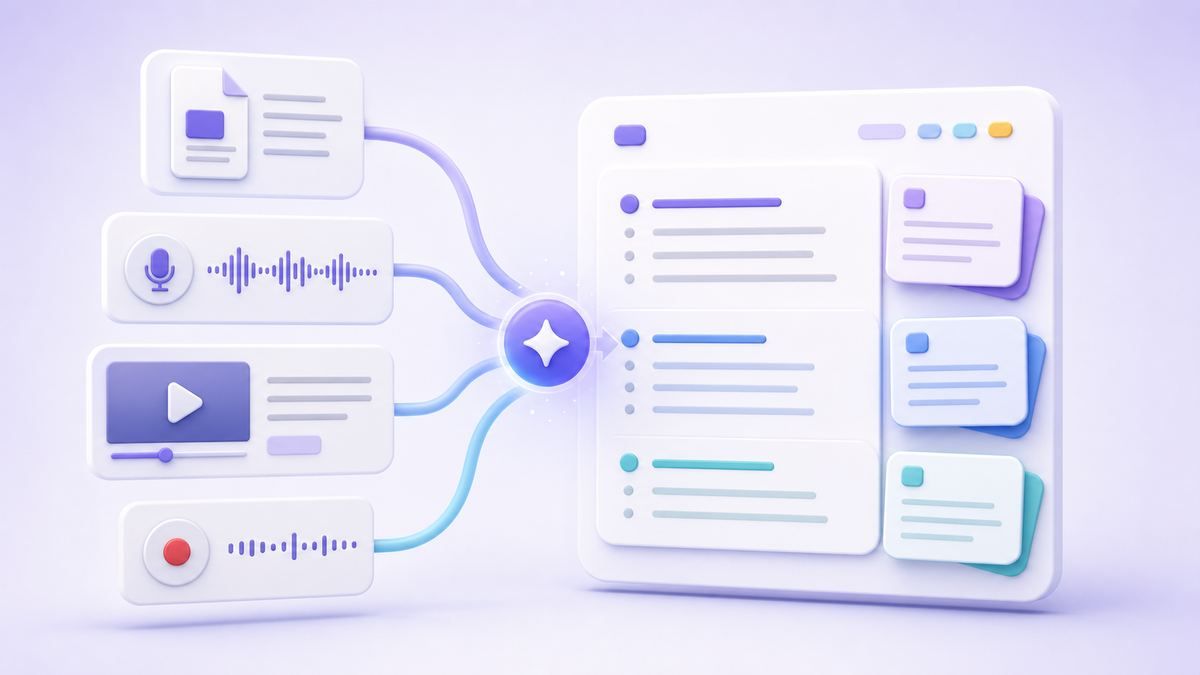
The main question is whether you need Turbo AI specifically, or whether you need a flexible AI note generator that turns source material into structured notes you can edit, ask questions about, and reuse. If your priority is source-to-notes workflow across documents, media, and links, Lynote is worth comparing.
| Need | Turbo AI Notetaker | Lynote AI Note Generator |
|---|---|---|
| Lecture and study notes | Built for students and study workflows | Built for documents, audio, video, images, webpages, and YouTube links |
| Flashcards | Promoted as part of study activities | Notes can be converted into flashcards |
| Quizzes | Promoted as a study feature | Focuses on notes, Q&A, reuse, and flashcard workflow |
| Source flexibility | Describes PDFs, videos, recordings, lectures, webpages | Supports 20+ formats through the AI note workflow |
| Best fit | Students wanting a study app experience | Users wanting structured AI notes from many source types |
What Is Turbo AI Notetaker?
Turbo AI is an AI study platform that presents itself as a tool for turning learning materials into interactive study activities. Users searching for turbo ai notetaker usually want to know whether it can capture lecture content, summarize study sources, and organize notes without manual rewriting.
The Turbo AI note taker review angle matters because "notetaker" can mean different things. Some users expect live meeting-style notes, while others expect notes from uploaded files, lectures, recordings, or videos. Turbo AI appears closer to a study-focused note and review platform than a generic meeting assistant.
That can be a good fit for students, especially if the goal is to turn class material into notes and practice activities. Still, before relying on any turbo ai notetaker app, you should check the exact input types, free limits, export options, and login requirements on the current website.
Key Features to Check Before Using Turbo AI
AI Notes From Study Materials
The biggest reason people search for turbo ai - notetaker is to avoid rewriting notes from scratch. If your lecture recording, PDF, or video already contains the material, an AI notetaker should help extract the main ideas, organize sections, and make review easier.
Turbo AI's site highlights study materials such as PDFs, videos, recordings, lectures, and webpages. That suggests the turbo ai notetaker app is designed for source-based study rather than blank-page writing. For students, that is more practical than a simple text summarizer.
Flashcards and Quizzes
A study notetaker becomes more useful when it helps you review what you captured. Turbo AI promotes flashcards and quizzes as part of the learning workflow, which can help students move from passive reading to active recall.
This is important because notes alone do not always lead to retention. A useful turbo ai note taker review should ask whether the tool helps you study after notes are created. If you need both notes and recall practice, compare how each tool handles that full workflow.
Website and Login Experience
People also search for turbo ai note taker website and turbo ai note taker login because they want to find the official product and understand access. The official website is the safest place to start, especially because AI tools may have copycat pages or outdated reviews online.
Before uploading private study material, confirm that you are on the real Turbo AI website. Then check whether the tool requires an account, what the free tier includes, and whether your file or recording type is supported. Those details can change over time, so the live product page matters more than old screenshots.
How to Use Turbo AI Notetaker
Step 1. Open the Turbo AI Website
Start by visiting the official turbo ai note taker website at Turbo AI. Avoid unofficial mirrors, copied landing pages, or random login pages found through search ads.
Once you are on the website, look for the notetaker or study material workflow. The exact interface may change, but the main idea is to choose the source you want to turn into notes. This may include a PDF, video, recording, lecture, or webpage depending on current support.
Step 2. Log In or Start With the Free Option
Many users search for turbo ai note taker free because they want to test the workflow before paying. If a free option is available, use it to test one typical source from your real study routine.
The turbo ai note taker login step may be required before you can save notes, generate study activities, or access your study history. That is normal for study platforms, but it is still worth checking what you can do before and after account creation. If you only need a quick one-time note, login friction may matter.
Step 3. Upload or Add Your Study Material
After entering the tool, add the material you want to study. For a turbo ai notetaker workflow, that usually means starting from the lecture, document, video, recording, or webpage that contains the information.
Use a source that represents your real workload. A short PDF may be easy for most tools, but a long lecture recording or dense slide deck may reveal more about how the app handles structure. Review the generated notes carefully before using them for assignments or exams.
Step 4. Review Notes, Flashcards, or Quizzes
Once the AI output appears, check whether it is useful as study material. Look for headings, missing concepts, repeated sections, weak explanations, and any details that need correction.
If Turbo AI generates flashcards or quizzes, test whether the questions match your course goals. AI-generated study activities can be helpful, but they should not replace your judgment. The best result is usually a first draft you review, edit, and personalize.
Turbo AI Notetaker Pros and Cons
| Pros | Cons |
|---|---|
| Study-focused positioning | Exact free limits may change |
| Notes plus review activities | Login may be needed for full workflow |
| May work with multiple study source types | Not every user needs quizzes or a full study platform |
| Useful for students who want active recall | Output still needs review for accuracy and context |
Turbo AI is appealing because it frames note-taking as part of studying, not just text generation. That makes it more useful than tools that only produce a plain summary.
The tradeoff is that students should still verify the output. Any AI notetaker can miss context, simplify too much, or misunderstand a diagram, formula, speaker, or technical term. Treat the notes as a study draft, not a final authority.
A Practical Alternative: Lynote AI Note Generator
If your goal is to turn many source types into structured notes, Lynote AI Note Generator is a strong alternative to compare. Lynote focuses on converting documents, audio, video, images, webpages, and YouTube links into AI notes with headings, bullet points, and source-linked sections.

This makes Lynote useful when your material is scattered across PDFs, lecture videos, recordings, screenshots, webpages, or class documents. Instead of only thinking about a turbo ai - notetaker workflow, you can choose a source-first workflow that creates editable notes and lets you continue studying from there.
Lynote is especially useful if you want to edit notes inline, ask follow-up questions, export or reuse the content, or convert the note set into flashcards. The candid limitation is that AI notes still need review, especially for unclear audio, dense formulas, scanned content, or highly visual slides.
How to Use Lynote Instead
Step 1. Add Your Source Content
Open Lynote AI Note Generator and add the source you want to study. You can upload a local file or paste a supported URL, depending on the material.
This works well when your study source is not just a typed document. You may be working with a PDF, audio recording, video, image, webpage, or YouTube link. Choose the input method that matches the source.
Step 2. Generate Structured AI Notes
Create the note and let Lynote process the source into structured content. The output can include headings, bullets, and organized sections that are easier to review than raw transcripts or copied text.
This is where Lynote differs from a basic summarizer. The goal is not only to shorten content, but to build a study-ready note that keeps the source material useful. You can then refine the note inside the workspace.
Step 3. Edit, Ask Questions, or Convert to Flashcards
After the note is generated, review it carefully. Edit wording, remove repeated ideas, add your own class examples, or ask follow-up questions when something is unclear.
If you want active recall, convert important points into flashcards. This gives you a workflow similar to what users often want from turbo ai notetaker tools: source material becomes notes, and notes become study practice.
Turbo AI vs Lynote: Which Should You Choose?
Choose Turbo AI if you want a study app experience that centers on notes, quizzes, flashcards, and student review activities. It may be a good fit if you like having learning tools bundled around one study platform.

Choose Lynote if your main need is flexible source-to-notes conversion. Lynote is better positioned for users who work with many input types and want structured notes, editing, Q&A, export, and flashcard conversion in the same workflow.
The difference is less about which tool is universally better and more about your study pattern. If your searches include turbo ai note taker review because you are comparing tools, test both with the same lecture, PDF, or video. The better tool is the one that gives you notes you can actually use.
What to Check Before You Commit
Before choosing a notetaker, test one real study task from start to finish. Upload the kind of material you use most often, then check the output for structure, accuracy, and missing details.
Also check whether the free tier is enough for your workload. Searches like turbo ai note taker free often come from users who want to avoid paying before seeing results. That is reasonable, but limits can change, so verify current usage rules on the official site.
Finally, check whether you can export, edit, or reuse the notes outside the platform. A notetaker is more valuable when it does not trap your study material in one place. For many students, editable notes and flashcards matter more than a polished first impression.
FAQs About Turbo AI - Notetaker
Is Turbo AI a notetaker?
Turbo AI presents itself as an AI study tool that can help turn learning materials into notes and study activities. Users searching for turbo ai - notetaker are usually looking for that note-generation workflow.
Is Turbo AI Notetaker free?
Turbo AI may offer a free way to start, but free access, limits, and available features can change. Check the official Turbo AI website for the current free plan or trial details before relying on it.
Where is the Turbo AI note taker login?
Use the official Turbo AI website to find the current login page. Avoid unofficial login pages or copied product pages, especially if you plan to upload private school or work material.
What is the Turbo AI note taker app used for?
The turbo ai notetaker app is mainly relevant for students who want to turn study materials into notes and review activities. It may help with PDFs, recordings, videos, lectures, and related learning sources depending on current support.
Is Lynote better than Turbo AI?
Lynote is not "better" for every user, but it may be a better fit if you want flexible AI notes from documents, audio, video, images, webpages, and YouTube links. Turbo AI may fit users who prefer a study-app experience with quizzes and flashcards around the notes.
Can AI notetakers replace studying?
No. AI notetakers can create useful drafts, summaries, flashcards, and review material, but you still need to check accuracy and understand the content. Treat any AI output as a starting point for study, not a substitute for learning.
Final Verdict
A turbo ai - notetaker search usually means the user wants faster notes from real study material, not just a generic AI summary. Turbo AI is worth reviewing if you want a study platform that connects notes with practice activities. Lynote is worth trying if you want a flexible AI note workflow for documents, media, webpages, and YouTube links, with editable notes and flashcard conversion built into the study process.

Written by Danny
Product Marketing Manager
Danny explains how Lynote features fit real workflows, from everyday productivity to product-led writing use cases. View all articles →