If you searched for a Blackboard AI detector, you probably want a plain answer before submitting an assignment: can Blackboard detect AI writing, ChatGPT, or copied text?
The honest answer is more specific than most people expect. Blackboard is the learning platform where your course, assignments, tests, and submissions live. It can support originality checking, activity logs, assessment settings, and third-party academic integrity tools, but Blackboard itself should not be treated as a universal AI writing detector.
The part that confuses people is that "Blackboard" can mean several different things in practice. One school may use Blackboard with SafeAssign only. Another may connect Turnitin, Copyleaks, Respondus, or a different proctoring or integrity system.
Another school may rely mostly on instructor review. That difference matters because the same submission page can sit in front of very different review workflows.
That means the right question is not just "Can Blackboard detect AI?" It is "What tools has my school enabled inside Blackboard, and what evidence can those tools actually provide?"
Quick Answer: Does Blackboard Have an AI Detector?
Blackboard Learn does not work like a single built-in AI detector that automatically scans every essay and returns a final AI score. Anthology, the company behind Blackboard, has publicly taken a cautious position on native AI plagiarism detection because AI detection can be unreliable, biased, and risky in high-stakes academic decisions.
However, your Blackboard course may still include AI-related review in other ways. It may use SafeAssign for originality checking, a third-party detector through an integration, proctoring software during exams, or instructor-led review based on writing quality, citations, drafts, and course policy.
| Question | Short Answer | What It Really Means |
|---|---|---|
| Does Blackboard have an AI detector? | Not as one universal built-in detector for every course. | Detection depends on the tools your institution enables. |
| Can Blackboard detect AI writing? | Blackboard alone is not a reliable authorship detector. | Integrated tools or instructors may still review suspicious writing. |
| What AI checker does Blackboard use? | There is no single default checker for all schools. | Some use SafeAssign, some use Turnitin or other tools, and some use none. |
| Does SafeAssign detect ChatGPT? | SafeAssign is mainly a text-matching originality checker. | It checks overlap with sources, not AI authorship by itself. |
| Can Blackboard see copy and paste? | Usually not as a simple "copied from ChatGPT" proof. | It may record platform activity, and extra monitoring tools can change what is visible. |
So the short version is this: Blackboard can be part of an AI review workflow, but it is rarely the whole system.
Blackboard, SafeAssign, and AI Checkers: The Difference
Most confusion comes from using "Blackboard" as a catch-all word. In reality, there are at least three different layers: the LMS, the originality checker, and any third-party AI detection or proctoring tools connected by the school.
Blackboard is the course platform. It hosts announcements, assignments, tests, gradebook items, rubrics, discussion boards, and submission pages. It can record certain activity inside the course, but it is not automatically reading your mind or watching every action on your computer.
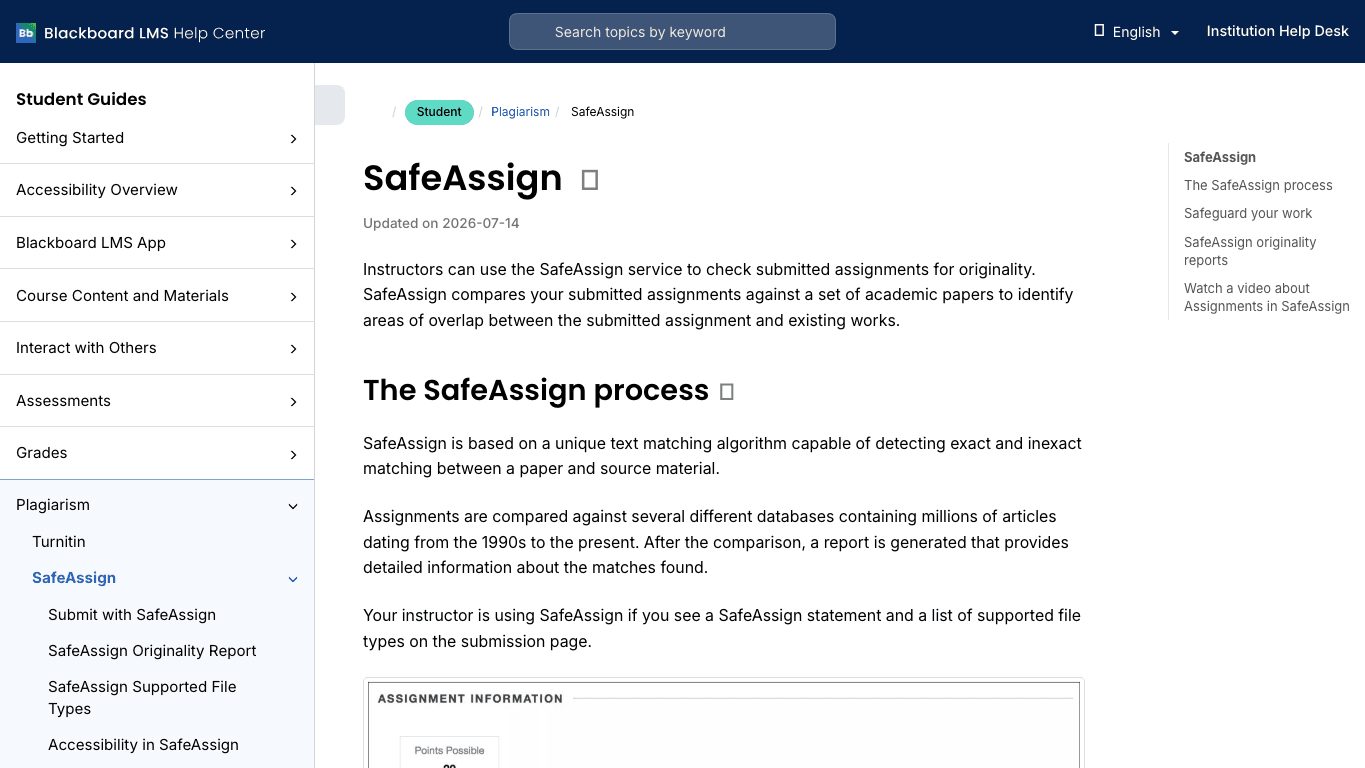
SafeAssign is an originality tool used inside Blackboard workflows. It compares submitted writing with databases and generates an originality report showing text matches. That is useful for plagiarism review, but it is different from deciding whether a paragraph was written by a language model.
AI checkers are probabilistic tools. They estimate whether text resembles AI-generated writing based on patterns such as predictability, sentence structure, repetition, and phrasing. A high score can be worth reviewing, but it is not the same as proof.
| System | What It Does | What It Does Not Prove |
|---|---|---|
| Blackboard Learn | Hosts courses, assignments, tests, submissions, and activity records. | It does not automatically prove who wrote every sentence. |
| SafeAssign | Finds text overlap with web pages, student papers, and reference databases. | It does not directly prove text was written by ChatGPT. |
| Third-party AI detector | Estimates whether writing resembles AI-generated text. | It does not provide absolute authorship certainty. |
| Proctoring or lockdown tools | May monitor test sessions or restrict browser activity. | They do not automatically explain how an essay was drafted outside the session. |
| Instructor review | Looks at writing quality, sources, draft history, and course expectations. | It should not rely on one signal alone. |
That distinction matters because a student might receive a plagiarism report, an AI score, and a comment from an instructor, but those are not the same type of evidence.
What AI Checker Does Blackboard Use?
There is no single AI checker that Blackboard uses in every course. Blackboard is configurable, and schools decide which academic integrity tools to enable.
Some Blackboard courses use SafeAssign. In that setup, the report is mainly about originality and text matches. If an assignment has no SafeAssign or external tool enabled, the submission page may simply collect the file or text without running a special integrity report.
Other institutions connect tools such as Turnitin, Copyleaks, or a similar academic integrity platform through their Blackboard environment. If that happens, the AI-related report is usually coming from the connected tool, not from Blackboard core.
Students can often tell what is being used by reading the syllabus, assignment instructions, submission screen, or school academic integrity policy. Instructors can also choose different settings for different assignments, so one class may behave differently from another class at the same school.
The safest assumption is not "Blackboard always detects AI" or "Blackboard never detects AI." The accurate assumption is "Blackboard may be connected to tools that review originality, activity, or AI-like writing, depending on the course."
Can Blackboard Detect ChatGPT or AI-Written Text?
Blackboard alone should not be treated as a reliable ChatGPT detector. It can host the assignment and may record activity around the submission, but detecting AI-written text is a different task.
If a school has connected a third-party AI detector, then a submitted essay may be reviewed by that tool. The result might show a probability score, highlighted text, or a risk category. Even then, AI detection should be read as a signal, not a final verdict.
There are several reasons. A human-written essay can look formulaic if the prompt is narrow, the student is writing in a second language, or the assignment requires a rigid structure.
An AI-assisted draft can also be heavily revised by a human. Short text, technical writing, and generic introductions are especially hard to judge.
Instructors may therefore look beyond the score. They might compare the submission with your previous writing, check whether citations are real and relevant, ask about your process, or request notes and drafts. That kind of review is often more meaningful than a single detector number.
Can Blackboard See If You Copy and Paste?
In a normal assignment submission, Blackboard does not usually show an instructor a simple message saying "this paragraph was copied from ChatGPT." Copy and paste is not the same as AI detection, and pasted text is not automatically proof of misconduct.
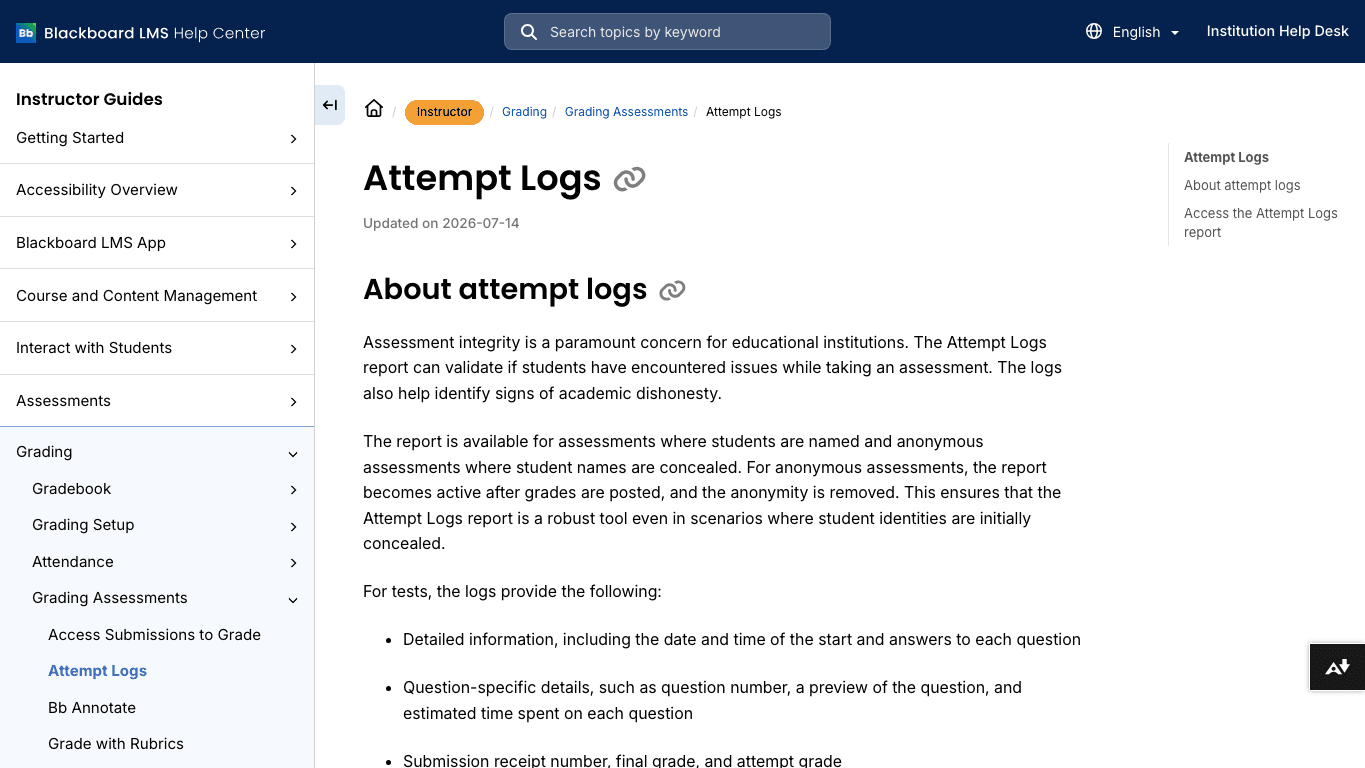
That said, Blackboard can record certain platform activity. Depending on the course and tool settings, instructors may be able to see events such as when an assessment was opened, started, saved, submitted, or reopened. Some test environments also include attempt logs that help instructors investigate technical issues or suspicious patterns.
Extra tools can change the picture. A lockdown browser, online proctoring system, plagiarism checker, or institution-specific integration may add monitoring beyond ordinary Blackboard activity. That is most common in exams or tightly controlled assessments, not every regular essay submission.
There are also indirect signals. Abrupt changes in writing style, pasted formatting, fake citations, missing source notes, or a final essay that does not match class participation can raise questions. Those signals do not prove AI use by themselves, but they can prompt closer review.
The practical lesson is simple: do not rely on rumors about what Blackboard can or cannot see. Follow the assignment policy, keep your notes and drafts, and be ready to explain how you developed your work.
What Blackboard Logs Can and Cannot Prove
Blackboard logs are useful, but they have limits. They can help reconstruct what happened inside the platform, especially for assessments, access issues, and submission timing.
For example, an attempt log may show that a student began an assessment, saved answers, changed answers, or submitted at a certain time. A student activity log may show course access or assessment-related events over a retention window. Those records can help with technical disputes and review patterns.
But logs do not automatically prove authorship. A timestamp does not tell you whether an essay was written from scratch, edited from notes, produced with help, or copied from somewhere else. It only shows a platform event.
| Evidence Type | What It Can Help Show | What It Cannot Prove Alone |
|---|---|---|
| Blackboard activity log | Course access, assessment events, timing, and certain platform actions. | Whether a paragraph was human-written or AI-written. |
| SafeAssign report | Text overlap with known sources and databases. | Whether original-looking text was generated by AI. |
| AI detector report | Whether writing resembles patterns common in AI-generated text. | Definite authorship or academic misconduct. |
| Draft history | How a piece of writing developed over time. | Intent, unless paired with context and conversation. |
| Instructor review | Fit with assignment, prior writing, citations, and explanation. | Final certainty without supporting evidence. |
This is why responsible academic review usually combines evidence instead of relying on one dashboard.
Why AI Detection in Blackboard Workflows Is Difficult
AI detection sounds simple until you look at real student writing. A detector is not reading the student's process. It is analyzing patterns in the final text.
That creates false positives and false negatives. A careful human writer can be flagged because their prose is formal, repetitive, or highly structured. An AI-assisted draft can pass a detector after human editing, especially if the student adds personal analysis, course-specific evidence, and original reasoning.
There is also no universal standard for what counts as "AI-generated." One student may use AI to brainstorm an outline, another to rewrite a paragraph, another to summarize sources, and another to generate a full draft. Those are very different behaviors under most academic policies.
That is why schools increasingly focus on process, disclosure, assignment design, and instructor judgment. AI detection can be one input, but it should not replace a fair review.
How Instructors Usually Review Suspected AI Writing
When an instructor suspects AI use, the strongest review usually starts with the assignment itself. Does the essay answer the prompt? Does it cite the assigned readings?
The next questions are more contextual. Does the essay include details from class discussion? Does the student understand the argument well enough to explain it?
The next layer is consistency. Instructors may compare the submission with earlier work, discussion posts, short answers, or in-class writing. A sudden shift in vocabulary, structure, or analytical depth can be relevant, although it is still not proof.
They may also check sources. AI-written drafts often include vague claims, weak evidence, incorrect citations, or sources that do not support the sentence they are attached to. A strong student draft should have sources that can be opened, verified, and connected to the argument.
Finally, an instructor may ask for process evidence. Notes, outlines, drafts, version history, research logs, or a short conversation about the argument can help show how the work was developed.
How to Check Your Own Draft Before Submitting
The best pre-submission workflow starts with the course policy. If your instructor says AI tools are not allowed for a certain task, respect that rule. If AI tools are allowed for brainstorming, editing, or language support, use them in the way the policy describes.
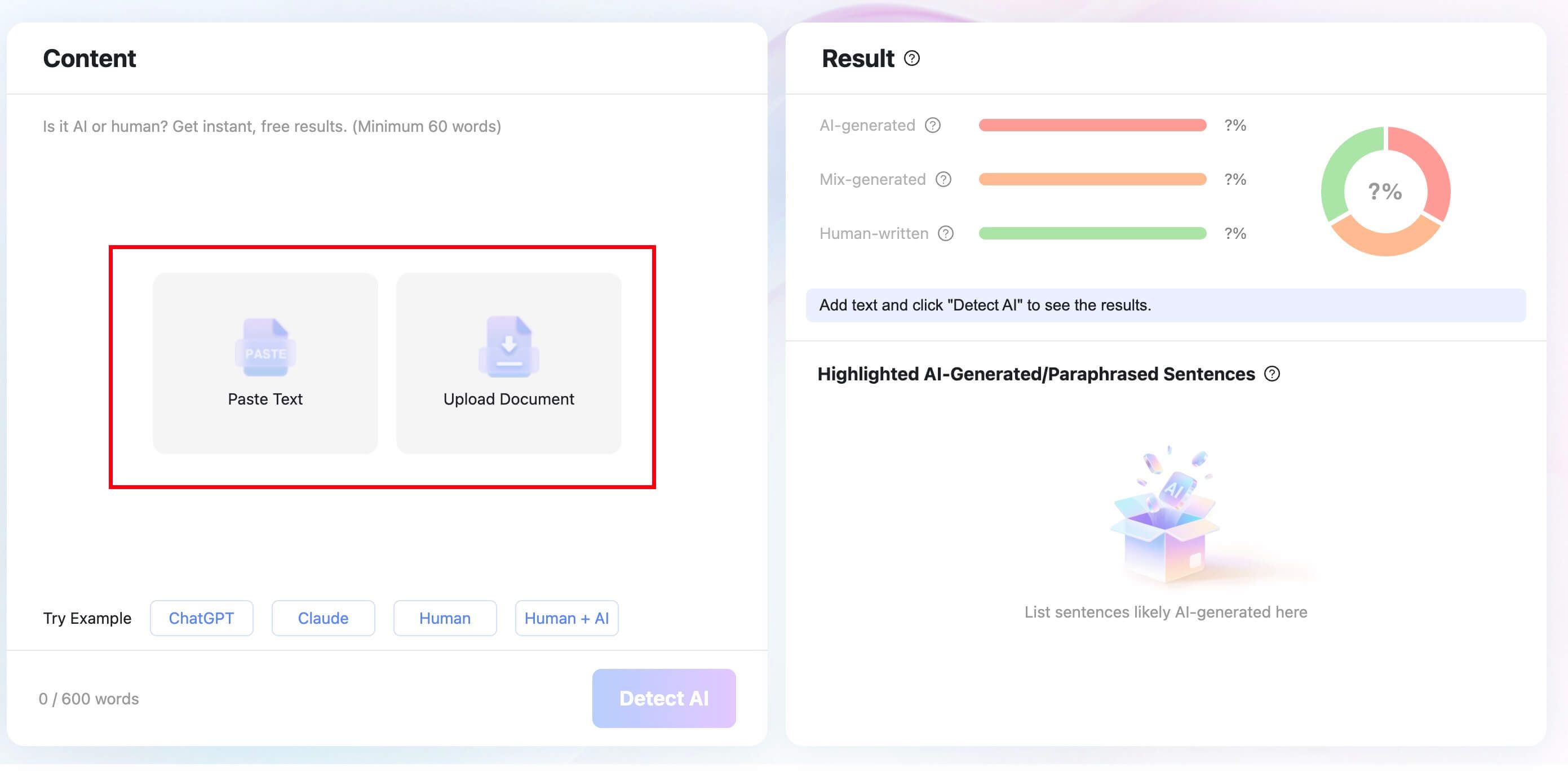
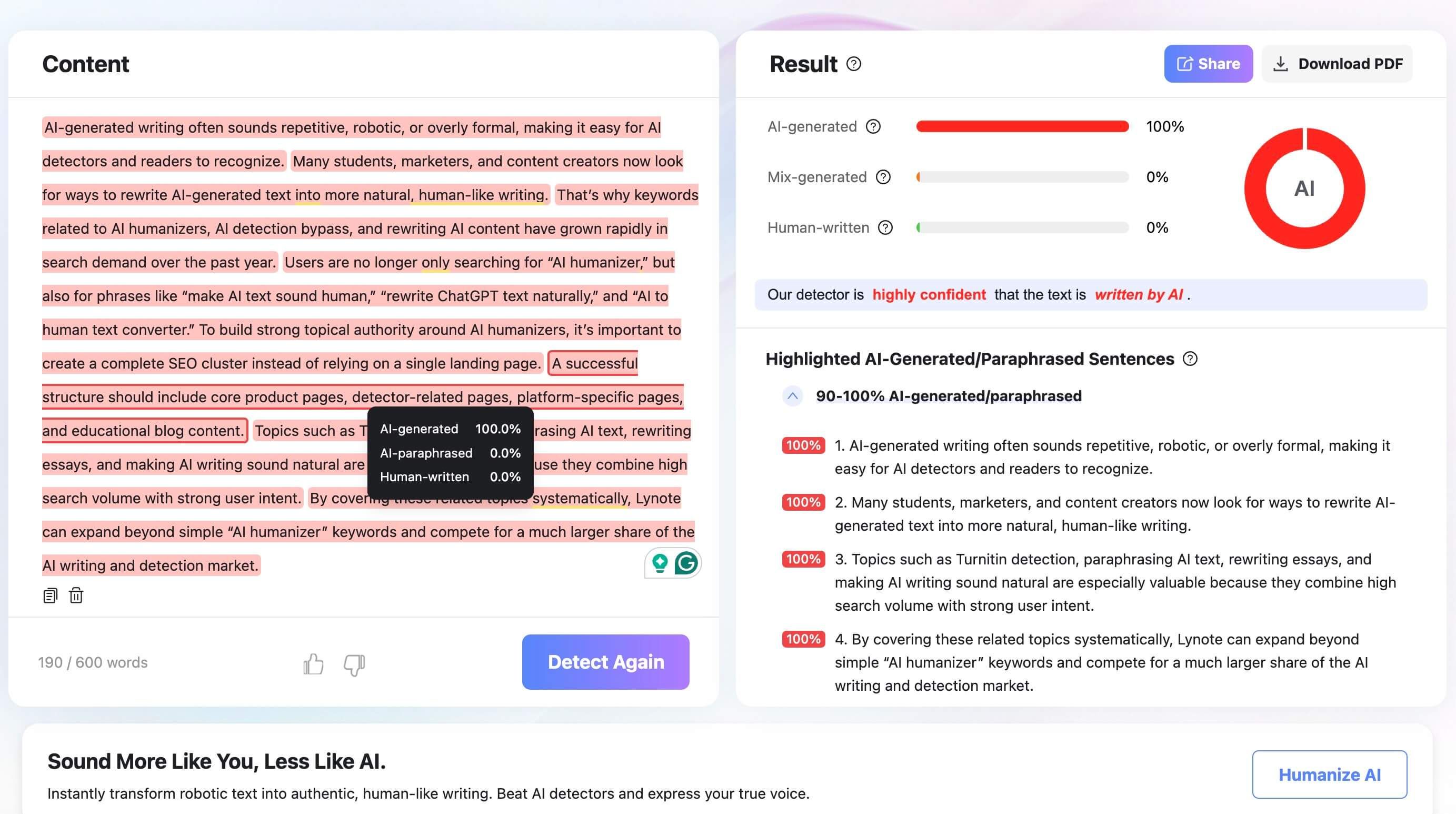
After that, use review tools as signals. You can paste your draft or upload a document to Lynote AI Detector to see whether parts of the writing look unusually AI-like.
The useful part is not just the score. It is the sentence-level review that helps you decide which parts need clearer evidence, more specific reasoning, or a more natural voice.
If a paragraph sounds stiff, repetitive, or generic, revise it from your own understanding. Add the specific source, explain the idea in relation to the assignment, and remove vague filler.
The goal is not to trick a detector. The goal is to make the work clearer and more accountable.
For authorized editing, Lynote AI Humanizer can help make your own draft read more naturally. Use it as a rewriting assistant, then check the output carefully for meaning, citations, and tone. Do not use any humanizer as a promise that text will pass Blackboard, Turnitin, SafeAssign, or an instructor review.
Keep your notes, outlines, source links, and drafts. If a question comes up later, process evidence is often more useful than arguing about a detector score.
Common Myths About Blackboard AI Detection
Blackboard AI detection rumors spread quickly because students often see only the submission page, not the settings behind it. Here are the myths worth clearing up.
| Myth | Reality |
|---|---|
| Blackboard automatically detects every AI-written essay. | Blackboard does not function as one universal AI detector for every course. |
| SafeAssign is the same as an AI detector. | SafeAssign is mainly an originality and text-matching tool. |
| A low SafeAssign score means no AI was used. | Low text overlap does not prove human authorship. |
| Copying and pasting always shows up as a direct alert. | Ordinary submission workflows usually do not prove copy-paste source by themselves. |
| A detector score is final proof. | AI detector scores are signals and should be reviewed with context. |
| Blackboard's AI Design Assistant detects student AI writing. | The AI Design Assistant is for helping instructors build course content, not for proving student authorship. |
These myths all come from the same mistake: treating one tool as if it can answer every academic integrity question.
FAQs About Blackboard AI Detection
Does Blackboard have an AI detector?
Blackboard does not have one universal built-in AI detector that applies to every course and every assignment. A school may connect third-party AI detection tools, but that depends on the institution and course settings.
Can Blackboard detect AI writing?
Blackboard alone should not be treated as a reliable AI writing detector. It may support originality reports, activity logs, integrations, and instructor review, but AI authorship detection depends on the tools and policies enabled in your course.
What AI checker does Blackboard use?
There is no single default AI checker used by all Blackboard courses. Some courses use SafeAssign for originality checking, while others may use Turnitin, Copyleaks, or another connected tool.
Does SafeAssign detect ChatGPT?
SafeAssign is mainly designed to identify text matches and originality issues. It can help find copied or overlapping text, but it is not the same as a dedicated ChatGPT or AI writing detector.
Can Blackboard see if you copy and paste?
Ordinary Blackboard assignment submissions usually do not prove that text was copied from a specific outside source. Blackboard may record platform events, and extra tools such as proctoring or lockdown software may add monitoring in certain assessment settings.
Can Blackboard detect paraphrased AI text?
Blackboard itself is not a paraphrased AI detector. A third-party AI checker or instructor review may flag text that seems unusually generic, inconsistent, or unsupported, but paraphrased AI text is difficult to judge with certainty.
Does Blackboard's AI Design Assistant detect student AI writing?
No. Blackboard's AI Design Assistant is an instructor-facing tool for course design tasks such as generating learning modules, rubrics, discussions, or assessment ideas. It is not the same as a student AI writing detector.
Final Verdict: Blackboard Is the Platform, Not the Whole Detection System
Blackboard may be where you submit the work, but it is not the whole academic integrity system. AI detection depends on what your school enables, whether SafeAssign or a third-party checker is attached, what assessment logs are available, and how the instructor reviews the work.
The most accurate answer is therefore conditional. Blackboard can support AI-related review, but it does not automatically prove that a student used AI.
SafeAssign checks originality, not AI authorship by itself. Third-party detectors can help, but their scores should be treated as signals.
For students, the strongest approach is boring but reliable: follow the course policy, use AI only when it is allowed, keep your drafts and sources, and make sure the final writing reflects your own understanding. For instructors, the fairest approach is to combine tool reports with process evidence and human judgment.

Written by Danny
Product Marketing Manager
Danny explains how Lynote features fit real workflows, from everyday productivity to product-led writing use cases. View all articles →