I Tested Anki vs Quizlet: Here's Which One I'd Choose

Anki and Quizlet both turn facts into flashcards, but they solve very different study problems. After importing a 30-card learning-science set into Anki and working through Quizlet's current public-set experience, I found that the choice is less about which app has more features and more about where you want the app to do the thinking.
My short answer: choose Anki when you want a durable review system that decides when each card should return. Choose Quizlet when you want to start quickly, find existing material, and practice the same set through several question formats. If I were preparing for a cumulative exam over several months, I would choose Anki; for a class quiz next week or a shared vocabulary set, I would choose Quizlet.
How I Tested Anki vs Quizlet
I built a controlled test around 30 terms from learning and memory science. The list included short definitions, easily confused concepts, and terms such as active recall, distributed practice, interference, and transfer-appropriate processing.
For Anki, I downloaded the official Apple-silicon version 26.08.1, imported the same two-column TSV file, reviewed cards, deliberately marked five answers wrong, marked another five as correct, opened the editor, and inspected the export workflow. I did not connect an AnkiWeb account or test the iOS and Android apps, so sync and mobile findings below come from current official product documentation rather than my session.
For Quizlet, I searched its public library, opened a current 72-term learning-science set in a signed-in web session, answered from its multiple-choice activity, and inspected its Flashcards, Learn, Test, game, discovery, and progress interfaces. Quizlet's create-set route triggered a Press & Hold human-verification screen, so I did not pretend to complete a matching import; creation, export, offline, and paid-plan limits are identified as documented features rather than hands-on results.
| Test | What I Did in Anki | What I Did in Quizlet | What I Measured |
|---|---|---|---|
| Find study material | Opened the shared-deck path | Searched current public sets | Discovery friction and context |
| Build a set | Imported 30 TSV rows | Inspected the current creation workflow; import was verification-blocked | Setup and transparency |
| Review | Revealed answers and used Again/Good | Used a public set's multiple-choice activity | Wrong-answer handling |
| Edit | Opened the current-card editor | Inspected editable public-set workflow and documented creator controls | Formatting and control |
| Portability | Opened Anki's export dialog | Verified current export rules in official Help documentation | Ownership and migration |
This is not a retention study. A single session cannot prove which app will make anyone remember more after six months, but it can reveal whether the workflow supports the kind of studying you intend to maintain.
Anki vs Quizlet at a Glance
The table below uses ✓ for a native or clearly supported capability, △ when the feature is limited, plan-dependent, or requires extra setup, and ✗ when it is not part of the core product.
| Capability | Anki | Quizlet | Why It Matters |
|---|---|---|---|
| Manual flashcards | ✓ | ✓ | Both handle basic term-answer cards well. |
| AI card generation from files | ✗ Core app | ✓ | Quizlet removes more of the first-draft work. |
| Configurable spaced repetition | ✓ | △ Adaptive Learn | Anki gives the learner much more scheduling control. |
| Multiple practice formats | △ Card templates | ✓ | Quizlet turns one set into several activity types. |
| Public study-set discovery | △ Shared decks | ✓ | Quizlet makes browsing and previewing easier. |
| Detailed card-template control | ✓ | △ | Anki supports fields, templates, HTML, and CSS. |
| Classroom assignments and live play | ✗ | ✓ | Quizlet is much better suited to teacher-led use. |
| Offline desktop study | ✓ | ✗ Web | Anki works as a local desktop application. |
| Offline mobile study | ✓ App-dependent | △ Supported mobile modes | Both require attention to the exact app and workflow. |
| Free desktop software | ✓ | ✓ Web access | Anki's core desktop app has no subscription. |
| Portable deck packages | ✓ | ✗ | Anki can preserve far more than term-definition text. |
| Creator-owned text export | ✓ | △ Web only | Quizlet exports text from sets you created, with restrictions. |
The fastest way to interpret this is simple: Anki is stronger after the cards exist, while Quizlet is stronger before and around the review session. That distinction explains almost every apparent contradiction in an Anki vs Quizlet comparison.
The Fundamental Difference: A Review Engine vs a Study Platform
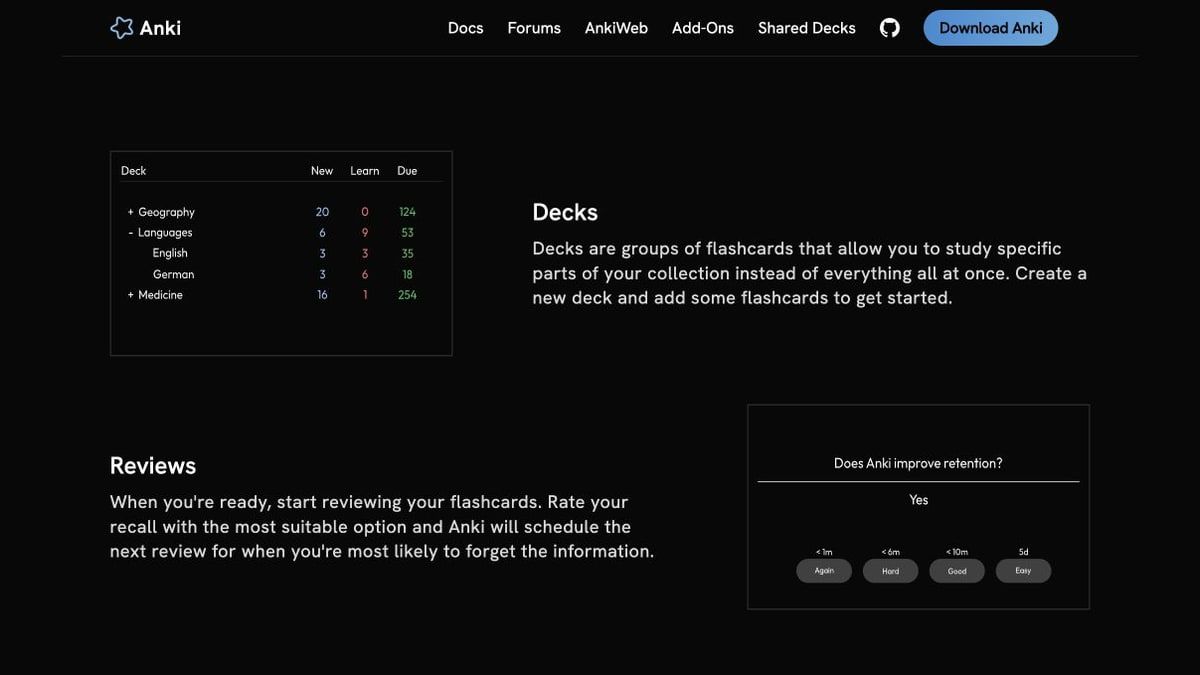
Anki behaves like a review engine with a card editor attached. Its central question is, "When should this exact card appear again?" Each answer changes the card's state, and the interface keeps the learner focused on a queue rather than a menu of activities.
Quizlet behaves like a study platform built around sets. Its central question is, "How would you like to practice this material right now?" The same terms can appear as conventional flashcards, adaptive questions, a test, a matching game, or a classroom activity.
That difference became obvious within minutes. My Anki deck list displayed counts for New, Learn, and Due, while the Quizlet set placed Flashcards, Learn, and Test beside game and live-play options. Anki made the schedule visible; Quizlet made the available experiences visible.
Neither philosophy is inherently better. A learner who already has well-written cards may benefit more from Anki's scheduling depth, while someone staring at a chapter and an exam date may get further by opening Quizlet and practicing immediately.
Round 1: Creating Flashcards
Manual Entry and Bulk Creation
Anki's manual editor is powerful but initially technical. It separates a note from the cards generated by that note, which allows one entry to produce forward, reverse, cloze, or custom card variations. That architecture is valuable later, but a new user must understand note types, fields, decks, and cards before the power feels natural.
The bulk import was easier than Anki's reputation suggested. My tab-separated file was recognized correctly, the preview showed two mapped columns, and all 30 notes were added after one confirmation. The first surprise came afterward: the deck displayed only 20 new cards because the default daily new-card limit controlled the study queue, not because ten cards had disappeared.
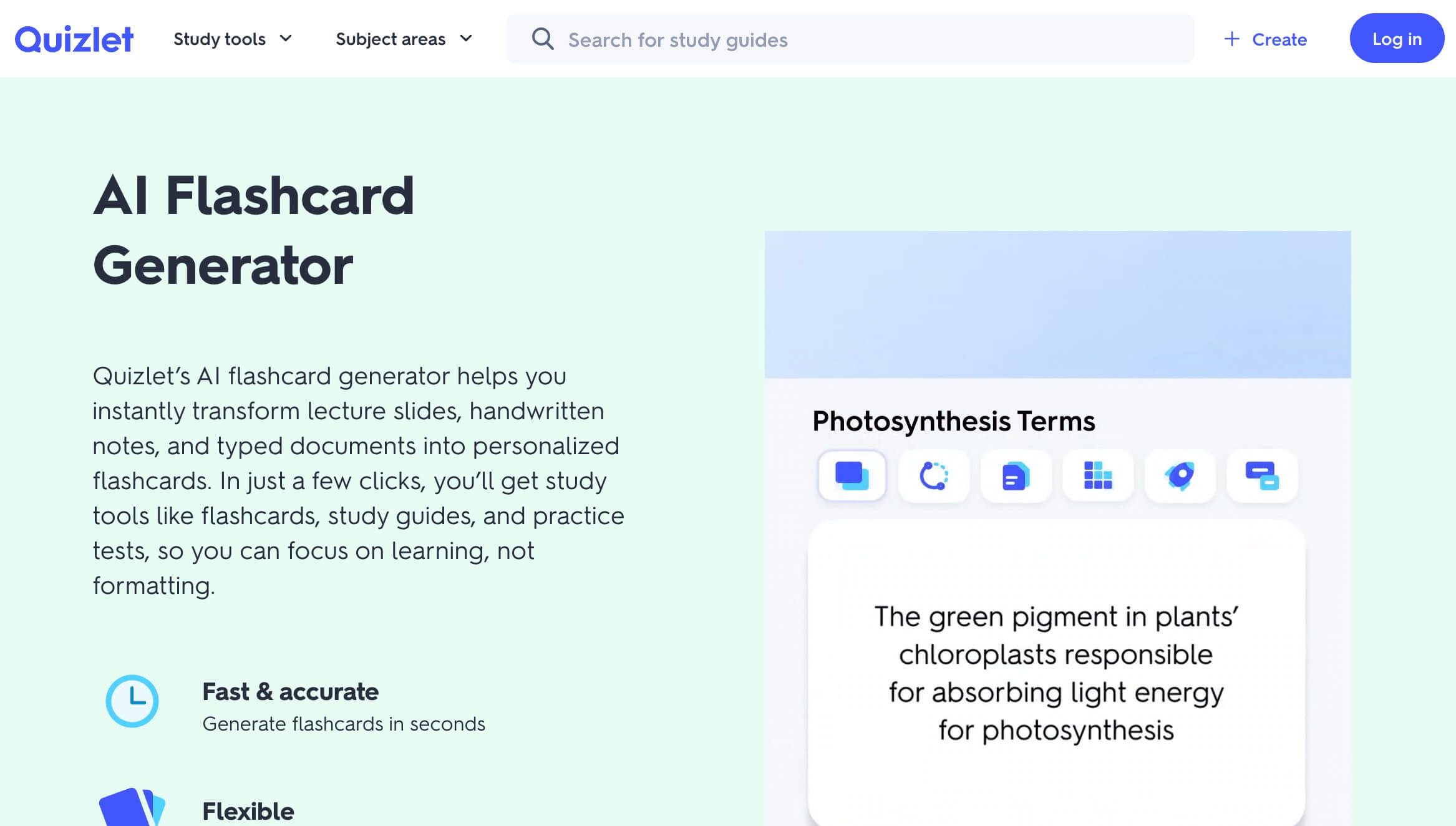
Quizlet's editor is conceptually simpler because the set itself is the main object. Terms and definitions are immediately understandable, and the current AI generator can create a first draft from pasted notes, PDFs, connected documents, lecture slides, and photos of handwritten notes.
| Creation Method | Anki | Quizlet | Practical Winner |
|---|---|---|---|
| Add term-answer cards manually | ✓ | ✓ | Tie |
| Import tabular text | ✓ | ✓ Documented | Anki for transparent field mapping |
| Generate cards from a PDF | ✗ Core app | ✓ | Quizlet |
| Generate cards from pasted notes | ✗ Core app | ✓ | Quizlet |
| Generate cards from a topic prompt | ✗ Core app | ✓ | Quizlet |
| Create multiple cards from one note | ✓ | △ | Anki |
| Edit card HTML or CSS | ✓ | ✗ | Anki |
| Start without learning a data model | △ | ✓ | Quizlet |
Card Quality Still Requires Human Editing
AI generation is a speed advantage, not a guarantee of good flashcards. A card can be grammatically clean and still be poor for recall because it asks two questions, hides an important qualifier, or accepts an answer so broad that the learner cannot judge it consistently.
Anki forces more deliberate creation, which can improve quality when the learner understands the material. Quizlet gets the learner to a first draft faster, but generated cards still need review. In both products, the highest-value habit is deleting weak cards rather than collecting more of them.
Round 1 verdict: Quizlet wins for speed and source-to-card convenience. Anki wins when you need a reusable card structure with custom fields, templates, and predictable bulk import.
Round 2: Spaced Repetition and Review Scheduling
This is the most important difference in the entire comparison. Anki's current scheduler centers on FSRS, which learns from review history and uses a desired-retention setting to balance memory and workload. Higher desired retention produces shorter intervals and more reviews; it is not a free increase in memory.
During my first Anki review, revealing a new card produced four concrete choices: Again in under one minute, Hard in under six minutes, Good in under ten minutes, and Easy several days later. The exact Easy interval varied between new cards, which made the system feel like a scheduler rather than a static right-or-wrong quiz.
I deliberately sent five cards through Again and five through Good. Both groups entered the learning queue on the first pass, but the Again cards were positioned for much faster repetition. That immediate consequence is useful because it trains the learner to report recall honestly rather than chase a score.
Quizlet Learn also adapts. It uses prior behavior and familiarity to focus questions, introduces harder formats, and helps the learner work toward mastery. However, adaptive practice within a session is not the same as giving the user detailed control over a long-running per-card schedule.
| Review Feature | Anki | Quizlet | Effect on the Learner |
|---|---|---|---|
| Per-card next-review scheduling | ✓ | △ | Anki makes timing the core workflow. |
| Desired-retention control | ✓ | ✗ | Anki exposes the workload-retention trade-off. |
| Personalized parameters from review history | ✓ | △ | Quizlet adapts practice, but not with Anki's scheduler controls. |
| Four recall ratings | ✓ | ✗ | Anki captures more than binary correctness. |
| Mixed question difficulty | △ Templates | ✓ Learn | Quizlet varies how knowledge is tested. |
| Exam-date-oriented session | △ Custom study | ✓ | Quizlet makes short-horizon practice easier. |
| Backlog visibility | ✓ | △ | Anki makes accumulated due work difficult to ignore. |
Anki's depth creates responsibility. Changing retention targets, learning steps, maximum intervals, or scheduling add-ons without understanding them can increase workload or produce confusing results. The default settings are usable, but the number of controls invites unnecessary tweaking.
Quizlet asks for fewer scheduling decisions. That is an advantage for a learner who wants practice now, but a limitation for someone managing tens of thousands of facts across years of study.
Round 2 verdict: Anki wins decisively for long-term scheduling control. Quizlet is easier for adaptive practice tied to a current set or near-term test.
Round 3: Study Modes, Question Types, and Feedback
Anki's standard review is intentionally repetitive: see a prompt, retrieve the answer, reveal it, and rate recall. The lack of novelty is part of the design because every card produces a scheduling signal.
Quizlet turns the same content into different tasks. On the public set I opened, the page immediately presented a multiple-choice question, a Don't know option, a hint, a progress toggle, and a 1-of-72 indicator. Flashcards, Learn, Test, Match, Blocks, Charms, Blast, and live play were all visible from the same set experience.
| Study Activity | Anki | Quizlet Free | Quizlet Paid Tiers |
|---|---|---|---|
| Flip-style flashcards | ✓ | ✓ | ✓ |
| Typed-answer cards | ✓ Setup | △ | ✓ Learn access varies |
| Multiple-choice practice | △ Add-on/template | △ Limited activity | ✓ |
| True-or-false questions | △ Setup | △ | ✓ Learn |
| Custom practice tests | ✗ Core | △ Limited | ✓ Expanded |
| Timed matching game | ✗ | ✓ | ✓ |
| Classroom live game | ✗ | ✓/△ Teacher workflow | ✓ Teacher features |
| Recall-based interval choice | ✓ | ✗ | ✗ |
| Progress across one set | ✓ | ✓ | ✓ |
Recognition and recall are not interchangeable. Multiple choice can help a beginner discriminate among similar ideas, but seeing the correct answer among four options gives away information that a blank response would not. Anki makes pure recall easy, while Quizlet makes it easier to move between recognition and production.
The best Quizlet workflow therefore does not stay in the easiest mode. Use multiple choice to establish familiarity, then switch to written or test-like questions that require a complete answer. In Anki, use typed-answer or cloze cards when mentally saying "I knew that" becomes too generous.
Round 3 verdict: Quizlet wins for variety and engagement. Anki wins for a consistent recall signal that directly feeds future scheduling.
Round 4: Card Types, Media, Math, and Customization
Anki's editor showed why experienced users tolerate its learning curve. Beyond Front and Back fields, I could access card templates, HTML editing, tags, text formatting, color controls, audio recording, and equation tools. The card is not merely a pair of text boxes; it is a small programmable document.
That flexibility is useful for language sentences with audio, anatomy cards with masked labels, math cards with notation, and notes that generate multiple directions of testing. It can also become a hobby that displaces studying, especially once add-ons and CSS enter the picture.
Quizlet favors consistency. It supports term-definition sets, images, audio-related workflows, rich content on supported plans, and familiar editing without asking users to understand templates. The ceiling is lower, but the floor is much easier to reach.
| Card Capability | Anki | Quizlet | Best Use Case |
|---|---|---|---|
| Basic front and back | ✓ | ✓ | General vocabulary and facts |
| Reversed cards from one note | ✓ | △ Duplicate/rearrange workflow | Bidirectional language recall |
| Cloze deletion | ✓ | ✗ Native equivalent | Sentences, processes, and context |
| Typed-answer comparison | ✓ | ✓/△ Mode-dependent | Spelling and exact terminology |
| Images | ✓ | ✓ | Anatomy, art, geography |
| Audio | ✓ | ✓/△ | Pronunciation and listening |
| Video inside a card | ✓ | ✗ | Demonstrations and movement |
| Scientific markup and equations | ✓ | △ | Formula-heavy subjects |
| Custom fields and templates | ✓ | ✗ | Complex reusable card systems |
| Add-on ecosystem | ✓ Desktop | ✗ | Specialized Anki workflows |
Round 4 verdict: Anki wins for card architecture and specialist use. Quizlet wins for keeping customization from becoming another subject to learn.
Round 5: Shared Decks, Classes, and Collaboration
Quizlet's public discovery was the clearest usability win in my test. Search results showed set names, term counts, creators, ratings, and signs of recent study activity, making it possible to compare options before opening one. The set page then displayed its terms and recommended related material.
That convenience comes with a quality problem. Public popularity does not guarantee accurate definitions, and several near-duplicate sets may disagree. A useful shared set should be treated as a draft to audit, not an authority.
Anki also has public shared decks, but the workflow is more file-like. A learner downloads a package and imports it into a desktop or mobile client; shared deck updates do not automatically flow to everyone who previously downloaded the deck. Private sharing similarly revolves around exported packages rather than a live collaborative workspace.
| Sharing Capability | Anki | Quizlet | Caveat |
|---|---|---|---|
| Public deck library | ✓ | ✓ | Quality varies on both platforms. |
| Preview context before use | △ | ✓ | Quizlet exposes more discovery signals. |
| Copy and customize a set | △ Import/edit | ✓/△ Premium content restrictions | Not every Quizlet set is freely copyable. |
| Live shared editing | ✗ Core | △ | Permissions and plan rules apply. |
| Teacher classes | ✗ | ✓ | Quizlet is designed for classroom grouping. |
| Assign activities and track progress | ✗ | ✓ | Individual details have retention limits. |
| Live classroom games | ✗ | ✓ | Strong Quizlet advantage. |
| Package a private deck | ✓ | ✗ Equivalent | Anki is better for file-based handoff. |
Round 5 verdict: Quizlet wins for discovery, classes, and group practice. Anki's package model is better when you want to hand over a self-contained deck without making the study experience collaborative.
Round 6: Apps, Offline Access, Sync, and Device Cost
Calling Anki "free" without discussing the device is misleading. The desktop app is free on major platforms, AnkiWeb sync is free, and AnkiDroid is free on Android, while the official AnkiMobile iOS app is a paid purchase that funds development.
Quizlet is web-first and offers iOS and Android apps. Current documentation says mobile users can create sets offline and study downloaded sets in supported modes such as Flashcards and Match, with progress syncing after reconnection. That is useful, but it is not the same as having the full desktop application and collection stored locally.
| Platform or Capability | Anki | Quizlet | Cost or Limitation |
|---|---|---|---|
| Windows desktop | ✓ Free | ✓ Web | Quizlet depends on the browser experience. |
| macOS desktop | ✓ Free | ✓ Web | Anki is a local application. |
| Linux desktop | ✓ Free | ✓ Web | Anki has an official desktop build. |
| Browser access | △ AnkiWeb | ✓ | AnkiWeb is lighter than the desktop editor. |
| Android app | ✓ Free AnkiDroid | ✓ | Quizlet plan limits still apply. |
| iOS app | ✓ Paid AnkiMobile | ✓ | Compare one-time app cost with subscriptions. |
| Full offline desktop review | ✓ | ✗ | Clear Anki advantage. |
| Offline mobile flashcards | ✓ | ✓ | Quizlet requires downloaded/saved sets. |
| Free cross-device sync | ✓ AnkiWeb | ✓ | Accounts and supported clients are required. |
The cost decision depends on time horizon. A one-time iOS purchase may look expensive beside a free download, but a recurring Quizlet subscription can cost more over several years. Conversely, Anki's software may be inexpensive while the learner pays in setup and maintenance time.
Round 6 verdict: Anki wins for offline desktop ownership and long-term software cost. Quizlet wins for a consistent, low-setup web experience.
Round 7: Import, Export, Portability, and Ownership
Anki treats portability as a core capability. Its export workflow supports plain-text notes, individual deck packages, and full collection packages; packages can include media, note types, and scheduling information depending on the chosen format and options.
The export dialog I opened defaulted to an Anki Collection Package and offered media inclusion plus compatibility for older versions. That is a strong signal that Anki expects users to back up, transfer, and preserve more than visible card text.
Quizlet lets creators export terms and definitions from sets they made, but export currently happens on the website. Copied sets cannot be exported, image exports are restricted, and the result is copied text rather than a package containing a complete learning history.
| Portability Feature | Anki | Quizlet | What Actually Transfers |
|---|---|---|---|
| Plain-text term export | ✓ | ✓ Creator-owned sets | Text fields, not the whole experience |
| Self-contained deck package | ✓ .apkg | ✗ | Cards, note types, and optional media in Anki |
| Full collection backup | ✓ .colpkg | ✗ | Decks and scheduling can be preserved |
| Include review history | ✓ Option | ✗ | Quizlet export is not a study-history migration |
| Export copied public sets | ✓ After legitimate import | ✗ | Quizlet restricts copied-set export |
| Export images with the set | ✓ Package option | ✗ Current restriction | Media portability differs sharply |
| Update an existing imported deck | ✓ With conditions | △ Copy/edit workflow | Note-type changes can complicate Anki updates |
Moving Quizlet cards to Anki is possible when you own the set and export its terms, but it is not a clean migration. Images, custom audio, formatting, folders, mastery state, and study history may not come across, and the imported rows still need to be mapped to an Anki note type.
Round 7 verdict: Anki wins by a wide margin for backup, migration, and ownership. Quizlet's export is useful for reclaiming creator-owned text, not for reconstructing the full account experience elsewhere.
Anki Free vs Quizlet Free vs Quizlet Plus
Quizlet's current upgrade page separates Quizlet Plus from Quizlet Plus Unlimited. At the time of this review, Plus was listed at $35.99 per year and Plus Unlimited at $44.99 per year; because subscription terms change, verify the checkout page before purchasing.
| Feature or Cost | Anki | Quizlet Free | Quizlet Plus | Quizlet Plus Unlimited |
|---|---|---|---|---|
| Desktop/web study | ✓ | ✓ | ✓ | ✓ |
| Ads | ✓ No ads | ✗ Ads possible | ✓ Ad-free | ✓ Ad-free |
| Basic flashcards | ✓ | ✓ | ✓ | ✓ |
| Configurable FSRS | ✓ | ✗ | ✗ | ✗ |
| Learn access | ✗ Equivalent | △ Limited | △ 20 rounds/month listed | ✓ Unlimited rounds listed |
| Practice tests | ✗ Core | △ Limited | △ 3/month listed | ✓ Complete access listed |
| AI card generation | ✗ Core | △ Limited | △ Plan-dependent | ✓ Broader access |
| Textbook/Q&A solutions | ✗ | △ Limited | △ 3/month listed | ✓ Broader library access |
| Offline desktop | ✓ | ✗ | ✗ | ✗ |
| Offline mobile | ✓ App-dependent | △ | ✓ | ✓ |
| Creator-owned text export | ✓ | △ | △ | △ |
| Recurring subscription | ✗ | ✗ | ✓ $35.99/year listed | ✓ $44.99/year listed |
Quizlet Plus makes sense when Learn and practice tests are central to your routine and free limits interrupt actual study. Plus Unlimited is easier to justify for a heavy Quizlet user who repeatedly reaches those caps; it is difficult to justify solely for flipping flashcards.
Anki remains the better financial fit for a desktop or Android learner willing to manage a more technical system. An iPhone-only learner should include the official AnkiMobile purchase in the comparison rather than downloading a similarly named app by mistake.
Important: Anki Pro Is Not the Official Anki App
The keyword "Anki Pro vs Quizlet" hides a naming problem. Anki Pro is not a premium tier of official Anki; according to Anki's official FAQ, that separate product is now called Noji and is developed by another group.
Official Anki consists of Anki desktop, AnkiMobile, AnkiDroid, and AnkiWeb, all linked from the official Anki site. Every Anki conclusion in this article refers to that ecosystem, not Noji, AnkiApp, or another similarly named product.
Anki vs Quizlet by Use Case
An overall winner is less useful than a recommendation tied to material, time horizon, and social context.
| Use Case | Better Fit | Why | What to Watch For |
|---|---|---|---|
| Medical school | Anki | Large cumulative decks and precise review timing | Imported decks still require quality control. |
| Language vocabulary | Depends | Anki for sentence/audio scheduling; Quizlet for quick sets and spelling practice | Avoid recognition-only study. |
| High school class | Quizlet | Teacher sets, assignments, and familiar modes | Free Learn limits may interrupt practice. |
| Exam next week | Quizlet | Faster setup and varied practice | Do not confuse rapid familiarity with durable recall. |
| Professional exam in six months | Anki | Long-horizon scheduling and backlog visibility | Keep new-card volume realistic. |
| Math and formula cards | Anki | Equations, templates, and structured fields | Flashcards cannot replace solving full problems. |
| Study group | Quizlet | Easy sharing, live activities, and common interface | Audit community content together. |
| No tolerance for setup | Quizlet | Immediate public sets and guided modes | Less control over the long-term schedule. |
| Full offline collection | Anki | Local desktop app and portable packages | Sync still needs an account and connection. |
| Existing public decks | Quizlet | Better discovery and preview context | Popular does not mean correct. |
Medical and Cumulative Professional Exams
Anki is the better fit when old material must remain alive while new material arrives every week. FSRS, daily due queues, tags, and custom note types are built for a collection that keeps growing.
The risk is workload. Importing a giant premade deck and accepting every card can create hundreds of daily reviews with little connection to the actual course. Suspend irrelevant cards and add context rather than treating deck completion as learning.
Language Learning
Quizlet is friendlier for getting a vocabulary list into practice quickly, especially when classmates already use the same set. Its multiple formats can move a beginner from recognition to spelling and written production.
Anki becomes stronger when cards need example sentences, audio, multiple fields, reverse directions, or long-term scheduling. The best language cards test meaning in context rather than isolated one-word translations.
Teachers and Shared Classes
Quizlet is the clear choice for assigning a set, running a live activity, and letting students join a familiar interface. Anki has no native equivalent to classes, group-level progress, or classroom games.
That does not make Quizlet's cards automatically pedagogically stronger. Teachers should still control definitions, include plausible distractors, and use written responses when recognition would make the task too easy.
Can You Use Anki and Quizlet Together?
Yes, but the two apps need separate jobs. Using both for the same full deck usually creates duplicated editing and two conflicting histories of what is "due."
- Use Quizlet to discover class vocabulary, compare public sets, or run fast multi-format practice.
- Identify the facts that must remain available beyond the current test.
- Rewrite those high-value facts as concise Anki cards instead of copying everything blindly.
- Export only a Quizlet set you created and verify every field before importing it into Anki.
- Let Anki own the long-term schedule while Quizlet remains the discovery or group-practice layer.
This hybrid approach is particularly useful when a teacher distributes Quizlet sets but the student is preparing for a cumulative licensing exam. The weekly Quizlet set serves the class; the smaller Anki collection serves future recall.
When Card Creation Is the Bottleneck: Lynote AI Flashcard
Anki and Quizlet assume that the learner can either find a usable set or turn source material into good prompts. When the real starting point is a lecture recording, long PDF, video, YouTube lesson, or mixed set of notes, card creation can consume more time than review.
Lynote AI Flashcard addresses that specific gap. It can turn documents, notes, lecture audio, video, and YouTube material into editable question-and-answer flashcards, so the learner can move from source material to a first draft without manually extracting every fact.
The practical workflow is:
- Add the document, notes, audio, video, or YouTube source to Lynote.
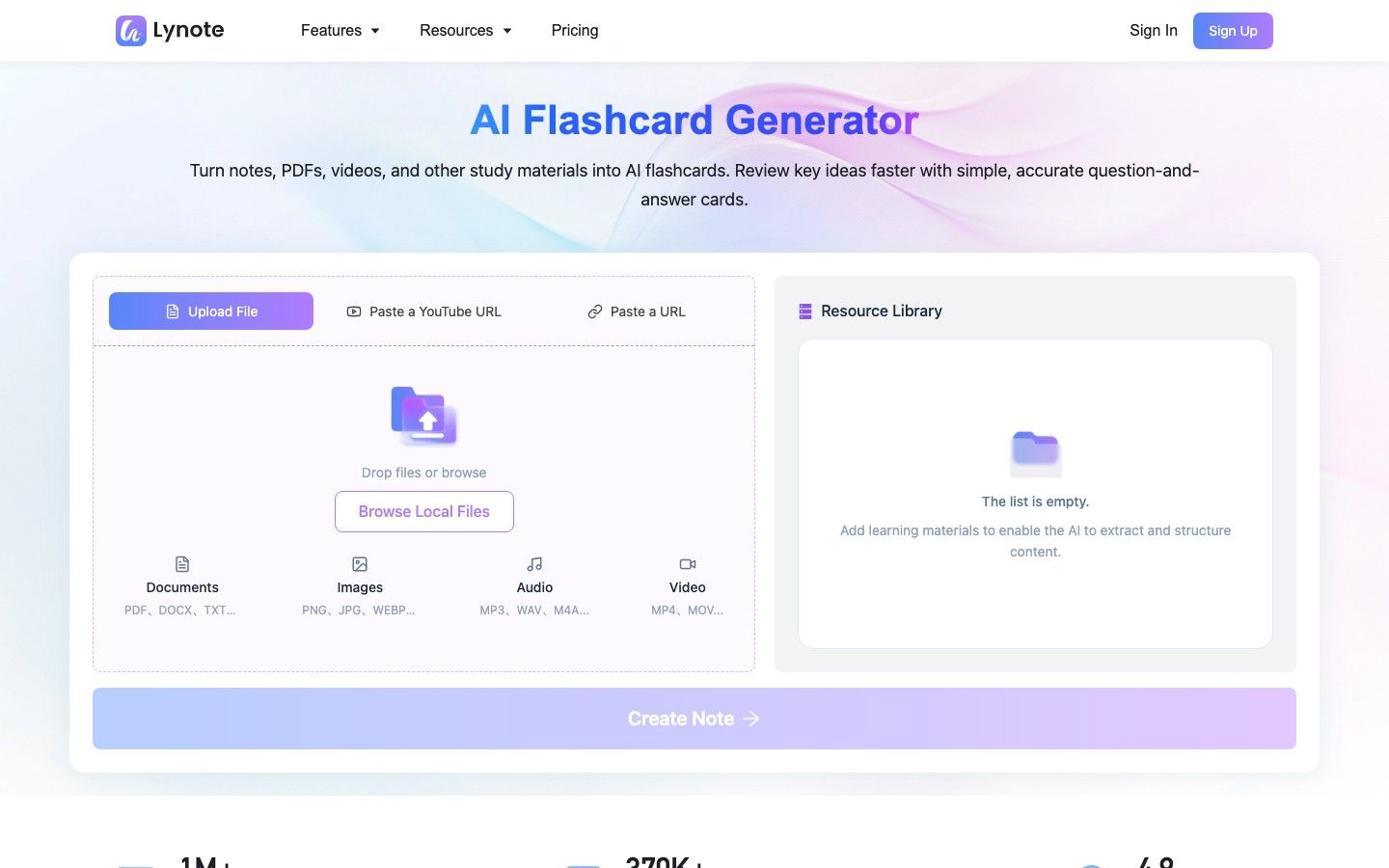
- Click Create Note and check the structured note for missing context or incorrect emphasis.
- Open Flashcard, generate Q&A cards, and edit or regenerate weak cards before studying.
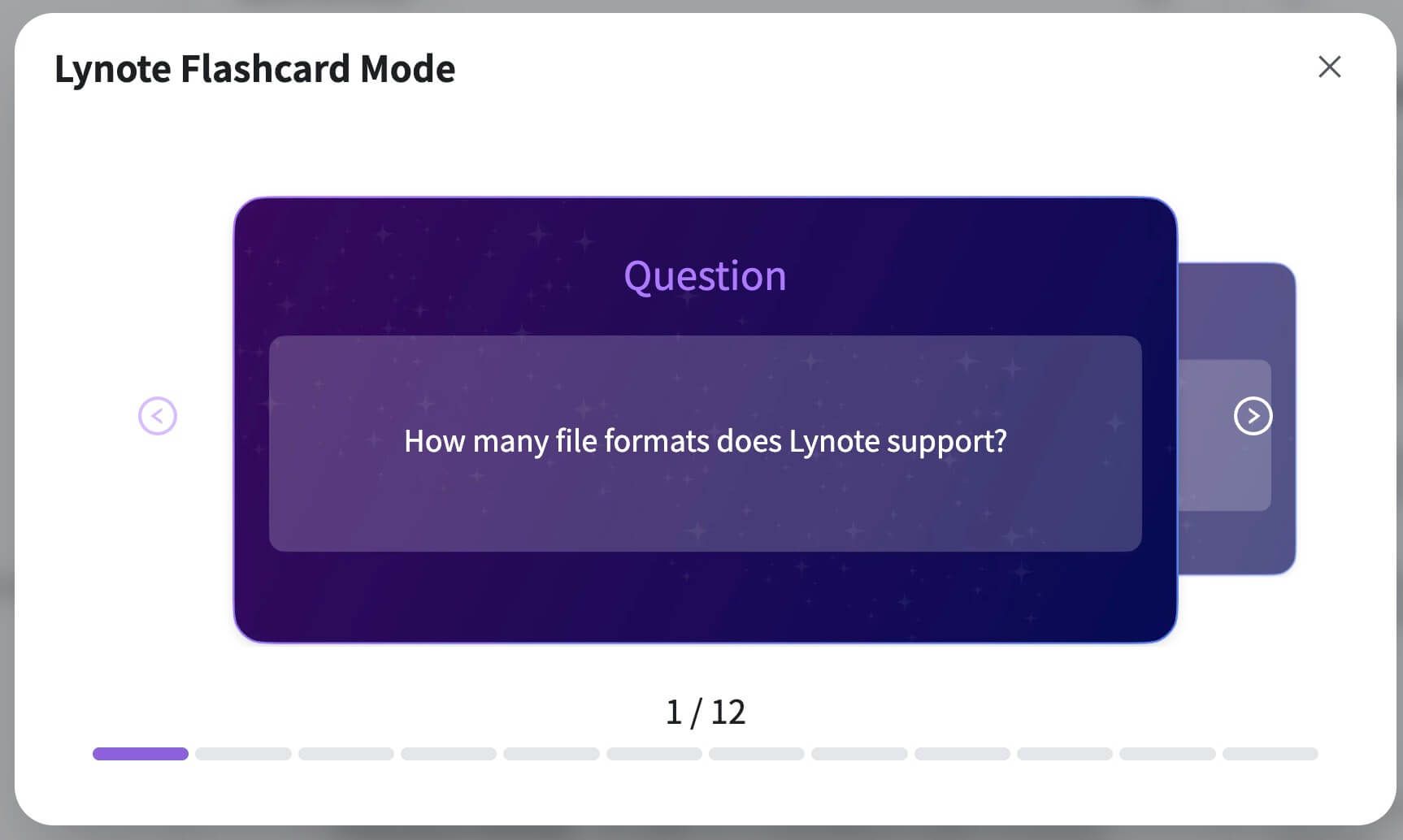
Lynote is not being presented here as an FSRS replacement or a public deck marketplace. Its advantage is earlier in the workflow: converting mixed source material into something reviewable, especially when neither Anki's manual setup nor Quizlet's existing library matches the source.
A Five-Minute Test to Choose Between Anki and Quizlet
You do not need to migrate an entire library to decide. Run a small test that exposes the friction you will face every day.
- Choose ten facts from a real class source, not a generic online list.
- Create the same ten cards in Anki and Quizlet, including one image and one exact-answer prompt.
- Deliberately miss three cards and watch what each product does next.
- Edit two weak cards after studying them; good editors matter because card problems become obvious during recall.
- Open the set on the phone and computer you actually use, then test sharing or export before adding hundreds of cards.
Pay attention to what you avoid. If you resist opening Anki because the queue feels punishing, its better scheduler will not help; if Quizlet's variety keeps you in recognition mode, its easier interface may be hiding weak recall.
FAQs About Anki vs Quizlet
Is Anki Better Than Quizlet?
Anki is better for configurable spaced repetition, complex card formats, offline desktop study, and portable collections. Quizlet is better for quick setup, public-set discovery, multiple practice modes, and classroom collaboration.
Is Quizlet or Anki Better for Long-Term Memory?
Anki provides the stronger long-term scheduling system because FSRS manages the return of individual cards and exposes retention-workload controls. That does not prove that every Anki user will remember more; consistent use and card quality still determine the outcome.
Is Anki Completely Free?
The official desktop app, AnkiWeb sync, and AnkiDroid are free. The official AnkiMobile app for iOS is a paid purchase, so the practical cost depends on the devices you use.
Is Quizlet Plus Worth It Compared With Anki?
Quizlet Plus can be worth it when limited Learn rounds, practice tests, ads, or other plan restrictions interrupt a routine you already use. Anki is better value when your priority is long-term scheduling and you are comfortable managing the system yourself.
Can I Move Quizlet Flashcards to Anki?
You can export terms and definitions from a Quizlet set you created on the website and import properly delimited text into Anki. Copied sets, images, formatting, study progress, and other metadata may not transfer, so expect cleanup rather than a one-click migration.
Is Anki Pro the Same as Anki?
No. Anki Pro is a separate product now called Noji; it is not the paid version of official Anki. Use the official Anki website to locate Anki desktop, AnkiMobile, AnkiDroid, and AnkiWeb.
Which Is Better for Medical School, Anki or Quizlet?
Anki is usually the better fit for medical school because it handles large cumulative collections and detailed review scheduling. Quizlet can still be useful for quickly reviewing a class set or practicing through different question formats.
Can I Use Anki and Quizlet Together?
Yes. Use Quizlet for discovery, shared class sets, and quick varied practice, then keep a smaller set of durable facts in Anki for long-term review. Avoid maintaining two identical large decks because edits and review histories will diverge.
Final Verdict: Choose the Workflow You Will Maintain
After using both current workflows, I would choose Anki for any subject I expect to revisit for months or years. Its interface asks for more decisions, but the recall buttons, visible queue, FSRS controls, card templates, and export formats form a coherent long-term system.
I would choose Quizlet when the priority is starting now, using a teacher or community set, switching among question styles, or studying with other people. Its public-set experience and activity range reduce setup friction in ways Anki does not attempt to match.
The deciding question is not "Which flashcard app is more powerful?" It is "Which part of my study workflow currently breaks?" Choose Anki when review timing and ownership are the problem, Quizlet when access and practice variety are the problem, and Lynote when turning raw source material into useful first-draft cards is the problem.

Written by Danny
Product Marketing Manager
Danny explains how Lynote features fit real workflows, from everyday productivity to product-led writing use cases. View all articles →