Top 10 Free Quizlet Alternatives for Every Study Style

The best free Quizlet alternative depends on which part of Quizlet you are trying to replace. Some students need unlimited Learn-style practice, while others need serious spaced repetition, automatic quiz generation from course files, or a classroom game that everyone can join.
Direct answer: Choose Lynote when you want to turn PDFs, notes, images, recordings, videos, webpages, or YouTube material into quizzes. Knowt is the closest free replacement for Quizlet's familiar flashcard and practice modes, Anki is the strongest option for long-term spaced repetition, and Wayground is the best fit for teacher-led live games. The other tools in this guide fill more specific gaps, from connected note-taking to simple printable cards.
Every tool below has a continuing free path, but “free” does not mean the same thing everywhere. One product may show ads, another may limit AI credits, and another may be free on desktop but charge for its official iPhone app. This comparison separates those restrictions so you can choose a tool that remains useful after the welcome screen.
Part 1: Top 10 Free Quizlet Alternatives
I compared these alternatives by the usefulness of their free access, the Quizlet features they replace, setup effort, study method, device support, migration options, and pressure to upgrade. The ranking favors practical free workflows rather than the longest feature list.
Free Quizlet Alternatives at a Glance
| Rank | Tool | Best for | AI quiz generation | Flashcards | Spaced repetition | Quizlet import | Main free-plan catch |
|---|---|---|---|---|---|---|---|
| 1 | Lynote | Turning mixed study materials into quizzes | ✅ | ◐ Study workflow | ❌ | ❌ | Account required; usage allowances can vary |
| 2 | Knowt | Closest like-for-like Quizlet replacement | ◐ Limited | ✅ | ✅ | ✅ Chrome extension | AI usage is limited; ads may appear |
| 3 | Anki | Long-term retention and offline study | ❌ | ✅ | ✅ Advanced | ◐ Indirect | Official iOS app is paid |
| 4 | Brainscape | Guided confidence-based repetition | ◐ Limited | ✅ | ✅ | ◐ General import | Media and advanced content require Pro |
| 5 | RemNote | Notes and flashcards in one workspace | ◐ Limited on Free | ✅ | ✅ | ◐ Indirect | Document and AI allowances are limited |
| 6 | Gizmo | Gamified AI quizzing | ✅ | ✅ | ✅ | ◐ Available | Memorise mode uses refillable hearts |
| 7 | StudySmarter | All-in-one study organization | ◐ Assisted creation | ✅ | ✅ | ◐ Varies | Broader, busier workspace |
| 8 | OmniSets | Free Quizlet-style study modes | ◐ AI assisted | ✅ | ✅ Adaptive | ◐ May change | Ad-supported experience |
| 9 | Cram | Simple cards, printing, and public sets | ❌ | ✅ | ◐ Basic | ◐ Manual/general | Dated interface; organization limits |
| 10 | Wayground | Live classroom quizzes and assignments | ◐ Starter | ❌ | ❌ | ◐ Activity import | Limited storage and AI on Starter |
1. Lynote AI Quiz Generator: Best for Turning Study Materials Into Quizzes
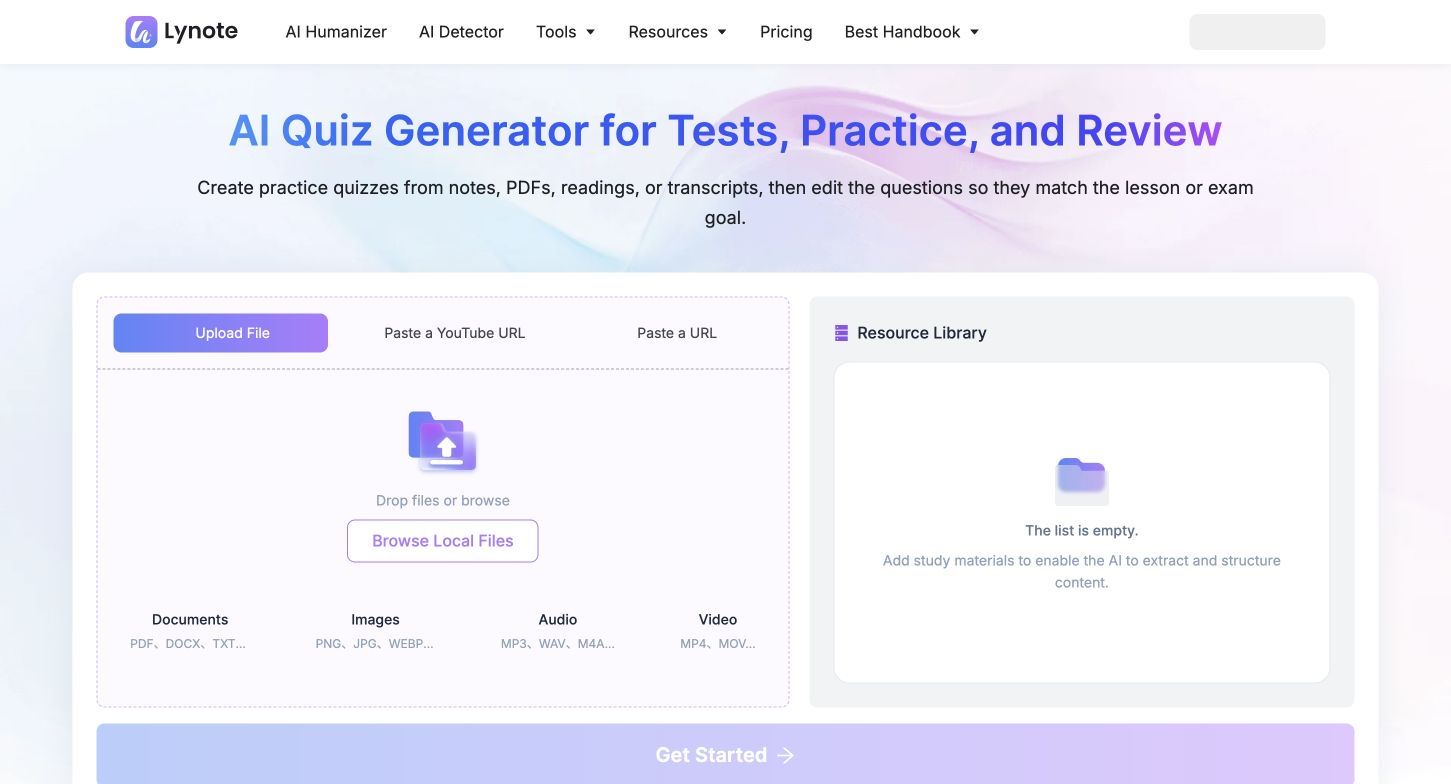
Lynote AI Quiz Generator is the strongest option in this list when your starting point is not an existing flashcard deck. Instead of typing terms and definitions one by one, you can add study material in more than 15 formats, including documents, images, audio, video, webpages, and YouTube sources, then generate questions and answers from that content.
That makes Lynote particularly useful for lecture slides, reading packets, recorded classes, training videos, and long notes that have not yet been converted into active-recall material. Quizlet can be excellent once a set already exists; Lynote reduces the preparation work required before meaningful practice can begin.
The distinction is important. Lynote is not trying to reproduce Quizlet's giant public-set library or become a conventional term-definition card catalog. It is a better fit when relevance to your own source matters more than browsing what other users created.
Features
- Quiz generation from more than 15 input formats
- PDF, DOCX, text, image, audio, and video input
- Webpage and YouTube source support
- Questions and answers based on the supplied material
- Study workflows in more than 100 languages
- Free access after creating an account
Pros
- Eliminates much of the manual work involved in building practice questions
- Handles lectures and media that do not fit a standard flashcard importer
- Keeps the quiz focused on the material you are actually studying
- Useful to both students creating self-tests and teachers preparing review questions
Cons
- A free account is required, and higher-volume use may depend on the current allowance
Best for: Students, teachers, tutors, and trainers who want to transform existing course material into practice quizzes.
2. Knowt: Best Like-for-Like Free Quizlet Alternative
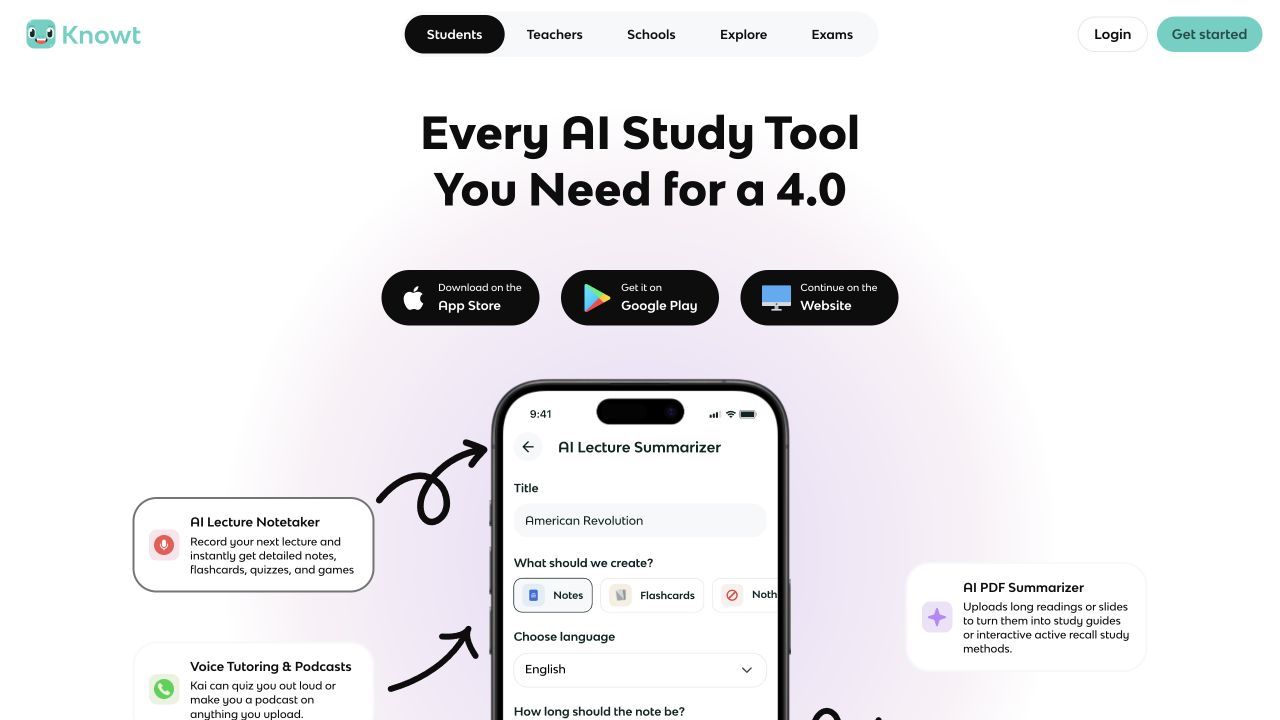
Knowt is the easiest recommendation for someone who says, “I like Quizlet, but I do not want to pay to keep using Learn and Test.” Its free student account includes unlimited flashcards and notes plus unlimited use of Learn, Test, Match, standard flashcard, and spaced-repetition modes.
The migration path is another reason Knowt ranks highly. Its Chrome extension can move a Quizlet set into Knowt without forcing you to rebuild every card manually. Once imported, the same material can be practiced with multiple-choice, written, true-or-false, matching, and spaced-repetition formats.
Knowt does have paid features. Free AI usage is limited and resets monthly, while Student Ultra removes ads and expands AI access. Still, its core study modes remain unusually generous, which makes it a more direct Quizlet replacement than most AI study tools.
Features
- Unlimited free Learn, Test, Match, flashcard, and spaced-repetition modes
- Unlimited manual flashcards and notes
- Chrome extension for importing Quizlet sets
- Web, iOS, and Android access
- AI-assisted flashcard and study-material creation
Pros
- Familiar transition for current Quizlet users
- Unlimited core practice is useful for repeated exam review
- Direct import reduces migration time
- Offers several question formats from one card set
Cons
- Free AI usage is limited and resets monthly
- Ads may be part of the free student experience
Best for: Students who want the closest free replacement for Quizlet's Learn, Test, Match, and flashcard modes.
3. Anki: Best for Serious Spaced Repetition and Offline Study
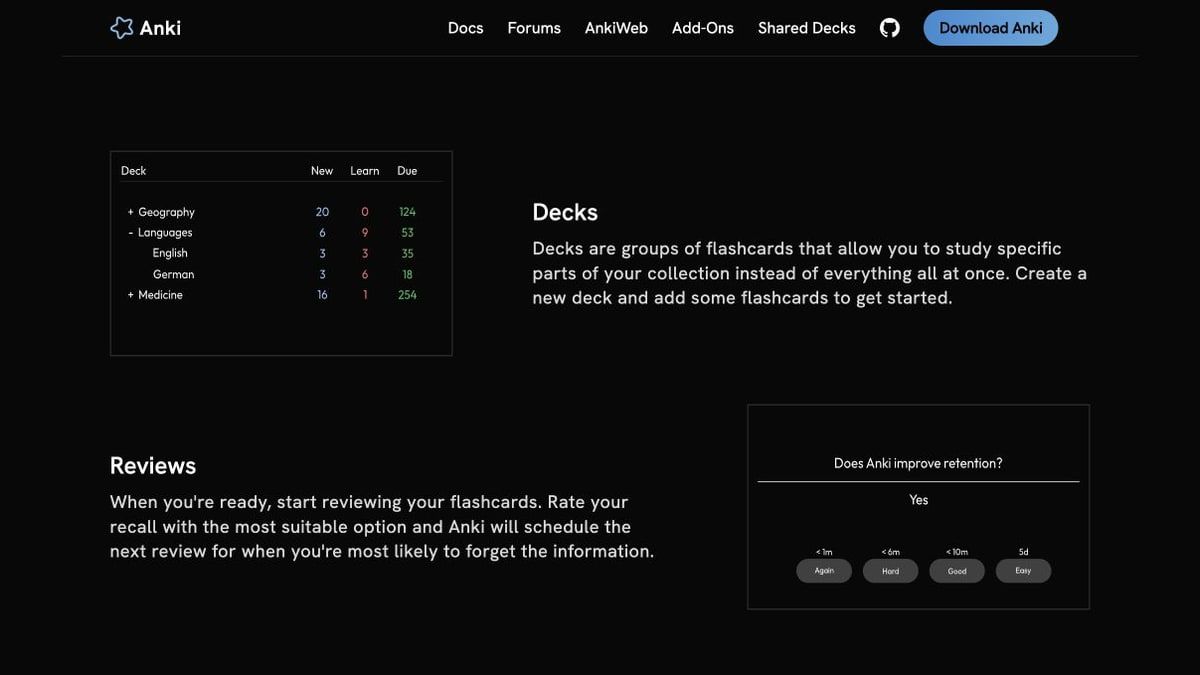
Anki is less polished than Quizlet at first glance, but it offers far more control over when and how cards return. Its scheduler prioritizes material you are close to forgetting, making it particularly effective for large, cumulative subjects such as medicine, languages, law, and professional certifications.
The desktop software is free and open source, AnkiWeb provides free synchronization, and AnkiDroid is free on Android. The important exception is Apple's platform: the official AnkiMobile app for iPhone and iPad is a paid purchase that helps fund development.
Anki rewards setup. You can build custom card templates, add images and audio, use scientific markup, install add-ons, and manage extremely large decks. That flexibility can also be its weakness for users who simply want to paste twenty vocabulary terms and begin studying immediately.
Features
- Advanced spaced-repetition scheduling
- Images, audio, video, and scientific markup
- Custom note types and card templates
- Community add-ons
- Free AnkiWeb synchronization
- Desktop, Android, web, and paid official iOS access
Pros
- Excellent control over long-term retention
- Works offline on supported apps
- Handles very large collections
- Open-source desktop software with an active ecosystem
Cons
- Steeper learning curve than Quizlet or Knowt
- The official iOS app is not free
Best for: Learners with large decks, cumulative exams, or a long study timeline who are willing to learn the system.
4. Brainscape: Best for Confidence-Based Repetition
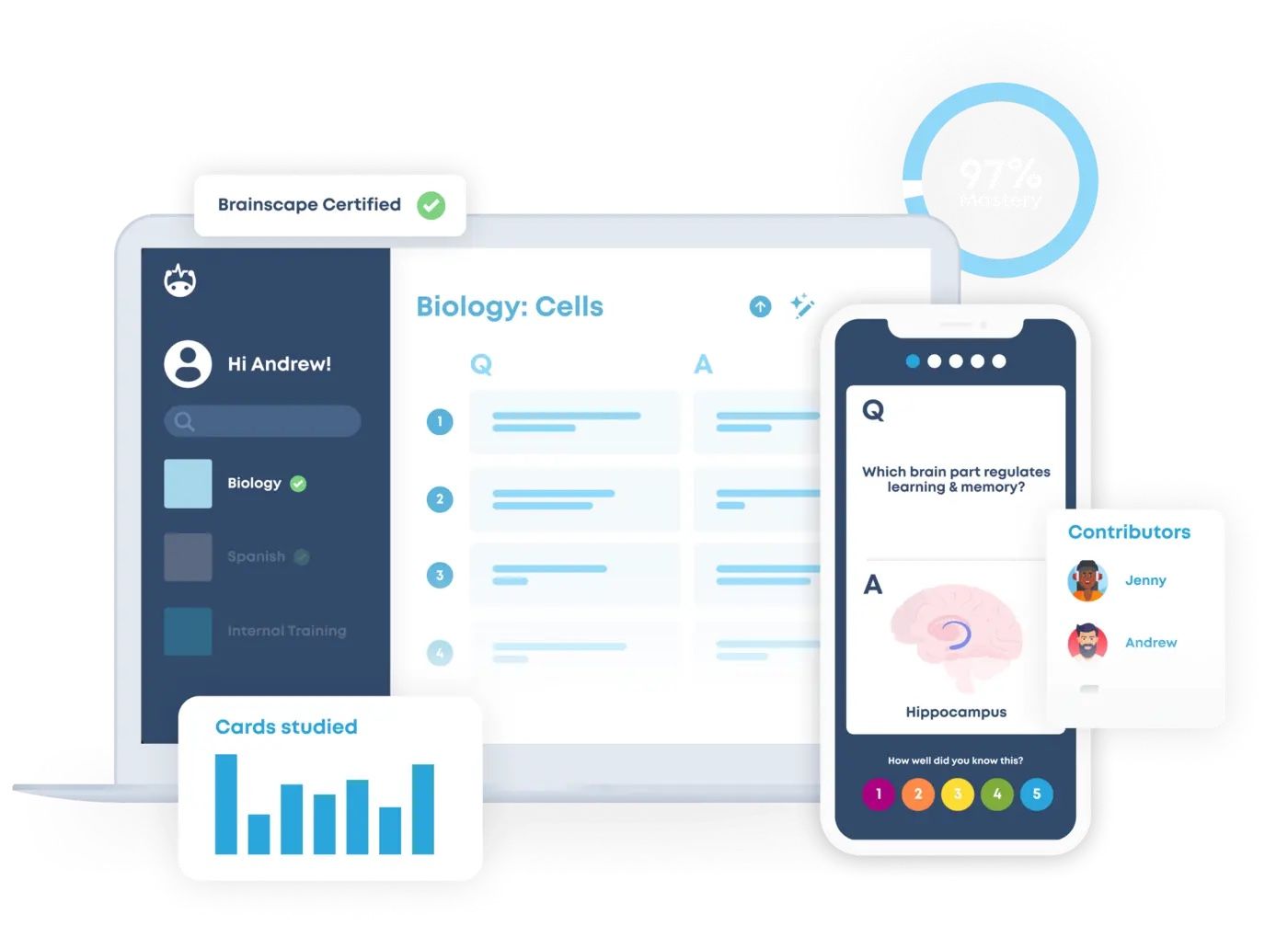
Brainscape sits between Quizlet's approachable interface and Anki's memory-focused scheduling. After revealing an answer, you rate your confidence from one to five. The platform uses that feedback to decide how soon the card should appear again.
The Basic plan lets you type unlimited flashcards, import existing cards, share them, study cards you created or that others shared with you, use spaced repetition, and track progress. It also provides limited AI creation. Upgrading becomes relevant when you need unlimited AI, images and sounds, private content, certified premium decks, reverse cards, or more advanced controls.
This free model works best when you create your own material or receive cards from a classmate or teacher. Browsing large amounts of premium certified content is not the same free experience.
Features
- Confidence-Based Repetition
- Unlimited self-created flashcards on Basic
- Importing and sharing
- Progress tracking and reminders
- Limited AI flashcard creation
Pros
- Easier onboarding than Anki
- Strong web and mobile experience
- Free core is sufficient for self-made and shared decks
- Confidence ratings make review decisions intuitive
Cons
- Images, sounds, private cards, certified content, and unlimited AI require Pro
- Less variety in study modes than Quizlet or Knowt
Best for: Learners who want structured spaced repetition without configuring Anki's scheduler and templates.
5. RemNote: Best for Notes and Flashcards in One Workspace
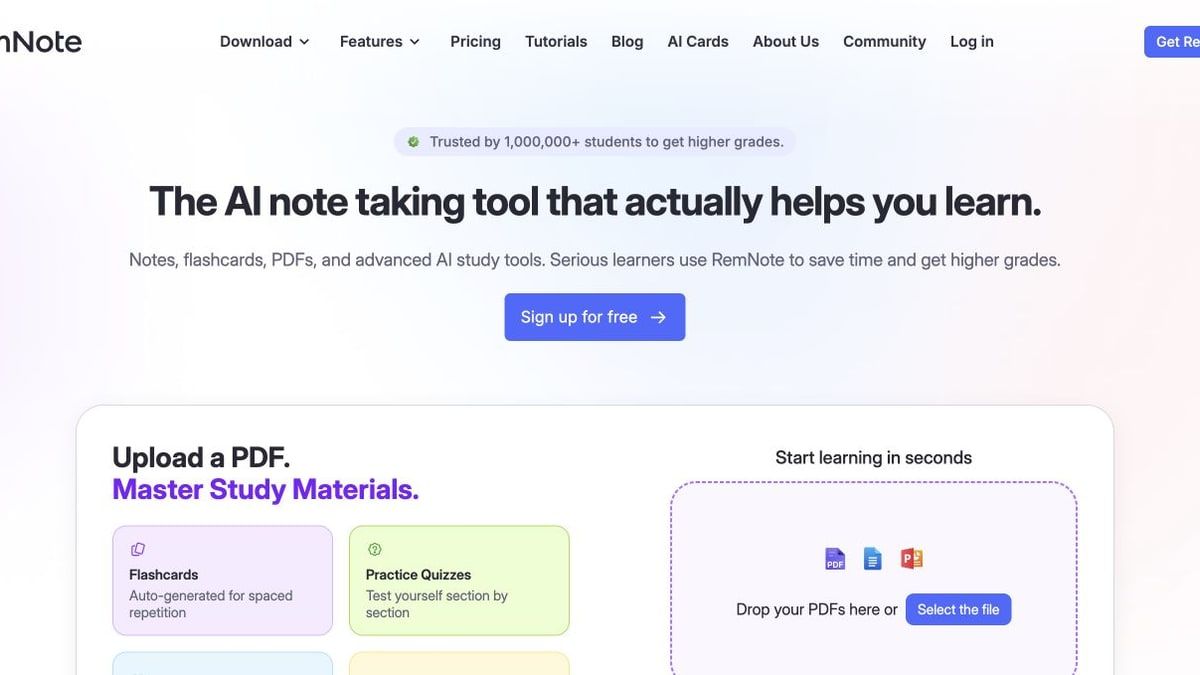
RemNote solves a problem Quizlet largely leaves untouched: keeping the explanation around a fact connected to the card that tests it. You can take hierarchical, linked notes and create flashcards within those notes, so a difficult concept remains attached to its course context.
The Free plan includes unlimited notes, unlimited flashcards, and unlimited synced devices. It also gives limited access to document-oriented features, such as a small number of annotated PDFs, image occlusion cards, and handwritten documents. Pro plans expand those limits, while the AI tier adds substantially more credits for generating materials, grading answers, and working with lectures and PDFs.
RemNote is powerful for cumulative learning, but it asks you to build a knowledge system. Someone who only needs a simple vocabulary deck may find that structure unnecessary.
Features
- Linked and hierarchical notes
- Flashcards embedded in notes
- Built-in spaced repetition
- Unlimited notes, cards, and synced devices on Free
- Limited PDF annotation and image occlusion
Pros
- Preserves context around each flashcard
- Good for complex subjects and cumulative exams
- Combines note-taking and active recall
- Generous free core for manual workflows
Cons
- Requires more setup than a basic flashcard app
- Document and AI-heavy workflows are restricted on Free
Best for: Students who want their notes, concepts, references, and spaced-repetition cards in one connected workspace.
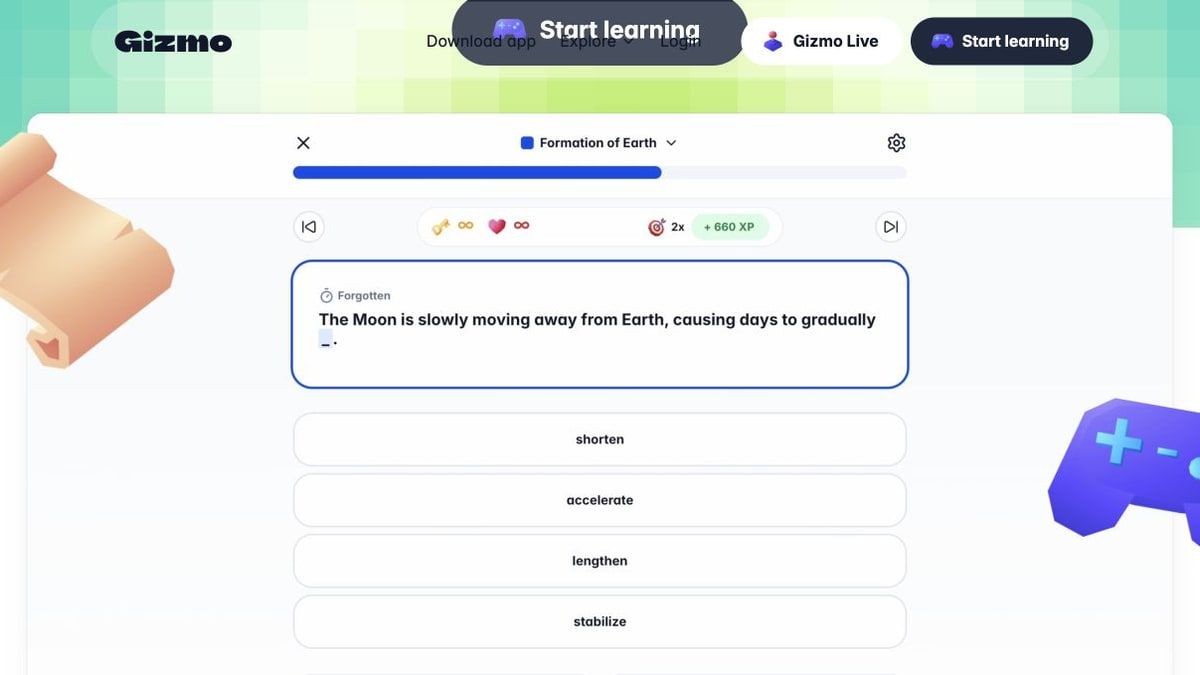
6. Gizmo: Best for Gamified AI Quizzing
Gizmo turns notes and learning material into flashcards, then uses active recall and spaced repetition in short, game-like sessions. The interface is designed to keep students moving, which can make it more approachable than a traditional scheduling system.
Its free quizzing model uses hearts. You begin with a set number of hearts, lose one after an incorrect answer in Memorise mode, and wait for them to refill if you run out. Flashcards-only mode does not use hearts, while a paid Unlimited plan removes this interruption.
This is a meaningful restriction, but it is also transparent: Gizmo remains useful for casual sessions and flashcard review, while frequent error-heavy quizzing creates more upgrade pressure.
Features
- AI-generated flashcards
- Active recall and spaced repetition
- Memorise quizzes
- Social sharing and study with friends
- Flashcards-only review without hearts
Pros
- Engaging, mobile-friendly study sessions
- Reduces manual card creation
- Good fit for students motivated by visible progress and games
- Combines generation and review in one workflow
Cons
- Wrong answers consume hearts in Memorise mode
- Running out of hearts pauses free quizzing until they refill
Best for: Students who want a lively, low-friction alternative to traditional flashcard review.
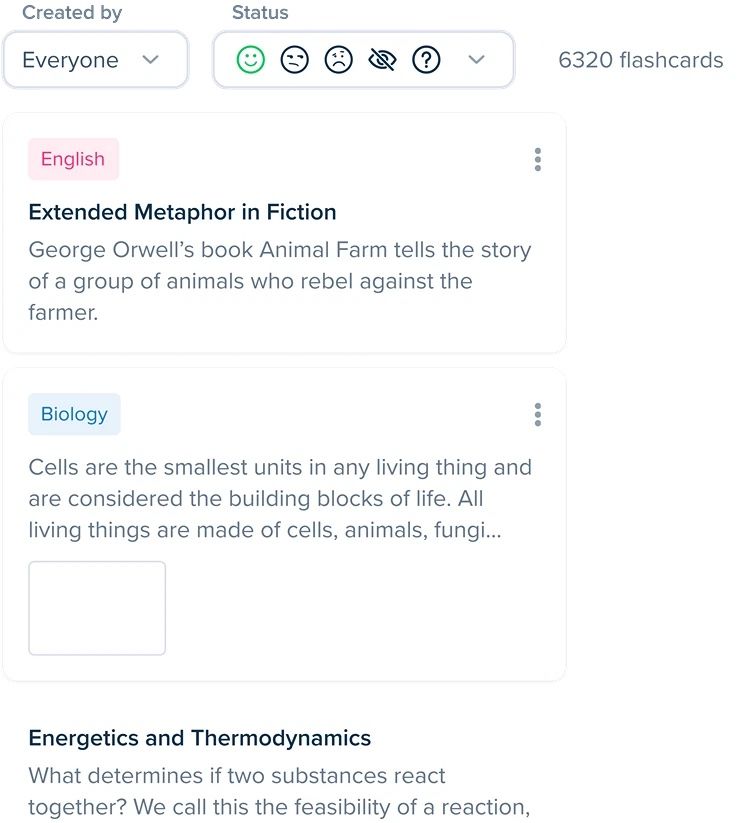
7. StudySmarter: Best Free All-in-One Study Organizer
StudySmarter combines flashcards with study plans, notes, shared learning resources, progress tracking, and quizzes. That wider scope makes it helpful for students who want to organize an entire exam period rather than maintain isolated decks.
Its flashcard tools include smart formatting, images, multiple-choice review, spaced repetition, offline access, and creation from uploaded documents. The platform also provides shared materials and subject explanations, although the usefulness of those resources depends on your course, curriculum, and region.
Compared with Quizlet, StudySmarter feels more like a study dashboard. That can be an advantage when planning and tracking matter, but it adds interface weight for users who only want fast card flipping.
Features
- Flashcards and multiple-choice quizzes
- Spaced-repetition training
- Study plans and progress analytics
- Shared study materials
- Document-based flashcard creation
- Web and mobile access with offline study options
Pros
- Brings planning and active recall together
- Useful for structured exam preparation
- Offers a broad free study ecosystem
- Supports both self-created and shared resources
Cons
- Broader interface can feel busier than Quizlet
- Shared course coverage varies by subject and location
Best for: Students who want a free planner, resource library, and flashcard system in one account.
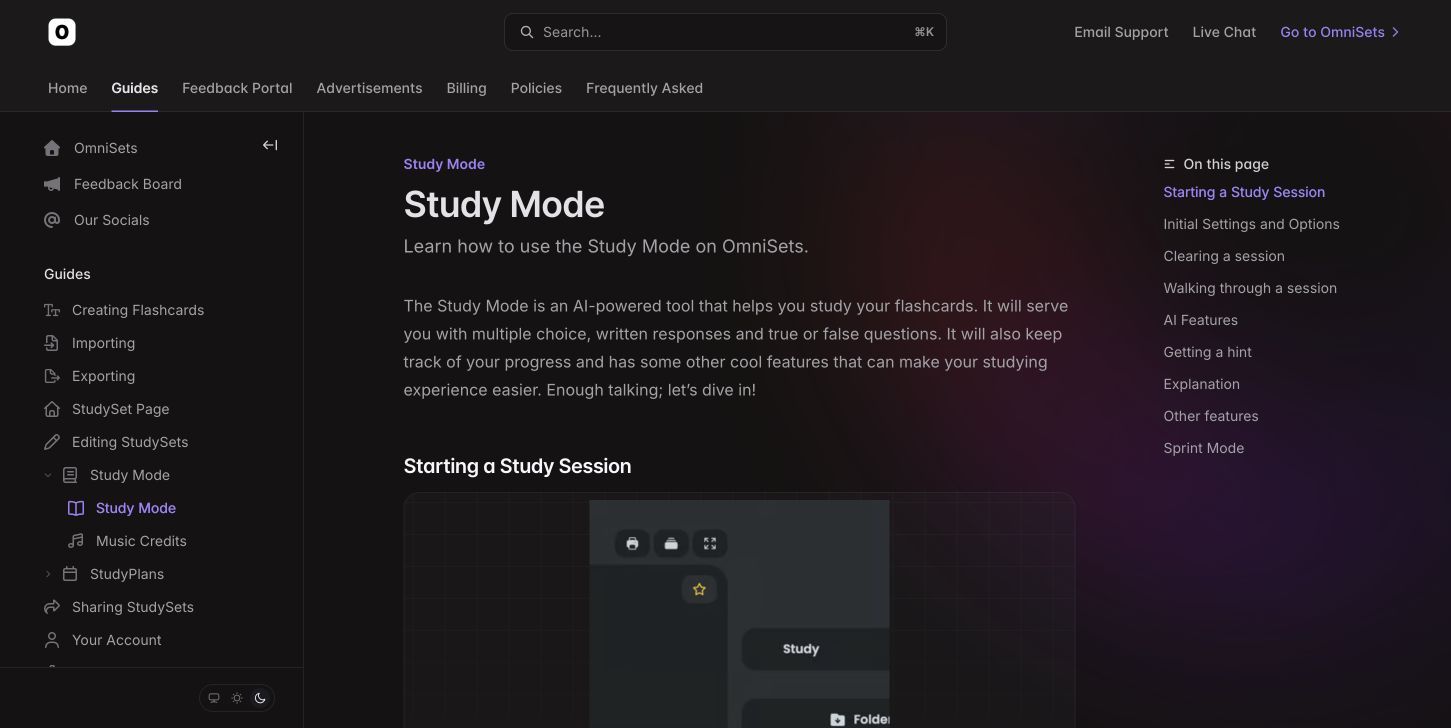
8. OmniSets: Best for Free Quizlet-Style Study Modes
OmniSets is a strong option when the specific loss you feel is Quizlet's variety of practice modes. Its Study mode can mix written responses, multiple choice, and true-or-false questions, while Quiz mode behaves like a configurable practice test. Match and other review options add variety.
Adaptive questions, mastery tracking, immediate re-answer settings, hints, and AI explanations make the experience more than a basic card flipper. The service uses advertising to help keep access free, so students who dislike ads should account for that trade-off.
The platform's public library and overall ecosystem are smaller than Quizlet's. Its value comes from practicing your selected sets in several ways, not from matching Quizlet's enormous catalog.
Features
- Study, Quiz, Match, and flashcard modes
- Written, multiple-choice, and true-or-false questions
- Quick and complete review settings
- Adaptive questions and mastery tracking
- Hints and AI explanations
- Missed-card review
Pros
- Recreates several familiar Quizlet-style study formats
- Supports active recall beyond flipping cards
- Useful control over question and review types
- Free access covers the core learning experience
Cons
- The free product is ad-supported
- Smaller content library and community than Quizlet
Best for: Former Quizlet users who want multiple study modes without committing to a subscription.
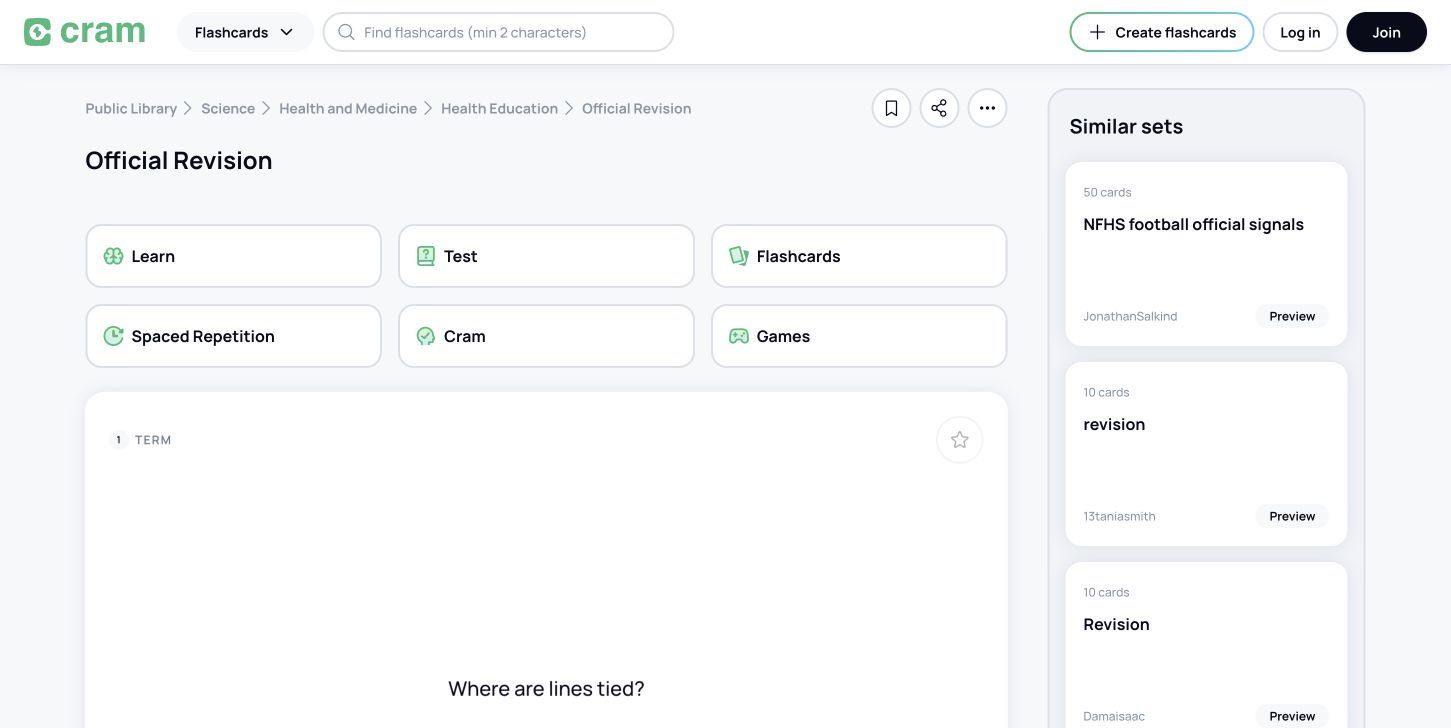
9. Cram: Best for Simple Flashcards and Printing
Cram is the least fashionable option in this ranking, but simplicity can be useful. It offers a large public collection of cards and straightforward controls for creating, cloning, sharing, printing, exporting, and reviewing sets.
It does not compete with newer AI study platforms on automatic generation, conversational tutoring, or sophisticated adaptive learning. Instead, it works for learners who know exactly what they want on the front and back of a card and prefer a direct web-based workflow.
The interface shows its age, and free accounts may encounter ads or limits around organization features such as folders. Cram still earns a place because it handles basic card study without forcing every learner into an AI workspace.
Features
- Public flashcard search
- Manual card creation and cloning
- Printing, sharing, and exporting
- Shuffle and card-direction controls
- Text-to-speech on supported material
Pros
- Minimal learning curve
- Useful printing and sharing options
- Large archive of public cards
- Good for quick, conventional study sets
Cons
- Dated design and limited modern AI features
- Free organization tools have restrictions
Best for: Learners who want uncomplicated cards, printable sets, or a public flashcard archive.
10. Wayground: Best for Live Classroom Quizzes
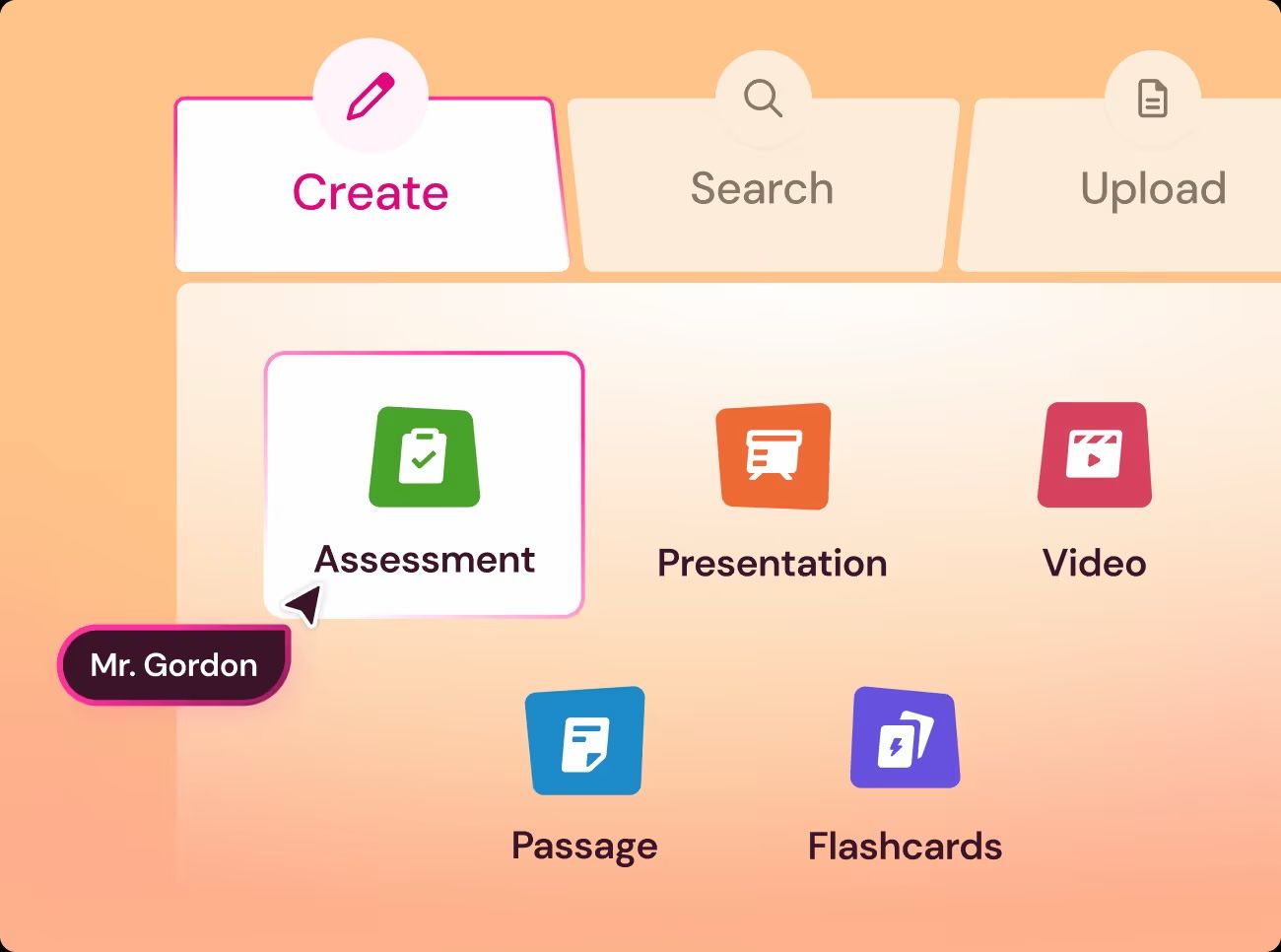
Wayground, formerly Quizizz, replaces a different part of Quizlet: live and assigned classroom practice. Teachers can build or adapt quizzes, launch game-like sessions, assign work for later, and review performance without asking every student to maintain a personal flashcard system.
Students can join many activities with a code, reducing account setup during class. The Starter plan provides a usable free entry point but limits activity storage and AI access. Paid plans expand creation, reporting, content, and customization.
Wayground is not the right replacement for someone who wants an offline deck scheduled through spaced repetition. It is one of the strongest options when the real comparison is with Quizlet Live, group review, or formative assessment.
Features
- Live and asynchronous quizzes
- Join-code access for students
- Teacher activity library
- Homework and assignments
- Performance reports
- Limited AI creation on Starter
Pros
- Engaging for classes and study groups
- Low-friction student participation
- Useful mix of live and self-paced activities
- Broader classroom formats than basic flashcards
Cons
- Not designed for personal spaced repetition
- Free activity storage and AI access are limited
Best for: Teachers, tutors, and group leaders replacing Quizlet Live or building interactive review sessions.
Why Students Look for a Free Quizlet Alternative
Quizlet has not eliminated free accounts. Students can still create and study flashcards, browse public sets, and try selected learning activities. The friction appears when free users want to repeat the most useful adaptive and assessment modes without interruption.
Quizlet currently limits free Learn access by rounds per study set. Test Mode provides a free round, after which unlimited practice requires a subscription. Quizlet's paid structure also distinguishes between a lower Plus tier with monthly allowances and Plus Unlimited with complete access to practice tests and unlimited Learn rounds.
This creates an unusual frustration: students may have written the cards themselves but still face limits when repeatedly practicing them in a preferred mode. Recent student discussions commonly focus on exactly that point rather than on flashcard creation alone.
There is one important exception. Students in a teacher-managed Quizlet class can receive unlimited, ad-free Learn and Test access when they are logged in and study sets assigned through that class. Before migrating an entire class, a teacher should check whether that arrangement solves the problem at no additional cost.
Other reasons for switching include:
- Wanting spaced repetition with more scheduling control
- Avoiding ads during study sessions
- Generating questions from notes or lectures instead of typing cards
- Moving to a tool with stronger offline access
- Using quizzes as live classroom activities
- Keeping notes and retrieval practice in one workspace
- Reducing the cost of repeated Learn and Test use
What “Free” Actually Means Across These Tools
A free trial and a sustainable free workflow are not the same thing. The most useful question is not “Does this app have a free button?” but “Which part of my weekly study routine remains available after the trial, credits, or introductory period ends?”
The Five Types of Free Plans
| Free model | What remains free | Typical restriction | Examples in this guide |
|---|---|---|---|
| Free core study | Manual cards, notes, or review remain free | Advanced AI, media, or analytics are paid | Knowt, Brainscape, RemNote |
| Open-source or local | Core software and local study are free | Some platforms or cloud conveniences may cost money | Anki |
| Ad-supported | Core study remains available | Ads appear unless you pay | OmniSets and parts of other free experiences |
| Energy or usage limited | You can keep using the product over time | Quizzing pauses, credits reset, or generation is capped | Gizmo, Lynote AI generation, Knowt AI |
| Free classroom starter | Teachers can create and run basic activities | Storage, AI, reporting, or customization is capped | Wayground |
The right model depends on your behavior. An ad-supported site may be acceptable for a ten-minute vocabulary review but distracting during a two-hour exam session. A monthly AI allowance may be enough if you generate one quiz per chapter, while a medical student processing daily lectures may need a paid plan or a manual workflow.
Platform costs also matter. Saying “Anki is free” is broadly true for desktop, web sync, and Android, but incomplete for an iPhone owner who wants the official mobile app. A useful comparison has to follow the user onto the device where studying actually happens.
Which Quizlet Feature Are You Actually Replacing?
Trying to replace every Quizlet feature with one product can lead to a worse setup. Start with the job that consumes the most time or causes the most frustration.
You Want to Turn Course Material Into Practice Questions
Choose Lynote when the raw material is a PDF, lecture recording, image, video, webpage, or YouTube link. Its value is preparation: it turns existing material into a quiz without requiring a finished flashcard set first.
You Want Free Learn, Test, Match, and Flashcard Modes
Knowt is the strongest direct match, especially when you already have Quizlet sets to import. OmniSets is another useful choice when question formats, adaptive review, and an ad-supported free experience are acceptable.
You Want Stronger Long-Term Memory Scheduling
Choose Anki for maximum control, Brainscape for a friendlier confidence-rating workflow, or RemNote when cards need to stay connected to detailed notes. All three emphasize repeated retrieval over game variety.
You Want Live Classroom Games
Wayground is the clearest fit. It is designed around teacher-created activities, join codes, assignments, and reports rather than personal deck maintenance.
You Want One Study Dashboard
StudySmarter combines planning, progress, shared resources, quizzes, and cards. RemNote is the better alternative when the dashboard should behave like a personal knowledge base rather than a course planner.
You Want Fast, Motivating Daily Practice
Gizmo's game-like sessions can make short review periods easier to start. The hearts limit matters, but flashcards-only review remains an option when you do not want to wait.
You Want Simple Cards You Can Print or Share
Cram is sufficient when AI, chat, and advanced analytics would only add noise. It keeps the traditional card workflow visible and easy to explain.
How to Move From Quizlet Without Rebuilding Everything
Migration is not only a file-format problem. A Quizlet set may include images, audio, formatting, card direction, class ownership, and links to content created by someone else. Moving the terms while losing that context can create a deck that technically imported but is no longer useful.
1. Separate Your Sets From Sets You Only Study
Identify which decks you created, which were shared with you, and which belong to a teacher or public creator. Move only content you own or are authorized to reuse. A public set being visible does not automatically make every element available for unrestricted republishing.
2. Decide Whether You Need the Cards or the Underlying Source
If you still have the original lecture, PDF, notes, or video, generating a new quiz from that source may produce a cleaner result than converting an old card set. This is especially true when the Quizlet cards are incomplete, copied from several chapters, or missing context.
3. Use a Direct Importer When Available
Knowt's Chrome extension offers the simplest direct path in this list. Open the relevant Quizlet set, use the extension, and move it into Knowt. Import behavior can change when platforms update their pages, so test a small set before assuming an entire library will transfer without formatting problems.
4. Verify Both Directions of Every Card
After importing, check whether the term and definition are on the intended sides. Review line breaks, special characters, formulas, images, and audio. A deck with reversed or truncated answers can quietly train the wrong recall behavior.
5. Pilot One Real Study Session
Do not judge the replacement from its dashboard. Study one representative set, make several mistakes, close the app, return later, and see what it schedules next. That reveals more about the fit than a feature checklist.
6. Keep Quizlet Where It Still Helps
You do not need to delete Quizlet to adopt an alternative. Keep it for a teacher's assigned class, a valuable public set, or a group that already collaborates there. Use another tool for the workflow Quizlet's free limits do not serve well.
Quizlet vs. the 10 Alternatives: Detailed Comparison
This table compares the products as study systems, not just as websites that display cards. ✅ means the capability is central and practically usable, ◐ means limited or secondary support, and ❌ means the workflow is not supported.
| Tool | Continuing free core | AI from source files | Manual cards | SRS or adaptive review | Public library | Classroom mode | Mobile or offline | Practical import path | Best audience |
|---|---|---|---|---|---|---|---|---|---|
| Quizlet | ◐ Mode limits | ◐ | ✅ | ◐ | ✅ | ✅ | ◐ Mobile | ✅ Native | Users who value its library and classes |
| Lynote | ◐ Generation allowance | ✅ | ◐ | ❌ | ❌ | ◐ Shareable | ◐ Web | ✅ Original sources | Source-to-quiz learners |
| Knowt | ✅ | ◐ Limited | ✅ | ✅ | ✅ | ✅ | ✅ Web/mobile | ✅ Direct extension | Former Quizlet users |
| Anki | ◐ Paid official iOS app | ◐ Add-ons | ✅ | ✅ Advanced | ◐ Shared decks | ❌ | ✅ Strong | ◐ Text/third-party | Serious long-term learners |
| Brainscape | ✅ Self-made/shared | ◐ | ✅ | ✅ | ◐ | ◐ Groups | ✅ Web/mobile | ◐ General import | Guided SRS learners |
| RemNote | ✅ | ◐ Free allowance | ✅ | ✅ | ❌ | ◐ Sharing | ✅ Multi-platform | ◐ General/manual | Note-centered learners |
| Gizmo | ◐ Hearts | ✅ | ✅ | ✅ | ◐ Shared content | ◐ Social study | ✅ Mobile/web | ✅ Source/card imports | Gamified learners |
| StudySmarter | ✅ | ◐ | ✅ | ✅ | ✅ | ◐ Study groups | ✅ Web/mobile | ◐ Varies | All-in-one planners |
| OmniSets | ◐ Ads | ◐ | ✅ | ✅ | ◐ Smaller library | ◐ | ◐ Web | ◐ Varies | Quizlet-style mode seekers |
| Cram | ◐ Basic | ❌ | ✅ | ◐ Basic | ✅ | ◐ Sharing | ✅ Web/mobile | ◐ Manual/general | Simple card users |
| Wayground | ◐ Starter | ◐ | ❌ | ❌ | ✅ Activity library | ✅ Strong | ✅ Web/mobile | ◐ Activity imports | Teachers and classrooms |
No product wins every column. Knowt is the broadest free replacement for Quizlet's individual study modes, but Anki has deeper scheduling. Lynote removes more preparation work from source material, but it does not replace a public flashcard marketplace.
Wayground is stronger for live class activities, but it is not designed to manage a personal memory queue.
This is why the best alternative is often the product with the clearest boundary. A focused tool that solves your primary job every week is more valuable than a platform with twenty features you cannot use freely.
Can a Free Alternative Fully Replace Quizlet Plus?
For many users, yes. The answer depends on what made Quizlet Plus valuable in the first place.
Yes, If You Mainly Review Your Own Cards
Knowt, Anki, Brainscape, RemNote, and OmniSets all provide sustainable ways to practice self-created material. The best choice comes down to familiar modes, scheduling depth, note integration, and tolerance for ads or setup.
Yes, If You Mainly Need Practice Questions From Course Material
Lynote can replace the manual preparation step by building a quiz from the source itself. That is not the same as recreating Quizlet's public library, but it may solve the more time-consuming problem.
Yes, If You Mainly Run Classroom Review
Wayground can be a better fit than Quizlet Live when teachers want more activity formats, assignments, join-code participation, and class reporting. Its free limits still need to match the number of activities a teacher maintains.
Not Always, If You Depend on Quizlet's Ecosystem
Quizlet remains useful when your teacher assigns sets there, your study group already collaborates there, or a public deck includes media and explanations that do not migrate. The teacher-managed class exception can also make Learn and Test available without requiring every student to buy a plan.
A Two-Tool Setup Can Be Better
One app does not need to handle preparation, practice, scheduling, and classroom delivery. You might generate chapter questions from course files, then move the facts that require long-term retention into Anki or RemNote. A teacher might prepare questions from source material and deliver the final activity through Wayground.
The advantage is specialization. The drawback is organization, so keep the workflow simple enough that studying does not become a project about study software.
FAQs About Free Quizlet Alternatives
What is the best free Quizlet alternative?
Lynote is best when you need to generate quizzes from your own PDFs, notes, recordings, videos, or webpages. Knowt is the closest like-for-like replacement for Quizlet's free study modes, while Anki is better for advanced spaced repetition and long-term retention.
Which free Quizlet alternative has Learn and Test modes?
Knowt offers free Learn, Test, Match, flashcard, and spaced-repetition modes. OmniSets also provides Study and Quiz modes with multiple-choice, written, and true-or-false questions, although its free experience is supported by ads.
Can I import my Quizlet sets into another app?
Yes. Knowt provides a Chrome extension designed to move Quizlet sets into Knowt. Other apps may accept exported text or third-party conversion formats, but images, audio, formatting, and card direction should always be checked after migration.
Is Anki completely free?
Anki's desktop software, AnkiWeb synchronization, and the community-developed AnkiDroid app are free. The official AnkiMobile app for iPhone and iPad is a paid purchase.
Is Knowt really free?
Knowt's basic student account includes unlimited flashcards, notes, and core study modes. AI usage is limited and resets monthly, while the paid Student Ultra plan removes ads and expands AI features.
Which Quizlet alternative can generate quizzes from PDFs or videos?
Lynote can generate questions and answers from documents, images, audio, video, webpages, and YouTube sources. It is a better fit than a manual flashcard app when the starting material has not yet been converted into a deck.
What is the best free Quizlet alternative for teachers?
Wayground is best for live classroom quizzes, homework, and game-like review. Lynote is useful for preparing questions from lesson materials, while Knowt offers teacher tools and familiar student study modes.
Can I still use Quizlet for free?
Yes. Quizlet still supports free accounts and core flashcard study, but free Learn rounds and Test access are limited. Students in eligible teacher-managed classes can receive unlimited ad-free Learn and Test access for sets assigned through that class.
Final Verdict
Choose Lynote when your biggest problem is turning source material into usable practice questions. Choose Knowt when you want the closest free version of Quizlet's familiar study experience, Anki when long-term retention matters more than convenience, and Wayground when the activity needs to work for a classroom.
The best next step is not migrating everything. Take one real chapter, deck, or lesson through your top choice and complete a full study session. If the free workflow still works after mistakes, repeat reviews, and a return visit, you have found a useful Quizlet alternative rather than another short-lived trial.

Written by Danny
Product Marketing Manager
Danny explains how Lynote features fit real workflows, from everyday productivity to product-led writing use cases. View all articles →