Notes in Spanish: How to Organize Better Study Notes

If you want better notes in Spanish, the goal is not just to translate every word. Good Spanish notes should help you remember vocabulary, grammar, examples, and meaning in context. Whether you are taking a class, reviewing a video, or building Spanish vocabulary notes, a clear note system saves time and makes review easier.
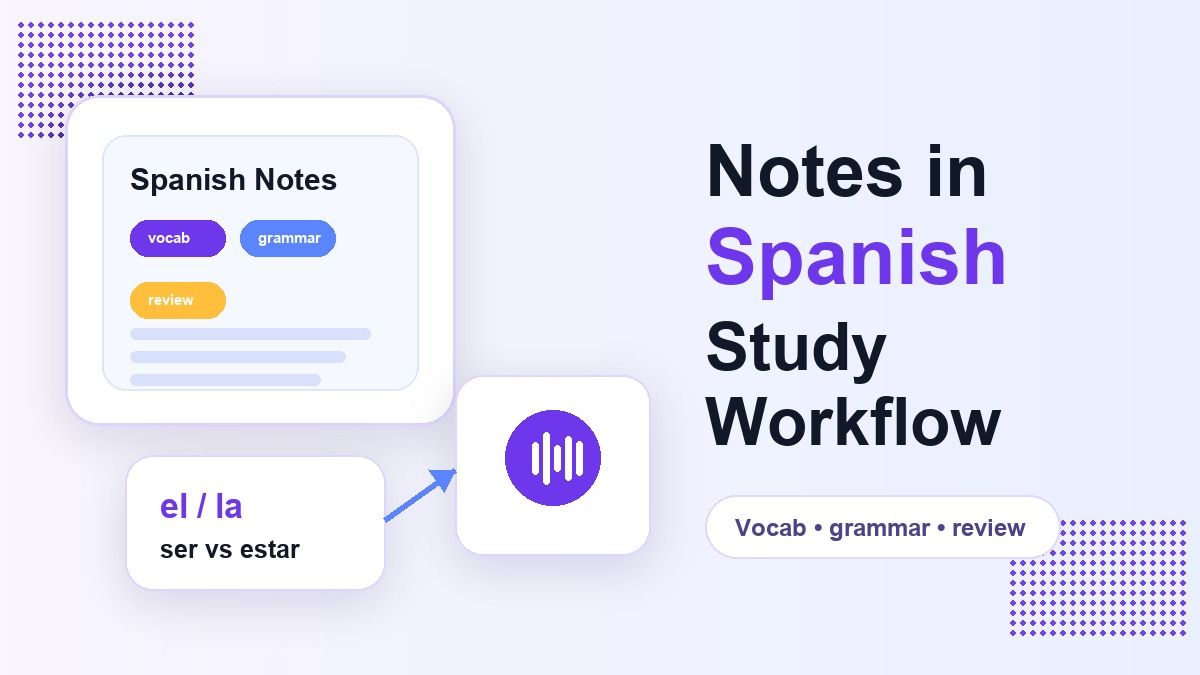
Many learners collect Spanish notes in random places: notebooks, screenshots, class handouts, app exports, and copied examples from the web. The problem is that scattered notes are hard to review before a quiz, conversation, or writing assignment. A smarter workflow is to organize notes in Spanish by topic, phrase type, grammar pattern, and real usage.
Why Notes in Spanish Need More Structure
Spanish learning is not only about memorizing word lists. You need verbs, noun gender, sentence order, accents, pronunciation hints, and examples that show when a phrase sounds natural. If your notes in Spanish only contain English-to-Spanish pairs, you may recognize words but struggle to use them.
This is why Spanish vocabulary notes should include short sample sentences. For example, writing "not much in Spanish = no mucho" is helpful, but adding "No tengo mucho tiempo" makes the phrase easier to remember. Context turns a translation into a usable expression.
What to Include in Spanish Notes
Strong Spanish notes usually include vocabulary, grammar, examples, and personal reminders. For each new word, write the Spanish term, English meaning, part of speech, gender if needed, and one natural sentence. This gives your notes in Spanish enough detail for review without turning them into a textbook.
For verbs, include the infinitive, tense, and one example. For nouns, mark el or la. For tricky phrases, add a short note about tone, formality, or common usage.
How to Organize Spanish Notes by Topic
The easiest system is to organize notes in Spanish by real-life topic. Use sections such as greetings, food, travel, school, work, emotions, time, and opinions. This helps you review phrases as groups instead of isolated words.
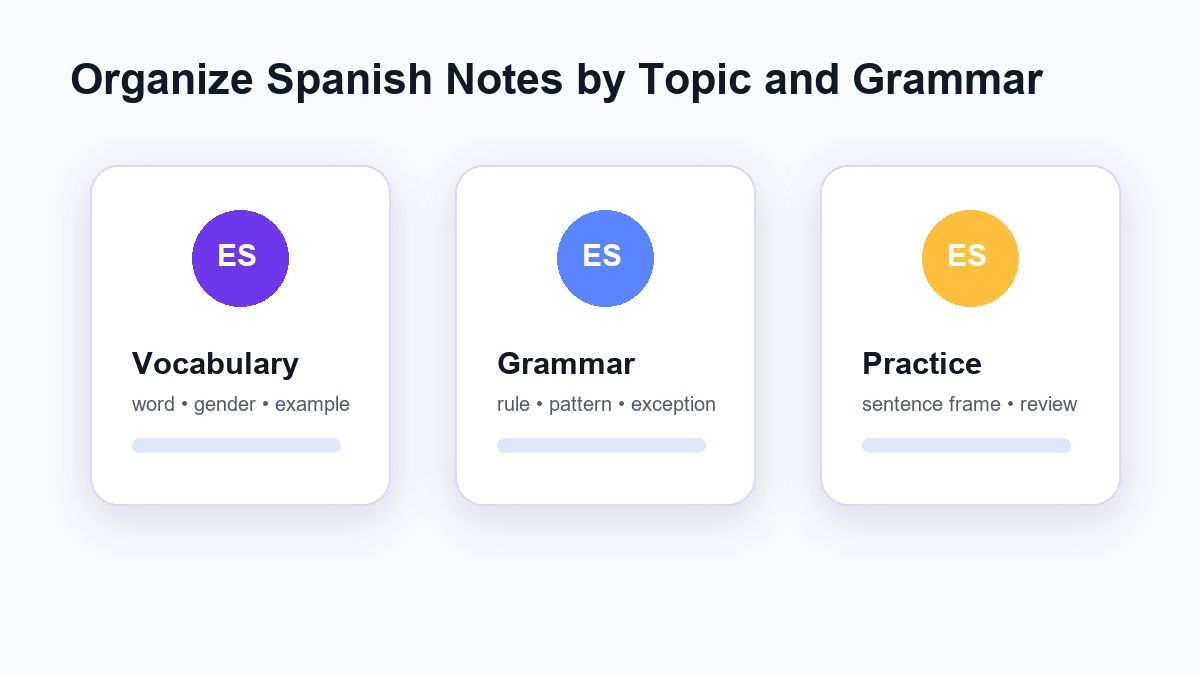
Topic-based notes are especially useful before a conversation. If you need to talk about food, you can review restaurant phrases, common verbs, and useful adjectives together. If you are preparing for class, you can review the topic your teacher assigned.
How to Organize Spanish Notes by Grammar
Grammar notes should be separate from vocabulary notes. Put verb conjugations, pronouns, prepositions, adjective agreement, and sentence patterns in dedicated sections. This makes your notes in Spanish easier to scan when you need a rule quickly.
For example, create one section for ser vs estar. Add a short rule, then include several examples. This is more useful than writing a long paragraph that you will never reread.
Spanish Vocabulary Notes That Actually Help
Spanish vocabulary notes work best when they include categories and examples. Instead of listing twenty random words, group them by function. Put verbs together, adjectives together, nouns together, and connectors together.
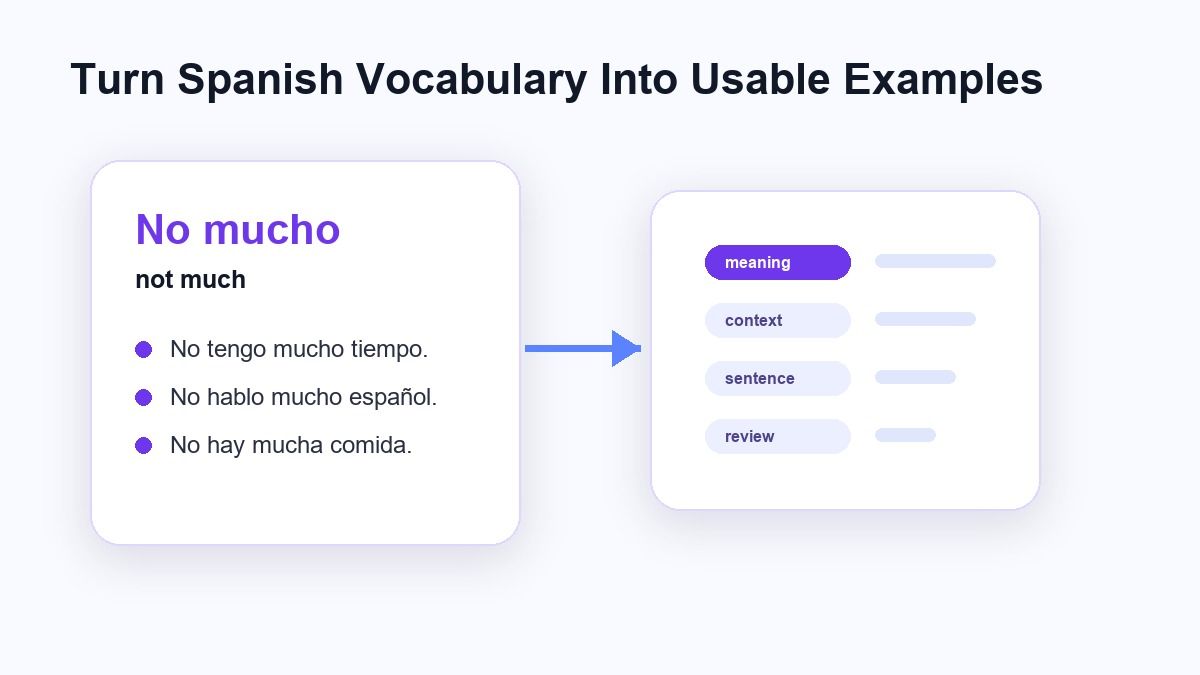
Add one short sentence for each important word. For example, "rápido = fast" is fine, but "El tren es rápido" makes the meaning clearer. This makes your notes in Spanish useful for speaking and writing, not just recognition.
How to Take Notes in Spanish During Class
When you take notes in Spanish during class, do not try to write every word. Focus on new terms, examples from the teacher, common mistakes, and phrases you want to reuse. Leave space after each section so you can add corrections later.
A good class note has three layers: what the teacher said, what the phrase means, and how you would use it. If your teacher gives a sentence, copy the sentence exactly. Then add a short English explanation only if you need it.
How Lynote Helps Create Notes in Spanish
Lynote AI Note Generator can help when your source material is messy, long, or spread across different formats. You can use it to turn documents, audio, video, images, webpages, or YouTube links into structured AI notes. This is useful when you want notes in Spanish from lectures, study videos, class materials, or reading content.

Instead of manually copying everything, you can add the source material and generate organized notes. Then you review the output, edit anything that needs correction, and keep the parts that help you study. Lynote is not a replacement for learning, but it can make the first draft of your Spanish notes much faster.
Step 1. Add Your Spanish Source Material
Start by adding the material you want to study. This might be a Spanish lesson video, class handout, vocabulary document, audio recording, webpage, or image. If the source is online, paste the link when supported.
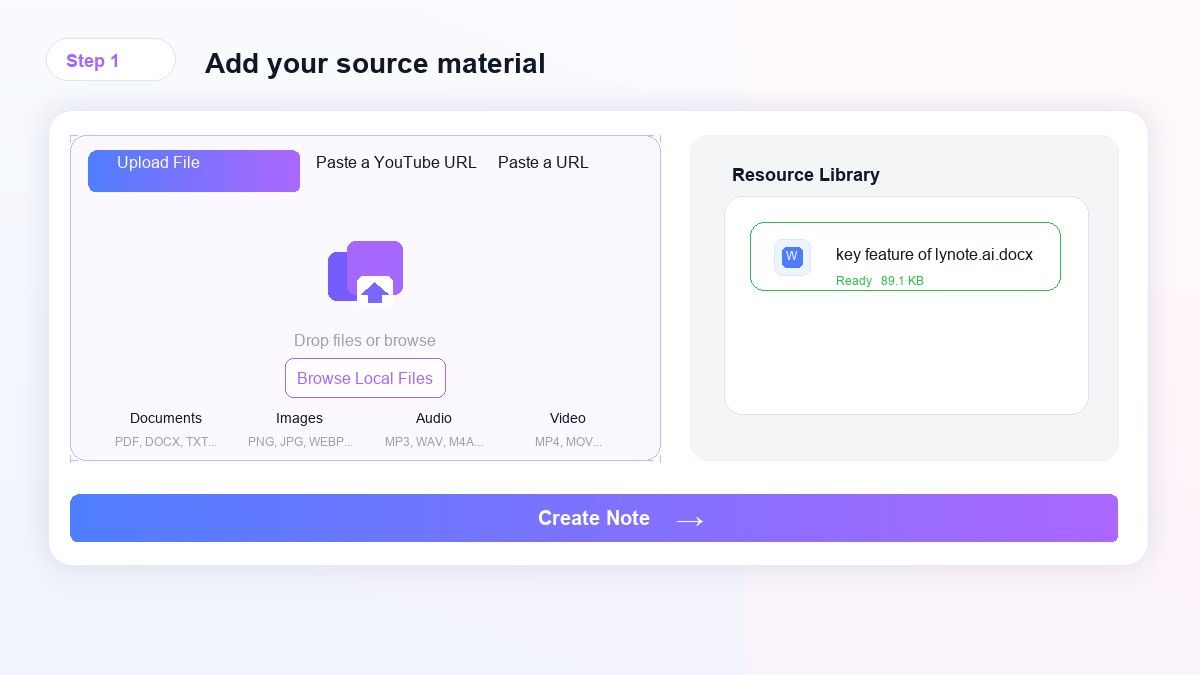
For students, this step is useful because Spanish learning material often comes from many places. You might have one PDF from class, one YouTube explanation, and one list of vocabulary words. Lynote helps bring that material into one note workflow.
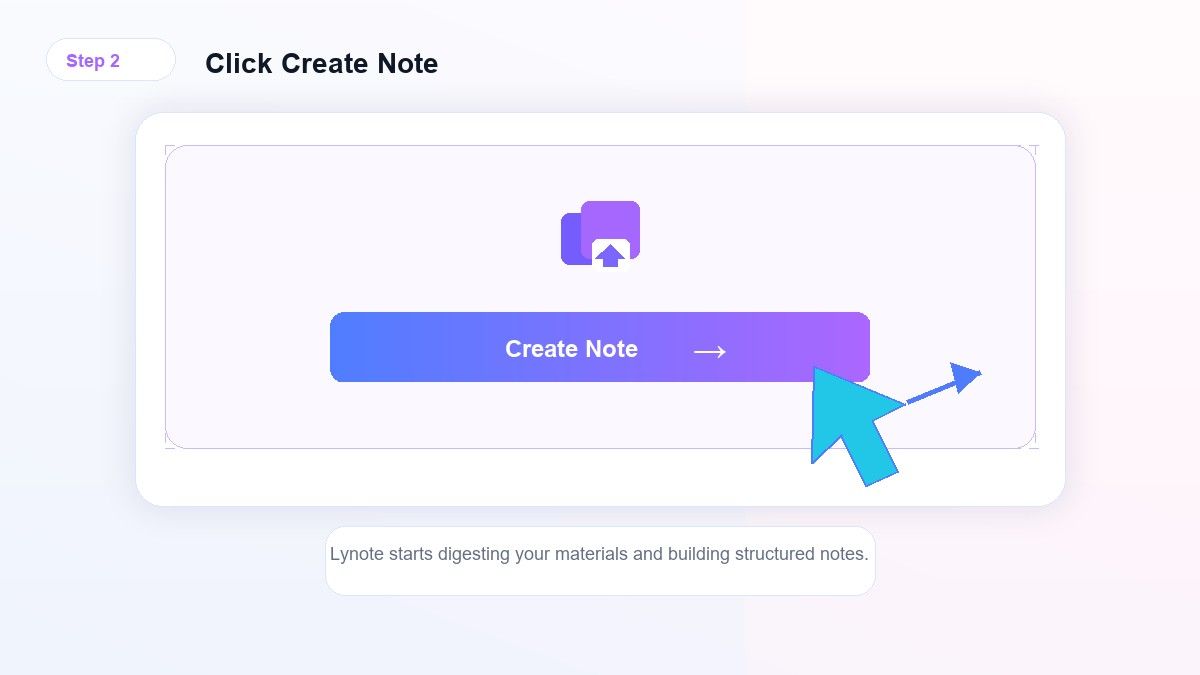
Step 2. Generate Structured Notes
After adding your source, use Lynote to create structured notes. The output can help organize main ideas, key vocabulary, examples, and sections. This gives you a cleaner starting point than raw copied text.
When reviewing notes in Spanish, check names, accents, verb forms, and meanings carefully. AI-generated notes can save time, but language learning still needs human review. Treat the result as a study draft that you improve.
Step 3. Edit and Build Your Review System
Once your notes are generated, edit them into your preferred study format. Add bold labels for grammar rules, tables for verbs, and example sentences for vocabulary. Remove anything that is too broad or not useful.

Then create a review routine. Revisit Spanish vocabulary notes daily, grammar notes weekly, and conversation phrases before speaking practice. The best notes in Spanish become active study material, not static storage.
A Simple Template for Notes in Spanish
Use this format when building your own Spanish notes:
| Section | What to Add |
|---|---|
| Vocabulary | Spanish word, English meaning, gender, example |
| Grammar | Rule, pattern, exception, example sentence |
| Phrases | Natural expression, tone, when to use it |
| Mistakes | Wrong version, correct version, reason |
| Review | Questions, mini quiz, flashcard prompt |
This template keeps notes in Spanish short but useful. It also makes review easier because every section has a job. If a note does not help you understand, speak, write, or remember, simplify it.
Example: Turning "Not Much in Spanish" Into a Useful Note
A weak note says: "not much in Spanish = no mucho." That is technically useful, but it does not show how the phrase works. A better note includes context.
Example note: "No mucho = not much. Use it for quantity or degree. Example: No tengo mucho dinero. Example: No hablo mucho español." This turns one search phrase into a usable Spanish note.
How to Use Spanish Notes for Speaking Practice
Speaking practice works better when your notes include short sentence frames. Write phrases like "Quiero...," "Necesito...," "Me gusta...," and "No entiendo..." Then add several words you can swap into the sentence.
This makes your notes in Spanish flexible. Instead of memorizing one full sentence, you learn a pattern. That pattern helps you speak faster because you are not translating every sentence from scratch.
How to Use Spanish Notes for Writing
For writing, keep a separate section for connectors and transitions. Add words such as porque, aunque, entonces, además, sin embargo, and por eso. These words make Spanish writing sound more organized.
Spanish notes for writing should also include common correction patterns. If you often forget adjective agreement, add a reminder with examples. If you confuse preterite and imperfect, create a small comparison table.
Common Mistakes When Taking Spanish Notes
The first mistake is writing too much English. English explanations can help, but your notes should gradually include more Spanish examples. The more you see Spanish in context, the faster the patterns become familiar.
The second mistake is mixing vocabulary and grammar randomly. A long page of unrelated items is hard to review. Keep your notes in Spanish grouped by topic, grammar, and usage.
The third mistake is never updating old notes. Spanish learning is cumulative, so your notes should improve as your understanding improves. Add corrections, better examples, and new phrases when you learn them.
When AI Notes Are Most Useful for Spanish Learners
AI notes are useful when the source is long or hard to summarize manually. For example, a Spanish lecture, grammar explainer, podcast, or YouTube lesson can contain many useful points. Lynote can help turn that source into a structured draft.
This is especially helpful for learners who want to take notes in Spanish but still need organization support. You can start with AI-generated structure, then add your own corrections and personal examples. That mix keeps the workflow fast while still supporting real learning.
FAQ
What are notes in Spanish?
Notes in Spanish are study notes that help you learn Spanish vocabulary, grammar, phrases, and examples. They can include English explanations, but they should also include real Spanish sentences. The best notes in Spanish help you review and use the language.
How do I organize Spanish notes?
Organize Spanish notes by topic, grammar pattern, vocabulary category, and review purpose. Keep speaking phrases separate from writing phrases. Use examples instead of isolated translations whenever possible.
What should Spanish vocabulary notes include?
Spanish vocabulary notes should include the word, meaning, gender if needed, part of speech, and one example sentence. For verbs, add tense or conjugation notes. For phrases, include when and how to use them.
Can Lynote help me take notes in Spanish?
Yes, Lynote can help create structured notes from supported source material such as documents, audio, video, images, webpages, and YouTube links. You should still review the output for accents, grammar, and context. It is best used as a faster first draft for study notes.
How do I take notes in Spanish during class?
Write key vocabulary, grammar rules, teacher examples, and mistakes to review later. Do not try to write every word. After class, clean up your notes in Spanish and add examples you can actually use.
Final Thoughts
Better notes in Spanish make language study easier because they connect vocabulary, grammar, and real examples. Instead of collecting random words, build notes you can review, edit, and use in speaking or writing. If your source material is long or scattered, try Lynote AI Note Generator to turn lessons, files, audio, videos, and webpages into organized Spanish study notes.

Written by Kristen I.
Content Strategist
Kristen focuses on content structure, editorial planning, readability, and creating useful experiences for readers. View all articles →