JustDone AI Humanizer can make a generic AI draft sound less repetitive and more deliberate, but it should be treated as a first rewrite rather than a finished piece of writing. Its public demo shows meaningful changes to sentence rhythm and structure, yet those changes can also strengthen, remove, or reinterpret ideas from the original text.

That makes the answer to “does JustDone AI Humanizer work?” conditional. It may work as a readability editor for low-risk text, but a lower AI-likelihood score does not prove that the rewrite is accurate, original, or faithful to your voice.
| Question | Short Answer | Practical Meaning |
|---|---|---|
| Does JustDone make AI text sound more natural? | Often, especially when the input is generic or repetitive. | Expect structural rewriting, not only synonym changes. |
| Does it always preserve meaning? | No rewrite tool can guarantee that. | Compare every important claim with the original. |
| Will every detector treat it as human? | There is no reliable guarantee. | Different detectors can return conflicting results. |
| Is the public tool fully free? | The public page demonstrates the workflow, but current access leads to paid plans. | Check the live checkout terms before subscribing. |
| Is the output ready to submit or publish? | Not automatically. | Verify facts, citations, tone, and authorship requirements first. |
This review focuses specifically on the Humanizer. For the detector, plagiarism checker, study tools, and broader subscription, see our full JustDone AI review.
What the JustDone AI Humanizer Actually Does
JustDone presents its Humanizer as a structural rewriting tool. Its current product page says the system adjusts sentence rhythm, word predictability, repetition, filler, tone, and voice instead of merely replacing individual words with synonyms.
That distinction matters. A basic paraphraser may change “important” to “essential” and leave the rest of a sentence intact, while a humanizer can split a sentence, move its emphasis, remove a transition, or rebuild the paragraph around a different rhythm.
The product currently offers four styles in its public demonstration: Formal & Professional, Neutral & Conversational, Academic, and Neutral & Clear. Elsewhere on the same page, the workflow is summarized more broadly as choosing an academic, professional, or natural tone.
These controls can help align a draft with an audience. They cannot establish who authored the ideas, whether the facts are correct, or whether AI assistance is allowed in the context where the text will be used.
Humanizing Is Not the Same as Paraphrasing
The categories overlap, but their success criteria differ. Paraphrasing mainly asks whether the same idea has been expressed in different words; humanizing also tries to change cadence, predictability, and perceived voice.
A grammar checker has a narrower job: correct language errors without unnecessarily rebuilding the argument. An AI detector has a different job again: estimate whether a passage resembles patterns associated with AI-generated writing.
Combining all three in one platform is convenient, but their outputs should not be confused. A grammatically correct rewrite can still be inaccurate, and a low detector score can still belong to weak writing.
How to Use JustDone AI Humanizer
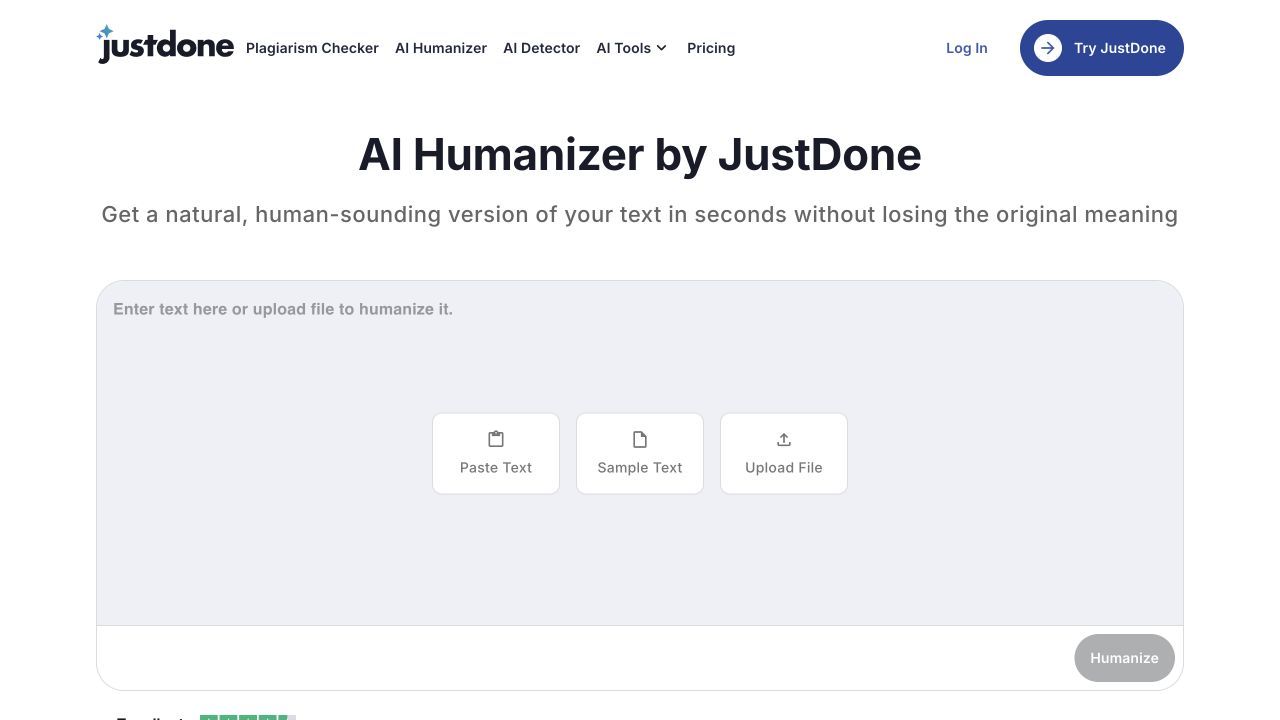
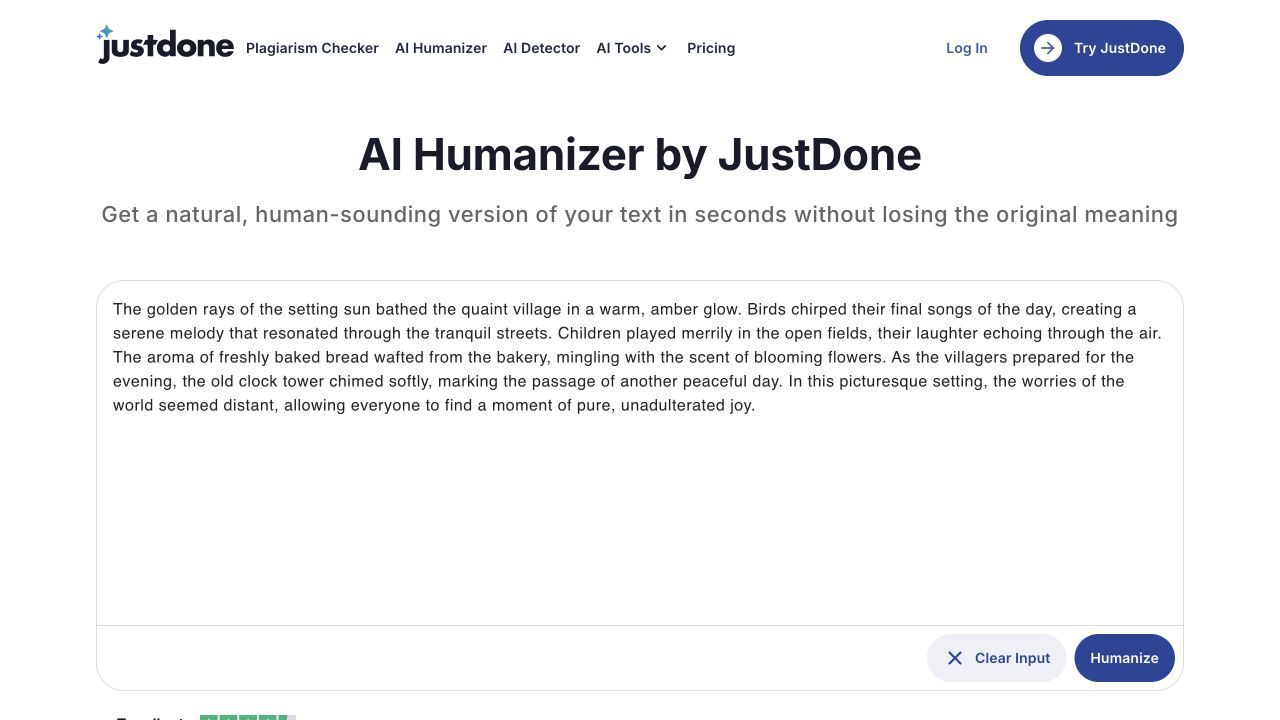
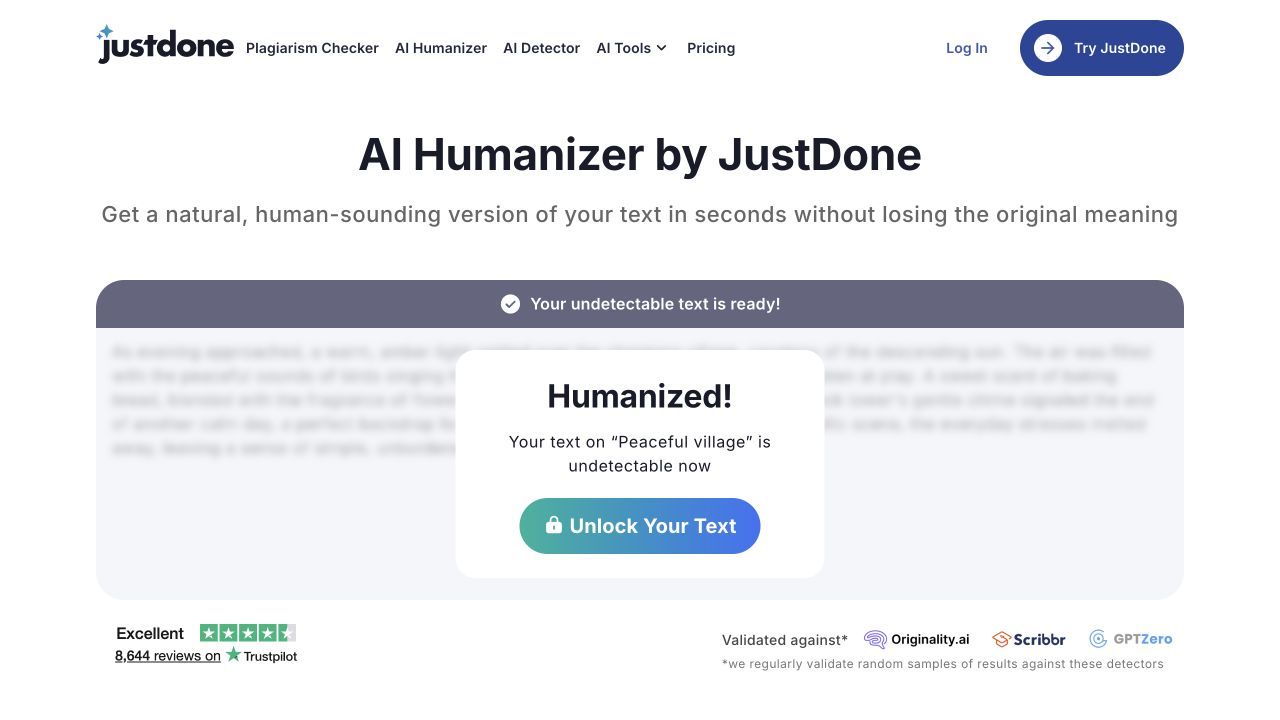
The current public page describes a short workflow, but the interactive flow contains more decisions than its three-step summary suggests. I loaded JustDone's own sample, selected a tone and rewrite strength, and let the process complete; the final text was blurred behind an Unlock Your Text prompt.
Step 1. Paste the Draft You Want to Revise
Start with a passage whose meaning you understand and are authorized to edit. JustDone markets the tool for essays, emails, articles, short sentences, and drafts produced with tools such as ChatGPT or Gemini.
Do not begin with an entire high-stakes document. A shorter section makes it easier to identify deleted qualifications, altered facts, or changes in the relationship between a claim and its evidence.
Step 2. Click Humanize and Choose a Tone
After clicking Humanize, the tested public flow asks for Academic, Formal & Professional, Neutral & Clear, or Natural & Conversational tone. Choose based on the intended reader, not on which label sounds most sophisticated.
Academic mode should not be assumed to make a passage academically sound. It can influence structure and formality, but it cannot supply valid evidence, repair a weak argument, or confirm that a citation supports the rewritten claim.
Step 3. Choose Light, Balanced, or Strong Rewrite
The next prompt asks how strongly the text should be changed. Light aims to keep the original tone and structure, Balanced is described as a natural human rewrite, and Strong applies a more significant rewrite.
Use the lightest option that solves the problem. Increasing rewrite strength also increases the need to verify meaning, facts, terminology, and voice.
Step 4. Process the Text and Check the Access Limit
Run the rewrite once and preserve the original version. Repeatedly humanizing the same paragraph can create more distance from the source meaning, even if each individual change appears reasonable.
In my public-flow check, JustDone completed its progress sequence but blurred the rewritten passage behind Unlock Your Text. This means the no-payment experience lets you test the interaction but does not provide enough visible output for an independent quality comparison.
Step 5. Compare the Unlocked Output Before You Use It
Read the original and rewrite side by side. Check every name, number, date, definition, citation marker, limitation, and modal word such as “may,” “often,” or “typically.”
Then read the new version aloud. A sentence can look polished on screen yet sound theatrical, vague, or unlike anything you would naturally say.
How I Evaluate Whether a Humanizer Really Works
Detector scores are the easiest result to advertise because they produce a dramatic percentage. They are not the best measure of writing quality.
I use a broader standard. A humanizer succeeds only when the rewrite becomes easier and more natural to read without damaging the information, logic, or voice that made the original worth keeping.
| Evaluation Dimension | A Useful Rewrite Should | Common Failure |
|---|---|---|
| Meaning preservation | Keep the original claim and level of certainty | Turn a qualified statement into an absolute one |
| Factual stability | Preserve names, dates, quantities, and relationships | Add or remove a detail that changes the conclusion |
| Citation integrity | Keep evidence attached to the claim it supports | Move or broaden a claim beyond its citation |
| Naturalness | Vary rhythm without sounding forced | Add dramatic fragments or inflated wording |
| Voice retention | Sound compatible with the writer or brand | Replace a plain voice with generic editorial polish |
| Readability | Reduce repetition and unnecessary formality | Simplify until nuance disappears |
| Editing cost | Leave a version that is faster to fix than the input | Create so many subtle changes that a manual rewrite is easier |
| Detector response | Provide one optional signal after revision | Become the only definition of success |
This framework also prevents a misleading comparison. A tool can lower an AI score by making prose stranger, but that is not a good result for a reader.
What JustDone’s Public Before-and-After Example Reveals
The current JustDone page provides a 61-word sample defining academic writing and a 62-word humanized version. The original is labeled 98% AI, while the rewrite is labeled 95% Human.
The rewrite is more rhythmic. It replaces a conventional definition with shorter, more assertive sentences and a stronger editorial voice. That demonstrates that JustDone is doing more than swapping synonyms.
It also demonstrates the main review risk. The original says academic writing aims to present ideas, arguments, and evidence clearly and is commonly used in essays, research papers, reports, and scholarly articles. The rewrite reframes academic writing as “the discipline of converting research into knowledge” and says every claim traces to evidence and every argument follows examinable logic.
Those new sentences are appealing, but they are not neutral equivalents. The rewrite omits reports from the examples, adds the concept of withstanding scrutiny, and turns a general description into stronger normative claims.
This does not mean the rewrite is bad. It means the demo supports a narrower conclusion: JustDone can produce more distinctive prose, but users still need to decide whether the new emphasis remains accurate for their purpose.
Where JustDone Humanizer Is Most Likely to Help
Based on the current workflow and public example, JustDone is best suited to drafts whose problem is obvious and stylistic. The less factual risk the passage carries, the more room the tool has to restructure it.
Generic AI Drafts With Repetitive Structure
AI drafts often repeat a familiar pattern: introduce a topic, list its benefits, add a broad transition, and conclude with an abstract statement. JustDone’s willingness to rebuild sentence structure can make this type of paragraph less monotonous.
The best input is still a draft with a clear point. If the source paragraph contains no specific insight, humanization may give empty ideas a livelier rhythm without making them more useful.
Short Emails and Marketing Copy
Short, low-risk copy can benefit from a stronger cadence or a more conversational tone. An email opening, product description, or social caption is also easy to compare against the original.
Brand teams should still inspect the result for unsupported promises. A rewrite model may intensify a mild benefit into a confident claim because stronger language often sounds more polished.
ESL Drafts That Need Smoother English
JustDone promotes the Humanizer to non-native English writers who want to smooth translated or overly formal phrasing. That is a reasonable use when the writer reviews the result and retains control of the meaning.
Natural English is not one universal voice. A correct, direct sentence should not be changed merely because it is simple, and multilingual writers should not have their individual style flattened into generic American marketing prose.
Where the Output Needs More Work
The more a humanizer restructures, the more carefully the output must be checked. The following problems matter more than whether a sentence receives an AI flag.
Meaning Drift and Weakened Qualifications
Words such as “may,” “can,” “generally,” and “in this sample” control the strength of a claim. Removing one can turn a cautious observation into a promise.
Humanizers may also change the subject of a sentence or combine two related ideas into one broader claim. These changes can be easy to miss because the result remains fluent.
Awkward Simplicity or Unnatural Synonyms
Recent user feedback is mixed. Some reviewers praise the convenience and smoother reading level, while others report grammar problems or output that sounds simplified rather than genuinely natural.
This is a reminder that “human” is not a style preset. Human writing can be formal, technical, concise, eccentric, multilingual, or highly structured.
Technical Terms, Numbers, and Citation Context
Technical prose has less room for creative substitution. Replacing a domain term with a common synonym can make a sentence less accurate even when it becomes easier to read.
Citations require special attention. If a rewrite moves a citation marker or expands the sentence before it, the source may no longer support everything the new sentence claims.
A Different Voice Rather Than Your Voice
A rewrite may sound more distinctive while sounding less like the person who will publish it. The public demo, for example, shifts from an explanatory textbook voice to a more forceful editorial voice.
That may be desirable for a thought-leadership article and undesirable for a neutral definition. Tone must be evaluated against the assignment, publication, or audience rather than against a generic idea of human writing.
| Output Problem | What to Inspect | Best Repair |
|---|---|---|
| Stronger claim | Lost qualifiers or added certainty | Restore the original scope and evidence level |
| Missing detail | Examples, exceptions, or conditions omitted | Reinsert only details supported by the source |
| Inflated tone | Dramatic fragments and abstract claims | Replace them with concrete, direct language |
| Citation drift | Citation moved away from its supported claim | Rebuild the sentence around the source evidence |
| Voice mismatch | Phrasing you would never use | Rewrite in your own normal vocabulary |
| Excessive simplification | Technical nuance removed | Restore the necessary terminology and explanation |
Can JustDone Humanized Text Still Be Detected?
Yes. JustDone humanized text can still receive an AI flag because humanizers and detectors do not share one universal definition of AI writing.
Different detectors use different models, training data, thresholds, and passage-length requirements. A text marked human by one tool may be marked mixed or AI by another, and a later detector update can change the result again.
JustDone’s built-in detector is convenient for a quick re-check, but it is not independent validation of JustDone’s own Humanizer. Both tools belong to the same product workflow, so a favorable score should not be treated as evidence that every outside detector will agree.
This caution is not theoretical. A March 2026 AFP investigation reported that JustDone’s free detector assigned a high AI percentage to human-written material and then promoted paid humanization. JustDone responded that detector accuracy has limits and said its free version may use a lighter model.
The fair conclusion is not that every JustDone result is wrong. It is that a detector score should never become a verdict about authorship or the sole reason to pay for rewriting.
A Focused Alternative: Humanize Text With Lynote
If your main task is rewriting AI-like prose rather than using JustDone’s wider bundle, Lynote AI Humanizer provides a focused workflow for pasting text or uploading a document, choosing rewrite intensity, and reviewing the result.
Step 1. Paste Text or Upload a Document
Paste the passage into the editor or upload a PDF, DOC, DOCX, or TXT file. The free tier supports up to 600 words per request, which also encourages reviewing long documents in manageable sections.

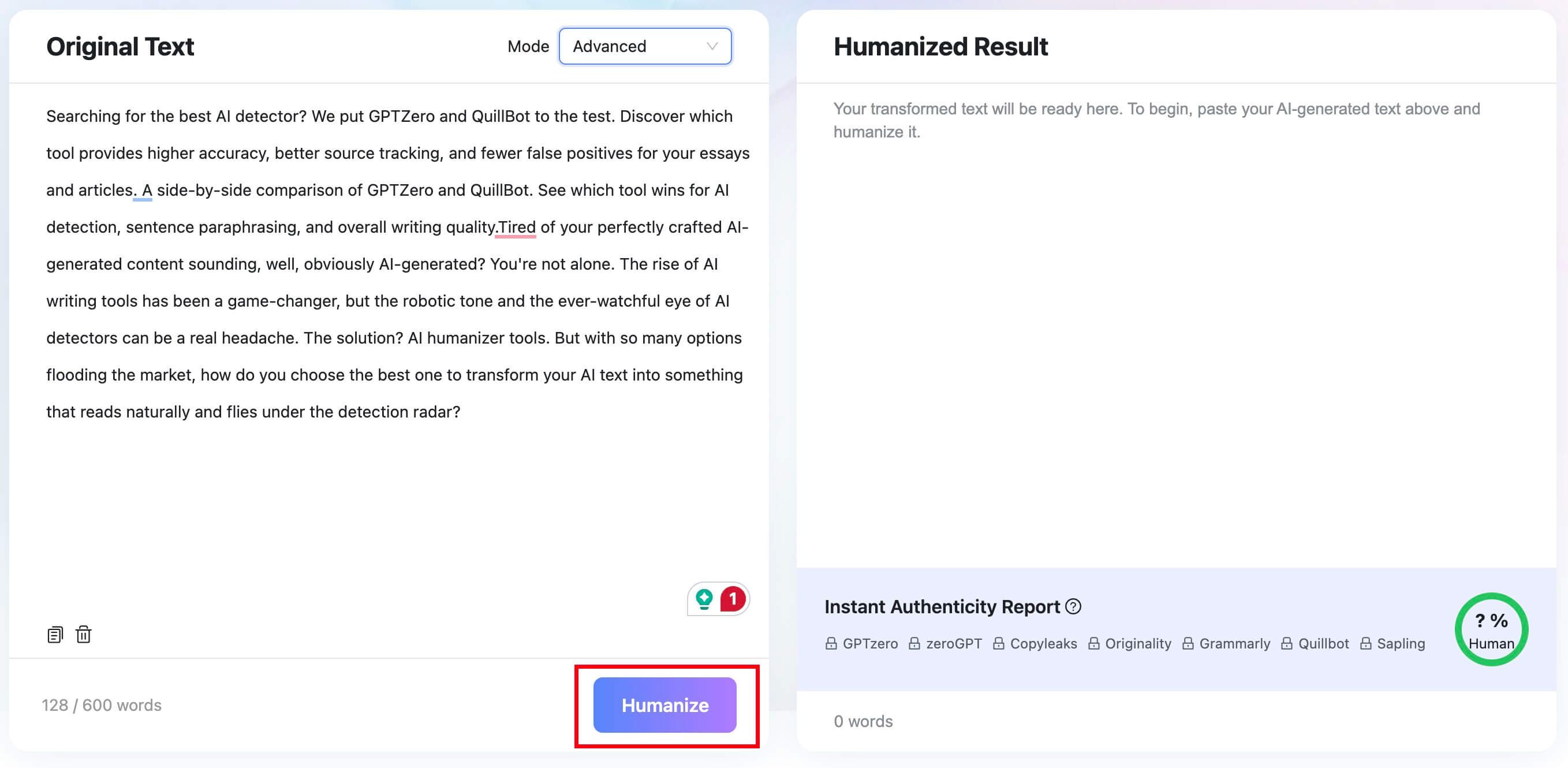
Step 2. Choose Balanced, Focus, or Advanced Mode
Balanced is the standard option for readability and overall quality. Focus applies a stronger rewrite, while Advanced takes a slower, deeper approach to balancing quality with rewriting depth.
Start with the least aggressive mode that solves the actual writing problem. Stronger transformation can require more fact and voice checking.

Step 3. Humanize and Review the Result
Click Humanize to generate the revised text. Lynote also shows an Instant Authenticity Report with predicted results associated with major detectors, but those predictions should remain supporting signals rather than guarantees.
Compare the result with the input for meaning, facts, terminology, and tone. A successful rewrite should improve the reading experience without making the content less defensible.
Step 4. Copy or Download After the Meaning Check
Copy the final text or download the file only after completing your own review. Add concrete examples, personal analysis, and context that no general-purpose rewrite tool can infer reliably.
The main value of this workflow is control: you can choose how strongly to rewrite, inspect the output, and decide what to retain rather than treating one generated version as final.


What Real Users Like and Dislike About JustDone
JustDone’s current Trustpilot profile has a strong aggregate rating and thousands of reviews. Many recent comments praise the interface, speed, convenience, and the ability to access several writing tools in one subscription.
The same review ecosystem contains recurring concerns. Users mention original writing being flagged as AI, uncertainty around trial billing, and Humanizer output that sometimes sounds grammatically awkward or less mature than the input.
These comments are useful for identifying patterns, not for calculating product accuracy. Trustpilot notes that it screens reviews but does not fact-check individual claims, and many reviews displayed on JustDone’s pricing page are marked as invited.
Reddit discussion is similarly mixed and often promotional. One useful comment came from an account openly identifying itself as part of the JustDone team: it acknowledged that no humanizer is magic and that results vary by text and detector, then recommended adding specific details and personal interpretation manually.
That advice is more credible than an absolute success promise. It also supports the central finding of this review: the quality of the final human edit matters more than the button used to generate the intermediate draft.
Is JustDone AI Humanizer Free, and Is It Worth Paying For?
As checked in July 2026, the public Humanizer page demonstrates a fixed before-and-after example, while its primary Humanizer buttons route users to paid access. JustDone’s pricing page currently presents three choices.

| Plan Shown | Current Displayed Price | Renewal Language Shown |
|---|---|---|
| Monthly Plan | $19.99 per month | Auto-renews monthly |
| 7-day Access | $2.00 for seven days | Auto-renews monthly at $39.99 |
| Annual Plan | $119.88 per year | $9.99 per month equivalent, auto-renews annually |
Prices and promotions can change, so inspect the live checkout before entering payment details. In particular, treat seven-day access as an auto-renewing paid offer rather than a free trial.
Whether JustDone is worth paying for depends on how much of the bundle you will use. Every listed plan currently includes access to more than 35 tools, including the Humanizer, Detector, plagiarism checker, paraphraser, summarizer, citation tool, and study features.
That bundle can be good value for someone who needs several tools. It is less persuasive if you only want occasional humanization, because the real cost includes the time required to verify and repair each rewrite.
Who Should Use JustDone Humanizer, and Who Should Skip It?
JustDone is a reasonable fit for users who already want its broader writing suite and need an initial rewrite of short, low-risk text. It is also easier to justify when the source meaning is simple and the output can be checked quickly.
It deserves more caution for academic, legal, medical, technical, or citation-heavy writing. In these contexts, a smooth sentence can conceal a small but consequential change.
| Content Type | Likely Fit | Required Review |
|---|---|---|
| Short email | Good for tone cleanup | Confirm intent, names, dates, and commitments |
| Marketing caption | Useful for rhythm and alternatives | Remove unsupported benefits or urgency |
| Generic blog draft | Useful as a first rewrite | Add evidence, examples, and brand voice |
| ESL draft | Potentially useful for fluency | Keep the writer’s meaning and individual style |
| Academic paragraph | Use cautiously | Verify argument, evidence, citations, and policy |
| Technical documentation | Limited fit | Preserve exact terms, procedures, and conditions |
| Personal statement | Use cautiously | Restore specific experience and authentic voice |
Skip any humanizer when the goal is to misrepresent authorship or conceal prohibited AI use. Rewriting does not transfer authorship of the underlying ideas, research, or analysis.
A Safer Revision Checklist After Any AI Humanizer
- Keep the original. You need a stable reference for spotting omissions and meaning drift.
- Compare claims, not just words. Check whether each sentence still makes the same assertion with the same level of certainty.
- Verify every fragile detail. Review names, numbers, dates, quotations, definitions, and technical terms.
- Reconnect evidence. Make sure each citation still supports the claim beside it.
- Remove generic drama. Replace grand abstractions with concrete facts or examples.
- Restore your voice. Add your own reasoning, experience, and normal vocabulary.
- Read the passage aloud. Repair any rhythm or wording that feels performed rather than natural.
- Treat detection as a signal. Do not keep degrading good writing to chase a percentage.
- Follow the applicable rules. Disclose AI assistance when a school, employer, client, or publication requires it.
- Preserve your process. Notes, outlines, sources, and version history are stronger evidence of genuine work than a detector screenshot.
FAQs About JustDone AI Humanizer
Does JustDone AI Humanizer Work?
It can make repetitive or generic AI text sound more varied and deliberate. Its usefulness depends on whether the rewrite also preserves meaning, facts, citations, and the intended voice.
How Do I Use JustDone to Humanize AI Text?
Paste a draft, choose a suitable tone or style, run the Humanizer, and compare the result with the original. Manually verify important claims and refine the output before using it.
Does JustDone Preserve the Original Meaning?
JustDone says its Humanizer is designed to preserve meaning, but any structural rewrite can change emphasis or certainty. Its own public example includes new framing and omits some details from the original, so users should check meaning themselves.
Can JustDone Humanized Text Still Be Detected?
Yes. Detector results vary by model, threshold, text length, and update cycle. A favorable result from JustDone’s built-in detector does not guarantee that another detector will agree.
Is JustDone AI Humanizer Free?
The public page shows a fixed demonstration, but its Humanizer calls to action currently lead to paid plans. In July 2026, the displayed options included monthly, seven-day auto-renewing, and annual access.
Is JustDone Safe for Essays and Academic Writing?
It can be used as a revision aid when that use complies with institutional policy. It should not be trusted to preserve citations or argument nuance automatically, and humanization does not make prohibited assistance acceptable.
What Is a Good Alternative to JustDone AI Humanizer?
Lynote AI Humanizer is a focused alternative for users who want selectable rewrite intensity, document upload, output review, and an authenticity report without needing the full JustDone suite.
Final Verdict: Useful for a First Rewrite, Not a Final Draft
JustDone AI Humanizer appears capable of substantial structural rewriting. Its public example is more varied and rhetorically confident than the input, which shows that the tool goes beyond simple synonym replacement.
The same example also reveals why the result must be reviewed. A stronger voice can introduce stronger claims, omit details, and shift the purpose of the passage even when the word count barely changes.
Use JustDone when you want a first alternative for low-risk text and are prepared to edit it. Do not use it as proof of human authorship, a guarantee against detection, or a substitute for checking facts, citations, policies, and your own voice.

Written by Janet L. Harris
AI Writing Specialist
Janet reviews AI detectors and humanization tools, with a focus on accuracy, limitations, and responsible use. View all articles →