8 Best Free Wave AI Alternatives for Smarter Notes

The best free Wave AI alternative depends on what you are trying to capture. Choose Lynote when you already have a recording or mixed source material and want editable notes; choose Fathom for frequent free online meetings, Otter.ai for live transcripts, or Granola for bot-free notes that preserve your own input.
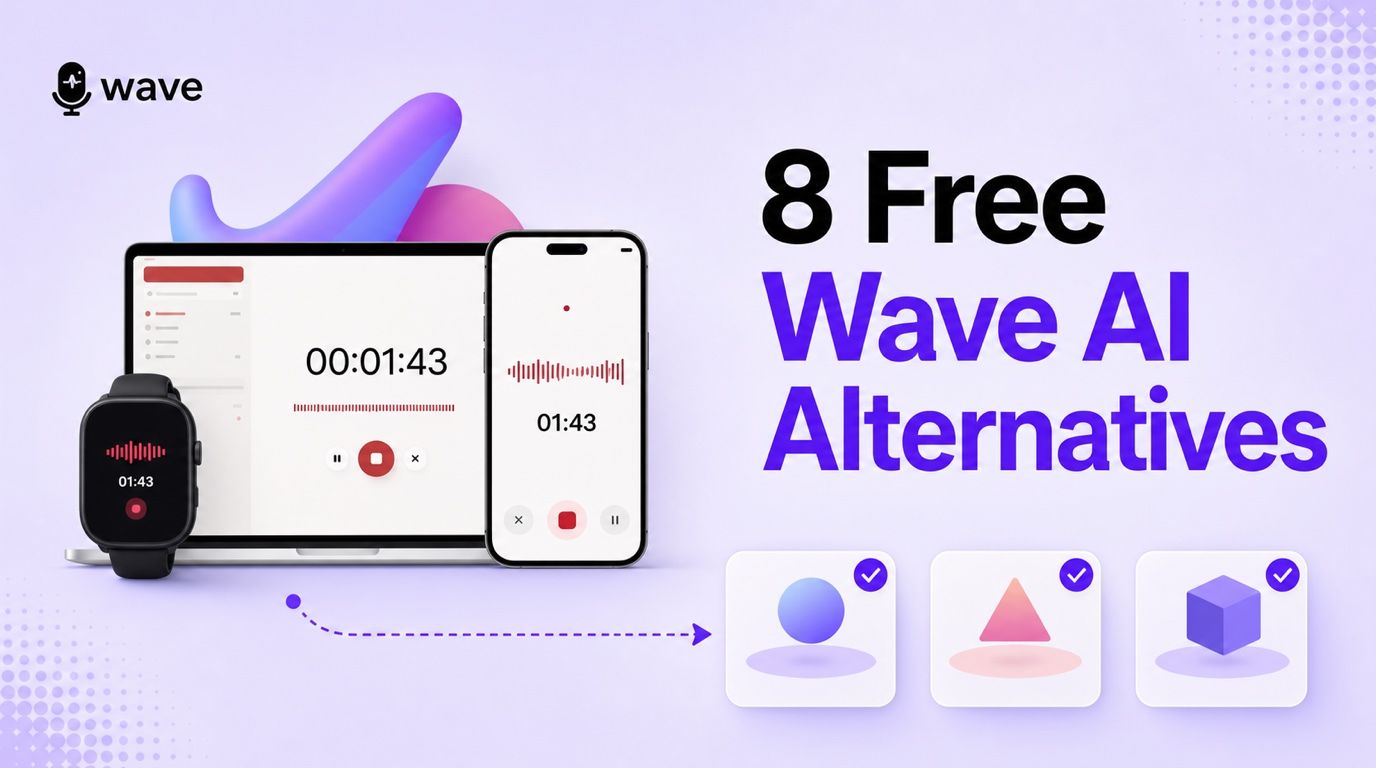
Wave is still one of the more convenient choices for pressing Record on a phone, computer, browser, or watch and getting a transcript and summary afterward. The main reason to compare alternatives is its Free plan: the current allowance is 30 minutes per month, which may be consumed by one class, interview, or team meeting.
This guide covers Wave AI Note Taker at wave.co, not Wave Accounting. It compares products by the job they replace, because a meeting bot, a phone recorder, a browser extension, and an upload-first note workspace are not interchangeable.
Quick Picks: Which Wave AI Alternative Should You Choose?
| Alternative | Best for | How it captures information | Free-plan shape | Main trade-off |
|---|---|---|---|---|
| Lynote | Editable notes from recordings and mixed sources | You upload files or add URLs | Useful task-based access | Does not automatically join meetings |
| Fathom | Frequent Zoom, Meet, and Teams calls | Meeting assistant | Unlimited core recording and transcription | Advanced AI actions are limited |
| Otter.ai | Live transcripts and lectures | Bot, live transcript, mobile, or upload | 300 minutes per month | 30-minute session cap |
| Granola | Bot-free, human-guided notes | Device audio plus your rough notes | Unlimited meetings, limited history | Cannot attend without you |
| Notta | Multilingual capture and imports | Meeting, mobile, desktop, or upload | 120 minutes per month | Only three minutes per free recording |
| Fireflies.ai | Team automation and searchable meeting history | Bot, extension, app, or upload | Generous transcription, limited storage/credits | Several separate limits |
| Tactiq | Browser meetings without a participant bot | Chrome extension | 10 transcripts per month | Five monthly AI credits |
| Descript | Editing interviews, podcasts, and video | Record or upload media | One transcription hour per month | Not an automatic meeting assistant |
The 8 Best Free Wave AI Alternatives
1. Lynote AI Note Taker: Best for Editable Notes From Recordings and Mixed Sources
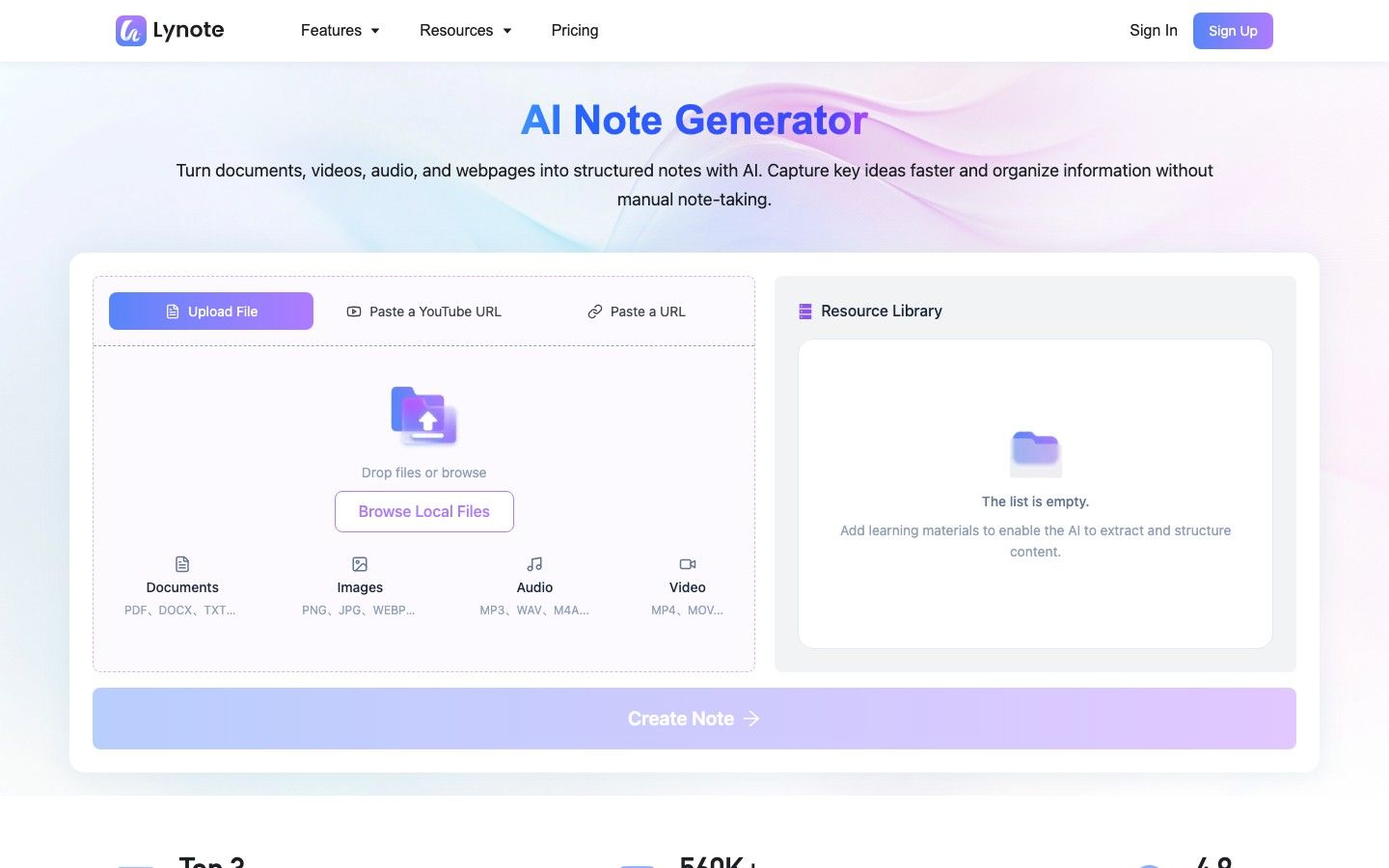
Lynote AI Note Taker is the strongest Wave alternative when recording is only the beginning of the work. Add an audio or video recording, document, image, webpage, or YouTube link, and Lynote turns the source into structured notes with headings, key points, and source-based sections.
This is a different replacement model from Wave. Wave is designed to help capture a conversation as it happens; Lynote is designed to organize material you already have. That makes Lynote particularly useful when a lecture recording must be combined with slides, when an interview belongs beside background documents, or when a video and webpage need to become one study workflow.
The notes remain editable rather than becoming a fixed AI summary. You can refine the structure, ask follow-up questions about the source, share or export useful material, and convert important ideas into flashcards. The limitation is simple: Lynote does not automatically join every calendar meeting or act as a native phone-call recorder.
Features
- Audio, video, document, image, webpage, and YouTube inputs
- More than 20 supported source formats
- Structured notes with headings, bullets, and source-based sections
- Rich-text editing in the same workspace
- Follow-up Q&A grounded in the uploaded material
- Export, sharing, and flashcard conversion
Pros
- Handles course material and research sources beyond conversations
- Produces notes that can be edited and reused, not only a transcript
- Keeps the user in control of which source enters the workspace
- Connects note generation with review and active recall
Cons
- You provide the recording or source instead of having Lynote automatically attend the live meeting
Best for: Students, researchers, interviewers, creators, and professionals who want to turn existing recordings and related material into a usable knowledge set.
Free/paid note: Lynote provides a free way to start selected note workflows. Current allowances can vary by source and account, so check the live workspace before processing a large recording archive.
2. Fathom: Best Free Alternative for Frequent Online Meetings
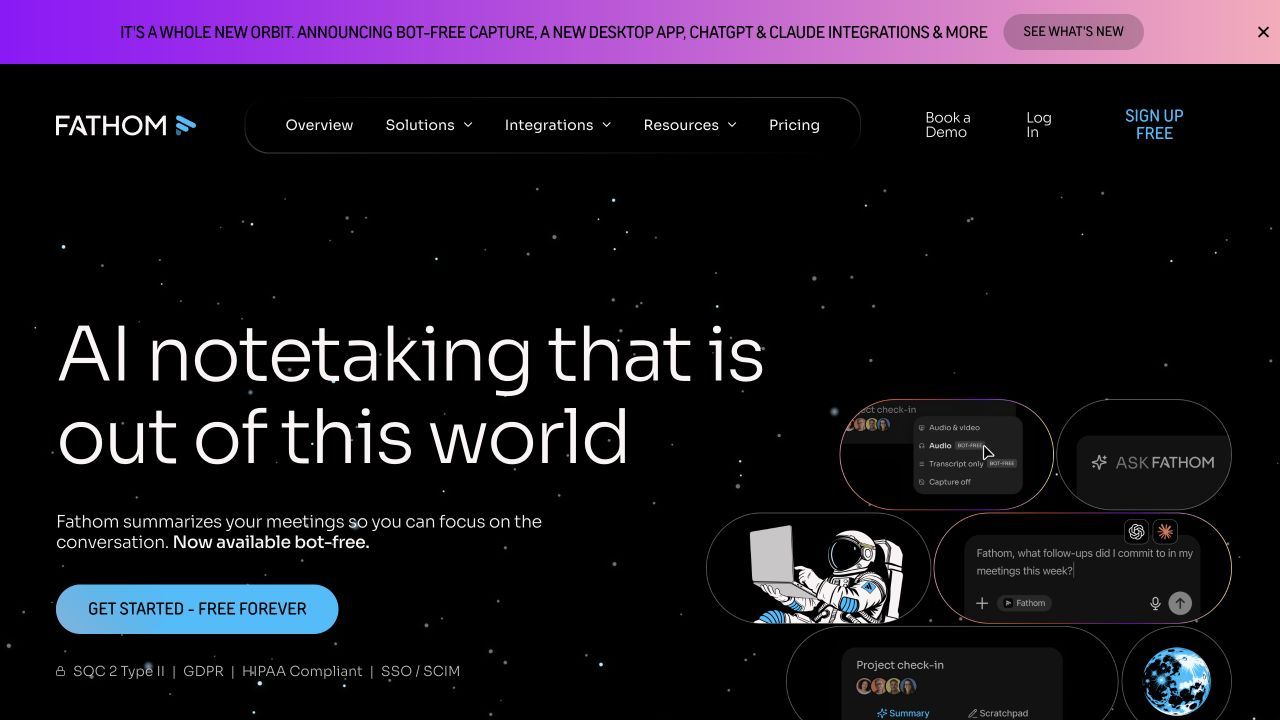
Fathom is the clearest free upgrade for someone who uses Wave mainly for Zoom, Google Meet, or Microsoft Teams. Its individual Free plan includes unlimited recordings, storage, and transcription, so a week of video calls does not compete for one small monthly minute balance.
The distinction appears in the AI layer. Free users receive advanced summaries and related AI actions for their first five calls each month, then retain a more general summary option. Premium expands action items, follow-up emails, custom summaries, and Ask Fathom without those monthly boundaries.
Fathom is excellent at turning a scheduled online meeting into a recording, transcript, recap, and shareable follow-up. It is not as natural as Wave for pressing Record during an unscheduled hallway conversation, capturing from a smartwatch, or recording a phone call.
Features
- Recording and transcription for Zoom, Google Meet, and Microsoft Teams
- Searchable meeting recordings and transcripts
- General and advanced summary templates
- Highlights, clips, and shareable meeting pages
- CRM sync and personal Zapier integration
- Premium action items, follow-up emails, and meeting Q&A
Pros
- Exceptionally generous free core for individual online meetings
- Little need to monitor monthly transcription minutes
- Fast route from a meeting to a shareable recap
- Useful for recurring client calls and internal meetings
Cons
- Advanced AI actions become limited after five free calls each month
- Less suitable for mixed documents, phone calls, or wearable recording
Best for: Individuals who attend frequent online meetings and want a dependable free recording and transcription archive.
Free/paid note: Fathom Free includes unlimited recordings, storage, and transcription for individuals. Premium is mainly justified by unlimited advanced summaries, action items, follow-up generation, customization, and broader AI access.
3. Otter.ai: Best for Live Transcripts and Lecture Capture
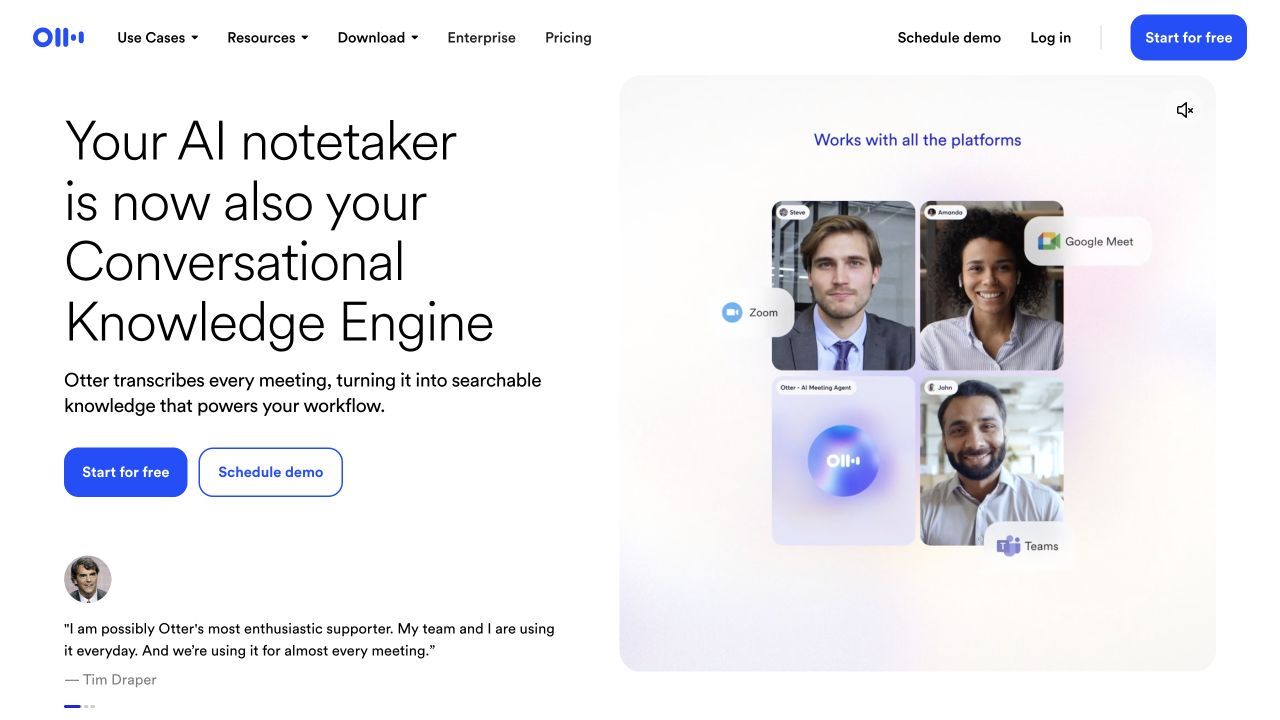
Otter.ai is a closer Wave replacement for people who want to see the transcript while someone is speaking. It can capture supported online meetings through its assistant, record from mobile or desktop workflows, label speakers, generate summaries, and let users ask questions through Otter AI Chat.
The Free plan provides 300 transcription minutes per month, which looks far more generous than Wave's 30 minutes. The catch is the 30-minute cap per conversation. A 75-minute lecture does not become one complete free transcript, even when monthly minutes remain available, and free file imports are limited to three over the lifetime of the account.
Otter works best when real-time text, collaboration, and familiar meeting workflows matter more than broad source types. It is less suitable when the work involves many imported recordings or when one uninterrupted class or interview regularly exceeds 30 minutes.
Features
- Live transcription with speaker identification
- Meeting assistant for Zoom, Google Meet, and Microsoft Teams
- Mobile and desktop recording workflows
- Automated summaries and action items
- Otter AI Chat for questions about conversations
- Shared workspaces, comments, highlights, and speaker editing
Pros
- Live transcript helps during interviews, classes, and meetings
- More monthly free minutes than Wave
- Strong collaboration around transcripts
- Mature cross-device conversation archive
Cons
- Free conversations stop at 30 minutes
- Only three lifetime file imports on the Basic plan
Best for: Students, journalists, interviewers, and meeting-heavy professionals who value live text and can work within per-session limits.
Free/paid note: Otter Basic currently includes 300 minutes per month, 30 minutes per conversation, and three lifetime audio or video imports. Paid tiers increase conversation length, imports, exports, search, and team controls.
4. Granola: Best for Bot-Free, Human-Guided Meeting Notes
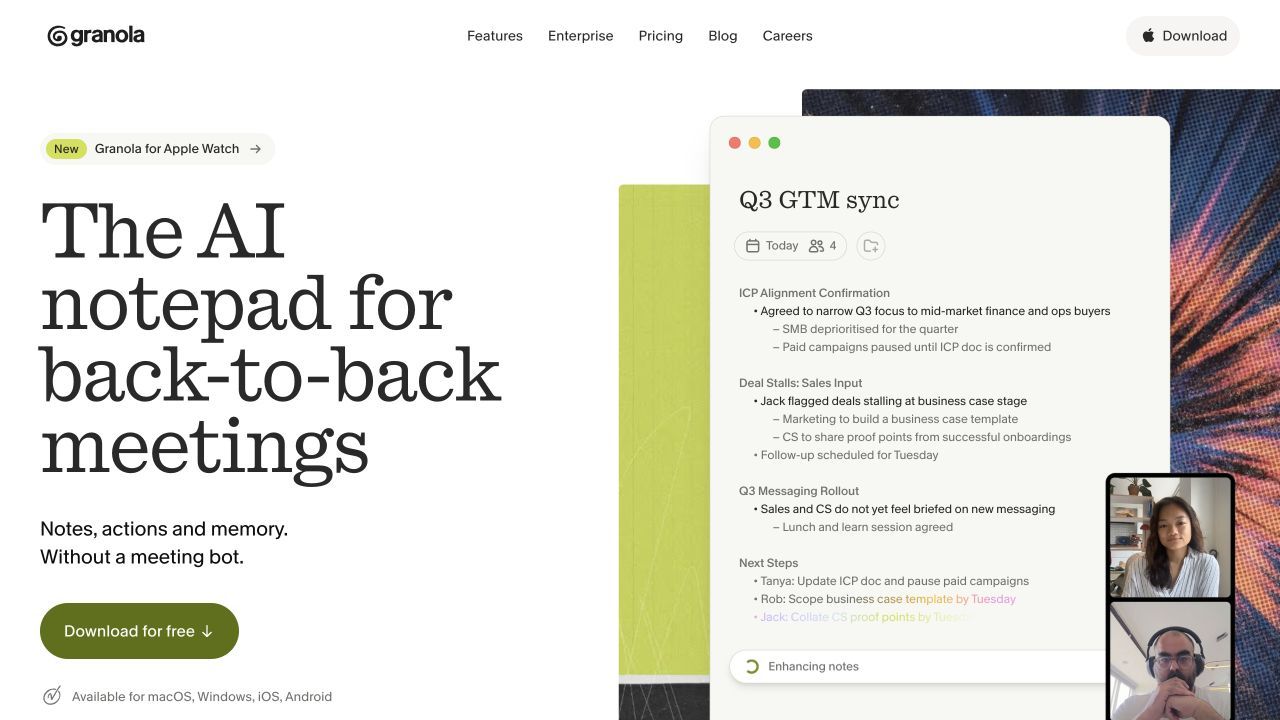
Granola is built around a useful idea: an AI note taker does not have to replace the notes you write. It captures audio from your device, lets you jot down rough points during the conversation, and then uses the transcript to enhance your notes after the meeting.
Because it runs with you, Granola does not need to appear as an extra participant in every call. That helps in one-to-one meetings, interviews, founder conversations, and situations where a visible bot feels disruptive. It also works across meeting platforms because its core capture happens at the device level.
The Basic plan supports unlimited meetings, AI-enhanced notes, chat, templates, and shared folders, but meeting history is limited. Granola also does not create a permanent audio or video recording in the way Wave does, and it cannot attend a meeting when you are absent.
Features
- Bot-free device-audio capture
- AI enhancement of notes you write during the meeting
- Custom note templates and reusable recipes
- AI chat within and across meetings
- Shared folders for collaboration
- Paid integrations, API access, and advanced models
Pros
- Keeps the user actively involved in note-taking
- No visible participant bot
- Works across many meeting platforms
- Unlimited meetings on the free plan
Cons
- Free users receive limited meeting history
- It is not an unattended meeting agent or a full media archive
Best for: Founders, managers, researchers, and professionals who want discreet capture and notes shaped by their own judgment.
Free/paid note: Granola Basic is permanently free and includes unlimited meetings with limited history. Business adds unlimited history, advanced AI, integrations, API access, and centralized administration.
5. Notta: Best for Multilingual Transcription and File Imports
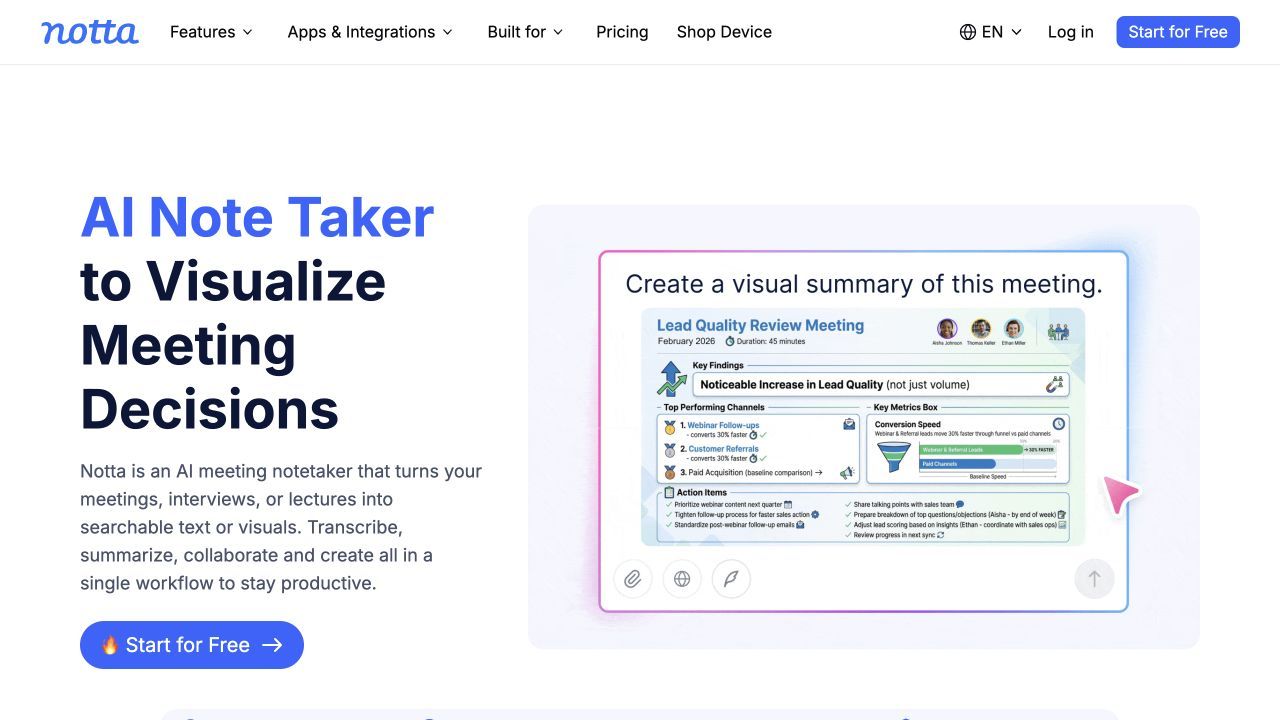
Notta covers a wide range of capture routes: live meetings, mobile and desktop recording, browser use, and audio or video file imports. It also supports speaker identification, editing, bookmarks, summaries, search, sharing, and translation-oriented workflows.
This breadth makes it attractive to international students, multilingual teams, researchers, and professionals who switch between online meetings and prerecorded media. Compared with Wave, Notta offers a more developed document-like transcript workspace and broader import workflow, though the exact language and translation features vary by plan.
Its Free plan illustrates why monthly minutes alone can be misleading. Notta includes 120 transcription minutes per month and permits many file imports, but free users can access only three minutes of each recording. That is enough to inspect the interface, not to process a normal class or meeting from beginning to end.
Features
- Live transcription and recorded-media imports
- Web, mobile, desktop, and browser workflows
- Zoom, Google Meet, Microsoft Teams, and Webex support
- Speaker identification, editing, bookmarks, and search
- AI Notes and question-answering features
- Translation and bilingual options on supported plans
Pros
- Flexible across meetings, in-person recording, and uploads
- Strong fit for multilingual work
- More transcript organization than a basic voice recorder
- Useful cross-device access
Cons
- The free three-minute per-recording limit is highly restrictive
- Translation, exports, and AI features have separate plan boundaries
Best for: Multilingual teams, international students, researchers, and professionals who regularly import recordings.
Free/paid note: Notta Free currently includes 120 minutes per month but only three minutes per recording, plus limited AI use. Paid plans increase session length, exports, translation access, and team capabilities.
6. Fireflies.ai: Best for Team Automation and Searchable Meeting History
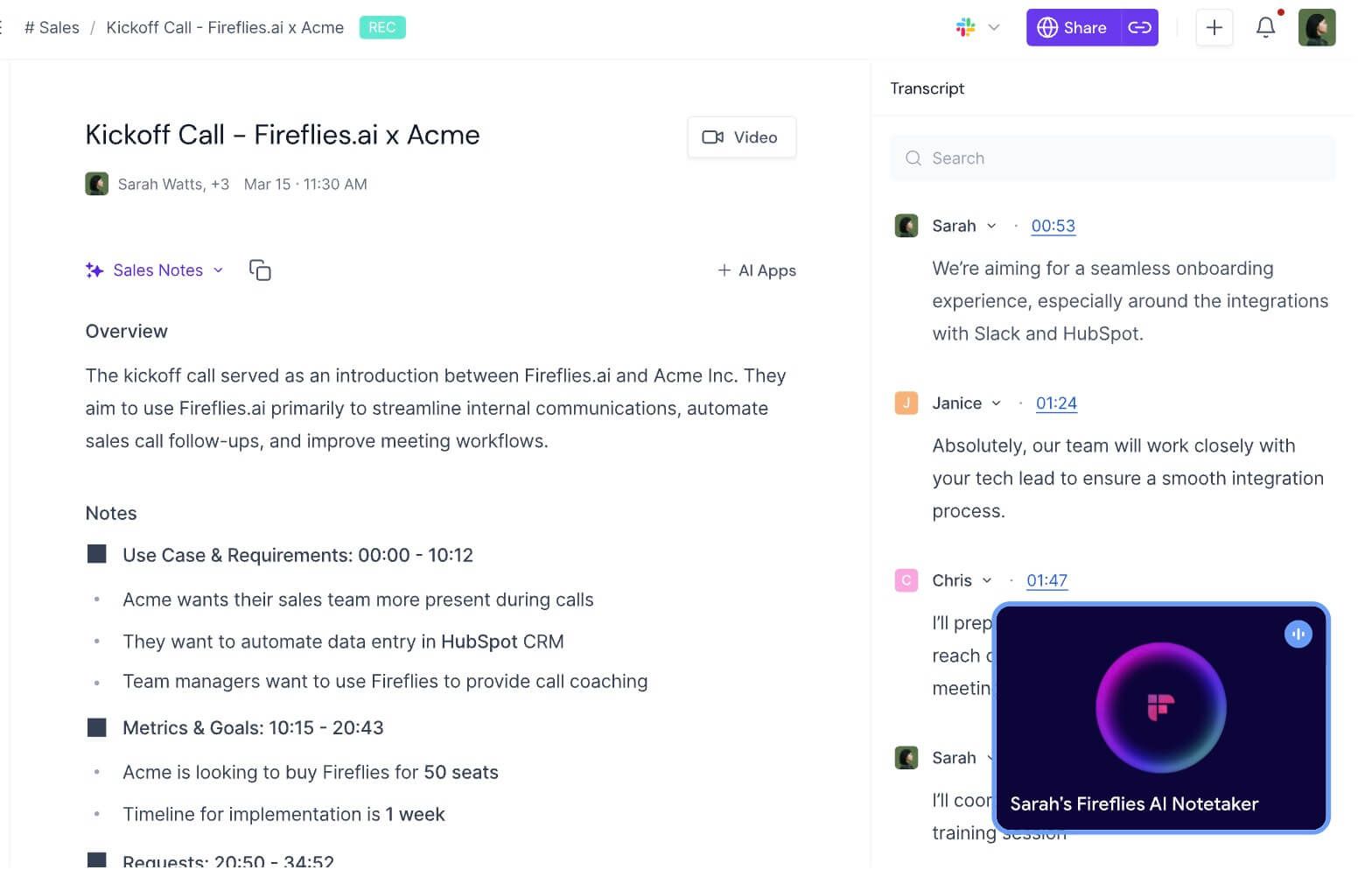
Fireflies.ai is a better Wave alternative when meeting notes need to trigger work elsewhere. It can capture through a calendar-connected bot, Chrome extension, desktop or mobile app, and file upload, then send transcripts, summaries, action items, and meeting data into collaboration, CRM, and automation systems.
AskFred provides conversational search across meetings, while channels, comments, soundbites, contact records, and analytics make the archive useful to a team rather than only the person who recorded it. These capabilities are valuable for sales, recruiting, customer success, and operations.
The Free plan is not governed by one simple limit. Current public guidance provides free transcription, limited initial transcription credits for summaries and uploads, AI credits for advanced actions, and 400 minutes of stored meetings. Downloads, larger storage, video, and deeper automation move to paid plans.
Features
- Bot, extension, desktop, mobile, and upload capture paths
- Transcription across more than 100 languages
- Summaries, action items, and meeting search
- AskFred AI assistant
- CRM and workflow integrations
- Soundbites, comments, channels, and conversation analytics
Pros
- More capture options than a bot-only platform
- Strong team search and automation
- Broad language support
- Scales from individual testing to managed workflows
Cons
- Credits, storage, downloads, and AI actions create separate limits
- More configuration than a one-button personal recorder
Best for: Sales, recruiting, customer-success, and operations teams that reuse meeting data across other systems.
Free/paid note: Fireflies Free is useful for testing live capture and collaboration, but storage and credits require attention. Pro and Business add larger or unlimited storage, downloads, video, integrations, analytics, and advanced AI workflows.
7. Tactiq: Best for Browser Meetings Without a Participant Bot
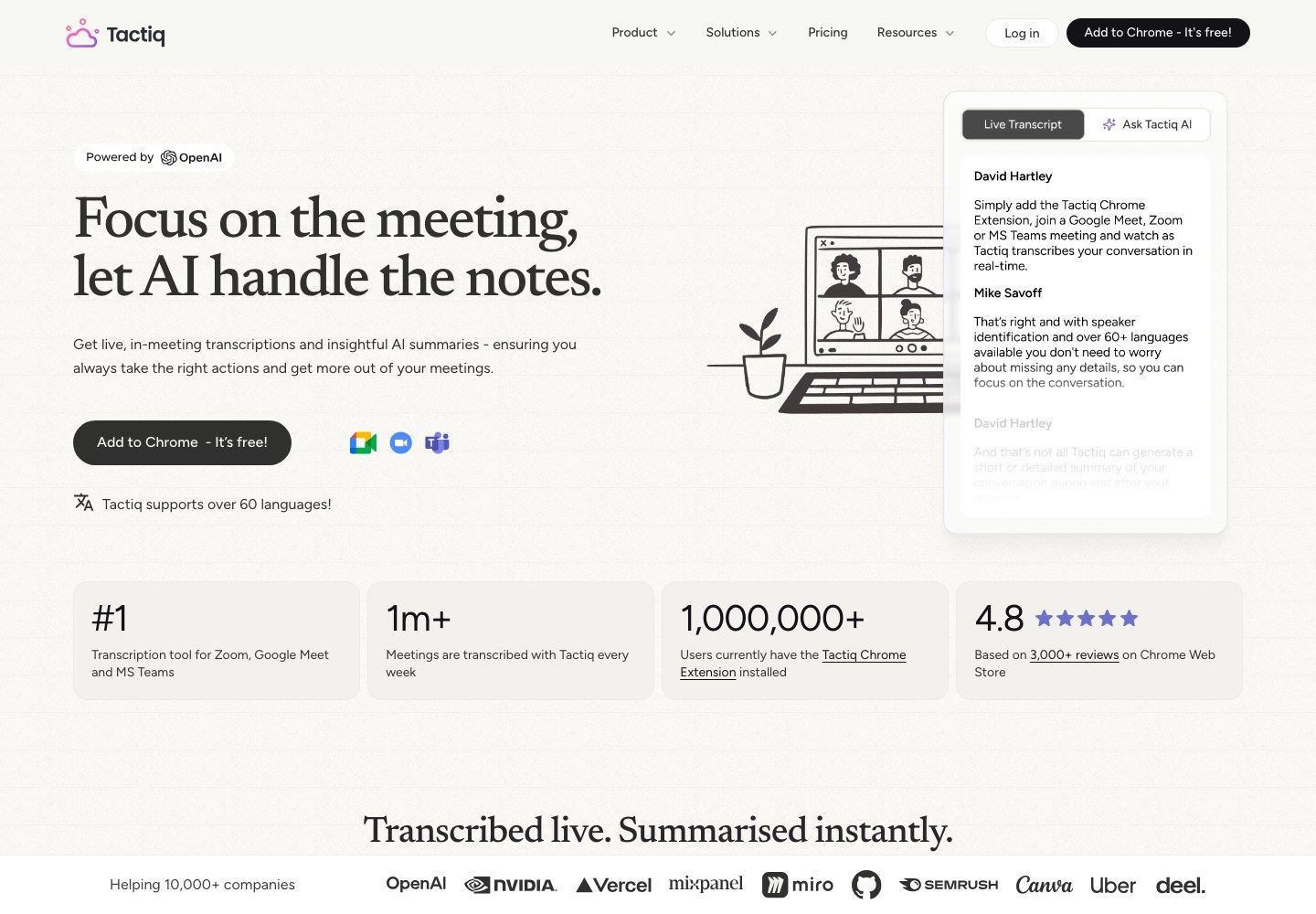
Tactiq is a focused Wave alternative for people whose conversations happen inside Google Meet, Zoom, or Microsoft Teams in a Chrome browser. Its extension displays and saves a real-time transcript without adding a separate participant bot to the meeting.
After the call, users can generate summaries, action items, and other insights, then share or export the transcript. The approach is lighter than Wave's cross-device recorder and lighter than Fireflies' team intelligence system, which is precisely why it works for someone who mainly needs browser meeting notes.
The Free plan includes 10 meeting transcripts and five AI credits per month. Those are separate resources: a transcript does not mean every meeting can also receive every AI summary or workflow action.
Features
- Chrome extension for Meet, Zoom, and Teams
- Real-time transcript with speaker context
- AI summaries, action items, and custom prompts
- In-meeting AI features
- Transcript sharing and export
- Upload support and paid automation workflows
Pros
- No participant bot appears in the meeting
- Fast setup for browser-based calls
- Free transcript allowance is easy to understand
- Useful sharing and export tools
Cons
- Limited to 10 full transcript credits per month on Free
- Five AI credits may run out before transcript credits do
Best for: Freelancers, students, and small teams that attend a moderate number of browser-based meetings.
Free/paid note: Tactiq Free currently includes 10 meeting transcripts and five AI credits per month. Pro adds unlimited transcripts, while team tiers expand AI credits, workflows, and administration.
8. Descript: Best for Editing Recorded Interviews, Podcasts, and Video
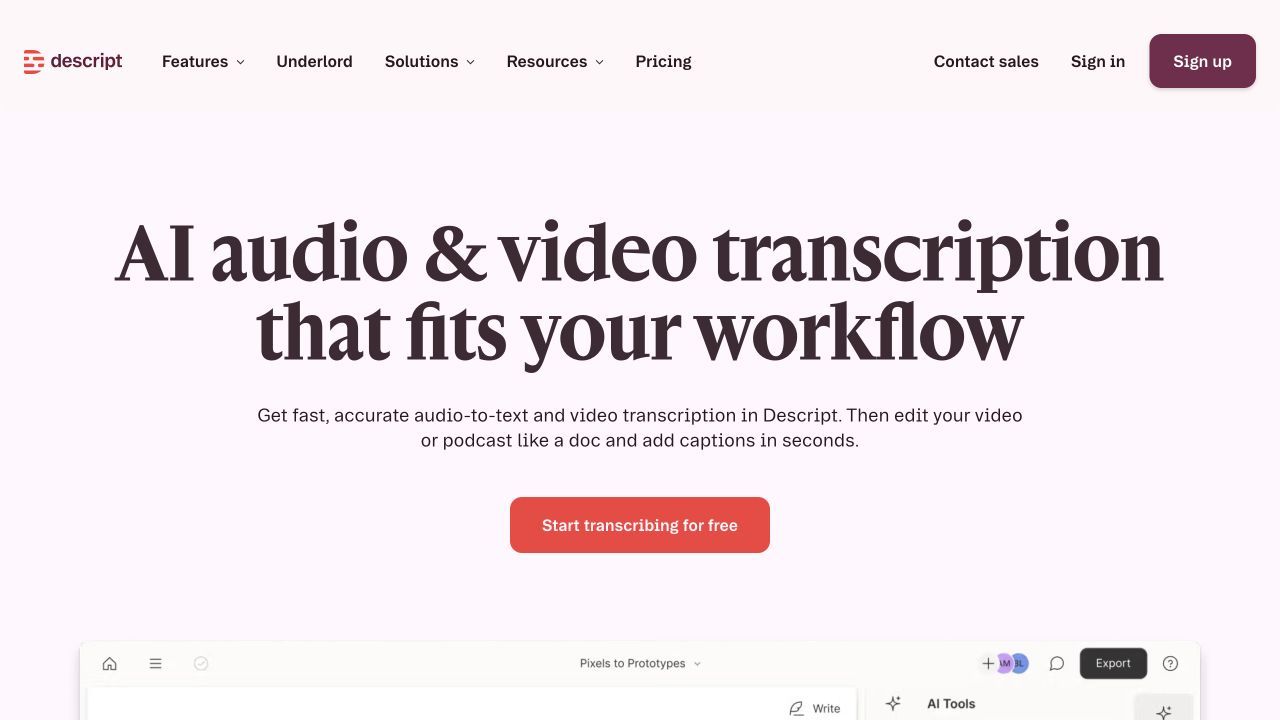
Descript is not a direct meeting assistant, but it can replace Wave when the recording needs to become publishable media. Record or import audio and video, generate a transcript, and edit the recording by changing the text rather than working only on a traditional timeline.
This workflow is useful for interviews, podcasts, webinars, training videos, and research clips. Speaker detection, screen recording, captions, filler-word tools, audio enhancement, and video export take the project far beyond a meeting summary.
The trade-off is that Descript expects the user to manage a media project. It will not automatically join every call or provide Wave's one-tap smartwatch experience, and the Free plan includes only one transcription hour per month.
Features
- Audio, video, and screen recording
- Automatic transcription and speaker detection
- Text-based audio and video editing
- Captions, clips, and templates
- Filler-word removal and audio enhancement
- Video and audio export
Pros
- Turns a transcript into an editable media project
- Strong for interviews, podcasts, and training content
- Useful recording and editing tools in one workspace
- One free hour is enough to test a real short project
Cons
- Not an automatic meeting assistant
- Free exports and transcription hours are limited
Best for: Creators, researchers, marketers, and educators who need to edit and publish the recording, not merely summarize it.
Free/paid note: Descript Free currently includes one transcription hour per month and limited export quality. Paid plans increase transcription, export resolution, AI editing tools, and collaboration.
Wave AI Note Taker Review: Is It Worth Using?
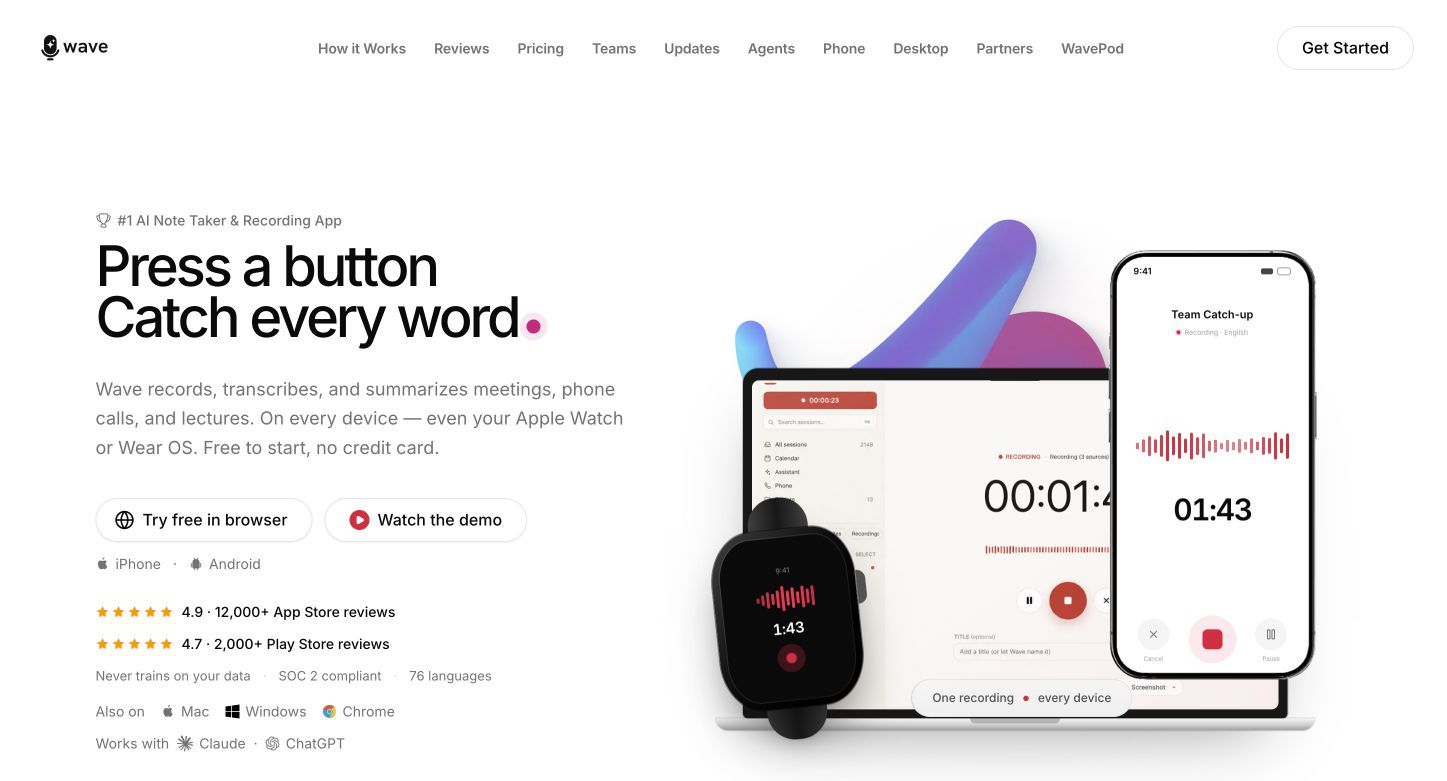
Wave is worth considering when the most important feature is capture. Its current product spans iOS, Android, web, Mac, Windows, Chrome, Apple Watch, and Wear OS, making it unusually easy to start a recording from the device already nearby.
That convenience is Wave's clearest advantage over meeting-only competitors. A scheduled video call, phone conversation, in-person interview, lecture, appointment, or voice memo can enter a similar record-transcribe-summarize workflow without buying a separate hardware recorder.
What Is Wave AI Note Taker?
Wave is a recording and AI note-taking app that turns spoken conversations into transcripts, summaries, key takeaways, and action items. It can identify speakers, share a recording and its notes through a link, and answer questions about stored conversations.
The product is conversation-first. It is strongest when the source begins as speech and the user wants to capture it immediately. Someone whose project begins with PDFs, slides, webpages, or a group of study sources may find an upload-first workspace more suitable.
How Wave Works
The basic workflow is intentionally short:
- Start recording from a supported phone, computer, browser, or watch.
- Let Wave produce the transcript and identify speakers.
- Review the summary, takeaways, decisions, and action items.
- Ask questions about the recording or search for a detail.
- Share the result or export it through an available destination.
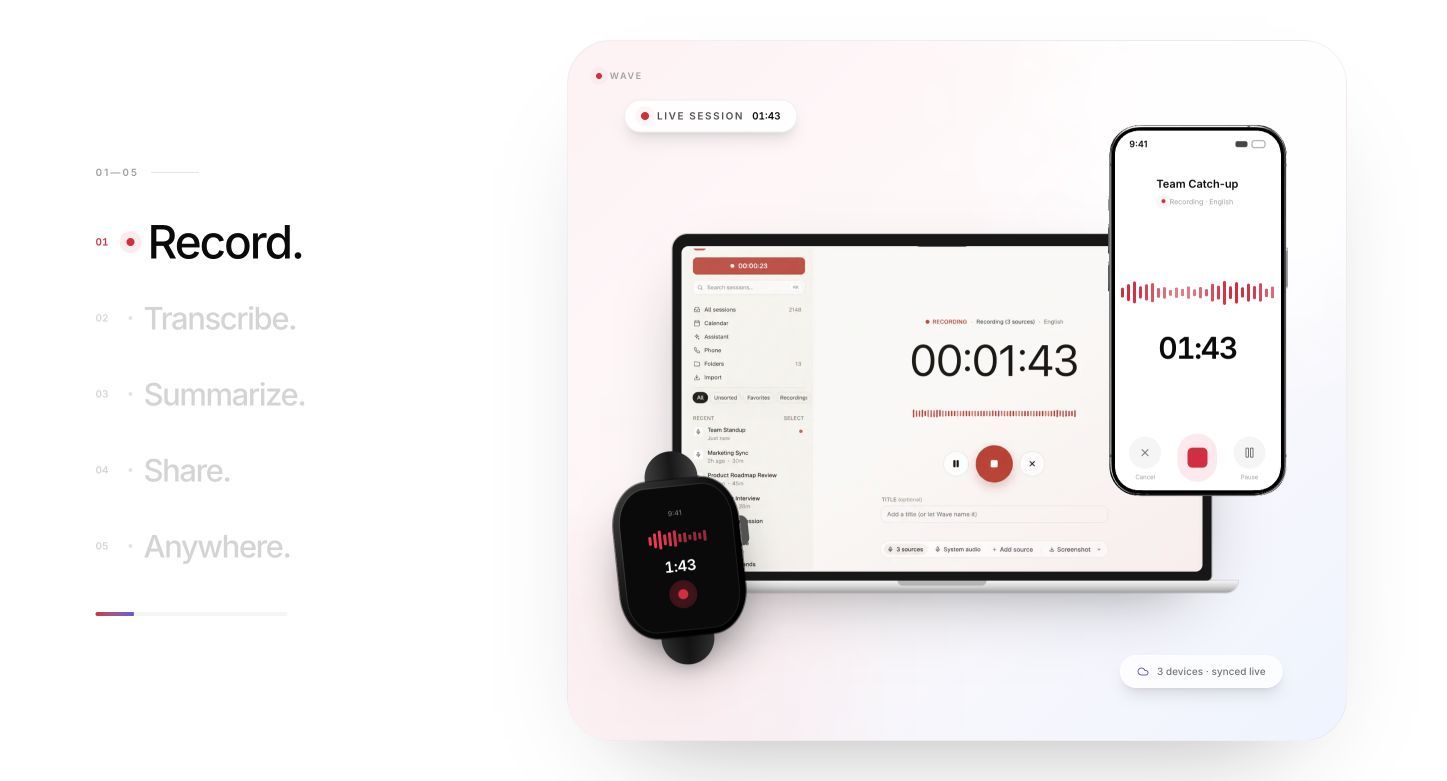
Wave can also import existing calls, videos, podcasts, and other supported content. Background recording helps when the screen is locked, while meeting integrations extend the app into Zoom, Google Meet, and Microsoft Teams workflows.
Phone calls deserve a qualification. Wave positions recording both sides of a call from the user's own number as a Premium feature. Availability and behavior can depend on the device, operating system, region, plan, and call setup, so a test call is essential before relying on it.
Wave AI Supported Devices and Languages
Wave's current device coverage is broader than many older reviews suggest. It is no longer accurately described as only an iPhone app: the official product lists iOS, Android, Mac, Windows, Chrome, web, Apple Watch, and Wear OS.
Wave also promotes transcription across 76 languages and the ability to translate or summarize multilingual conversations. Language count alone does not establish quality for every accent or mixed-language discussion, so users should test a representative recording with names, technical vocabulary, and speaker overlap.
Is Wave AI Free?
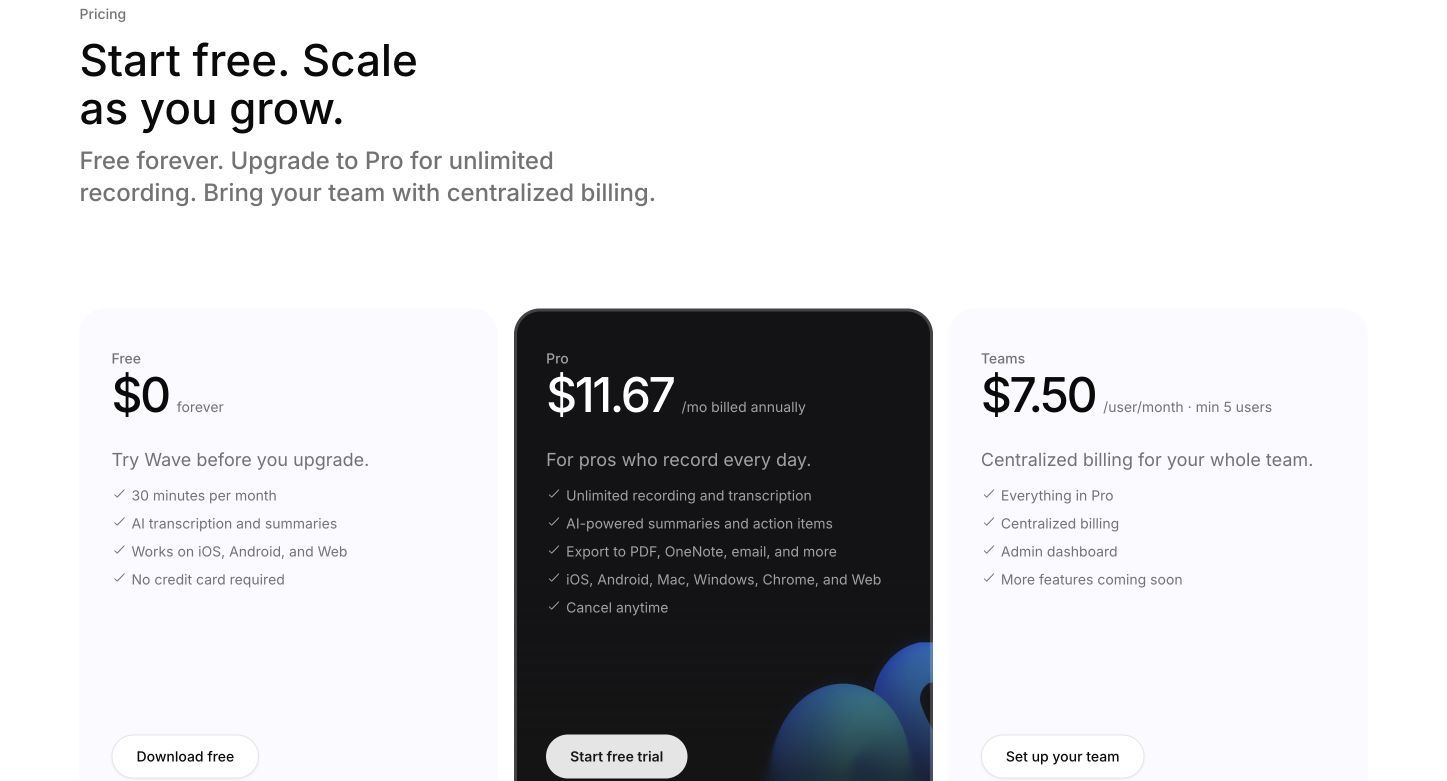
Yes. Wave has a Free plan at $0 with no credit card required. As of August 26, 2026, it includes:
- 30 minutes per month
- AI transcription and summaries
- Access on iOS, Android, and web
Thirty minutes is enough to test a short recording, voice memo, or call. It is not enough for a typical weekly lecture schedule, several client interviews, or a team that records routine meetings.
Wave Pro is currently listed at $11.67 per month when billed annually. It includes unlimited recording and transcription, AI summaries and action items, exports to destinations such as PDF, OneNote, and email, and access across the broader set of desktop, browser, and mobile platforms. Prices can vary by platform and region, and monthly or weekly billing may differ.
Wave Teams is listed at $7.50 per user per month with a minimum of five users. It adds centralized billing and an admin dashboard to the Pro feature set.
What Wave Does Well
One-button capture is genuinely useful. Wave reduces the distance between remembering that a conversation matters and actually recording it. Phone and watch access are particularly useful for lectures, walking meetings, appointments, and spontaneous in-person discussions.
The same workflow covers several kinds of speech. Users do not need one product for a voice memo and another for a scheduled video meeting. Calls, meetings, lectures, imports, and personal recordings can live in one conversation archive.
The output goes beyond a raw transcript. Summaries, action items, speaker identification, sharing, and chat make long recordings easier to revisit. The ability to ask about stored meetings can be more useful than manually scanning each transcript.
No dedicated recorder is required. Hardware note takers can be more reliable in some physical settings, but they introduce another device, purchase, charge cycle, and app. Wave uses devices many people already carry.
Where Wave Falls Short
The free allowance is small. A single 45-minute meeting exceeds the entire monthly Free plan. People searching specifically for a free Wave AI alternative are therefore responding to a concrete usage limit, not merely looking for novelty.
Recording reliability is device-dependent. Current Android feedback includes both strong praise for easy meeting capture and complaints about failed or unrecoverable recordings. That does not prove a universal defect, but it does mean users should test their exact phone, permissions, battery settings, headset, and call workflow.
It remains conversation-first. Wave can import media, but users who need to combine a recording with articles, PDFs, slides, images, webpages, or study material may prefer a broader note workspace.
A transcript is not a verified record. Speaker overlap, names, jargon, poor microphones, background noise, and multilingual speech can affect every AI note taker. Important medical details, legal terms, financial numbers, deadlines, and commitments should be checked against the audio.
Wave AI Note Taker Verdict
Keep Wave if one-tap capture across phones, computers, browsers, and watches is the priority. It is especially appealing for unscheduled in-person conversations and users who want one app for voice memos, lectures, meetings, and calls.
Upgrade when the workflow fits but 30 minutes per month does not. Switch when you need unlimited free online meetings, live transcripts with a larger monthly pool, bot-free human-guided notes, stronger team automation, editable mixed-source notes, or full media editing.
Wave AI Alternatives Compared Side by Side
The first table compares how information enters each product. A checkmark means the workflow is a core fit, a partial mark means it is available with conditions or a less direct workflow, and a cross means it is not the product's intended route.
| Tool | In-person | Phone calls | Online meetings | Bot-free option | File uploads | Mobile | Smartwatch |
|---|---|---|---|---|---|---|---|
| Wave | ✅ | ✅ Pro | ✅ | ✅ | ✅ | ✅ | ✅ |
| Lynote | ◐ Existing recording | ✕ Native capture | ◐ After recording | ✅ | ✅ | ✅ Web | ✕ |
| Fathom | ◐ | ✕ Native capture | ✅ | ◐ | ✕ Core workflow | ◐ | ✕ |
| Otter.ai | ✅ | ◐ | ✅ | ◐ | ✅ Limited | ✅ | ✕ |
| Granola | ✅ | ◐ Device audio | ✅ | ✅ | ✕ Core workflow | ✅ | ✕ |
| Notta | ✅ | ◐ | ✅ | ✅ | ✅ | ✅ | ✕ |
| Fireflies.ai | ✅ Mobile | ◐ | ✅ | ✅ Extension/app | ✅ | ✅ | ✕ |
| Tactiq | ✕ | ✕ | ✅ Browser | ✅ | ✅ | ✕ Core workflow | ✕ |
| Descript | ◐ | ✕ Native capture | ◐ Manual recording | ✅ | ✅ | ◐ | ✕ |
The next table compares what happens after capture.
| Tool | Live transcript | Speaker labels | AI summaries | Action items | AI chat | Editable notes | Mixed sources | Media editing |
|---|---|---|---|---|---|---|---|---|
| Wave | ✅ | ✅ | ✅ | ✅ | ✅ | ◐ | ◐ | ✕ |
| Lynote | ✕ During capture | ◐ Source-dependent | ✅ | ◐ | ✅ | ✅ | ✅ | ✕ |
| Fathom | ✅ | ✅ | ✅ | ✅ Limited free | ✅ Limited free | ◐ | ✕ | ◐ Clips |
| Otter.ai | ✅ | ✅ | ✅ | ✅ | ✅ | ✅ Transcript | ◐ | ✕ |
| Granola | ✅ Processing | ◐ | ✅ | ✅ | ✅ | ✅ | ✕ | ✕ |
| Notta | ✅ | ✅ | ✅ | ✅ | ✅ | ✅ Transcript | ◐ | ✕ |
| Fireflies.ai | ✅ | ✅ | ✅ | ✅ | ✅ | ✅ Transcript | ◐ | ◐ Clips |
| Tactiq | ✅ | ✅ | ✅ Limited | ✅ Limited | ✅ Limited | ✅ Transcript | ◐ Uploads | ✕ |
| Descript | ◐ | ✅ | ◐ | ✕ Core workflow | ◐ | ✅ Transcript | ✅ Media | ✅ |
The Best Free Plan Depends on What Gets Metered
The word free hides several different limits. Before choosing a Wave alternative, identify the resource that your real workflow consumes.
| Tool | Main free allowance | Important secondary limit | What the plan is good for |
|---|---|---|---|
| Wave | 30 minutes per month | Desktop and call features differ by plan | Short recordings and product evaluation |
| Lynote | Task-based free access | Source and account limits may vary | Selected recordings and mixed-source notes |
| Fathom | Unlimited core meetings and transcripts | Five advanced AI calls per month | Frequent individual online meetings |
| Otter.ai | 300 minutes per month | 30 minutes per conversation; three lifetime imports | Short live meetings and classes |
| Granola | Unlimited meetings | Limited free history | Bot-free personal notes |
| Notta | 120 minutes per month | Three minutes per free recording | Interface and language testing |
| Fireflies.ai | Free transcription | Storage, credits, downloads, and video differ | Testing several capture methods |
| Tactiq | 10 transcripts per month | Five AI credits | Moderate browser-meeting use |
| Descript | One transcription hour per month | Export and AI editing limits | One short media project |
A student with one 60-minute lecture every week needs at least four hours of monthly processing and should care about per-session length. A sales representative with five 20-minute calls may care more about CRM sync, summaries, and action items. A researcher with two recorded interviews may care about imports, speaker labels, editing, and keeping the transcript beside related documents.
That is why no plan is simply the most free. The useful question is whether the product meters the resource you use most.
Do You Need a Recorder, a Meeting Assistant, or a Note Workspace?
Choose a Recorder for In-Person and Phone Conversations
Wave is strongest in this category because recording begins on a device already in the room. Otter, Notta, Granola, and mobile Fireflies workflows can also help with in-person speech, but their behavior, storage, and free limits differ.
A recorder is preferable when the event is unscheduled, happens away from a laptop, or must preserve audio. It is less useful when calendar automation and unattended meeting attendance are the main requirements.
Choose a Meeting Assistant for Scheduled Online Calls
Fathom, Otter, and Fireflies can connect more directly to scheduled calls. Their value is not merely transcription: they can handle attendance, summaries, sharing, integrations, and recurring team processes.
The cost is visibility and complexity. A bot may appear in the participant list, and an automated workflow can record meetings the user did not intend to archive unless settings are reviewed carefully.
Choose Bot-Free Capture for Meeting Simplicity
Granola captures device audio and enhances notes without adding a participant. Tactiq works through the browser, while Fireflies and other platforms offer extension or local-app routes in addition to bots.
Bot-free does not mean secret. Participants should still understand when a conversation is being recorded or transcribed, how the output will be used, and where it will be stored.
Choose a Note Workspace When Sources Extend Beyond Speech
An upload-first workspace is a better fit when the recording belongs with slides, documents, webpages, videos, or images. In that situation, the job is no longer just "What was said?" It becomes "How does this conversation connect to everything else I need to learn or decide?"
Lynote is designed around that second question. It sacrifices automatic attendance in exchange for a broader source-to-note workflow.
Can a Wave Alternative Record Phone Calls and In-Person Conversations?
Some can, but "record a call" can describe several different methods:
- Native or app-routed call recording: Both sides are captured through a supported phone workflow. Device, region, carrier, and plan restrictions may apply.
- Speakerphone recording: The conversation plays aloud and a phone or second device records the room. Audio quality and privacy are less predictable.
- In-person microphone capture: A phone, computer, or watch records people in the same space.
- Meeting-platform recording: The conversation happens in Zoom, Meet, Teams, or another supported service rather than the cellular call interface.
- Post-call upload: A permitted recording created elsewhere is uploaded for transcription and notes.
Do not assume that an app capable of recording a lecture can also capture both sides of a cellular call. Operating systems intentionally restrict call audio, and features may change by location and platform.
Before an important interview, client call, appointment, or meeting, run a short test using the exact device and headset you intend to use. Confirm that both speakers are audible, the file is saved, the transcript can be opened, and the export you need is available.
Recording capability is not permission. Follow applicable law and organizational policy, disclose recording or transcription appropriately, and avoid sending sensitive material into a workflow that has not passed your privacy review.
A Capture-Then-Lynote Workflow Can Be More Flexible Than One App
No single tool has to perform every step. A platform recording, permitted phone recording, or local audio file can handle capture; Lynote AI Note Taker can then turn that source and related material into editable notes.
The workflow is straightforward:
-
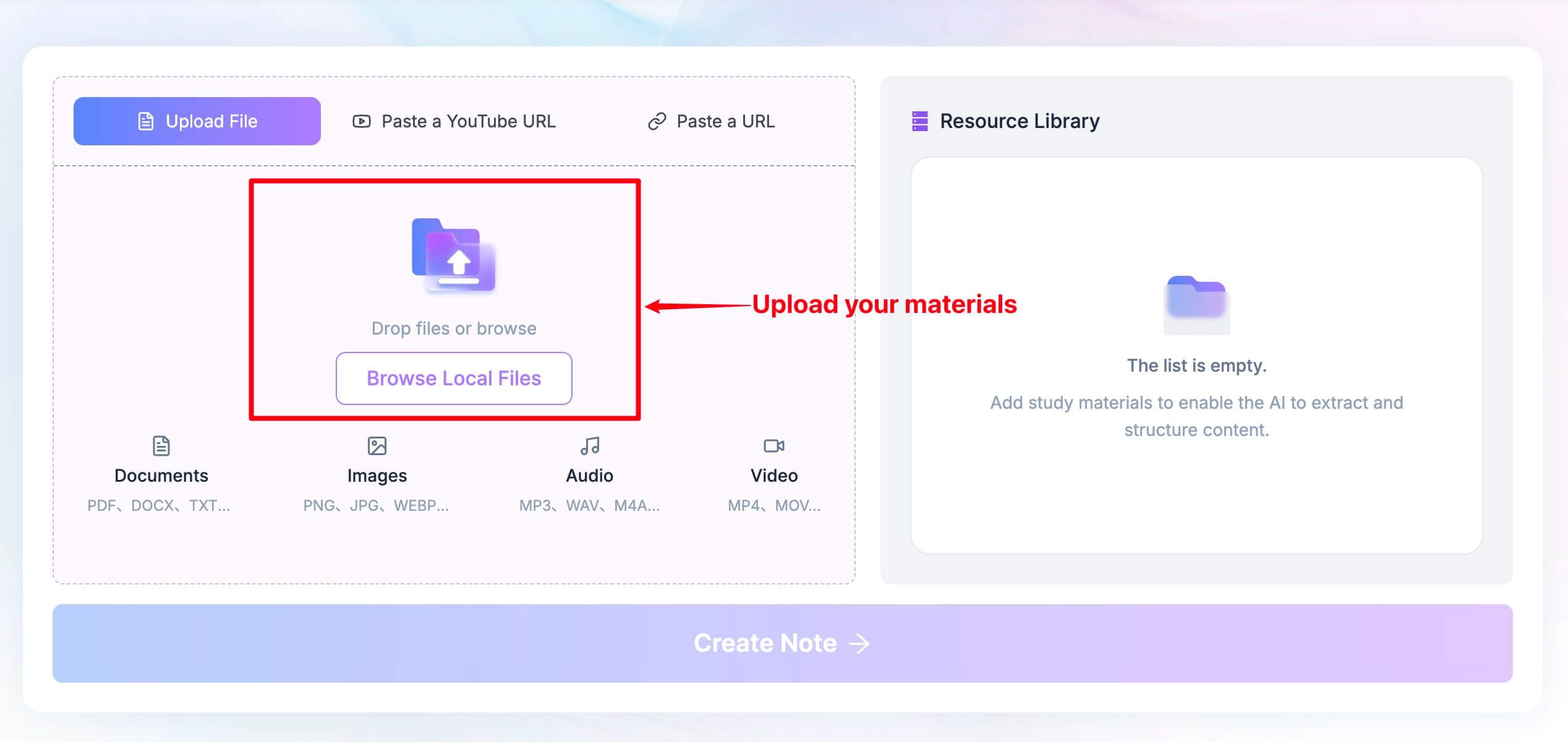
Create or obtain the permitted meeting, lecture, interview, or call recording. Add it to Lynote along with any relevant documents, webpages, images, videos, or YouTube material.
-
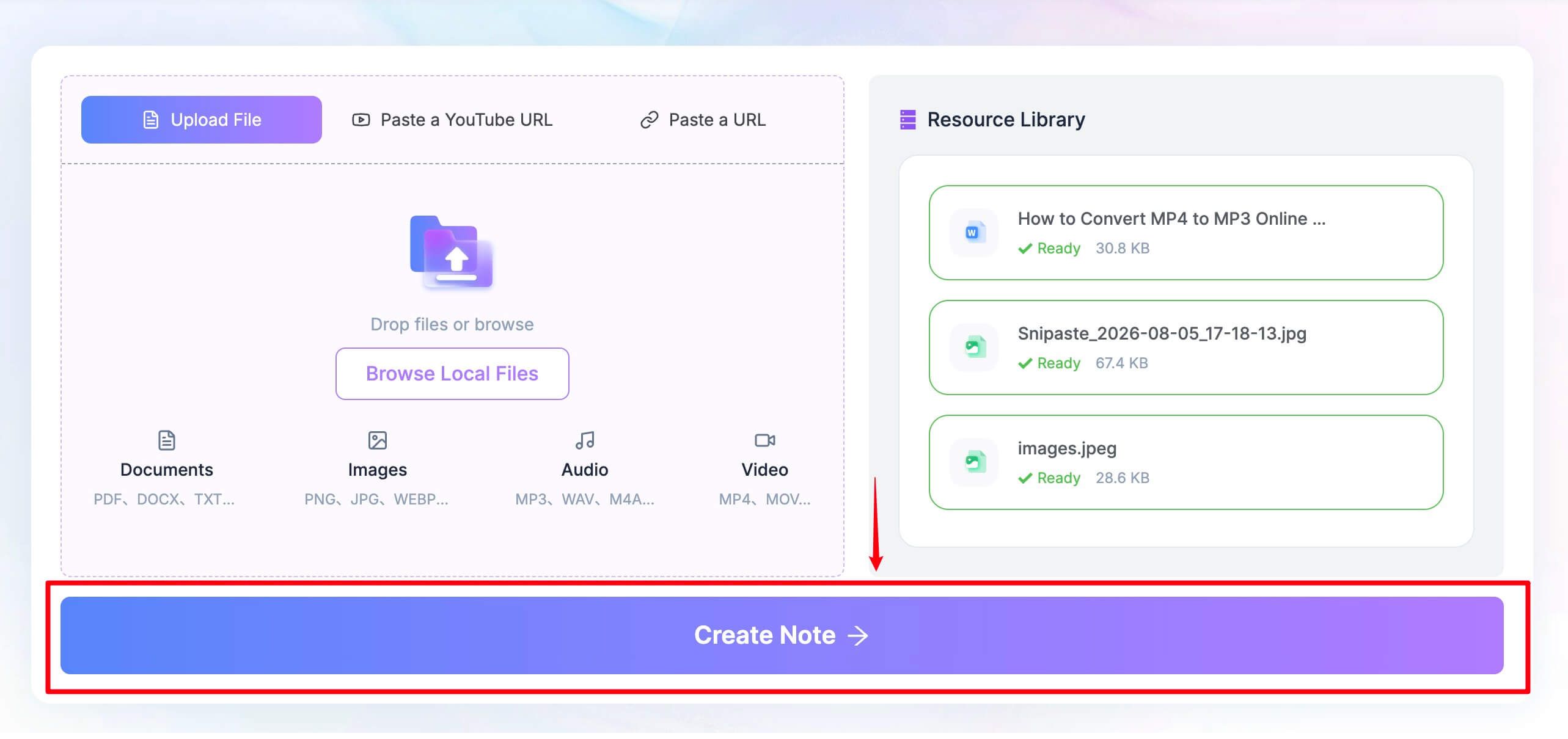
Click Create Note after the source is ready.
-
Review the generated structure, verify names and details, edit the note, ask follow-up questions, and reuse or share the result.
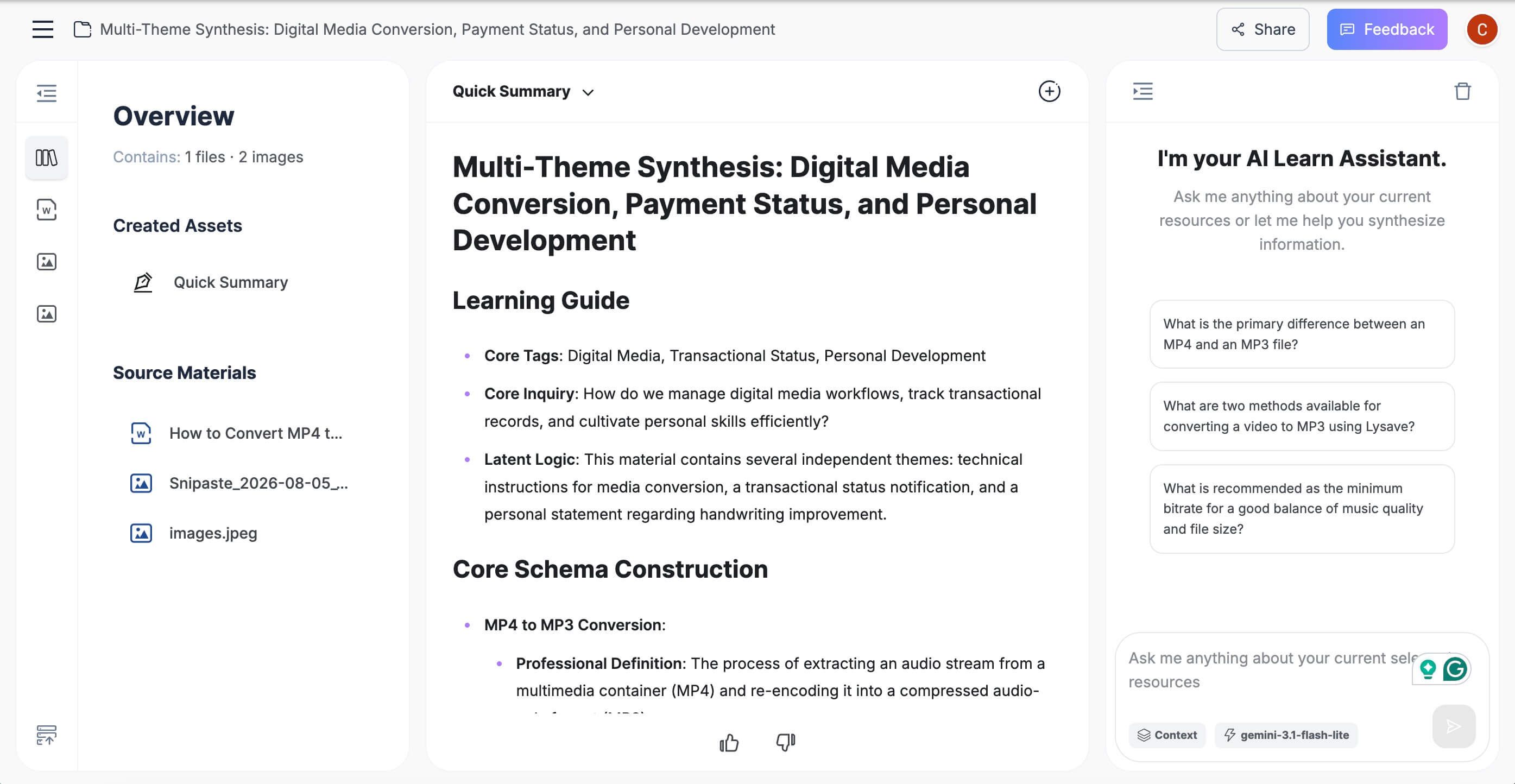
This two-step approach adds one manual handoff, but it prevents the capture tool from defining the entire knowledge workflow. It is particularly useful for a class with slides, a research interview with a briefing document, or a client call that must be compared with a proposal and product page.

Before You Switch From Wave AI
- Export what you need. Keep copies of important audio, transcripts, summaries, and shared links before downgrading or closing an account.
- Test the replacement under real conditions. Use the room, phone, headset, language, speaker count, and meeting platform that matter to you.
- Audit every free limit. Check minutes, session length, file imports, AI summaries, history, storage, downloads, and exports separately.
- Review capture visibility. Understand whether a bot joins the call, an extension reads captions, or a local app captures system audio.
- Check privacy and retention. Review model-training choices, deletion controls, sharing defaults, team ownership, and data retention.
- Verify high-stakes details. Compare names, amounts, dates, deadlines, and decisions against the audio before acting on them.
- Rebuild integrations first. Confirm that CRM, Slack, Notion, email, calendar, and automation workflows work before canceling Wave.
FAQs About Wave AI Alternatives
What Is the Best Free Wave AI Alternative?
Lynote is the best choice for turning existing recordings and mixed sources into editable notes. Fathom is the strongest free option for frequent individual online meetings, while Granola is better for bot-free human-guided notes and Otter.ai is useful for live transcripts.
Is Wave AI Note Taker Free?
Yes. Wave offers a free-forever plan with AI transcription and summaries. As of August 26, 2026, the plan includes 30 recording minutes per month and supports iOS, Android, and web.
How Many Free Minutes Does Wave AI Include?
Wave currently includes 30 minutes per month on its Free plan. The allowance can cover a short meeting or test recording, but it is smaller than a typical weekly lecture or recurring meeting schedule.
Which Wave Alternative Is Best for Students and Lectures?
Choose Lynote when you have lecture recordings, slides, documents, videos, or webpages that should become one editable note set. Choose Otter.ai when seeing a live transcript during the lecture is more important, but remember its 30-minute free conversation cap.
Which Alternative Is Best for In-Person Meetings?
Granola is a strong bot-free choice when you attend the meeting and want AI-enhanced personal notes. Otter.ai and Notta offer mobile recording workflows, while Wave itself remains one of the most convenient options for immediate phone or watch capture.
Which Wave Alternative Does Not Use a Meeting Bot?
Lynote processes a recording or source you provide, Granola captures device audio, and Tactiq uses a browser extension. Fireflies also offers extension, desktop, and mobile routes in addition to its meeting bot.
Can a Wave AI Alternative Record Phone Calls?
Some products can process a call recording, but native two-sided phone recording is not universal. Availability depends on the app, plan, device, operating system, region, and call setup. Test the exact workflow and obtain appropriate consent before relying on it.
Can I Import a Wave Recording or Transcript Into Another Tool?
Usually, if you can export or download the recording or transcript in a format accepted by the destination tool. Confirm export rights in your Wave plan and test one file before moving a large archive.
Final Verdict
Wave remains a compelling AI note taker for one-button capture across phones, computers, browsers, and watches. If that convenience matters and the workflow performs reliably on your device, upgrading may be simpler than replacing it.
Choose Lynote when the real goal is editable notes from recordings and mixed sources, Fathom for frequent free online meetings, Otter.ai for live transcripts, Granola for bot-free human-guided notes, Notta for multilingual work, Fireflies for team automation, Tactiq for browser capture, or Descript for media editing.
The safest decision is not based on a feature count. Put one representative recording through the free plan, verify the important details, and confirm that the tool handles the capture method and output you actually use.

Written by Danny
Product Marketing Manager
Danny explains how Lynote features fit real workflows, from everyday productivity to product-led writing use cases. View all articles →