8 Best Granola AI Alternatives for Smarter Notes in 2026

The best Granola AI alternative depends on what you want to change. Lynote is the strongest choice when you already have a meeting recording, lecture, document, video, or webpage and want structured notes from the source. Fathom is the best free option for capturing frequent online meetings, Otter is best for live transcription, Fireflies is best for CRM automation, and Jamie is the closest fit for people who want another bot-free meeting notetaker.
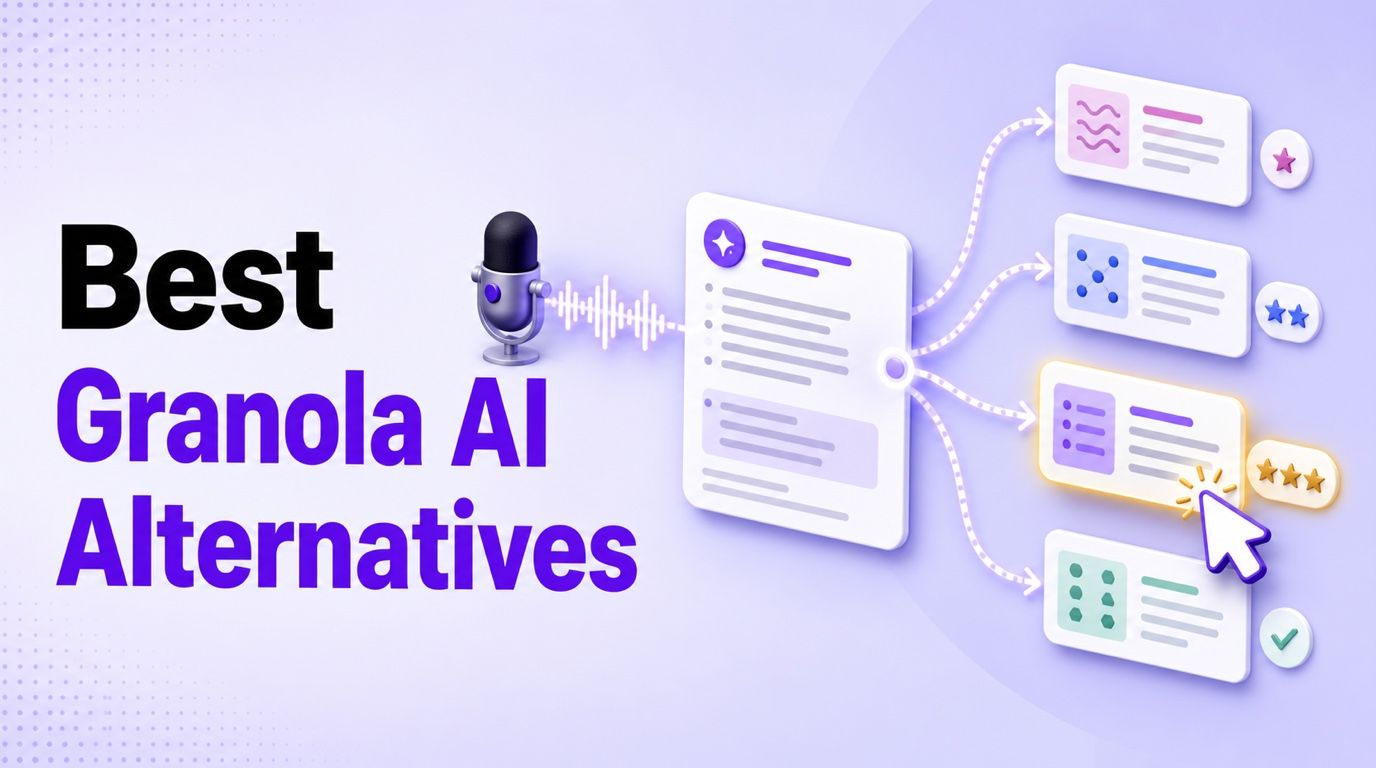
Granola itself remains a strong product. Its appeal is not simply transcription: it combines your rough notes with meeting context, works without adding a bot to the call, and produces a polished record after the conversation. The right replacement should solve a specific limitation without discarding the part of Granola you value.
Quick Answer: The Best Granola AI Alternatives
Start with the moment when you need help. Some tools listen during a live meeting, while others turn a recording or another source into useful notes afterward.
| Use case | Best pick | Capture method | Free-plan reality | Main trade-off |
|---|---|---|---|---|
| Existing recordings and mixed sources | Lynote | Upload files or add links | Basic browser workflow available | Does not automatically attend live meetings |
| Frequent online meetings at no cost | Fathom | Meeting capture on supported platforms | Unlimited recordings and transcription | Advanced AI features are limited after five monthly calls |
| Live captions and collaborative transcripts | Otter.ai | Meeting assistant, app, or import | 300 minutes monthly | 30-minute conversation cap on Basic |
| CRM sync and workflow automation | Fireflies.ai | Meeting bot and connected workflows | Free plan with storage and feature limits | Best value depends on team integrations |
| Bot-free desktop and mobile meetings | Jamie | Device-based capture | 10 meetings monthly, 30 minutes each | Higher paid price for heavy use |
| Agenda-led team follow-through | Fellow | Meeting recording and uploads | Five lifetime AI recordings per user | Free AI allowance is not recurring |
| Multilingual, cross-device transcription | Notta | Bot, app, extension, or upload | 120 minutes monthly | Only three minutes per conversation are available on Free |
| Flexible capture and meeting analytics | MeetGeek | Bot, browser, desktop, mobile, or upload | Three transcription hours monthly | Storage windows and automation vary by plan |
If your main problem is Granola's 30-day accessible history on the free plan, moving to another limited plan may only exchange one deadline for another. Compare the first limit you will actually hit: history, minutes, meeting duration, storage, file imports, or advanced summaries.
Granola AI Note Taker Review: Is It Still Worth Using?
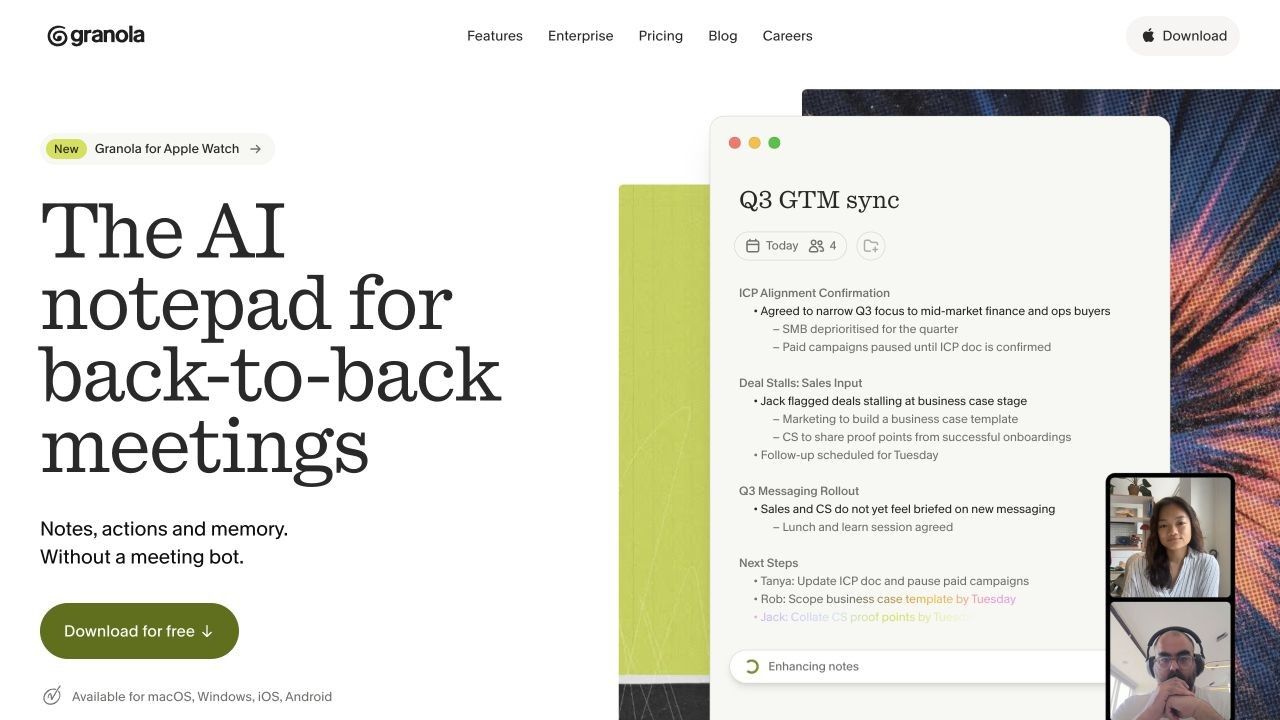
Granola describes itself as an AI notepad rather than a conventional meeting bot. It captures audio through the user's device, combines the conversation with any notes the user types, and prepares organized notes, action items, and follow-up material without appearing as another participant in the call.
That distinction matters. Granola encourages active listening and selective note taking while using AI to fill gaps and organize context. A fully automatic recorder can capture more words, but it may not produce a document that reflects what the user considered important.
How Granola Works
Granola syncs with a calendar and can prepare context before an external meeting. During the meeting, the user can type as much or as little as needed while Granola listens through the computer or mobile device.
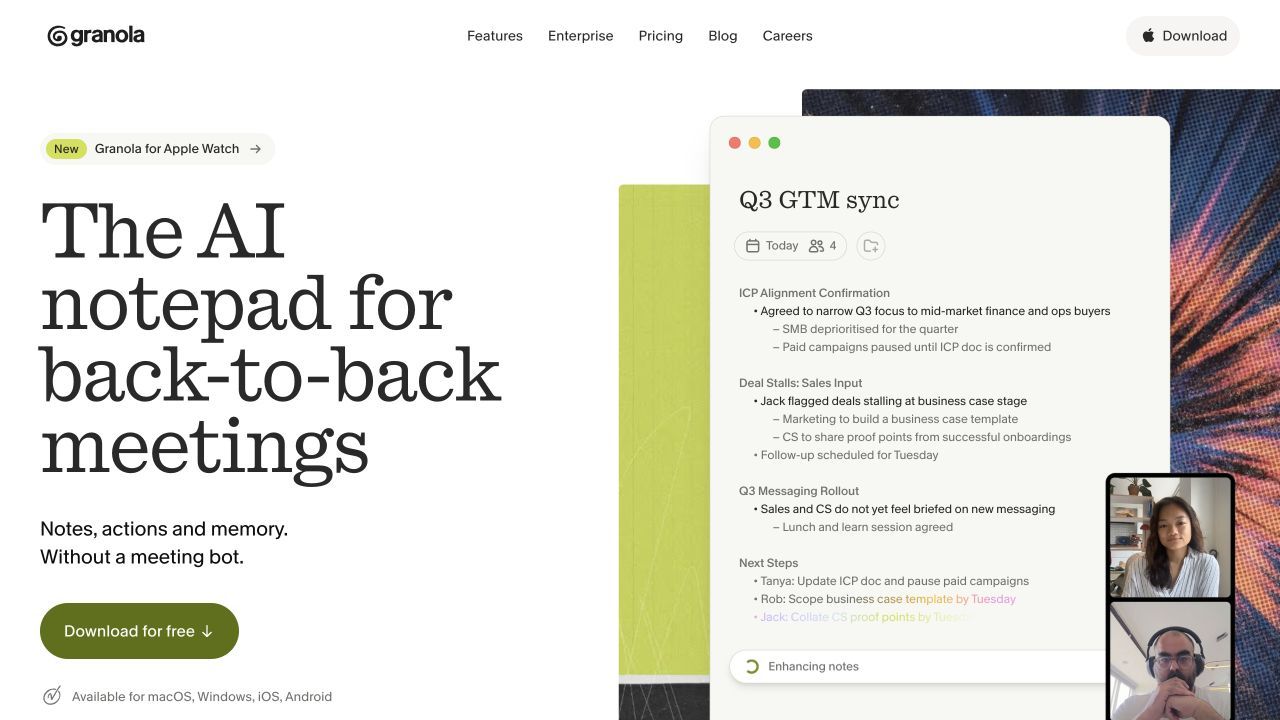
After the meeting, Granola enhances those rough notes into clearer sections and can identify actions or help draft follow-up material. Granola Chat can answer questions within one meeting or across meeting history, subject to the account's plan and accessible history.
What Granola Does Well
The first advantage is the absence of a meeting bot. Granola works across Zoom, Google Meet, Microsoft Teams, and other meeting apps through device audio, so it avoids an extra attendee joining the participant list.
The second advantage is editorial control. Users can guide the resulting note through what they type during the conversation instead of accepting a generic transcript summary. Customized templates, folders, and Chat make the output more useful than an untouched wall of text.
Platform support is also broader than many older Granola reviews suggest. Granola currently lists macOS, Windows, iOS, and Android, and it supports mobile and phone-call note workflows in addition to desktop meetings.
Where Granola Becomes Limiting
Granola's free Basic plan limits the notes visible and usable in the app to the most recent 30 days. Older notes are stored rather than deleted, and upgrading restores access, but the restriction matters once Granola becomes a long-term meeting archive.
Granola also does not preserve raw audio for replay in the way recording-centered tools do. That reduces the amount of retained meeting media, but it means users cannot jump back to the recording when a transcript line, quotation, or speaker attribution needs verification.
Its source model is meeting-focused. Someone who already has a recorded lecture, webinar, research PDF, YouTube video, interview file, or group of documents may prefer a source-first workspace. Sales and revenue teams may instead want deeper CRM field updates, coaching dashboards, organization-wide automation, or visible recording controls.
Bot-free capture should not be confused with invisible responsibility. Participants may not see a recorder in the call, so the user or organization still needs an appropriate notification and consent practice for the meeting and jurisdiction.
Granola Pricing and Free Plan
Granola Basic costs $0 per user each month. It includes AI meeting notes, AI chat within and across meetings, shared folders, customized templates, multi-language support, and the ability for an individual to opt out of model training, but in-app note access is limited to the last 30 days.
Granola Business costs $14 per user monthly and adds unlimited meeting-note history, advanced model access, expanded integrations, centralized billing, MCP integration, and API access. Granola currently bills monthly rather than offering an annual plan.
Enterprise starts at $35 per user monthly. It adds SSO, administrative and sharing controls, usage analytics, configurable deletion periods, priority support, and organization-wide model-training controls.
Who Should Keep Granola?
Keep Granola if you want a quiet, bot-free AI notepad that strengthens your own meeting notes and you do not need replayable recordings. It is particularly effective for founders, product managers, recruiters, and other professionals who want to stay engaged in the call while leaving with a readable document.
Look elsewhere if you need source uploads beyond meetings, live captions, a durable free archive, exact audio verification, intensive CRM automation, local-only processing, or a different method of notifying participants that recording is active.
Why People Look for Granola Alternatives
The phrase "Granola alternative" hides several unrelated needs. Identifying yours prevents a disappointing switch.
-
You need notes from content that is not a live meeting. Existing audio, video, PDFs, webpages, and course material call for an upload-first note tool.
-
You need words during the conversation. Live captions support accessibility, quoting, and real-time review in a way post-meeting notes cannot.
-
You need to replay the original recording. A stored recording can resolve ambiguous language and verify exact statements.
-
You need a free archive, not just free capture. History and storage restrictions become painful only after months of use.
-
You need downstream automation. Sales and customer teams often care more about CRM fields, tasks, coaching, and searchable team intelligence than the note itself.
-
You need another capture or privacy model. A visible bot, native platform recording, local processing, or a clear consent notification may better match organizational policy.
How We Chose the Best Granola AI Alternatives
These products were compared using current official product pages, pricing documentation, and support materials available in August 2026. The ranking does not claim that every tool was tested in the same controlled meeting.
Each alternative was evaluated across capture method, note output, live transcription, supported platforms, source imports, collaboration, integrations, replayability, free-plan durability, and starting paid price. Granola remains the reference point rather than a weak product set up to lose.
Prices and allowances can change. Confirm the current checkout terms and workspace limits before moving an entire team.
8 Best Granola AI Alternatives in 2026
1. Lynote AI Note Taker: Best for Existing Recordings and Mixed Sources
Lynote AI Note Taker is the most useful Granola alternative when the source already exists. Instead of listening only during a live meeting, Lynote can turn documents, audio, video, images, webpages, and YouTube links into structured notes with headings, key points, and source-linked sections.
This makes it a better fit for recorded meetings, lectures, interviews, webinars, research packets, and projects that combine several types of material. The result stays editable, and users can ask follow-up questions, export or share the note, or convert useful material into flashcards.
How to create AI notes with Lynote:
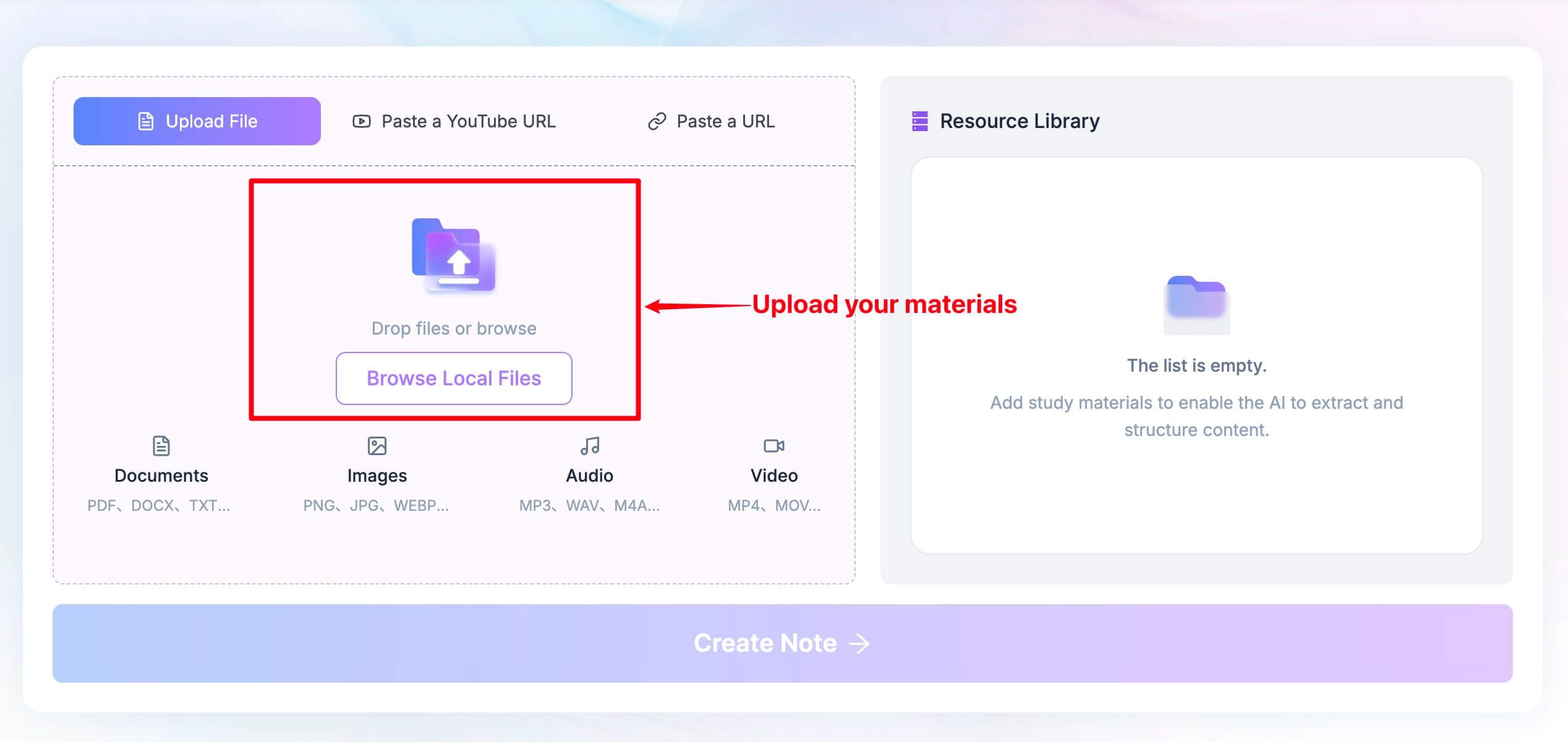
- Add the source. Upload a supported document, audio recording, video, or image, or add a webpage or YouTube link.
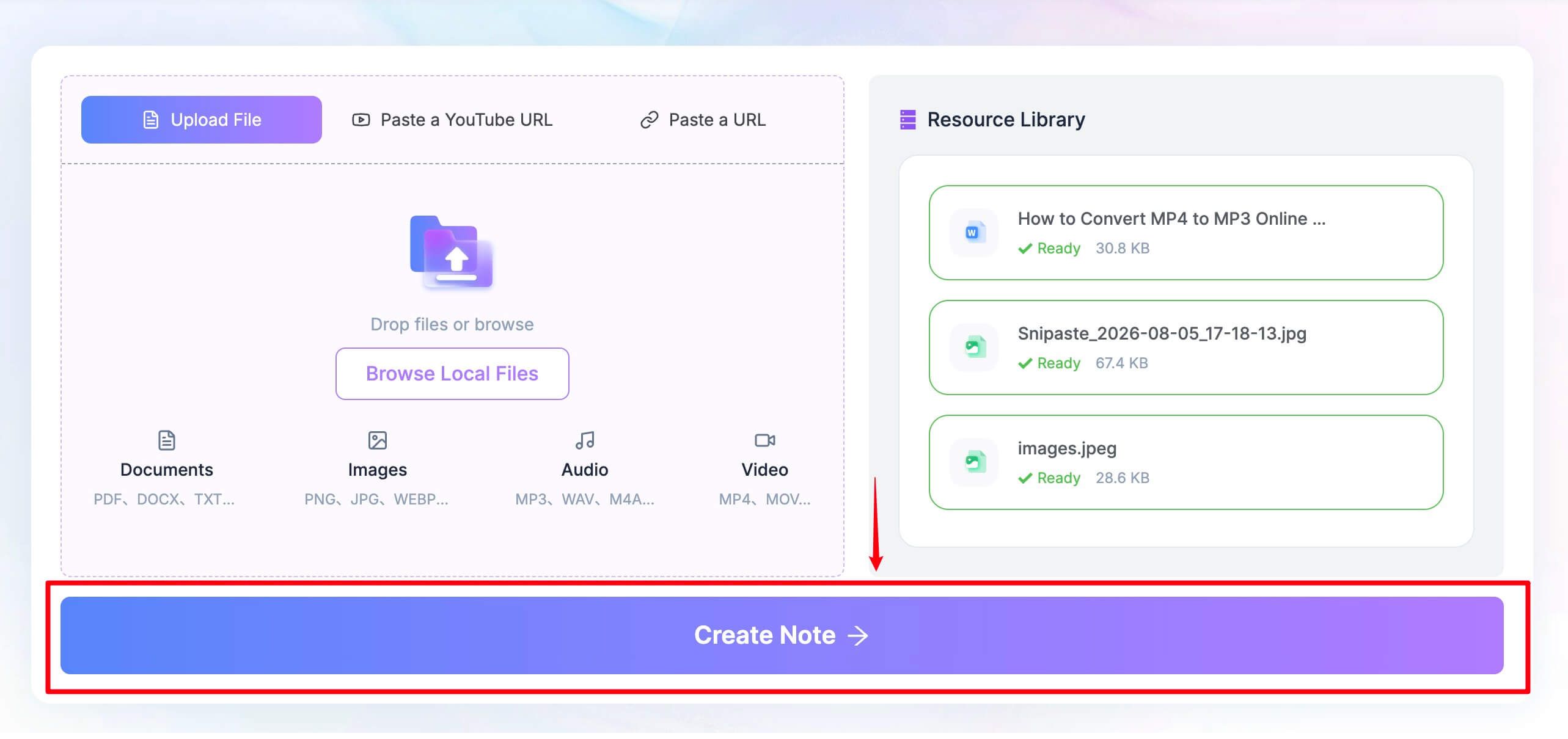
- Generate the note. Click Create Note so Lynote can organize the source into headings, bullets, and relevant sections.
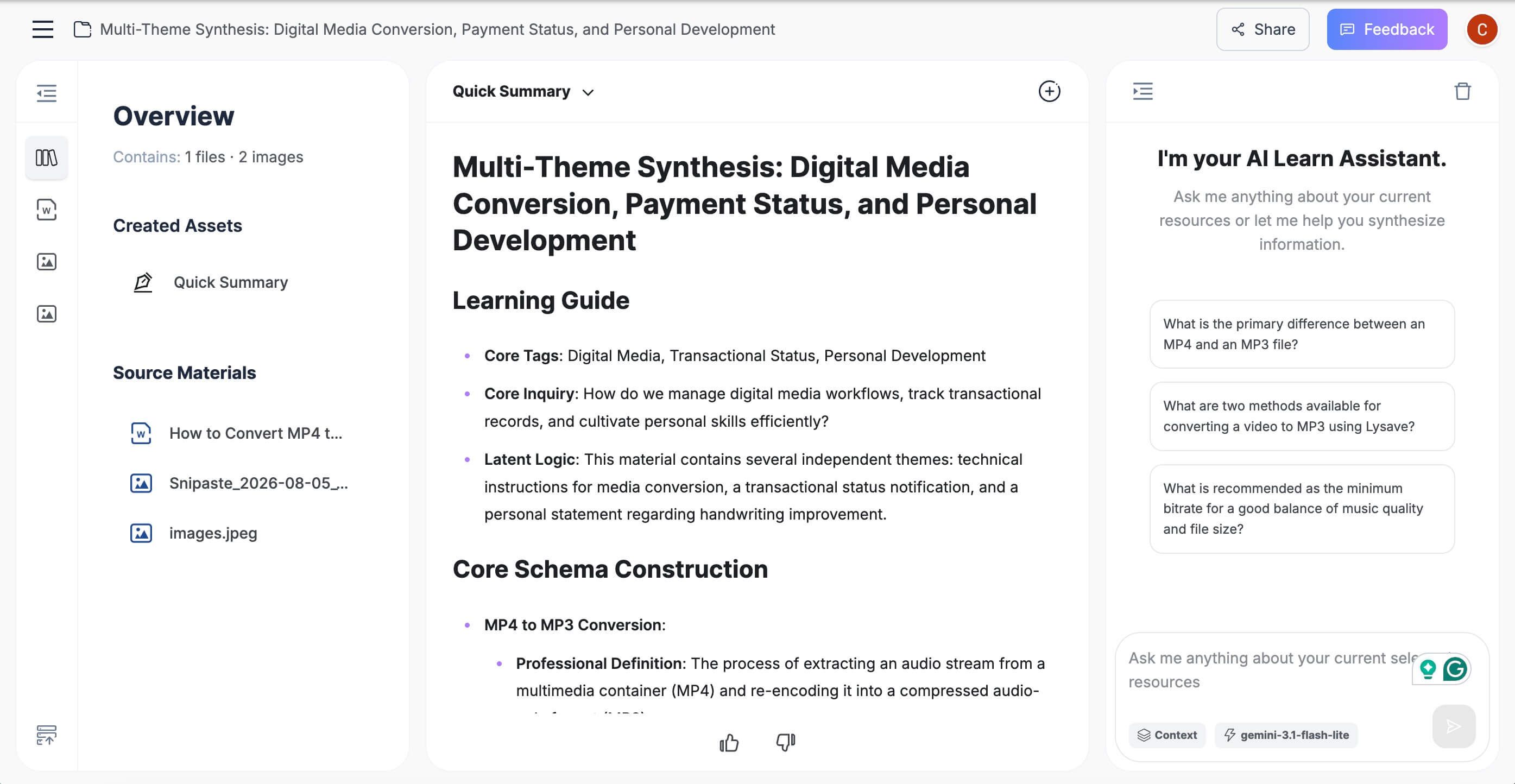
- Review and reuse it. Edit the note, ask questions about the material, export or share it, or turn it into flashcards.

Features
- Documents, images, audio, video, webpages, and YouTube sources
- Structured, editable notes with source-linked sections
- Follow-up questions grounded in the added material
- Export, sharing, and note-to-flashcard workflows
Pros
- Covers substantially more source types than a meeting-only notepad
- Useful after a meeting even when no note-taking app attended the call
- Keeps note generation, editing, Q&A, and study reuse in one workspace
Cons
- Does not automatically join or listen to a live meeting
- Requires the user to supply a recording, file, or link
Best for: Students, researchers, creators, and professionals turning existing source material into reusable notes.
Free and paid reality: Basic use is available through the browser, but users should confirm current file and usage allowances in the live workspace before planning a high-volume workflow.
2. Fathom: Best Free Granola Alternative for Meeting Recording
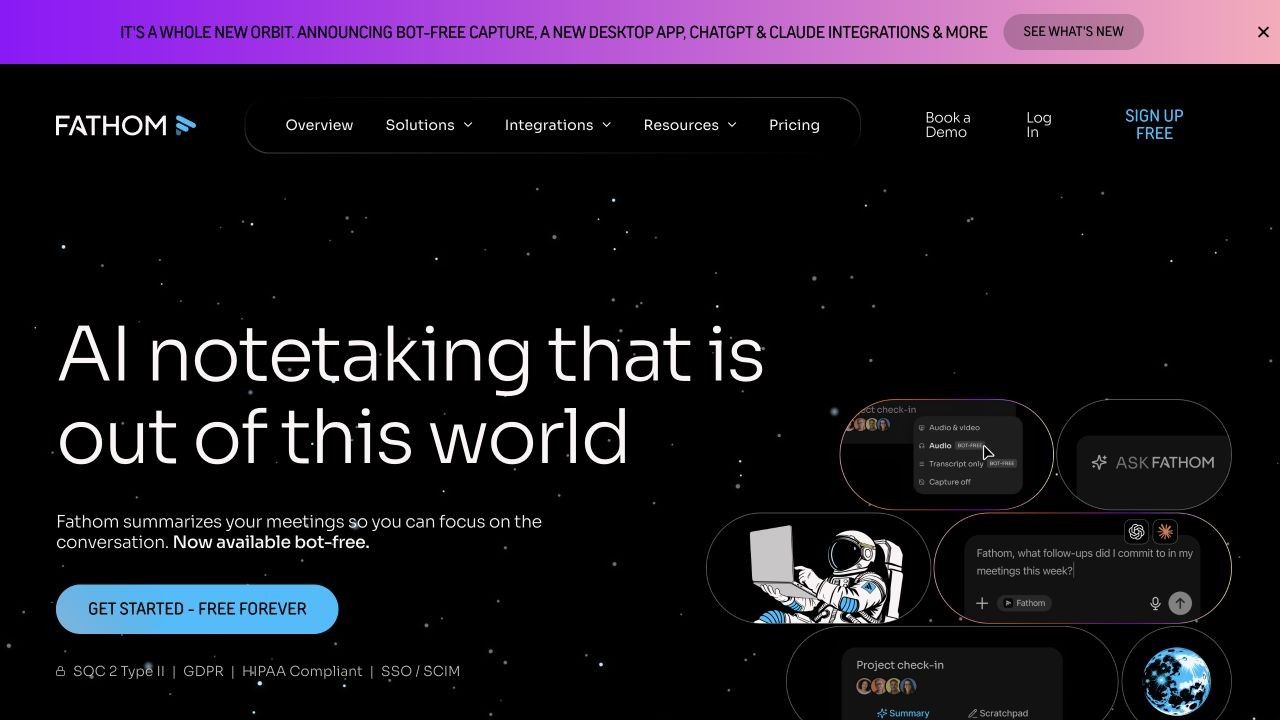
Fathom is the strongest free option for people who want their online meetings recorded and transcribed without paying for every captured hour. Its free individual plan includes unlimited recordings, transcription, and storage across supported meeting platforms.
The important limit is not recording volume. Free users receive advanced summaries and richer AI features for the first five calls each month; later calls use the general summary experience. This is still unusually sustainable for someone whose priority is a searchable record rather than unlimited advanced analysis.
Features
- Zoom, Google Meet, and Microsoft Teams capture
- Unlimited recording, transcription, and storage on Free
- Summaries, clips, search, and sharing
- CRM and Zapier options with plan-dependent limits
Pros
- The most generous recurring free capture allowance in this list
- Keeps replayable recordings for verification and sharing
- Fast transition from meeting to transcript and summary
Cons
- Advanced AI summaries and actions are limited after five monthly calls on Free
- More focused on scheduled meetings than general source-based note taking
Best for: Individuals who attend frequent online meetings and want a lasting free recording archive.
Free and paid reality: Free includes unlimited core capture. Premium is listed at $15 per user monthly and removes the advanced-AI cap, while team plans cost more.
3. Otter.ai: Best for Live Transcription and Collaborative Captions
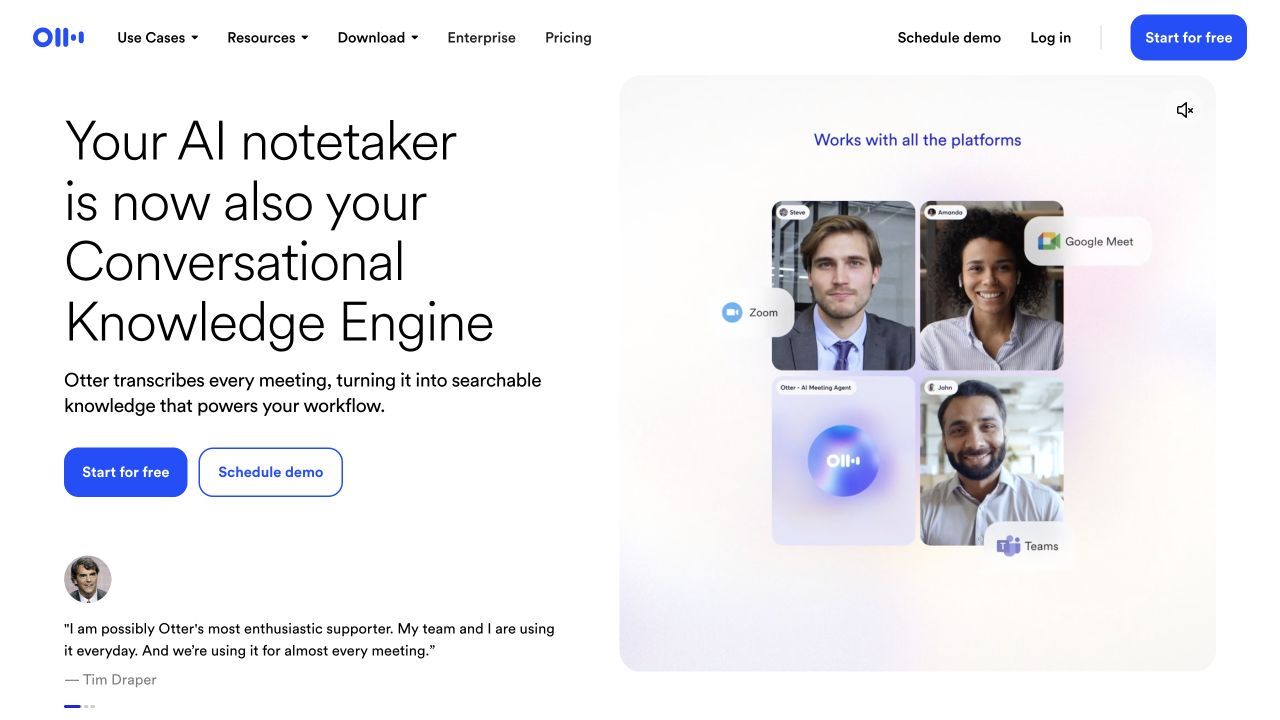
Otter is the better Granola alternative when notes need to appear while people are speaking. Its live transcript, speaker identification, mobile apps, playback, and meeting assistant support collaborative review during and after the call.
Basic is useful but tightly bounded. It provides 300 transcription minutes each month, a 30-minute cap per conversation, only three lifetime file imports, and access to the 25 most recent conversations.
Features
- Live transcription and speaker identification
- Zoom, Teams, and Google Meet support
- Audio playback and collaborative notes
- iOS and Android apps plus file imports
Pros
- Live text is valuable for accessibility and real-time confirmation
- Mature mobile experience for in-person conversations
- Recording playback makes disputed transcript lines easier to check
Cons
- The 30-minute Basic cap is shorter than many real meetings
- History and lifetime import limits make Free less durable than its monthly minutes suggest
Best for: Users who prioritize real-time captions, mobile recording, and collaborative transcripts.
Free and paid reality: Basic is free with 300 monthly minutes. Pro costs $16.99 monthly or $8.33 per user monthly when billed annually and raises the allowance to 1,200 minutes.
4. Fireflies.ai: Best for CRM Sync and Workflow Automation
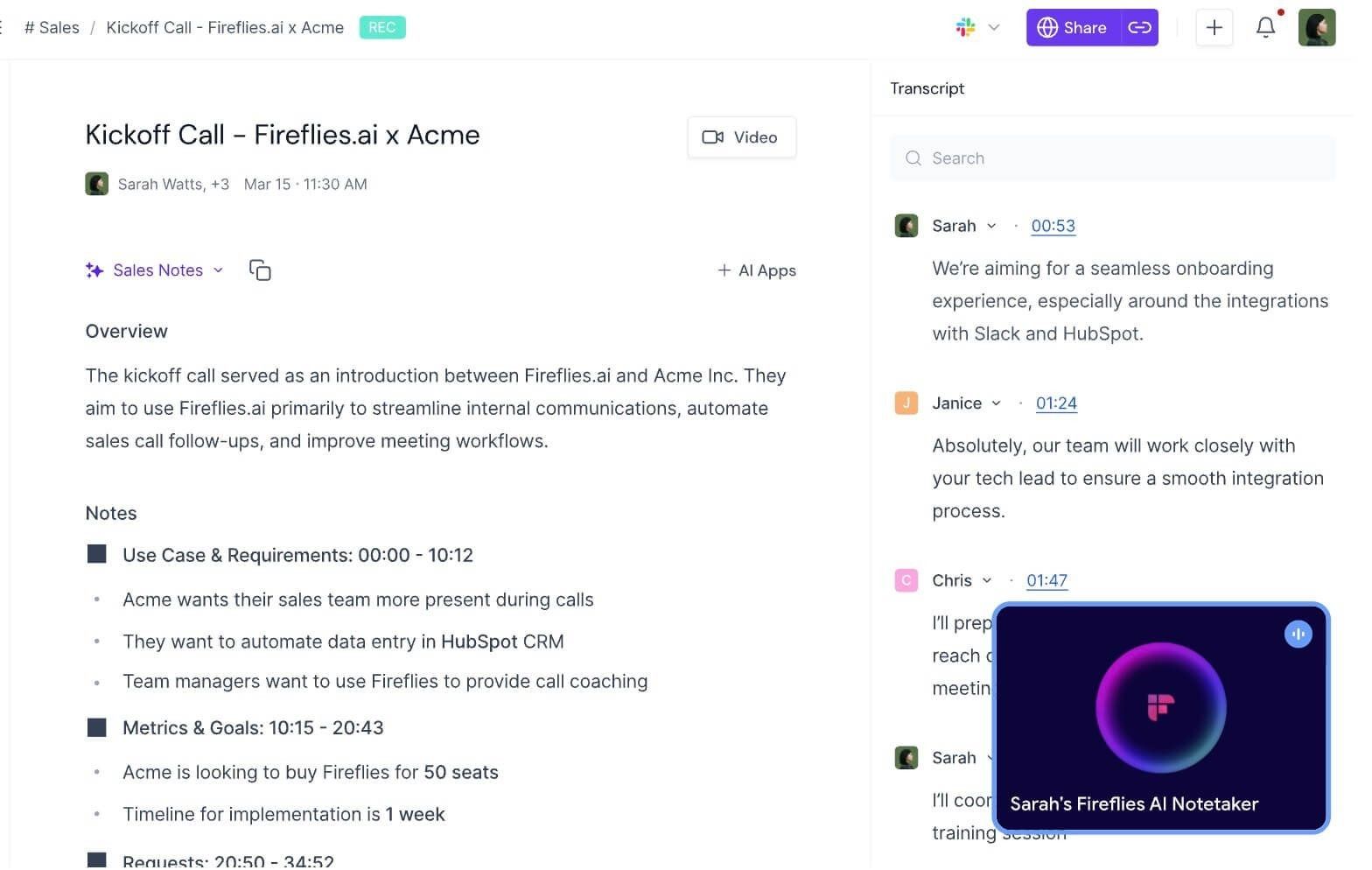
Fireflies is built for teams that need meeting information to move somewhere else. It records and transcribes meetings, organizes conversations in a workspace, and connects outputs with sales, collaboration, and automation systems.
Compared with Granola, the major difference is operational depth. Fireflies becomes more valuable when notes need to populate CRM records, trigger automations, surface searchable call intelligence, or support a shared revenue workflow.
Features
- Automated meeting transcription and summaries
- CRM and collaboration integrations
- Search, topics, action items, and team workspaces
- API and workflow automation on eligible plans
Pros
- Strong fit for sales and customer-facing teams
- Converts meeting output into follow-up systems rather than leaving it in a note
- Free plan allows teams to assess the core workflow
Cons
- Storage, downloads, integrations, and advanced intelligence vary by tier
- A solo user may find the automation layer heavier than Granola's focused notepad
Best for: Sales, recruiting, account management, and customer-success teams that need CRM-connected meeting intelligence.
Free and paid reality: Free costs $0. Pro is $18 per user monthly or $10 with annual billing; Business is $29 monthly or $19 annually.
5. Jamie: Best Bot-Free Alternative Across Desktop and Mobile
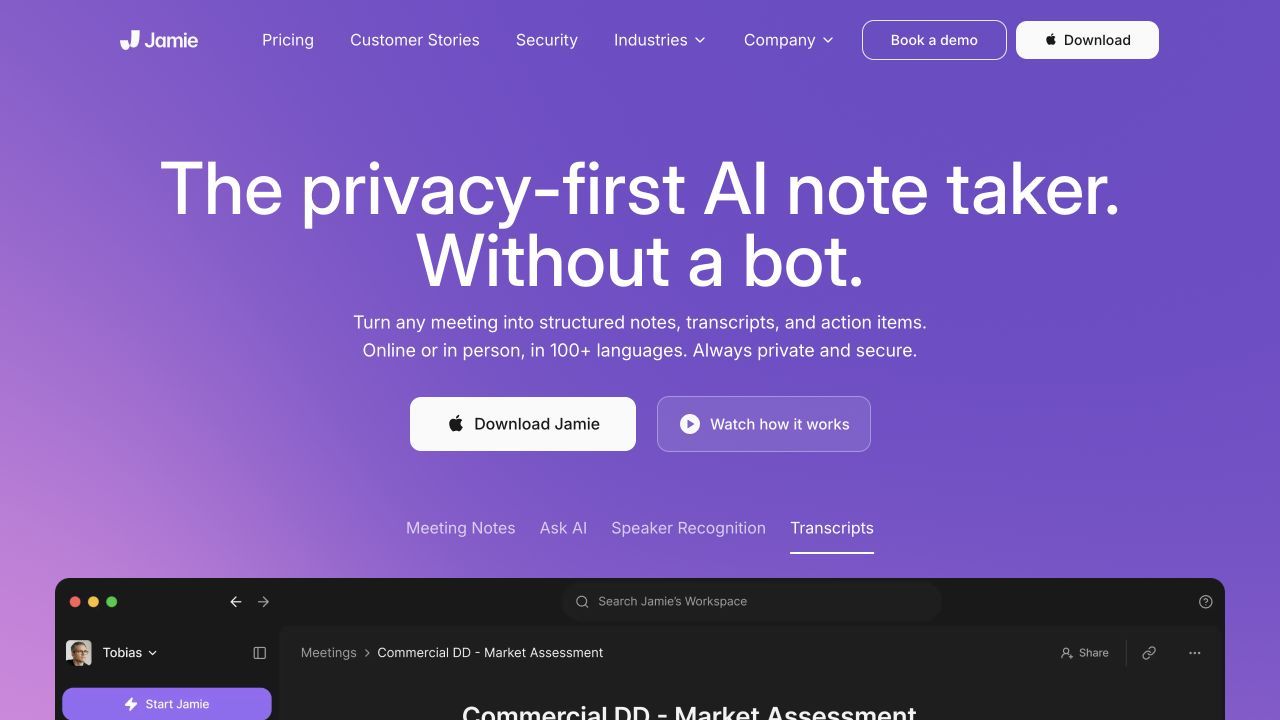
Jamie is the closest alternative for users who like Granola's bot-free experience but want a different cross-device product. It supports online and in-person meetings without adding a participant, recognizes speakers, detects tasks, and offers integrations that expand on higher plans.
The free tier is useful for a controlled trial rather than an all-day meeting calendar. It covers 10 meetings monthly with a 30-minute duration limit, while Plus extends the allowance and Pro supports unlimited meetings.
Features
- Bot-free online and in-person meeting capture
- Desktop and iPhone workflows
- Speaker recognition, task detection, templates, and integrations
- Notes and transcripts in more than 99 languages
Pros
- Preserves the no-bot meeting experience
- Works across meeting platforms and in-person conversations
- Clear privacy and consent-notification controls are part of the product comparison
Cons
- Thirty minutes on Free excludes many standard business meetings
- Heavy users need a relatively expensive paid tier
Best for: Professionals seeking a Granola-like bot-free workflow across desktop and mobile contexts.
Free and paid reality: Free includes 10 monthly meetings of up to 30 minutes. Plus is €21 monthly with annual billing, while Pro is €39 monthly with annual billing.
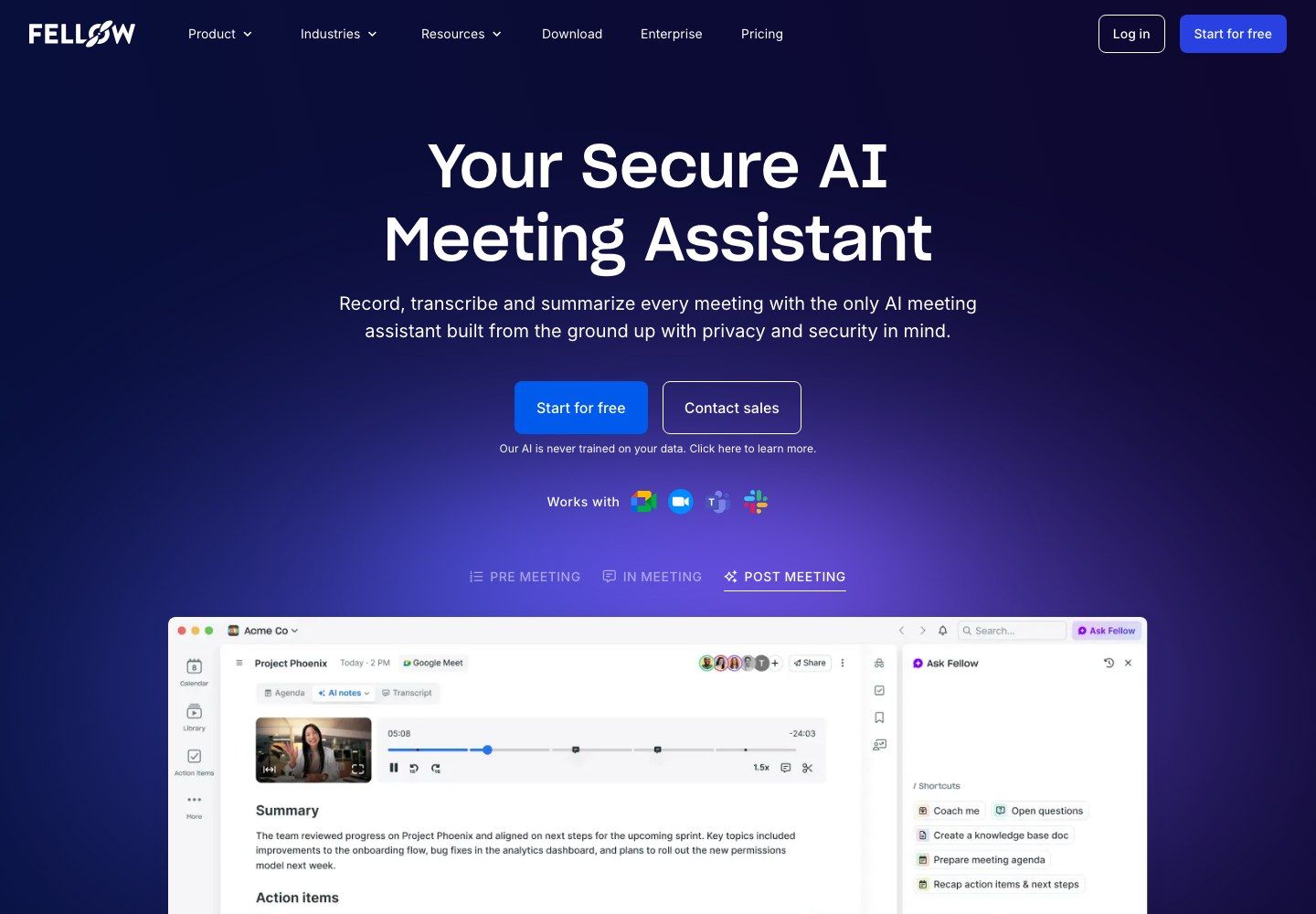
6. Fellow: Best for Agenda-Led Team Meetings
Fellow combines AI meeting capture with agendas, action items, recurring meeting notes, and team management. It is a stronger alternative when the meeting process starts before the call and continues through assigned work afterward.
The free plan should not be mistaken for unlimited free AI capture. Teams of up to 10 can use core meeting management, but each user receives only five lifetime AI recordings and notes.
Features
- Agendas, collaborative notes, action items, and meeting timers
- AI recording, transcription, summaries, and outcomes
- Audio and video uploads
- Project-management integrations and automations on paid tiers
Pros
- Connects preparation, meeting execution, and follow-through
- Better suited to recurring team rituals than a personal notepad alone
- Supports uploaded recordings as well as live meeting workflows
Cons
- Five lifetime free AI recordings are quickly exhausted
- More structure can feel cumbersome for casual solo note taking
Best for: Teams that want agendas, accountability, and meeting notes in one repeatable process.
Free and paid reality: Free supports up to 10 users but includes five lifetime AI recordings per user. Team starts at $7 per user monthly with annual billing or $11 monthly.
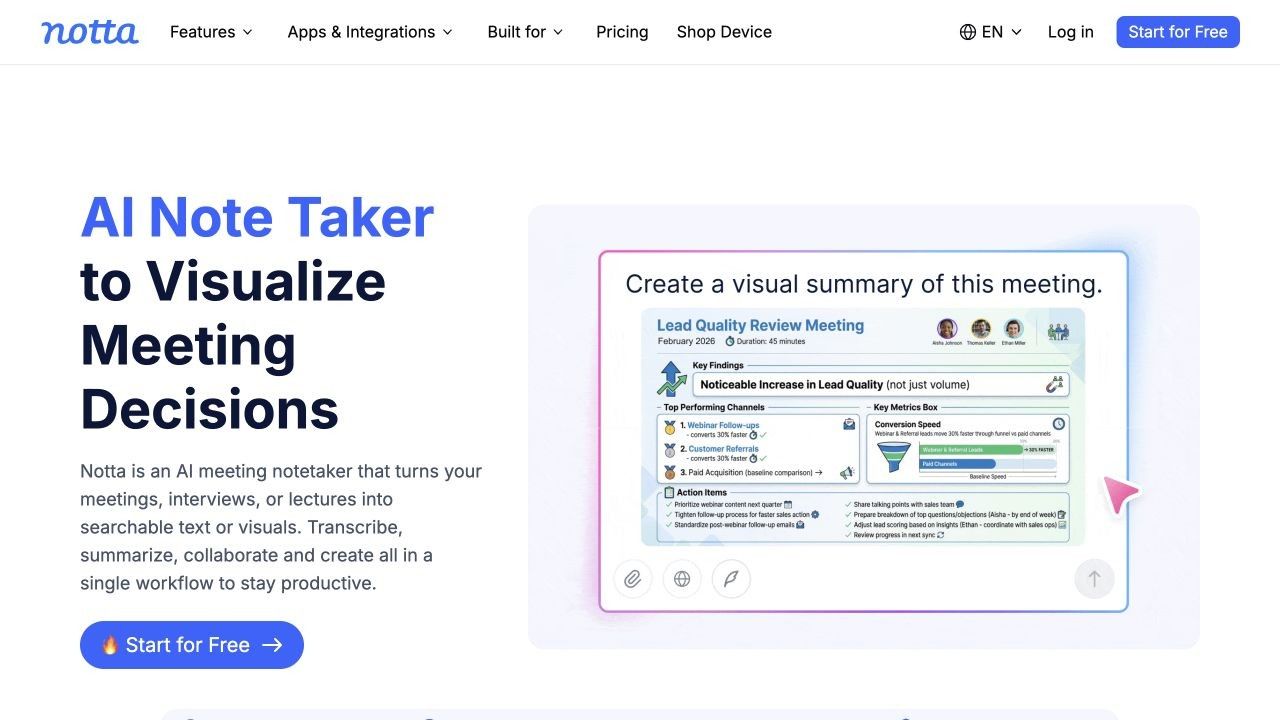
7. Notta: Best for Multilingual and Cross-Device Notes
Notta supports web meetings, in-person recording, file imports, mobile apps, a Chrome extension, screen recording, and speaker identification. Its broad capture options make it useful for multilingual interviews, international teams, and people who move between desktop and mobile work.
The headline allowance on Free is 120 transcription minutes each month, but the decisive limit is only three minutes per conversation. That makes the plan suitable for interface testing and very short recordings, not a normal meeting.
Features
- Web, mobile, extension, meeting-bot, and file-import workflows
- Speaker identification and cross-device synchronization
- AI summaries and multilingual options
- Transcript export and translation on paid plans
Pros
- One of the broadest device and input combinations
- Strong fit for multilingual transcription workflows
- Supports both live capture and existing files
Cons
- Three accessible minutes per conversation makes the free tier impractical for meetings
- Important export and translation features require Pro
Best for: International users who need multiple capture methods and multilingual support.
Free and paid reality: Free includes 120 monthly minutes, 50 file uploads, and 10 AI summaries, but only three minutes per conversation. Pro provides 1,800 minutes and recordings up to five hours; confirm the current regional checkout price.
8. MeetGeek: Best for Automated Insights and Flexible Capture
MeetGeek combines conventional meeting-bot recording with browser, desktop, mobile, no-bot, and upload workflows. It produces transcripts, summaries, analytics, search, and AI Chat, making it a flexible replacement for users who do not want one capture method to dictate every meeting.
Its free Basic plan is recurring and more practical than a one-time trial. It includes three transcription hours each month, three months of transcript storage, one month of audio storage, unlimited AI summaries, uploads, and core analytics.
Features
- Zoom, Meet, Teams, browser, desktop, mobile, and upload capture
- Transcription in more than 100 languages
- Summaries, analytics, global search, and AI Chat
- Integrations, agents, and workflows on paid plans
Pros
- Flexible choice among bot, no-bot, mobile, and upload workflows
- Useful recurring free allowance for occasional meetings
- Includes replayable audio for a limited storage period
Cons
- Free transcript and audio storage eventually expire
- Deeper automation and export controls require paid plans
Best for: Users who want one meeting assistant to cover several capture methods and provide analytics.
Free and paid reality: Basic includes three hours monthly. Pro starts at $9.99 per user monthly and provides 20 hours, longer storage, integrations, exports, and workflows.
Granola vs. the Alternatives: Full Comparison
| Tool | Best for | Capture method | Live transcript | Existing file input | Replayable recording | Platforms | Free-plan reality | Starting paid price |
|---|---|---|---|---|---|---|---|---|
| Granola | User-guided bot-free meeting notes | Device audio | Limited by platform experience | Not its main workflow | No raw-audio playback | macOS, Windows, iOS, Android | Last 30 days accessible | $14/user/month |
| Lynote | Notes from existing and mixed sources | Upload or link | No | Yes | Review the supplied source where available | Browser | Verify current workspace limits | Confirm in product |
| Fathom | Free online meeting recording | Meeting capture | Transcript during/after supported calls | Meeting-centered | Yes | Desktop, extension, supported meeting apps | Unlimited core recording and transcription | $15/user/month |
| Otter | Live captions | Bot, app, or import | Yes | Yes, three lifetime on Basic | Yes | Web, desktop, iOS, Android | 300 minutes; 30 minutes per conversation | $16.99/user/month |
| Fireflies | CRM automation | Bot and connected capture | Plan and workflow dependent | Yes | Yes, storage varies | Web, mobile, integrations | Free with storage and feature limits | $18/user/month |
| Jamie | Bot-free cross-device notes | Device capture | Meeting notes focus | Limited compared with source tools | No traditional recording library focus | Desktop, iPhone | 10 meetings; 30 minutes each | €21/month annually |
| Fellow | Agenda-led teams | Recorder or upload | Meeting workflow dependent | Yes | Yes | Web and supported meeting platforms | Five lifetime AI recordings | $7/user/month annually |
| Notta | Multilingual use | Bot, app, extension, or upload | Yes | Yes | Yes | Web, desktop, mobile, extension | 120 minutes; three minutes per conversation | Regional pricing varies |
| MeetGeek | Flexible capture and analytics | Bot, no-bot, app, or upload | Available across capture tools | Yes | Yes, one month on Basic | Web, desktop, mobile, extension | Three hours monthly | $9.99/user/month |
The table exposes why a simple feature count is misleading. Lynote and Granola can both produce useful notes, but one begins with supplied source material and the other listens during the meeting. Fathom's free plan is generous because it prioritizes capture, while Otter's value is the live transcript even though its Basic limits are tighter.
Which Free Granola Alternative Is Actually Sustainable?
For one or two online meetings each week, Fathom is the easiest free plan to sustain because recording, transcription, and storage are not capped. Users who need advanced summaries on every call may still outgrow it.
For live captions in shorter conversations, Otter's 300 monthly minutes are useful, but the 30-minute conversation cap matters more than the monthly total. It is not a free solution for hour-long recurring meetings.
For occasional meetings with flexible capture, MeetGeek's three monthly hours can cover a few standard calls, though transcript and audio storage windows require an export or upgrade plan. Fellow's five lifetime AI recordings are better treated as product evaluation credits than a permanent free workflow.
For existing lectures, interviews, webinars, or project sources, an upload-first tool is more appropriate than another meeting assistant. The key limits become file size, source type, processing allowance, and whether the notes remain editable and reusable.
For multilingual interviews, Notta offers broad language and device support, but the three-minute Free conversation cap makes a paid plan necessary for realistic sessions. A large monthly-minute number has little value when each individual conversation stops almost immediately.
Choose by Capture Method, Not by Feature Count
Choose Upload-First for Material That Already Exists
Use an upload-first workflow when a Zoom recording, phone memo, lecture video, research PDF, or webpage is already available. This separates note generation from the original meeting platform and allows several source types to enter the same workspace.
Choose Bot-Free Capture When Meeting Presence Matters
Granola and Jamie avoid adding a participant to the call. This can reduce visual disruption and platform compatibility problems, but users still need to understand how audio is processed and how participants should be informed.
Choose a Visible Bot When Automatic Attendance Matters
A meeting bot can join scheduled calls, capture them consistently, and make recording activity visible in the participant list. Fathom, Otter, Fireflies, Fellow, and MeetGeek provide different versions of this workflow.
Choose Live Transcription When You Need Words During the Call
Otter is strongest when the transcript itself is part of the meeting experience. Live text can support accessibility, name and number confirmation, and collaborative note correction before the conversation ends.
Choose Local Processing When Cloud Handling Is the Main Concern
None of the top cloud services should be assumed to run entirely on the user's device merely because no bot joins. Privacy-sensitive teams should separately evaluate local tools and confirm where audio, transcripts, models, backups, and diagnostics operate.
Before You Switch: Export, Consent, and Note Ownership
Export what you can before canceling or downgrading Granola. Basic users can request a CSV containing titles and summaries, including entries older than the 30-day in-app window, which creates a useful inventory even if it is not a complete replacement for every note.
Next, decide which artifact matters after the meeting. A transcript, polished summary, raw recording, action list, CRM update, and source-linked note serve different purposes and may follow different retention rules.
Set a clear recording and notification practice before deploying the replacement. A visible bot provides one form of notice, but it does not automatically satisfy every policy or legal obligation; a bot-free tool requires an equally deliberate process.
Finally, pilot one repeatable meeting type. Compare the same product interview, weekly stand-up, lecture, or client call across two tools, then review setup friction, note usefulness, missing context, export quality, and the first free-plan limit reached.
FAQs About Granola AI Alternatives
What is the best Granola AI alternative?
Lynote is the best fit for turning existing recordings and mixed source material into structured notes. Fathom is stronger for free online meeting capture, Otter for live transcription, Fireflies for CRM automation, and Jamie for a bot-free live-meeting experience.
What is the best free Granola AI alternative?
Fathom has the most sustainable free plan for frequent online meeting recording because it includes unlimited core recordings, transcription, and storage. MeetGeek is useful for occasional meetings with three free transcription hours monthly.
Is Granola AI free?
Yes. Granola Basic costs $0 and includes AI notes, Chat, folders, templates, and multi-language support. Only the most recent 30 days of notes are accessible in the app on Basic.
Does Granola join meetings as a bot?
No. Granola captures audio through the user's computer or mobile device rather than adding a separate participant to the meeting.
Can Granola record in-person meetings?
Granola's mobile apps support notes on the go and phone or in-person conversation workflows. Users should confirm device permissions, recording quality, participant notification, and the current mobile feature set before an important session.
Which Granola alternative works with existing recordings?
Lynote is designed for source-first note generation from existing audio, video, documents, images, webpages, and YouTube links. Otter, Notta, Fellow, Fireflies, and MeetGeek also support file imports with plan-specific limits.
Which Granola alternatives work without a bot?
Jamie uses bot-free device capture, while MeetGeek offers no-bot options through browser and desktop workflows. Lynote does not need a bot because it processes a source supplied after capture rather than attending the meeting.
Is Granola available on Windows, iPhone, and Android?
Yes. Granola currently lists macOS, Windows, iOS, and Android availability. Older reviews describing it as Mac-only are out of date.
Final Verdict
Granola remains an excellent AI notepad for people who want to type selectively, avoid a meeting bot, and receive polished notes immediately afterward. Do not switch merely because another product has a longer feature list.
Choose Lynote when the source already exists or extends beyond meetings. Choose Fathom for sustainable free online capture, Otter for live text, Fireflies for CRM-connected automation, Jamie for bot-free desktop and mobile meetings, Fellow for structured team rituals, Notta for multilingual cross-device work, or MeetGeek for flexible capture and analytics.
The most reliable decision starts with three questions: how will the conversation be captured, which artifact must exist afterward, and which free-plan limit will you reach first? The answer will identify the right Granola alternative faster than any universal ranking.

Written by Danny
Product Marketing Manager
Danny explains how Lynote features fit real workflows, from everyday productivity to product-led writing use cases. View all articles →