8 Free Jamie AI Alternatives for Better Notes and Follow-Up

Jamie is already one of the more thoughtful AI note takers: it records from your device, stays out of the participant list, and turns conversations into notes, transcripts, and action items. The problem is not that Jamie fails at its job. It is that its free plan fits a fairly specific pattern: no more than 10 meetings a month, with each meeting capped at 30 minutes.
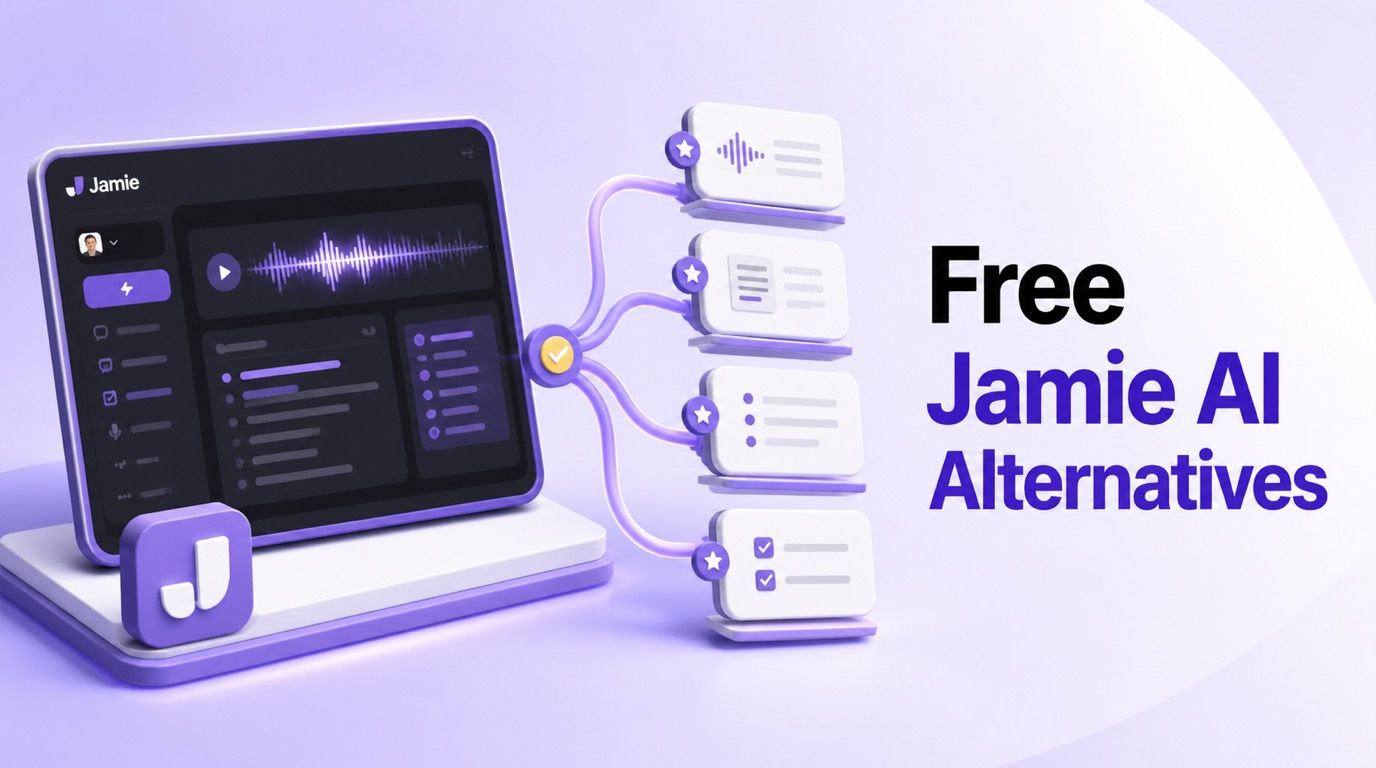
The best alternative depends on which part of that pattern no longer works. Granola is the closest free bot-free substitute for live meetings, Fathom gives frequent online-meeting users considerably more free recording room, and Tactiq is useful when you want live browser transcripts without storing meeting audio. Lynote is the better fit when your “meeting” is actually a saved lecture, recording, document, video, image, webpage, or YouTube link.
Quick Answer: The Best Free Jamie AI Alternatives
There is no universal Jamie replacement because these products capture information in different ways. Some listen to device audio, some join as a visible meeting participant, some read browser captions, and some begin after you upload a source.
| Rank | Tool | Best For | Capture Method | Free-Plan Reality | Main Tradeoff |
|---|---|---|---|---|---|
| 1 | Lynote | Structured notes from recordings and mixed sources | File upload or source link | Free access is available; check the live workspace for current limits | Does not automatically attend or capture live meetings |
| 2 | Granola | The closest bot-free Jamie experience | Device audio plus your rough notes | Unlimited meetings, but only the latest 30 days remain visible | No stored audio or video replay |
| 3 | Fathom | Frequent online meetings | Meeting assistant and desktop capture | Unlimited recordings, storage, and transcription; advanced summaries are limited | Primarily designed around scheduled online calls |
| 4 | Tactiq | Live browser transcripts without stored audio | Chrome extension reading meeting captions | 10 transcripts and five AI credits per month | Browser and platform-caption dependent |
| 5 | Otter.ai | Live transcription and mobile conversations | Web, mobile, meeting assistant, and imports | 300 minutes monthly with a 30-minute conversation cap | Only three lifetime file imports on Free |
| 6 | Fireflies.ai | Integrations and searchable meeting memory | Bot, extension, apps, and uploads | Core free access has credit and storage limits | Its free allowance is more complicated than one monthly number |
| 7 | tl;dv | Video meetings and shareable clips | Zoom, Google Meet, and Teams recorder | Unlimited recordings and transcripts; AI notes for 10 meetings monthly | Best value is tied to supported video-meeting platforms |
| 8 | Fellow | Agendas, team notes, and meeting governance | Meeting integrations and uploads | Five AI notes and recordings per user for the account's lifetime | The free AI recording allowance is a trial-sized pool |
If your priority is a quiet, bot-free app for normal meetings, start with Jamie or Granola. If the priority is generous recurring free capture, compare Fathom, Tactiq, and Otter. If you need to make notes from content that already exists, Lynote avoids forcing a live-meeting workflow onto a file or link.
Jamie AI Note Taker Review: Is the Free Plan Enough?
Jamie is best understood as a personal meeting memory system, not merely a transcription box. It records online or in-person conversations, creates a transcript and structured notes, extracts tasks, recognizes speakers, and lets you ask questions about one meeting or your broader history.
Its appeal comes from how little it changes the meeting itself. There is no “Jamie Notetaker” tile arriving in the participant list, and it is not limited to one conferencing platform because the app captures audio from the device.
What Jamie AI Note Taker Does
Jamie works across online meeting platforms and in-person conversations. After capture, it produces notes, a transcript, and action items, while speaker recognition and memory help associate recurring voices with the right people over time.
The workspace also includes tags, custom templates, meeting search, and Ask Jamie. Free users can connect notes to Notion, Google Docs, and OneNote, while higher plans add a broader set of business integrations and workflow tools.
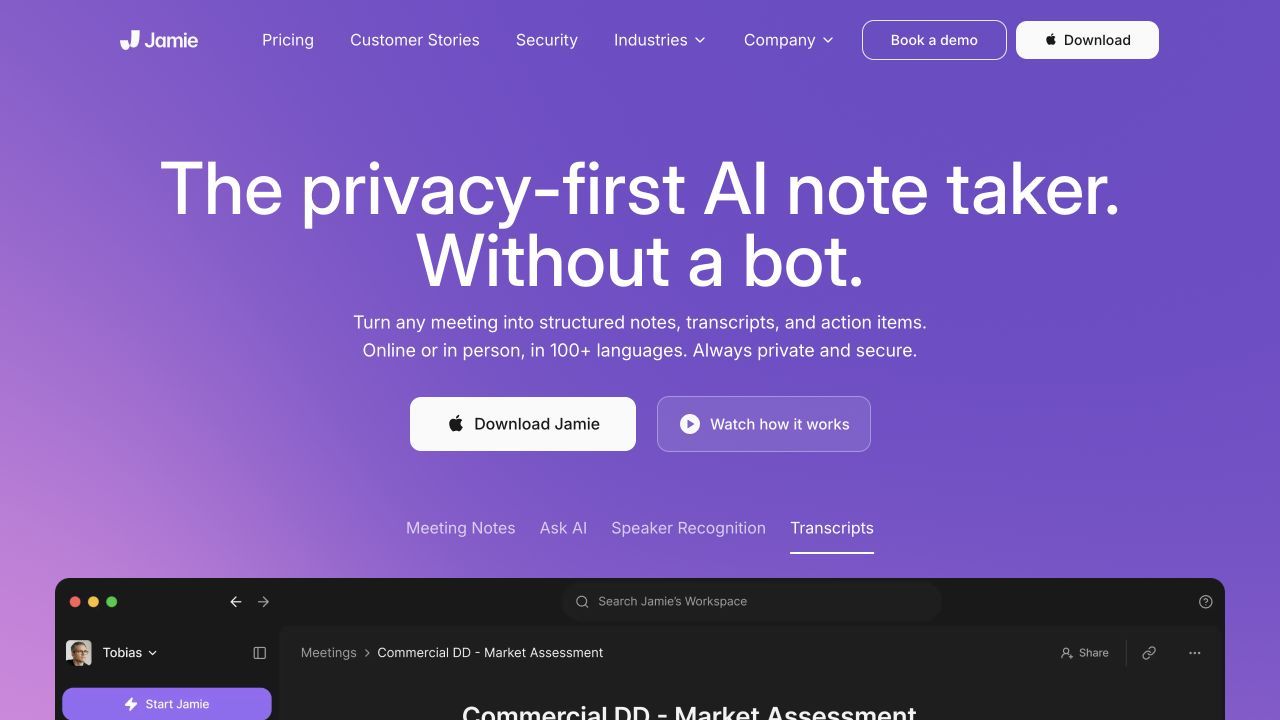
Jamie says it supports notes and transcripts in more than 99 languages. It also states that customer data is hosted in the EU, meeting audio is deleted after transcription, stored data is encrypted, and customer content is not used to train its models.
Those privacy choices are meaningful, but bot-free should never be read as permission-free. Jamie may be invisible in a call, yet the person operating it remains responsible for informing participants and following applicable laws and workplace policies.
Jamie AI Pricing and Free-Plan Limits
Jamie's Free plan costs EUR 0 and currently includes 10 AI notes and transcripts per month. Each meeting can run for up to 30 minutes, storage is listed as unlimited, and the free integration set includes Notion, Google Docs, and OneNote.
That is enough for a weekly class discussion, a handful of interviews, or short internal calls. It becomes restrictive for users whose meetings routinely run for 45 to 60 minutes, because a monthly allowance is not very helpful when the per-meeting cap cuts off the second half of a conversation.
| Jamie Plan | Current Price | Monthly Meeting Allowance | Maximum Meeting Length | Best Fit |
|---|---|---|---|---|
| Free | EUR 0 | 10 | 30 minutes | Light individual use and evaluation |
| Plus | EUR 21/month billed annually | 20 | 2 hours | Busy individuals with longer meetings |
| Pro | EUR 39/month billed annually | Unlimited | 5 hours | High-volume users and broader integrations |
| Team | EUR 33/seat/month billed annually | Unlimited | 5 hours | Shared workspaces and team administration |
| Enterprise | Custom | Unlimited | 5 hours | Formal security, provisioning, and support needs |
Jamie also displays higher month-to-month prices: EUR 25 for Plus, EUR 47 for Pro, and EUR 39 per Team seat. Pricing can change, so treat these figures as a current comparison point rather than a permanent quote.
What Jamie Gets Right
The bot-free design is not cosmetic. A device-level recorder works in Zoom, Google Meet, Microsoft Teams, Slack Huddles, a phone call played through the computer, or a face-to-face meeting without depending on whether a platform admits third-party bots.
Jamie also keeps the core output focused. Instead of overwhelming a casual user with sales coaching scores and dashboards, it centers the record of what happened: notes, transcript, speakers, tasks, and the ability to retrieve a detail later.
Its privacy posture is another reason not to switch casually. EU hosting, audio deletion after transcription, encryption, consent notices, and a stated no-training policy form a stronger package than many free tools disclose clearly.
Finally, Jamie's free plan is genuinely recurring. Ten meetings refresh each month, which is more useful than a “free” plan that gives five recordings once and never replenishes them.
Where the Free Plan Becomes Restrictive
The 30-minute ceiling is the first practical problem. Interviews, seminars, client calls, and project reviews frequently last longer, so a user may hit the duration limit before using all 10 monthly meetings.
The second issue is workflow scope. Jamie is designed around conversations; it is not the natural starting point for turning a PDF, research article, image, webpage, or YouTube lesson into one editable set of notes.
Different teams may also need capabilities that sit outside Jamie's free tier or outside its main design. Examples include unlimited meeting recording, persistent video replay, live captions during the call, deeper CRM automation, shared agenda preparation, or stricter organization-wide controls.
These are reasons to compare, not proof that Jamie is a poor product. If bot-free capture, speaker memory, cross-platform recording, and EU-centered privacy matter more than the free limits, keeping Jamie may be the simplest decision.
How I Compared the Jamie AI Alternatives
I compared the current public product and pricing documentation for each tool rather than claiming a controlled accuracy test that did not happen. The ranking therefore reflects workflow fit and verifiable plan boundaries, not an invented transcription leaderboard.
The first criterion was how the tool captures information. Device-audio capture is closest to Jamie, but it behaves differently from a meeting bot, a browser extension reading captions, or a workspace that starts with an uploaded source.
The second criterion was what “free” really means. A recurring monthly allowance is more sustainable than a five-use lifetime pool, while unlimited transcription can still feel limited if useful summaries, searchable history, storage, or exports are capped.
The remaining criteria were live versus post-meeting output, online and in-person support, upload options, video replay, note structure, action items, AI chat, history, integrations, collaboration, and privacy controls. The best tool is the one whose free boundary appears after your most important task, not in the middle of it.
The 8 Best Free Jamie AI Alternatives
1. Lynote AI Note Taker: Best for Notes Beyond Live Meetings
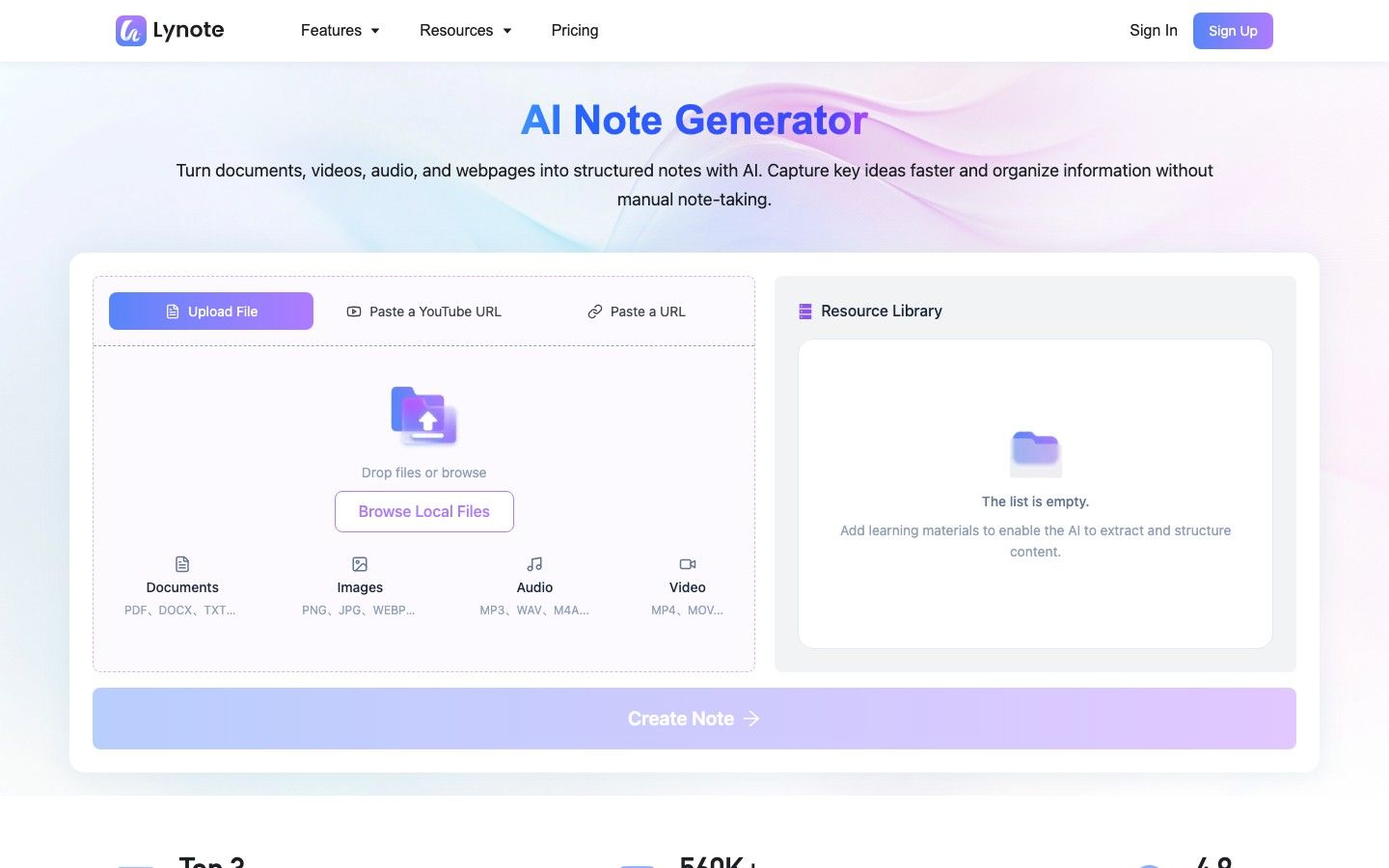
Lynote AI Note Taker approaches note-taking from the source rather than the calendar. You can upload a document, audio recording, video, or image, or start with a webpage or YouTube link, then turn that material into structured notes with headings, bullets, and source-linked sections.
That makes Lynote a Jamie alternative for a specific but common situation: the useful content already exists. A student may have a recorded lecture and slides, a researcher may have papers and webpages, and a professional may have a saved call plus a supporting document. Jamie is better suited to capturing the conversation live; Lynote is better suited to working across these source types afterward.
Features
- File uploads and URL-based source input
- Structured, source-linked notes with headings and bullet points
- Rich-text editing in the same workspace
- Follow-up questions about the source material
- Export, sharing, and conversion of notes into flashcards
Free Plan and Pricing
Lynote provides free access, but the exact live allowance should be checked in the workspace because account and usage limits can change. The useful comparison is functional: you can evaluate the source-to-note workflow without pretending that it automatically joins a live meeting.
Pros
- Handles documents, recordings, videos, images, webpages, and YouTube links
- Keeps note generation, editing, Q&A, and study reuse together
- Better fit than a meeting bot for lectures and saved research material
Cons
- It does not automatically attend or silently capture a live meeting.
Best For: Students, researchers, creators, and professionals who need structured notes from several kinds of existing source material.
2. Granola: Closest Free Bot-Free Jamie Alternative
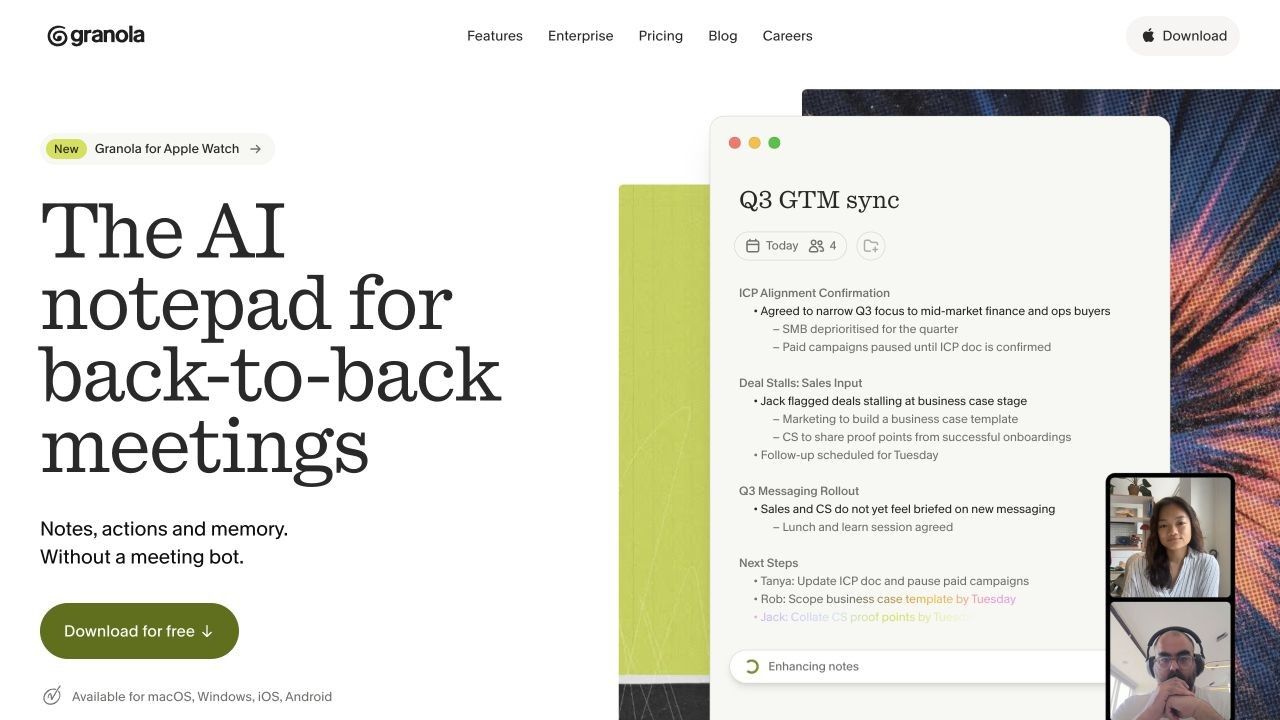
Granola is the closest alternative in this list if what you like about Jamie is the absence of a participant bot. It captures device audio, transcribes the meeting, and uses the transcript to enhance the rough notes you type during the conversation.
The result is less hands-off than Jamie, but that can be an advantage. Your notes preserve what you considered important while the meeting was happening, and Granola fills in context rather than replacing your structure with a generic recap.
Features
- Bot-free device-audio capture
- AI enhancement of user-written meeting notes
- AI chat within and across meetings
- Shared folders and customizable note templates
- Multi-language support across desktop and iOS workflows
Free Plan and Pricing
Granola Basic costs $0 and includes unlimited meetings, AI-enhanced notes, AI chat, shared folders, templates, and multi-language support. The important limit is history: the free plan exposes the latest 30 days, while Business at $14 per user per month unlocks unlimited history, advanced AI models, and deeper integrations.
Pros
- Closely matches Jamie's unobtrusive, bot-free participant experience
- Unlimited meetings on the continuing free plan
- Combines human emphasis with transcript-based completion
Cons
- Free users cannot keep a long-term searchable meeting history.
- Granola does not preserve audio or video for replay.
Best For: Individuals who want bot-free meeting notes and prefer to guide the final recap with their own rough notes.
3. Fathom: Best for Frequent Free Online Meetings
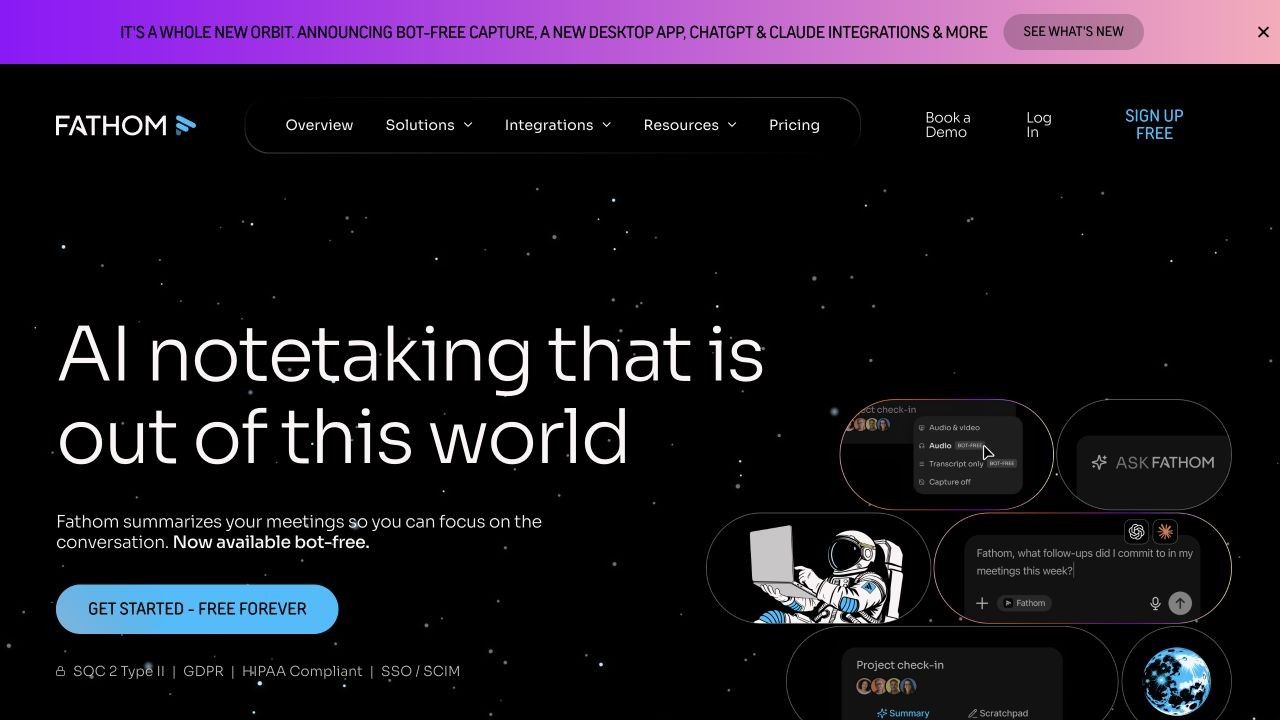
Fathom is the strongest free-volume option for people whose work happens mainly in scheduled video calls. Its free individual plan includes unlimited recordings, storage, and transcription, so it removes both Jamie's 10-meeting allowance and the 30-minute cap as everyday obstacles.
The catch sits in the AI layer rather than the transcript layer. Free users receive advanced summaries for the first five calls each month; later calls retain the standard general summary instead of the full set of premium AI actions.
Features
- Meeting recording and transcription in 38 languages
- Searchable call recordings with timestamps and highlights
- General and advanced AI meeting summaries
- Sharing, clips, and personal CRM or Zapier connections
- Desktop and meeting-platform workflows
Free Plan and Pricing
Fathom Free includes unlimited recording, storage, and transcription. Advanced summary templates are limited to five calls per month, while the continuing General or Enhanced summary remains available afterward. Premium currently starts around $15 per month for unlimited advanced AI features.
Pros
- Much more generous recurring recording allowance than Jamie Free
- Easy to revisit the exact video and transcript context
- Useful for people with several online meetings every day
Cons
- The workflow is centered on online meetings rather than documents or mixed sources.
- The most flexible summaries and AI follow-up tools require payment after the monthly allowance.
Best For: Consultants, recruiters, founders, and customer-facing professionals who need free recording and transcription across frequent online meetings.
4. Tactiq: Best for Live Browser Transcripts Without Stored Audio
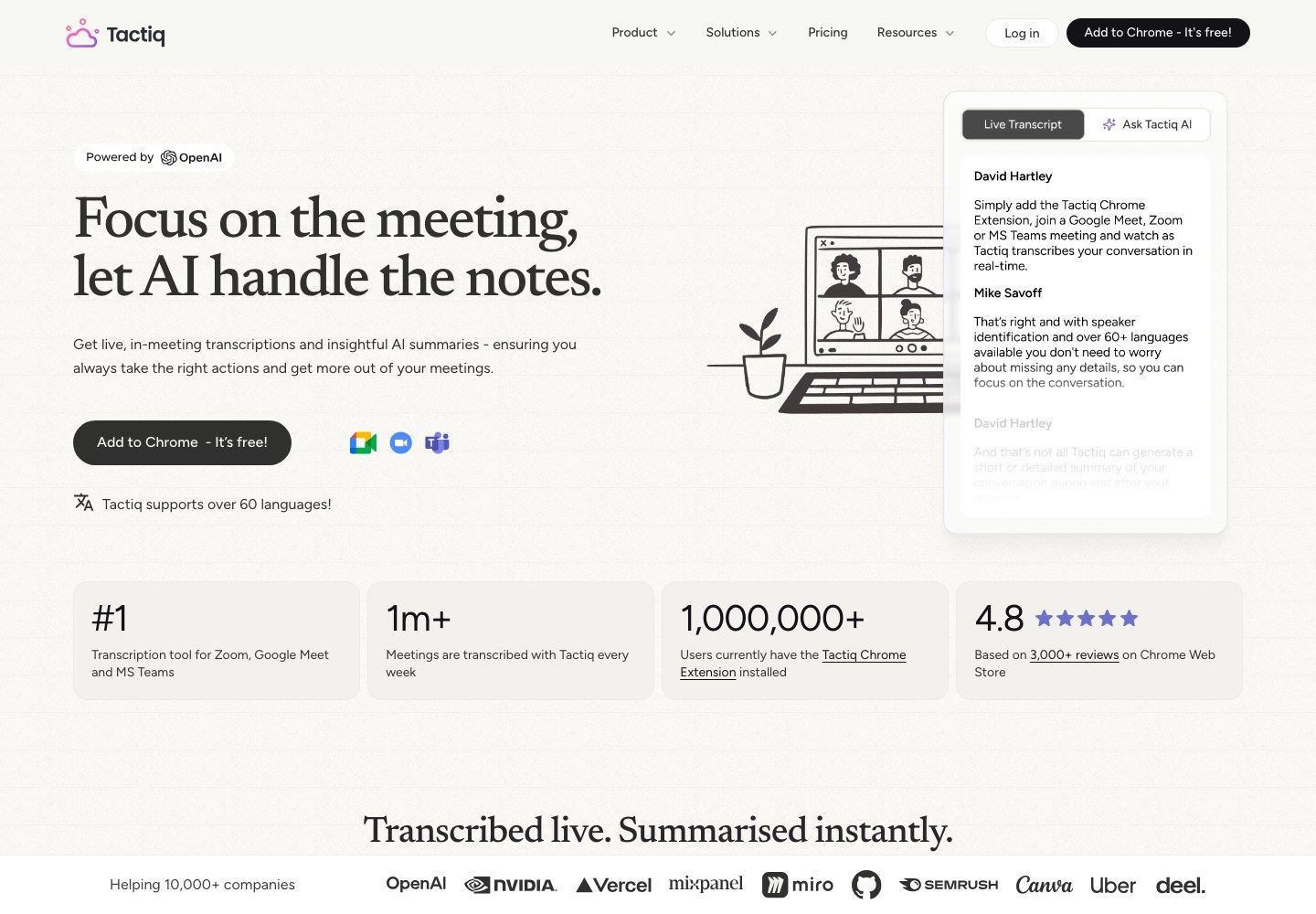
Tactiq solves a different problem from Jamie: it shows the transcript while the meeting is still happening. The Chrome extension reads live captions in Google Meet, Zoom, or Microsoft Teams, so it does not send a bot into the call and does not record or store the audio.
This approach is lightweight and privacy-conscious, but its quality is tied to the meeting platform's captions. It also means Tactiq is much less useful for a face-to-face conversation or a call taking place outside a supported browser tab.
Features
- Live browser transcription without a participant bot
- AI summaries, action items, questions, and insights
- AI workflows for moving meeting output into other tools
- Transcript editing, sharing, and export
- Browser support for Google Meet, Zoom, and Microsoft Teams
Free Plan and Pricing
Tactiq Free provides 10 transcript credits and five AI credits each month with no credit card. Pro costs $8 per user per month on annual billing and removes the transcript limit, while Team adds unlimited AI credits at $16.67 per user per month annually.
Pros
- Live text is available during the meeting instead of only afterward
- No audio recording or visible bot
- Clear, recurring monthly free allowance
Cons
- Accuracy depends partly on the platform's caption feed.
- Browser-only capture is less flexible than Jamie's device-level recording.
Best For: People who attend browser-based meetings and want live transcripts, a few monthly AI summaries, and no stored audio.
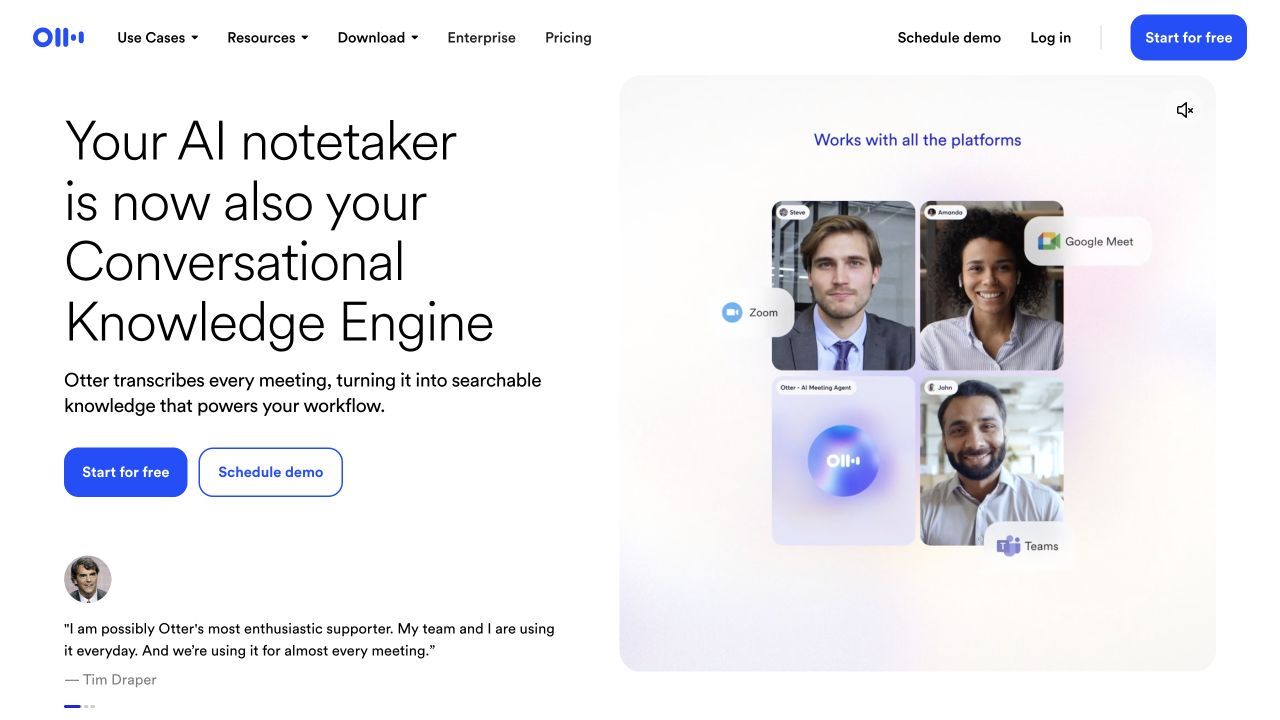
5. Otter.ai: Best for Live Transcription and Mobile Notes
Otter is a practical choice when you want to watch the transcript form in real time and make corrections or highlights during the conversation. It supports live web meetings, mobile recording, in-person conversations, and a meeting assistant that can capture scheduled calls.
Compared with Jamie, Otter feels more transcript-first and collaborative. It is also easier to use as a mobile voice notebook, although its free plan has a familiar 30-minute per-conversation ceiling.
Features
- Real-time transcription with speaker labels
- Web, desktop, and mobile recording workflows
- Automated summaries, takeaways, and action items
- Search, highlighting, comments, and sharing
- Audio and video file imports
Free Plan and Pricing
Otter Basic includes 300 transcription minutes per month and limits each conversation to 30 minutes. Free accounts receive three audio or video imports for the lifetime of the account and direct access to the 25 most recent conversations. Paid individual plans currently begin around $8.33 per month with annual billing.
Pros
- Strong real-time transcript experience
- Useful mobile app for lectures and in-person conversations
- Mature editing, search, and collaboration tools
Cons
- The 30-minute free cap does not solve Jamie's duration problem.
- Three lifetime imports are restrictive for saved recordings.
Best For: Users who value live transcription, mobile capture, and collaborative transcript review more than bot-free invisibility.
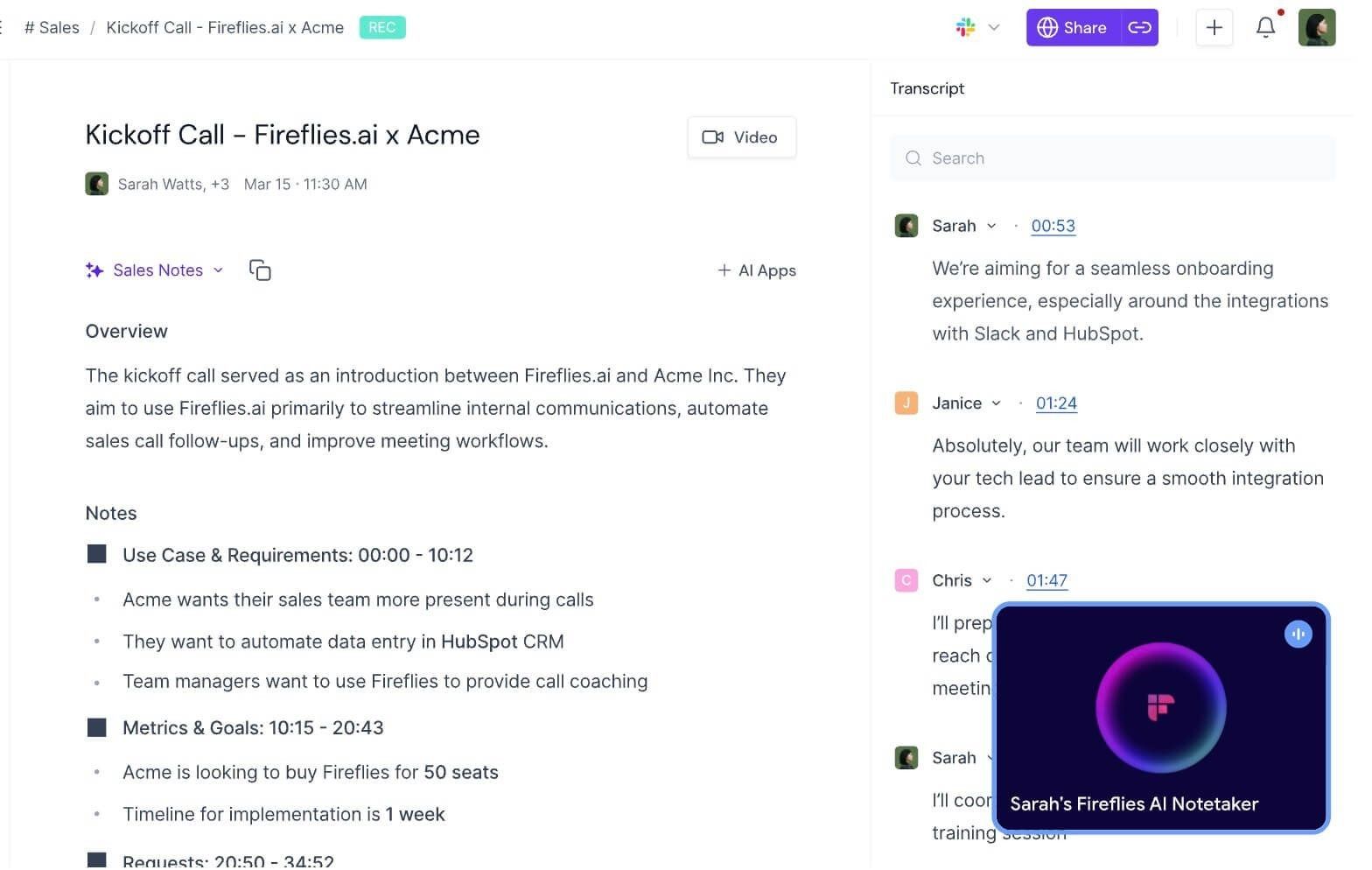
6. Fireflies.ai: Best for Integrations and Searchable Meeting Memory
Fireflies is less minimalist than Jamie and more flexible about how meetings enter the system. It can use a visible meeting bot, a Chrome extension, desktop or mobile capture, or an uploaded file, then organize transcripts, summaries, topics, and action items in a searchable workspace.
Its main advantage is what happens after the transcript. Fireflies connects meeting information to a broad integration ecosystem, making it useful when action items and customer details need to move into CRM, messaging, and project tools.
Features
- Bot, browser-extension, desktop, mobile, and upload capture
- Searchable transcripts with speaker labels and summaries
- AskFred questions across meeting content
- Topic tracking, comments, soundbites, and collaboration
- Large integration catalog for CRM and productivity workflows
Free Plan and Pricing
Fireflies Free offers core transcription and collaboration tools, but the allowance is split across credits and stored meeting minutes. Current free accounts receive a small number of signup credits based on how the account was created and 400 minutes of stored meetings per user; extension and live-meeting workflows can have different transcription rules. Pro currently begins at $10 per user per month billed annually.
Pros
- More capture options than most Jamie alternatives
- Strong search and integration depth
- Suitable for teams that need meeting data to trigger follow-up work
Cons
- The free plan is harder to understand than a simple monthly meeting allowance.
- A visible bot may be less comfortable in external or confidential meetings.
Best For: Teams that care about searchable meeting memory and integrations more than a completely invisible capture experience.
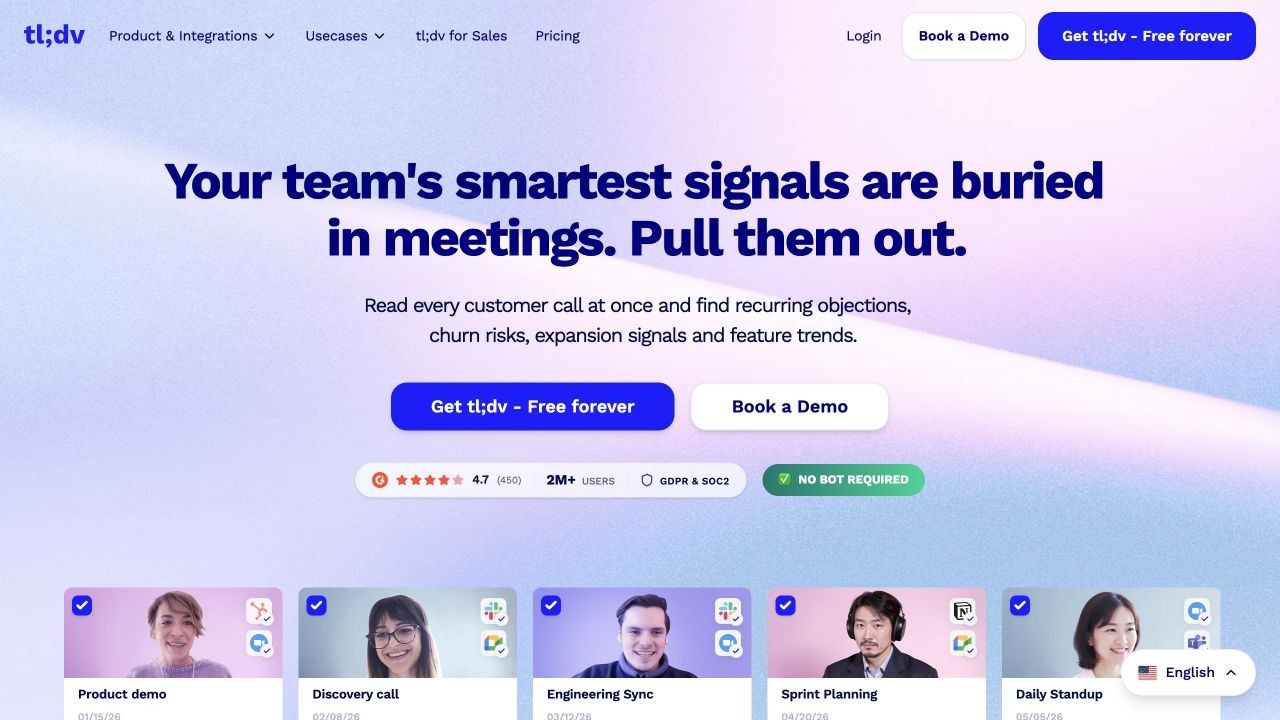
7. tl;dv: Best for Video Meetings and Shareable Clips
tl;dv is the better Jamie alternative when the visual record matters. It records supported video meetings, produces a transcript and AI notes, and lets users create timestamped clips instead of asking a colleague to scrub through a full call.
That makes it useful for user interviews, sales calls, product research, and training sessions where facial reactions or a screen demonstration carry meaning the transcript misses. Jamie creates a clean meeting record, but it is not centered on replayable video evidence.
Features
- Video recording for Zoom, Google Meet, and Microsoft Teams
- Transcripts, speaker recognition, notes, and summaries
- Timestamped highlights and shareable video clips
- Search and questions across recorded meetings
- CRM connections and multi-meeting intelligence on paid plans
Free Plan and Pricing
tl;dv's free plan includes ongoing unlimited recordings and transcription, plus AI notes for up to 10 meetings per month. Pro currently begins at $18 per seat per month billed annually, adding unlimited AI notes, templates, global search, and integrations.
Pros
- Preserves visual context that Jamie's note-centered workflow may not
- Generous free recording and transcription allowance
- Clips make research evidence and call highlights easy to share
Cons
- Best suited to supported video-conferencing platforms.
- Advanced cross-meeting insights and automation require a paid plan.
Best For: Researchers, sales teams, and product teams that need searchable video meetings and shareable clips.
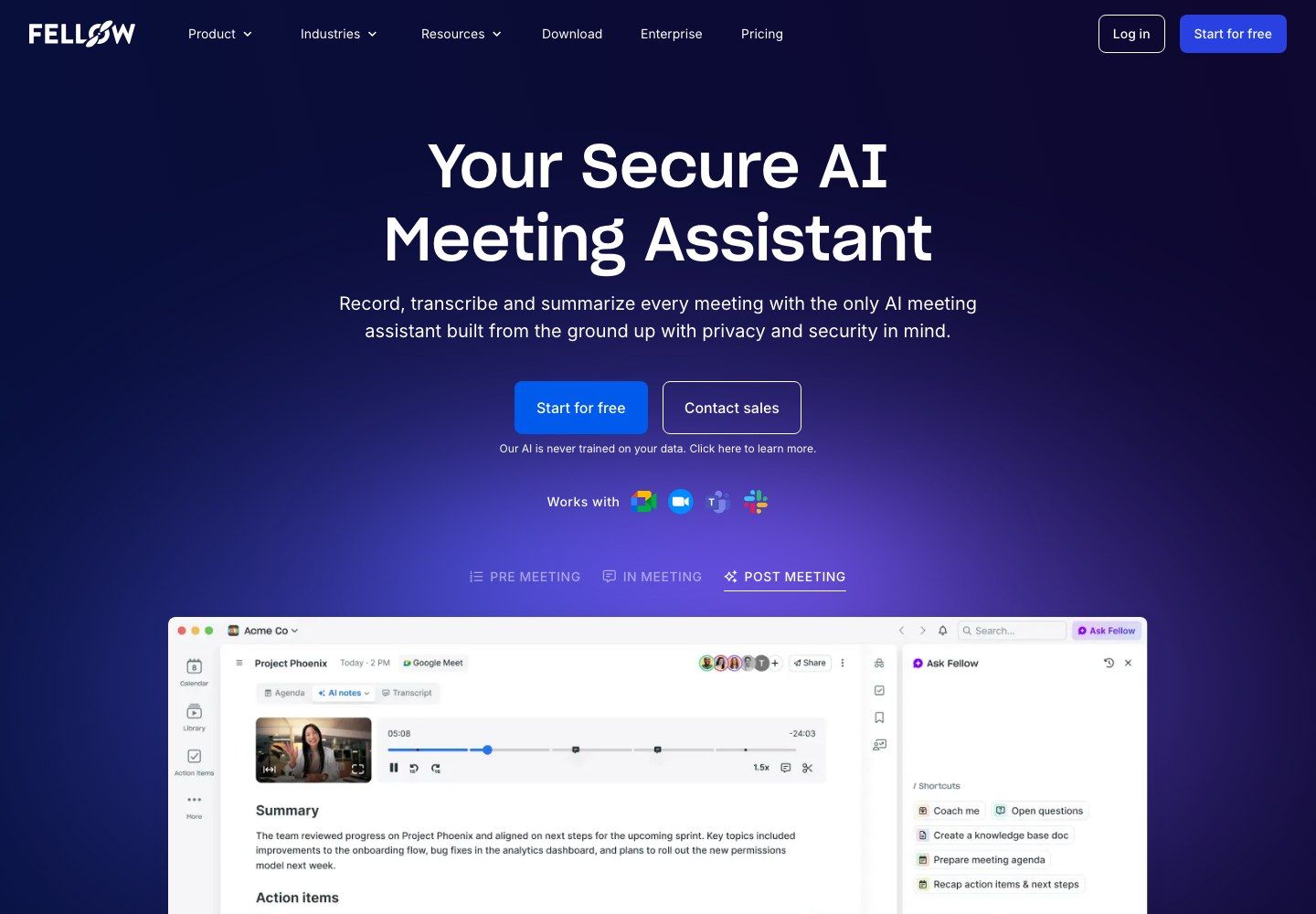
8. Fellow: Best for Agendas, Team Notes, and Governance
Fellow treats the meeting as a cycle rather than a recording. Teams can prepare agendas, collaborate on notes, assign action items, and maintain recurring meeting structures before adding AI transcription and summaries.
This is a meaningful difference from Jamie for managers who are trying to improve how meetings are run, not only remember what was said. Fellow also offers progressively stronger controls, templates, integrations, redaction, and administration on its paid plans.
Features
- Collaborative meeting agendas and note templates
- AI transcription, summaries, action items, and Ask Fellow
- Online meeting integrations plus audio and video uploads
- Recurring meeting workflows and task ownership
- Organization controls and CRM connections on higher plans
Free Plan and Pricing
Fellow Free supports teams of up to 10 people, but each user receives only five AI notes and five AI recordings for the lifetime of the account. Team costs $7 per user per month billed annually and adds a recurring monthly AI allowance; Business starts at $15 annually billed per user and includes unlimited AI notes and recordings.
Pros
- Connects preparation, documentation, and follow-up
- Better collaborative structure than a transcript-only tool
- Clear upgrade path for teams that need governance
Cons
- Five lifetime AI recordings make the free tier better for evaluation than long-term use.
- The broader meeting-management system may feel heavy for an individual who only wants notes.
Best For: Teams that want shared agendas, accountable action items, and controlled meeting workflows in addition to AI notes.
Jamie AI vs. Its Alternatives: Detailed Comparison
The first table compares how information enters each product and where the free allowance stops. A checkmark means the capability is part of the product's documented workflow, not that every feature is unlimited on Free.
| Tool | Free-Plan Type | Bot-Free Option | Live Transcript | In-Person | Files or Links | Video Replay | Main Free Limit |
|---|---|---|---|---|---|---|---|
| Jamie | Recurring monthly | ✓ | Limited/current app workflow | ✓ | Recording-centered | ✕ | 10 meetings/month; 30 minutes each |
| Lynote | Free access | ✓ Upload-first | ✕ | ✓ Via saved recording | ✓ Broad mixed sources | ✕ | Check current workspace allowance |
| Granola | Free forever | ✓ | ✕ Final notes after meeting | ✓ Via supported app | ✕ | ✕ | Latest 30 days of history visible |
| Fathom | Free forever | Varies by capture mode | ✓ | Limited | Meeting recordings | ✓ | Five advanced summaries/month |
| Tactiq | Recurring monthly | ✓ Caption-based | ✓ | ✕ | Limited upload support | ✕ | 10 transcripts and five AI credits/month |
| Otter.ai | Recurring monthly | Varies | ✓ | ✓ | Three lifetime imports | Audio-focused | 300 minutes/month; 30 minutes each |
| Fireflies.ai | Credits plus storage | ✓ With extension/app | ✓ Depending on mode | ✓ Via mobile | ✓ Uploads | Plan-dependent | Signup credits and 400 stored minutes |
| tl;dv | Free forever | Capture mode dependent | ✓ | Limited | Meeting recordings | ✓ | AI notes for 10 meetings/month |
| Fellow | Lifetime free pool | Capture mode dependent | ✓ | Supported workflows | ✓ Audio/video uploads | ✓ | Five AI notes and recordings lifetime |
The second table focuses on what users can do after capture. “Limited” means the feature exists but free allowances, history, or plan restrictions affect practical use.
| Tool | Structured Notes | Speaker Labels | Action Items | AI Q&A | Editable Output | Integrations | Team Workflow |
|---|---|---|---|---|---|---|---|
| Jamie | ✓ | ✓ With memory | ✓ | ✓ | ✓ | Basic on Free; broader paid | Limited on Free |
| Lynote | ✓ Source-linked | Source-dependent | Note-focused | ✓ | ✓ Rich text | Export/share workflow | Individual and shared output |
| Granola | ✓ User-guided | Limited by device audio | Template-dependent | ✓ | ✓ | Advanced integrations paid | Shared folders |
| Fathom | ✓ | ✓ | Limited after free AI allowance | Limited | ✓ | CRM and Zapier options | Paid team depth |
| Tactiq | ✓ Via AI credits | Caption-dependent | ✓ Via AI credits | ✓ Via AI credits | ✓ | Workflow integrations | Paid team depth |
| Otter.ai | ✓ | ✓ | ✓ | ✓ | ✓ | Connected app ecosystem | Strong collaboration |
| Fireflies.ai | ✓ | ✓ | ✓ | ✓ AskFred | ✓ | Extensive | Strong automation |
| tl;dv | ✓ | ✓ | ✓ | ✓ | ✓ | Broad on paid plans | Clips and coaching workflows |
| Fellow | ✓ | ✓ | ✓ | ✓ | ✓ | Broad paid integrations | Strong agendas and governance |
These tables also reveal why the alternatives cannot be ranked by one “best” score. Granola resembles Jamie's capture philosophy, Fathom wins on free meeting volume, Tactiq and Otter emphasize live text, and Lynote solves a broader source-to-note problem that does not begin with a live call.
How to Use Lynote as a Jamie Alternative for Saved Sources
Lynote is most useful after you already have material worth studying or reusing. The workflow is deliberately different from Jamie's live recorder and should not be presented as automatic meeting attendance.
1. Add a Recording, Document, Video, Image, or Link
Open the Lynote workspace and choose the source that matches the task. Upload a local file, paste a YouTube URL, or paste a webpage URL; when using a URL, click Parse so Lynote can retrieve the content before note generation.
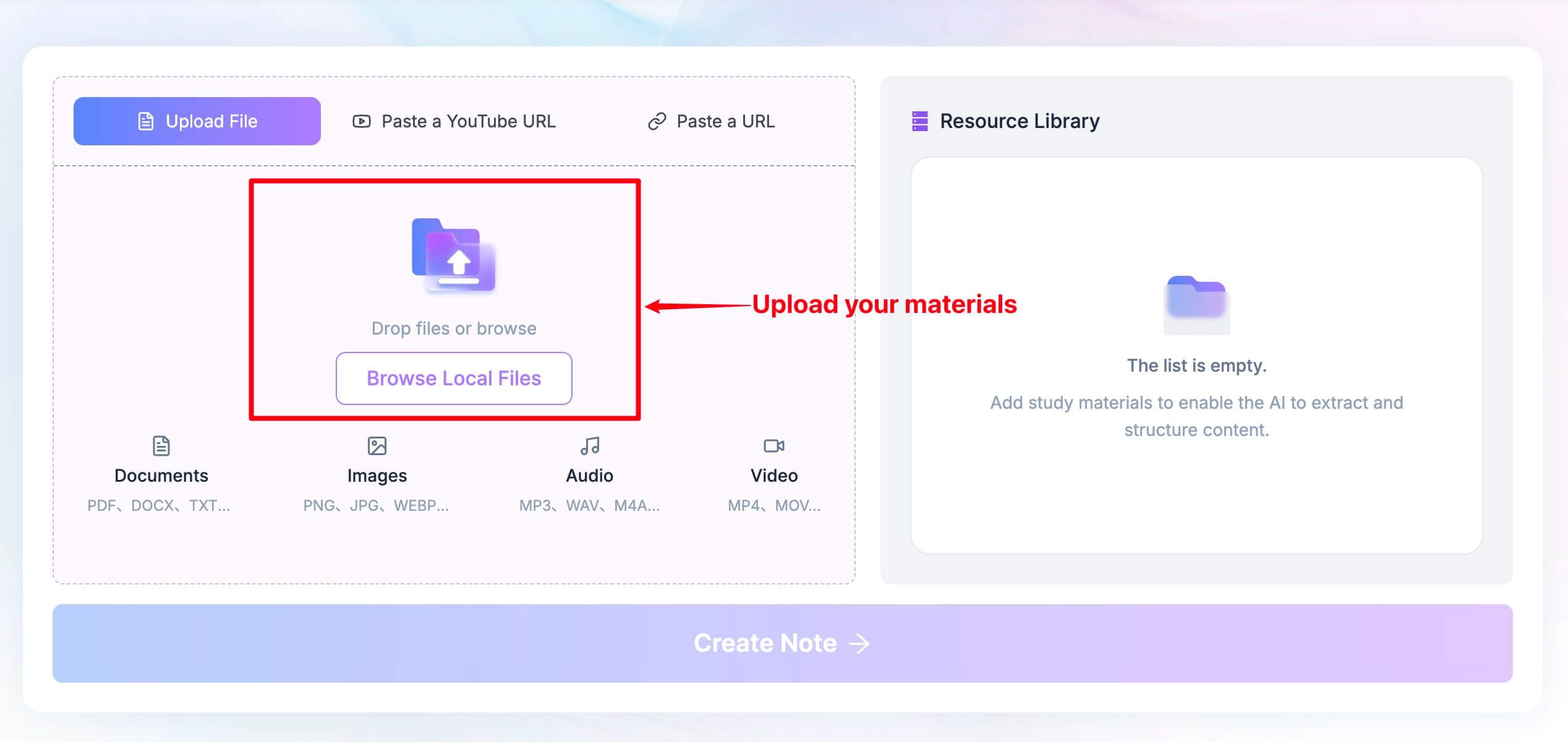
This is where mixed-source support matters. A meeting recording can sit in the same kind of workflow as lecture slides, a reading, or a supporting webpage instead of requiring a separate note app for each format.
2. Click Create Note
Once the source is ready, click Create Note. Lynote processes the material and returns a structured note with headings, bullet points, and source-linked sections intended to make important claims easier to trace back.
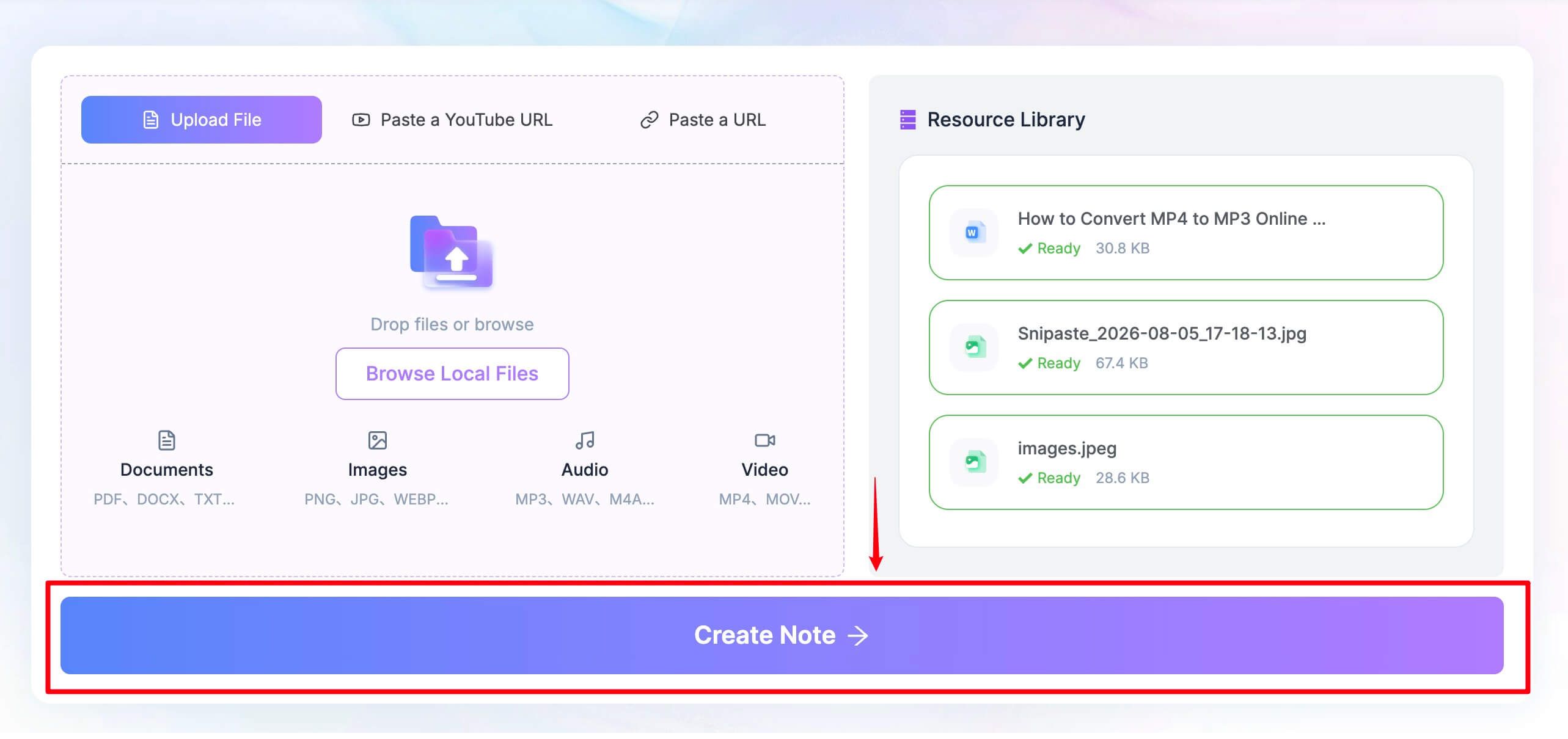
Generated organization is a starting point, not a substitute for judgment. Check names, figures, dates, and technical details against the original source, especially when the input contains poor audio, overlapping speech, or dense terminology.
3. Review, Edit, Ask Questions, or Convert to Flashcards
Edit the result in the rich-text workspace, ask follow-up questions about the source, and export or share the note when it is ready. For study material, the note can also be converted into flashcards for active recall.
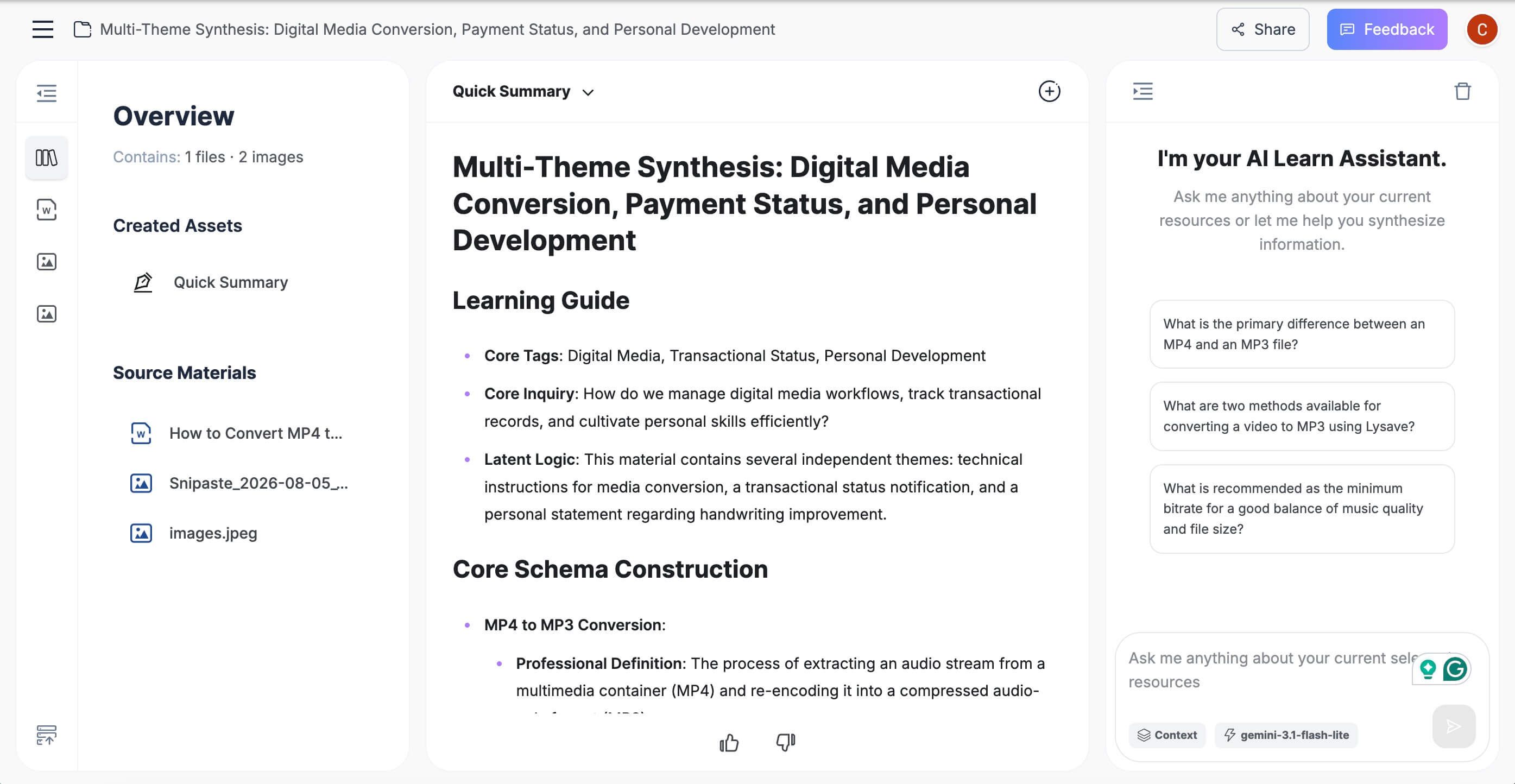
This workflow is the reason Lynote ranks first for content beyond live meetings. It is not the closest Jamie clone; it is the most useful alternative when “take notes” means synthesizing several source types rather than quietly recording a call.
What Does Free Actually Mean for an AI Note Taker?
“Free” describes at least five different pricing models in this category. Comparing the label alone can make a restrictive lifetime trial look equivalent to a sustainable monthly allowance.
Recurring Meeting or Minute Allowances
Jamie, Tactiq, and Otter refresh usage on a monthly cycle. This is predictable, but a per-session cap can be more important than the monthly total: Jamie and Otter both become awkward when a normal meeting runs beyond 30 minutes.
Unlimited Capture With Limited AI
Fathom and tl;dv allow substantial free recording and transcription, then meter advanced summaries or AI notes. This can still be excellent value if a searchable transcript is enough and only a few meetings require richer automation.
Unlimited Meetings With Limited History
Granola lets free users run unlimited meetings but limits accessible history. That works for current projects and becomes frustrating when the purpose of AI notes is to retrieve a decision from several months ago.
Credits and Storage Limits
Fireflies divides free usage among transcription credits, capture methods, and stored minutes. A plan can advertise free transcription while still requiring users to delete older meetings or pay for more AI-generated output.
Lifetime Trial Pools
Fellow's five lifetime AI recordings do not renew. It is enough to assess the workflow, but it should not be compared directly with Jamie's 10 meetings every month or Fathom's continuing free transcription.
Before choosing, estimate four numbers: meetings per month, average meeting length, recordings or files imported per month, and how many months of searchable history you need. Then check whether summaries, action items, exports, and integrations share the same allowance as transcription or sit behind a separate limit.
Which Jamie Alternative Should You Choose?
Choose Lynote when your source is a recording, lecture, document, video, image, webpage, or YouTube link and you want editable notes rather than automatic meeting attendance. It is the most distinct alternative here, and that distinction is precisely why it fits students and research-heavy workflows.
Choose Granola when bot-free capture is non-negotiable and you like writing a few rough notes yourself. It is the closest conceptual replacement for Jamie, provided a rolling 30-day free history is sufficient.
Choose Fathom when meeting volume is the problem. Unlimited free recording and transcription are difficult to beat for frequent online calls, even though advanced summaries remain limited.
Choose Tactiq when you want live browser text without stored audio, or Otter.ai when you need a mature live transcript and mobile recording. Tactiq is lighter; Otter offers a broader conversation workspace but repeats Jamie's 30-minute free cap.
Choose Fireflies.ai for integrations and searchable team memory, tl;dv when video clips are part of the evidence, and Fellow when agendas and accountable follow-up matter as much as the transcript. Each adds organizational structure that Jamie Free intentionally keeps simpler.
Keep Jamie when you have fewer than 10 short meetings each month and value bot-free cross-platform capture, speaker memory, and its privacy posture. Switching tools creates migration work, so a replacement should solve a constraint you actually experience rather than merely add a longer feature list.
A Note on Recording Consent and AI Meeting Notes
An invisible recorder can feel less disruptive, but it can also make disclosure easier to forget. Bot-free products such as Jamie and Granola still capture other people's voices, and browser-caption tools still create a record of the conversation.
Tell participants when a meeting is being recorded or transcribed, follow organizational policy, and check the rules that apply where participants are located. This article compares software workflows and is not jurisdiction-specific legal advice.
AI notes also deserve review before they become a record of decisions. Speaker attribution, dates, numerical commitments, technical names, and action-item owners are exactly the details that can cause problems when a summary is confidently wrong.
FAQs About Jamie AI Alternatives
What Is the Best Free Jamie AI Alternative?
Granola is the closest free bot-free alternative for live meetings, while Fathom is better for high free meeting volume. Lynote is the better choice when you need structured notes from saved recordings, documents, videos, images, webpages, or YouTube links.
Is Jamie AI Note Taker Free?
Yes. Jamie currently offers a recurring free plan with 10 meetings per month, a 30-minute limit per meeting, and unlimited storage. Paid plans increase meeting duration, volume, integrations, and team features.
Which Jamie Alternative Is Bot-Free?
Granola uses device audio without joining as a meeting participant. Tactiq is also bot-free because it reads browser captions rather than recording audio, while other products may offer bot-free capture only through specific apps or modes.
Is Granola Better Than Jamie?
Granola is better for unlimited free meetings and for users who want AI to enhance their own rough notes. Jamie is stronger when you prefer a more automated meeting record, speaker memory, broad cross-platform capture, and its EU-centered privacy approach.
Can Lynote Replace Jamie AI Note Taker?
Lynote can replace Jamie for source-to-note tasks involving saved recordings, lectures, documents, videos, images, webpages, and YouTube links. It is not a direct replacement for automatically capturing a live meeting from device audio.
Which Free Jamie Alternative Supports Live Transcription?
Tactiq and Otter.ai are the clearest live-transcription choices in this list. Tactiq reads captions in supported browser meetings, while Otter offers live transcription across web, mobile, and meeting-assistant workflows.
Do AI Note Takers Require Recording Consent?
Using a bot-free or caption-based tool does not remove consent obligations. Notify participants and follow applicable laws, contracts, and workplace policies before recording or transcribing a conversation.
Final Verdict: Replace Jamie Only for a Clear Workflow Gain
Jamie remains a strong free AI note taker for people with fewer than 10 short meetings each month. Its bot-free design, cross-platform capture, speaker memory, searchable notes, and stated privacy controls are a coherent package rather than a collection of unrelated features.
Switch when a specific limit gets in the way. Granola is the closest bot-free replacement, Fathom gives frequent meeting users more free room, Tactiq and Otter make live text easier, tl;dv preserves video context, Fireflies and Fellow add deeper team workflows, and Lynote turns a much wider range of existing material into structured notes.
The right alternative is not the product with the most checkmarks. It is the one that captures your actual source, keeps the output you need, and reaches its free limit after your work is finished rather than halfway through it.

Written by Danny
Product Marketing Manager
Danny explains how Lynote features fit real workflows, from everyday productivity to product-led writing use cases. View all articles →