This QuillBot AI Checker review looks at the tool as a real AI detection workflow, not just another score generator. QuillBot AI Checker is useful for quickly spotting AI-like writing patterns, but its result should be treated as a review signal rather than final proof that a piece of text was written by AI.
The strongest way to use it is simple: check a longer passage, look at the flagged sections, compare the result with the writing context, and use a second detector when the stakes are high. That matters for students, teachers, editors, and writers who need a careful answer instead of a dramatic yes-or-no label.
Quick Verdict: Should You Trust QuillBot AI Checker?
QuillBot AI Checker is a solid first-pass option if you already use QuillBot or want a quick read on whether a draft contains AI-like patterns. Its interface is clean, the workflow is easy to understand, and the line-level review can help you focus on the parts that deserve closer editing.
That said, no AI detector should be treated as a final authorship decision. A detector score can point you toward suspicious patterns, but it cannot know the writer's intent, drafting process, research notes, or revision history.
| Review point | Verdict |
|---|---|
| Best for | Quick first-pass checks on longer text |
| Not ideal for | Proving authorship, misconduct, or plagiarism |
| Strongest feature | Simple detector workflow inside the QuillBot ecosystem |
| Biggest limitation | Scores can be overinterpreted without context |
| Best workflow | Use QuillBot, review the highlighted lines, then compare with context and a second detector |
For most users, the right question is not "Can I trust this score completely?" It is "Does this score give me a useful reason to review the text more carefully?"
What Is QuillBot AI Checker?
QuillBot AI Checker is commonly presented inside QuillBot as an AI Detector. People search both names, but they usually mean the same task: paste or upload text and check whether the writing looks like it may have been generated by an AI model.
The tool is separate from QuillBot's paraphraser, grammar checker, plagiarism checker, and humanizer. Those tools focus on rewriting, grammar, originality, or editing, while the AI checker focuses on detection signals such as predictable phrasing, repeated structures, and unusually consistent sentence patterns.
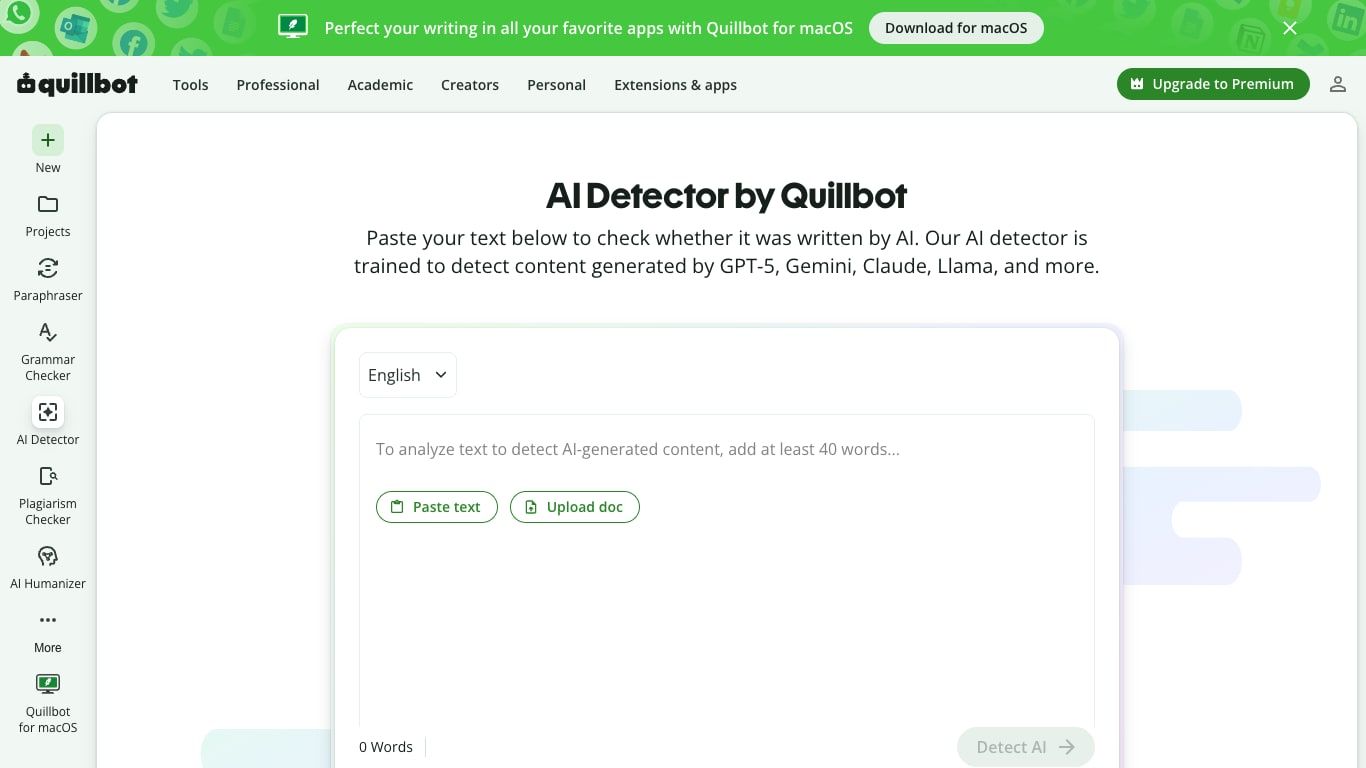
QuillBot positions its detector around modern AI models, including systems such as ChatGPT, Claude, Gemini, GPT-5, and similar large language models. The important nuance is that the result is still an estimate, not a courtroom-grade answer.
If you want a broader look at the full QuillBot writing suite, read the separate QuillBot review. This article stays focused on the AI Checker experience and how to interpret its results.
QuillBot AI Checker Walkthrough With Screenshots
The QuillBot AI Checker workflow is straightforward, which is one of its biggest strengths. You do not need to understand machine learning to use it; you mainly need to know what to paste, where to look, and how cautious to be with the result.
Step 1: Paste or Upload Text
The main detector screen gives you a large text area, a language selector, and options to paste text or upload a document. The live page also enforces a minimum text threshold before the scan can run, which is sensible because very short samples give detectors less context.
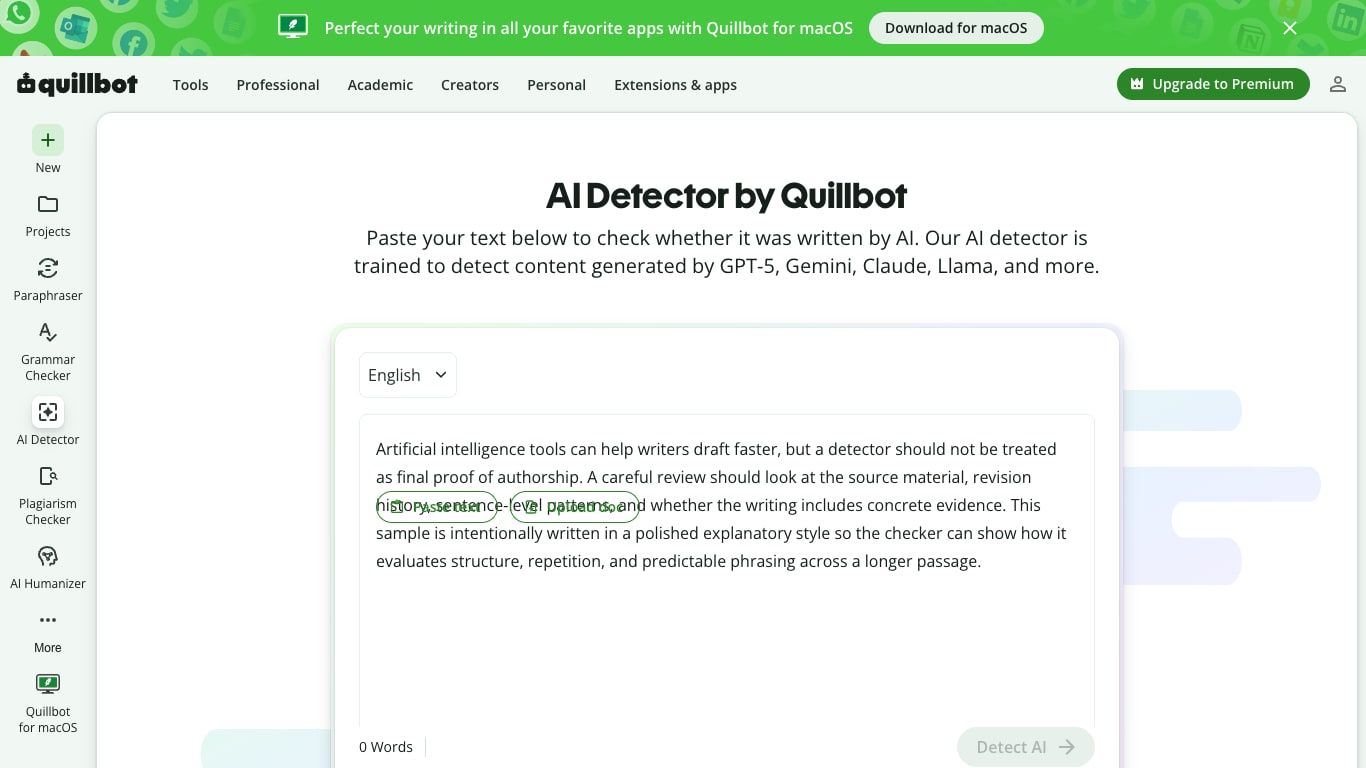
For a review workflow, I would avoid testing one or two isolated sentences. Use a full paragraph or a longer section so the detector has enough structure, rhythm, and repetition to evaluate.
Step 2: Run Detect AI
Once the text meets the page requirements, the Detect AI button runs the scan. In a normal review, this is the moment where you should make sure the sample is representative: not just the most polished paragraph, not just a quote, and not a fragment copied out of context.
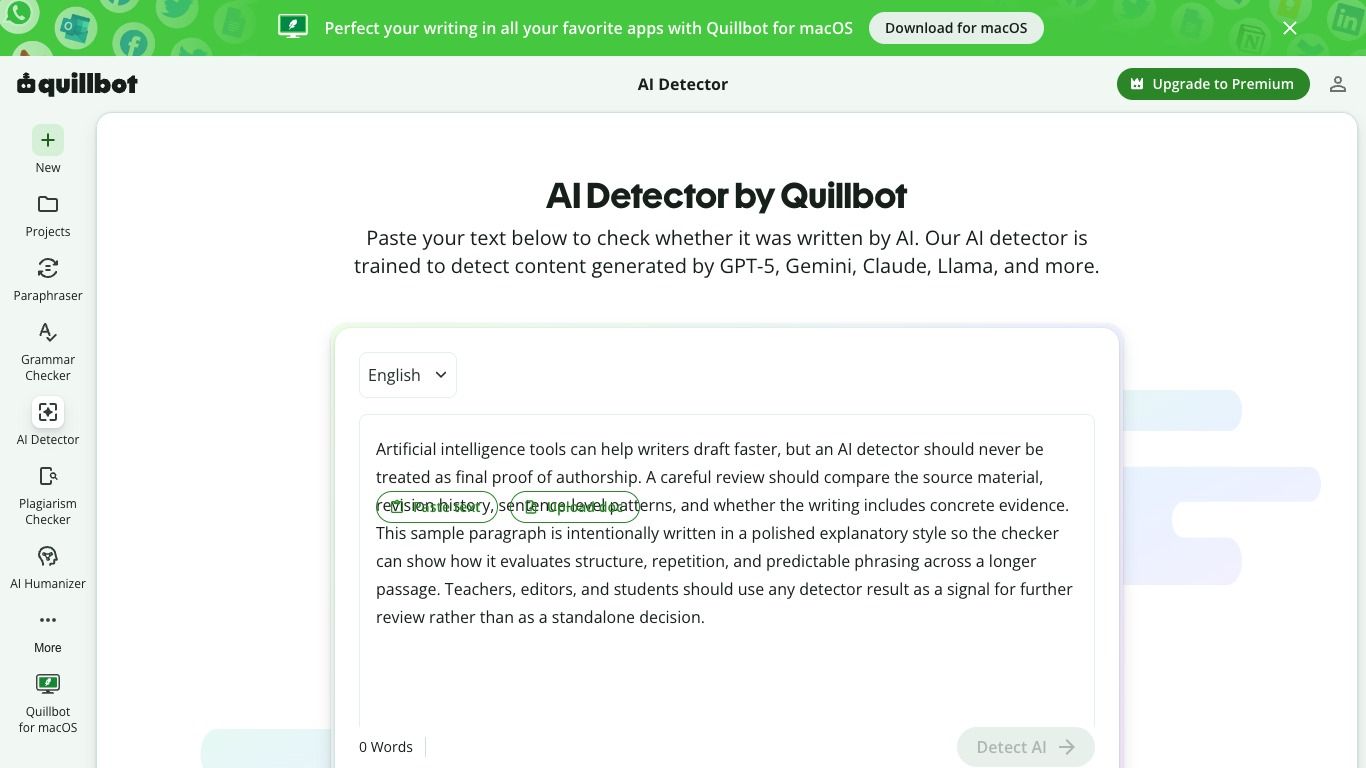
If you are checking student work, client copy, or publication content, do not run only one short excerpt and make a decision from that. A detector can behave differently on introductions, conclusions, summaries, and technical explanations.
Step 3: Read the Score and Highlighted Lines
The useful part is not just the top-line score. The line-level or section-level feedback matters more because it can show where the writing becomes repetitive, overly smooth, or structurally predictable.
Treat those highlights as editing clues. A flagged sentence may need more specific evidence, clearer sourcing, a more natural transition, or a stronger connection to the writer's own argument.
| Screenshot area | What it helps you review | What to watch for |
|---|---|---|
| Input screen | Whether the right text was pasted or uploaded | Short samples and copied fragments |
| Language selector | Whether the detector is checking the intended language | Mixed-language drafts can be harder to judge |
| Score area | Overall AI-likelihood signal | Do not treat the number as proof |
| Highlighted lines | Specific sections to inspect | Some polished human writing can still look AI-like |
How I Would Test QuillBot AI Checker Accuracy
A useful QuillBot AI detector accuracy review should not rely on one dramatic example. One pasted paragraph can make any detector look brilliant or useless depending on the sample.
The better method is to compare several controlled text types and look for patterns. Even then, the result should be described as a limited hands-on check, not a scientific benchmark.
| Sample type | Why it matters | What a useful detector should do | Review caution |
|---|---|---|---|
| Human-written essay paragraph | Tests normal student or editor writing | Usually score low or mixed depending on style | Formulaic human writing may still be flagged |
| Raw AI-generated answer | Tests obvious AI structure | Usually score higher | Some AI text can be edited to look less uniform |
| AI text revised by a human | Tests real-world editing | Often produce mixed results | Detector may not know who revised what |
| Paraphrased AI text | Tests rewritten AI output | May still catch structure or rhythm | Synonym changes do not always change deeper patterns |
| Grammar-polished human text | Tests polished non-AI work | Should avoid overflagging | Clean writing can look predictable |
| Non-native English writing | Tests false-positive risk | Should avoid penalizing language-learning patterns | Some detectors have struggled here |
| Short excerpt | Tests minimum-context behavior | Should be treated cautiously | Short samples are inherently weak evidence |
This is also why the existing accuracy-focused article, is QuillBot AI Detector accurate, is worth reading if your main concern is reliability. This review covers the product experience; that page can go deeper on the accuracy question itself.
QuillBot AI Checker Accuracy: What the Score Can and Cannot Prove
QuillBot AI Checker can help identify text that has AI-like qualities. Those qualities may include predictable transitions, repeated sentence patterns, generic examples, and a very even rhythm across a long passage.
What it cannot do is prove authorship. It cannot see the writer's notes, browser history, classroom instructions, private drafts, or the amount of human revision that happened before the final version.
That distinction matters. A high score may be a reason to ask for context or revise a draft, but it should not be used as the only evidence for academic, hiring, or editorial decisions.
| Result pattern | What it may suggest | What to do next |
|---|---|---|
| High AI score | The text has many AI-like patterns | Review highlighted lines, ask for context, compare drafts |
| Mixed score | Some sections read more AI-like than others | Check transitions, examples, and repeated phrasing |
| Low AI score | The text does not strongly match AI patterns | Still review citations, originality, and factual quality |
| Conflicting detector results | Tools disagree on the same text | Do not average the scores; inspect the writing manually |
The safest interpretation is simple: AI detector scores are signals. They can support review, but they should not replace review.
What QuillBot AI Checker Does Well
The first strength is accessibility. QuillBot's interface is familiar to many writers, and the AI Checker sits naturally beside tools like the paraphraser and grammar checker.
The second strength is speed. If you want a quick scan before deciding whether a draft needs deeper review, the workflow is simple enough to use without training.
The third strength is focus. Instead of forcing users into a complex dashboard, QuillBot gives them a text input, a scan action, and a result that points back to the writing.
That makes it useful for editors who need to triage a large amount of content. It can help them decide which drafts deserve closer reading, but it should not decide the outcome by itself.
Where QuillBot AI Checker Falls Short
The biggest limitation is not unique to QuillBot: AI detection is probabilistic. A detector estimates likelihood based on patterns, which means the result can change when the same idea is rewritten, expanded, shortened, or polished.
Short text is especially tricky. A short introduction or abstract may not contain enough signal for a reliable judgment, even if the detector returns a confident-looking score.
Polished human writing can also create false alarms. Students who write in a structured academic style, non-native English writers, and professionals using templates may produce text that looks unusually predictable.
There is also a transparency problem across the AI detection category. Most tools do not publish enough independent, current, and methodologically detailed benchmark data for users to treat their scores as hard evidence.
The practical fix is to use QuillBot as one layer in a review process. The tool can point to possible issues, but the final judgment should include context, sources, drafts, and human reading.
QuillBot AI Checker vs Lynote AI Detector
QuillBot AI Checker works well when you want a quick scan inside a writing-tool ecosystem. Lynote AI Detector is useful when you want a second opinion with AI-generated, mixed, and human-written percentages plus sentence-level highlights.
That difference matters when the result is important. If two detectors broadly agree, you still need context, but you may know which sections deserve attention first. If they disagree, that is a signal to slow down rather than trust whichever score feels more convenient.
| Feature | QuillBot AI Checker | Lynote AI Detector |
|---|---|---|
| Main use case | Quick AI scan inside QuillBot | Second-opinion AI detection workflow |
| Input style | Paste text or upload through the QuillBot interface | Paste text or upload Word, PDF, or TXT |
| Result style | AI-likelihood score and review feedback | AI-generated, mixed, and human-written percentages |
| Sentence review | Helps identify suspicious areas when available | Sentence-level highlights for likely AI or paraphrased lines |
| Best fit | QuillBot users who want a fast first pass | Writers or reviewers who want another detector signal |
| Caution | Do not treat one score as proof | Do not treat another score as proof either |
The point is not that one detector magically solves the problem. The point is that a second view can reduce overreliance on a single score.
How to Use Lynote AI Detector as a Second Opinion
If a QuillBot result seems surprising, the best next step is not to panic or rewrite blindly. Run the same text through another detector and compare the patterns, not just the percentages.
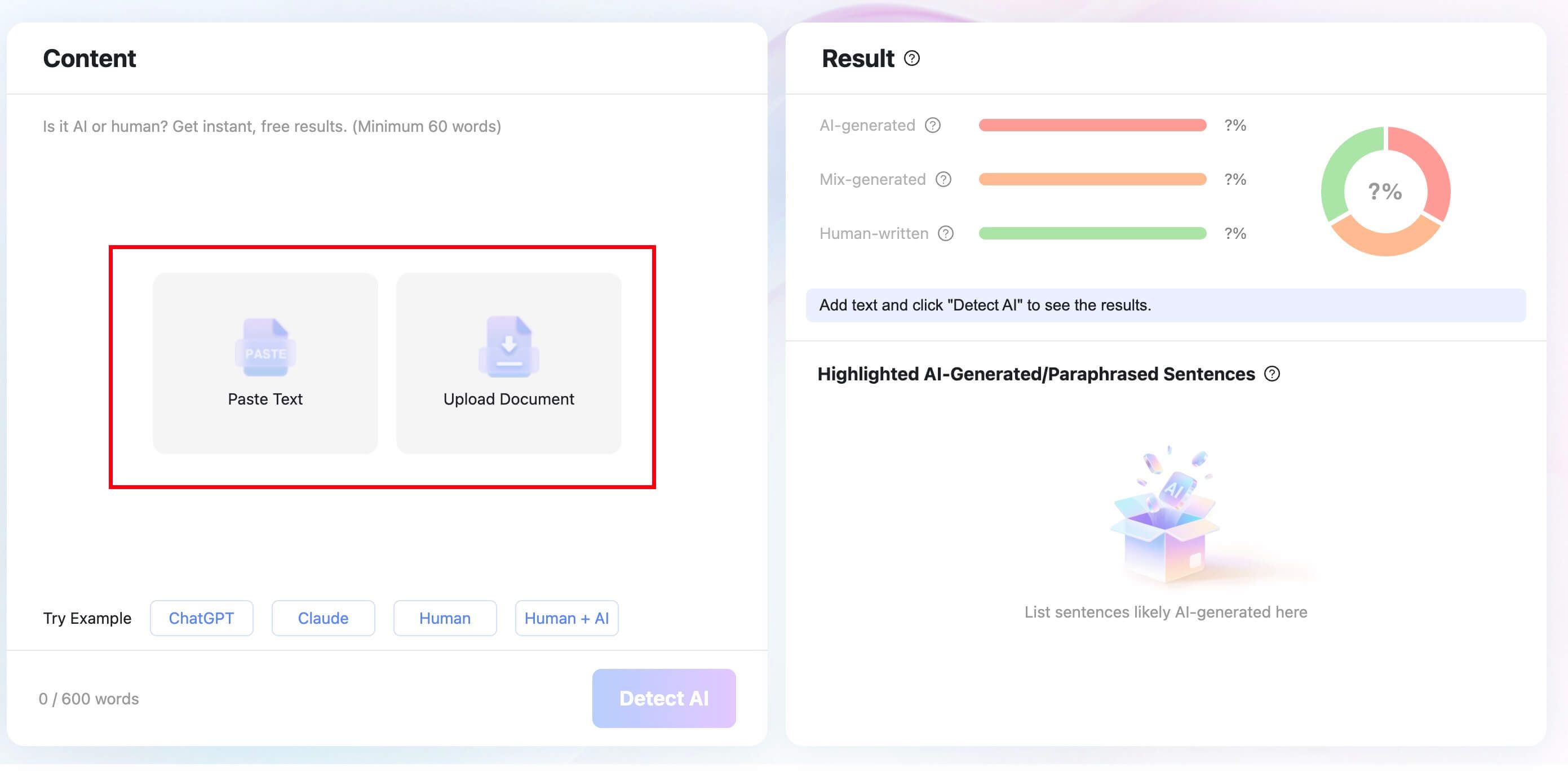
Step 1: Paste the Same Text or Upload a Document
Open Lynote AI Detector and use the same text you checked in QuillBot. You can paste the text directly or upload a supported Word, PDF, or TXT file.
Keeping the sample identical makes the comparison cleaner. If you shorten the text, remove sections, or change formatting, you may be comparing two different inputs rather than two detector opinions.
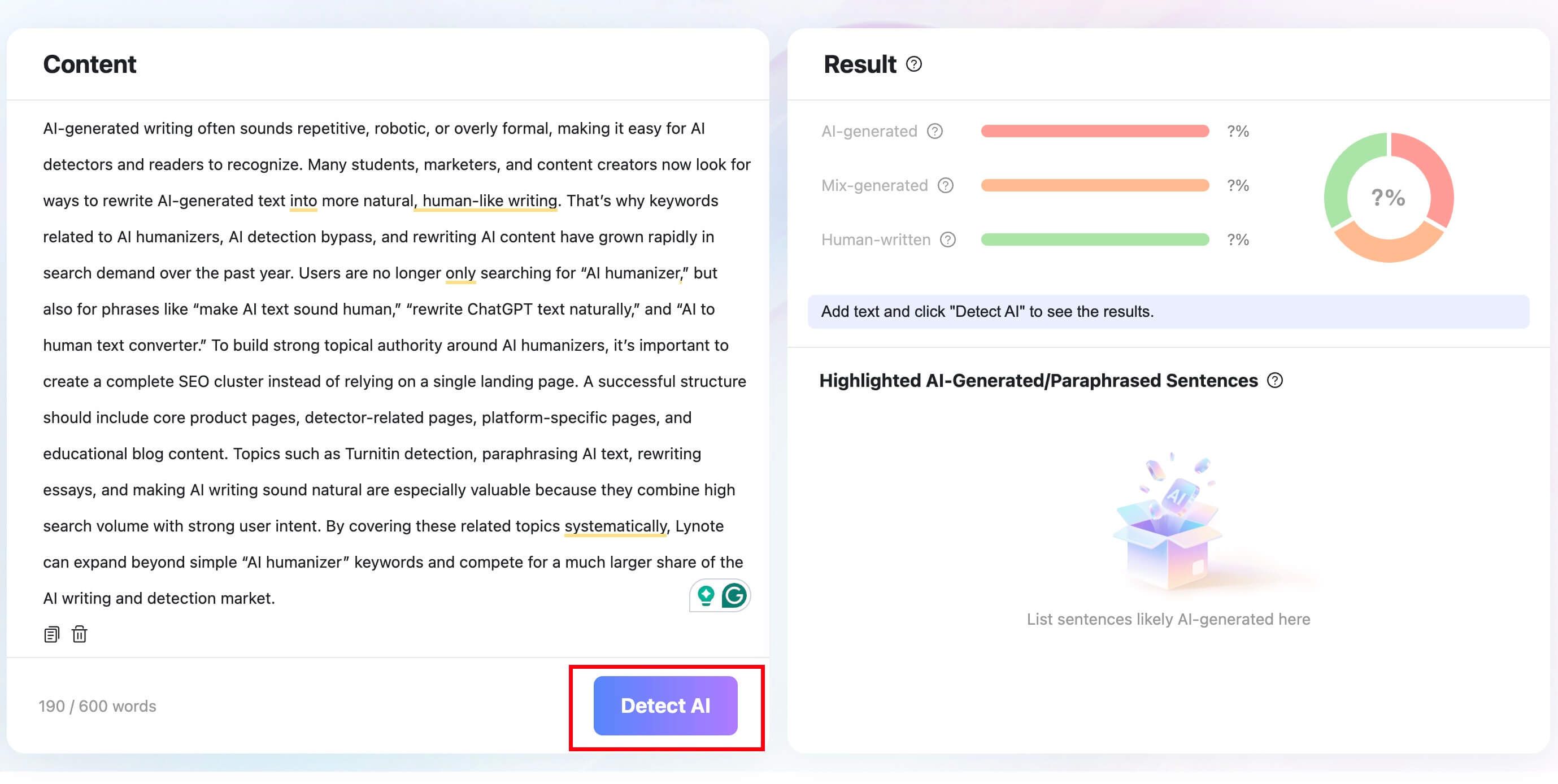
Step 2: Click Detect AI
Click the Detect AI button and let the scan run. The goal is to get another structured view of the same writing, not to chase a more flattering score.
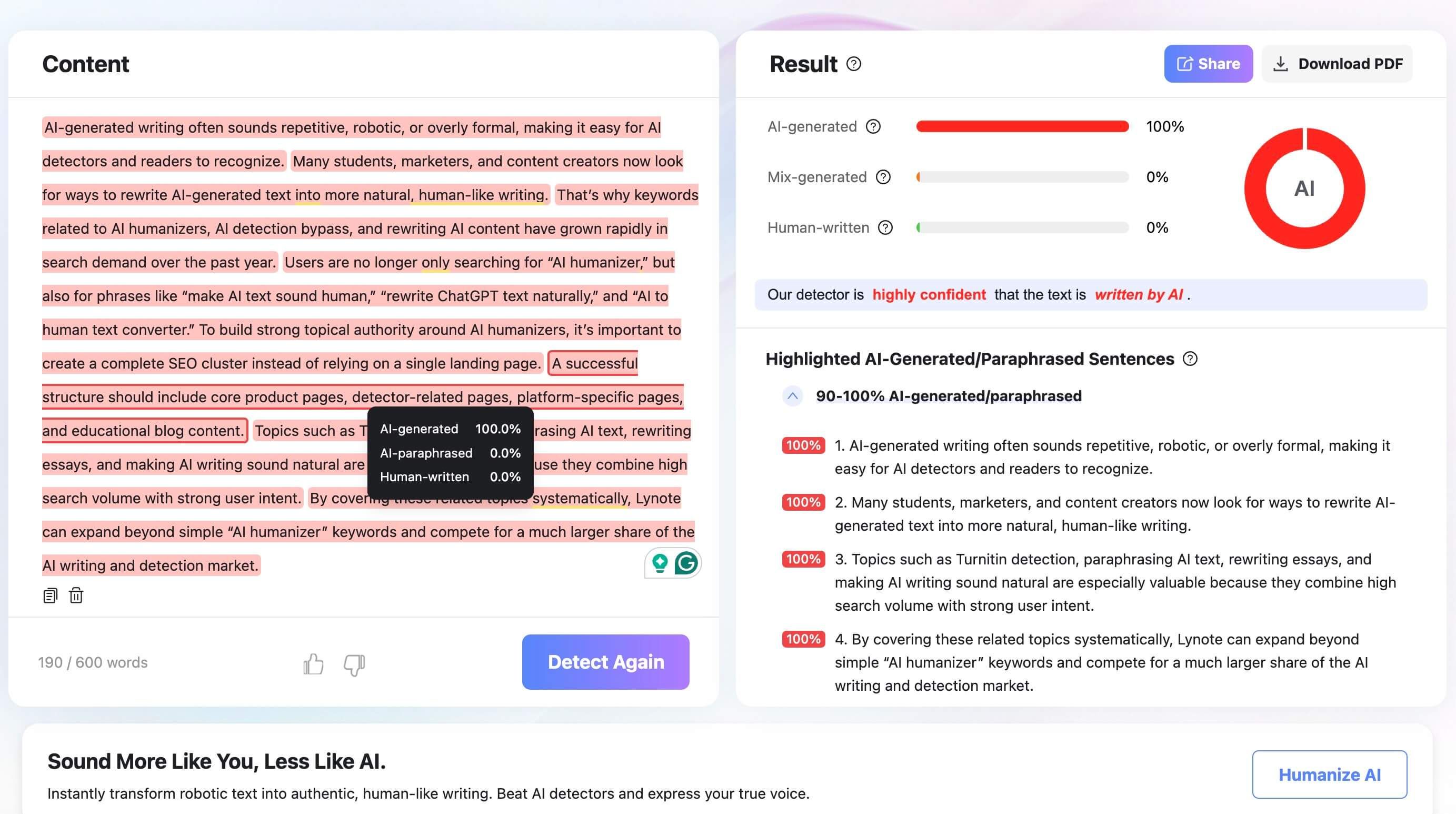
Step 3: Compare AI, Mixed, and Human Percentages
Review the AI-generated, mixed, and human-written percentages, then look at the highlighted sentences. If the same passages look questionable in both tools, those lines deserve careful editing or context review.
If the tools disagree, do not simply pick the lower score. Read the flagged sections, check whether the wording is generic, and look for missing details, citations, or examples that would make the writing more grounded.

When to Use QuillBot, When to Use Another Tool
QuillBot AI Checker is a good fit when you are already working inside QuillBot and want a quick first-pass scan. It is also useful when your main goal is to identify whether a draft has sections that sound too predictable or generic.
Use another tool when the decision matters. Grades, publication decisions, hiring reviews, and client disputes all deserve more context than one detector score can provide.
| User goal | Best next action | Suggested reading |
|---|---|---|
| Understand QuillBot's detector score | Read the score, then inspect flagged lines | Is QuillBot AI Detector accurate? |
| Review the full QuillBot platform | Compare the paraphraser, grammar checker, detector, and other tools | QuillBot review |
| Replace QuillBot with another tool | Compare workflow, pricing, and feature fit | QuillBot alternatives |
| Compare detector brands | Look at how two AI detectors frame results | GPTZero vs QuillBot |
| Get a second opinion on the same text | Run the same sample in another detector | Use a second detector after the first scan |
This reading path keeps each article focused. The accuracy article answers whether the detector is reliable, the full review covers QuillBot as a broader writing platform, and the alternatives article helps readers who are ready to switch.
FAQs About QuillBot AI Checker
Is QuillBot AI Checker the same as QuillBot AI Detector?
In most search contexts, yes. Users often say QuillBot AI Checker, while the tool itself is commonly presented as QuillBot AI Detector.
Both phrases refer to the workflow of checking whether text appears to contain AI-generated writing patterns.
Is QuillBot AI Checker accurate?
It can be useful, especially on longer passages, but it should not be treated as completely accurate in every situation. AI detector performance can vary by text length, topic, writing style, editing level, and language background.
Use the score as a reason to review the text more carefully, not as proof by itself.
Can QuillBot AI Checker detect ChatGPT, Claude, Gemini, or GPT-5 text?
QuillBot positions its detector around modern AI models, including systems such as ChatGPT, Claude, Gemini, GPT-5, and similar models. Still, detection is based on writing patterns rather than direct knowledge of exactly which tool created the text.
That means the result can be useful, but it should not be read as a reliable model-by-model fingerprint.
Can QuillBot AI Checker be wrong?
Yes. Any AI detector can produce false positives or false negatives.
A false positive happens when human writing is flagged as AI-like. A false negative happens when AI-generated or heavily AI-assisted writing is not flagged strongly.
Does a high QuillBot AI score prove plagiarism or cheating?
No. AI detection and plagiarism detection are different tasks, and an AI score does not prove misconduct by itself.
For serious decisions, reviewers should consider source use, citations, drafting history, assignment rules, and the writer's ability to explain the work.
Should I use another AI detector after QuillBot?
For casual editing, one scan may be enough to decide whether a draft needs revision. For higher-stakes work, a second detector can help you avoid overreliance on one score.
The most useful comparison is not just which score is higher. Look for whether both tools flag the same passages.
What should I do if QuillBot flags my human-written text?
Do not rewrite the whole draft just to chase a score. First, review the flagged sections for generic phrasing, repetitive sentence structure, missing examples, and weak evidence.
If the writing is truly your own, strengthen it with more specific reasoning, clearer citations, and details that reflect your actual source material.
Final Verdict
QuillBot AI Checker is worth using as a fast, accessible first-pass detector. It can help writers and reviewers identify AI-like patterns, especially when they are checking longer text instead of isolated fragments.
Its weakness is the same weakness found across AI detection: a score is not proof. The responsible workflow is to treat QuillBot as one signal, review the highlighted lines, compare with context, and use a second detector when the result matters.
For a second-opinion workflow, a detector that shows AI-generated, mixed, and human-written percentages with sentence-level highlights can make the review more grounded. Used carefully, that combination makes AI review less dependent on one number.

Written by Janet L. Harris
AI Writing Specialist
Janet reviews AI detectors and humanization tools, with a focus on accuracy, limitations, and responsible use. View all articles →