The best Grubby AI alternatives are the ones that solve the specific reason you want to leave Grubby behind. For some people, that means better free access. For others, it means upload support, more rewrite control, or a tool that feels more useful than a page full of detector-bypass promises.
If you want the short answer, Lynote AI Humanizer is the best overall Grubby AI alternative for most users because it combines paste and file upload support, multiple rewrite modes, and a cleaner review workflow. WriteHuman is a strong pick if you want a detector-plus-humanizer bundle. StealthWriter and BypassGPT are worth a look if your main concern is quick rewrites with a lighter interface.
This guide compares six practical alternatives based on usability, free access, rewrite flexibility, and where each tool fits best.
Quick Answer: What Is the Best Grubby AI Alternative?
If your goal is simply to replace Grubby AI with something more flexible, here is the fast answer.
| If you want... | Best Grubby AI alternative | Why it stands out |
|---|---|---|
| The best overall replacement | Lynote AI Humanizer | Upload support, rewrite modes, and a straightforward review flow |
| A detector plus humanizer combo | WriteHuman | Built around both rewriting and AI scan feedback |
| A mainstream humanizer option | QuillBot Humanizer | Familiar brand, free access, and a more editing-oriented product surface |
| A simple rewrite-first tool | StealthWriter | Clean interface and a free plan message |
| A direct detector-oriented alternative | BypassGPT | Popular option if you want another mainstream humanizer in the same niche |
| Another niche direct competitor | Ryne AI | Regularly surfaced as a close Grubby competitor in competitor datasets |
My practical recommendation is this: if Grubby feels too narrow, look for a tool that helps you revise text more intentionally, not just one that makes bigger promises about detector avoidance.
Why People Look for a Grubby AI Alternative
Grubby AI attracts attention because it positions itself as an AI humanizer that can make text sound more human and less detectable. That is a simple pitch, and for some users it is enough to try.
The problem is that many people eventually want more than that. They want a better free experience, more control over the rewrite, support for uploads instead of paste-only work, or a tool that feels more grounded in editing quality than in detector-chasing language.
There are also a few practical limitations that matter when you compare tools more closely.
| Pain point | Why it matters |
|---|---|
| Free access can feel limited | Users searching grubby ai alternative free usually want more usable free output before paying |
| English-only limitation | Grubby's public FAQ says it only humanizes English text, which rules it out for multilingual users |
| Detector-heavy positioning | Some users want cleaner writing, not a workflow built around passing detectors |
| Limited workflow control | A single rewrite button is less useful when you want to adjust rewrite intensity |
| No upload flexibility | Some users want to upload files instead of copying long text into a box |
This is why the best Grubby alternative is not always the tool with the loudest marketing. It is the tool that fits the kind of writing you actually need to revise.
The 6 Best Grubby AI Alternatives
1. Lynote AI Humanizer
Lynote AI Humanizer is the strongest overall Grubby AI alternative if you want a cleaner workflow instead of a narrow rewrite-only experience. It is especially useful when your draft already says what you mean, but still sounds stiff, overly polished, or too obviously AI-assisted.

What makes it a better fit than Grubby for many users is control. You can paste text directly or upload a file, then choose how strong the rewrite should be instead of treating every input the same way. That makes the tool more practical for students, bloggers, marketers, and professionals who need different levels of editing pressure.
Features
- Paste text or upload PDF, DOC, DOCX, or TXT files.
- Balanced, Focus, and Advanced rewrite modes.
- Rewritten output with an authenticity report panel.
- Free tier for shorter requests.
Pros
- Better workflow flexibility than a basic paste-and-rewrite tool.
- Upload support makes it easier to work with real documents.
- Rewrite modes help you avoid over-editing short text.
- Good fit for users who want revision help, not just category hype.
Cons
- Free usage is best for shorter passages rather than book-length drafts.
- It is not a full grammar suite or citation manager.
Best for
Students, content writers, freelancers, and AI-assisted writers who want more natural wording plus more control than Grubby gives them.
2. WriteHuman
WriteHuman is one of the closest direct Grubby AI alternatives because it also sits in the rewrite-plus-detector category. Its official site positions it as both an AI humanizer and an AI detector, which makes it appealing to users who want both signals in the same workflow.
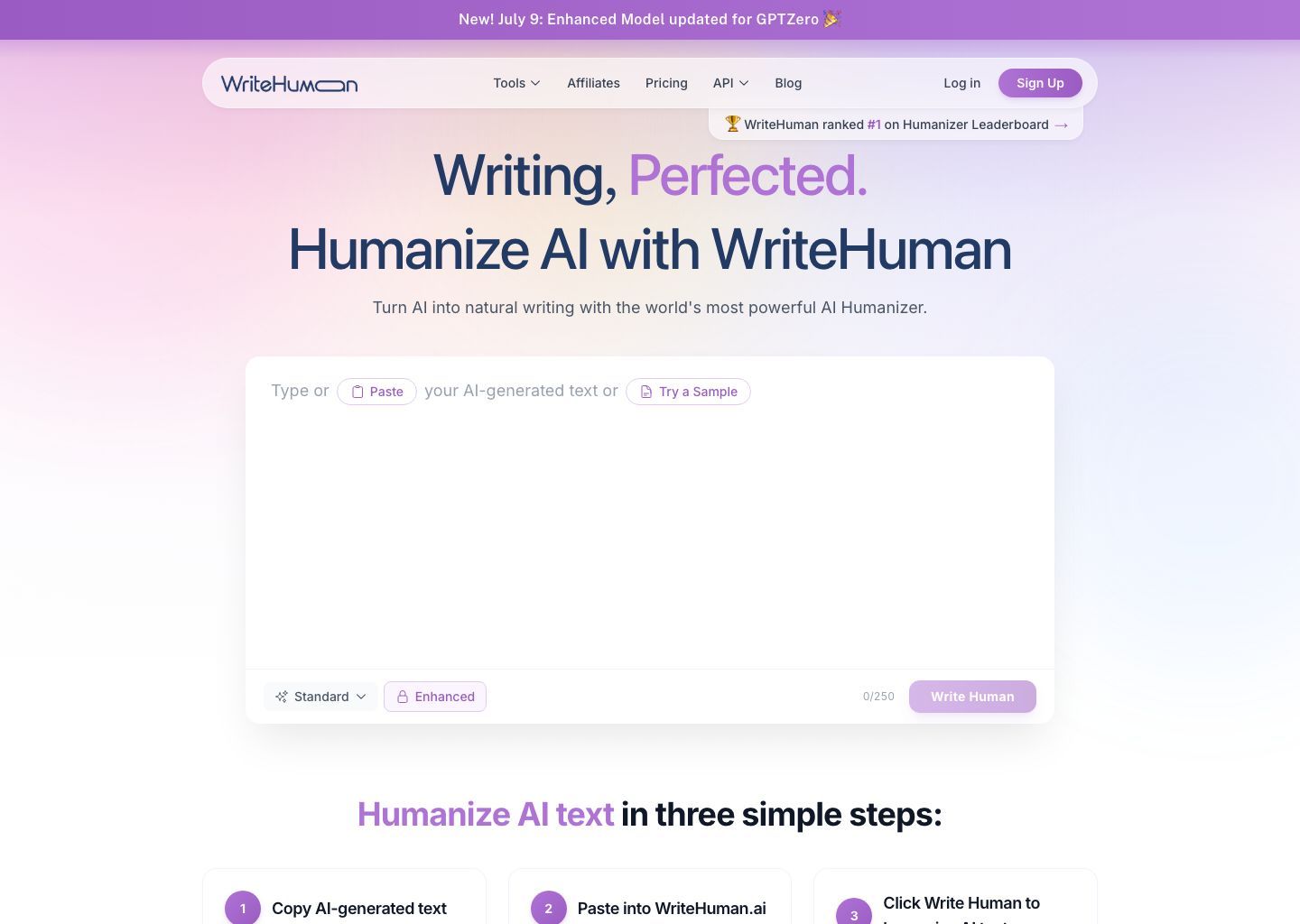
Compared with Grubby, WriteHuman feels more structured around a broader product surface. It is not only selling "humanize this text" but also giving users a detector layer and higher-tier plans with daily usage limits spelled out more clearly on the public pricing content.
Features
- AI humanizer plus AI detector positioning.
- Public pricing content with a free plan and paid tiers.
- Higher word limits on paid plans.
- Paste-in workflow with broader product navigation than a single-purpose page.
Pros
- Good fit for users who want detection and rewriting in one place.
- Clearer tiered plan structure than many smaller humanizers.
- Strong direct overlap with Grubby's use case.
Cons
- Less document-oriented than tools with upload support.
- Still strongly tied to detector-oriented marketing.
Best for
Users who want a Grubby-style alternative but prefer a more layered detector-plus-rewrite product.
3. QuillBot Humanizer
QuillBot Humanizer is a better Grubby AI alternative for users who want a more established writing brand rather than another narrow bypass-style tool. Because QuillBot already has a broader writing suite, its humanizer sits inside a larger editing workflow instead of feeling like a single-purpose niche product.
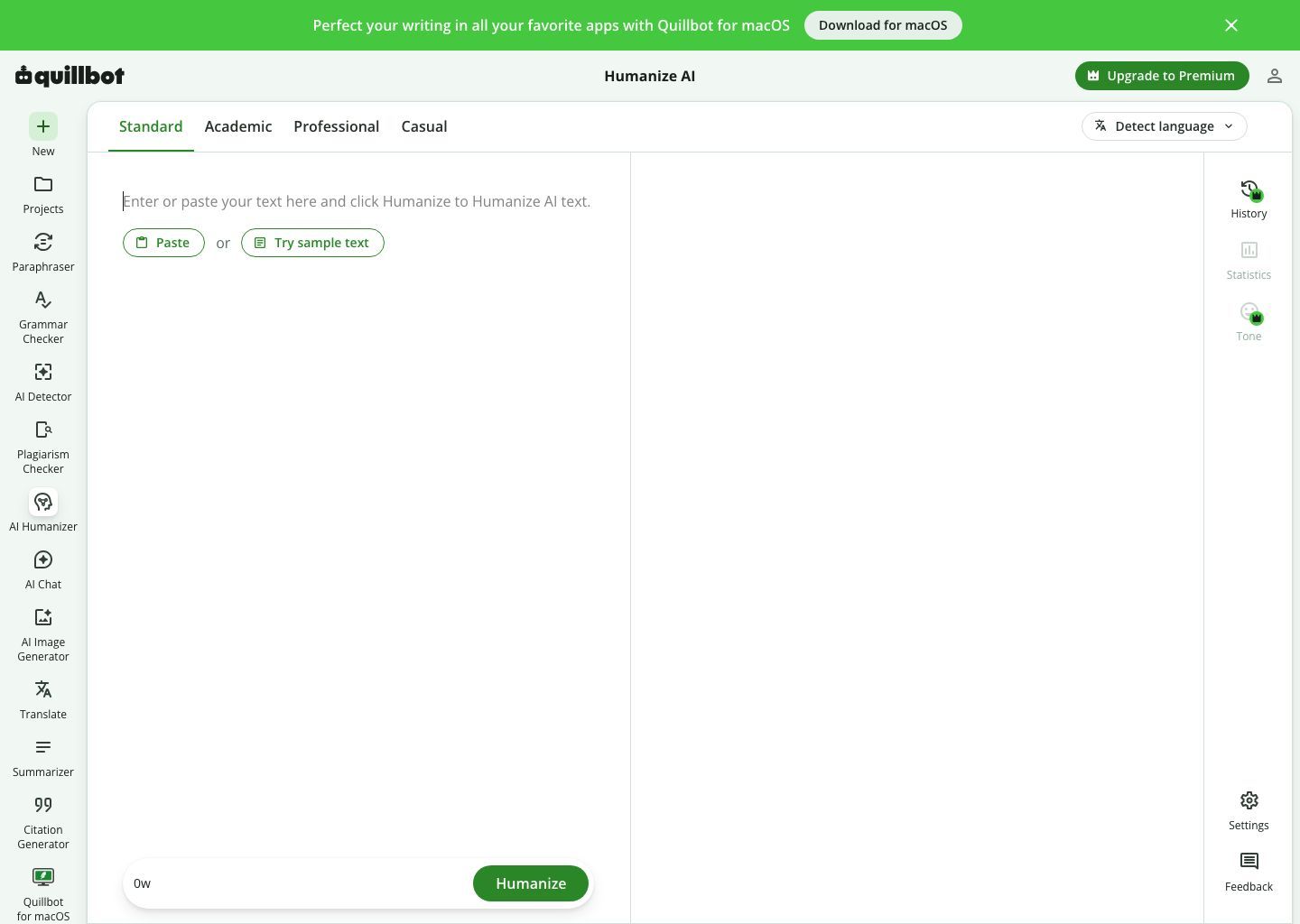
That matters if you want your alternative to do more than rewrite one paragraph at a time. QuillBot also gives users a more familiar bridge between paraphrasing, humanizing, and detector-style review, which can feel more practical than using a standalone humanizer with a narrower product surface.
Features
- AI humanizer workflow inside a larger writing suite.
- Related paraphrasing and detector tools in the same product family.
- Free access messaging on the public humanizer and premium pages.
- Broader editing orientation than many niche humanizer brands.
Pros
- Strong brand familiarity for students and general writers.
- Easier fit if you already know QuillBot's paraphrasing tools.
- Better match for users who want rewriting plus adjacent editing tools.
Cons
- Some advanced humanizing value is tied to the broader QuillBot ecosystem.
- May feel less specialized if you only want one focused rewrite tool.
Best for
Users who want a mainstream Grubby alternative from a broader writing platform.
4. StealthWriter
StealthWriter is a better alternative than Grubby if you mainly want a simpler rewrite-first experience. Its official homepage emphasizes humanizing AI writing with a free plan and faster access, while its public disclaimer is more careful about saying results vary depending on the text and the detector.
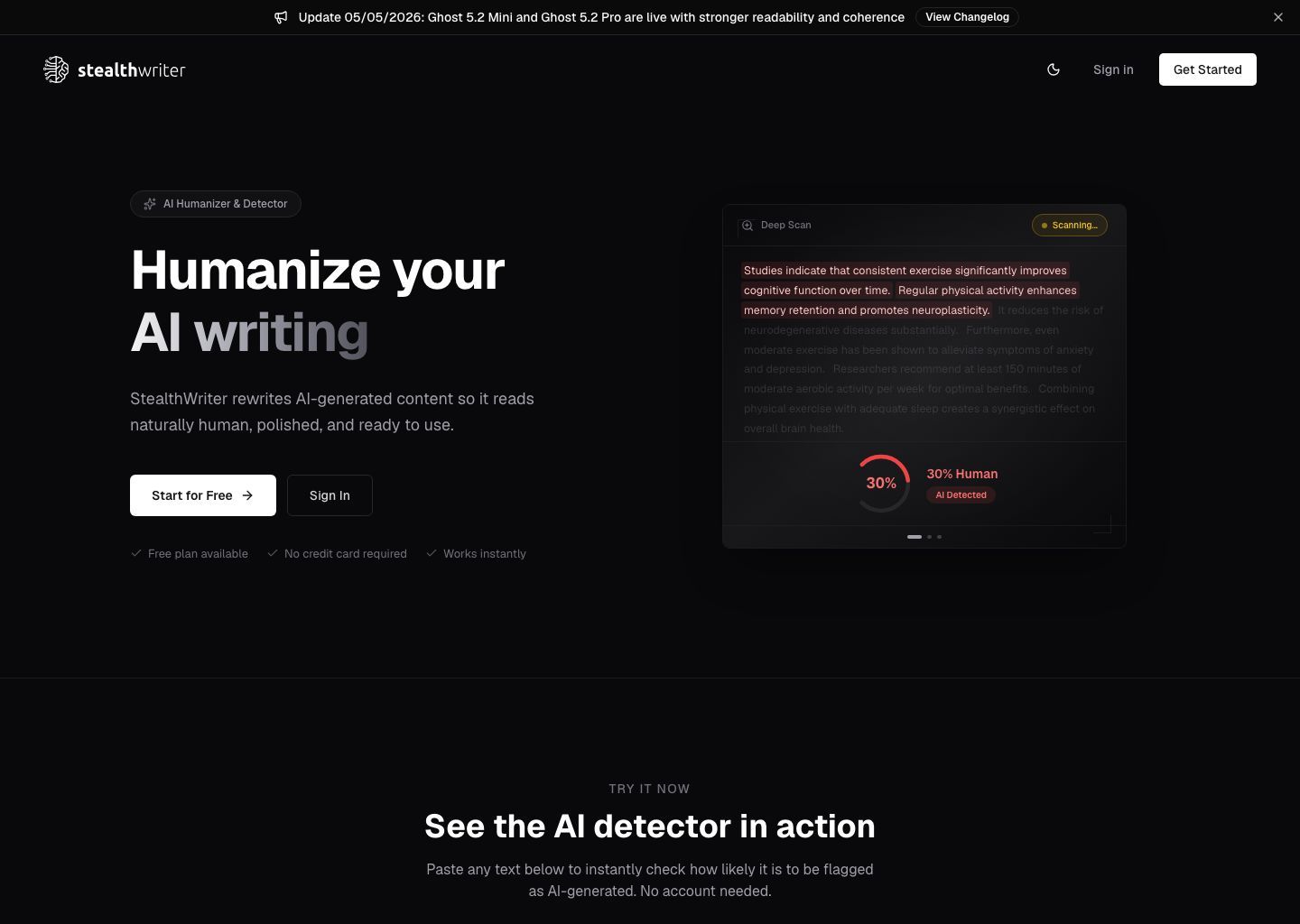
That caveat actually makes it more credible to me than some tools in this category. It does not remove the risk of overpromising, but it does suggest a slightly more grounded framing than "this will work everywhere."
Features
- AI humanizer workflow with free plan messaging.
- Rewrite-first positioning.
- Public disclaimer acknowledging that results vary.
- Clean, simple onboarding language.
Pros
- More lightweight feel than heavier multi-tool suites.
- Useful if you just want to rewrite text quickly.
- Public disclaimer adds a bit more realism to expectations.
Cons
- Less workflow depth than tools with uploads or multiple rewrite modes.
- Still mainly a niche humanizer product rather than a broader editing platform.
Best for
Users who want a clean Grubby replacement for quick paste-and-rewrite sessions.
5. BypassGPT
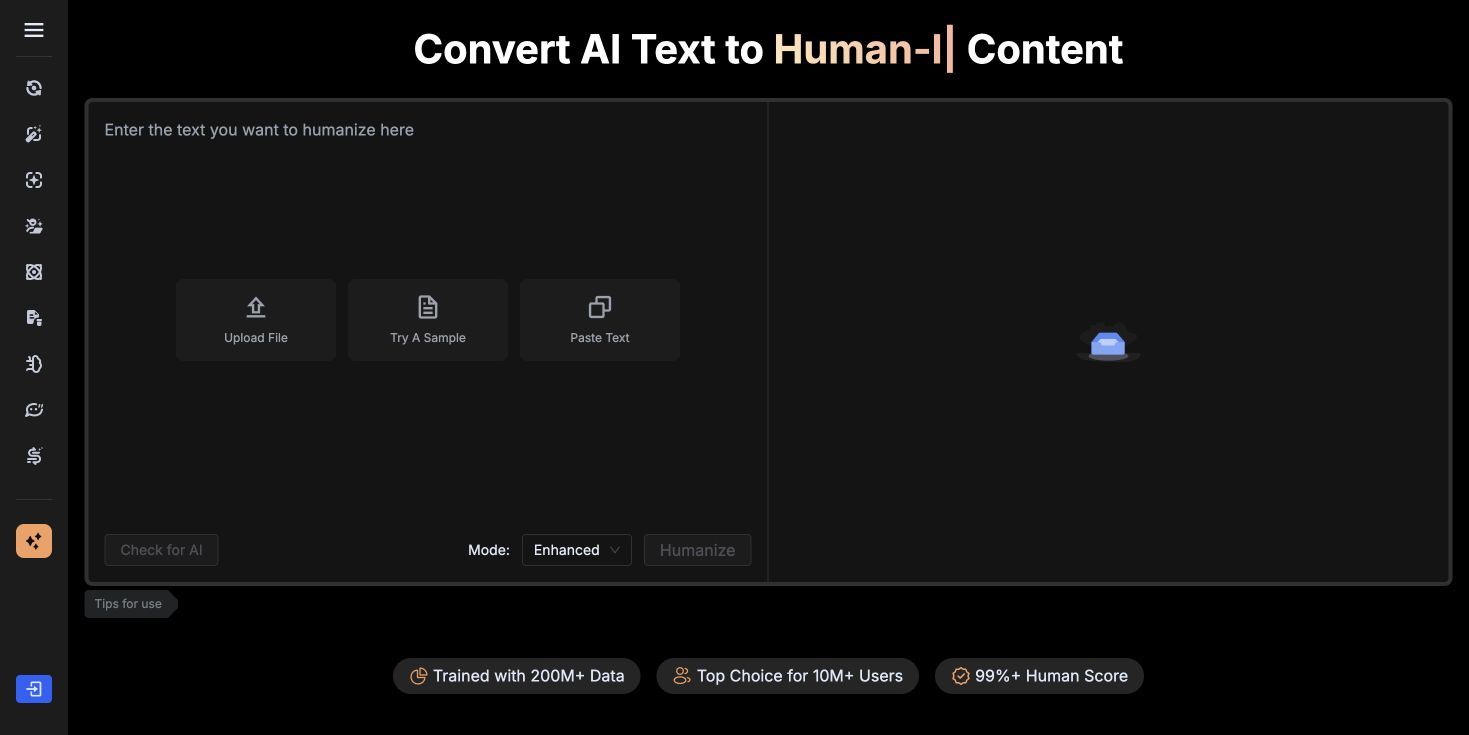
BypassGPT is another visible Grubby AI alternative in this niche, so it belongs in the comparison even if I would not rank it above Lynote for everyday editing. Its interface combines upload, sample, and paste actions with a paired rewrite panel, which gives it a broader surface than the simplest one-box rewriters.
Compared with Grubby, the main value here is direct category overlap. If you are specifically looking for another well-known name in the detector-focused humanizer market, BypassGPT is one of the first tools worth testing side by side.
Features
- Upload, sample, and paste actions in one screen.
- Paired input and output panels for quick side-by-side review.
- Strong brand visibility in the AI humanizer niche.
- Public positioning that combines humanizing with detector-oriented messaging.
Pros
- Easy to compare directly against Grubby because the positioning overlap is so close.
- Clean side-by-side layout for quick short-form rewrites.
- One of the better-known names in this specific product category.
Cons
- Still heavily tied to detector-oriented positioning.
- Less appealing if you want a calmer editing workflow instead of niche marketing language.
Best for
Users who want to compare Grubby against another mainstream AI humanizer in the same category.
6. Ryne AI
Ryne AI appears frequently enough in competitor datasets to deserve a place on this list, even though it is not as mainstream as some of the other names above. If your goal is to compare Grubby against other niche direct competitors, Ryne belongs in that shortlist.

I would not rank it above the larger names unless you have a very specific reason to test another niche tool, but it is still useful to mention because searchers often want a real list of options rather than the same three brands repeated everywhere.
Features
- Direct niche overlap with Grubby's category.
- Frequently surfaced in competitor datasets.
- Alternative option for users comparing smaller humanizer brands.
Pros
- Relevant if you want another niche direct comparison.
- Useful for readers who want more than the obvious mainstream choices.
Cons
- Less visible and less broadly established than the bigger alternatives.
- Harder to recommend first without stronger differentiation.
Best for
Users who want to test smaller direct Grubby competitors after ruling out the bigger names.
Comparison Table: Grubby AI vs the Best Alternatives
This table is the fastest way to see where the alternatives differ.
| Tool | Paste or upload | Rewrite controls | Language flexibility | Free tier | Ideal user |
|---|---|---|---|---|---|
| Grubby AI | Paste-focused | Limited public control signals | English-only based on public FAQ | Limited free access messaging | Users who want a narrow humanizer workflow |
| Lynote AI Humanizer | Paste and upload | Balanced, Focus, Advanced | More flexible than English-only | Yes | Users who want a more practical workflow |
| WriteHuman | Paste-focused | Moderate | Broader than single-language-only positioning | Yes | Users who want detector plus humanizer tools |
| QuillBot Humanizer | Paste-focused | Moderate | Multi-language public positioning | Yes | Users who want a broader writing suite |
| StealthWriter | Paste-focused | Moderate | Broad public positioning | Yes | Users who want a lighter rewrite tool |
| BypassGPT | Paste-focused | Moderate | Broad public positioning | Yes | Users comparing direct humanizer competitors |
| Ryne AI | Varies | Varies | Varies | Unclear from high-level competitor data | Users testing smaller niche alternatives |
How to Choose the Right Alternative for Your Workflow
The easiest mistake here is choosing by hype instead of workflow. A better question is: what exactly bothers you about Grubby AI right now?
If the issue is free access, start with tools that give you enough usable output before forcing an upgrade. If the issue is rewrite quality, look for tools with more control over tone and intensity. If the issue is document workflow, choose a tool that supports uploads instead of forcing everything into a paste box.
Here is a practical way to think about it:
| Your workflow | Better alternative |
|---|---|
| You revise short AI paragraphs and want quick cleanup | StealthWriter or WriteHuman |
| You want upload support for real documents | Lynote AI Humanizer |
| You want another mainstream direct competitor | BypassGPT |
| You want a mainstream direct category replacement | QuillBot Humanizer |
| You want the most practical overall balance | Lynote AI Humanizer |
In other words, the best Grubby AI alternative is not necessarily the tool that sounds most confident. It is the one that fits how you actually edit.
How to Humanize Text With Lynote Instead of Grubby AI
If you mainly used Grubby to soften stiff AI wording, Lynote gives you a more flexible way to do that.
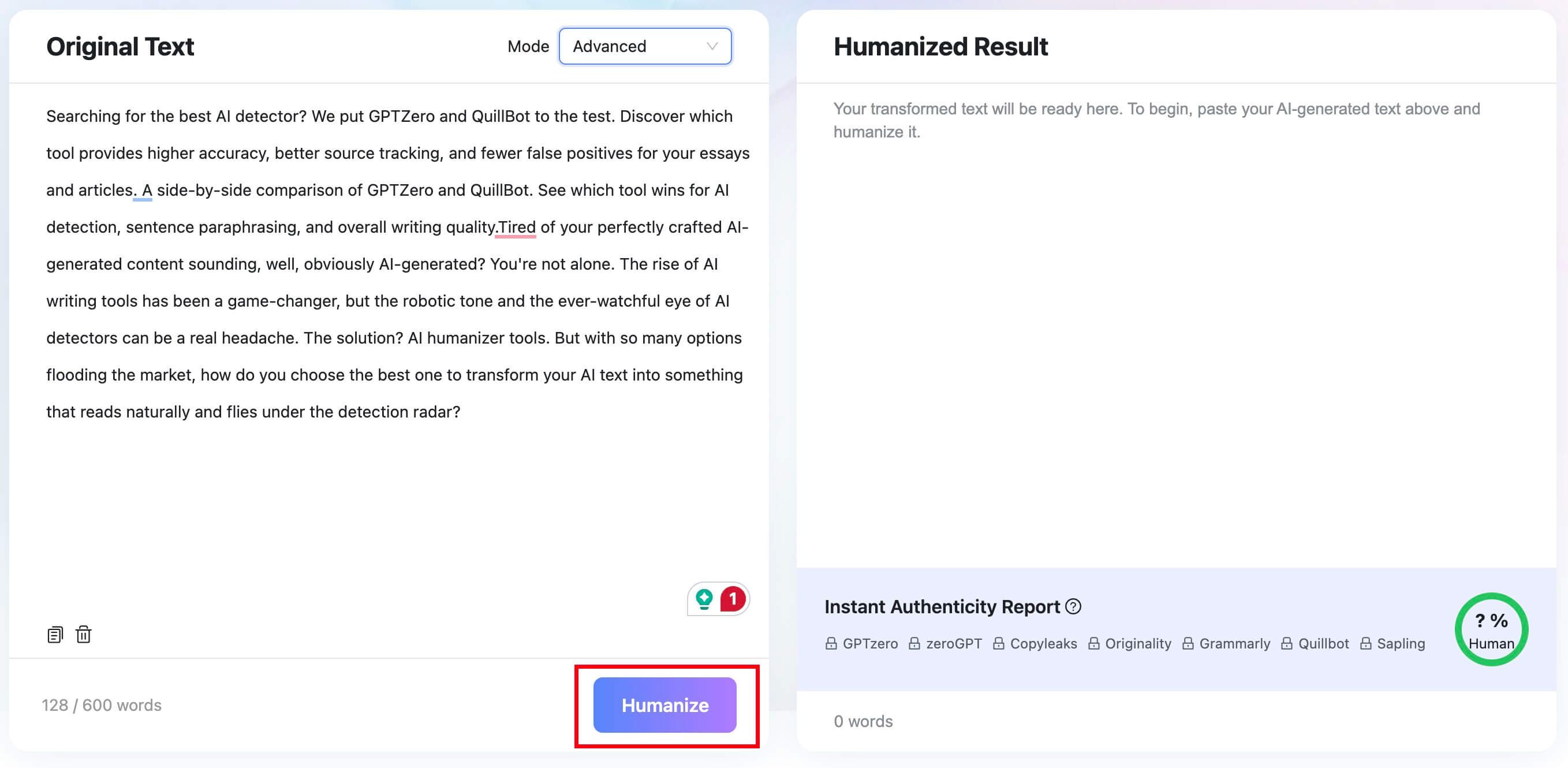
1. Paste your text or upload a document
Open Lynote AI Humanizer and either paste your text into the editor or upload a supported file such as PDF, DOC, DOCX, or TXT. This is more convenient than a paste-only flow when your draft already lives in a document.
2. Pick the rewrite mode you want
Choose Balanced if you want a standard cleanup, Focus if the text still sounds too robotic, or Advanced if you want a deeper rewrite with a slower, more deliberate pass.

3. Click Humanize
Run the rewrite and let the tool generate a cleaner version of the draft. This is the part where Lynote feels more controlled than a one-style humanizer.
4. Review the output and authenticity report
Once the rewrite finishes, review the result and check the authenticity report panel. That helps you judge whether the text now sounds more natural, while keeping the original meaning intact.


FAQs About Grubby AI Alternatives
What is the best free Grubby AI alternative?
The best free Grubby AI alternative depends on what you value most. If you want the strongest overall workflow, Lynote AI Humanizer is the best starting point. If you want a more familiar mainstream writing brand, QuillBot Humanizer is another useful tool to test.
Which Grubby AI alternative supports file uploads?
Lynote AI Humanizer is the strongest pick here because it supports both pasted text and uploaded files such as PDF, DOC, DOCX, and TXT. That makes it more practical for longer real-world drafts.
Is Grubby AI only for English text?
Grubby's public pricing FAQ says the tool can only humanize AI text in English. If multilingual flexibility matters to you, that is one of the clearest reasons to look for an alternative.
Are Grubby AI alternatives better for natural writing or just detector scores?
The better alternatives are the ones that improve writing quality first. If a tool only promises detector results but still leaves you with awkward prose, it is usually not the best long-term choice.
Final Verdict
Lynote AI Humanizer is the best overall Grubby AI alternative because it feels more practical, more flexible, and more useful for real revision work. It gives you upload support, rewrite modes, and a cleaner editing flow instead of reducing everything to one promise.
If you want a detector-plus-humanizer bundle, WriteHuman is the next best tool to compare. If you want a lighter rewrite-first option, StealthWriter and BypassGPT are both reasonable alternatives.
The bigger takeaway is simple: choose the tool that helps you edit better, not the one that makes the boldest claim.

Written by Janet L. Harris
AI Writing Specialist
Janet reviews AI detectors and humanization tools, with a focus on accuracy, limitations, and responsible use. View all articles →