Is Lynote a Better NoteGPT Video Summarizer Alternative?

If you are searching for a notegpt youtube video summarizer alternative, you probably want a faster way to turn long videos into useful notes. NoteGPT offers a YouTube summarizer for transcripts and AI summaries, while Lynote focuses on clear video summaries, visual context, action guides, timestamps, and Markdown-ready notes. This review compares both tools from a practical user workflow, not just a feature checklist.
Quick Verdict: NoteGPT vs Lynote
The short answer is simple: NoteGPT is useful if you want a broad AI workspace with many content tools. Lynote is stronger if your main goal is to summarize YouTube videos into study-ready or work-ready notes quickly. For users who care about visual summaries, timestamps, action steps, and easy reuse, Lynote YouTube Summary is a focused notegpt youtube video summarizer alternative.
| Tool | Best For | Main Strength | Possible Limitation |
|---|---|---|---|
| NoteGPT | General AI note and summarization tasks | Supports YouTube summaries and adjacent study tools | The interface may feel broad if you only need video summaries |
| Lynote | Fast YouTube summaries for study, research, and work | Visual summaries, smart chapters, action guides, timestamps, and reusable output | Best suited for users who want structured video notes |
What Is NoteGPT YouTube Video Summarizer?
NoteGPT YouTube Video Summarizer is an online tool that helps users summarize YouTube videos with AI. Its product page presents a workflow for turning video content into shorter AI summaries. For many users, the notegpt video summarizer is attractive because it sits inside a larger AI learning ecosystem.
The tool is positioned for students, researchers, professionals, and content creators who want to avoid watching full videos manually. It can help turn lectures, tutorials, podcasts, or interviews into shorter summaries. If you search for “notegpt io youtube video summarizer,” this is the type of workflow you will likely find.
Where NoteGPT Works Well
NoteGPT works well when you want one platform with many AI content options. The YouTube summarizer is useful for quickly extracting the main ideas from a video. That makes it practical when you need a fast overview before deciding whether to watch the full source.
NoteGPT also has a familiar paste-and-generate flow. Users can add a YouTube URL, generate a summary, and review the result inside the page. If your goal is quick extraction from a video, NoteGPT's YouTube video summarizer can be a practical starting point.
Where NoteGPT May Feel Limited
The main issue is not whether NoteGPT can summarize videos. The bigger question is whether the output is easy to review, verify, and reuse in a real workflow. A long AI summary can still leave users asking which part of the video matters most, where a point appears, or how to turn the output into notes.
This is where some users may look for a notegpt youtube video summarizer alternative. Students may need visual memory cues, researchers may need clickable timestamps, and professionals may need action points instead of a dense text block. A summarizer should reduce review time, not create another document that must be reorganized manually.
Why Lynote Is a Strong Alternative
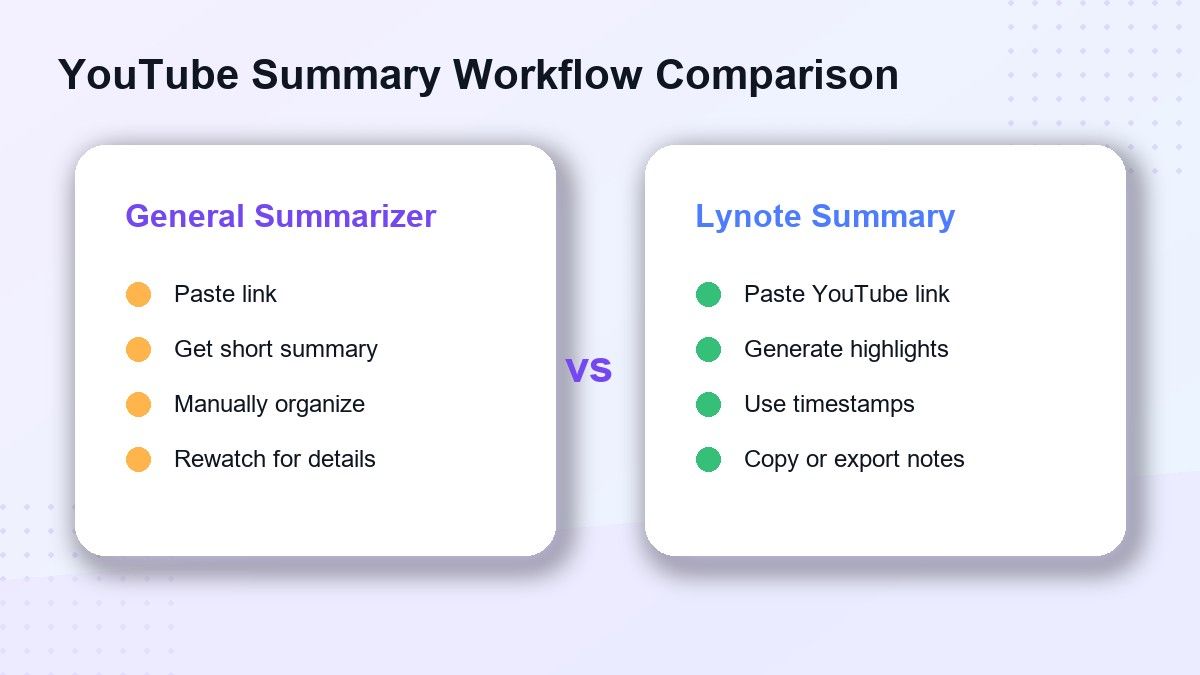
Lynote is designed around turning YouTube videos into structured summaries that are easier to scan and reuse. The product page highlights visual summaries, action guides, timestamps, and Markdown notes. That makes Lynote useful when the video itself matters, not just the transcript.
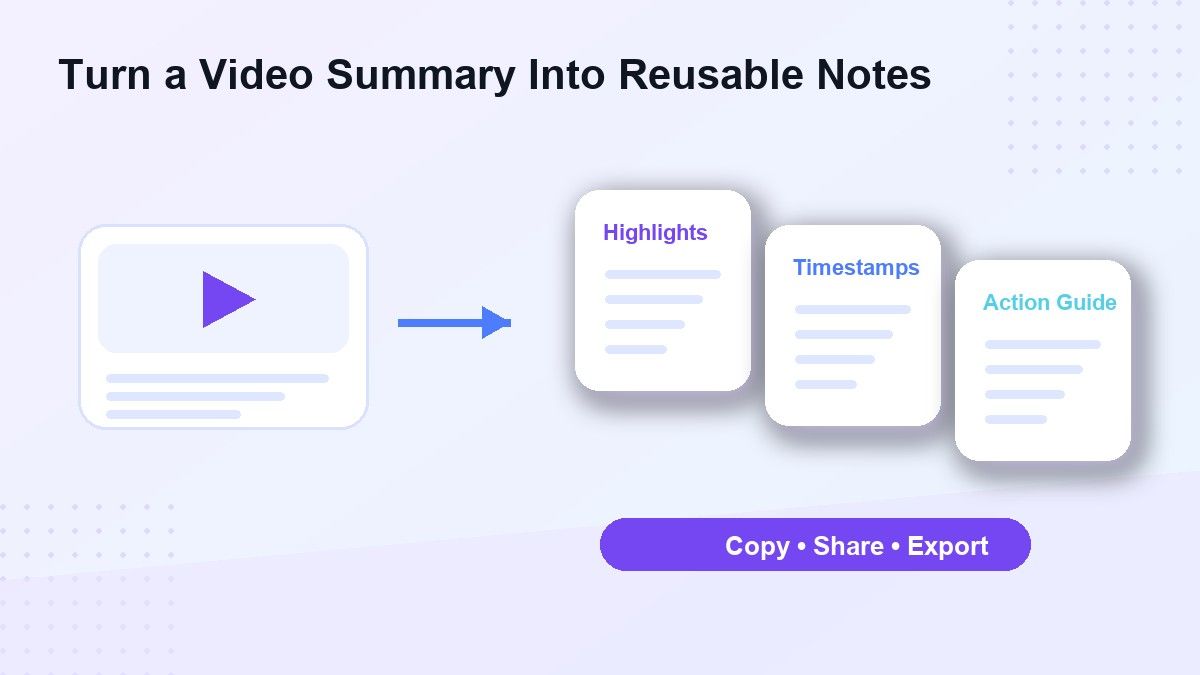
A good notegpt youtube video summarizer alternative should help users move from watching to understanding faster. Lynote does this by pairing summary points with clearer structure and reusable output. Instead of treating every video as plain text, Lynote helps users capture context, steps, and takeaways in a cleaner format.
How to Use Lynote YouTube Summary
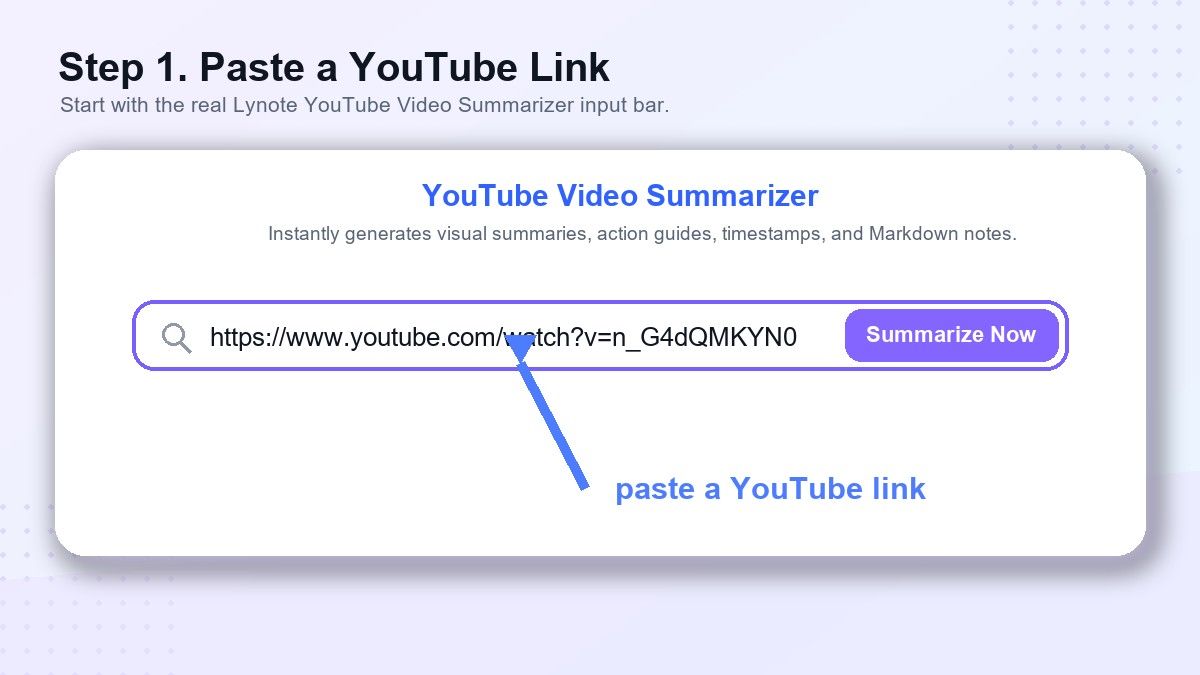
Step 1. Paste a YouTube Link
Open Lynote YouTube Summary and paste the YouTube video link into the input box. You can use it for lectures, tutorials, interviews, podcasts, product demos, and educational videos. This keeps the process simple because you do not need to download the video first.
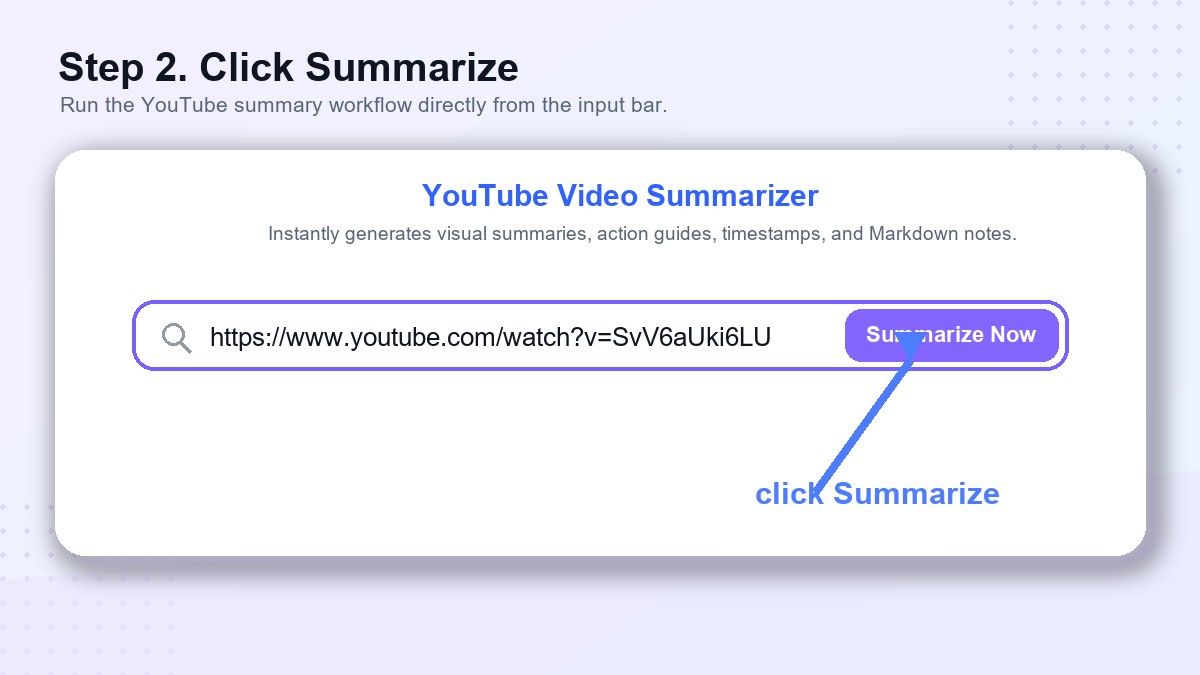
Step 2. Click Summarize
Click the Summarize button and let Lynote process the video content. Lynote can generate a structured transcript summary with highlights, key points, and timestamped moments depending on the available video information. This is especially useful when you want to understand a long video without replaying every section.
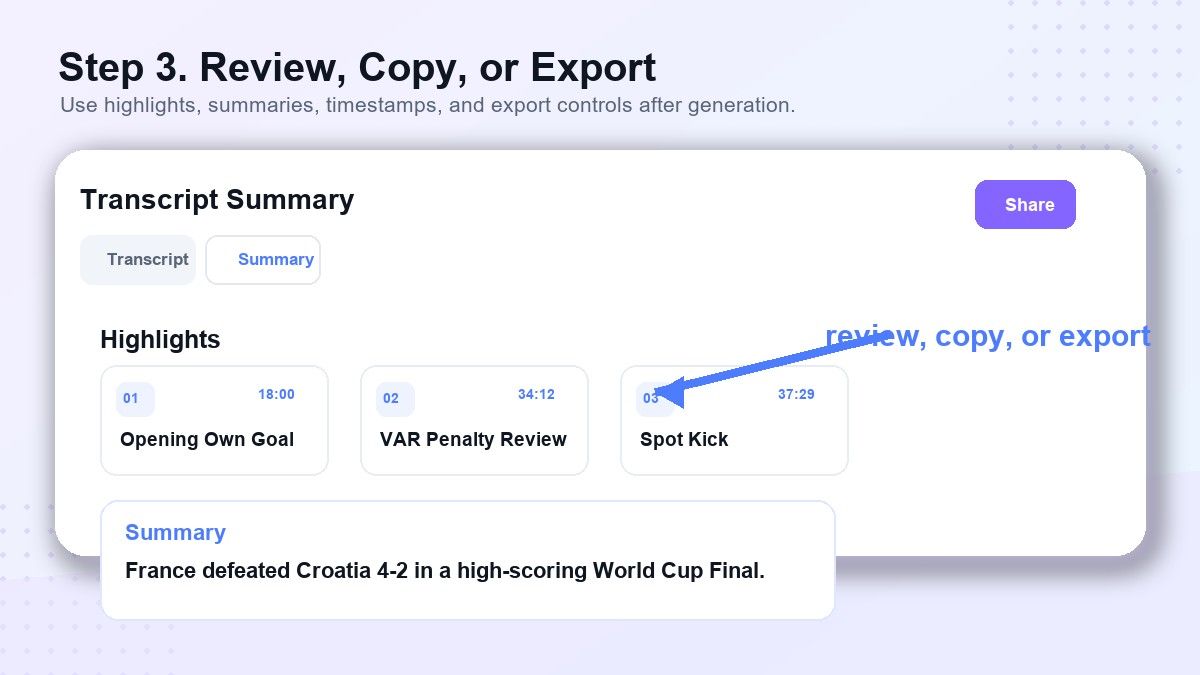
Step 3. Review, Copy, or Export
After the summary is generated, review the important points and use the timestamps to return to the original moment when needed. You can copy, share, or export the output for your own knowledge base. This makes Lynote a practical notegpt youtube video summarizer alternative for people who need reusable notes, not just a quick overview.
Feature Comparison: NoteGPT and Lynote
Video Input
Both tools support YouTube video input. NoteGPT emphasizes a broader AI learning workspace with several adjacent study features. Lynote focuses strongly on YouTube summarization, making the experience more direct for users who want video notes.
Summary Quality
A useful video summary should not only shorten the content. It should help the user understand the structure, main points, and important moments. Lynote’s visual summary and chapter-like output are helpful when users need to connect text with the video context.
Timestamps and Navigation
Timestamps are important because they let users verify information quickly. If a summary mentions a key claim, users should be able to return to that moment in the source video. Lynote’s timestamp-centered workflow makes it easier to review the original material.
Action Guides
Some videos are not just informational. Tutorials, lessons, strategy videos, and business explainers often contain steps that users need to apply. Lynote’s action guide format is useful because it can turn video content into a practical checklist.
Export and Reuse
A summary becomes more valuable when it can move into another workflow. Lynote supports reusable notes that can be copied, shared, or exported for study and work. This is one reason Lynote can be a better notegpt youtube video summarizer alternative for users who need organized output.
Who Should Use NoteGPT?
NoteGPT is a reasonable choice if you want a broad AI note platform with many content tools in one place. It may be useful for users who often summarize videos, PDFs, webpages, and other materials. If you already use NoteGPT for other AI tasks, the notegpt video summarizer may fit your existing workflow.
It is also useful for users who want a simple YouTube summary without thinking much about format. Paste the video link, generate the result, and read the summary. For lightweight use, that may be enough.
Who Should Use Lynote?
Lynote is better for users who want video summaries that are easier to study, cite, organize, and reuse. Students can summarize long lectures and keep timestamps for review. Researchers can scan interviews, talks, and explainers without losing the original video context.
Content creators and professionals can also benefit from Lynote. A long webinar or tutorial can become a summary, action guide, and reusable note. If your goal is to turn video into working notes, Lynote is a strong notegpt youtube video summarizer alternative.
Practical Use Cases for Lynote
Students
Students often use YouTube for lectures, AP review, language learning, coding tutorials, and exam preparation. Lynote helps them extract core ideas without manually pausing and typing notes. The visual summary format can also make video content easier to remember.
Researchers
Researchers may need to process interviews, conference talks, public lectures, or expert commentary. Lynote helps them identify key arguments and return to timestamps for verification. This is useful when accuracy matters and the original source should remain easy to check.
Content Creators
Creators can use Lynote to summarize competitor videos, industry commentary, tutorials, or long-form interviews. The output can help prepare outlines, social posts, newsletters, or scripts. Instead of starting from a blank page, they get organized source material.
Busy Professionals
Professionals often save videos but never return to them. Lynote makes long videos easier to process during limited work time. A 40-minute webinar can become a structured summary that is easier to share with a team.
Pros and Cons of NoteGPT
NoteGPT’s biggest advantage is its broad AI workspace. It supports YouTube summarization and many adjacent AI content tools. This can be helpful if you want one environment for several content formats.
The downside is that a broad interface can feel less focused. If you mainly need clean video summaries, timestamps, and reusable notes, you may prefer a tool built around that workflow. This is why many users compare NoteGPT with a dedicated notegpt youtube video summarizer alternative.
Pros and Cons of Lynote
Lynote’s biggest strength is its focused YouTube summary workflow. It emphasizes visual summaries, key highlights, timestamps, action guides, and reusable notes. These features help users understand and reuse video content faster.
The main limitation is that Lynote is best for people who care about structured video notes. If someone wants a very broad AI suite with many unrelated tools, NoteGPT may feel more familiar. But for YouTube summary work, Lynote is easier to position as a focused alternative.
FAQs About NoteGPT YouTube Video Summarizer Alternatives
Is Lynote a free NoteGPT YouTube video summarizer alternative?
Lynote offers an online YouTube summarizer experience that can help users generate structured video summaries. It is designed for people who want visual notes, timestamps, and action guides from YouTube videos. Always check the product page for the latest usage details.
What is the difference between NoteGPT and Lynote?
NoteGPT is a broader AI note platform with multiple summarization options. Lynote is more focused on YouTube video summaries, visual context, smart highlights, and reusable notes. The better choice depends on whether you want a broad workspace or a focused summarization workflow.
Can Lynote summarize long YouTube videos?
Lynote is designed for YouTube videos such as lectures, tutorials, podcasts, interviews, and long-form explainers. It can help users find key points and navigate with timestamps. This makes it useful when watching the full video would take too much time.
Does Lynote replace watching the original video?
No. Lynote helps you understand and review the video faster, but the original source still matters. Timestamps are useful because they let you return to the video when you need context, quotes, or confirmation.
Is “notegpts youtube video summarizer” the same as NoteGPT?
Many users type variations like “notegpts youtube video summarizer” when searching for NoteGPT’s tool. The intended product is usually the NoteGPT YouTube Video Summarizer. This article compares that workflow with Lynote as an alternative.
Final Verdict
If you want a broad AI workspace, NoteGPT is worth considering. But if your priority is turning YouTube videos into structured, visual, timestamped, reusable notes, Lynote is the stronger choice. For students, researchers, creators, and professionals, Lynote YouTube Summary is a practical notegpt youtube video summarizer alternative.

Written by Janet L. Harris
AI Writing Specialist
Janet reviews AI detectors and humanization tools, with a focus on accuracy, limitations, and responsible use. View all articles →