7 Free Humata AI Alternatives Worth Using for Document Research

Humata offers a focused way to upload documents, ask questions, and receive answers tied to the source. It also has a free plan, so looking for a Humata AI alternative is rarely about replacing a tool that cannot be tried at all.
The real question is whether Humata's free allowance and PDF-first workflow match the way you work. A student comparing several papers, an analyst checking a scanned report, and someone who needs one quick answer from a PDF may each be better served by a different free tool.
I compared seven Humata AI alternatives by looking at what their free access actually covers, the sources they accept, how they trace answers to documents, and what happens after a summary is generated. The result is a shortlist that separates research notebooks, dedicated PDF chatbots, document editors, and general AI assistants instead of treating them as interchangeable.
Quick Answer: The Best Free Humata AI Alternatives
For research papers that need to become reusable notes, Lynote is the most study-oriented option in this list. NotebookLM is the stronger choice for synthesizing many sources, while ChatPDF is the simplest option when you want to ask questions about one or two files with almost no setup.
SciSpace adds academic discovery tools around paper reading. AskYourPDF suits occasional document chat, PDFgear combines AI with practical PDF editing, and Claude is useful when document analysis is only one part of a broader reasoning or writing task.
| Product | Best For | Free-Access Model | Main Limitation |
|---|---|---|---|
| Lynote AI Paper Summarizer | Turning research papers into structured notes | Basic browser-based access; current limits may vary | Exact claims still require checking against the paper |
| NotebookLM | Research across many sources | Standard access with notebook, source, chat, and generation limits | Requires a Google account and applies daily limits |
| ChatPDF | Fast document Q&A without setup | Two free documents per day | Not designed as a full research notebook |
| SciSpace | Academic literature and paper explanation | Limited free plan with a credit-based Agent allowance | Plan and credit structure takes time to understand |
| AskYourPDF | Occasional daily document chat | One free document per day | Multi-document knowledge bases require an upgrade |
| PDFgear | PDF editing, OCR, and AI chat | Currently presented as free by the provider | Full workflow requires an app; AI chat needs internet |
| Claude | Dense files and general-purpose reasoning | Free plan with dynamic usage limits | Persistent Projects are paid, and citations are less PDF-centric |
Free limits change more often than core product design. Treat the table as a workflow comparison, then confirm current quotas inside the product before uploading a large set of files.
What Humata AI Does and Why Look for an Alternative
Humata is a document AI platform built around a straightforward loop: upload files, ask natural-language questions, generate summaries, and trace answers back to supporting passages. Its paid plans add capacity and team-oriented controls, making it useful for shared document libraries and recurring professional review.
The current free plan includes basic features and up to 60 pages of monthly use. That is enough to evaluate the interface or work with a modest paper, but a textbook, thesis, policy manual, or several weekly readings can consume the allowance quickly.
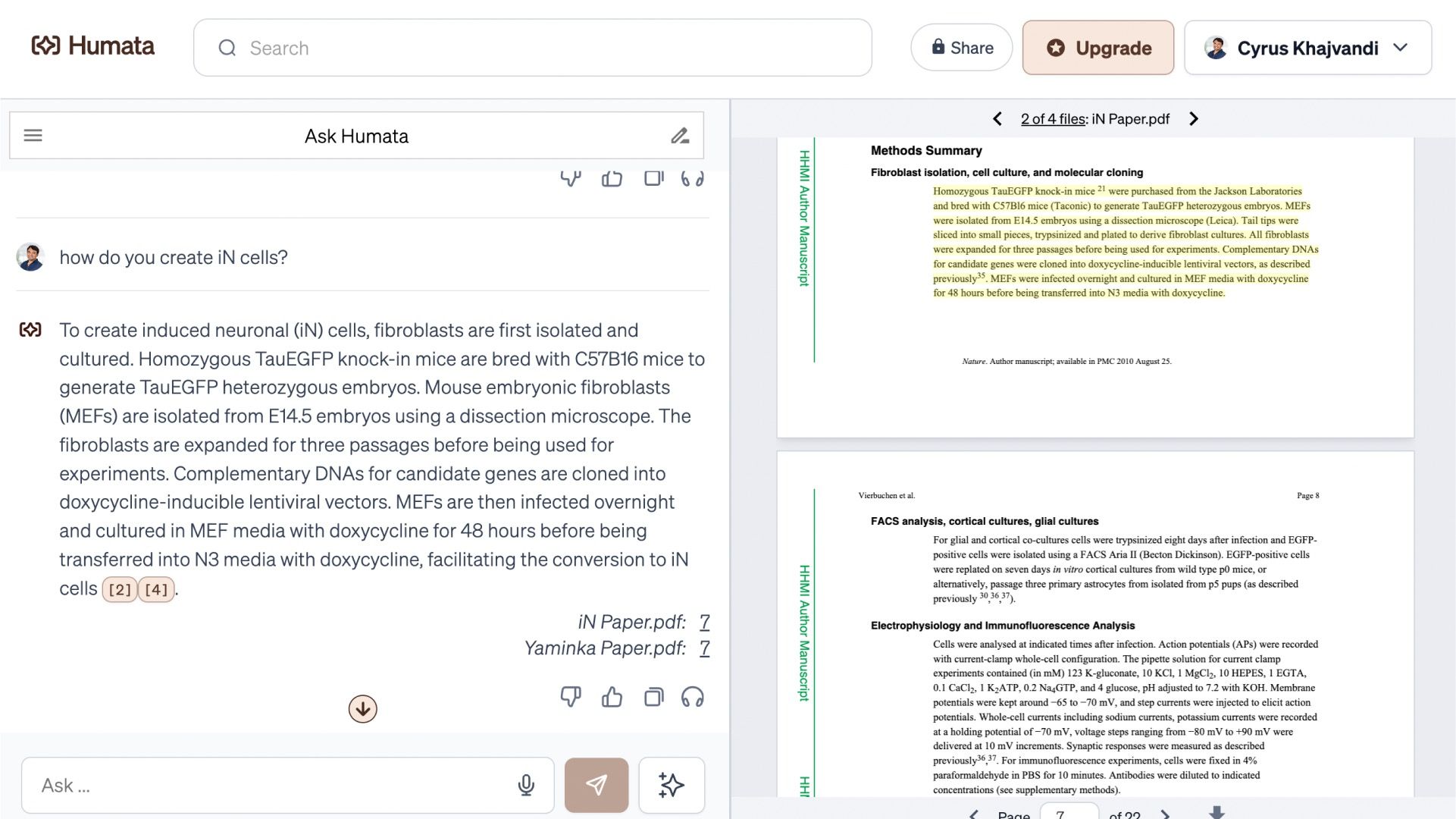
Page-based limits are only one reason to compare Humata AI alternatives. Some readers need more source types than a PDF-centered workflow, while others want citations across a collection of documents, academic search, editable notes, OCR for scanned pages, or an installed PDF editor.
There is also a difference between answering a question and building knowledge you can reuse. A quick PDF chatbot may retrieve one fact efficiently, but a student preparing for an exam may need headings, notes, flashcards, follow-up questions, and a structure that remains useful after the chat ends.
Humata remains a reasonable option when its focused interface and monthly allowance fit the task. The alternatives below are worth considering when a different limit model or a different output is more important than simply finding another upload box.
How I Compared These Humata AI Alternatives
I evaluated each product against the job Humata is hired to do: help someone understand documents without manually searching every page. I then looked beyond the shared promise of "chat with your PDF" to compare the practical decisions that affect daily use.
The first distinction is the free-access model. Humata counts monthly pages, ChatPDF and AskYourPDF limit daily documents, SciSpace uses credits for part of its workflow, and Claude varies usage according to message length, attachments, conversation size, model demand, and other factors.
The second distinction is source handling. A single-PDF chatbot is sufficient for a contract or article, but literature reviews and course projects often need several PDFs, webpages, videos, notes, or slides in one workspace.
I also compared whether answers include citations or another route back to the source. A polished response is not automatically a reliable response, so readers should be able to inspect the paragraph, page, or source that supports an important claim.
Finally, I considered what users can do with the output. Structured notes, editing, export, annotation, OCR, and follow-up chat can matter more than a slightly faster first summary, especially when the same material will be studied or reviewed repeatedly.
7 Best Free Humata AI Alternatives in 2026
1. Lynote AI Paper Summarizer: Best for Research Notes and Follow-Up Questions
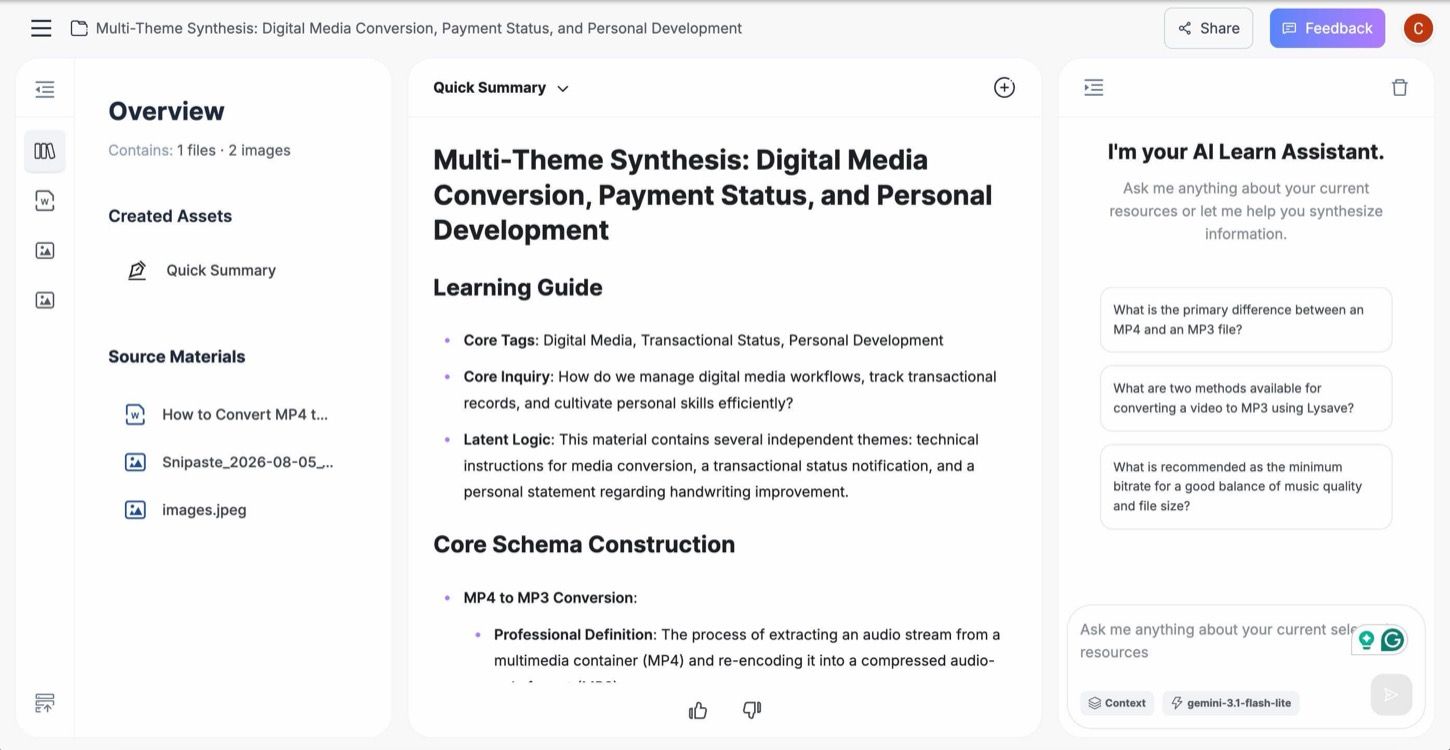
Lynote AI Paper Summarizer is designed around the structure of academic papers rather than a generic "shorten this" request. It can organize a readable research PDF or pasted paper text around the research question, method, data or sample, findings, limitations, and implications.
The summary sits inside a note workspace where readers can ask source-based follow-up questions. That makes Lynote more suitable when the goal is to turn a paper into material for a literature review, seminar, study session, or research meeting instead of extracting one isolated answer.
Features
- Paper-focused summaries covering the research question, method, findings, limitations, and implications
- A unified workspace for the generated summary and follow-up chat
- Structured notes that can support reading triage and later review
- PDF upload or pasted-paper-text workflows
Pros
- Produces a more study-oriented output than a single answer box
- Keeps the first summary and deeper questions in the same workspace
- Helps readers apply a consistent review structure across several papers
Cons
- Readers still need to verify statistics, citations, tables, figures, methodology, and conclusions in the original paper
Best for: Students, teachers, and researchers who want reusable paper notes and follow-up study questions rather than a one-time PDF response.
2. NotebookLM: Best for Free Multi-Source Research
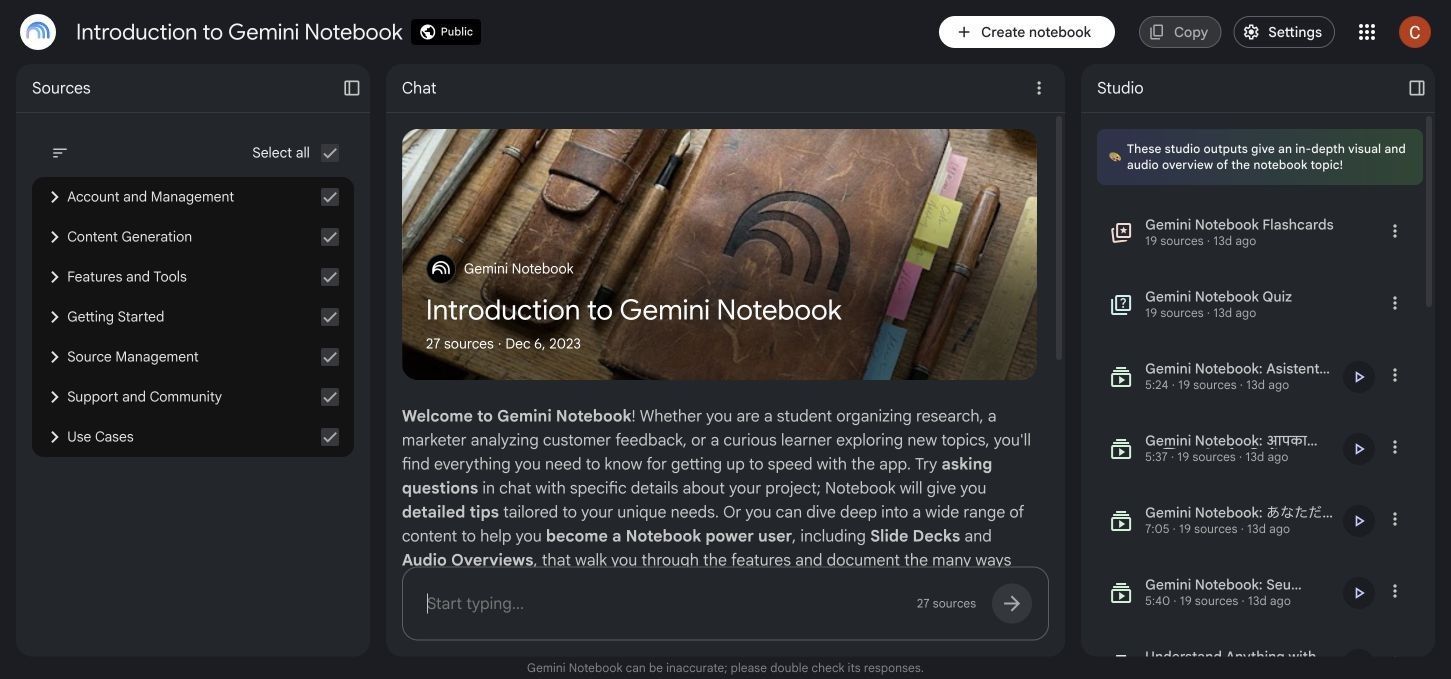
NotebookLM organizes work around notebooks containing selected sources. Standard access currently supports up to 100 notebooks and 50 sources per notebook, with each uploaded source subject to its own word or file-size limit.
Its advantage over a PDF-first tool is breadth. A notebook can combine PDFs, Word files, slides, spreadsheets, webpages, YouTube sources, audio, images, pasted text, and other supported formats, then answer questions from the sources you select.
NotebookLM also creates study and presentation artifacts such as reports, flashcards, quizzes, mind maps, and audio or video overviews. These features have daily or periodic limits, but they turn a source collection into more than a sequence of chat messages.
Features
- Source-grounded chat with citations back to uploaded materials
- Up to 50 sources per notebook with standard access
- Broad support for documents, media, webpages, and pasted text
- Reports, flashcards, quizzes, mind maps, and audio or video overviews
Pros
- Strong free option for comparing several related sources
- Citations make it easier to inspect the material behind an answer
- Useful learning outputs extend beyond document summarization
Cons
- A Google account is required
- Standard access applies daily chat and generation limits
- Separate notebooks cannot automatically share all context with one another
Best for: Literature reviews, course modules, briefing projects, and any task built from multiple documents, links, or media sources.
3. ChatPDF: Best for Fast, No-Sign-Up Document Q&A
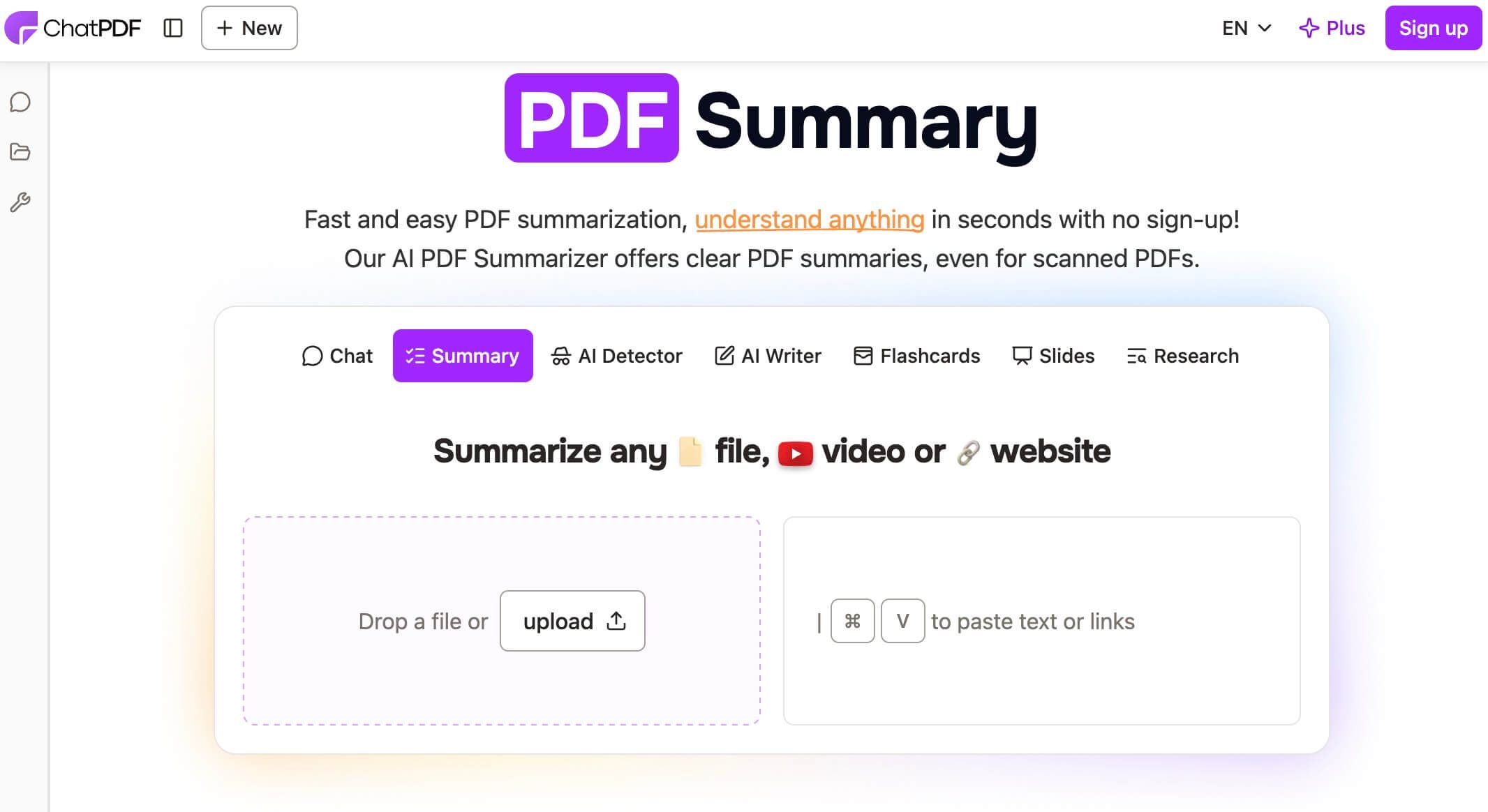
ChatPDF is the most direct Humata AI alternative in this roundup. You can open the site, add a supported document, and begin asking questions without first designing a notebook or configuring a broader research environment.
The current free offer allows two documents per day, and an account is not required to try the core workflow. Answers include source references, which makes ChatPDF useful for finding a definition, checking a section, or obtaining a quick overview before deciding what deserves closer reading.
ChatPDF now supports more than PDFs, including Word, PowerPoint, Markdown, and text files. An account adds saved history and other organizational benefits, but the product remains strongest when speed and low setup matter more than a durable research system.
Features
- Two free documents per day under the current offer
- No account required to begin a basic document chat
- Citations that point readers back to supporting content
- Support for PDF, Word, PowerPoint, Markdown, and text files
Pros
- Very little friction between opening the site and asking a question
- Useful for quickly checking one or two documents
- Source references support basic answer verification
Cons
- The free daily document allowance is limited
- Multi-file organization is less comprehensive than a research notebook
- A quick chat can become difficult to reuse as polished study notes
Best for: Occasional users who need fast answers from one or two documents and do not want to set up a larger workspace.
4. SciSpace: Best for Academic Literature Workflows
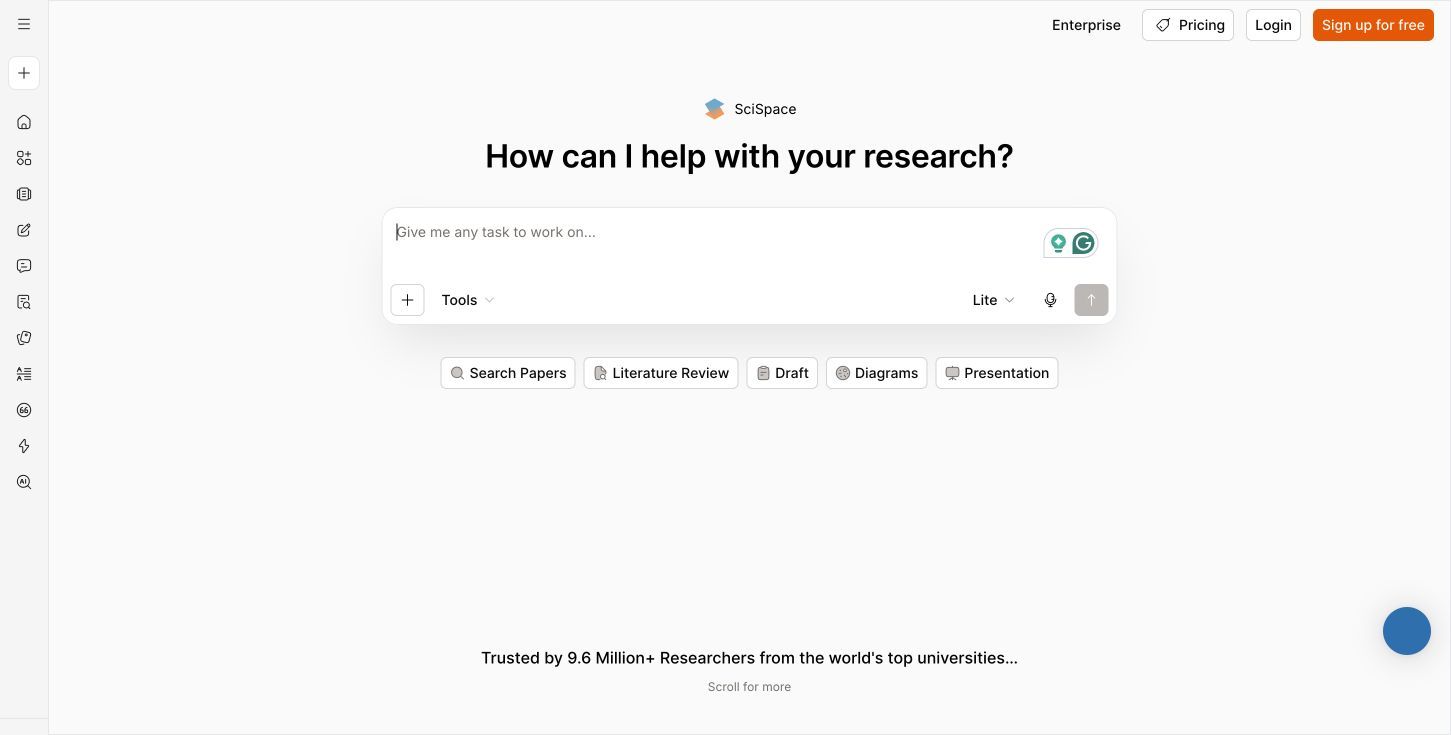
SciSpace is broader than a document chatbot. Its research environment combines Chat with PDF with literature discovery, paper explanations, citation tools, literature-review support, and academic writing utilities.
That surrounding context matters when an uploaded paper is only the beginning of the task. A researcher may need to understand an unfamiliar method, locate related studies, inspect citations, and organize a literature search rather than merely summarize one PDF.
SciSpace offers limited free access, and its Agent currently uses a credit model. Because different parts of the platform may follow different rules, readers should check the live dashboard before assuming one advertised credit number applies to every research feature.
Features
- Chat with PDF for paper explanation and questions
- Literature search and review workflows
- Citation, writing, and academic discovery tools
- A free account with limited access and a credit allowance for Agent use
Pros
- Purpose-built for researchers and academic reading
- Connects document understanding with literature discovery
- Provides more research context than a standalone PDF chatbot
Cons
- The product and credit structure is more complex than a single-purpose tool
- Advanced or frequent Agent use requires a larger allowance
- The number of available tools can feel excessive for a one-file question
Best for: Graduate students and researchers who need to move from reading one paper to discovering and reviewing the surrounding literature.
5. AskYourPDF: Best for Lightweight Daily PDF Chat
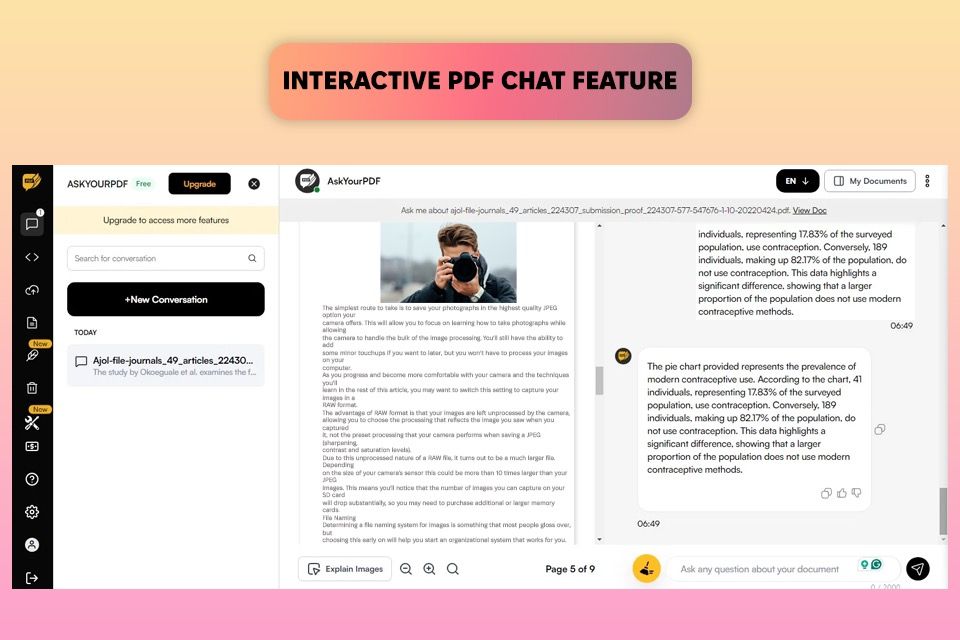
AskYourPDF provides a familiar upload-and-chat workflow with clearly stated free limits. The current free plan allows one document per day, up to 100 pages and 15MB, plus 50 questions and three conversations per day.
The service is available through more than a single browser page. Mobile apps, a Chrome extension, and integrations for Zotero and ChatGPT can make it convenient for readers who encounter documents in several parts of their workflow.
The tradeoff is volume. One daily upload is restrictive for a research session involving several papers, and the multi-document Knowledge Base belongs to the paid offering rather than the basic free plan.
Features
- One free document per day
- Up to 100 pages and 15MB per free document
- Up to 50 questions and three conversations per day
- Web, mobile, Chrome, Zotero, and ChatGPT access options
Pros
- Free-plan boundaries are comparatively easy to understand
- Multiple access options fit different reading habits
- Enough daily questions for a focused review of one document
Cons
- One free upload per day limits document comparison
- Multi-document Knowledge Base features require a paid plan
- The free upload size may not fit image-heavy or very large files
Best for: Readers who analyze one document at a time and value mobile, browser-extension, or reference-manager access.
6. PDFgear: Best for Free PDF Editing Plus AI Chat
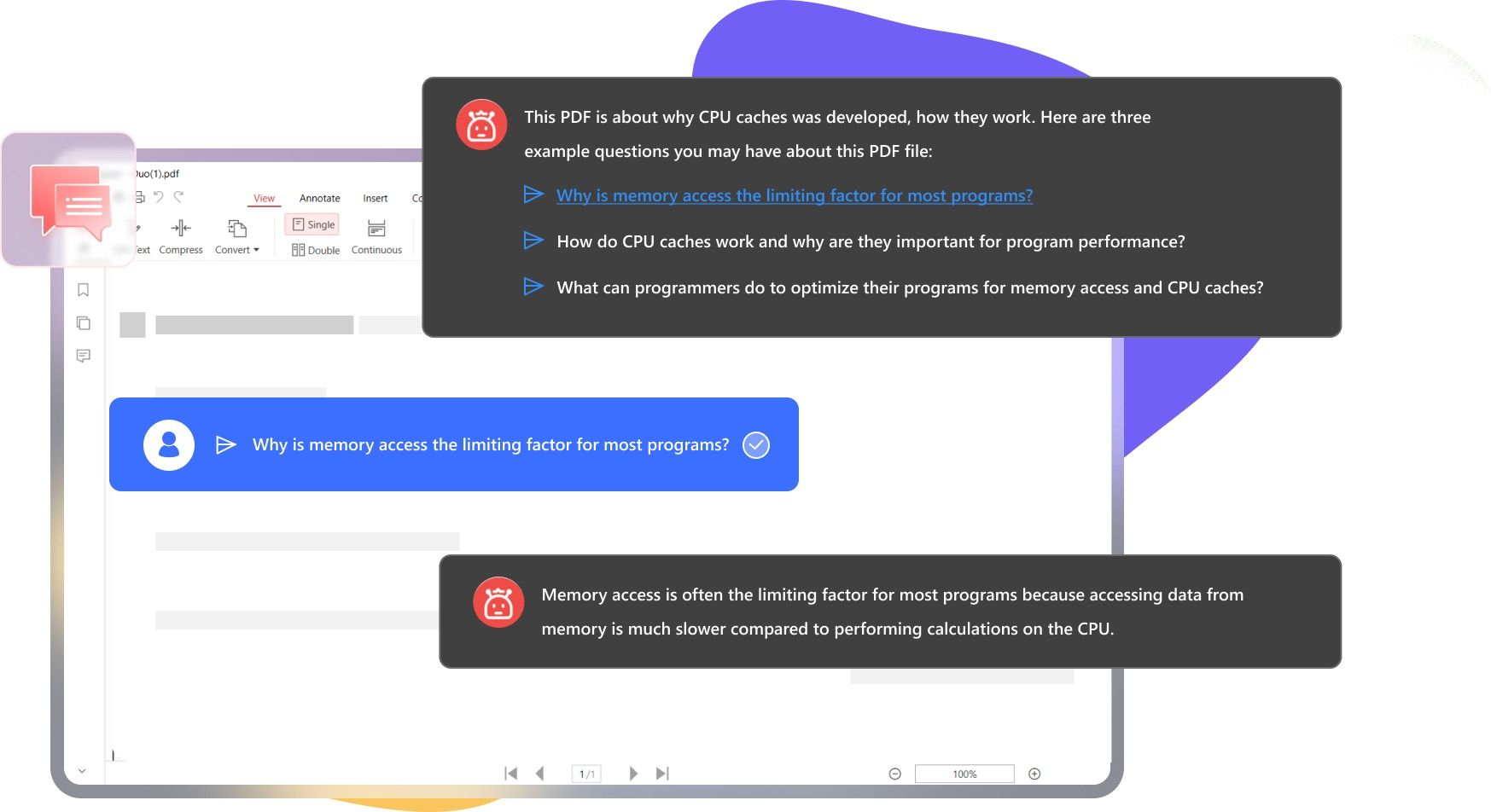
PDFgear approaches the problem from the PDF side rather than the chatbot side. In addition to asking questions, summarizing, explaining, and translating document content, users can annotate pages, edit PDFs, extract pages, merge files, and work with OCR-supported text.
This is useful when understanding a document and modifying it are part of the same job. An analyst can ask about a report, highlight the relevant section, extract a page, and organize the file without moving between a chatbot and a separate PDF editor.
The provider currently describes PDFgear and its chatbot as free while it gathers product feedback. That wording is worth noting because a free business model can change; readers should verify the current offer before adopting it as a permanent high-volume workflow.
Features
- AI-powered questions, summaries, explanations, and translations for PDFs
- PDF editing, annotation, highlighting, merging, and page extraction
- OCR support for text found in images or scanned pages
- Desktop and mobile availability on supported platforms
Pros
- Combines AI assistance with practical PDF operations
- Better suited to annotation and editing than browser-only chat tools
- OCR expands the range of documents that can be reviewed
Cons
- The full workflow requires installing an application
- AI chat requires an internet connection even though some editing functions work locally
- Current free availability may not describe the product's future pricing
Best for: Students and professionals who need to mark up, edit, organize, or OCR a PDF as well as ask questions about it.
7. Claude: Best for General-Purpose Analysis of Dense Files
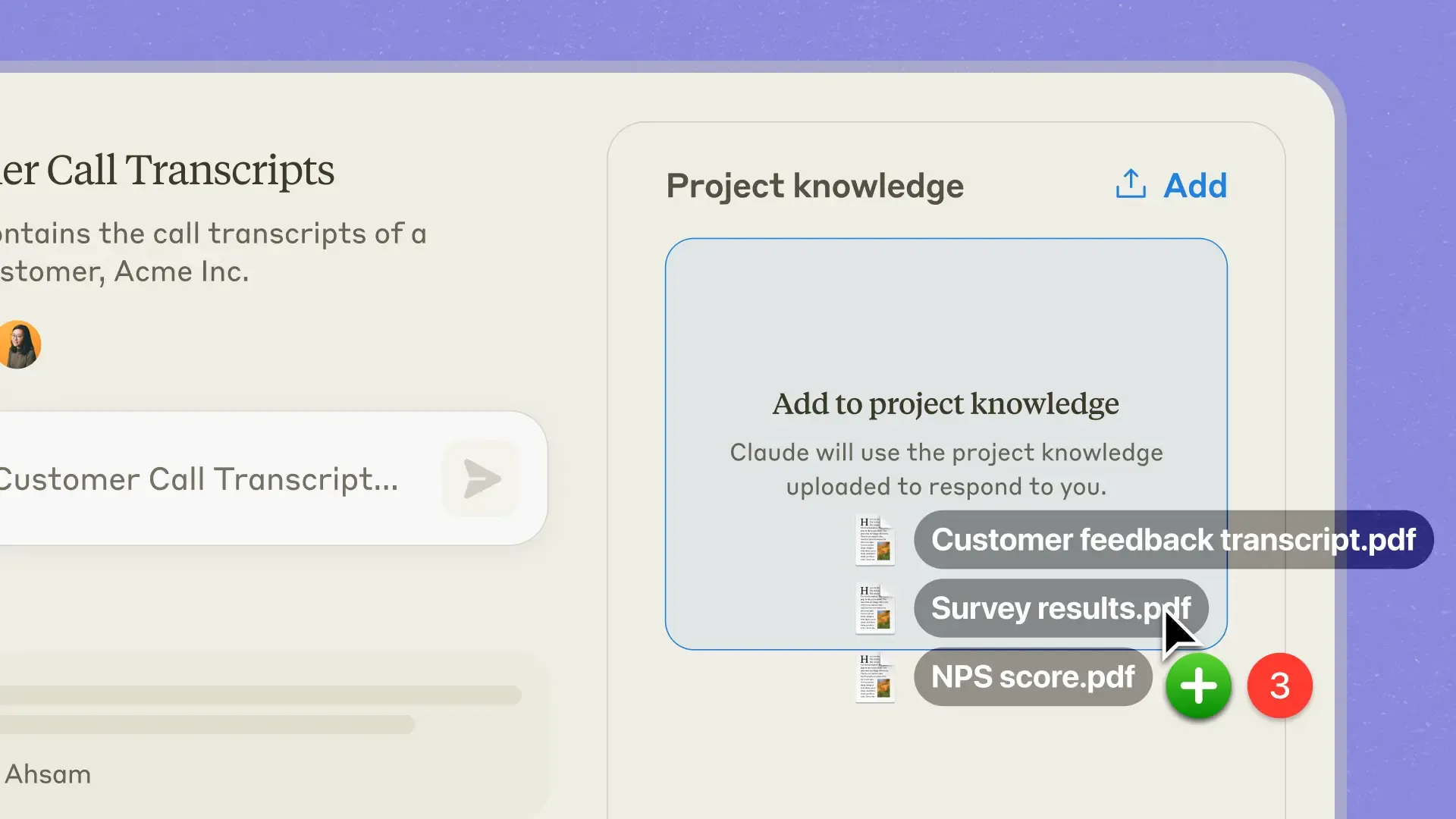
Claude is not a dedicated PDF chatbot, but its free plan can analyze uploaded documents inside a general conversation. Supported chat uploads include PDF, DOCX, CSV, TXT, HTML, ODT, RTF, EPUB, JSON, and supported spreadsheet files.
Chat uploads currently allow up to 20 files per conversation and 30MB per file, with additional token limits based on content length. Supported Claude models can analyze both text and visual elements in PDFs under 100 pages; longer PDFs or other model choices may result in text-only processing.
Claude is strongest when the document feeds into a larger task, such as comparing arguments, drafting a memo, evaluating ambiguity, or transforming findings into a new format. However, the persistent Projects knowledge-base workflow belongs to paid plans, and ordinary chat responses do not provide the same purpose-built page-citation experience as a dedicated PDF tool.
Features
- A free plan for occasional general AI use
- Up to 20 chat files with a 30MB per-file limit, subject to token limits
- Broad support for document and structured-data formats
- Visual PDF analysis for eligible models and PDFs under 100 pages
Pros
- Strong fit for complex reasoning and follow-up transformations
- Handles more than document Q&A inside the same conversation
- Broad file-format support suits mixed analysis tasks
Cons
- Free usage is dynamic rather than a predictable document quota
- Persistent Projects and reusable project knowledge are paid features
- Source navigation is less specialized than a citation-focused PDF interface
Best for: Users who need to reason about dense documents and then turn the findings into analysis, writing, code, or another broader output.
Humata AI vs. the Best Free Alternatives: Detailed Comparison
The table below treats Humata as the baseline. A check in one column does not make a tool universally better; it shows which workflow the product is designed to support.
| Tool | Free-Access Model | Source Types | Multi-Document Support | Citations or Traceability | Structured Notes | OCR or Scanned PDFs | Editing or Export | Best Fit | Main Limitation |
|---|---|---|---|---|---|---|---|---|---|
| Humata | 60 pages per month | Primarily document and PDF workflows | Available, with capacity tied to plan | Source-linked answers | Summary and document Q&A | OCR availability depends on plan | Document workspace and team options | Focused PDF analysis and shared libraries | Page allowance can disappear quickly |
| Lynote | Basic access with current usage limits shown in product | Research PDFs and pasted paper text for this workflow | Best handled as consistent paper-by-paper notes | Source-based follow-up chat | Yes, paper-focused structure | Use readable source files; verify scanned-file behavior | Editable note workflow | Research notes and study follow-up | Exact source claims still need manual checking |
| NotebookLM | Standard access with notebook, source, and daily limits | Documents, webpages, media, images, and pasted text | Yes, up to the current source limit per notebook | Strong source citations | Yes, plus reports and study artifacts | Image import is supported, but quality depends on source readability | Notes and generated artifacts | Multi-source research | Requires Google account and has daily limits |
| ChatPDF | Two free documents per day | PDF, Word, PowerPoint, Markdown, and text | Organizational features improve with an account | Cited answers | Basic chat and summaries | Do not assume every scanned PDF will parse well | Chat history and document organization | Fast one-off Q&A | Limited daily document volume |
| SciSpace | Limited free plan and Agent credits | Research papers and academic literature | Designed for broader literature workflows | Academic source and citation features | Research-oriented outputs | Check current paper-processing support for scans | Research and writing tools | Literature discovery | Complex credit and feature structure |
| AskYourPDF | One free document per day | PDF and other supported document types | Paid Knowledge Base for multi-document work | Document-grounded chat | Summaries and conversations | OCR is listed with paid benefits | Apps, extensions, and integrations | Occasional daily document chat | One free upload per day |
| PDFgear | Currently offered free | PDF-centered workflow | Files can be merged or pages extracted before analysis | Answers should be checked in the open PDF | Chat summaries alongside the document | Yes, OCR-supported workflow | Strong PDF editing and annotation | Editing plus AI chat | Installation and internet needed for AI chat |
| Claude | Free plan with variable usage | PDFs, documents, data files, and supported spreadsheets | Multiple files in a chat; persistent Projects are paid | General references rather than dedicated page navigation | Prompt-driven rather than a fixed note format | Visual analysis for eligible PDFs and models | Flexible generated outputs | General reasoning over files | Dynamic limits and no free persistent Projects |
The best free Humata AI alternative therefore depends on the unit of work. NotebookLM is strong when the unit is a collection of sources, ChatPDF when it is one quick document, PDFgear when it is the PDF file itself, and SciSpace when it is the surrounding academic literature.
Lynote is most useful when the unit of work is a research paper that needs to become a structured note. Claude is the outlier: it is valuable when the document is input to a broader reasoning task rather than the center of a dedicated research workspace.
Which Humata AI Alternative Should You Choose?
Choose Lynote when you want a paper summary organized around methods, findings, and limitations, then need to continue asking questions in the same note workspace. This is especially useful when you want consistent notes across a reading list.
Choose NotebookLM when several sources need to be compared together. Its notebook structure, citations, and study artifacts make it better suited to a course unit or research project than a sequence of isolated PDF chats.
Choose ChatPDF when setup time matters most. It is a practical choice for checking one or two documents, especially when you do not want to create an account before seeing whether the tool helps.
Choose SciSpace when the uploaded paper is part of a literature-discovery task. The platform makes more sense for academic research than for someone who only needs a quick answer from a manual or invoice.
Choose AskYourPDF when one document per day is enough and you value access through mobile apps, a browser extension, or research integrations. Its free limits are restrictive but comparatively clear.
Choose PDFgear when you need to annotate, edit, merge, extract, or run OCR on the PDF itself. It replaces part of a PDF editor workflow as well as part of Humata's chat workflow.
Choose Claude when your next step is analysis, writing, or transformation beyond the source document. It is less specialized for citation navigation, but more flexible when a file is one input to a complex task.
How to Evaluate a Free Document AI Tool Safely
Do not judge a document tool using only a polished summary of an easy file. Use the same public, non-sensitive document in every product so differences in answers are not caused by different source material.
Ask four questions. Request a broad summary, one exact detail such as a number or definition, one connection between distant sections, and one question the document cannot answer.
The final question is particularly revealing. A trustworthy workflow should acknowledge that the information is missing rather than inventing a confident answer from general knowledge.
Check every citation or source reference by opening the original passage. Also verify numbers, tables, dates, participant counts, limitations, and exceptions, because these are the details most likely to change the meaning of a summary.
For research papers, compare the generated description of the method with the actual methods section. A summary that confuses correlation with causation, changes the sample, or omits a limitation can look fluent while being unsuitable for academic work.
Privacy deserves a separate check. Before uploading unpublished research, contracts, medical information, student records, or confidential reports, review the current retention, training, deletion, and organizational-data terms for the exact plan you will use.
FAQs About Humata AI Alternatives
What Is the Best Free Humata AI Alternative?
There is no single winner for every document workflow. NotebookLM is a strong free choice for multi-source research, ChatPDF is convenient for quick no-sign-up questions, PDFgear adds editing and OCR, and Lynote is better suited to structured research-paper notes.
Is Humata AI Free?
Yes. Humata currently offers a free plan with basic features and 60 pages of monthly use, while paid plans increase capacity and add other capabilities.
Which Humata Alternative Is Best for Research Papers?
Lynote is useful when a paper needs to become structured notes, while SciSpace adds academic discovery and literature tools. NotebookLM is a better fit when the research task requires comparing many papers and other source types in one notebook.
Which Free Tool Can Chat With Multiple PDFs?
NotebookLM can place multiple PDFs and other sources in one notebook under its standard-access source limit. Other products may support multiple files only through paid knowledge bases, account features, or variable chat-upload limits, so check the current plan before building a large collection.
Can Free Humata Alternatives Read Scanned PDFs?
Some can, but OCR support and quality vary. PDFgear explicitly combines OCR with its PDF workflow, while other tools may require a paid feature or may only work reliably when the PDF already contains selectable text.
Are AI Document Summaries Accurate Enough to Cite?
An AI summary should not be cited as a substitute for the original document. Use it to find relevant sections and organize notes, then verify the wording, numbers, citations, tables, methods, and conclusions in the source before relying on them.
Final Verdict
The best Humata AI alternative is the one whose free limit and output match your actual unit of work. A multi-source notebook, one-off PDF chat, academic discovery platform, editable research note, PDF editor, and general AI assistant solve related but different problems.
Shortlist two or three tools based on that distinction, then compare them with the same non-sensitive document and the same four questions. The best result is not the longest summary; it is the workflow that helps you find, verify, and reuse the right information with the least friction.

Written by Janet L. Harris
AI Writing Specialist
Janet reviews AI detectors and humanization tools, with a focus on accuracy, limitations, and responsible use. View all articles →