12 Free Notion Alternatives That Actually Fit Your Workflow

The best Notion alternative depends on which part of Notion you are replacing. AppFlowy comes closest to its block-and-database structure, Obsidian is better for local personal knowledge, ClickUp is stronger for team projects, and Lynote is a focused choice for students turning source material into study notes.
Free does not always mean the same thing. One product may provide a hosted free plan, another may keep the app free but charge for sync, and an open-source option may require you to pay for a server and maintain it yourself.
Quick Answer: The Best Notion Alternative by Workflow
Notion's own Free plan remains generous for one person, so switching only makes sense when another tool solves a specific problem better. Use the table below to start with the workflow that matters most instead of searching for a universal Notion clone.
| What you want to replace | Best starting point | Type of free access | Main compromise |
|---|---|---|---|
| Notion-style pages and databases | AppFlowy | Hosted free plan and self-hosting options | Smaller integration and template ecosystem |
| Local personal knowledge base | Obsidian | Free core desktop and mobile apps | Official sync and publishing cost extra |
| Team projects, tasks, and docs | ClickUp | Free Forever workspace | More operational and visually busier than a notes app |
| Course files turned into study notes | Lynote | Free-to-start browser workflow | Not a relational database or project manager |
| Privacy-first object workspace | Anytype | Free personal tier with local-first storage | Different object model and license structure |
| Documents plus visual whiteboards | AFFiNE | Free local and cloud options | Product and backend licensing require attention |
| Open-source block outliner | Logseq | Free local application | Sync and team workflows are less turnkey |
| Self-hosted team documentation | Docmost | Open-source self-hosted edition | Server, backups, updates, and admin time are yours |
If your priority is simply quick notes, a smaller notes app may be more comfortable than any all-in-one workspace. If you depend on linked databases, formulas, permissions, public sites, and automations together, test migration before assuming a free alternative can preserve the complete system.
12 Best Free Notion Alternatives Compared
I shortlisted these products by the job they can replace, the usefulness of their recurring free access, offline behavior, collaboration, data portability, and the amount of setup required. This is not a claim that every product recreates every Notion feature.
| Product | Best for | Free-access model | Offline | Structured data | Collaboration | Self-hosting |
|---|---|---|---|---|---|---|
| AppFlowy | Closest Notion-like workspace | Hosted free plan; self-host option | Yes | Strong | Yes | Yes |
| Obsidian | Local personal knowledge | Free core app | Excellent | Plugin-assisted | Limited by default | Not as a server product |
| ClickUp | Team projects and tasks | Hosted Free Forever plan | Limited compared with local-first tools | Strong for projects | Strong | No |
| Lynote | Source-to-study-note workflow | Free to start | Browser-based workflow | Structured notes, not databases | Sharing-oriented | No |
| Anytype | Private object-based workspace | Free personal tier | Strong | Object relations | Developing | Sync infrastructure can be self-hosted |
| AFFiNE | Docs and visual canvases | Free local and cloud Basic options | Strong | Moderate | Yes | Available with license caveats |
| Capacities | Object-based personal knowledge | Hosted free Basic plan | Yes | Object types and links | View sharing on Basic | No public self-host workflow |
| Logseq | Networked outlining | Free local app | Excellent | Queries and blocks | Limited | Community-dependent |
| Joplin | Open-source notebooks | Free app; optional paid cloud | Excellent | Light | Sharing depends on setup | Multiple sync targets |
| Superhuman Docs | Interactive docs and automation | Hosted free tier | Cloud-first | Strong tables and formulas | Strong | No |
| Nuclino | Lightweight team wiki | Hosted free plan | Cloud-first | Simple collections and views | Strong | No |
| Docmost | Self-hosted team wiki | Open-source self-hosting | Server-dependent | Pages, bases, and boards | Strong | Yes |
1. AppFlowy: Best Overall Free Notion-Like Alternative
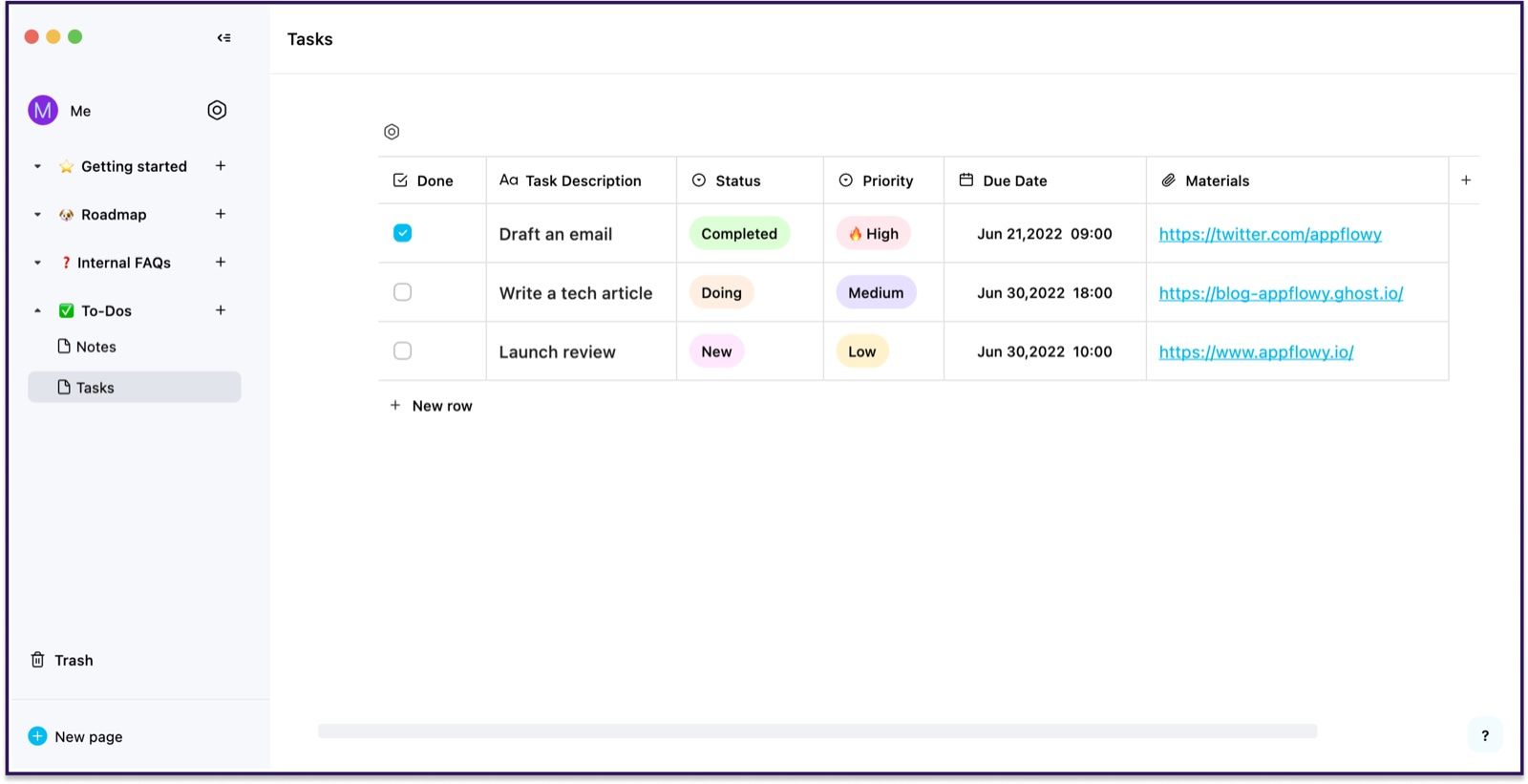
AppFlowy is the most direct place to start when you like Notion's building-block approach but want more control over deployment and data. It combines pages, blocks, database-style collections, board views, collaboration, desktop and mobile apps, and a browser experience that feels familiar without being an exact copy.
Its hosted Free plan currently includes one collaborative workspace for up to two members, unlimited pages and blocks, 5 GB of storage, mobile access, and a small AI allowance. Self-hosting is a separate route: it gives you more control, but installation, updates, storage, backups, email configuration, and security become part of the cost.
Features
- Block-based documents and nested pages
- Tables, boards, calendars, and database-style views
- Local desktop apps plus cloud collaboration
- Templates, real-time editing, and mobile access
- Open-source codebase and self-hosting documentation
Pros
- Closest structural match in this list
- Unlimited pages and blocks on the current hosted free tier
- Works for both private local use and collaborative workspaces
- Gives technical users a credible path away from vendor-only hosting
Cons
- Smaller integration and template ecosystem than Notion
- Self-hosting is a technical project, not a zero-cost switch
Best for: People who want Notion-like pages and databases with a stronger data-control story.
Migration note: Import a representative page tree and database before moving everything. Page content may transfer more cleanly than relations, formulas, buttons, rollups, and automation behavior.
2. Obsidian: Best for Local Notes and Long-Term Ownership
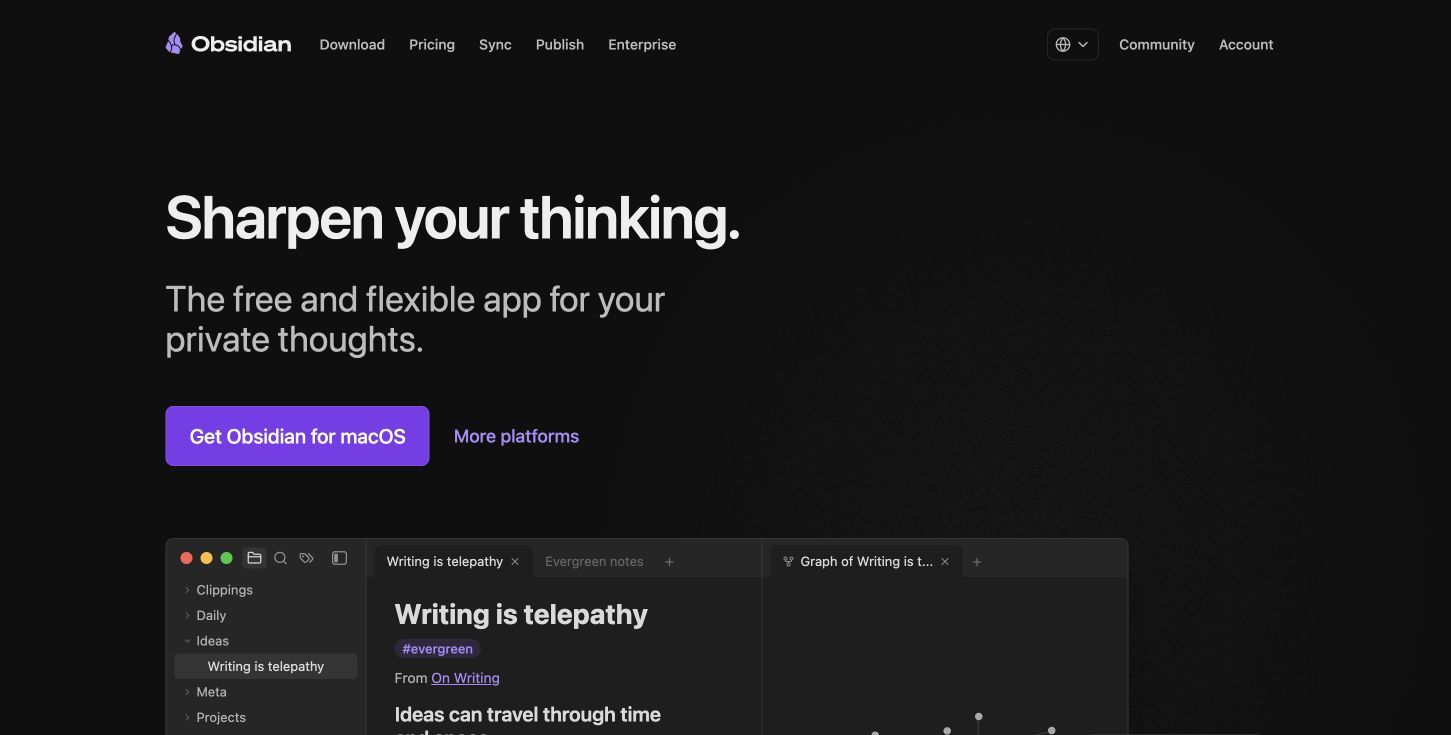
Obsidian stores notes as Markdown files in a folder you control. Backlinks, graph views, Canvas, properties, templates, community plugins, and powerful search can turn that folder into a sophisticated personal knowledge system without placing the core archive inside a proprietary cloud database.
The core app is free for personal and commercial use and works offline without an account. Official Sync and Publish are optional subscriptions, and Obsidian itself is not open source; the durable part is the portable Markdown data, not the application's source license.
Features
- Local Markdown files and folders
- Backlinks, outgoing links, and graph views
- Canvas for visual maps and connected notes
- Properties, templates, search, and command palette
- Large plugin and theme ecosystem
Pros
- Excellent offline performance
- Notes remain readable outside the app
- Highly customizable for research and personal knowledge
- No block, page, or vault limit in the core application
Cons
- Collaboration is not as seamless as Notion by default
- Recreating databases can require plugins and setup
Best for: Writers, researchers, developers, and long-term note keepers who value local files more than turnkey teamwork.
Migration note: Notion's Markdown export provides a useful starting point, but check internal links, database exports, attachments, and filenames. A folder of Markdown files is not automatically equivalent to a working Notion database.
3. ClickUp: Best Free Notion Alternative for Team Projects
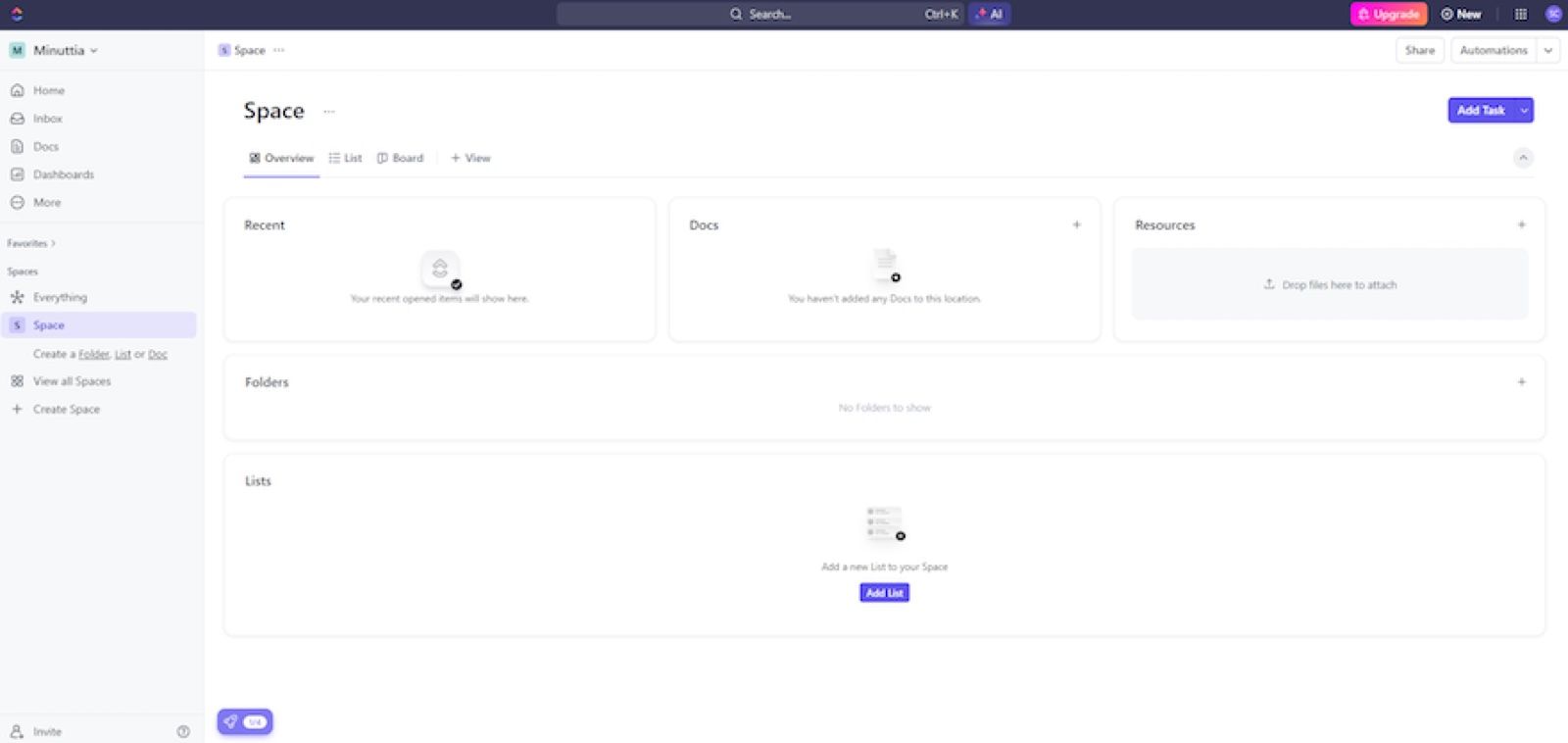
ClickUp is a stronger replacement when your Notion workspace is primarily a project hub. Its Free Forever plan combines unlimited tasks and members with collaborative docs, boards, calendars, sprint tools, basic custom fields, and a small amount of file storage.
The free plan currently lists 60 MB of workspace storage, so attachments can become the first practical constraint. ClickUp also exposes many views, statuses, sidebars, and controls; that depth helps an operations team but can feel heavier than Notion for personal writing.
Features
- Tasks, subtasks, dependencies, priorities, and recurring work
- List, board, calendar, and table-style views
- Collaborative Docs and a basic wiki
- Forms, whiteboards, chat, and project templates
- Automations and custom fields with free-plan limits
Pros
- Stronger task management than Notion
- Free collaboration with unlimited tasks and members
- Useful for teams that want execution and documentation together
- Clear upgrade path for reporting, permissions, and automation
Cons
- Low free file-storage allowance
- Interface can feel dense for simple notes
Best for: Small teams replacing Notion task databases, boards, project pages, and status tracking.
Migration note: Rebuild one active project first. Confirm statuses, assignees, custom fields, recurring rules, files, and document links before importing an archive.
4. Lynote: Best for Turning Study Sources Into Notes
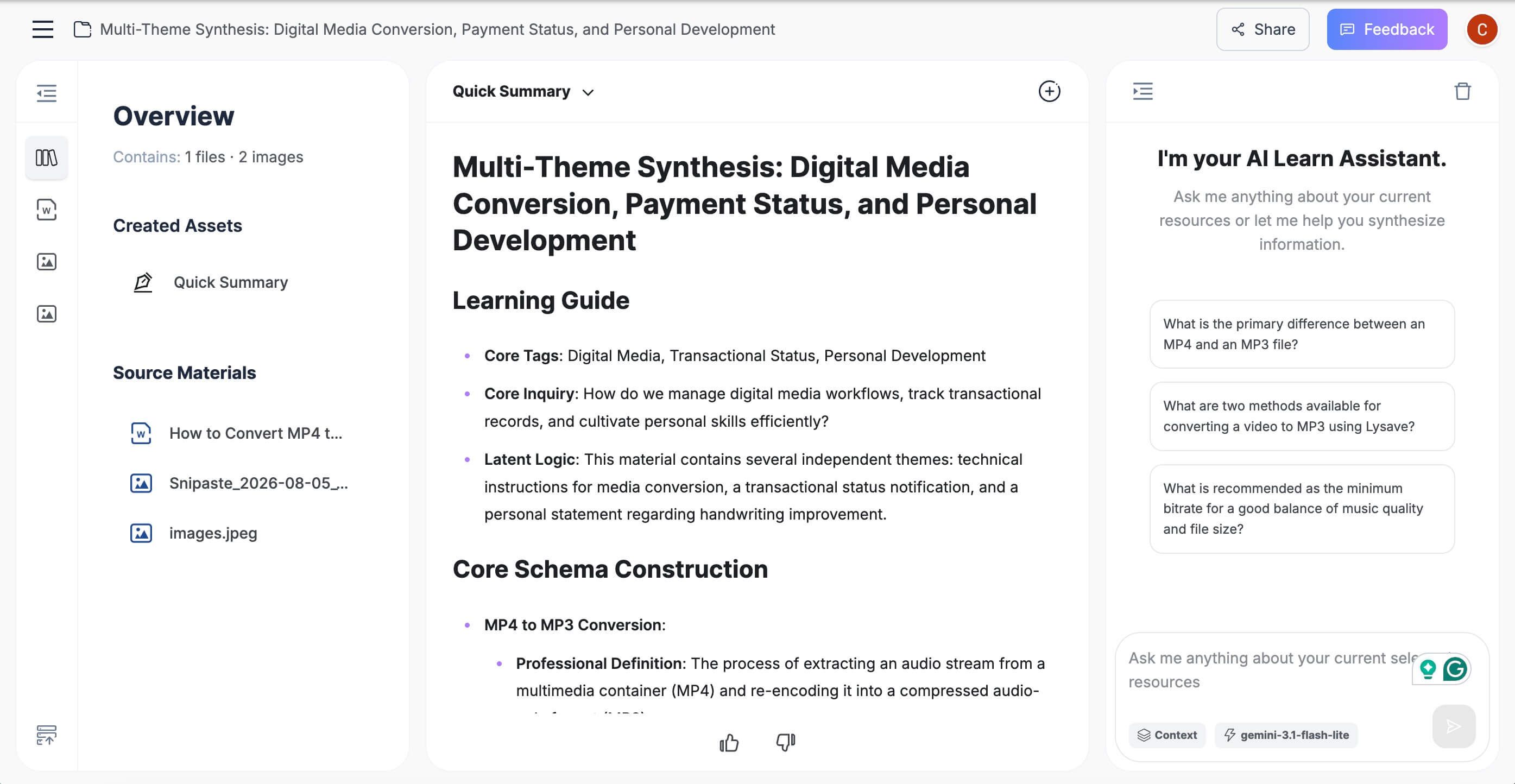
Lynote is useful when the Notion job you are replacing is narrower: collecting lectures, PDFs, videos, webpages, and other course material, then turning them into organized notes. The Lynote AI Note Generator accepts documents, images, audio, video, webpages, and YouTube links and produces structured notes that can be reviewed in one workspace.
It should not be presented as a Notion clone. Lynote does not replace relational project databases, advanced team permissions, public websites, or a company wiki; it replaces the repetitive source-to-note step that students often try to build manually in Notion.
How the workflow works
- Upload a supported file or add a webpage or YouTube URL. Use Parse after adding a general URL so Lynote can fetch the source.
- Click Create Note to generate headings, bullet points, and source-linked sections.
- Review and edit the note, ask follow-up questions, export or share it, or convert the material into flashcards.
Features
- Documents, images, audio, video, webpages, and YouTube input
- Structured notes with headings and bullet points
- Source-linked sections for checking context
- Integrated rich-text editing and follow-up Q&A
- One-click conversion from notes to flashcards
Pros
- Removes manual copying from mixed study sources
- Keeps generation, review, editing, and flashcards together
- Better fit than a blank workspace for repeated lecture and reading workflows
Cons
- Focused study tool rather than an all-purpose workspace
- Current usage allowances should be checked before processing a large archive
Best for: Students, researchers, and educators who mainly use Notion as a destination for notes created from existing source material.
Migration note: Do not move a whole Notion workspace into Lynote. Bring over the original supported source files or links you actively need, generate useful notes, and keep administrative databases in a tool designed for databases.
5. Anytype: Best Privacy-First Object Workspace
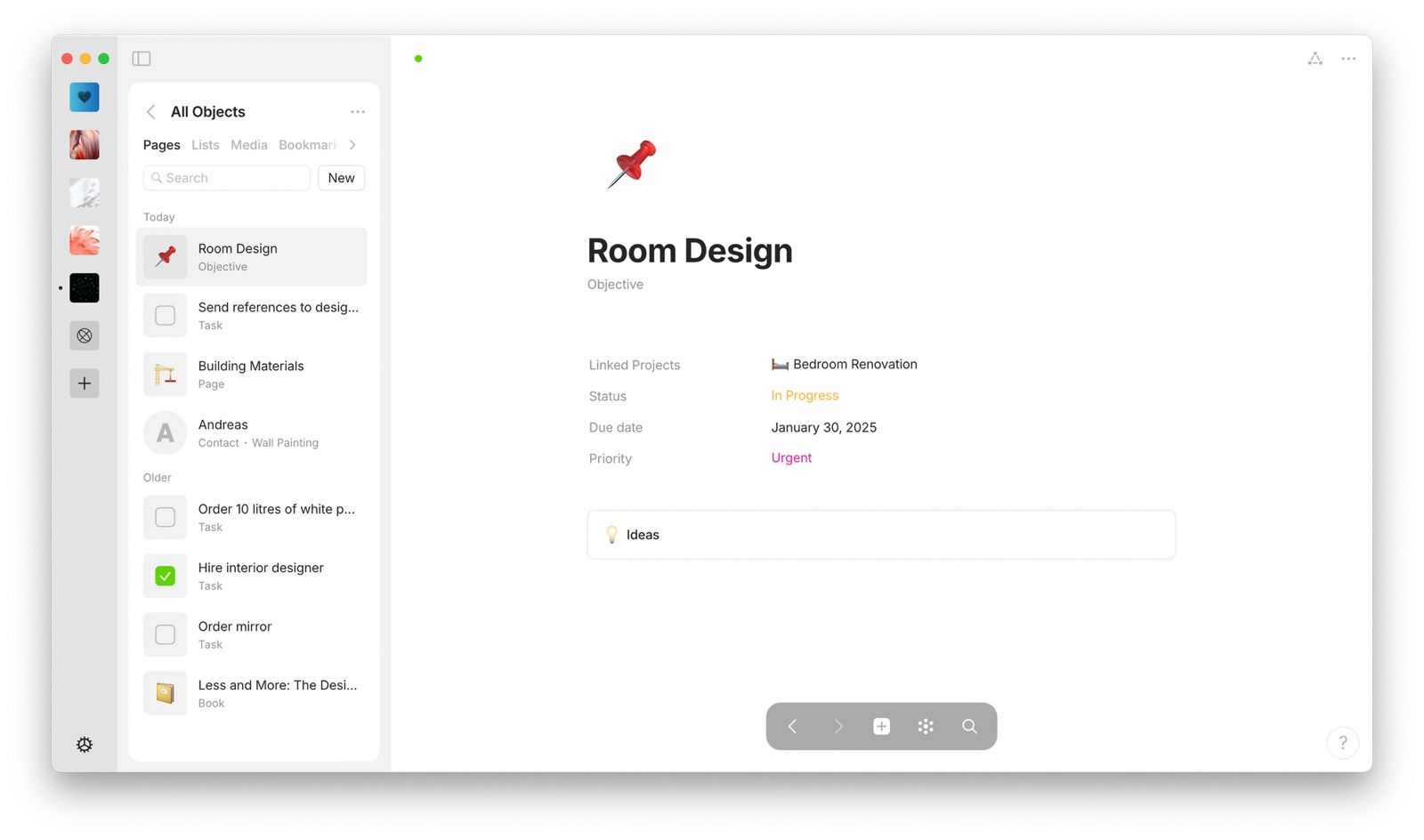
Anytype organizes information as objects with types, properties, relations, collections, and graph connections. It is local-first, works offline, and is designed so the device holds the primary data while its network supports encrypted synchronization.
The model can feel more deliberate than Notion's page-first freedom. Anytype publishes substantial parts of its technology and supports self-hosted sync infrastructure, but its licensing should not be reduced to a simple "fully open-source Notion" label; check the current licenses for the components you intend to deploy or modify.
Features
- Local-first objects, types, properties, and relations
- Collections, sets, graph view, and templates
- Desktop and mobile applications
- Encrypted synchronization architecture
- Offline creation and browsing
Pros
- Strong privacy and local-ownership design
- Object system supports reusable structured information
- Works well for connected personal knowledge
- Less dependent on a constant internet connection
Cons
- Object terminology requires relearning
- Team and database workflows do not map one-to-one from Notion
Best for: Privacy-conscious individuals who want structured local knowledge rather than a conventional cloud workspace.
Migration note: Test how Notion pages become Anytype objects and how database properties map to types and relations. The conceptual conversion matters as much as the file import.
6. AFFiNE: Best for Documents and Visual Whiteboards
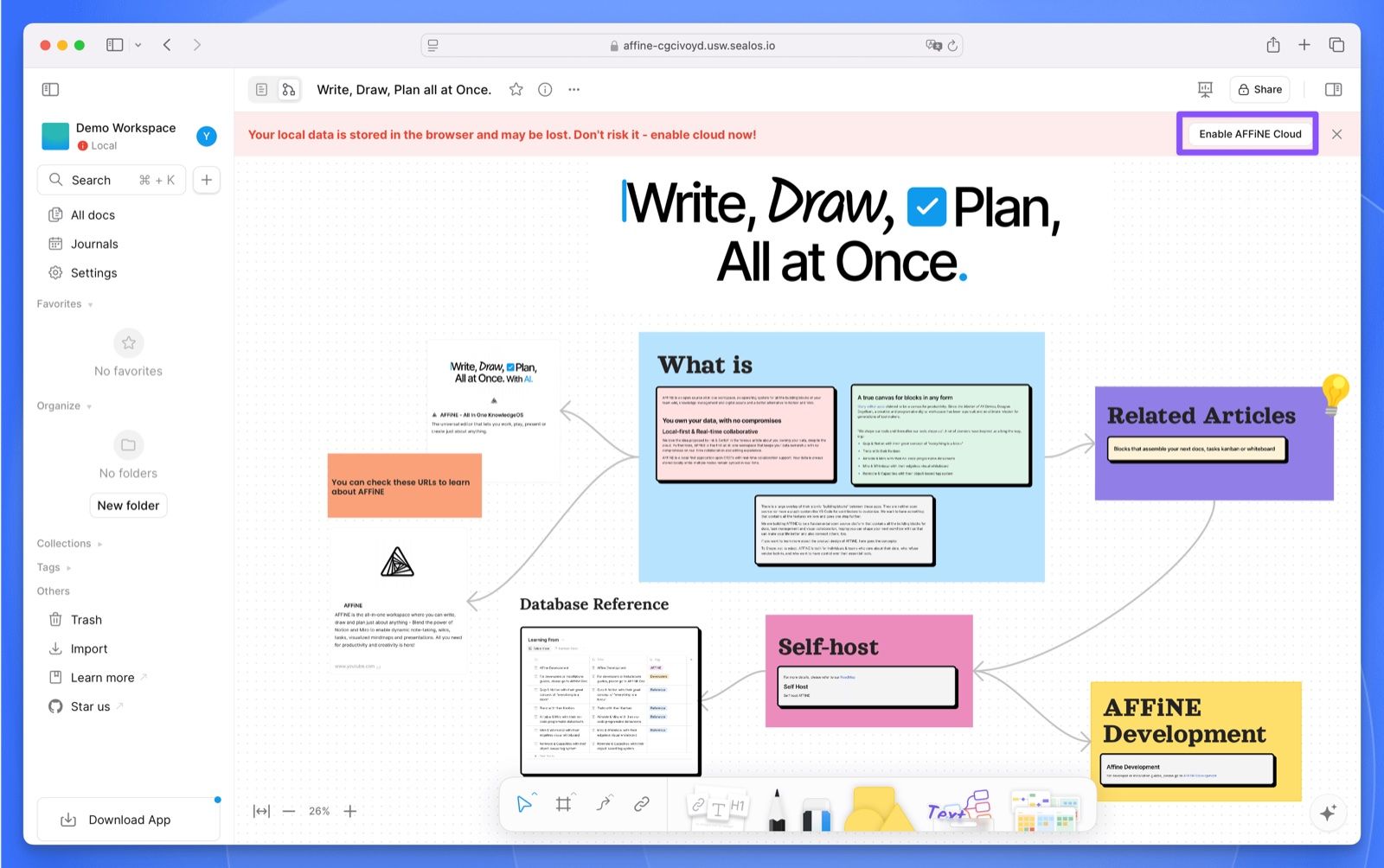
AFFiNE combines a document editor with its Edgeless visual canvas, allowing text blocks, drawings, connected ideas, and presentation-like layouts to coexist. It is local-first, supports cloud synchronization and collaboration, and offers a self-hosted path for users who want more deployment control.
Its current free offering includes unlimited local workspaces and editing, plus a hosted Basic allowance for sync and collaboration. Licensing needs precise wording: the editor and much of the code use an open license, while the backend follows separate AFFiNE Enterprise Edition terms.
Features
- Documents and an infinite Edgeless canvas
- Local workspaces with optional cloud sync
- Real-time collaboration and version history by plan
- Databases, linked content, and visual organization
- Desktop, mobile, browser, and self-hosted routes
Pros
- Strong combination of writing and visual thinking
- Useful free local workflow
- More flexible canvas than standard Notion pages
- Multiple deployment choices
Cons
- Product areas and licensing can be confusing
- Some teams may find the workspace less mature than Notion
Best for: Students, designers, researchers, and creative teams who want documents and whiteboards in one workspace.
Migration note: Test regular pages and database-heavy pages separately. A visual canvas may improve brainstorming, but it will not automatically preserve Notion formulas, relations, or automations.
7. Capacities: Best Object-Based Personal Knowledge System
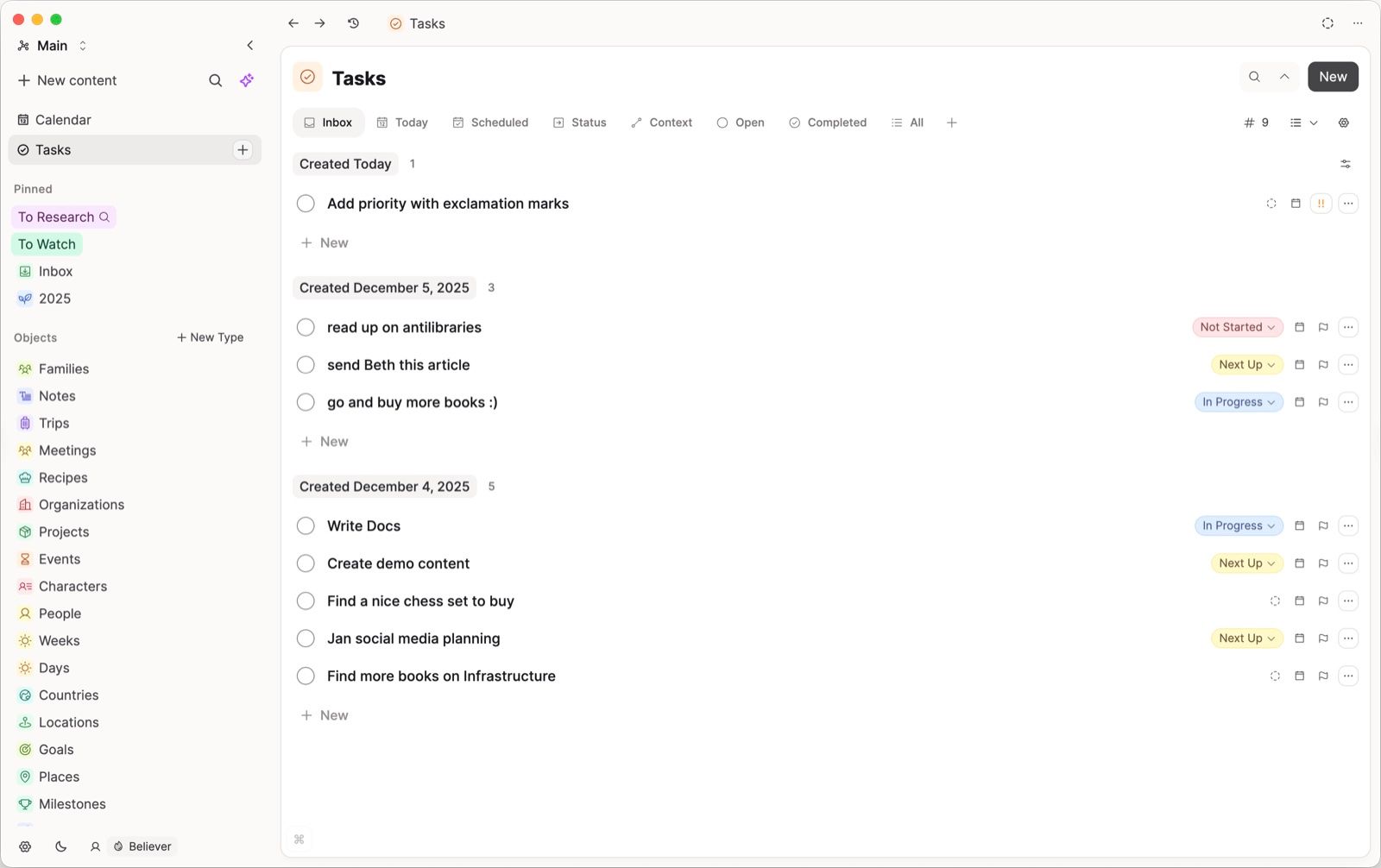
Capacities treats books, people, meetings, projects, ideas, and other concepts as objects rather than forcing everything into folders. The Basic plan currently includes unlimited spaces, objects, blocks, custom object types, cross-device sync, full-text search, import/export, and offline support.
The free core is unusually complete for personal knowledge work. Advanced queries, calendar capabilities, and AI are part of paid offerings, and Capacities is not designed as a self-hosted open-source team database.
Features
- Custom object types and object properties
- Backlinks, daily notes, collections, and search
- Media-rich notes and content capture
- Cross-device synchronization and offline support
- Import and export tools
Pros
- Polished object-based organization
- Useful recurring free tier
- Less setup-heavy than a plugin-built Obsidian system
- Strong fit for personal research and writing
Cons
- Key power features sit in paid plans
- Not a full team project-management replacement
Best for: Individuals who like connected knowledge but want a guided object model and polished sync.
Migration note: Map Notion database categories to Capacities object types before importing. This prevents every imported item from becoming an unstructured generic page.
8. Logseq: Best Open-Source Outliner for Networked Notes
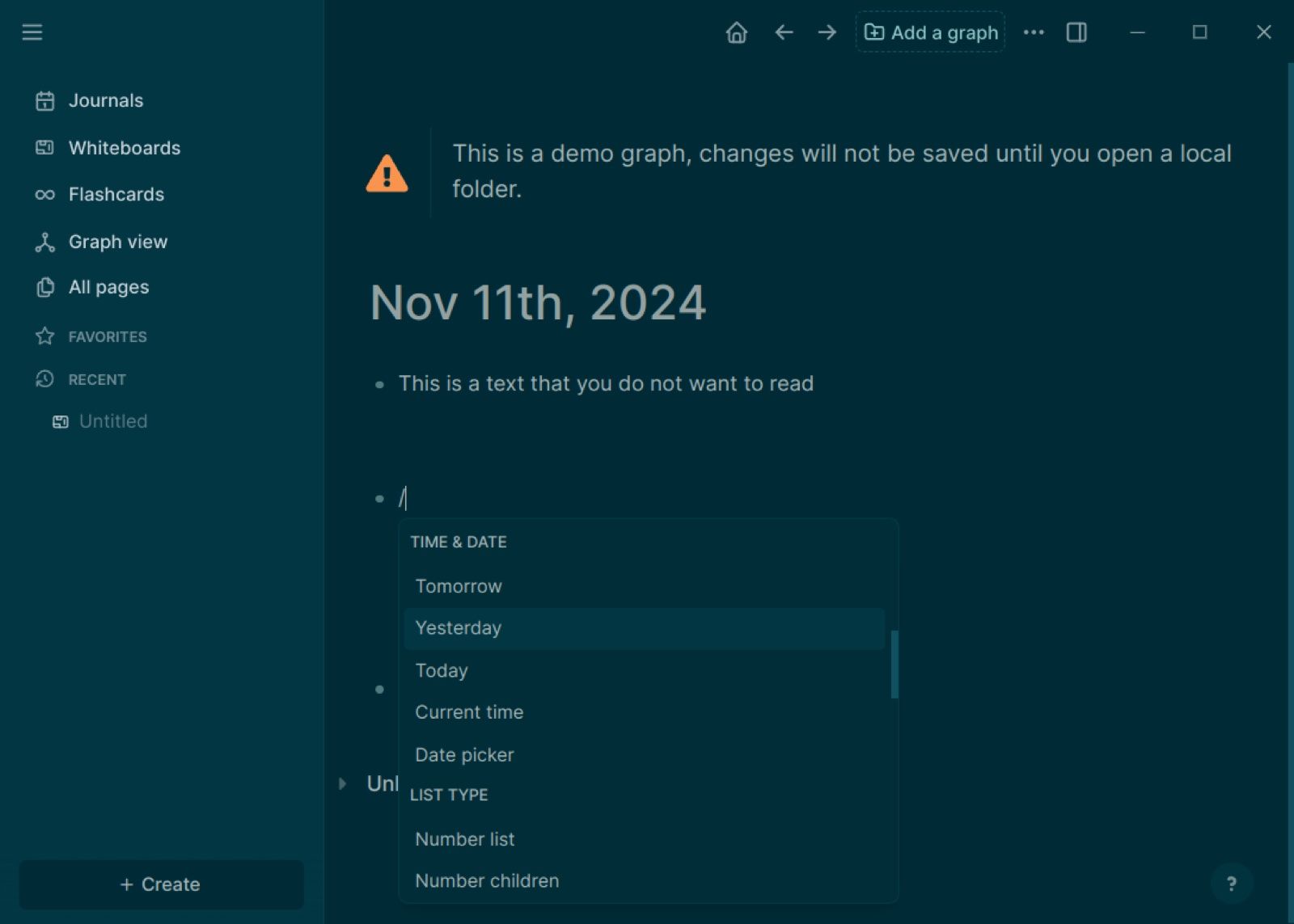
Logseq is built around daily journals and small addressable blocks. Links, references, queries, tags, tasks, and graph connections make it effective for research logs, meeting notes, Zettelkasten-style knowledge, and workflows where ideas emerge over time.
The application is free and open source, and local storage keeps the core archive under your control. It is not the safest choice for someone who expects Notion's polished relational databases and turnkey multi-user collaboration; current database and sync features should be tested with your actual devices before migration.
Features
- Block-based daily journal
- Backlinks, block references, and graph view
- Queries, properties, tasks, and templates
- Local files and offline operation
- Plugins and themes
Pros
- Strong open-source and local-first foundation
- Excellent for chronological capture and linked thinking
- Granular block references
- Flexible queries for technically inclined users
Cons
- Steeper learning curve for non-outliner users
- Collaboration and database behavior are less turnkey
Best for: Researchers, developers, and knowledge workers who think in outlines, journals, and connected blocks.
Migration note: Start with plain pages and daily notes. Complex Notion databases are more likely to become reference material than functioning Logseq systems without manual redesign.
9. Joplin: Best Open-Source Notes App With Flexible Sync
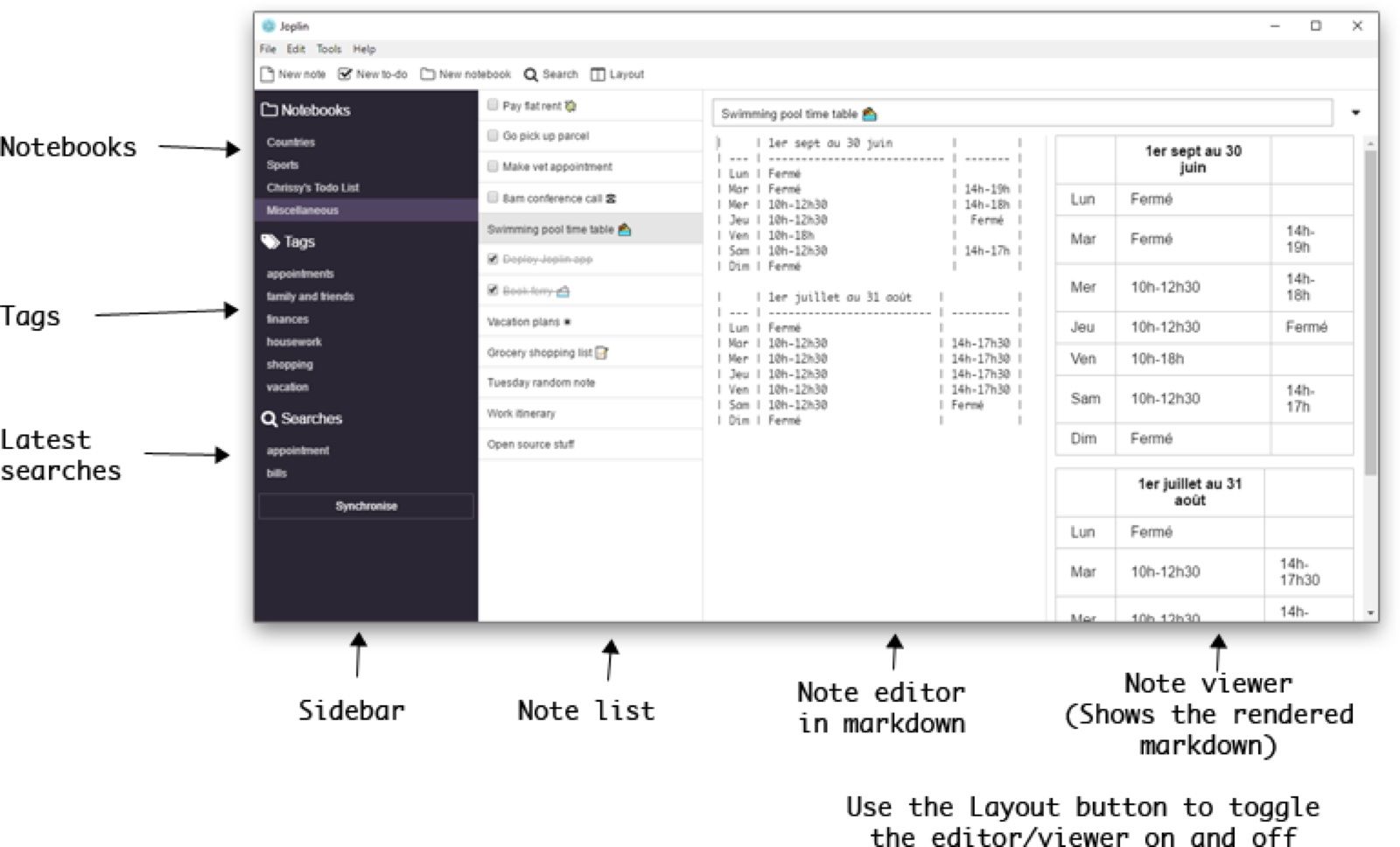
Joplin is a mature open-source notes and to-do application with notebooks, tags, Markdown and rich-text editing, attachments, search, a web clipper, plugins, and optional end-to-end encryption. Data is stored locally, and users can choose among supported sync targets or subscribe to Joplin Cloud.
That flexibility makes Joplin genuinely useful without a recurring app fee, but it is closer to an Evernote-style notebook system than a full Notion workspace. It does not aim to reproduce Notion's relational databases, app-building model, or large template marketplace.
Features
- Notebooks, sub-notebooks, tags, notes, and to-dos
- Markdown and rich-text editing
- Web clipper, attachments, plugins, and search
- Multiple synchronization targets
- Optional end-to-end encryption
Pros
- Open source with strong offline ownership
- Flexible sync choices
- Useful import and export formats
- Mature desktop and mobile applications
Cons
- Interface is more utilitarian than Notion
- Limited database and team-workspace functionality
Best for: Users who want a dependable open-source notebook system with control over where data syncs.
Migration note: Joplin can absorb notes and attachments more naturally than databases. Export a small notebook, inspect formatting and resources, and decide how former database rows should be organized.
10. Superhuman Docs: Best for Powerful Tables and Automations
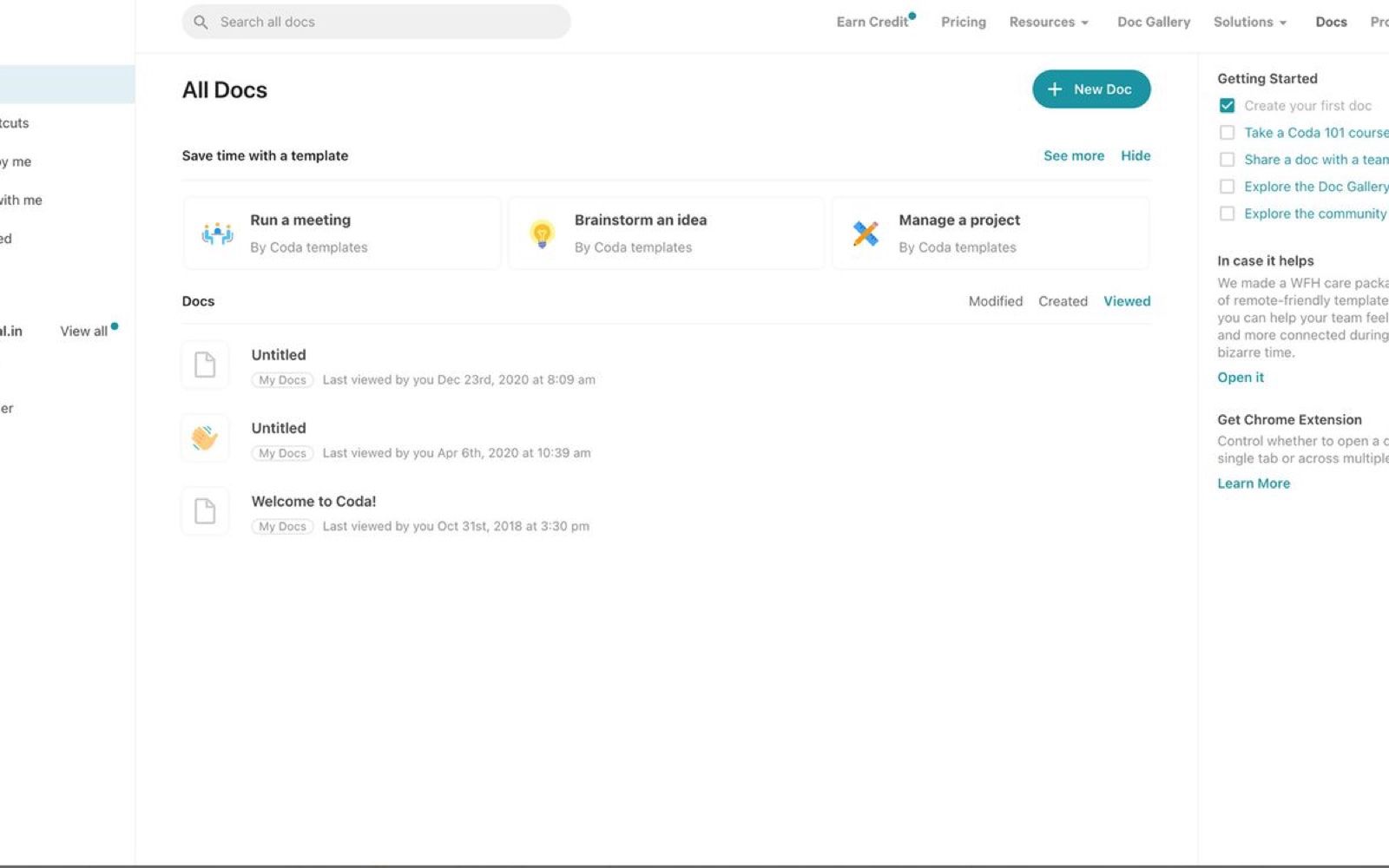
Coda became Superhuman Docs in July 2026. Existing docs, tables, formulas, Packs, automations, and links continue to work, while the product now uses Superhuman branding and adds a more capable Docs AI experience.
Superhuman Docs is the strongest option here when a "document" needs interactive tables, buttons, formulas, integrations, and workflows. Its free tier supports personal use with unlimited pages and objects, but team scale, advanced controls, automation capacity, and AI allowances depend on the current plan and role.
Features
- Collaborative documents with structured tables
- Formulas, buttons, views, and cross-doc data
- Packs for integrations with external services
- Automations and app-like workflows
- Docs AI that can work across a document
Pros
- Powerful table and formula system
- Good bridge between documents and lightweight apps
- Maker-based billing can suit teams with many viewers
- Existing Coda ecosystem continues under the new name
Cons
- Cloud-first and closed source
- Rebrand and evolving AI plans add short-term complexity
Best for: Teams that use Notion as a lightweight application platform rather than only a notes system.
Migration note: Rebuild a single relational workflow and automation first. Similar concepts do not guarantee identical formula syntax, permission logic, integrations, or button behavior.
11. Nuclino: Best Lightweight Notion Alternative for Team Wikis
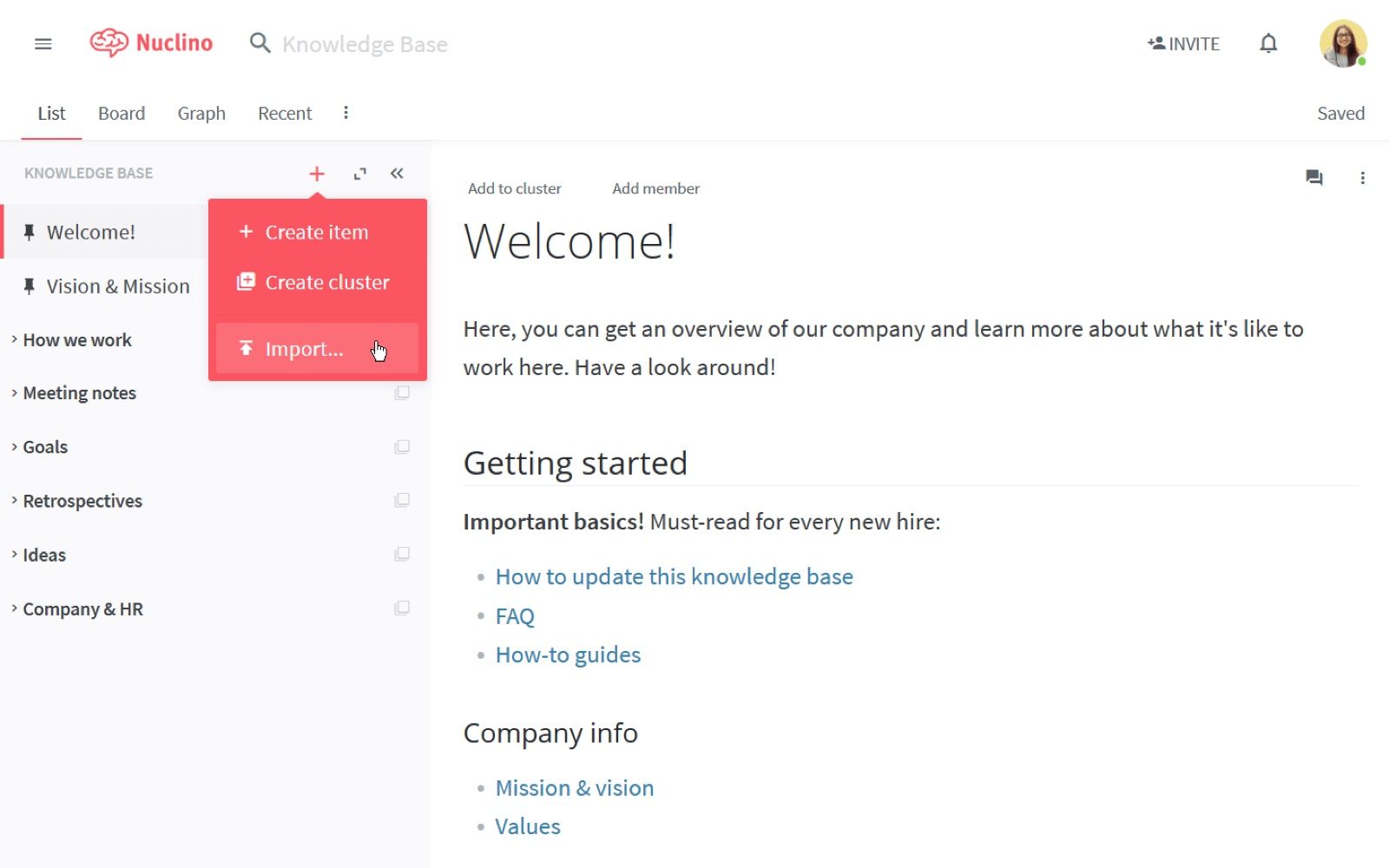
Nuclino strips the workspace back to fast collaborative pages organized in collections. Teams can move among list, board, table, and graph-style views, comment on work, mention colleagues, and connect pages without maintaining an elaborate database architecture.
Its free plan is suitable for evaluation and small knowledge bases, but item and storage limits eventually matter. Nuclino is deliberately simpler than Notion, which is an advantage for documentation speed and a limitation for complex formulas, relations, automation, and application building.
Features
- Real-time collaborative pages
- Collections and multiple visual views
- Internal links, comments, mentions, and search
- Embeds, files, templates, and public sharing
- Lightweight team workspace
Pros
- Faster to learn than Notion
- Clean interface for shared documentation
- Less pressure to design a database for every process
- Good for small team wikis and handbooks
Cons
- Free item and storage limits
- Much less powerful for relational data
Best for: Small teams that want a fast wiki and shared documentation space without Notion's broader complexity.
Migration note: Move one collection or handbook first. Database records that depend on formulas or relations may need to become ordinary linked pages or live in a separate system.
12. Docmost: Best Self-Hosted Notion Alternative for Team Documentation
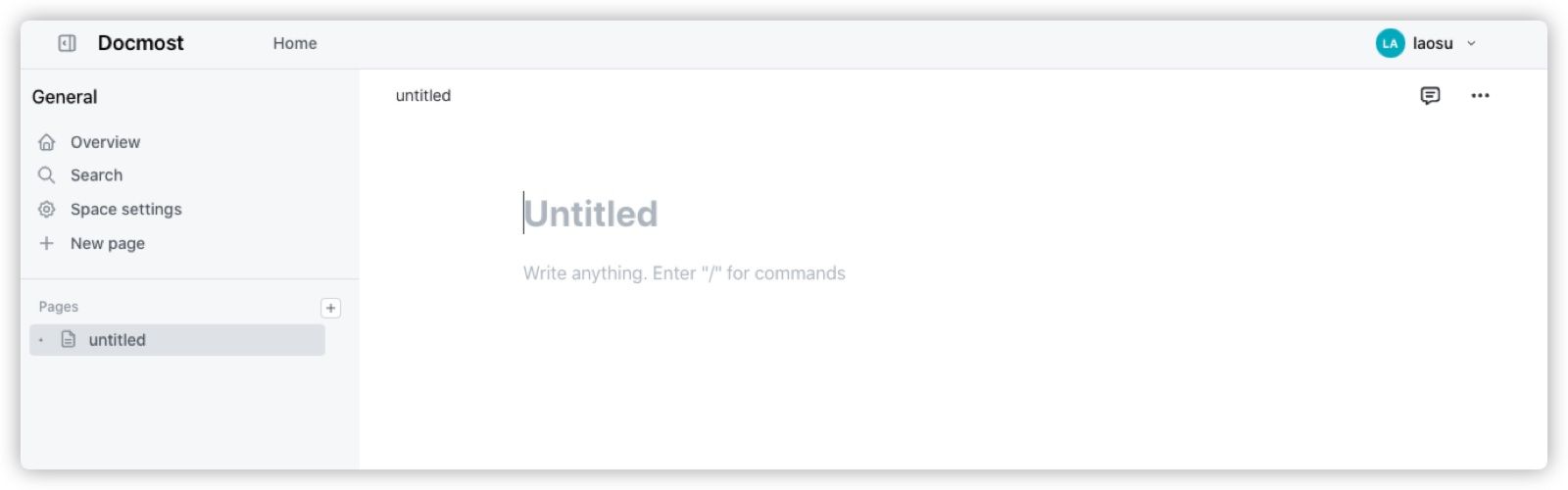
Docmost is an on-premises team wiki with collaborative pages, spaces, permissions, diagrams, public sharing, search, and imports from Notion, Confluence, Markdown, and HTML. Its current product also includes bases and board-style views, moving it closer to a structured workspace than a plain wiki.
The open-source self-hosted route gives teams control over location and deployment, but the software license is only one budget line. A reliable installation needs compute, storage, backups, updates, monitoring, email delivery, access controls, and someone accountable when it breaks.
Features
- Team spaces and nested documentation
- Real-time editing, comments, mentions, and permissions
- Bases, table views, and Kanban boards
- Draw.io, Excalidraw, and Mermaid diagrams
- Notion, Confluence, Markdown, and HTML imports
Pros
- Strong self-hosted documentation option
- Better team collaboration than a local-only notes app
- Useful import paths for existing knowledge bases
- Data residency and deployment control
Cons
- Requires server administration
- Mobile and personal-PKM experience are not its main strengths
Best for: Technical teams and organizations that need an on-premises wiki and can maintain the infrastructure.
Migration note: Use the Notion importer on a duplicate or staging instance first. Verify permissions, files, embeds, diagrams, databases, and public links before opening the new wiki to everyone.
What Does Free Actually Mean for a Notion Alternative?
A free badge hides several different business and technical models. Compare the recurring operating model, not only the checkout price shown on the homepage.
| Free model | What you receive | What may still cost money | Examples in this list |
|---|---|---|---|
| Hosted free plan | Vendor runs storage, sync, and updates within limits | More members, storage, history, AI, permissions, or automation | Notion, AppFlowy Cloud, ClickUp, Capacities, Nuclino, Superhuman Docs |
| Free local application | Core app and local files work without a subscription | Official sync, publishing, or managed backup | Obsidian, Joplin |
| Open-source local application | Source and local workflow are available | Sync service, hosting, support, and maintenance | Logseq, Joplin |
| Self-hosted server | You deploy the collaborative service | Server, domain, backups, security, monitoring, and labor | AppFlowy, Docmost, selected AFFiNE deployments |
| Free-to-start AI workflow | Useful initial access to AI processing | Higher volume or plan-based usage | Lynote and AI features in several workspaces |
Hosted Free Plans Trade Money for Limits
Hosted plans are easiest because the vendor operates synchronization, backups, and software updates. The tradeoff is a set of boundaries: file size, total storage, collaborators, devices, history, automation runs, AI credits, or advanced permissions.
Check which limit grows with time. A 60 MB file cap may be fine for task records but poor for design assets, while a two-member workspace may be enough for a couple and unusable for a club.
Free Local Apps Trade Convenience for Control
A local app can offer unlimited notes because your device supplies the storage. Cross-device synchronization then becomes your responsibility or an optional paid service, and collaboration may require a separate system.
This model is attractive when offline access and data portability matter more than real-time teamwork. It also demands a backup plan; local ownership without backups can become local data loss.
Self-Hosting Trades Subscription Fees for Operations
Self-hosting can remove vendor storage limits and improve data residency, but it is not automatically free. Even a small installation consumes server resources and administrator attention, and a team system needs tested backups, updates, encryption, access control, and incident recovery.
For one person, a hosted free tier may cost less than an evening spent debugging a deployment. For an organization with existing infrastructure and compliance requirements, self-hosting can be worth that work.
Which Notion Alternatives Are Really Open Source?
Open source describes a license, not a visual style or a promise that data stays on your laptop. Local-first, self-hostable, source available, and free of charge answer different questions.
| Product | Practical classification | Local data | Self-host route | Important caveat |
|---|---|---|---|---|
| AppFlowy | Open-source workspace with cloud and self-host options | Yes | Yes | Hosted service limits differ from self-hosting |
| Logseq | Open-source local outliner | Yes | Community-dependent sync setups | Team collaboration is not turnkey |
| Joplin | Open-source notes application | Yes | Flexible sync targets | Joplin Cloud is a paid managed service |
| Docmost | Open-source self-hosted team wiki | Server controlled by you | Yes | Infrastructure and some enterprise needs add cost |
| AFFiNE | Open-source editor/most code with separately licensed backend | Yes | Available | Do not apply one license label to every component |
| Anytype | Source-published and local-first ecosystem | Yes | Sync infrastructure options | Licensing is not identical to conventional permissive open source |
| Obsidian | Free proprietary app with portable Markdown files | Yes | Not a collaborative server product | Portable files do not make the app open source |
Before choosing on ideology alone, ask five concrete questions:
- Can I inspect and modify the relevant code?
- Where is the primary copy of my data?
- Can the app work if the vendor disappears?
- Can I export to a documented format?
- What must I operate myself?
Those answers are more useful than a single green checkmark. A proprietary app with durable local Markdown may be safer for one user than an open-source server that no one maintains, while a regulated team may require the opposite.
Choose the Feature You Are Replacing, Not the App Name
Notion can be a notebook, database, website builder, task manager, CRM, wiki, reading list, or student dashboard. The best replacement changes when the underlying job changes.
| Your main Notion job | First choice | Also consider | Why |
|---|---|---|---|
| Pages plus structured databases | AppFlowy | Superhuman Docs, Anytype | Stronger structure than a plain notes app |
| Personal knowledge and writing | Obsidian | Capacities, Logseq, Joplin | Local or object-based long-term knowledge |
| Team projects and task execution | ClickUp | AppFlowy | Tasks, statuses, boards, and ownership |
| Company wiki and documentation | Nuclino | Docmost | Faster writing or stronger self-host control |
| Visual research and brainstorming | AFFiNE | Obsidian Canvas | Documents and spatial thinking together |
| Course sources into study notes | Lynote | Obsidian or Joplin for the archive | Automates source processing rather than workspace design |
| Private structured life system | Anytype | Capacities | Object types, relations, and offline access |
| App-like docs and automations | Superhuman Docs | ClickUp | Formulas, buttons, integrations, and workflows |
One Focused Tool Can Be Better Than a Universal Workspace
Notion encourages users to build one system for everything, but that system can become expensive to maintain. A student may get better results from Lynote for source processing and Obsidian for a durable knowledge archive, while a team may pair ClickUp projects with Docmost documentation.
The cost is fragmentation. Before splitting your workflow, decide which tool owns the canonical task list, final note, files, and shared documentation so information does not drift between four incomplete copies.
How to Migrate From Notion Without Breaking Your Workspace
Migration is not a file-copy problem when the workspace contains behavior. Text and attachments are relatively portable; linked databases, formulas, rollups, buttons, automations, permissions, embeds, and public URLs often require redesign.
Step 1: Inventory What You Actually Use
List top-level pages, databases, relation pairs, formulas, views, templates, automations, integrations, files, public pages, and permission groups. Mark each item as active, archive-only, duplicated, or safe to discard.
This step reduces migration volume and reveals which feature is hardest to replace. Ten thousand old pages may be less risky than one live CRM with relations and automation.
Step 2: Export a Representative Sample
Choose one normal page, one database-heavy page, one page with attachments, one public page, and one project with collaborators. Export them in the formats supported by your destination, commonly Markdown and CSV for content or HTML for broader page preservation.
Do not start with the entire workspace. A small sample exposes encoding, filename, link, attachment, and property problems while rollback is easy.
Step 3: Import Into a Test Workspace
Use a separate test space, vault, or server instance. Check heading structure, nested pages, internal links, images, attachments, database columns, dates, checkboxes, code blocks, and special characters.
Then test behavior: filters, formulas, relations, templates, sharing, mobile sync, search, and offline access. An import can look complete while losing the feature that made the page useful.
Step 4: Rebuild the Irreplaceable Workflows
Map each active Notion automation or database view to the destination's native model. Avoid recreating every historical customization before confirming that the new tool improves the daily workflow.
Document manual gaps. If a rollup becomes a weekly spreadsheet update or a button becomes a checklist, decide whether that compromise is acceptable before moving users.
Step 5: Run Both Systems for One Work Cycle
Keep Notion read-only or restrict edits while the pilot group completes a full week, sprint, class unit, or reporting cycle in the new tool. Track missing information, duplicate entry, broken links, permission mistakes, and support questions.
Only set a final cutoff after exports and backups have been verified. Keep an untouched archive until the new system has survived normal work and at least one restore test.
| Content or behavior | Likely export result | Common breakage | Verification |
|---|---|---|---|
| Plain pages | Usually portable | Styling and nested hierarchy | Compare headings, links, and page count |
| Attachments | Files may export separately | Broken relative paths or missing embeds | Open a sample on desktop and mobile |
| Database rows | Often become CSV or pages | Views, relations, rollups, and formulas | Compare row count and important properties |
| Templates | Content may export | Buttons and template logic | Create a new item in the destination |
| Automations | Usually do not transfer | Triggers and actions disappear | Rebuild and test each active rule |
| Permissions | Rarely map exactly | Private data becomes visible or inaccessible | Test with owner, editor, and viewer accounts |
| Public pages | URLs change | Search links and embeds break | Build redirects or update linked pages |
When Notion's Free Plan Is Still the Better Choice
Notion currently gives individual Free workspaces unlimited pages and blocks, basic databases, public pages, a small file-upload limit, and seven days of page history. If you are a solo user who is comfortable with the interface, moving only to avoid a subscription may solve a cost that you do not actually have.
Stay with Notion when its databases, templates, integrations, public pages, and sharing already fit your process. The value of a mature workspace includes learned habits, stable links, and working automations, not only its feature checklist.
An alternative becomes compelling when it fixes a real constraint: reliable offline files, stronger privacy, self-hosting, better project execution, faster team documentation, more natural personal knowledge management, or an automated source-to-study workflow. Write that constraint down before testing products so novelty does not become the decision criterion.
FAQs About Notion Alternatives
What is the best free Notion alternative?
AppFlowy is the closest broad free alternative for Notion-style pages and databases. Obsidian is better for local personal knowledge, ClickUp is better for team projects, and the right answer changes when your main workflow is a wiki, study tool, or visual canvas.
What is the closest free alternative to Notion?
AppFlowy is the closest overall because it combines nested pages, blocks, database-style views, collaboration, and multiple deployment choices. It still has a smaller ecosystem, and complex Notion formulas, relations, or automations may require manual rebuilding after import.
Is there a completely free Notion alternative?
Obsidian, Logseq, and Joplin can be used locally without paying for the core app. Cross-device sync, managed hosting, collaboration, or publishing may still require setup, third-party storage, or a subscription.
What is the best open-source Notion alternative?
AppFlowy is the strongest general Notion-like open-source choice. Logseq is better for block outlining, Joplin for conventional notes, and Docmost for a self-hosted team wiki.
Is AppFlowy better than Notion?
AppFlowy is better when open-source code, local use, or self-hosting matters more than integrations and ecosystem maturity. Notion remains stronger for many users who depend on polished templates, established collaboration, and a large integration ecosystem.
Is Obsidian a good alternative to Notion?
Yes, for personal knowledge management, writing, research, offline work, and durable local files. It is less direct for team collaboration, relational databases, and no-setup web publishing.
Which Notion alternative works offline?
Obsidian, Anytype, AFFiNE, Logseq, and Joplin are strong offline choices, while AppFlowy also supports local workflows. Test mobile and cross-device behavior because offline editing and conflict handling vary by product and sync method.
Which Notion alternative is best for students?
Lynote is best when students need to turn course files, recordings, videos, and webpages into structured notes and flashcards. Obsidian or Capacities is better for a long-term personal knowledge base, while ClickUp is stronger for group projects.
Can I self-host a Notion alternative for free?
You can deploy open-source products such as AppFlowy or Docmost without paying a conventional per-seat software subscription for the community edition. The server, storage, domain, backups, updates, monitoring, security, and administrator time still have a cost.
Can I import my Notion workspace into another app?
Many alternatives accept Markdown, CSV, HTML, or a direct Notion export. Plain pages usually migrate more easily than databases, relations, formulas, rollups, permissions, embeds, and automations, so always test a representative sample first.
Is Notion's free plan still worth using in 2026?
Yes. It remains a strong option for individuals who want unlimited pages and blocks and do not need larger uploads, long history, advanced AI, or extensive team collaboration.
Final Verdict: Pick the Replacement for Your Hardest Workflow
Choose AppFlowy when you want the closest free Notion-style structure, Obsidian when local files and durable personal knowledge matter most, and ClickUp when tasks and team execution are the real center of the workspace. Use Anytype for privacy-first objects, AFFiNE for visual documents, and Capacities for a polished personal object system.
For students, Lynote is the focused option for converting source material into structured notes and flashcards. For open-source control, compare AppFlowy, Logseq, Joplin, and Docmost according to whether you need a personal app or a collaborative server.
Do not migrate because a comparison table produced the most checkmarks. Pilot one real workflow, test export and restore, and choose the tool that reduces weekly work without making your information harder to own, find, or share.

Written by Danny
Product Marketing Manager
Danny explains how Lynote features fit real workflows, from everyday productivity to product-led writing use cases. View all articles →