10 Best Free NoteGPT Alternatives for Smarter Studying

The best free NoteGPT alternative is Lynote for turning mixed sources into editable, source-linked notes and reusable study material. NotebookLM is stronger for research across a defined collection of sources, TurboLearn AI is a better fit for turning lectures into study kits, and Knowt is the easiest free option when flashcards and practice are the main goal.
Direct answer: Choose Lynote for an all-in-one study workflow, NotebookLM for cited multi-source research, TurboLearn AI for recorded lectures, Knowt for flashcards, Glasp for web and YouTube highlights, Recall for a long-term knowledge base, and Mapify for visual mind maps.
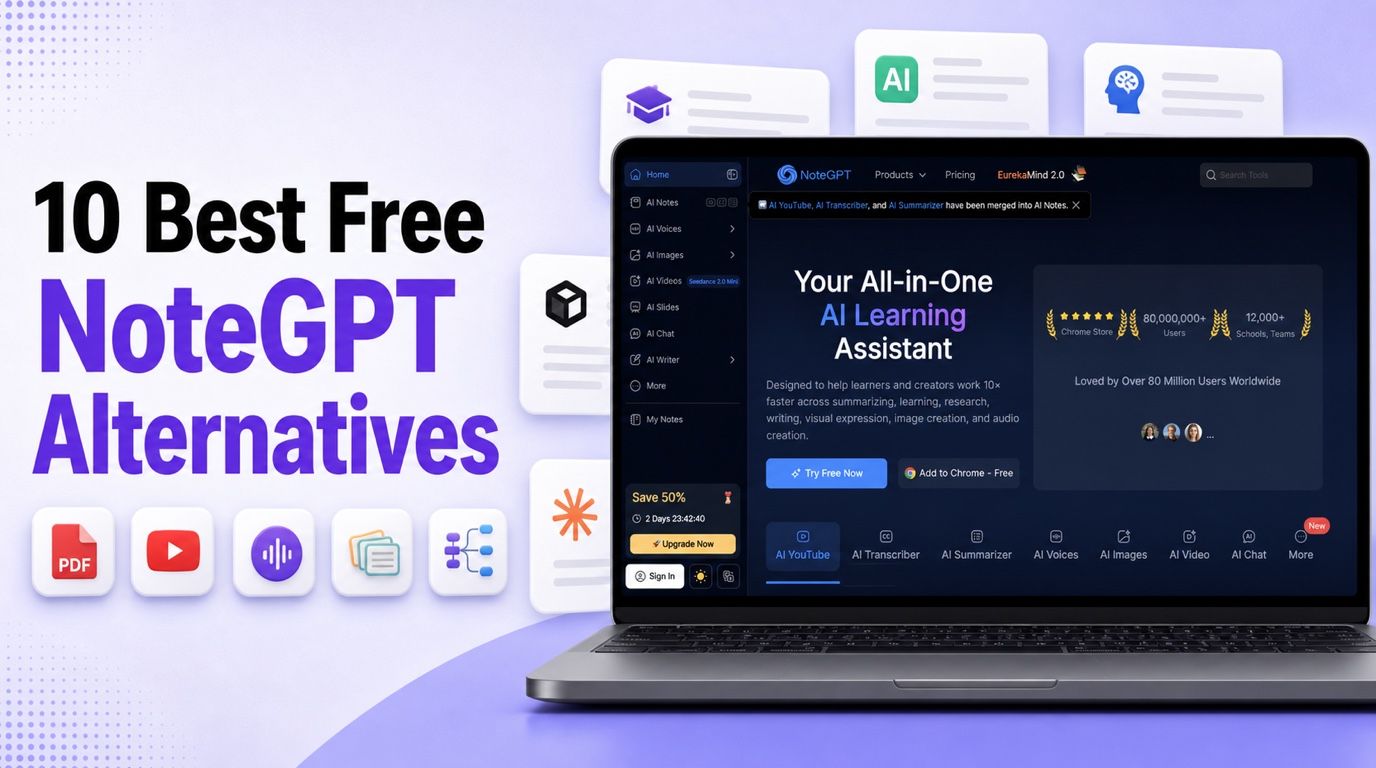
NoteGPT currently gives free accounts 15 quotas per month, shared across its features. Because summarizing, transcribing, generating, and chatting can consume quotas differently, the free plan may be enough for occasional use but less predictable for a full course load.
That makes “free” the wrong question on its own. A useful alternative must support your main source type, create the output you actually study from, and remain usable after the first upload. Free-plan details in this guide were checked in August 2026, but limits change frequently, so confirm the current allowance before moving a large project.
10 Best Free NoteGPT Alternatives in 2026
I compared these tools by what happens across a complete study workflow: adding a source, transforming it into useful material, checking the result against the source, and reusing it later. This is an editorial comparison of current product capabilities and published limits, not a fabricated accuracy benchmark.
Free NoteGPT Alternatives at a Glance
| Rank | Tool | Best for | Recurring free path | YouTube | PDFs | Audio/video | Study outputs | Main catch |
|---|---|---|---|---|---|---|---|---|
| 1 | Lynote | Mixed-source notes and active recall | ✅ | ✅ | ✅ | ✅ | Notes, Q&A, flashcards | Free and paid allowances differ |
| 2 | NotebookLM | Multi-source research | ✅ | ✅ | ✅ | ✅ | Reports, quizzes, flashcards, overviews | Daily generation limits apply |
| 3 | TurboLearn AI | Lecture-to-study-kit workflows | ◐ | ✅ | ✅ | ✅ | Notes, quizzes, flashcards, chat | Free allowance should be checked in-app |
| 4 | Mindgrasp | Comprehensive study aids | ❌ Trial | ✅ | ✅ | ✅ | Notes, guides, quizzes, flashcards | Free access is a short trial |
| 5 | StudyFetch | AI tutoring from course material | ◐ | ◐ | ✅ | ✅ | Tutoring, notes, tests, flashcards | Free limits are less transparent |
| 6 | Knowt | Flashcards and practice | ✅ | ◐ | ◐ | ◐ | Flashcards, notes, study modes | Unlimited AI features are paid |
| 7 | Glasp | Web, PDF, and YouTube capture | ✅ | ✅ | ✅ | ◐ | Highlights, summaries, chat | Private highlights are paid |
| 8 | Recall | Long-term knowledge retention | ✅ | ✅ | ✅ | ◐ | Summaries, notes, knowledge graph | Built-in AI chat and quizzes are paid |
| 9 | Mapify | Visual mind maps | ❌ One-time credits | ✅ | ✅ | ✅ | Editable mind maps | Free credits do not refresh monthly |
| 10 | YouLearn | Interactive course study | ✅ | ✅ | ✅ | ✅ | Notes, tutoring, quizzes, exams | Daily and monthly caps apply |
✅ means the capability is clearly available in a recurring free workflow, ◐ means access is limited, plan-dependent, or less central to the product, and ❌ identifies a trial or one-time grant rather than a durable free tier.
1. Lynote: Best Overall Free NoteGPT Alternative
Lynote AI Note Generator is the best overall alternative for learners whose sources change from one assignment to the next. It can turn documents, audio, video, images, webpages, and YouTube links into structured notes with headings, bullet points, and source-linked sections.
The useful difference is what happens after generation. Notes remain editable in the same workspace, follow-up questions can clarify the source, and the finished material can become flashcards without rebuilding the content in a separate app. That creates a connected path from capture to comprehension and active recall.
Features
- Documents, audio, video, images, webpages, and YouTube input
- Structured notes with source-linked sections
- Rich-text editing inside the workspace
- Follow-up questions based on source material
- One-click conversion from notes to flashcards
Pros
- Covers the full path from raw source to reusable study material
- Works well when a project mixes several content formats
- Keeps note editing and source-aware questions together
- Reduces copying between separate summarizing and flashcard tools
Cons
- Free and paid usage allowances differ
Best for: Students, educators, researchers, and professionals who want one workspace for mixed sources, structured notes, and review material.
How to Create Study Notes With Lynote
- Add a local file or paste a webpage or YouTube URL. If you use a URL, parse it so Lynote can retrieve the source content.
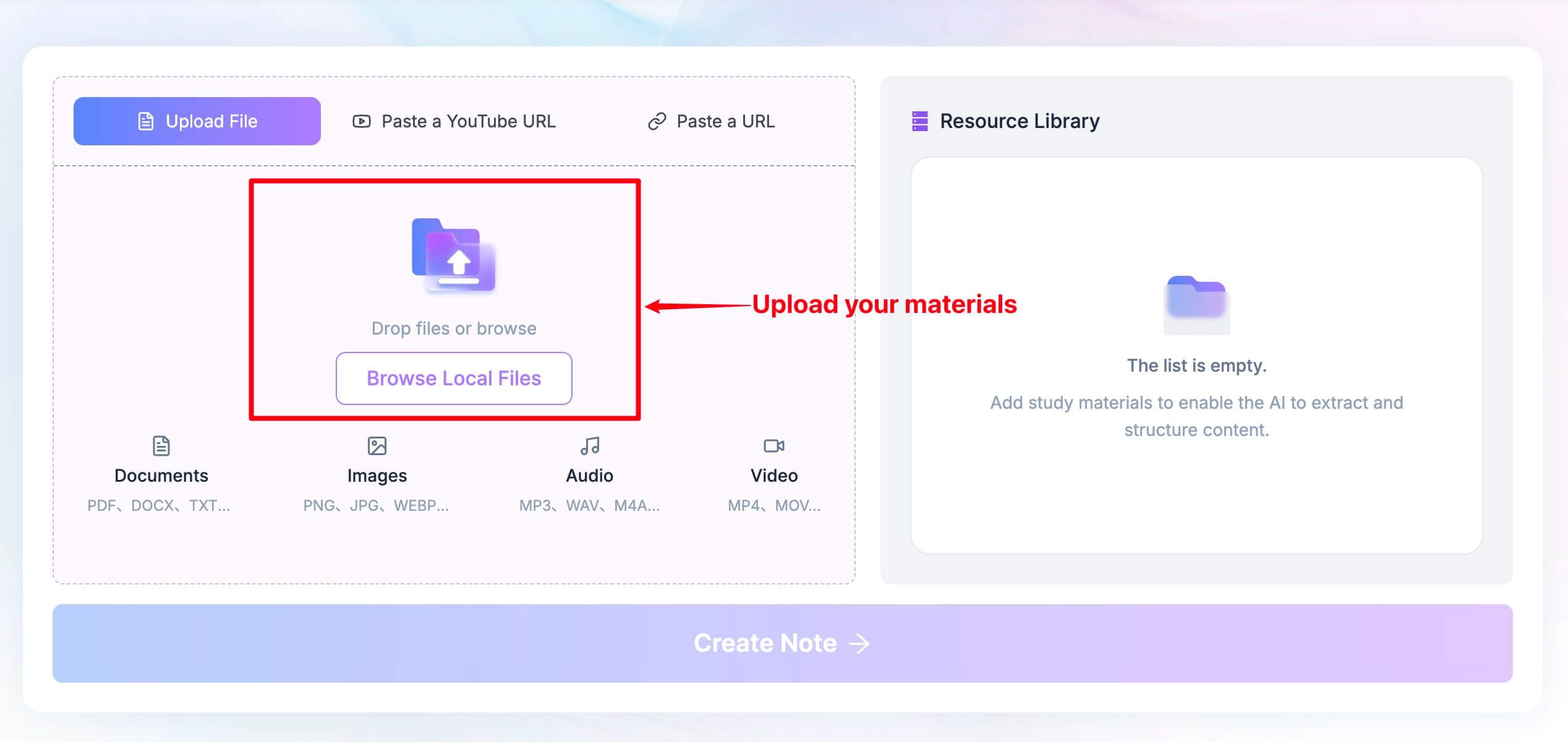
- Click Create Note to generate a structured note with headings, bullets, and links back to the source.
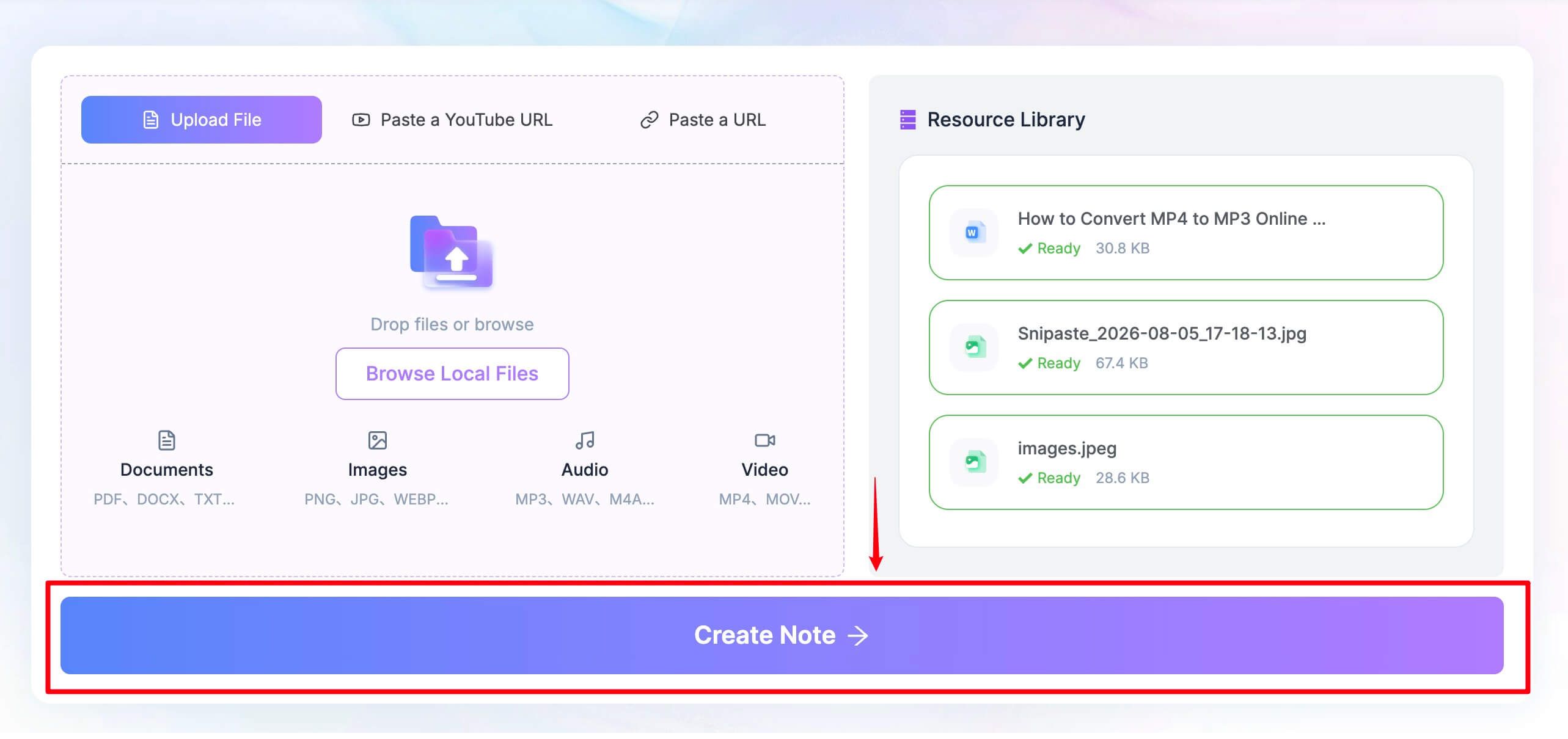
- Review the result, edit it inline, ask follow-up questions, export or share it, or convert the note into flashcards.
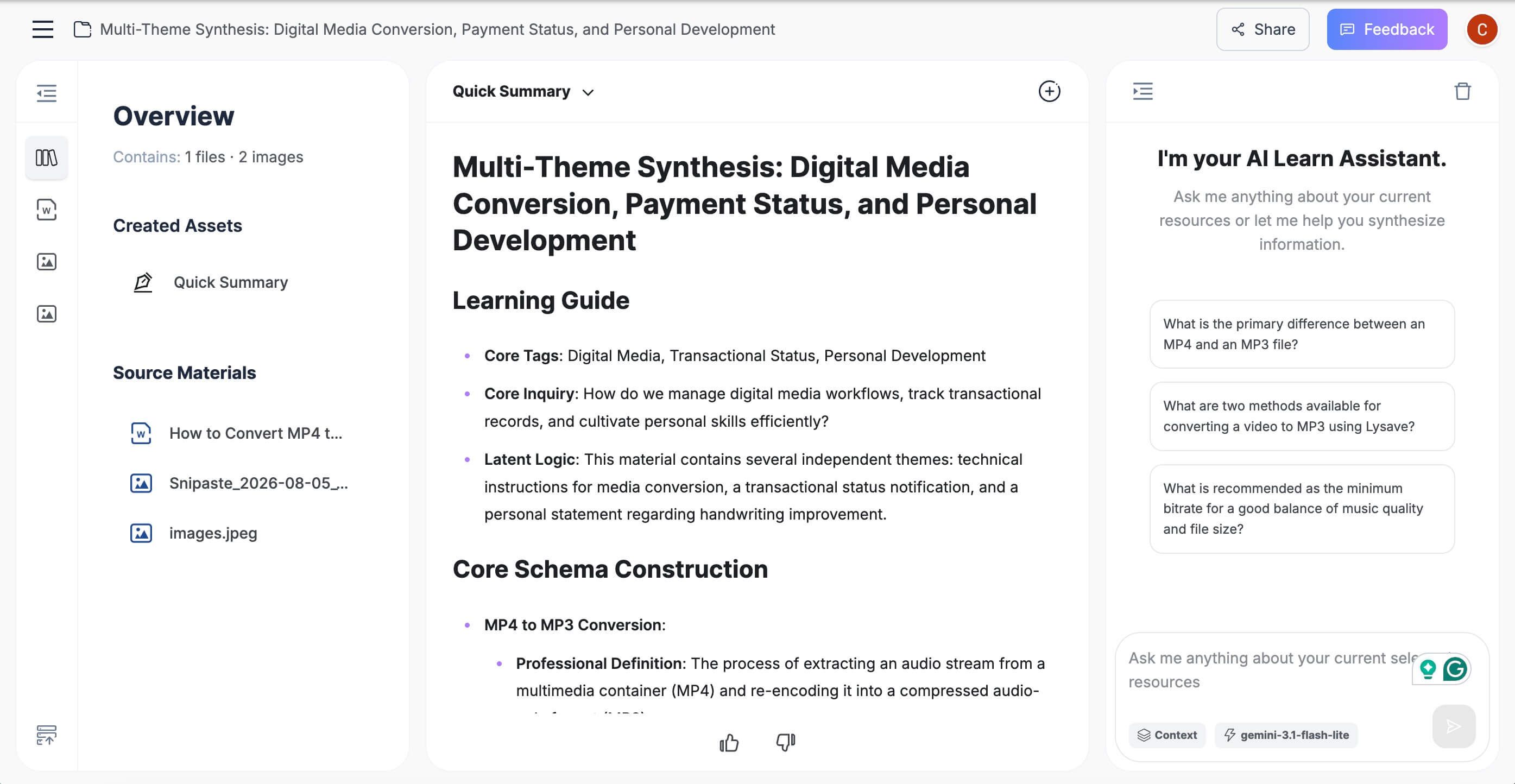
This workflow is most useful when you treat the generated note as a structured first pass. Check important definitions, dates, exceptions, and evidence against the original source before studying or sharing the result.
2. NotebookLM: Best for Source-Grounded Research
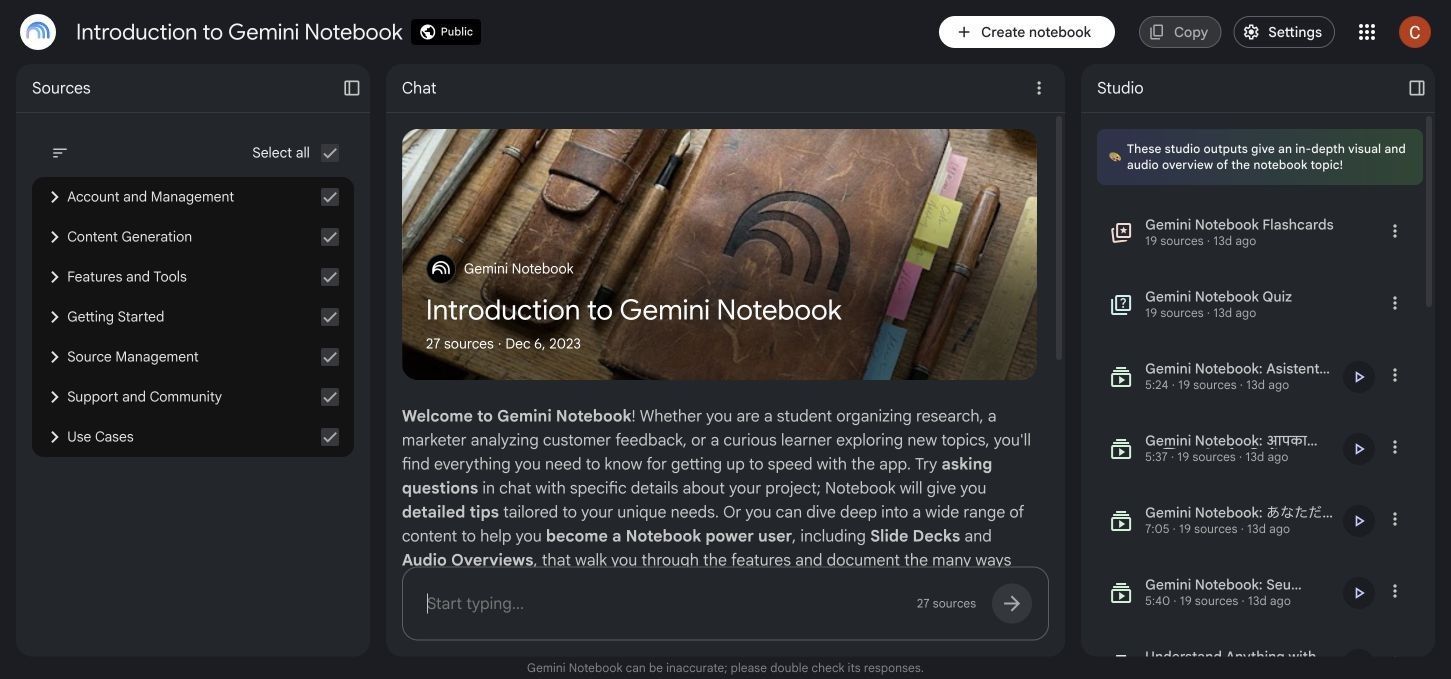
NotebookLM is the strongest alternative when the task is not “summarize this one item” but “help me understand this collection.” A notebook holds a defined source set, and the chat can answer from all selected sources or only the subset you choose.
Standard access currently includes 100 notebooks, up to 50 sources per notebook, and 50 chat queries per day. A source can contain up to 500,000 words or reach 200MB for local uploads, which makes NotebookLM unusually practical for course packs and research projects.
Features
- Source-grounded chat with inline citations
- Up to 50 sources per standard notebook
- Support for PDFs, Word files, slides, audio, webpages, YouTube, images, and other source types
- Reports, flashcards, quizzes, mind maps, and data tables
- Audio and video overviews generated from notebook sources
Pros
- Strong cross-document synthesis
- Citations shorten the path back to supporting passages
- Published standard-access limits are comparatively clear
- Source selection gives the reader control over the evidence set
Cons
- A Google account is required
- Daily chat and artifact-generation limits apply
- Notebooks remain separate, so one notebook cannot automatically use another notebook's sources
Best for: Literature reviews, research folders, course reading collections, and projects that need evidence from multiple related sources.
3. TurboLearn AI: Best for Turning Lectures Into Study Kits
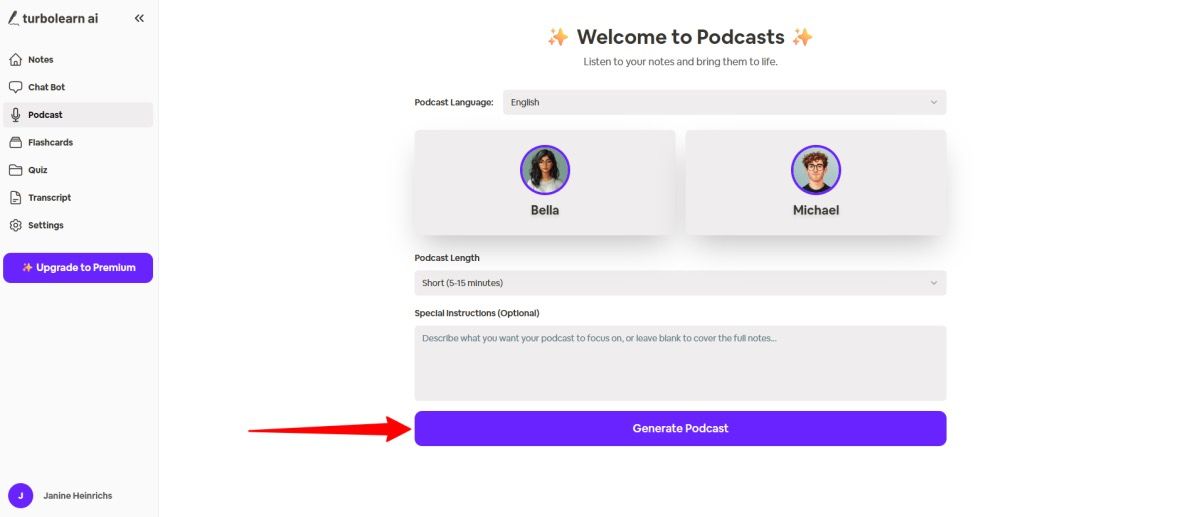
TurboLearn AI is designed around a common student problem: a lecture is easy to record and hard to review. It accepts audio, video, and PDFs, then turns the source into notes, flashcards, quizzes, and a chatbot that can answer within the uploaded context.
Its appeal is the package rather than any single output. Instead of generating a transcript in one tool, summarizing it in another, and manually creating questions elsewhere, TurboLearn keeps the review materials attached to the original lecture.
Features
- Audio, video, and PDF input
- Structured notes that can include tables, diagrams, and equations
- Flashcards and quizzes based on uploaded material
- Context-aware chat with the source
- Mobile-friendly lecture capture and review workflow
Pros
- Strong fit for recorded classes and long-form learning content
- Several study outputs come from the same source
- More review-focused than a generic transcription app
- Reduces setup between note generation and self-testing
Cons
- The exact free allowance is easiest to confirm inside the live account
- A lecture-first workflow may be unnecessary for users who mainly read webpages or short notes
Best for: Students who record lectures or learn from long videos and want a ready-made set of notes, questions, and flashcards.
4. Mindgrasp: Best for Deep Study Aids From Uploaded Coursework
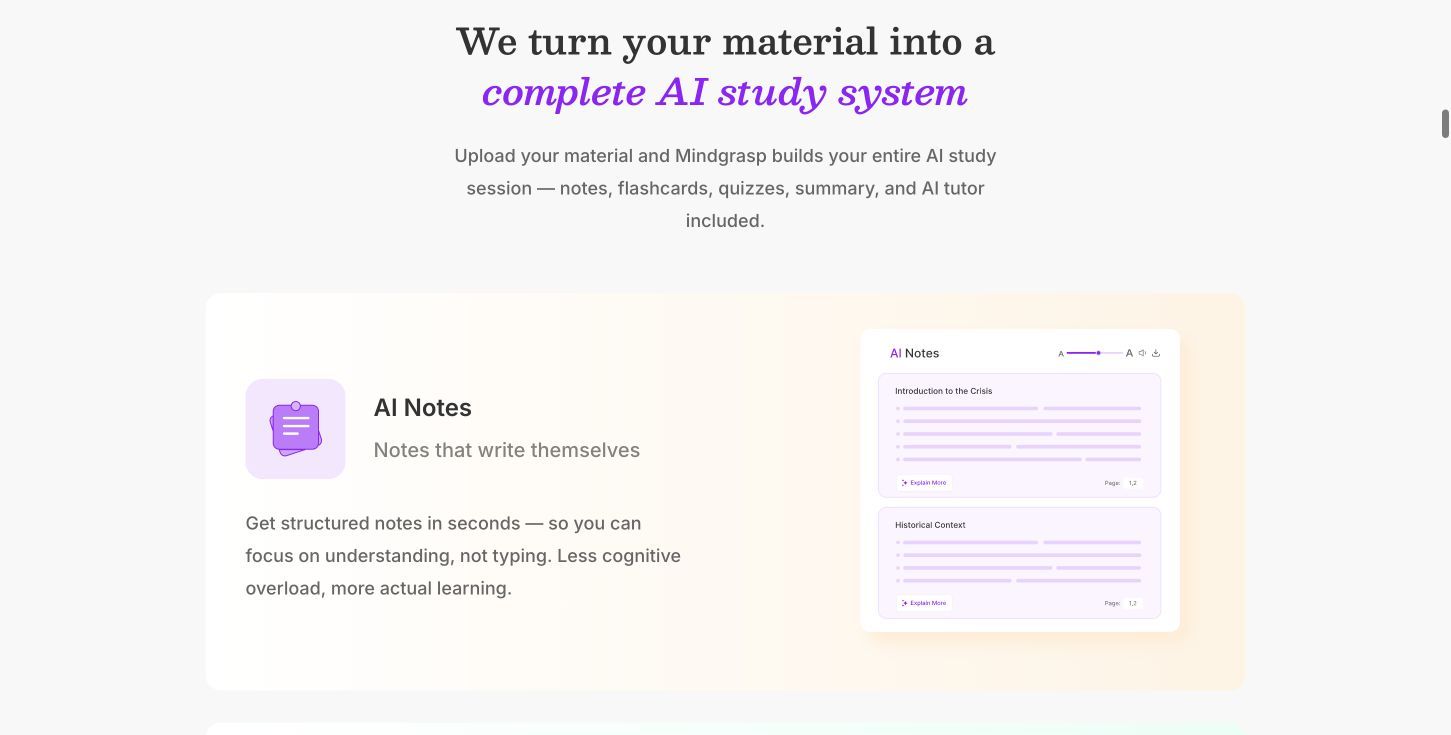
Mindgrasp covers many of the same learning jobs as NoteGPT. It can process documents, slides, images, articles, audio, video, and links, then create notes, summaries, flashcards, quizzes, study guides, and answers from the material.
The important qualification is free access. Mindgrasp currently offers a short trial rather than a continuing free-forever plan, so it belongs on this list as a tool you can evaluate at no cost, not as a permanent free replacement.
Features
- Broad file, media, and link support
- Notes, summaries, study guides, flashcards, and quizzes
- AI assistant for uploaded material and web questions
- Focused reading tools
- Live recording and image analysis on eligible plans
Pros
- Comprehensive set of connected study tools
- Useful for turning one source into several review formats
- Supports recorded and visual coursework
- Paid plans publish unlimited core uploads and study-tool use
Cons
- The free path is a short trial
- Live recording, multiple simultaneous files, and other capabilities depend on plan
Best for: Learners who want a broad study system and are deciding whether a paid subscription is worth replacing several separate apps.
5. StudyFetch: Best for AI Tutoring Around Your Own Materials
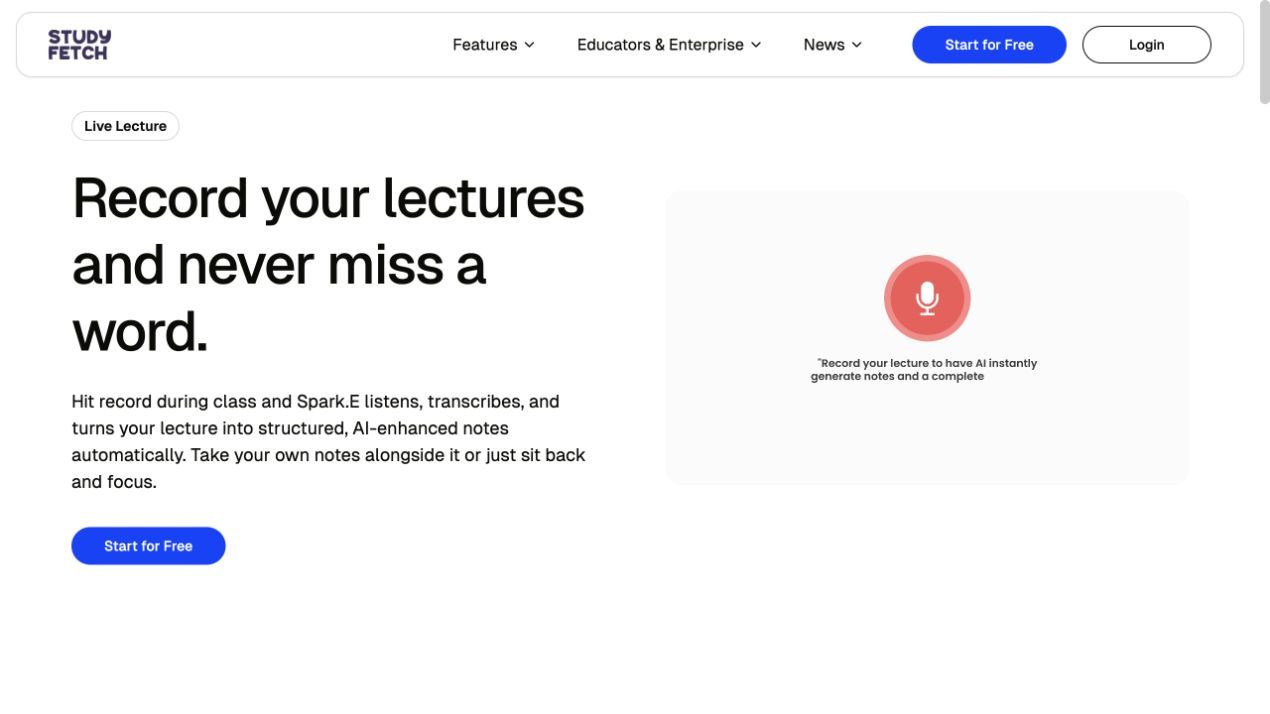
StudyFetch approaches the problem from the tutor side. You add course materials and build a study set, then use Spark.E to ask for explanations, work through concepts, and generate review activities tied to what you uploaded.
That makes it more useful than a simple summarizer when the problem is understanding rather than compression. Notes and flashcards help with review, but the core value is moving from a confusing passage to a guided explanation and then into practice.
Features
- Course-material and document uploads
- Spark.E AI tutor
- Generated notes and study sets
- Flashcards, quizzes, and practice tests
- Lecture recording and study-planning features
Pros
- Explanations and practice connect to the learner's materials
- Strong fit for exam preparation
- Supports an active question-and-answer study loop
- More guidance than a one-click summary alone
Cons
- Free limits are less transparent than products with a detailed public allowance table
- The breadth of modes can take time to learn
Best for: Students who need tutoring, explanations, and practice built around their own course content.
6. Knowt: Best Free Alternative for Flashcards and Practice
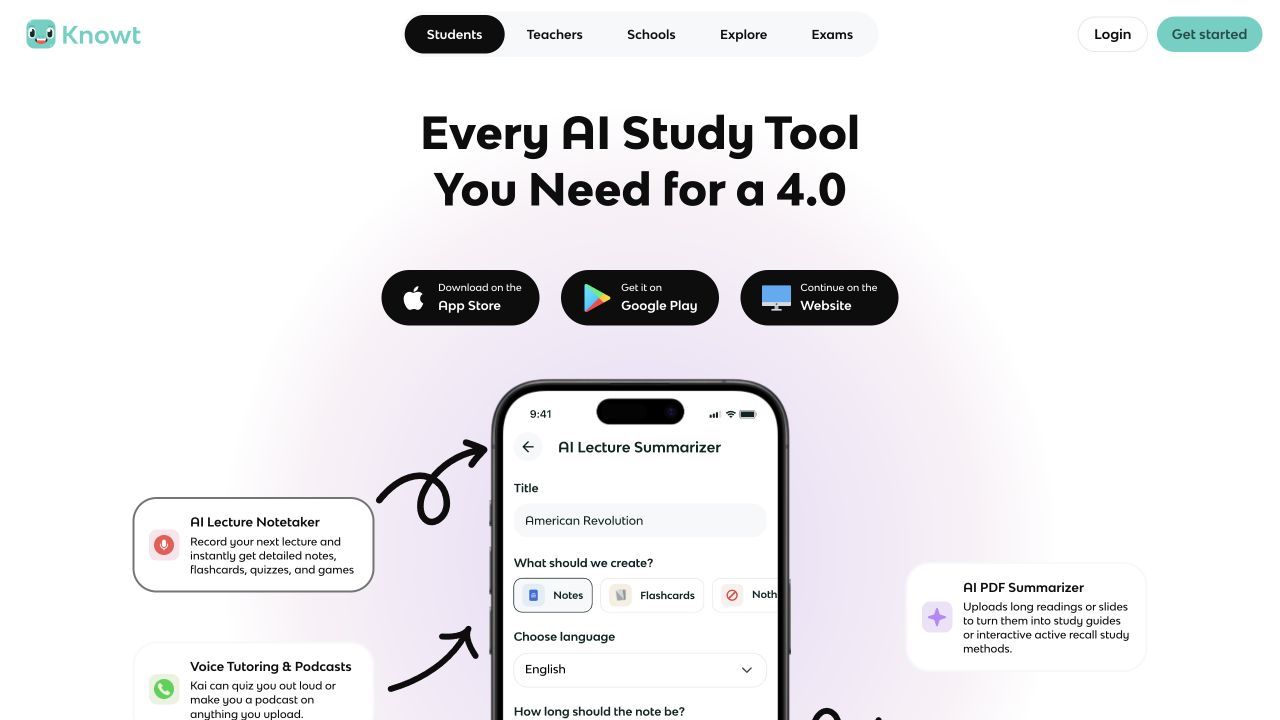
Knowt is a better choice when the real goal is not to replace every NoteGPT feature. Its free Basic plan supports creating notes and flashcards, using free study modes, customizing flashcard hints and answer options, and browsing a large library of existing material.
That narrower focus can be an advantage. If most of your NoteGPT use ends with flashcards or practice questions, Knowt removes the cost and complexity of paying for unrelated transcription, voice, image, or slide features.
Features
- Free creation of notes and flashcards
- Multiple flashcard and study modes
- Custom hints and multiple-choice options
- Public library of notes and flashcards
- AI summaries, chat, and advanced assessment tools on paid plans
Pros
- Useful recurring free plan for core study activities
- Designed around active recall and repeated practice
- Existing public study sets reduce setup time
- Works well when memorization matters more than broad content transformation
Cons
- Unlimited AI summaries and advanced AI tools require a paid plan
- It is not a full replacement for transcription-heavy workflows
Best for: Students who primarily want flashcards, practice questions, and repeatable study modes.
7. Glasp: Best for Capturing What You Read and Watch
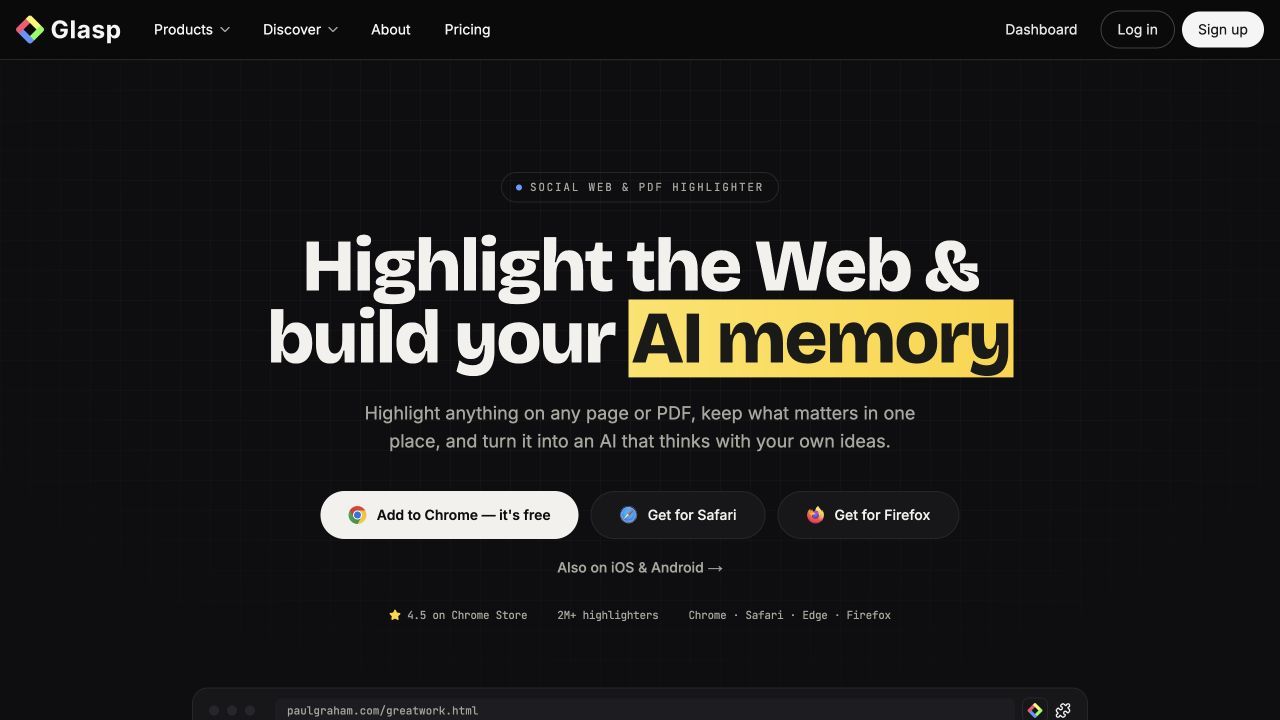
Glasp starts earlier in the learning process than most NoteGPT alternatives. Its browser tools let you highlight webpages, PDFs, and YouTube content, add notes, organize what mattered, and export those highlights into other note systems.
The free plan is unusually specific: public highlights are unlimited, while AI features have recurring caps. It currently includes three basic YouTube summaries per day, 30 PDF uploads, 20 monthly PDF-chat messages, 20 monthly page/video chat credits, and 30 minutes of monthly audio transcription.
Features
- Web, PDF, YouTube, and Kindle highlighting
- YouTube and PDF summaries
- PDF chat and page/video AI chat
- Exports to Notion, Obsidian, Markdown, and other formats
- Personal AI memory built from saved highlights
Pros
- Transparent recurring free limits
- Unlimited public highlights and free exporting
- Strong connection between reading, capture, and later retrieval
- Useful across webpages and videos, not only uploaded files
Cons
- Highlights are public by default on the free plan
- Private highlights and heavier AI use require payment
Best for: Researchers, readers, and creators who collect ideas across the web, PDFs, and YouTube and want those ideas organized for later use.
8. Recall: Best for Building a Long-Term Knowledge Base
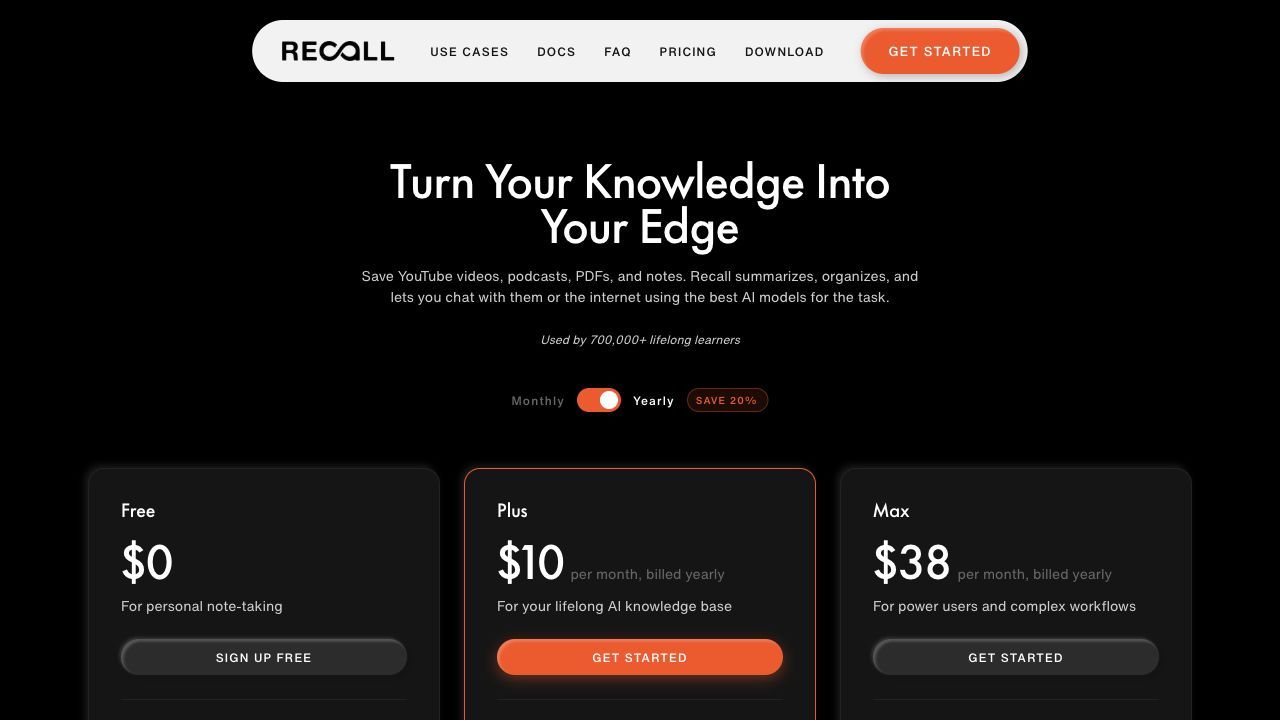
Recall is less concerned with producing one polished set of notes and more concerned with what happens to information over time. It can save articles, YouTube videos, podcasts, PDFs, and personal notes in a growing library, with links and a visual knowledge graph connecting related ideas.
The free plan currently includes 10 AI summaries each month, unlimited saved read-later content, unlimited manually written notes, and API and MCP access. Built-in AI chat, automatic organization, spaced-repetition quizzes, and unlimited AI summaries are paid features.
Features
- Ten AI summaries per month on the free plan
- Unlimited saved articles, videos, podcasts, and PDFs
- Unlimited personal notes with structured blocks
- Manual links and a visual knowledge graph
- API and MCP access on the free plan
Pros
- Durable free library rather than a disposable summary session
- Strong fit for lifelong learning and personal knowledge management
- Saved content remains in the account after a downgrade
- Supports sources that extend beyond school documents
Cons
- Automatic organization, native AI chat, and spaced-repetition quizzes require a paid plan
- Ten monthly summaries may be too few for a busy course schedule
Best for: Lifelong learners and researchers who want saved knowledge to accumulate, connect, and resurface over months or years.
9. Mapify: Best for Visual Mind Maps
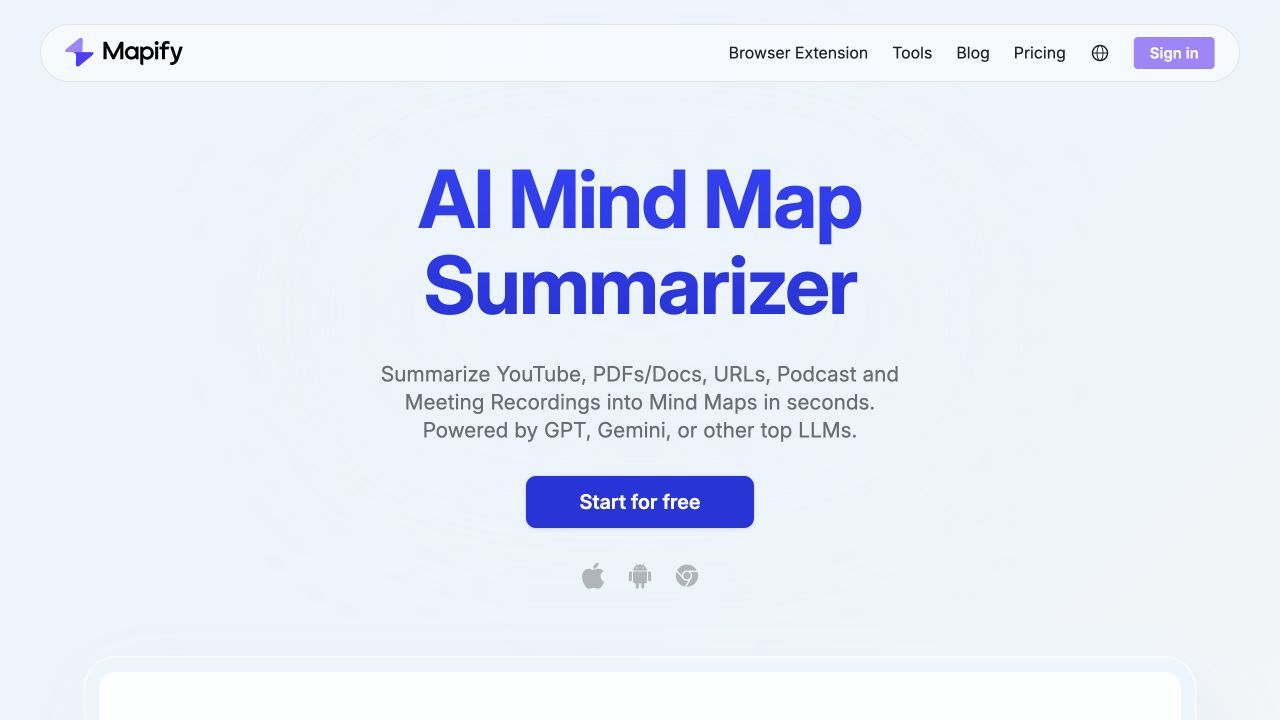
Mapify is a specialist alternative for people who use NoteGPT mainly to turn dense material into a visual hierarchy. It can create editable mind maps from PDFs, documents, YouTube videos, prompts, Markdown, and, on eligible plans, audio and images.
Its free access needs careful labeling. The free plan currently provides 30 one-time AI credits, including limited PDF/document and YouTube-to-mind-map use. Those credits do not refresh every month, so Mapify is free to evaluate but not a recurring free workflow for most users.
Features
- PDF and document to mind map
- YouTube video to mind map
- Prompt and Markdown input
- Editable visual maps
- YouTube transcript access
Pros
- Fast overview of hierarchy and relationships
- Helpful for visual learners and presentations
- Supports several common learning sources
- Generated maps remain editable
Cons
- The 30 free AI credits are a one-time grant
- Exports, deeper analysis, and heavier input processing depend on paid plans
Best for: Visual learners who understand relationships more easily through branches and clusters than linear notes.
10. YouLearn: Best for a Simple Interactive Course Companion
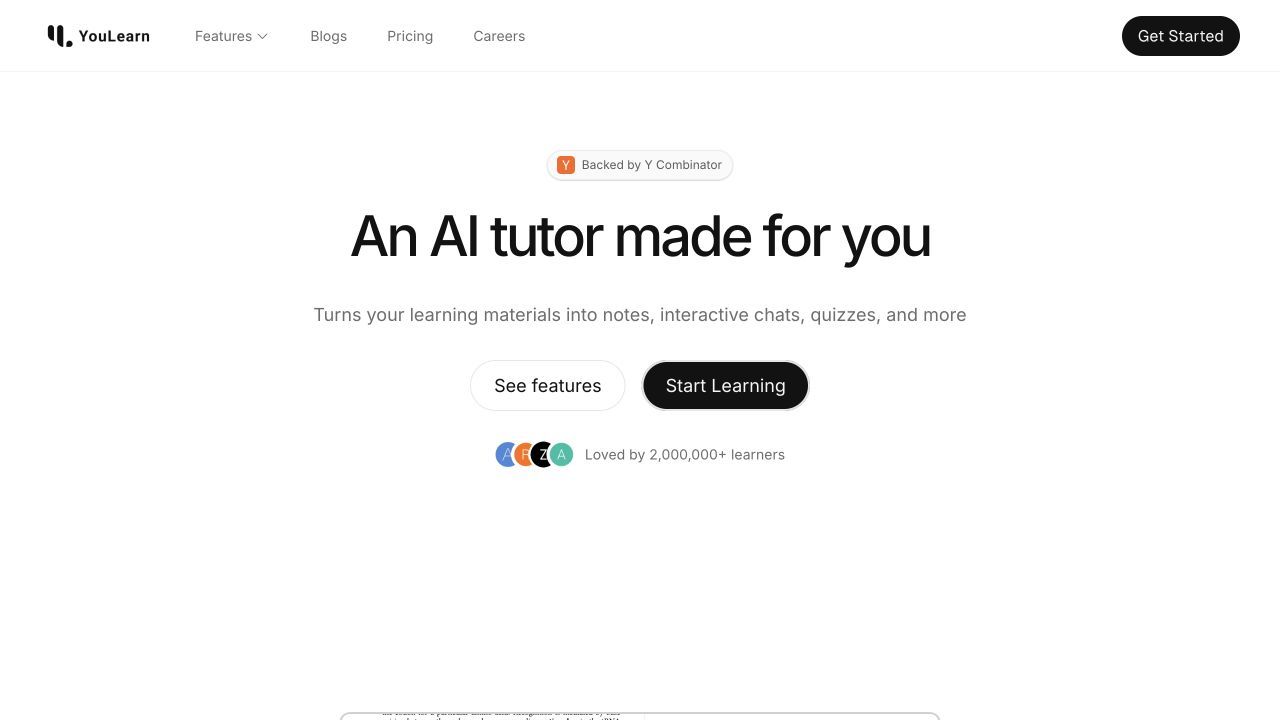
YouLearn turns uploaded or pasted learning material into notes, interactive tutoring, quizzes, practice exams, and other review artifacts. It works with YouTube videos, PDFs, slides, websites, files, and recorded lectures, which gives it enough input flexibility to replace the study-focused part of NoteGPT.
Its free plan is more concrete than many competitors. It currently allows up to three uploads, pastes, or recordings per day, five AI text chats daily, ten quiz answers per day, two practice exams per month, five voice chats per day, and files up to 100 pages or 10MB.
Features
- YouTube, PDF, slide, webpage, file, and lecture input
- Concise notes from learning material
- Text and voice AI tutoring
- Quizzes and practice exams
- Course-focused learning spaces
Pros
- Recurring free plan with understandable limits
- Supports both source processing and interactive tutoring
- Simpler focus than broad creation suites
- Useful daily allowance for light, steady study
Cons
- Free uploads and chats are capped each day
- Large textbooks and intensive exam preparation may require Pro
Best for: Learners who want to work through one course or source interactively without adopting a large productivity platform.
What Are You Actually Replacing in NoteGPT?
NoteGPT combines many tools under one account. That is convenient, but it also makes “alternative” ambiguous: a product can be a better replacement for one stage and a poor replacement for another.
Use this four-stage model to identify what you actually need.
1. Capture
Start with the material you regularly receive. A YouTube link, live lecture, local audio file, scanned PDF, webpage, slide deck, and handwritten image create different technical demands.
Lynote, NotebookLM, TurboLearn, Mindgrasp, and YouLearn cover several input types. Glasp is stronger when material begins in the browser, while Knowt is better when notes or flashcards already exist.
2. Transform
Decide which output saves real work. A transcript preserves detail, a summary compresses it, structured notes organize it, and a mind map exposes relationships. Flashcards and quizzes serve a different purpose again: retrieval practice.
A feature is only valuable if it fits the next action. A beautiful summary is a weak replacement when the learner must create a practice test manually afterward.
3. Verify
Generated notes can omit a caveat, flatten a disagreement, or turn an example into a general rule. Source links, timestamps, page citations, and side-by-side viewers reduce the effort required to catch those errors.
NotebookLM is particularly strong here because source selection and citations are central to the workflow. Lynote also keeps generated sections connected to source material, while lecture-focused products are most useful when timestamps or source context remain easy to inspect.
4. Retain
Ask where the material will live next month. If every summary becomes an isolated chat, the tool solved a reading problem but not a learning problem.
Recall is strongest when the goal is a growing knowledge base. Glasp preserves highlights and exports them, Lynote turns notes into editable study material, and Knowt organizes active-recall practice. The right replacement should make the result easier to revisit, not merely faster to generate.
NoteGPT Free Plan vs. Free Alternatives: Where the Limits Move
Free tools usually meter one of four things: actions, time, content volume, or advanced features. Two products can both advertise free access while offering completely different practical value.
| Tool | Free-access type | Refreshes? | Primary limit | Useful for repeated study? | Likely upgrade trigger |
|---|---|---|---|---|---|
| NoteGPT | Shared monthly quotas | Monthly | 15 quotas across features | ◐ For occasional use | Frequent transcription or generation |
| Lynote | Ongoing free entry with usage limits | Depends on current allowance | Task and account usage | ✅ For light mixed-source work | Higher-volume processing |
| NotebookLM | Standard access | Daily/monthly by feature | Chats and generated artifacts | ✅ | Larger source sets or heavier generation |
| TurboLearn AI | Free entry with in-app limits | Check current account | Product-level usage | ◐ | Regular lecture processing |
| Mindgrasp | Short free trial | No continuing free tier | Trial duration | ❌ | Any continuing use after trial |
| StudyFetch | Free entry with account limits | Check current account | Feature usage | ◐ | Intensive tutoring and generation |
| Knowt | Recurring Basic plan | Ongoing | Premium AI features excluded | ✅ For flashcards and notes | Unlimited AI summaries and chat |
| Glasp | Recurring free plan | Daily/monthly | AI summaries, chat, files, minutes | ✅ | Private highlights or heavier AI use |
| Recall | Recurring free plan | Monthly | 10 AI summaries | ✅ For saving and notes | AI chat, automation, or frequent summaries |
| Mapify | One-time credits | No | 30 AI credits | ❌ Long term | Continued mind-map generation |
| YouLearn | Recurring free plan | Daily/monthly | Uploads, chats, quizzes, exams | ✅ For light daily study | Large files or intensive course use |
Shared quotas can be difficult to predict
A shared quota is flexible because it can be spent across many features. It is also harder to budget because a long transcription may not cost the same as a short summary or chat.
Before moving a course, test the most expensive task you perform in a normal week. Ten tiny summaries do not prove that the same free plan can handle two recorded lectures.
Daily caps reward steady use
Daily allowances can be more useful than a larger one-time grant when studying is spread across a semester. YouLearn's daily uploads and chats, for example, encourage a regular cadence rather than a single burst.
The trade-off appears near deadlines. A daily plan that feels generous in week two can become restrictive when five chapters and three recordings must be processed on the same evening.
Storage is not AI processing
Recall allows unlimited saved content and notes on its free plan, but AI summaries are capped. Glasp allows unlimited public highlights, while PDF chat and transcription have separate limits.
This distinction matters because “unlimited notes” may mean you can store or write notes freely, not generate unlimited notes from uploaded material.
A specialist can offer more usable free value
Knowt does fewer jobs than NoteGPT, but its free notes, flashcards, and study modes may be more useful to someone who never transcribes audio. Mapify may be the better first choice for one difficult concept map, even though its one-time credits make it a poor semester-long replacement.
The best free alternative is therefore the tool with the most useful allowance for your repeated task, not the product with the longest feature page.
Which NoteGPT Alternative Fits Your Source Type?
| Starting source | Best first pick | Strong free specialist | What to verify |
|---|---|---|---|
| YouTube lecture | Lynote or TurboLearn AI | Glasp | Transcript quality, timestamps, and daily summary limits |
| Recorded class or podcast | TurboLearn AI | YouLearn | Recording consent, supported duration, and transcription allowance |
| Research PDFs | NotebookLM | Lynote | Citations, multi-file comparison, tables, and scanned-page handling |
| Web articles | Glasp | Recall | Highlight privacy, exports, and long-term organization |
| Existing notes | Lynote | Knowt | Editing, flashcard quality, and study modes |
| Material needing a mind map | Mapify | NotebookLM | Map editability, source coverage, and whether free credits refresh |
YouTube lectures and long videos
Choose Lynote when a YouTube video must become editable notes that can continue into questions and flashcards. TurboLearn is stronger when the broader goal is an immediate lecture study kit, while Glasp is useful when highlights and timestamps are part of a browser-based research habit.
Check whether the product relies on the video's existing captions or can transcribe audio when captions are unavailable. A tool may summarize a public lecture well and fail on an unlisted recording or a video without clean speech.
Recorded classes, podcasts, and local audio
TurboLearn, Mindgrasp, Lynote, and YouLearn are better candidates than a text-first flashcard app. Compare maximum recording duration, upload size, speaker handling, timestamps, and whether the transcript remains available after the summary is generated.
Do not record or upload a class, meeting, or private conversation without the required permission. Product support for recording does not override school, workplace, privacy, or copyright rules.
PDFs, papers, and multi-document research
NotebookLM is the strongest default when several sources must be compared and cited. Lynote is a good choice when PDF reading belongs inside a mixed-source note workflow rather than a standalone research notebook.
Test a two-column page, table, footnote, and image caption before trusting a tool with a full paper. Text extraction can preserve the words while losing the relationship between them.
Web articles and reading highlights
Glasp is the most direct choice for highlighting as you read, while Recall is better when saved material should join a long-term knowledge graph. The decision is partly about privacy: public-by-default highlights may be helpful for learning in public and unsuitable for sensitive reading.
Export one sample before committing. A knowledge tool is easier to leave when highlights, notes, and source URLs can move cleanly into a standard format.
Existing notes that need flashcards or quizzes
Knowt is the focused free choice for flashcards and repeated practice. Lynote is more suitable when the notes still need editing, source checking, follow-up questions, and conversion into review material.
Inspect the generated questions rather than counting them. Useful flashcards should test meaningful retrieval, avoid ambiguous wording, and separate complex ideas into manageable prompts.
Material that needs a mind map
Mapify is built around visual transformation, while NotebookLM can create mind maps as one artifact inside a larger research notebook. Mapify provides more dedicated visual editing; NotebookLM keeps the map closer to a multi-source research context.
Choose based on what comes next. A visual learner may need an editable map for review, while a researcher may only need a temporary overview before returning to cited source material.
Run This Five-Minute Replacement Test Before You Switch
Feature tables cannot tell you how much editing a generated note will require. A small same-source test exposes quality, workflow friction, and free-plan limits without moving an entire course.
- Choose one 15- to 25-minute lecture or a 10-page reading with several definitions, one worked example, and one important exception.
- Add the same source to each shortlisted tool and generate notes with default settings.
- Check whether the result preserved the exception, represented the example accurately, and provided a practical route back to the source.
- Create one downstream artifact, such as five flashcards, a short quiz, or a mind map.
- Repeat the operation or inspect the usage meter to estimate whether the free allowance covers a normal week.
| Test | What good looks like | Warning sign | Score |
|---|---|---|---|
| Coverage | Includes the main claim, supporting example, and exception | Only preserves the headline idea | 0-2 |
| Source traceability | Page, timestamp, or source context is easy to inspect | Important claims cannot be located | 0-2 |
| Editability | Structure and wording can be corrected quickly | Output is locked or difficult to reorganize | 0-2 |
| Study usefulness | Questions test understanding and retrieval | Cards repeat trivial wording | 0-2 |
| Repeatability | Free limits cover a realistic week | One test consumes most of the allowance | 0-2 |
A maximum score is less important than the pattern. A research tool can win on traceability and lose on flashcards, while a study app can create excellent practice and provide weaker source navigation.
When a Free NoteGPT Alternative Is Not the Cheaper Choice
Free software can create costs that never appear on a pricing page. The most common is workflow fragmentation: transcription happens in one app, summarization in another, flashcards in a third, and source files remain scattered across all three.
Rebuilding context costs time
Every copy-and-paste step can remove timestamps, headings, page references, and links. It also creates duplicate versions that become difficult to update when the source changes.
An all-in-one workspace may be worth a tighter free allowance when it preserves context from source through study. A specialist remains better value when it solves one high-frequency job exceptionally well.
Separate free tools can become several subscriptions
A learner may begin with a free transcriber, free summarizer, and free flashcard app. If each tool reaches its limit during exams, the combined upgrades can cost more than one broader platform.
List the three tasks you perform most often and compare the total paid workflow, not one product's headline price. Ignore features you do not use.
Migration matters before the limit arrives
Check whether notes, transcripts, highlights, flashcards, and source links can be exported. A low-cost tool becomes expensive when months of study material cannot leave with you.
Run one export during the trial or free period. Confirm that the result remains readable and keeps enough structure to be useful elsewhere.
FAQs About Free NoteGPT Alternatives
What is the best free NoteGPT alternative?
Lynote is the best balanced alternative for a mixed-source workflow that continues from structured notes into editing, questions, and flashcards. NotebookLM is better for cited research across many sources, while Knowt is the stronger free specialist for flashcards and practice.
Is there a completely free alternative to NoteGPT?
Several products have recurring free plans, but none provides every NoteGPT capability without limits. NotebookLM, Knowt, Glasp, Recall, and YouLearn offer ongoing free access with different caps or feature restrictions. Mindgrasp uses a short trial, and Mapify's free AI credits are one-time.
Which NoteGPT alternative is best for YouTube videos?
Lynote is a strong overall choice when YouTube content needs to become editable notes and flashcards. TurboLearn AI is better for a complete lecture study kit, and Glasp is useful for browser-based highlights, transcripts, and summaries.
Which free alternative is best for PDFs and research papers?
NotebookLM is the strongest free option for a collection of papers because it supports source-selective questions, cross-document synthesis, and inline citations. Lynote is useful when a PDF needs to join a broader note-taking workflow with other source types.
What is the best alternative for flashcards and quizzes?
Knowt is the most focused free choice for flashcards and practice modes. Lynote is a better fit when flashcards should be generated from structured notes in the same workspace, while TurboLearn and Mindgrasp are useful for building several study aids from lectures or files.
Does NotebookLM replace NoteGPT?
NotebookLM replaces the research and source-grounded study side of NoteGPT very well. It is not a direct replacement for every transcription, writing, voice, image, or general creation feature in NoteGPT's broader suite.
Can I replace NoteGPT with more than one free tool?
Yes. A practical combination might use NotebookLM for research papers, Glasp for web highlights, and Knowt for flashcards. The trade-off is fragmentation, so confirm that exports preserve source links and that moving content between tools does not create more work than it saves.
Final Verdict
Choose Lynote when you want the broadest connected path from mixed source material to editable notes, questions, and flashcards. Choose NotebookLM when research citations and multi-source comparison matter most, TurboLearn AI for lecture conversion, Knowt for free flashcards, Glasp for browser capture, Recall for long-term knowledge, and Mapify for visual mind maps.
The best replacement is not the tool with the most features or the word “free” displayed most prominently. It is the one that completes your repeated study workflow with limits you can understand, output you can verify, and material you can still use later.

Written by Danny
Product Marketing Manager
Danny explains how Lynote features fit real workflows, from everyday productivity to product-led writing use cases. View all articles →