How to Compress a PDF Online Free
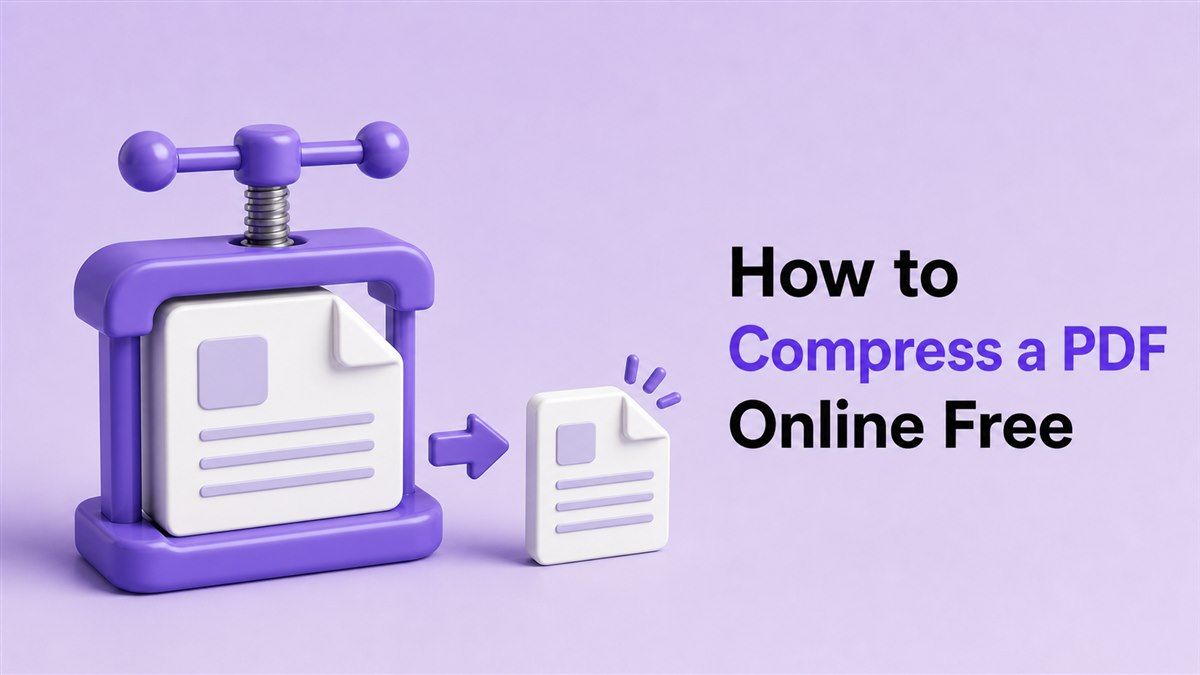
If you need to share, upload, email, or store a large document, learning how to compress a PDF can save time and frustration. PDF files often become too large because they contain images, scanned pages, forms, charts, or design-heavy layouts. With Lynote's online PDF compressor, you can reduce PDF file size in seconds without installing software or creating an account.
Why PDF Files Become Too Large
PDFs are built to preserve layout, fonts, images, and formatting across devices. That reliability is useful, but it can also make a document much larger than expected. A scanned contract, image-heavy proposal, or portfolio can quickly become too big for email attachments or upload forms.
Many people search for how to compress PDF file size when a website, school portal, job application, or business system rejects their document. Others simply want to save storage space or make files easier to send. The right PDF compressor helps you make the file smaller while keeping the content readable.
Compress PDFs Easily with Lynote
Lynote's Compress PDF tool is designed for a fast online workflow. You can upload one PDF or batch compress multiple PDF files directly in your browser. It works on desktop, tablet, and mobile, so you do not need to download a dedicated app.
The tool lets you choose a target size before uploading your document. That is helpful when you need to compress PDF to less than 5MB, 1MB, or another upload limit. After compression, you can preview the result, compare the original and compressed file sizes, and download the optimized PDF.
How to Compress a PDF in 3 Simple Steps
Step 1. Choose Your Target File Size
Start by opening Lynote's PDF compressor and selecting your target size. This helps the tool understand whether you want lighter compression for better quality or stronger compression for a smaller file. If you are wondering how to compress PDF size for an upload limit, choosing a target size first makes the process easier.
For example, you may need to compress PDF to smaller size for an email attachment or online form. You can also use this step when you need to know how to compress a PDF file size for school, work, or document submission. A clear target keeps the result practical.
Step 2. Upload Your PDF File or Files
Next, drag and drop your PDF into the upload area or click the button to choose a file from your device. Lynote supports uploading one file or multiple PDF files at once. This is useful if you need to learn how to compress PDF files instead of processing each document separately.
If your question is how can I compress PDF file size quickly, this browser-based workflow is the simplest answer. You do not need to install software, sign up, or change complicated settings. Just upload the PDF document and let the tool begin the compression process.
Step 3. Compress, Preview, and Download
After upload, Lynote compresses your PDF automatically. You can then compare the original file size with the compressed version and check the saved percentage. This preview step helps you confirm that the PDF is smaller while the text, images, and layout remain clear.
Once the result looks right, download the compressed PDF to your device. This is the fastest way to compress PDF for free when you need a smaller document immediately. It also works well if you need to compress PDF file free before sending it to a colleague, client, school, or online platform.
How to Compress PDF File Size Without Losing Quality
When people ask how to compress PDF file size without losing quality, they usually want a balance between smaller size and readable content. PDF compression often reduces image data, removes unnecessary file information, or optimizes how the document is stored. The goal is to reduce PDF file size without making the pages blurry or difficult to read.
Lynote is built to maintain document quality while reducing file size. Lighter compression usually keeps more image detail, while stronger compression creates a smaller PDF. If you need to compress PDF without losing quality, preview the result before downloading and choose the version that still looks clear.
How to Compress a PDF for Free Online
If you are searching for how to compress a PDF for free, an online compressor is usually the easiest option. You can open Lynote in your browser, upload your file, and download the smaller version without paying or adding a watermark. This makes it practical for quick personal, academic, and business tasks.
The same process works if you need to know how to compress PDF file for free or how to compress PDF files for free. Instead of buying desktop software for one urgent task, you can use Lynote to reduce file size online. It is especially useful for one-time submissions, recurring reports, or batch document cleanup.
When Should You Compress PDF Documents?
You should compress PDF documents whenever file size creates friction. Large PDFs can fail to upload, take longer to email, consume cloud storage, or load slowly on websites. Compressing them makes document handling faster and smoother.
Students can compress PDF document files for assignments, application forms, and lecture notes. Office workers can compress PDF documents such as reports, contracts, invoices, and HR forms. Designers and website owners can reduce large brochures, menus, guides, or portfolios before publishing them online.
Compression vs. File Quality: What to Know
Compressing a PDF does not always mean damaging the document. A good compressor reduces unnecessary file weight while preserving the parts people need to read. Text, layout, and basic formatting should remain clear after compression.
However, extremely small target sizes may require stronger compression. If a PDF contains high-resolution photos or scanned pages, reducing it too much can affect image sharpness. That is why previewing the result matters when you want to compress a PDF without losing quality.
Can You Compress PDFs in Preview?
Mac users often search for how to compress a PDF in Preview. Preview can reduce PDF file size through export filters, but the result may not give you much control over target size or quality. It can work for simple files, but it may be less flexible for batch compression or strict upload limits.
If you need to compress a PDF size more precisely, an online tool like Lynote can be easier. You can choose a target size, upload files, compare results, and download the optimized PDF. This is helpful when you need a predictable smaller file instead of trial and error.
Common Questions About Compressing PDFs
How do I compress a PDF file?
Open Lynote's Compress PDF tool, choose a target size, upload your PDF, and download the compressed result. This answers the common question: how do I compress a PDF file without installing software? The entire process runs in your browser.
How can I compress a PDF file size?
You can compress a PDF file size by reducing image weight and optimizing the document structure. Lynote handles this automatically after you upload your file. You can then preview the file size reduction before downloading.
How do I compress a PDF document?
To compress a PDF document, upload it to Lynote, wait for processing, and save the smaller version. This works for forms, reports, contracts, scanned pages, and presentation-style PDFs. It is also useful when a portal has a strict file size limit.
How to compress a PDF to a smaller size?
Choose a target size before uploading your file. Lynote will compress the PDF toward that smaller size while aiming to keep the document readable. This is useful for email attachments, web uploads, and cloud storage.
How to compress a PDF file free?
Use Lynote's free online PDF compressor. You can upload your PDF, compress it, preview the result, and download the smaller file without installing an app. It is a simple option for anyone asking how to compress a PDF free.
How to compress PDF files free?
Batch upload multiple PDFs to Lynote and compress them together. This saves time when you need to reduce several documents for sharing or archiving. It is especially useful for reports, invoices, client files, and school documents.
Final Thoughts
Knowing how to compress a PDF helps you send, upload, and store documents without file size problems. With Lynote, you can compress a PDF online for free, choose a target size, batch process files, and keep your documents clear. Start with Lynote Compress PDF whenever you need a smaller PDF fast.
Written by Lynote Team
Lynote Team writes practical guides for Lynote.