Lynote vs Kiwinote: Best AI Note Tool for Students

Lynote vs Kiwinote: Best AI Note Tool for Students
If you are reading a Lynote vs Kiwinote review 2026, you probably want to know which AI study tool can turn learning material into useful notes faster. This Lynote vs Kiwinote review 2026 looks at the practical workflow, not just the product names. Kiwinote AI is positioned as a student study hub for notes, quizzes, flashcards, and chat. Lynote AI Note Generator focuses on turning documents, audio, video, images, webpages, and YouTube links into structured AI notes you can edit, reuse, and convert into flashcards.
Quick Verdict: Lynote vs Kiwinote Review 2026
Choose Kiwinote if you want a student-first AI study hub with summaries, quizzes, flashcards, and chat around uploaded learning materials. The current Kiwinote AI site promotes a free try option, student reviews, and support for study materials such as notes, slides, scans, and lecture recordings.
Choose Lynote if your main goal is creating structured notes from many kinds of source material. Lynote is stronger when you need clear headings, bullet points, source-linked sections, follow-up study use, and one-click movement from notes into flashcards.
The short answer in this Lynote vs Kiwinote review 2026 is this: Kiwinote is a broad student assistant, while Lynote is a stronger fit for source-to-notes workflows.
Important Note About Kiwinotes and Kiwinote AI
Search results can be confusing because people use several names: kiwinotes, kiwinote, kiwinote ai, and kiwinote.ai. The URL kiwinotes.com appears to be an app review and app directory website, not the current Kiwi AI study product.
The current Kiwinote AI product appears through kiwinote.ai, which redirects to Kiwi AI at kiwi.app. For this review, "Kiwinote" refers to the student AI study tool shown on the current Kiwi AI website.
This distinction matters for SEO and user intent. Someone searching kiwinotes may mean the AI study app, but they may also land on a different website with a similar name.
At a Glance: Lynote vs Kiwinote Review 2026
| Category | Lynote AI Note Generator | Kiwinote AI |
|---|---|---|
| Main use case | Generate structured AI notes | Student AI study hub |
| Inputs | Documents, audio, video, images, webpages, YouTube | Notes, scans, slides, lecture recordings, study files |
| Outputs | AI notes, summaries, editable sections, flashcards | Notes, quizzes, flashcards, chat |
| Best for | Turning mixed sources into study notes | Student review across multiple study modes |
| Workflow style | Source-to-notes-to-review | Upload-to-study-hub |
| Strongest fit | Long lectures, videos, PDFs, source material | General study support |
What Is Kiwinote AI?
Kiwinote AI, currently branded as Kiwi AI, describes itself as a ChatGPT alternative for students. Its homepage says it can turn learning materials into concise notes, quizzes, interactive chats, and more.
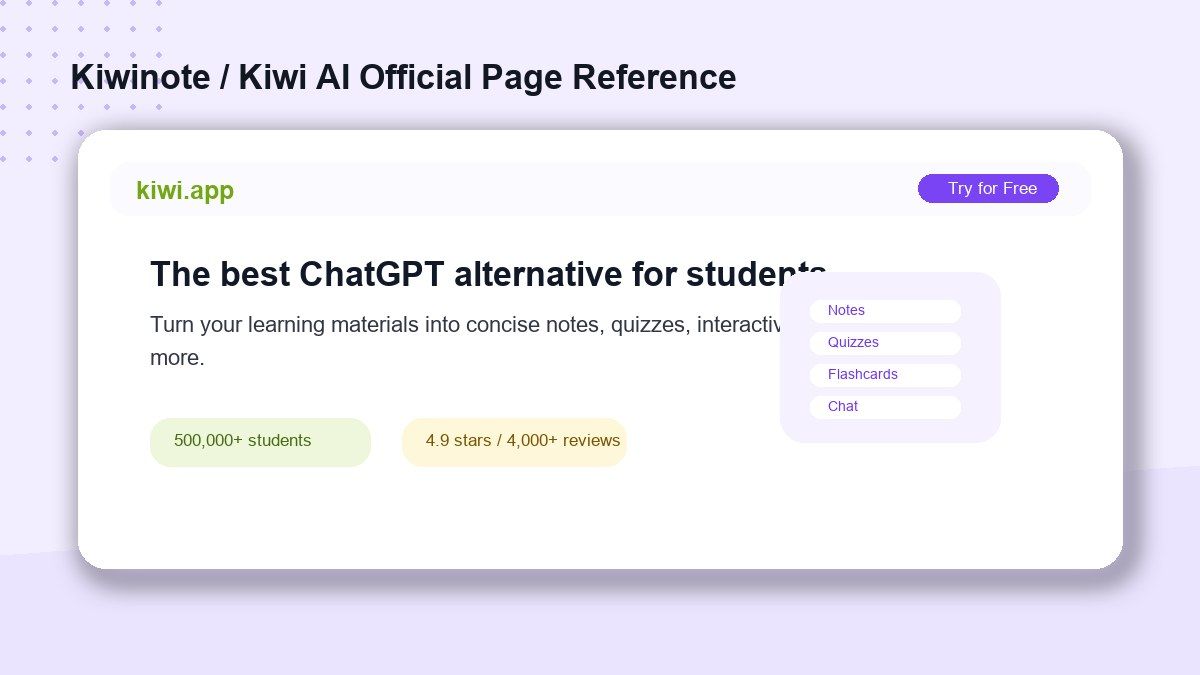
The product highlights uploaded summaries, notes, book scans, slides, lecture recordings, and other study material. It also promotes student adoption, a "Try for Free" option, and review-style proof points such as student ratings.
For students, the appeal is clear. Kiwinote AI tries to make study materials easier to summarize, question, and review inside one student-focused workspace.
What Is Lynote AI Note Generator?
Lynote AI Note Generator turns documents, audio, video, images, webpages, and YouTube links into structured AI notes. The output is designed around headings, bullet points, and organized sections that are easier to review than a raw transcript or long source file.
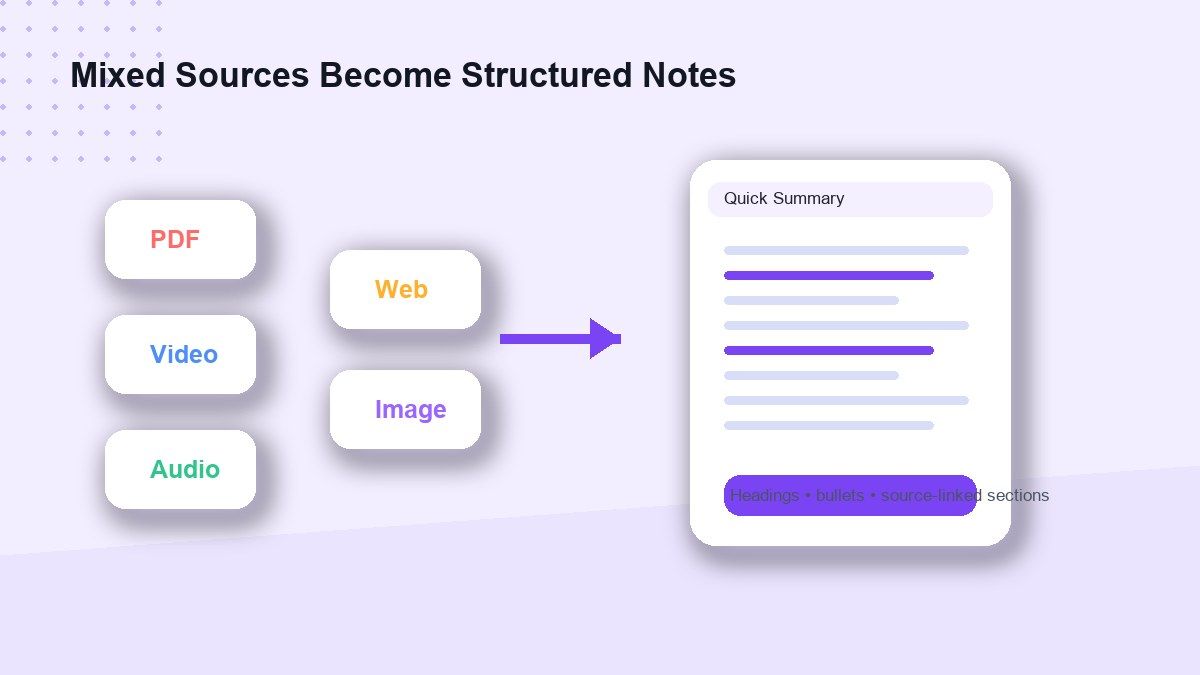
Lynote is useful when study material is scattered across different formats. You may have a PDF, a YouTube lecture, a recorded class, a webpage, and screenshots from slides, all for the same topic.
Instead of manually copying everything into a note app, Lynote helps create a cleaner study note from the source. From there, you can edit, reuse, summarize, or convert important sections into flashcards.
What Kiwinote Does Well
Kiwinote does well as a student-centered study hub. It speaks directly to students who want help summarizing lectures, reviewing materials, and preparing for tests.
Its strongest value is convenience. A learner can upload study material and use AI to create notes, quizzes, flashcards, or chat-based explanations.
Kiwinote also has clear student positioning. For users searching kiwinote ai free, the promise of trying the product without starting from scratch can be appealing.
Where Kiwinote May Feel Limited
Kiwinote may feel less focused if your main goal is building clean, reusable notes from many source types. A broad study hub can be helpful, but some students need a more direct note-generation workflow.
It may also be unclear which site users should trust because of naming variations. Searches for kiwinotes, kiwinote, kiwinote.ai, and kiwinote ai can point users toward different destinations.
That does not make Kiwinote weak. It simply means users should confirm the official product page and compare the exact workflow they need before choosing a tool.
Why Lynote Is a Strong Kiwinote Alternative
Lynote is a strong Kiwinote alternative for students who start with source material rather than a blank study plan. It helps turn long or mixed inputs into structured notes that are easier to scan and review.
This matters for modern studying. Many students do not learn from one clean textbook chapter. They combine videos, lecture recordings, PDFs, web articles, screenshots, and notes.
Lynote fits that reality. It helps convert those materials into organized notes before you move into review, discussion, or flashcard practice.
Head-to-Head Comparison
Source Support
Kiwinote supports learning materials such as notes, book scans, slides, and lecture recordings. That makes it useful for students who already have class materials ready to upload.
Lynote supports a wider source-to-note workflow across documents, audio, video, images, webpages, and YouTube links. This is helpful when your learning sources come from different places.
If your materials are mostly class files, Kiwinote may be enough. If your materials include mixed media, Lynote has the cleaner note-generation angle.
Notes Quality
Kiwinote emphasizes concise notes and study outputs. It is a good fit when you want AI to help condense study material into something easier to review.
Lynote focuses on structured notes with headings, bullets, and source-linked sections. This is useful when you want the notes to remain connected to the original material.
For longer lectures or research-heavy topics, structure matters. Notes should not just be shorter; they should help you understand what belongs where.
Flashcards and Review
Kiwinote includes flashcards as one of its study modes. This works well if you want notes, questions, and cards inside one student assistant.
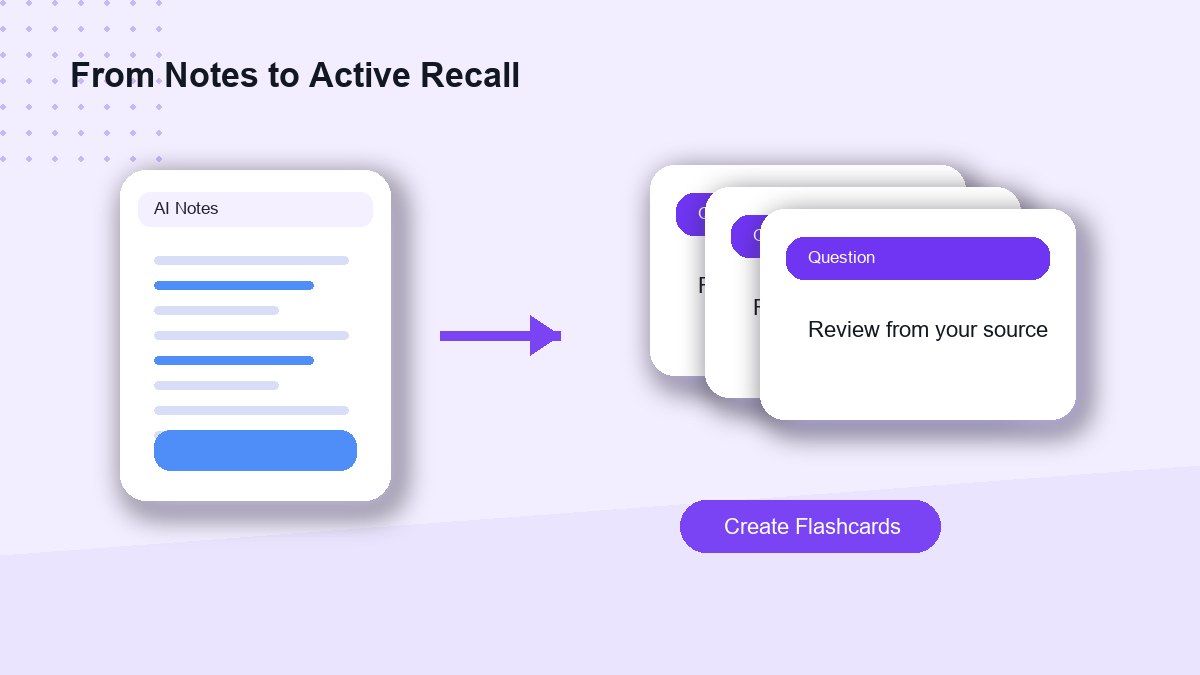
Lynote connects note generation with flashcard creation. After turning source material into notes, you can move important information into flashcards for active recall.
That makes Lynote useful for students who want a study path: collect source material, generate notes, then review with cards.
Free Access
Kiwinote AI promotes a free try option on its current website. However, exact free limits, account requirements, and paid features may change, so users should confirm details on the official checkout or app screen.
Lynote also gives users a direct way to try the AI note workflow online. The practical question is not only whether a tool is free, but whether it saves enough time for the type of material you study.
Free access is helpful, but workflow fit matters more. A free tool that does not handle your source type may still slow you down.
How to Generate Study Notes with Lynote
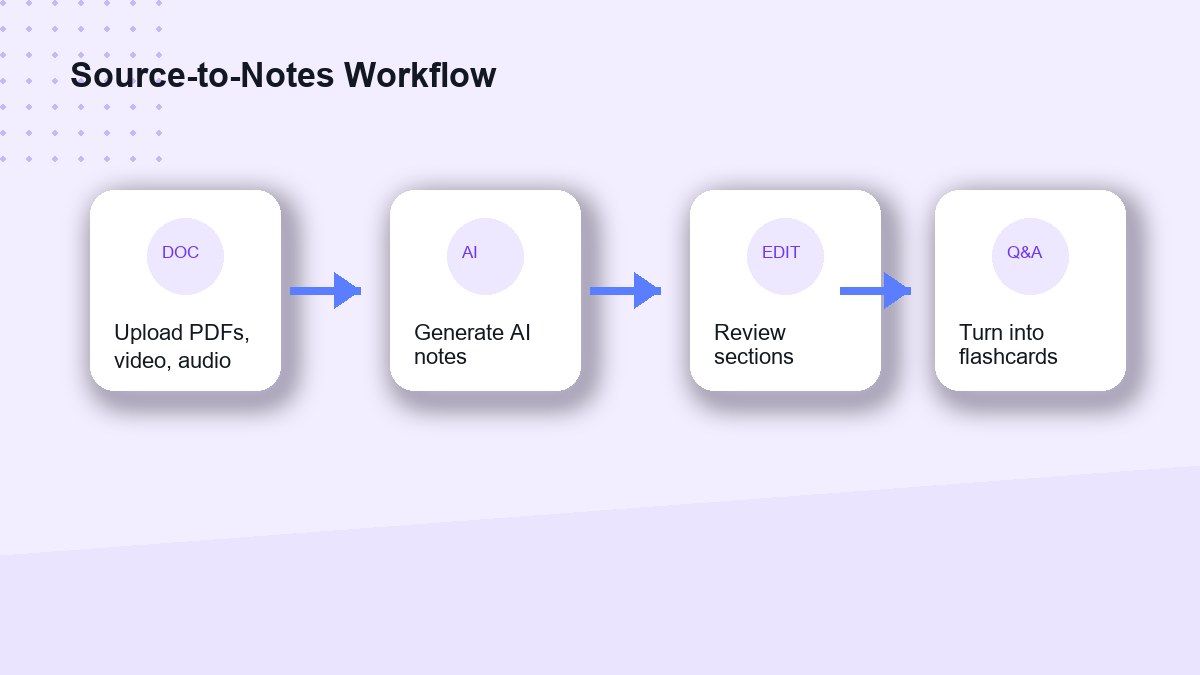
Step 1. Add Your Source Material
Open Lynote AI Note Generator and add the material you want to turn into notes. You can work with documents, audio, video, images, webpages, or YouTube content.
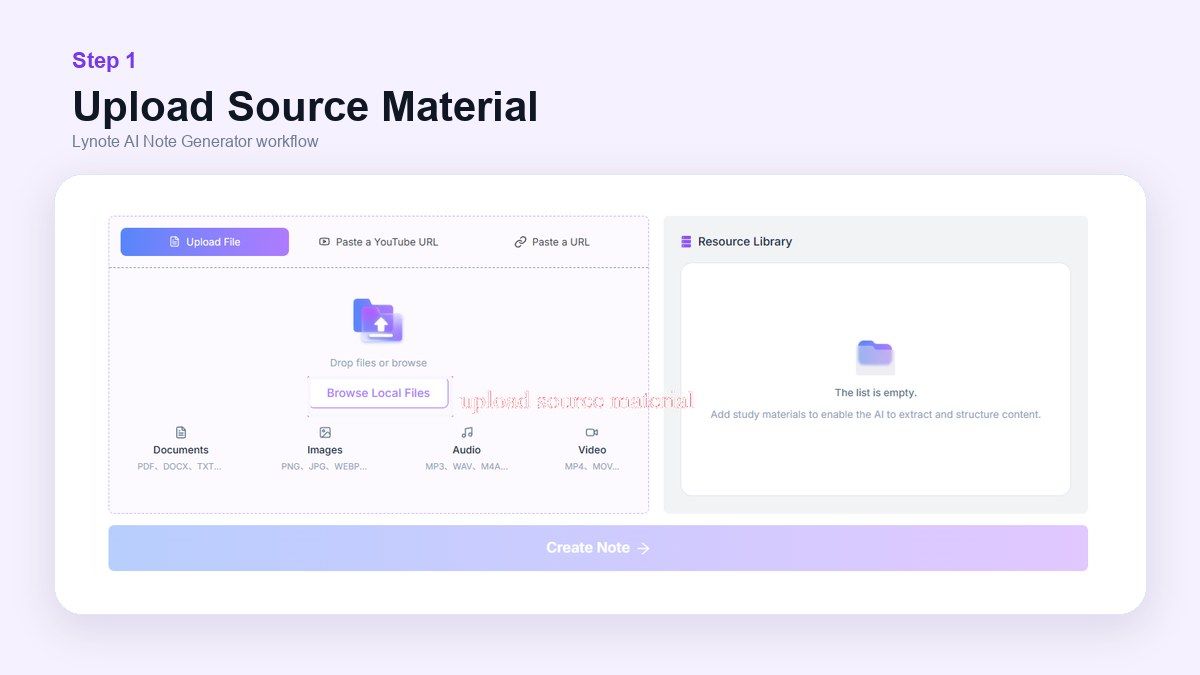
This is useful when your learning material is too long to summarize manually. Instead of copying sections by hand, you start with the original source.
Step 2. Generate AI Notes
After the source is loaded, Lynote creates structured notes from the material. The goal is to organize key ideas into headings, bullets, and readable sections.
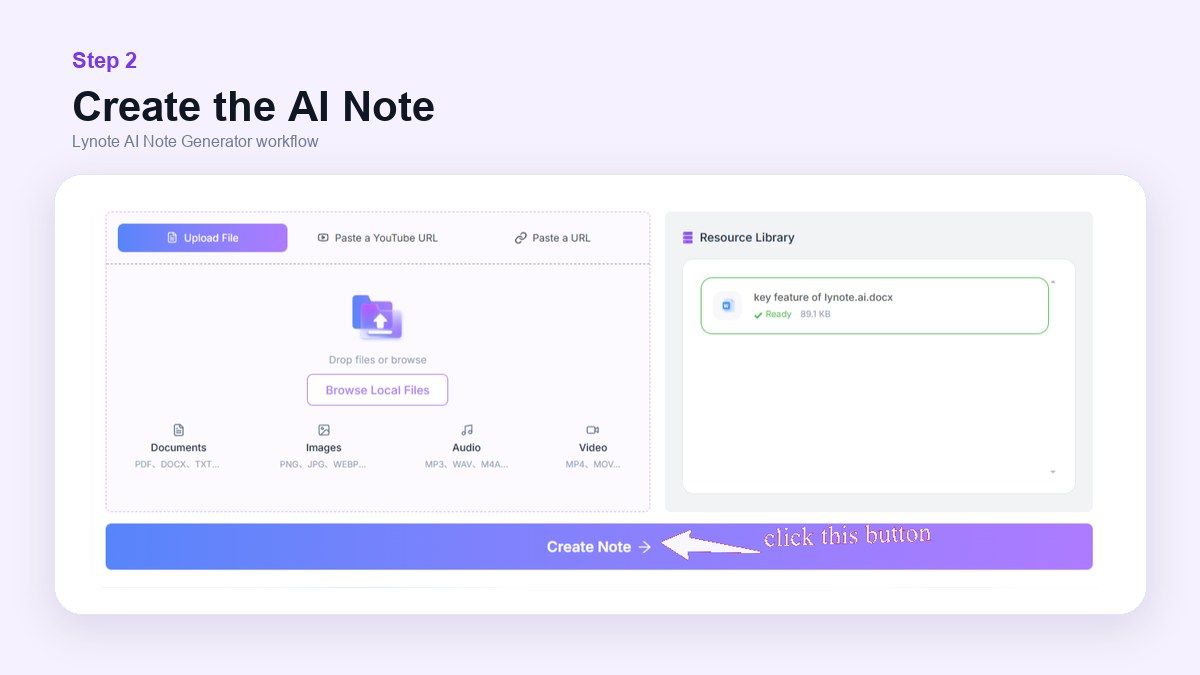
This helps you move from raw content to review-ready notes. It is especially useful for lectures, research material, class readings, and long videos.
Step 3. Review, Edit, and Reuse
After the notes are generated, review the output and adjust anything that needs more context. AI notes are a starting point, not a replacement for your judgment.
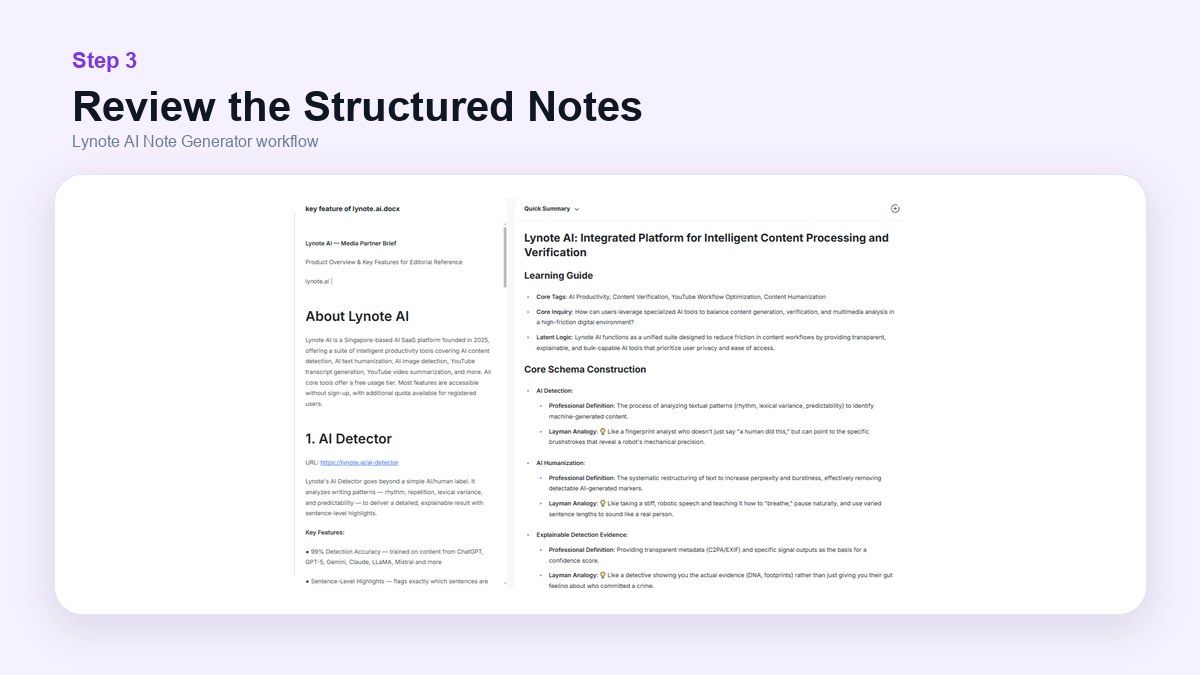
You can reuse the notes for studying, writing, class discussion, or flashcard review. This makes Lynote more useful than a simple summary box.
Who Should Choose Kiwinote?
Choose Kiwinote if you want a broad student AI hub. It may be a good fit if you want concise notes, quizzes, flashcards, and chat in one study environment.
Kiwinote is also useful if your study materials are already organized and ready to upload. It feels built for students who want quick AI support around schoolwork.
If you mainly want a general study assistant, Kiwinote is worth comparing. It is strongest when you want multiple study modes together.
Who Should Choose Lynote?
Choose Lynote if your main task is turning source materials into structured notes. It is especially strong when those sources include PDFs, YouTube videos, audio recordings, webpages, images, and documents.
Lynote is also a good fit if you want to reuse notes across different study tasks. You can review them, edit them, summarize them further, or turn them into flashcards.
If your study process starts with messy material, Lynote is the more focused option. It helps create a clean base before review begins.
Pros and Cons of Kiwinote
| Pros | Cons |
|---|---|
| Student-focused positioning | Naming can be confusing across kiwinotes and kiwinote.ai searches |
| Supports notes, quizzes, flashcards, and chat | Exact free limits should be checked directly |
| Useful for uploaded study materials | May be less focused for source-to-note workflows |
| Clear student use case | Workflow depends on the current app experience |
Kiwinote is useful for students who want a broad AI study assistant. It is less ideal if your priority is structured note generation from many content formats.
Pros and Cons of Lynote
| Pros | Cons |
|---|---|
| Strong structured note workflow | Not meant to replace every student app feature |
| Supports many source types | Generated notes still need review |
| Useful for long lectures and mixed study material | Best results depend on clear source quality |
| Notes can support flashcard review | Students wanting only quizzes may compare other tools |
Lynote is strongest when the input material is the hard part. It helps turn scattered learning sources into notes you can actually use.
FAQs About Lynote vs Kiwinote Review 2026
Is Kiwinote the same as Kiwinotes?
Not exactly. Kiwinotes is often used as a search variation, while Kiwinote AI currently redirects to Kiwi AI at kiwi.app. The website kiwinotes.com appears to be a separate app directory or review site.
What is Kiwinote AI?
Kiwinote AI is a student-focused AI study product that helps turn learning materials into notes, quizzes, flashcards, and interactive chat. It is positioned as a ChatGPT alternative for students.
Is Kiwinote AI free?
Kiwinote AI promotes a free try option, but the exact limits can change. Always check the official Kiwi AI website or app screen for the current free plan and paid options.
Is Lynote better than Kiwinote?
Lynote is better if your main goal is generating structured AI notes from mixed source materials. Kiwinote may be better if you want a broader student study hub with notes, quizzes, flashcards, and chat.
Can Lynote make notes from videos?
Yes. Lynote AI Note Generator can help turn video-related learning material and YouTube links into structured AI notes, along with documents, audio, images, webpages, and other supported sources.
Final Verdict
This Lynote vs Kiwinote review 2026 comes down to study workflow. Kiwinote is a good choice if you want a broad student AI hub for notes, quizzes, flashcards, and chat. Lynote is the stronger choice if you need to turn mixed source material into structured AI notes, especially when your study inputs include PDFs, videos, audio, webpages, images, and YouTube content.

Written by Janet L. Harris
AI Writing Specialist
Janet reviews AI detectors and humanization tools, with a focus on accuracy, limitations, and responsible use. View all articles →