10 Best YouTube to Notes AI Tools in 2026

If you need a YouTube to notes AI tool in 2026, you probably want more than a quick transcript. The best tools turn long videos into structured notes, summaries, timestamps, study guides, flashcards, or searchable research material. I compared Lynote and nine popular alternatives to help you choose the right AI note taker from YouTube video workflows.
Quick Verdict
Lynote is the best fit if you want one workspace for YouTube links, documents, audio, video, images, and webpages. It turns source material into structured AI notes with headings, bullet points, and reusable study sections.
NotebookLM is strong for source-grounded research and citations. Notta is better for transcription-heavy users, while Thetawave, Mindgrasp, StudyPDF, and MyMap are more student-study focused.
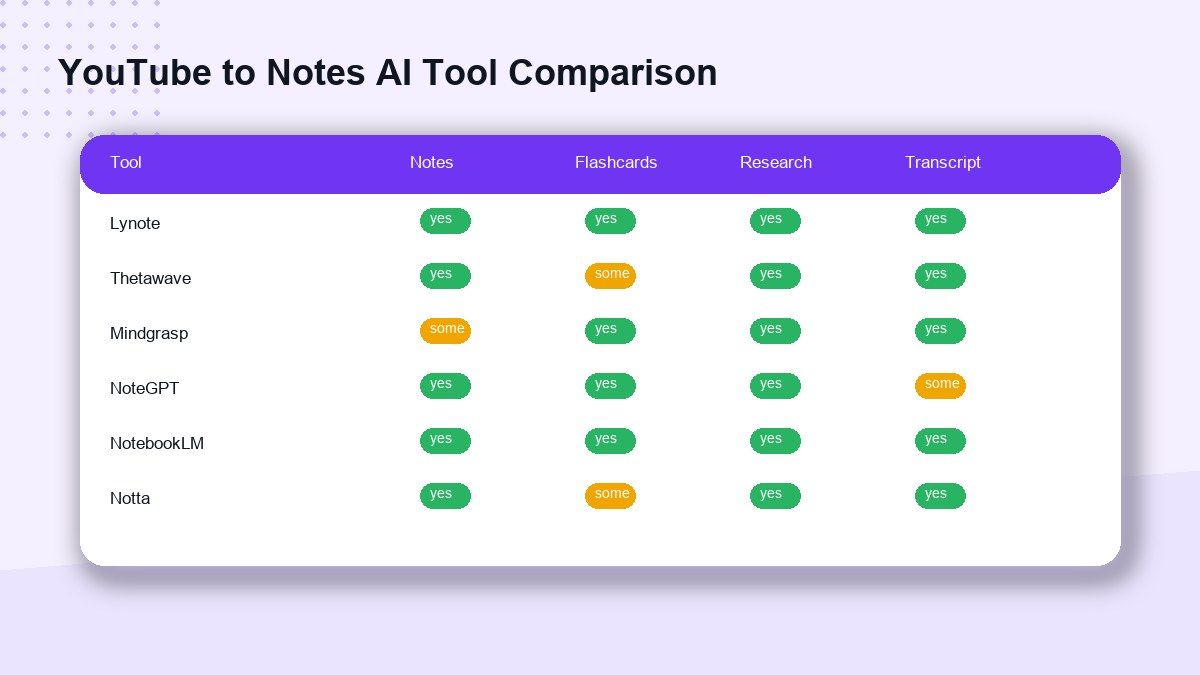
Comparison Table
| Tool | Best For | YouTube Input | Output Style | Strong Point |
|---|---|---|---|---|
| Lynote | Multi-source AI notes | Yes | Structured notes, flashcards | Broad source support |
| Thetawave | Student study notes | Yes | Notes, flashcards, quizzes | Study-first workflow |
| Mindgrasp | Video learning | Yes | Organized video notes | Upload or paste video |
| Noteey | Timestamped notes | Yes | Timestamped video notes | Simple note capture |
| NoteGPT | Broad AI learning | Yes | Summaries, transcripts, AI tools | Large tool ecosystem |
| StudyPDF | Study materials | Yes | Notes, concepts, summaries | Free study positioning |
| MyMap | Visual study notes | Yes | Notes, maps, flashcards | Visual canvas workflow |
| Turbo AI | Study activities | Yes | Notes, quizzes, podcasts | Mobile-friendly study |
| NotebookLM | Research synthesis | Yes | Cited notes, Q&A, guides | Source-grounded answers |
| Notta | Transcription and meetings | Yes | Transcript, AI notes | Language and export support |
How I Compared These Tools
I evaluated each tool by its public product positioning, YouTube support, output usefulness, study workflow, export value, and fit for real users. I did not assume private testing results or invent accuracy scores.
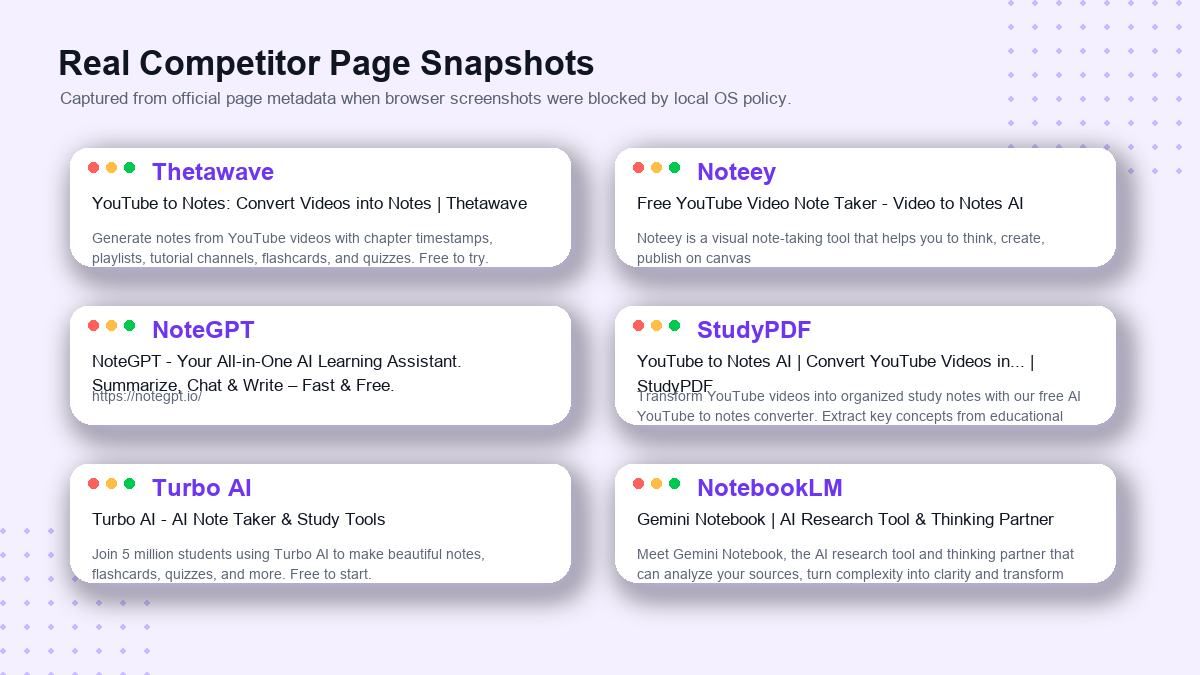
A good YouTube to notes AI tool should do three things well. It should accept a YouTube link, organize the video into readable notes, and help users reuse the result for study, research, writing, or team work.
1. Lynote AI Note Generator
Lynote AI Note Generator is built for users who want AI notes from more than just YouTube. It supports documents, audio, video, images, webpages, and YouTube links, then turns them into structured notes with headings and bullet points.
This makes Lynote a strong choice when your study or research material is scattered across different formats. You can turn a YouTube lecture into notes, then combine it with a PDF, webpage, or class document in the same workflow.
Features:
- YouTube links, files, webpages, audio, video, and images
- Structured AI notes with headings and bullet points
- Notes can support flashcard-style review
- Good for students, researchers, and content workflows
Pros:
- Flexible source support
- Clean note structure
- Useful beyond YouTube videos
Cons:
- Not only a YouTube-specific tool
- Generated notes still need review
Best for:
Students and professionals who want a YouTube video to notes AI workflow that also works with PDFs, lectures, webpages, and other source material.
2. Thetawave
Thetawave has a clear YouTube to notes workflow: paste a YouTube link, let AI extract and organize the content, then review study-ready notes. Its page also highlights flashcards, quizzes, and source-aware review for students.
This makes it a good option for learners who want study outputs rather than a plain transcript. It is especially useful for lecture-style videos, tutorials, and online course content.
Features:
- Paste a YouTube link
- AI extracts key concepts
- Notes, flashcards, quizzes, and study workflows
- Student-focused positioning
Pros:
- Strong study angle
- Good for course videos
- Recall practice support
Cons:
- More student-focused than general productivity-focused
- Best value depends on current plan limits
Best for:
Students who want YouTube study notes plus flashcards and quizzes.
3. Mindgrasp
Mindgrasp offers an AI video note taker that accepts YouTube links or uploaded video files. Its page describes organized notes from videos and mentions support for video formats such as MP4, MOV, AVI, MKV, and WebM.
Mindgrasp is useful when you want video notes from both public links and local video files. It also positions the tool for lectures, tutorials, webinars, conference talks, and research videos.
Features:
- YouTube link input
- Video file upload
- Structured notes by topic
- Study, quiz, and tutor-style support
Pros:
- Flexible video input
- Good for educational videos
- Useful for students and teachers
Cons:
- Broader study platform may be more than some users need
- Exact free limits should be checked on the product page
Best for:
Learners who want an AI note taker from YouTube video content and uploaded video files.
4. Noteey
Noteey offers a free YouTube video note taker focused on timestamped notes. Its interface asks users to enter a YouTube URL and create video notes.
The biggest appeal is simplicity. If you want timestamped notes from a video without a heavy research workspace, Noteey is easy to understand.
Features:
- YouTube URL input
- Timestamped video notes
- Simple web-based workflow
- Related YouTube transcript and summarizer tools
Pros:
- Clean and direct use case
- Timestamped output
- Good for reviewing specific moments
Cons:
- Less focused on multi-source research
- May be lighter than full study platforms
Best for:
Users who want fast timestamped notes from YouTube videos.
5. NoteGPT
NoteGPT is a broad AI learning platform with YouTube summarizer, YouTube transcript, video-to-text, audio-to-text, PDF summarizer, flashcard maker, and many other tools. Its site positions the product as an all-in-one AI learning assistant.
This makes NoteGPT a strong option for users who want a large tool library. The tradeoff is that the YouTube notes workflow may feel surrounded by many adjacent tools.
Features:
- YouTube summarizer and transcript tools
- AI transcriber and AI summarizer
- Flashcard and quiz tools
- Broad AI learning ecosystem
Pros:
- Many related tools
- Good for learners who want an all-in-one platform
- Useful for transcripts, summaries, and study outputs
Cons:
- Can feel less focused if you only need notes
- Tool discovery may take time
Best for:
Users who want YouTube AI notes inside a larger AI learning toolkit.
6. StudyPDF
StudyPDF's YouTube to Notes AI page focuses on converting YouTube videos into organized study materials. It emphasizes extracting key concepts, summaries, and study notes from educational videos.
The workflow is clearly built for students. It includes steps such as pasting a YouTube URL, AI analyzing the content, generating study notes, and customizing the result.
Features:
- YouTube to study notes
- Key concept extraction
- Study summaries
- Student-focused review flow
Pros:
- Clear educational positioning
- Easy workflow
- Good for exam prep and course videos
Cons:
- More study-oriented than workplace-oriented
- Feature depth should be verified in the live app
Best for:
Students who want free YouTube to notes AI support for course review.
7. MyMap
MyMap offers a YouTube Video Note Generator that turns a YouTube URL into structured notes. It also supports follow-up questions, PDF export, sharing, mind maps, and flashcard-style study formats.
The visual angle makes MyMap different. Instead of only producing linear notes, it can help users turn notes into visual learning formats.
Features:
- Paste YouTube URL
- Structured notes
- Follow-up questions
- Mind maps, flowcharts, slides, and flashcards
Pros:
- Visual study workflow
- Good for brainstorming and mapping concepts
- No extension required for basic use
Cons:
- Visual canvas may not suit users who prefer simple text notes
- Free allowance may vary by plan
Best for:
Visual learners who want AI notes from YouTube video content plus mind maps.
8. Turbo AI
Turbo AI focuses on turning study materials into interactive learning activities. Its site mentions PDFs, YouTube videos, recordings, notes, quizzes, podcasts, and study activities.
Turbo AI is a good fit for students who want notes to become practice. It is less of a pure YouTube notes converter and more of a study system.
Features:
- YouTube videos, PDFs, recordings, and notes
- AI notetaker workflow
- Quizzes and practice activities
- Web and mobile access
Pros:
- Strong mobile study positioning
- Good for practice after note generation
- Useful for learners who want activities
Cons:
- May be too study-app oriented for researchers
- Less focused on export-first note workflows
Best for:
Students who want YouTube AI notes that turn into quizzes and study activities.
9. NotebookLM
NotebookLM is Google's source-grounded research and learning tool. Google help documentation says NotebookLM supports public YouTube URLs with captions, PDFs, docs, slides, web URLs, audio files, and more.
NotebookLM is excellent when you want to ask questions across sources and receive answers grounded in uploaded material. It is especially useful for research synthesis, study guides, citations, and comparing several sources.
Features:
- Public YouTube URL support
- Source-grounded Q&A
- Study guides, summaries, flashcards, and Audio Overviews
- Multiple source types
Pros:
- Strong source grounding
- Great for multi-source research
- Useful citations and study modes
Cons:
- Only imports the transcript from YouTube videos
- Some source limits and availability rules apply
Best for:
Researchers and students who want cited answers from YouTube videos and other materials.
10. Notta
Notta is more transcription-first than study-first. It supports uploaded files and YouTube links, AI notes, real-time transcription, translation, meeting workflows, and multiple integrations.
Choose Notta if your main goal is accurate transcription, language support, and exporting meeting or video content. It is especially strong for professionals who work with meetings, interviews, webinars, and multilingual audio.
Features:
- Upload and link transcription
- YouTube link support
- AI notes and summaries
- Meeting and language workflows
Pros:
- Strong transcription product
- Good export and integration ecosystem
- Useful for meetings and interviews
Cons:
- Less study-specific than Lynote, Thetawave, or StudyPDF
- Some users may not need the meeting features
Best for:
Professionals who need transcription-heavy YouTube notes AI workflows.
Best Tool by Use Case
| Use Case | Best Pick |
|---|---|
| Best overall multi-source notes | Lynote |
| Best student flashcards and quizzes | Thetawave |
| Best video file upload support | Mindgrasp |
| Best timestamped notes | Noteey |
| Best broad AI learning suite | NoteGPT |
| Best student study materials | StudyPDF |
| Best visual notes and maps | MyMap |
| Best mobile study practice | Turbo AI |
| Best source-grounded research | NotebookLM |
| Best transcription workflow | Notta |
How to Convert YouTube Video Into Notes Using AI
The basic process is similar across most tools. Paste a YouTube URL, let the AI read the transcript or video content, then review the generated notes.
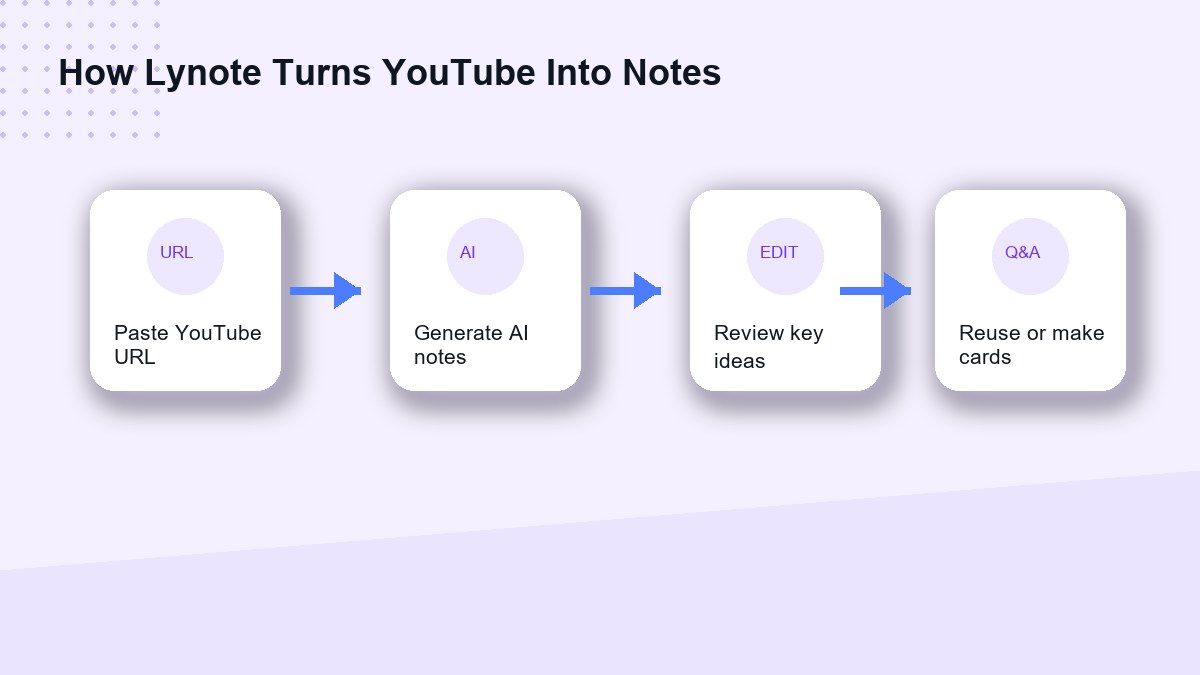
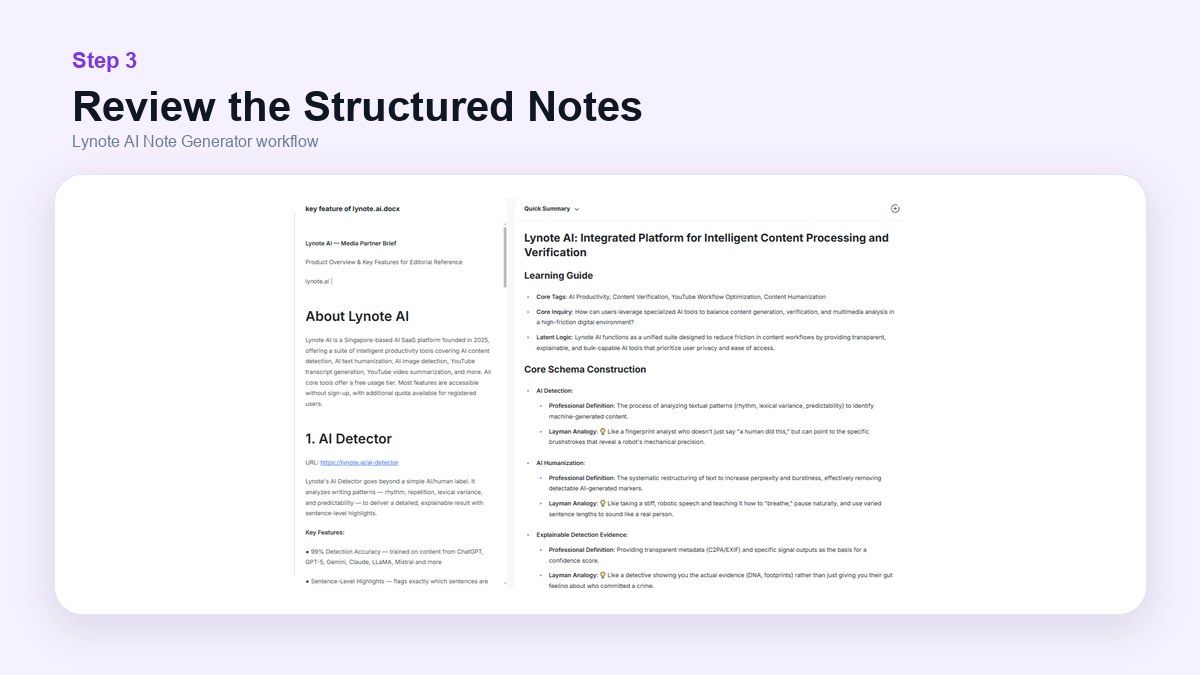
In Lynote, open the AI Note Generator, choose the YouTube URL option, add the video link, and generate notes. Then review the headings, bullet points, and sections before using the notes for study or work.
This workflow is useful when you need notes from YouTube video AI tools but do not want to rewatch the entire video. It is also helpful for lectures, tutorials, podcasts, interviews, and research videos.
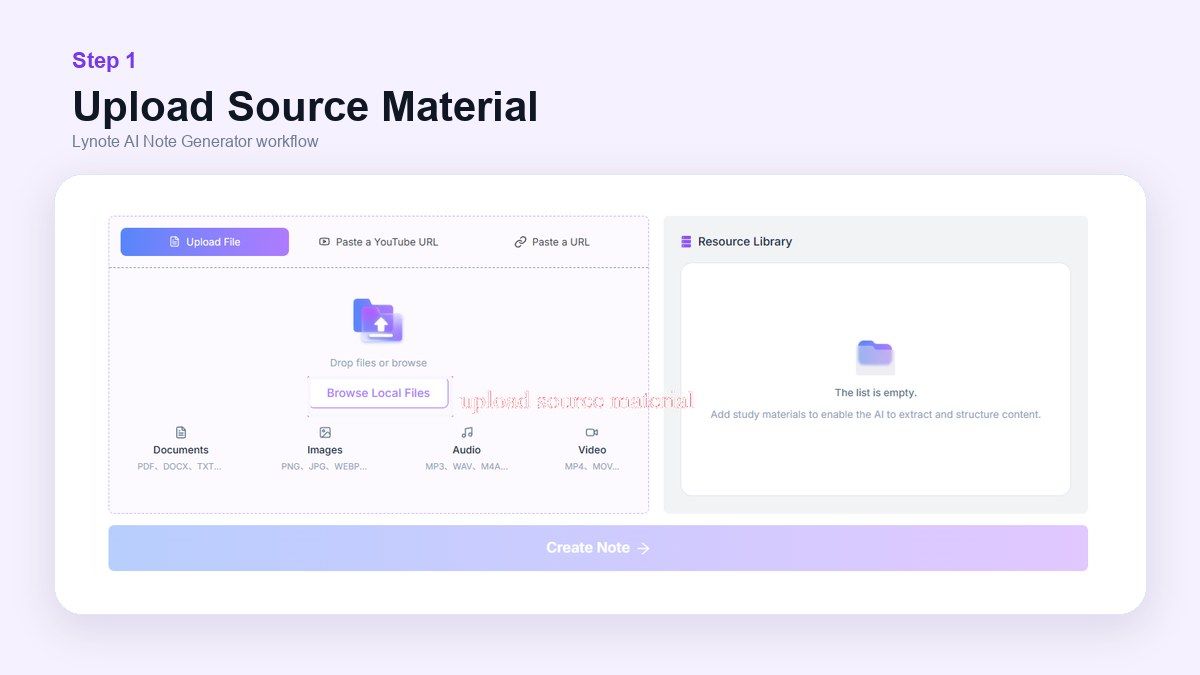
Step 1. Add the YouTube Video
Open Lynote AI Note Generator and add the YouTube video you want to study. You can paste a YouTube link or add other source material if the project includes PDFs, webpages, audio, or video files.
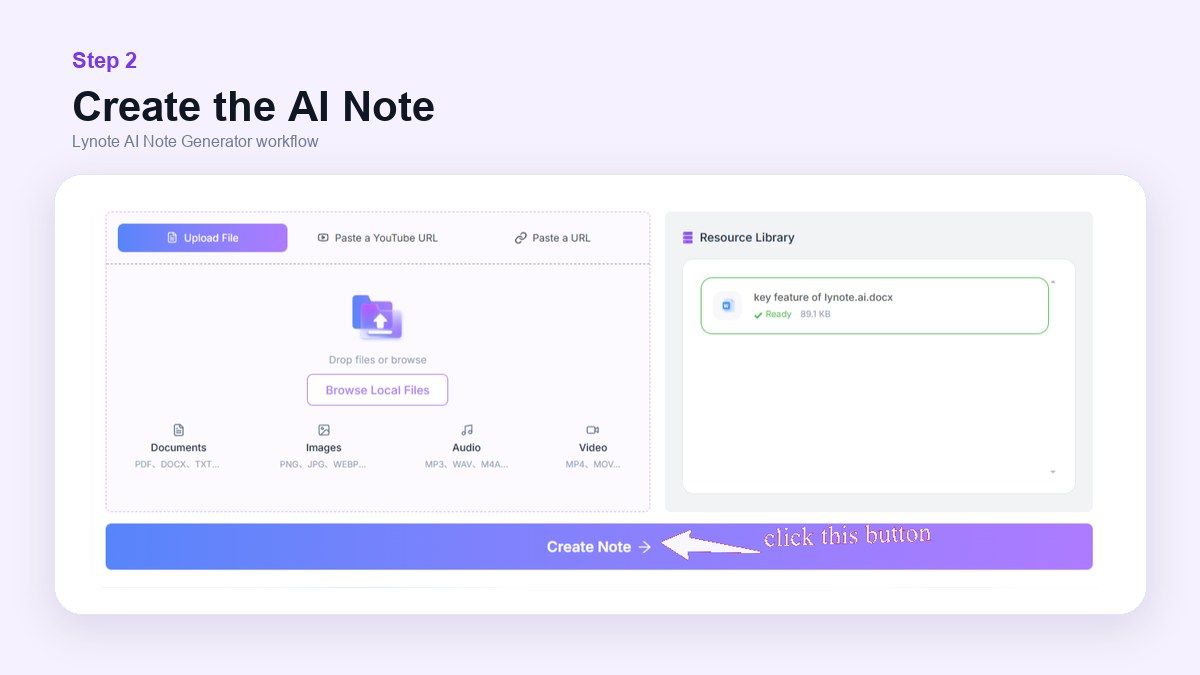
Step 2. Generate Structured AI Notes
Run the note workflow so Lynote can organize the source into headings, bullets, and review-ready sections. This is where a long video becomes easier to scan.
Step 3. Review, Edit, and Reuse
Read the notes, edit any details, and reuse the result for study, research, outlines, or flashcards. AI notes should save time, but you should still check important facts against the original source.
What Makes a Good YouTube to Notes AI Tool?
A good tool should produce structured notes, not just a transcript. Headings, sections, takeaways, and review points make the result easier to scan.
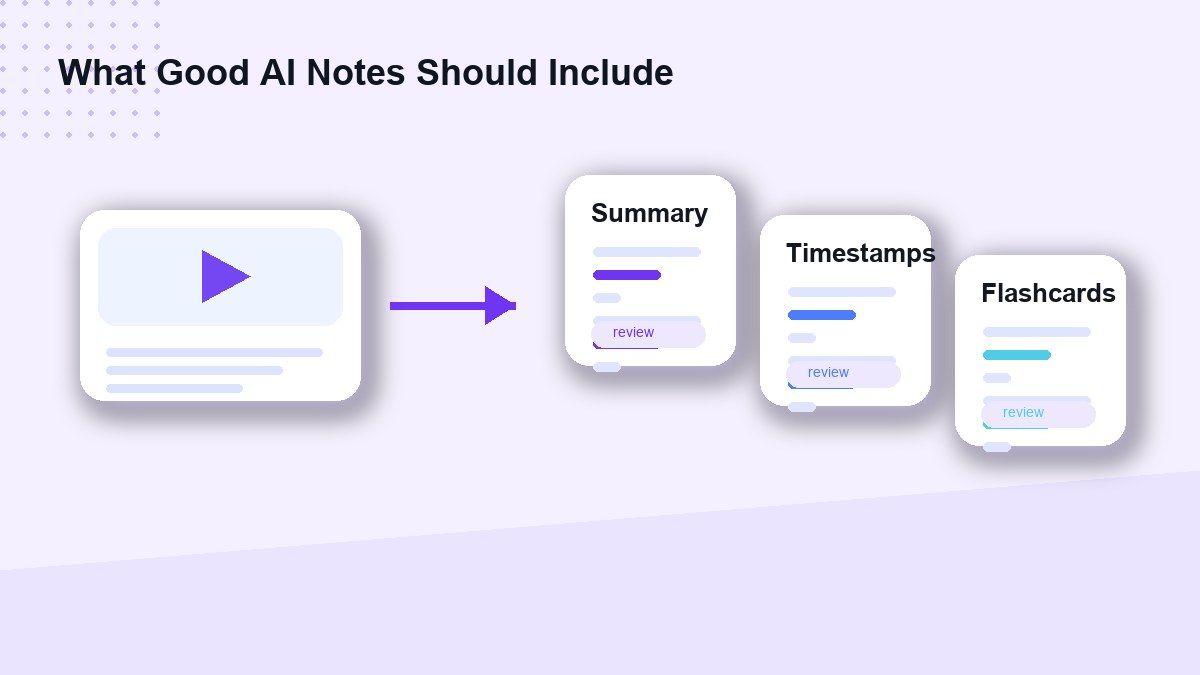
The tool should also support your next step. Some users need flashcards, others need citations, exports, mind maps, or a searchable workspace.
Finally, the best YouTube to notes AI tool should fit your source mix. If YouTube is only one part of your workflow, Lynote or NotebookLM may be more useful than a single-purpose converter.
FAQs About YouTube to Notes AI Tools
What is the best YouTube to notes AI tool in 2026?
Lynote is the strongest all-around choice if you need YouTube notes plus documents, audio, video, images, and webpages in one workflow. NotebookLM is best for source-grounded research, and Notta is best for transcription-heavy users.
Can AI generate notes from YouTube videos?
Yes. Many tools can generate AI notes from YouTube video transcripts or captions. The quality depends on the video audio, captions, transcript availability, and how well the tool structures the output.
Is there a free AI note taker from YouTube video content?
Yes, several tools offer free or free-to-start workflows. Check each product's current plan because free limits, account requirements, and export options can change.
How do I make notes from YouTube video using AI?
Paste the YouTube URL into a YouTube note taker AI tool, generate the notes, then review and edit the output. For study, choose a tool that can also create flashcards, summaries, or Q&A.
Are YouTube AI notes better than transcripts?
Often, yes. A transcript captures speech, while AI notes organize key points, definitions, examples, and takeaways into readable sections. For exact quotes, keep the transcript too.
Final Verdict
The best YouTube to notes AI tool depends on what you want after the notes are generated. Lynote is the strongest pick for users who need YouTube video to AI notes alongside PDFs, webpages, audio, video, and images. If you need research citations, choose NotebookLM; if you need transcription-first output, choose Notta; if you want student quizzes and flashcards, compare Thetawave, Mindgrasp, StudyPDF, and Turbo AI.

Written by Janet L. Harris
AI Writing Specialist
Janet reviews AI detectors and humanization tools, with a focus on accuracy, limitations, and responsible use. View all articles →