Can ChatGPT Make Flashcards? What Students Should Know

Can ChatGPT make flashcards from study notes, PDFs, slides, or pasted text? Yes, it can create question-and-answer cards when you give it clear source material and a useful prompt. The bigger question is whether ChatGPT is the easiest workflow when you need cards from files, videos, links, and notes. For many students, Lynote AI Flashcard is a more focused alternative because it turns learning materials into flashcards inside a study workspace.
Quick Answer: Can ChatGPT Make Flashcards?
Yes, ChatGPT can make flashcards if you paste content and ask for a question-and-answer format. It can also rewrite cards, make cloze-style prompts, or format output for tools such as Anki or Quizlet.
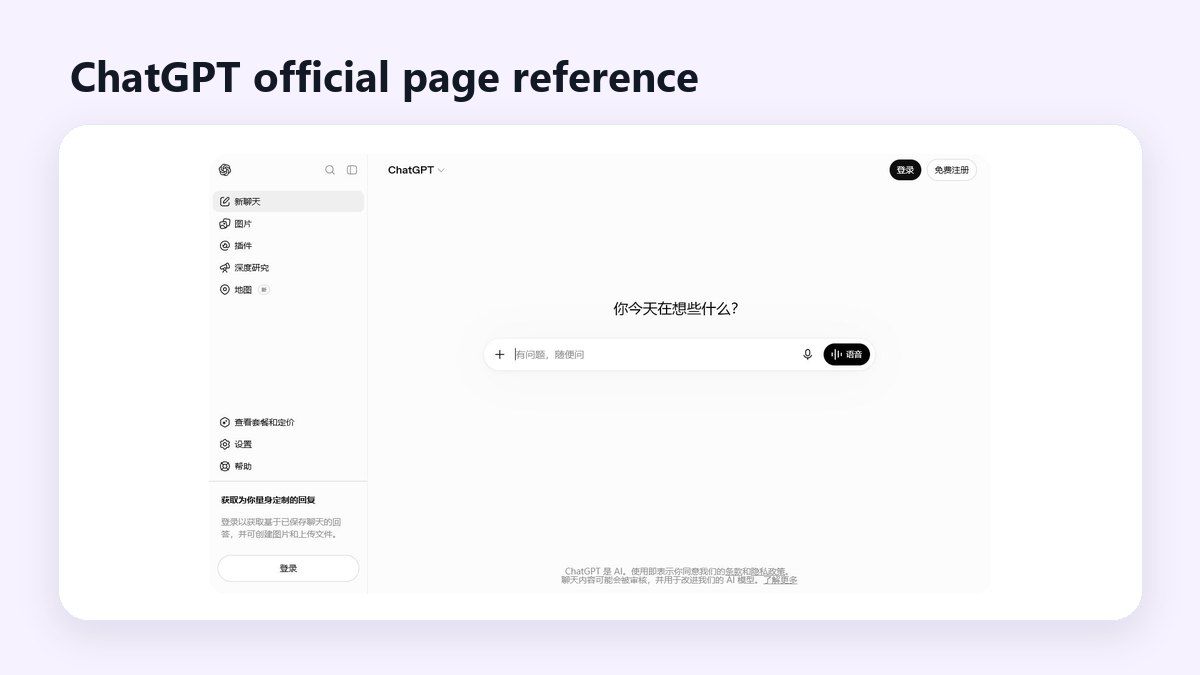
The limitation is that ChatGPT often depends on how cleanly you prepare the source. If the material is long, messy, visual, or spread across several files, you may spend extra time copying, formatting, and checking the cards.
ChatGPT vs Lynote for Flashcard Creation
If your only question is “can ChatGPT make flashcards,” the answer is yes. If your real task is building a reliable review deck from school material, the workflow matters more than the model.
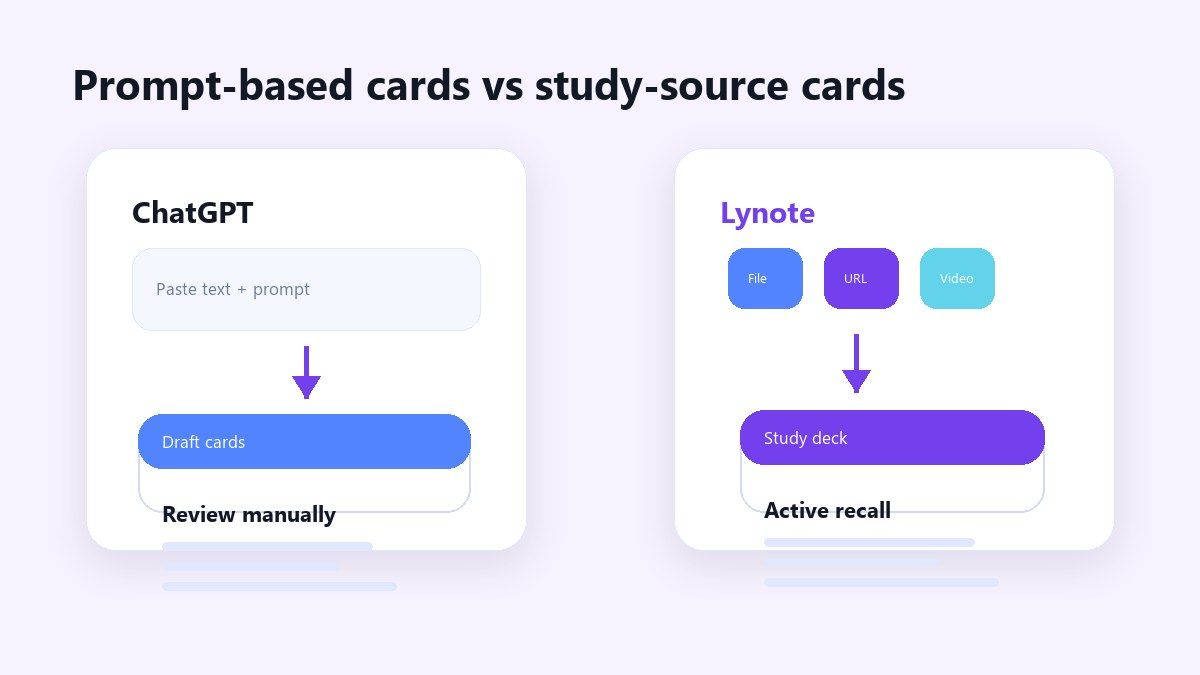
| Need | ChatGPT | Lynote AI Flashcard |
|---|---|---|
| Paste short notes | Works well with a clear prompt | Works well from uploaded or pasted material |
| PDF to flashcards | Possible with file access or copied text | Built for study files and source material |
| PowerPoint to flashcards | Possible when slide text is available | Better when slides are part of a study workflow |
| YouTube or video study | Needs transcript or copied notes | Can work from video, audio, links, and notes |
| Anki-style output | Can format cards as tables or TSV | Useful for study-first review and active recall |
| Quizlet-style cards | Can create terms and definitions | Creates review cards from your own materials |
| Best fit | Prompt-based card drafting | Multi-source flashcard generation |
How ChatGPT Can Make Flashcards
ChatGPT can turn a paragraph, lecture outline, or study guide into flashcards when you provide the source and specify the format. A simple prompt can ask for one question per card, one answer per card, and no extra explanation.
For example, you might paste a section from biology notes and ask for 20 cards. You can also ask for difficult cards, multiple-choice cards, or cards that focus on definitions, dates, equations, or examples.
This is useful for quick review. It is less ideal when the source is a long PDF, a slide deck, a lecture video, or several different resources.
Where ChatGPT Works Well
ChatGPT works best when your notes are already organized. If you paste a clean study guide, it can quickly produce a useful first draft of flashcards.
It is also helpful when you need custom wording. You can ask for shorter answers, simpler language, exam-style questions, or a different difficulty level.
Another advantage is flexibility. ChatGPT can produce cards as a numbered list, Markdown table, CSV-style rows, or a format you can adapt for another tool.
Where ChatGPT Gets Messy
The challenge is source handling. If you ask, “can ChatGPT make flashcards from PDF,” the result depends on whether you can upload the PDF, whether the text is readable, and how much material fits in the current workflow.
Long files can produce uneven cards. ChatGPT may focus on early sections, miss details from tables, or turn broad concepts into cards that are too vague for active recall.
You also need to verify the output. Flashcards are only helpful when the questions are accurate, the answers are specific, and the deck matches what you actually need to study.
PDF to Flashcards With ChatGPT
Yes, ChatGPT can create cards from PDF content when the text is available to the chat. Depending on your account and interface, you may upload a file or copy text from the PDF into the conversation.
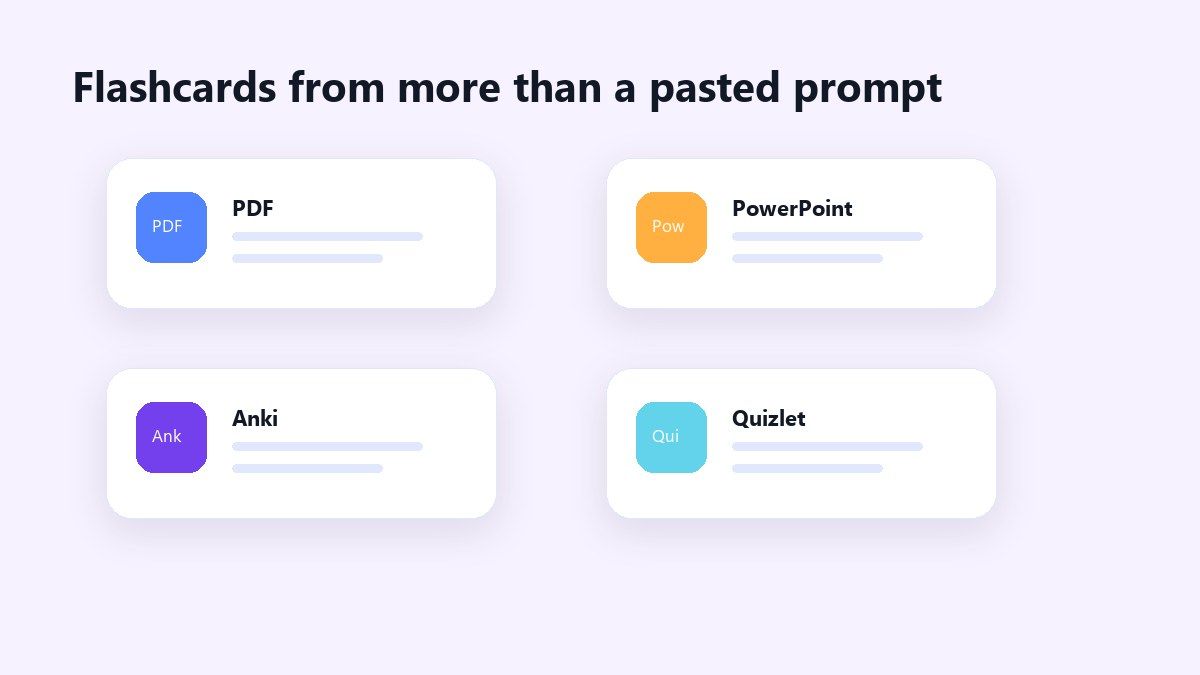
The issue is that PDFs are not always clean. Scanned pages, diagrams, footnotes, columns, and textbook layouts can make extraction harder.
For a PDF-heavy workflow, Lynote is often simpler. You can add study material to Lynote, generate structured notes, and then use those notes to create flashcards for review.
PowerPoint to Flashcards With ChatGPT
Yes, ChatGPT can create flashcards from PowerPoint content if it can access or receive the slide text. You can export slide text, paste speaker notes, or upload the file if your chat environment supports it.
The quality depends on how much context the slides include. Many PowerPoint decks use fragments, diagrams, and visual cues, so the model may need extra explanation to create useful cards.
When students ask, “can ChatGPT make flashcards from PowerPoint,” they usually want a less manual path. A tool like Lynote can help because it is designed around turning study sources into reusable outputs.
Anki Flashcards With ChatGPT
Yes, ChatGPT can prepare Anki-style cards by formatting them as a table or tab-separated text. You can ask for columns such as front, back, tags, and deck name.
This can work well for simple decks. The important step is checking the final import format before adding the cards to Anki.
If you are preparing for spaced repetition, keep each card focused. Long answers are harder to remember, and overly broad prompts can make review feel like rereading notes instead of testing memory.
Quizlet Flashcards With ChatGPT
ChatGPT does not directly create a public Quizlet deck inside Quizlet for you unless you manually move the content. It can generate term-and-definition pairs that you can copy into a Quizlet-compatible format.
That means the answer to “can ChatGPT make flashcards on Quizlet” is partly yes and partly manual. ChatGPT can draft the cards, but you still need to review, format, and import them.
This is where a flashcard-first workflow helps. Lynote keeps the process closer to the study material, so you do not have to keep switching between extraction, prompting, and card cleanup.
Why Lynote Is a Stronger Flashcard Workflow
Lynote AI Flashcard is built for students who do not always start from clean text. You can work from notes, PDFs, lecture files, audio, video, webpages, and YouTube links through the same study workflow.
Instead of asking a general chatbot to guess the best card structure, Lynote focuses on turning source material into review-ready cards. It helps extract concepts, definitions, dates, and facts from the material you are actually studying.
That makes it useful for students who ask, “can ChatGPT make flashcards for me,” but really need a tool that handles the study workflow from source to deck.
How to Make Flashcards With Lynote
Lynote is straightforward because it starts with the material you already have. You do not need to manually rewrite every paragraph into a prompt before creating study cards.
The workflow is especially helpful when your course material comes from more than one place. You can use class notes, readings, videos, audio files, and links as study inputs.
Step 1. Add Your Study Material
Open Lynote AI Flashcard and add the source you want to study. You can upload a local file or paste a URL, depending on the material you are using.
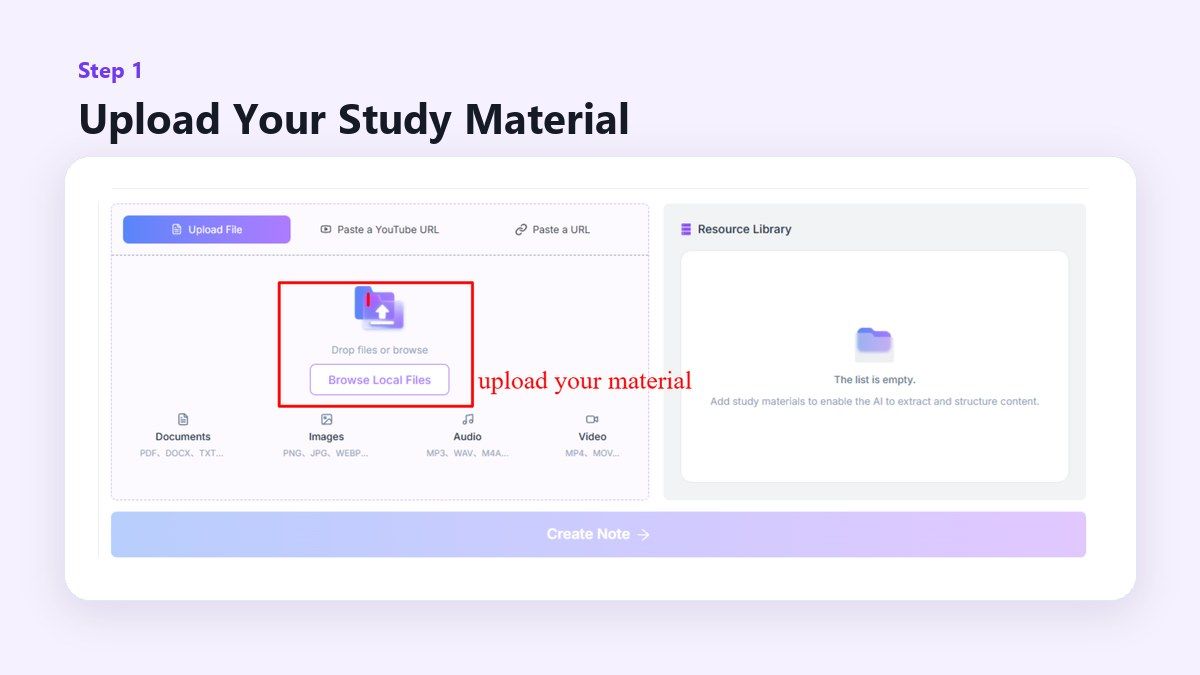
This is helpful for PDFs, notes, lecture resources, webpages, and video-based study. The goal is to give Lynote the source material before generating cards.
Step 2. Generate Flashcards
After the source is ready, create the study output and open the flashcard workflow. Lynote identifies important ideas and turns them into question-and-answer cards.
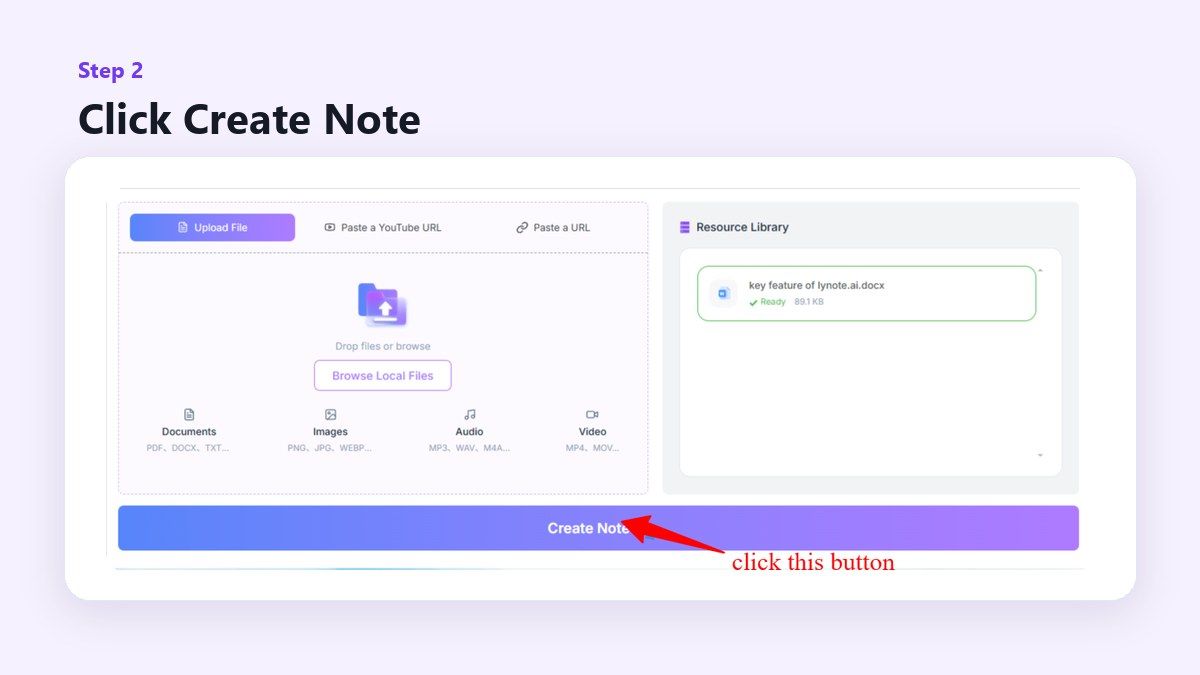
This makes the deck more connected to your actual material. You are not starting from generic flashcards or a vague prompt.
Step 3. Review and Test Yourself
Study the cards using active recall. Try to answer the question first, reveal the answer, and mark weak areas for later review.
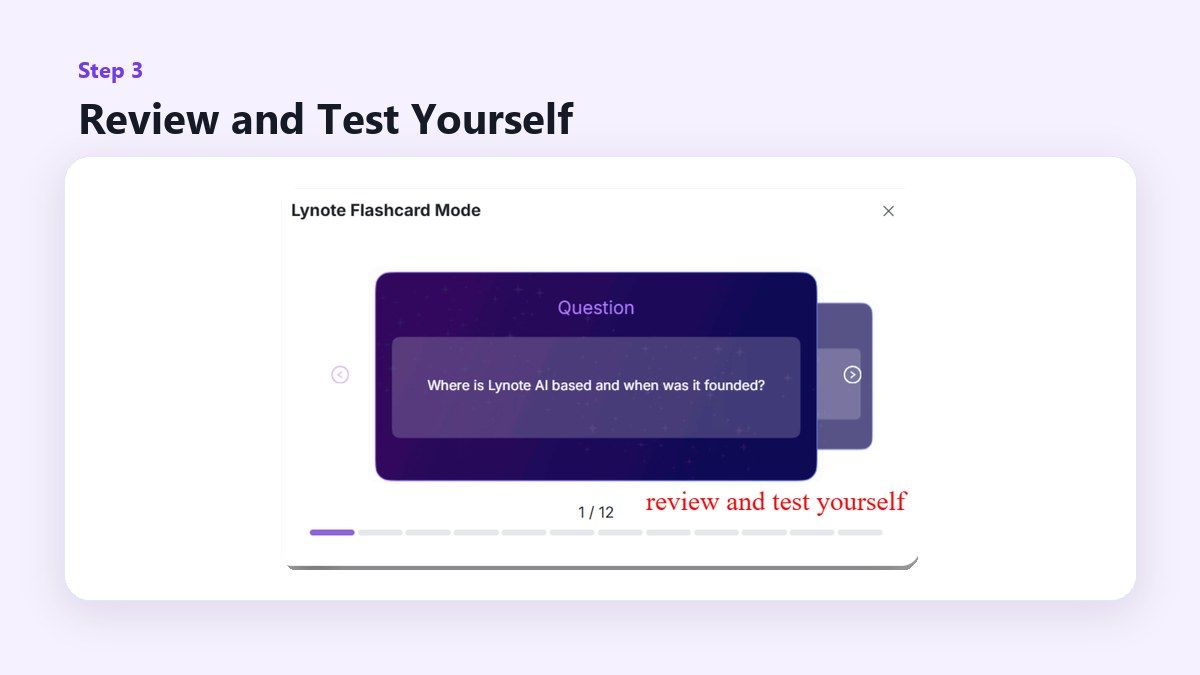
Good flashcards should help you remember, not just recognize information. Edit cards that are too broad, too easy, or not specific enough for your exam.
Best Prompts If You Still Use ChatGPT
If you prefer ChatGPT, start with a clear prompt. Tell it the subject, card type, difficulty, number of cards, and output format.
One useful prompt is: “Create 25 flashcards from this material. Use one focused question and one concise answer per card. Avoid duplicate cards and include only facts supported by the source.”
For Anki, ask for a table with front, back, and tags. For Quizlet, ask for term and definition pairs in a copy-friendly format.
When to Use ChatGPT
Use ChatGPT when your source is short, clean, and easy to paste. It is a flexible option for quick cards, language practice, vocabulary lists, or reviewing a small section of notes.
It is also useful when you want to experiment with card styles. You can ask for cloze deletions, multiple-choice questions, or concept-check prompts.
However, do not treat the first output as final. Review every card for accuracy, missing context, and wording that might make the answer too obvious.
When to Use Lynote Instead
Use Lynote when your study material is spread across different formats. If you have a PDF, video, lecture audio, webpage, or mixed notes, Lynote gives you a more direct study workflow.
It is also a better fit when you want notes and flashcards together. You can turn source material into structured notes, then use flashcards to test memory.
The main limitation is that AI-generated cards still need review. Even with a study-focused tool, you should check important facts and adjust cards for your class, exam, or learning goal.
Common Flashcard Mistakes to Avoid
The first mistake is making cards too broad. A card like “Explain photosynthesis” is harder to review than a focused card about inputs, outputs, or a specific step.
The second mistake is copying long paragraphs into answers. Flashcards work best when the answer is short enough to recall, compare, and correct quickly.
The third mistake is skipping review. Whether you use ChatGPT, Lynote, Anki, or Quizlet, the deck only becomes useful after you test yourself with it.
FAQs About ChatGPT and Flashcards
Can ChatGPT create flashcards for me?
Yes, ChatGPT can create flashcards for you if you provide the source material and instructions. It works best when the material is clean, specific, and not too long.
For larger study workflows, Lynote may be easier because it is designed to create flashcards from uploaded or linked learning materials.
Can ChatGPT make flashcards from PDF?
Yes, ChatGPT can use PDF content for flashcards when it can access the PDF text. If the PDF is scanned, image-heavy, or poorly formatted, the results may need more cleanup.
Lynote is useful when your study source is a file and you want a more guided path from source to notes to flashcards.
Can ChatGPT use PowerPoint content for flashcards?
Yes, ChatGPT can use PowerPoint content for flashcards if you provide the slide text or upload the file in a supported workflow. The cards may be better when you include speaker notes or extra context.
Slides often contain fragments, so always review the generated cards before studying.
Can ChatGPT make flashcards for Anki?
Yes, ChatGPT can format flashcards for Anki as TSV or a table with front and back fields. You should test the formatting before importing a large deck.
Keep Anki cards short and focused. One idea per card usually works better than long explanations.
Can ChatGPT prepare cards for Quizlet?
ChatGPT can generate term-and-definition pairs for Quizlet, but you usually need to copy or import them yourself. It does not replace the full Quizlet deck management process.
If you want a study workflow built around your source material, Lynote can be a more direct option.
Final Verdict
Can ChatGPT make flashcards? Yes, and it can be useful for quick card drafts, Anki-style tables, and Quizlet-ready term lists. But if your study material includes PDFs, slides, videos, audio, links, and notes, Lynote gives you a more focused way to turn real learning sources into flashcards. Start with the tool that matches your source, then review every card before you study.

Written by Janet L. Harris
AI Writing Specialist
Janet reviews AI detectors and humanization tools, with a focus on accuracy, limitations, and responsible use. View all articles →