Best NoteGPT Flashcard Maker Alternative for Study

If you are comparing notegpt flashcard maker with another AI study tool, the real question is simple: which workflow helps you turn learning materials into useful review cards faster? NoteGPT offers an AI flashcard maker for text, files, links, and YouTube content. Lynote AI Flashcard is a strong alternative when you want flashcards built from your own notes, PDFs, videos, audio, webpages, and study materials in one focused workspace.
Quick Verdict: NoteGPT Flashcard Maker vs Lynote
The notegpt flashcard maker is useful if you want a straightforward flashcard generator with card count, difficulty, and language settings. It supports several input types and can generate question-and-answer cards from learning content.
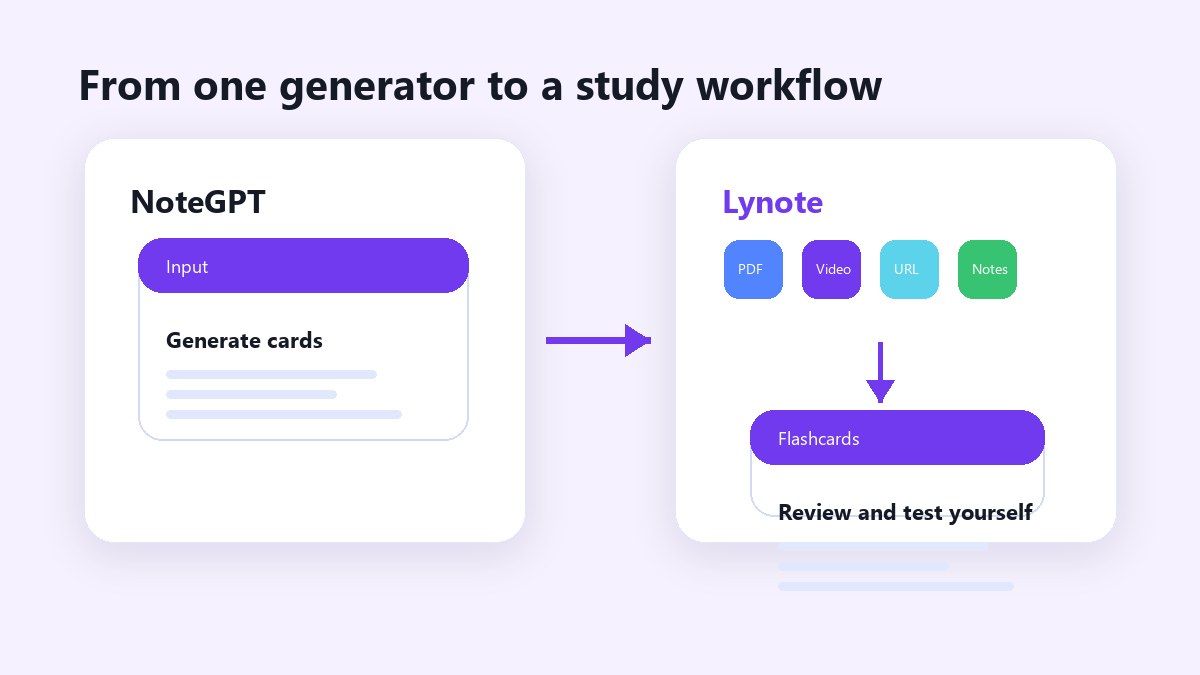
Lynote is better if your study workflow starts with mixed resources. You can upload files, paste a YouTube URL, paste a webpage, or use existing study notes, then create AI flashcards for active recall.
| Feature | NoteGPT Flashcard Maker | Lynote AI Flashcard |
|---|---|---|
| Main use case | Generate AI flashcards | Turn study materials into flashcards |
| Input types | Text, file, article link, YouTube | PDF, DOCX, TXT, images, audio, video, URLs, YouTube |
| Study style | Q&A cards | Active recall flashcards from your materials |
| Best for | Quick card generation | Multi-source study workflows |
| Product link | NoteGPT AI Flashcard Maker | Lynote AI Flashcard |
What Is NoteGPT Flashcard Maker?
The notegpt flashcard maker is an AI learning tool designed to create flashcards from uploaded or pasted content. On the product page, NoteGPT presents options for file, text, article link, and YouTube input.
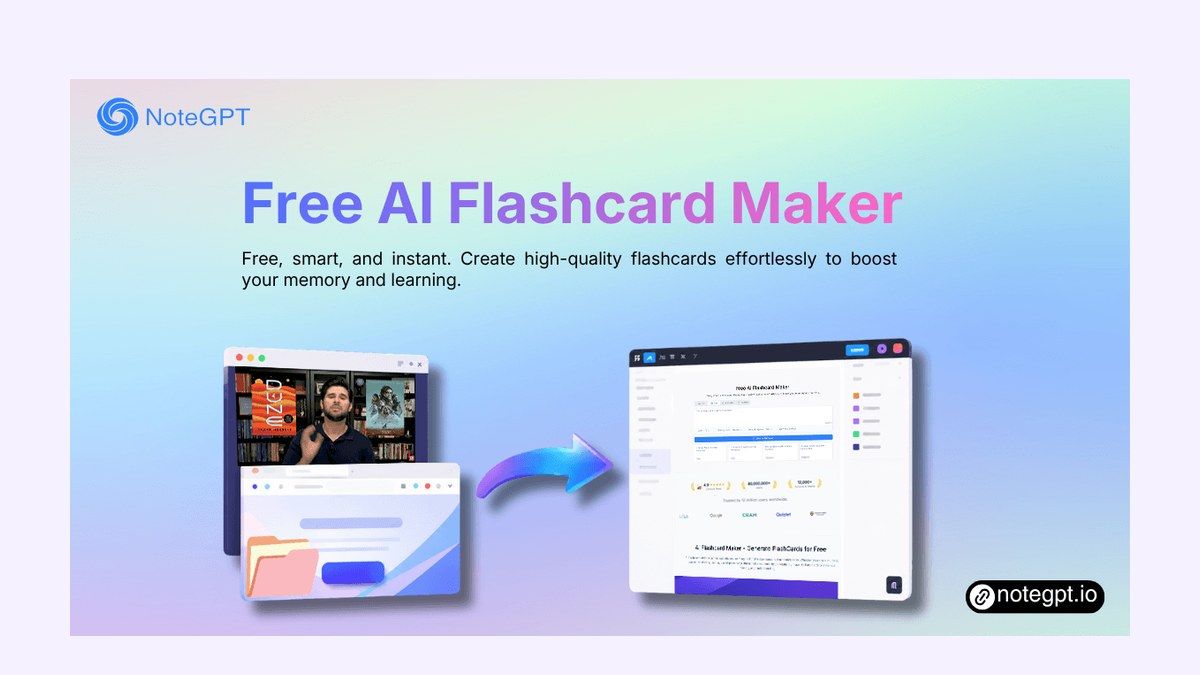
It also shows settings such as card count, difficulty level, output language, and prompt settings. This makes the tool useful for students who want quick flashcards from a single source.
The main benefit is speed. Instead of writing questions and answers manually, users can let the notegpt ai flashcard maker generate a first draft of study cards.
Where NoteGPT Works Well
The notegpt flashcard maker is strongest when your source material is clear and already organized. If you paste lecture notes, a short reading passage, or a document, the tool can turn that information into review cards.
It is also useful for users who want a familiar three-step workflow. Upload or input content, generate flashcards, then review or export them.
For simple tasks, that can be enough. A student preparing for a vocabulary quiz or a teacher creating quick review prompts may find the notegpt io ai flashcard maker convenient.
Where NoteGPT May Feel Limited
The notegpt flashcard maker can feel less flexible when your study process includes several sources. Many students do not study from one clean text block. They use PDFs, class notes, slides, videos, screenshots, audio clips, and web pages together.
That is where a broader workflow matters. If you need to organize sources first, create notes, and then turn key ideas into flashcards, a standalone card generator may not cover the whole study path.
This does not make NoteGPT a bad tool. It simply means the notegpt flashcard maker is best viewed as a flashcard generation tool, not necessarily a full study-material workflow.
Why Lynote Is a Strong NoteGPT Flashcard Maker Alternative
Lynote AI Flashcard is built around the idea that flashcards should come from the material you are actually studying. Instead of starting from generic question banks, Lynote lets you use your own PDFs, documents, notes, videos, audio files, URLs, and YouTube links.
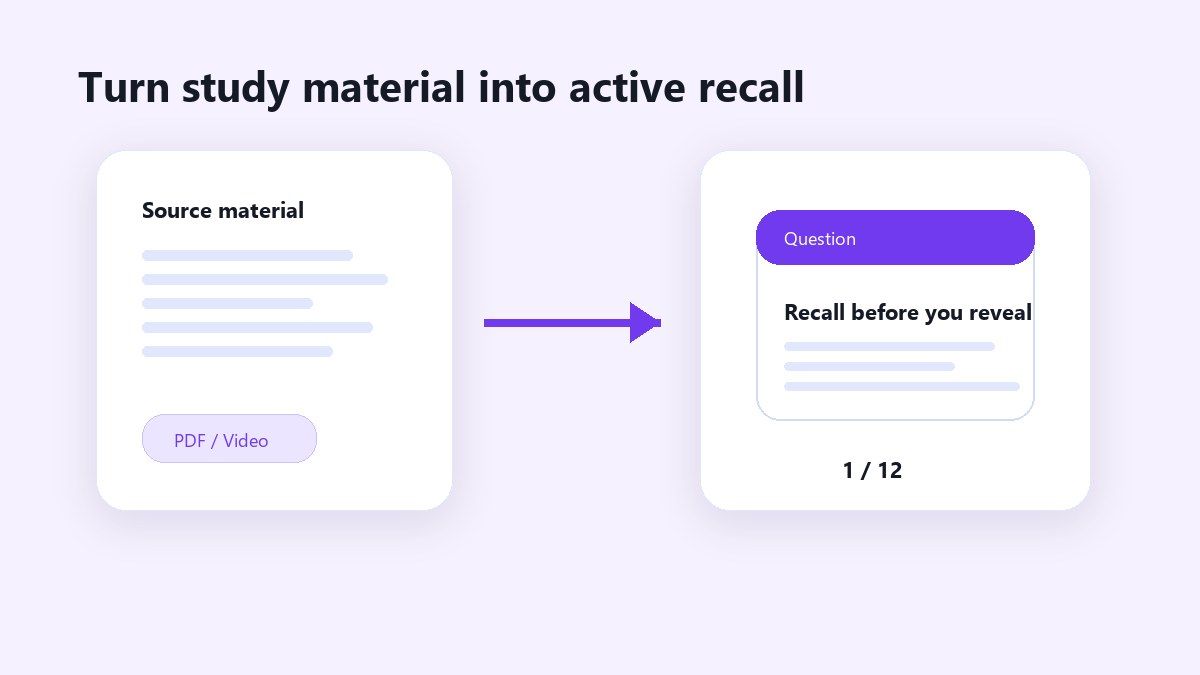
That makes Lynote a strong notegpt flashcard maker alternative for students who study across multiple formats. You can upload a lecture PDF, paste a YouTube lesson, or add a webpage, then generate flashcards from the content.
The result is more practical for real study sessions. Your cards stay connected to the topics, definitions, examples, and explanations you already need to review.
How Lynote Creates AI Flashcards
Lynote’s workflow is simple. First, add your study material by uploading a file, pasting a YouTube URL, or pasting a web link. Supported inputs include documents, images, audio, and video.
Next, generate flashcards from the material. Lynote identifies key concepts and turns them into question-and-answer cards for active recall.
Finally, review the cards and test yourself. This makes Lynote useful when you want to remember information, not just summarize it.
Step 1. Upload Your Study Material
Start by adding the source you want to study. Lynote supports file upload, YouTube URLs, and web URLs, so you can work from documents, videos, images, audio, and online resources.
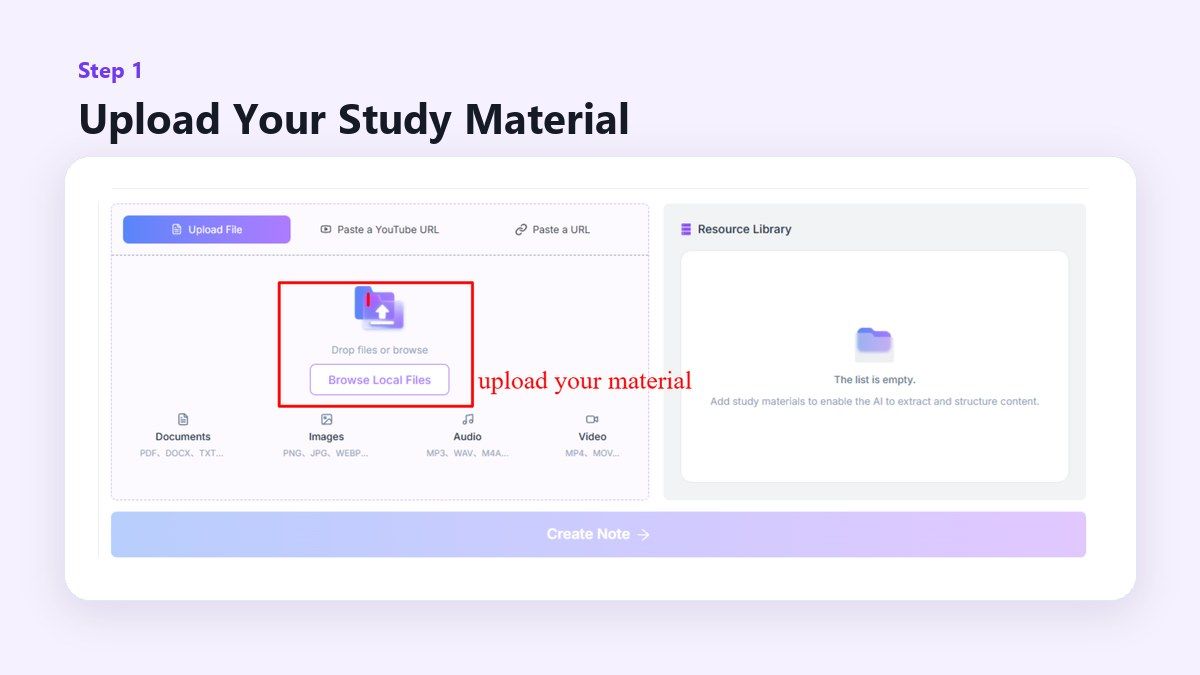
This is useful when your source is not a simple paragraph. Long PDFs, lecture videos, and study notes can all become flashcard material.
Step 2. Create Notes from the Source
After your file or link is ready, click the create button to let Lynote structure the material. This gives the AI enough context before flashcard review.
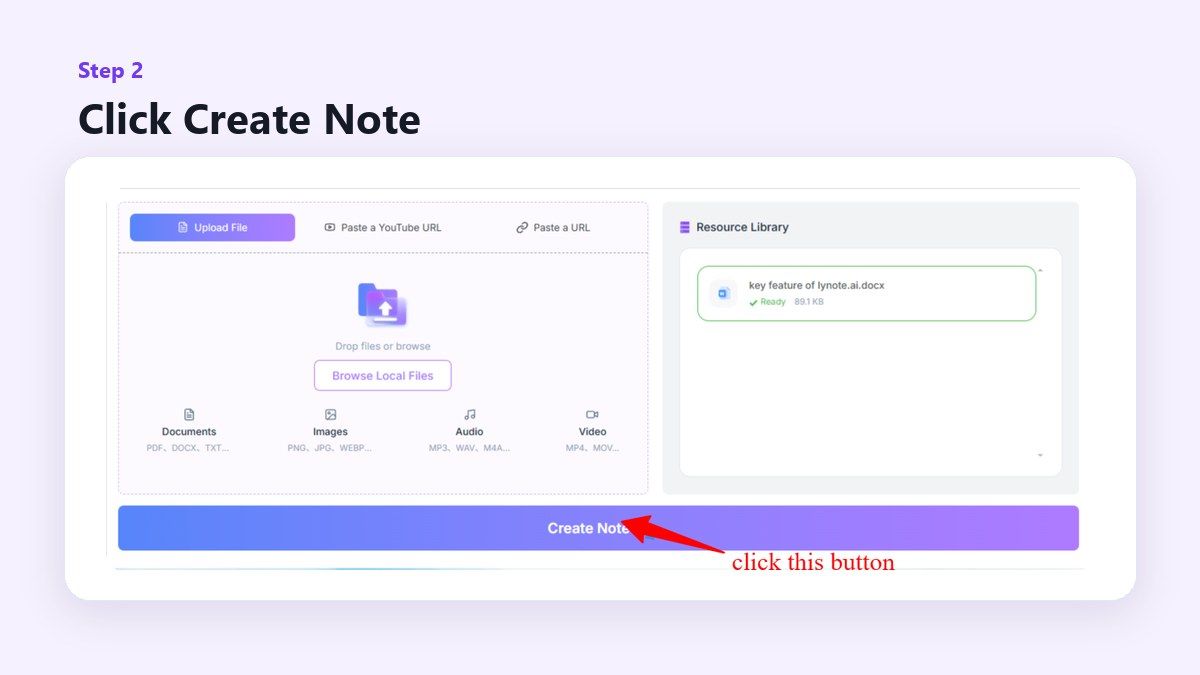
The benefit is that your flashcards are grounded in the actual source. Instead of isolated cards, you get review prompts connected to the material you uploaded.
Step 3. Review Flashcards and Test Yourself
Open flashcard mode and review the generated questions. Try answering before revealing the answer, then move through the deck card by card.
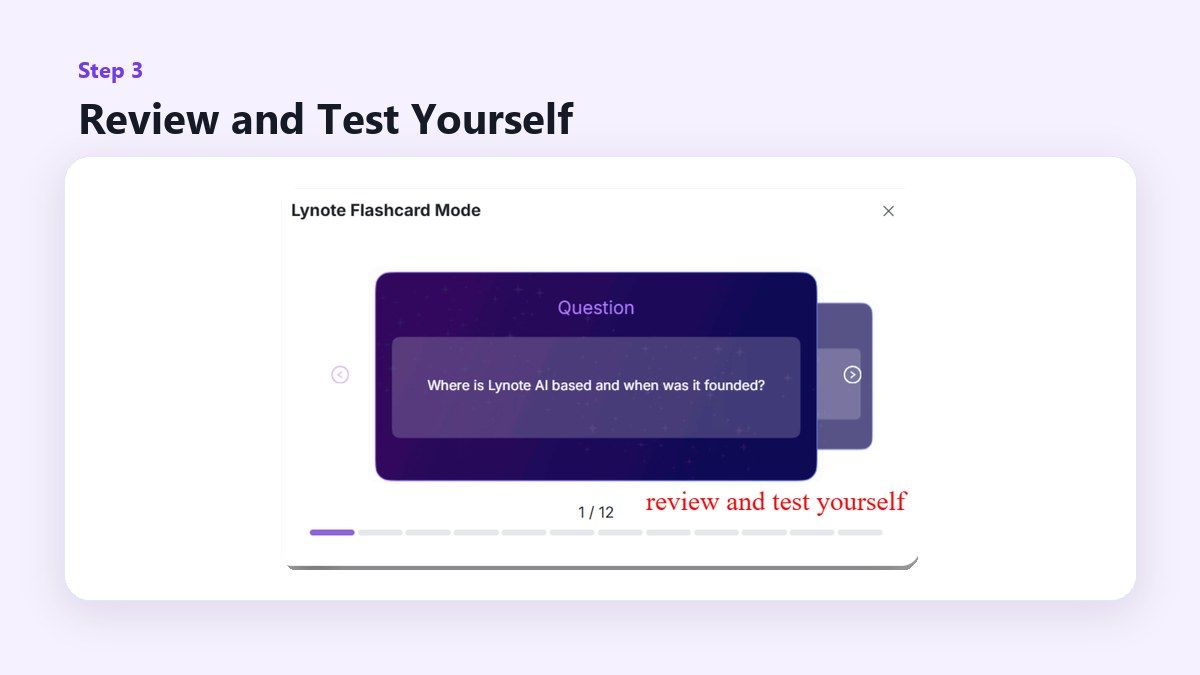
This turns passive material into active recall. It is especially helpful before exams, quizzes, presentations, or spaced review sessions.
NoteGPT vs Lynote for YouTube Flashcards
The notegpt flashcard maker includes YouTube as an input option. That is helpful if you want flashcards from a lecture, tutorial, or explainer video.
Lynote also supports YouTube-based study workflows. You can paste a YouTube URL and use Lynote to create study materials, including flashcards, from the video content.
The difference is how the workflow fits into a broader study system. Lynote is useful when a video is only one part of your preparation, alongside notes, PDFs, slides, or documents.
NoteGPT vs Lynote for PDFs and Documents
For document-based learning, both tools can help reduce manual flashcard creation. The notegpt ai flashcard maker supports uploaded files, including document and book-style sources.
Lynote supports PDFs, DOCX, TXT, and other study-friendly formats. It is especially useful when you want flashcards that reflect the structure of your own study material.
For exam prep, this matters. A good flashcard should test the exact concepts, terms, dates, formulas, or definitions from your class content.
NoteGPT vs Lynote for Active Recall
Flashcards are useful because they force retrieval. You look at a question, try to remember the answer, then check whether you were right.
The notegpt flashcard maker can help create this Q&A format quickly. Lynote also creates question-and-answer cards, but the stronger value is how it turns different learning materials into active recall prompts.
This is useful for students who tend to reread notes passively. With Lynote, the goal is to turn content into self-testing material faster.
When to Use NoteGPT Flashcard Maker
Use the notegpt flashcard maker when you want a quick, direct flashcard generator. It is a reasonable choice if you already have clean text or one file ready to process.
It also works well when you want to adjust settings such as card count or difficulty. For short study tasks, that can be efficient.
If your main goal is fast card creation from one input, NoteGPT may be enough. The workflow is simple and easy to understand.
When to Use Lynote Instead
Use Lynote when your study materials are scattered across formats. If you have a PDF, a YouTube lecture, a web article, and class notes, Lynote gives you a more complete path.
It is also a better fit if you want flashcards from your own study context. Instead of memorizing generic cards, you can review material tied to your class, lecture, textbook, or research source.
For students, educators, researchers, and professionals, this can save time. Lynote helps move from “I have too much material” to “I have cards I can review.”
Practical Example: Turning a Lecture Into Flashcards
Imagine you have a 45-minute biology lecture, a PDF handout, and a few class notes. With a basic flashcard tool, you may need to process each source separately or copy text manually.
With Lynote, you can bring more of that material into one study workflow. The AI can help turn the key definitions, processes, and examples into flashcards.
This is where Lynote becomes more than a notegpt flashcard maker alternative. It supports the messy way students actually collect study materials.
Comparison: Which Tool Should You Choose?
Choose the notegpt flashcard maker if you want quick flashcards and your input is already simple. It is good for direct generation from text, files, links, or YouTube.
Choose Lynote if your learning process involves multiple source types. It is stronger for students who want to turn notes, PDFs, videos, audio, and webpages into review cards.
Both tools can reduce manual work. The better choice depends on whether you need a single flashcard generator or a broader study-material workflow.
FAQs About NoteGPT Flashcard Maker Alternatives
What is the best NoteGPT flashcard maker alternative?
Lynote AI Flashcard is a strong alternative because it turns notes, PDFs, videos, audio, URLs, and YouTube links into flashcards. It is especially useful for students who study from multiple materials.
Is NoteGPT AI flashcard maker free?
NoteGPT describes its AI flashcard maker as free on its product page. Always check the current product page for any limits, login requirements, or pricing changes.
Can Lynote create flashcards from YouTube videos?
Yes. Lynote lets you paste a YouTube URL and create study materials from video content. This is useful for lectures, tutorials, and educational videos.
Can I generate flashcards from PDFs?
Yes. Lynote supports PDF-based flashcard workflows. You can upload a study PDF and turn the important ideas into active recall cards.
Which is better for students, NoteGPT or Lynote?
The notegpt flashcard maker is good for quick card generation. Lynote is better when students need flashcards from several sources, including notes, PDFs, videos, audio, and web pages.
Final Verdict
The notegpt flashcard maker is a useful tool for quickly generating study cards, especially when your source material is simple and ready to use. But if you want a more flexible workflow for PDFs, notes, videos, audio, webpages, and YouTube lessons, Lynote is the stronger alternative.
For students who want active recall cards from real study materials, Lynote AI Flashcard gives you a practical way to move from content to review. If you are searching for a notegpt flashcard maker alternative, Lynote is worth trying first.

Written by Janet L. Harris
AI Writing Specialist
Janet reviews AI detectors and humanization tools, with a focus on accuracy, limitations, and responsible use. View all articles →