Best Limbiks AI Flashcard Generator Alternative

If you are looking for a limbiks ai flashcard generator alternative, the real question is not only which tool creates cards. The better question is which workflow helps you turn your own study material into cards you can actually review. Limbiks AI Flashcard Generator is useful for quick card creation, while Lynote AI Flashcard is built for students who want flashcards from PDFs, videos, notes, links, and mixed learning sources.
Quick Verdict: Limbiks vs Lynote
Limbiks is a focused flashcard generator for users who want to create study cards from learning content. It can be a helpful option when your source is ready and your goal is to produce cards quickly.
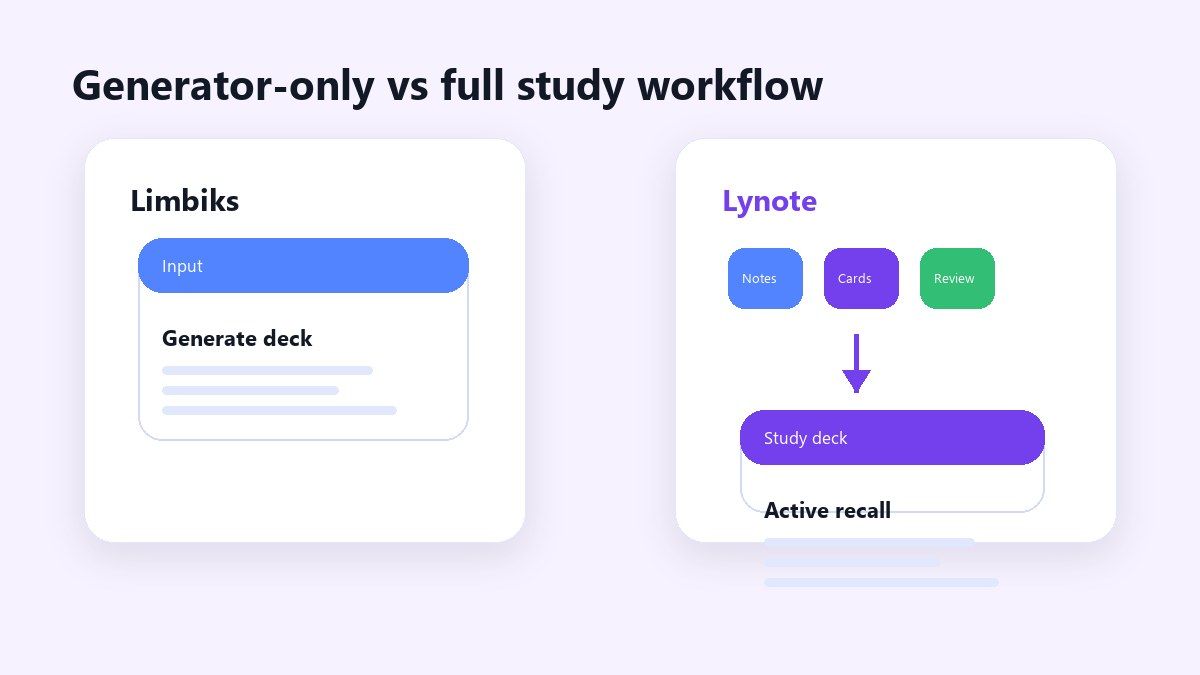
Lynote is stronger when your study workflow starts before the flashcards. If you need to upload material, structure notes, and then review with active recall, Lynote gives you a broader path.
| Feature | Limbiks AI Flashcard Generator | Lynote AI Flashcard |
|---|---|---|
| Main purpose | Generate AI flashcards | Turn study sources into notes and flashcards |
| Best input fit | Prepared study content | PDFs, documents, videos, audio, images, URLs, and YouTube |
| Study workflow | Card creation | Notes, summaries, flashcards, and review |
| Best for | Quick decks | Source-based study sessions |
| Product link | Limbiks | Lynote AI Flashcard |
Key Facts About Limbiks AI Flashcard Generator
Limbiks presents itself as a tool for creating AI flashcards from learning material. Users searching for limbiks ai flashcards usually want a faster way to move from notes, readings, or documents into question-and-answer review.
That makes Limbiks useful for students who already know what they want to study. It can reduce the manual work of writing every card by hand.
The main value is speed. A limbiks flashcard workflow is usually best when the source material is clear, focused, and ready for conversion.
Where Limbiks AI Flashcards Work Well
Limbiks AI flashcards work well for straightforward study material. If you have a clean chapter summary, lecture outline, or prepared document, the tool can help create a usable first deck.
It is also helpful when you want to avoid blank-page work. Instead of thinking up every question yourself, you can start with generated cards and edit them.
For quick exam prep, that can be enough. A student reviewing definitions, dates, formulas, or vocabulary may only need a fast limbiks flashcard draft.
Where Limbiks May Feel Limited
Limbiks may feel limited when your study material is scattered across multiple formats. Many students do not study from one neat text block. They use PDFs, lecture slides, YouTube explanations, class notes, screenshots, audio recordings, and web pages together.
That is where a broader study workflow matters. If you need to organize source material before making cards, a simple card generator may not cover every step.
This does not make Limbiks a bad choice. It simply means an alternative can be useful when you want more than card creation.
Why Lynote Is a Strong Limbiks Flashcard Alternative
Lynote is designed to connect flashcards with the material you are actually learning from. You can add documents, images, audio, videos, URLs, or YouTube links, then create structured notes and flashcards from the same source.
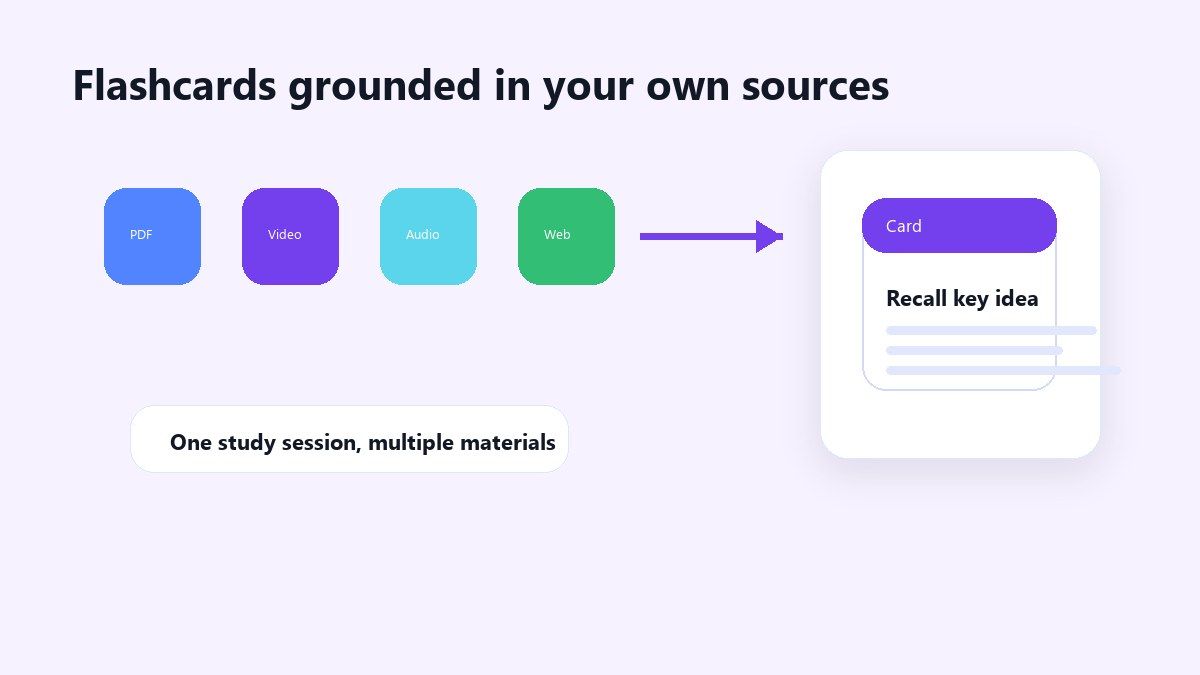
That makes Lynote a practical limbiks ai flashcard generator alternative for students who want review cards with context. You are not only generating cards; you are building a study workflow.
This is especially useful for longer materials. A lecture recording, research PDF, or chapter file can become notes first, then flashcards for review.
How to Create Flashcards With Lynote
Lynote keeps the process simple so students can move from source material to review mode without rebuilding the same content manually. The workflow is built around uploading, generating, and reviewing.
You can start with a file or link, create a note, and then open flashcard review. This makes the process easier for classes, exam prep, training, or self-study.
Step 1. Upload Your Study Material
Start by adding the source you want to study. Lynote supports file upload, YouTube URLs, and web URLs, so you can work from documents, videos, images, audio, and online resources.
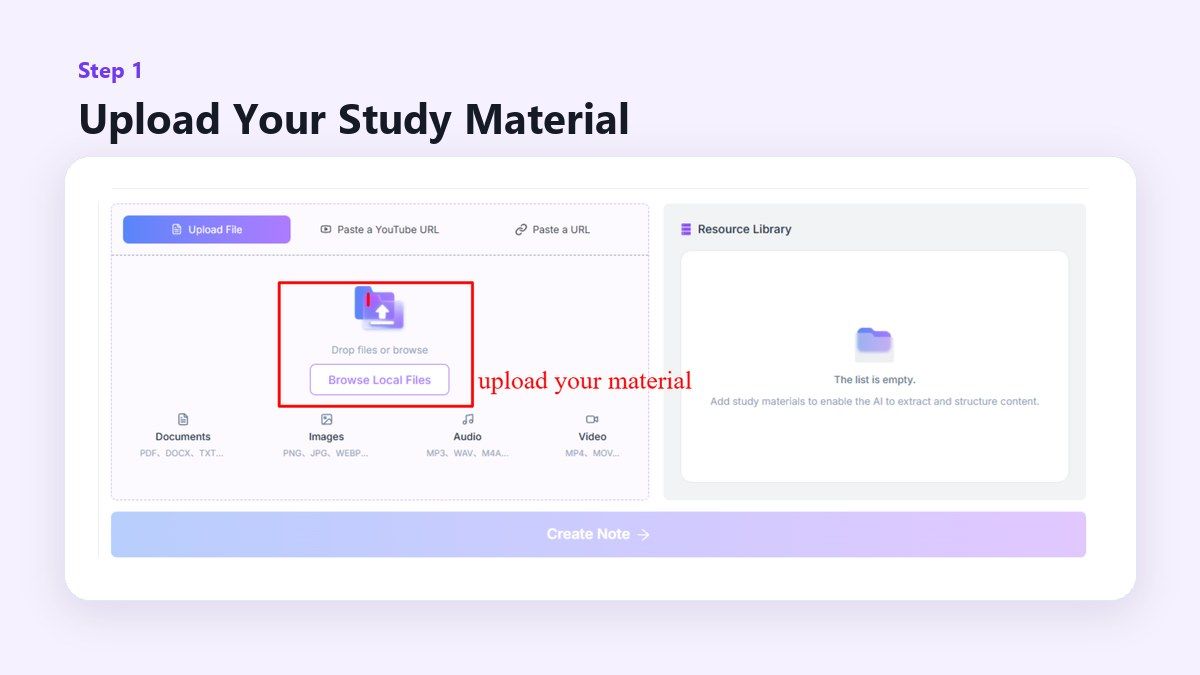
This is useful when your source is not a simple paragraph. Long PDFs, lecture videos, and study notes can all become flashcard material.
Step 2. Generate Flashcards
After your source is ready, create the note and let Lynote structure the material. This gives the AI enough context before flashcard review.
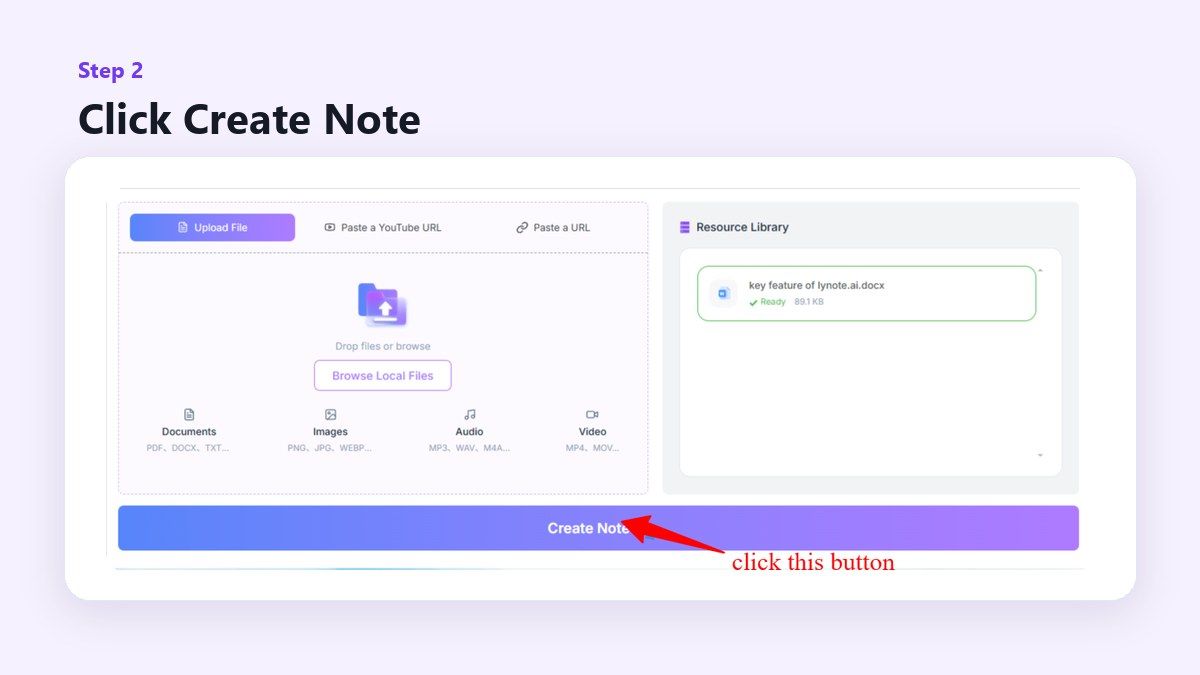
The benefit is that your cards are grounded in the actual source. Instead of isolated cards, you get review prompts connected to the material you uploaded.
Step 3. Review and Test Yourself
Open flashcard mode and review the generated questions. Try answering before revealing the answer, then move through the deck card by card.
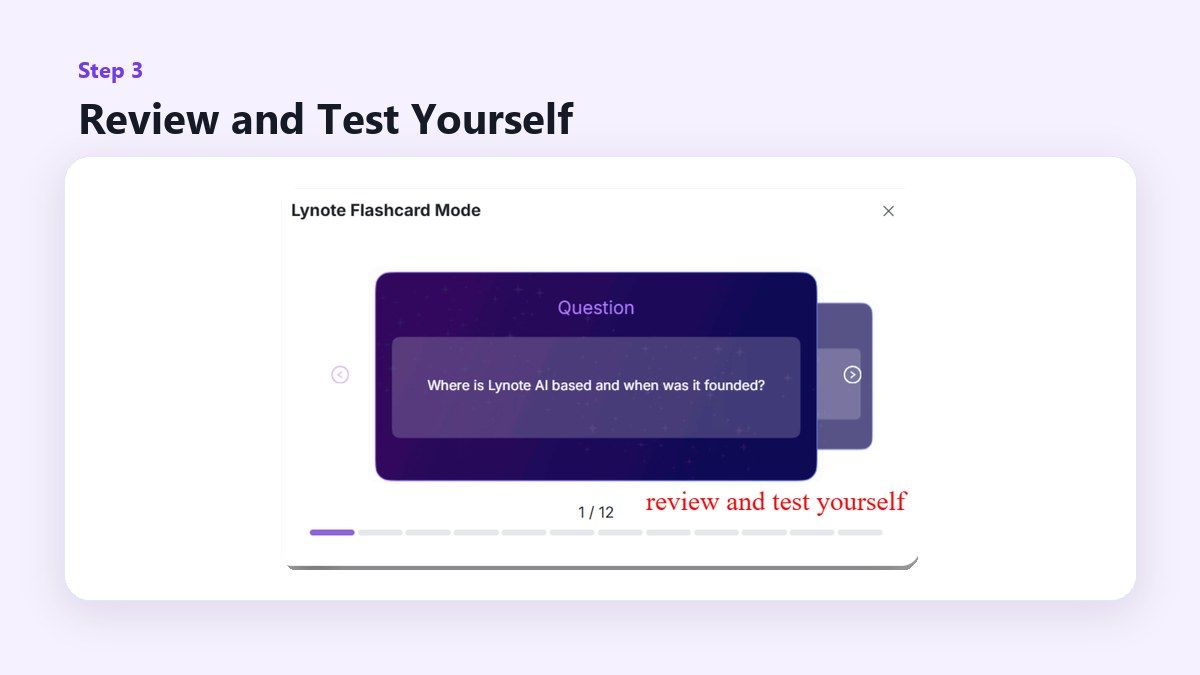
This turns passive material into active recall. It is especially helpful before exams, quizzes, presentations, or spaced review sessions.
Limbiks vs Lynote: Which Should You Choose?
Choose Limbiks if you want a direct flashcard generator and your source content is already clean. It is a good fit when you mainly need a quick deck from prepared material.
Choose Lynote if you want to study from mixed sources. It is stronger when your learning process includes notes, documents, videos, audio, or URLs before the flashcards.
The best choice depends on your workflow. If you only need cards, Limbiks may work; if you need source-to-notes-to-cards, Lynote is the better fit.
Best Use Cases for Lynote
Lynote works well for students who collect materials from many places. You can turn a class PDF, lecture video, webpage, or saved document into review material.
It is also useful for learners who want more than a list of questions. Notes, summaries, and flashcards can support different parts of the same study session.
For exam prep, this matters. You can understand the material first, then test yourself with flashcards after the key points are organized.
Best Use Cases for Limbiks
Limbiks is useful when you already have a clean source and want to generate cards quickly. It can help with vocabulary, short readings, definitions, and compact study guides.
It may also suit users who prefer a simple flashcard-first tool. If your goal is only to create a deck, a direct generator can feel faster.
For many learners, the decision comes down to source complexity. The more scattered your inputs are, the more valuable Lynote becomes.
How to Avoid Bad AI Flashcards
AI flashcards can be weak if the source is unclear. Short fragments may produce vague questions, while long materials can create cards that miss the main exam points.
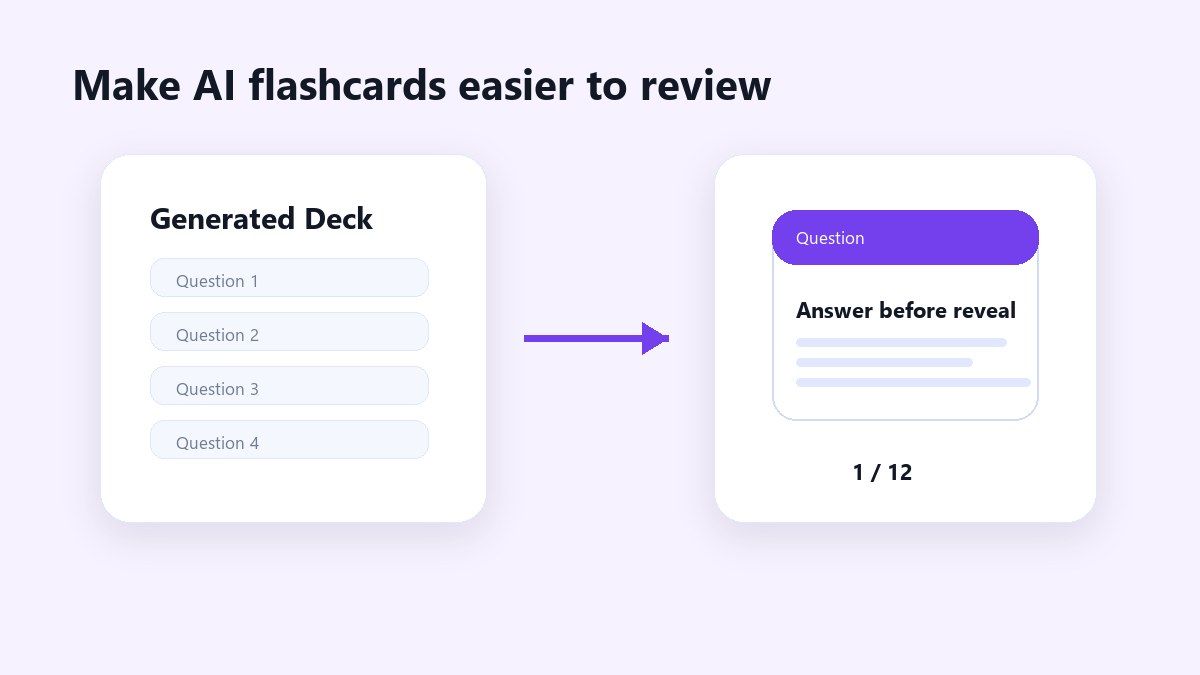
Use full context whenever possible. Upload the full chapter, lecture note, or video source so the AI can understand the topic and create better prompts.
Then review the results. Edit cards that are too easy, too broad, or too disconnected from what you need to remember.
FAQs About Limbiks AI Flashcard Generator Alternative
What is the best alternative to Limbiks AI Flashcard Generator?
Lynote is a strong option if you want a limbiks ai flashcard generator alternative that supports broader study workflows. It lets you create flashcards from documents, videos, audio, URLs, and notes.
Are Limbiks AI flashcards good for studying?
Limbiks AI flashcards can be useful when your source material is clean and focused. They are best as a starting point, not a replacement for reviewing and editing your cards.
What is the difference between Limbiks flashcard tools and Lynote?
Limbiks focuses on flashcard generation. Lynote connects notes, summaries, uploaded materials, videos, and flashcards into a broader study process.
Can I use Lynote instead of Limbiks?
Yes. You can use Lynote when you want to turn mixed study materials into notes and flashcards, especially if your workflow includes PDFs, YouTube videos, documents, or audio.
Do AI flashcard generators replace studying?
No. AI flashcard tools help create review material faster, but you still need active recall, spaced review, and judgment. The best decks are generated, checked, and then practiced.
Final Verdict
A limbiks ai flashcard generator alternative should do more than create a deck from text. Lynote is built for students who want to collect study material, turn it into structured notes, and review it with flashcards. If your learning content lives across PDFs, videos, notes, and links, Lynote gives you a more complete path from source to active recall.

Written by Janet L. Harris
AI Writing Specialist
Janet reviews AI detectors and humanization tools, with a focus on accuracy, limitations, and responsible use. View all articles →