7 Best Deepfake Detectors in 2026 for Images, Videos, and Voice

The best deepfake detectors depend on what you are checking. Lynote is the most accessible first choice for a suspicious image, Deepware Scanner focuses on face-manipulated video, Resemble Detect is strong for synthetic voice and multimodal analysis, and Reality Defender or Sensity AI better fit enterprise investigations.
That distinction matters. An image detector cannot hear a cloned voice, while a video detector may examine motion and faces without deciding whether the audio is synthetic. I compared seven tools by supported media, result clarity, workflow, and intended user rather than treating every detector as interchangeable.
Quick Answer: The Best Deepfake Detectors by Use Case
| Use case | Recommended tool | Media | Why it fits |
|---|---|---|---|
| Check one suspicious image | Lynote Deepfake Detector | Image | Quick browser-based check with an optional evidence-focused scan |
| Investigate mixed media at work | Reality Defender | Image, video, audio, documents | Secure web app, API, and enterprise integrations |
| Scan a face-swapped video | Deepware Scanner | Video | Narrow focus on AI-manipulated faces in video |
| Detect a cloned or synthetic voice | Resemble Detect | Audio, image, video | Strong voice-security roots plus current multimodal coverage |
| Produce a forensic-style review | Sensity AI | Image, video, audio | Multilayer analysis and report-oriented workflow |
| Moderate AI media at scale | Hive | Image, video, audio, text | API-first classifiers for production content pipelines |
| Add AI-image checks to an app | Sightengine | Image and video through separate models | Developer-friendly API with generator-level output |
For a personal image check, begin with Lynote. For video, voice, live calls, bulk moderation, or formal investigations, choose a specialist or enterprise platform built around that input.
How I Compared the Deepfake Detection Tools
I evaluated current official product pages and documentation rather than inventing a universal accuracy test. A fair benchmark would require a controlled set of real and manipulated files across many generators, compression levels, languages, and editing methods; a handful of uploads would not support a meaningful accuracy ranking.
The comparison uses five practical criteria:
- Media coverage: Does the tool analyze images, full video, audio, or several formats?
- Detection scope: Does it look for broad AI generation, face swaps, cloned voices, or all three?
- Result clarity: Does it return only a score, or also show regions, frames, evidence, or explanations?
- Workflow fit: Is it designed for an occasional browser check, an API, live monitoring, or forensic review?
- Limitations: What can the tool not evaluate, and how easily could a user overread its result?
Important: A detector estimates whether technical signals resemble synthetic or manipulated media. It does not establish who created the file, why it was edited, or whether a claim built around it is true.
Deepfake Detector Comparison at a Glance
| Tool | Image | Full video | Voice/audio | Access model | Best for | Main limitation |
|---|---|---|---|---|---|---|
| Lynote | Yes | No | No | Browser tool | Quick deepfake image checks | A video must be reduced to a still frame |
| Reality Defender | Yes | Yes | Yes | Web app, API, integrations | Enterprise multimodal analysis | More platform than most one-off users need |
| Deepware Scanner | No | Yes | No | Browser scanner, API, SDK | Face manipulation in video | Does not detect synthetic voice or every kind of fake video |
| Resemble Detect | Yes | Yes | Yes | Cloud API, on-premises | Voice fraud and explainable multimodal detection | Primarily aimed at operational and enterprise use |
| Sensity AI | Yes | Yes | Yes | Web app, API, SDK, on-premises | Multilayer forensic review | Enterprise orientation and a heavier workflow |
| Hive | Yes | Yes | Yes | Web detector and API | High-volume AI-content moderation | A confidence class is not a forensic conclusion |
| Sightengine | Yes | Separate video model | Separate audio offering | Browser interface and API | Developer-led image detection | Requires choosing and integrating the right model |
The 7 Best Deepfake Detectors in 2026
1. Lynote Deepfake Detector: Best for Deepfake Image Detection
Lynote Deepfake Detector is the easiest recommendation here for someone holding a suspicious still image and wanting a clear first check. It accepts JPG, JPEG, PNG, and WebP images up to 10 MB, then returns an image-level AI probability. Basic Scan handles the quick check, while Advanced Scan is the Pro path for reviewing available watermark, C2PA, EXIF, and file evidence alongside the score.
The honest boundary is equally useful: Lynote does not analyze a full video's motion, lip-sync, or audio. You can extract a clear frame and check it as an image, but that does not replace video analysis. This focused scope makes Lynote suitable for profile photos, screenshots, social posts, product images, or a representative frame that needs an initial review.
Features
- Browser-based image upload
- JPG, JPEG, PNG, and WebP support up to 10 MB
- Basic Scan for a quick initial probability
- Advanced Scan for available watermark, C2PA, EXIF, and file evidence
- Image-level result designed to be read with source context
Pros
- Fast route from a suspicious picture to a readable result
- More evidence context in Advanced Scan than a lone probability score
- Clear separation between the free starting point and deeper Pro review
Cons
- Designed for still images; use a dedicated service when full-video or voice analysis is required
Best for: Students, educators, journalists, researchers, creators, and everyday users checking a suspicious image.
To check an image:
- Upload the clearest original image available. Screenshots and downloaded copies may have lost useful file evidence.
- Choose Basic Scan for a quick probability or Advanced Scan when provenance and file evidence could add context.
- Review the result alongside the image source, publication history, and any available metadata. Escalate important cases instead of treating the score as proof.
For more background on the wider category, see our comparison of the best AI image detectors.
2. Reality Defender: Best for Enterprise Multimodal Detection
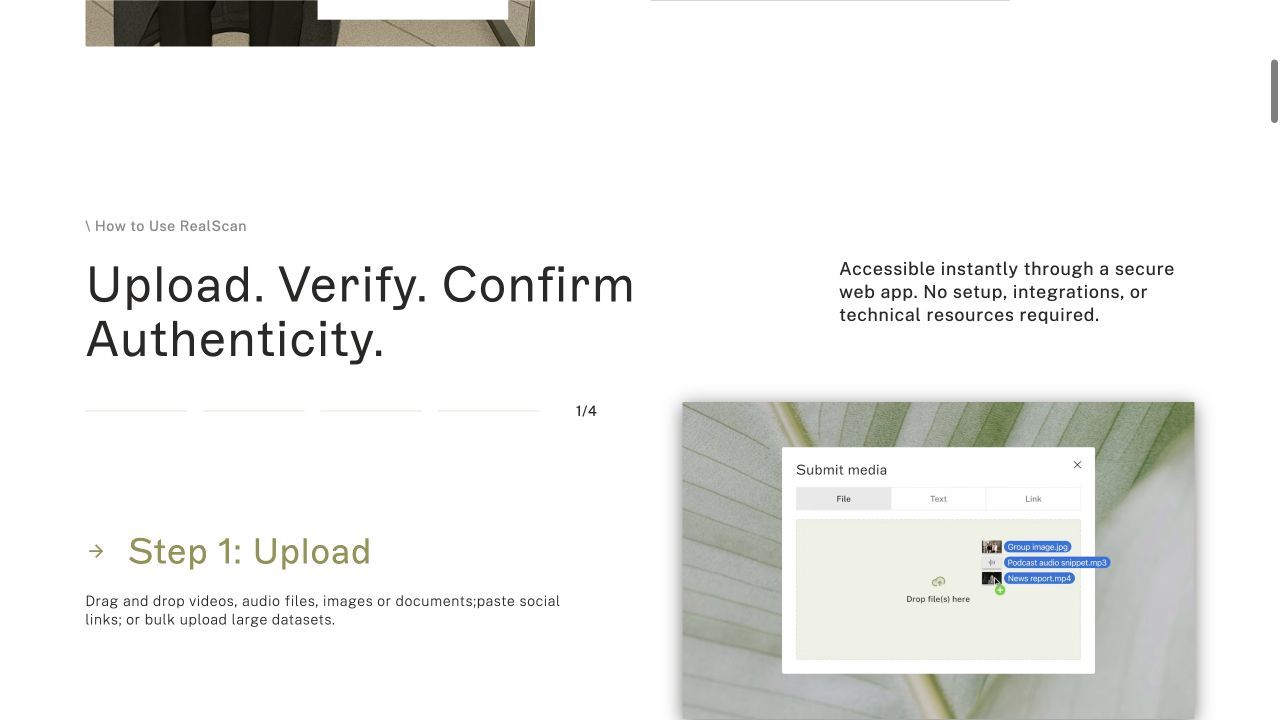
Reality Defender is built for organizations that receive suspicious media through several channels. Its RealScan web application analyzes images, videos, audio, and documents, while its API and specialized products extend detection into calls, meetings, identity checks, and other operational systems.
Its biggest advantage is not simply checking more file types. Reality Defender uses modality-specific models and combines their outputs, which matters when a video contains both a manipulated face and suspicious audio. That breadth is valuable for investigators and fraud teams, but it is a more substantial platform than someone checking one social image is likely to need.
Features
- Image, video, audio, and document analysis
- Secure web application for file and link submission
- API and SDK options for integration
- Products for calls, meetings, and access workflows
- Results that can localize suspicious portions of media
Pros
- Strong fit for mixed-media investigations
- Can move from manual review to embedded detection
- Designed around enterprise security and trust workflows
Cons
- Product range can feel complex for a casual user
- Enterprise deployment and interpretation require a defined review process
Best for: Fraud teams, investigators, trust-and-safety groups, financial institutions, and organizations checking several media types.
3. Deepware Scanner: Best for Deepfake Video Screening
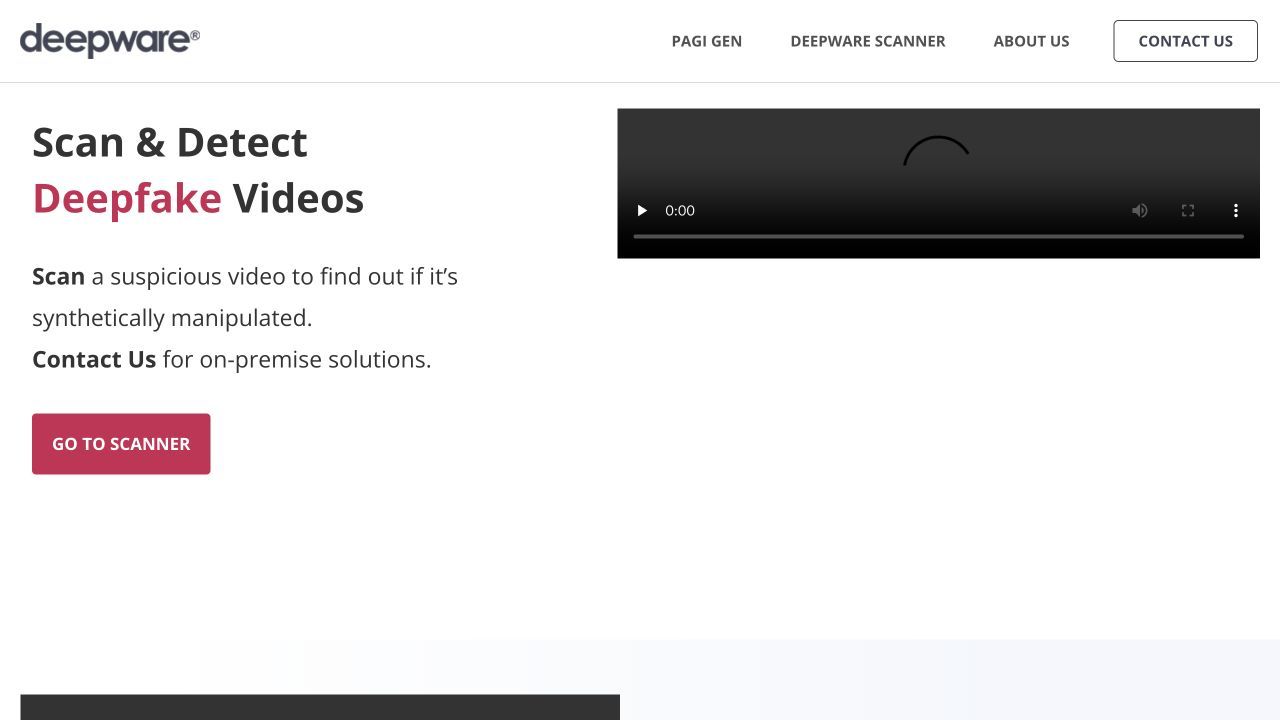
Deepware Scanner has a refreshingly narrow purpose: scan videos for AI-generated face manipulation. Users can upload a video or submit a supported link, while developers can use its API or SDK. That makes it a logical choice when the central question is whether a person's face was swapped or altered across a clip.
The narrowness is also the main caveat. Deepware states that it does not identify every kind of fake video and does not analyze manipulated voices. Its model focuses on faces, so a synthetic scene without a detectable human face or a real video paired with cloned audio falls outside the core job.
Features
- Video upload and link-based scanning
- Face-focused deepfake analysis
- Web platform, API, and SDK access
- Results organized around detected faces
- Support for automation through asynchronous API jobs
Pros
- Clear specialist fit for face-swapped video
- Useful browser option before considering an enterprise suite
- API path for teams processing multiple clips
Cons
- Does not detect synthetic voice
- Does not cover every form of AI-generated or misleading video
- Official documentation still describes the scanner as beta
Best for: Researchers, journalists, and developers screening videos for AI-manipulated human faces.
4. Resemble Detect: Best for Deepfake Voice Detection
Resemble AI is best known for synthetic voice technology, which gives Resemble Detect a natural place in voice-fraud workflows. The current platform has grown beyond audio: it can analyze audio, images, and video through a unified API and return both a verdict and an explanation, including visualizations for supported media.
I still rank it as the voice pick because its practical use cases include live calls, phone systems, video meetings, replay attacks, and voice clones. Teams can deploy it in the cloud or on-premises. For a consumer who only wants to inspect one picture, this is more infrastructure than necessary; for a contact center or fraud operation, that infrastructure is the point.
Features
- Audio, image, and video detection
- Real-time analysis for calls and meeting platforms
- API, SDK, cloud, and on-premises deployment
- Human-readable explanations and media visualizations
- Audit-oriented output for review teams
Pros
- Strong voice-clone and live-audio use cases
- Multimodal coverage reduces tool switching
- Explainability is more actionable than a bare score
Cons
- Enterprise focus may be excessive for occasional personal checks
- Effective live deployment requires integration and response planning
Best for: Contact centers, telecom teams, fraud operations, and organizations concerned about cloned voices or multimodal impersonation.
5. Sensity AI: Best for Enterprise Face-Swap Monitoring
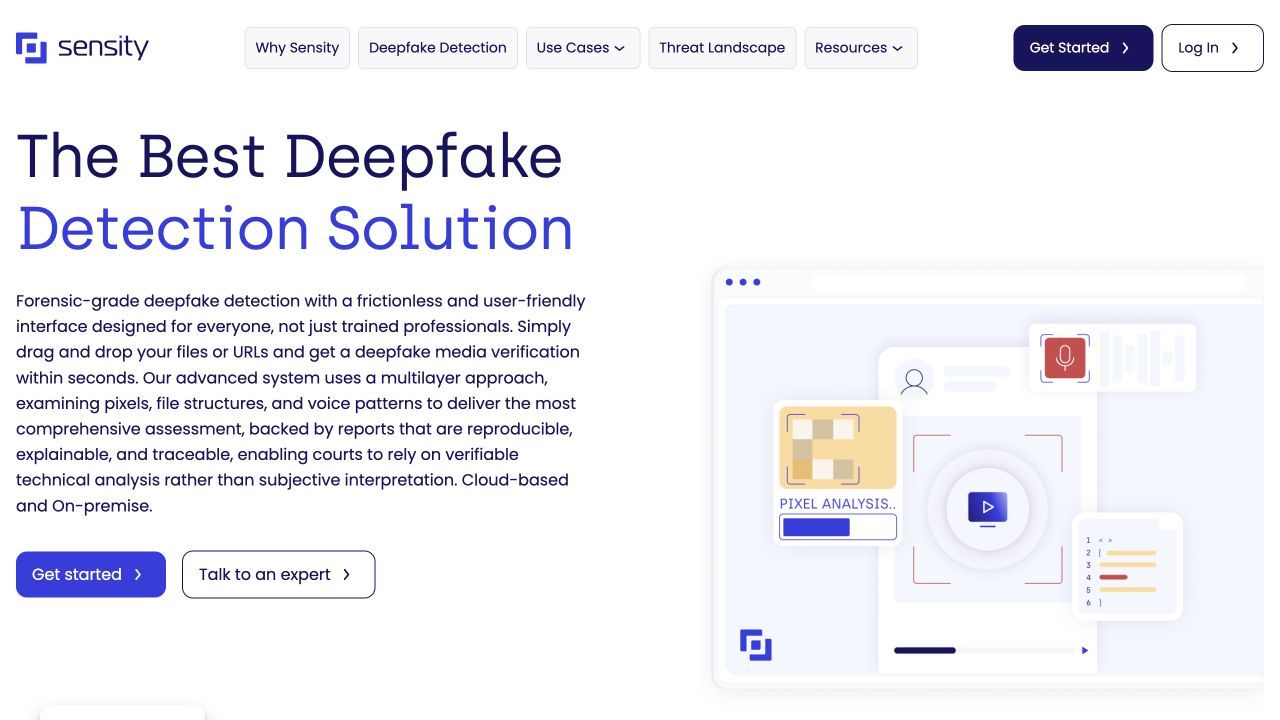
Sensity AI combines visual, acoustic, file, and cross-modal analysis across images, videos, and audio. It looks for face manipulation, AI-generated visuals, synthetic voices, and voice cloning, then supports the review with evidence-oriented reports and an analytics dashboard.
This makes Sensity a fit for investigators who need more than a quick consumer verdict. Teams can submit files or URLs, collaborate in shared accounts, and use web, API, SDK, cloud, or on-premises deployment. The tradeoff is that the workflow and commercial positioning are designed for organizations, not a frictionless one-image check.
Features
- Image, video, and audio analysis
- Face-swap, synthetic visual, and voice-clone coverage
- Pixel, voice, metadata, file, and cross-modal signals
- Team management and analytics dashboard
- Web app, API, SDK, cloud, and on-premises options
Pros
- Broad coverage of identity-centered manipulation
- Evidence and reporting support deeper investigations
- Flexible deployment for sensitive media
Cons
- Heavier than necessary for casual checks
- Results still need qualified interpretation and corroboration
Best for: Government, legal, media-verification, corporate-security, and identity-risk teams needing documented analysis.
6. Hive: Best for High-Volume AI-Content Moderation
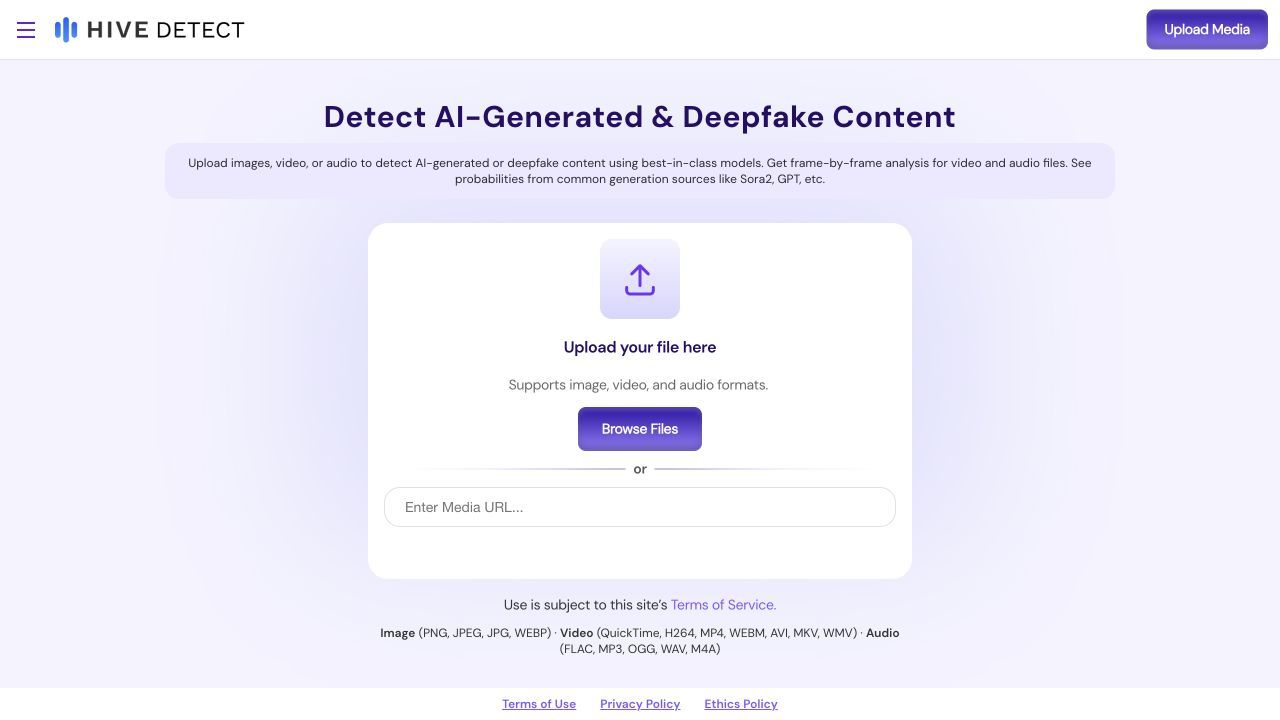
Hive approaches the problem as a production content-classification system. Its detection APIs cover images, video, audio, and text, while a dedicated visual endpoint can distinguish broader AI-generated media from deepfake face mappings. The Hive Detect interface also offers a more direct upload experience for individual checks.
The product makes the most sense when a platform needs to screen a stream of user uploads and route suspicious items to review. That is different from forensic verification: an API confidence score can support moderation rules, but it should not become an automatic accusation about a creator or subject.
Features
- AI-generated image, video, audio, and text detection
- Dedicated deepfake classification for face manipulation
- REST API integration
- Frame-based handling for video workflows
- Browser-based Hive Detect option
Pros
- Broad media coverage in a moderation-oriented stack
- Suitable for repeatable, high-volume classification
- Separates general AI-generation and deepfake model heads
Cons
- API output requires thresholds and human-review rules
- Moderation confidence is not forensic proof
Best for: Social platforms, marketplaces, media libraries, and moderation teams processing large volumes of uploaded content.
7. Sightengine: Best for an AI-Image Detection API
Sightengine is a practical developer choice when AI-media checks need to sit inside an existing product. Its image API returns an overall AI-generation confidence and generator-specific scores, and a dedicated deepfake model targets face swaps and facial manipulation. A separate video model covers current AI-video generators.
This modular design is useful because AI-generated image detection and deepfake detection overlap without being identical. A fully synthetic landscape and a face-swapped portrait leave different clues. The downside is that developers must choose the correct model or combine models instead of assuming one generic score answers every authenticity question.

Features
- File-upload and image-URL API inputs
- General AI-generation confidence
- Generator-specific scores for supported models
- Dedicated deepfake model for facial manipulation
- Separate AI-video detection model
Pros
- Clear documentation and straightforward API pattern
- Useful distinction between general AI media and facial deepfakes
- Can combine detection with other moderation models
Cons
- Integration work is required for production use
- Selecting the wrong model can produce an incomplete review
Best for: Developers, marketplaces, and platforms adding automated image-authenticity checks to an application.
Image vs Video vs Voice: Which Deepfake Detector Do You Need?
Start with the media itself, not the brand name on the detector. A deepfake can be a still face swap, an entirely generated image, a moving facial reenactment, a lip-synced video, a cloned voice, or a combination of these.
| Suspicious media | What needs analysis | Detector category | Suitable tools |
|---|---|---|---|
| Profile picture or social image | Pixels, facial regions, generator artifacts, provenance | Image deepfake detector | Lynote, Sightengine, Hive |
| Screenshot from a video | Still-frame visual signals only | Image detector, with limited conclusions | Lynote, Sightengine |
| Face-swapped speaking clip | Faces across frames and temporal consistency | Video deepfake detector | Deepware, Reality Defender, Sensity |
| Suspicious phone call | Acoustic and spectral voice signals | Voice deepfake detector | Resemble Detect, Reality Defender, Sensity |
| Video with questionable voice and face | Visual and audio channels together | Multimodal detector | Reality Defender, Resemble Detect, Sensity |
| Large stream of user uploads | Repeatable classification and review thresholds | Moderation API | Hive, Sightengine |
Do not convert a video to one screenshot and assume the check covers the whole clip. A frame can reveal visual manipulation, but it discards motion, timing, lip-sync, and audio evidence. Similarly, a clean-looking face says nothing about whether the speaker's voice was cloned.
What Deepfake Detectors Can and Cannot Prove
Deepfake detection is an inference problem. Models learn patterns associated with authentic and synthetic media, then estimate which class better fits a new file. Image systems may inspect texture, noise, spatial relationships, facial blending, and generator artifacts; video systems add motion and frame-to-frame behavior; voice systems examine acoustic and spectral patterns.
Those signals are useful, but several conditions can weaken them:
- Compression and re-encoding: Social platforms often resize and recompress media, changing the traces a detector expects.
- Screenshots and screen recordings: These add a new capture layer and may remove metadata or alter pixels.
- Partial manipulation: A real file can contain one synthetic face, a short altered segment, or cloned audio over authentic footage.
- New generators: Detection models need updates as generation methods change.
- Ordinary editing: Filters, denoising, sharpening, retouching, and low-light processing can resemble synthetic artifacts.
- Missing context: A detector sees the submitted file, not the surrounding claim, publication history, or identity of the uploader.
This is why a 90% score should not be read as a 90% probability that a named person lied. It is a model's confidence about the media signals under its own classification system. For a deeper explanation of these limitations, see how AI image detectors work and our analysis of whether AI image detectors are accurate.
A Practical Workflow for Checking Suspicious Media
1. Preserve the Best Available File
Download or request the original rather than repeatedly saving a screenshot. Keep the original URL, upload date, account name, and surrounding post because these details may matter more than a visual hunch.
2. Identify the Exact Authenticity Question
Ask whether you are checking a fully generated image, an edited face, a cloned voice, or a complete video. This determines which detector is relevant and prevents an image-only result from being stretched into a claim about audio or motion.
3. Run a Detector Built for That Media
Use an image tool for still pictures, a video tool for temporal manipulation, and an audio tool for synthetic speech. For mixed media, use a multimodal platform or analyze the channels separately.
4. Inspect the Explanation, Not Only the Score
Look for highlighted faces, suspicious frames, audio segments, metadata, content credentials, or generator-specific output when available. An explainable result gives you something concrete to verify; a bare percentage is only a triage signal.
5. Cross-Check Provenance and Context
Search for earlier versions of the image, find the original video, inspect reputable coverage, and check whether the source has disclosed AI editing. Content credentials or metadata can help when present, but their absence does not prove a file is fake.
6. Escalate High-Stakes Decisions
Use a second detector with a different approach and involve a qualified reviewer before making legal, disciplinary, financial, or reputational decisions. Record the original file, tool, settings, date, result, and surrounding evidence so the review can be reproduced.
FAQs About Deepfake Detectors
What Is the Best Deepfake Detector in 2026?
There is no single best detector for every format. Lynote is a practical starting point for still images, Deepware is focused on face-manipulated video, Resemble Detect stands out for voice and multimodal use, and Reality Defender or Sensity better fit enterprise investigations.
What Is the Best Deepfake Image Detector?
Lynote is the clearest choice in this list for an individual checking a suspicious image because it combines a quick scan with an optional evidence-focused review. Sightengine and Hive are stronger fits when image detection must be integrated into a larger platform or moderation pipeline.
Can Deepfake Detectors Analyze Videos?
Yes, but only tools with full-video support can evaluate frame-to-frame behavior. Deepware, Reality Defender, Resemble Detect, Sensity, Hive, and Sightengine offer video-related capabilities with different scopes; Lynote checks still images or extracted frames, not full video motion or audio.
Can a Detector Identify an AI-Generated Voice?
Voice-focused and multimodal systems can look for acoustic patterns associated with cloned or synthetic speech. Resemble Detect, Reality Defender, and Sensity support audio analysis, while an image or face-only detector cannot answer that question.
Are Deepfake Detectors Accurate?
They can provide useful evidence, but no result is universally reliable. Accuracy varies with the generator, media quality, compression, editing, language, and whether the detector has been updated for the manipulation method. Use the output as a signal and corroborate consequential cases.
Is There a Free Deepfake Detector?
Yes. Lynote provides a free Basic Scan as a starting point for image checks, and Deepware offers a browser-based beta scanner for video. Free access, usage limits, and product tiers can change, so confirm the current interface before building a recurring workflow around one tool.
Can One Tool Detect Image, Video, and Voice Deepfakes?
Some enterprise platforms cover all three, including Reality Defender, Resemble Detect, and Sensity. Multimodal support is convenient, but it does not make every model equally strong for every format; evaluate the specific channel, explanation quality, deployment needs, and review process.
Final Verdict: Choose the Detector That Matches the Media
The best detector is the one designed for the evidence in front of you. Choose Lynote for a quick, evidence-aware image check; Deepware for face manipulation in video; Resemble Detect for cloned voices and multimodal security; or Reality Defender and Sensity for broader enterprise investigations. Hive and Sightengine are better suited to teams building detection into a platform.
Whatever tool you choose, keep the conclusion narrower than the evidence. A detector can flag suspicious technical signals. Establishing authenticity still requires the original file, source context, provenance checks, and human judgment.

Written by Danny
Product Marketing Manager
Danny explains how Lynote features fit real workflows, from everyday productivity to product-led writing use cases. View all articles →