Grammarly is one of the most trusted names in writing software, so it is easy to assume that its AI Humanizer should be one of the best options on the market. After all, Grammarly already excels at grammar correction, clarity improvement, tone adjustment, and sentence rewriting. That strong foundation creates high expectations for users who want to humanize AI-generated text.
But does Grammarly AI Humanizer actually go far enough? The short answer is: not always. While it can make AI-written content cleaner, smoother, and more polished, polished does not always mean human. If your goal is to turn AI-generated writing into content that feels more natural, more authentic, and less obviously machine-produced, Grammarly often works better as a surface-level editing tool than as a true deep AI humanizer.
That is exactly why this review matters, and why many users eventually start looking for stronger alternatives such as Lynote AI Humanizer.This review breaks the product down using the following structure:
- What is Grammarly AI Humanizer?
- How does Grammarly implement its AI Humanizer?
- What are the main features of Grammarly AI Humanizer?
- Can Grammarly really fool AI detectors?
- Grammarly’s strengths and weaknesses
- Is there a better alternative? Lynote AI Humanizer
- Why Lynote performs better
1. What is Grammarly AI Humanizer?
Grammarly AI Humanizer is one part of Grammarly’s broader AI writing ecosystem. Officially, it is positioned as a tool that can turn AI-generated text into writing that sounds more natural, more engaging, and more authentic while staying true to the original meaning.
That positioning is important. Grammarly is not presenting the Humanizer as a totally separate writing system. Instead, it is an extension of Grammarly’s long-standing writing assistant model. Its job is not to invent brand-new content from scratch, but to refine existing text so it sounds more human.
In practical terms, that means Grammarly AI Humanizer is best understood as a language refinement layer. It tries to soften robotic phrasing, reduce stiffness, and make AI-generated content sound more polished and audience-appropriate.
The problem is that “more polished” does not always mean “more human.”
A sentence can be grammatically correct, smooth, and professional, while still feeling too balanced, too generic, or too predictably AI-generated. That is where the distinction between an editing tool and a deep humanization tool becomes important.
2. How does Grammarly implement its AI Humanizer?
Based on Grammarly’s official AI Humanizer page and its support documentation, the Humanizer seems to work through a few connected layers.
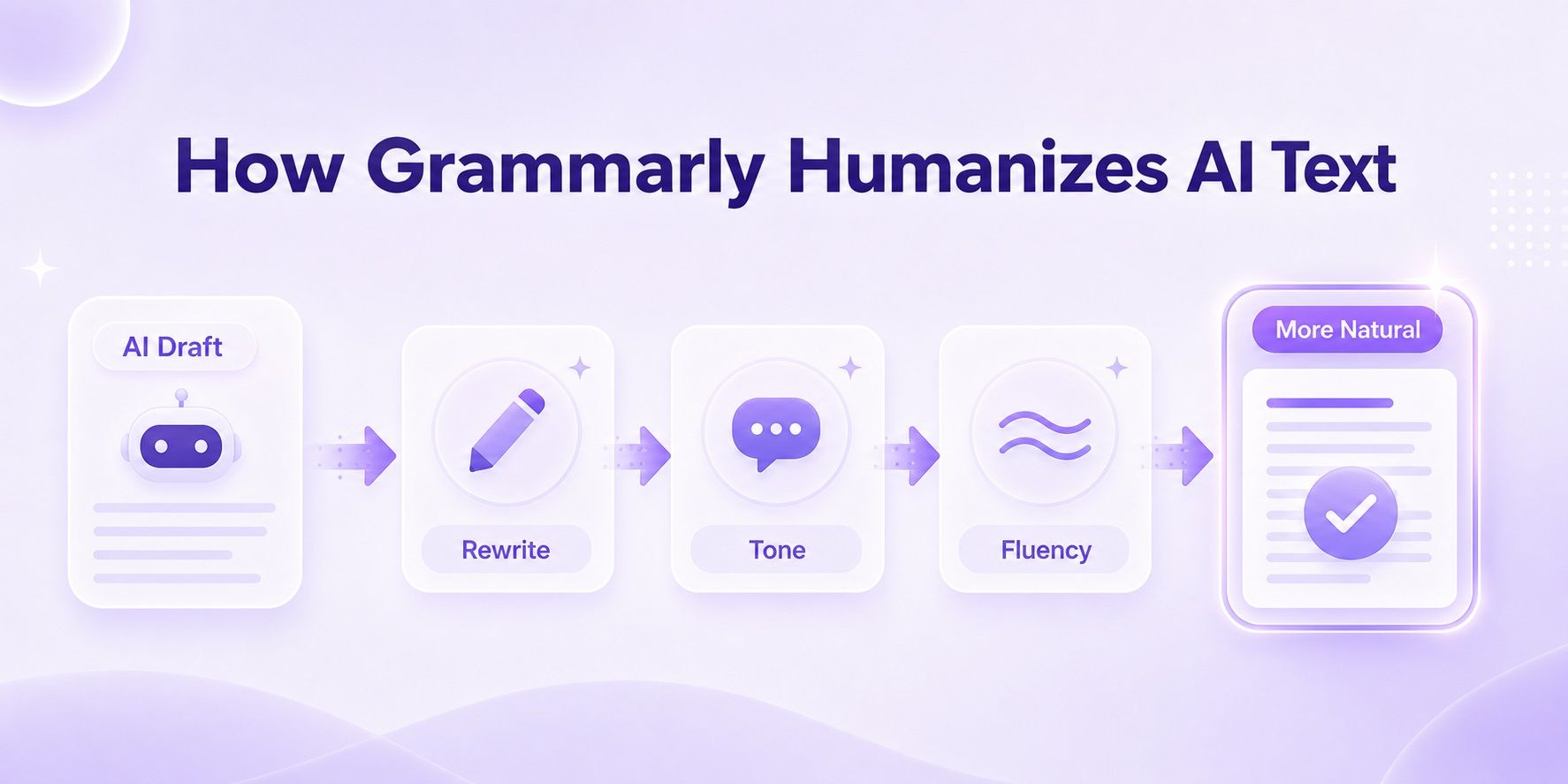
First, it evaluates the tone and feel of the text
Grammarly looks for patterns that make AI writing feel artificial: robotic phrasing, flat delivery, repetitive sentence movement, and language that sounds generic rather than personal.
Second, it rewrites through the Humanizer agent
Grammarly’s support documentation describes the Humanizer as an agent inside its writing environment. Users can either pick from available preset styles or create a custom voice.
That custom voice option is important. Grammarly says users can create a voice profile by submitting a writing sample of 200 words or more. The system then uses that sample as a style reference for future rewrites.
Third, it connects Humanizer to the rest of Grammarly’s ecosystem
This is one of Grammarly’s biggest product advantages. Its Humanizer is not isolated. It sits alongside Grammarly’s AI Detector, Authorship tools, citations, proofreading, and rewriting features.
That creates a workflow that looks something like this:
- detect where the writing may appear AI-generated
- rewrite or humanize the text
- adjust tone or voice
- disclose AI use if needed
- polish the final version
This is smart product design. But it also reveals something important about Grammarly’s philosophy: its Humanizer is designed as part of a responsible AI writing workflow, not purely as a “beat every detector” engine.
3. What are the main features of Grammarly AI Humanizer?
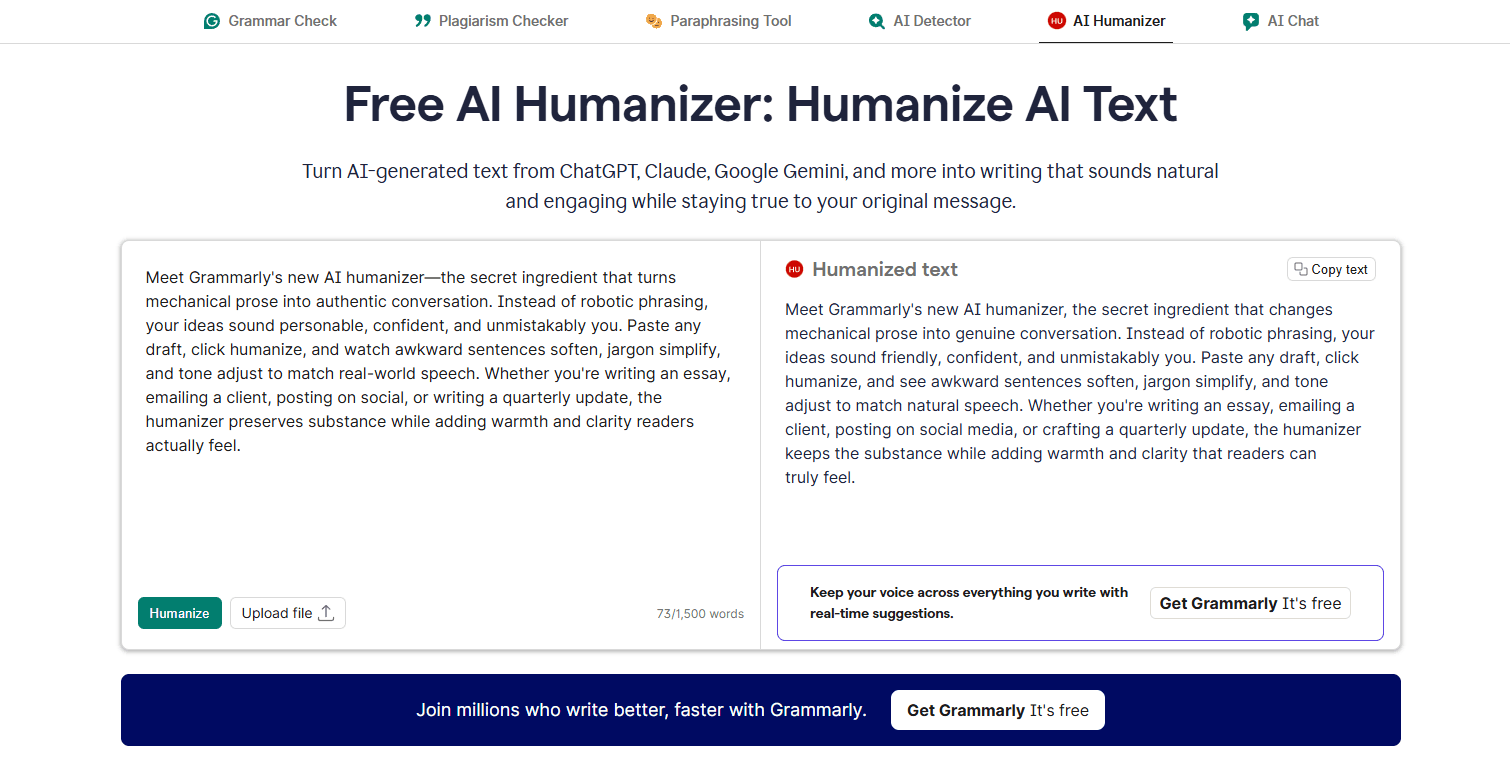
If we judge Grammarly only by feature breadth, the AI Humanizer is fairly well equipped. Based on official Grammarly materials, its main capabilities include the following:
Naturalization of AI-generated text
This is the core promise. Grammarly says it can take AI writing from systems like ChatGPT, Claude, and Gemini and make it sound more natural and engaging.
Preset styles
Grammarly says users can choose from multiple preset voice styles to quickly adapt the output for different contexts.
Custom voice creation
Users can create a voice profile using a writing sample of 200 words or more. This is one of the strongest parts of Grammarly’s approach, because it moves beyond generic rewriting and tries to anchor output in a user’s own writing style.
Multilingual support
According to Grammarly’s official page, the Humanizer currently supports six languages: English, Spanish, French, German, Portuguese, and Italian.
Integrated workflow with other Grammarly tools
This includes AI Detector, Authorship, citations, grammar correction, and other writing support tools. For users who already work inside Grammarly, this all-in-one structure is convenient.
Use-case coverage
Grammarly explicitly markets the Humanizer for essays, reports, proposals, marketing copy, and customer support writing. In other words, it is not limited to academic rewriting.
So overall, Grammarly AI Humanizer is not a weak product in terms of features. The real question is not whether it has enough buttons or modes. The real question is whether it transforms text deeply enough.
4. Can Grammarly really fool AI detectors?
This is where the conversation gets more complicated.
First, we checked the content using Grammarly's own official AI detection tool; surprisingly, the version processed by its "AI Humanizer" was flagged by that very same detector as being 100% AI-generated.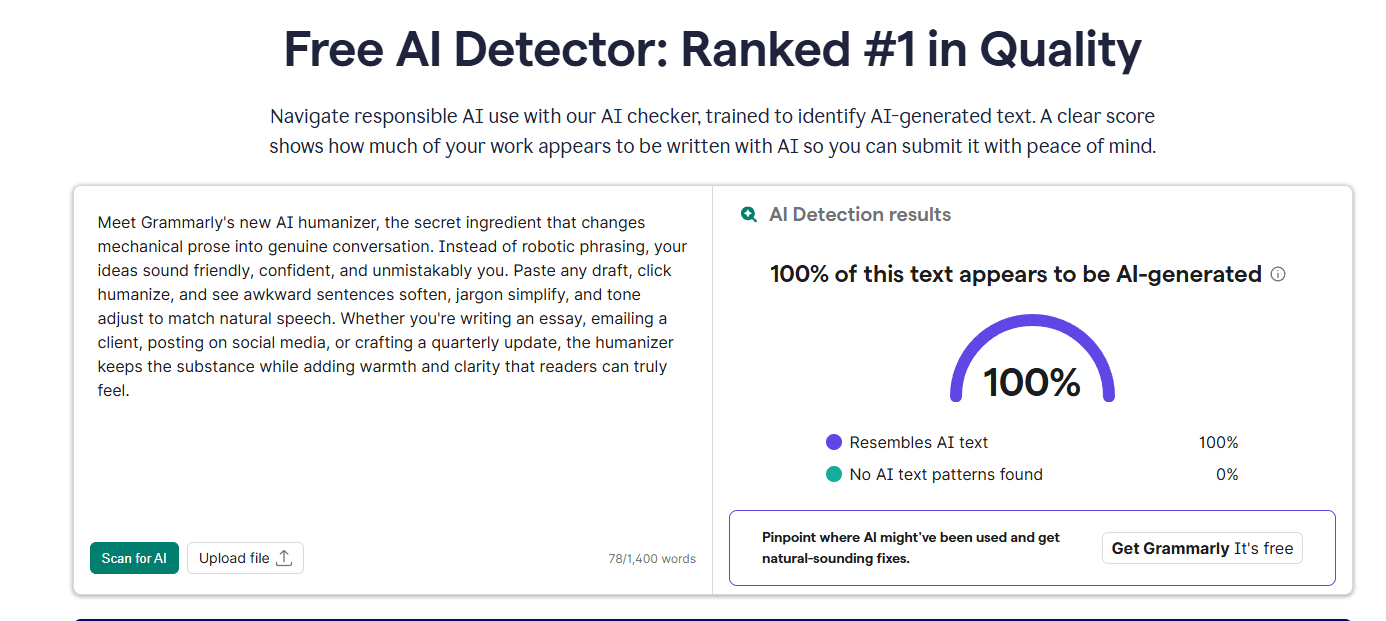
Next, we will evaluate the content using other authoritative AI detection tools, such as QuillBot, ZeroGPT, and GPTZero.
First up is QuillBot:unsurprisingly, its AI detector tool identifies the text—which had been processed by Grammarly’s AI Humanizer—as 100% AI-generated.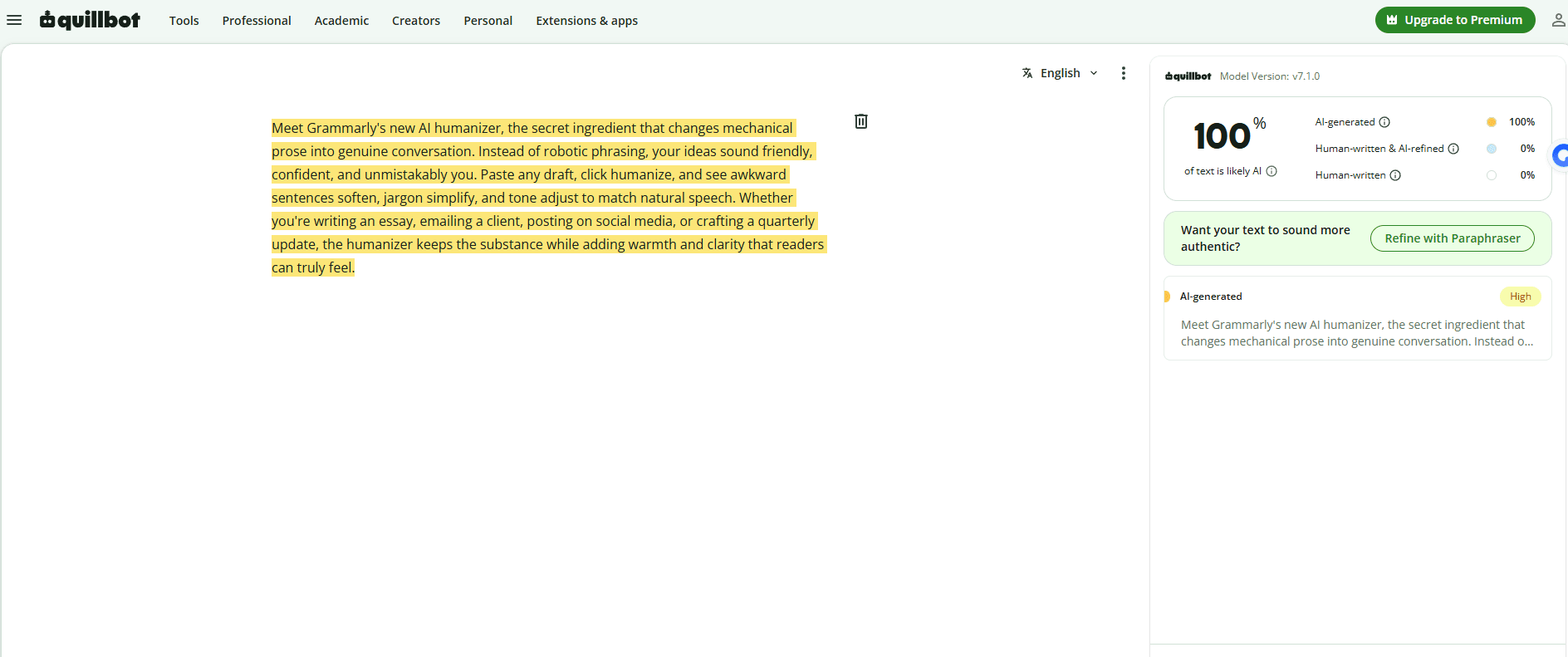
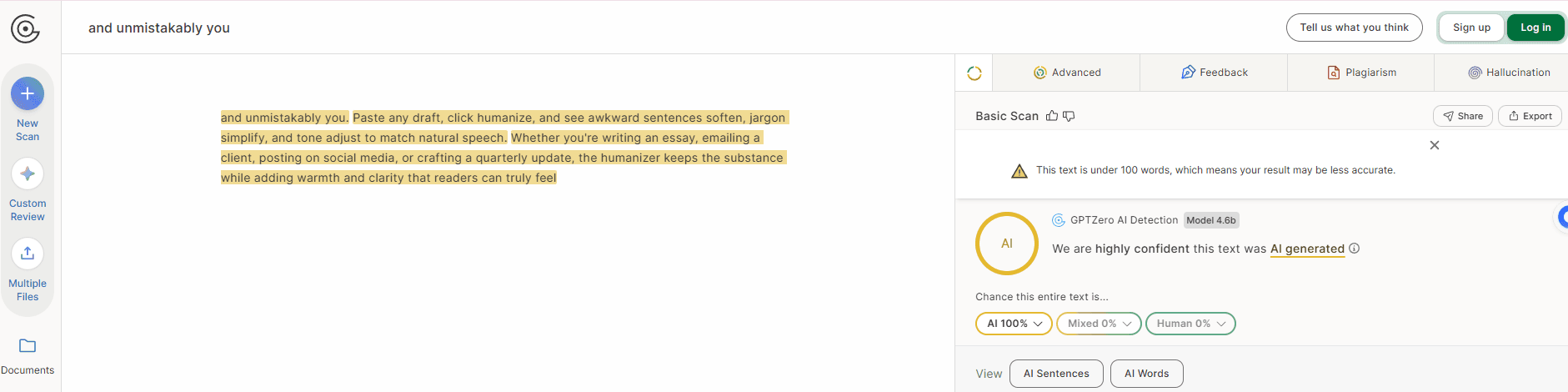
Next up is GPTZero; it also deemed the output from Grammarly AI Humanizer unreliable, classifying it as 100% AI-generated.
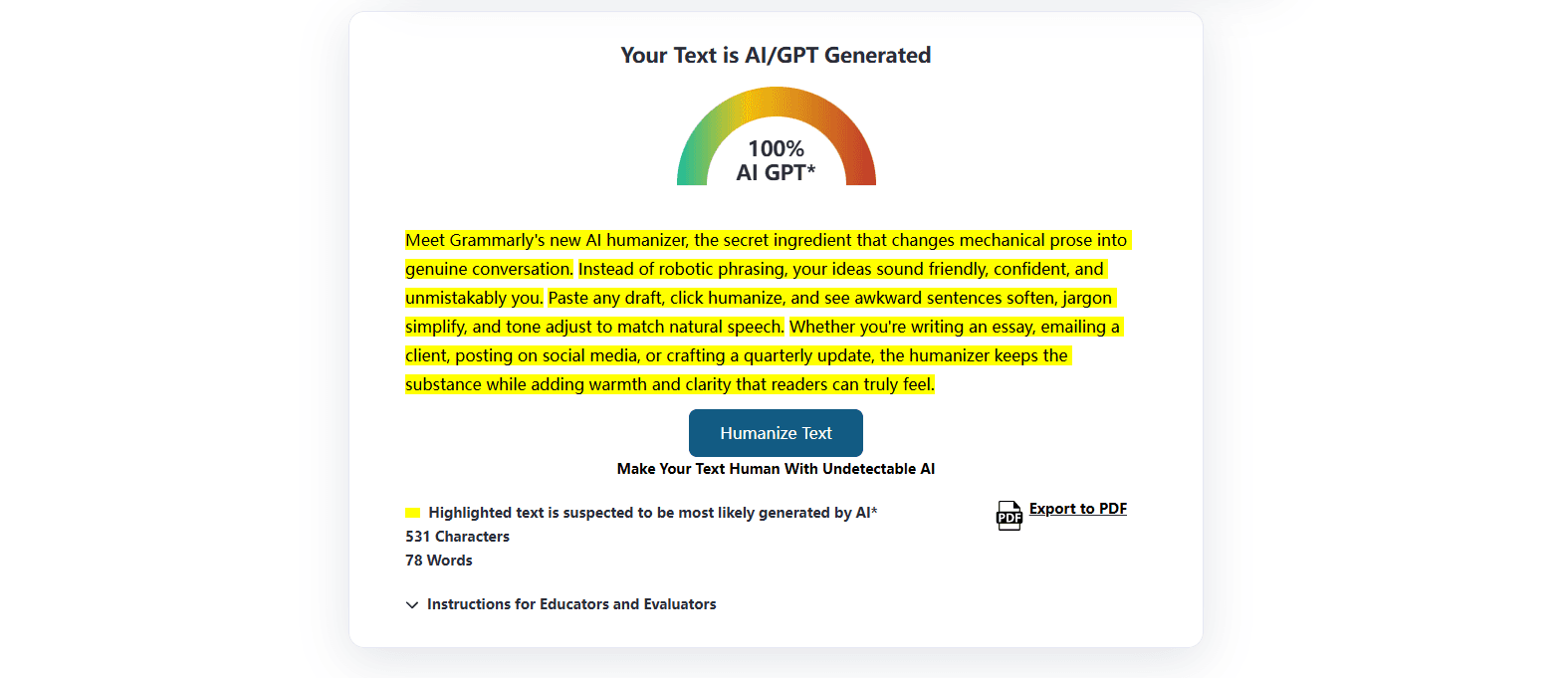
Finally, there is GPTZero; unsurprisingly, it also determined that the output from Grammarly AI Humanizer was 100% AI-generated.
In summary, the results produced by Grammarly AI Humanizer are not consistently reliable and often struggle to bypass most major AI detection tools. While it may improve readability and make AI-generated text sound smoother, its output still tends to retain patterns that detectors can flag, which limits its effectiveness for users who need stronger humanization and more dependable detector performance.
5. Grammarly’s strengths and weaknesses
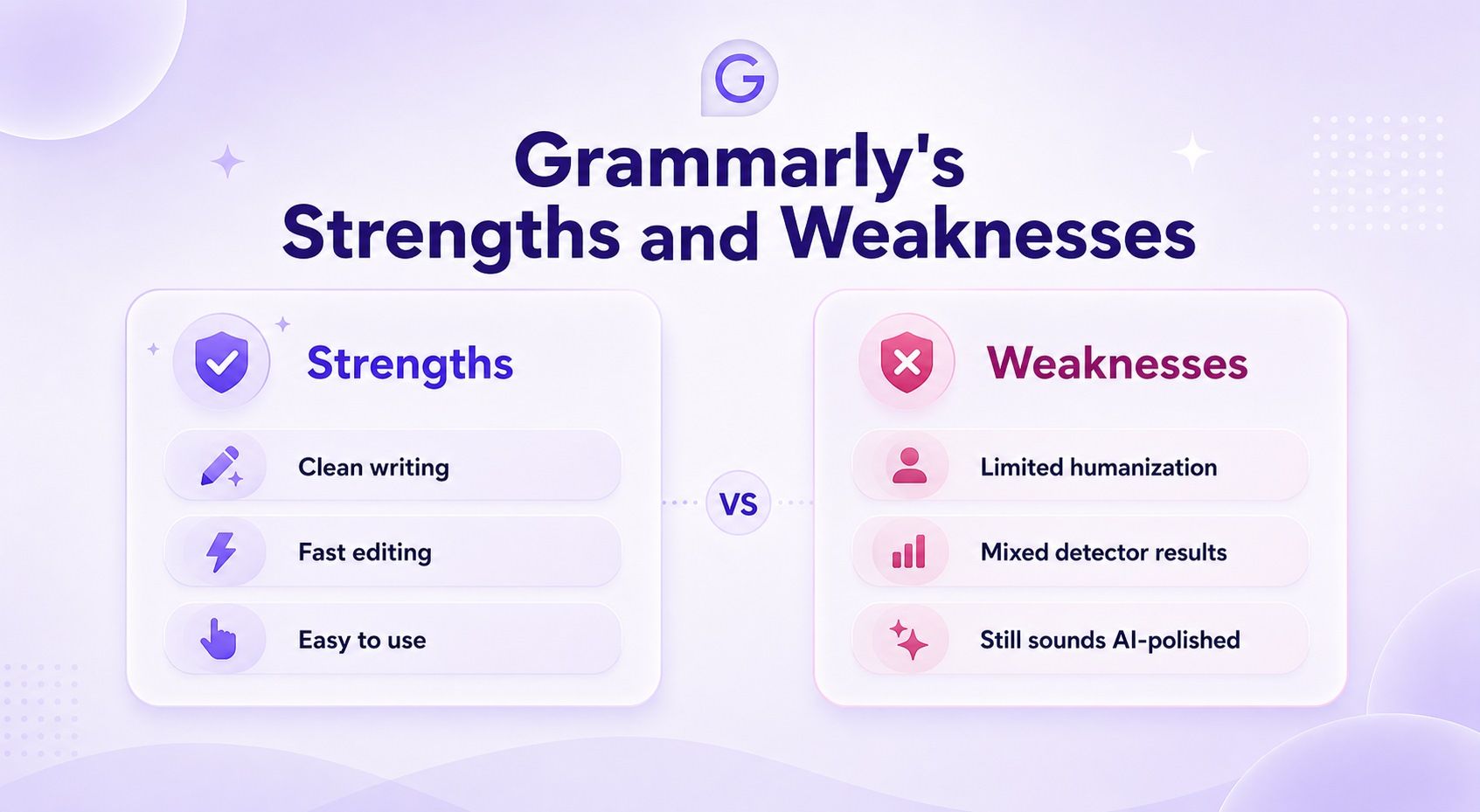
Strengths
1. Strong brand trust
Grammarly is already a trusted name in writing assistance. For many users, that lowers the barrier to trying its AI Humanizer.
2. Excellent grammar and clarity improvement
This is still Grammarly’s core advantage. It is very good at fixing awkward wording, tightening language, and improving readability.
3. Smooth workflow integration
Humanizer, AI Detector, Authorship, and editing tools all live inside one ecosystem. That is genuinely convenient.
4. Custom voice is a meaningful feature
The ability to build a personal voice profile gives Grammarly more flexibility than simple synonym-swapping tools.
Weaknesses
1. It behaves more like a polish tool than a deep humanizer
This is the biggest limitation. Grammarly often cleans the surface without changing the deeper rhythm and structure enough.
2. It can make writing too standardized
Grammarly is very good at making writing “correct,” but sometimes correctness comes at the cost of individuality. The result can feel polished but still generic.
3. Detector performance is inconsistent
The third-party examples are enough to show that Grammarly does not deliver reliably strong results across all detector environments.
4. It is not ideal for higher-stakes de-AI writing
If your goal is not just to improve text but to seriously reduce machine-like patterns, Grammarly often does not go far enough.
6. Is There a Better Alternative to Grammarly AI Humanizer?
Yes, especially if your goal is deeper humanization rather than light editing.
Lynote AI Humanizer is a better alternative when you need a tool that is purpose-built to make AI text feel more human, less templated, and less mechanically balanced.
The key difference is this:
- Grammarly is optimized for correctness, clarity, and smoothness.
- Lynote is optimized for naturalness, variation, and stronger human expression.
That does not mean Grammarly has no place. It does. In fact, Grammarly is still very useful as a first-pass polish layer. But if the text still feels too flat, too neat, or too visibly AI-assisted after Grammarly finishes with it, Lynote is the stronger second-pass tool.
This is especially true for:
- long-form blog content
- academic-style writing
- AI-assisted essays
- detector-sensitive text
- drafts that need more rhythm and human texture
7. Why Lynote performs better
Lynote performs better because it is built around a different priority.
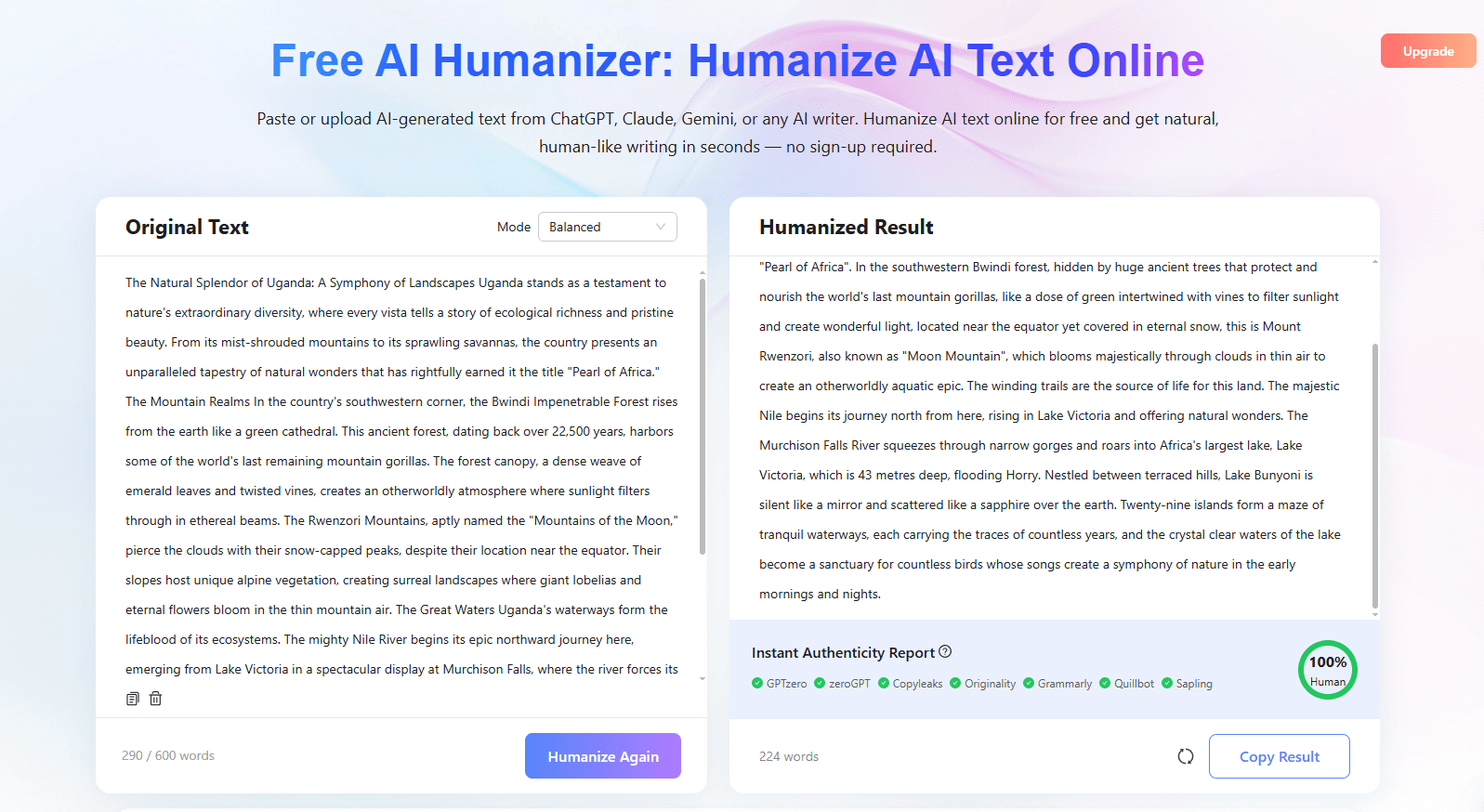
It is not just trying to make text cleaner. It is trying to make text feel more convincingly human.
1. Better sentence variation
Human writing does not move in perfectly even patterns. Lynote is better at changing rhythm, sentence length, and structural flow.
2. More natural voice texture
A lot of AI writing is not “wrong.” It is just too smooth, too balanced, and too emotionally neutral. Lynote is better at breaking that average-model feel.
3. Stronger detector-aware rewriting logic
Lynote is more focused on the patterns that commonly trigger AI suspicion: repeated transitions, flattened cadence, formulaic structure, and predictable phrasing.
4. Better balance between meaning preservation and human tone
A good humanizer should not destroy the original message. Lynote tends to do a better job of preserving meaning while still making the output sound more alive and less synthetic.
5. Free 600-character trial for fast testing
Lynote also gives users a practical advantage: a free 600-character trial. That makes it easy to test the tool on real text before upgrading, which lowers the barrier for students, marketers, and professionals who want to compare results quickly.
6. Better performance across major AI detectors
Another key advantage is detector performance. After being rewritten with Lynote, content is more likely to perform better across major AI detection tools such as GPTZero, ZeroGPT, Copyleaks, Originality, and QuillBot. That makes Lynote a stronger option for users who care not only about readability, but also about reducing AI detection risk.
So if the real goal is serious AI humanization rather than general editing, Lynote is the better fit.
Grammarly Final Summary: Is It Worth It in 2026?
So, how good is Grammarly’s AI Humanizer?
The best short answer is:
It is good as an editing-enhanced humanizer, but not strong enough to be the best deep humanization tool.
Grammarly can definitely improve AI-generated writing. It can make text cleaner, clearer, and more readable. But in many cases, it does not change the writing deeply enough to remove the polished, balanced, machine-assisted feel that users are actually trying to escape.
If your goal is basic cleanup, Grammarly is a smart choice.
If your goal is deeper humanization, stronger naturalness, and less AI-like output, Lynote is the better choice.
The most practical workflow is simple:
Use Grammarly first for grammar and clarity.
Use Lynote second for deeper humanization.

Written by Danny
Product Marketing Manager
Danny explains how Lynote features fit real workflows, from everyday productivity to product-led writing use cases. View all articles →