How Do AI Image Detectors Work?

When you encounter a hyper-realistic but slightly suspicious photo online, you might wonder how do AI image detectors work to tell the difference between a synthetic creation and a genuine photograph. As artificial intelligence generators become increasingly sophisticated, the tools designed to identify their outputs have had to evolve from simple visual scanners into complex, multi-layered analytical engines.
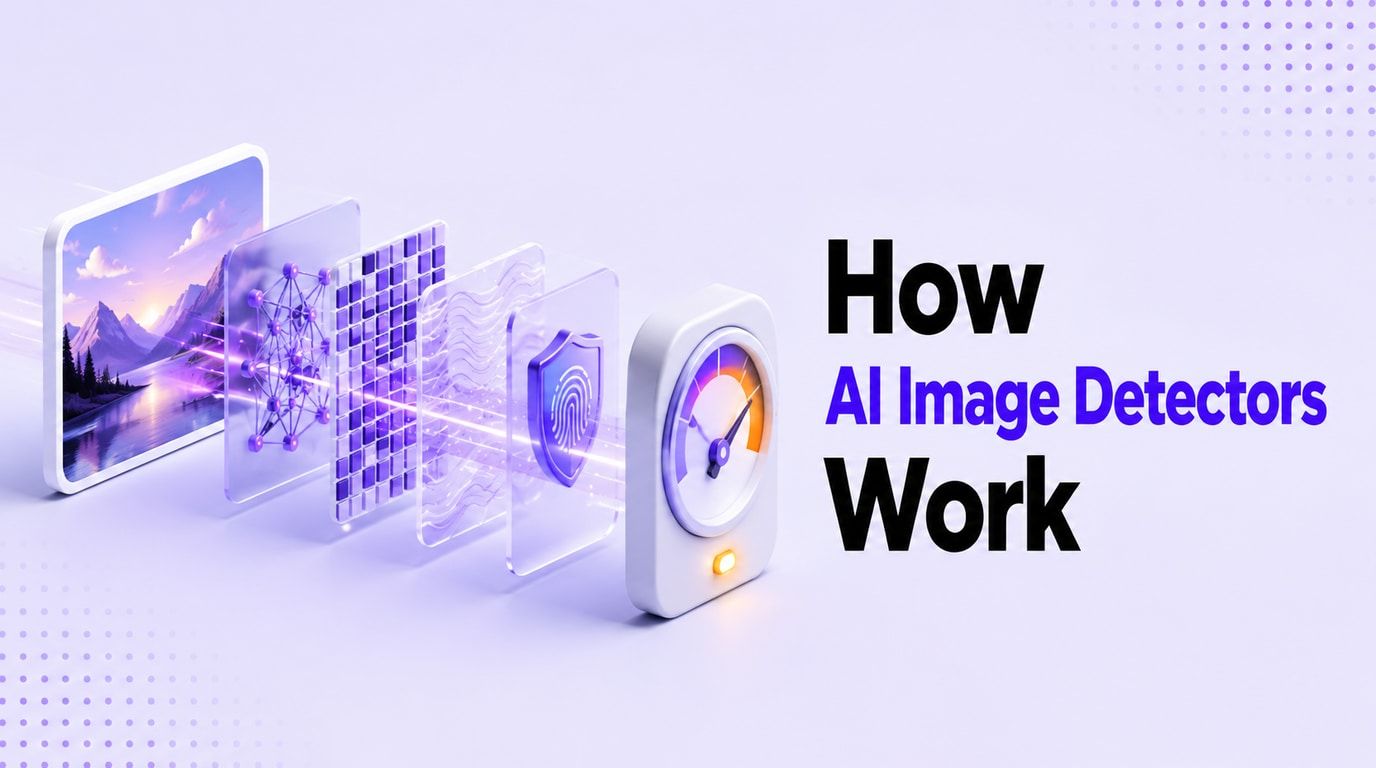
An AI image detector does not simply "look" at a picture the way a human does. Instead, it relies on a combination of statistical analysis, pixel-level artifact detection, frequency-domain scanning, and metadata extraction to form an educated assessment.
Rather than delivering absolute proof, these systems weigh multiple signals to calculate a probability score. Understanding what these tools are actually checking, how they process files, and where their limitations lie is essential for anyone who needs to verify digital media today.
This comprehensive guide will break down the mechanisms behind AI image detection, explaining the technical pipeline in plain English. We will explore how pixel patterns, model fingerprints, C2PA provenance, and invisible watermarks all play a role in helping software distinguish between a human-captured moment and a machine-generated illusion.
What an AI Image Detector Is Actually Checking
To understand the mechanics of detection, it helps to view an AI image detector as an evidence-gathering system rather than a single-source truth machine. When you upload a file, the software is looking for clues left behind by the generation process. Because AI models create images mathematically—often by predicting pixel arrangements or denoising static patterns—they tend to leave microscopic signatures that differ from the way light hits a physical camera sensor.
Modern detectors typically evaluate an image across several different layers of evidence. Some of these layers are visual and statistical, while others rely on embedded file data.

The most robust detection systems do not rely on a single clue. Instead, they cross-reference multiple types of signals. To clarify what these systems are looking for, the table below outlines the primary signal categories analyzed during a scan.
Table 1: AI Image Detector Signal Types
| Signal Category | What It Analyzes | How It Works | Common Limitations |
|---|---|---|---|
| Pixel & Spatial | Visible and microscopic pixel arrangements. | Looks for unnatural blending, asymmetrical textures, or structural anomalies common in AI generation. | Can be confused by heavy human editing, digital art, or low-resolution images. |
| Frequency Domain | The underlying noise and compression patterns. | Uses mathematical transforms (like DCT) to find repeating, unnatural high-frequency noise left by AI upsampling. | Heavy social media compression or resizing can destroy these delicate frequency signals. |
| Model Fingerprints | Statistical signatures unique to specific AI generators. | Compares the image's mathematical structure against known profiles of models like Midjourney or DALL-E. | Often struggles with brand-new AI models or highly customized, fine-tuned local generators. |
| Metadata & EXIF | Text-based data embedded in the image file. | Reads camera settings, software tags, or generation prompts saved within the file's header. | Easily stripped by social media platforms, screenshotting, or manual deletion. |
| C2PA Provenance | Cryptographically secure history and origin data. | Checks for tamper-evident digital signatures that verify who created the image and what tools were used. | Only works if the creator's software supports C2PA and the platform preserves the credentials. |
| AI Watermarks | Invisible patterns embedded directly into the pixels. | Scans for proprietary signals (like Google SynthID) woven into the image's noise profile. | Requires specific, compatible detection software and only applies to participating AI generators. |
By combining these layers, an AI image detector can build a case for whether an image is synthetic or authentic. However, because some of these signals can be distorted or removed, the absence of AI signals is not always proof that an image is real.
The Basic Pipeline: From Upload to Verdict
When you submit an image to a detection tool, the file goes through a rapid, structured pipeline. While the exact architecture varies between different software providers, most modern AI detectors follow a similar multi-step process to arrive at their final verdict.
1. Preprocessing and Normalization
The moment an image is uploaded, the detector must prepare it for analysis. Because users upload images in various sizes, formats, and color profiles, the software typically normalizes the file. This may involve resizing the image to match the input dimensions required by the detector's neural network, converting the color space, and isolating the pixel data from the file container. During this phase, the system also extracts any attached metadata for parallel processing.
2. Feature Extraction
Once the image is preprocessed, it is fed into the detector's core machine learning models—often Convolutional Neural Networks (CNNs) or Vision Transformers (ViTs). These models do not look at the picture to see a "dog" or a "sunset." Instead, they break the image down into mathematical features. They analyze the contrast gradients, the way colors transition across edges, and the microscopic noise patterns distributed throughout the file. The goal of feature extraction is to map the image's structural DNA.
3. Signal Scoring and Comparison
The extracted features are then compared against the detector's training data. The system has been trained on millions of examples of both real photographs and AI-generated images. It calculates how closely the uploaded image's features align with the known statistical profiles of synthetic media. If the image exhibits the telltale smoothness of a diffusion model or the specific artifacting of a Generative Adversarial Network (GAN), the system assigns a higher synthetic probability score to those specific areas.
4. Confidence Thresholding
After evaluating the visual features, frequency data, and any available metadata, the system aggregates these clues into a final confidence score. The software uses predefined thresholds to categorize this score. For instance, a score of 85% might trigger a "Highly Likely AI" label, while a score of 45% might result in an "Uncertain" or "Mixed" verdict.
5. Report Generation
Finally, the detector translates its mathematical findings into a user-friendly report. This usually includes a percentage score indicating the likelihood of AI generation, a breakdown of any detected metadata, and sometimes a visual heatmap showing which specific areas of the image triggered the AI sensors.

Pixel Patterns, Artifacts, and Frequency Clues
The core of most AI image detectors relies on analyzing the actual image data—the pixels themselves. While human eyes are drawn to the subject matter of a photo, AI detectors are engineered to look at the spaces between the subjects, the texture of the background, and the mathematical consistency of the light.
Spatial Domain Analysis
Spatial domain analysis refers to examining the image exactly as it appears in its pixel grid. AI generators, despite their impressive capabilities, often struggle with spatial consistency. They generate images based on learned probabilities rather than a true understanding of three-dimensional physics.
Detectors are trained to spot these spatial anomalies. For example, they look for unnatural blending where an object meets its background. They analyze textures that should be chaotic (like grass, hair, or fabric weaves) but appear overly uniform or repetitive.
They also flag inconsistencies in lighting, such as shadows falling in multiple directions or specular highlights in eyes that do not match the surrounding light sources. While a human might miss these details at a quick glance, a machine learning classifier can process these spatial inconsistencies across millions of pixels in milliseconds.
Frequency Domain Analysis
Perhaps the most powerful tool in a detector's arsenal is frequency domain analysis. Images can be translated from a grid of pixels into a map of frequencies using mathematical formulas like the Discrete Cosine Transform (DCT). In simple terms, this separates the broad, sweeping colors of an image (low frequencies) from the sharp, microscopic details and noise (high frequencies).
When a real camera takes a photo, the physical sensor introduces a specific type of random noise, often referred to as shot noise. When an AI model generates an image, it builds the picture from a latent space, often upsampling it to a higher resolution.
This digital generation process leaves behind distinct, unnatural patterns in the high-frequency data. It can create microscopic checkerboard patterns or repetitive noise structures that are completely invisible to the human eye but scream "synthetic" to a frequency analyzer.

By analyzing both the spatial artifacts and the frequency domain clues, AI image detectors can often identify synthetic media even if the generator has successfully created a visually convincing subject with the correct number of fingers and coherent lighting.
Model Fingerprints and Generator-Specific Signals
Not all AI images are created equal, and not all AI images leave the same clues. The way a detector evaluates an image is heavily influenced by the specific AI model that generated it. This introduces the concept of model fingerprints.
The Architecture of AI Generators
Different AI architectures leave different statistical signatures. Older AI images were often created using Generative Adversarial Networks (GANs). GANs typically left distinct artifacts around the edges of objects and struggled with high-resolution textures. Modern generators, such as Midjourney, DALL-E, and Stable Diffusion, use diffusion models. Diffusion models work by starting with a field of static noise and gradually refining it into a recognizable image. This denoising process leaves a much smoother, sometimes overly polished statistical fingerprint.
Detectors are trained to recognize these specific fingerprints. When an image is uploaded, the detector's classifier attempts to match the image's mathematical structure to the known profiles of these generator families. If an image closely matches the noise profile of Stable Diffusion, the detector can confidently flag it as AI.
The Challenge of Generalization
This reliance on model fingerprints is also one of the primary reasons why AI image detectors can sometimes struggle. A detector is generally only as good as its training data. If a detector was trained extensively on images from Midjourney Version 4, it may easily catch those images. However, when Midjourney releases Version 6 with an entirely new underlying architecture and a different noise profile, the detector might fail to recognize it until it is updated and retrained.
Furthermore, open-source models allow users to fine-tune generators with their own custom datasets. A highly customized, locally run AI model may produce a fingerprint that the detector has never seen before. Because of this, detectors often perform exceptionally well on out-of-the-box images from major commercial generators, but their accuracy can fluctuate when faced with novel, unknown, or heavily customized AI models.
Metadata, EXIF, C2PA, and AI Watermarks
While pixel and frequency analysis form the visual core of detection, the non-visual data attached to an image is becoming increasingly critical. As AI generators become better at mimicking the visual and statistical properties of real photographs, detectors are relying more heavily on metadata, provenance standards, and digital watermarks to provide context.
Standard EXIF and Metadata
Every time a digital camera takes a photo, it embeds Exchangeable Image File Format (EXIF) data into the file. This includes the camera make, model, lens type, aperture, shutter speed, and timestamp. When an AI generator creates an image, it often leaves this EXIF data blank, or it embeds its own software tags (e.g., a tag stating "Generated by Midjourney").
Detectors scan this metadata for clues. If an incredibly photorealistic image claims to be a photograph but contains absolutely no camera EXIF data, or contains software tags from known AI tools, the detector uses this as a strong signal of synthetic origin.
C2PA Content Credentials
The industry is currently moving toward a more secure standard known as C2PA (Coalition for Content Provenance and Authenticity). C2PA allows creators and software tools to attach cryptographically secure Content Credentials to an image.
When an image is created using a C2PA-compliant AI tool, a digital manifest is attached to the file. This manifest acts like a tamper-evident nutrition label, detailing when the image was made, what tool was used, and what edits have been applied since its creation.
Because this data is secured with cryptography, unauthorized changes can be detected. Advanced AI image detectors can read this C2PA data. If valid Content Credentials indicating AI generation are present, the detector can provide a highly confident verdict.

AI Watermarks (SynthID and Others)
Another emerging layer of non-visual evidence is the invisible watermark. Technologies like Google's SynthID embed a digital watermark directly into the pixels of an AI-generated image. Unlike traditional visible watermarks, these patterns are woven into the microscopic noise profile of the image. They are designed to be imperceptible to humans but easily readable by compatible detection software.
These watermarks are engineered to survive common image manipulations like cropping, resizing, and mild compression. When a detector equipped to read these specific watermarks scans an image and finds the pattern, it serves as an exceptionally strong signal of AI origin.
To help clarify the differences between these non-visual and visual signals, the following table outlines what each type of evidence can and cannot prove.
Table 2: What Each Signal Can and Cannot Prove
| Evidence Type | What It Can Indicate | What It Cannot Prove |
|---|---|---|
| Pixel Artifacts | High likelihood of synthetic generation or heavy digital manipulation. | Cannot definitively prove an image is AI; heavy human retouching can cause similar artifacts. |
| Frequency Noise | The presence of digital upsampling or diffusion model denoising signatures. | Cannot survive heavy compression; absence of noise does not guarantee the image is real. |
| Missing EXIF Data | The image did not come straight from a camera, or it was stripped by a platform. | Cannot prove AI generation; most social media sites strip EXIF data from real photos automatically. |
| C2PA Credentials | Cryptographically verified proof of the image's origin and editing history. | Cannot help if the credentials were intentionally removed or if the originating software doesn't support C2PA. |
| Invisible Watermark | Strong confirmation that a specific participating AI generator created the file. | Cannot identify images from generators that do not use the specific watermarking technology. |
Why Detectors Give Probabilities Instead of Proof
When you review the results from an AI image detector, you will rarely see a definitive "fake" or "real" statement. Instead, the software typically provides a probability score, such as "82 percent likely to be AI-generated." Understanding why detectors use probabilities is crucial for interpreting their results responsibly.
Machine learning classifiers operate on confidence thresholds. Because the line between a heavily edited real photograph and a highly realistic AI generation can be incredibly thin, the detector is calculating the statistical likelihood that the image's features belong to one category over the other.
A high probability score simply means that the image exhibits many of the mathematical traits commonly found in the detector's synthetic training data. However, false positives and false negatives are a reality of the technology.
A false positive occurs when a real photograph is flagged as AI. This often happens with images that have been heavily processed by human editors—such as applying intense noise reduction, aggressive sharpening, or smoothing filters in software like Adobe Lightroom. These human edits can inadvertently create the same smooth textures and frequency artifacts that AI models produce.
A false negative occurs when an AI-generated image is mistakenly flagged as human-made. This typically happens when the AI image is of very low quality, has been heavily compressed, or was generated by a brand-new model whose fingerprint is not yet in the detector's database. Because of these variables, probability scores should always be treated as a strong signal, not as absolute proof.
How Editing, Screenshots, and Compression Affect Detection
The journey an image takes from its creation to the moment it is uploaded to a detector can significantly impact the accuracy of the scan. AI image detectors rely on delicate data—both in the microscopic pixel frequencies and in the embedded metadata. When an image is altered, these signals can be damaged or destroyed.
Social Media Compression
When an image is uploaded to platforms like Facebook, Instagram, or WhatsApp, the platform automatically compresses the file to save server space. This compression process discards a massive amount of high-frequency data and entirely strips out EXIF metadata and C2PA credentials for privacy and size reasons. If you download an AI-generated image from a social media feed and run it through a detector, the software may struggle to find the original synthetic fingerprints because the platform's compression algorithm has essentially paved over them.
Screenshots
Taking a screenshot of an image is one of the most effective ways to inadvertently hide AI signals. A screenshot creates an entirely new image file. It captures only the visible pixels displayed on your monitor, completely discarding any original metadata, invisible watermarks, or C2PA manifests. Furthermore, the screenshot introduces its own display resolution limits and compression artifacts, which can thoroughly confuse a detector's frequency analysis.
Cropping, Resizing, and Filters
Physical alterations to the image also disrupt detection. Cropping an image changes its structural composition, potentially removing the specific areas where AI artifacts were most prominent. Resizing an image forces the software to interpolate new pixels, which alters the original mathematical noise profile. Applying visual filters, such as adding artificial film grain or color grading, introduces new layers of noise that can mask the underlying AI fingerprint.
Because of these factors, an AI image detector will always perform best when analyzing the original, unedited, full-resolution file straight from the source.
How to Use Lynote AI Image Detector as a Practical Second Opinion
Understanding the mechanics of AI detection is only half the battle; applying that knowledge using a reliable tool is the next step. The Lynote AI Image Detector is designed to process these complex signals and present them in an accessible, actionable format.
Whether you are a researcher verifying a source, a creator auditing digital assets, or simply a user trying to authenticate a viral photo, Lynote provides a structured workflow for evaluating digital media. The platform supports standard web image formats including JPG, JPEG, PNG, and WEBP, accepting files up to 10 MB in size.
The Lynote Workflow
Using the Lynote AI Image Detector involves a straightforward process that leverages both visual classifiers and metadata analysis:
-
Upload the Image: Begin by uploading your supported image file or selecting one of the provided sample files to test the system. Ensure you are uploading the highest quality version available, ideally avoiding screenshots.
-
Select Your Scan Type:
-
Basic Scan: This option performs a rapid AI detection scan, focusing on the core visual and statistical classifiers to give you a quick probability score.
-
Advanced Scan: This option performs a deeper forensic review. In addition to the visual classifiers, it actively scans for embedded EXIF data and C2PA Content Credentials, providing a more comprehensive look at the file's history.
-
-
Review the Results: Once you click "Detect Image," the system processes the file and generates a report.

Interpreting the Lynote Report
The results page provides several layers of information designed to help you make an informed decision. You will see an AI probability score and a human probability score, reflecting the classifier's confidence based on the visual and frequency data.
Additionally, if you utilized the Advanced Scan, the report will display extracted file details and provenance signals. If C2PA credentials or specific AI software tags are found in the EXIF data, they will be highlighted here.
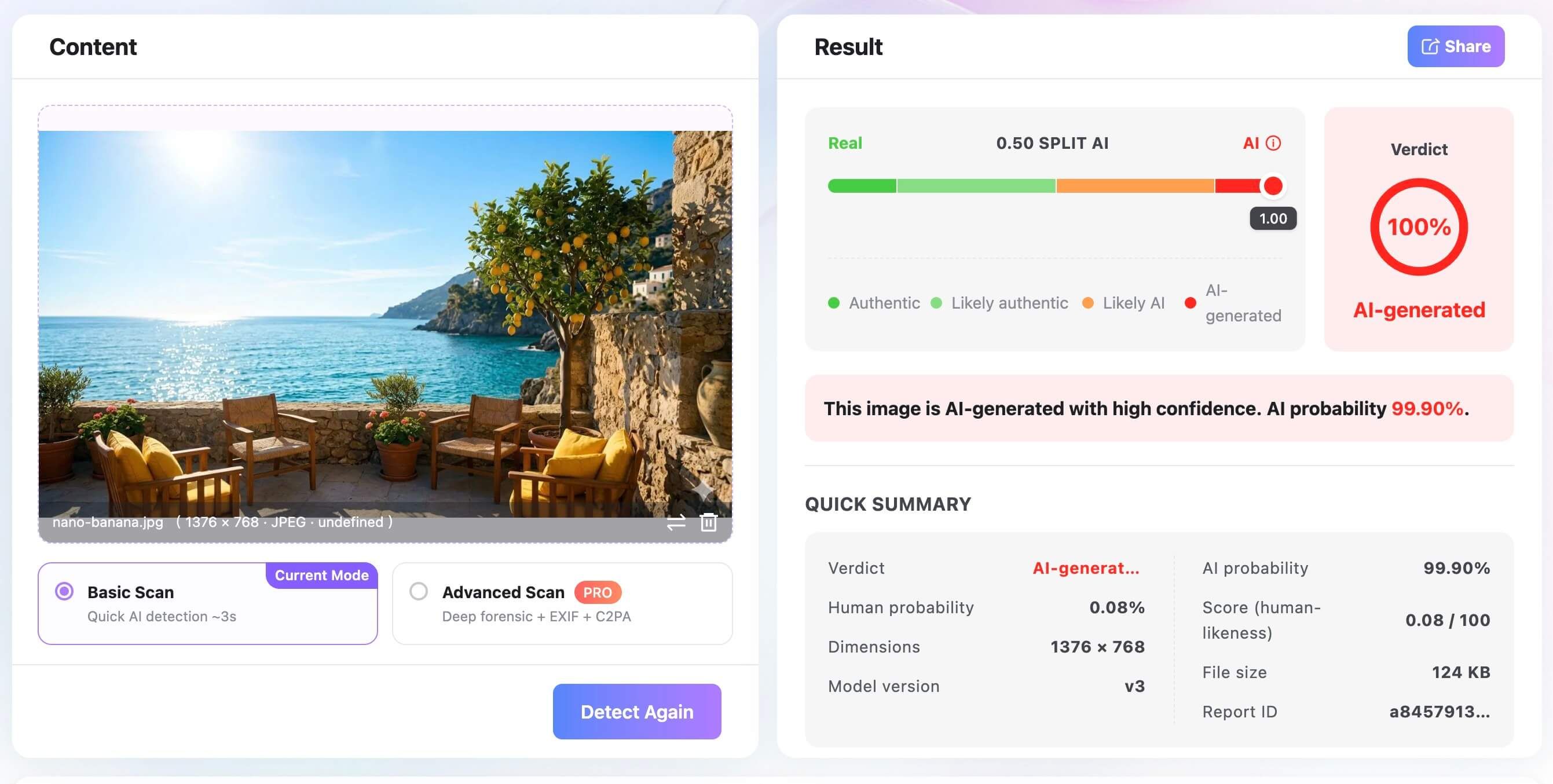
By presenting both the statistical probability and the hard metadata side-by-side, Lynote acts as a powerful second opinion, allowing you to weigh the machine's findings against your own context.
Manual Review Still Matters
While tools like Lynote provide invaluable technical insights, they are meant to complement, not replace, human judgment. Because AI detectors can be affected by compression, editing, and novel generator updates, manual review remains a critical component of digital verification.
Before relying entirely on a probability score, you should engage in a manual visual comparison of the image. Look for logical inconsistencies that AI models frequently make but detectors might miss in heavily compressed files. Check for structural errors in the background, nonsensical text on signs or clothing, asymmetrical facial features, and objects that seem to blend into one another physically impossible ways.
Furthermore, context is often the strongest verification tool. Ask yourself where the image came from. Can you trace it back to a reputable source?
Does a reverse image search reveal that the image first appeared on an AI art forum? By combining the technical analysis of an AI detector with critical thinking and contextual research, you build a much more resilient defense against synthetic media.
AI Image Detector Workflow Checklist
To help you integrate this knowledge into a practical routine, the following checklist outlines the ideal workflow for evaluating a suspicious image. By following these steps, you maximize the effectiveness of the detector while minimizing the risk of misinterpreting the results.
Table 3: Detector Workflow Checklist
| Step | Action | Why It Matters |
|---|---|---|
| 1. Source the Original | Try to find the highest resolution, unedited version of the image. Avoid screenshots if possible. | Compression and screenshots destroy the frequency data and metadata that detectors rely on. |
| 2. Visual Inspection | Manually check for structural errors, weird text, or lighting inconsistencies. | Human intuition can often spot logical errors that statistical AI classifiers might overlook. |
| 3. Run a Basic Scan | Upload the image to an AI detector for a quick pixel and frequency analysis. | Provides an immediate baseline probability score based on the image's mathematical structure. |
| 4. Run an Advanced Scan | Check for EXIF data, software tags, and C2PA Content Credentials. | Uncovers hidden provenance data that can confirm the image's origin and editing history. |
| 5. Contextual Verification | Perform a reverse image search and evaluate the credibility of the source sharing the photo. | Ground-truth context often provides the final piece of evidence needed to make a confident determination. |
| 6. Interpret Holistically | Weigh the detector's probability score against the visual clues and source context. | Ensures you do not fall victim to false positives from heavy editing or false negatives from compression. |
FAQs About How AI Image Detectors Work
Do AI image detectors look at pixels or metadata? Both can matter significantly. Many standard detectors focus primarily on pixel and statistical signals—analyzing spatial artifacts and frequency noise. However, more advanced detection systems also inspect the file's metadata, C2PA credentials, and potential watermark clues to build a more comprehensive assessment.
Can an AI image detector identify which AI model made an image? Sometimes it can infer the likely generator family (such as distinguishing between a GAN and a diffusion model) based on the specific statistical fingerprints left in the image. However, this depends heavily on the detector's training data and whether those specific fingerprints survived compression.
Can screenshots hide AI image signals? Yes. Screenshots can strip away all original metadata, remove C2PA credentials, and alter the original pixel compression. Because a screenshot is essentially a new photograph of your monitor, the results from a detector may shift significantly compared to scanning the original file.
Are AI watermarks the same as metadata? No. Metadata (like EXIF or C2PA) travels as text-based file or provenance data attached to the image container. AI watermarks, such as Google's SynthID, are embedded directly into the actual image pixels as invisible noise patterns. Watermarks can sometimes survive when metadata is stripped away.
Should I trust one AI detector score? No; you should treat it as one signal among many. Because detectors deal in probabilities and can be influenced by editing and compression, you should always compare the score with your own visual review, source context checks, reverse image searches, and provenance data.
Final Verdict: Treat AI Image Detection as Evidence, Not Certainty
Understanding how AI image detectors work demystifies the process, revealing a complex pipeline of feature extraction, frequency analysis, and metadata scanning. These tools can identify microscopic statistical anomalies and cryptographic signatures that are invisible to the human eye.
However, they are not magic. They are subject to the limitations of their training data, the destructive nature of social media compression, and the rapid evolution of AI generation architectures. A high AI probability score is a compelling piece of evidence, but it is rarely definitive proof on its own.
As you navigate an increasingly synthetic digital landscape, the best approach is a layered one. Use detectors to analyze the mathematical and historical structure of a file, but always pair those technical insights with manual visual checks and basic journalistic skepticism. When choosing tools for your verification workflow, prioritize those that offer multi-layered scanning—combining pixel analysis with metadata and C2PA checks—so you can gather the most robust evidence possible before making your final judgment.

Written by Janet L. Harris
AI Writing Specialist
Janet reviews AI detectors and humanization tools, with a focus on accuracy, limitations, and responsible use. View all articles →