Top 10 StudyFetch Alternatives for Every Kind of Student
The best StudyFetch alternative depends on which part of StudyFetch you actually use. Choose Lynote when you need to turn mixed course material into editable notes and flashcards, NotebookLM when you want a broadly free source-grounded workspace, Knowt when you want familiar flashcards and study modes, and Anki when long-term retention matters most.

No single alternative reproduces StudyFetch's entire loop of study planning, AI tutoring, notes, practice, lecture capture, audio, and scheduled review. The useful question is therefore not “Which app has the most features?” but “Which app removes the biggest bottleneck in my weekly study routine?”
Quick Verdict: The Best StudyFetch Alternative by Need
If you want one answer, start with the row that matches your source material and study goal. “Free” in this guide means that a product has a usable no-cost path, not that every AI action or advanced feature is unlimited.
| What you need | Best pick | Why it fits | Main compromise |
|---|---|---|---|
| Mixed files converted into editable notes | Lynote | Handles documents, media, images, webpages, and YouTube sources | Not a clone of every StudyFetch planner or game |
| Source-grounded studying at no cost | NotebookLM | Strong standard limits, citations, reports, cards, and quizzes | No dedicated spaced-repetition scheduler |
| Closest free all-around study app | Knowt | Notes, flashcards, shared sets, and multiple study modes | Heavier AI use requires an upgrade |
| Durable memory over months | Anki | Mature scheduling and deep card control | More setup and manual maintenance |
| Lecture recording and automatic notes | Turbo AI | Recording plus editable notes and study outputs | Free usage has limits |
| Guided explanations and practice | ChatGPT Study Mode | Interactive tutoring across many subjects | Not a persistent deck-management system |
Top 10 StudyFetch Alternatives Compared
I evaluated the products by the StudyFetch job they can replace, the usefulness of recurring free access, input flexibility, editability, active-recall support, review scheduling, and switching effort. This is an editorial comparison based on current product information, not a claim that every tool was tested for an entire semester.
| Rank | Tool | Best for | Source input | Notes | Flashcards or quizzes | Scheduled review | Free-access reality |
|---|---|---|---|---|---|---|---|
| 1 | Lynote | Mixed sources to editable study notes | Documents, audio, video, images, URLs | ✅ | ✅ | ❌ | Free to start |
| 2 | NotebookLM | Grounded study from your sources | Files, Drive, URLs, YouTube, text | ✅ | ✅ | ❌ | Strong Standard limits |
| 3 | Knowt | Familiar free study modes | Notes, files, videos, shared sets | ✅ | ✅ | ✅ | Useful Basic plan |
| 4 | RemNote | Notes and memory in one system | Notes, PDFs, files | ✅ | ✅ | ✅ | Strong core; AI credits limited |
| 5 | Anki | Long-term recall control | Manual cards, imports, shared decks | ◐ | ✅ | ✅ | Free except official iOS app |
| 6 | Quizlet | Ready-made shared sets | Manual sets, imports, shared library | ◐ | ✅ | ◐ | Free basics; premium limits |
| 7 | Gizmo | Gamified AI flashcards | PDF, notes, YouTube, recordings | ◐ | ✅ | ✅ | Free to start with limits |
| 8 | ChatGPT Study Mode | Tutor-style learning | Prompts, files, images | ◐ | ✅ | ❌ | Available across plans |
| 9 | Turbo AI | Lecture capture | Recording, PDF, video, audio | ✅ | ✅ | ◐ | Free tier available |
| 10 | Coconote | Mobile lecture companion | Audio, video, websites, PDFs | ✅ | ✅ | ◐ | Free to start |
1. Lynote: Best for Turning Mixed Sources Into Study Notes
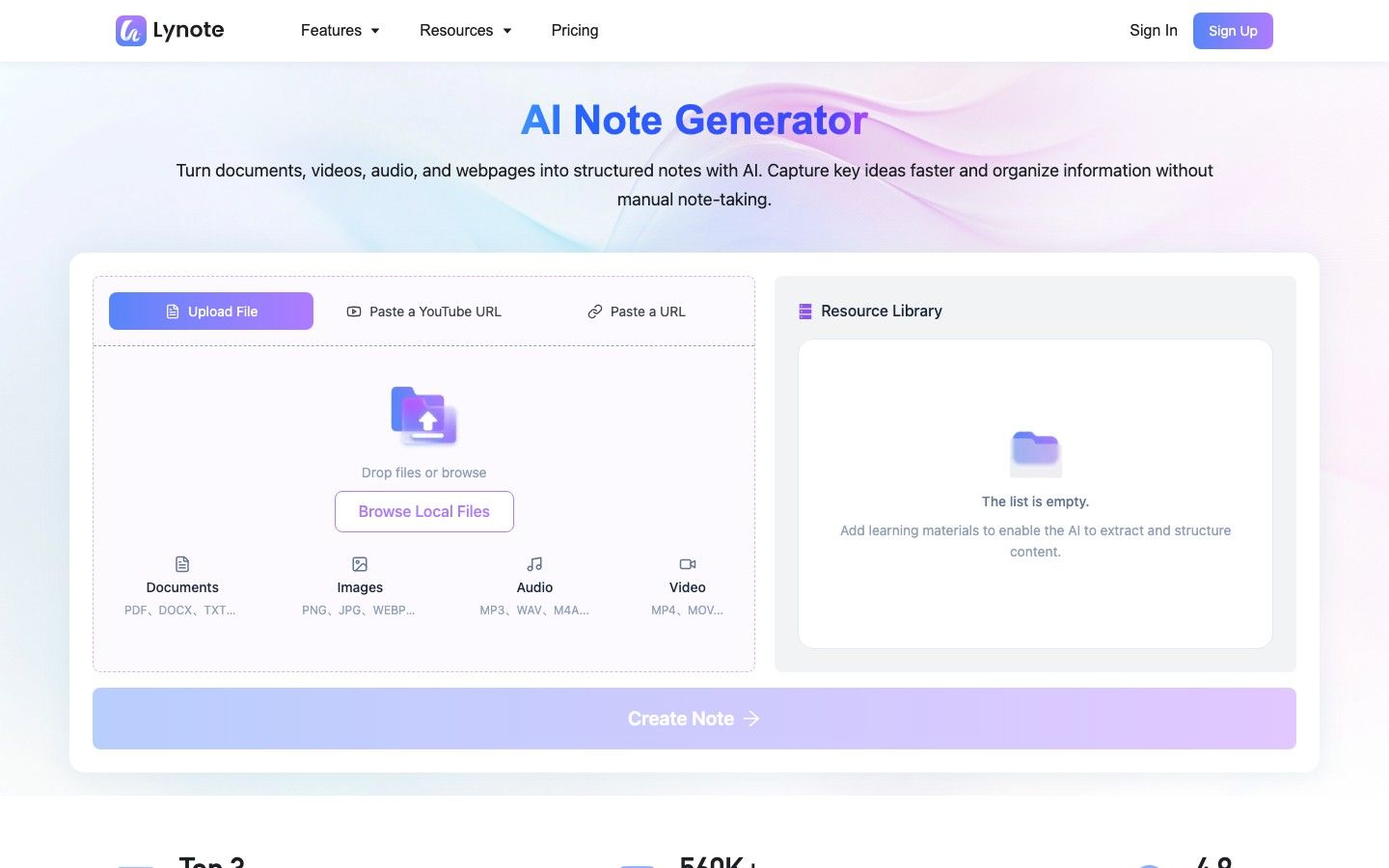
Lynote AI Note Generator is the strongest alternative when your main problem happens before studying begins: your useful material is scattered across PDFs, slides, recordings, videos, screenshots, webpages, and YouTube links. It turns those sources into structured notes with headings, bullets, and source-linked sections that remain editable inside the workspace.
The workflow is straightforward. Add the relevant source, click Create Note, then review the generated structure, ask follow-up questions, edit weak sections, or convert the note into flashcards. This reduces extraction work without pretending that generated notes are finished learning.
Features
- Documents, audio, video, images, webpages, and YouTube inputs
- Structured, editable notes with source-linked sections
- Follow-up questions inside the same workspace
- Conversion from notes to flashcards
- Support for more than 20 input formats
Pros
- Replaces several source-specific conversion tools with one import workflow
- Keeps notes editable instead of producing a static summary
- Makes it easier to move from passive material to active-recall cards
- Particularly useful for courses that mix readings and recorded lectures
Best for: Students whose biggest time cost is turning mixed course material into organized notes they can verify, edit, and reuse.
Free-access note: Free access is available to start the workflow; check the live product for the current account and usage allowance before importing an entire course.
2. NotebookLM: Best Free Option for Source-Grounded Study
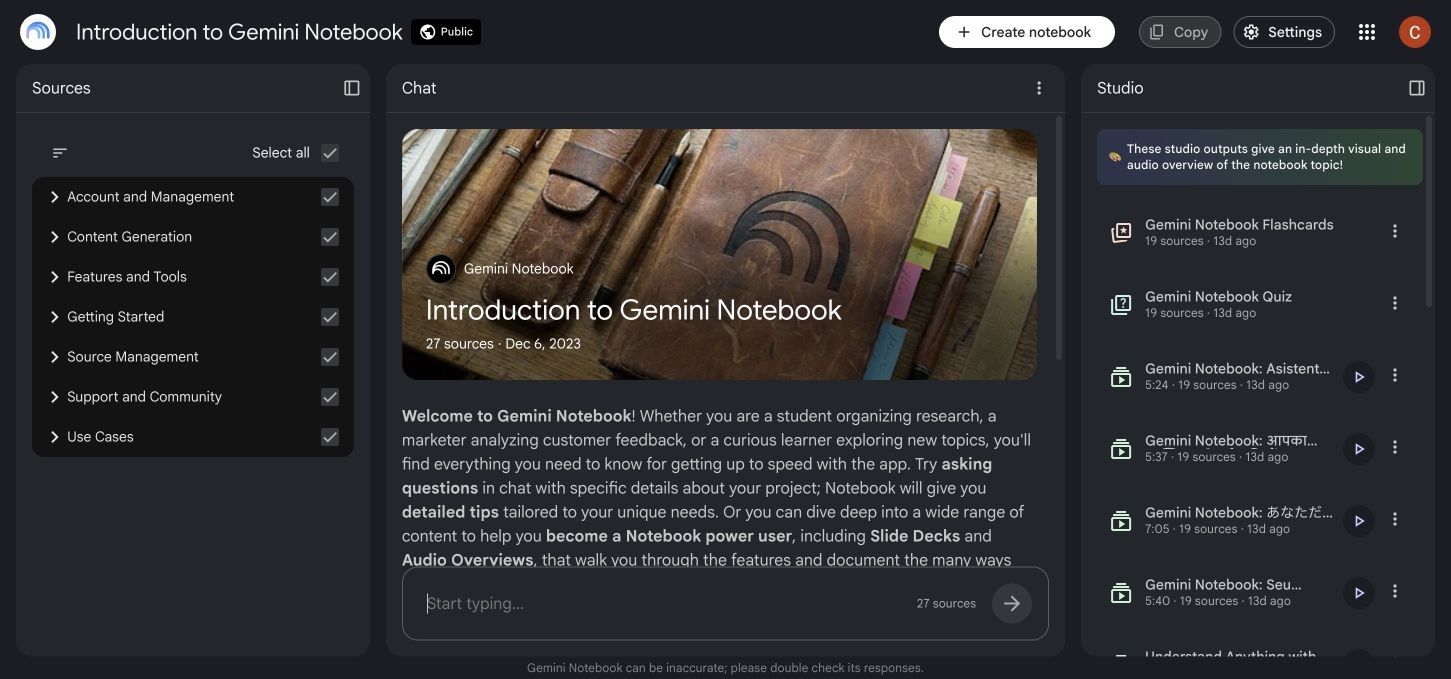
NotebookLM is the strongest broadly free choice for learners who want to understand a collection of sources rather than manage a conventional flashcard library. A Standard account can hold multiple notebooks and sources, and its chat answers are grounded in the sources selected for that notebook.
Its Studio outputs now extend beyond summaries and audio overviews to reports, flashcards, quizzes, and mind maps. That makes NotebookLM much closer to a complete study workspace than it once was, although it still does not schedule card reviews according to your recall history.
Features
- Source-grounded chat with citations
- Support for PDFs, documents, slides, webpages, YouTube links, audio, images, and pasted text
- Reports, study guides, flashcards, quizzes, mind maps, and audio overviews
- Selection of specific sources for focused questions
Pros
- Generous documented Standard limits for ordinary study projects
- Excellent for tracing an explanation back to course material
- Useful when several readings must be compared in one notebook
- Reduces the risk of mixing unrelated general knowledge into source-specific revision
Cons
- No dedicated spaced-repetition scheduler
- Standard usage is limited rather than unlimited
Best for: Reading-heavy courses, research projects, and students who value cited source exploration more than a gamified practice interface.
Free-access note: The Standard tier is available without a paid AI plan, but notebooks, sources, chats, and generated outputs have documented limits that can change.
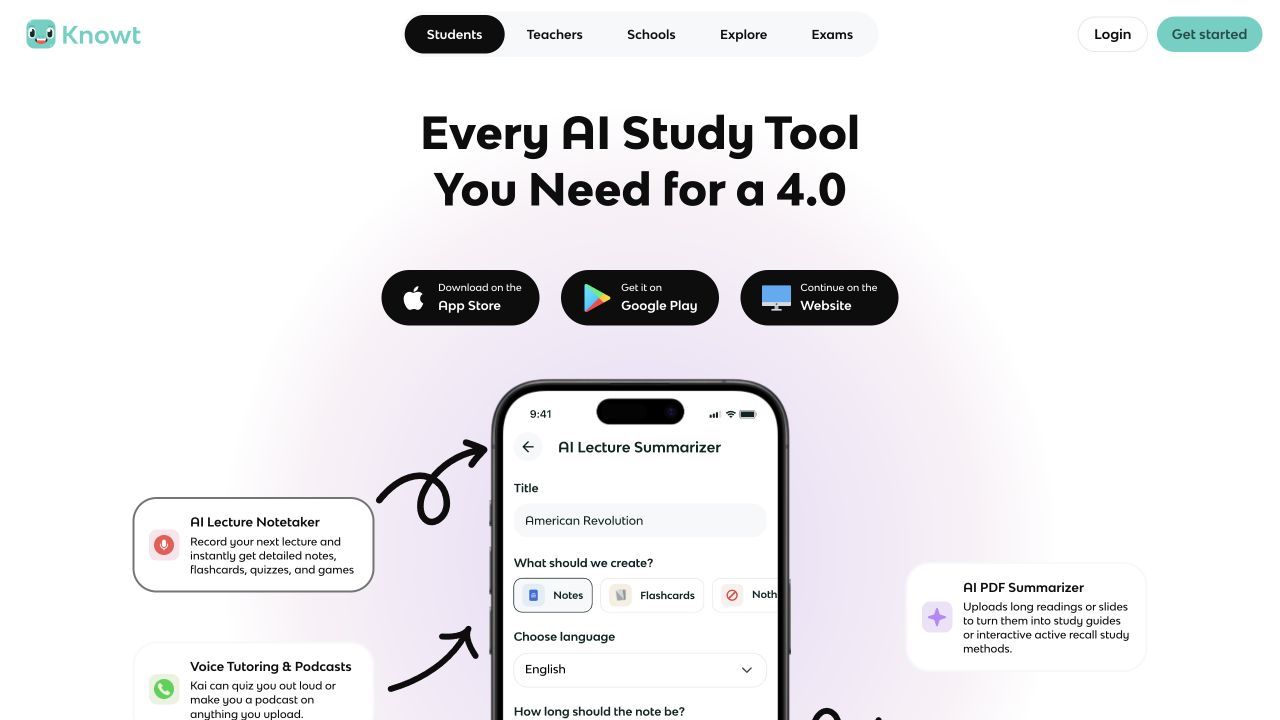
3. Knowt: Closest Free StudyFetch-Style Substitute
Knowt feels familiar to students who want notes, flashcards, public study material, and several ways to practice without assembling separate apps. Its Basic plan supports creating notes and flashcards, browsing shared material, and using core study modes.
It is closer to StudyFetch than a general chatbot because content remains inside a persistent learning interface. The tradeoff is that unlimited AI summaries, tutor interactions, and advanced teacher functions sit in paid tiers, so “free alternative” applies more strongly to its study core than to unlimited AI generation.
Features
- Notes and flashcards in one account
- Free study modes and spaced review
- Shared library of notes and decks
- File, article, video, and browser-extension workflows
- AI tutor and generation features on higher-access plans
Pros
- Low-friction transition for students used to Quizlet-style interfaces
- Useful free manual study loop
- Strong fit for learners who combine their own sets with public material
- Web and mobile access
Cons
- The most valuable AI functions have usage boundaries
- Shared content still needs checking against your syllabus
Best for: Students who want the closest free blend of persistent notes, flashcards, shared sets, and repeatable study modes.
Free-access note: Basic is genuinely useful for notes and cards, while heavier AI and teacher workflows require Ultra access.
4. RemNote: Best Notes-to-Spaced-Repetition System
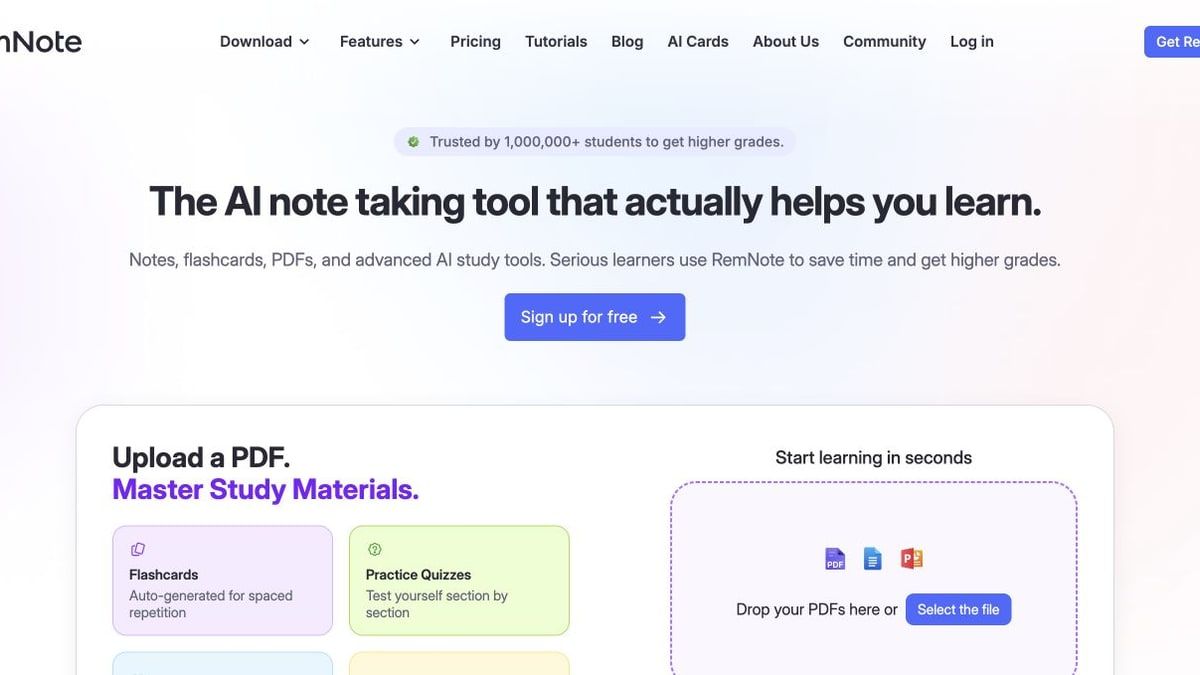
RemNote treats a flashcard as part of a larger knowledge structure. Notes, references, PDF annotations, and cards can remain connected, which is valuable when a one-line answer only makes sense alongside an explanation or diagram.
Its free plan includes unlimited notes and flashcards plus synchronized devices. AI cards, quizzes, grading, transcription, and larger document workflows use credits or paid capacity, so the strongest free use case is deliberate note-making and review rather than limitless automatic generation.
Features
- Linked and hierarchical notes
- Flashcards embedded in notes
- Built-in spaced repetition
- PDF annotation and image occlusion
- Exam scheduling and AI study functions on expanded tiers
Pros
- Keeps conceptual context attached to recall prompts
- Suitable for cumulative courses such as medicine, law, and science
- Strong recurring free core for manual notes and cards
- Reduces switching between a notes app and a flashcard app
Cons
- More system to learn than a simple study-set tool
- Free document and AI allowances are limited
Best for: Students building a durable knowledge base across a semester or degree rather than preparing one disposable study set.
Free-access note: Core notes, cards, and synchronization are generous; advanced document processing and AI use are metered.
5. Anki: Best Free Choice for Maximum Retention Control
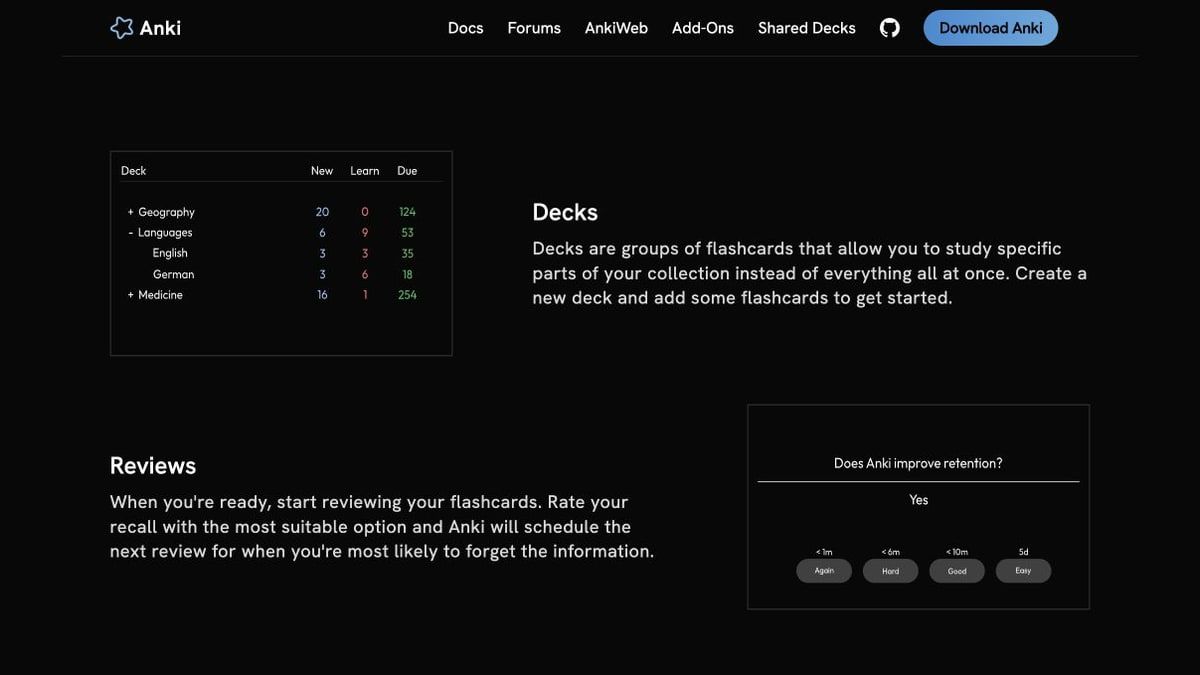
Anki is a specialist rather than an all-in-one StudyFetch clone. Its strength is deciding when each card should return, then giving the learner detailed control over card formats, review behavior, media, tags, and add-ons.
That control makes Anki a strong endpoint for cards generated elsewhere, but it also creates setup work. You may need to import, clean, tag, and maintain cards manually, and there is no native AI tutor that turns a confused answer into a guided lesson.
Features
- Mature spaced-repetition scheduling
- Custom card templates and note types
- Images, audio, video, and scientific markup
- Add-ons and community decks
- Free AnkiWeb synchronization
Pros
- Excellent for long-term retention and large cumulative decks
- Works offline through desktop and mobile apps
- Highly customizable for specialized subjects
- Free desktop software, web synchronization, and Android client
Cons
- Steeper learning curve and more manual maintenance
- The official iPhone and iPad app is a paid purchase
Best for: Learners who care more about remembering material in three months than generating an attractive deck in three minutes.
Free-access note: Anki is free on desktop, through AnkiWeb, and via AnkiDroid; the official Apple mobile app is the important cost exception.
6. Quizlet: Best for Ready-Made and Shared Study Sets
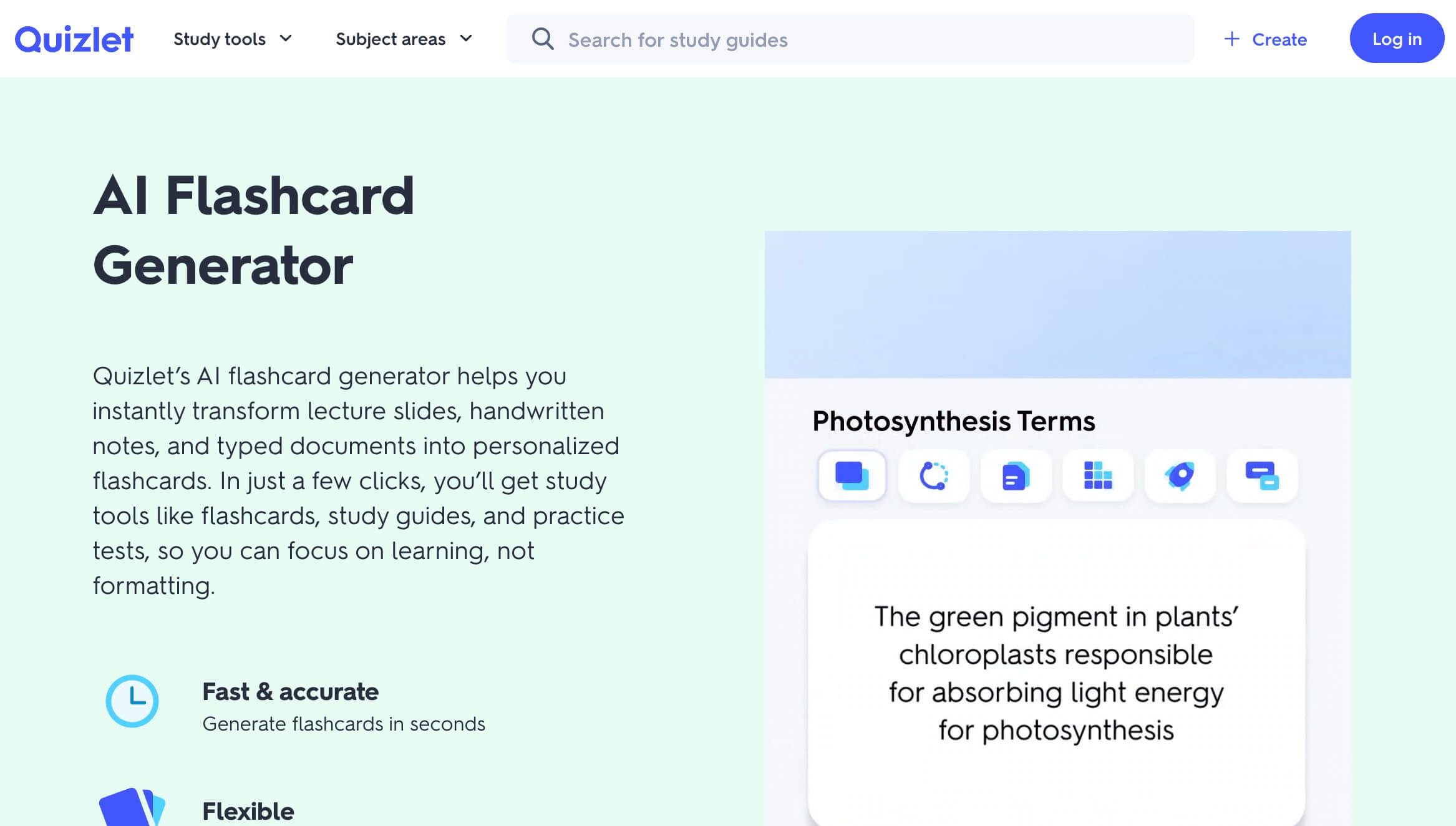
Quizlet remains difficult to beat when a teacher, classmate, or previous student has already created a useful set. Its large shared library can remove setup entirely for common vocabulary, introductory courses, and standardized material.
The limitation is not the absence of free study. It is that deeper Learn sessions, practice tests, textbook solutions, and an ad-free experience are divided across paid plans and monthly allowances. A shared set also reflects someone else's priorities, so it should be compared with the current course outline before use.
Features
- Large public library of flashcard sets
- Manual and assisted set creation
- Flashcards, Learn activities, tests, games, and class workflows
- Web and mobile apps
- Teacher sharing and classroom activities
Pros
- Fastest option when a reliable set already exists
- Familiar interface with little setup
- Easy sharing among classmates and teachers
- Broad subject coverage
Cons
- Several advanced study experiences have monthly or subscription limits
- Public sets can contain errors or omit course-specific details
Best for: Students who prioritize discovering and sharing existing sets over building a source-grounded workspace from scratch.
Free-access note: Basic cards and activities remain accessible, but current limits make Quizlet less suitable as a fully free replacement for every StudyFetch practice feature.
7. Gizmo: Best for Gamified AI Flashcard Review
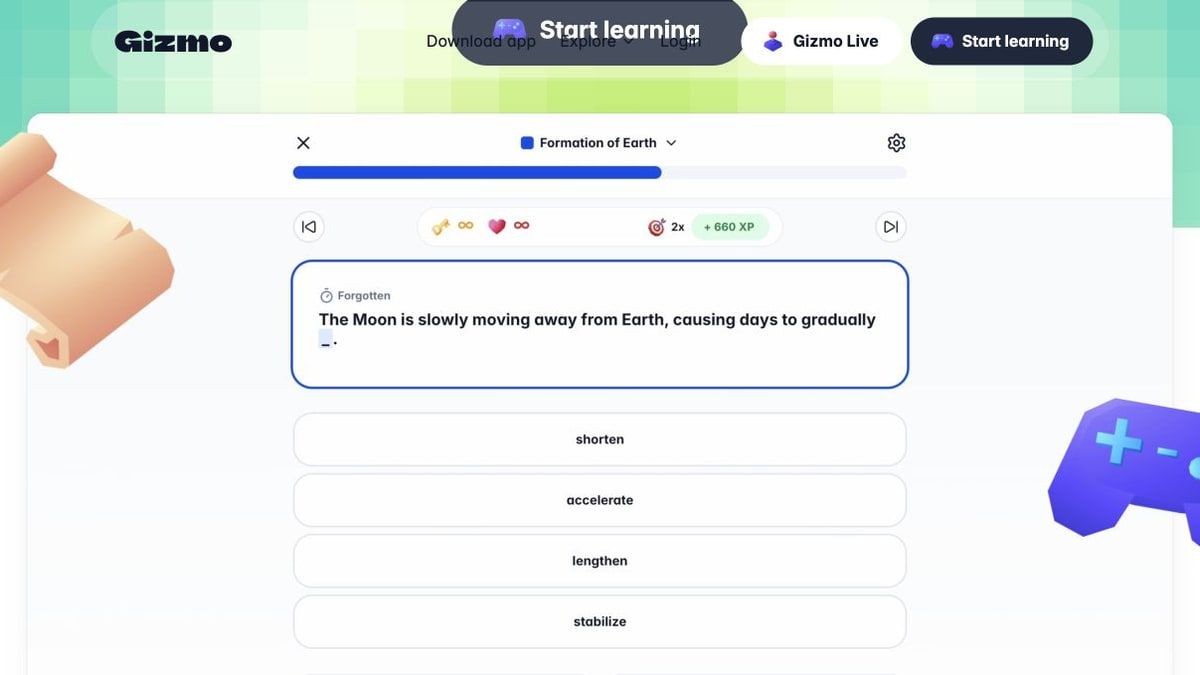
Gizmo turns imported content into cards and then wraps retrieval practice in XP, levels, leagues, streaks, and short quizzes. Its Magic Import can work from notes, PDFs, YouTube links, and recorded lessons, while Memorise uses spaced repetition to bring cards back over time.
The motivational layer is its real differentiator. It can help a student begin reviewing, but it cannot rescue vague cards, so generated prompts should be checked for one clear answer, necessary context, and alignment with the exam.
Features
- Magic Import from multiple study sources
- AI-generated flashcards and questions
- Memorise mode with spaced repetition
- AI Tutor for explanations and quizzes
- Progress through XP, levels, leagues, and streaks
Pros
- More engaging than a plain deck list
- Combines AI generation and repeated review
- Suits short mobile study sessions
- Social and progress mechanics can support consistency
Cons
- Import and higher-volume use have limits
- Game mechanics can reward activity without guaranteeing card quality
Best for: Students who know spaced practice helps but need a more motivating interface to return every day.
Free-access note: Gizmo can be started for free, but import and study allowances should be checked before relying on it for several courses.
8. ChatGPT Study Mode: Best for Guided Explanations
ChatGPT Study Mode is useful when the bottleneck is understanding rather than organizing. It can ask questions, give hints, adjust explanations, quiz the learner, build practice problems, and use uploaded files or images when those uploads are available on the account.
It is less suitable as a permanent flashcard system. A conversation can draft cards and run a review, but it does not replace the persistent deck library, due-card queue, and long-term performance record of a dedicated study app.
Features
- Guided, step-by-step tutoring
- Practice questions, quizzes, and flashcard-style review
- File and image context when uploads are available
- Personalization through conversation and optional memory
- Web, iOS, and Android access
Pros
- Flexible across subjects and question types
- Can respond to a specific misconception immediately
- Encourages participation instead of only delivering a summary
- Available across ChatGPT plans
Cons
- No built-in persistent spaced-repetition deck
- Output quality depends on supplied context and instructions
Best for: Students who want a patient conversational tutor for difficult concepts, worked reasoning, and custom practice.
Free-access note: Study Mode is available across ChatGPT plans, but message, model, and upload limits follow the user's plan.
9. Turbo AI: Best for Live Lectures and Editable Notes
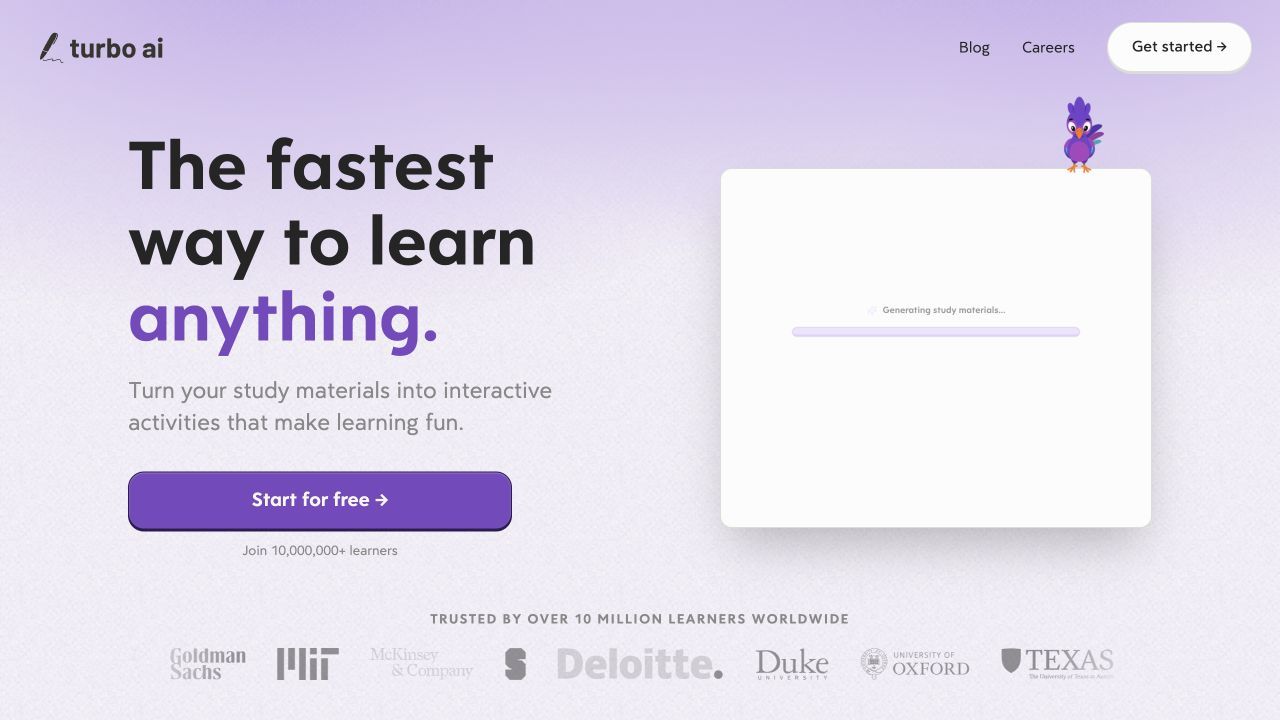
TurboLearn AI is now called Turbo AI, so older comparisons may make the two names look like different products. Its strongest use case is still lecture capture: record class or import a PDF, video, or audio source, then turn the material into editable notes, flashcards, and quizzes.
Turbo AI is appealing when live classroom audio is the center of the workflow. Students should still confirm recording permission, review names and technical vocabulary against the original material, and test how much lecture processing the free tier supports.
Features
- Live lecture recording
- PDF, video, and audio import
- Editable AI notes
- Flashcards, quizzes, and podcast-style outputs
- Web and mobile synchronization
Pros
- Stronger lecture-first workflow than many document-only tools
- Keeps generated notes editable
- Multiple study outputs from one recording
- Continuous access across common student devices
Cons
- Recording quality, noise, and terminology affect the result
- Frequent lecture processing may exceed free allowances
Best for: Students whose primary source is spoken lectures and who want a recording-to-study-material pipeline.
Free-access note: Turbo AI provides a free tier, but current generation and recording limits should be checked in the product before a full timetable is moved over.
10. Coconote: Best Mobile-Friendly Lecture Companion
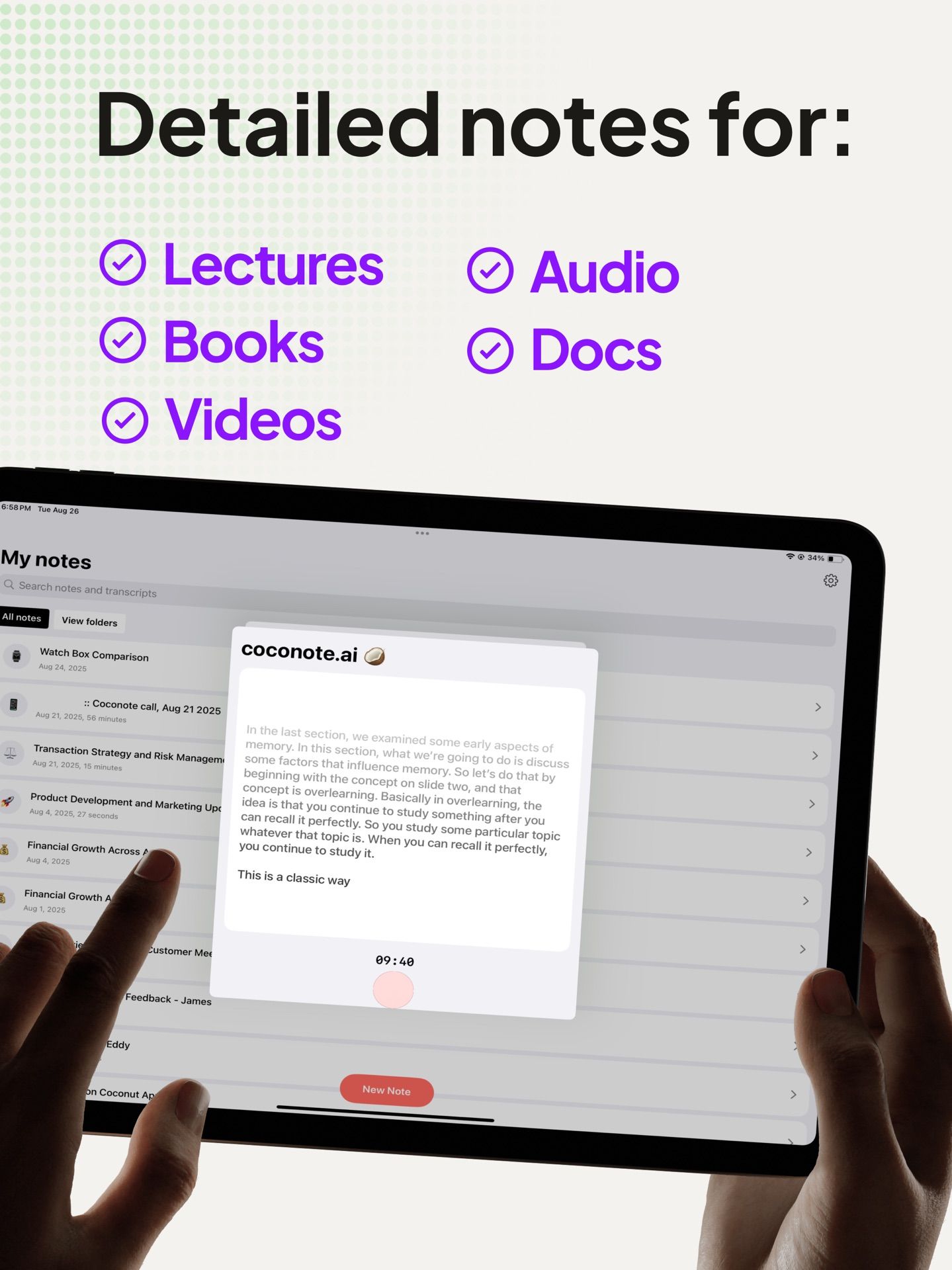
Coconote is also built around capturing a lecture, meeting, document, audio, video, website, or PDF and converting it into organized notes. It can then create quizzes, practice exams, flashcards, podcasts, and other study formats, with apps across mobile and desktop environments.
Its appeal is convenience during class and while commuting. Free access is intended to let users begin, while heavier recurring use leads toward its Unlimited Pass, so it is better described as free to start than as an unlimited free StudyFetch replacement.
Features
- Lecture and meeting recording
- Notes from audio, video, websites, and PDFs
- Flashcards, quizzes, practice exams, and audio study material
- Chat with generated notes
- Web and mobile availability
Pros
- Strong fit for phone-first study routines
- Creates several review formats from one source
- Useful for students who learn from spoken material
- Cross-device access reduces friction after class
Cons
- Unlimited use requires an upgrade
- Recording classes raises permission and privacy considerations
Best for: Students who capture lectures on a phone and want notes plus lightweight study outputs without a desktop-first workflow.
Free-access note: The app is free to download and use to get started; the Unlimited Pass is the paid path for sustained heavy use.
What Are You Actually Replacing in StudyFetch?
StudyFetch in 2026 is broader than “upload a PDF and get flashcards.” Its current workflow includes study plans, Spark.E, Tutor Me, AI notes, practice tests, live lectures, audio recap, game-style challenges, guided chatting, and a Spaced Learning Hub.
That matters because older alternative articles sometimes compare current products with an outdated StudyFetch baseline. Use the following map to identify the job you are replacing before choosing a competitor.
| Stage | StudyFetch job | What an alternative must do well |
|---|---|---|
| Capture | Import files or record class | Accept the source you actually use with tolerable limits |
| Organize | Generate notes and study sets | Preserve structure and allow correction |
| Understand | Tutor and explain | Stay grounded in course context and reveal reasoning |
| Practice | Create cards, quizzes, and tests | Produce specific questions with useful feedback |
| Retain | Schedule repeated review | Track what is due and prioritize weak material |
| Plan | Organize deadlines and milestones | Connect study work to an exam timeline |
Replacing capture and note generation may require only Lynote, NotebookLM, or Turbo AI. Replacing the entire loop can require two tools, such as one for source processing and another for spaced repetition.
Which Options Are Truly Free Enough for a Semester?
A free badge does not answer whether a tool can support twelve weeks of lectures. The better distinction is what remains available after trials, introductory credits, and one-time generation allowances are used.
| Free-access type | Examples | What remains useful | When payment becomes likely |
|---|---|---|---|
| Strong recurring free core | NotebookLM, Knowt, RemNote, Anki | Grounded notebooks, manual study modes, notes, cards, or scheduling | Higher AI volume, advanced documents, or premium apps |
| Free plan with AI limits | Lynote, Gizmo, Turbo AI | Real generation and study workflows at moderate use | Many courses, long recordings, or frequent imports |
| Free basics with premium study limits | Quizlet | Public sets and standard card study | Extended Learn, tests, solutions, or ad-free use |
| Free across plans but plan-governed | ChatGPT Study Mode | Guided chat and practice | More messages, uploads, or premium models |
| Free to start | Coconote | Trial-scale notes and study outputs | Regular lecture capture and unlimited processing |
Limits and prices change faster than study habits. Before uploading an entire semester, check the live plan page, process one representative source, and confirm what happens when the free allowance resets or runs out.
Three Free Study Stacks That Replace More Than One App
One specialist rarely replaces StudyFetch's full pipeline. A two-tool stack can cover more ground without paying, provided you accept some manual handoff work.
Reading-Heavy Stack: NotebookLM and Anki
Use NotebookLM to question and compare readings, then move only the concepts that require durable recall into Anki. This keeps source exploration separate from long-term review and prevents a 60-page reading from becoming 300 low-value cards.
The cost is manual selection and export work. That friction can be useful because deciding what deserves a card is part of studying, but it is slower than an integrated one-click workflow.
Mixed-Media Stack: Lynote and Anki or RemNote
Use Lynote to turn documents, recordings, videos, images, and URLs into editable notes and initial cards. Move the final high-value cards to Anki for scheduling, or into RemNote when you want cards to stay connected to detailed notes.
This combination is strong for courses that alternate between readings and lectures. Its weakness is fragmented progress: the source library, notes, and due-card history may live in different places.
Exam-Cram Stack: Knowt or Gizmo and ChatGPT Study Mode
Use Knowt or Gizmo for fast card and quiz sessions, then open ChatGPT Study Mode when a wrong answer reveals that you do not understand the underlying concept. The first tool supplies repetition; the second supplies adaptive explanation.
This is a good short-term combination, but it needs discipline. Do not spend the entire session chatting about a topic when the exam requires timed retrieval and problem solving.
When StudyFetch Is Still the Better Choice
StudyFetch remains the better choice when you regularly use several connected parts of its system. A planner that knows your deadlines, a tutor grounded in your sets, live lecture capture, practice tests, audio recap, and scheduled card review can be worth more than saving money across three disconnected apps.
Staying also avoids migration work. Existing study sets, performance history, organization, and familiar routines have value, especially during an active semester when rebuilding a workflow may consume more time than the new tool saves.
An alternative is more compelling when you use only one or two StudyFetch functions. Paying for an integrated suite makes less sense if all you need is source-grounded reading, serious spaced repetition, shared flashcard sets, or lecture transcription.
How to Test a StudyFetch Alternative Before You Migrate
Do not judge an alternative from its landing page or its first polished summary. Run the same representative course material through two shortlisted tools and study from each result for three sessions.
| Criterion | Question to ask | Score 1–5 |
|---|---|---|
| Source coverage | Did it capture the sections, diagrams, examples, and terminology that matter? | |
| Accuracy | How many claims, names, formulas, or answers required correction? | |
| Note usefulness | Could you edit and navigate the output efficiently? | |
| Card quality | Did each card test one clear idea with enough context? | |
| Practice depth | Did questions move beyond recognition into explanation or application? | |
| Review system | Did the app identify weak material and bring it back at the right time? | |
| Portability | Could you export or reuse the useful material without rebuilding it? |
Choose the product that reduces total weekly work, not the one that creates the largest number of outputs. A shorter deck you actually review is more valuable than hundreds of automatic cards that never return after generation.
FAQs About StudyFetch Alternatives
What is the best StudyFetch alternative?
Lynote is the best fit for turning mixed source material into editable notes and flashcards. NotebookLM is stronger for source-grounded research, Knowt is closer to a free conventional study app, and Anki is better for long-term retention.
What is the best free alternative to StudyFetch?
NotebookLM is the strongest broadly free option when you study from your own sources. Knowt is a better free choice if you want persistent flashcards and familiar study modes, while Anki is the strongest free scheduler on desktop, web, and Android.
Is there a completely free StudyFetch alternative?
There is no completely free product that reproduces every StudyFetch feature without limits or tradeoffs. Anki offers a strong free review system on most platforms, while NotebookLM, Knowt, and RemNote provide useful recurring free cores with defined boundaries.
Is NotebookLM better than StudyFetch?
NotebookLM is better for grounded conversations across selected sources and generous no-cost research workflows. StudyFetch is stronger when you want planning, tutoring, lecture capture, practice, and review inside one student-oriented system.
Is Knowt a good free StudyFetch alternative?
Yes, especially for notes, flashcards, shared sets, and multiple study modes. Its free core is useful, but unlimited AI summaries and advanced tutoring belong to paid access.
Can Anki replace StudyFetch?
Anki can replace the flashcard scheduling and long-term retention part of StudyFetch. It does not replace automatic notes, live lectures, a guided tutor, practice-test generation, or a course planner without add-ons and other tools.
Which StudyFetch alternative records lectures?
Turbo AI and Coconote are the clearest lecture-first options in this list. Lynote can also process uploaded audio and video when you already have a recording, while recording permission remains your responsibility.
Which alternative is best for flashcards and spaced repetition?
Anki offers the deepest scheduling control, RemNote keeps cards connected to notes, and Gizmo offers a more gamified AI-first review experience. The best choice depends on whether you prioritize control, context, or motivation.
Can ChatGPT Study Mode replace StudyFetch?
It can replace part of the tutoring and custom-practice experience. It does not provide the same persistent course organization, card scheduling, live lecture pipeline, or integrated progress workflow.
Can I move my StudyFetch materials to another app?
That depends on the source files and export options available in your account. Before canceling, export a small set or note, check its formatting in the destination, and keep original course files so you are not dependent on a platform-specific copy.
Final Verdict: Choose the Study Loop, Not the Longest Feature List
Choose Lynote when source conversion and editable notes are the bottleneck, NotebookLM when you want broadly free grounded study, Knowt when you want the closest free all-around study interface, and Anki when retention over months is the goal. Turbo AI and Coconote are stronger candidates when lectures dominate, while ChatGPT Study Mode is most useful when explanation is the missing step.
Stay with StudyFetch when its integrated planner, tutor, practice, lecture, audio, and review system prevents your work from fragmenting across apps. Whichever path you choose, test one real chapter or lecture for three study sessions before migrating a course or buying a subscription.
Written by Lynote Team
Lynote Team writes practical guides for Lynote.