Top 10 Free Mindgrasp AI Alternatives for Better Studying

The best Mindgrasp AI alternative depends on what happens after you add a source. Some students want concise notes from a lecture, some need questions tied closely to a PDF, and others care more about flashcards, spaced repetition, or recording a class live.
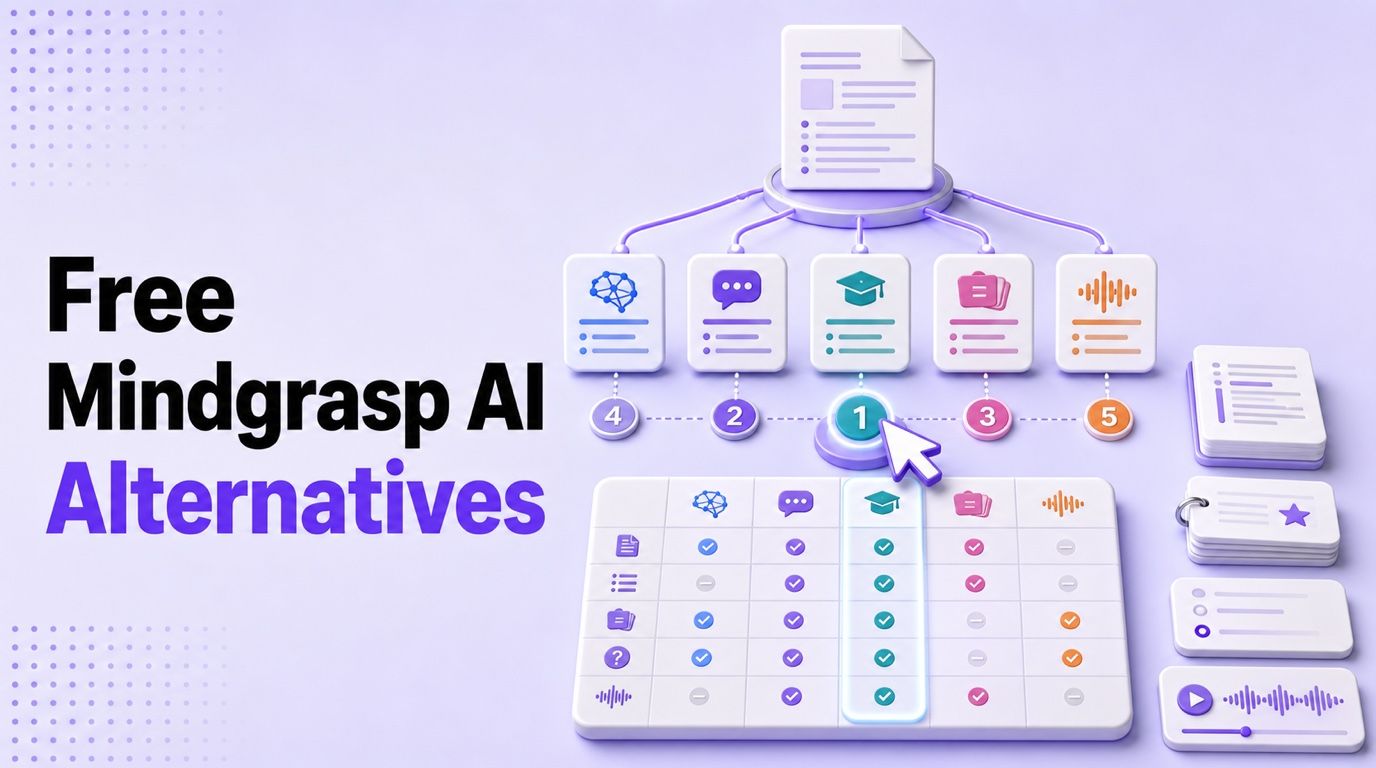
Direct answer: Lynote is the best modular free Mindgrasp alternative for moving from mixed source material to notes, summaries, transcripts, flashcards, and source-based questions. NotebookLM is strongest when citations and source grounding matter most, Knowt is the better pick for ongoing free practice modes, StudyFetch most closely resembles an all-in-one AI study suite, and Otter is the specialist choice for live lecture transcription.
The word free needs careful handling here. Mindgrasp currently promotes a four-day trial that requires payment information and renews automatically unless canceled. The alternatives below include permanent free cores, recurring allowances, and limited free access, but those models are not interchangeable. I compared what remains usable after the first session, not merely whether a signup button says “free.”
Part 1: Top 10 Free Mindgrasp AI Alternatives
I shortlisted these tools around seven practical criteria: supported sources, note and summary workflow, active-recall features, source grounding, lecture handling, organization, and the usefulness of ongoing free access. No tool wins every category, so the ranking rewards a clear replacement job rather than the longest marketing checklist.
Free Mindgrasp Alternatives at a Glance
| Rank | Tool | Best for | PDF/docs | Audio/video | Notes | Flashcards/quizzes | Grounded chat | Main free-plan catch |
|---|---|---|---|---|---|---|---|---|
| 1 | Lynote | Modular source-to-study workflow | ✅ | ✅ | ✅ | ✅ | ✅ | AI generation uses a dynamic credit system |
| 2 | NotebookLM | Citation-backed source study | ✅ | ✅ | ✅ | ✅ | ✅ | Daily limits on chat and generated artifacts |
| 3 | Knowt | Free practice modes | ✅ | ◐ | ✅ | ✅ | ◐ | AI access is limited on Basic |
| 4 | StudyFetch | All-in-one AI study suite | ✅ | ◐ | ✅ | ✅ | ✅ | Free access and AI usage are limited |
| 5 | Coconote | Lecture and video-based classes | ✅ | ✅ | ✅ | ✅ | ✅ | Unlimited notes require an upgrade |
| 6 | TurboLearn AI | Fast study kits | ✅ | ✅ | ✅ | ✅ | ◐ | Free generation capacity is limited |
| 7 | RemNote | Connected notes and spaced repetition | ✅ | ◐ | ✅ | ✅ | ✅ | Free AI and document allowances are capped |
| 8 | Quizlet | Familiar flashcards and public sets | ✅ | ❌ | ◐ | ✅ | ❌ | Test and AI features have free-use limits |
| 9 | ChatGPT Study Mode | Interactive tutoring | ✅ | ◐ | ◐ | ✅ | ◐ | File and message limits vary on Free |
| 10 | Otter.ai | Live lecture transcription | ❌ | ✅ | ✅ | ❌ | ✅ | 300 monthly minutes and three lifetime imports |
✅ means the workflow is directly supported, ◐ means it is partial or plan-limited, and ❌ means it is not a meaningful part of the product.
1. Lynote: Best Modular Mindgrasp Alternative
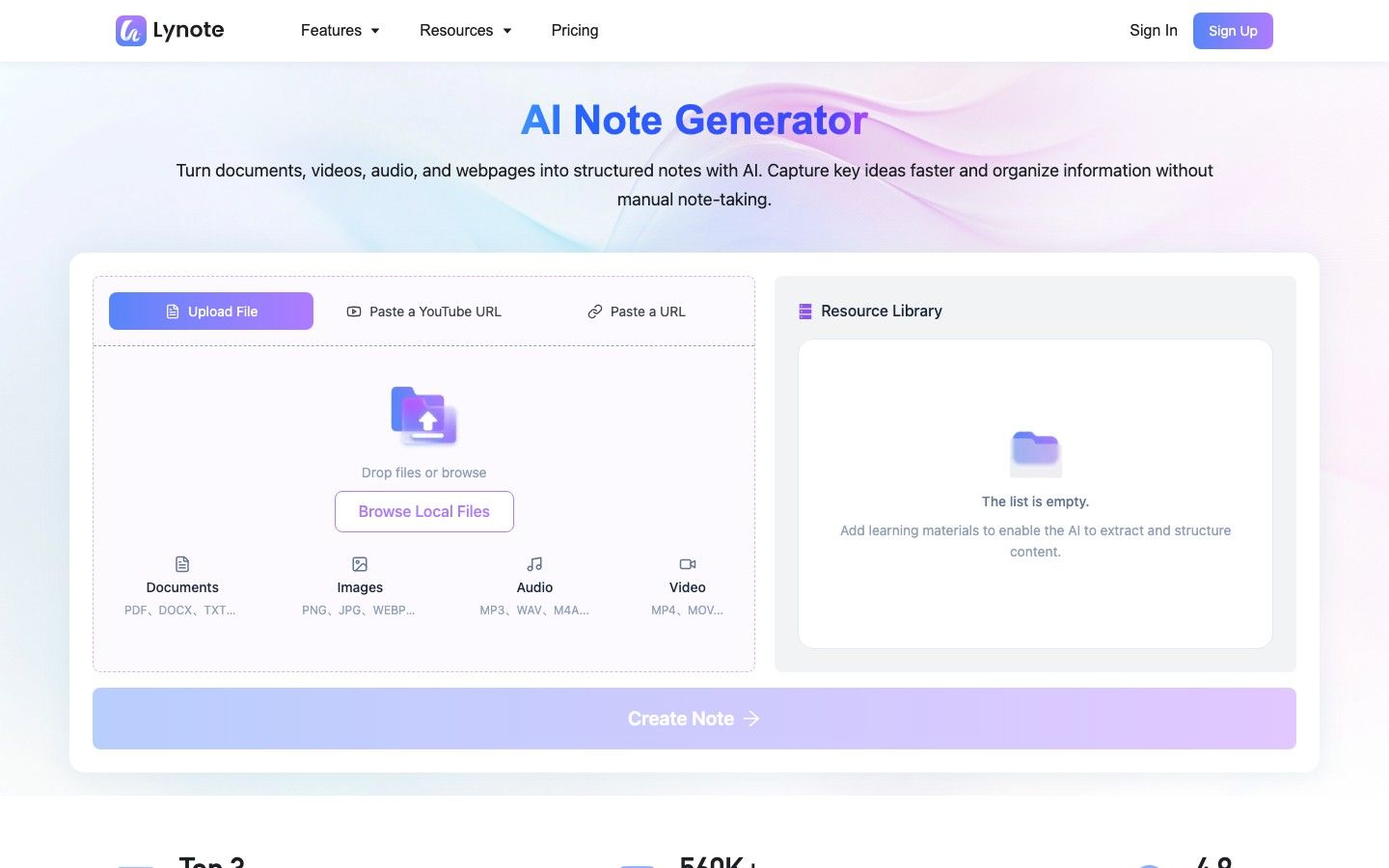
Lynote AI Note Generator is the strongest option when your materials arrive in several formats and you do not always want the same output. Its workspace can accept documents, images, audio, video, webpages, and YouTube links, then structure the source into editable notes with headings, bullets, and source-linked sections.
The wider Lynote study workflow also includes summarization, audio and video transcription, flashcard generation, and chat with uploaded content. This modular approach matters because a recorded lecture may need a transcript before notes, while a textbook chapter may be ready to summarize immediately. You can choose the task that matches the source instead of generating every possible artifact by default.
Lynote has an ongoing free entry point, while AI generation operates through a dynamic credit system. That is a more useful distinction than calling it simply free or paid: the workspace remains available, but higher-volume processing may require checking the current allowance or plan.
Features
- Structured AI notes from documents, media, webpages, and YouTube sources
- More than 20 supported formats in the note workflow
- Source-linked sections and follow-up content questions
- Summaries, transcripts, and question-and-answer flashcards
- Editable notes that can be reused or shared
Pros
- Covers several Mindgrasp jobs without forcing every source through one output template
- Particularly useful when a course mixes readings, recordings, videos, and links
- Bridges passive review and active recall through notes and flashcards
- Lets a learner begin with the exact result needed for the next study session
Cons
- The modular design may require moving between task-specific tools
Best for: Students who want flexible source-to-notes, summary, transcript, flashcard, and content-chat workflows.
2. NotebookLM: Best for Citation-Backed Source Study
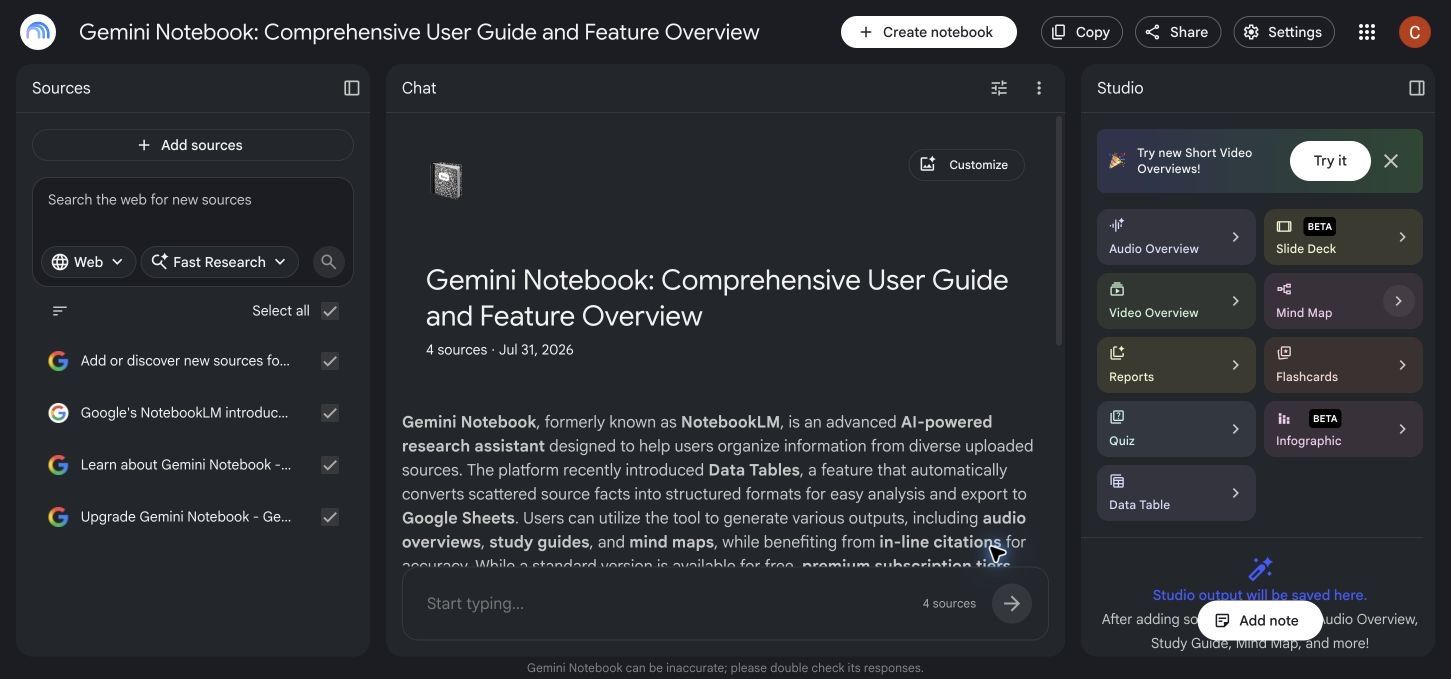
NotebookLM is the best Mindgrasp alternative when the central question is, “Where did this answer come from?” It accepts PDFs, websites, public YouTube videos, audio, Google files, Word documents, PowerPoint files, images, copied text, and other sources, then grounds its chat in the notebook material and provides inline citations.
Its Studio can turn the same source collection into study guides, reports, mind maps, flashcards, quizzes, and audio or video overviews. Standard access is substantial rather than a short trial: Google currently lists 100 notebooks, 50 sources per notebook, 50 chat queries per day, and daily allowances for generated artifacts. Those numbers can change, but they make NotebookLM a genuinely usable free study environment.
NotebookLM is less focused on managing a conventional long-term flashcard collection. It excels at interrogating and reshaping a body of sources; a dedicated spaced-repetition tool remains better for scheduling facts over a semester.
Features
- Source-grounded chat with inline citations
- PDFs, websites, YouTube, audio, Google files, and common local formats
- Study guides, flashcards, quizzes, mind maps, reports, and overviews
- Multi-source notebooks with selective source control
- Support for more than 80 languages
Pros
- Makes it easier to verify an answer against the supplied material
- Handles large and mixed source collections
- Offers a meaningful standard-access tier without requiring a paid trial
- Strong for literature review, course packs, and evidence-heavy subjects
Cons
- Daily chat and artifact-generation limits apply
- It is not a full spaced-repetition system for long-term card scheduling
Best for: Research-heavy learners who want summaries, questions, and study aids that remain traceable to their sources.
3. Knowt: Best for Free Practice Modes
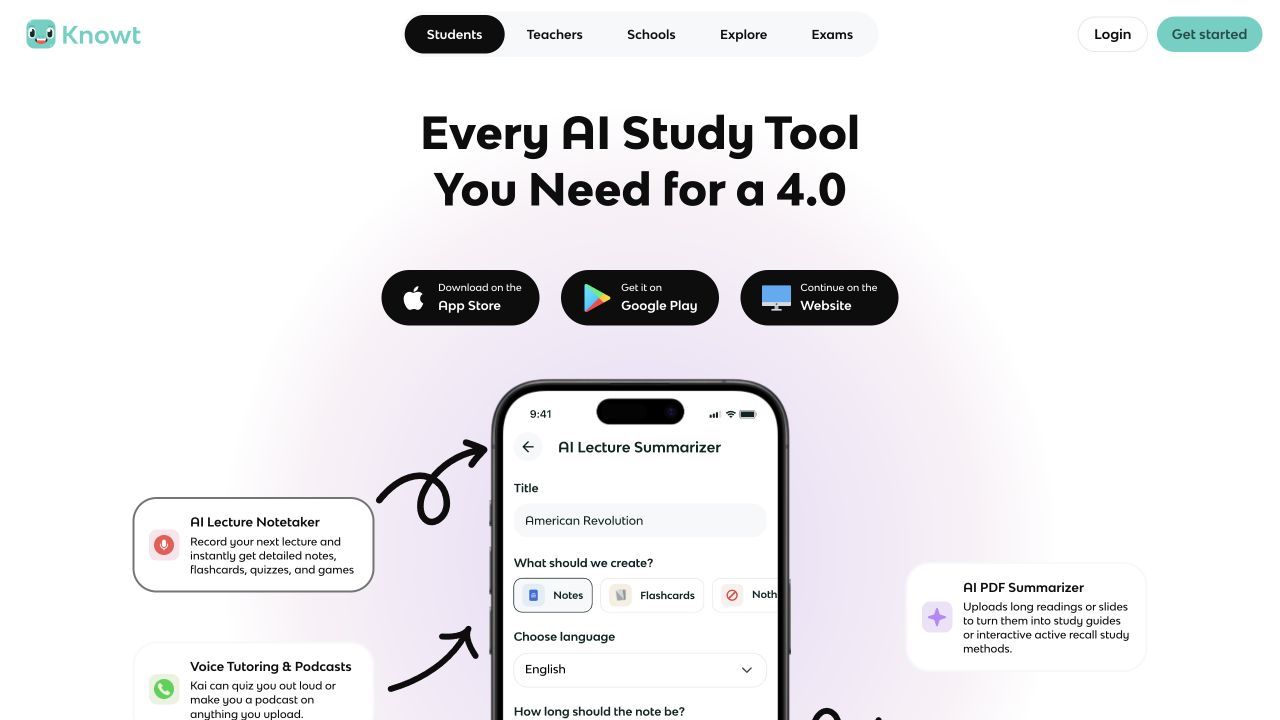
Knowt is a better replacement when Mindgrasp's most valuable output is the quiz rather than the summary. Its Basic plan supports creating notes and flashcards, browsing shared material, and using free study modes. Learn mode can be used repeatedly, with multiple-choice, written, true-or-false, and standard flashcard questions.
You can move between Learn, practice tests, spaced repetition, Match, and regular card review without rebuilding the set. Knowt can also turn uploaded resources such as videos, slides, and readings into notes or flashcards, although unlimited AI summaries, chats, and advanced creation belong to paid access.
This makes Knowt more generous for repeated practice than for unlimited source processing. If you already have cards or can create a set with a modest amount of AI help, its free core has lasting value.
Features
- Notes and flashcards on the Basic plan
- Unlimited free Learn sessions
- Practice Test, Match, and spaced-repetition modes
- Multiple question formats from one set
- Web and mobile study
Pros
- Strong ongoing free practice rather than a one-time demo
- Easy transition for learners familiar with Quizlet-style study
- Multiple modes expose weak knowledge in different ways
- Useful for daily repetition before an exam
Cons
- Basic AI generation and chat access are limited
- It offers less depth for multi-source research than NotebookLM or Lynote
Best for: Students who mainly want to replace Mindgrasp's generated flashcards, quizzes, and repeated practice.
4. StudyFetch: Best All-in-One AI Study Suite
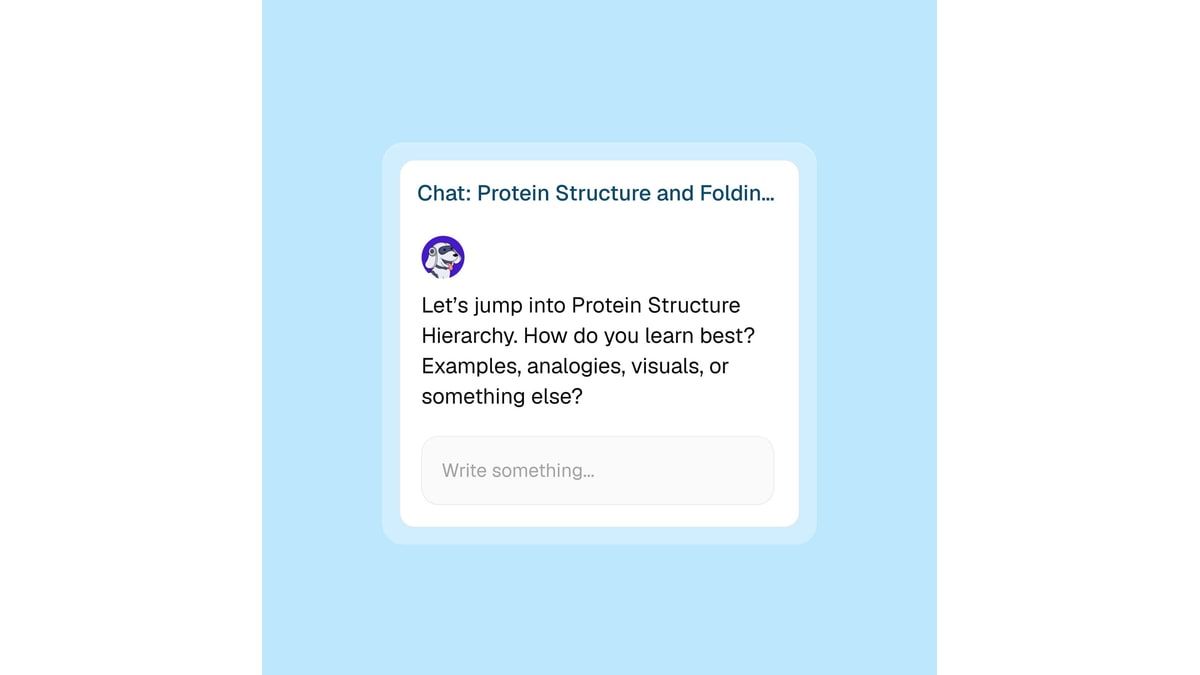
StudyFetch is one of the closest structural alternatives to Mindgrasp. It organizes uploaded course material into study sets, then layers notes, flashcards, quizzes, practice tests, and an AI tutor called Spark.E around that material. The appeal is continuity: one source can support several forms of review inside the same workspace.
Its tutor-oriented experience is the main distinction. Instead of stopping at a generated summary, a learner can ask for an explanation, practice a question, or request another way to approach a difficult concept. That gives StudyFetch more of an interactive classroom feel than a basic file summarizer.
Free users can start using the product, but its public pages do not always expose a stable, simple allowance for every AI action. Treat it as limited free access rather than assuming that repeated generation will remain unrestricted.
Features
- Course-material uploads and study sets
- AI-generated notes and summaries
- Flashcards, quizzes, and practice tests
- Spark.E AI tutor
- Explanations tied to study material
Pros
- Closely resembles Mindgrasp's all-in-one study flow
- Combines content generation with tutor-style interaction
- Reduces the need to transfer material between separate study apps
- Useful for switching between explanation and self-testing
Cons
- Free AI usage is limited
- The large feature set can feel heavier than a focused note or flashcard tool
Best for: Learners who want one integrated AI study dashboard and are open to upgrading if they exceed free access.
5. Coconote: Best for Lectures and Video-Based Classes
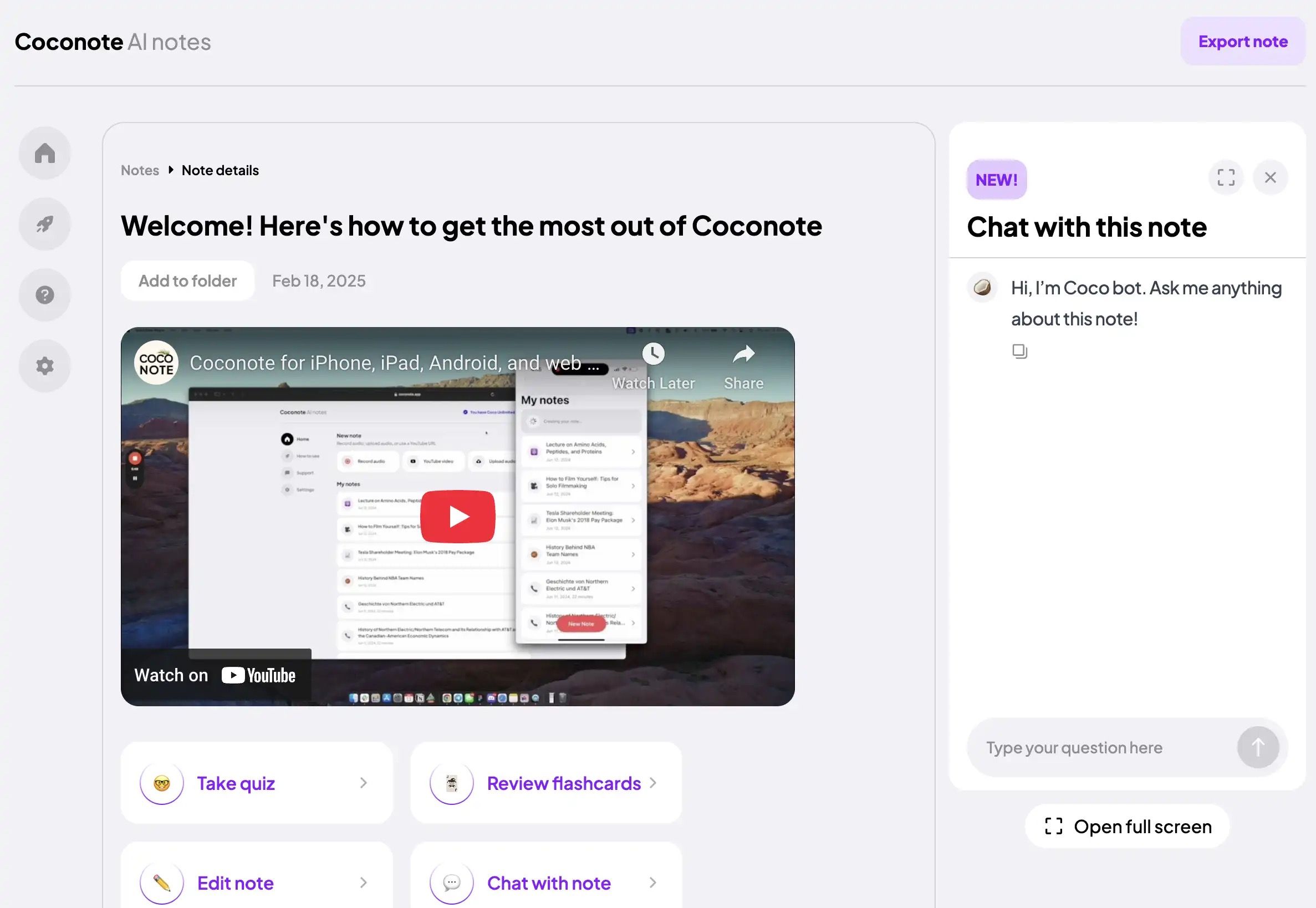
Coconote is designed around content that is difficult to capture while it is happening. You can record or upload lectures, meetings, audio, video, documents, websites, and links, then receive organized notes and a transcript. The finished note can become quizzes, flashcards, practice exams, study games, or an AI-generated podcast.
Its cross-device approach is useful for students who move between a classroom phone recording and a laptop review session. Coconote also supports chat with notes and multilingual capture or translation, which makes it practical for spoken courses and international learners.
The app is free to download and use to get started, but Coconote recommends its Unlimited Pass for unlimited notes and added features. That makes it a real free starting point, though not an unlimited replacement for a full semester of recordings.
Features
- Live recording and file or link uploads
- Automatic notes and transcripts
- Quizzes, flashcards, practice exams, and study games
- AI chat with generated notes
- Web, desktop, and mobile access
Pros
- Strong fit for lecture-heavy and video-based classes
- Converts one recording into several review formats
- Makes captured material available across devices
- Supports more than 100 languages
Cons
- Unlimited note creation requires paid access
- Recording quality and course terminology can affect the transcript
Best for: Students whose main study sources are live lectures, recorded classes, meetings, or videos.
6. TurboLearn AI: Best for Fast Study Kits
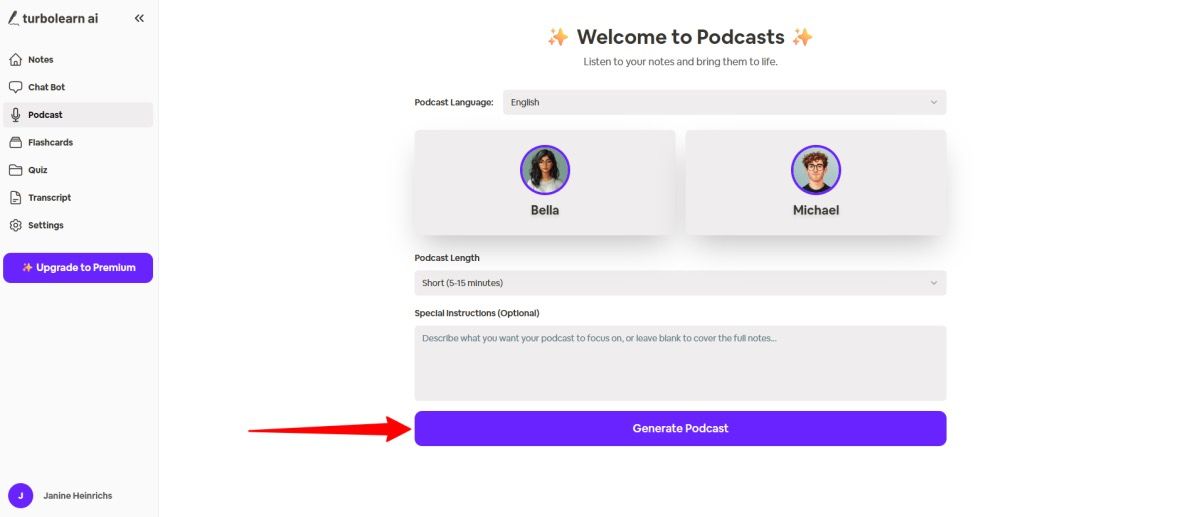
TurboLearn AI focuses on speed from source to revision material. It can process recordings and files into notes, flashcards, and quizzes, which makes it appealing when a learner has a lecture backlog and wants a usable first-pass study kit quickly.
The product sits close to Mindgrasp in workflow but feels more narrowly student-oriented. Instead of emphasizing a broad productivity assistant, it prioritizes the outputs used immediately before class review or an exam. That simplicity can reduce setup, although fast generation does not remove the need to inspect terminology, dates, equations, and answer keys.
TurboLearn provides a way to begin without paying, but generation capacity is limited. Because exact allowances can change, the safest interpretation is limited recurring access rather than unrestricted free notes and quizzes.
Features
- Notes from lectures, recordings, and files
- AI-generated flashcards
- Quizzes based on study material
- Student-focused organization
- Fast source-to-study-kit workflow
Pros
- Quick route from raw content to review material
- Combines notes with active-recall output
- Easier to approach than a complex knowledge-management system
- Practical for catching up on several classes
Cons
- Free generation capacity is limited
- Rapid output still needs checking against the source
Best for: Students who need a fast initial study kit from a lecture or course file.
7. RemNote: Best for Connected Notes and Spaced Repetition
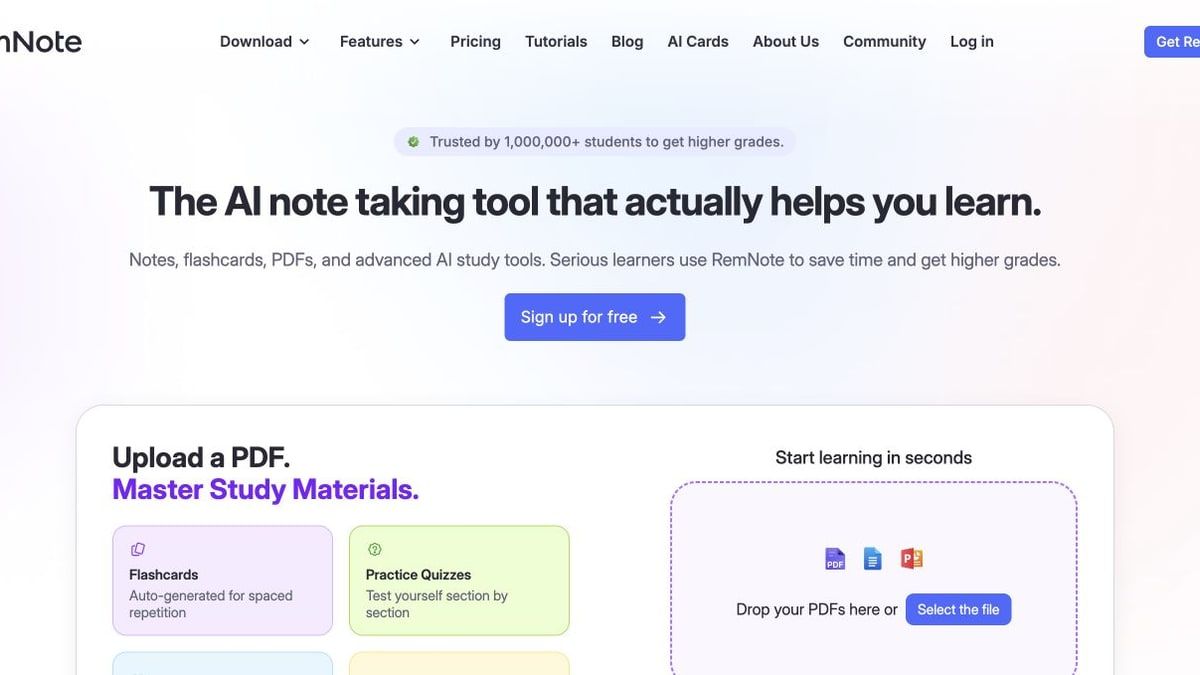
RemNote approaches the problem from the opposite direction. Mindgrasp is optimized for turning a source into study output quickly; RemNote is optimized for keeping knowledge connected and reviewing it at useful intervals. Flashcards live inside hierarchical notes, so the explanation around a fact remains available when the card is difficult.
The Free plan includes unlimited notes, unlimited flashcards, unlimited synced devices, three annotated PDFs, a small image-occlusion allowance, and monthly AI credits. Its AI features can generate cards, quizzes, summaries, and tutoring from text or files, but the free allowance is intentionally limited. The manual note-and-card core remains valuable after those credits are gone.
RemNote requires more setup than Mindgrasp, yet that effort pays off in cumulative subjects. It is better for knowledge you need to remember in three months than for a summary you will read once tonight.
Features
- Linked and hierarchical notes
- Flashcards embedded inside notes
- Spaced-repetition scheduling
- Limited PDF annotation and AI credits on Free
- Web, desktop, and mobile synchronization
Pros
- Preserves context around every flashcard
- Excellent for long-term retention
- Unlimited manual notes and cards provide a durable free core
- Reduces copying between a note app and a flashcard app
Cons
- Requires more setup and learning than Mindgrasp
- File and AI allowances are capped on Free
Best for: Medical, law, language, certification, and other learners studying cumulative material over time.
8. Quizlet: Best for Familiar Flashcards and Public Sets
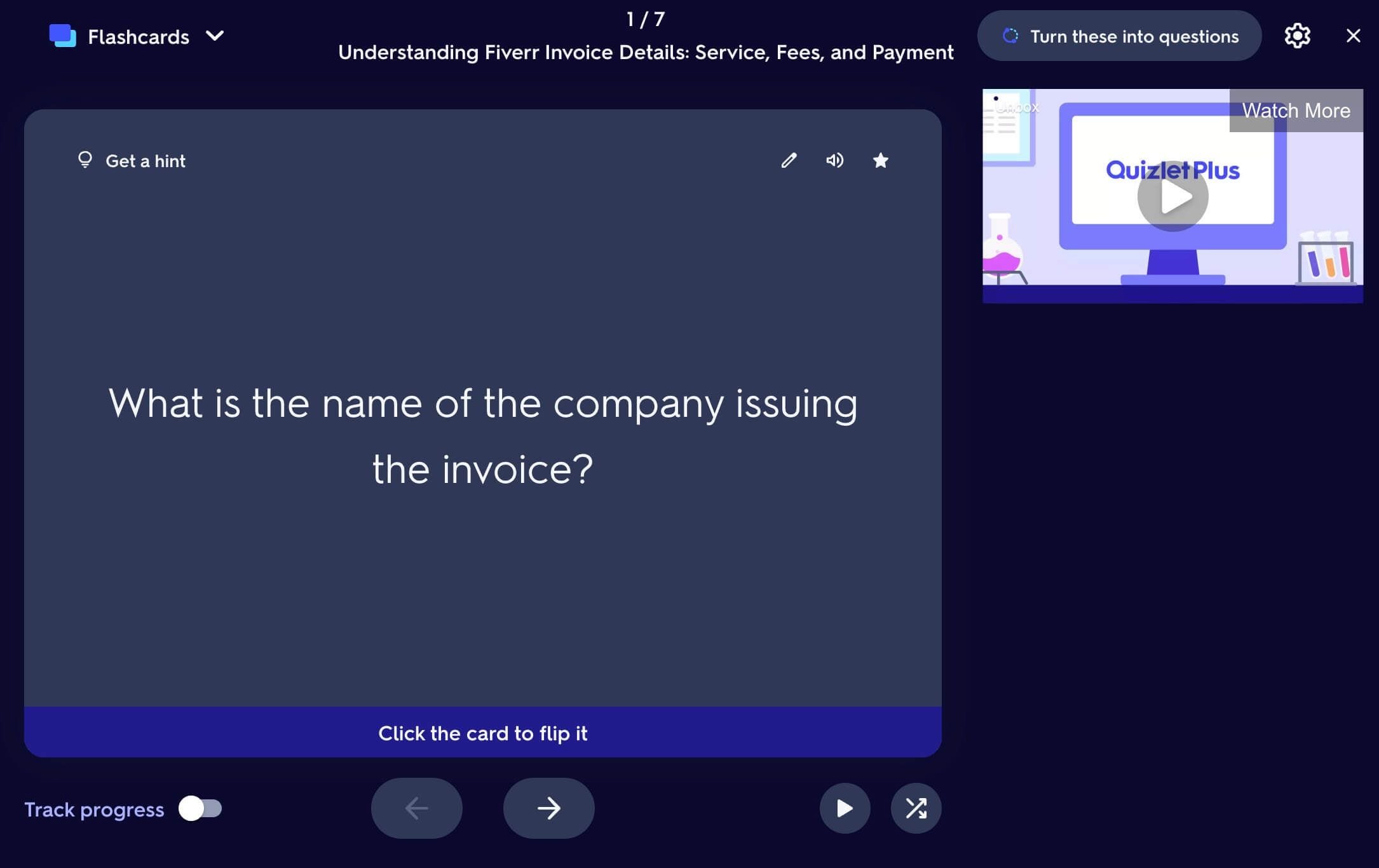
Quizlet remains useful because it has a huge public library and a familiar card workflow. Students can create or find flashcard sets, use the free app, and review with Flashcards mode. Its AI tools can also turn notes, slides, or PDFs into flashcards, study guides, summaries, and practice tests with limited free access.
The limitation is repetition. A nonsubscriber typically receives one free Test round per set, while broader Test use and advanced AI capabilities sit behind Quizlet Plus. Quizlet therefore works best when the public set ecosystem and quick card review matter more than unlimited personalized generation.
Compared with Mindgrasp, it is an active-recall platform first and a source-analysis workspace second. That can be exactly the right trade when your problem is memorization rather than understanding a large collection of readings.
Features
- Large public flashcard library
- Manual and AI-assisted card creation
- Flashcards, Learn, Test, Match, and practice tests
- Mobile study and sharing
- AI study guides and PDF summarization with limits
Pros
- Easy to begin without learning a complex workspace
- Public sets can eliminate preparation for common subjects
- Strong mobile flashcard experience
- Useful for short, frequent review sessions
Cons
- Test rounds and AI tools are restricted for free users
- Less suitable for citation-backed multi-source analysis
Best for: Learners who prioritize familiar flashcards, shared sets, and quick active recall.
9. ChatGPT Study Mode: Best for Interactive Tutoring
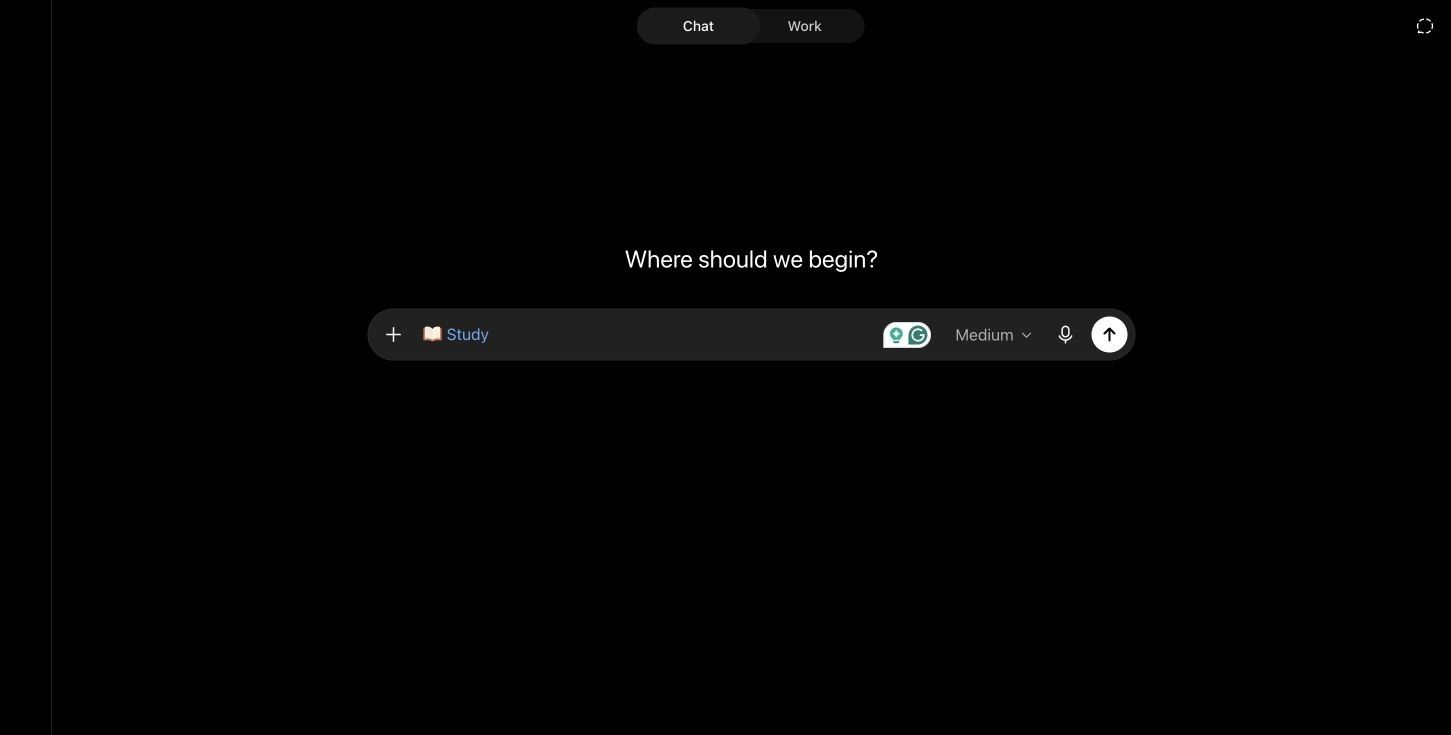
ChatGPT Study Mode is different from a study-material generator. It asks questions about your goals and current understanding, breaks a topic into manageable steps, uses open-ended prompts, and checks comprehension before moving on. It can also reference images and PDFs that you upload.
Study Mode is available on the Free plan, although normal ChatGPT file and message limits still apply. Its flexibility is excellent for asking “why” repeatedly, changing the difficulty, requesting a new analogy, or practicing a problem without immediately revealing the answer.
The trade-off is grounding. ChatGPT can use uploaded material, but its response is not necessarily restricted to that source in the same way NotebookLM's notebook chat is. For source-sensitive assignments, tell it to rely only on the file and verify important claims manually.
Features
- Socratic, step-by-step study dialogue
- Questions adapted to goals and skill level
- Open-ended checks and feedback
- PDF and image context
- Custom quizzes, explanations, and practice prompts
Pros
- Strong at explaining the same concept in several ways
- Useful across technical and nontechnical subjects
- Interactive rather than limited to static notes
- Available to ChatGPT Free users
Cons
- Responses are not always restricted to uploaded sources
- Free file and message limits vary with demand and model access
Best for: Learners who need guided explanations, problem solving, and conversational practice.
10. Otter.ai: Best for Live Lecture Transcription
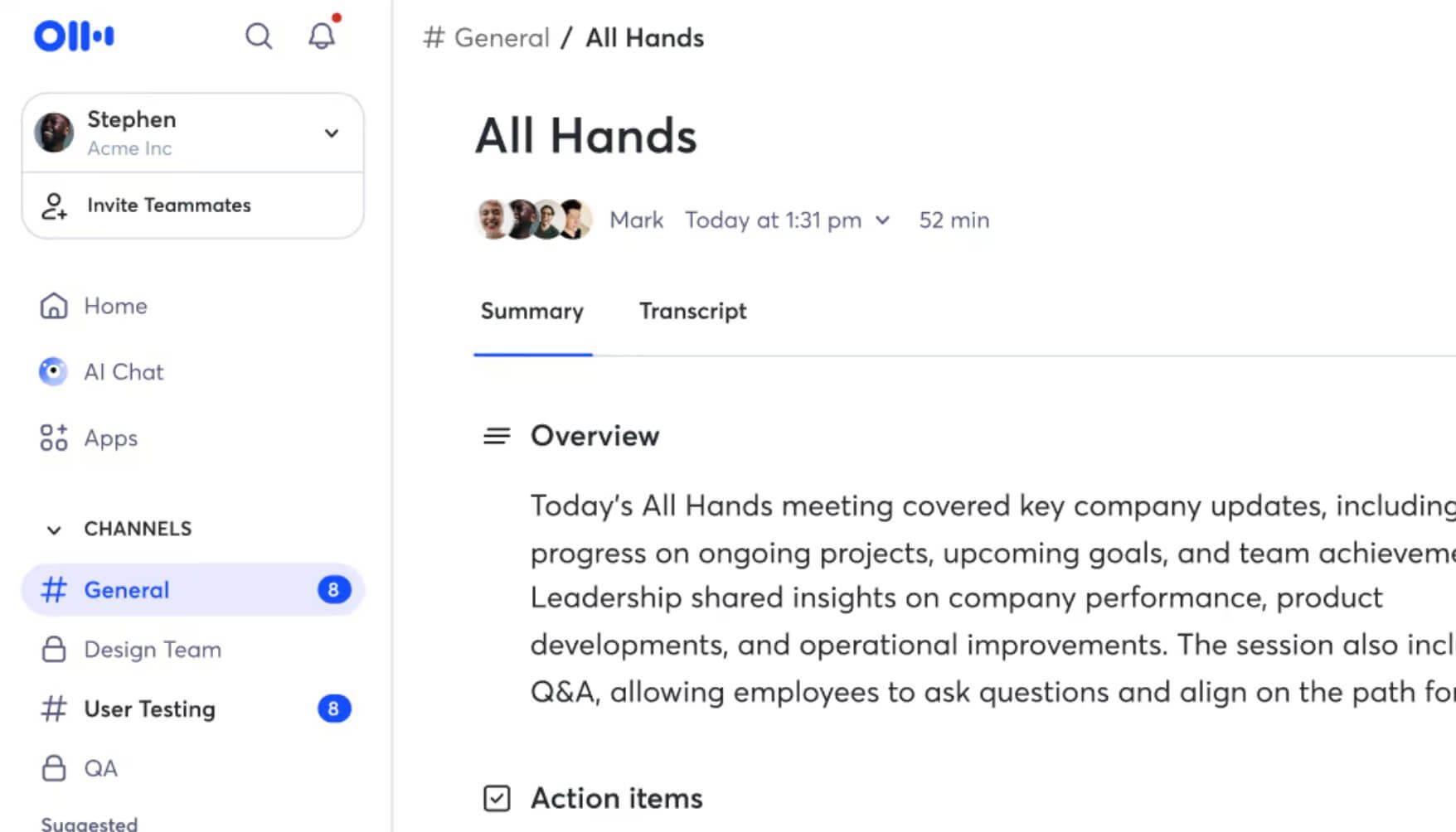
Otter is not a complete Mindgrasp substitute, but it is a strong replacement for one important job: capturing spoken material live. It creates searchable transcripts, identifies speakers, records audio, produces automated notes, and supports AI chat within or across conversations.
The Basic plan is free on an ongoing basis. It currently includes 300 transcription minutes per month, a 30-minute limit per conversation, three lifetime audio or video file imports, and access to the 25 most recent conversations. Live recordings can continue within the monthly allowance, which is more useful for recurring classes than a four-day trial.
Otter stops before active recall. To turn its transcript into flashcards or quizzes, pair it with a study tool such as Lynote, Knowt, or RemNote. That specialist approach can still be better than paying for an all-in-one platform when transcription quality and live capture are the priority.
Features
- Live audio recording and transcription
- Speaker identification
- Searchable notes and automated summaries
- AI chat across conversations
- Mobile apps and meeting integrations
Pros
- Clear ongoing free transcription allowance
- Good for lectures, interviews, and study-group discussions
- Searchable transcript history is easier to review than raw recordings
- Speaker-aware output helps with discussions and seminars
Cons
- Free conversations are limited to 30 minutes each
- Flashcards and quizzes require another tool
Best for: Students and professionals whose first priority is reliably capturing spoken content for later review.
What Does a Mindgrasp Alternative Actually Need to Replace?
Mindgrasp presents itself as one connected study toolkit, but that toolkit contains at least six separate jobs. Identifying the one that saves you the most time is more useful than finding another product with the same number of navigation tabs.
1. Source Ingestion
The first job is accepting the material you already have. A learner with PDFs and slides needs different support from someone with live lectures, YouTube tutorials, or phone recordings. Check both the file type and the maximum practical source size before committing to a tool.
NotebookLM and Lynote cover the broadest mix in this list. Coconote and Otter become more compelling when spoken content dominates, while Knowt, Quizlet, and RemNote are strongest after material has already become notes or cards.
2. Notes and Summaries
A summary compresses material, while a useful note organizes it for later retrieval. For a one-time article, concise bullets may be enough; for a course, headings, source links, editing, folders, and the ability to return to context matter more.
Lynote, NotebookLM, StudyFetch, Coconote, and TurboLearn produce study-oriented notes directly. RemNote is slower at initial processing but stronger when those notes need to become a lasting personal knowledge base.
3. Active Recall
Reading a polished summary can create familiarity without proving that you can retrieve the idea. Flashcards, quizzes, written questions, and practice tests force an answer before showing the solution.
Knowt, RemNote, and Quizlet have mature repetition workflows. Lynote, NotebookLM, StudyFetch, Coconote, and TurboLearn make it easier to generate the first set of questions from source material. The strongest choice depends on whether preparation speed or repeated scheduling is the larger problem.
4. Source-Grounded Questions
If an answer will influence a paper, lab, policy, or technical decision, traceability matters. A source-grounded chat should make it possible to return to the passage behind the response instead of treating fluent prose as proof.
NotebookLM is the clearest choice for citation-forward source chat. Lynote also supports content-grounded questions with source links. General chat tools can still help explain concepts, but their broader knowledge makes strict source-only work less automatic.
5. Live Lecture Capture
Uploading a clean recording after class and recording a two-hour seminar live are different workflows. Live capture needs stable recording, speaker handling, usable transcripts, and a clear policy on duration and storage.
Otter specializes here. Coconote combines capture with more immediate study outputs. Lynote is useful once an audio or video source is available for transcription and downstream study work.
6. Organization Over Time
The final job is easy to ignore during a demo: finding the material six weeks later. A tool that generates excellent notes but leaves every upload as an isolated session can create a new form of clutter.
RemNote is strongest for connected long-term knowledge. NotebookLM organizes related sources into notebooks, while the all-in-one study suites keep generated artifacts near their source. When evaluating a trial, create two subjects and see how clearly the product separates them.
Free Does Not Mean the Same Thing Across AI Study Tools
The most important pricing distinction is not monthly versus yearly. It is what remains possible after the initial invitation, credits, or trial period ends.
| Free model | What remains available | What usually stops first | Examples in this guide | Best suited to |
|---|---|---|---|---|
| Permanent free core | Manual or standard features continue without a scheduled end date | Advanced AI, storage, or analytics | Knowt, RemNote, Quizlet, Otter | Learners who can work within stable core features |
| Recurring allowance | Credits, minutes, or generations reset daily or monthly | High-volume processing | NotebookLM, Lynote, RemNote, Otter | Regular but moderate study workloads |
| Limited free AI access | A small amount of generation is available | Repeated notes, tutoring, or uploads | StudyFetch, TurboLearn AI, Coconote | Testing one real course before upgrading |
| Feature-restricted free plan | The tool remains usable, but certain modes are gated | Unlimited tests, advanced imports, or exports | Quizlet, Knowt | Learners centered on one supported free mode |
| Card-required trial | Full or near-full features work briefly | Everything after the trial unless canceled or paid | Mindgrasp trial | Short evaluation with careful cancellation tracking |
A Trial Is Not a Free Alternative
A four-day trial can be useful for testing, but it does not solve the recurring need behind “free Mindgrasp alternative.” Mindgrasp states that payment details are required and that the subscription automatically charges after the trial unless canceled.
For a fair comparison, ask whether you can repeat next week's lecture workflow without entering payment information. If the answer is no, classify the offer as a trial, even when the signup page says “start free.”
Credits Need a Unit
“100 credits” is meaningless until you know what one summary, one hour of audio, or one flashcard generation costs. A plan may look generous for text but disappear quickly with long recordings.
Run one representative source and record the balance before and after. This small test tells you more than a pricing table that never defines the consumption unit.
Free Core Can Be More Valuable Than Free AI
Unlimited manual notes and flashcards can outlast a flashy bundle of ten AI generations. RemNote and Knowt are good examples: their most durable value comes from the study systems that remain after limited AI access is used.
Choose the free core you would still use if generation stopped tomorrow. AI should reduce setup work, not hold the entire study routine hostage.
Mindgrasp vs. the 10 Alternatives: Detailed Comparison
This table compares practical replacement capability. A partial mark can indicate limited free access, a specialist rather than complete implementation, or a workflow that requires another step.
| Tool | Documents | Audio/video | Source citations | Notes/summaries | Flashcards | Quizzes | Spaced repetition | Live capture | Ongoing free path |
|---|---|---|---|---|---|---|---|---|---|
| Mindgrasp | ✅ | ✅ | ◐ | ✅ | ✅ | ✅ | ❌ | ✅ Premium | ❌ Trial only |
| Lynote | ✅ | ✅ | ✅ | ✅ | ✅ | ◐ | ❌ | ◐ File workflow | ✅ Credit-based entry |
| NotebookLM | ✅ | ✅ | ✅ | ✅ | ✅ | ✅ | ❌ | ❌ | ✅ Daily limits |
| Knowt | ✅ | ◐ | ◐ | ✅ | ✅ | ✅ | ✅ | ❌ | ✅ Free core |
| StudyFetch | ✅ | ◐ | ◐ | ✅ | ✅ | ✅ | ◐ | ◐ | ◐ Limited access |
| Coconote | ✅ | ✅ | ◐ | ✅ | ✅ | ✅ | ❌ | ✅ | ◐ Free start |
| TurboLearn AI | ✅ | ✅ | ◐ | ✅ | ✅ | ✅ | ❌ | ◐ | ◐ Limited access |
| RemNote | ✅ | ◐ | ✅ | ✅ | ✅ | ✅ | ✅ | ◐ Paid/limited | ✅ Free core + credits |
| Quizlet | ✅ | ❌ | ❌ | ◐ | ✅ | ✅ | ◐ | ❌ | ✅ Restricted free core |
| ChatGPT Study Mode | ✅ | ◐ | ◐ | ◐ | ✅ | ✅ | ❌ | ✅ Voice | ✅ Message limits |
| Otter.ai | ❌ | ✅ | ◐ Transcript links | ✅ | ❌ | ❌ | ❌ | ✅ | ✅ 300 min/month |
The Closest All-in-One Replacements
StudyFetch, Coconote, and TurboLearn most closely imitate the upload-to-study-kit experience. They keep several outputs together and reduce switching, but their free capacity is limited enough that a semester-scale workload may eventually require payment.
Lynote also covers the full path, but through task-specific tools. This is an advantage when you want control and a small inconvenience when you prefer one project screen containing every artifact.
The Strongest Free Source Workspace
NotebookLM has the clearest combination of broad source support, grounded answers, visible standard limits, and generated study artifacts. It is difficult to beat for reading-heavy courses and research.
Its weak point is memory scheduling. Export or recreate important facts in Knowt or RemNote if long-term recall is central to the course.
The Strongest Long-Term Study Systems
Knowt and RemNote keep delivering value when AI allowances run out. Knowt is easier and mode-driven; RemNote offers deeper organization and spaced repetition.
Quizlet remains the easiest choice when its public library already contains strong material for your exact class, exam, or language. That convenience can outweigh a more sophisticated generator.
Choose by the Material You Already Have
The source in front of you should drive the decision. Start with one real item, not a hypothetical list of everything the tool claims to support.
For PDFs, Slides, and Readings
Choose NotebookLM when citations and multi-source comparison are essential. Choose Lynote when you want editable structured notes and a direct path toward summaries, flashcards, or chat. RemNote becomes stronger when the document is part of a course-long knowledge base.
For a quick exam kit, StudyFetch or TurboLearn may be faster. Before uploading an entire textbook, check file-size limits, copy protection, and whether the free allowance is consumed per file, page, or generation.
For YouTube and Recorded Lectures
Lynote and NotebookLM both accept YouTube links, while Coconote is particularly comfortable with audio and video-based study. TurboLearn is another option when the desired endpoint is immediately usable notes and questions.
Visual courses require extra care. A transcript may miss equations written on a board, diagrams, or code shown without narration. Compare the generated note with the original video before trusting it as a complete replacement.
For Live Classes
Otter is the clearest specialist because the Basic plan explicitly supports ongoing live transcription within its monthly allowance. Coconote is more attractive when you want notes, flashcards, and quizzes generated in the same capture-oriented environment.
Always obtain permission before recording a class. Institutional policy, local law, accessibility arrangements, and instructor expectations can differ.
For Existing Flashcards
Choose Knowt for multiple free practice modes and an approachable interface. Choose RemNote for deeper scheduling and cards embedded in notes. Choose Quizlet when a shared set already exists and community content is the main advantage.
Do not migrate thousands of cards before testing ten. Check front/back direction, images, equations, tags, and line breaks, then study the sample once to make sure the imported structure behaves correctly.
For Source-Grounded Research
NotebookLM is the first choice because citations are central to the interaction. Lynote is useful when source chat needs to remain close to editable notes and other study outputs.
ChatGPT Study Mode is better for explanation and guided reasoning than strict source containment. It can reference your PDF, but verify claims when the assignment depends on the document's exact wording or evidence.
For Long-Term Exam Retention
RemNote has the strongest complete note-to-spaced-repetition workflow. Knowt offers a gentler learning curve, while Quizlet offers familiarity and ready-made sets.
AI-generated cards are a draft, not a finished deck. Remove duplicate facts, split overloaded cards, and rewrite vague questions before committing to months of review.
One Tool or a Two-Tool Study Stack?
The desire for an all-in-one replacement is understandable, but combining two focused free tools can produce a better study system. The key is to define a clean handoff so the stack does not create more copying than it saves.
Lynote Plus RemNote: Processing and Retention
Use Lynote to process mixed source material into structured notes, summaries, transcripts, and initial flashcards. Move only high-value facts and concepts into RemNote for durable spaced repetition.
This separates a high-volume intake stage from a selective memory stage. The result is usually a smaller, cleaner card collection than automatically scheduling every sentence the AI extracted.
NotebookLM Plus Knowt: Evidence and Practice
Use NotebookLM to understand a collection of sources, follow citations, and identify the concepts most likely to matter. Build or import a focused Knowt set for repeated Learn, Test, Match, and spaced-repetition sessions.
The handoff should happen after understanding, not before. If you generate cards immediately, you may memorize isolated claims without seeing how the sources connect.
Otter Plus Lynote: Capture and Transformation
Use Otter for live lecture capture and speaker-aware transcription. Then bring the relevant transcript into Lynote to organize notes, summarize the material, ask questions, or create flashcards.
This combination is useful when recording reliability matters more than having every feature in one subscription. It also makes the raw transcript a neutral backup that can be reused elsewhere.
When One Tool Is Better
Stay with one tool when your material is simple, the handoff causes formatting loss, or switching interrupts study. A learner reviewing one weekly PDF may need only NotebookLM; someone maintaining a medical knowledge base may need only RemNote.
The best stack has the fewest necessary transitions. Two tools with clear roles are useful; five tools with overlapping notes are a filing problem.
How to Leave Mindgrasp Without Losing Your Study Workflow
Changing tools is less about moving an account and more about separating durable material from generated convenience. Use this process before canceling or allowing a trial to end.
1. Inventory Sources and Outputs Separately
List original PDFs, slides, audio, videos, links, and pasted text in one column. List generated notes, summaries, transcripts, flashcards, quizzes, and chat insights in another.
Original sources are usually portable. Generated output may exist only inside the product, so prioritize anything that would be difficult to recreate.
2. Export or Copy the Material You Need
Download available documents and transcripts, copy important notes into a neutral format, and preserve useful question sets. Use descriptive filenames that include course, topic, and date.
Do not save every generated paragraph merely because it exists. Keep material you reviewed, corrected, or used, and let low-value drafts go.
3. Choose the Replacement by the Next Action
Ask what you need to do tomorrow. Choose Otter or Coconote to record a lecture, NotebookLM to compare readings, or Knowt or RemNote to memorize a completed study guide.
This prevents recreating an entire old workspace before proving that the new tool solves the immediate problem.
4. Pilot One Representative Source
Choose a source that resembles your normal workload: a dense slide deck, a 45-minute lecture, or a chapter with diagrams. Run the complete workflow from input to review.
Measure setup time, output usefulness, corrections required, and free allowance consumed. A two-page sample can hide the limits that appear during real coursework.
5. Check Facts, Questions, and Answer Keys
Compare names, dates, formulas, definitions, and claims with the original source. For quizzes, make sure only one answer is defensible and that distractors are not obviously unrelated.
Generated study aids can be fluent and still teach the wrong thing. Verification is part of the study process, not an optional technical check.
6. Keep a Neutral Backup
Store original sources and reviewed notes outside the AI platform. Plain text, Markdown, DOCX, PDF, or a normal cloud folder is easier to migrate than a proprietary project view.
A backup also lets you change tools later without repeating transcription or losing corrections you made during the semester.
FAQs About Free Mindgrasp AI Alternatives
What is the best free Mindgrasp AI alternative?
Lynote is the best modular choice for processing mixed materials into notes, summaries, transcripts, flashcards, and source-based questions. NotebookLM is stronger for citation-backed study, while Knowt is better for unlimited free Learn-style practice.
The best option depends on the Mindgrasp feature you use most. Test one representative source before migrating a full course.
Is there a completely free alternative to Mindgrasp?
Several tools have permanent free cores, but none offers every Mindgrasp capability without some limit. NotebookLM has recurring standard-access limits, Knowt provides free core study modes, RemNote offers unlimited manual notes and cards, and Otter provides a monthly transcription allowance.
“Completely free” should mean the workflow you need remains usable, not that every AI feature is unlimited.
Which Mindgrasp alternative works best with PDFs?
NotebookLM is excellent for asking citation-backed questions across PDFs and other sources. Lynote is better when the PDF should become editable structured notes, summaries, flashcards, or a broader study workflow.
RemNote is a strong choice when PDF reading must connect to long-term notes and spaced repetition.
Which free alternative can turn lectures into notes?
Otter provides ongoing free live transcription with monthly and per-conversation limits. Coconote is more oriented toward turning recordings into notes and additional study material, while Lynote can process available audio or video files into transcripts and structured study output.
Obtain permission before recording and check the transcript against specialized terminology.
Can NotebookLM replace Mindgrasp?
NotebookLM can replace Mindgrasp for many source-reading workflows, including summaries, grounded questions, study guides, flashcards, quizzes, mind maps, and overviews. Its standard access is more durable than a short trial.
It is less complete for live recording and spaced-repetition scheduling, so those use cases may need a second tool.
Which alternative makes both flashcards and quizzes?
Lynote, NotebookLM, Knowt, StudyFetch, Coconote, TurboLearn, RemNote, Quizlet, and ChatGPT can all support flashcard or quiz creation to varying degrees. The larger difference is what happens afterward: Knowt and RemNote have stronger repeated review systems, while NotebookLM and Lynote are stronger at grounding output in source material.
Review generated cards and answer keys before studying them.
Do free Mindgrasp alternatives require a credit card?
The standard free access described for Lynote, NotebookLM, Knowt, RemNote, ChatGPT, Quizlet, and Otter does not need to be treated as a card-required Mindgrasp-style trial. Individual upgrade offers may still request payment information.
Always read the checkout screen. A product can have both a free plan and a separate auto-renewing paid trial.
Can I move my existing Mindgrasp notes to another tool?
You can usually preserve notes by exporting, downloading, or copying them into a neutral file, then importing or pasting that material into the replacement. Exact transfer depends on the output format and the destination tool.
Test formatting with a small note first, especially when it contains images, equations, tables, or source links.
Final Verdict
There is no universal free clone of Mindgrasp, but there are better free choices for each part of its workflow. Choose Lynote for flexible source-to-study processing, NotebookLM for citation-backed notebooks, Knowt for ongoing practice, StudyFetch for an integrated tutor experience, Coconote for lecture-centered study, RemNote for long-term retention, ChatGPT for interactive explanation, and Otter for live transcription.
The most reliable decision is also the simplest: run one normal source through the complete workflow and see what remains useful after the free limit appears. A focused tool that handles your real material every week is a better Mindgrasp alternative than an impressive trial you cannot keep using.

Written by Danny
Product Marketing Manager
Danny explains how Lynote features fit real workflows, from everyday productivity to product-led writing use cases. View all articles →