What Is the Best Fake Image Detector? 5 Tools Compared

The best fake image detector for most people is Lynote AI Image Detector because it combines a quick browser-based verdict with optional forensic context such as EXIF, C2PA, and AI-watermark checks. Sightengine is the stronger choice for developers who need an API, while Hive is better suited to platform-scale moderation.

That recommendation comes with an important limit: no detector can prove that an image is authentic. These tools estimate whether pixels resemble material produced or edited by generative AI, and their answers can change after resizing, compression, screenshots, or edits. Use the ranking below to choose a useful first check, then verify important images with more than one form of evidence.
Quick Verdict: The Best Fake Image Detector for Most People
If you want the best fake image detector online free, start with Lynote. Its simple upload flow works well for one-off checks, while its Advanced Scan presents more context than a bare AI percentage. This makes the result easier to interpret rather than merely more dramatic.
If your starting question is simply whether a suspicious picture may be synthetic, Lynote also provides a dedicated fake image detector entry point for that workflow.
Choose Sightengine when you need detailed AI-generation and face-manipulation signals or want to connect detection to an application. Choose Hive when visual moderation is part of a larger trust-and-safety workflow. Illuminarty and WasItAI are useful as accessible second opinions when you want to compare how another model reads the same file.
| Best choice | Recommended tool | Why it stands out |
|---|---|---|
| Most individual users | Lynote AI Image Detector | Fast upload plus optional EXIF, C2PA, and watermark context |
| Developers and technical teams | Sightengine | Detailed signals, generator coverage, and API access |
| Platforms and moderation teams | Hive | Visual detection inside a broader moderation stack |
| Simple second opinion | Illuminarty | Straightforward web-based analysis |
| Quick browser or mobile check | WasItAI | Simple upload flow and clearly stated image limits |
How I Compared the Top Fake Image Detectors
This comparison evaluates what each tool lets a user do today, how clearly it explains a result, and how well it fits different workflows. I reviewed official product information and interfaces, and I examined the supplied Lynote result for a Runway webpage image. I did not treat that single check as a five-tool accuracy benchmark.
A defensible accuracy test would require a labeled set containing original camera photos, known outputs from several current image generators, AI-edited real photos, face swaps, and non-photographic art. Each file would then need resized, compressed, and screenshot variants. Without that shared set, claims that one detector is universally the “most accurate” are too broad.
The comparison criteria
- Free access: Can someone check an image without paying, and is an account required?
- Verdict clarity: Does the tool distinguish likely AI, likely real, and uncertainty?
- Supporting evidence: Does it expose metadata, provenance, watermark, generator, or manipulation clues?
- Deepfake coverage: Can it separately assess face swaps or facial manipulation?
- Input limits: Which formats, dimensions, and file sizes can it accept?
- Privacy information: Does the service explain how uploaded images are handled?
- Workflow fit: Is it designed for occasional browser checks, an API, or large-scale moderation?
Why false positives matter
A false positive occurs when a detector labels a real image as AI-generated. That error can unfairly discredit a photographer, student, artist, seller, or news source. A false negative does the reverse: it gives an AI-generated or heavily manipulated image an undeserved appearance of authenticity.
The costs are different, but neither error is harmless. A useful detector should therefore provide an uncertain state or supporting context instead of forcing every file into a confident binary answer.
Why a one-image test is not an accuracy test
The supplied Lynote example classified a screenshot of the Runway website as authentic and showed additional evidence about watermark, C2PA, and EXIF data. That demonstrates the result interface and the kind of information it can expose. It does not establish how the model performs across portraits, illustrations, new generators, edited photos, or adversarial files.
This distinction matters throughout the ranking. “Compared” means the products were evaluated against consistent practical criteria. “Tested” should only describe a disclosed file or repeatable dataset, not an impression based on a few favorable results.
Top 5 Best Fake Image Detectors Compared
| Tool | Free access | Result detail | Forensic or provenance clues | Deepfake focus | API | Best for |
|---|---|---|---|---|---|---|
| Lynote | Browser-based free check | Verdict, probability, and evidence panels | EXIF, C2PA, and watermark checks in Advanced Scan | General AI-image detection | Not the main consumer use case | Individuals who want an understandable first check |
| Sightengine | Limited free browser access and account credits | GenAI, generator, and face-manipulation signals | Pixel-based detection; separate provenance tools available | Dedicated face-manipulation detection | Yes | Developers, marketplaces, and technical reviewers |
| Hive | Product access varies by workflow | Model-based visual detection | Focused more on classification than consumer forensics | Image and video detection ecosystem | Yes | Platform moderation and trust-and-safety teams |
| Illuminarty | Web interface with plan limits | AI likelihood-style analysis | Detail depends on current access level | General AI-image checking | Paid features may vary | A quick second opinion |
| WasItAI | Guest use is limited; free account credits available | Verdict and confidence detail | Primarily classification-focused | General AI-image checking | Yes | Fast browser and mobile checks |
1. Lynote AI Image Detector — Best Overall Free Online Check
Lynote AI Image Detector is the best starting point for readers who want a clear fake photo detector without configuring an API. The interface accepts drag-and-drop uploads and displays JPG, JPEG, PNG, and WebP support with a maximum file size of 10 MB.
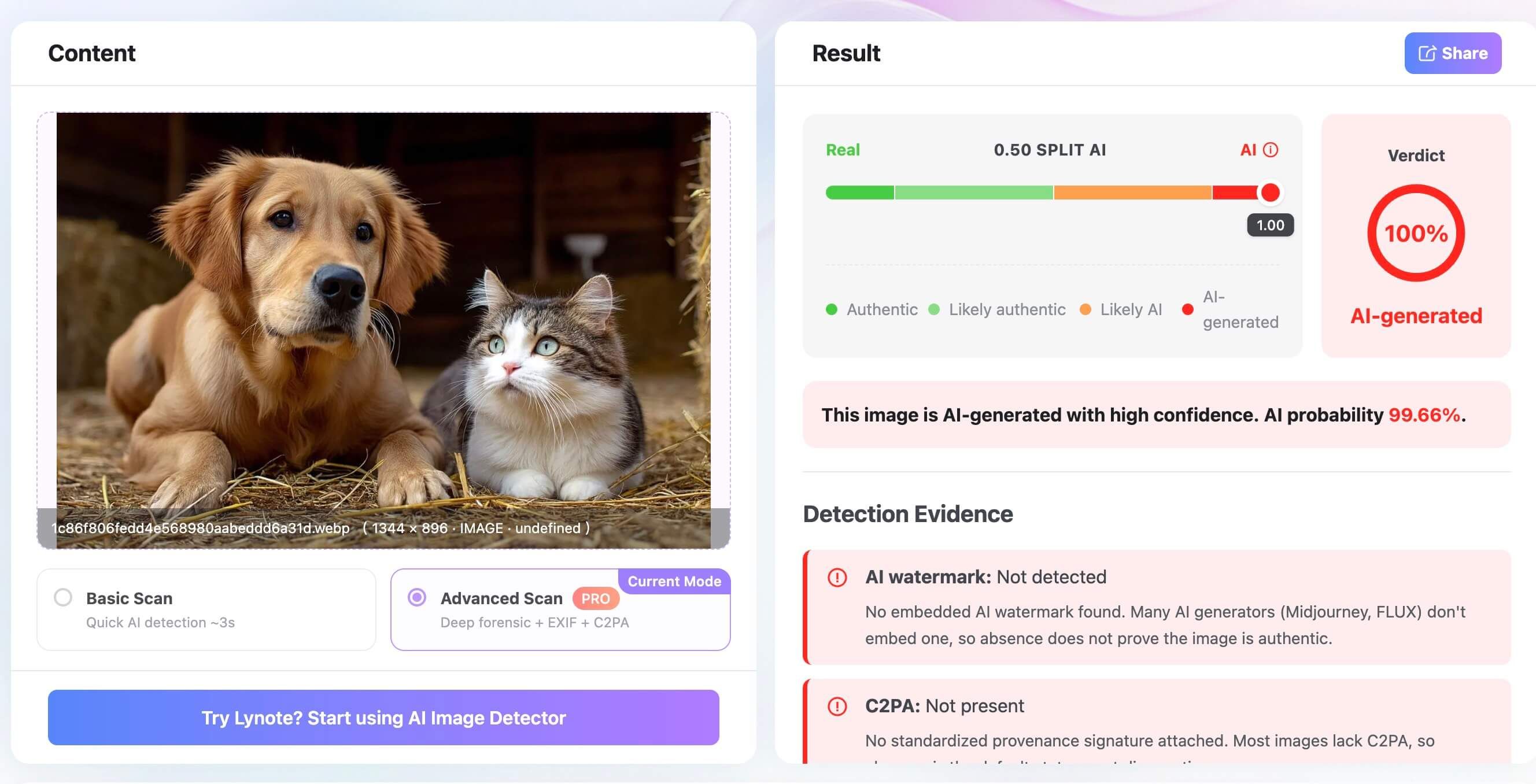
Basic Scan is designed for a fast classification. Advanced Scan adds forensic context, including checks for AI watermarks, C2PA provenance credentials, and EXIF information. The result view also presents a verdict, probability, file information, and options to share or create a PDF report.
That extra context is Lynote's main advantage in this list. A missing watermark or C2PA credential does not prove that an image is real, but seeing those checks alongside the model score helps users avoid treating one percentage as the entire answer.
Features
- Basic Scan for a quick real-versus-AI assessment
- Advanced Scan with EXIF, C2PA, and AI-watermark checks
- JPG, JPEG, PNG, and WebP upload support shown in the interface
- Verdict, probability, file information, sharing, and PDF report options
Pros
- Easy for occasional browser-based checks
- More explanatory context than a single confidence score
- Clear distinction between quick and advanced analysis
- Useful report view for documenting a review
Cons
- Forensic fields may be absent even in legitimate images
- A polished result screen cannot eliminate false positives or false negatives
- Public evidence reviewed here is not sufficient to validate a universal accuracy percentage
Best for: Students, teachers, creators, journalists, and everyday users who want a free first check with readable supporting evidence.
2. Sightengine — Best for Detailed Detection and API Workflows
Sightengine combines a browser demo with a production API. Its interface can return an overall generative-AI assessment, separate face-manipulation information, and an uncertain result when the model lacks enough confidence. That last option is valuable because uncertainty is more honest than a forced answer.
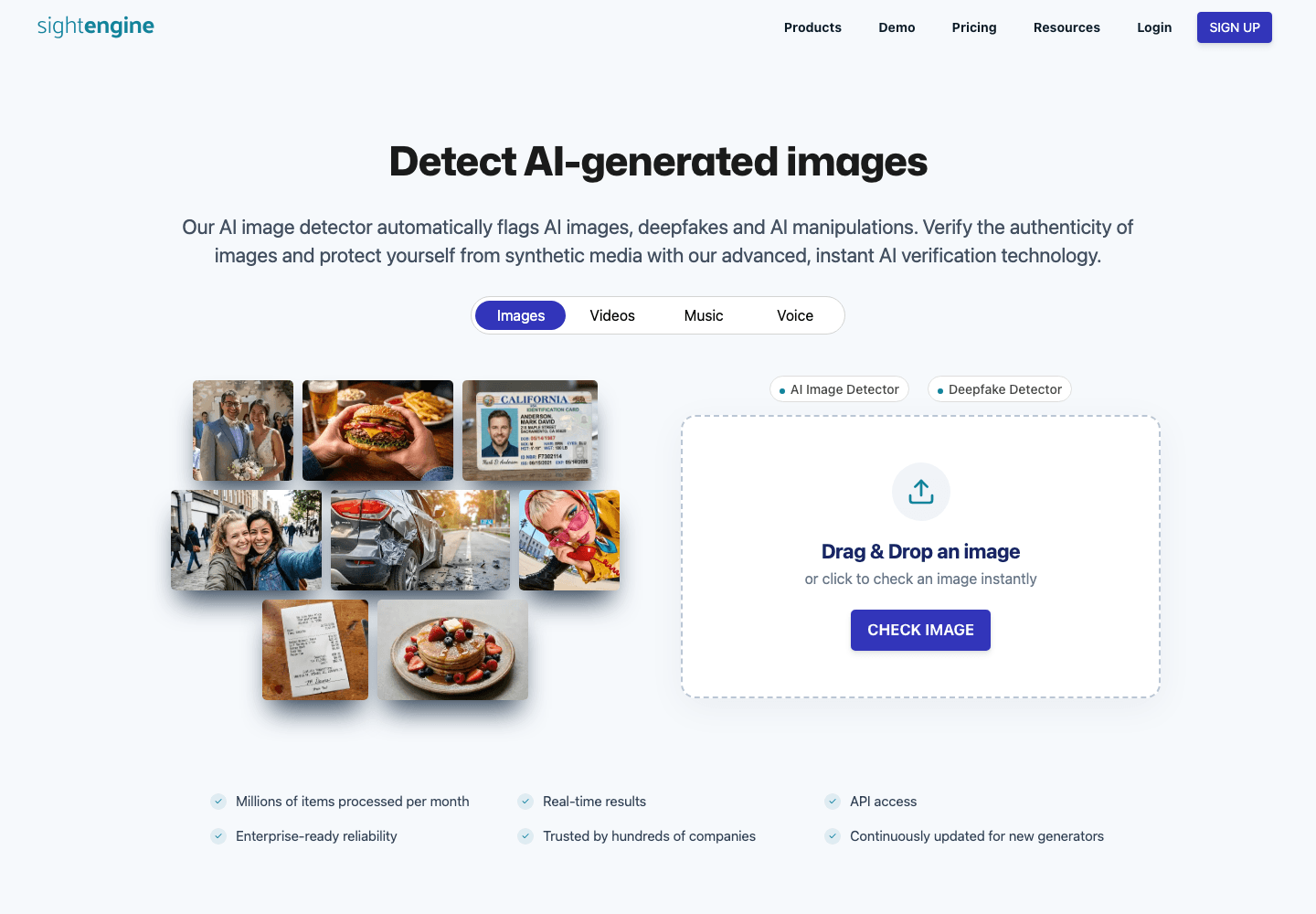
The service says its generative-AI analysis operates on pixel content instead of relying on visible watermarks or metadata. It covers many established and current generator families and exposes generator-level information in technical workflows. Sightengine also separates general AI generation from deepfake or face-swap detection, which are related but not identical problems.
Features
- Browser demo for occasional checks
- Generative-AI and face-manipulation assessments
- Per-generator and overall confidence signals
- API for automated image and video workflows
Pros
- Detailed output for technical users
- Explicit uncertain states
- Dedicated deepfake and face-manipulation capability
- Strong fit for applications and moderation systems
Cons
- Continued use requires an account or plan after free limits
- More detail can be harder for casual users to interpret
- Confidence scores still require contextual review
Best for: Developers, marketplaces, fraud teams, and reviewers who need both a technical API and more granular signals.
3. Hive — Best for Platform-Scale Visual Moderation
Hive approaches AI-image detection as part of a broader content-moderation system. Its visual models are intended for products that need to classify large volumes of images or video alongside other safety and authenticity signals.

That makes Hive compelling for social platforms, marketplaces, and trust-and-safety operations. It is less convenient for someone who simply wants to upload one suspicious image and receive a consumer-friendly forensic report.
Features
- AI-generated visual content detection
- Image and video analysis within a broader moderation suite
- API-oriented integration for automated workflows
- Platform-scale classification use cases
Pros
- Built for operational moderation
- Covers more than a single consumer image check
- Suitable for high-volume product integrations
Cons
- Less approachable for casual one-off verification
- Access and pricing require more evaluation than a simple free checker
- A classification API does not replace source investigation
Best for: Platforms and trust-and-safety teams that need AI-image detection inside a larger moderation pipeline.
4. Illuminarty — Best for a Simple Second Opinion
Illuminarty offers a web-based way to assess whether an image may have been AI-generated. Its main role in this comparison is as a second opinion: upload the same original file after using another detector and compare the direction and confidence of the results.
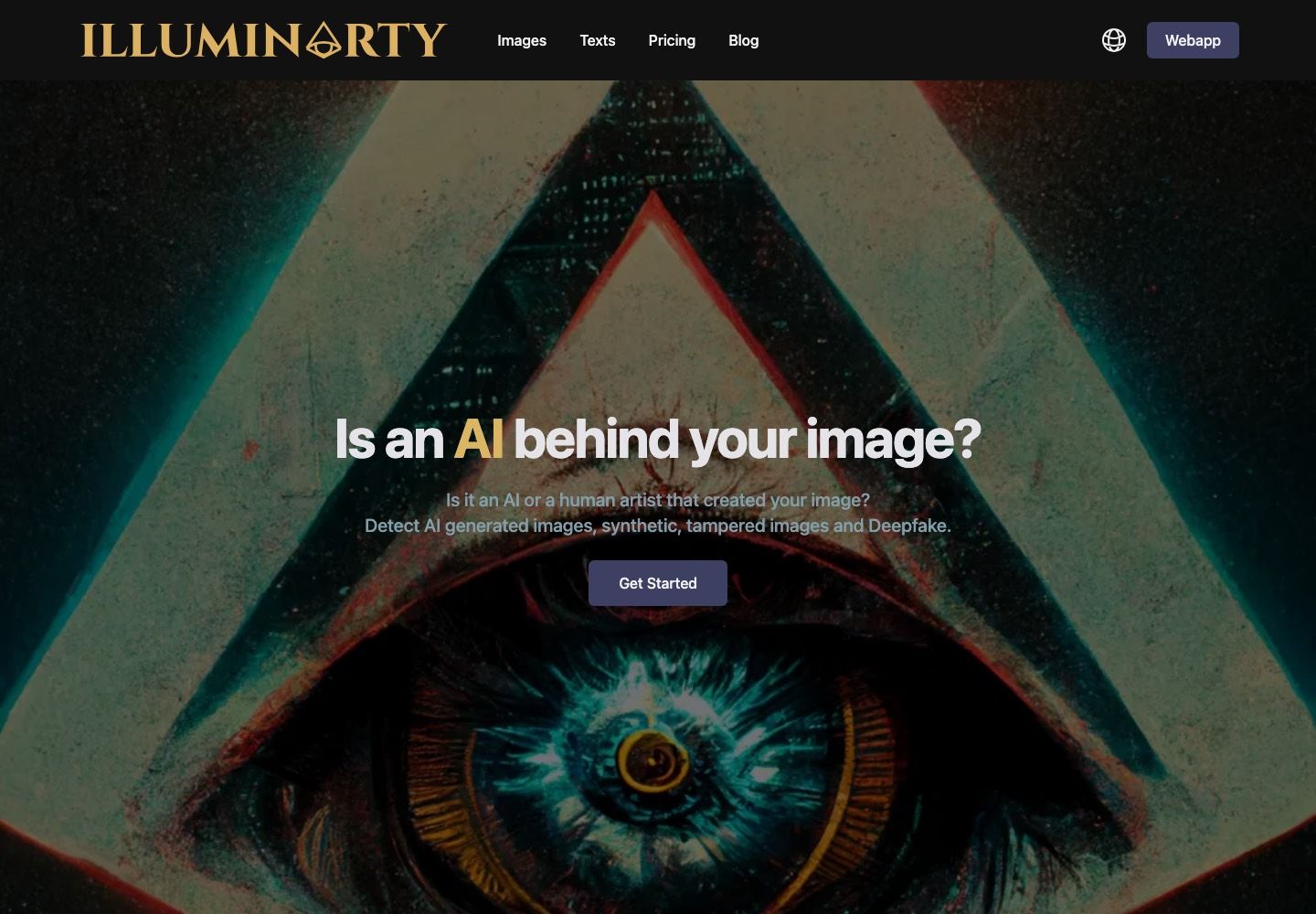
Free access, result detail, and plan boundaries can change, so check the current interface before relying on it for a recurring workflow. If two services disagree sharply, that disagreement is itself useful evidence that the image requires further investigation.
Features
- Browser-based image analysis
- AI-likelihood assessment
- Simple workflow for individual files
- Additional access depending on the current plan
Pros
- Low learning curve
- Convenient for cross-checking another detector
- Suitable for occasional use
Cons
- Current free limits need to be checked at the time of use
- Less useful when a decision requires provenance or source evidence
- A second model can still share blind spots with the first
Best for: Users who want a quick second opinion after an initial fake-image check.
5. WasItAI — Best for Quick Browser and Mobile Checks
WasItAI provides a straightforward upload experience that works in a browser on desktop or mobile. Its official interface states a maximum image size of 8 MB and dimensions up to 10,000 by 10,000 pixels. It also warns that screenshots may reduce detection quality, which is a useful limitation to surface before analysis.
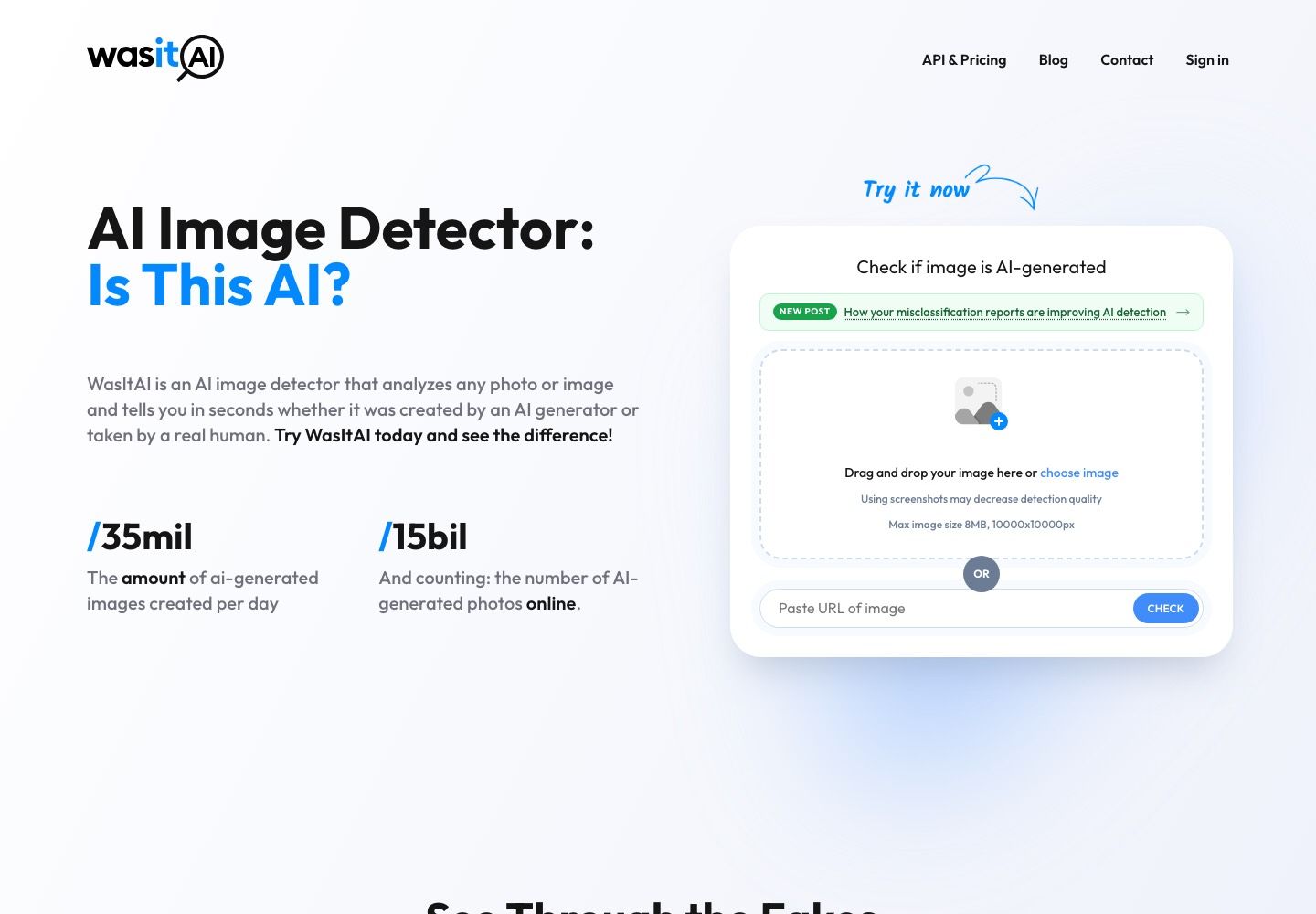
Guest usage is limited, while a free account provides credits that renew monthly. The service also offers an API for businesses that want to incorporate image checks into marketplaces, media workflows, or other applications.
Features
- Browser-based image upload
- Confidence detail for account users
- Stated 8 MB and 10,000-by-10,000-pixel limits
- API option for automated checks
Pros
- Simple desktop and mobile workflow
- Clearly warns against relying on screenshots
- Published privacy statement says uploaded images are processed without being retained for future use
Cons
- Guest credits are limited
- Detailed use requires account creation
- Primarily provides a classifier result rather than a complete verification investigation
Best for: People who want a fast browser check on a phone or computer and can use an account for recurring checks.
How to Use a Fake Image Detector Without Misreading the Result
The safest workflow combines model output with provenance and source investigation. Treat each layer as a different question rather than expecting one tool to answer everything.
1. Find the best available original
Download the highest-resolution version you can locate instead of taking another screenshot. Social platforms often resize images and remove metadata, while screenshots add new pixels from the display and capture process. Both can change a detector's result.
Record where you found the file, who posted it, and when. Those details may become more informative than the classifier score.
2. Run the first detector and read the whole report
Do not stop at “92% AI” or “99% authentic.” Look for an uncertain range, generator clues, face-manipulation results, file information, and notes about what the score represents. A confidence score describes the model's assessment, not the statistical probability that a claim about the image is true.
3. Check provenance and metadata
EXIF can reveal a camera model, editing software, timestamps, or export history, but it can also be removed or changed. C2PA Content Credentials can provide cryptographically signed provenance about participating devices and editing tools. Their presence can be meaningful; their absence is common and is not proof of deception.
An AI watermark can support a conclusion when a compatible verifier detects it. A missing watermark cannot establish authenticity because many generators do not add one, and normal editing or platform processing may affect detectable signals.
| Signal | What it can tell you | What it cannot prove |
|---|---|---|
| AI-detector score | How strongly a model associates the pixels with learned AI patterns | Who created the image or whether the depicted event happened |
| EXIF metadata | Possible device, date, software, and export clues | That the metadata is complete or unaltered |
| AI watermark | That a compatible generation or editing system likely handled the file | That no other parts of the image are authentic |
| C2PA credential | Signed provenance and edit history from participating tools | That an image without credentials is fake |
| Reverse-image match | Earlier appearances and surrounding context | That the earliest indexed page is the original source |
4. Compare a second detector
Use the exact same file in a second service. Agreement increases confidence slightly, but it is not independent proof because detectors may use similar training data or patterns. Disagreement is a reason to lower confidence and investigate further, not a reason to pick the answer you prefer.
5. Verify the source and context
Search for earlier versions of the image, inspect the account that published it, and look for confirmation from credible parties close to the event. Check whether lighting, geography, weather, clothing, signage, and chronology match the stated story.
For journalism, legal disputes, academic discipline, identity verification, or financial decisions, preserve the original file and involve a qualified forensic reviewer. A free online detector should not be the sole basis for accusing someone of creating or using a fake image.
Can a Free AI Image Detector Really Be Accurate?
Free AI image detectors can be useful, but accuracy is conditional. A model performs best when the image resembles the generators, editing methods, formats, and compression patterns represented in its training and evaluation data. New generators and unfamiliar editing pipelines can reduce performance until the detector is updated.
Research comparing detectors across large, diverse datasets has found that rankings can shift substantially from one dataset to another. A detector that performs well on older diffusion models may struggle with a newer commercial generator. The same architecture can also behave differently when its training data changes.
Post-processing creates another challenge. Cropping, resizing, recompression, filters, text overlays, and screenshots can weaken or replace the pixel patterns a classifier uses. A mostly real photo with a small AI-edited area may also escape a whole-image detector because the unedited pixels dominate.
This does not make every detector useless. It means the right question is not “Is this tool always accurate?” but “Does this result add a useful signal for this file, and what independent evidence can confirm it?” The best AI image detector is the one that makes its uncertainty and limitations understandable.
Which Fake Image Detector Should You Choose?
Choose Lynote for a fast individual check when you want an accessible verdict plus metadata and provenance context in the same report. Its Advanced Scan is especially helpful for learning why missing EXIF, C2PA, or watermark evidence should not be treated as a decisive answer.
Choose Sightengine when you need an API, generator-level detail, or a separate face-manipulation assessment. Choose Hive when AI-generated content detection is one component of a larger platform moderation system.
Use Illuminarty or WasItAI as a second opinion for individual files. WasItAI is particularly convenient when you want a simple mobile-friendly workflow and clearly stated upload limits.
For a suspected face swap, prioritize a detector with dedicated facial-manipulation analysis rather than relying only on whole-image AI classification. For a high-stakes authenticity decision, preserve the original and use professional media forensics, source verification, and provenance evidence.
FAQs About Fake Image Detectors
What is the best fake image detector online for free?
Lynote is the best starting point for most free online checks because it combines a quick verdict with optional EXIF, C2PA, and watermark context. Sightengine offers deeper technical signals and limited free access. Neither should be treated as proof, so compare another tool for important images.
Can an AI image detector be completely accurate?
No AI image detector is completely accurate across every generator, editing method, and file transformation. New models, compression, screenshots, and small AI-edited regions can cause false negatives, while unusual real images can cause false positives. Treat the output as one probabilistic signal.
Can a detector identify Midjourney, DALL-E, Flux, or Nano Banana images?
Some detectors are trained or updated to recognize patterns associated with major generators, including Midjourney, DALL-E, Flux, and Google's image models. Performance varies by model version and post-processing. A service's supported-generator list does not guarantee correct identification for every image.
Is a missing C2PA credential proof that an image is real?
No. C2PA credentials are only present when participating cameras, generators, or editing tools attach them and the credential survives later processing. Many authentic and AI-generated images have no credential. Presence can provide useful provenance; absence is normally inconclusive.
Do screenshots make AI image detection less reliable?
They can. A screenshot resamples the original, adds pixels from the display or interface, changes dimensions, and often removes original metadata. Use the highest-quality original file whenever possible. If only a screenshot exists, disclose that limitation and place less confidence in the detector result.
What should I do when two detectors disagree?
Do not choose the result that confirms your assumption. Check that both tools received the same original file, review uncertain scores and supporting evidence, inspect provenance and metadata, and search for the image's source. For consequential cases, ask a qualified forensic specialist to examine the original.
Final Verdict
Lynote is the best fake image detector for most people who want a free, understandable first check. Its combination of a quick scan and optional forensic context makes it easier to see why a result may be persuasive, incomplete, or inconclusive.
Sightengine is the better technical choice for APIs and detailed detection, while Hive fits large moderation systems. Whichever tool you choose, never let a single percentage decide whether an image is real. Use the detector as the first layer, then check provenance, compare another model, and verify the source.

Written by Janet L. Harris
AI Writing Specialist
Janet reviews AI detectors and humanization tools, with a focus on accuracy, limitations, and responsible use. View all articles →