





GPT-6 AI Detector: Detect AI Content Generated by GPT-6 Astra, Sol, Terra

Is GPT-6 Astra content detectable? Use Lynote’s GPT-6 detector to check AI writing and review flagged sentences.
Content
Paste Text⌘Vor click
Upload DocumentTXT.DOCX.PDF
Try Example:
ChatGPT
Claude
Human
Human + AI
0 words
Result
AI-generated
?%
Mix-generated
?%
Human-written
?%
Add text and click "Detect AI" to see the results.
Highlighted AI-Generated/Paraphrased Sentences
List sentences likely AI-generated here

Recent History

GPT-6 text checks
500K
GPT-6 Texts Checked
GPT-6 detection accuracy
99%
GPT-6 Detection Accuracy
Average user rating
4.9/5
Average User Rating

Why Choose Our GPT-6 AI Text Detector?

Clear Results

Clear Results

Wondering what to make of a suspected GPT-6 draft? Get clear results you can follow from the document overview to the highlighted passages. Decide which parts need a closer look before discussing or revising the writing.

Accurate AI Score

Accurate AI Score

Assess suspected GPT-6 writing with AI, mixed, and human text percentages. Read the score alongside the highlighted sentences and the author’s drafts to make a more informed judgment about AI involvement.

Sentence Highlights

Sentence Highlights

Find the lines that deserve attention in a GPT-6-assisted article or essay. Sentence highlights help you focus feedback on specific passages, so you can check their meaning, sources, and context.

Easy File Uploads

Easy File Uploads

Already have a GPT-6-assisted draft saved as a document? Upload your DOCX, PDF, or TXT file directly. Check one document at a time without moving each paragraph into a separate text box.

Pre-Submission Checks

Pre-Submission Checks

Make a GPT-6 text check part of your pre-submission review. Before an article goes live or client copy is delivered, examine generated passages and follow the AI-use rules that apply to your work.

Free Basic Checks

Free Basic Checks

Start checking suspected GPT-6 text for free with Lynote’s basic detection option. Explore the results before deciding whether you need more capacity; usage limits and paid features may apply.

No Sign-Up

No Sign-Up

Start a basic GPT-6 text check with no sign-up required. Open the tool, add your writing, and run the scan without creating an account or completing a registration form.

Training Data Privacy

Training Data Privacy

Review unpublished GPT-6-assisted essays, articles, and client drafts with a clear training-data boundary: Lynote does not use your submitted text to train its models.

Check Text Generated With GPT-6 Astra

Check Text Generated With GPT-6 Astra

Is that polished article an original draft or a GPT-6 Astra response? Paste the text into Lynote to examine its AI writing signals. You can also check output you already know came from Astra to see how the detector assesses it.

The report combines an overall breakdown with sentence highlights, helping you move from a broad question to specific passages worth reviewing. Detection results are indicators, not proof of which model wrote the text.

Detect Text From All GPT-6 Models Accurately

Detect Text From All GPT-6 Models Accurately

Bring text from different GPT-6 writing workflows into the same review process. Whether your draft began with Astra or Sol, submit the text and examine the AI, mixed, and human signals without selecting a generator first.

Compare those signals with the original response, your edits, and any supporting sources. Results can vary with the passage and the amount of revision; a detector score does not establish the exact model behind a document.

Detect GPT-6 AI-Generated Text Across Languages

Detect GPT-6 AI-Generated Text Across Languages

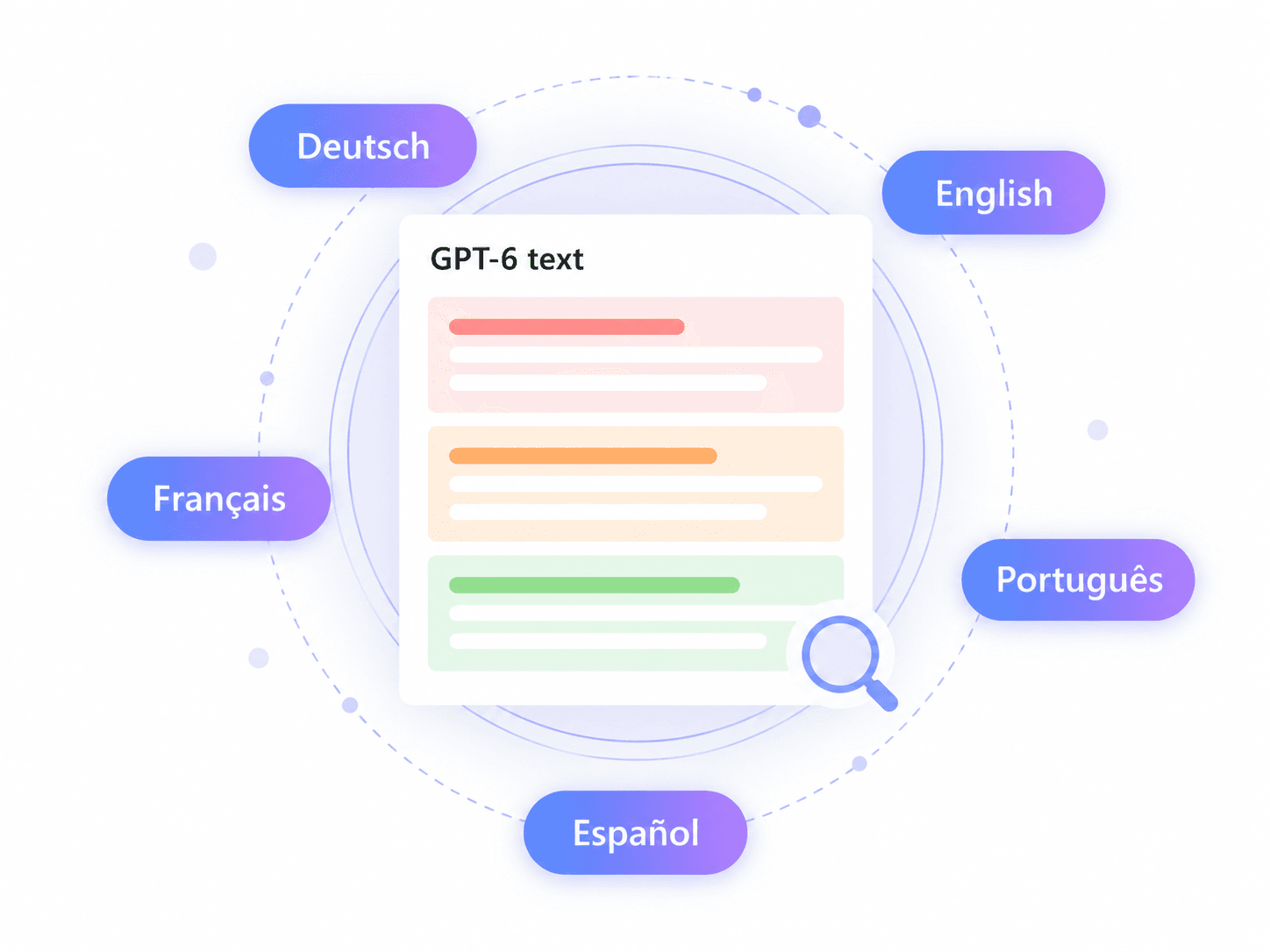
GPT-6-assisted writing may arrive as an English essay, a Spanish article, or a French client brief. Use Lynote to check text in its supported languages and review the original wording before making editorial decisions.

Keep language and context in mind when reading the result, especially for translated or heavily edited passages. Language support does not imply equal accuracy for every language, and a low score alone does not establish human authorship.

How to Check Text Generated With GPT-6

Step 1. Add Your GPT-6 Text

Step 1. Add Your GPT-6 Text

Paste a GPT-6 response or a draft you want to check. You can also upload a single DOCX, PDF, or TXT document. Keep pasted text within the limit shown in the tool.

arrow
Step 2. Click Detect AI

Step 2. Click Detect AI

Run the GPT-6 output detector by clicking Detect AI. Lynote analyzes the submitted text for AI writing signals; you do not need to identify its source model first.

arrow
Step 3. Review Your Results

Step 3. Review Your Results

Read the overall results and open the highlighted passages. Compare them with your sources and draft history before deciding whether the GPT-6-assisted writing needs clarification, revision, or disclosure.

Refine Your GPT-6 Draft After the Check

Use the report to find passages that need clearer reasoning, better sources, or your own perspective. If you want help polishing the wording, explore Lynote’s AI Humanizer and review each change for meaning and accuracy.

What Does a GPT-6 Text Detection Report Show?

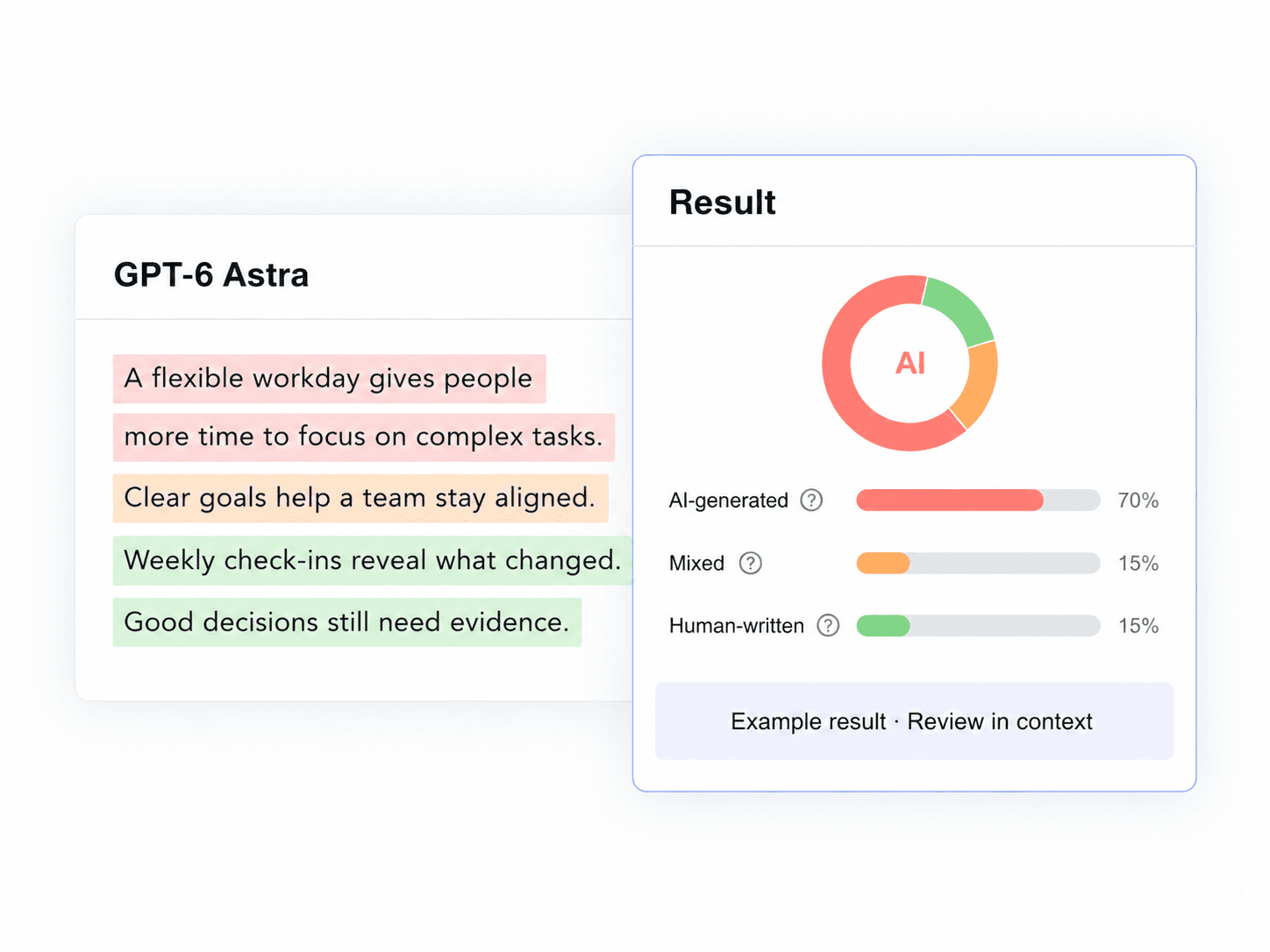
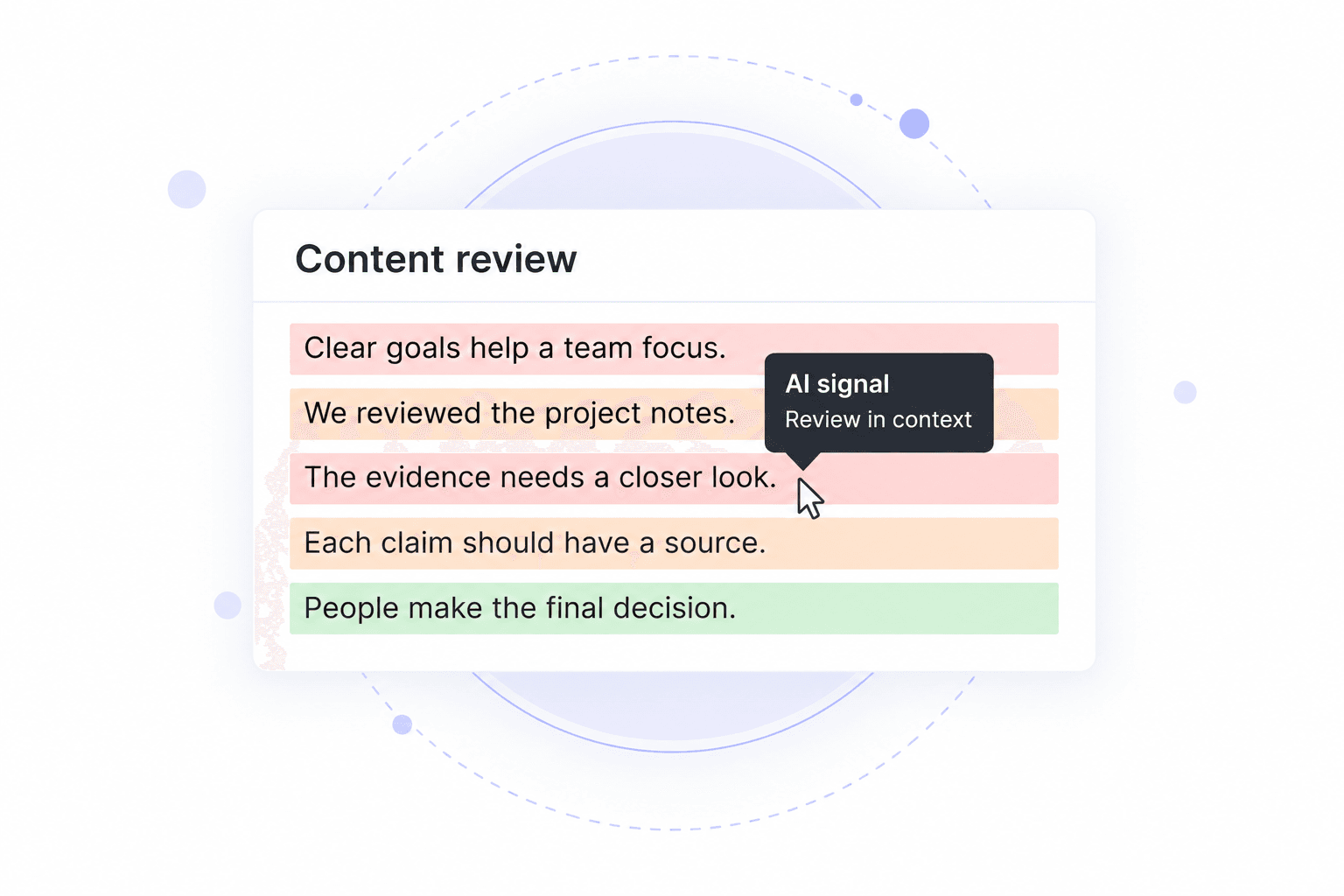
See how a GPT-6 text check connects the overall AI score with individual sentences. This sample uses illustrative scores; sentence percentages indicate AI likelihood.

Sample GPT-6 Draft

A community garden creates a shared space for neighbors to grow food and exchange knowledge. Clear responsibilities and reliable access to water help the project thrive.

Our garden brings that idea to life with a weekly watering rota. I joined six neighbors to plant the first beds last Saturday.

Sample Results
AI-generated
70%
Mixed
15%
Human-written
15%
Sentence-Level Results

This sample shows 70% AI-generated, 15% mixed, and 15% human-written text.

AI-Generated Sentences
  • 98%A community garden creates a shared space for neighbors to grow food and exchange knowledge.
  • 95%Clear responsibilities and reliable access to water help the project thrive.
Mixed Writing
  • 52%Our garden brings that idea to life with a weekly watering rota.
Human-Written Sentence
  • 8%I joined six neighbors to plant the first beds last Saturday.

How to Read Detection Scores for GPT-6 Writing

A score is a starting point for reviewing a GPT-6-assisted draft. Its value comes from what you check next.

Illustration of document-level scores and highlighted passages
  • A high AI score: Read the flagged passages and compare them with the author’s source material. The score alone does not establish that GPT-6 was used.
  • A mixed result: A draft may combine generated wording and human edits. Consult earlier versions instead of treating the result as a record of every change.
  • A low AI score: Do not take this as proof that no AI tool was involved. Generated text can be missed.
  • Sentence highlights: Use them to focus review on specific claims, explanations, or transitions.
  • Writing context: Consider the assignment, language, and revision history before making a decision.

Is GPT-6 Astra Content Detectable?

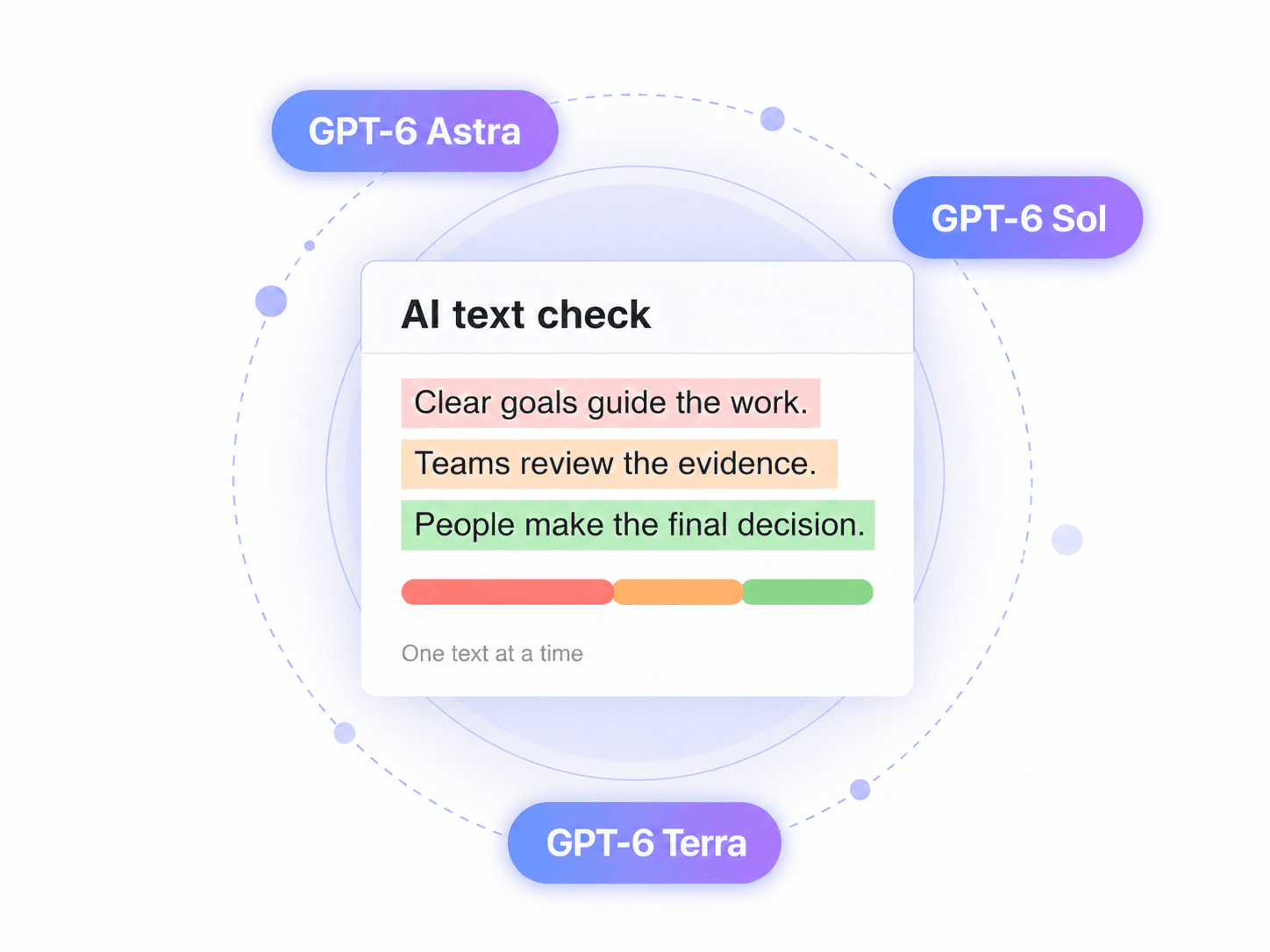
Check writing generated with GPT-6 Astra, Sol, or Terra and review the AI, mixed, and human text breakdown. The sample below shows how to read these categories alongside the original draft.

Check Writing From Every GPT-6 Model

GPT-6 Astra: Review generated essays, articles, and long-form responses.

GPT-6 Sol: Check AI-assisted drafts, summaries, and rewritten passages.

GPT-6 Terra: Examine generated copy using the same text-checking workflow.

Paste the text or upload a document, then review the score and highlighted sentences. Results assess AI writing signals; they do not identify the exact source model.

GPT-6 AstraGPT-6 SolGPT-6 Terra
Sample Text Detection Breakdown
AI-generated text70%
Mixed AI and human text15%
Human-written text15%

What to Do When Your GPT-6 Draft Is Flagged

Turn a detection result into a closer review of the writing, its sources, and how it was produced.

01

Read the Flagged Passage

Read the sentences around each highlight. Decide which claims or explanations need checking before changing the draft.

02

Compare With the Original Output

If you used GPT-6, compare the submitted version with the original response and note what you changed.

03

Verify Claims and Citations

Open the sources behind factual claims. Correct unsupported statements, missing references, or quotations that do not match their source.

04

Add Your Own Reasoning

Explain the argument in your own terms and add relevant evidence or experience. Improve the substance instead of chasing a lower score.

05

Keep Your Draft History

Save notes, outlines, and revision records. They help explain your writing process if a reader asks about AI assistance.

06

Follow the Relevant AI Policy

Check your school, publisher, or client’s requirements. Disclose GPT-6 assistance when required and describe how it contributed.

How Should You Review Suspected GPT-6 Content?

Different review methods answer different questions. Combine the detector result with source checks and writing history when the decision matters.

Review QuestionAI DetectionSource CheckingDraft HistoryHuman Review
What does it examine?AI writing signalsClaims and referencesEarlier versions and changesMeaning, context, and requirements
What does it help you do?Locate passages to reviewConfirm factual supportDiscuss the writing processMake a contextual decision
What does it not prove?The exact GPT-6 source modelWhether every sentence is human-writtenThe origin of text without recordsCertainty from style alone

These methods are complementary. The table describes their purposes, not a measured comparison of detection products.

When to Use a GPT-6 Content Detector

Review GPT-6-Assisted Essays

Review Essays Written With GPT-6

Before submitting an essay developed with GPT-6, check which passages need closer attention. Verify citations, strengthen your own argument, and follow the assignment’s rules for declaring AI assistance.

Check GPT-6 Blog Drafts

Check GPT-6 Blog Drafts

Use a GPT-6 content detector before publishing an AI-assisted article. Review highlighted lines alongside factual claims and links, then make sure the finished piece reflects your brand’s knowledge and editorial standards.

Screen Suspected GPT-6 Applications

Screen Suspected GPT-6 Applications

When a personal statement or application response raises questions, use detection as one part of the review. Ask for context or earlier drafts rather than deciding authorship from a score alone.

Review GPT-6 Client Deliverables

Review GPT-6 Client Deliverables

Check a GPT-6-assisted proposal, report, or landing page before handoff. Use the findings to review unsupported claims and confirm that the copy meets the client’s expectations for AI-assisted work.

Who Needs to Check GPT-6 Writing?

Teachers

Teachers

Review assignments that may contain GPT-6-generated passages. Use the report to prepare questions for the student and consider their notes, drafts, and understanding of the subject.

Students

Students

Check your own GPT-6-assisted coursework before submission. Review the passages that need attention and prepare an honest account of how you used AI in your writing process.

Admissions Officers

Admissions Officers

Examine personal statements that may have been drafted with GPT-6. Combine the text report with application context and follow-up questions when you need to clarify an applicant’s experience.

Publishing Editors

Publishing Editors

Review submitted articles that may contain GPT-6 output. Ask authors to verify claims, explain their sources, and provide drafts where the report suggests a closer look is useful.

SEO Managers

SEO Managers

Check GPT-6-assisted blogs and landing pages before they go live. Focus review on factual reliability, specific expertise, and the usefulness of the copy to readers.

Hiring Teams

Hiring Teams

Review written exercises that may involve GPT-6 assistance. Discuss the candidate’s reasoning and process alongside the report instead of using a detection score as an automatic rejection rule.

GPT-6 Detector FAQ

Answers about checking GPT-6 output, interpreting AI scores, and reviewing edited writing.

A GPT-6 detector is an AI text checker used to review writing that may have been generated with GPT-6. Lynote analyzes the submitted text and returns AI, mixed, and human signals with sentence highlights. The result supports a closer review; it does not establish the author or identify a model with certainty.

You can submit GPT-6-generated text to Lynote for an AI writing check. Read the result as an assessment of the passage, not a guarantee that every GPT-6 response will be identified. Results can vary across original output, edited drafts, and different writing contexts.

A GPT-6 Astra detector can help you examine AI writing signals in text you suspect came from Astra. It cannot prove that Astra, Sol, or another model produced the passage. Use prompt records or writing history when you need to establish which tool was used.

Accuracy depends on the text, language, and amount of editing. Lynote has not supplied a GPT-6-specific benchmark for this page, so no model-specific accuracy percentage is claimed here. Treat the result as one signal, review the highlighted passages, and allow for false positives and missed AI-generated text.

Yes. You can start with Lynote’s free basic text checks without creating an account. Limits may apply to the amount of text or the features available. Check the current tool interface for the allowance available to you.

Paste the text into Lynote or upload a DOCX, PDF, or TXT document. Click Detect AI, then review the results and highlighted passages. For a GPT-6-assisted document, compare the findings with the original response and any revisions you made.

The AI, mixed, and human percentages summarize the detector’s assessment of the submitted writing. They are not a record of which sentences you edited, a probability that an author cheated, or proof that GPT-6 was used. Read them together with sentence highlights and writing context.

Yes. Human-written text can receive an AI flag, and the result does not prove that it came from GPT-6. If that happens, review the highlighted passages and retain notes, sources, and earlier drafts that explain how the work was produced.

Rewritten text may still show AI writing signals, but editing can change the result. A high score does not establish the exact source, and a low score does not prove that no AI was involved. Evaluate the revised content for accuracy and originality instead of repeatedly rewriting it to chase a score.

AI detection and plagiarism checking address different questions. An AI detector assesses writing signals; a plagiarism checker looks for overlap with other material. Checking a GPT-6 draft for AI does not verify its sources or establish that its wording is original.

Lynote does not use submitted text to train its models. This applies to the drafts you provide for detection, including GPT-6-assisted writing. Consult the applicable privacy policy for details about data handling beyond model training.

The detector checks one document at a time rather than processing a batch of files. The paste workflow supports approximately 800 words per request; follow the limit shown in the current interface. Submit each draft separately and interpret its result in its own context.

Check Your GPT-6 Draft Before You Share It

Start with the text you want to understand. Review its AI signals, read the flagged passages, and decide what needs a closer look before submission or publication.

More Tools for Your GPT-6 Writing Workflow

Explore more tools for your GPT-6 writing workflow: check essays, PDFs, and resumes, review writing from other AI models, or refine your draft with AI Humanizer.





